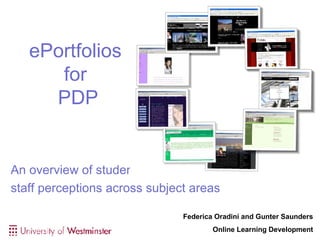
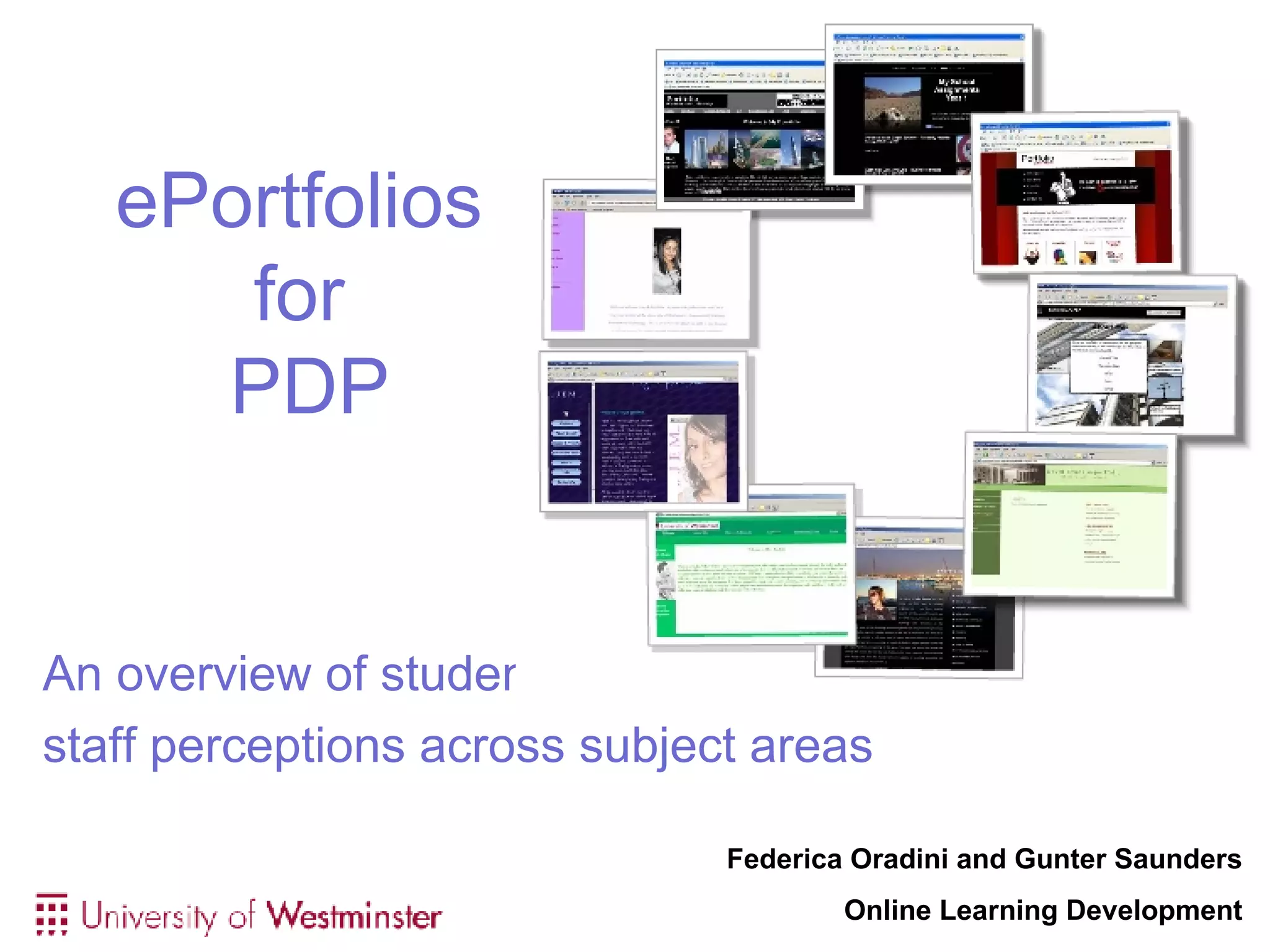
ePortfolios  for  PDP An overview of student and  staff perceptions across subject areas Federica Oradini and Gunter Saunders Online Learning Development
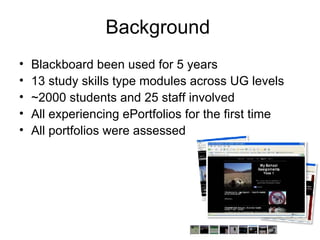
Background Blackboard been used for 5 years 13 study skills type modules across UG levels ~2000 students and 25 staff involved  All experiencing ePortfolios for the first time All portfolios were assessed
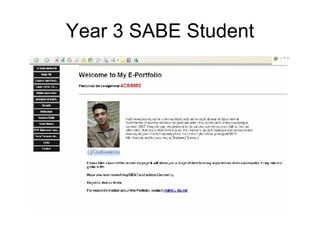
Year 3 SABE Student
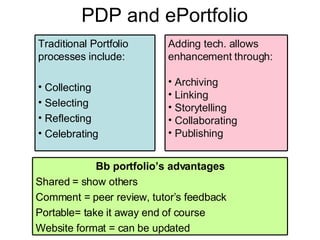
PDP and ePortfolio Traditional Portfolio processes include: Collecting Selecting Reflecting Celebrating Bb portfolio’s advantages Shared = show others Comment = peer review, tutor’s feedback Portable= take it away end of course Website format = can be updated Adding tech. allows enhancement through: Archiving Linking Storytelling Collaborating Publishing
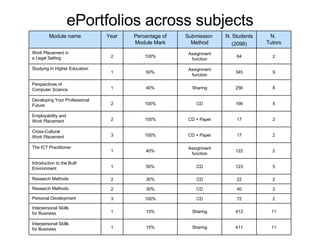
ePortfolios across subjects Module name Year Percentage of Module Mark Submission  Method N. Students (2098) N.  Tutors Work Placement in  a Legal Setting 2 100% Assignment function 64 2 Studying In Higher Education 1 50% Assignment function 345 9 Perspectives of  Computer Science 1 40% Sharing 256 8 Developing Your Professional Future  2 100% CD 196 5 Employability and  Work Placement 2 100% CD + Paper 17 2 Cross-Cultural  Work Placement 3 100% CD + Paper 17 2 The ICT Practitioner 1 40% Assignment function 122 2 Introduction to the Built Environment 1 50% CD 123 5 Research Methods 2 30% CD 22 2 Research Methods 2 30% CD 40 2 Personal Development 3 100% CD 72 2 Interpersonal Skills  for Business 1 15% Sharing 413 11 Interpersonal Skills  for Business 1 15% Sharing 411 11
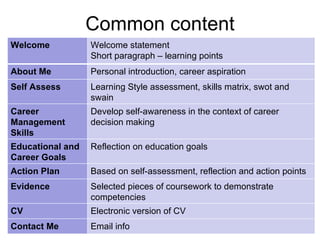
Common content Welcome Welcome statement Short paragraph – learning points About Me Personal introduction, career aspiration Self Assess Learning Style assessment, skills matrix, swot and swain Career Management Skills Develop self-awareness in the context of career decision making  Educational and Career Goals Reflection on education goals  Action Plan Based on self-assessment, reflection and action points Evidence  Selected pieces of coursework to demonstrate competencies  CV Electronic version of CV Contact Me Email info
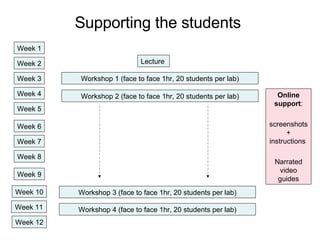
Supporting the students  Lecture  Workshop 1 (face to face 1hr, 20 students per lab) Workshop 2 (face to face 1hr, 20 students per lab) Week 1 Week 2 Week 3 Week 4 Week 5 Week 6 Week 7 Week 8 Week 9 Week 10 Week 11 Week 12 Workshop 4 (face to face 1hr, 20 students per lab) Workshop 3 (face to face 1hr, 20 students per lab) Online support : screenshots + instructions  Narrated video guides
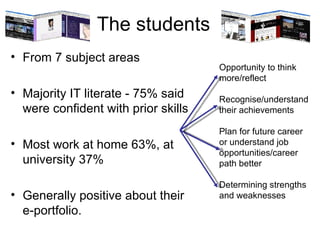
The students From 7 subject areas Majority IT literate - 75% said were confident with prior skills Most work at home 63%, at university 37% Generally positive about their e-portfolio. Opportunity to think more/reflect Recognise/understand their achievements Plan for future career or understand job opportunities/career path better Determining strengths and weaknesses
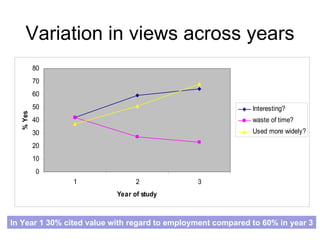
Variation in views across years In Year 1 30% cited value with regard to employment compared to 60% in year 3
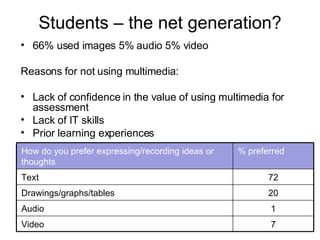
Students – the net generation? 66% used images 5% audio 5% video Reasons for not using multimedia:  Lack of confidence in the value of using multimedia for assessment  Lack of IT skills Prior learning experiences  How do you prefer expressing/recording ideas or thoughts % preferred Text 72 Drawings/graphs/tables 20 Audio 1 Video 7
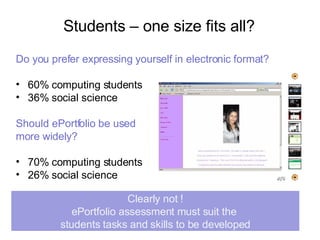
Students – one size fits all? Do you prefer expressing yourself in electronic format? 60% computing students  36% social science  Should ePortfolio be used  more widely? 70% computing students 26% social science Clearly not ! ePortfolio assessment must suit the  students tasks and skills to be developed
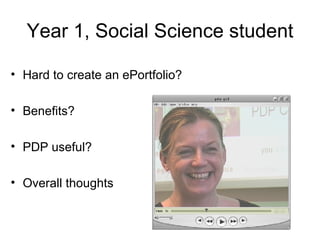
Year 1, Social Science student Hard to create an ePortfolio? Benefits? PDP useful? Overall thoughts
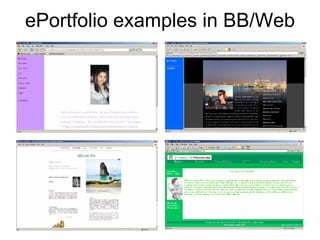
ePortfolio examples in BB/Web
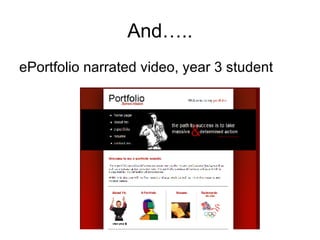
And….. ePortfolio narrated video, year 3 student
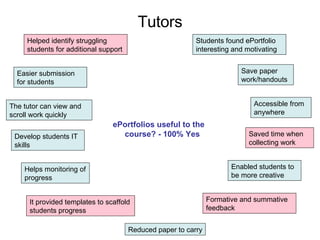
Tutors ePortfolios useful to the course? - 100% Yes    Helps monitoring of progress Formative and summative feedback Easier submission for students Students found ePortfolio interesting and motivating  The tutor can view and scroll work quickly Save paper work/handouts Reduced paper to carry Accessible from anywhere  It provided templates to scaffold students progress Saved time when collecting work  Develop students IT skills  Enabled students to be more creative Helped identify struggling students for additional support
Assessment Submission   On a CD  30% Assignments function  60% Shared in Blackboard  10%    Feedback  40% via email 10% through BB 10% handwritten on sheets 20% face to face  20% did not say 91% Marked on screen  9% on paper 40% found on screen was challenging, tiring and time consuming
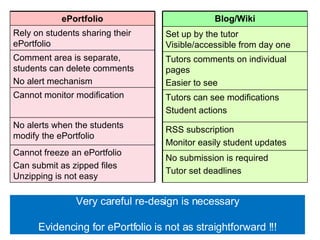
Very careful re-design is necessary Evidencing for ePortfolio is not as straightforward !!! Blog/Wiki Set up by the tutor  Visible/accessible from day one Tutors comments on individual pages Easier to see Tutors can see modifications Student actions  RSS subscription  Monitor easily student updates No submission is required Tutor set deadlines  ePortfolio Rely on students sharing their ePortfolio Comment area is separate, students can delete comments  No alert mechanism Cannot monitor modification No alerts when the students modify the ePortfolio  Cannot freeze an ePortfolio Can submit as zipped files Unzipping is not easy
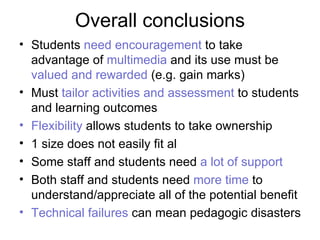
Overall conclusions Students  need encouragement  to take advantage of  multimedia  and its use must be  valued and rewarded  (e.g. gain marks)    Must  tailor activities and assessment  to students and learning outcomes  Flexibility  allows students to take ownership 1 size does not easily fit al Some staff and students need  a lot of support Both staff and students need  more time  to understand/appreciate all of the potential benefit Technical failures  can mean pedagogic disasters

ePortfolio and PDP

  • 1.
    ePortfolios for PDP An overview of student and staff perceptions across subject areas Federica Oradini and Gunter Saunders Online Learning Development
  • 2.
    Background Blackboard beenused for 5 years 13 study skills type modules across UG levels ~2000 students and 25 staff involved All experiencing ePortfolios for the first time All portfolios were assessed
  • 3.
    Year 3 SABEStudent
  • 4.
    PDP and ePortfolioTraditional Portfolio processes include: Collecting Selecting Reflecting Celebrating Bb portfolio’s advantages Shared = show others Comment = peer review, tutor’s feedback Portable= take it away end of course Website format = can be updated Adding tech. allows enhancement through: Archiving Linking Storytelling Collaborating Publishing
  • 5.
    ePortfolios across subjectsModule name Year Percentage of Module Mark Submission Method N. Students (2098) N. Tutors Work Placement in a Legal Setting 2 100% Assignment function 64 2 Studying In Higher Education 1 50% Assignment function 345 9 Perspectives of Computer Science 1 40% Sharing 256 8 Developing Your Professional Future 2 100% CD 196 5 Employability and Work Placement 2 100% CD + Paper 17 2 Cross-Cultural Work Placement 3 100% CD + Paper 17 2 The ICT Practitioner 1 40% Assignment function 122 2 Introduction to the Built Environment 1 50% CD 123 5 Research Methods 2 30% CD 22 2 Research Methods 2 30% CD 40 2 Personal Development 3 100% CD 72 2 Interpersonal Skills for Business 1 15% Sharing 413 11 Interpersonal Skills for Business 1 15% Sharing 411 11
  • 6.
    Common content WelcomeWelcome statement Short paragraph – learning points About Me Personal introduction, career aspiration Self Assess Learning Style assessment, skills matrix, swot and swain Career Management Skills Develop self-awareness in the context of career decision making Educational and Career Goals Reflection on education goals Action Plan Based on self-assessment, reflection and action points Evidence Selected pieces of coursework to demonstrate competencies CV Electronic version of CV Contact Me Email info
  • 7.
    Supporting the students Lecture Workshop 1 (face to face 1hr, 20 students per lab) Workshop 2 (face to face 1hr, 20 students per lab) Week 1 Week 2 Week 3 Week 4 Week 5 Week 6 Week 7 Week 8 Week 9 Week 10 Week 11 Week 12 Workshop 4 (face to face 1hr, 20 students per lab) Workshop 3 (face to face 1hr, 20 students per lab) Online support : screenshots + instructions Narrated video guides
  • 8.
    The students From7 subject areas Majority IT literate - 75% said were confident with prior skills Most work at home 63%, at university 37% Generally positive about their e-portfolio. Opportunity to think more/reflect Recognise/understand their achievements Plan for future career or understand job opportunities/career path better Determining strengths and weaknesses
  • 9.
    Variation in viewsacross years In Year 1 30% cited value with regard to employment compared to 60% in year 3
  • 10.
    Students – thenet generation? 66% used images 5% audio 5% video Reasons for not using multimedia: Lack of confidence in the value of using multimedia for assessment Lack of IT skills Prior learning experiences How do you prefer expressing/recording ideas or thoughts % preferred Text 72 Drawings/graphs/tables 20 Audio 1 Video 7
  • 11.
    Students – onesize fits all? Do you prefer expressing yourself in electronic format? 60% computing students 36% social science Should ePortfolio be used more widely? 70% computing students 26% social science Clearly not ! ePortfolio assessment must suit the students tasks and skills to be developed
  • 12.
    Year 1, SocialScience student Hard to create an ePortfolio? Benefits? PDP useful? Overall thoughts
  • 13.
  • 14.
    And….. ePortfolio narratedvideo, year 3 student
  • 15.
    Tutors ePortfolios usefulto the course? - 100% Yes   Helps monitoring of progress Formative and summative feedback Easier submission for students Students found ePortfolio interesting and motivating The tutor can view and scroll work quickly Save paper work/handouts Reduced paper to carry Accessible from anywhere It provided templates to scaffold students progress Saved time when collecting work Develop students IT skills Enabled students to be more creative Helped identify struggling students for additional support
  • 16.
    Assessment Submission   Ona CD  30% Assignments function  60% Shared in Blackboard  10%    Feedback 40% via email 10% through BB 10% handwritten on sheets 20% face to face  20% did not say 91% Marked on screen  9% on paper 40% found on screen was challenging, tiring and time consuming
  • 17.
    Very careful re-designis necessary Evidencing for ePortfolio is not as straightforward !!! Blog/Wiki Set up by the tutor Visible/accessible from day one Tutors comments on individual pages Easier to see Tutors can see modifications Student actions RSS subscription Monitor easily student updates No submission is required Tutor set deadlines ePortfolio Rely on students sharing their ePortfolio Comment area is separate, students can delete comments No alert mechanism Cannot monitor modification No alerts when the students modify the ePortfolio Cannot freeze an ePortfolio Can submit as zipped files Unzipping is not easy
  • 18.
    Overall conclusions Students need encouragement to take advantage of multimedia and its use must be valued and rewarded (e.g. gain marks)    Must tailor activities and assessment to students and learning outcomes Flexibility allows students to take ownership 1 size does not easily fit al Some staff and students need a lot of support Both staff and students need more time to understand/appreciate all of the potential benefit Technical failures can mean pedagogic disasters