





Path to Code
Begin Your Salesforce Coding Adventure
Episode 5
Writing Unit Tests in Apex
Enterprise Solutions Architect
Follow me @JigarShah189
Jigar Shah
Agenda
• Why write Unit Tests in Apex?
• Understanding Test Code Coverage
• Blueprint of a Test Class
• Executing Unit Tests
• Best Practices for Unit Testing
• Trailhead Modules
• Q&A
Some Housekeeping Rules…
• Mute your mic
• Keep adding questions in Zoom Q&A Window
• No questions are silly!
• Questions will be answered in the last 15 mins of this session
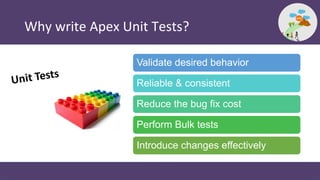
Why write Apex Unit Tests?
Validate desired behavior
Reliable & consistent
Reduce the bug fix cost
Perform Bulk tests
Introduce changes effectively
Understanding Test Code Coverage
“Unit tests must cover minimum 75%
of Apex code on your org & all tests
must complete successfully”
What to Test?
Single Action
Bulk Actions ( >200 records)
Positive Behavior (Expected Behavior)
Negative Behavior (Unexpected Behavior)
Restricted User Access
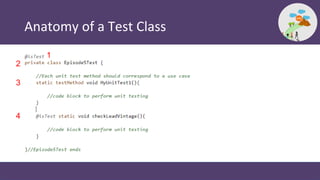
Anatomy of a Test Class
1
2
3
4
Demo 1
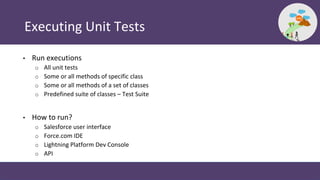
Executing Unit Tests
• Run executions
o All unit tests
o Some or all methods of specific class
o Some or all methods of a set of classes
o Predefined suite of classes – Test Suite
• How to run?
o Salesforce user interface
o Force.com IDE
o Lightning Platform Dev Console
o API
Demo 2
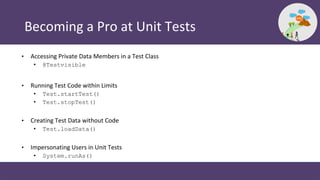
Becoming a Pro at Unit Tests
• Accessing Private Data Members in a Test Class
• @Testvisible
• Running Test Code within Limits
• Test.startTest()
• Test.stopTest()
• Creating Test Data without Code
• Test.loadData()
• Impersonating Users in Unit Tests
• System.runAs()
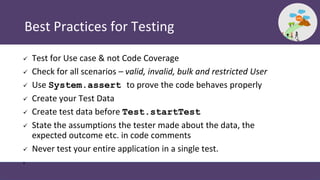
Best Practices for Testing
 Test for Use case & not Code Coverage
 Check for all scenarios – valid, invalid, bulk and restricted User
 Use System.assert to prove the code behaves properly
 Create your Test Data
 Create test data before Test.startTest
 State the assumptions the tester made about the data, the
expected outcome etc. in code comments
 Never test your entire application in a single test.
•
Resources
 Testing Apex
 Running Unit Test Methods
 Building a Mock Framework with Stub API
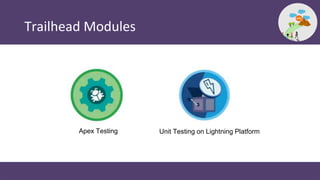
Trailhead Modules
Apex Testing Unit Testing on Lightning Platform
Q & A
Thank You
Subscribe

Episode 5 - Writing unit tests in Salesforce

  • 1.
    Path to Code BeginYour Salesforce Coding Adventure
  • 2.
  • 3.
    Enterprise Solutions Architect Followme @JigarShah189 Jigar Shah
  • 4.
    Agenda • Why writeUnit Tests in Apex? • Understanding Test Code Coverage • Blueprint of a Test Class • Executing Unit Tests • Best Practices for Unit Testing • Trailhead Modules • Q&A
  • 5.
    Some Housekeeping Rules… •Mute your mic • Keep adding questions in Zoom Q&A Window • No questions are silly! • Questions will be answered in the last 15 mins of this session
  • 6.
    Why write ApexUnit Tests? Validate desired behavior Reliable & consistent Reduce the bug fix cost Perform Bulk tests Introduce changes effectively
  • 7.
    Understanding Test CodeCoverage “Unit tests must cover minimum 75% of Apex code on your org & all tests must complete successfully”
  • 8.
    What to Test? SingleAction Bulk Actions ( >200 records) Positive Behavior (Expected Behavior) Negative Behavior (Unexpected Behavior) Restricted User Access
  • 9.
    Anatomy of aTest Class 1 2 3 4
  • 10.
  • 11.
    Executing Unit Tests •Run executions o All unit tests o Some or all methods of specific class o Some or all methods of a set of classes o Predefined suite of classes – Test Suite • How to run? o Salesforce user interface o Force.com IDE o Lightning Platform Dev Console o API
  • 12.
  • 13.
    Becoming a Proat Unit Tests • Accessing Private Data Members in a Test Class • @Testvisible • Running Test Code within Limits • Test.startTest() • Test.stopTest() • Creating Test Data without Code • Test.loadData() • Impersonating Users in Unit Tests • System.runAs()
  • 14.
    Best Practices forTesting  Test for Use case & not Code Coverage  Check for all scenarios – valid, invalid, bulk and restricted User  Use System.assert to prove the code behaves properly  Create your Test Data  Create test data before Test.startTest  State the assumptions the tester made about the data, the expected outcome etc. in code comments  Never test your entire application in a single test. •
  • 15.
    Resources  Testing Apex Running Unit Test Methods  Building a Mock Framework with Stub API
  • 16.
    Trailhead Modules Apex TestingUnit Testing on Lightning Platform
  • 17.
  • 18.
  • 19.