











Dirty Secrets of the
Notes Client
Henning Kunz & Christoph Adler
#engageug
https://www.slideshare.net/christophadler50
#engageug
Timetable
13:30 – Start
14:30 – Break ~10min
15:45 – Break ~10min
17:00 - End
#engageug
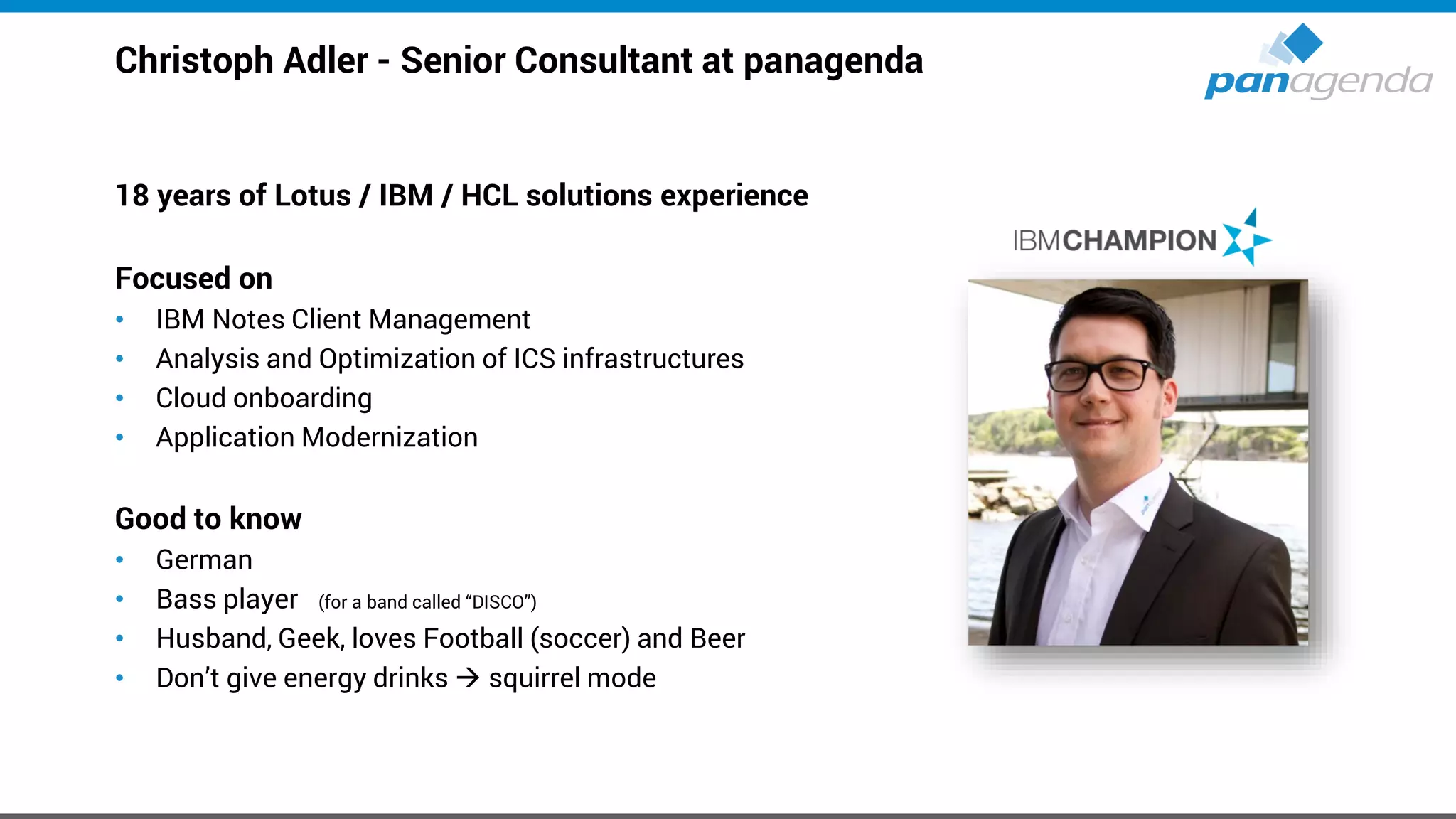
Christoph Adler - Senior Consultant at panagenda
18 years of Lotus / IBM / HCL solutions experience
Focused on
• IBM Notes Client Management
• Analysis and Optimization of ICS infrastructures
• Cloud onboarding
• Application Modernization
Good to know
• German
• Bass player (for a band called “DISCO”)
• Husband, Geek, loves Football (soccer) and Beer
• Don’t give energy drinks → squirrel mode
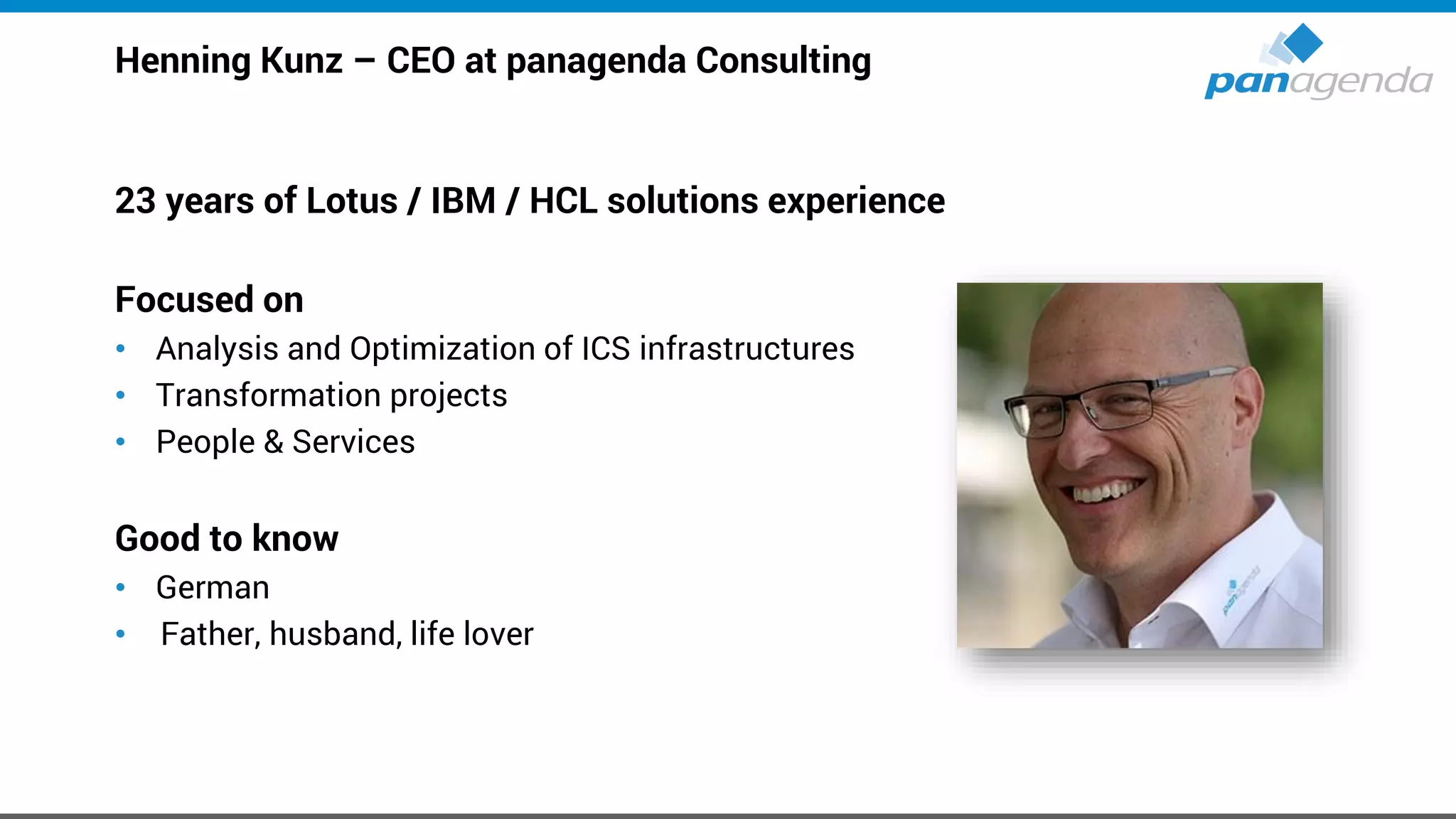
Henning Kunz – CEO at panagenda Consulting
23 years of Lotus / IBM / HCL solutions experience
Focused on
• Analysis and Optimization of ICS infrastructures
• Transformation projects
• People & Services
Good to know
• German
• Father, husband, life lover
1. IBM Notes
2. Marvel Client
3. Upgrades → V10.0.1 FP1 + Language Kit G1 -Break 1-
4. Citrix / VDI
5. Troubleshooting -Break 2-
6. Notes Client Analysis: How to use this data in projects
7. Optional: Performance
Agenda
Make Your Data Work For You
IBM Notes
IBM Notes
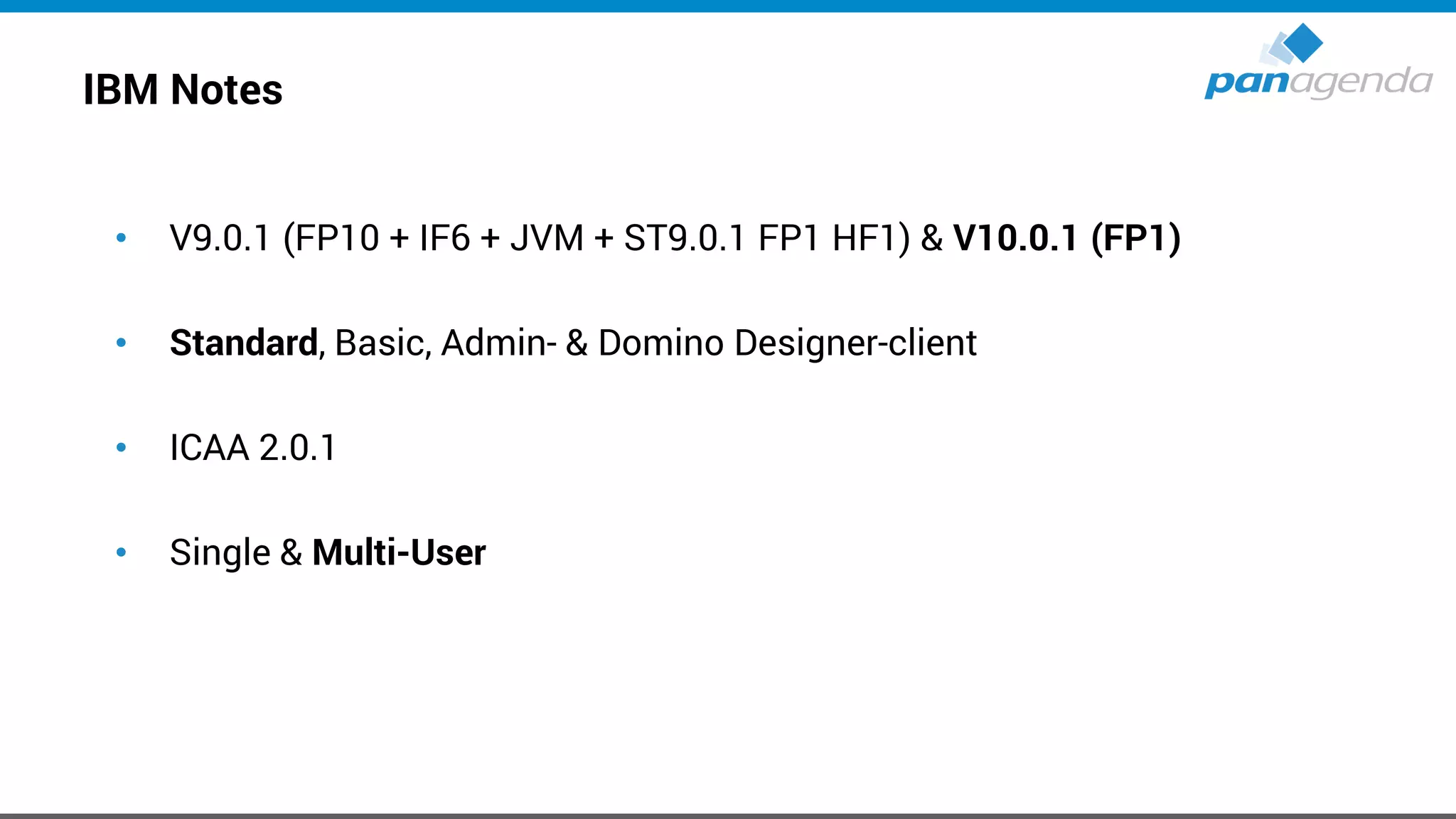
• V9.0.1 (FP10 + IF6 + JVM + ST9.0.1 FP1 HF1) & V10.0.1 (FP1)
• Standard, Basic, Admin- & Domino Designer-client
• ICAA 2.0.1
• Single & Multi-User
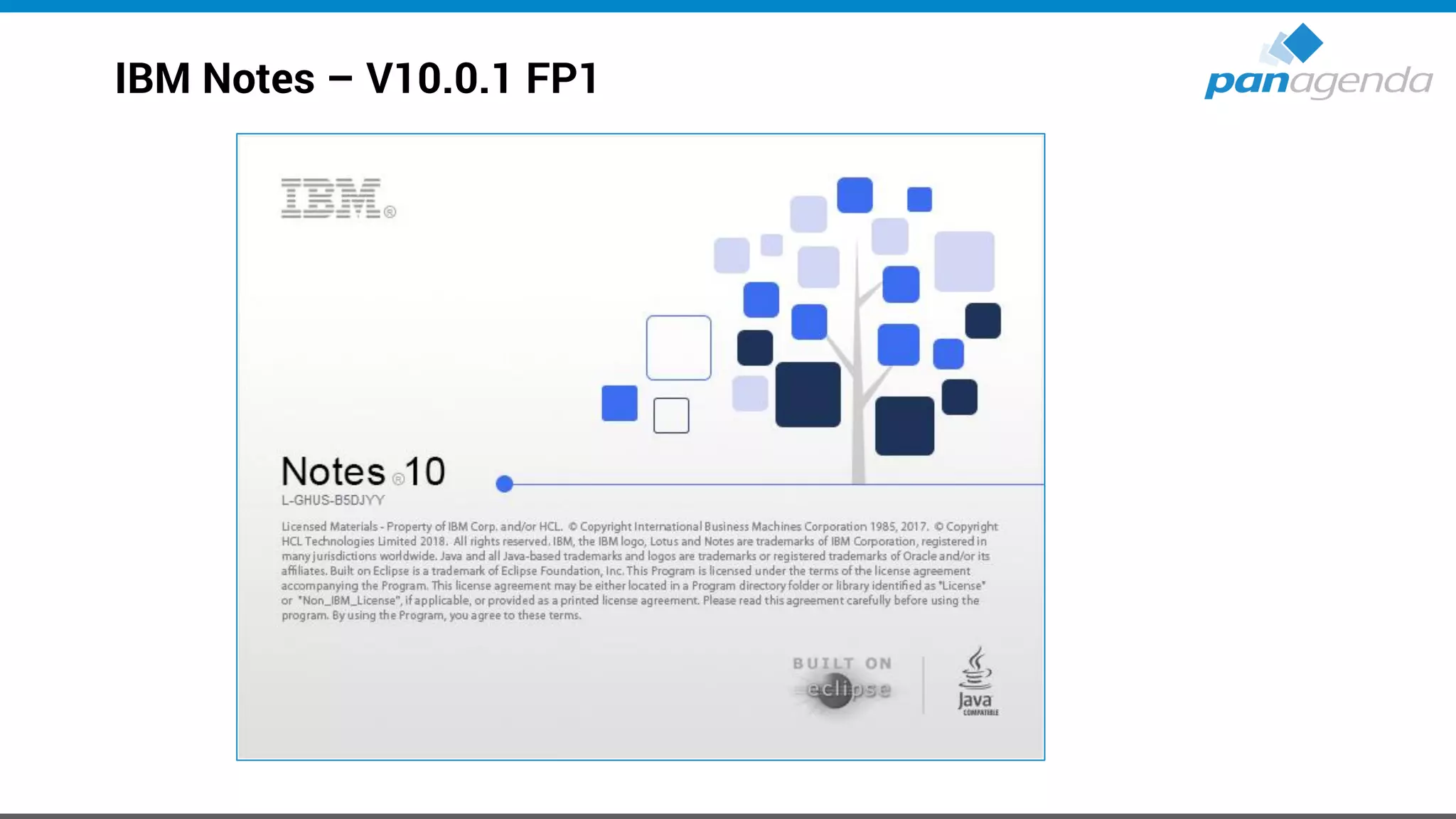
IBM Notes – V10.0.1 FP1
IBM Notes - Downloads
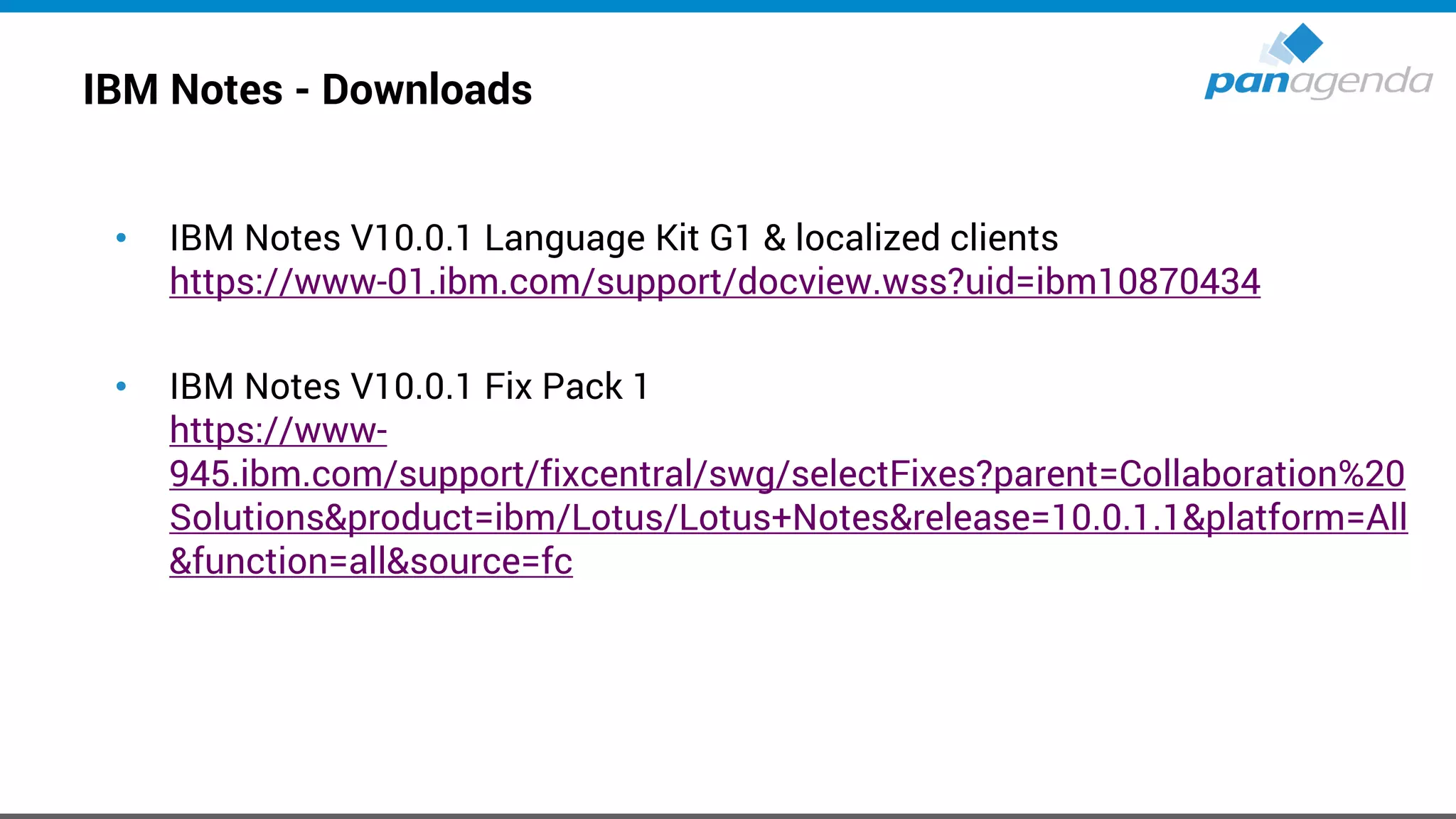
• IBM Notes V10.0.1 Language Kit G1 & localized clients
https://www-01.ibm.com/support/docview.wss?uid=ibm10870434
• IBM Notes V10.0.1 Fix Pack 1
https://www-
945.ibm.com/support/fixcentral/swg/selectFixes?parent=Collaboration%20
Solutions&product=ibm/Lotus/Lotus+Notes&release=10.0.1.1&platform=All
&function=all&source=fc
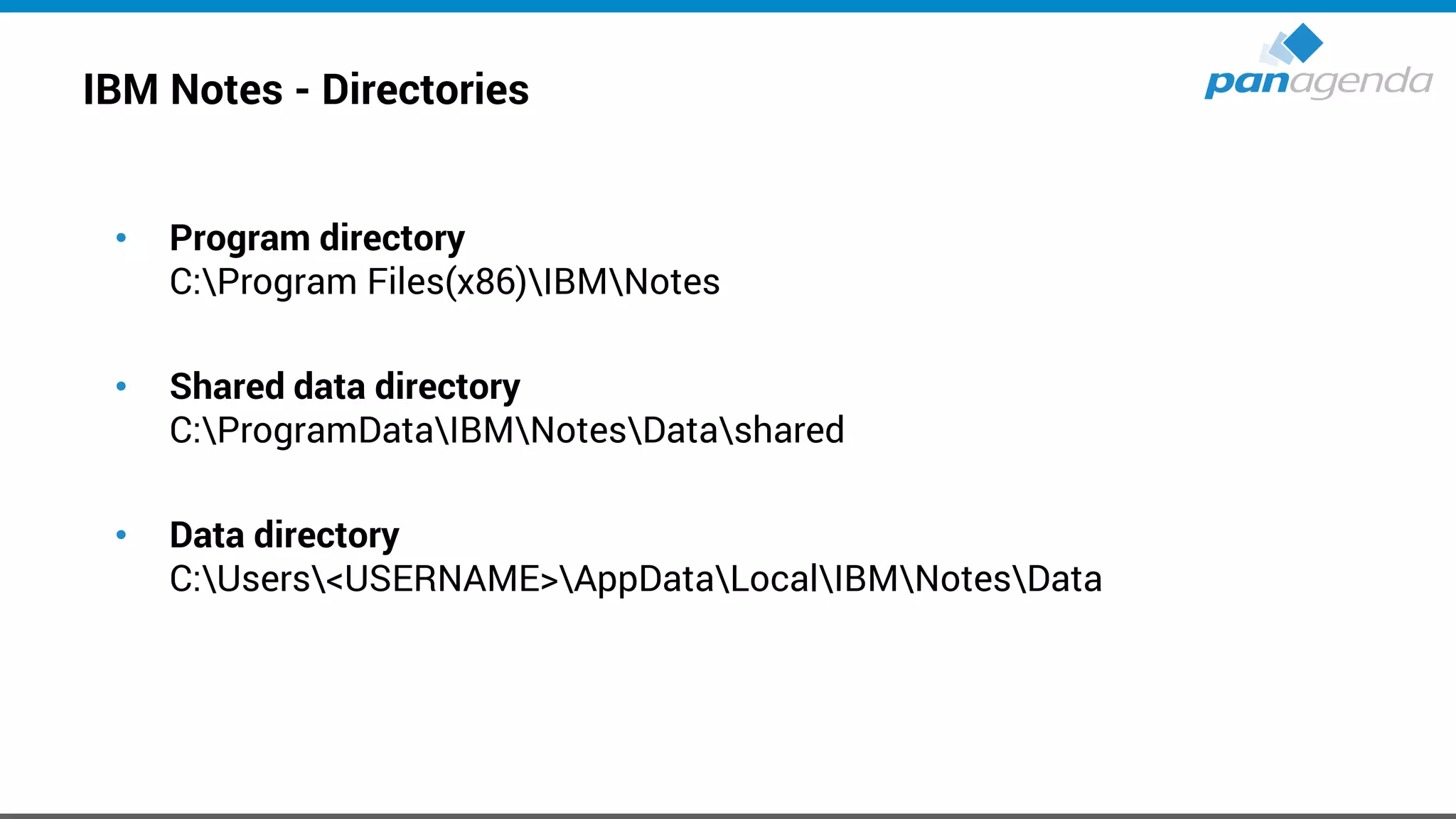
IBM Notes - Directories
• Program directory
C:Program Files(x86)IBMNotes
• Shared data directory
C:ProgramDataIBMNotesDatashared
• Data directory
C:Users<USERNAME>AppDataLocalIBMNotesData
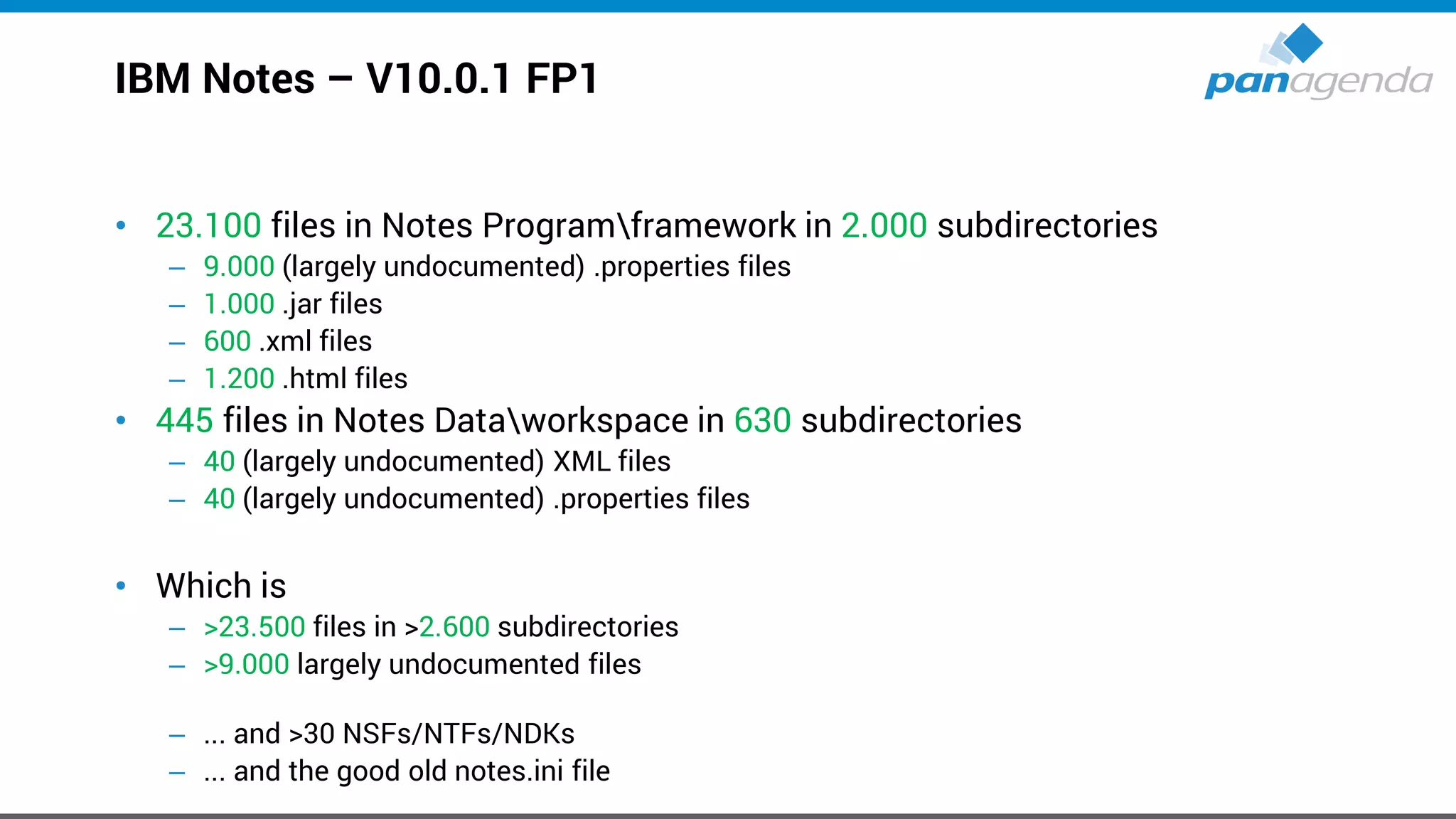
IBM Notes – V10.0.1 FP1
• 23.100 files in Notes Programframework in 2.000 subdirectories
– 9.000 (largely undocumented) .properties files
– 1.000 .jar files
– 600 .xml files
– 1.200 .html files
• 445 files in Notes Dataworkspace in 630 subdirectories
– 40 (largely undocumented) XML files
– 40 (largely undocumented) .properties files
• Which is
– >23.500 files in >2.600 subdirectories
– >9.000 largely undocumented files
– ... and >30 NSFs/NTFs/NDKs
– ... and the good old notes.ini file
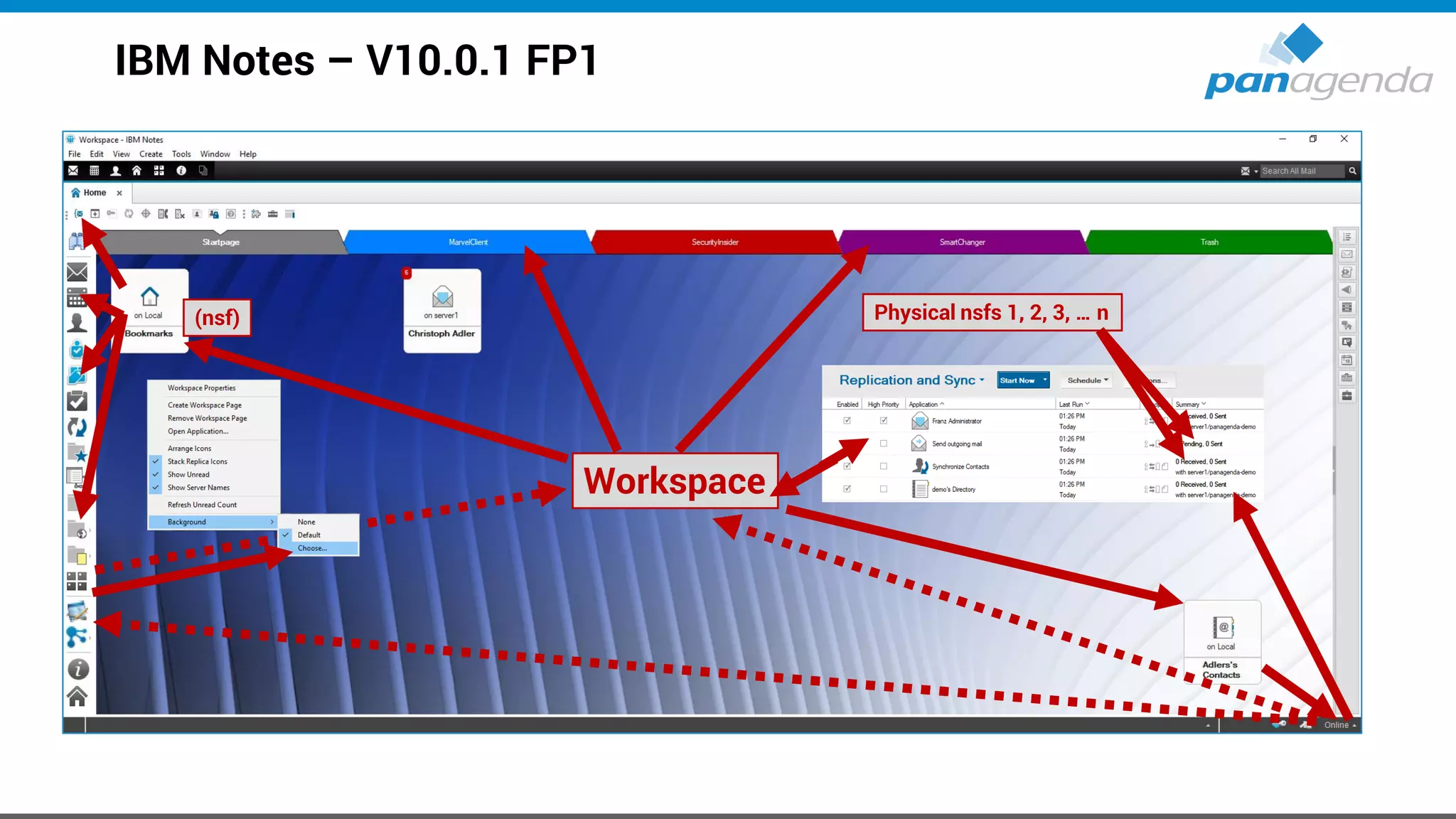
IBM Notes – V10.0.1 FP1
Workspace
(nsf) Physical nsfs 1, 2, 3, … n
Make Your Data Work For You
MarvelClient
ANALYZE MIGRATE MANAGE
BASIC
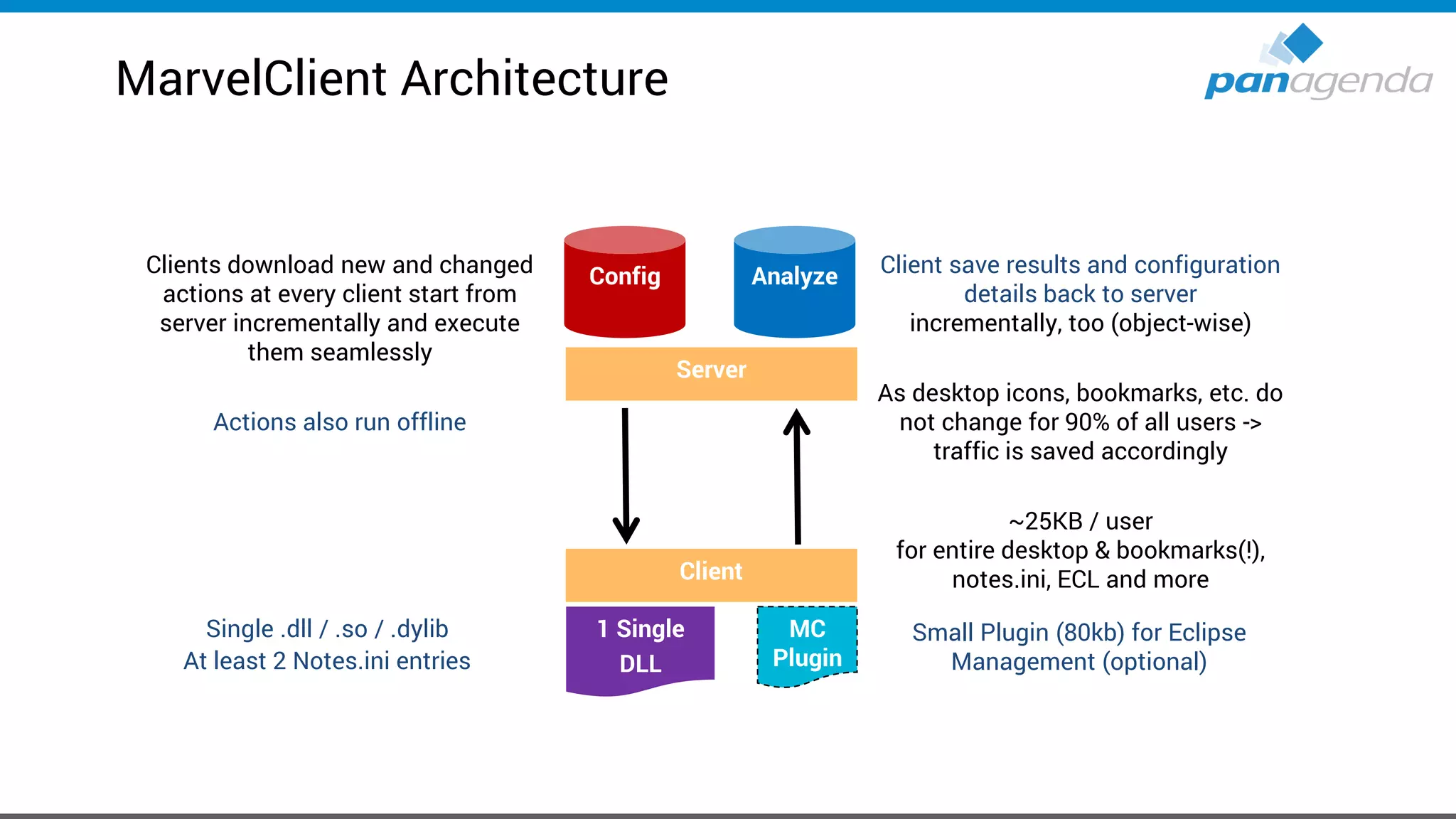
Client save results and configuration
details back to server
incrementally, too (object-wise)
As desktop icons, bookmarks, etc. do
not change for 90% of all users ->
traffic is saved accordingly
~25KB / user
for entire desktop & bookmarks(!),
notes.ini, ECL and more
Clients download new and changed
actions at every client start from
server incrementally and execute
them seamlessly
Actions also run offline
Server
1 Single
DLL
Client
Single .dll / .so / .dylib
At least 2 Notes.ini entries
MC
Plugin
Small Plugin (80kb) for Eclipse
Management (optional)
AnalyzeConfig
MarvelClient Architecture
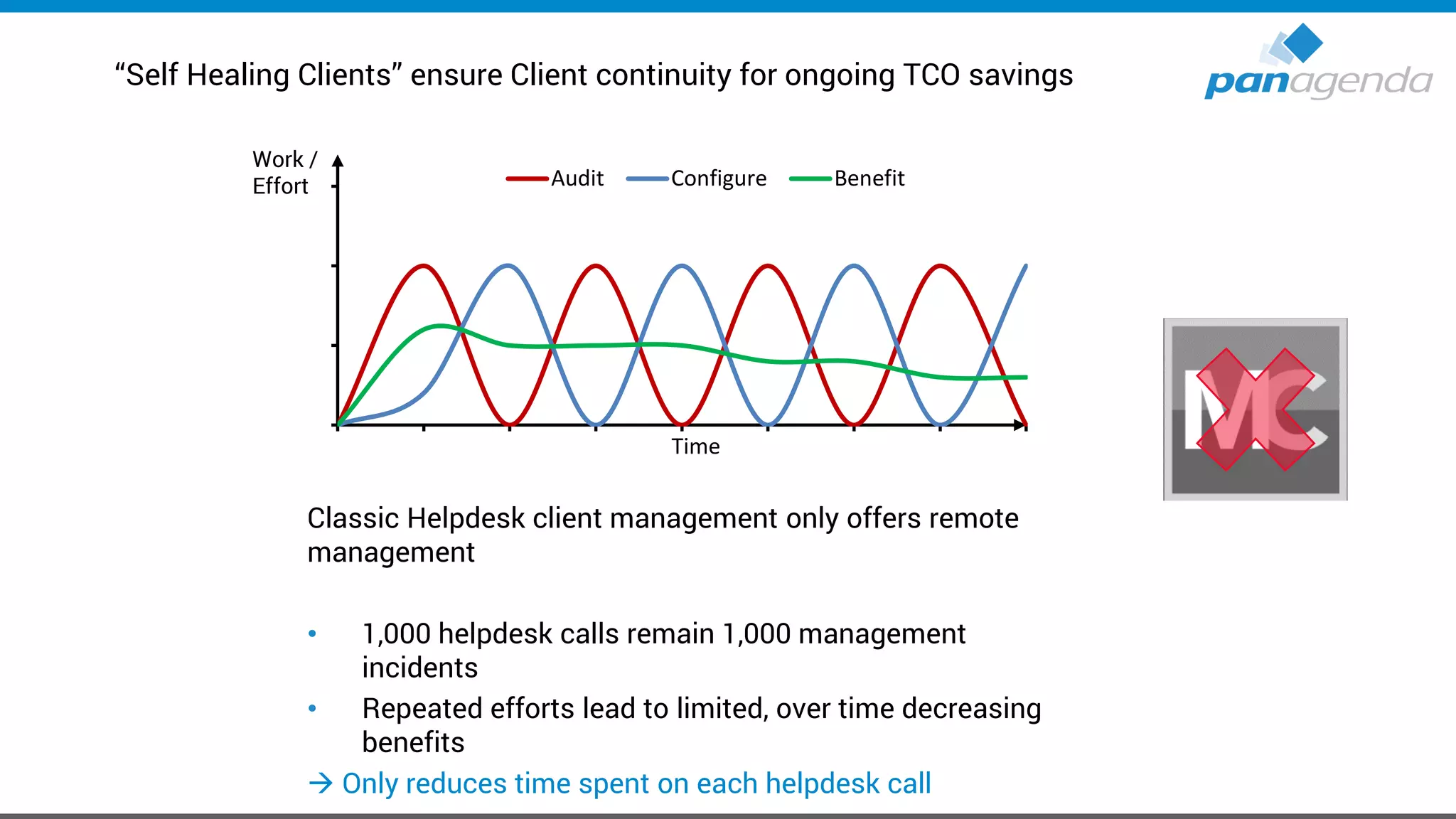
“Self Healing Clients” ensure Client continuity for ongoing TCO savings
Classic Helpdesk client management only offers remote
management
• 1,000 helpdesk calls remain 1,000 management
incidents
• Repeated efforts lead to limited, over time decreasing
benefits
→ Only reduces time spent on each helpdesk call
Audit Configure Benefit
Time
Work /
Effort
“Self Healing Clients” ensure Client continuity for ongoing TCO savings
MarvelClient is similar to an email spam-filter: Centrally
created actions solve helpdesk incidents automatically
• Actions are permanently enforced
• Benefits increase over time and can reduce helpdesk
calls by up to 80%
→ Reduces number of helpdesk calls AND time
spent on each call
Audit Configure Benefit
Time
Work /
Effort
Make Your Data Work For You
IBM Notes → Self-Healing
Live
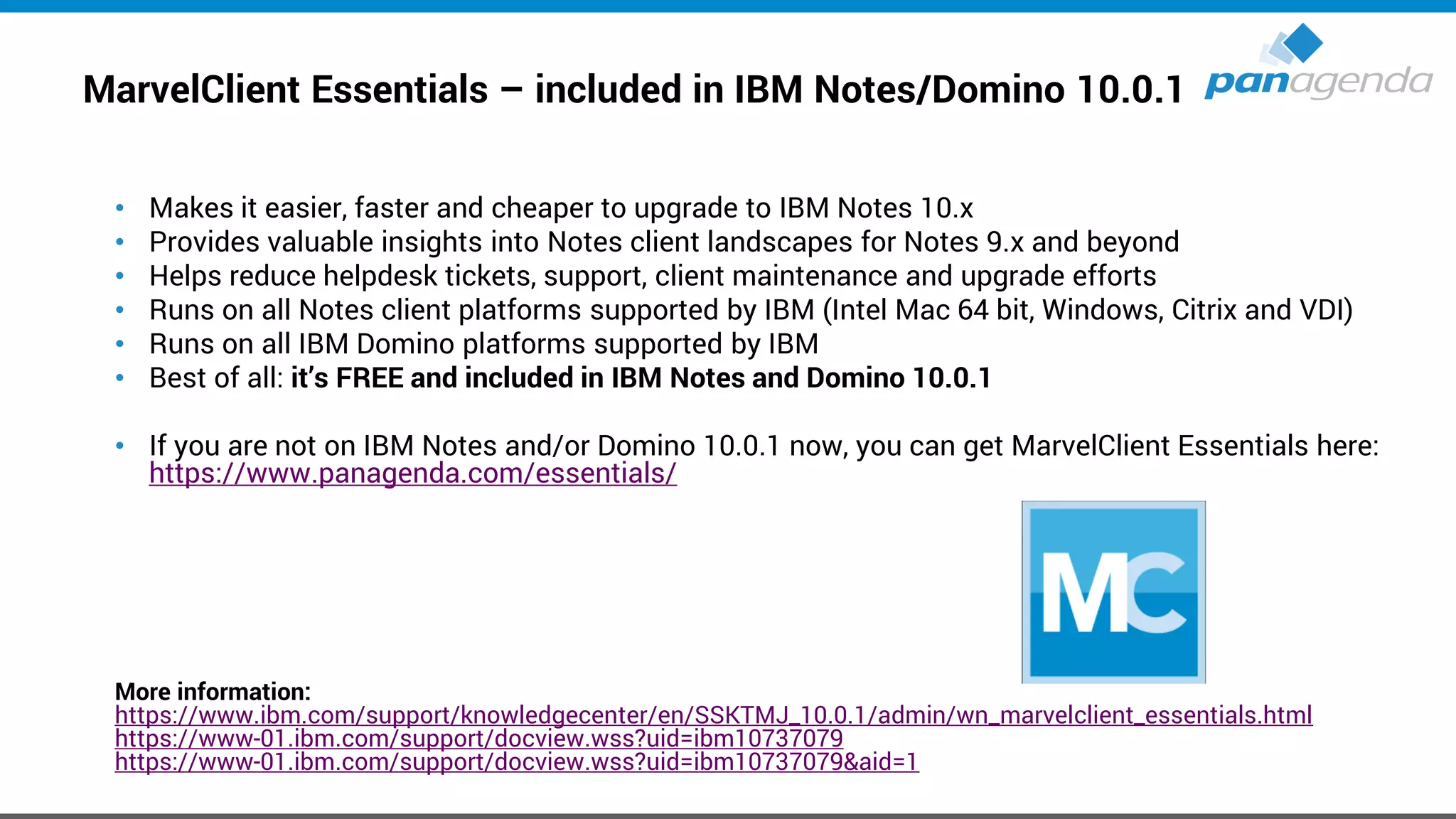
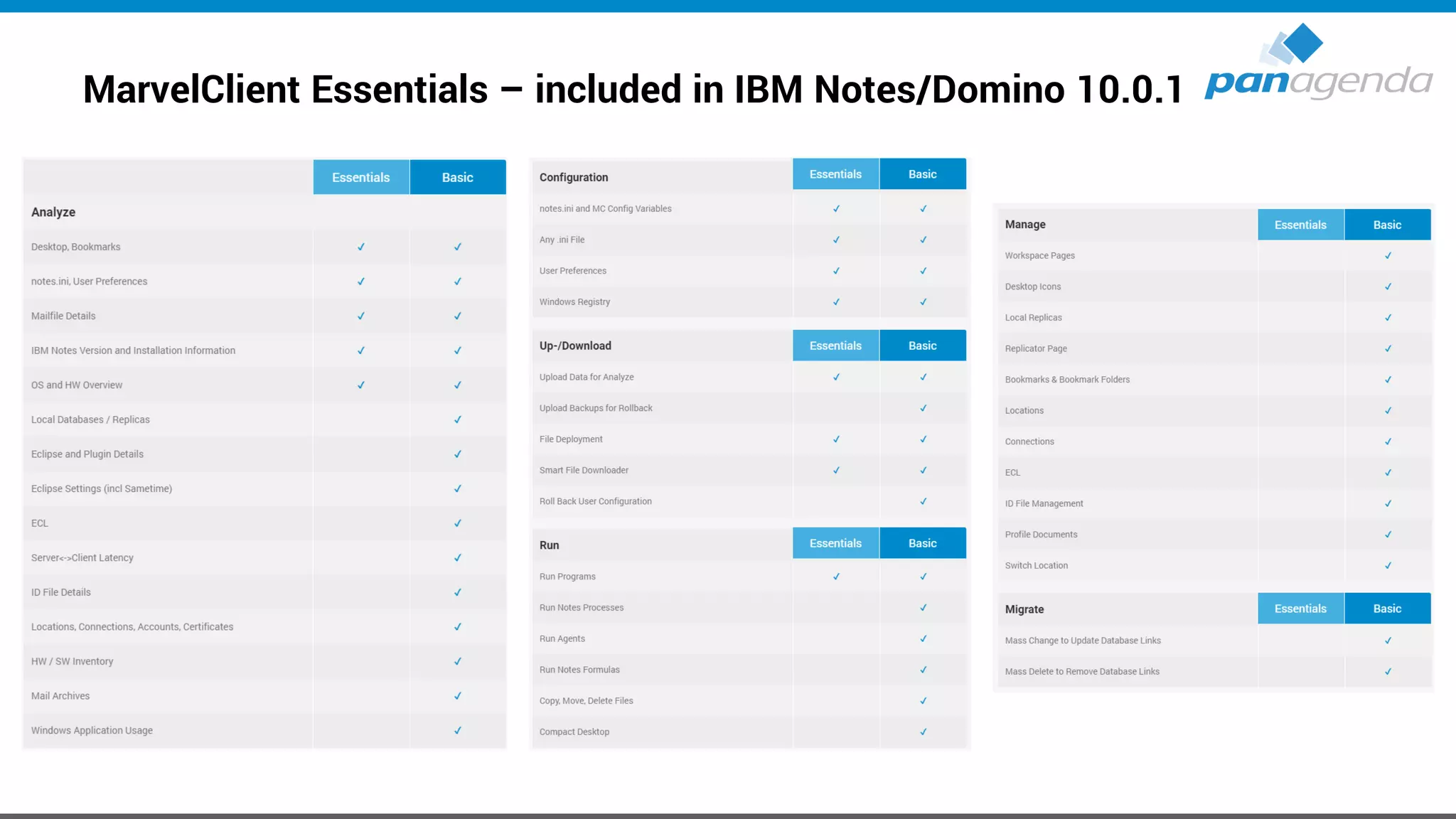
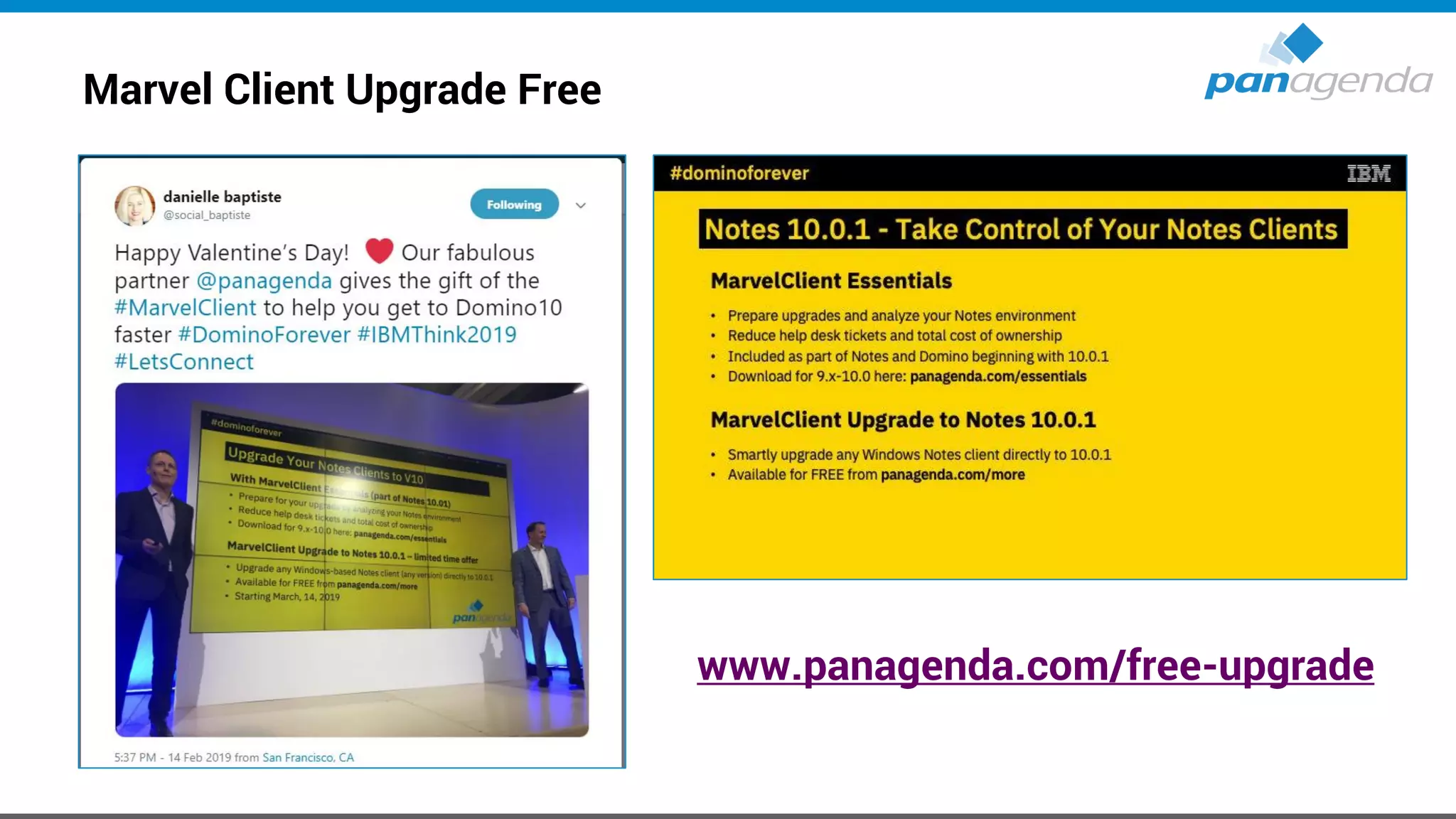
MarvelClient Essentials – included in IBM Notes/Domino 10.0.1
• Makes it easier, faster and cheaper to upgrade to IBM Notes 10.x
• Provides valuable insights into Notes client landscapes for Notes 9.x and beyond
• Helps reduce helpdesk tickets, support, client maintenance and upgrade efforts
• Runs on all Notes client platforms supported by IBM (Intel Mac 64 bit, Windows, Citrix and VDI)
• Runs on all IBM Domino platforms supported by IBM
• Best of all: it’s FREE and included in IBM Notes and Domino 10.0.1
• If you are not on IBM Notes and/or Domino 10.0.1 now, you can get MarvelClient Essentials here:
https://www.panagenda.com/essentials/
More information:
https://www.ibm.com/support/knowledgecenter/en/SSKTMJ_10.0.1/admin/wn_marvelclient_essentials.html
https://www-01.ibm.com/support/docview.wss?uid=ibm10737079
https://www-01.ibm.com/support/docview.wss?uid=ibm10737079&aid=1
MarvelClient Essentials – included in IBM Notes/Domino 10.0.1
Marvel Client Upgrade Free
www.panagenda.com/free-upgrade
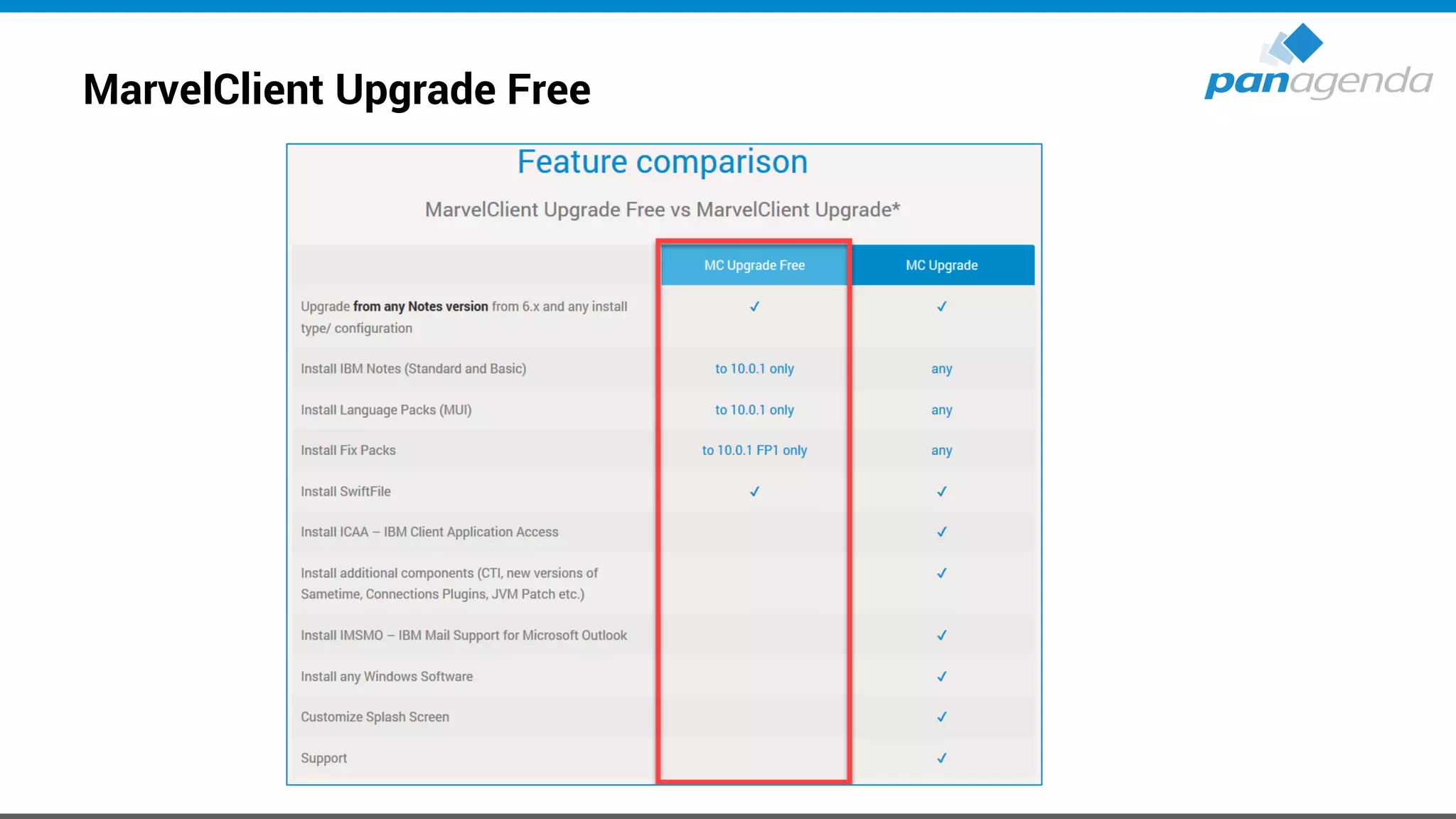
MarvelClient Upgrade Free
Make Your Data Work For You
Upgrades
V10.0.1 FP1 + Language Kit G1
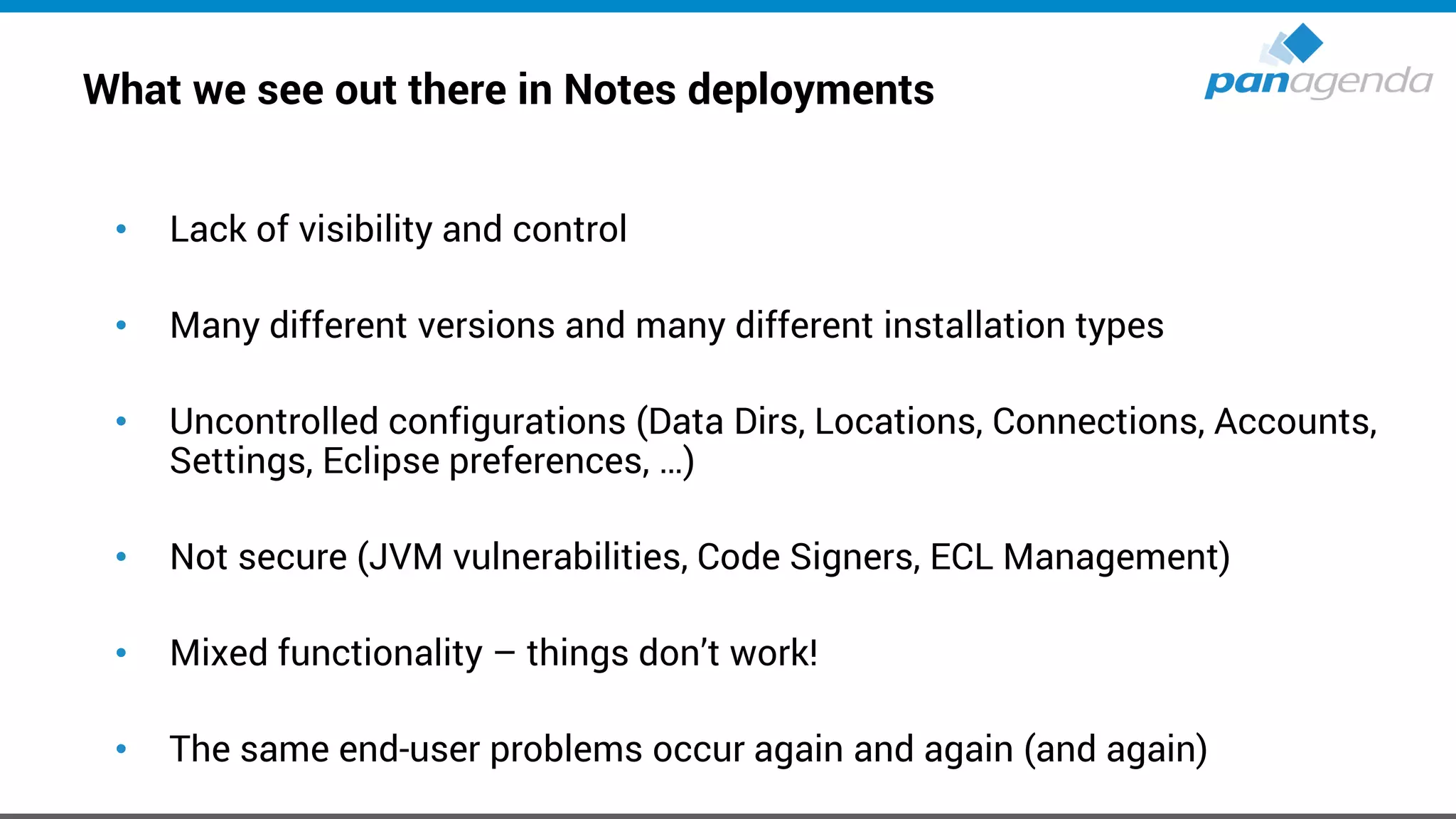
What we see out there in Notes deployments
• Lack of visibility and control
• Many different versions and many different installation types
• Uncontrolled configurations (Data Dirs, Locations, Connections, Accounts,
Settings, Eclipse preferences, …)
• Not secure (JVM vulnerabilities, Code Signers, ECL Management)
• Mixed functionality – things don’t work!
• The same end-user problems occur again and again (and again)
What we see out there in Notes deployments (2)
• Reluctance to upgrade
• Software deployment teams have little/no knowledge or “care factor” about
Notes
• Administrators lack time and skill to utilize all available tools to effectively
manage the Notes client
• Perception → it's too difficult and/or expensive / too risky for the business
due to disruptions
Know your current environment
• It’s fundamentally important that your know the details about your current
Notes Client Infrastructure to be able to make smart decisions for future
deployments
– Which exact versions are deployed?
– Which Installation types and modes are used?
– Locations of Program-, Data- and SharedData-Dir?
– Usage of Laptops, Desktops, Citrix and VDI in numbers/percentage?
– Which OS incl. version is used?
– Usage of Notes addons → Connections plugins, SwiftFile, CTI, … ?
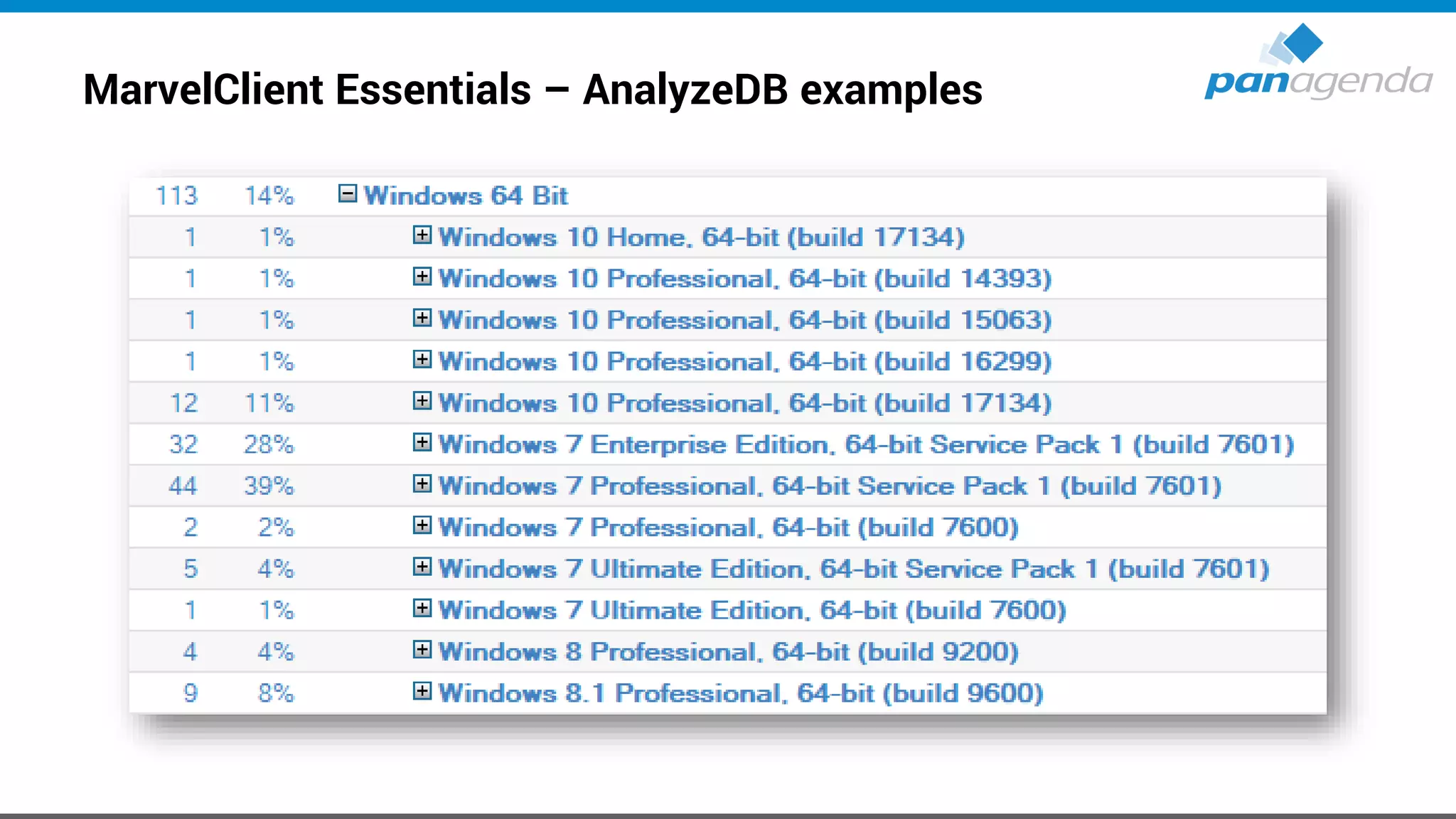
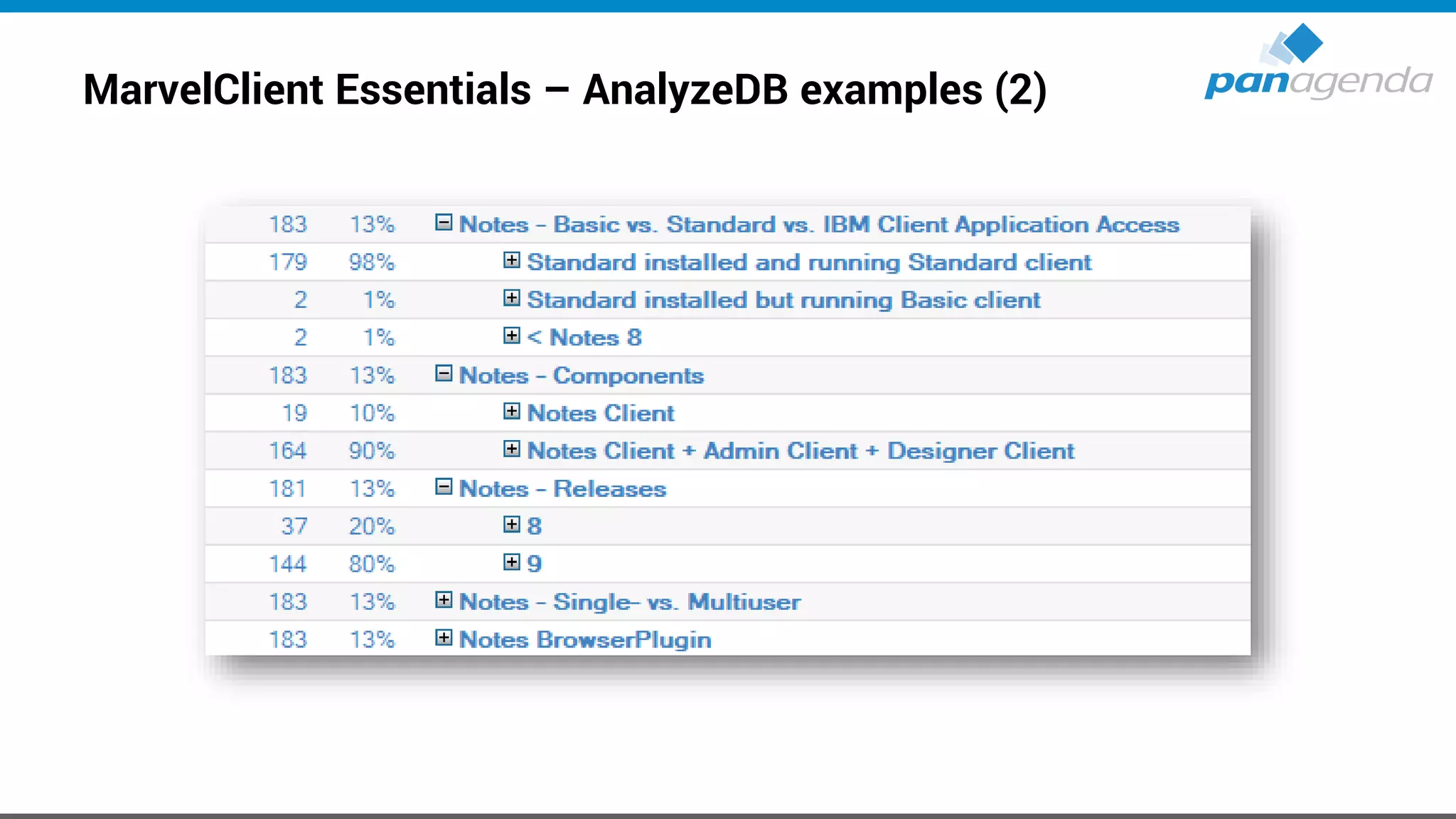
• If you can’t answer the questions above 100% correctly, the following two
slides will help you a lot!
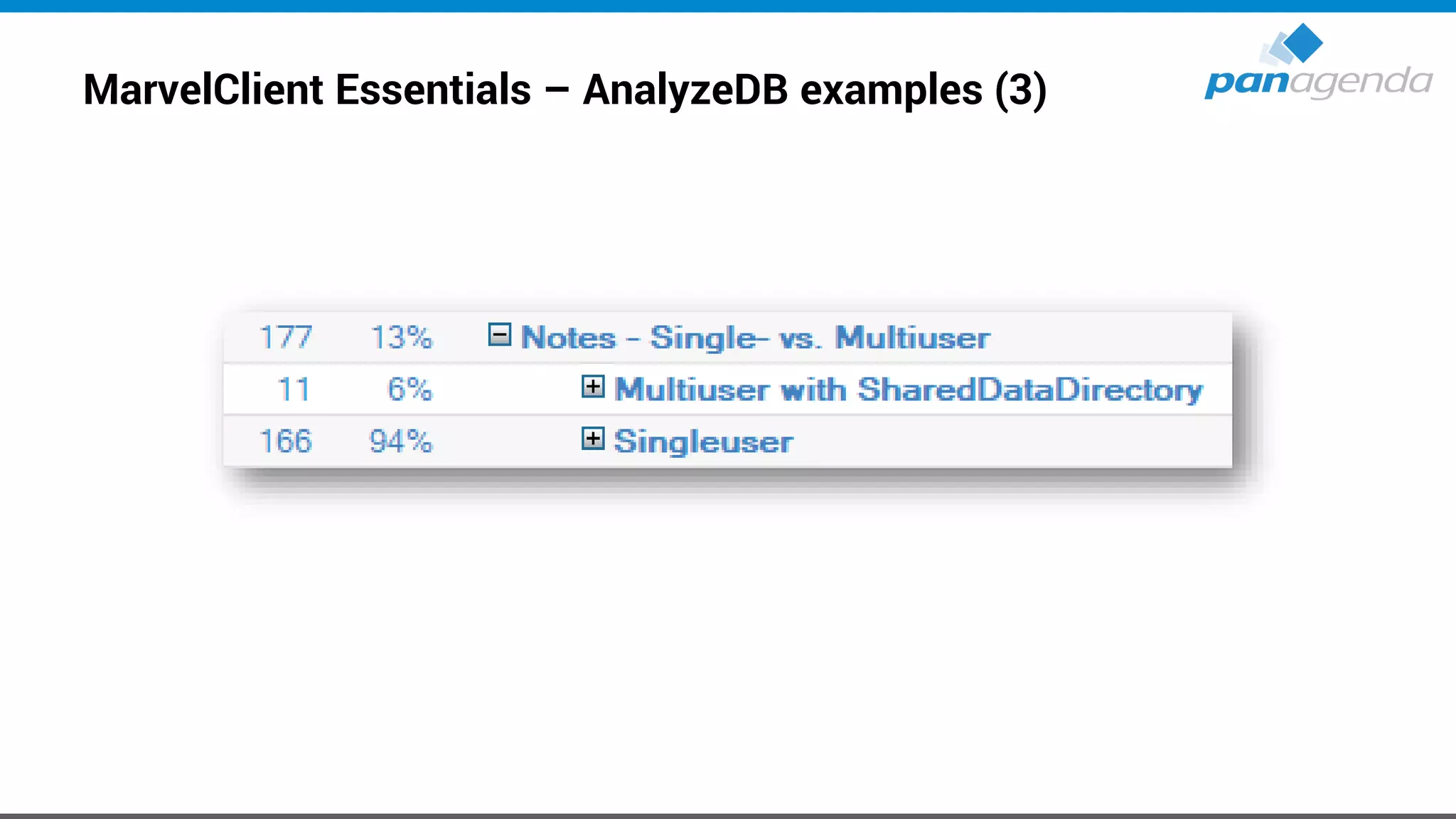
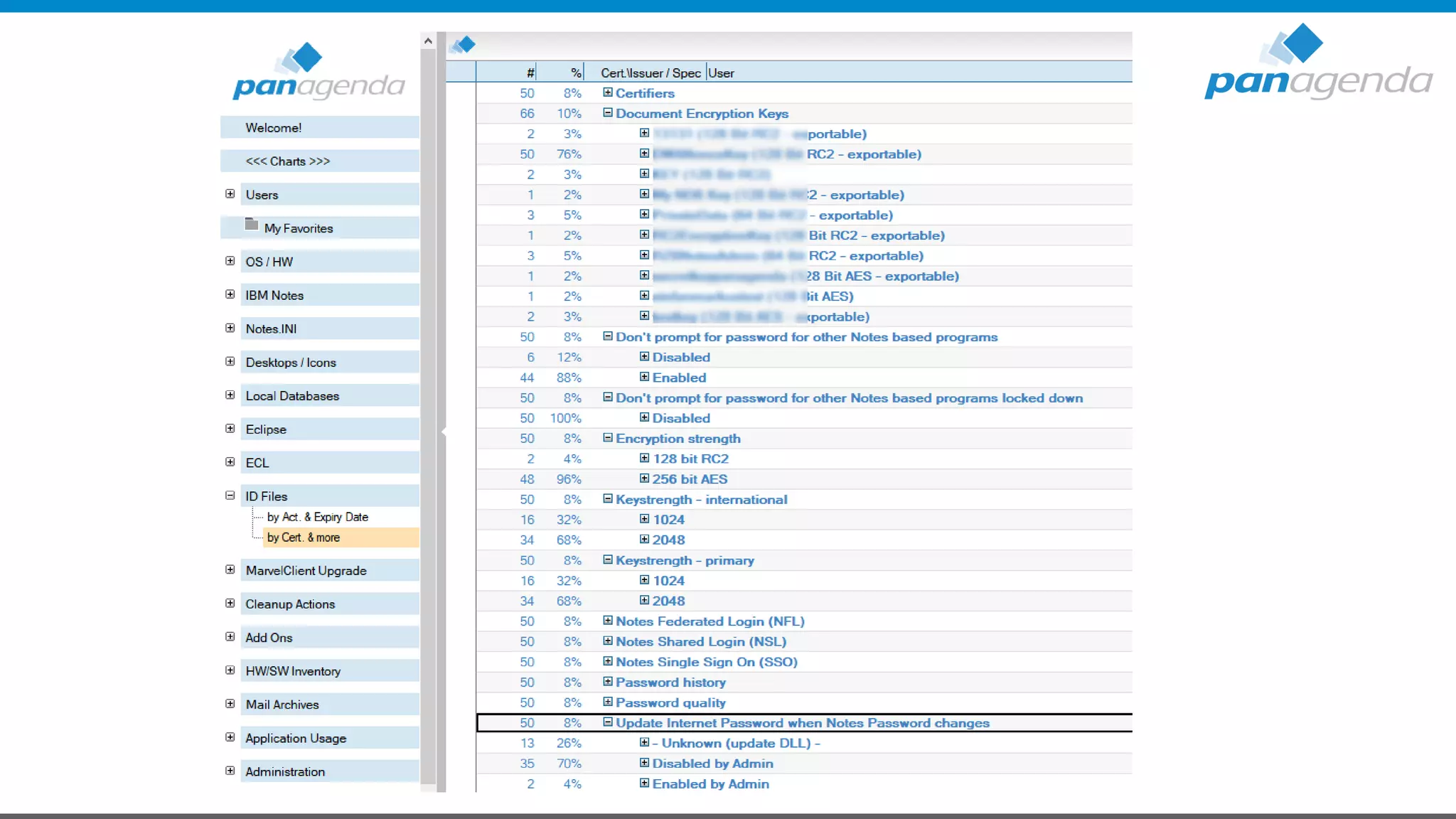
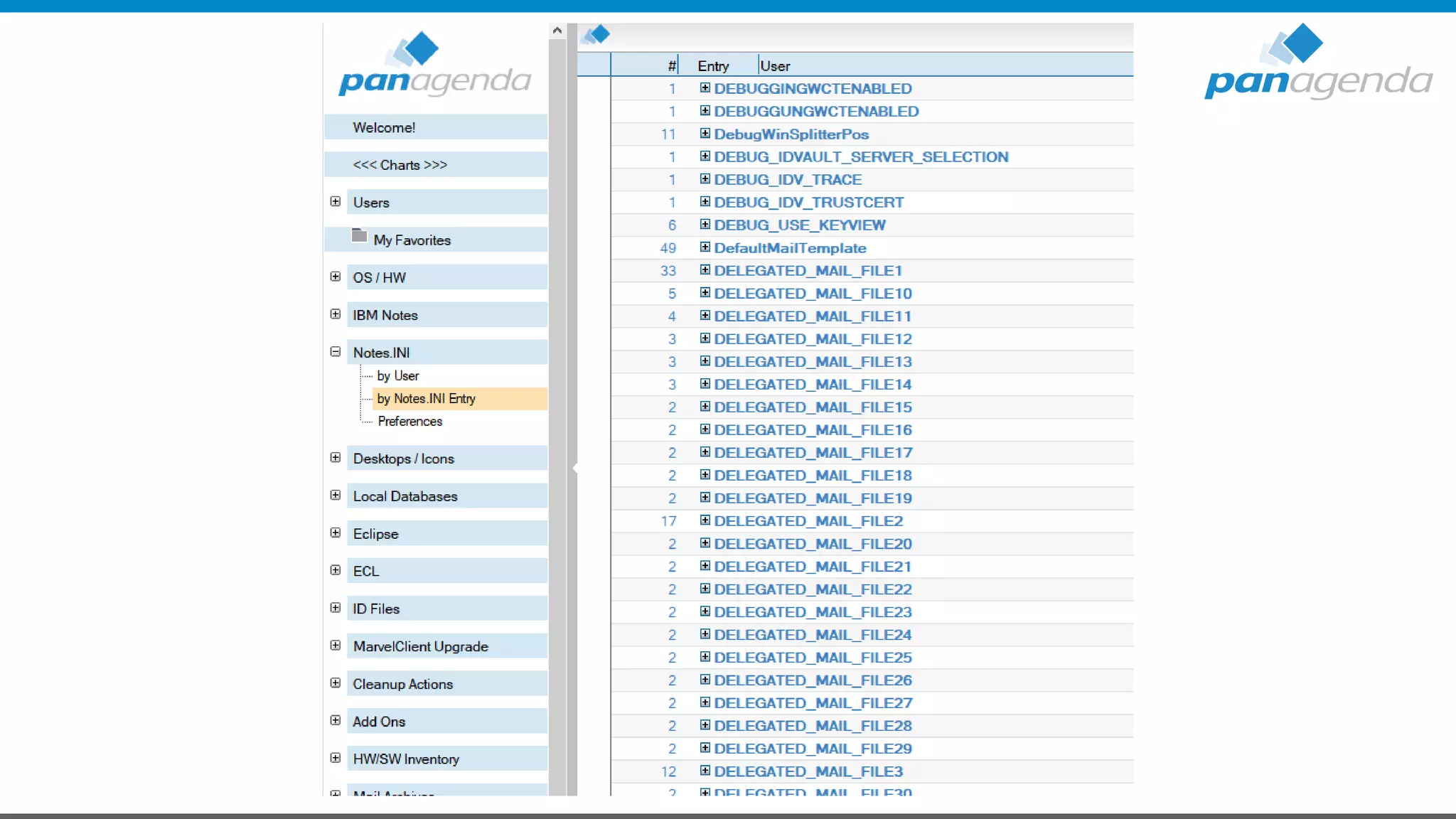
MarvelClient Essentials – AnalyzeDB examples
MarvelClient Essentials – AnalyzeDB examples (2)
MarvelClient Essentials – AnalyzeDB examples (3)
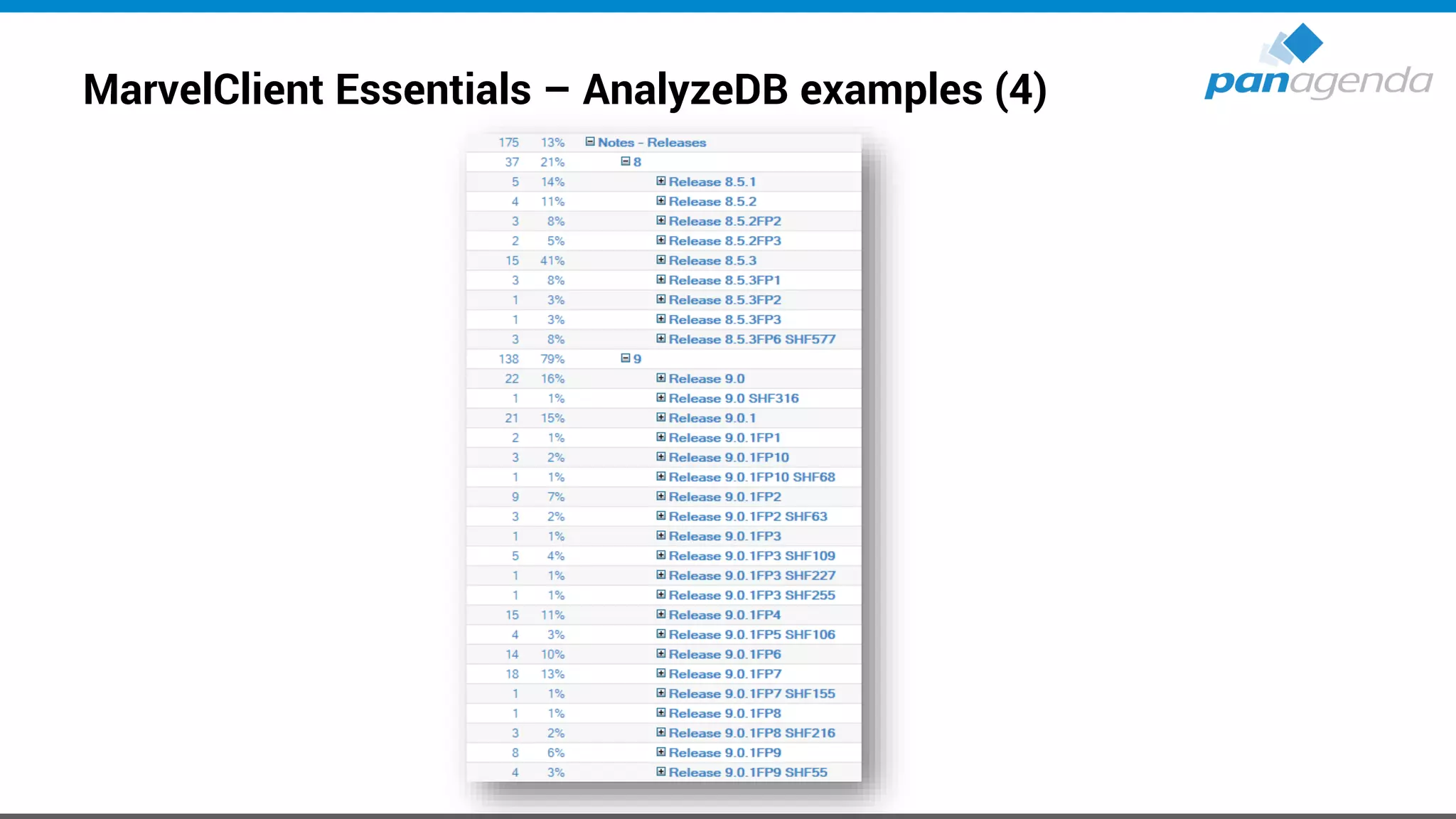
MarvelClient Essentials – AnalyzeDB examples (4)
Define target (version and more …)
• Version is very easy at the moment → 10.0.1 FP1
– Feature Pack 1 is available ☺ → psst “SHF” is coming !?
http://www-10.lotus.com/ldd/fixlist.nsf/(Progress)/10.0.1%20FP1
– Notes 11 will be shipped in Q4 2019 / Q1 2020
• Which Client Package?
– Standard, Basic and/or ICAA (IBM Client Application Access)
• Which Installation type?
– Single or MultiUser
Define target (version and more …) (2)
• Adding languages using MUI-Pack installation(s)
– Multilingual User Interface
– Group1, 2a, 2b and 3 → Group1 was finally released on 5th Feb 2019 – but 
https://www-01.ibm.com/support/docview.wss?uid=ibm10870434
– Group1 is available again ☺
• Current status for languages
– Group 1
– Group 2 languages (later → ~ same eGA as FP2) ?
Notes/Domino v11 Language Kits
• Re-engineering language kit generation process
• Selected language kits will be available for betas
• Simultaneous ship language kits with Domino v11
• Ship language kit fix packs as necessary
Define target (version and more …) (3)
• Where to deploy?
– Laptops, Desktops, Citrix and/or VDI
– Windows7, Windows10, macOS 10.13 and/or macOS 10.14
https://www-01.ibm.com/support/docview.wss?uid=ibm10737113
Define target (version and more …) (3)
• Adding other functions/packages?
– Sametime embedded → not needed, 10.0.1 is up-to-date
– JVMPatch → not needed, 10.0.1 is up-to-date
– SwiftFile → use latest version 4.2.1 here
http://www-01.ibm.com/support/docview.wss?uid=swg24035896
− IBM Connections Plugins for Notes → use latest version 5.5.0.20180813-1729 here
https://xspy.mybluemix.net/nx OR directly at HCL
− Programs/Applications who interacts/communicates with Notes
CTI, Instant Messengers, …
Define target (version and more …) (4)
• Let’s assume (for this session) you want to Upgrade from Notes 9.0.1 FPx IFx to the following
components:
– IBM Notes 10.0.1 Standard Client → MultiUser Installation on Windows10 64Bit
– Add French and Japanese (Multilingual User Interface = MUI)
– Fix Pack 1
– SwiftFile 4.2.1
– Connections Plugins for Notes 5.5.0.20180813-1729
– Use of default paths for
Program directory
C:Program Files(x86)IBMNotes
Shared data directory
C:ProgramDataIBMNotesDatashared
Data directory
C:Users<USERNAME>AppDataLocalIBMNotesData
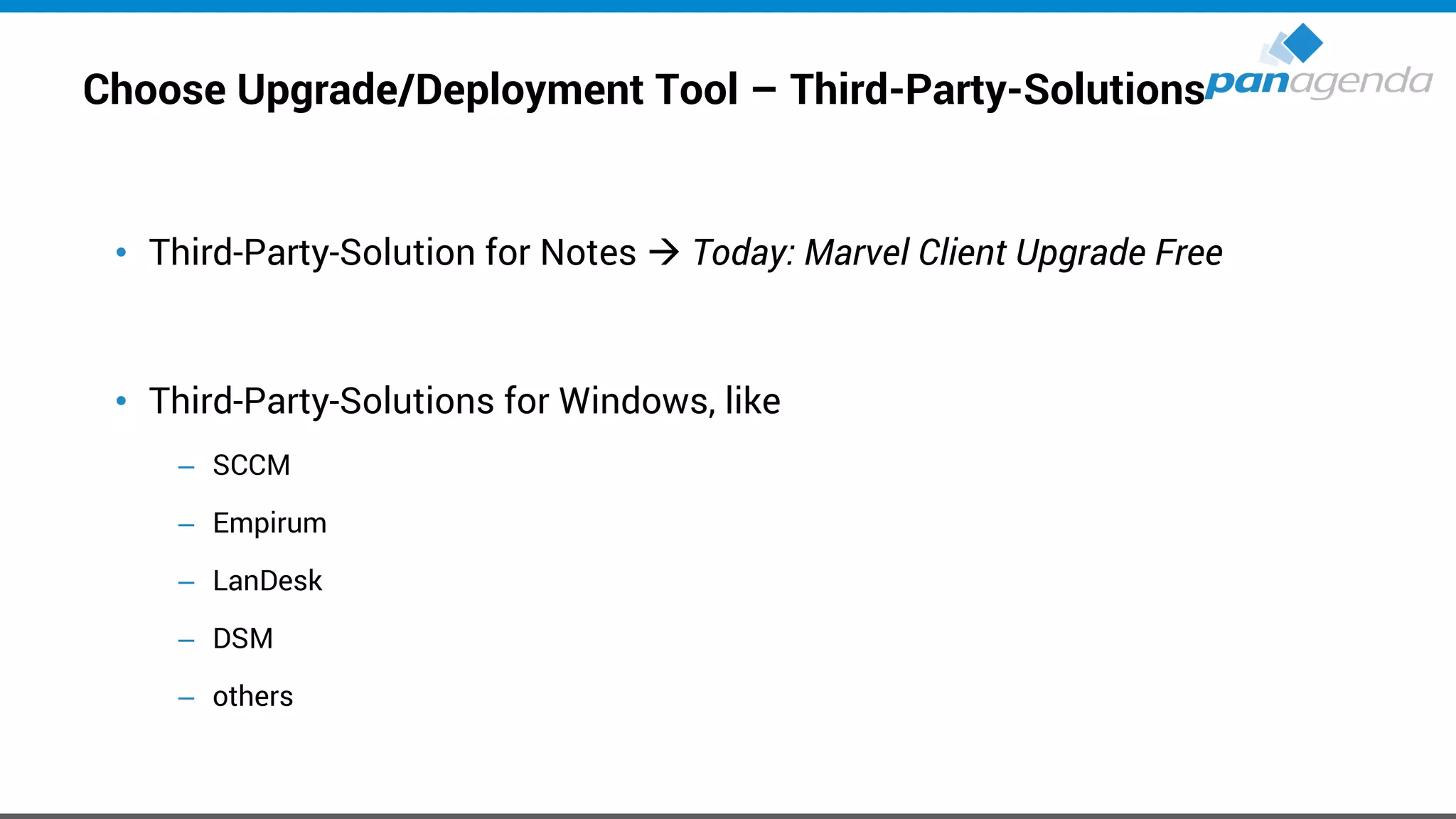
Choose Upgrade/Deployment Tool – Third-Party-Solutions
• Third-Party-Solution for Notes → Today: Marvel Client Upgrade Free
• Third-Party-Solutions for Windows, like
– SCCM
– Empirum
– LanDesk
– DSM
– others
Choose Upgrade/Deployment Tool – Notes Smart Upgrade
For many many reasons
We “personally” do not recommend to use “Notes Smart Upgrade”
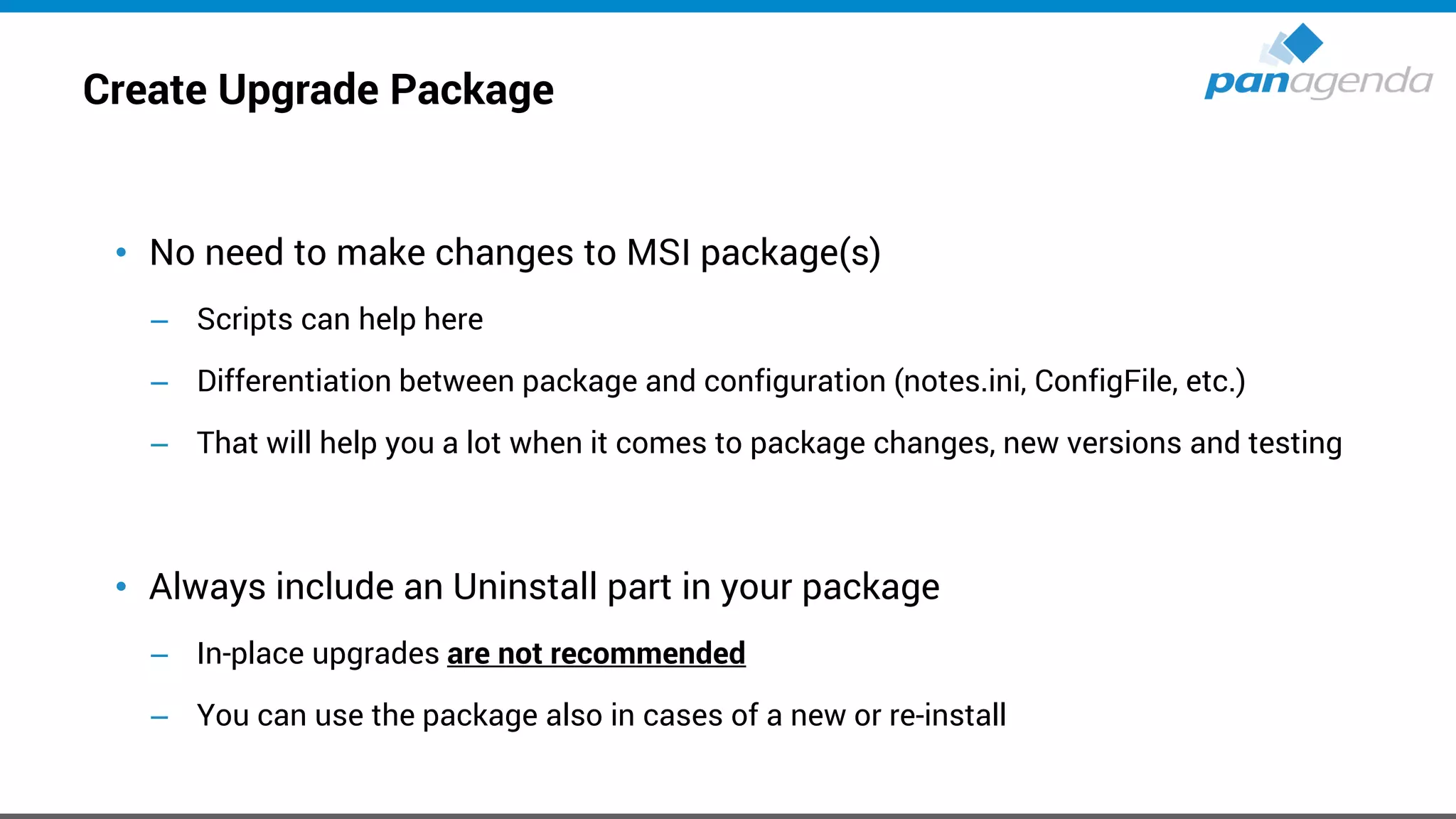
Create Upgrade Package
• No need to make changes to MSI package(s)
– Scripts can help here
– Differentiation between package and configuration (notes.ini, ConfigFile, etc.)
– That will help you a lot when it comes to package changes, new versions and testing
• Always include an Uninstall part in your package
– In-place upgrades are not recommended
– You can use the package also in cases of a new or re-install
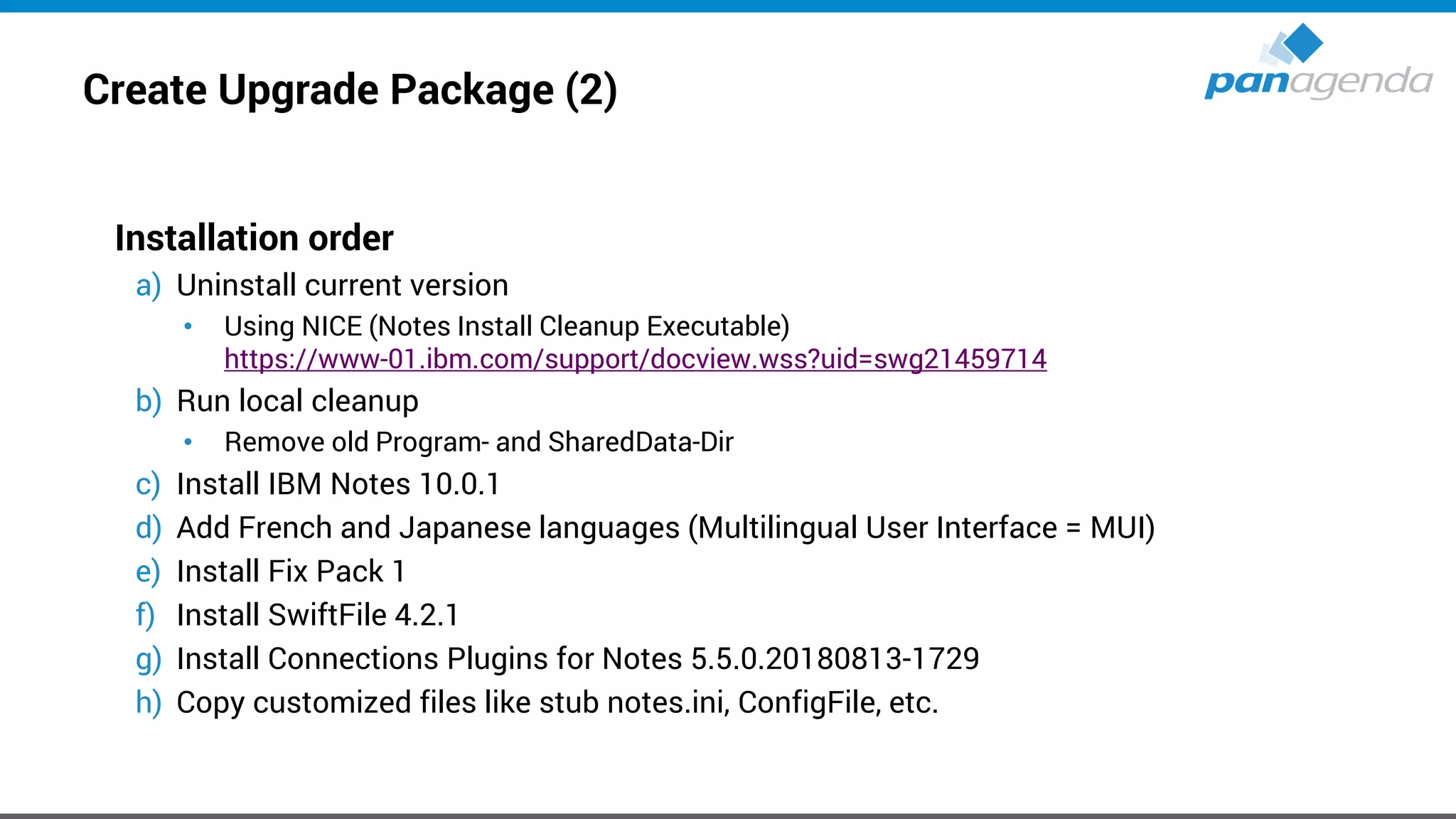
Create Upgrade Package (2)
Installation order
a) Uninstall current version
• Using NICE (Notes Install Cleanup Executable)
https://www-01.ibm.com/support/docview.wss?uid=swg21459714
b) Run local cleanup
• Remove old Program- and SharedData-Dir
c) Install IBM Notes 10.0.1
d) Add French and Japanese languages (Multilingual User Interface = MUI)
e) Install Fix Pack 1
f) Install SwiftFile 4.2.1
g) Install Connections Plugins for Notes 5.5.0.20180813-1729
h) Copy customized files like stub notes.ini, ConfigFile, etc.
Create Upgrade Package (3)
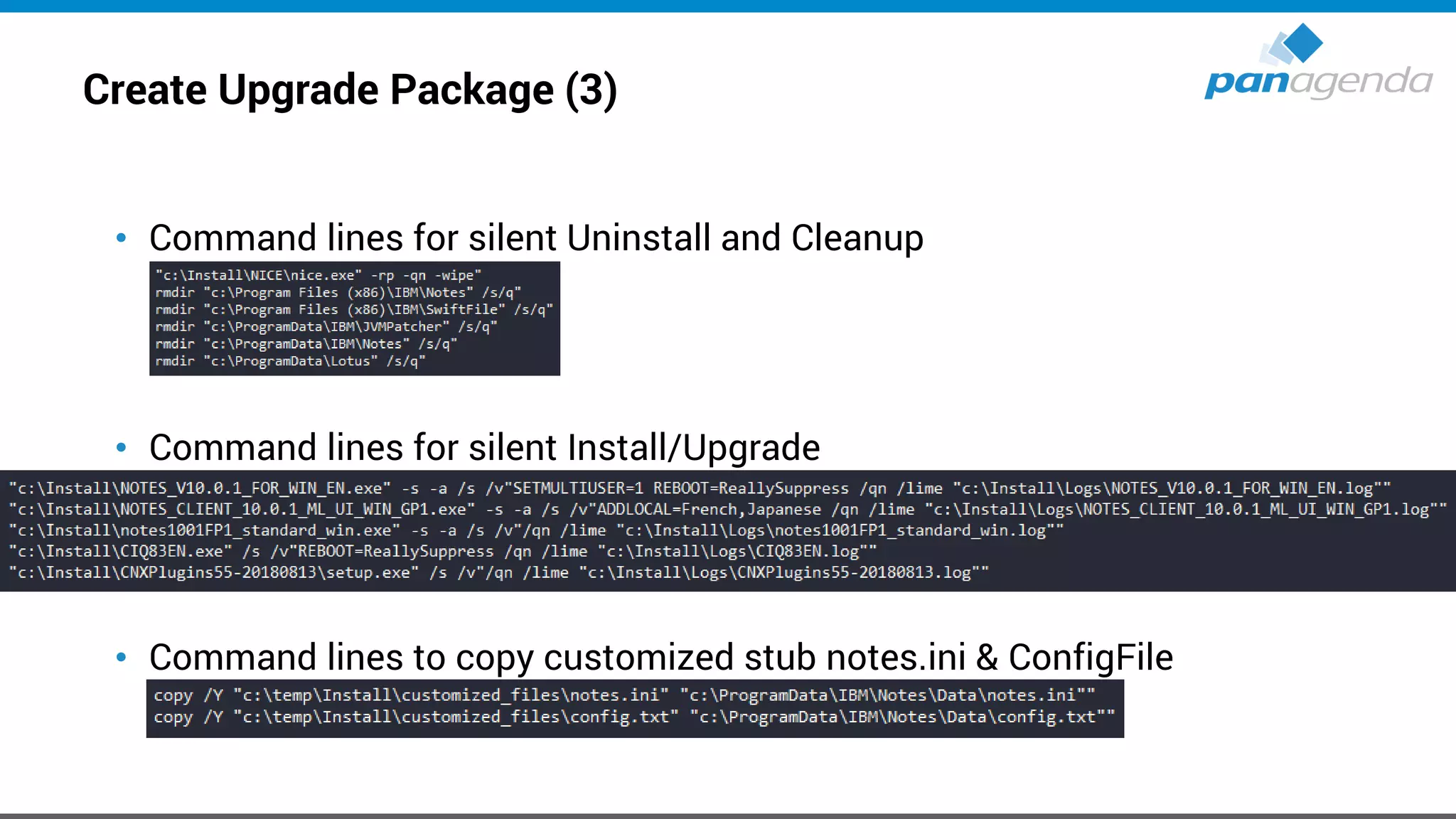
• Command lines for silent Uninstall and Cleanup
• Command lines for silent Install/Upgrade
• Command lines to copy customized stub notes.ini & ConfigFile
Create Upgrade Package (4)
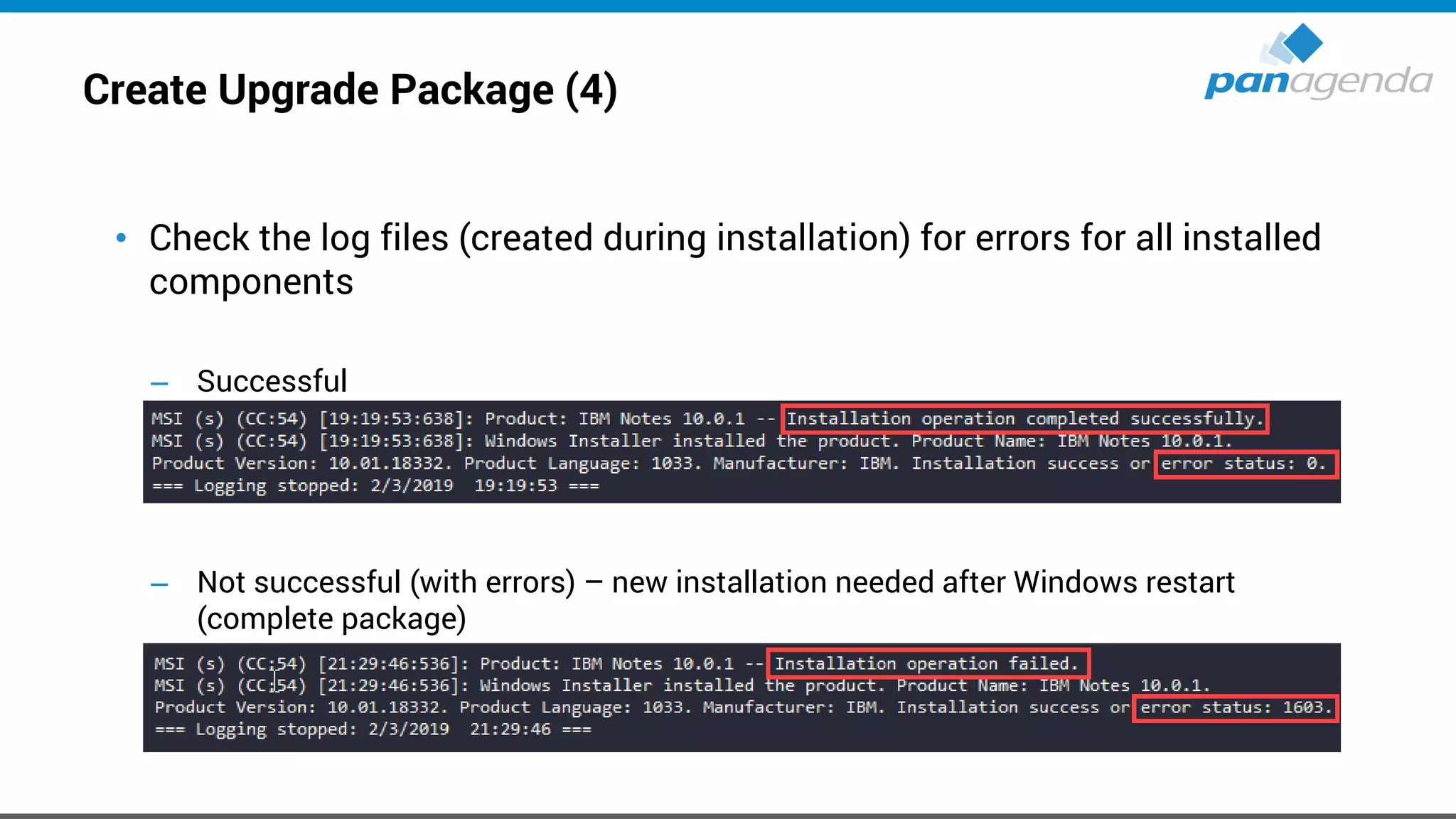
• Check the log files (created during installation) for errors for all installed
components
– Successful
– Not successful (with errors) – new installation needed after Windows restart
(complete package)
Create Upgrade Package (5)
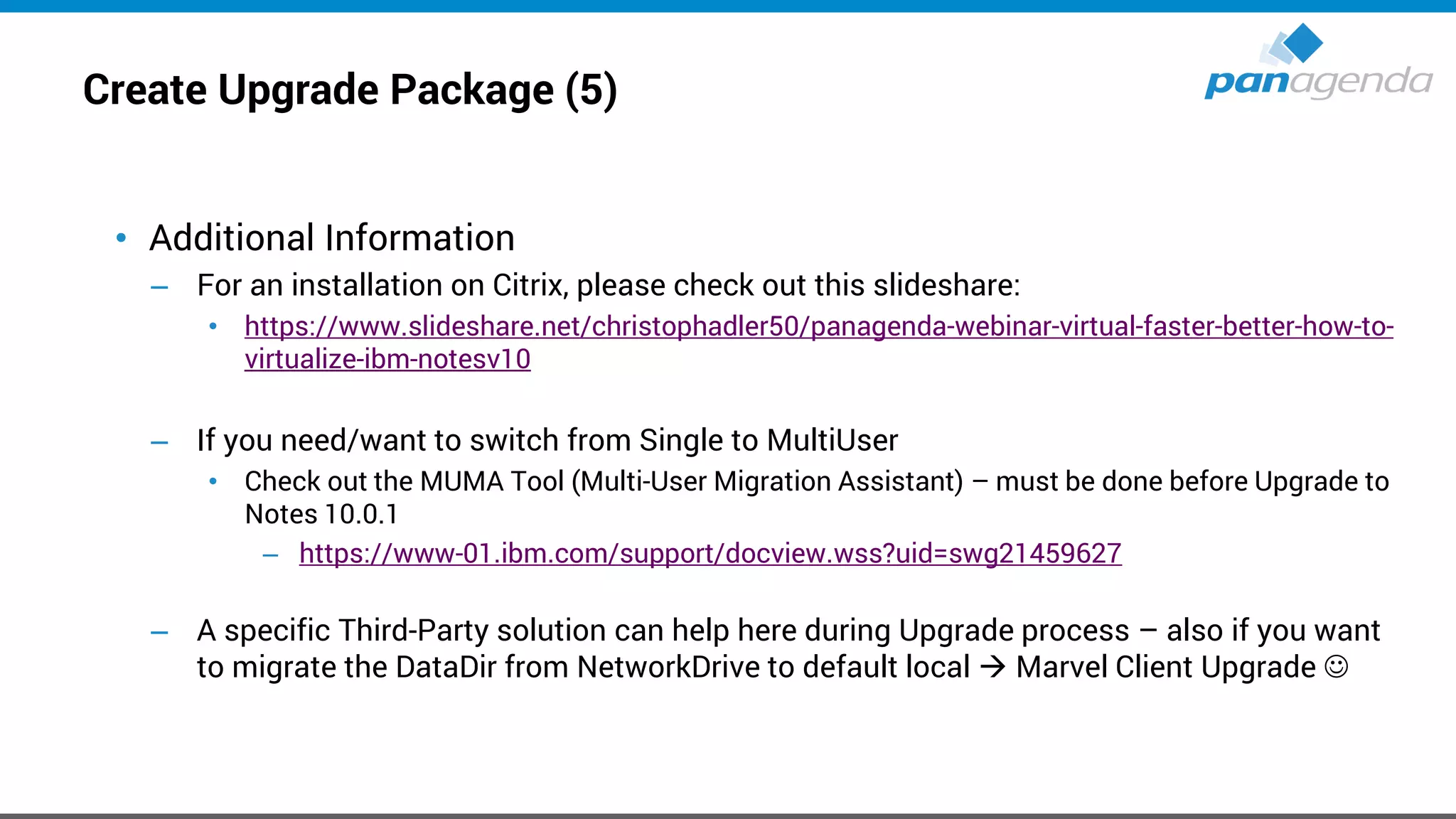
• Additional Information
– For an installation on Citrix, please check out this slideshare:
• https://www.slideshare.net/christophadler50/panagenda-webinar-virtual-faster-better-how-to-
virtualize-ibm-notesv10
– If you need/want to switch from Single to MultiUser
• Check out the MUMA Tool (Multi-User Migration Assistant) – must be done before Upgrade to
Notes 10.0.1
– https://www-01.ibm.com/support/docview.wss?uid=swg21459627
– A specific Third-Party solution can help here during Upgrade process – also if you want
to migrate the DataDir from NetworkDrive to default local → Marvel Client Upgrade ☺
Create Upgrade Package (6)
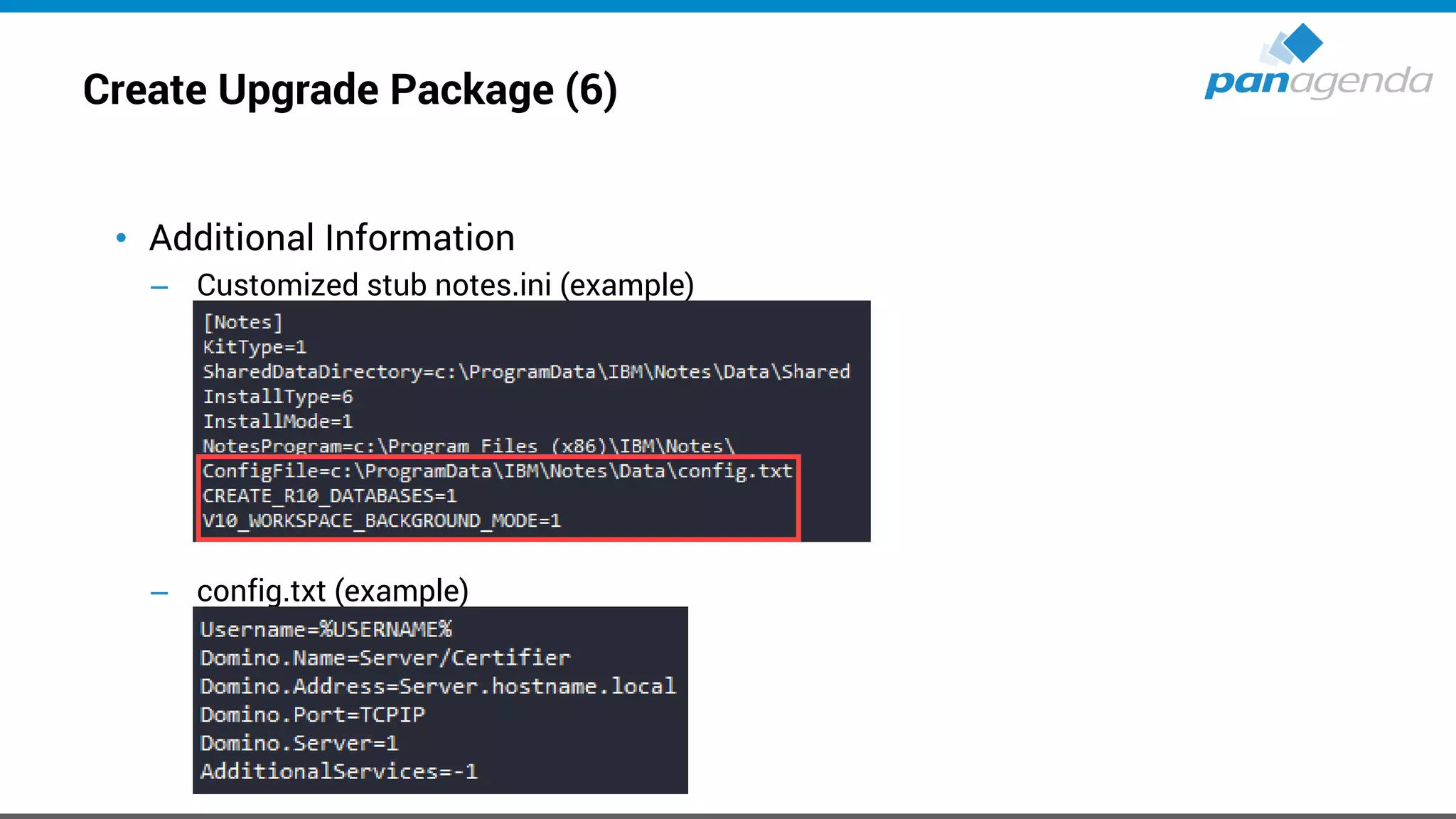
• Additional Information
– Customized stub notes.ini (example)
– config.txt (example)
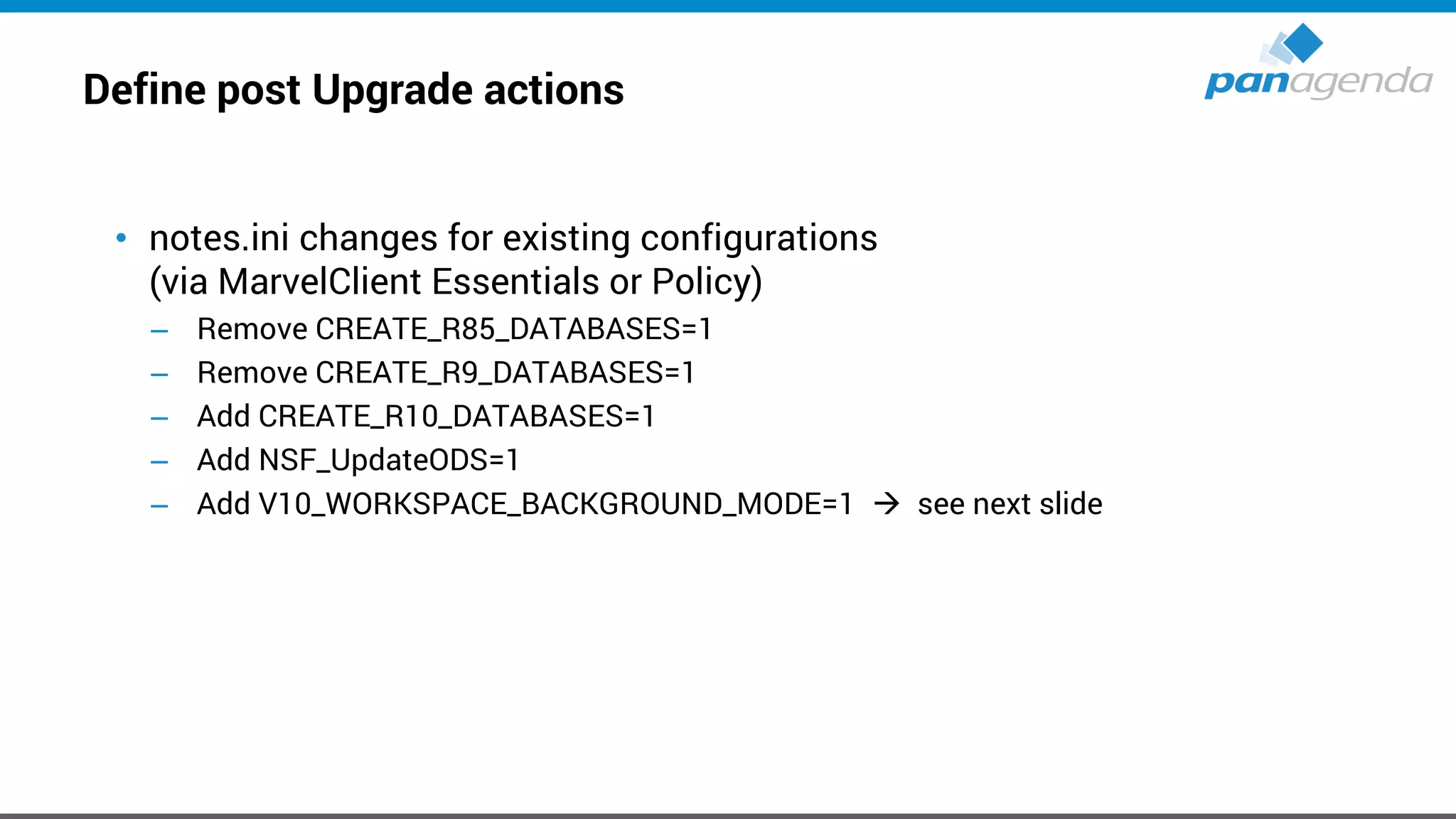
Define post Upgrade actions
• notes.ini changes for existing configurations
(via MarvelClient Essentials or Policy)
– Remove CREATE_R85_DATABASES=1
– Remove CREATE_R9_DATABASES=1
– Add CREATE_R10_DATABASES=1
– Add NSF_UpdateODS=1
– Add V10_WORKSPACE_BACKGROUND_MODE=1 → see next slide
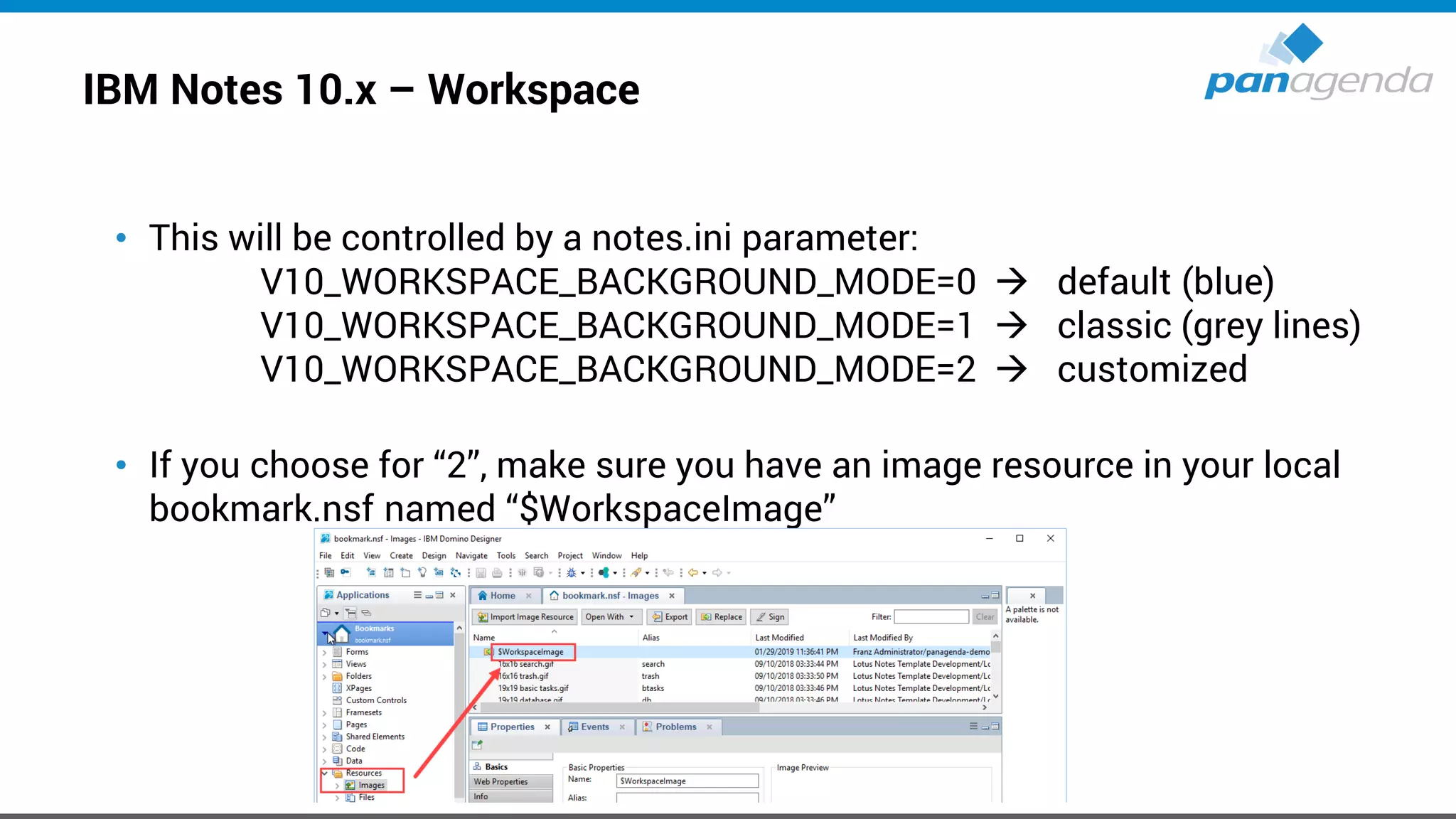
IBM Notes 10.x – Workspace
• This will be controlled by a notes.ini parameter:
V10_WORKSPACE_BACKGROUND_MODE=0 → default (blue)
V10_WORKSPACE_BACKGROUND_MODE=1 → classic (grey lines)
V10_WORKSPACE_BACKGROUND_MODE=2 → customized
• If you choose for “2”, make sure you have an image resource in your local
bookmark.nsf named “$WorkspaceImage”
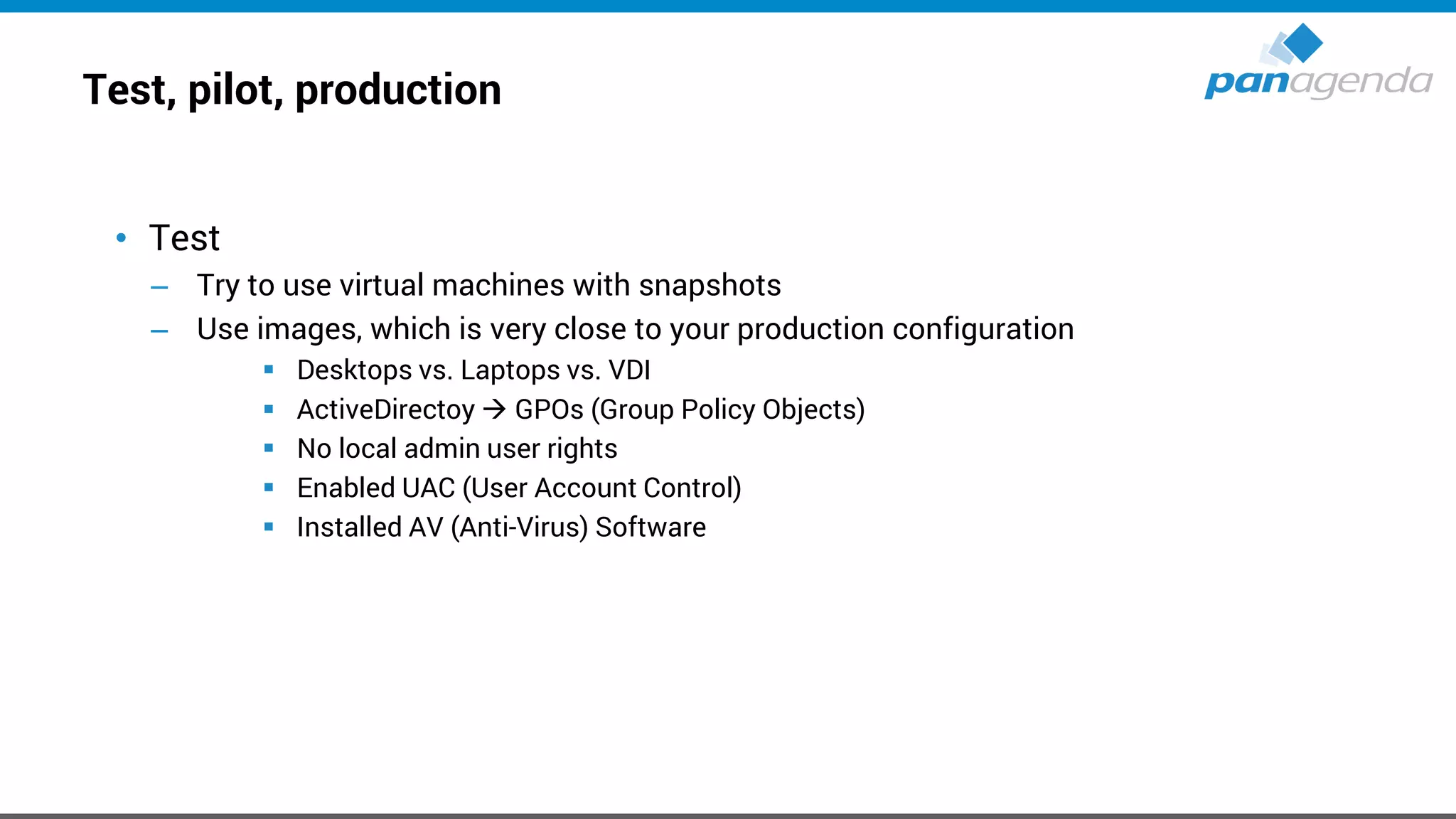
Test, pilot, production
• Test
– Try to use virtual machines with snapshots
– Use images, which is very close to your production configuration
▪ Desktops vs. Laptops vs. VDI
▪ ActiveDirectoy → GPOs (Group Policy Objects)
▪ No local admin user rights
▪ Enabled UAC (User Account Control)
▪ Installed AV (Anti-Virus) Software
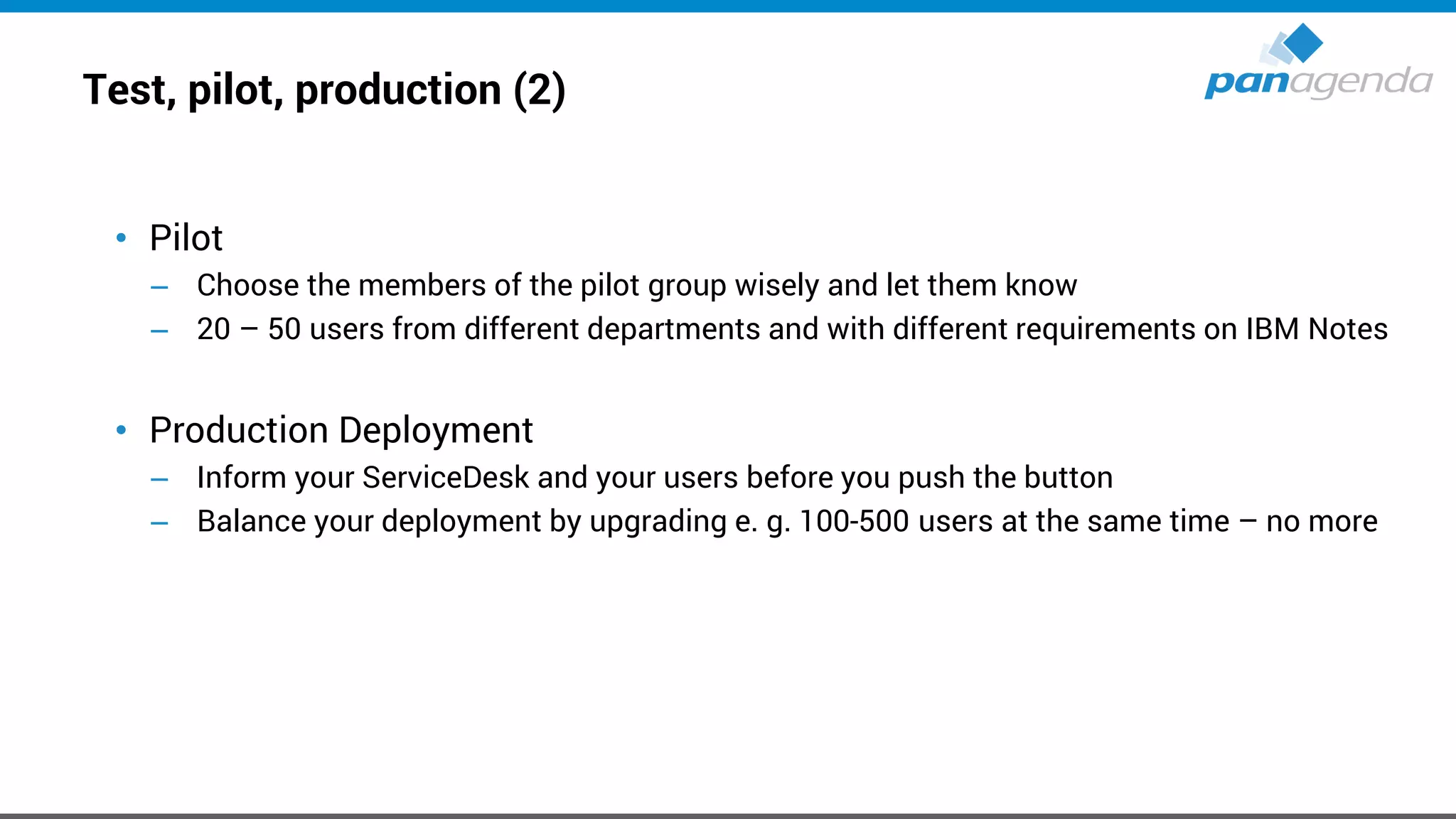
Test, pilot, production (2)
• Pilot
– Choose the members of the pilot group wisely and let them know
– 20 – 50 users from different departments and with different requirements on IBM Notes
• Production Deployment
– Inform your ServiceDesk and your users before you push the button
– Balance your deployment by upgrading e. g. 100-500 users at the same time – no more
Make Your Data Work For You
How to prepare an Upgrade
in < 20 minutes
Live
Make Your Data Work For You
How to run an Upgrade
in < 5 minutes
Live
MarvelClient Upgrade Free
• Please register here to get the free license:
– https://www.panagenda.com/products/marvelclient/free-upgrade/
• Documentation:
– https://img.panagenda.com/download/MarvelClient/QuickStartGuide_MarvelClient-Upgrade-
free.pdf
• Taking Your First Steps with MarvelClient Upgrade
– https://www.panagenda.com/2019/03/taking-your-first-steps-with-marvelclient-upgrade/
• Getting the Most From Your MarvelClient Upgrade
– https://www.panagenda.com/2019/03/getting-the-most-from-your-marvelclient-upgrade/
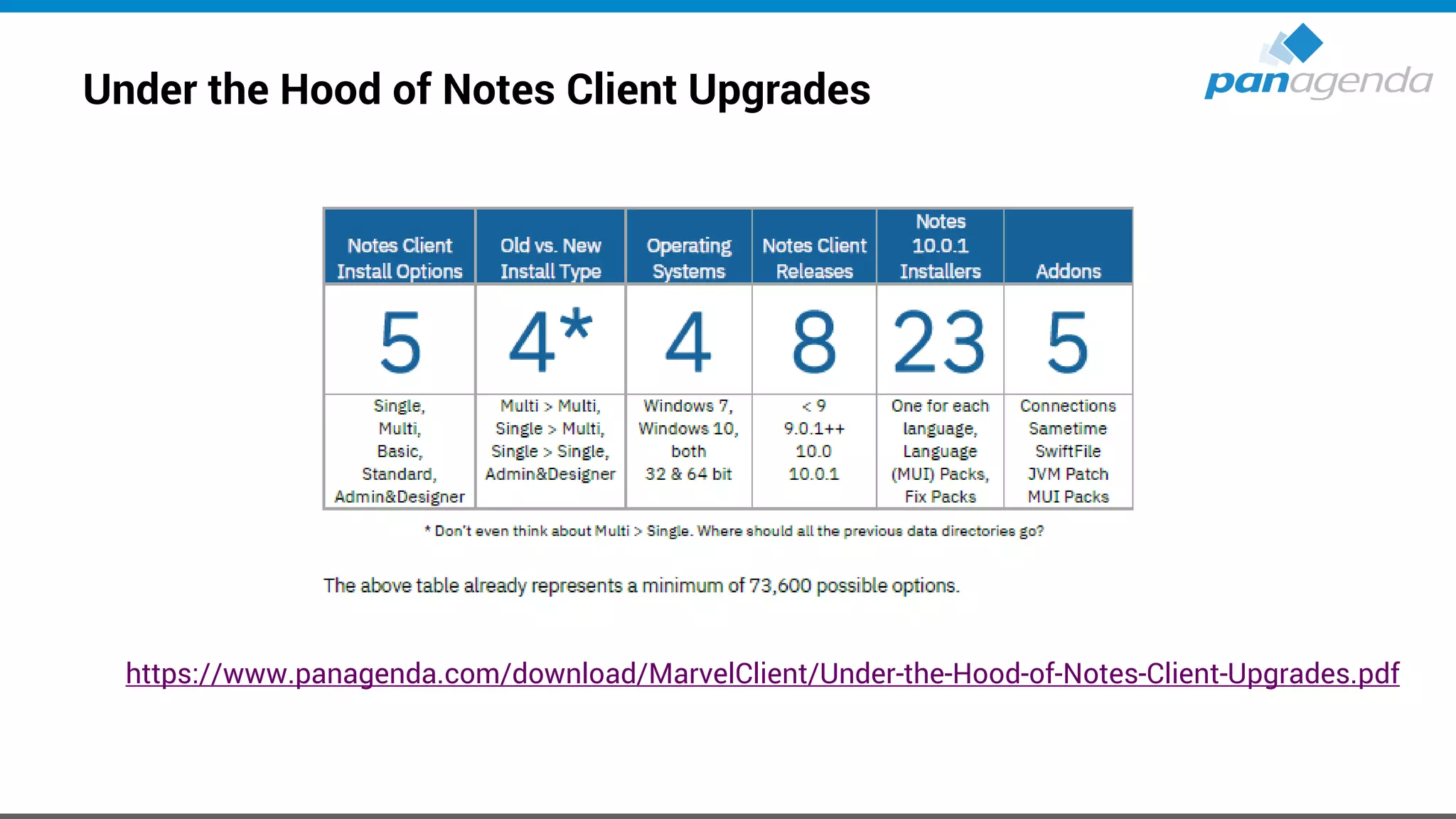
Under the Hood of Notes Client Upgrades
https://www.panagenda.com/download/MarvelClient/Under-the-Hood-of-Notes-Client-Upgrades.pdf
Make Your Data Work For You
Citrix / VDI
Virtual, Faster, Better – How To Virtualize IBM Notes V10
https://www.slideshare.net/christophadler50/panagenda-webinar-virtual-
faster-better-how-to-virtualize-ibm-notesv10
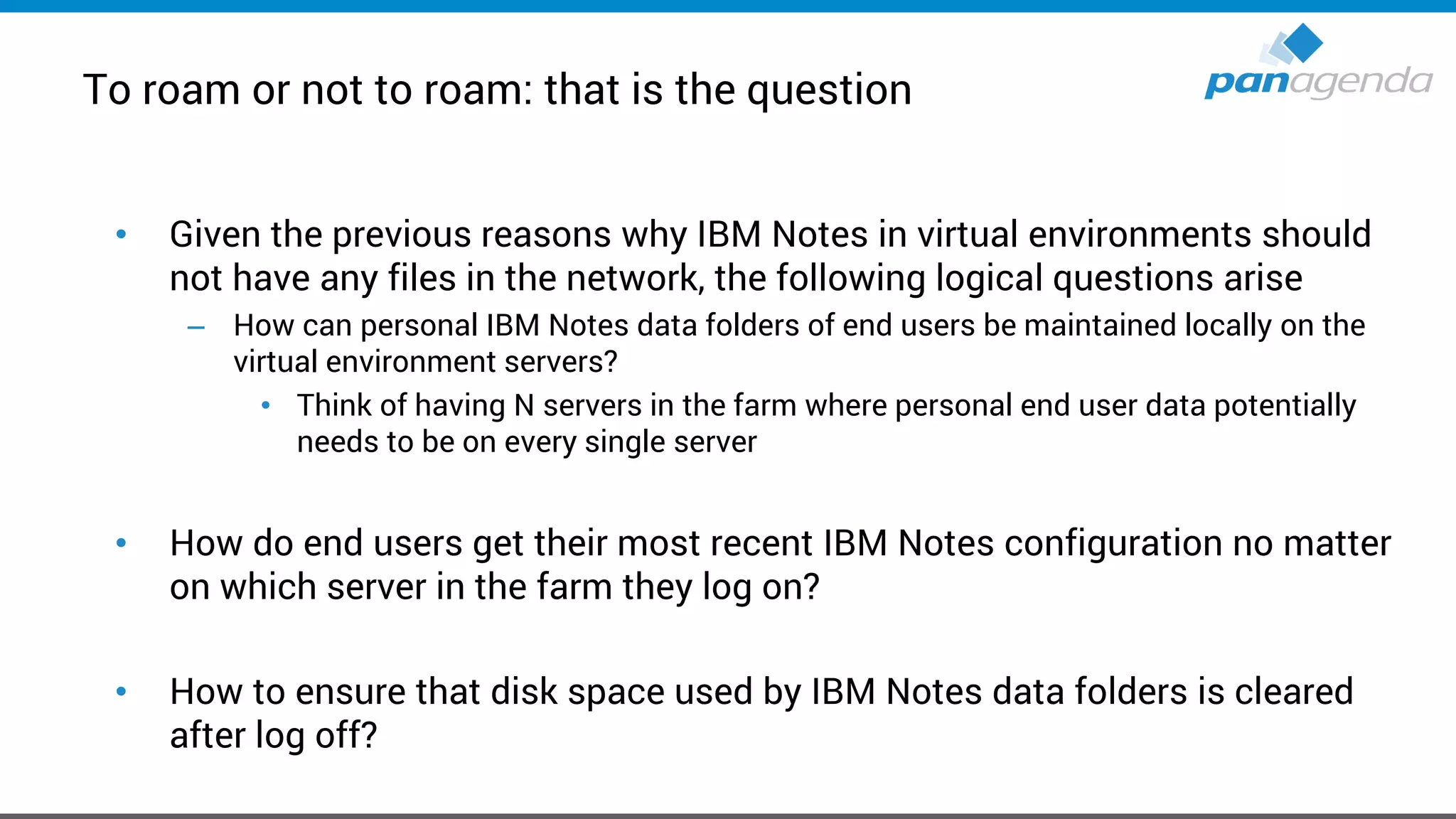
To roam or not to roam: that is the question
• Given the previous reasons why IBM Notes in virtual environments should
not have any files in the network, the following logical questions arise
– How can personal IBM Notes data folders of end users be maintained locally on the
virtual environment servers?
• Think of having N servers in the farm where personal end user data potentially
needs to be on every single server
• How do end users get their most recent IBM Notes configuration no matter
on which server in the farm they log on?
• How to ensure that disk space used by IBM Notes data folders is cleared
after log off?
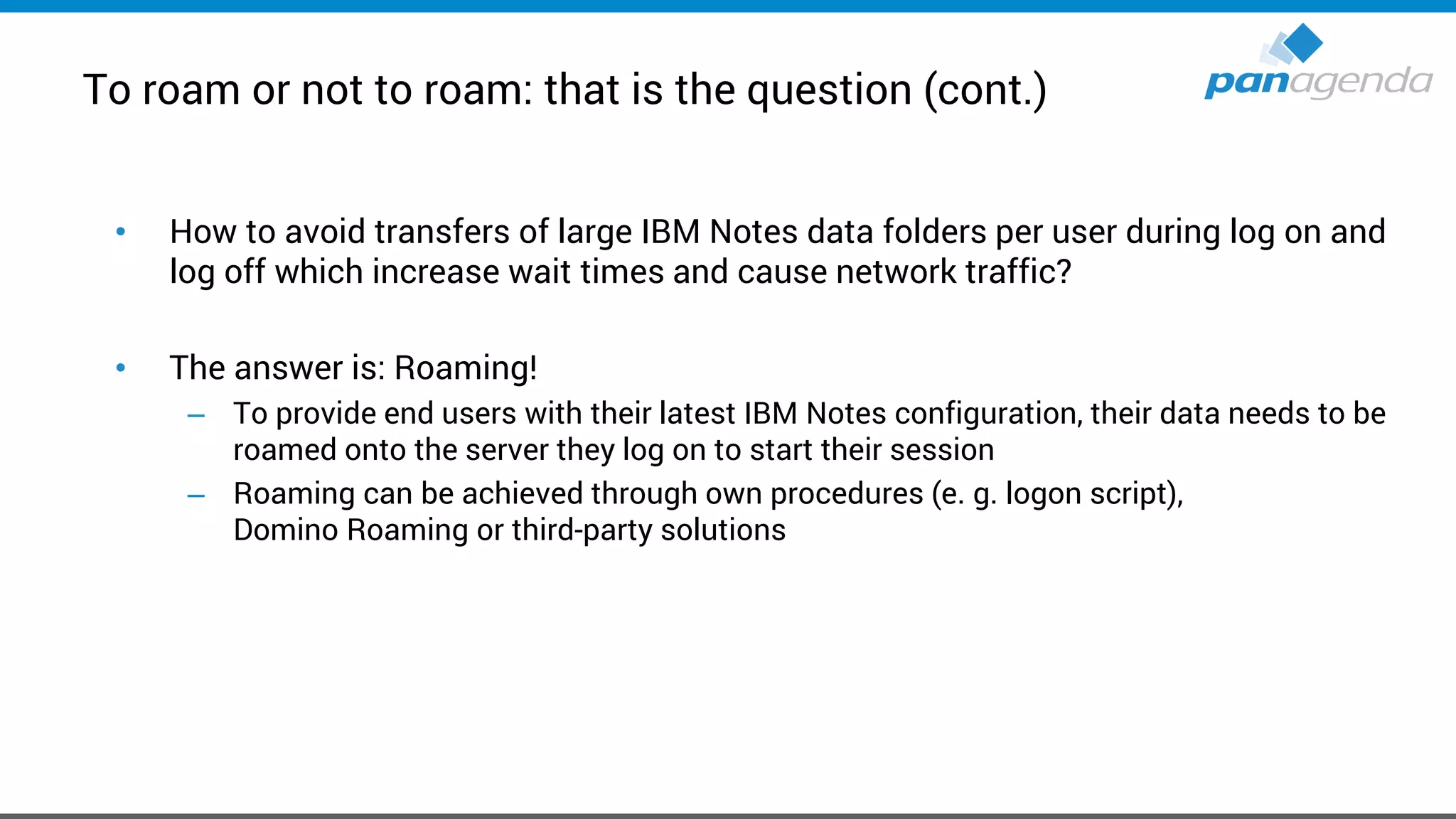
To roam or not to roam: that is the question (cont.)
• How to avoid transfers of large IBM Notes data folders per user during log on and
log off which increase wait times and cause network traffic?
• The answer is: Roaming!
– To provide end users with their latest IBM Notes configuration, their data needs to be
roamed onto the server they log on to start their session
– Roaming can be achieved through own procedures (e. g. logon script),
Domino Roaming or third-party solutions
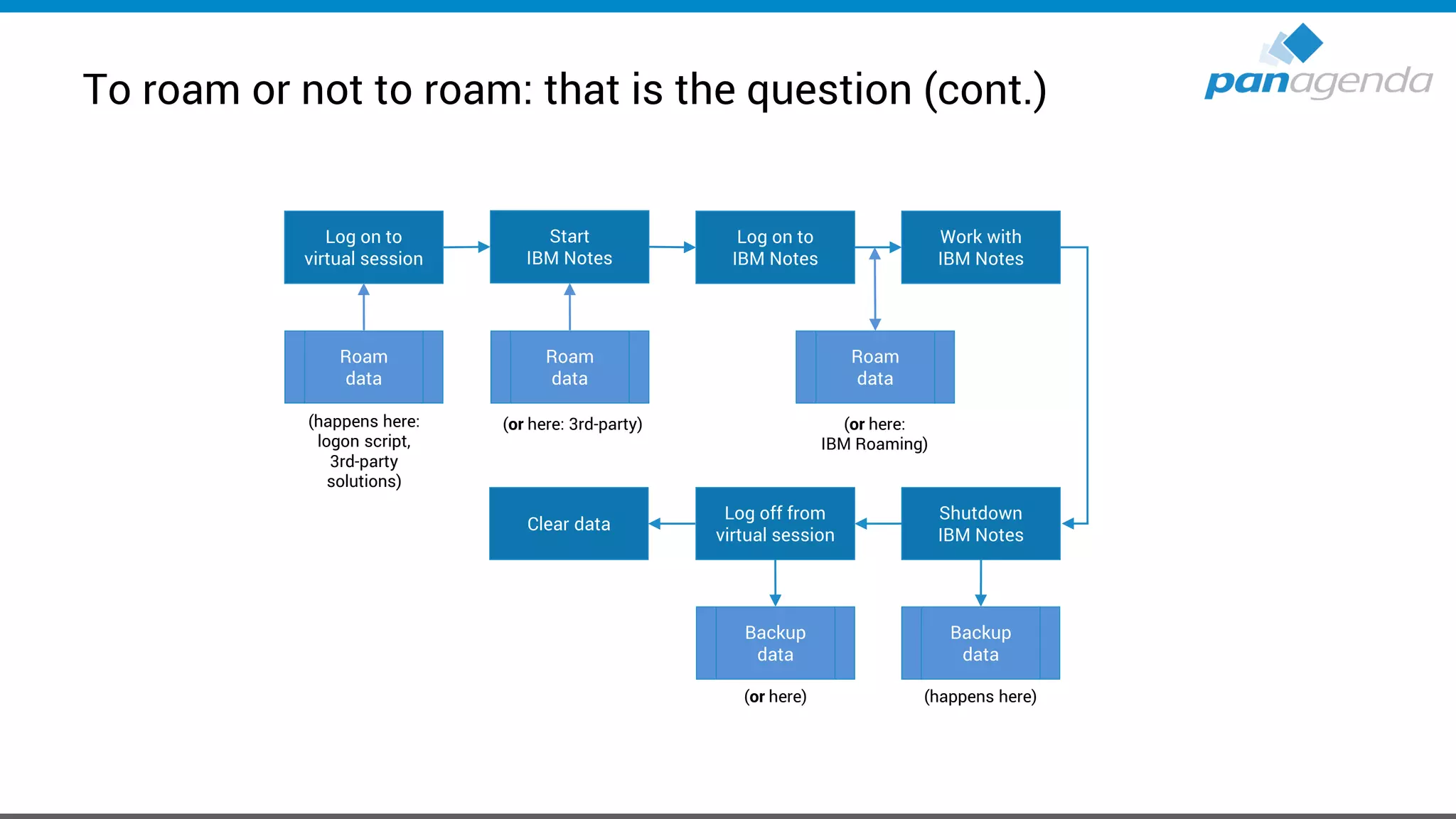
To roam or not to roam: that is the question (cont.)
Log on to
virtual session
Roam
data
Start
IBM Notes
Log on to
IBM Notes
(happens here:
logon script,
3rd-party
solutions)
Roam
data
(or here: 3rd-party)
Work with
IBM Notes
Roam
data
(or here:
IBM Roaming)
Shutdown
IBM Notes
Log off from
virtual session
Backup
data
Backup
data
(happens here)(or here)
Clear data
Make Your Data Work For You
Roaming
Live
Make Your Data Work For You
Troubleshooting
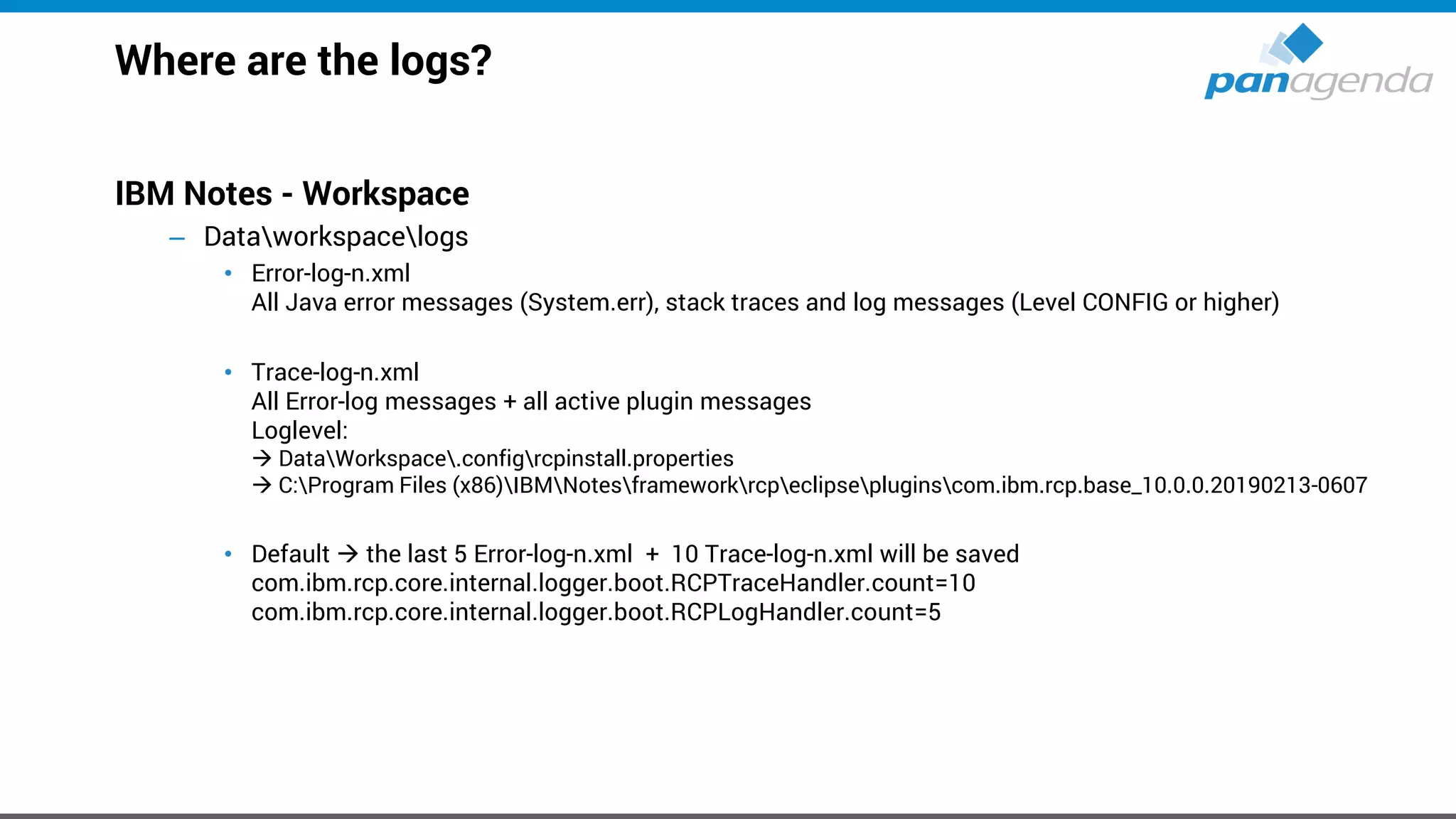
Where are the logs?
IBM Notes - Workspace
– Dataworkspacelogs
• Error-log-n.xml
All Java error messages (System.err), stack traces and log messages (Level CONFIG or higher)
• Trace-log-n.xml
All Error-log messages + all active plugin messages
Loglevel:
→ DataWorkspace.configrcpinstall.properties
→ C:Program Files (x86)IBMNotesframeworkrcpeclipsepluginscom.ibm.rcp.base_10.0.0.20190213-0607
• Default → the last 5 Error-log-n.xml + 10 Trace-log-n.xml will be saved
com.ibm.rcp.core.internal.logger.boot.RCPTraceHandler.count=10
com.ibm.rcp.core.internal.logger.boot.RCPLogHandler.count=5
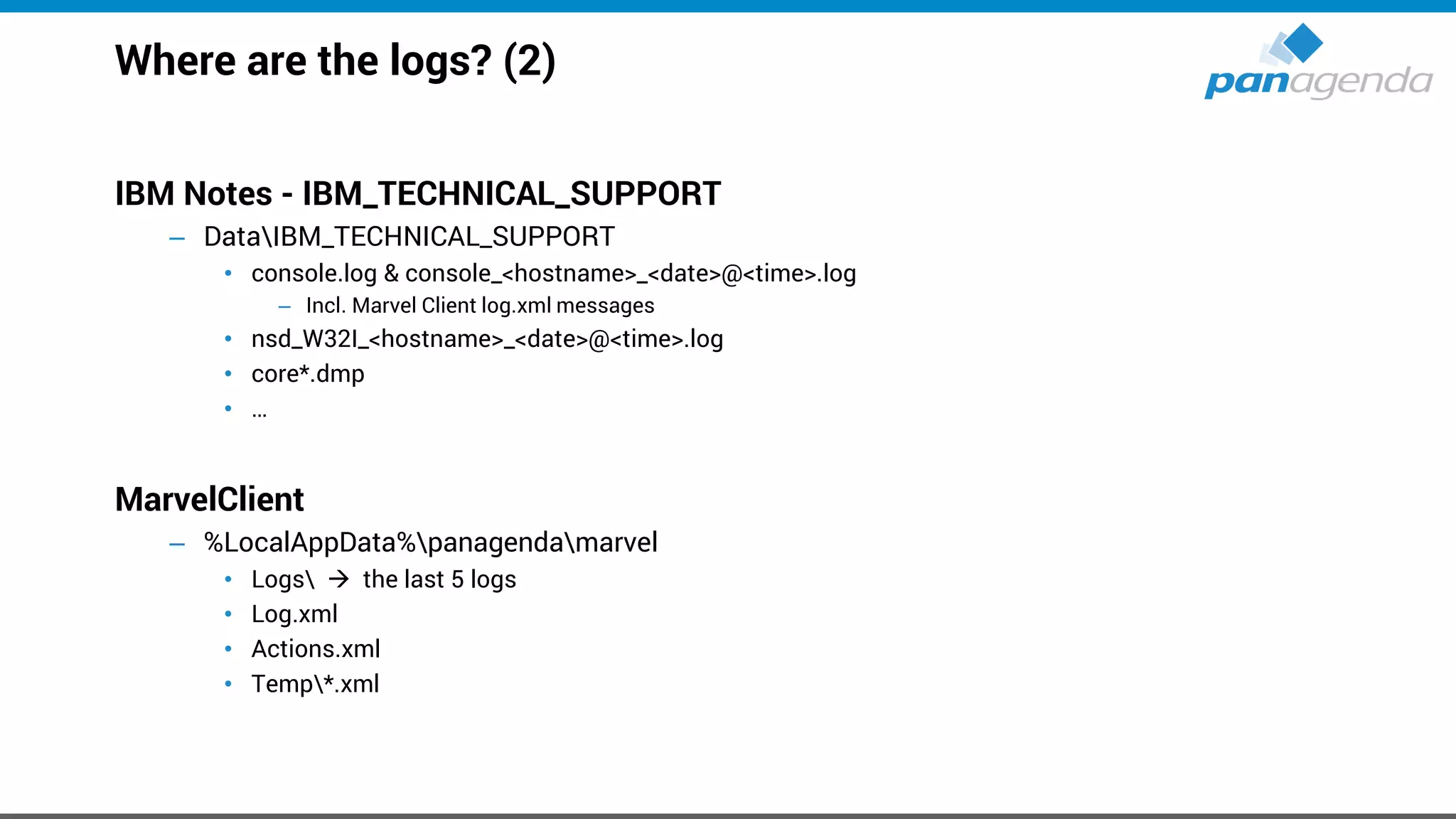
Where are the logs? (2)
IBM Notes - IBM_TECHNICAL_SUPPORT
– DataIBM_TECHNICAL_SUPPORT
• console.log & console_<hostname>_<date>@<time>.log
– Incl. Marvel Client log.xml messages
• nsd_W32I_<hostname>_<date>@<time>.log
• core*.dmp
• …
MarvelClient
– %LocalAppData%panagendamarvel
• Logs → the last 5 logs
• Log.xml
• Actions.xml
• Temp*.xml
Make Your Data Work For You
Notes Client Analysis:
How to use this data in projects
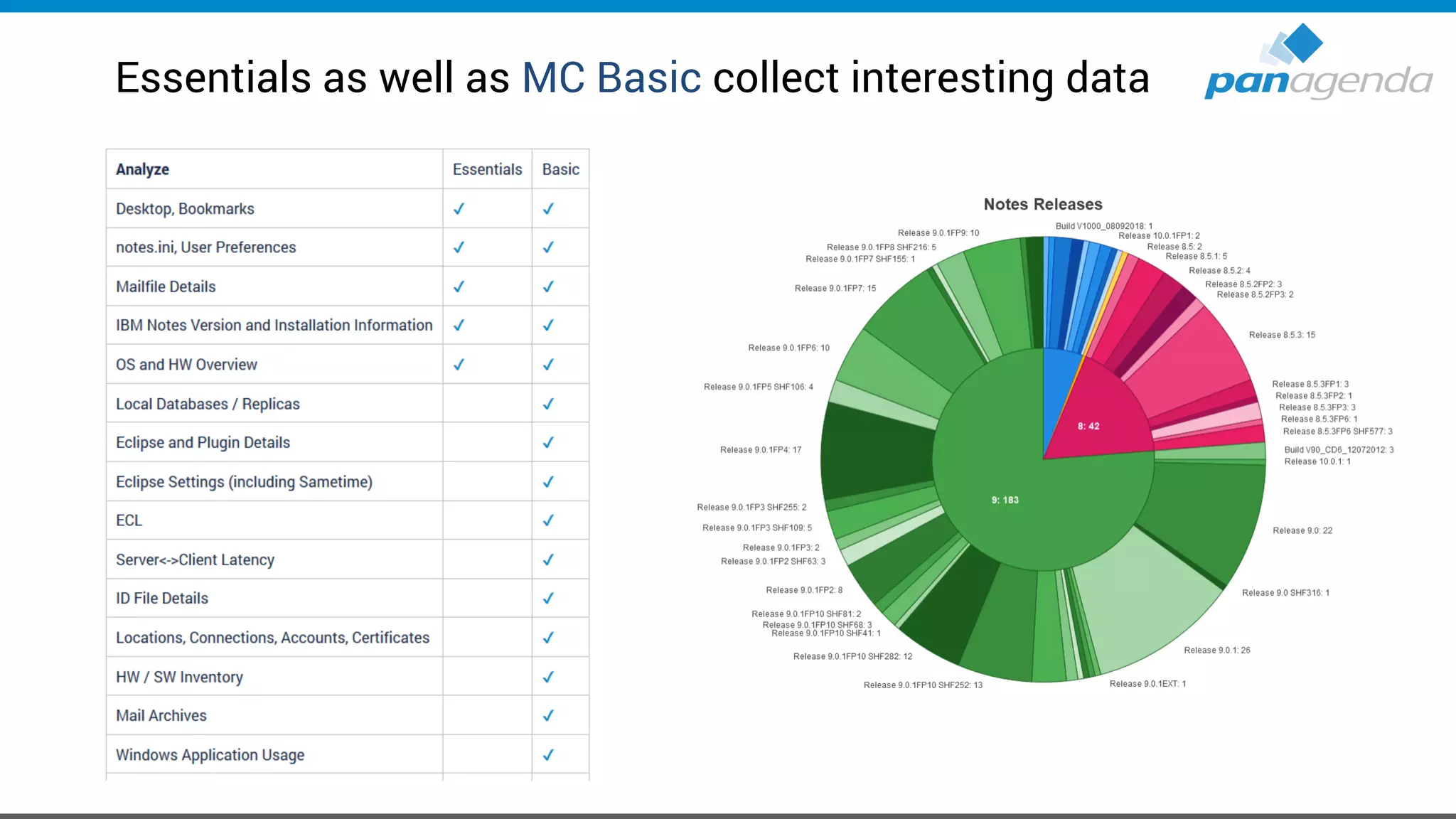
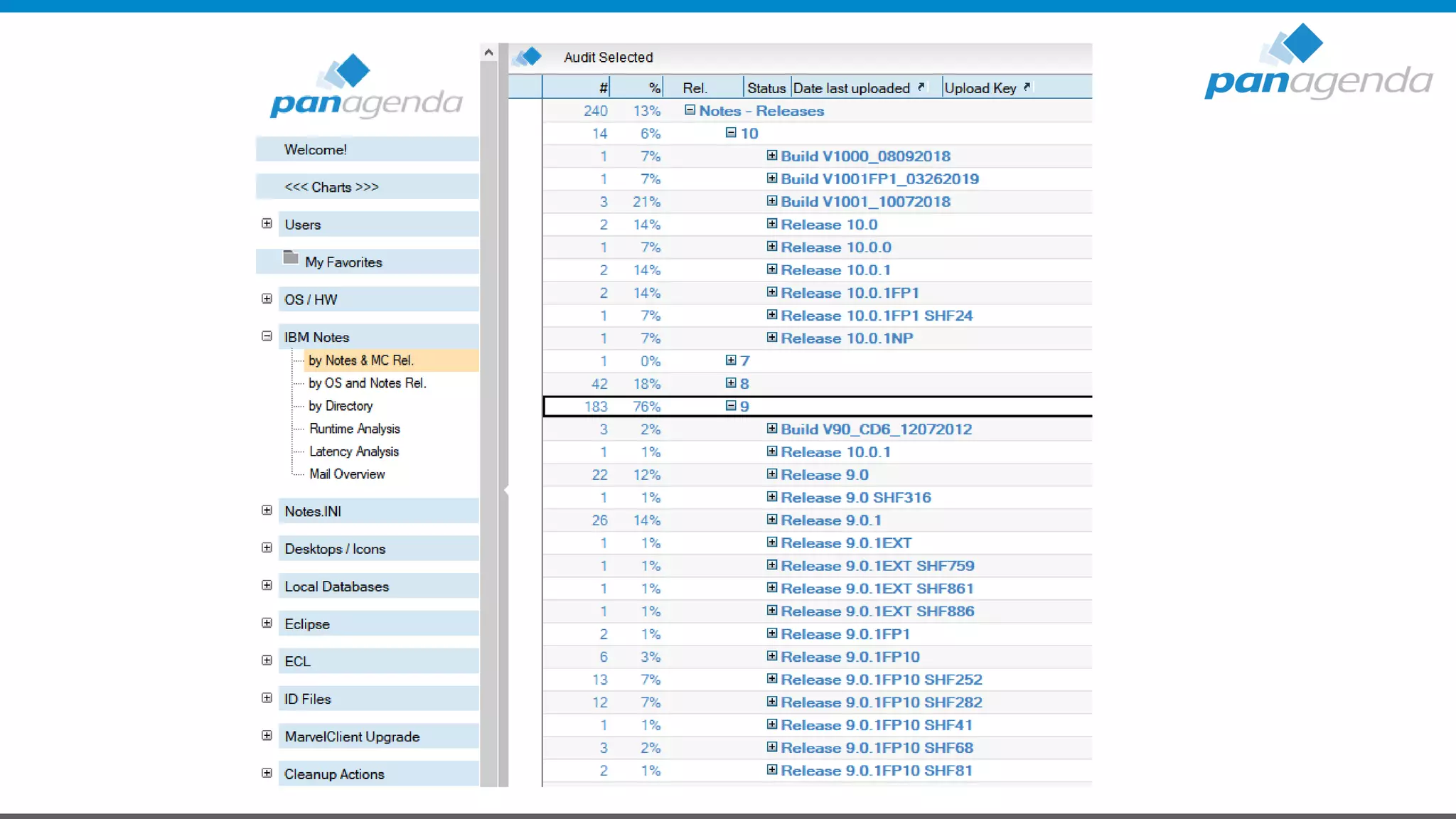
Essentials as well as MC Basic collect interesting data
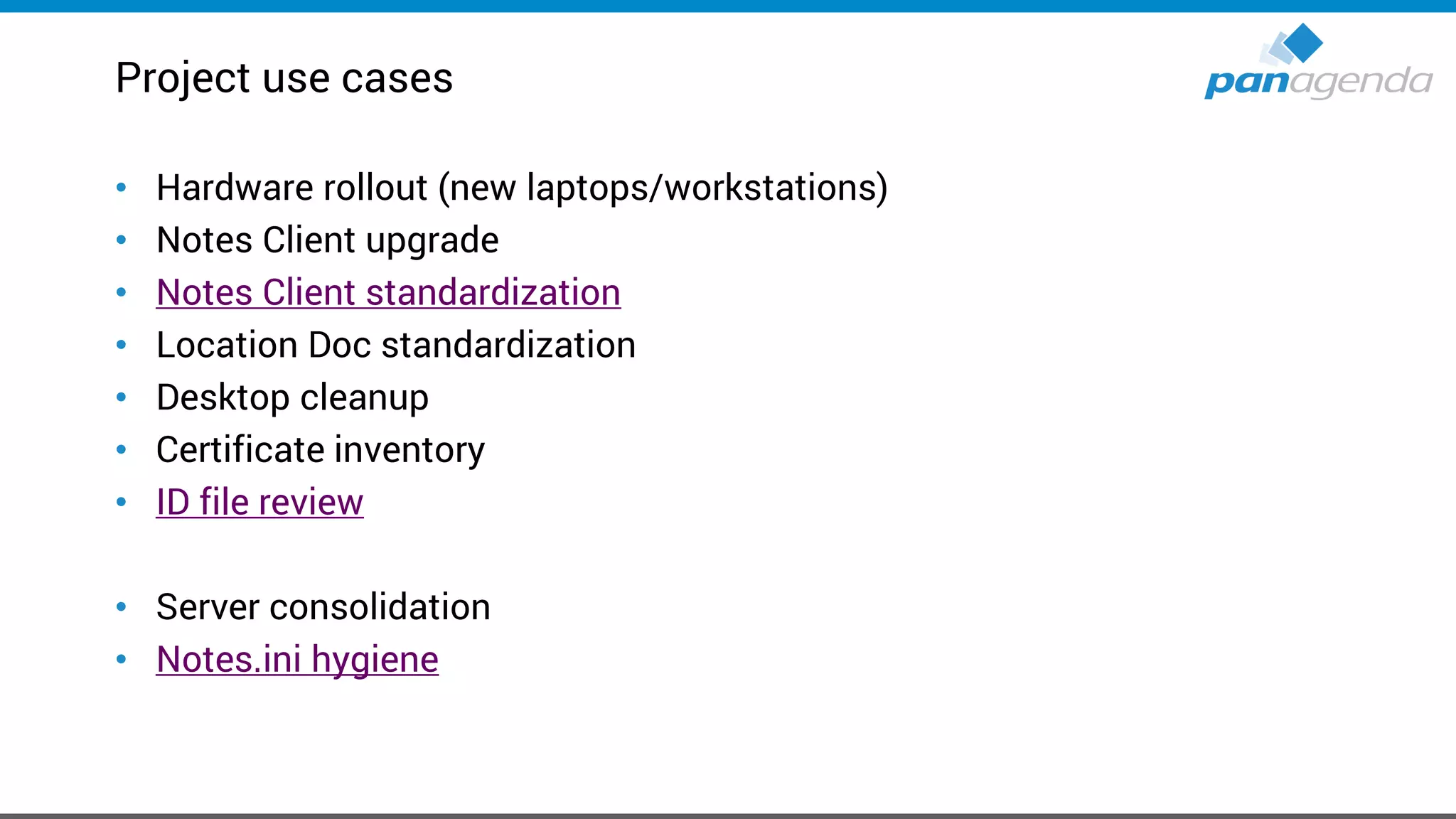
Project use cases
• Hardware rollout (new laptops/workstations)
• Notes Client upgrade
• Notes Client standardization
• Location Doc standardization
• Desktop cleanup
• Certificate inventory
• ID file review
• Server consolidation
• Notes.ini hygiene
Project use cases advanced
• Introduce panagenda roaming
– Who is using which local dbs
– How big are those (especially the “system dbs”)
• Disconnected knowledge
– Which unique non system replicaids are out there
• Modernize applications
– Which apps are used as local replica
– Correlate with backend inventory
• Dislocated mailfile archives
– Correlate MC Analyze
– Homedrive scan
– Groupdrive scan
Customer use case:
Group addressbook
pernames based app on server, which can be accessed by a closed group of users
Goal: Take these applications out of service.
Question:
• Who has local replica?
• Who is using this local replica (or the app on server) to address emails
(notes.ini entry names=…)
Needed:
• Local databases
• Notes.ini entries
• List of replicaids of group addressbooks
Make Your Data Work For You
Tableau – Sample Data Set
Live
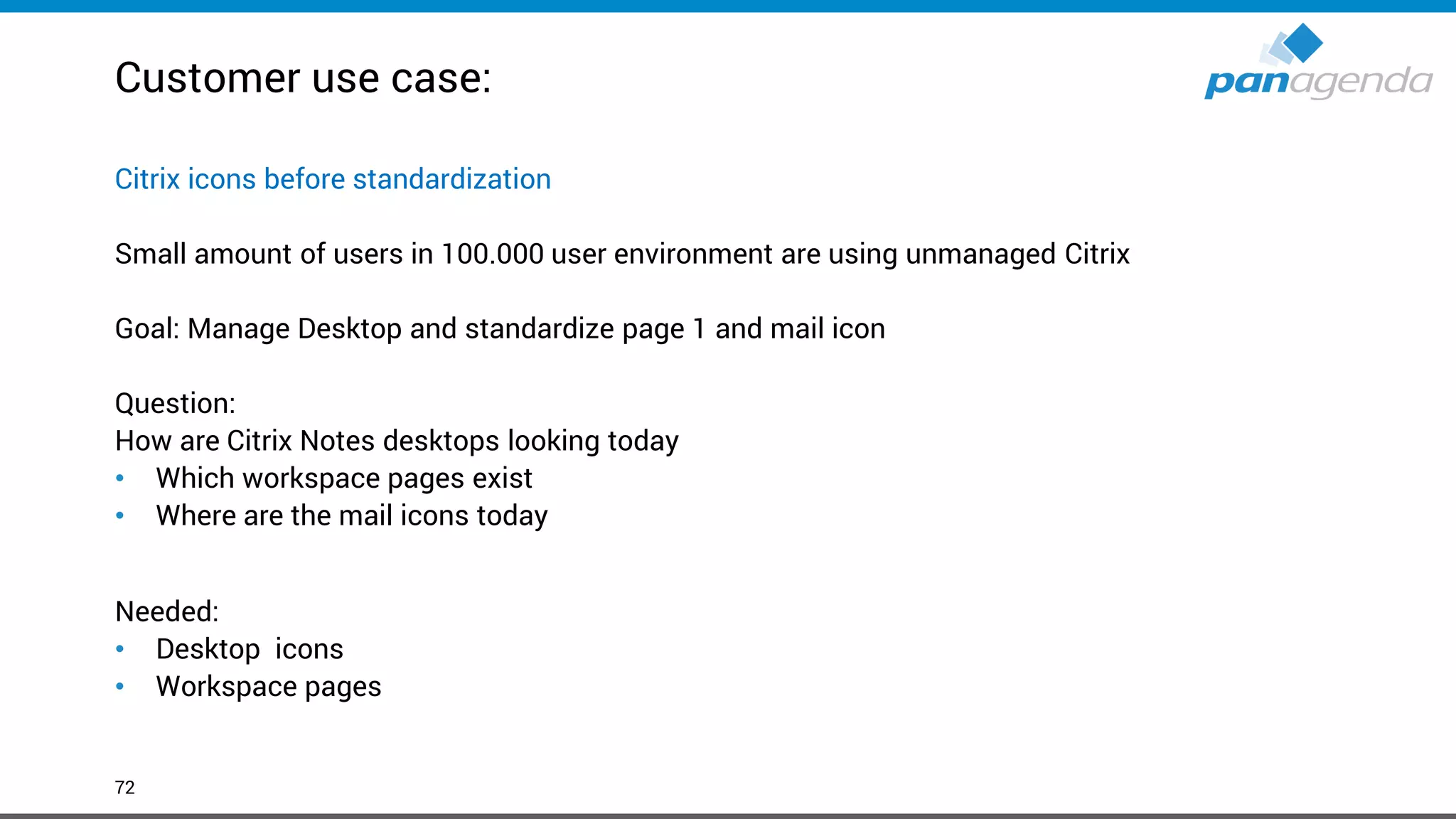
Customer use case:
72
Citrix icons before standardization
Small amount of users in 100.000 user environment are using unmanaged Citrix
Goal: Manage Desktop and standardize page 1 and mail icon
Question:
How are Citrix Notes desktops looking today
• Which workspace pages exist
• Where are the mail icons today
Needed:
• Desktop icons
• Workspace pages
Make Your Data Work For You
Tableau – Sample Data Set
Live
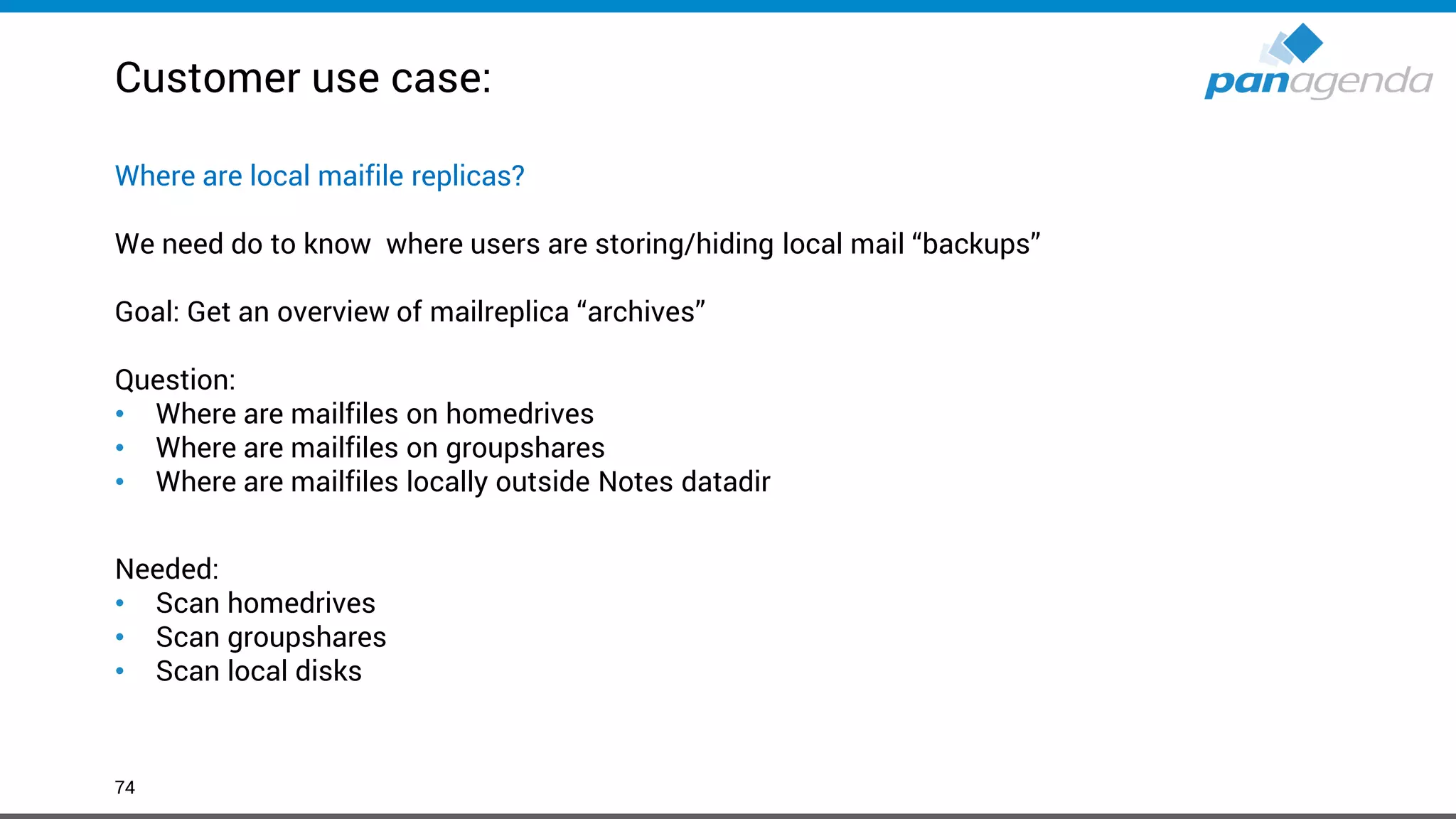
Customer use case:
74
Where are local maifile replicas?
We need do to know where users are storing/hiding local mail “backups”
Goal: Get an overview of mailreplica “archives”
Question:
• Where are mailfiles on homedrives
• Where are mailfiles on groupshares
• Where are mailfiles locally outside Notes datadir
Needed:
• Scan homedrives
• Scan groupshares
• Scan local disks
Make Your Data Work For You
Tableau – Sample Data Set
Live
Make Your Data Work For You
Performance
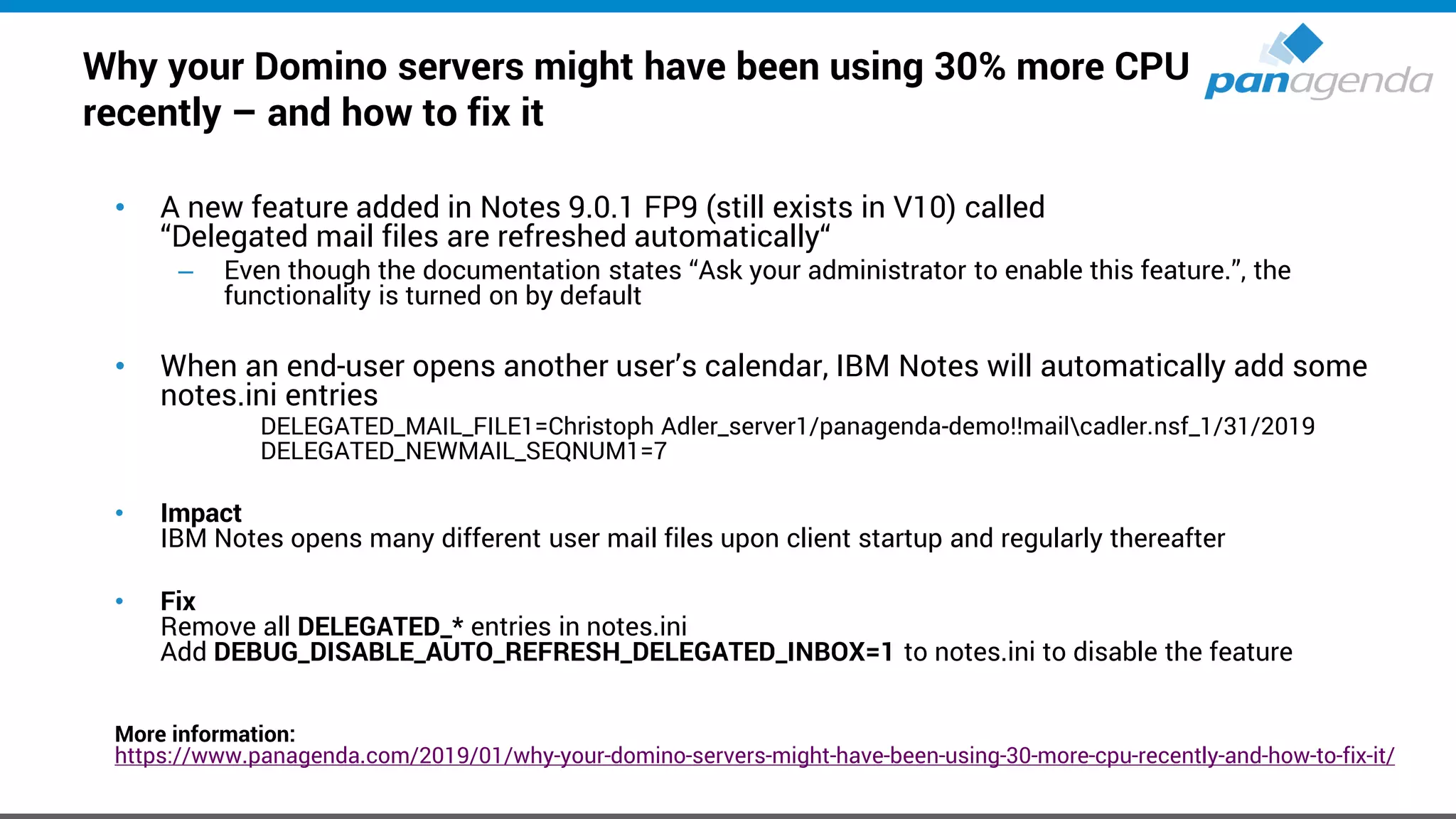
Why your Domino servers might have been using 30% more CPU
recently – and how to fix it
• A new feature added in Notes 9.0.1 FP9 (still exists in V10) called
“Delegated mail files are refreshed automatically“
– Even though the documentation states “Ask your administrator to enable this feature.”, the
functionality is turned on by default
• When an end-user opens another user’s calendar, IBM Notes will automatically add some
notes.ini entries
DELEGATED_MAIL_FILE1=Christoph Adler_server1/panagenda-demo!!mailcadler.nsf_1/31/2019
DELEGATED_NEWMAIL_SEQNUM1=7
• Impact
IBM Notes opens many different user mail files upon client startup and regularly thereafter
• Fix
Remove all DELEGATED_* entries in notes.ini
Add DEBUG_DISABLE_AUTO_REFRESH_DELEGATED_INBOX=1 to notes.ini to disable the feature
More information:
https://www.panagenda.com/2019/01/why-your-domino-servers-might-have-been-using-30-more-cpu-recently-and-how-to-fix-it/
Antivirus real-time scanning in Data directory
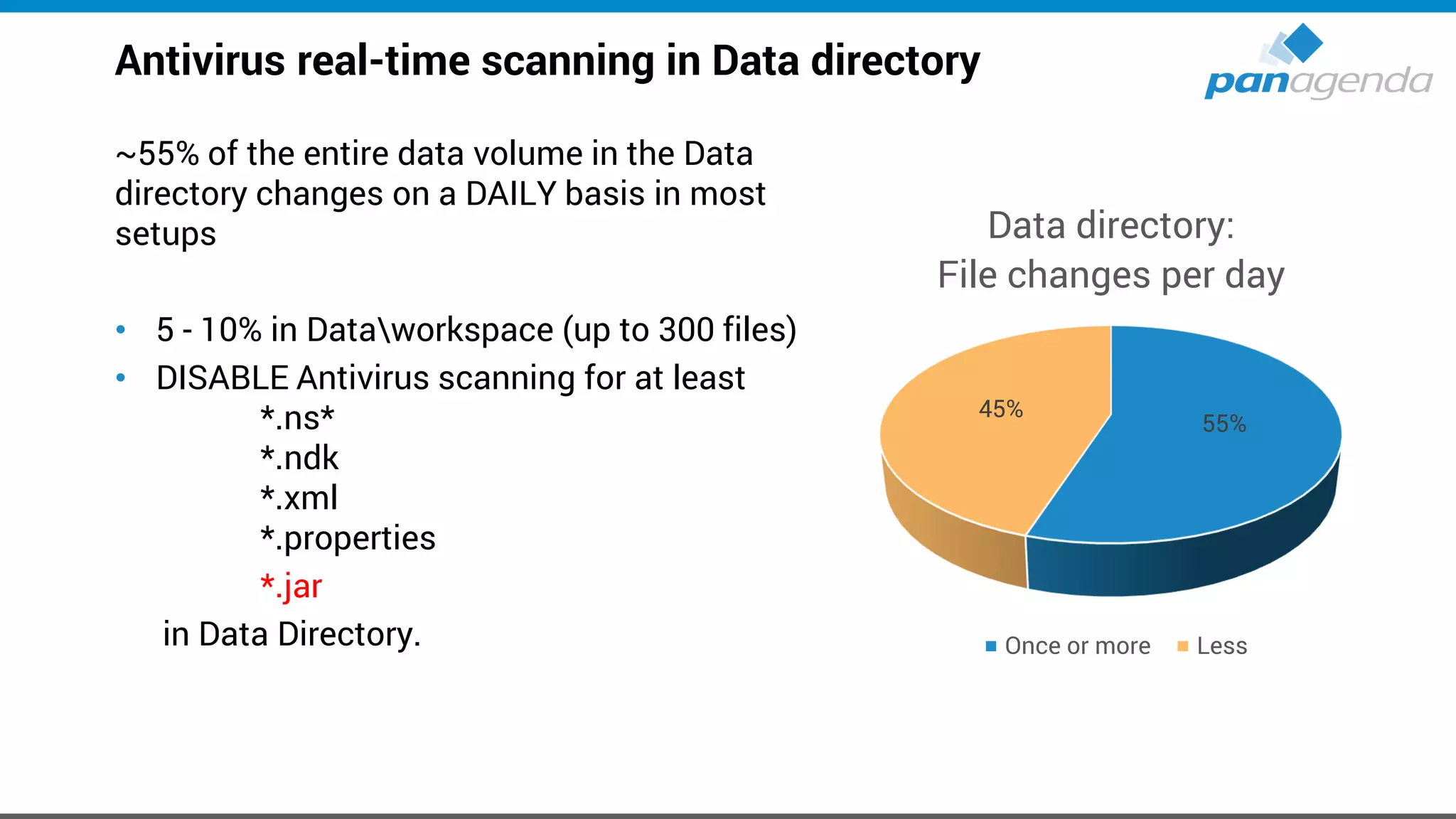
~55% of the entire data volume in the Data
directory changes on a DAILY basis in most
setups
• 5 - 10% in Dataworkspace (up to 300 files)
• DISABLE Antivirus scanning for at least
*.ns*
*.ndk
*.xml
*.properties
*.jar
in Data Directory.
55%
45%
Data directory:
File changes per day
Once or more Less
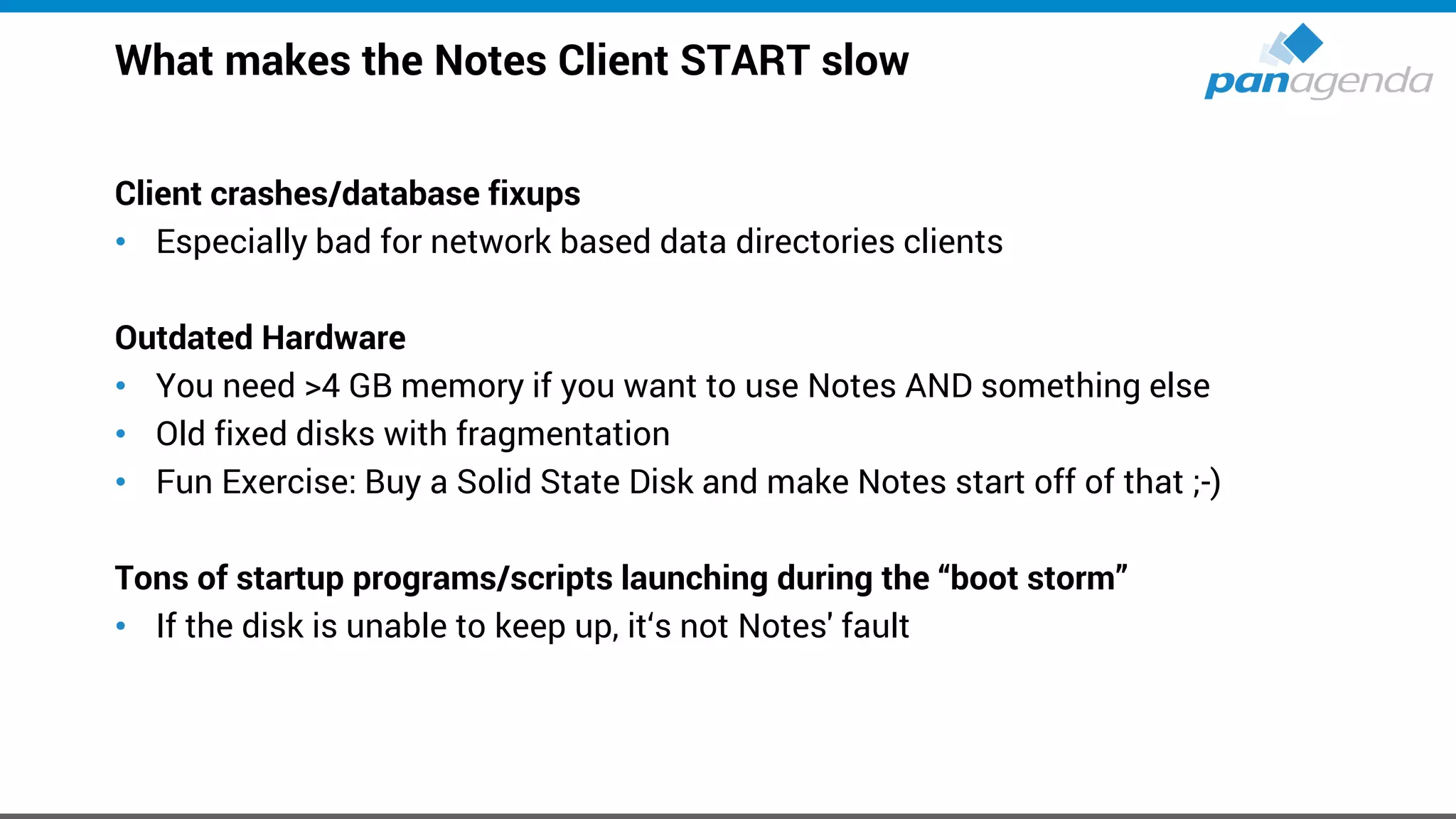
What makes the Notes Client START slow
Client crashes/database fixups
• Especially bad for network based data directories clients
Outdated Hardware
• You need >4 GB memory if you want to use Notes AND something else
• Old fixed disks with fragmentation
• Fun Exercise: Buy a Solid State Disk and make Notes start off of that ;-)
Tons of startup programs/scripts launching during the “boot storm”
• If the disk is unable to keep up, it‘s not Notes' fault
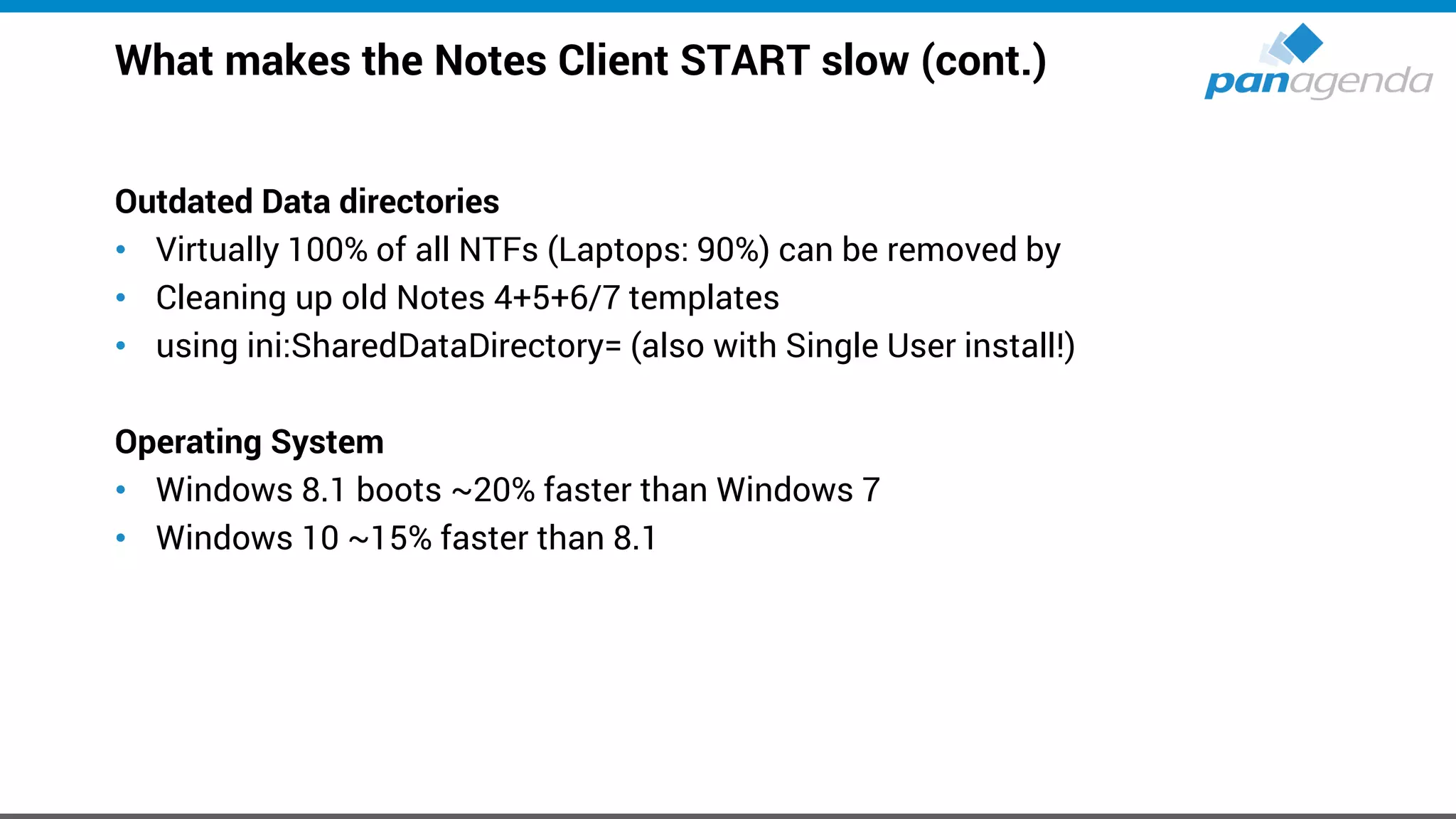
What makes the Notes Client START slow (cont.)
Outdated Data directories
• Virtually 100% of all NTFs (Laptops: 90%) can be removed by
• Cleaning up old Notes 4+5+6/7 templates
• using ini:SharedDataDirectory= (also with Single User install!)
Operating System
• Windows 8.1 boots ~20% faster than Windows 7
• Windows 10 ~15% faster than 8.1
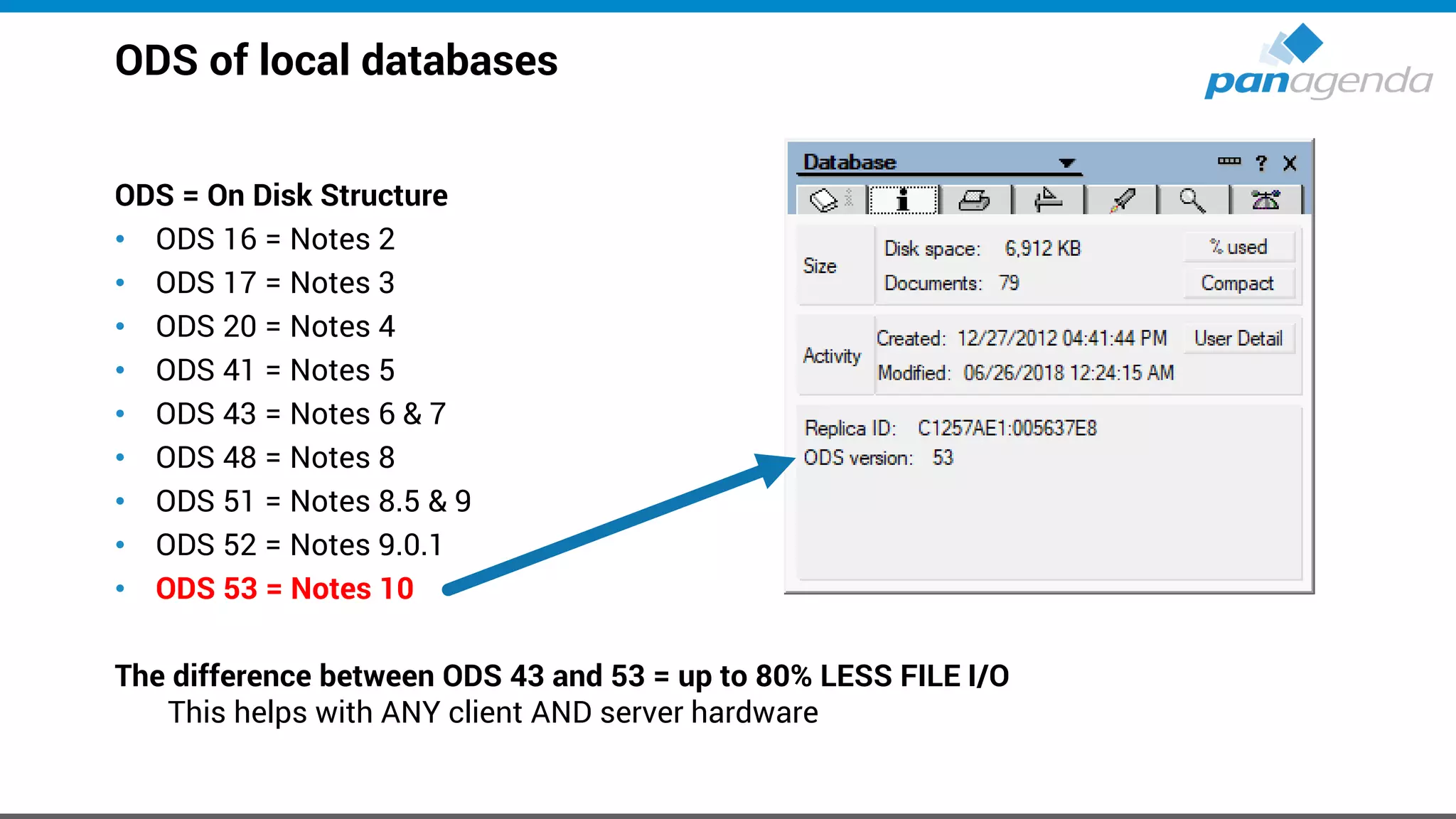
ODS of local databases
ODS = On Disk Structure
• ODS 16 = Notes 2
• ODS 17 = Notes 3
• ODS 20 = Notes 4
• ODS 41 = Notes 5
• ODS 43 = Notes 6 & 7
• ODS 48 = Notes 8
• ODS 51 = Notes 8.5 & 9
• ODS 52 = Notes 9.0.1
• ODS 53 = Notes 10
The difference between ODS 43 and 53 = up to 80% LESS FILE I/O
This helps with ANY client AND server hardware
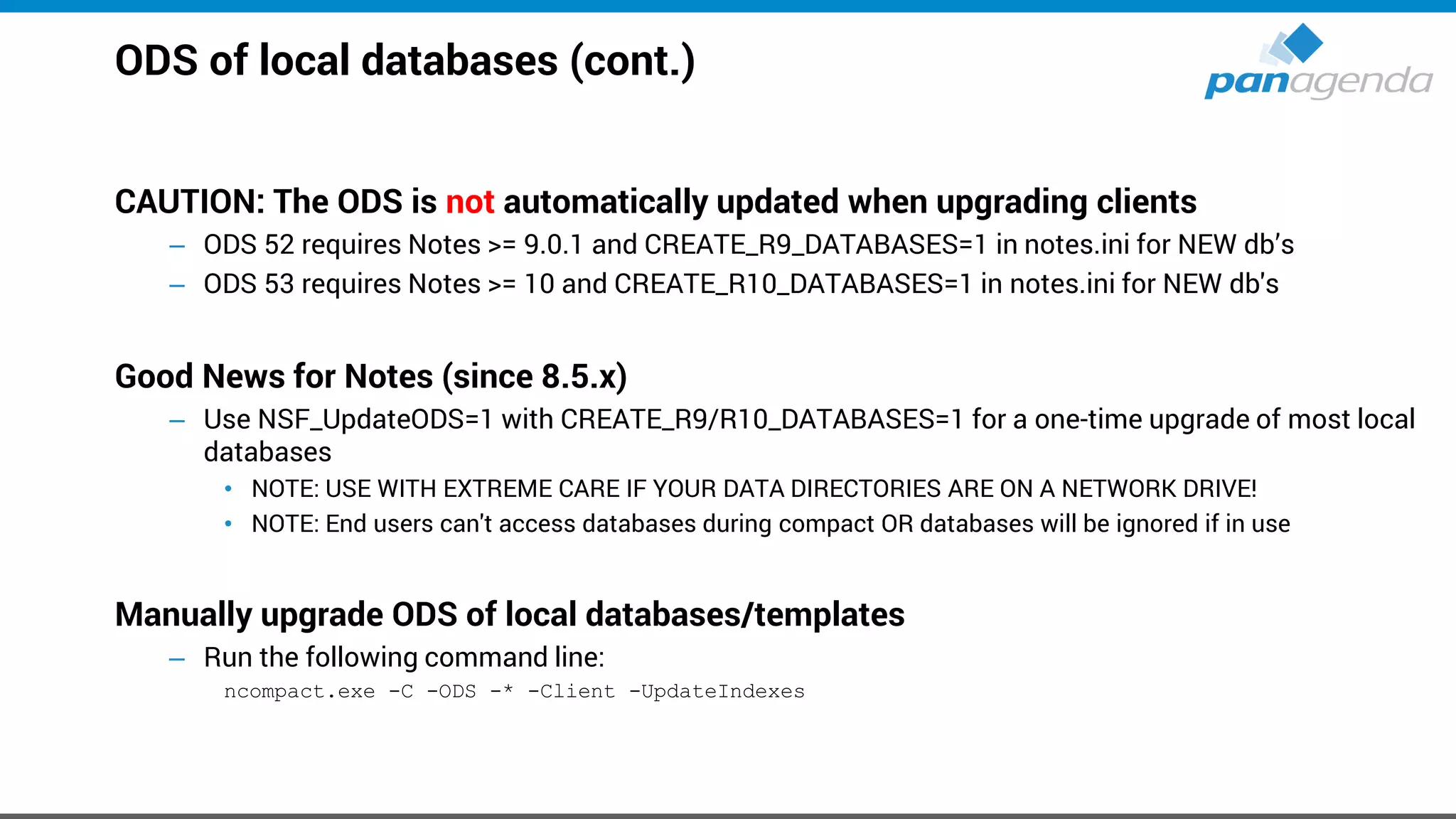
ODS of local databases (cont.)
CAUTION: The ODS is not automatically updated when upgrading clients
– ODS 52 requires Notes >= 9.0.1 and CREATE_R9_DATABASES=1 in notes.ini for NEW db’s
– ODS 53 requires Notes >= 10 and CREATE_R10_DATABASES=1 in notes.ini for NEW db's
Good News for Notes (since 8.5.x)
– Use NSF_UpdateODS=1 with CREATE_R9/R10_DATABASES=1 for a one-time upgrade of most local
databases
• NOTE: USE WITH EXTREME CARE IF YOUR DATA DIRECTORIES ARE ON A NETWORK DRIVE!
• NOTE: End users can't access databases during compact OR databases will be ignored if in use
Manually upgrade ODS of local databases/templates
– Run the following command line:
ncompact.exe -C -ODS -* -Client -UpdateIndexes
What makes the Notes Client PERFORM slow
Again
• ODS of local databases
• Hardware
Notes.ini
• EXTMGR_ADDINS = (not just) local virus scanners
• Disable Notes “plugins“ like virus scanners etc.
– They increase Network traffic by up to 200 – 250%!
Data directory on the network vs. fixed disk
• Disk performance is the #1 bottleneck
– think SSD vs. normal HDD ; 7.200rpm vs. 5.400rpm ; network drive vs. local fixed disk
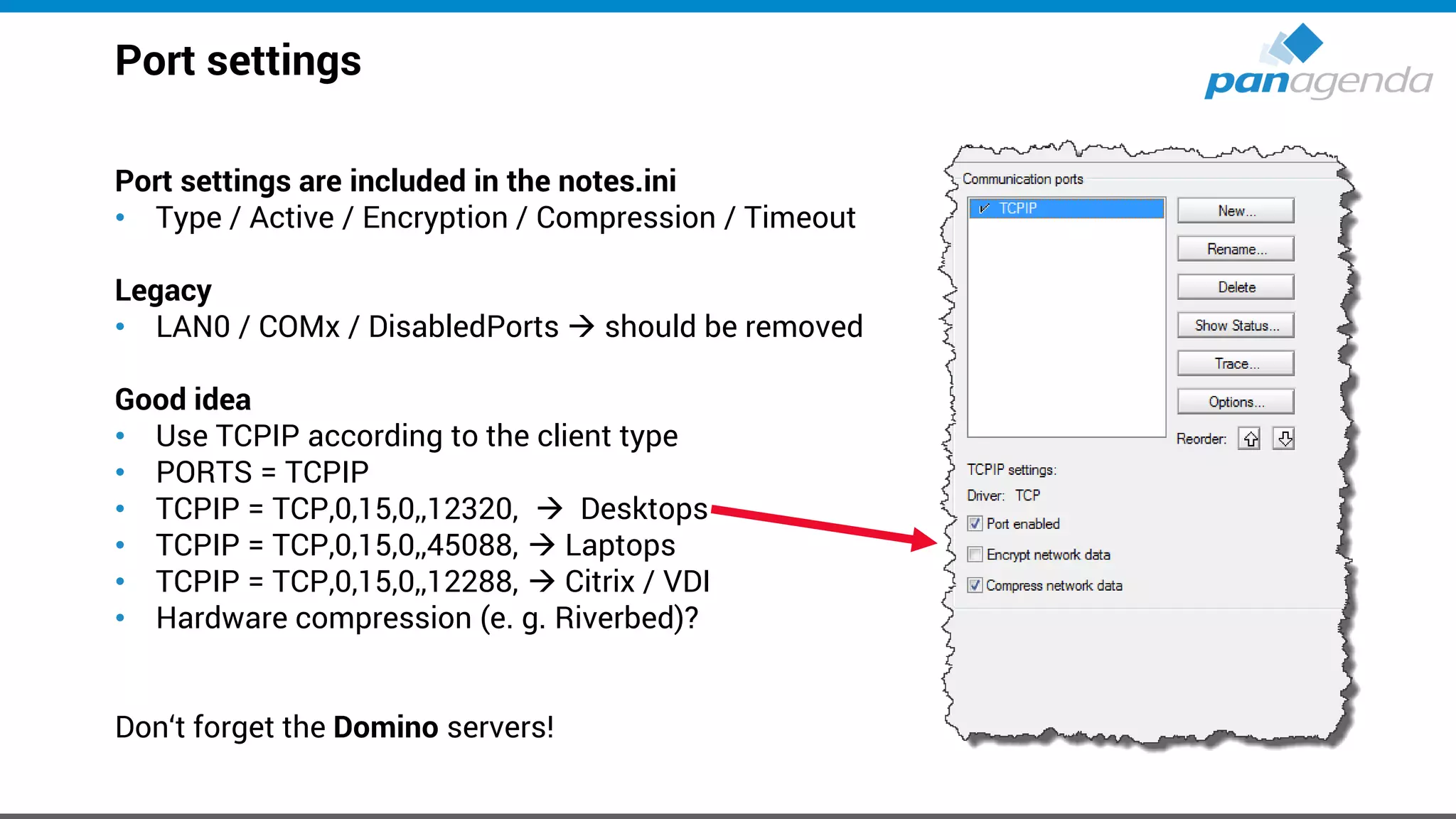
Port settings
Port settings are included in the notes.ini
• Type / Active / Encryption / Compression / Timeout
Legacy
• LAN0 / COMx / DisabledPorts → should be removed
Good idea
• Use TCPIP according to the client type
• PORTS = TCPIP
• TCPIP = TCP,0,15,0,,12320, → Desktops
• TCPIP = TCP,0,15,0,,45088, → Laptops
• TCPIP = TCP,0,15,0,,12288, → Citrix / VDI
• Hardware compression (e. g. Riverbed)?
Don‘t forget the Domino servers!
Make Your Data Work For You
Manage Port Settings
Live
jvm.properties file
To speed up the IBM Notes JVM it’s useful to optimize memory settings
Open %ProgramFiles(x86)%IBMNotesframeworkrcpdeployjvm.properties
– Modify vmarg.Xmx from “-Xmx256m” to “-Xmx1024m”
– Modify vmarg.Xms from “-Xms64m” to “-Xms256m”
– Change vmarg.Xmca=-Xmca512k
The implicit rules
– Do not change vmarg.Xmx to more than -Xmx1024m regardless of how much memory you have
– vmarg.Xms should always be ¼ of what you changed Xmx to
Note
– The above defaults have been changed by IBM over the last couple of Notes releases.
You might find other values than Xmx256m and Xms64m in your setups.
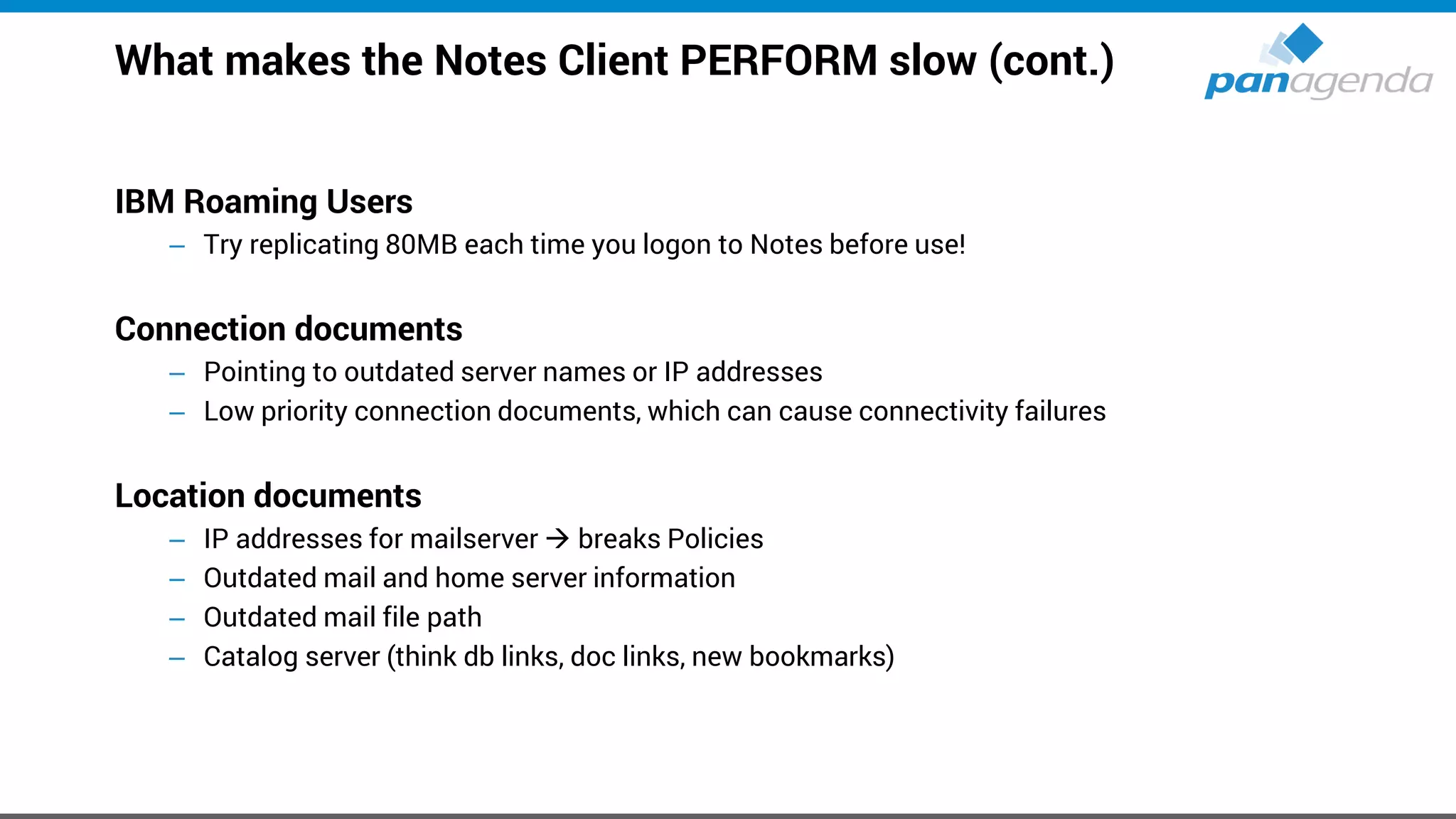
What makes the Notes Client PERFORM slow (cont.)
IBM Roaming Users
– Try replicating 80MB each time you logon to Notes before use!
Connection documents
– Pointing to outdated server names or IP addresses
– Low priority connection documents, which can cause connectivity failures
Location documents
– IP addresses for mailserver → breaks Policies
– Outdated mail and home server information
– Outdated mail file path
– Catalog server (think db links, doc links, new bookmarks)
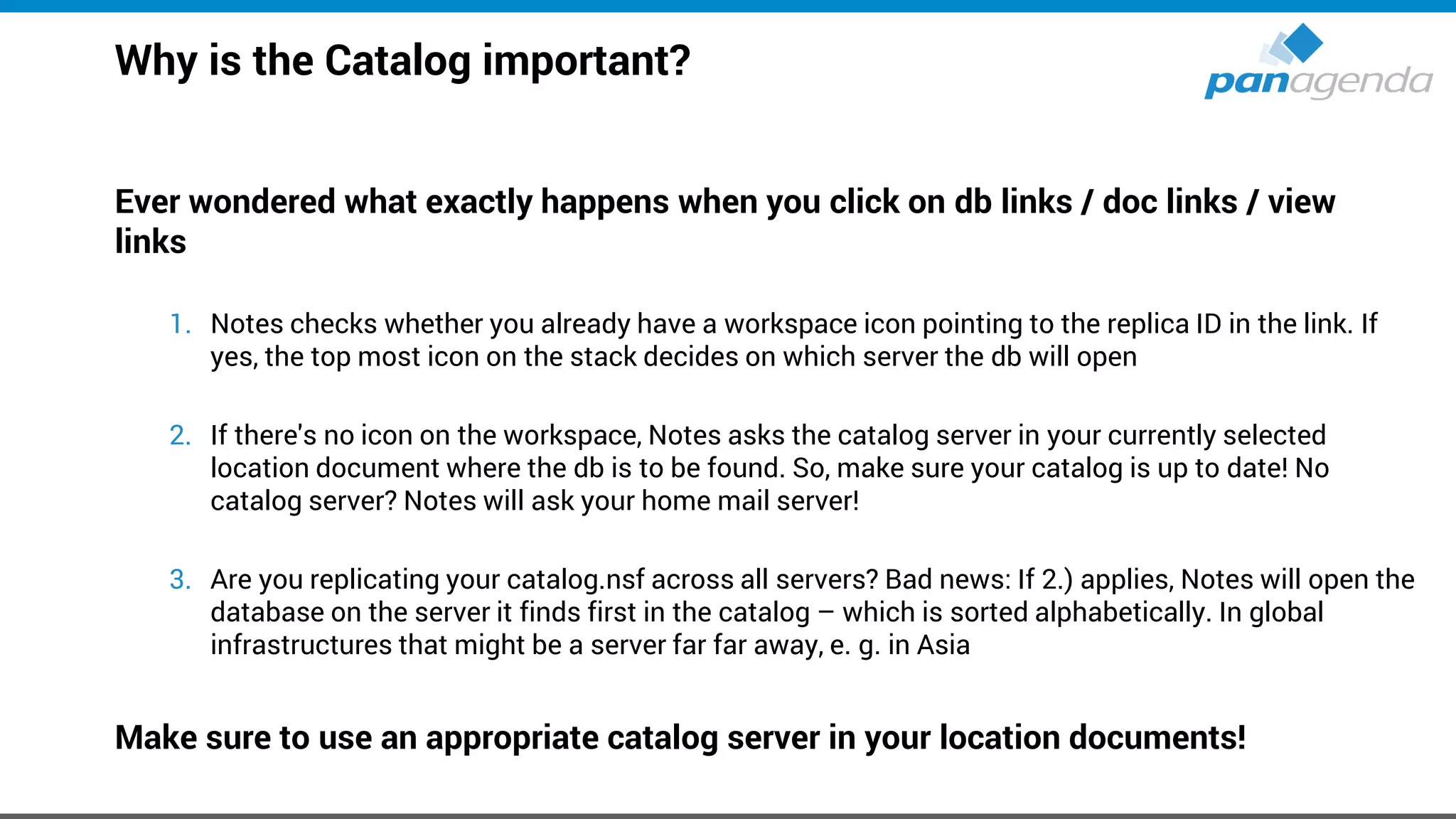
Why is the Catalog important?
Ever wondered what exactly happens when you click on db links / doc links / view
links
1. Notes checks whether you already have a workspace icon pointing to the replica ID in the link. If
yes, the top most icon on the stack decides on which server the db will open
2. If there's no icon on the workspace, Notes asks the catalog server in your currently selected
location document where the db is to be found. So, make sure your catalog is up to date! No
catalog server? Notes will ask your home mail server!
3. Are you replicating your catalog.nsf across all servers? Bad news: If 2.) applies, Notes will open the
database on the server it finds first in the catalog – which is sorted alphabetically. In global
infrastructures that might be a server far far away, e. g. in Asia
Make sure to use an appropriate catalog server in your location documents!
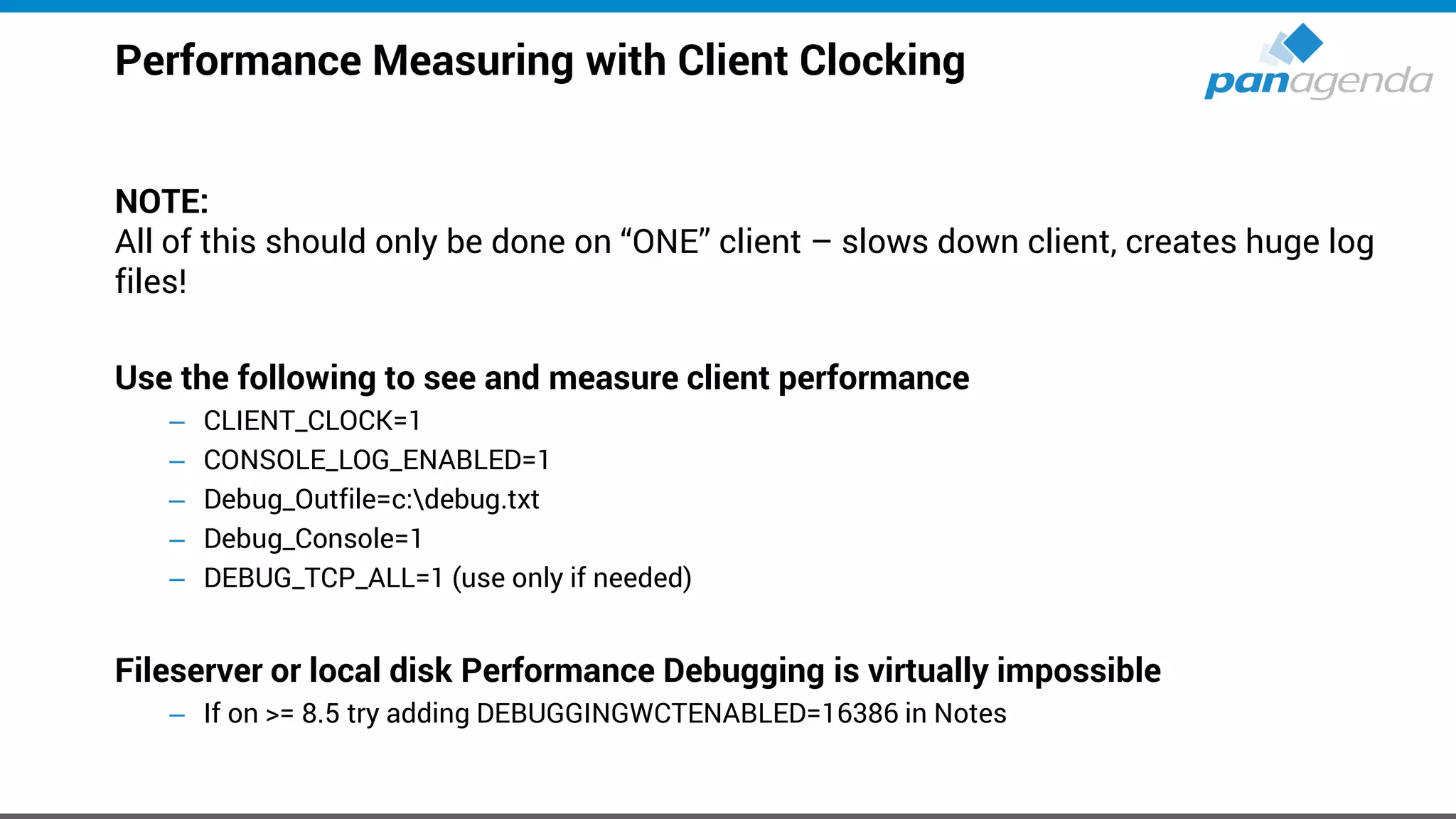
Performance Measuring with Client Clocking
NOTE:
All of this should only be done on “ONE” client – slows down client, creates huge log
files!
Use the following to see and measure client performance
– CLIENT_CLOCK=1
– CONSOLE_LOG_ENABLED=1
– Debug_Outfile=c:debug.txt
– Debug_Console=1
– DEBUG_TCP_ALL=1 (use only if needed)
Fileserver or local disk Performance Debugging is virtually impossible
– If on >= 8.5 try adding DEBUGGINGWCTENABLED=16386 in Notes
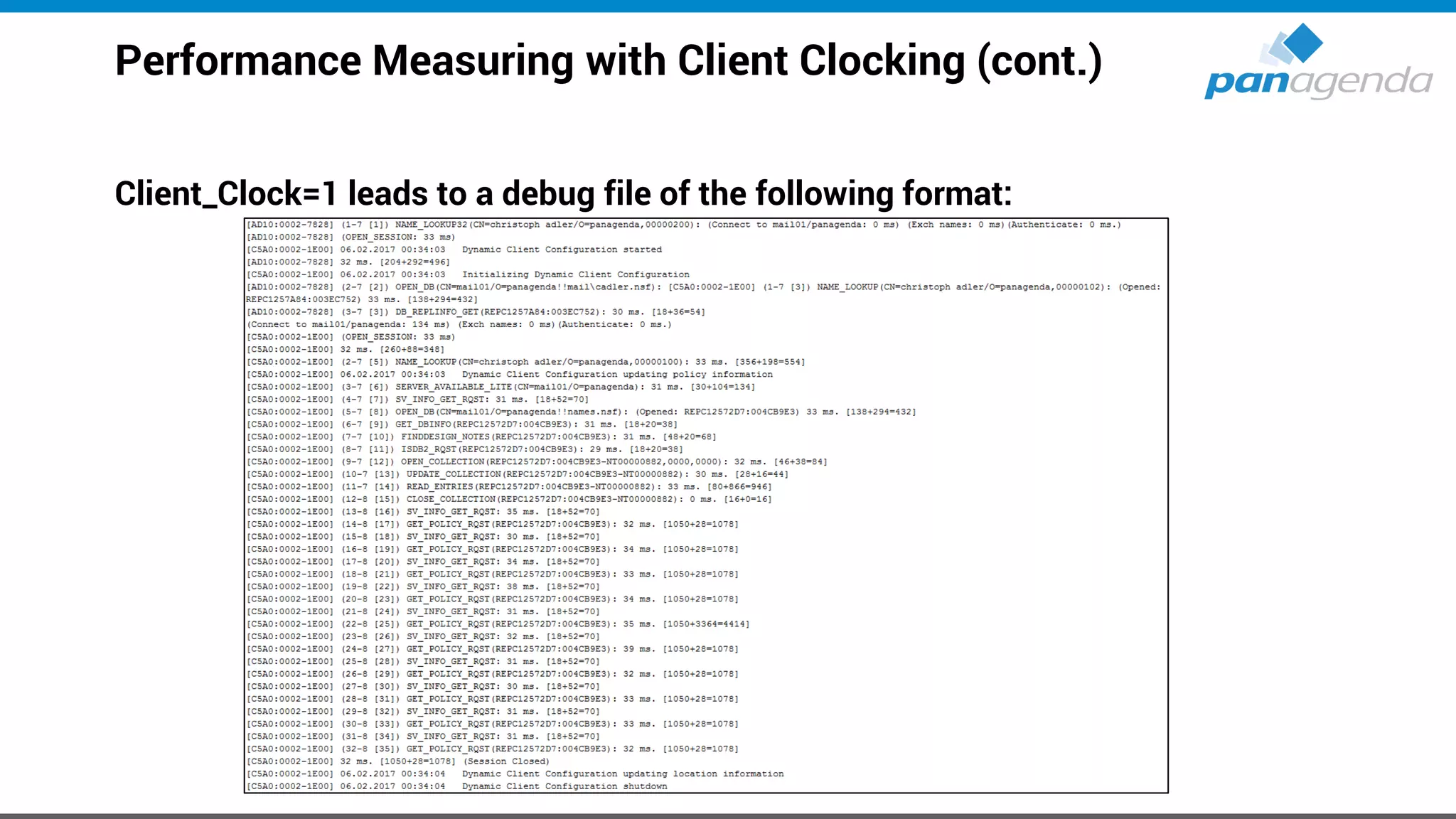
Performance Measuring with Client Clocking (cont.)
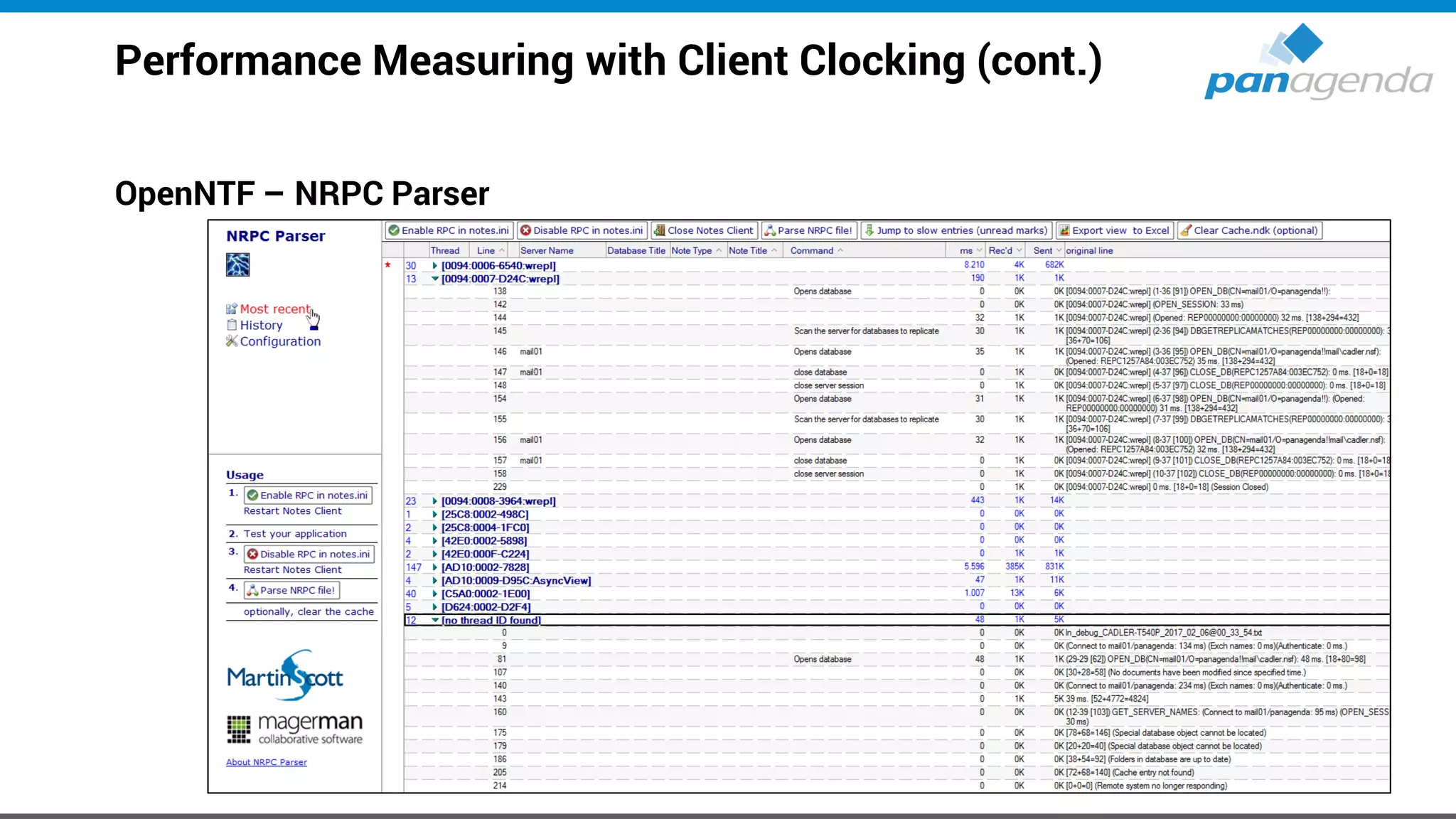
Client_Clock=1 leads to a debug file of the following format:
Performance Measuring with Client Clocking (cont.)
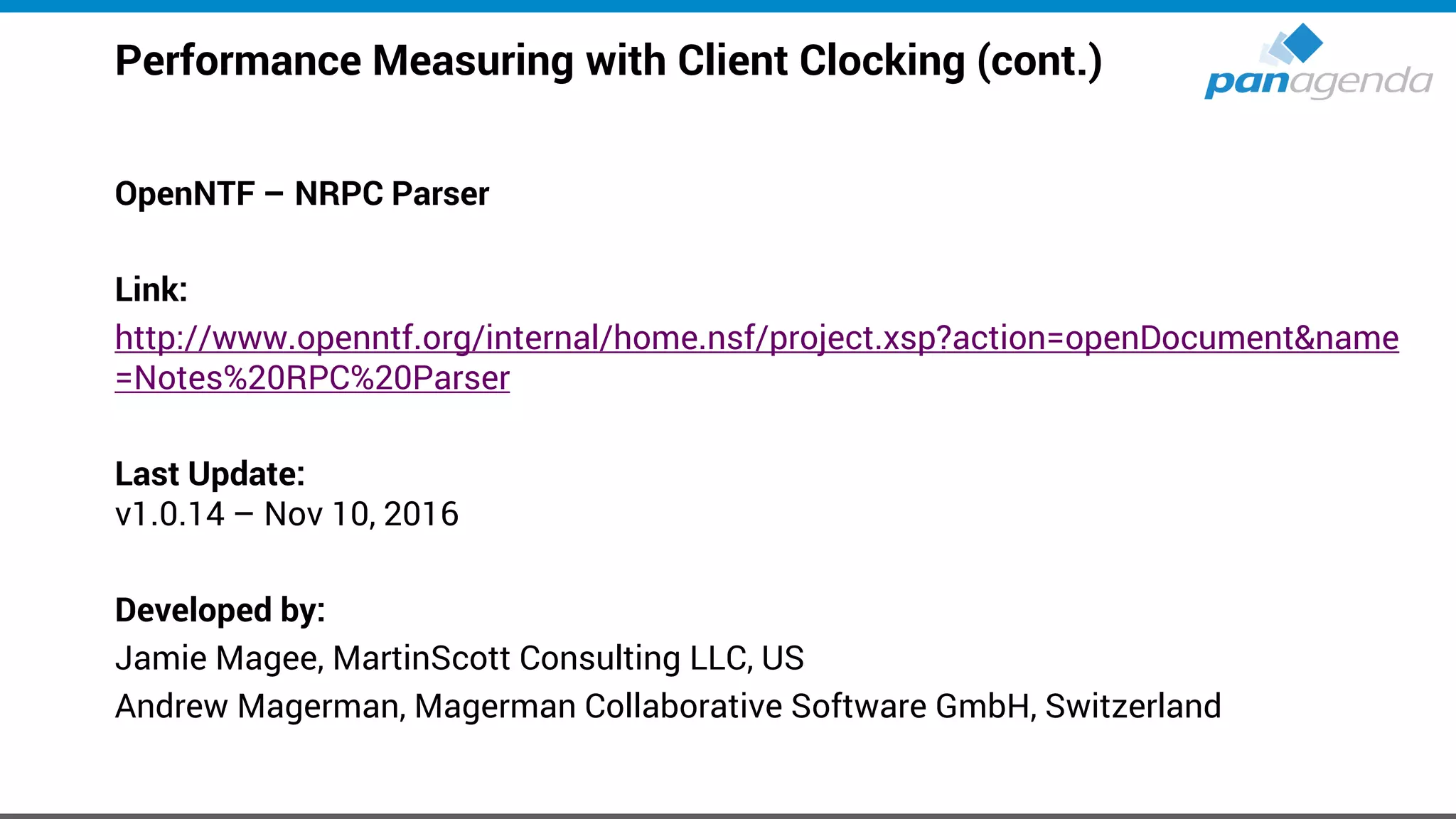
OpenNTF – NRPC Parser
Link:
http://www.openntf.org/internal/home.nsf/project.xsp?action=openDocument&name
=Notes%20RPC%20Parser
Last Update:
v1.0.14 – Nov 10, 2016
Developed by:
Jamie Magee, MartinScott Consulting LLC, US
Andrew Magerman, Magerman Collaborative Software GmbH, Switzerland
Performance Measuring with Client Clocking (cont.)
OpenNTF – NRPC Parser
Performance Tuning – Understanding cache.ndk
We've all been “advised to”/guilty of deleting the cache.ndk in an effort to cure Notes
performance problems/symptoms
– Some companies even delete cache.ndk on a scheduled basis
HOWEVER, let us explain the impact of that on Notes performance ...
– Increases traffic between client and server by 4,000% (forty times more traffic, yes)
(10,000+% if the data directory is on a network drive)
– The more databases end users use, the worse it gets
– There is always a root cause – deleting cache.ndk only fixes symptoms
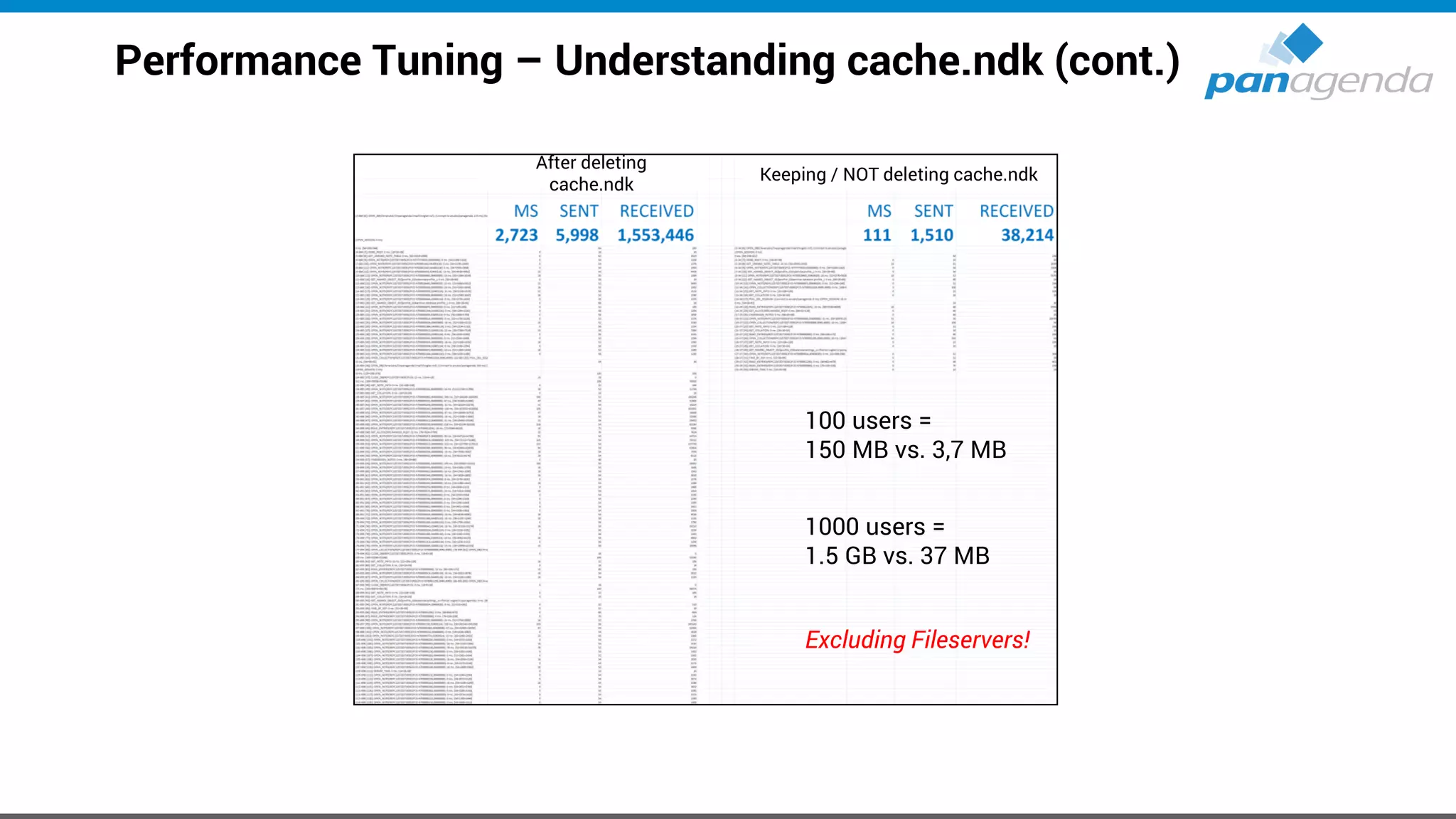
– Let's look at some detailed traffic analysis for just ONE application (the mail file) of ONE user ...
Performance Tuning – Understanding cache.ndk (cont.)
100 users =
150 MB vs. 3,7 MB
1000 users =
1.5 GB vs. 37 MB
Excluding Fileservers!
After deleting
cache.ndk
Keeping / NOT deleting cache.ndk
Make Your Data Work For You
Bonus:
MarvelClient for iOS & Android Next
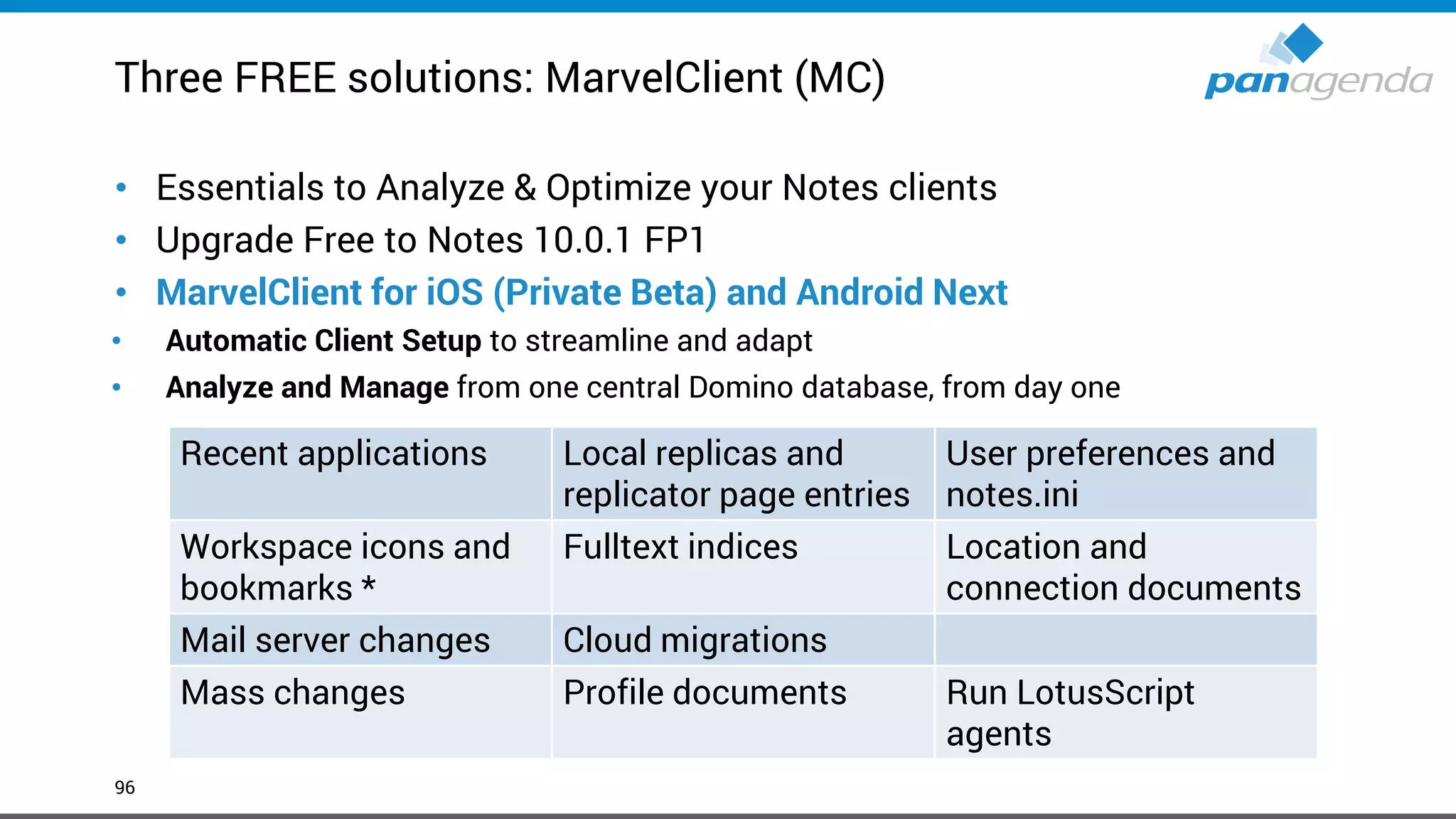
Three FREE solutions: MarvelClient (MC)
96
• Essentials to Analyze & Optimize your Notes clients
• Upgrade Free to Notes 10.0.1 FP1
• MarvelClient for iOS (Private Beta) and Android Next
• Automatic Client Setup to streamline and adapt
• Analyze and Manage from one central Domino database, from day one
* even though workspace is not supported it is used for the client to function properly
Recent applications Local replicas and
replicator page entries
User preferences and
notes.ini
Workspace icons and
bookmarks *
Fulltext indices Location and
connection documents
Mail server changes Cloud migrations
Mass changes Profile documents Run LotusScript
agents
Make Your Data Work For You
Q & A
Make Your Data Work For You
Thank you
Headquarters, Austria:
panagenda GmbH (Ltd.)
Schreyvogelgasse 3/10
AT 1010 Vienna
Phone: +43 1 89 012 89
Fax: +43 1 89 012 89-15
E-Mail: info@panagenda.com
Headquarters, Germany:
panagenda GmbH (Ltd.)
Lahnstraße 17
DE 64646 Heppenheim
Phone: +49 6252 67 939-00
Fax: +49 6252 67 939-16
E-Mail: info@panagenda.com
USA:
panagenda Inc.
60 State Street, Suite 700
MA 02109 Boston
Phone: +1 617 855 5961
Fax: +1 617 488 2292
E-Mail: info@panagenda.com
Germany:
panagenda Consulting GmbH (Ltd.)
Donnersbergstrasse 1
DE 64646 Heppenheim
Phone: +49 6252 67 939-86
Fax: +49 6252 67 939-16
E-Mail: info@panagenda.com
The Netherlands:
Trust Factory B.V.
11th Floor,
Koningin Julianaplein 10
NL 2595 AA The Hague
Phone: +31 70 80 801 96
E-Mail: info@trust-factory.com
© 2007-2015 panagenda
Make Your Data Work for

engage 2019 Workshop - Dirty Secrets of the Notes Client

  • 1.
    Dirty Secrets ofthe Notes Client Henning Kunz & Christoph Adler #engageug
  • 2.
  • 3.
    Timetable 13:30 – Start 14:30– Break ~10min 15:45 – Break ~10min 17:00 - End #engageug
  • 4.
    Christoph Adler -Senior Consultant at panagenda 18 years of Lotus / IBM / HCL solutions experience Focused on • IBM Notes Client Management • Analysis and Optimization of ICS infrastructures • Cloud onboarding • Application Modernization Good to know • German • Bass player (for a band called “DISCO”) • Husband, Geek, loves Football (soccer) and Beer • Don’t give energy drinks → squirrel mode
  • 5.
    Henning Kunz –CEO at panagenda Consulting 23 years of Lotus / IBM / HCL solutions experience Focused on • Analysis and Optimization of ICS infrastructures • Transformation projects • People & Services Good to know • German • Father, husband, life lover
  • 6.
    1. IBM Notes 2.Marvel Client 3. Upgrades → V10.0.1 FP1 + Language Kit G1 -Break 1- 4. Citrix / VDI 5. Troubleshooting -Break 2- 6. Notes Client Analysis: How to use this data in projects 7. Optional: Performance Agenda
  • 7.
    Make Your DataWork For You IBM Notes
  • 8.
    IBM Notes • V9.0.1(FP10 + IF6 + JVM + ST9.0.1 FP1 HF1) & V10.0.1 (FP1) • Standard, Basic, Admin- & Domino Designer-client • ICAA 2.0.1 • Single & Multi-User
  • 9.
    IBM Notes –V10.0.1 FP1
  • 10.
    IBM Notes -Downloads • IBM Notes V10.0.1 Language Kit G1 & localized clients https://www-01.ibm.com/support/docview.wss?uid=ibm10870434 • IBM Notes V10.0.1 Fix Pack 1 https://www- 945.ibm.com/support/fixcentral/swg/selectFixes?parent=Collaboration%20 Solutions&product=ibm/Lotus/Lotus+Notes&release=10.0.1.1&platform=All &function=all&source=fc
  • 11.
    IBM Notes -Directories • Program directory C:Program Files(x86)IBMNotes • Shared data directory C:ProgramDataIBMNotesDatashared • Data directory C:Users<USERNAME>AppDataLocalIBMNotesData
  • 12.
    IBM Notes –V10.0.1 FP1 • 23.100 files in Notes Programframework in 2.000 subdirectories – 9.000 (largely undocumented) .properties files – 1.000 .jar files – 600 .xml files – 1.200 .html files • 445 files in Notes Dataworkspace in 630 subdirectories – 40 (largely undocumented) XML files – 40 (largely undocumented) .properties files • Which is – >23.500 files in >2.600 subdirectories – >9.000 largely undocumented files – ... and >30 NSFs/NTFs/NDKs – ... and the good old notes.ini file
  • 13.
    IBM Notes –V10.0.1 FP1 Workspace (nsf) Physical nsfs 1, 2, 3, … n
  • 14.
    Make Your DataWork For You MarvelClient
  • 15.
  • 16.
    Client save resultsand configuration details back to server incrementally, too (object-wise) As desktop icons, bookmarks, etc. do not change for 90% of all users -> traffic is saved accordingly ~25KB / user for entire desktop & bookmarks(!), notes.ini, ECL and more Clients download new and changed actions at every client start from server incrementally and execute them seamlessly Actions also run offline Server 1 Single DLL Client Single .dll / .so / .dylib At least 2 Notes.ini entries MC Plugin Small Plugin (80kb) for Eclipse Management (optional) AnalyzeConfig MarvelClient Architecture
  • 17.
    “Self Healing Clients”ensure Client continuity for ongoing TCO savings Classic Helpdesk client management only offers remote management • 1,000 helpdesk calls remain 1,000 management incidents • Repeated efforts lead to limited, over time decreasing benefits → Only reduces time spent on each helpdesk call Audit Configure Benefit Time Work / Effort
  • 18.
    “Self Healing Clients”ensure Client continuity for ongoing TCO savings MarvelClient is similar to an email spam-filter: Centrally created actions solve helpdesk incidents automatically • Actions are permanently enforced • Benefits increase over time and can reduce helpdesk calls by up to 80% → Reduces number of helpdesk calls AND time spent on each call Audit Configure Benefit Time Work / Effort
  • 19.
    Make Your DataWork For You IBM Notes → Self-Healing Live
  • 20.
    MarvelClient Essentials –included in IBM Notes/Domino 10.0.1 • Makes it easier, faster and cheaper to upgrade to IBM Notes 10.x • Provides valuable insights into Notes client landscapes for Notes 9.x and beyond • Helps reduce helpdesk tickets, support, client maintenance and upgrade efforts • Runs on all Notes client platforms supported by IBM (Intel Mac 64 bit, Windows, Citrix and VDI) • Runs on all IBM Domino platforms supported by IBM • Best of all: it’s FREE and included in IBM Notes and Domino 10.0.1 • If you are not on IBM Notes and/or Domino 10.0.1 now, you can get MarvelClient Essentials here: https://www.panagenda.com/essentials/ More information: https://www.ibm.com/support/knowledgecenter/en/SSKTMJ_10.0.1/admin/wn_marvelclient_essentials.html https://www-01.ibm.com/support/docview.wss?uid=ibm10737079 https://www-01.ibm.com/support/docview.wss?uid=ibm10737079&aid=1
  • 21.
    MarvelClient Essentials –included in IBM Notes/Domino 10.0.1
  • 22.
    Marvel Client UpgradeFree www.panagenda.com/free-upgrade
  • 23.
  • 24.
    Make Your DataWork For You Upgrades V10.0.1 FP1 + Language Kit G1
  • 25.
    What we seeout there in Notes deployments • Lack of visibility and control • Many different versions and many different installation types • Uncontrolled configurations (Data Dirs, Locations, Connections, Accounts, Settings, Eclipse preferences, …) • Not secure (JVM vulnerabilities, Code Signers, ECL Management) • Mixed functionality – things don’t work! • The same end-user problems occur again and again (and again)
  • 26.
    What we seeout there in Notes deployments (2) • Reluctance to upgrade • Software deployment teams have little/no knowledge or “care factor” about Notes • Administrators lack time and skill to utilize all available tools to effectively manage the Notes client • Perception → it's too difficult and/or expensive / too risky for the business due to disruptions
  • 27.
    Know your currentenvironment • It’s fundamentally important that your know the details about your current Notes Client Infrastructure to be able to make smart decisions for future deployments – Which exact versions are deployed? – Which Installation types and modes are used? – Locations of Program-, Data- and SharedData-Dir? – Usage of Laptops, Desktops, Citrix and VDI in numbers/percentage? – Which OS incl. version is used? – Usage of Notes addons → Connections plugins, SwiftFile, CTI, … ? • If you can’t answer the questions above 100% correctly, the following two slides will help you a lot!
  • 28.
    MarvelClient Essentials –AnalyzeDB examples
  • 29.
    MarvelClient Essentials –AnalyzeDB examples (2)
  • 30.
    MarvelClient Essentials –AnalyzeDB examples (3)
  • 31.
    MarvelClient Essentials –AnalyzeDB examples (4)
  • 32.
    Define target (versionand more …) • Version is very easy at the moment → 10.0.1 FP1 – Feature Pack 1 is available ☺ → psst “SHF” is coming !? http://www-10.lotus.com/ldd/fixlist.nsf/(Progress)/10.0.1%20FP1 – Notes 11 will be shipped in Q4 2019 / Q1 2020 • Which Client Package? – Standard, Basic and/or ICAA (IBM Client Application Access) • Which Installation type? – Single or MultiUser
  • 33.
    Define target (versionand more …) (2) • Adding languages using MUI-Pack installation(s) – Multilingual User Interface – Group1, 2a, 2b and 3 → Group1 was finally released on 5th Feb 2019 – but  https://www-01.ibm.com/support/docview.wss?uid=ibm10870434 – Group1 is available again ☺ • Current status for languages – Group 1 – Group 2 languages (later → ~ same eGA as FP2) ?
  • 34.
    Notes/Domino v11 LanguageKits • Re-engineering language kit generation process • Selected language kits will be available for betas • Simultaneous ship language kits with Domino v11 • Ship language kit fix packs as necessary
  • 35.
    Define target (versionand more …) (3) • Where to deploy? – Laptops, Desktops, Citrix and/or VDI – Windows7, Windows10, macOS 10.13 and/or macOS 10.14 https://www-01.ibm.com/support/docview.wss?uid=ibm10737113
  • 36.
    Define target (versionand more …) (3) • Adding other functions/packages? – Sametime embedded → not needed, 10.0.1 is up-to-date – JVMPatch → not needed, 10.0.1 is up-to-date – SwiftFile → use latest version 4.2.1 here http://www-01.ibm.com/support/docview.wss?uid=swg24035896 − IBM Connections Plugins for Notes → use latest version 5.5.0.20180813-1729 here https://xspy.mybluemix.net/nx OR directly at HCL − Programs/Applications who interacts/communicates with Notes CTI, Instant Messengers, …
  • 37.
    Define target (versionand more …) (4) • Let’s assume (for this session) you want to Upgrade from Notes 9.0.1 FPx IFx to the following components: – IBM Notes 10.0.1 Standard Client → MultiUser Installation on Windows10 64Bit – Add French and Japanese (Multilingual User Interface = MUI) – Fix Pack 1 – SwiftFile 4.2.1 – Connections Plugins for Notes 5.5.0.20180813-1729 – Use of default paths for Program directory C:Program Files(x86)IBMNotes Shared data directory C:ProgramDataIBMNotesDatashared Data directory C:Users<USERNAME>AppDataLocalIBMNotesData
  • 38.
    Choose Upgrade/Deployment Tool– Third-Party-Solutions • Third-Party-Solution for Notes → Today: Marvel Client Upgrade Free • Third-Party-Solutions for Windows, like – SCCM – Empirum – LanDesk – DSM – others
  • 39.
    Choose Upgrade/Deployment Tool– Notes Smart Upgrade For many many reasons We “personally” do not recommend to use “Notes Smart Upgrade”
  • 40.
    Create Upgrade Package •No need to make changes to MSI package(s) – Scripts can help here – Differentiation between package and configuration (notes.ini, ConfigFile, etc.) – That will help you a lot when it comes to package changes, new versions and testing • Always include an Uninstall part in your package – In-place upgrades are not recommended – You can use the package also in cases of a new or re-install
  • 41.
    Create Upgrade Package(2) Installation order a) Uninstall current version • Using NICE (Notes Install Cleanup Executable) https://www-01.ibm.com/support/docview.wss?uid=swg21459714 b) Run local cleanup • Remove old Program- and SharedData-Dir c) Install IBM Notes 10.0.1 d) Add French and Japanese languages (Multilingual User Interface = MUI) e) Install Fix Pack 1 f) Install SwiftFile 4.2.1 g) Install Connections Plugins for Notes 5.5.0.20180813-1729 h) Copy customized files like stub notes.ini, ConfigFile, etc.
  • 42.
    Create Upgrade Package(3) • Command lines for silent Uninstall and Cleanup • Command lines for silent Install/Upgrade • Command lines to copy customized stub notes.ini & ConfigFile
  • 43.
    Create Upgrade Package(4) • Check the log files (created during installation) for errors for all installed components – Successful – Not successful (with errors) – new installation needed after Windows restart (complete package)
  • 44.
    Create Upgrade Package(5) • Additional Information – For an installation on Citrix, please check out this slideshare: • https://www.slideshare.net/christophadler50/panagenda-webinar-virtual-faster-better-how-to- virtualize-ibm-notesv10 – If you need/want to switch from Single to MultiUser • Check out the MUMA Tool (Multi-User Migration Assistant) – must be done before Upgrade to Notes 10.0.1 – https://www-01.ibm.com/support/docview.wss?uid=swg21459627 – A specific Third-Party solution can help here during Upgrade process – also if you want to migrate the DataDir from NetworkDrive to default local → Marvel Client Upgrade ☺
  • 45.
    Create Upgrade Package(6) • Additional Information – Customized stub notes.ini (example) – config.txt (example)
  • 46.
    Define post Upgradeactions • notes.ini changes for existing configurations (via MarvelClient Essentials or Policy) – Remove CREATE_R85_DATABASES=1 – Remove CREATE_R9_DATABASES=1 – Add CREATE_R10_DATABASES=1 – Add NSF_UpdateODS=1 – Add V10_WORKSPACE_BACKGROUND_MODE=1 → see next slide
  • 47.
    IBM Notes 10.x– Workspace • This will be controlled by a notes.ini parameter: V10_WORKSPACE_BACKGROUND_MODE=0 → default (blue) V10_WORKSPACE_BACKGROUND_MODE=1 → classic (grey lines) V10_WORKSPACE_BACKGROUND_MODE=2 → customized • If you choose for “2”, make sure you have an image resource in your local bookmark.nsf named “$WorkspaceImage”
  • 48.
    Test, pilot, production •Test – Try to use virtual machines with snapshots – Use images, which is very close to your production configuration ▪ Desktops vs. Laptops vs. VDI ▪ ActiveDirectoy → GPOs (Group Policy Objects) ▪ No local admin user rights ▪ Enabled UAC (User Account Control) ▪ Installed AV (Anti-Virus) Software
  • 49.
    Test, pilot, production(2) • Pilot – Choose the members of the pilot group wisely and let them know – 20 – 50 users from different departments and with different requirements on IBM Notes • Production Deployment – Inform your ServiceDesk and your users before you push the button – Balance your deployment by upgrading e. g. 100-500 users at the same time – no more
  • 50.
    Make Your DataWork For You How to prepare an Upgrade in < 20 minutes Live
  • 51.
    Make Your DataWork For You How to run an Upgrade in < 5 minutes Live
  • 52.
    MarvelClient Upgrade Free •Please register here to get the free license: – https://www.panagenda.com/products/marvelclient/free-upgrade/ • Documentation: – https://img.panagenda.com/download/MarvelClient/QuickStartGuide_MarvelClient-Upgrade- free.pdf • Taking Your First Steps with MarvelClient Upgrade – https://www.panagenda.com/2019/03/taking-your-first-steps-with-marvelclient-upgrade/ • Getting the Most From Your MarvelClient Upgrade – https://www.panagenda.com/2019/03/getting-the-most-from-your-marvelclient-upgrade/
  • 53.
    Under the Hoodof Notes Client Upgrades https://www.panagenda.com/download/MarvelClient/Under-the-Hood-of-Notes-Client-Upgrades.pdf
  • 54.
    Make Your DataWork For You Citrix / VDI
  • 55.
    Virtual, Faster, Better– How To Virtualize IBM Notes V10 https://www.slideshare.net/christophadler50/panagenda-webinar-virtual- faster-better-how-to-virtualize-ibm-notesv10
  • 56.
    To roam ornot to roam: that is the question • Given the previous reasons why IBM Notes in virtual environments should not have any files in the network, the following logical questions arise – How can personal IBM Notes data folders of end users be maintained locally on the virtual environment servers? • Think of having N servers in the farm where personal end user data potentially needs to be on every single server • How do end users get their most recent IBM Notes configuration no matter on which server in the farm they log on? • How to ensure that disk space used by IBM Notes data folders is cleared after log off?
  • 57.
    To roam ornot to roam: that is the question (cont.) • How to avoid transfers of large IBM Notes data folders per user during log on and log off which increase wait times and cause network traffic? • The answer is: Roaming! – To provide end users with their latest IBM Notes configuration, their data needs to be roamed onto the server they log on to start their session – Roaming can be achieved through own procedures (e. g. logon script), Domino Roaming or third-party solutions
  • 58.
    To roam ornot to roam: that is the question (cont.) Log on to virtual session Roam data Start IBM Notes Log on to IBM Notes (happens here: logon script, 3rd-party solutions) Roam data (or here: 3rd-party) Work with IBM Notes Roam data (or here: IBM Roaming) Shutdown IBM Notes Log off from virtual session Backup data Backup data (happens here)(or here) Clear data
  • 59.
    Make Your DataWork For You Roaming Live
  • 60.
    Make Your DataWork For You Troubleshooting
  • 61.
    Where are thelogs? IBM Notes - Workspace – Dataworkspacelogs • Error-log-n.xml All Java error messages (System.err), stack traces and log messages (Level CONFIG or higher) • Trace-log-n.xml All Error-log messages + all active plugin messages Loglevel: → DataWorkspace.configrcpinstall.properties → C:Program Files (x86)IBMNotesframeworkrcpeclipsepluginscom.ibm.rcp.base_10.0.0.20190213-0607 • Default → the last 5 Error-log-n.xml + 10 Trace-log-n.xml will be saved com.ibm.rcp.core.internal.logger.boot.RCPTraceHandler.count=10 com.ibm.rcp.core.internal.logger.boot.RCPLogHandler.count=5
  • 62.
    Where are thelogs? (2) IBM Notes - IBM_TECHNICAL_SUPPORT – DataIBM_TECHNICAL_SUPPORT • console.log & console_<hostname>_<date>@<time>.log – Incl. Marvel Client log.xml messages • nsd_W32I_<hostname>_<date>@<time>.log • core*.dmp • … MarvelClient – %LocalAppData%panagendamarvel • Logs → the last 5 logs • Log.xml • Actions.xml • Temp*.xml
  • 63.
    Make Your DataWork For You Notes Client Analysis: How to use this data in projects
  • 64.
    Essentials as wellas MC Basic collect interesting data
  • 65.
    Project use cases •Hardware rollout (new laptops/workstations) • Notes Client upgrade • Notes Client standardization • Location Doc standardization • Desktop cleanup • Certificate inventory • ID file review • Server consolidation • Notes.ini hygiene
  • 69.
    Project use casesadvanced • Introduce panagenda roaming – Who is using which local dbs – How big are those (especially the “system dbs”) • Disconnected knowledge – Which unique non system replicaids are out there • Modernize applications – Which apps are used as local replica – Correlate with backend inventory • Dislocated mailfile archives – Correlate MC Analyze – Homedrive scan – Groupdrive scan
  • 70.
    Customer use case: Groupaddressbook pernames based app on server, which can be accessed by a closed group of users Goal: Take these applications out of service. Question: • Who has local replica? • Who is using this local replica (or the app on server) to address emails (notes.ini entry names=…) Needed: • Local databases • Notes.ini entries • List of replicaids of group addressbooks
  • 71.
    Make Your DataWork For You Tableau – Sample Data Set Live
  • 72.
    Customer use case: 72 Citrixicons before standardization Small amount of users in 100.000 user environment are using unmanaged Citrix Goal: Manage Desktop and standardize page 1 and mail icon Question: How are Citrix Notes desktops looking today • Which workspace pages exist • Where are the mail icons today Needed: • Desktop icons • Workspace pages
  • 73.
    Make Your DataWork For You Tableau – Sample Data Set Live
  • 74.
    Customer use case: 74 Whereare local maifile replicas? We need do to know where users are storing/hiding local mail “backups” Goal: Get an overview of mailreplica “archives” Question: • Where are mailfiles on homedrives • Where are mailfiles on groupshares • Where are mailfiles locally outside Notes datadir Needed: • Scan homedrives • Scan groupshares • Scan local disks
  • 75.
    Make Your DataWork For You Tableau – Sample Data Set Live
  • 76.
    Make Your DataWork For You Performance
  • 77.
    Why your Dominoservers might have been using 30% more CPU recently – and how to fix it • A new feature added in Notes 9.0.1 FP9 (still exists in V10) called “Delegated mail files are refreshed automatically“ – Even though the documentation states “Ask your administrator to enable this feature.”, the functionality is turned on by default • When an end-user opens another user’s calendar, IBM Notes will automatically add some notes.ini entries DELEGATED_MAIL_FILE1=Christoph Adler_server1/panagenda-demo!!mailcadler.nsf_1/31/2019 DELEGATED_NEWMAIL_SEQNUM1=7 • Impact IBM Notes opens many different user mail files upon client startup and regularly thereafter • Fix Remove all DELEGATED_* entries in notes.ini Add DEBUG_DISABLE_AUTO_REFRESH_DELEGATED_INBOX=1 to notes.ini to disable the feature More information: https://www.panagenda.com/2019/01/why-your-domino-servers-might-have-been-using-30-more-cpu-recently-and-how-to-fix-it/
  • 78.
    Antivirus real-time scanningin Data directory ~55% of the entire data volume in the Data directory changes on a DAILY basis in most setups • 5 - 10% in Dataworkspace (up to 300 files) • DISABLE Antivirus scanning for at least *.ns* *.ndk *.xml *.properties *.jar in Data Directory. 55% 45% Data directory: File changes per day Once or more Less
  • 79.
    What makes theNotes Client START slow Client crashes/database fixups • Especially bad for network based data directories clients Outdated Hardware • You need >4 GB memory if you want to use Notes AND something else • Old fixed disks with fragmentation • Fun Exercise: Buy a Solid State Disk and make Notes start off of that ;-) Tons of startup programs/scripts launching during the “boot storm” • If the disk is unable to keep up, it‘s not Notes' fault
  • 80.
    What makes theNotes Client START slow (cont.) Outdated Data directories • Virtually 100% of all NTFs (Laptops: 90%) can be removed by • Cleaning up old Notes 4+5+6/7 templates • using ini:SharedDataDirectory= (also with Single User install!) Operating System • Windows 8.1 boots ~20% faster than Windows 7 • Windows 10 ~15% faster than 8.1
  • 81.
    ODS of localdatabases ODS = On Disk Structure • ODS 16 = Notes 2 • ODS 17 = Notes 3 • ODS 20 = Notes 4 • ODS 41 = Notes 5 • ODS 43 = Notes 6 & 7 • ODS 48 = Notes 8 • ODS 51 = Notes 8.5 & 9 • ODS 52 = Notes 9.0.1 • ODS 53 = Notes 10 The difference between ODS 43 and 53 = up to 80% LESS FILE I/O This helps with ANY client AND server hardware
  • 82.
    ODS of localdatabases (cont.) CAUTION: The ODS is not automatically updated when upgrading clients – ODS 52 requires Notes >= 9.0.1 and CREATE_R9_DATABASES=1 in notes.ini for NEW db’s – ODS 53 requires Notes >= 10 and CREATE_R10_DATABASES=1 in notes.ini for NEW db's Good News for Notes (since 8.5.x) – Use NSF_UpdateODS=1 with CREATE_R9/R10_DATABASES=1 for a one-time upgrade of most local databases • NOTE: USE WITH EXTREME CARE IF YOUR DATA DIRECTORIES ARE ON A NETWORK DRIVE! • NOTE: End users can't access databases during compact OR databases will be ignored if in use Manually upgrade ODS of local databases/templates – Run the following command line: ncompact.exe -C -ODS -* -Client -UpdateIndexes
  • 83.
    What makes theNotes Client PERFORM slow Again • ODS of local databases • Hardware Notes.ini • EXTMGR_ADDINS = (not just) local virus scanners • Disable Notes “plugins“ like virus scanners etc. – They increase Network traffic by up to 200 – 250%! Data directory on the network vs. fixed disk • Disk performance is the #1 bottleneck – think SSD vs. normal HDD ; 7.200rpm vs. 5.400rpm ; network drive vs. local fixed disk
  • 84.
    Port settings Port settingsare included in the notes.ini • Type / Active / Encryption / Compression / Timeout Legacy • LAN0 / COMx / DisabledPorts → should be removed Good idea • Use TCPIP according to the client type • PORTS = TCPIP • TCPIP = TCP,0,15,0,,12320, → Desktops • TCPIP = TCP,0,15,0,,45088, → Laptops • TCPIP = TCP,0,15,0,,12288, → Citrix / VDI • Hardware compression (e. g. Riverbed)? Don‘t forget the Domino servers!
  • 85.
    Make Your DataWork For You Manage Port Settings Live
  • 86.
    jvm.properties file To speedup the IBM Notes JVM it’s useful to optimize memory settings Open %ProgramFiles(x86)%IBMNotesframeworkrcpdeployjvm.properties – Modify vmarg.Xmx from “-Xmx256m” to “-Xmx1024m” – Modify vmarg.Xms from “-Xms64m” to “-Xms256m” – Change vmarg.Xmca=-Xmca512k The implicit rules – Do not change vmarg.Xmx to more than -Xmx1024m regardless of how much memory you have – vmarg.Xms should always be ¼ of what you changed Xmx to Note – The above defaults have been changed by IBM over the last couple of Notes releases. You might find other values than Xmx256m and Xms64m in your setups.
  • 87.
    What makes theNotes Client PERFORM slow (cont.) IBM Roaming Users – Try replicating 80MB each time you logon to Notes before use! Connection documents – Pointing to outdated server names or IP addresses – Low priority connection documents, which can cause connectivity failures Location documents – IP addresses for mailserver → breaks Policies – Outdated mail and home server information – Outdated mail file path – Catalog server (think db links, doc links, new bookmarks)
  • 88.
    Why is theCatalog important? Ever wondered what exactly happens when you click on db links / doc links / view links 1. Notes checks whether you already have a workspace icon pointing to the replica ID in the link. If yes, the top most icon on the stack decides on which server the db will open 2. If there's no icon on the workspace, Notes asks the catalog server in your currently selected location document where the db is to be found. So, make sure your catalog is up to date! No catalog server? Notes will ask your home mail server! 3. Are you replicating your catalog.nsf across all servers? Bad news: If 2.) applies, Notes will open the database on the server it finds first in the catalog – which is sorted alphabetically. In global infrastructures that might be a server far far away, e. g. in Asia Make sure to use an appropriate catalog server in your location documents!
  • 89.
    Performance Measuring withClient Clocking NOTE: All of this should only be done on “ONE” client – slows down client, creates huge log files! Use the following to see and measure client performance – CLIENT_CLOCK=1 – CONSOLE_LOG_ENABLED=1 – Debug_Outfile=c:debug.txt – Debug_Console=1 – DEBUG_TCP_ALL=1 (use only if needed) Fileserver or local disk Performance Debugging is virtually impossible – If on >= 8.5 try adding DEBUGGINGWCTENABLED=16386 in Notes
  • 90.
    Performance Measuring withClient Clocking (cont.) Client_Clock=1 leads to a debug file of the following format:
  • 91.
    Performance Measuring withClient Clocking (cont.) OpenNTF – NRPC Parser Link: http://www.openntf.org/internal/home.nsf/project.xsp?action=openDocument&name =Notes%20RPC%20Parser Last Update: v1.0.14 – Nov 10, 2016 Developed by: Jamie Magee, MartinScott Consulting LLC, US Andrew Magerman, Magerman Collaborative Software GmbH, Switzerland
  • 92.
    Performance Measuring withClient Clocking (cont.) OpenNTF – NRPC Parser
  • 93.
    Performance Tuning –Understanding cache.ndk We've all been “advised to”/guilty of deleting the cache.ndk in an effort to cure Notes performance problems/symptoms – Some companies even delete cache.ndk on a scheduled basis HOWEVER, let us explain the impact of that on Notes performance ... – Increases traffic between client and server by 4,000% (forty times more traffic, yes) (10,000+% if the data directory is on a network drive) – The more databases end users use, the worse it gets – There is always a root cause – deleting cache.ndk only fixes symptoms – Let's look at some detailed traffic analysis for just ONE application (the mail file) of ONE user ...
  • 94.
    Performance Tuning –Understanding cache.ndk (cont.) 100 users = 150 MB vs. 3,7 MB 1000 users = 1.5 GB vs. 37 MB Excluding Fileservers! After deleting cache.ndk Keeping / NOT deleting cache.ndk
  • 95.
    Make Your DataWork For You Bonus: MarvelClient for iOS & Android Next
  • 96.
    Three FREE solutions:MarvelClient (MC) 96 • Essentials to Analyze & Optimize your Notes clients • Upgrade Free to Notes 10.0.1 FP1 • MarvelClient for iOS (Private Beta) and Android Next • Automatic Client Setup to streamline and adapt • Analyze and Manage from one central Domino database, from day one * even though workspace is not supported it is used for the client to function properly Recent applications Local replicas and replicator page entries User preferences and notes.ini Workspace icons and bookmarks * Fulltext indices Location and connection documents Mail server changes Cloud migrations Mass changes Profile documents Run LotusScript agents
  • 97.
    Make Your DataWork For You Q & A
  • 98.
    Make Your DataWork For You Thank you
  • 99.
    Headquarters, Austria: panagenda GmbH(Ltd.) Schreyvogelgasse 3/10 AT 1010 Vienna Phone: +43 1 89 012 89 Fax: +43 1 89 012 89-15 E-Mail: info@panagenda.com Headquarters, Germany: panagenda GmbH (Ltd.) Lahnstraße 17 DE 64646 Heppenheim Phone: +49 6252 67 939-00 Fax: +49 6252 67 939-16 E-Mail: info@panagenda.com USA: panagenda Inc. 60 State Street, Suite 700 MA 02109 Boston Phone: +1 617 855 5961 Fax: +1 617 488 2292 E-Mail: info@panagenda.com Germany: panagenda Consulting GmbH (Ltd.) Donnersbergstrasse 1 DE 64646 Heppenheim Phone: +49 6252 67 939-86 Fax: +49 6252 67 939-16 E-Mail: info@panagenda.com The Netherlands: Trust Factory B.V. 11th Floor, Koningin Julianaplein 10 NL 2595 AA The Hague Phone: +31 70 80 801 96 E-Mail: info@trust-factory.com © 2007-2015 panagenda Make Your Data Work for