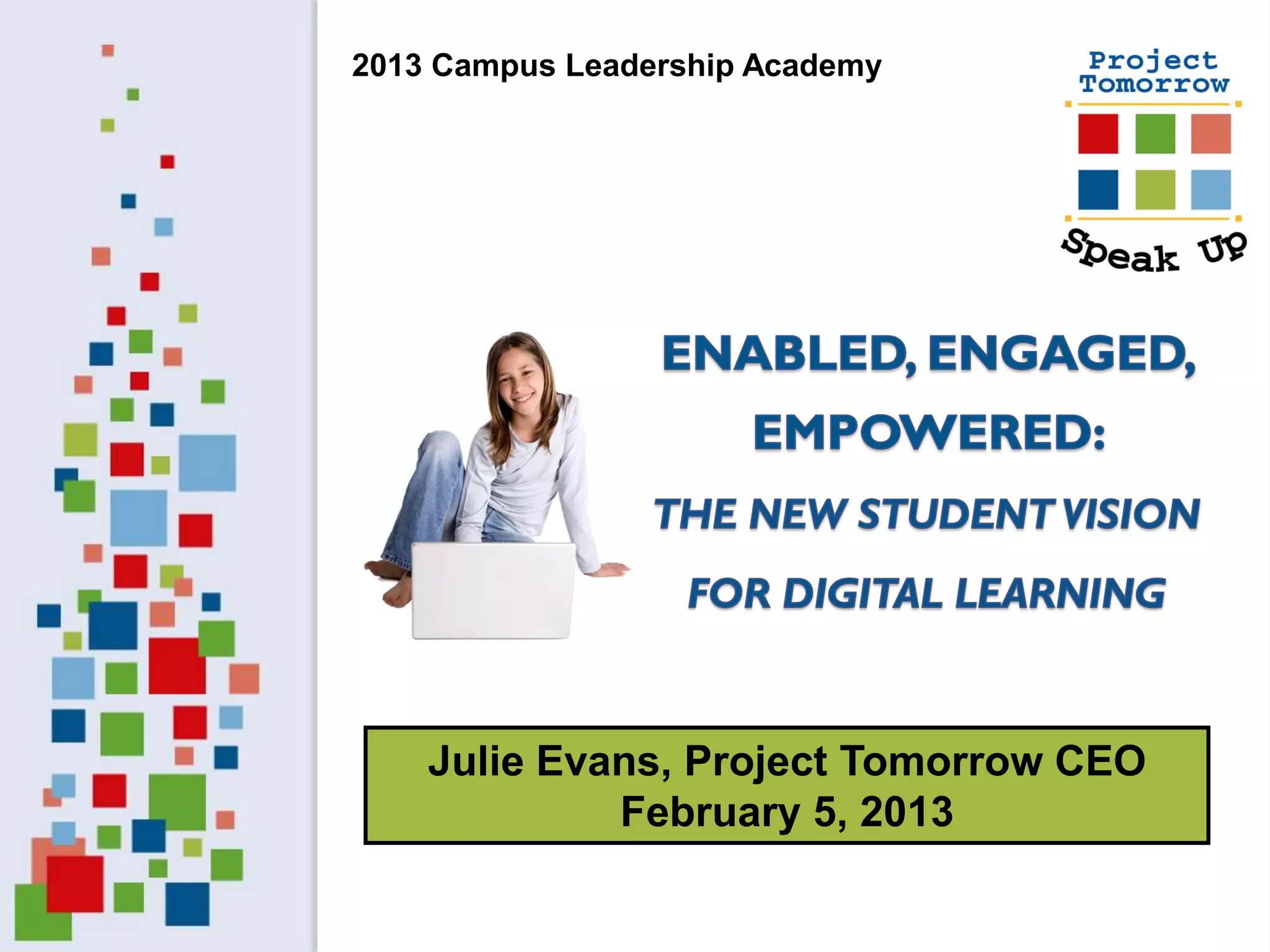
2013 Campus Leadership Academy


    Julie Evans, Project Tomorrow CEO
             February 5, 2013
Big Questions

 What are the expectations of K-12 students for
 digital learning?

 How does that student vision compare with the
 teachers’ & administrators’ reality?

 What is the unique parent perspective on digital
 learning?

 How well are our K-12 schools meeting the
 expectations of students?

 What are the key trends on the horizon?
Discussion Agenda


   Speak Up National Research Project
   Student Vision for Digital Learning
   Parent, Teacher & Administrator Perspective


        Speak Up 2012 National Findings
        Views of K-12 Students, Teachers,
           Parents and Administrators
Project Tomorrow, a national
 education nonprofit organization
Programs:

• Research & evaluation studies
• School and community programs
• Events for students


         Mission: To ensure that today’s
        students are prepared to become
       tomorrow’s leaders, innovators and
          engaged citizens of the world.
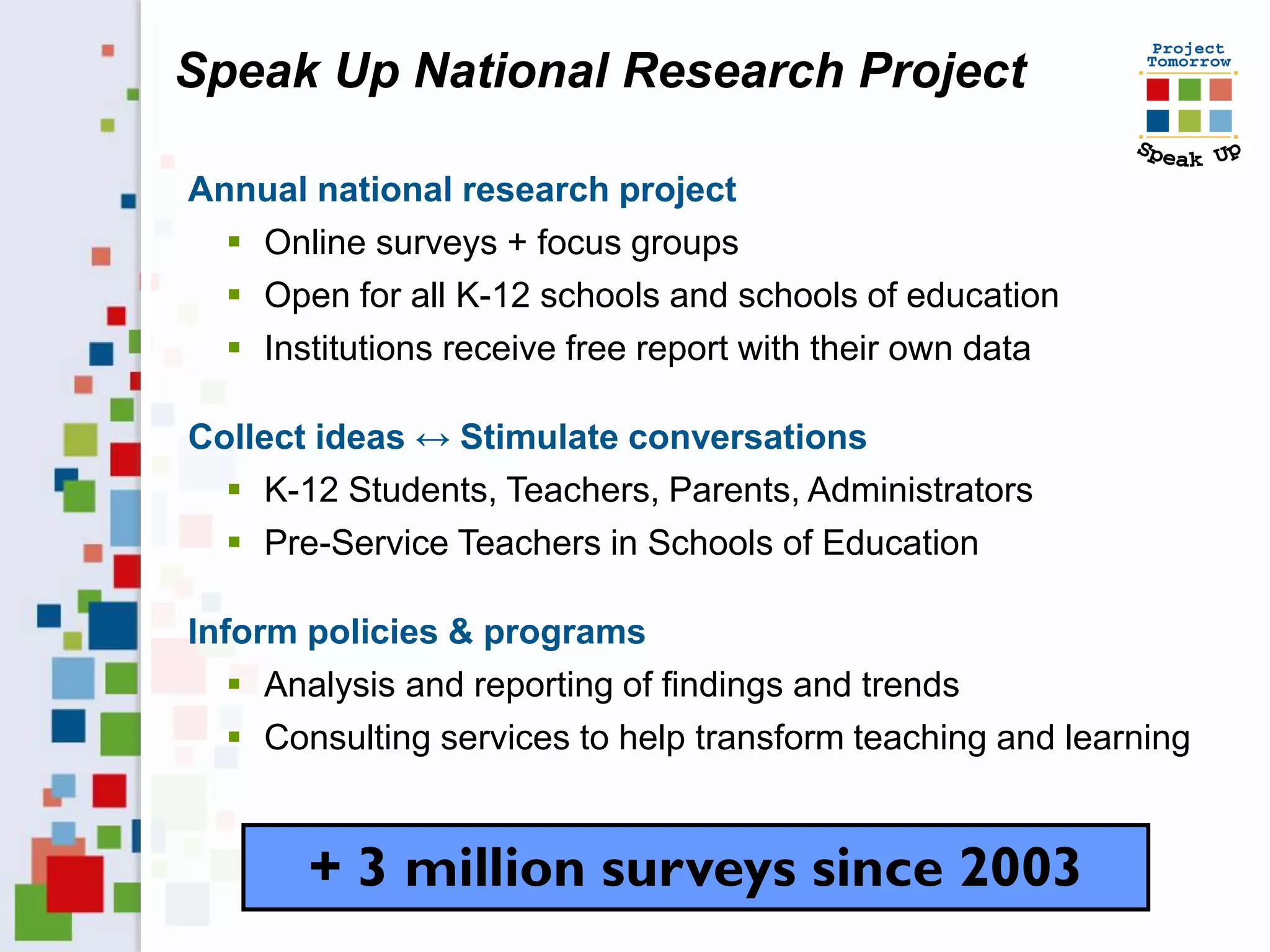
Speak Up National Research Project

Annual national research project
   Online surveys + focus groups
   Open for all K-12 schools and schools of education
   Institutions receive free report with their own data

Collect ideas ↔ Stimulate conversations
   K-12 Students, Teachers, Parents, Administrators
   Pre-Service Teachers in Schools of Education

Inform policies & programs
    Analysis and reporting of findings and trends
    Consulting services to help transform teaching and learning


       + 3 million surveys since 2003
Speak Up survey question themes
   Learning & Teaching with Technology

   21st Century Skills: Digital Citizenship & Global Awareness

   Math and Science Instruction

   Students’ Career Interests in STEM

   Professional Development / Teacher Preparation

   Internet Safety

   Administrators’ Challenges

   Emerging Technologies both in & out of the Classroom
     Mobile Devices, Online Learning, Digital Content, E-textbooks
     Educational Games, Social Media tools and applications
     Flipped Classroom, Print to Digital, Online Assessments
   Designing the 21st Century School
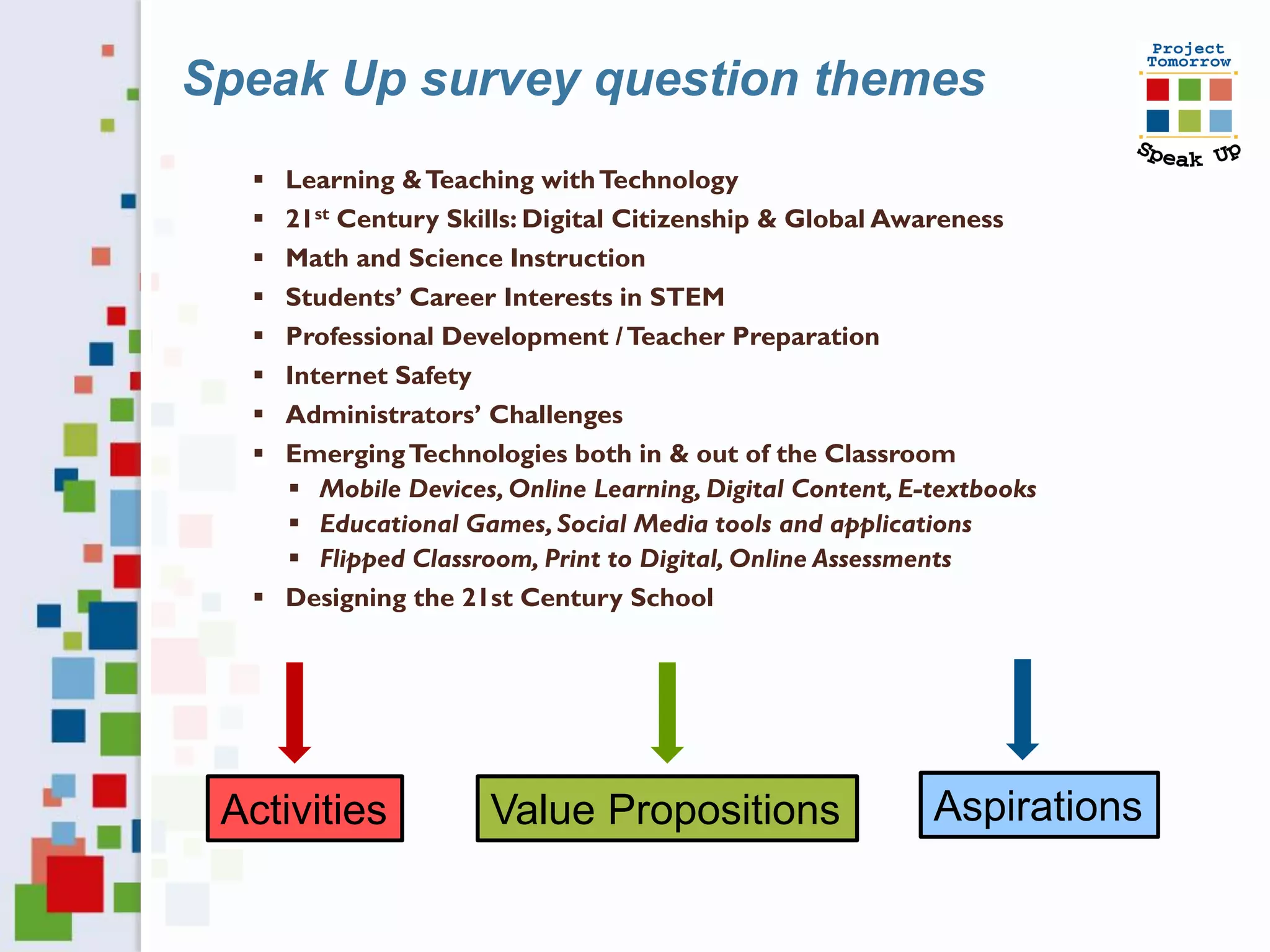
Speak Up survey question themes
   Learning & Teaching with Technology
   21st Century Skills: Digital Citizenship & Global Awareness
   Math and Science Instruction
   Students’ Career Interests in STEM
   Professional Development / Teacher Preparation
   Internet Safety
   Administrators’ Challenges
   Emerging Technologies both in & out of the Classroom
     Mobile Devices, Online Learning, Digital Content, E-textbooks
     Educational Games, Social Media tools and applications
     Flipped Classroom, Print to Digital, Online Assessments
   Designing the 21st Century School


 Activities          Value Propositions                   Aspirations
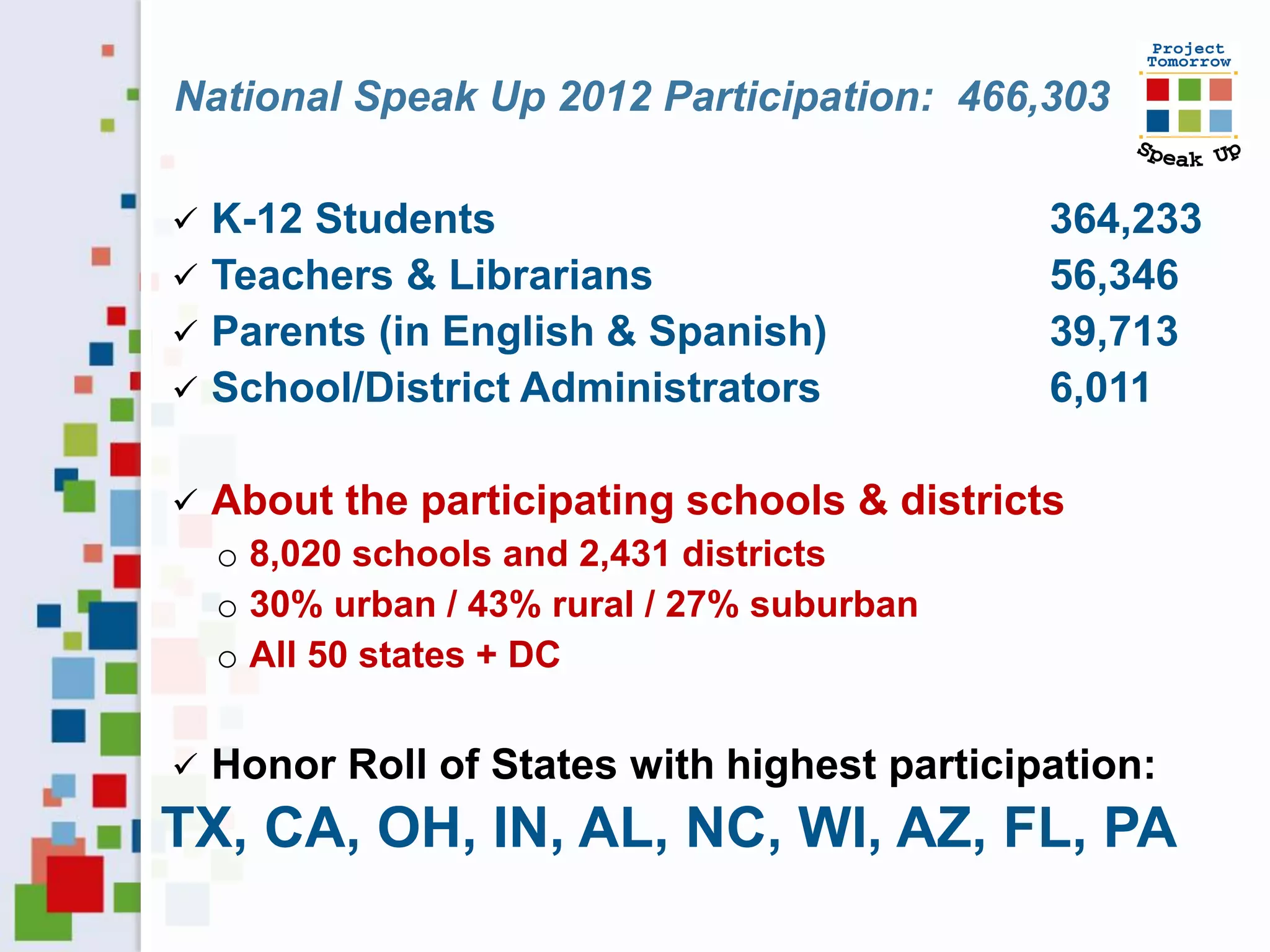
National Speak Up 2012 Participation: 466,303

 K-12 Students                               364,233
 Teachers & Librarians                       56,346
 Parents (in English & Spanish)              39,713
 School/District Administrators              6,011

   About the participating schools & districts
    o 8,020 schools and 2,431 districts
    o 30% urban / 43% rural / 27% suburban
    o All 50 states + DC


   Honor Roll of States with highest participation:
TX, CA, OH, IN, AL, NC, WI, AZ, FL, PA
What can the Speak Up
findings tell us about the
   future of learning?
Speak Up National Findings: 2003 - 2012

    Students function as a “Digital Advance Team”
    Students regularly adopt and adapt emerging
     technologies for learning
    Students’ frustrations focus on the unsophisticated use of
     technologies within education
    Persistent digital disconnect between students and
     adults
    Exacerbation of lack of relevancy in current education
    Students want a more personalized learning
     environment
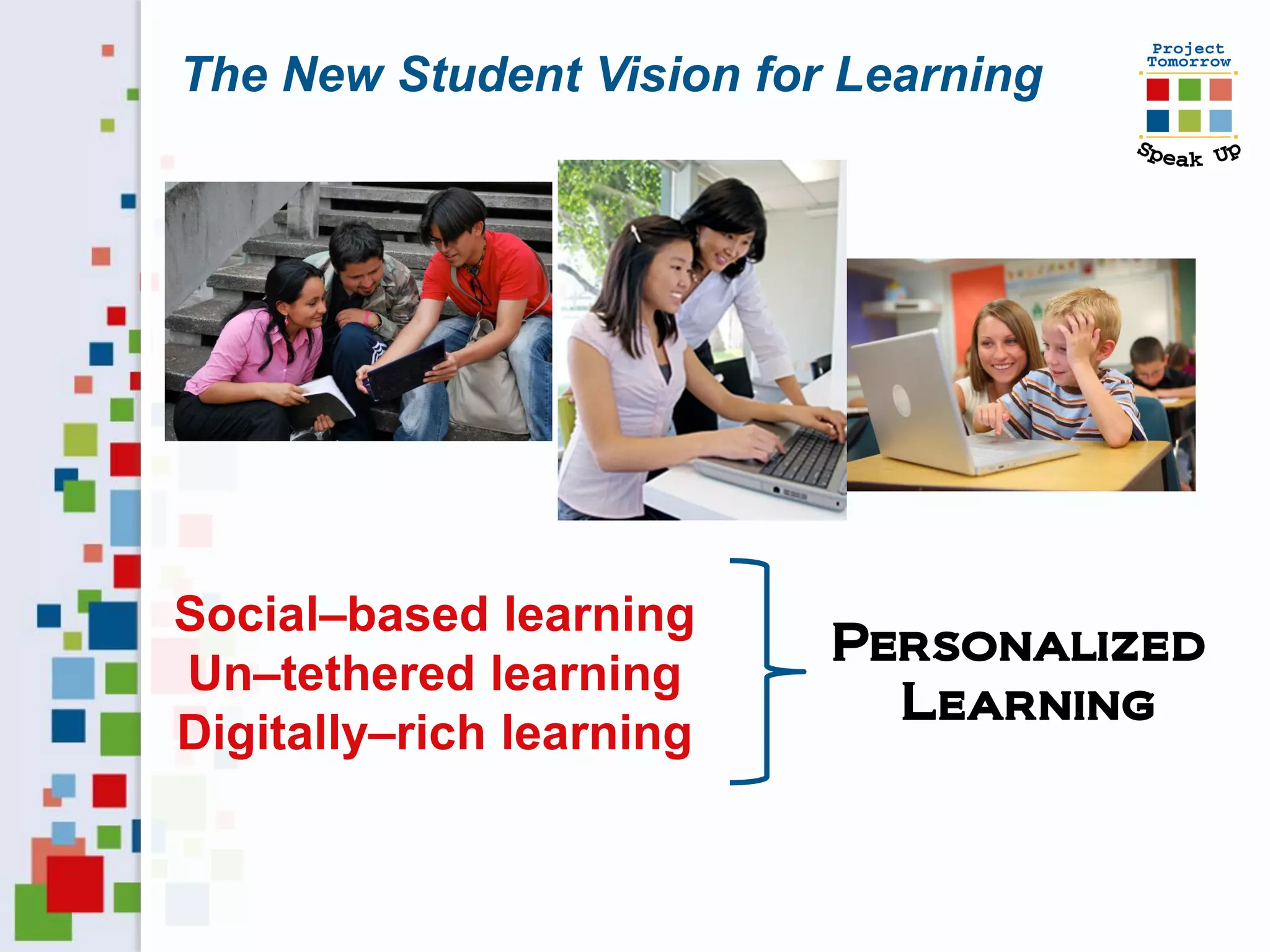
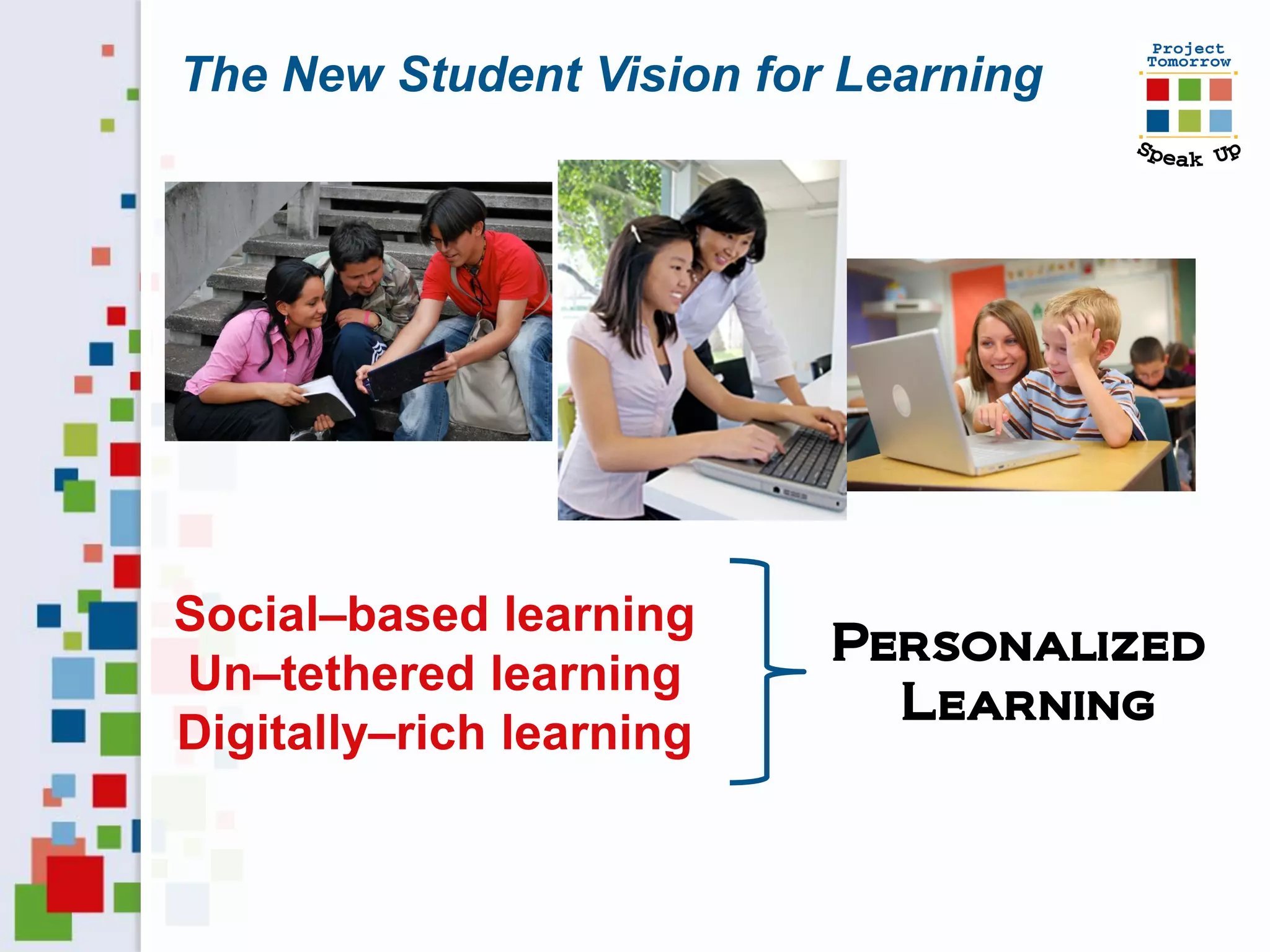
The New Student Vision for Learning


Social–based learning
                          Personalized
Un–tethered learning
                            Learning
Digitally–rich learning
The New Student Vision for Learning


Three Essential Elements

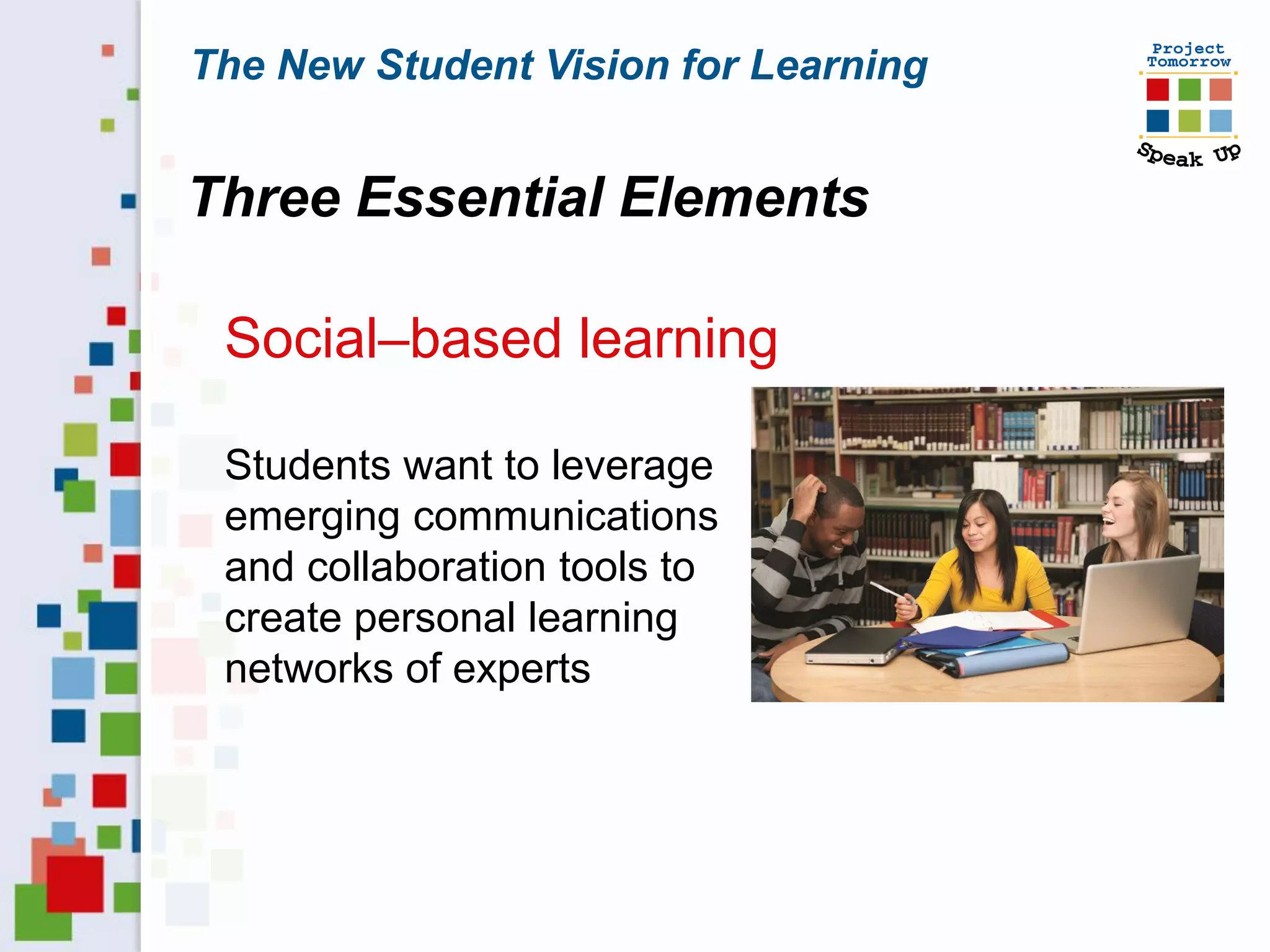
 Social–based learning

 Students want to leverage
 emerging communications
 and collaboration tools to
 create personal learning
 networks of experts
The New Student Vision for Learning


Three Essential Elements

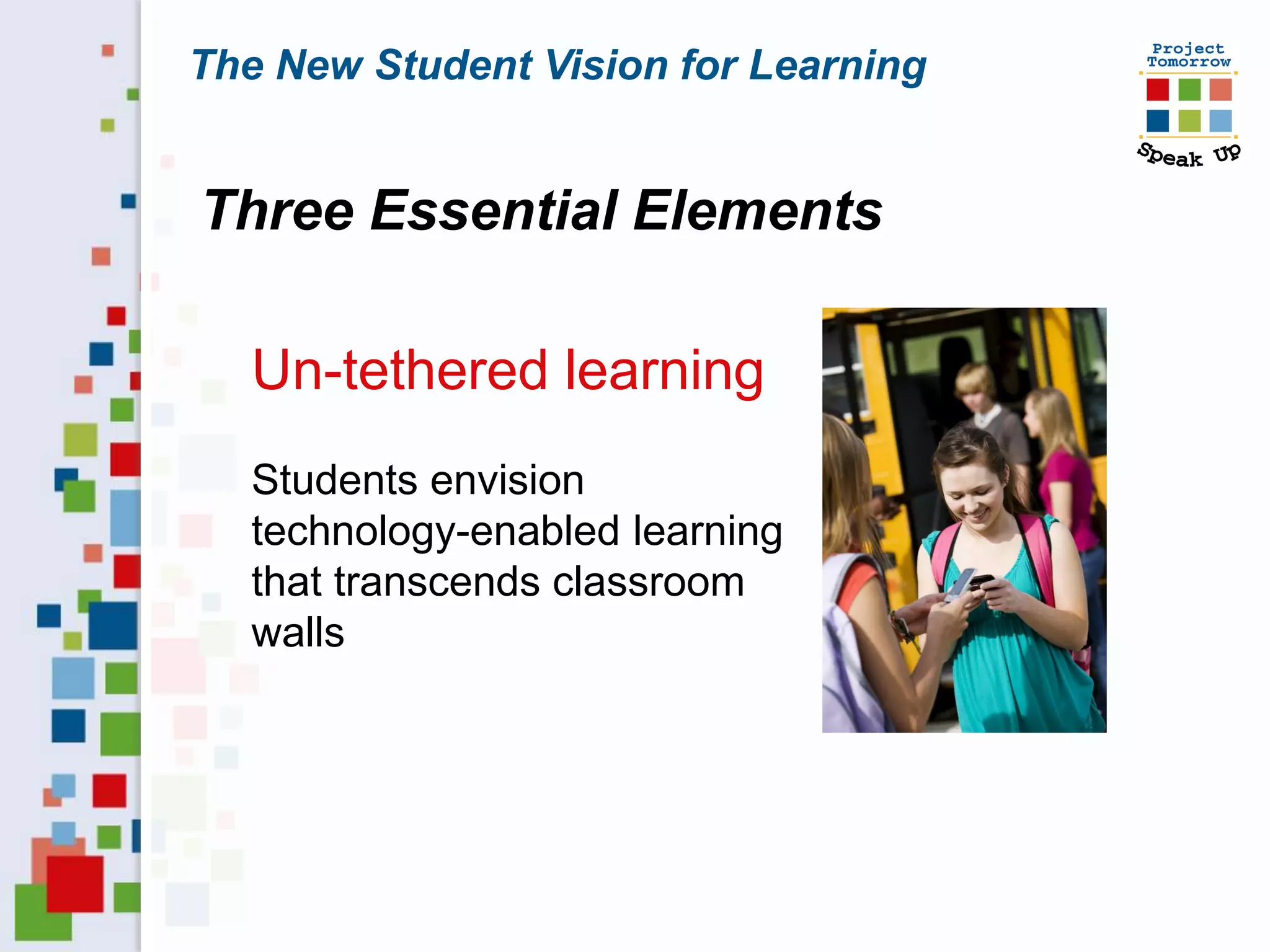
   Un-tethered learning
   Students envision
   technology-enabled learning
   that transcends classroom
   walls
The New Student Vision for Learning


Three Essential Elements

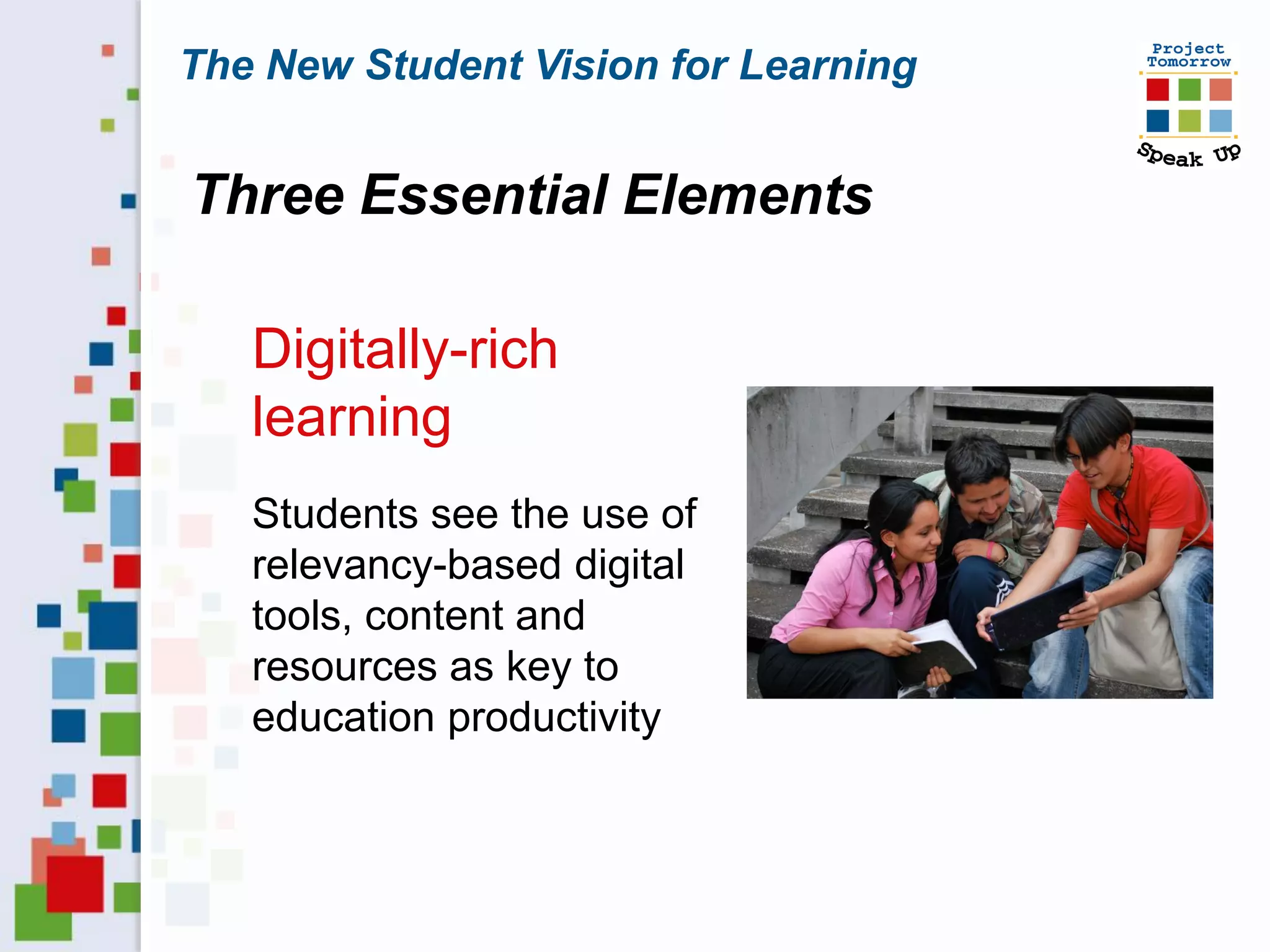
   Digitally-rich
   learning
   Students see the use of
   relevancy-based digital
   tools, content and
   resources as key to
   education productivity
Let’s set some context . . . .
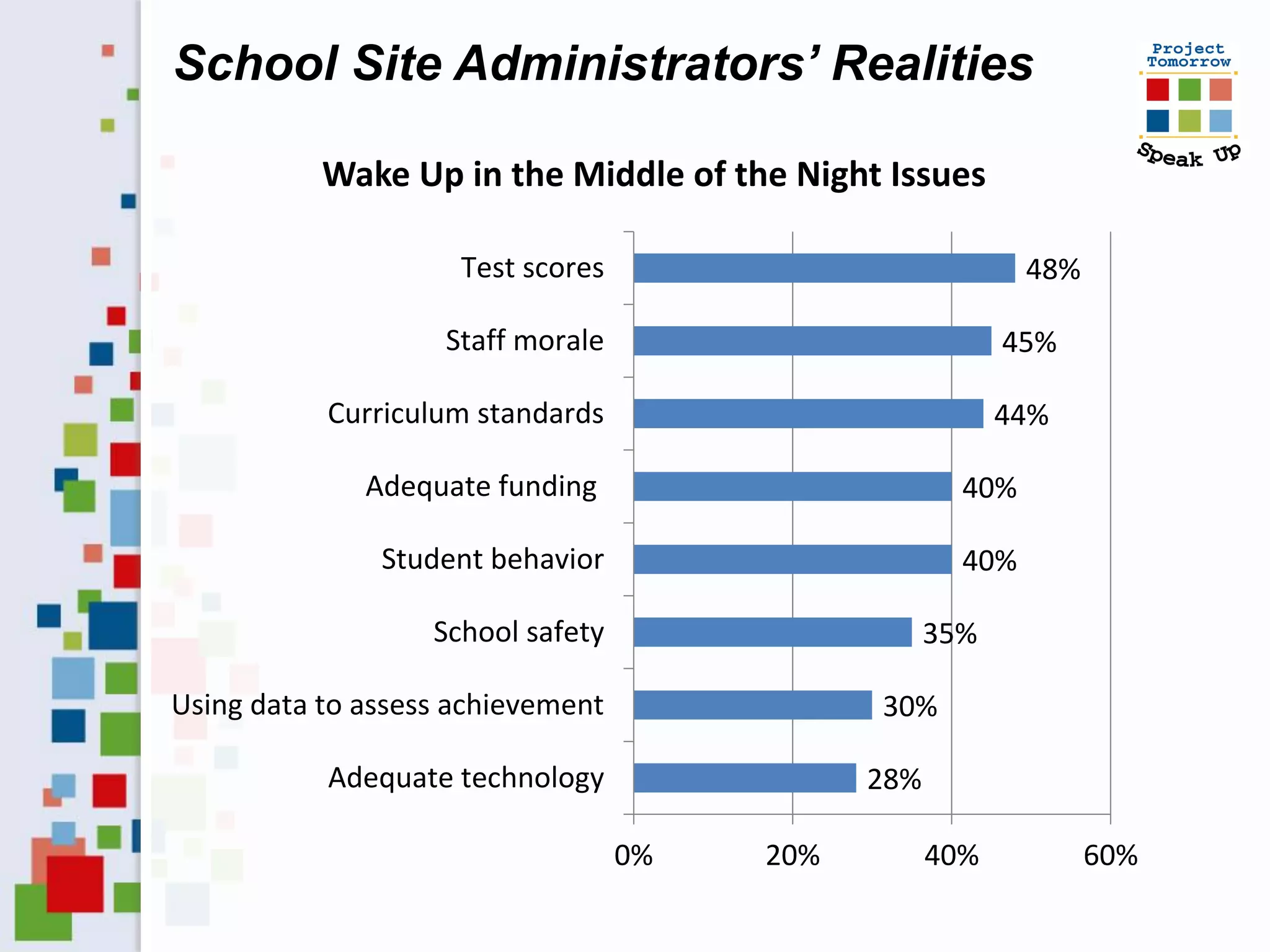
School Site Administrators’ Realities

           Wake Up in the Middle of the Night Issues

                     Test scores                            48%

                    Staff morale                          45%

           Curriculum standards                           44%

              Adequate funding                        40%

               Student behavior                       40%

                   School safety                    35%

Using data to assess achievement              30%

           Adequate technology                28%

                                   0%   20%         40%           60%
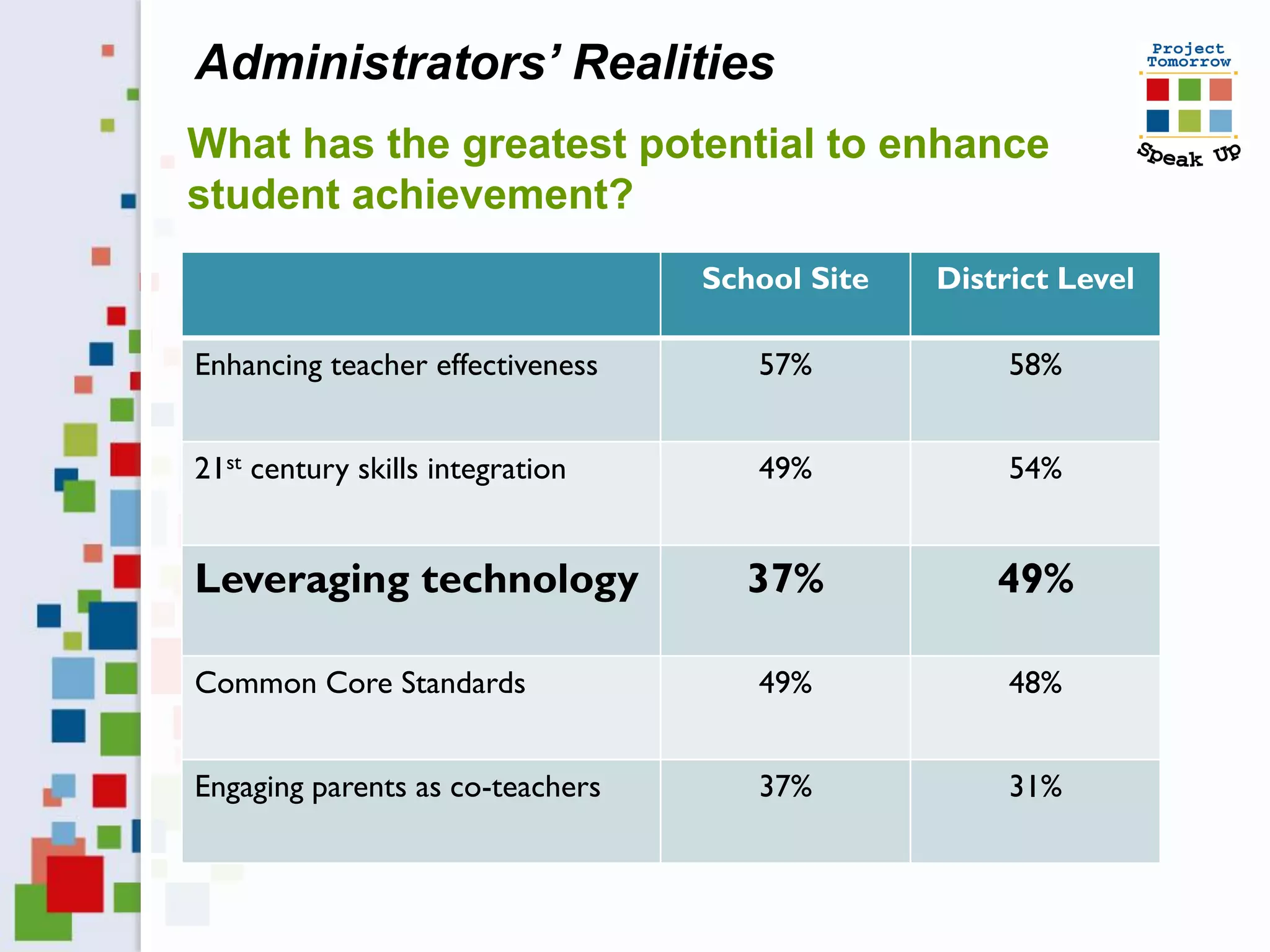
Administrators’ Realities
What has the greatest potential to enhance
student achievement?
                                  School Site   District Level

Enhancing teacher effectiveness      57%             58%


21st century skills integration      49%             54%


Leveraging technology               37%             49%

Common Core Standards                49%             48%


Engaging parents as co-teachers      37%             31%
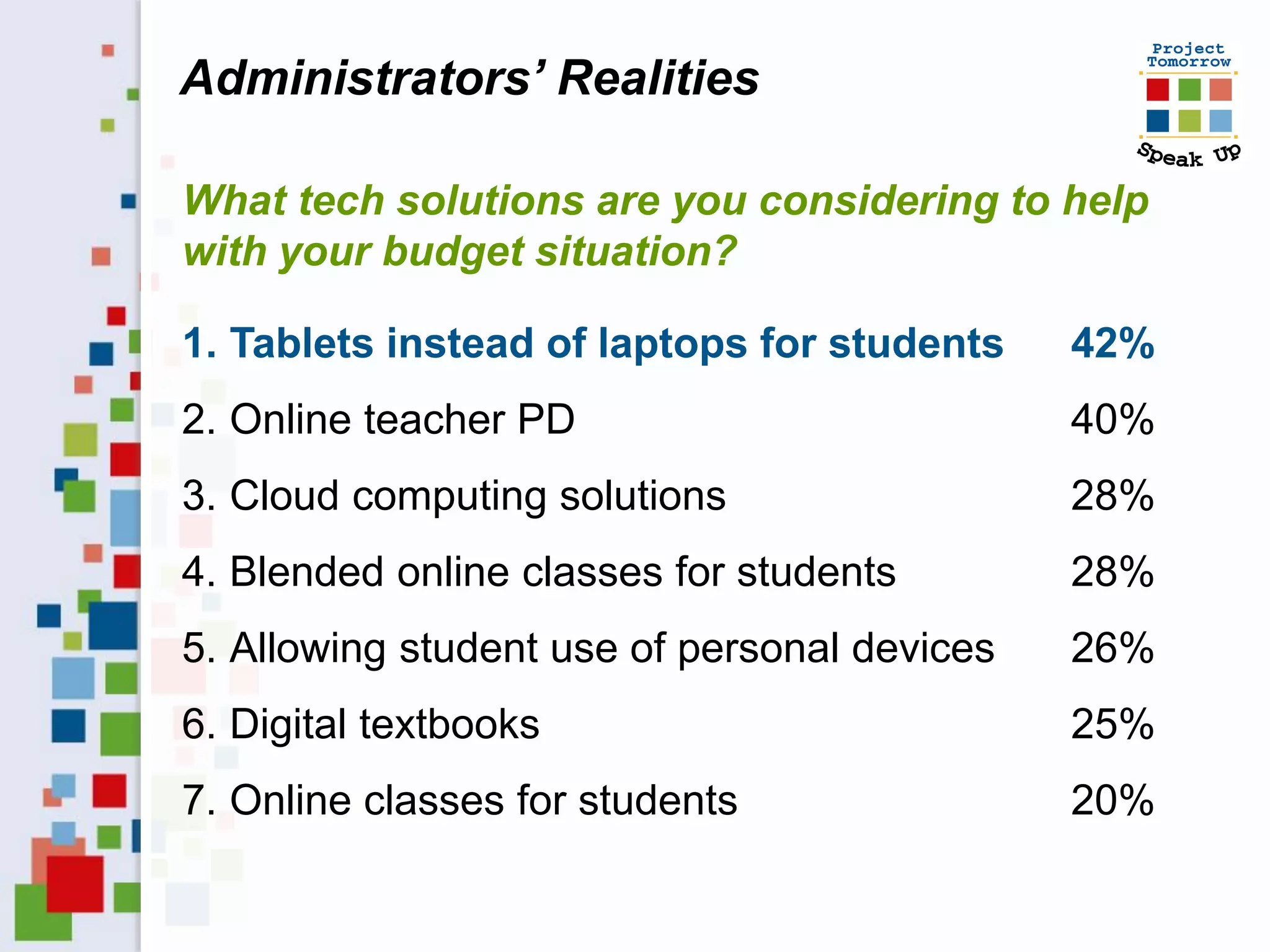
Administrators’ Realities

What tech solutions are you considering to help
with your budget situation?

1. Tablets instead of laptops for students    42%
2. Online teacher PD                          40%
3. Cloud computing solutions                  28%
4. Blended online classes for students        28%
5. Allowing student use of personal devices   26%
6. Digital textbooks                          25%
7. Online classes for students                20%
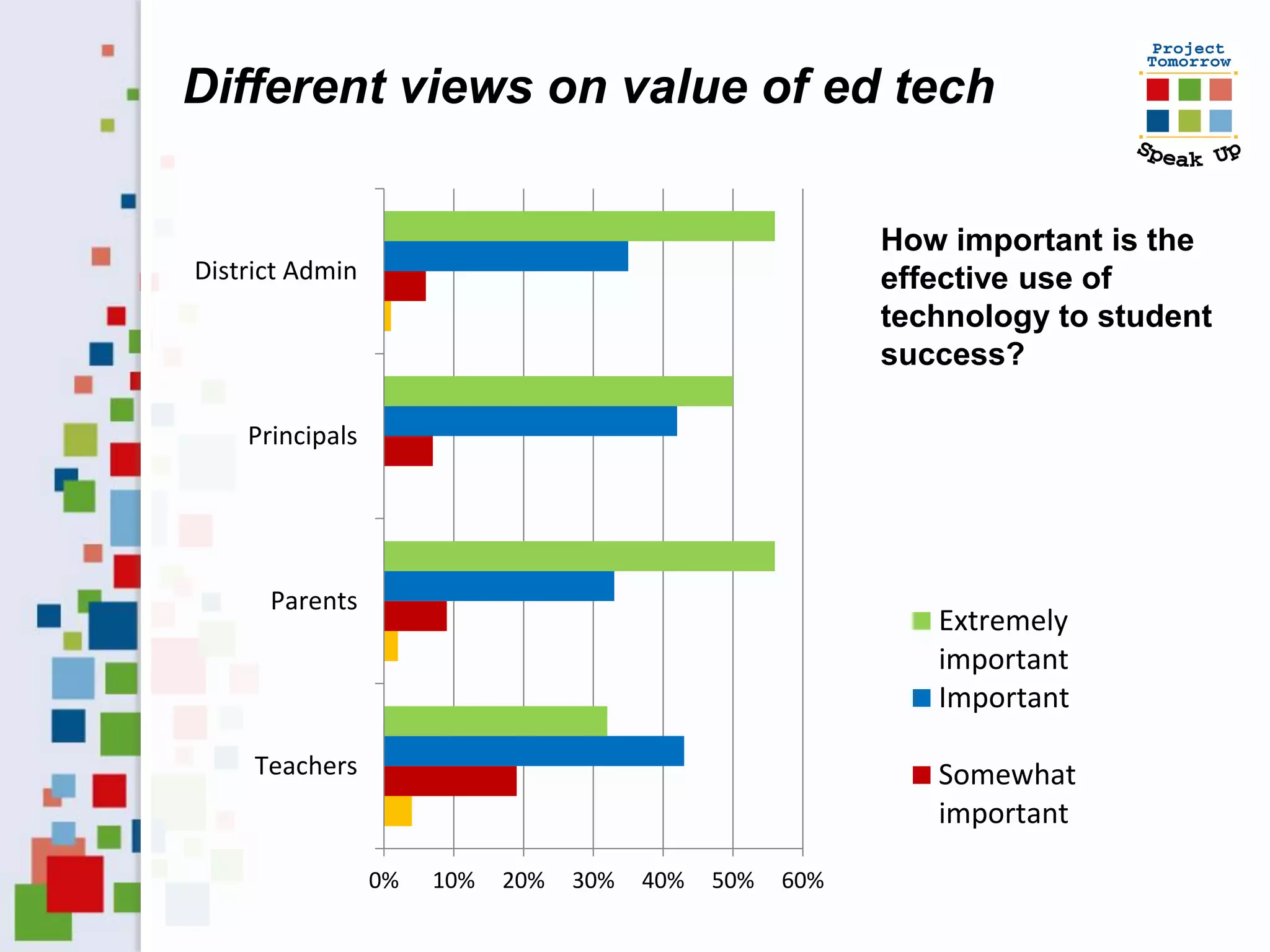
Different views on value of ed tech

                                                          How important is the
District Admin                                            effective use of
                                                          technology to student
                                                          success?

    Principals


      Parents
                                                             Extremely
                                                             important
                                                             Important

     Teachers                                                Somewhat
                                                             important

                 0%   10%   20%   30%   40%   50%   60%
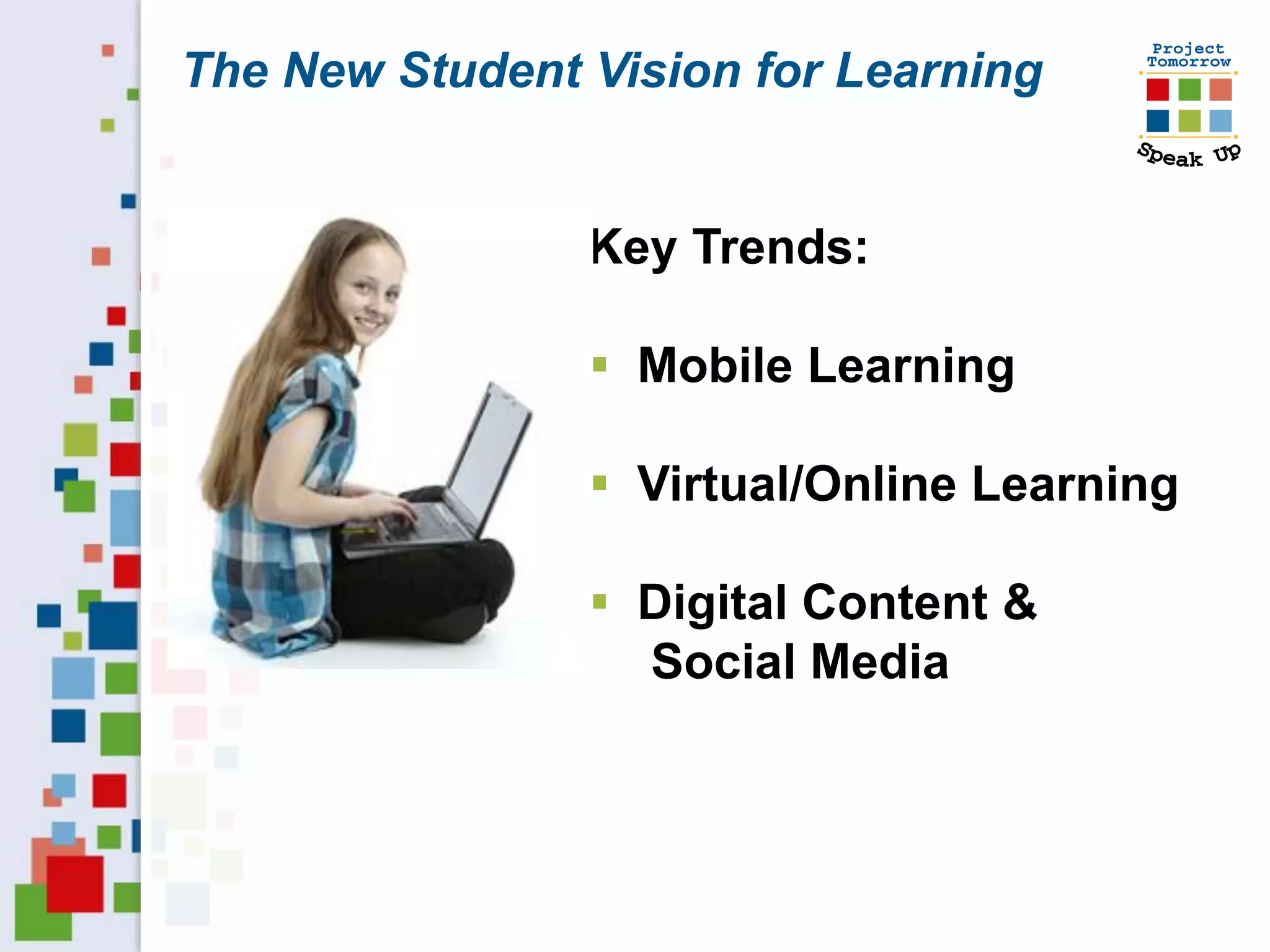
The New Student Vision for Learning


                Key Trends:

                 Mobile Learning

                 Virtual/Online Learning

                 Digital Content &
                  Social Media
Your assignment:
 Debunk myths
 Uncover hidden digital divides
 Evaluate your vision
     Do you have a shared vision of
      the future?
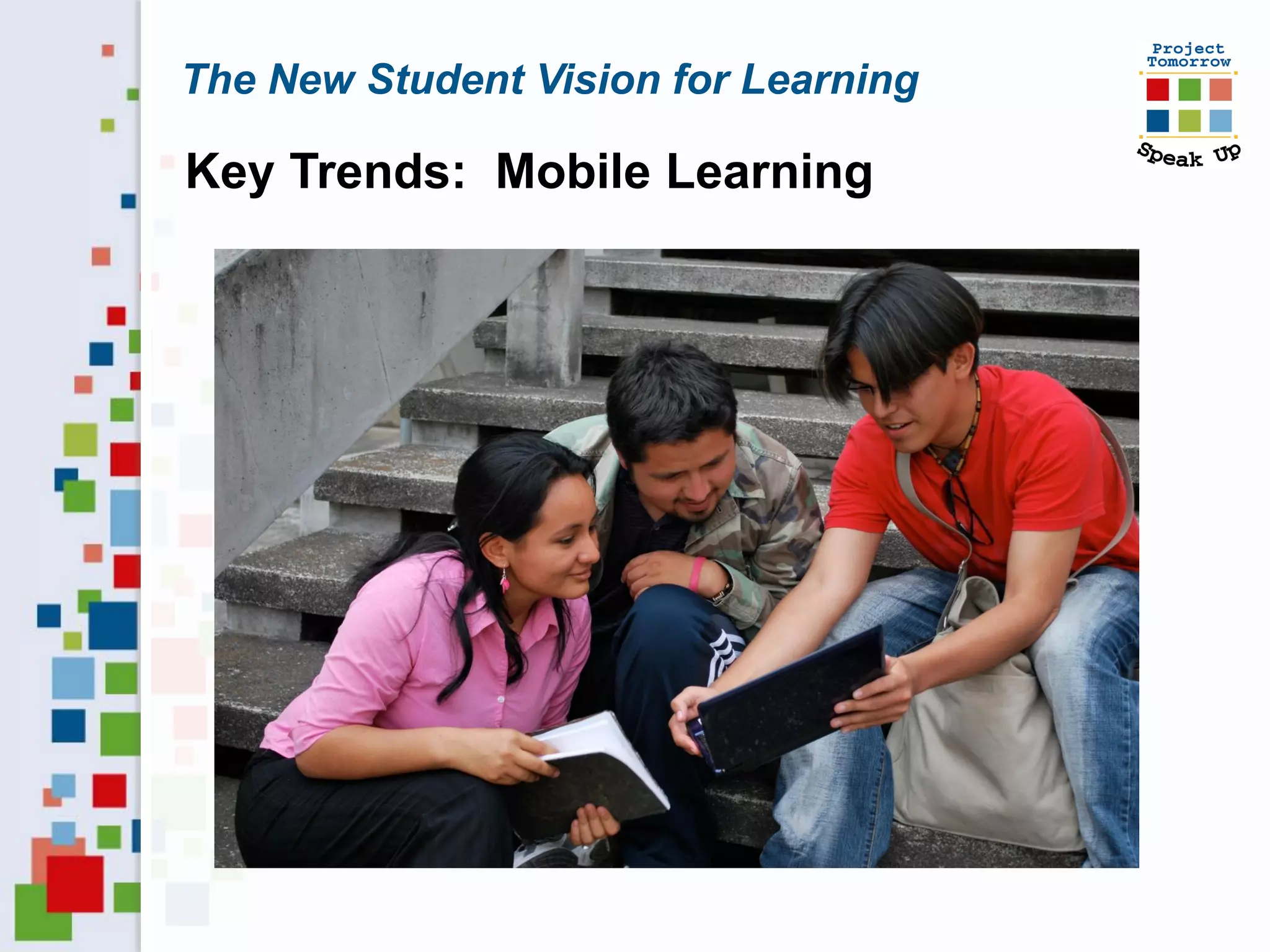
The New Student Vision for Learning

Key Trends: Mobile Learning
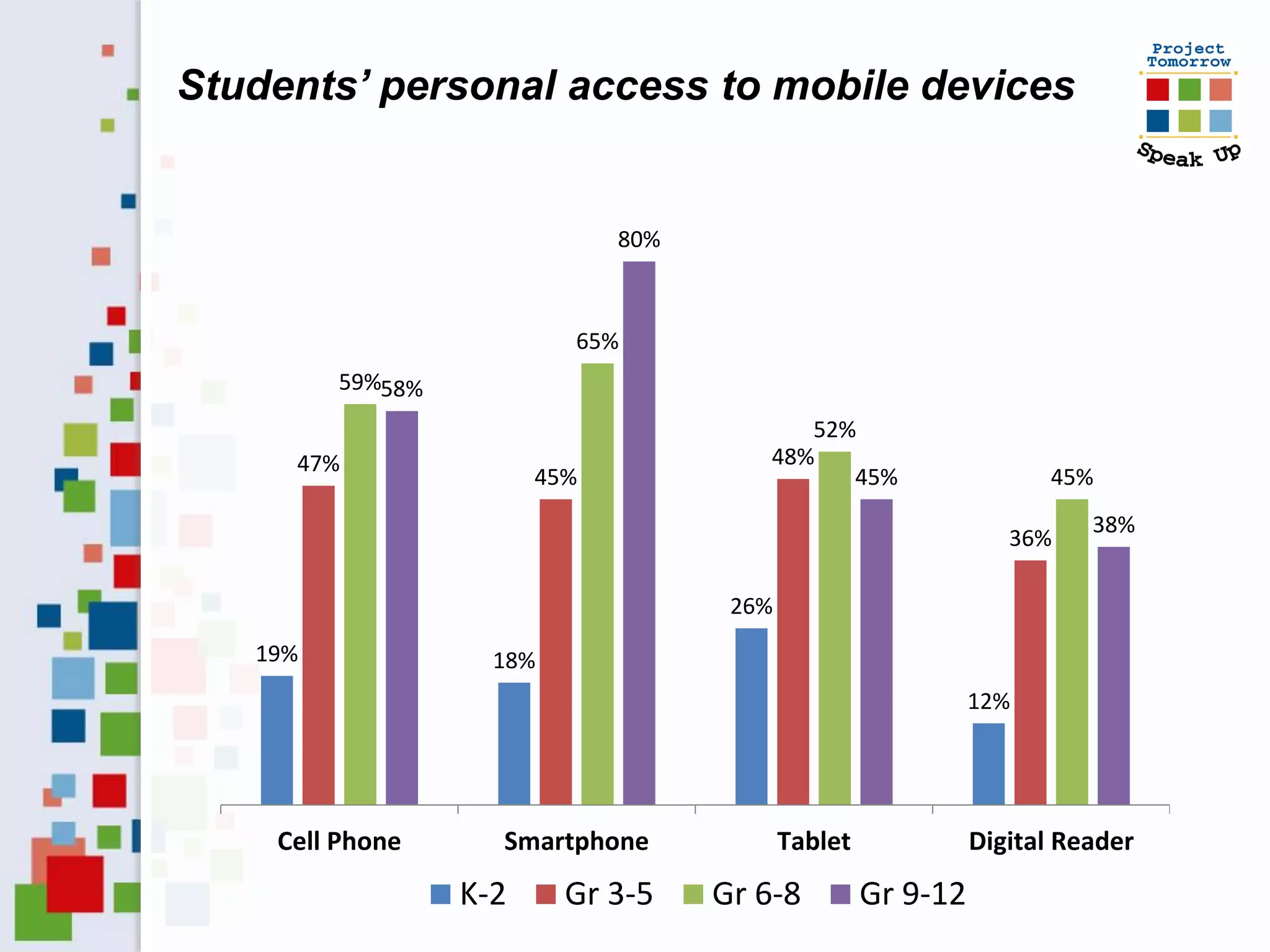
Students’ personal access to mobile devices


                              80%


                          65%
         59%58%
                                           52%
     47%                                48%
                        45%                   45%                   45%
                                                                        38%
                                                                 36%

                                     26%
   19%              18%
                                                              12%


    Cell Phone      Smartphone             Tablet             Digital Reader
                  K-2     Gr 3-5    Gr 6-8          Gr 9-12
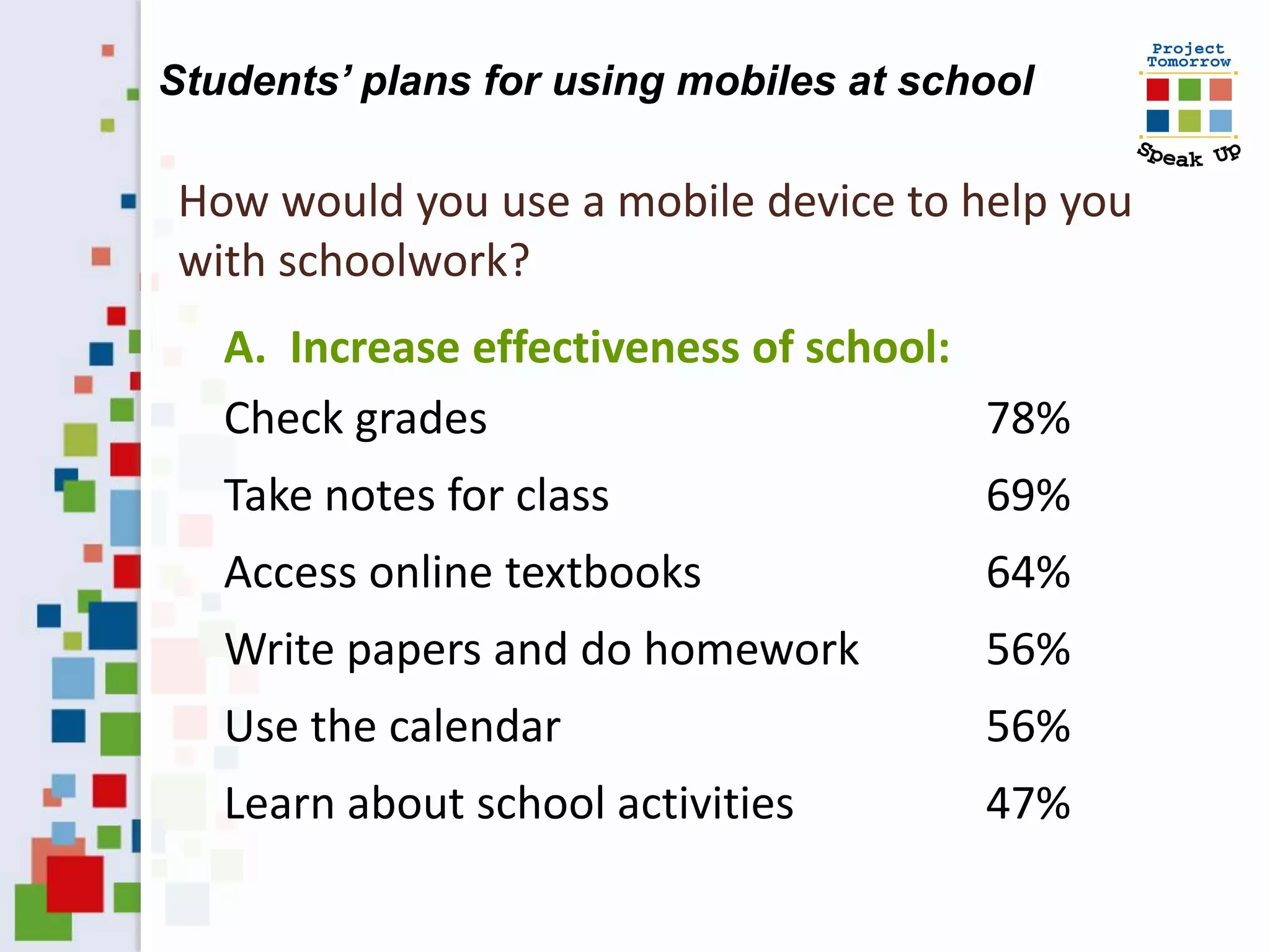
Students’ plans for using mobiles at school

How would you use a mobile device to help you
with schoolwork?
   A. Increase effectiveness of school:
   Check grades                         78%
   Take notes for class                 69%
   Access online textbooks              64%
   Write papers and do homework         56%
   Use the calendar                     56%
   Learn about school activities        47%
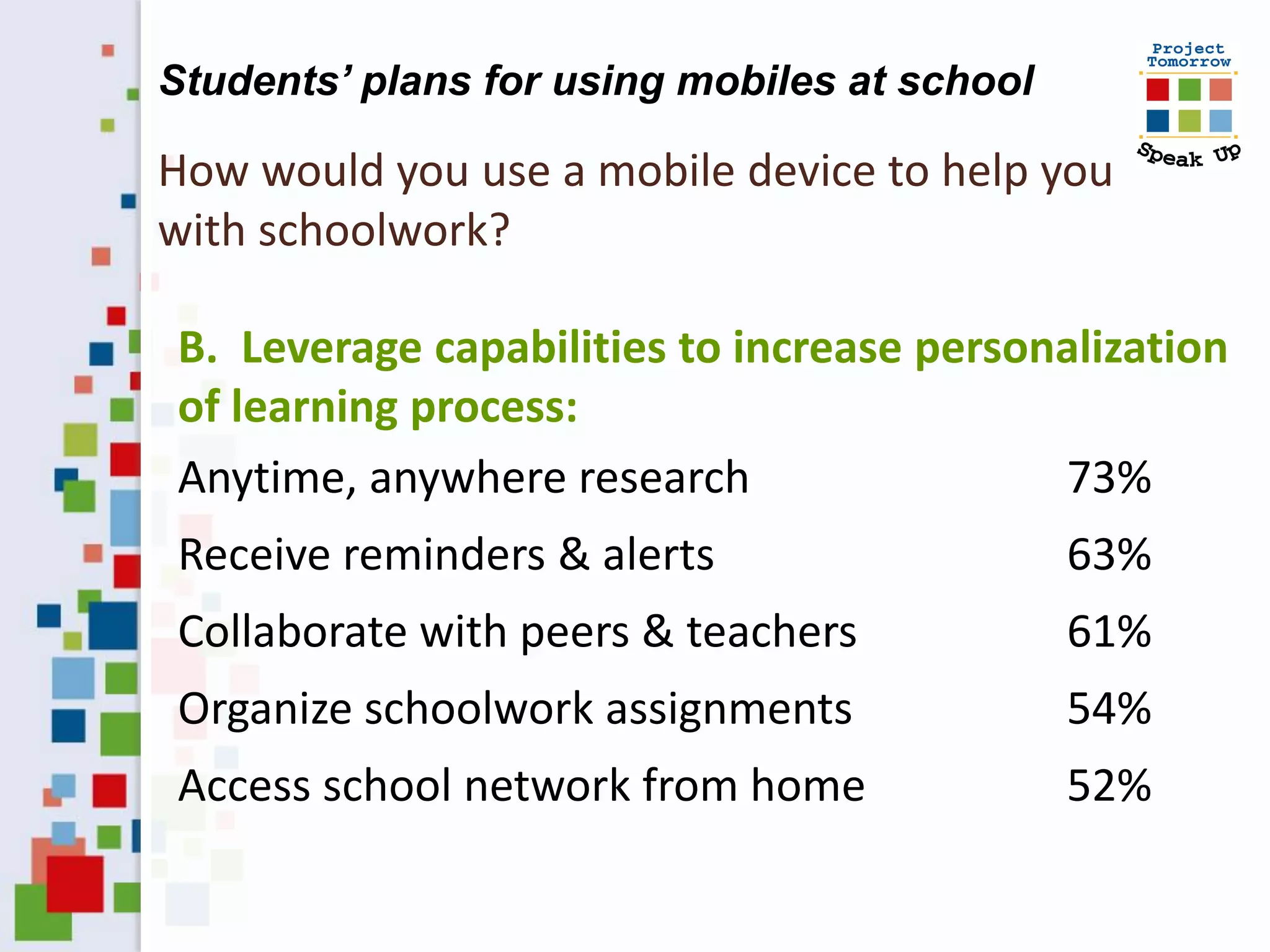
Students’ plans for using mobiles at school

How would you use a mobile device to help you
with schoolwork?

B. Leverage capabilities to increase personalization
of learning process:
Anytime, anywhere research                 73%
Receive reminders & alerts                    63%
Collaborate with peers & teachers             61%
Organize schoolwork assignments               54%
Access school network from home               52%
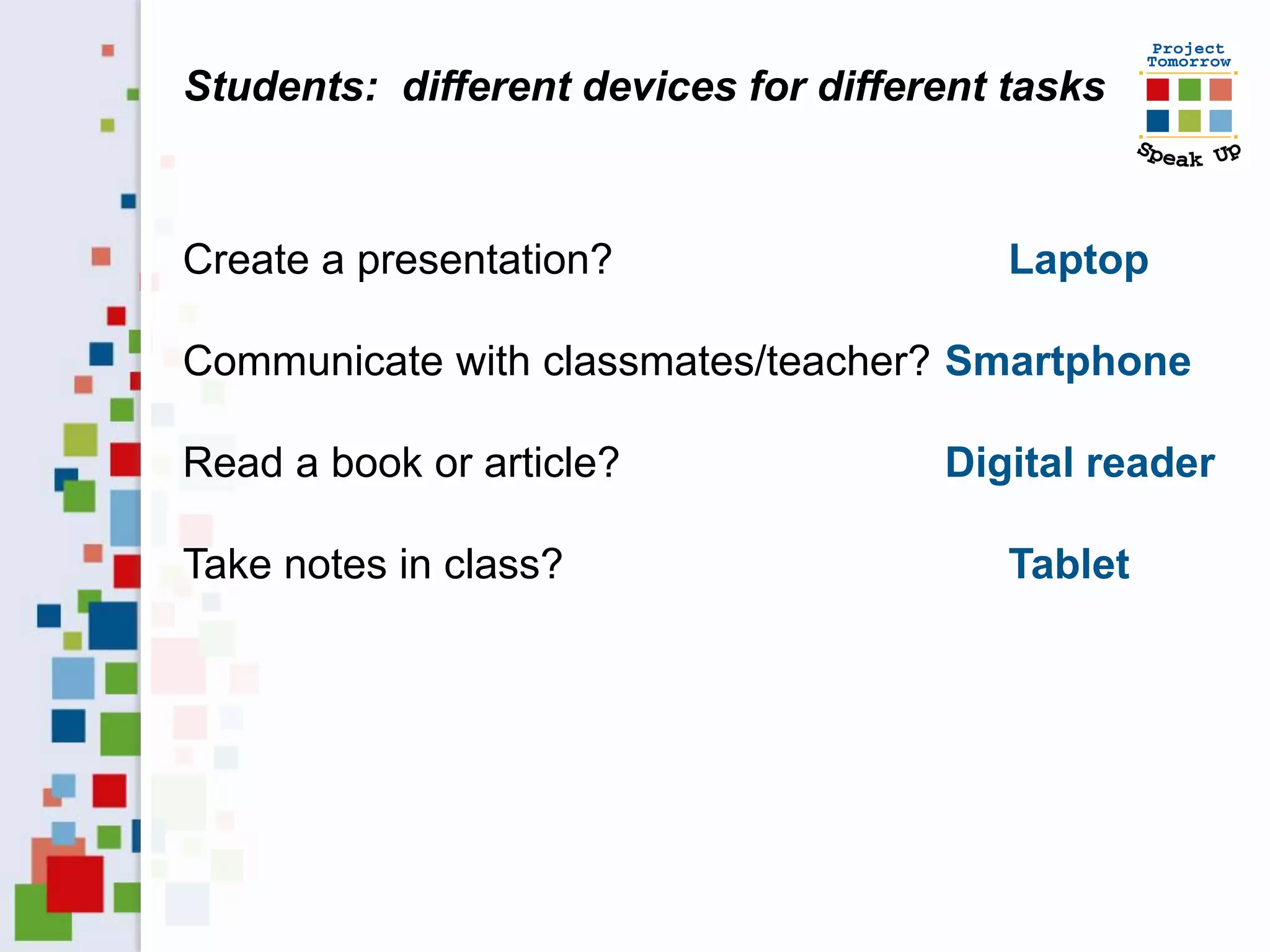
Students: different devices for different tasks


Create a presentation?                    Laptop

Communicate with classmates/teacher? Smartphone

Read a book or article?               Digital reader

Take notes in class?                      Tablet
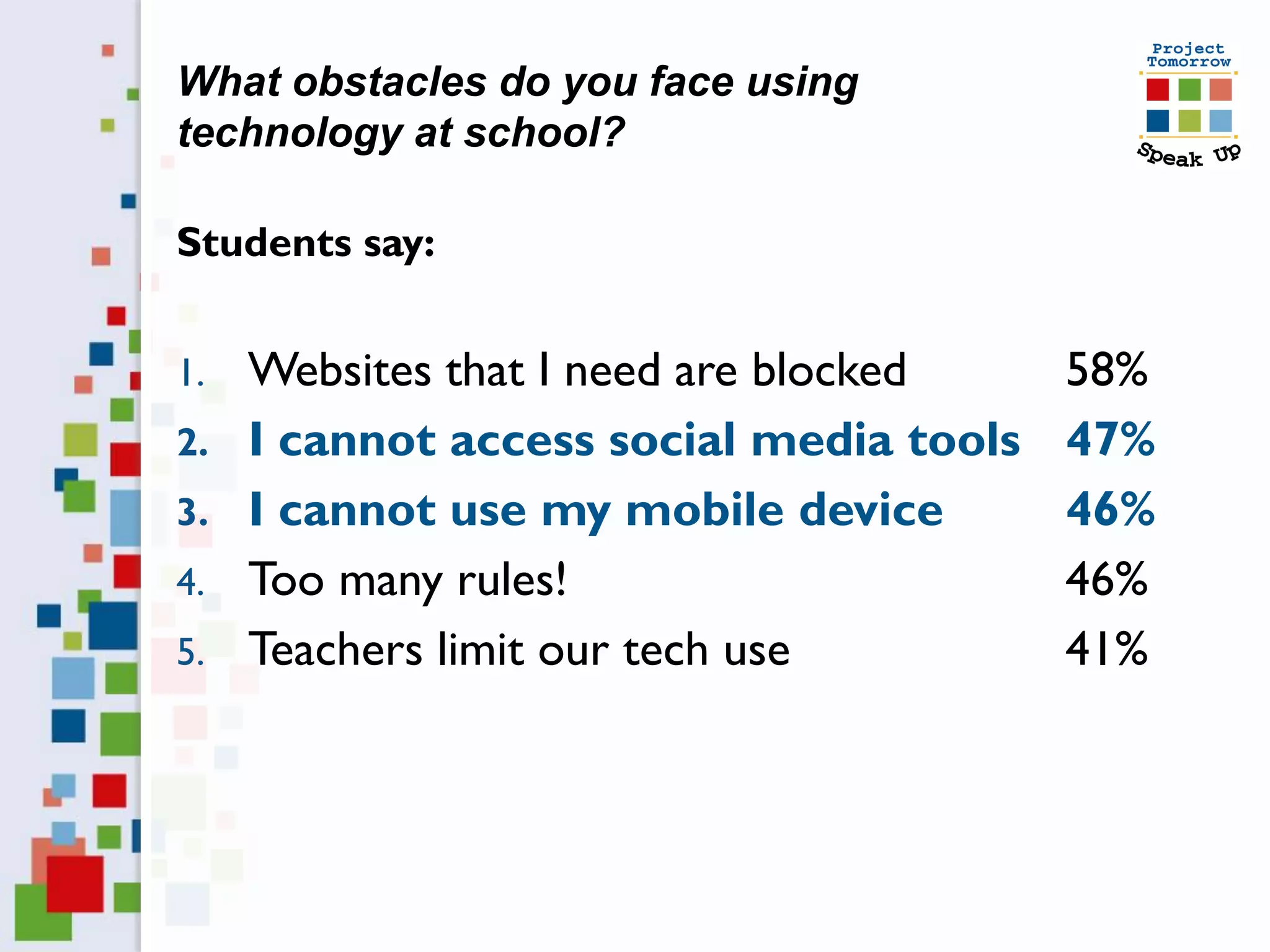
What obstacles do you face using
technology at school?

Students say:


1.   Websites that I need are blocked     58%
2.   I cannot access social media tools   47%
3.   I cannot use my mobile device        46%
4.   Too many rules!                      46%
5.   Teachers limit our tech use          41%
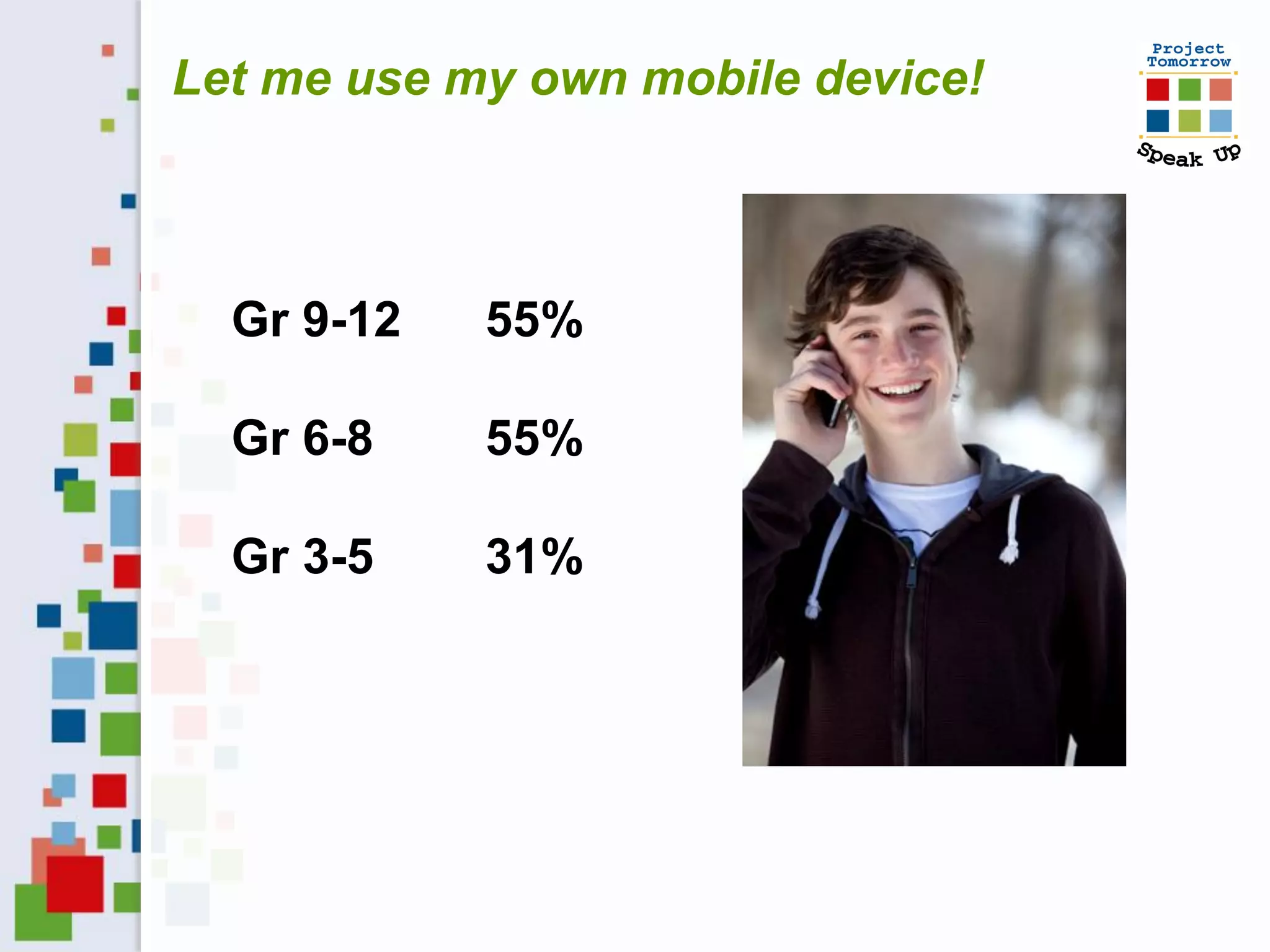
Let me use my own mobile device!


  Gr 9-12   55%

  Gr 6-8    55%

  Gr 3-5    31%
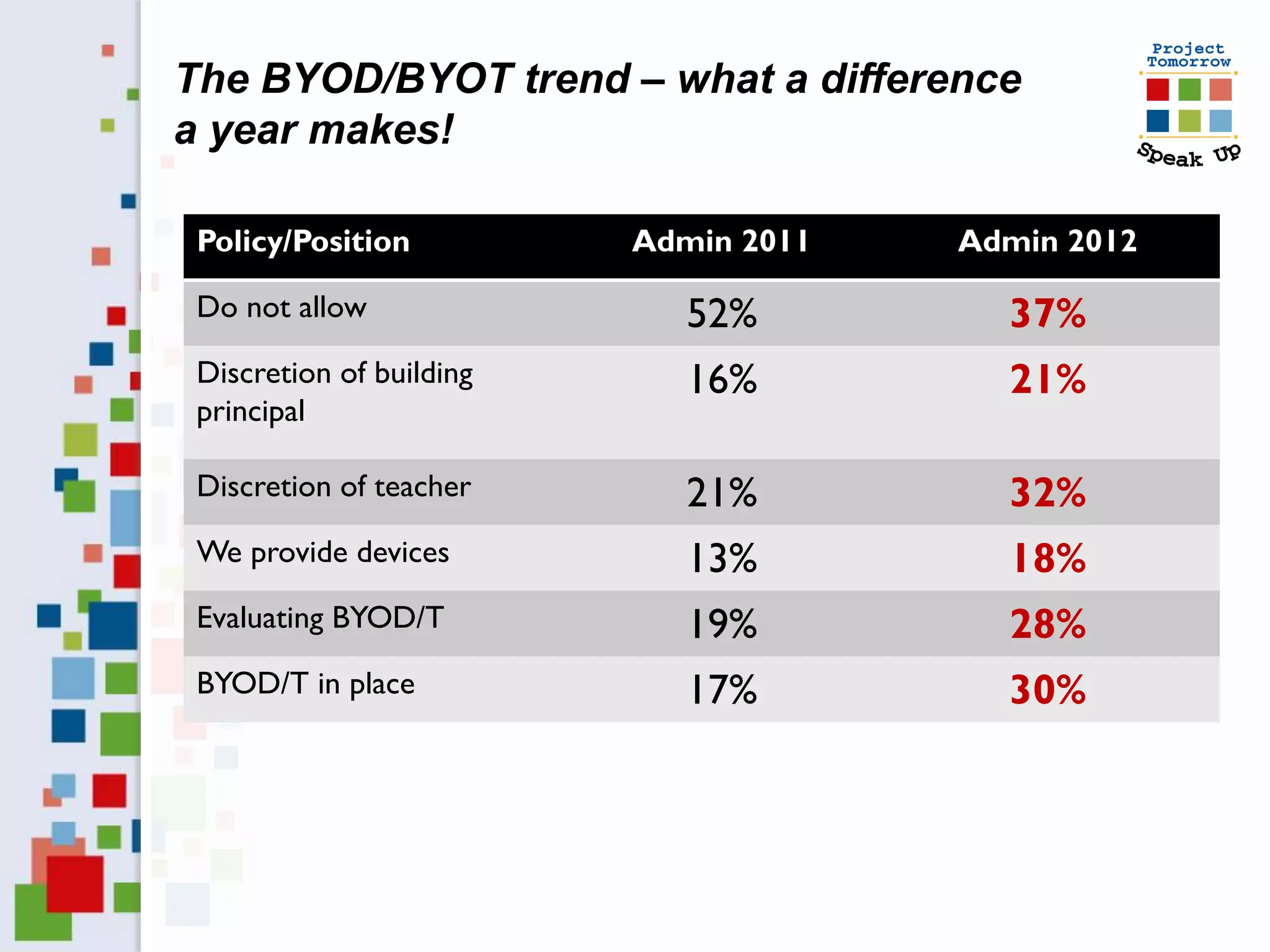
The BYOD/BYOT trend – what a difference
a year makes!

 Policy/Position          Admin 2011   Admin 2012

 Do not allow                52%         37%
 Discretion of building      16%         21%
 principal

 Discretion of teacher       21%         32%
 We provide devices          13%         18%
 Evaluating BYOD/T           19%         28%
 BYOD/T in place             17%         30%
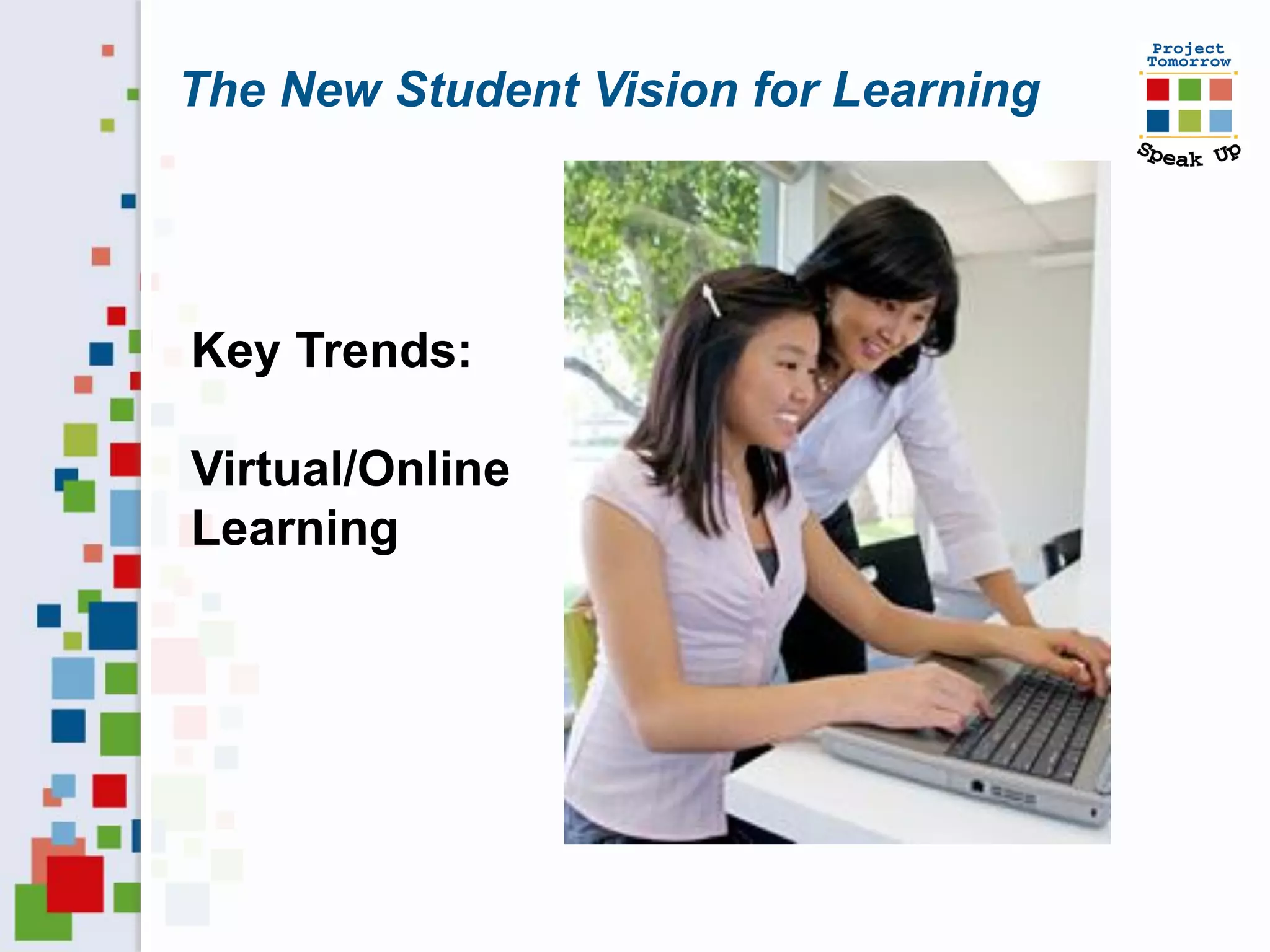
The New Student Vision for Learning


Key Trends:

Virtual/Online
Learning
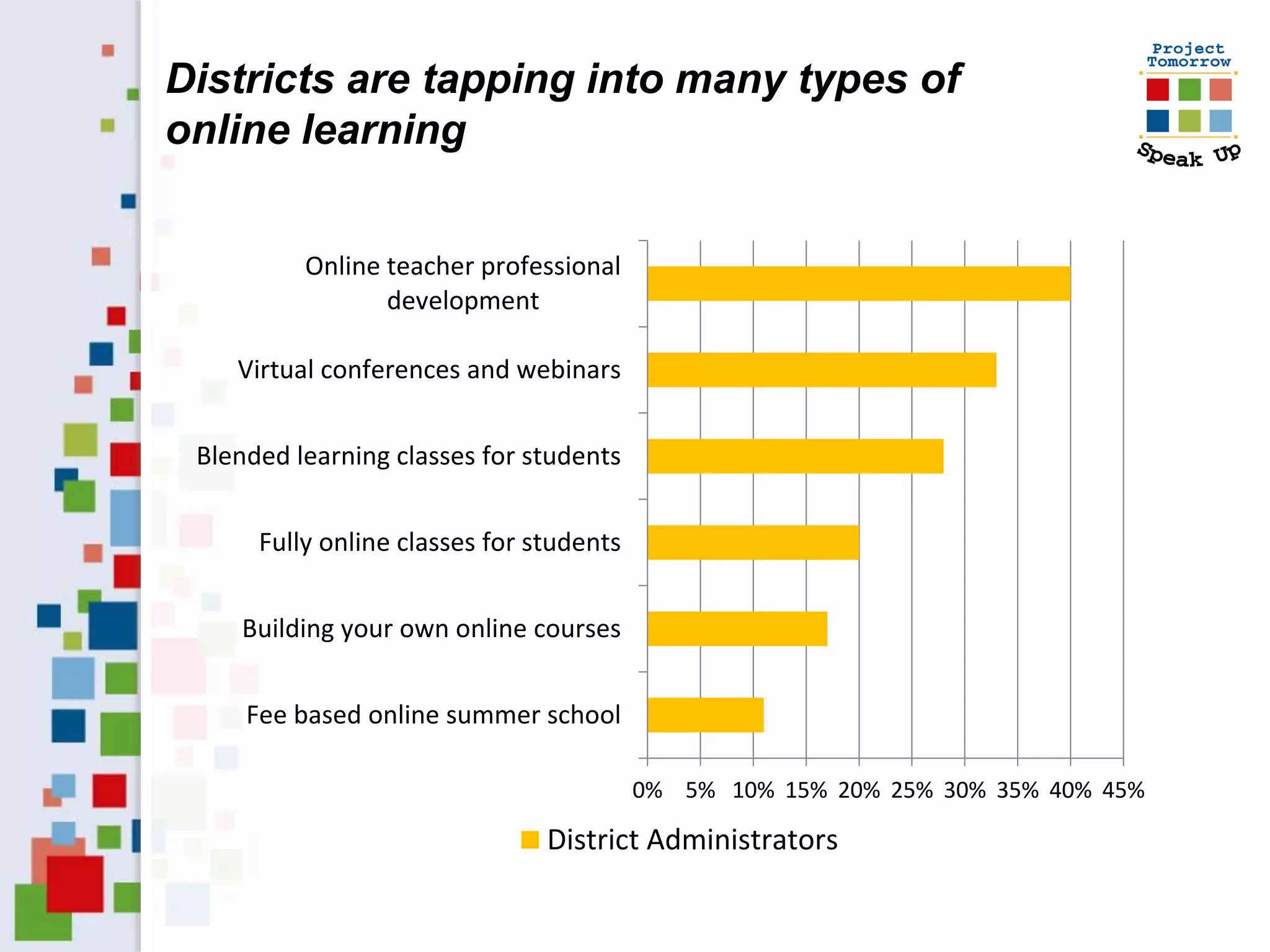
Districts are tapping into many types of
online learning


          Online teacher professional
                 development

    Virtual conferences and webinars


 Blended learning classes for students


      Fully online classes for students


    Building your own online courses


     Fee based online summer school

                                          0% 5% 10% 15% 20% 25% 30% 35% 40% 45%

                                District Administrators
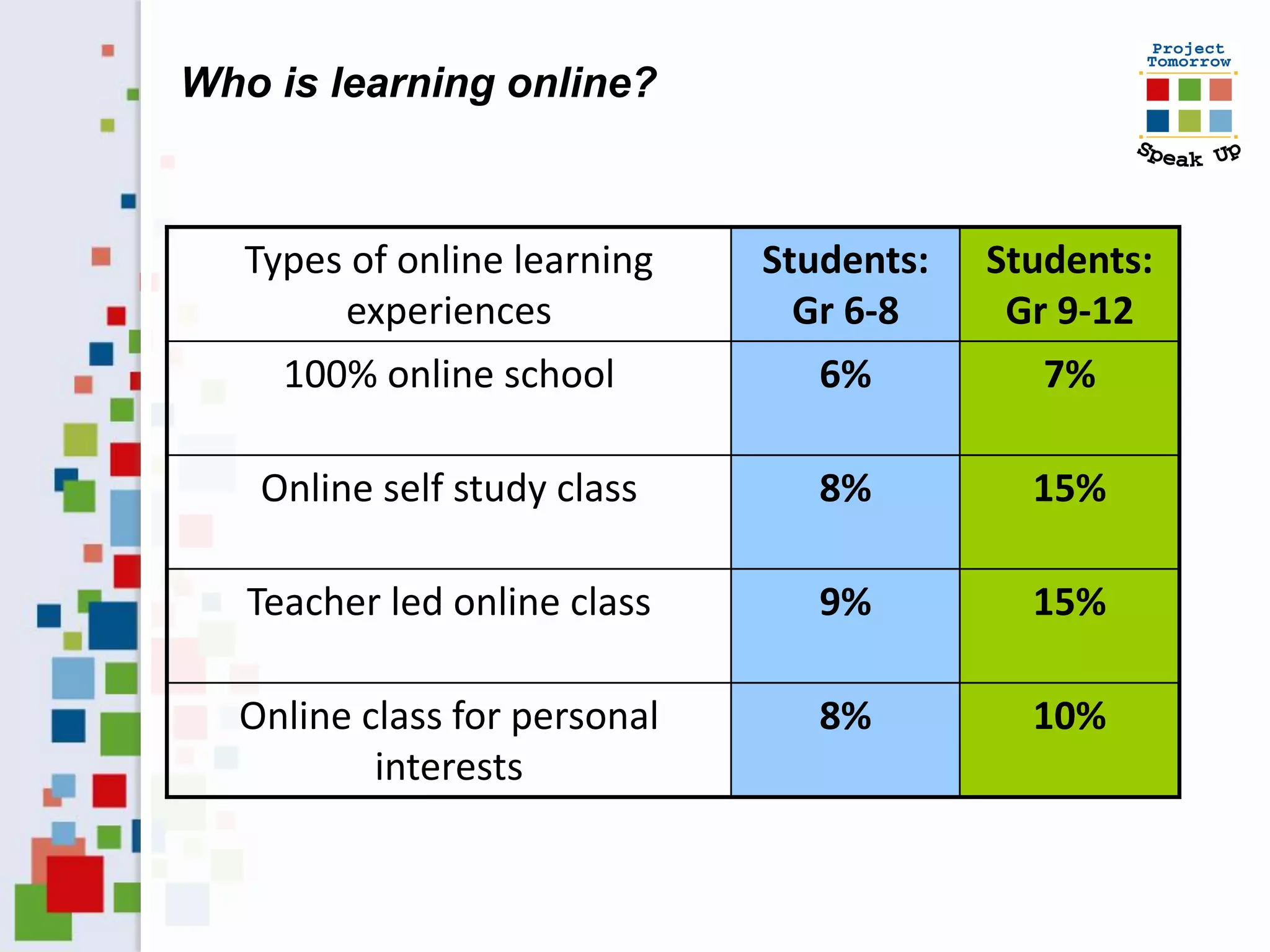
Who is learning online?


   Types of online learning   Students:   Students:
        experiences             Gr 6-8     Gr 9-12
     100% online school          6%          7%

   Online self study class       8%         15%

   Teacher led online class      9%         15%

  Online class for personal      8%         10%
          interests
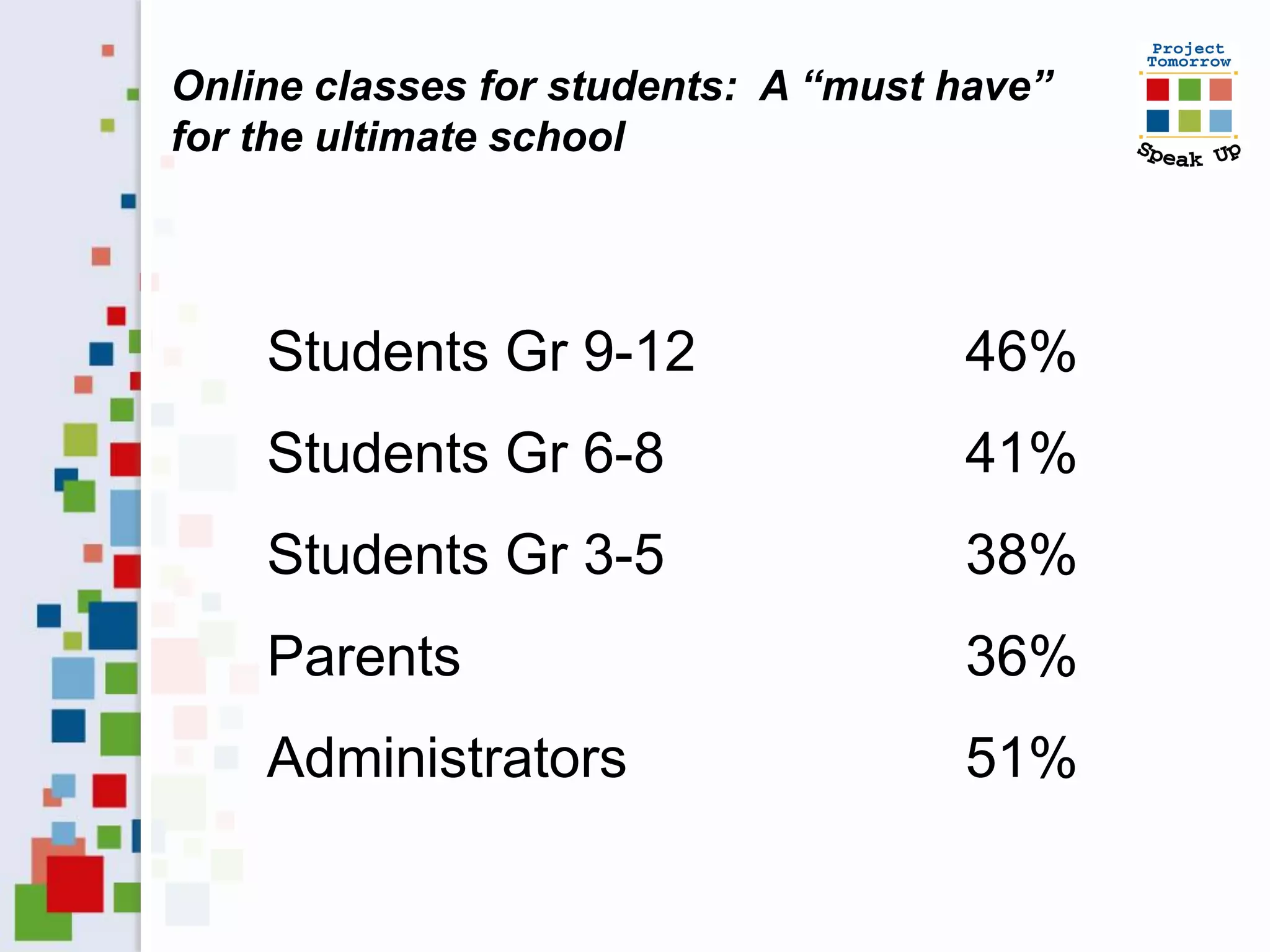
Online classes for students: A “must have”
for the ultimate school


    Students Gr 9-12                 46%
    Students Gr 6-8                  41%
    Students Gr 3-5                  38%
    Parents                          36%
    Administrators                   51%
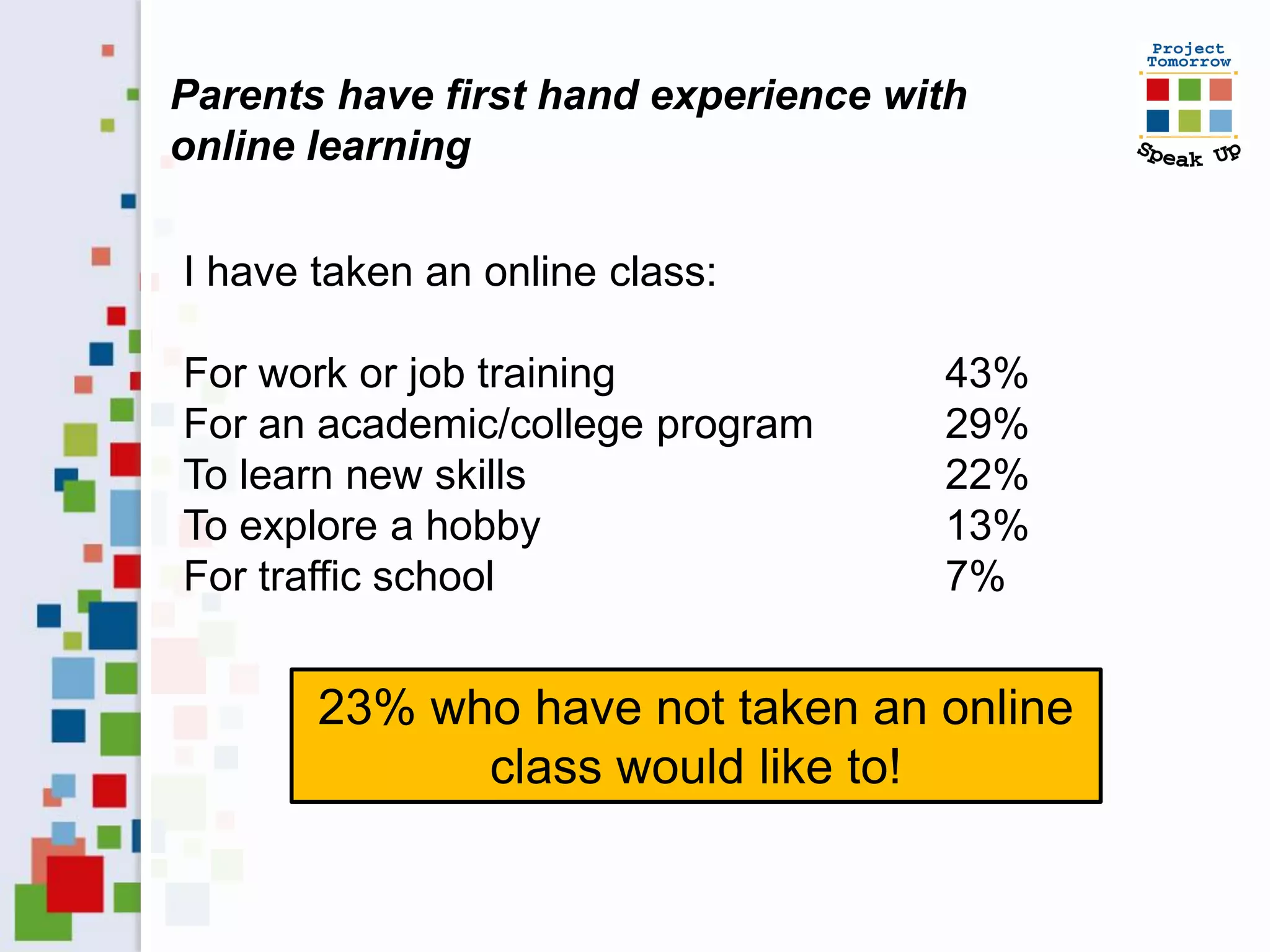
Parents have first hand experience with
online learning

I have taken an online class:

For work or job training             43%
For an academic/college program      29%
To learn new skills                  22%
To explore a hobby                   13%
For traffic school                   7%


       23% who have not taken an online
             class would like to!
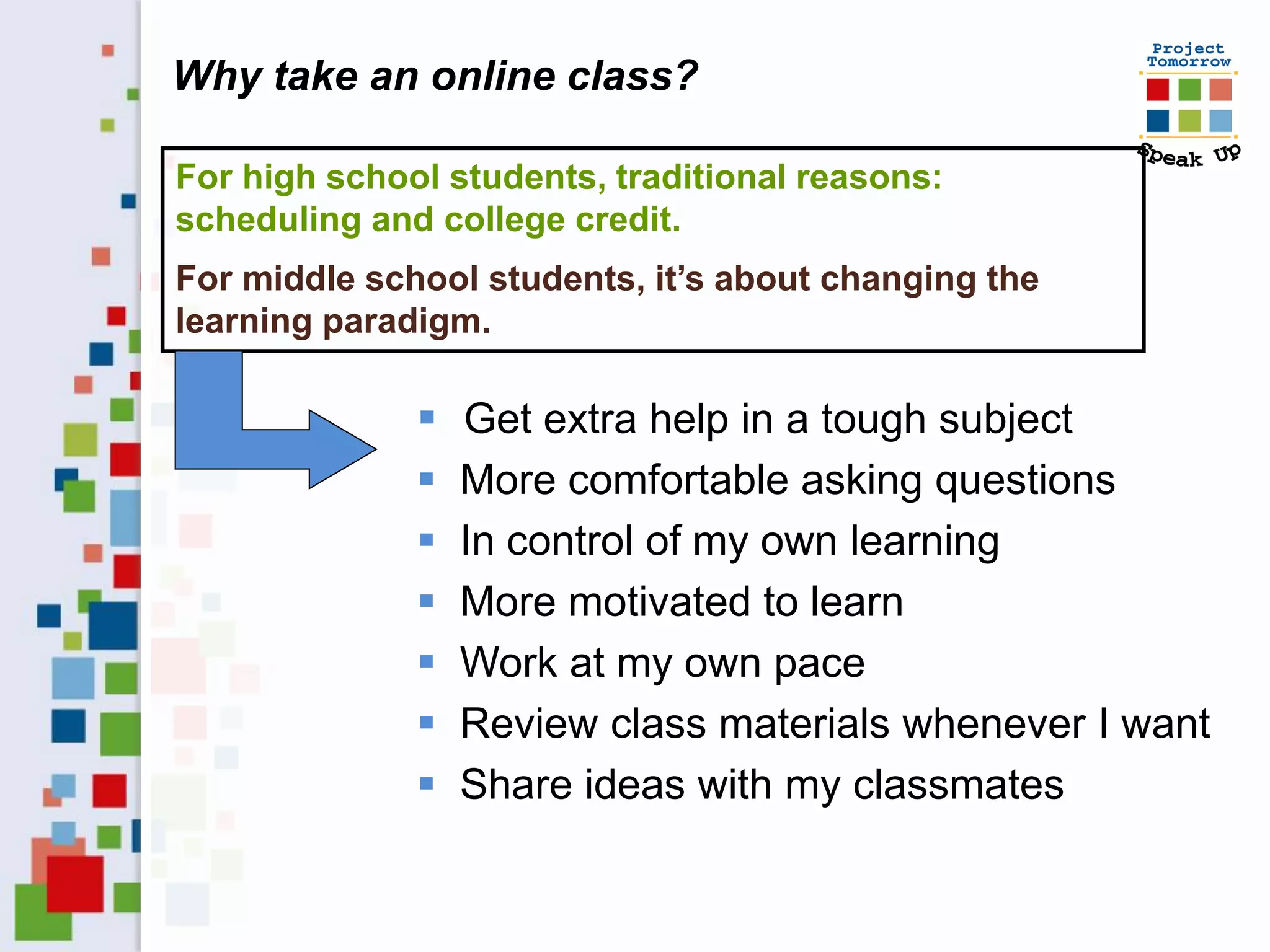
Why take an online class?

For high school students, traditional reasons:
scheduling and college credit.
For middle school students, it’s about changing the
learning paradigm.

                 Get extra help in a tough subject
                 More comfortable asking questions
                 In control of my own learning
                 More motivated to learn
                 Work at my own pace
                 Review class materials whenever I want
                 Share ideas with my classmates
The New Student Vision for Learning

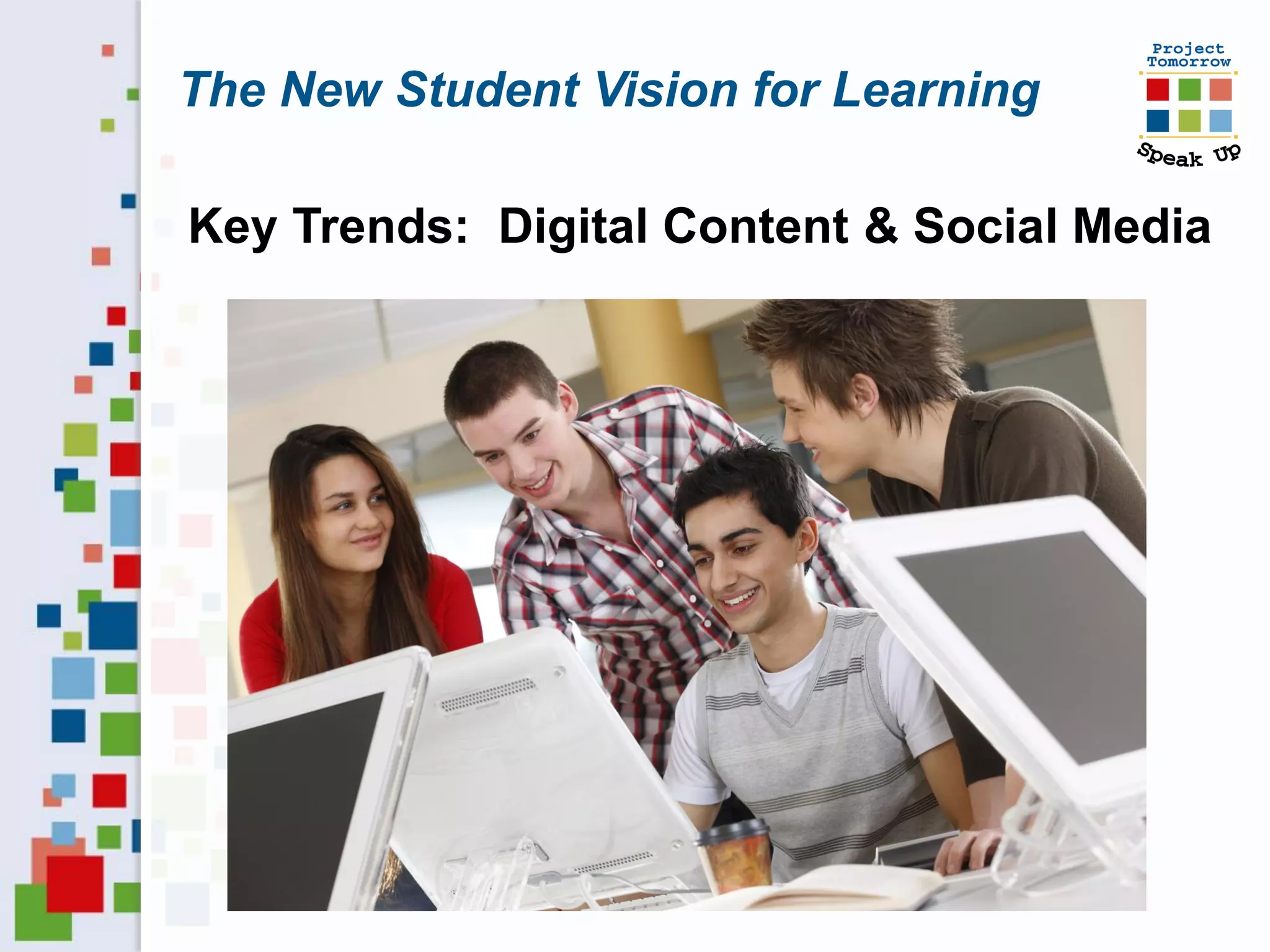
Key Trends: Digital Content & Social Media
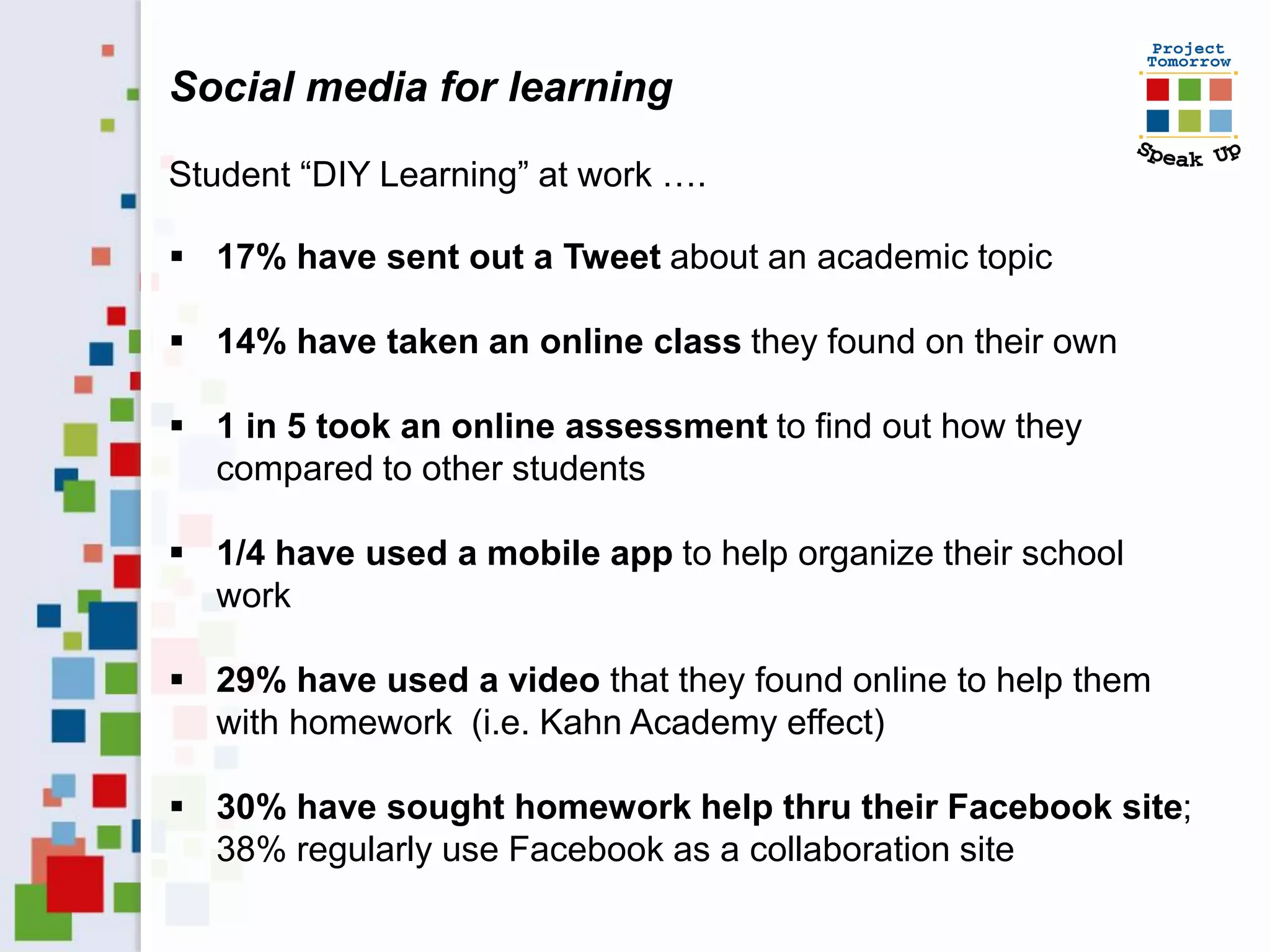
Social media for learning

Student “DIY Learning” at work ….

 17% have sent out a Tweet about an academic topic

 14% have taken an online class they found on their own

 1 in 5 took an online assessment to find out how they
  compared to other students

 1/4 have used a mobile app to help organize their school
  work

 29% have used a video that they found online to help them
  with homework (i.e. Kahn Academy effect)

 30% have sought homework help thru their Facebook site;
  38% regularly use Facebook as a collaboration site
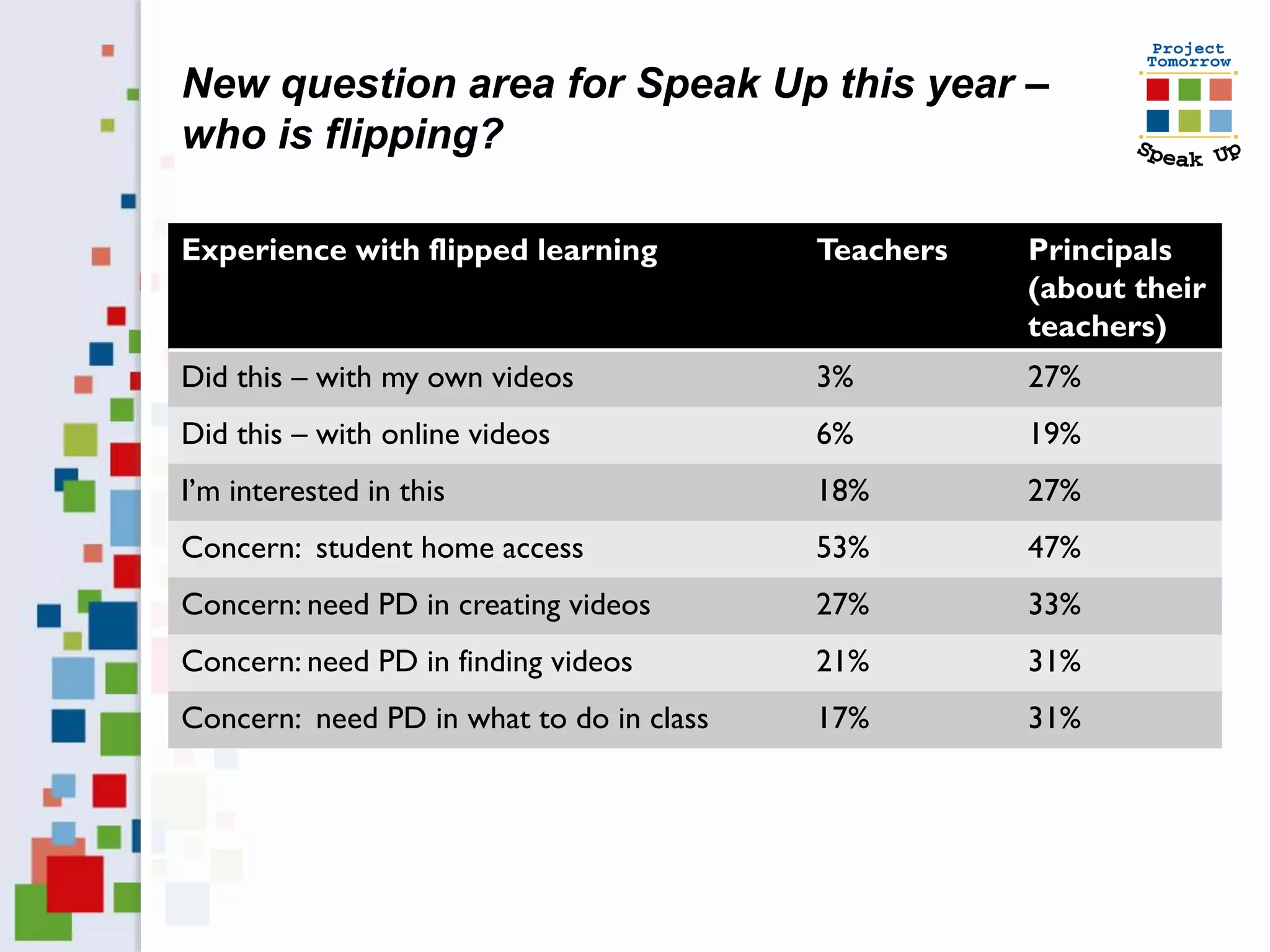
New question area for Speak Up this year –
who is flipping?

Experience with flipped learning          Teachers   Principals
                                                     (about their
                                                     teachers)
Did this – with my own videos             3%         27%
Did this – with online videos             6%         19%
I’m interested in this                    18%        27%
Concern: student home access              53%        47%
Concern: need PD in creating videos       27%        33%
Concern: need PD in finding videos        21%        31%
Concern: need PD in what to do in class   17%        31%
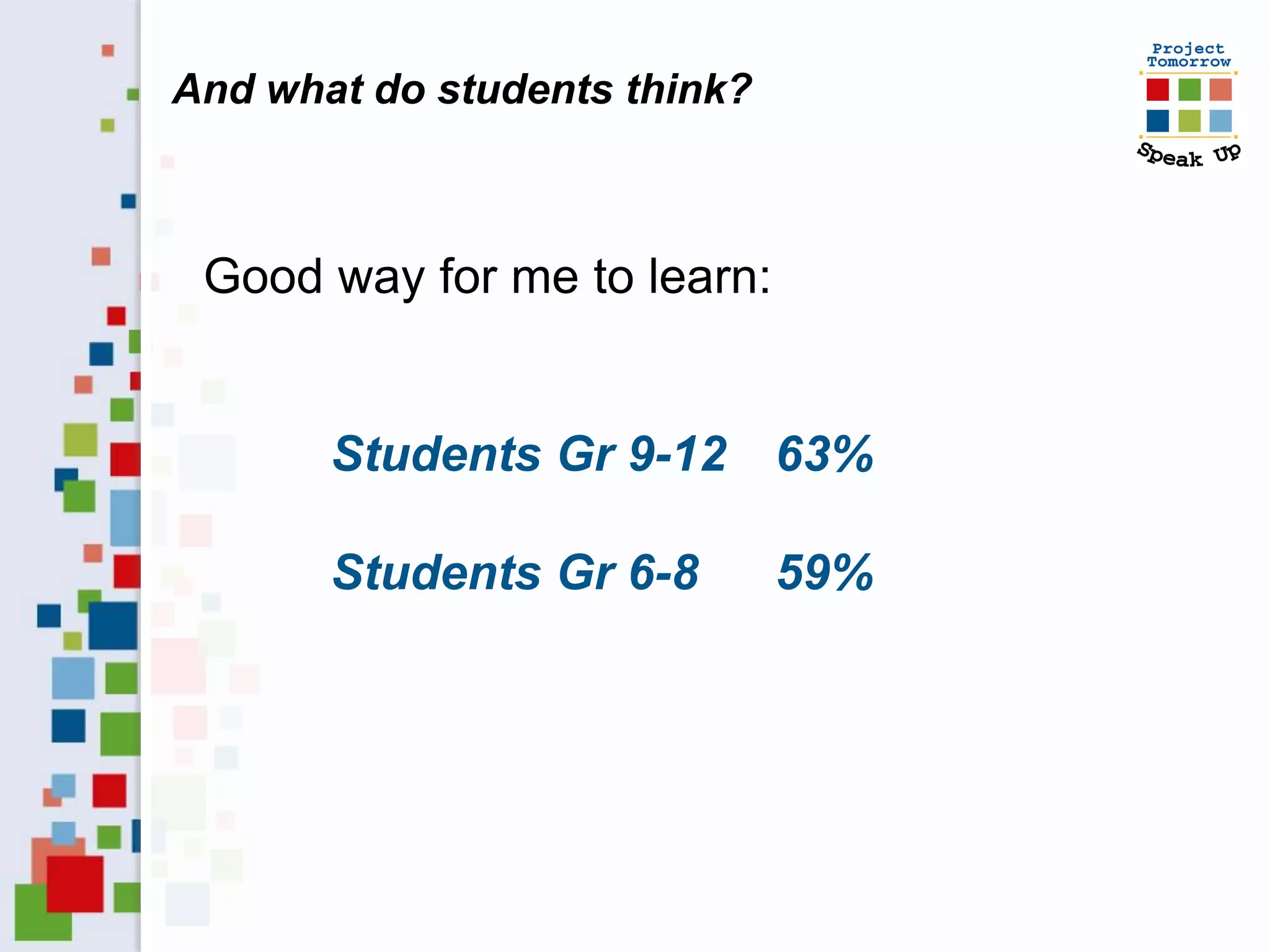
And what do students think?


 Good way for me to learn:


       Students Gr 9-12 63%

       Students Gr 6-8        59%
What do you prefer to read?


Online digital text

     Printed text
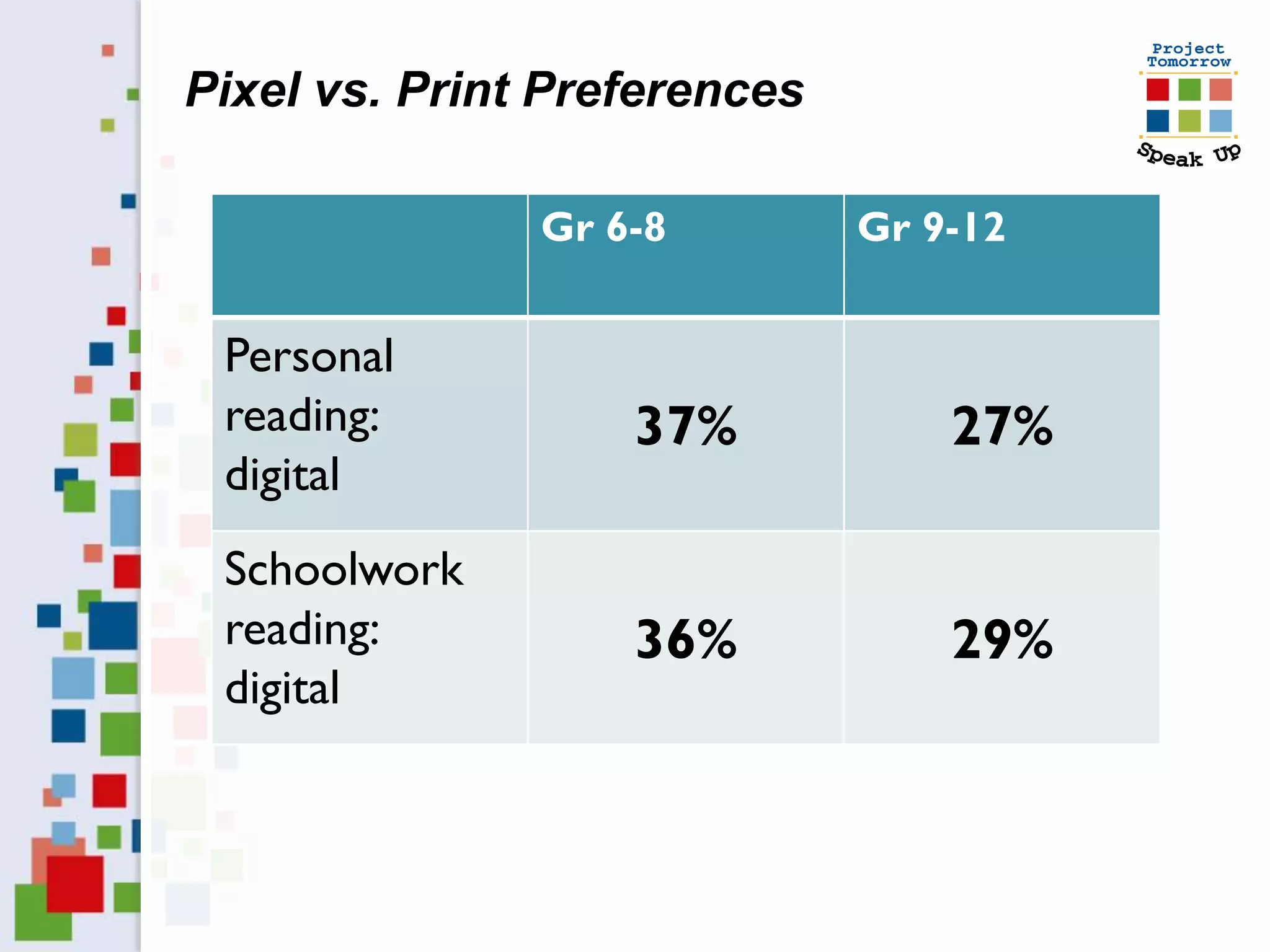
Pixel vs. Print Preferences

               Gr 6-8         Gr 9-12


 Personal
 reading:          37%            27%
 digital
 Schoolwork
 reading:          36%            29%
 digital
The New Student Vision for Learning


Social–based learning
                          Personalized
Un–tethered learning
                            Learning
Digitally–rich learning
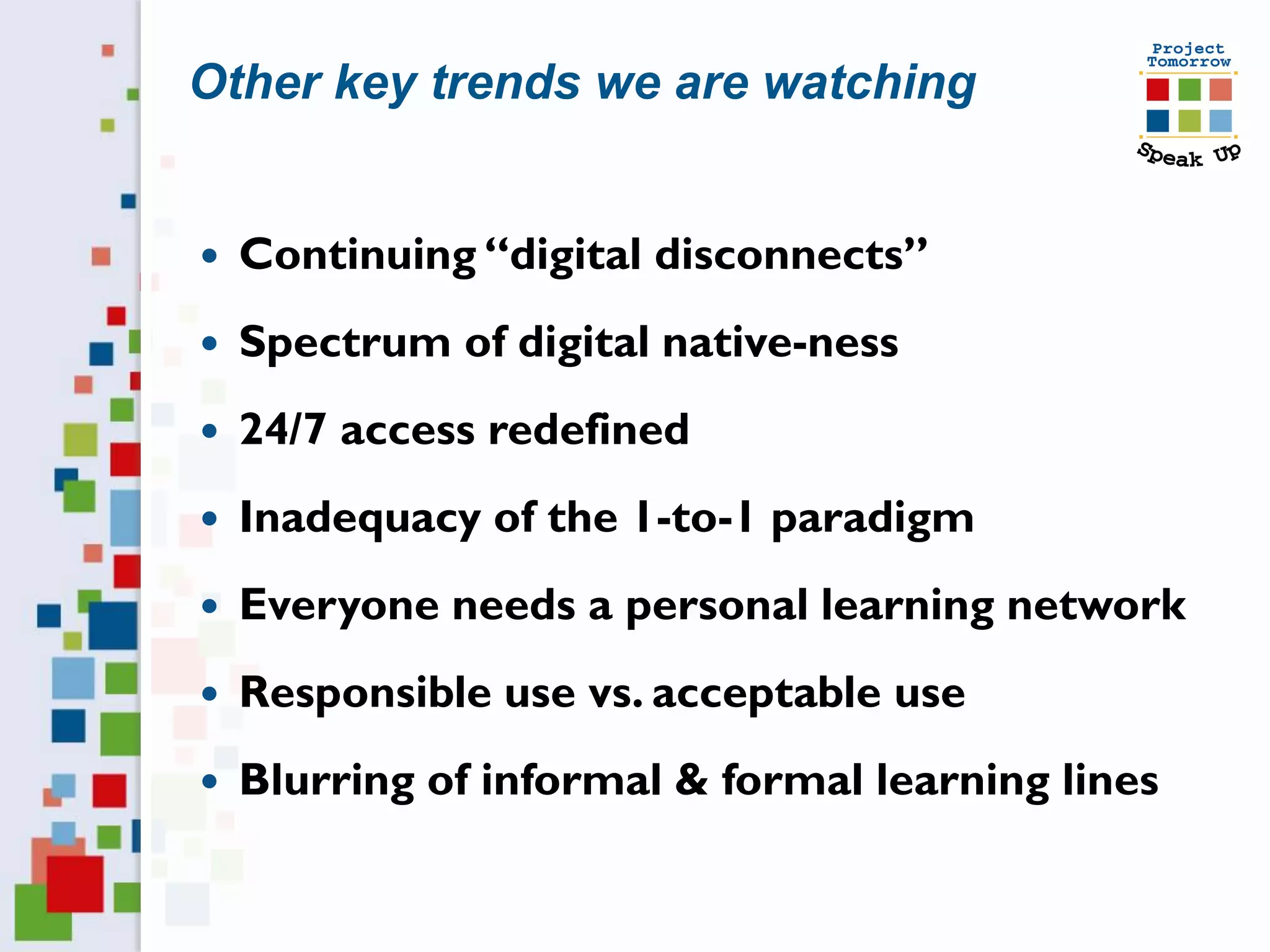
Other key trends we are watching


   Continuing “digital disconnects”
   Spectrum of digital native-ness
   24/7 access redefined
   Inadequacy of the 1-to-1 paradigm
   Everyone needs a personal learning network
   Responsible use vs. acceptable use
   Blurring of informal & formal learning lines
Other key trends we are watching

   Collaborations driving 21st century skills
   Game-ification momentum – learning as
    process
   Students as content producers
   Changing ideals for assessment
   It’s really all about productivity!
   Maximizing personalized learning
   Emergence of Free Agent Learners!
How to use Speak Up data

 Input for planning
 Justify budget and purchasing decisions
 Inform new initiatives – as an evaluation tool
                           .
 Tool to engage parents
 Demonstrate interest in students’ ideas
 Use for grant writing and fund development
 Content for professional development
 As a competitive tool
 And more . . . . . . .
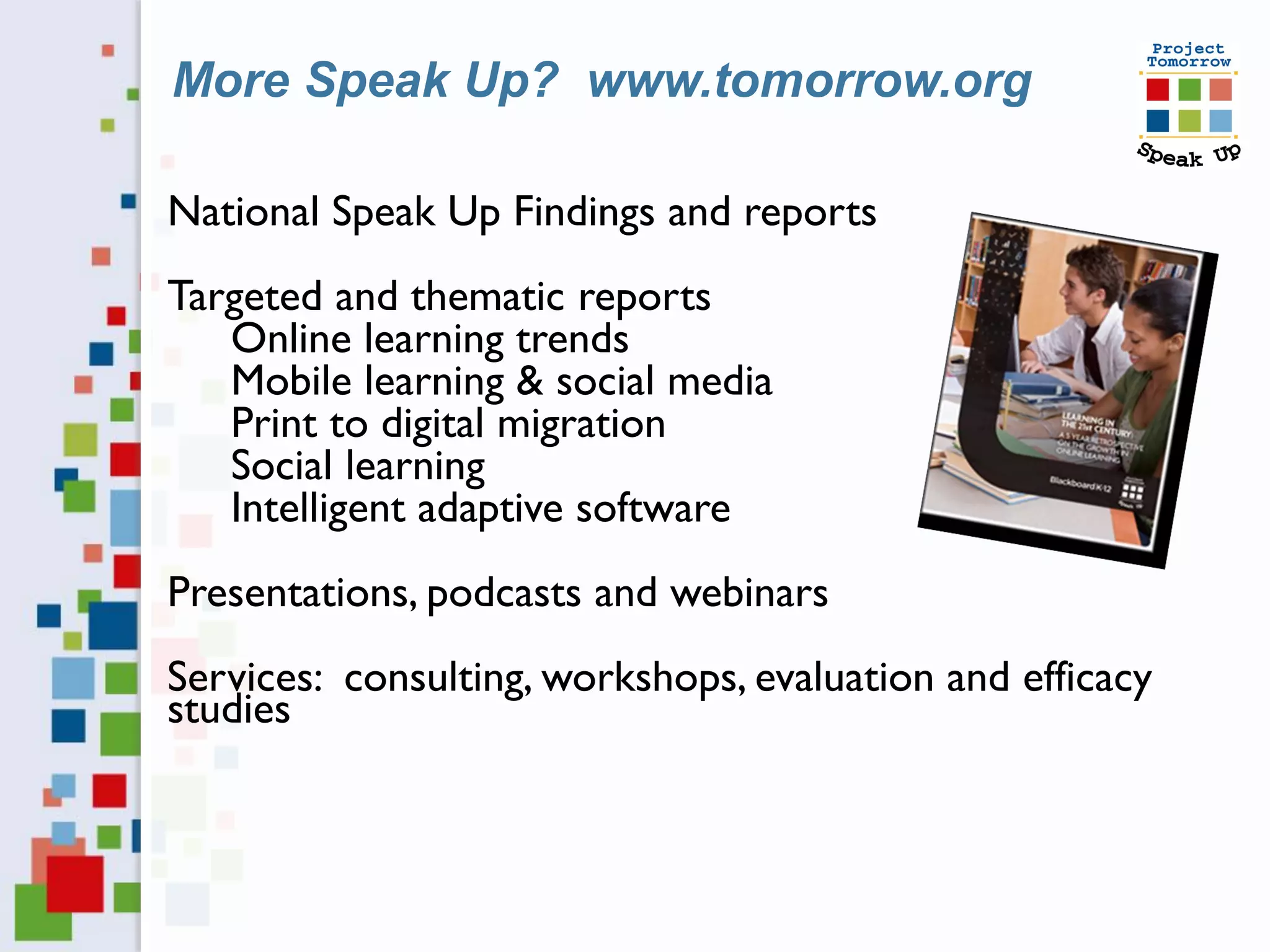
More Speak Up? www.tomorrow.org

National Speak Up Findings and reports
Targeted and thematic reports
   Online learning trends
   Mobile learning & social media
   Print to digital migration
   Social learning
   Intelligent adaptive software
Presentations, podcasts and webinars
Services: consulting, workshops, evaluation and efficacy
studies
Next up for us

School and district data release – February 6
  ◦ In conjunction with Digital Learning Day

National 2012 Speak Up Reports
  ◦ Congressional Briefings in Washington DC
  ◦ Reports available on our website
  ◦ April and May

New targeted reports
  ◦ Pre-service teachers report - Thursday
  ◦ Online learning trends report – ISTE
  ◦ More to come ….
How to participate with us


 Focus groups with students, parents and educators
 Evaluation and research projects
                        .
 Participate in mini surveys
 Follow us via social media and thru our listserv
 Sharing ideas and best practices
 Speak Up 2013 – sign up in spring, surveys in the fall
 www.tomorrow.org
Thank you.
           Let’s continue this conversation.

                          Julie Evans
                      Project Tomorrow
                    jevans@tomorrow.org
                      949-609-4660 x15
                    Twitter: JulieEvans_PT

                      Copyright Project Tomorrow 2013
This work is the intellectual property of the author. Permission is granted
for this material to be shared for non-commercial, educational purposes,
    provided that this copyright statement appears on the reproduced
  materials and notice is given that the copying is by permission of the
     author. To disseminate otherwise or to republish requires written
                         permission from the author.

Enabled, Engaged, Empowered: The New Student Vision for Digital Learning

  • 1.
    2013 Campus LeadershipAcademy Julie Evans, Project Tomorrow CEO February 5, 2013
  • 2.
    Big Questions Whatare the expectations of K-12 students for digital learning? How does that student vision compare with the teachers’ & administrators’ reality? What is the unique parent perspective on digital learning? How well are our K-12 schools meeting the expectations of students? What are the key trends on the horizon?
  • 3.
    Discussion Agenda  Speak Up National Research Project  Student Vision for Digital Learning  Parent, Teacher & Administrator Perspective Speak Up 2012 National Findings Views of K-12 Students, Teachers, Parents and Administrators
  • 4.
    Project Tomorrow, anational education nonprofit organization Programs: • Research & evaluation studies • School and community programs • Events for students Mission: To ensure that today’s students are prepared to become tomorrow’s leaders, innovators and engaged citizens of the world.
  • 5.
    Speak Up NationalResearch Project Annual national research project  Online surveys + focus groups  Open for all K-12 schools and schools of education  Institutions receive free report with their own data Collect ideas ↔ Stimulate conversations  K-12 Students, Teachers, Parents, Administrators  Pre-Service Teachers in Schools of Education Inform policies & programs  Analysis and reporting of findings and trends  Consulting services to help transform teaching and learning + 3 million surveys since 2003
  • 6.
    Speak Up surveyquestion themes  Learning & Teaching with Technology  21st Century Skills: Digital Citizenship & Global Awareness  Math and Science Instruction  Students’ Career Interests in STEM  Professional Development / Teacher Preparation  Internet Safety  Administrators’ Challenges  Emerging Technologies both in & out of the Classroom  Mobile Devices, Online Learning, Digital Content, E-textbooks  Educational Games, Social Media tools and applications  Flipped Classroom, Print to Digital, Online Assessments  Designing the 21st Century School
  • 7.
    Speak Up surveyquestion themes  Learning & Teaching with Technology  21st Century Skills: Digital Citizenship & Global Awareness  Math and Science Instruction  Students’ Career Interests in STEM  Professional Development / Teacher Preparation  Internet Safety  Administrators’ Challenges  Emerging Technologies both in & out of the Classroom  Mobile Devices, Online Learning, Digital Content, E-textbooks  Educational Games, Social Media tools and applications  Flipped Classroom, Print to Digital, Online Assessments  Designing the 21st Century School Activities Value Propositions Aspirations
  • 8.
    National Speak Up2012 Participation: 466,303  K-12 Students 364,233  Teachers & Librarians 56,346  Parents (in English & Spanish) 39,713  School/District Administrators 6,011  About the participating schools & districts o 8,020 schools and 2,431 districts o 30% urban / 43% rural / 27% suburban o All 50 states + DC  Honor Roll of States with highest participation: TX, CA, OH, IN, AL, NC, WI, AZ, FL, PA
  • 10.
    What can theSpeak Up findings tell us about the future of learning?
  • 11.
    Speak Up NationalFindings: 2003 - 2012  Students function as a “Digital Advance Team”  Students regularly adopt and adapt emerging technologies for learning  Students’ frustrations focus on the unsophisticated use of technologies within education  Persistent digital disconnect between students and adults  Exacerbation of lack of relevancy in current education  Students want a more personalized learning environment
  • 12.
    The New StudentVision for Learning Social–based learning Personalized Un–tethered learning Learning Digitally–rich learning
  • 13.
    The New StudentVision for Learning Three Essential Elements Social–based learning Students want to leverage emerging communications and collaboration tools to create personal learning networks of experts
  • 14.
    The New StudentVision for Learning Three Essential Elements Un-tethered learning Students envision technology-enabled learning that transcends classroom walls
  • 15.
    The New StudentVision for Learning Three Essential Elements Digitally-rich learning Students see the use of relevancy-based digital tools, content and resources as key to education productivity
  • 16.
    Let’s set somecontext . . . .
  • 17.
    School Site Administrators’Realities Wake Up in the Middle of the Night Issues Test scores 48% Staff morale 45% Curriculum standards 44% Adequate funding 40% Student behavior 40% School safety 35% Using data to assess achievement 30% Adequate technology 28% 0% 20% 40% 60%
  • 18.
    Administrators’ Realities What hasthe greatest potential to enhance student achievement? School Site District Level Enhancing teacher effectiveness 57% 58% 21st century skills integration 49% 54% Leveraging technology 37% 49% Common Core Standards 49% 48% Engaging parents as co-teachers 37% 31%
  • 19.
    Administrators’ Realities What techsolutions are you considering to help with your budget situation? 1. Tablets instead of laptops for students 42% 2. Online teacher PD 40% 3. Cloud computing solutions 28% 4. Blended online classes for students 28% 5. Allowing student use of personal devices 26% 6. Digital textbooks 25% 7. Online classes for students 20%
  • 20.
    Different views onvalue of ed tech How important is the District Admin effective use of technology to student success? Principals Parents Extremely important Important Teachers Somewhat important 0% 10% 20% 30% 40% 50% 60%
  • 21.
    The New StudentVision for Learning Key Trends:  Mobile Learning  Virtual/Online Learning  Digital Content & Social Media
  • 22.
    Your assignment:  Debunkmyths  Uncover hidden digital divides  Evaluate your vision  Do you have a shared vision of the future?
  • 23.
    The New StudentVision for Learning Key Trends: Mobile Learning
  • 24.
    Students’ personal accessto mobile devices 80% 65% 59%58% 52% 47% 48% 45% 45% 45% 38% 36% 26% 19% 18% 12% Cell Phone Smartphone Tablet Digital Reader K-2 Gr 3-5 Gr 6-8 Gr 9-12
  • 25.
    Students’ plans forusing mobiles at school How would you use a mobile device to help you with schoolwork? A. Increase effectiveness of school: Check grades 78% Take notes for class 69% Access online textbooks 64% Write papers and do homework 56% Use the calendar 56% Learn about school activities 47%
  • 26.
    Students’ plans forusing mobiles at school How would you use a mobile device to help you with schoolwork? B. Leverage capabilities to increase personalization of learning process: Anytime, anywhere research 73% Receive reminders & alerts 63% Collaborate with peers & teachers 61% Organize schoolwork assignments 54% Access school network from home 52%
  • 27.
    Students: different devicesfor different tasks Create a presentation? Laptop Communicate with classmates/teacher? Smartphone Read a book or article? Digital reader Take notes in class? Tablet
  • 28.
    What obstacles doyou face using technology at school? Students say: 1. Websites that I need are blocked 58% 2. I cannot access social media tools 47% 3. I cannot use my mobile device 46% 4. Too many rules! 46% 5. Teachers limit our tech use 41%
  • 29.
    Let me usemy own mobile device! Gr 9-12 55% Gr 6-8 55% Gr 3-5 31%
  • 30.
    The BYOD/BYOT trend– what a difference a year makes! Policy/Position Admin 2011 Admin 2012 Do not allow 52% 37% Discretion of building 16% 21% principal Discretion of teacher 21% 32% We provide devices 13% 18% Evaluating BYOD/T 19% 28% BYOD/T in place 17% 30%
  • 31.
    The New StudentVision for Learning Key Trends: Virtual/Online Learning
  • 32.
    Districts are tappinginto many types of online learning Online teacher professional development Virtual conferences and webinars Blended learning classes for students Fully online classes for students Building your own online courses Fee based online summer school 0% 5% 10% 15% 20% 25% 30% 35% 40% 45% District Administrators
  • 33.
    Who is learningonline? Types of online learning Students: Students: experiences Gr 6-8 Gr 9-12 100% online school 6% 7% Online self study class 8% 15% Teacher led online class 9% 15% Online class for personal 8% 10% interests
  • 34.
    Online classes forstudents: A “must have” for the ultimate school Students Gr 9-12 46% Students Gr 6-8 41% Students Gr 3-5 38% Parents 36% Administrators 51%
  • 35.
    Parents have firsthand experience with online learning I have taken an online class: For work or job training 43% For an academic/college program 29% To learn new skills 22% To explore a hobby 13% For traffic school 7% 23% who have not taken an online class would like to!
  • 36.
    Why take anonline class? For high school students, traditional reasons: scheduling and college credit. For middle school students, it’s about changing the learning paradigm.  Get extra help in a tough subject  More comfortable asking questions  In control of my own learning  More motivated to learn  Work at my own pace  Review class materials whenever I want  Share ideas with my classmates
  • 37.
    The New StudentVision for Learning Key Trends: Digital Content & Social Media
  • 38.
    Social media forlearning Student “DIY Learning” at work ….  17% have sent out a Tweet about an academic topic  14% have taken an online class they found on their own  1 in 5 took an online assessment to find out how they compared to other students  1/4 have used a mobile app to help organize their school work  29% have used a video that they found online to help them with homework (i.e. Kahn Academy effect)  30% have sought homework help thru their Facebook site; 38% regularly use Facebook as a collaboration site
  • 39.
    New question areafor Speak Up this year – who is flipping? Experience with flipped learning Teachers Principals (about their teachers) Did this – with my own videos 3% 27% Did this – with online videos 6% 19% I’m interested in this 18% 27% Concern: student home access 53% 47% Concern: need PD in creating videos 27% 33% Concern: need PD in finding videos 21% 31% Concern: need PD in what to do in class 17% 31%
  • 40.
    And what dostudents think? Good way for me to learn: Students Gr 9-12 63% Students Gr 6-8 59%
  • 41.
    What do youprefer to read? Online digital text Printed text
  • 42.
    Pixel vs. PrintPreferences Gr 6-8 Gr 9-12 Personal reading: 37% 27% digital Schoolwork reading: 36% 29% digital
  • 43.
    The New StudentVision for Learning Social–based learning Personalized Un–tethered learning Learning Digitally–rich learning
  • 44.
    Other key trendswe are watching  Continuing “digital disconnects”  Spectrum of digital native-ness  24/7 access redefined  Inadequacy of the 1-to-1 paradigm  Everyone needs a personal learning network  Responsible use vs. acceptable use  Blurring of informal & formal learning lines
  • 45.
    Other key trendswe are watching  Collaborations driving 21st century skills  Game-ification momentum – learning as process  Students as content producers  Changing ideals for assessment  It’s really all about productivity!  Maximizing personalized learning  Emergence of Free Agent Learners!
  • 46.
    How to useSpeak Up data  Input for planning  Justify budget and purchasing decisions  Inform new initiatives – as an evaluation tool .  Tool to engage parents  Demonstrate interest in students’ ideas  Use for grant writing and fund development  Content for professional development  As a competitive tool  And more . . . . . . .
  • 47.
    More Speak Up?www.tomorrow.org National Speak Up Findings and reports Targeted and thematic reports Online learning trends Mobile learning & social media Print to digital migration Social learning Intelligent adaptive software Presentations, podcasts and webinars Services: consulting, workshops, evaluation and efficacy studies
  • 48.
    Next up forus School and district data release – February 6 ◦ In conjunction with Digital Learning Day National 2012 Speak Up Reports ◦ Congressional Briefings in Washington DC ◦ Reports available on our website ◦ April and May New targeted reports ◦ Pre-service teachers report - Thursday ◦ Online learning trends report – ISTE ◦ More to come ….
  • 49.
    How to participatewith us  Focus groups with students, parents and educators  Evaluation and research projects .  Participate in mini surveys  Follow us via social media and thru our listserv  Sharing ideas and best practices  Speak Up 2013 – sign up in spring, surveys in the fall  www.tomorrow.org
  • 50.
    Thank you. Let’s continue this conversation. Julie Evans Project Tomorrow jevans@tomorrow.org 949-609-4660 x15 Twitter: JulieEvans_PT Copyright Project Tomorrow 2013 This work is the intellectual property of the author. Permission is granted for this material to be shared for non-commercial, educational purposes, provided that this copyright statement appears on the reproduced materials and notice is given that the copying is by permission of the author. To disseminate otherwise or to republish requires written permission from the author.