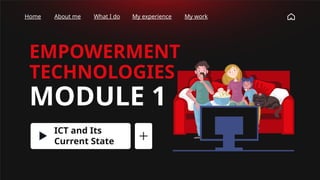
EMPOWERMENT
TECHNOLOGIES
MODULE 1
ICT and Its
Current State
Home About me What I do My experience My work
LEARNING TARGETS:
At the end of the lesson, you are expected
to;
• Identify what is ICT,
• Identify the difference between Web
and Internet,
• Explain and give how ICTs affects their
everyday lives and its current state.
Home About me What I do My experience My work
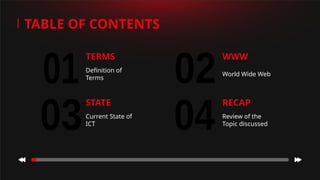
01 02
03 04
TERMS
Definition of
Terms
RECAP
Review of the
Topic discussed
TABLE OF CONTENTS
WWW
World Wide Web
STATE
Current State of
ICT
TERMINOLOG
IES
EMPOWERMENT TECHNOLOGIES
Home About me What I do My experience My work
ABOUT ME
You can describe
the topic of the
section here
TABLE OF CONTENTS
WHAT I DO
You can describe
the topic of the
section here
MY WORK
You can describe
the topic of the
section here
MY SKILLS
You can describe
the topic of the
section here
0
1
0
2
0
4
0
5
MY
EXPERIENCE
You can describe
the topic of the
section here
MY DATA
You can describe
the topic of the
section here
0
3
0
6
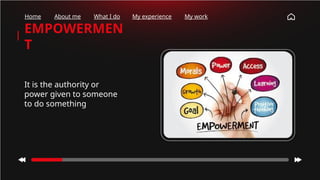
EMPOWERMEN
T
It is the authority or
power given to someone
to do something
Home About me What I do My experience My work
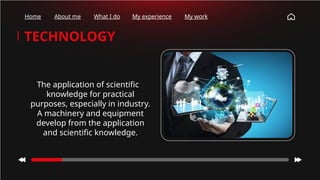
TECHNOLOGY
The application of scientific
knowledge for practical
purposes, especially in industry.
A machinery and equipment
develop from the application
and scientific knowledge.
Home About me What I do My experience My work
WHAT DO
YOU MEAN
BY
EMPOWERME
NT
TECHNOLOGI
Home About me What I do My experience My work
EMPOWERMEN
T
TECHNOLOGY
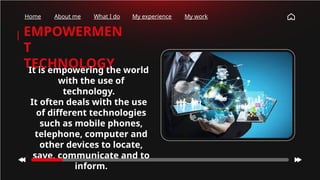
It is empowering the world
with the use of
technology.
It often deals with the use
of different technologies
such as mobile phones,
telephone, computer and
other devices to locate,
save, communicate and to
inform.
Home About me What I do My experience My work
How many
times have
you checked
your phone
this
morning?
Home About me What I do My experience My work
How many
times have
you checked
your phone
this
morning?
Home About me What I do My experience My work
WHAT DO
YOU MEAN
BY
ICT?
How many
times have
you checked
your phone
this
morning?
Home About me What I do My experience My work
• is an umbrella term referring to communication
hardware or software that allows the access,
storage, transmission and manipulation of
information.
• In terms of Hardware, ICT specifically
encompasses radio, television, communication
devices (smart and non-smart phones), desktops
computers, laptops and network hardware and
technologies. ICT is also comprised of software,
applications and platforms that allows
information to be accessed, stored, transmitted
and manipulated.
Information Communication Technology (ICT)
How many
times have
you checked
your phone
this
morning?
Home About me What I do My experience My work
WHAT DO
YOU MEAN
BY
HARDWARE?
How many
times have
you checked
your phone
this
morning?
Home About me What I do My experience My work
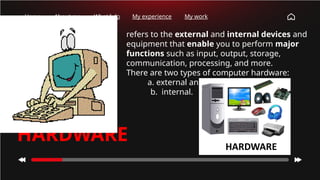
• refers to the external and internal devices and
equipment that enable you to perform major
functions such as input, output, storage,
communication, processing, and more.
• There are two types of computer hardware:
a. external and
b. internal.
HARDWARE
Home About me What I do My experience My work
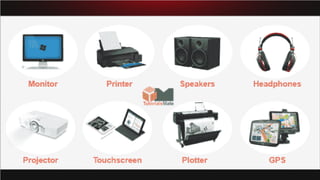
EXTERNAL
DEVICES
Any peripheral device
that is not housed
inside the computer
cabinet such as
monitors, keyboard,
mouse and printers.
Home About me What I do My experience My work
INTERNAL
DEVICES
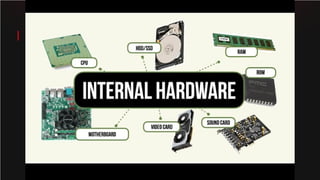
An internal device processes
data or executes a program.
The term 'internal' describes a
device installed inside the
computer. For example, RAM is
an internal device, whereas a
keyboard is an external device.
CATEGORIES OF
COMPUTER HARDWARE
Home About me What I do My experience My work
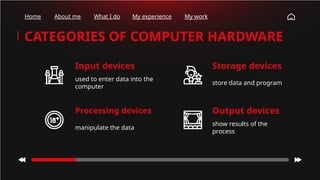
CATEGORIES OF COMPUTER HARDWARE
manipulate the data
Input devices
used to enter data into the
computer
Processing devices
Storage devices
store data and program
Output devices
show results of the
process
Home About me What I do My experience My work
CATEGORIES OF COMPUTER HARDWARE
Communication devices
is any type of hardware capable of
transmitting data, instructions, and
information between a sending device and
a receiving device.
How many
times have
you checked
your phone
this
morning?
Home About me What I do My experience My work
WHAT DO
YOU MEAN
BY
SOFTWARE?
How many
times have
you checked
your phone
this
morning?
Home About me What I do My experience My work
Software is a set of
instructions or
programs instructing
a computer to do
tasks.
There are two types of
software; System
software and
Application software.
Home About me What I do My experience My work
SYSTEM
SOFTWARE
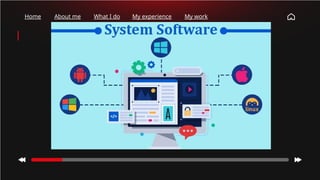
Is a type of computer program
that is designed to run a
computer's hardware and
application programs. If we
think of the computer system as
a layered model, the system
software is the interface
between the hardware and user
applications. The operating
system is the best-known
example of system software.
Home About me What I do My experience My work
APPLICATIO
N SOFTWARE
An application program
(software application, or
application, or app for
short) is a computer
program designed to carry
out a specific task other
than one relating to the
operation of the computer
itself, typically to be used by
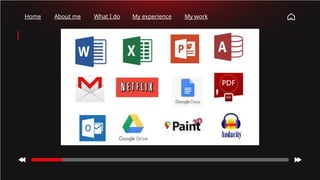
end-users. Word processors,
media players, and
accounting software are
examples.
Home About me What I do My experience My work
CURRENT
STATE
OF ICT
ICT is following certain trends as it is
developing in this time and age. This
trend dictates the idea and design of
how ICT delivers information to
people. The following are emerging
technologies, principles or concepts
in ICT.
Home About me What I do My experience My work
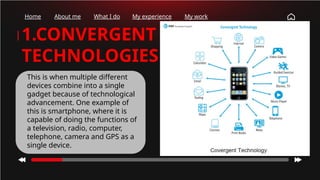
1.CONVERGENT
TECHNOLOGIES
This is when multiple different
devices combine into a single
gadget because of technological
advancement. One example of
this is smartphone, where it is
capable of doing the functions of
a television, radio, computer,
telephone, camera and GPS as a
single device.
Home About me What I do My experience My work
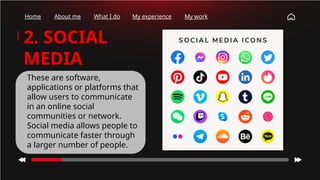
2. SOCIAL
MEDIA
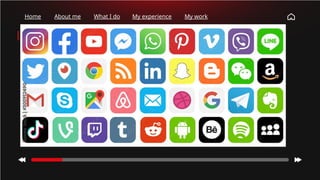
These are software,
applications or platforms that
allow users to communicate
in an online social
communities or network.
Social media allows people to
communicate faster through
a larger number of people.
Home About me What I do My experience My work
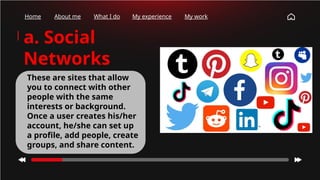
a. Social
Networks
These are sites that allow
you to connect with other
people with the same
interests or background.
Once a user creates his/her
account, he/she can set up
a profile, add people, create
groups, and share content.
Home About me What I do My experience My work
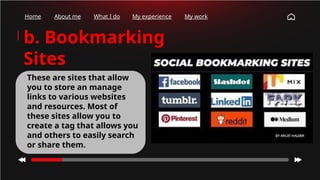
b. Bookmarking
Sites
These are sites that allow
you to store an manage
links to various websites
and resources. Most of
these sites allow you to
create a tag that allows you
and others to easily search
or share them.
Home About me What I do My experience My work
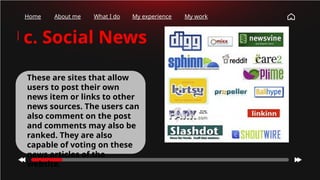
c. Social News
These are sites that allow
users to post their own
news item or links to other
news sources. The users can
also comment on the post
and comments may also be
ranked. They are also
capable of voting on these
news articles of the
website.
Home About me What I do My experience My work
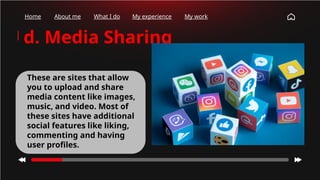
d. Media Sharing
These are sites that allow
you to upload and share
media content like images,
music, and video. Most of
these sites have additional
social features like liking,
commenting and having
user profiles.
Home About me What I do My experience My work
e. Microblogging
These are sites that focus
on short updates from the
users. Those subscribed to
the user will be able to
receive these updates.
Home About me What I do My experience My work
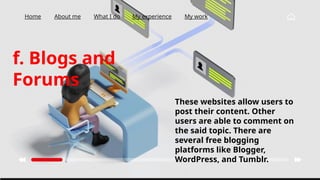
f. Blogs and
Forums
These websites allow users to
post their content. Other
users are able to comment on
the said topic. There are
several free blogging
platforms like Blogger,
WordPress, and Tumblr.
Home About me What I do My experience My work
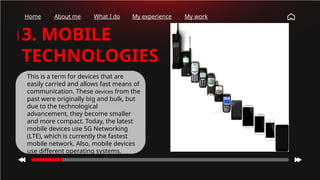
3. MOBILE
TECHNOLOGIES
This is a term for devices that are
easily carried and allows fast means of
communication. These devices from the
past were originally big and bulk, but
due to the technological
advancement, they become smaller
and more compact. Today, the latest
mobile devices use 5G Networking
(LTE), which is currently the fastest
mobile network. Also, mobile devices
use different operating systems.
iOS
used in Apple devices such as iPhone and iPad.
DIFFERENT MOBILE OPERATING
SYSTEMS
Android
an open source operating system developed by Google.
Blackberry OS
used in Blackberry devices.
Home About me What I do My experience My work
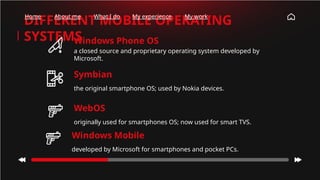
Windows Phone OS
a closed source and proprietary operating system developed by
Microsoft.
DIFFERENT MOBILE OPERATING
SYSTEMS
Symbian
the original smartphone OS; used by Nokia devices.
WebOS
originally used for smartphones OS; now used for smart TVS.
Home About me What I do My experience My work
Windows Mobile
developed by Microsoft for smartphones and pocket PCs.
Home About me What I do My experience My work
WORLD WIDE
WEB www vs.
INTERNET
Home About me What I do My experience My work
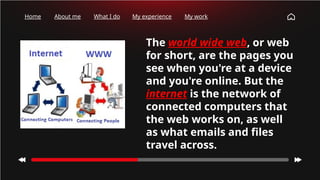
The world wide web, or web
for short, are the pages you
see when you're at a device
and you're online. But the
internet is the network of
connected computers that
the web works on, as well
as what emails and files
travel across.
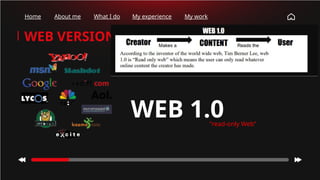
WEB 1.0
"read-only Web”
WEB VERSIONS
Home About me What I do My experience My work
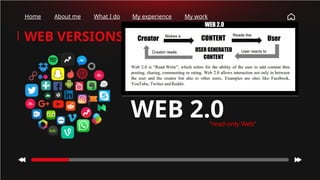
WEB 2.0
"read-only Web”
WEB VERSIONS
Home About me What I do My experience My work
WEB 2.0
FEATURES OF
Home About me What I do My experience My work
1. Folksonomy – allows users to categorize and classify/arrange
information using freely chosen keywords. Popular social networking
sites such as Twitter, Instagram, Facebook, etc. use tags that start
with the pound sign (#). It refers as hashtag.
2. Rich User Experience – content is dynamic and is responsive to
users input. An example would be a website that shows local content.
In the case of social networking sites, when logged on, your account
is used to modify what you see in their website.
WEB 2.0
FEATURES OF
Home About me What I do My experience My work
3. User Participation – the owner of the website is not the only one
who is able to put content, placing a content of their own by means of
comments, reviews, and evaluation. (e.g., Amazon.com, online
stores.)
4. Long Tail – services that are offered on demand rather than on a
one-time purchase. This is synonymous to subscribing to a data plan
that charges you for the amount of time you spent in the internet, or
data plan that charges you for the amount of bandwidth you used.
WEB 2.0
FEATURES OF
Home About me What I do My experience My work
5. Software as a service – users will subscribe to a software only
when needed rather than purchasing them. For instance, Google
Docs is a free web-based application that allows the user to create
and edit word processing and spreadsheet documents online. When
you need a software, like a Word Processor, you can purchase it for a
one-time huge amount and install it in your computer and it is yours
forever.
6. Mass participation – diverse information sharing through
universal web access. Since most users can use the internet.
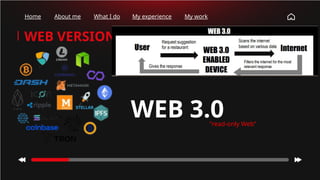
WEB 3.0
"read-only Web”
WEB VERSIONS
Home About me What I do My experience My work
WHAT I HAVE LEARNED
Home About me What I do My experience My work
1. What is Information
Communications Technology?
2. How does ICT affect our modern
world?
3. Using one sentence or phrase,
how does each Web versions
differ from one another?
CREDITS: This presentation template was created by Slidesgo,
and includes icons by Flaticon and infographics & images by
Freepik
THANKS!
Do you have any questions?
jonaldgracegradstudies@gmail.com
+63 921 043 9627
inkonlabs@gmail.com
Please keep this slide for attribution
Home About me What I do My experience My work

Empowerment Technologies Module 1 PowerPoint

  • 1.
    EMPOWERMENT TECHNOLOGIES MODULE 1 ICT andIts Current State Home About me What I do My experience My work
  • 2.
    LEARNING TARGETS: At theend of the lesson, you are expected to; • Identify what is ICT, • Identify the difference between Web and Internet, • Explain and give how ICTs affects their everyday lives and its current state. Home About me What I do My experience My work
  • 3.
    01 02 03 04 TERMS Definitionof Terms RECAP Review of the Topic discussed TABLE OF CONTENTS WWW World Wide Web STATE Current State of ICT
  • 4.
    TERMINOLOG IES EMPOWERMENT TECHNOLOGIES Home Aboutme What I do My experience My work
  • 5.
    ABOUT ME You candescribe the topic of the section here TABLE OF CONTENTS WHAT I DO You can describe the topic of the section here MY WORK You can describe the topic of the section here MY SKILLS You can describe the topic of the section here 0 1 0 2 0 4 0 5 MY EXPERIENCE You can describe the topic of the section here MY DATA You can describe the topic of the section here 0 3 0 6
  • 6.
    EMPOWERMEN T It is theauthority or power given to someone to do something Home About me What I do My experience My work
  • 7.
    TECHNOLOGY The application ofscientific knowledge for practical purposes, especially in industry. A machinery and equipment develop from the application and scientific knowledge. Home About me What I do My experience My work
  • 8.
    WHAT DO YOU MEAN BY EMPOWERME NT TECHNOLOGI HomeAbout me What I do My experience My work
  • 9.
    EMPOWERMEN T TECHNOLOGY It is empoweringthe world with the use of technology. It often deals with the use of different technologies such as mobile phones, telephone, computer and other devices to locate, save, communicate and to inform. Home About me What I do My experience My work
  • 10.
    How many times have youchecked your phone this morning? Home About me What I do My experience My work
  • 11.
    How many times have youchecked your phone this morning? Home About me What I do My experience My work WHAT DO YOU MEAN BY ICT?
  • 12.
    How many times have youchecked your phone this morning? Home About me What I do My experience My work • is an umbrella term referring to communication hardware or software that allows the access, storage, transmission and manipulation of information. • In terms of Hardware, ICT specifically encompasses radio, television, communication devices (smart and non-smart phones), desktops computers, laptops and network hardware and technologies. ICT is also comprised of software, applications and platforms that allows information to be accessed, stored, transmitted and manipulated. Information Communication Technology (ICT)
  • 13.
    How many times have youchecked your phone this morning? Home About me What I do My experience My work WHAT DO YOU MEAN BY HARDWARE?
  • 14.
    How many times have youchecked your phone this morning? Home About me What I do My experience My work • refers to the external and internal devices and equipment that enable you to perform major functions such as input, output, storage, communication, processing, and more. • There are two types of computer hardware: a. external and b. internal. HARDWARE
  • 15.
    Home About meWhat I do My experience My work EXTERNAL DEVICES Any peripheral device that is not housed inside the computer cabinet such as monitors, keyboard, mouse and printers.
  • 17.
    Home About meWhat I do My experience My work INTERNAL DEVICES An internal device processes data or executes a program. The term 'internal' describes a device installed inside the computer. For example, RAM is an internal device, whereas a keyboard is an external device.
  • 19.
    CATEGORIES OF COMPUTER HARDWARE HomeAbout me What I do My experience My work
  • 20.
    Home About meWhat I do My experience My work CATEGORIES OF COMPUTER HARDWARE manipulate the data Input devices used to enter data into the computer Processing devices Storage devices store data and program Output devices show results of the process
  • 21.
    Home About meWhat I do My experience My work CATEGORIES OF COMPUTER HARDWARE Communication devices is any type of hardware capable of transmitting data, instructions, and information between a sending device and a receiving device.
  • 22.
    How many times have youchecked your phone this morning? Home About me What I do My experience My work WHAT DO YOU MEAN BY SOFTWARE?
  • 23.
    How many times have youchecked your phone this morning? Home About me What I do My experience My work Software is a set of instructions or programs instructing a computer to do tasks. There are two types of software; System software and Application software.
  • 24.
    Home About meWhat I do My experience My work SYSTEM SOFTWARE Is a type of computer program that is designed to run a computer's hardware and application programs. If we think of the computer system as a layered model, the system software is the interface between the hardware and user applications. The operating system is the best-known example of system software.
  • 25.
    Home About meWhat I do My experience My work
  • 26.
    Home About meWhat I do My experience My work APPLICATIO N SOFTWARE An application program (software application, or application, or app for short) is a computer program designed to carry out a specific task other than one relating to the operation of the computer itself, typically to be used by end-users. Word processors, media players, and accounting software are examples.
  • 27.
    Home About meWhat I do My experience My work
  • 28.
    Home About meWhat I do My experience My work
  • 29.
    Home About meWhat I do My experience My work CURRENT STATE OF ICT ICT is following certain trends as it is developing in this time and age. This trend dictates the idea and design of how ICT delivers information to people. The following are emerging technologies, principles or concepts in ICT.
  • 30.
    Home About meWhat I do My experience My work 1.CONVERGENT TECHNOLOGIES This is when multiple different devices combine into a single gadget because of technological advancement. One example of this is smartphone, where it is capable of doing the functions of a television, radio, computer, telephone, camera and GPS as a single device.
  • 31.
    Home About meWhat I do My experience My work 2. SOCIAL MEDIA These are software, applications or platforms that allow users to communicate in an online social communities or network. Social media allows people to communicate faster through a larger number of people.
  • 32.
    Home About meWhat I do My experience My work a. Social Networks These are sites that allow you to connect with other people with the same interests or background. Once a user creates his/her account, he/she can set up a profile, add people, create groups, and share content.
  • 33.
    Home About meWhat I do My experience My work b. Bookmarking Sites These are sites that allow you to store an manage links to various websites and resources. Most of these sites allow you to create a tag that allows you and others to easily search or share them.
  • 34.
    Home About meWhat I do My experience My work c. Social News These are sites that allow users to post their own news item or links to other news sources. The users can also comment on the post and comments may also be ranked. They are also capable of voting on these news articles of the website.
  • 35.
    Home About meWhat I do My experience My work d. Media Sharing These are sites that allow you to upload and share media content like images, music, and video. Most of these sites have additional social features like liking, commenting and having user profiles.
  • 36.
    Home About meWhat I do My experience My work e. Microblogging These are sites that focus on short updates from the users. Those subscribed to the user will be able to receive these updates.
  • 37.
    Home About meWhat I do My experience My work f. Blogs and Forums These websites allow users to post their content. Other users are able to comment on the said topic. There are several free blogging platforms like Blogger, WordPress, and Tumblr.
  • 38.
    Home About meWhat I do My experience My work 3. MOBILE TECHNOLOGIES This is a term for devices that are easily carried and allows fast means of communication. These devices from the past were originally big and bulk, but due to the technological advancement, they become smaller and more compact. Today, the latest mobile devices use 5G Networking (LTE), which is currently the fastest mobile network. Also, mobile devices use different operating systems.
  • 39.
    iOS used in Appledevices such as iPhone and iPad. DIFFERENT MOBILE OPERATING SYSTEMS Android an open source operating system developed by Google. Blackberry OS used in Blackberry devices. Home About me What I do My experience My work
  • 40.
    Windows Phone OS aclosed source and proprietary operating system developed by Microsoft. DIFFERENT MOBILE OPERATING SYSTEMS Symbian the original smartphone OS; used by Nokia devices. WebOS originally used for smartphones OS; now used for smart TVS. Home About me What I do My experience My work Windows Mobile developed by Microsoft for smartphones and pocket PCs.
  • 41.
    Home About meWhat I do My experience My work WORLD WIDE WEB www vs. INTERNET
  • 42.
    Home About meWhat I do My experience My work The world wide web, or web for short, are the pages you see when you're at a device and you're online. But the internet is the network of connected computers that the web works on, as well as what emails and files travel across.
  • 43.
    WEB 1.0 "read-only Web” WEBVERSIONS Home About me What I do My experience My work
  • 44.
    WEB 2.0 "read-only Web” WEBVERSIONS Home About me What I do My experience My work
  • 45.
    WEB 2.0 FEATURES OF HomeAbout me What I do My experience My work 1. Folksonomy – allows users to categorize and classify/arrange information using freely chosen keywords. Popular social networking sites such as Twitter, Instagram, Facebook, etc. use tags that start with the pound sign (#). It refers as hashtag. 2. Rich User Experience – content is dynamic and is responsive to users input. An example would be a website that shows local content. In the case of social networking sites, when logged on, your account is used to modify what you see in their website.
  • 46.
    WEB 2.0 FEATURES OF HomeAbout me What I do My experience My work 3. User Participation – the owner of the website is not the only one who is able to put content, placing a content of their own by means of comments, reviews, and evaluation. (e.g., Amazon.com, online stores.) 4. Long Tail – services that are offered on demand rather than on a one-time purchase. This is synonymous to subscribing to a data plan that charges you for the amount of time you spent in the internet, or data plan that charges you for the amount of bandwidth you used.
  • 47.
    WEB 2.0 FEATURES OF HomeAbout me What I do My experience My work 5. Software as a service – users will subscribe to a software only when needed rather than purchasing them. For instance, Google Docs is a free web-based application that allows the user to create and edit word processing and spreadsheet documents online. When you need a software, like a Word Processor, you can purchase it for a one-time huge amount and install it in your computer and it is yours forever. 6. Mass participation – diverse information sharing through universal web access. Since most users can use the internet.
  • 48.
    WEB 3.0 "read-only Web” WEBVERSIONS Home About me What I do My experience My work
  • 49.
    WHAT I HAVELEARNED Home About me What I do My experience My work 1. What is Information Communications Technology? 2. How does ICT affect our modern world? 3. Using one sentence or phrase, how does each Web versions differ from one another?
  • 50.
    CREDITS: This presentationtemplate was created by Slidesgo, and includes icons by Flaticon and infographics & images by Freepik THANKS! Do you have any questions? jonaldgracegradstudies@gmail.com +63 921 043 9627 inkonlabs@gmail.com Please keep this slide for attribution Home About me What I do My experience My work