REDES DE TRABAJO COLABORATIVOTransatlanticEducators Dialogue
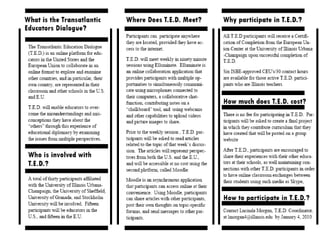
TRANSATLANTIC EDUCATORS DIALOGUE
EL PROGRAMAEhttp://www.elluminate.com/ -
The Participant InterfaceWhiteboard Tools
Connection SpeedSet your Connection SpeedPC:   Tools  Preferences  Session ConnectionMac: ElluminateLive!  Preferences  Session Connection
Participants WindowRaise/Lower HandEmoticonsStep Away
AudioPermission to use MicrophoneAudio Set Up UtilityTools  Audio  Audio Setup WizardOptimal Microphone Setting
Chat WindowPermission to use ChatSend a Text MessagePublicPrivate
SelectionEraserHighlighterPenText EditorTextFilled EllipseEllipseFilled RectangleRectangleLaser PointerLineImport an ImageClip ArtScreen CaptureWhiteboard ToolsPermission to use the WhiteboardTools
PollingTypesYes/NoMultiple ChoiceSlowdown/Speedup Class PaceResponses will appear in the Participants window if the moderator has selected to show them
Resource MaterialsVisit www.elluminate.com/training for: User GuidesQuick Reference GuidesRecorded Training SessionsRegister for Live Training SessionsElluminate Technical Support http://www.elluminate.com/support/The Elluminate User Group available from www.elluminate.com/communityMonthly Live Events and Webinars www.elluminate.com/demos_events_landing.jsp3 for Free vRoomwww.elluminate.com/vroom/
WORKING TOGETHERMoodlePlatformhttp://learn.education.illinois.edu/course/view.php?id=1186FormerSesssions

Elluminate