1.1.ElasticSearch와 동작 방식
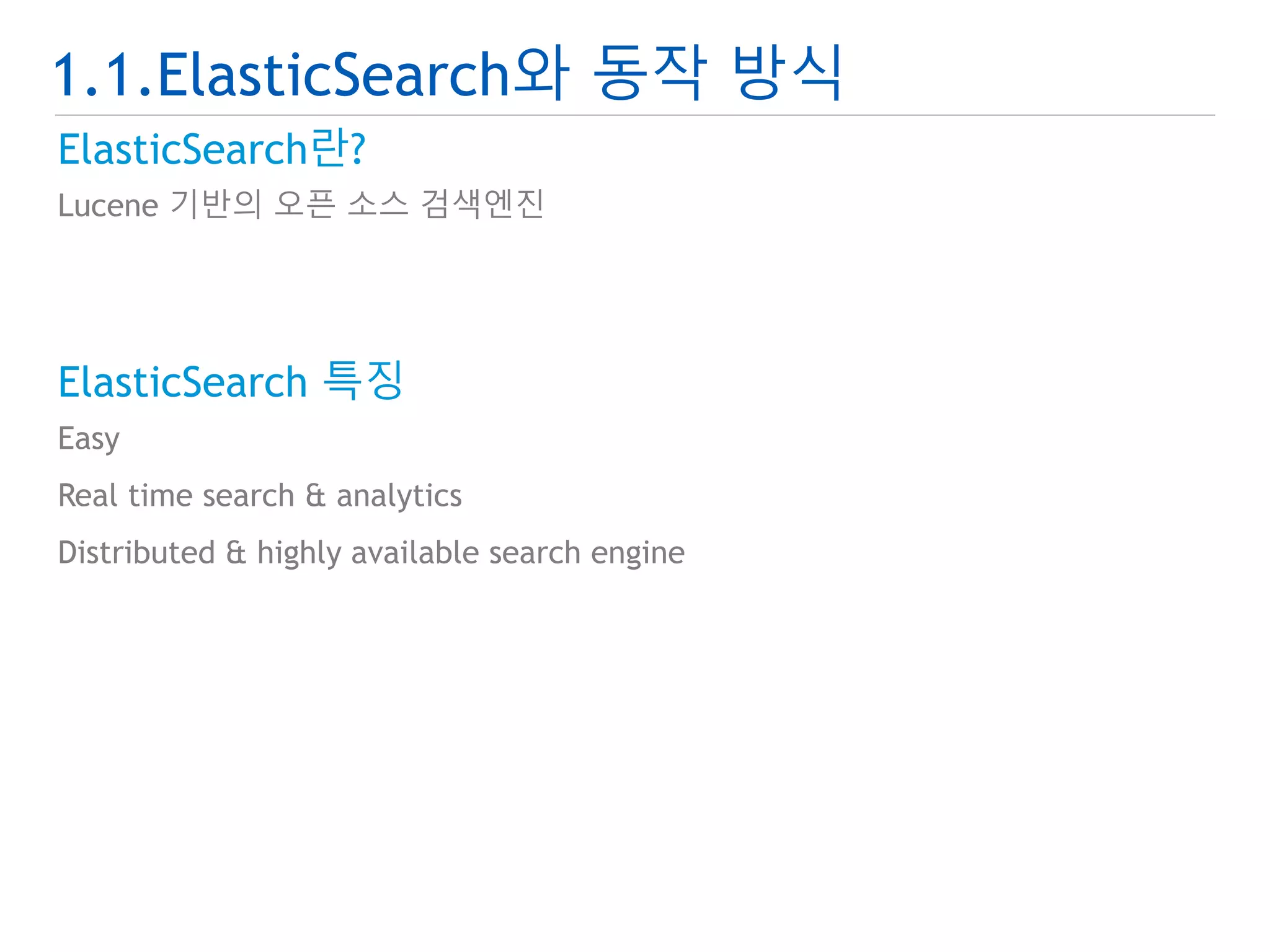
ElasticSearch란?
Lucene 기반의 오픈 소스 검색엔진
ElasticSearch 특징
Easy
Real time search & analytics
Distributed & highly available search engine
7.
1.1.ElasticSearch와 동작 방식
ElasticSearch 구성
Physical 구성
Logical 구성
Cluster Index
Node Node Node
Indice Indice Indice
Shard
Shard
Shard
Shard
Shard
Shard
Shard
Shard
Shard
Type Type Type
Document Document Document
field:value
field:value
field:value
field:value
field:value
field:value
field:value
field:value
field:value
[Physical 구성] [Logical 구성]
8.
1.1.ElasticSearch와 동작 방식
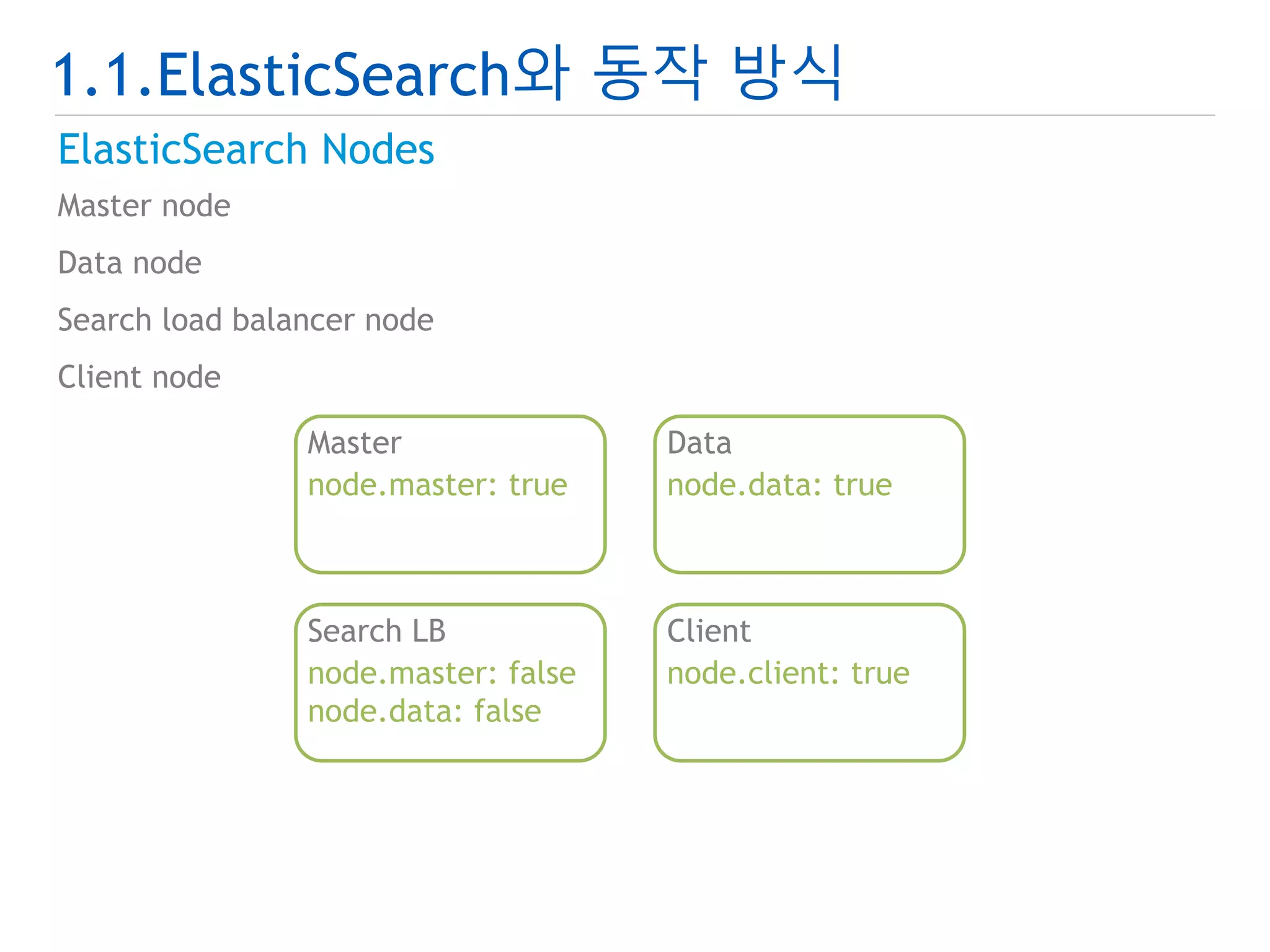
ElasticSearch Nodes
Master node
Data node
Search load balancer node
Client node
Master
node.master: true
Data
node.data: true
Search LB
node.master: false
node.data: false
Client
node.client: true
9.
1.1.ElasticSearch와 동작 방식
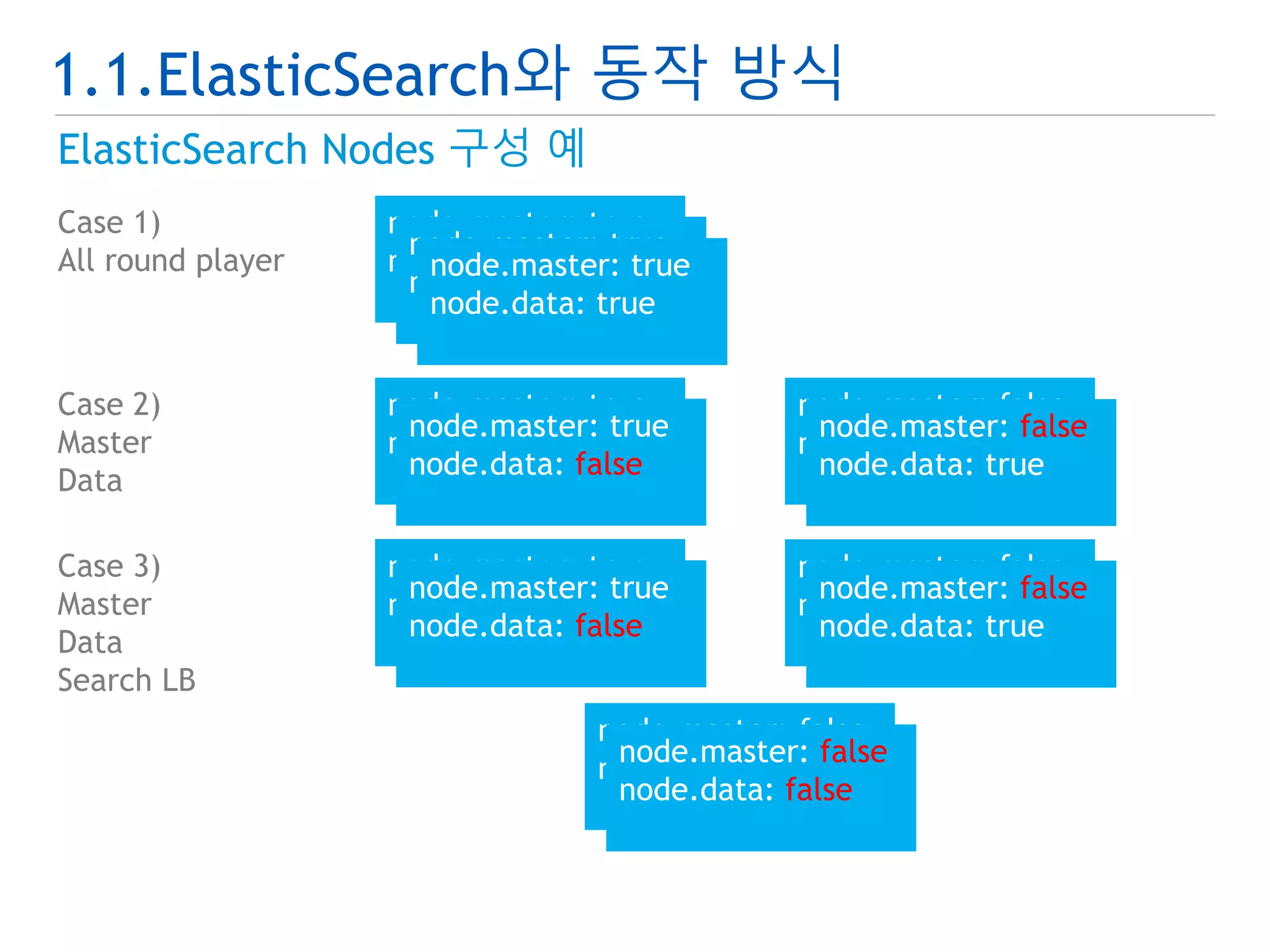
ElasticSearch Nodes 구성 예
Case 1)
All round player
node.master: true
node.data: true
node.master: true
node.data: true
node.master: true
node.data: true
Case 2)
Master
Data
node.master: true
node.data: false
node.master: true
node.data: false
node.master: false
node.data: true
node.master: false
node.data: true
Case 3)
Master
Data
Search LB
node.master: true
node.data: false
node.master: true
node.data: false
node.master: false
node.data: true
node.master: false
node.data: true
node.master: false
node.data: false
node.master: false
node.data: false
10.
1.1.ElasticSearch와 동작 방식
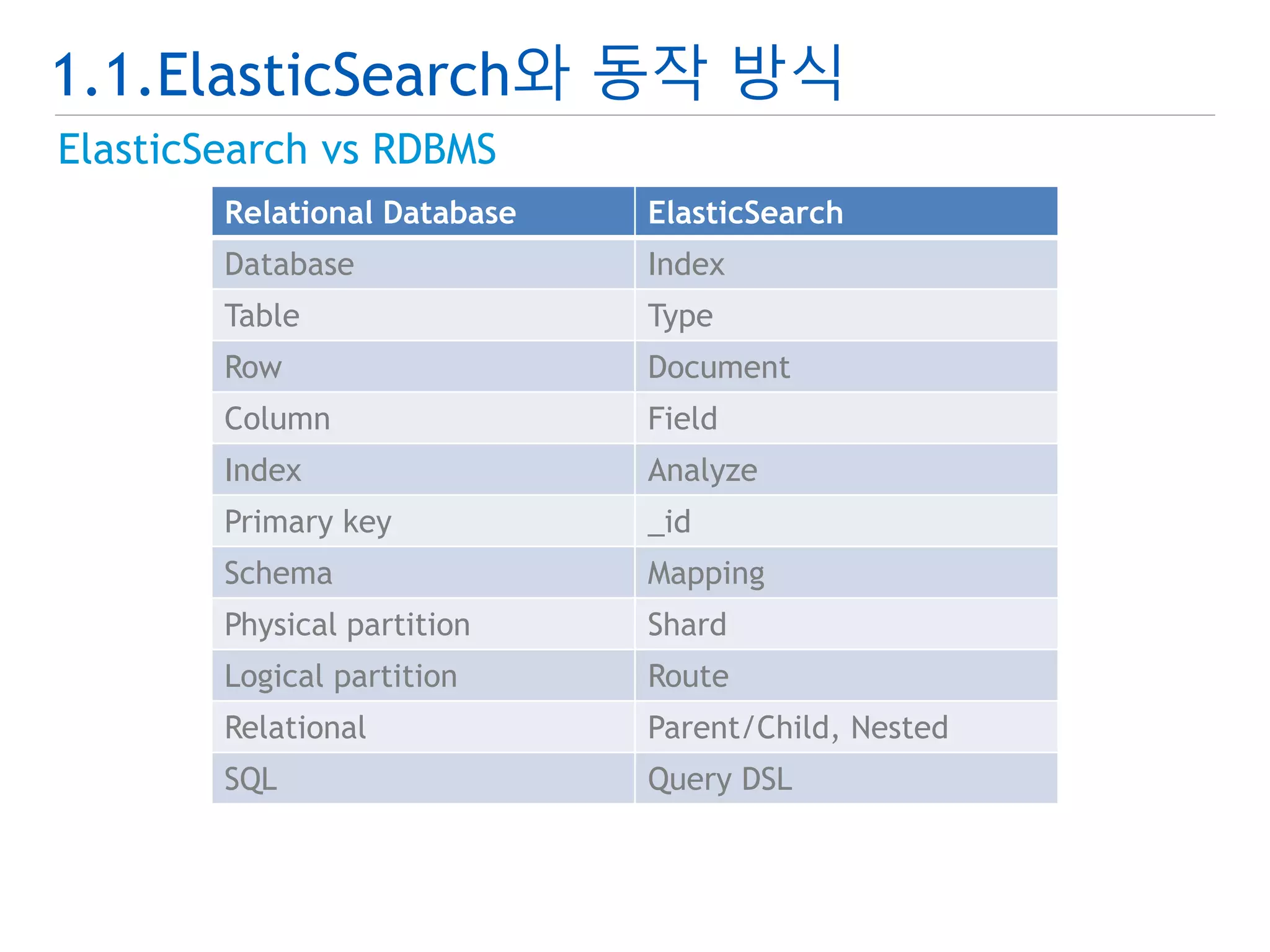
ElasticSearch vs RDBMS
Relational Database ElasticSearch
Database Index
Table Type
Row Document
Column Field
Index Analyze
Primary key _id
Schema Mapping
Physical partition Shard
Logical partition Route
Relational Parent/Child, Nested
SQL Query DSL
11.
1.1.ElasticSearch와 동작 방식
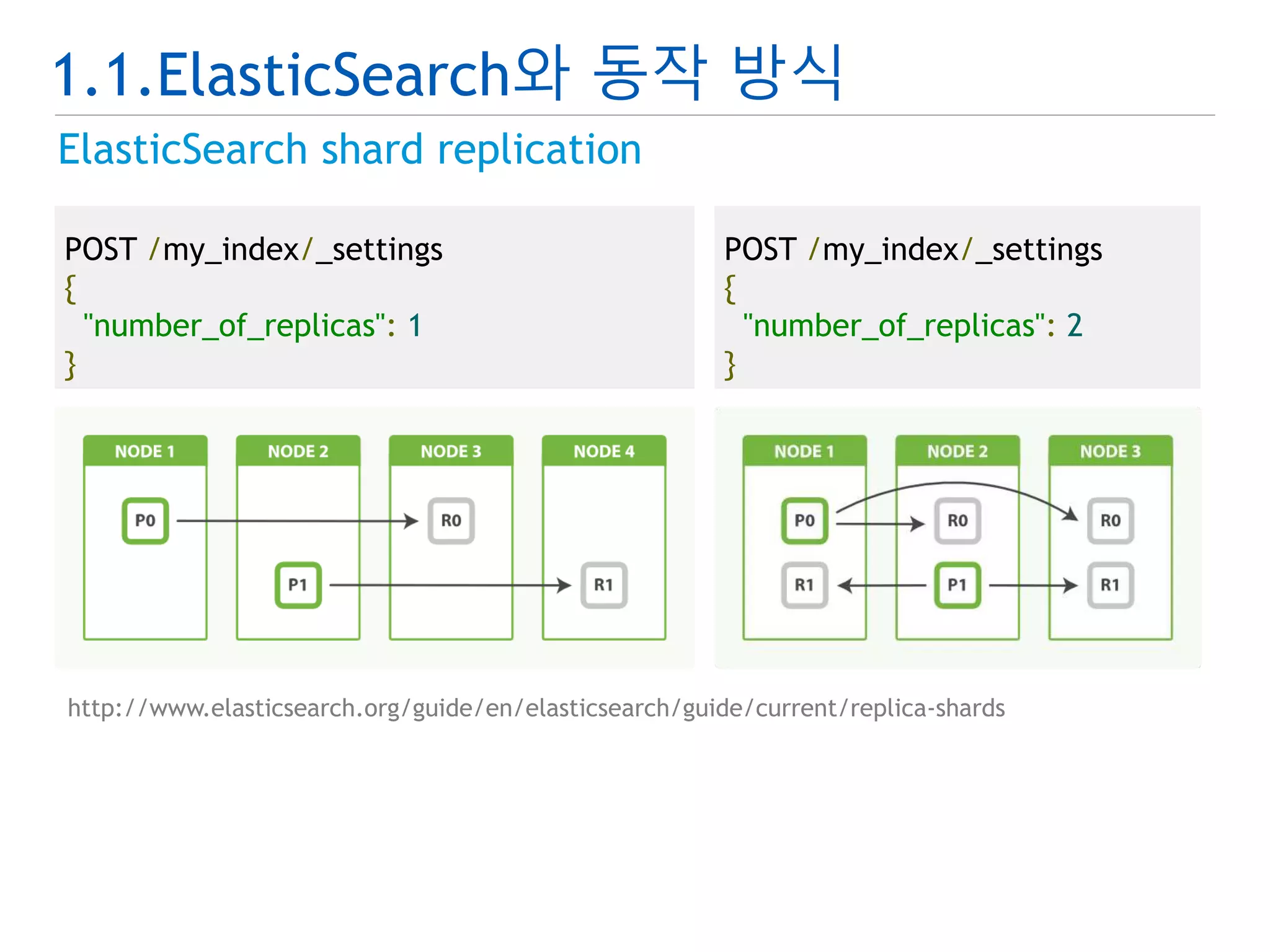
ElasticSearch shard replication
POST /my_index/_settings
{
"number_of_replicas": 1
}
POST /my_index/_settings
{
"number_of_replicas": 2
}
http://www.elasticsearch.org/guide/en/elasticsearch/guide/current/replica-shards
12.
1.1.ElasticSearch와 동작 방식
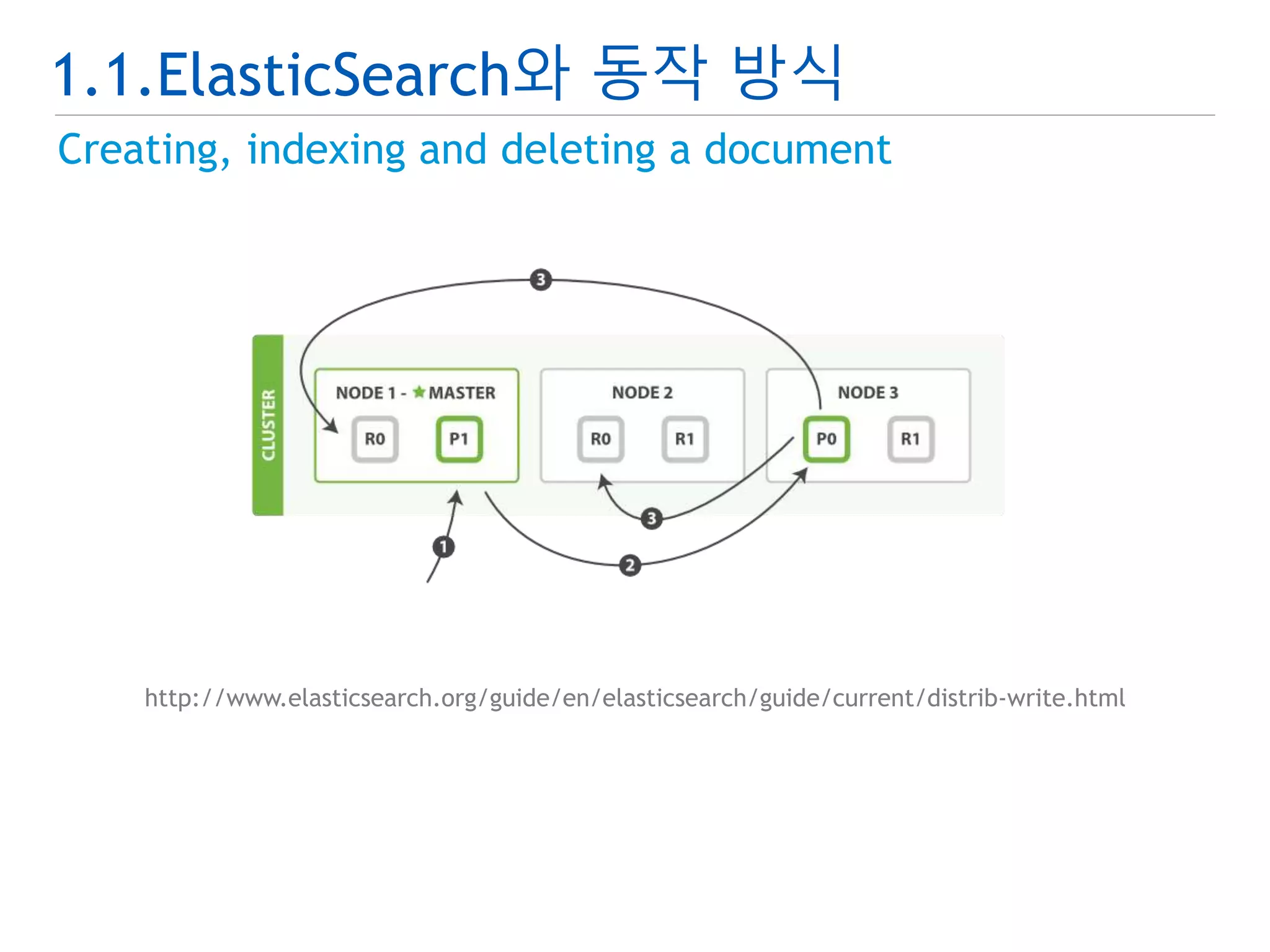
Creating, indexing and deleting a document
http://www.elasticsearch.org/guide/en/elasticsearch/guide/current/distrib-write.html
13.
1.1.ElasticSearch와 동작 방식
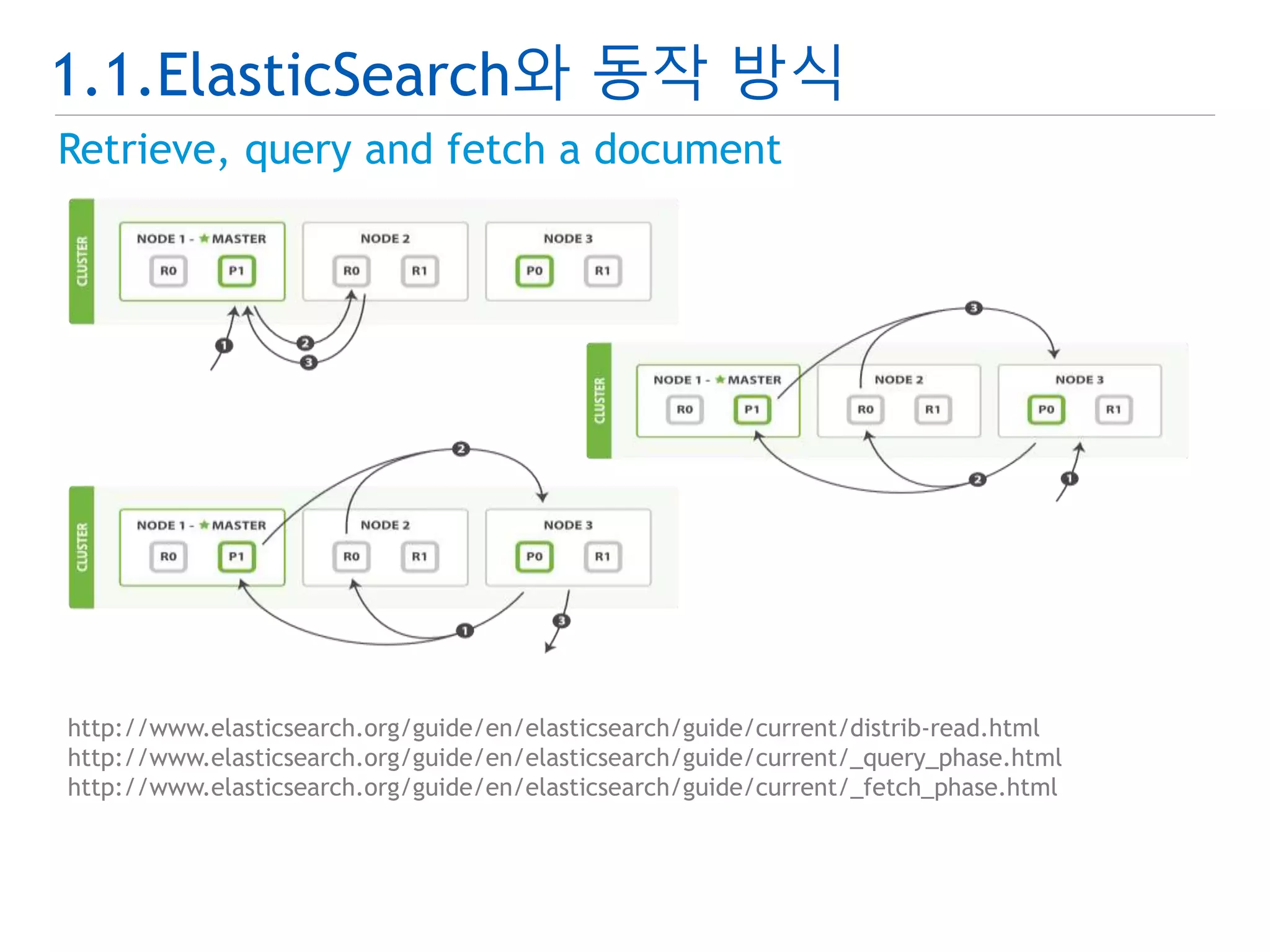
Retrieve, query and fetch a document
http://www.elasticsearch.org/guide/en/elasticsearch/guide/current/distrib-read.html
http://www.elasticsearch.org/guide/en/elasticsearch/guide/current/_query_phase.html
http://www.elasticsearch.org/guide/en/elasticsearch/guide/current/_fetch_phase.html
14.
1.2.설치 및 실행하기
설치하기
다운로드
압축해제
실행하기
실행
테스트
Create index
Add document
Get document
Search document
15.
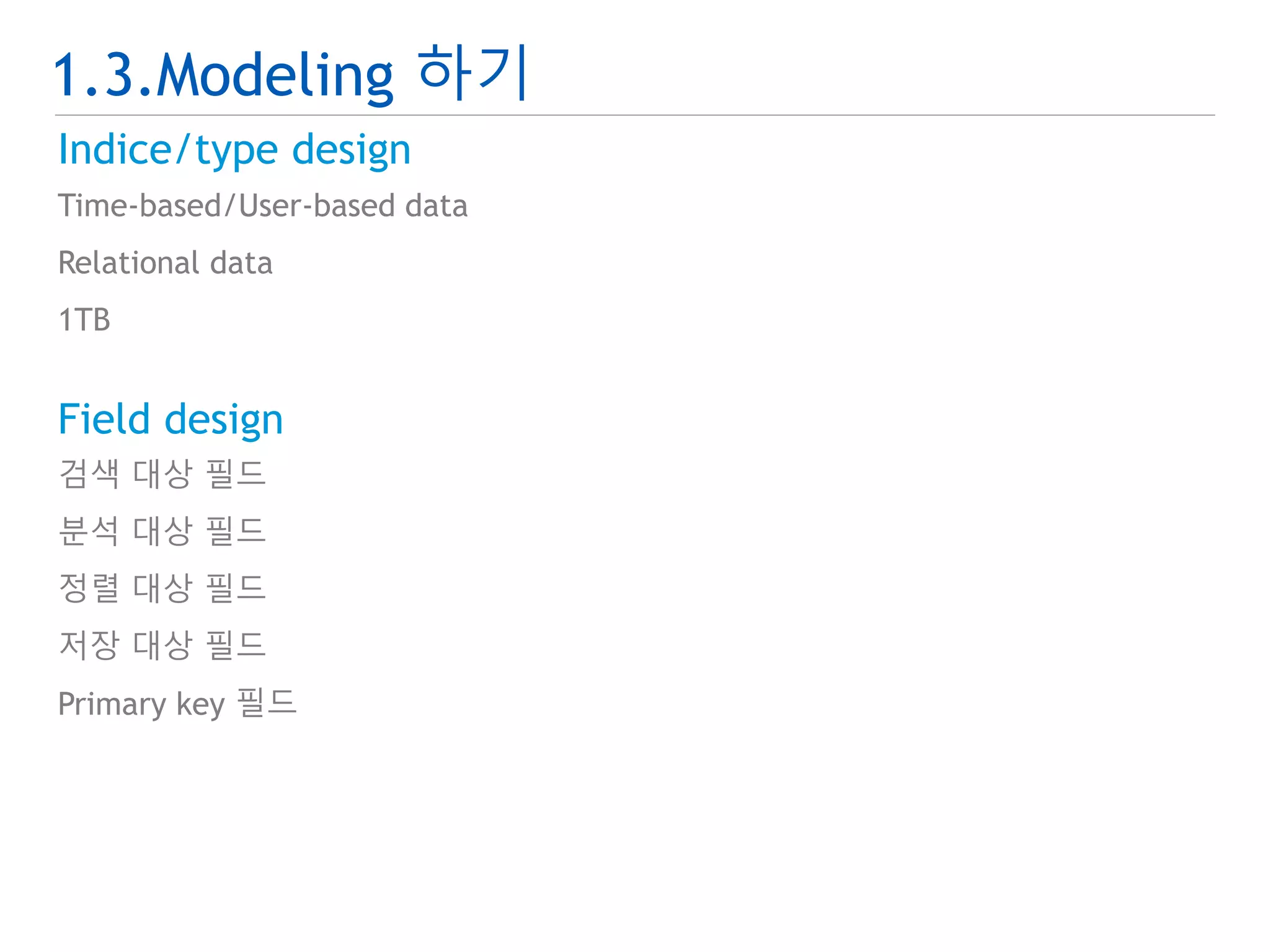
1.3.Modeling 하기
Indice/typedesign
Time-based/User-based data
Relational data
1TB
Field design
검색 대상 필드
분석 대상 필드
정렬 대상 필드
저장 대상 필드
Primary key 필드
16.
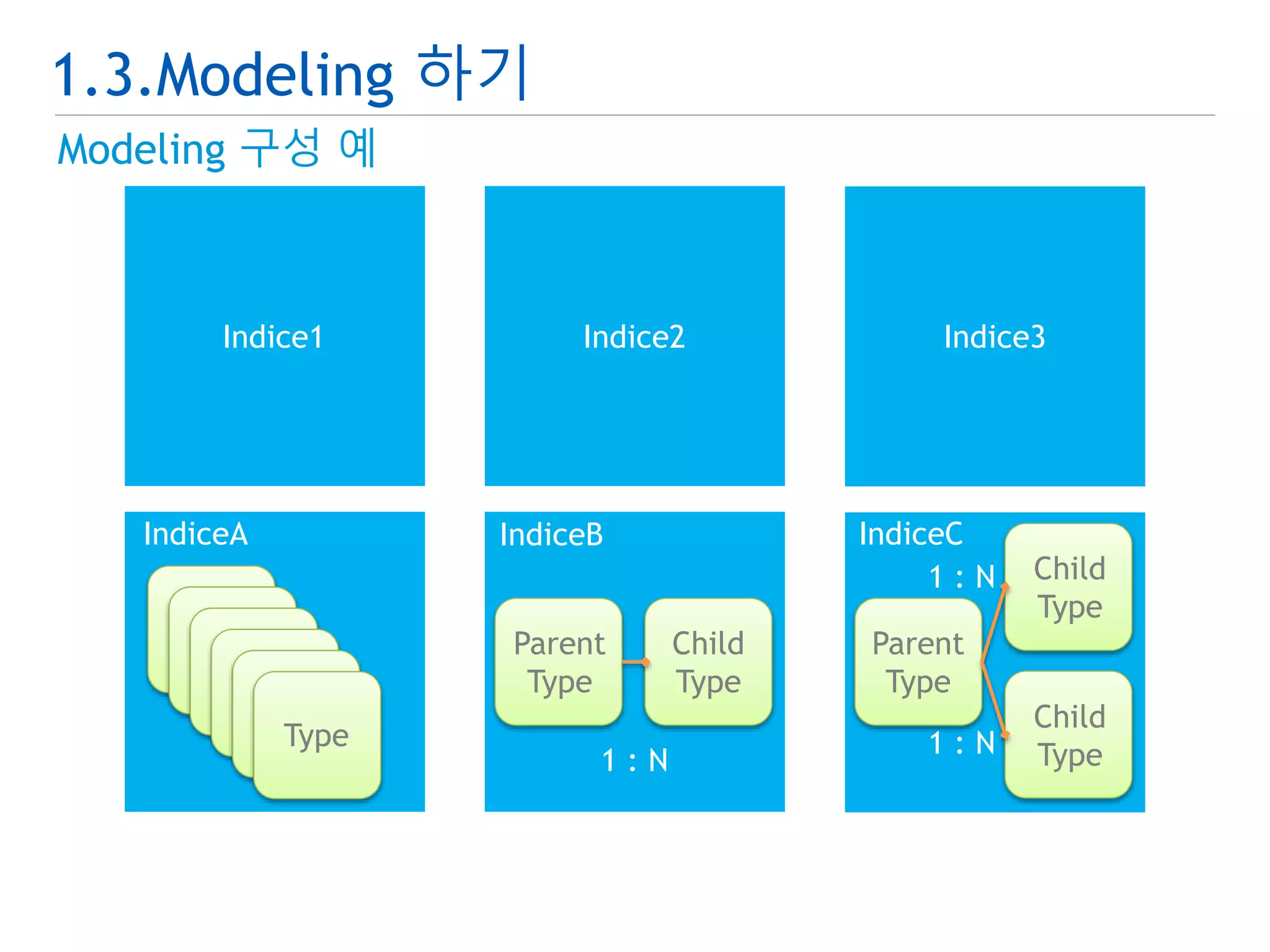
1.3.Modeling 하기
Modeling구성 예
Indice1 Indice2 Indice3
IndiceA IndiceB IndiceC
Type
Parent
Type
Child
Type
1 : N
Parent
Type
Child
Type
Child
1 : N
1 : N Type
17.
1.3.Modeling 하기
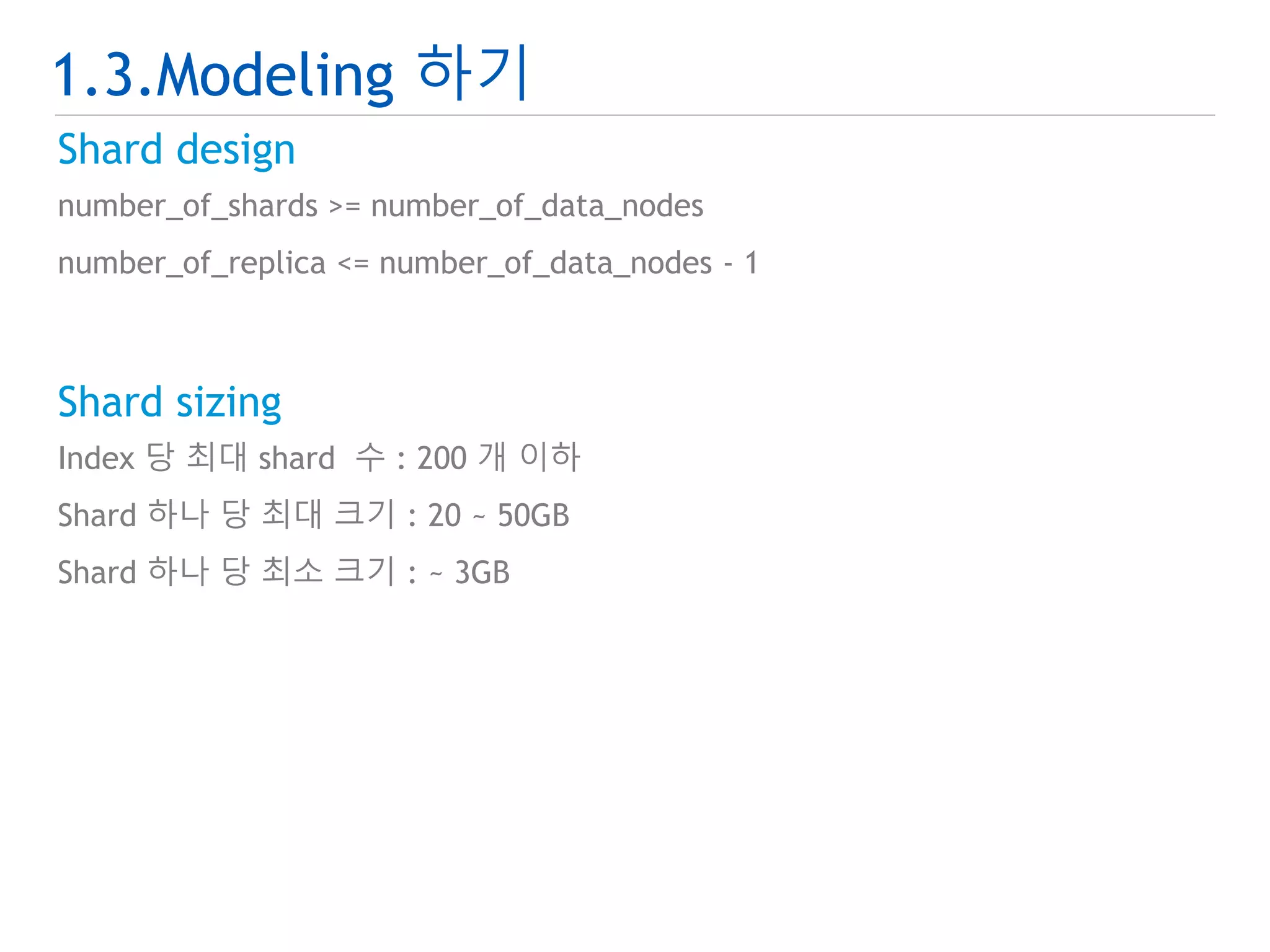
Sharddesign
number_of_shards >= number_of_data_nodes
number_of_replica <= number_of_data_nodes - 1
Shard sizing
Index 당 최대 shard 수 : 200 개 이하
Shard 하나 당 최대 크기 : 20 ~ 50GB
Shard 하나 당 최소 크기 : ~ 3GB
18.
1.3.Modeling 하기
Hashpartition test
public class EsHashPartitionTest {
@Test
public void testHashPartition() {
……중략……
for ( int i=0; i<1000000; i++ ) {
int shardId = MathUtils.mod(hash(String.valueOf(i)), shardSize);
shards.add(shardId, (long) ++partSize[shardId]);
}
……중략……
}
public int hash(String routing) {
return hashFunction.hash(routing);
}
}
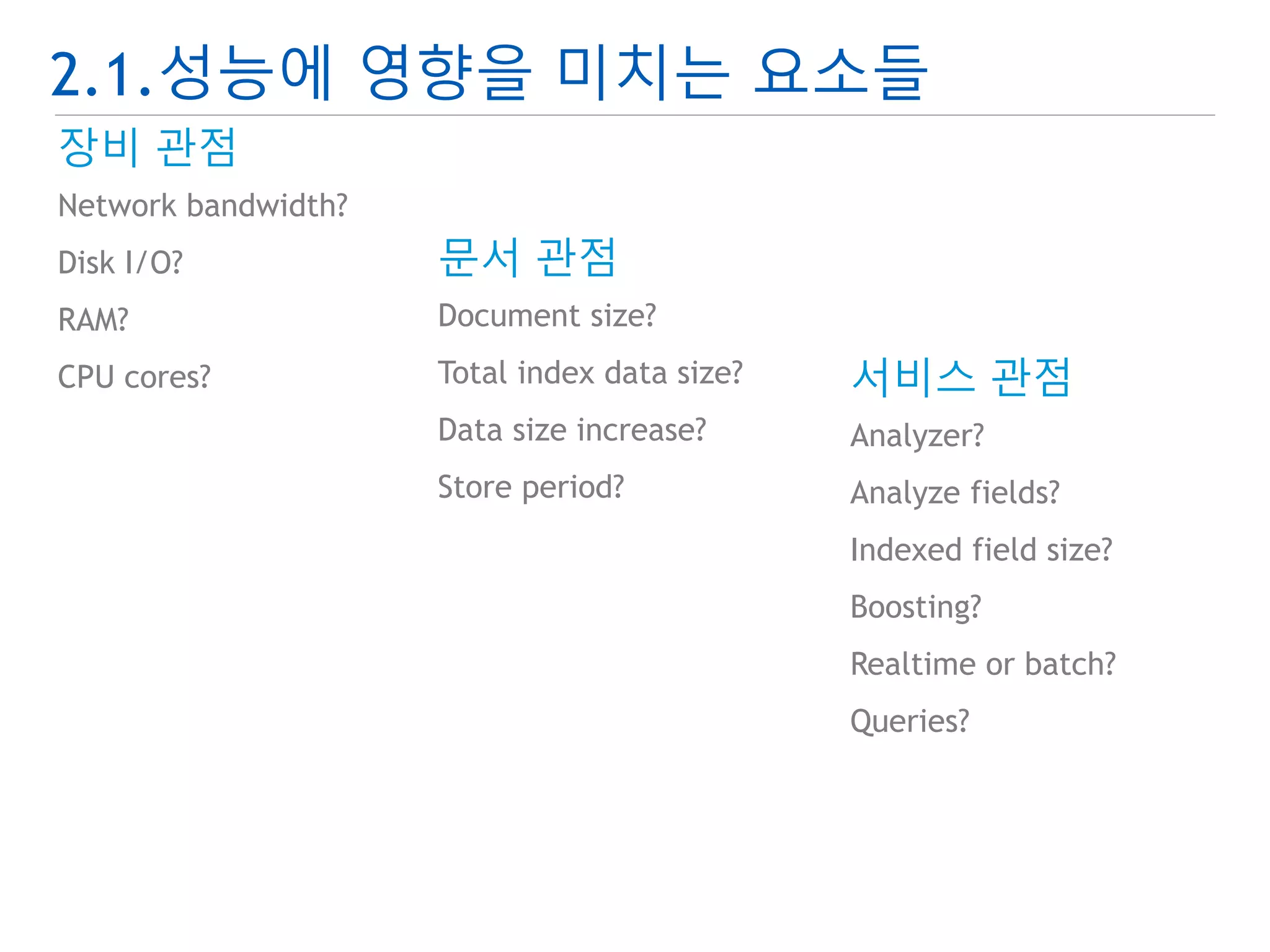
2.1.성능에 영향을 미치는요소들
장비 관점
Network bandwidth?
Disk I/O?
RAM?
CPU cores?
문서 관점
Document size?
Total index data size?
Data size increase?
Store period?
서비스 관점
Analyzer?
Analyze fields?
Indexed field size?
Boosting?
Realtime or batch?
Queries?
21.
2.1.성능에 영향을 미치는요소들
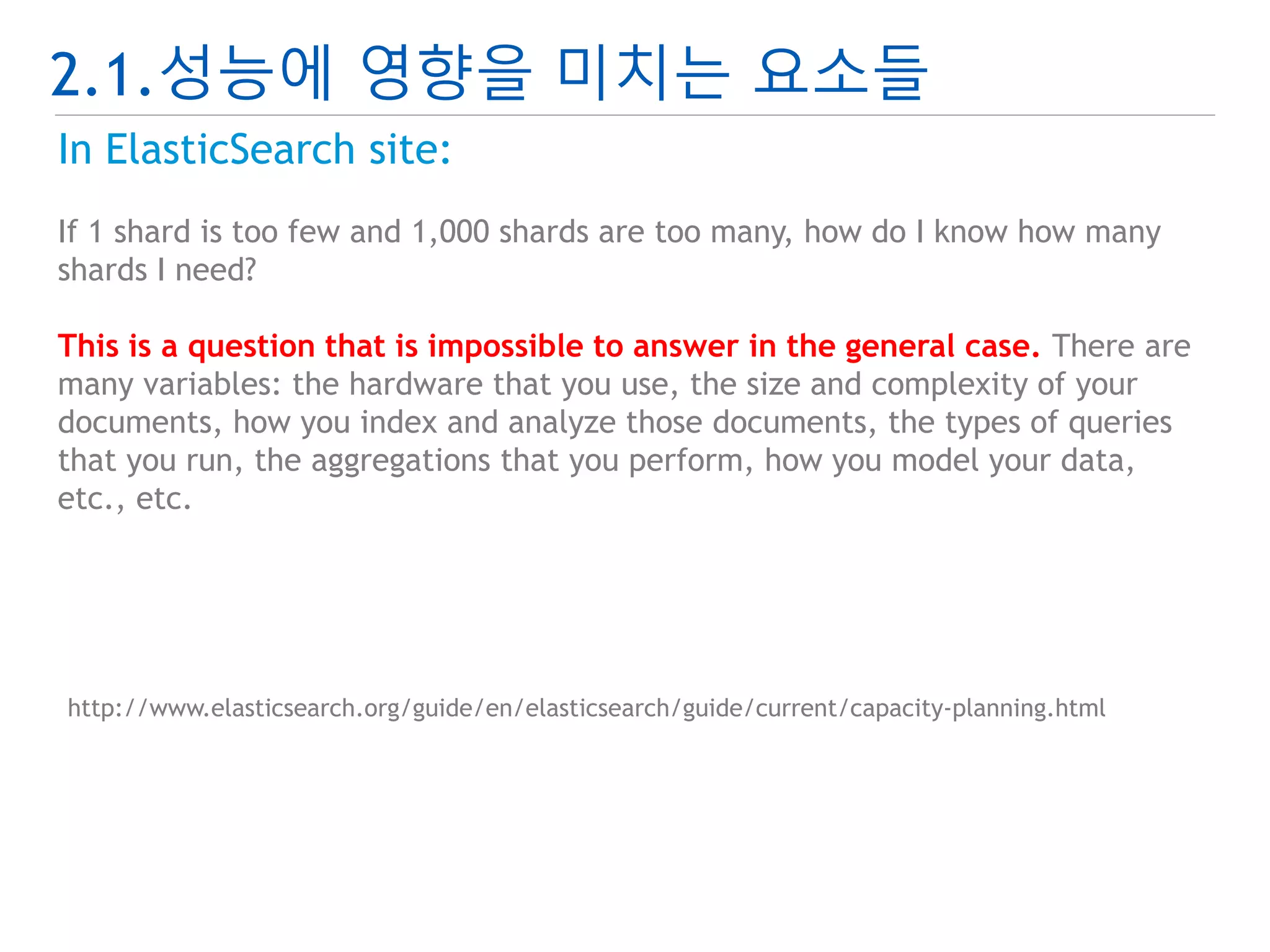
In ElasticSearch site:
If 1 shard is too few and 1,000 shards are too many, how do I know how many
shards I need?
This is a question that is impossible to answer in the general case. There are
many variables: the hardware that you use, the size and complexity of your
documents, how you index and analyze those documents, the types of queries
that you run, the aggregations that you perform, how you model your data,
etc., etc.
http://www.elasticsearch.org/guide/en/elasticsearch/guide/current/capacity-planning.html
22.
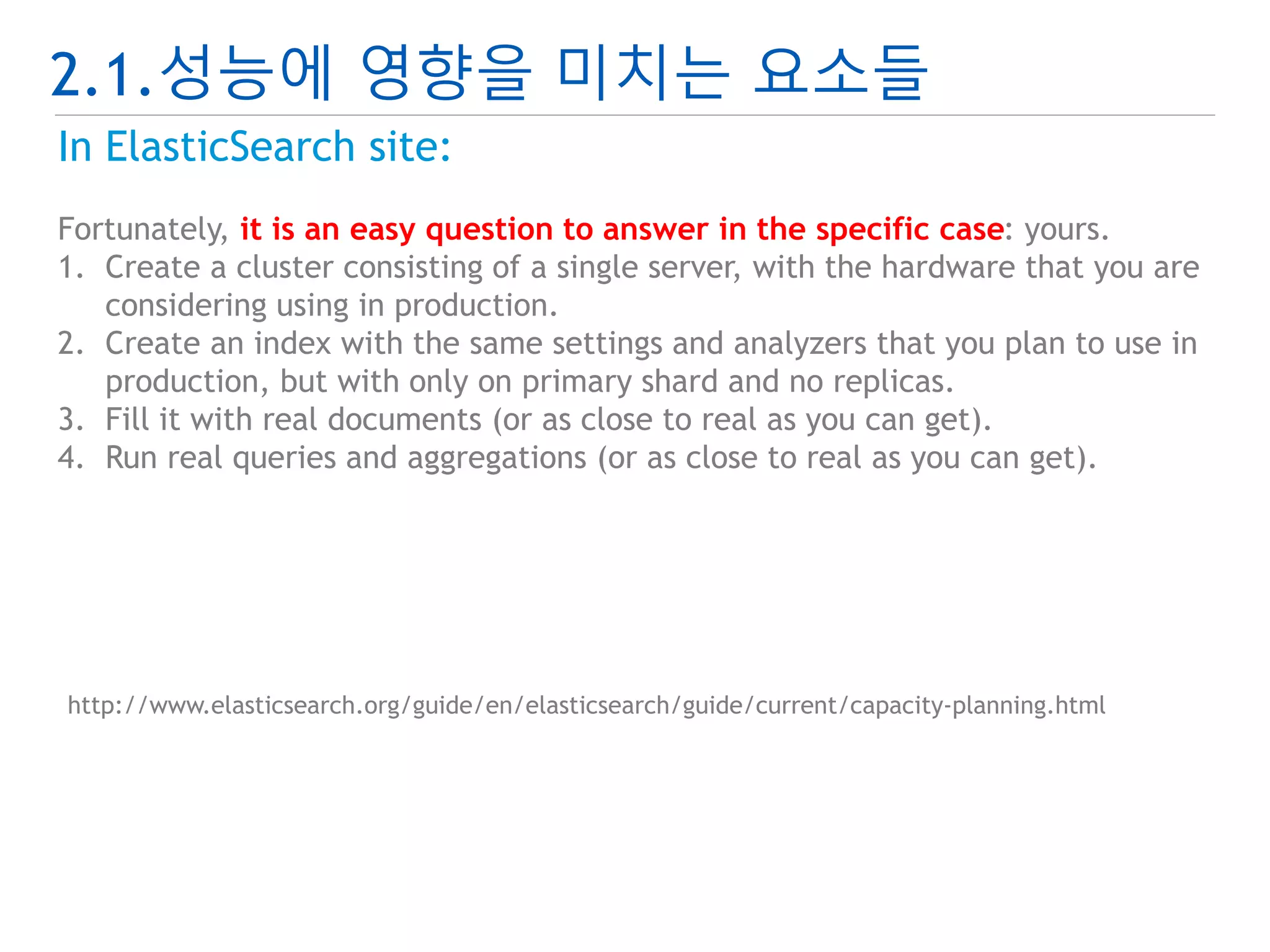
2.1.성능에 영향을 미치는요소들
In ElasticSearch site:
Fortunately, it is an easy question to answer in the specific case: yours.
1. Create a cluster consisting of a single server, with the hardware that you are
considering using in production.
2. Create an index with the same settings and analyzers that you plan to use in
production, but with only on primary shard and no replicas.
3. Fill it with real documents (or as close to real as you can get).
4. Run real queries and aggregations (or as close to real as you can get).
http://www.elasticsearch.org/guide/en/elasticsearch/guide/current/capacity-planning.html
23.
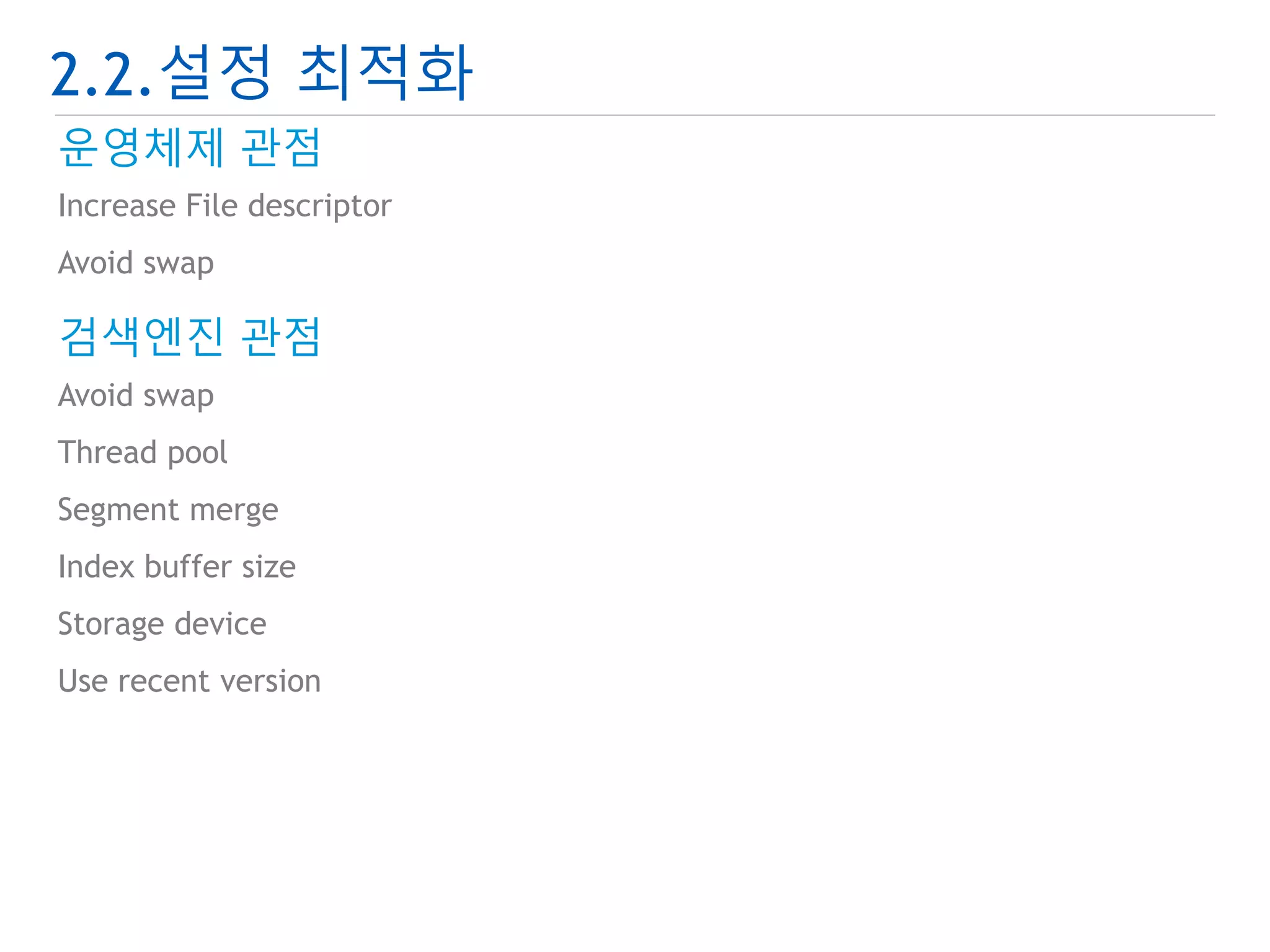
2.2.설정 최적화
운영체제관점
Increase File descriptor
Avoid swap
검색엔진 관점
Avoid swap
Thread pool
Segment merge
Index buffer size
Storage device
Use recent version
24.
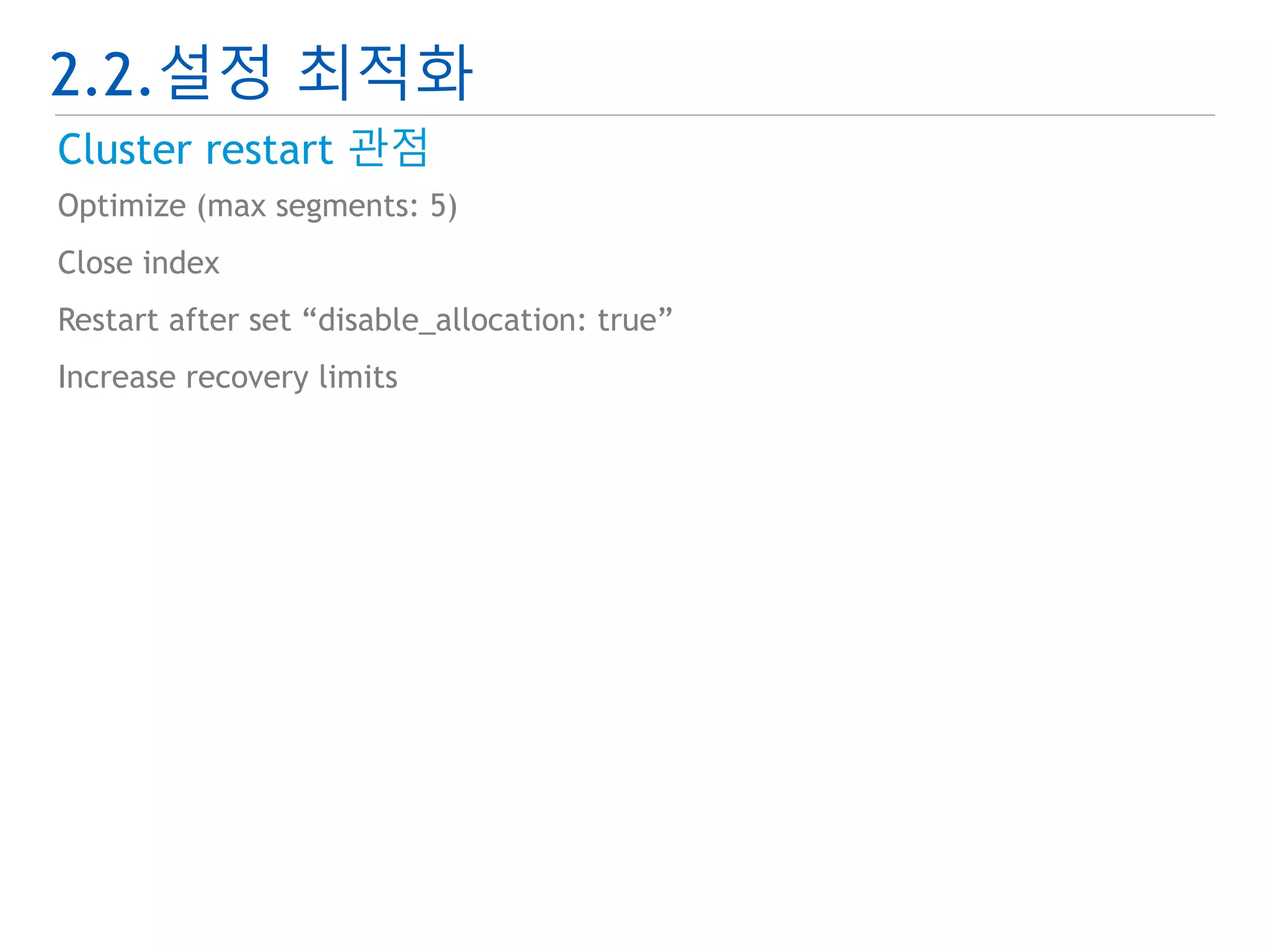
2.2.설정 최적화
Clusterrestart 관점
Optimize (max segments: 5)
Close index
Restart after set “disable_allocation: true”
Increase recovery limits
25.
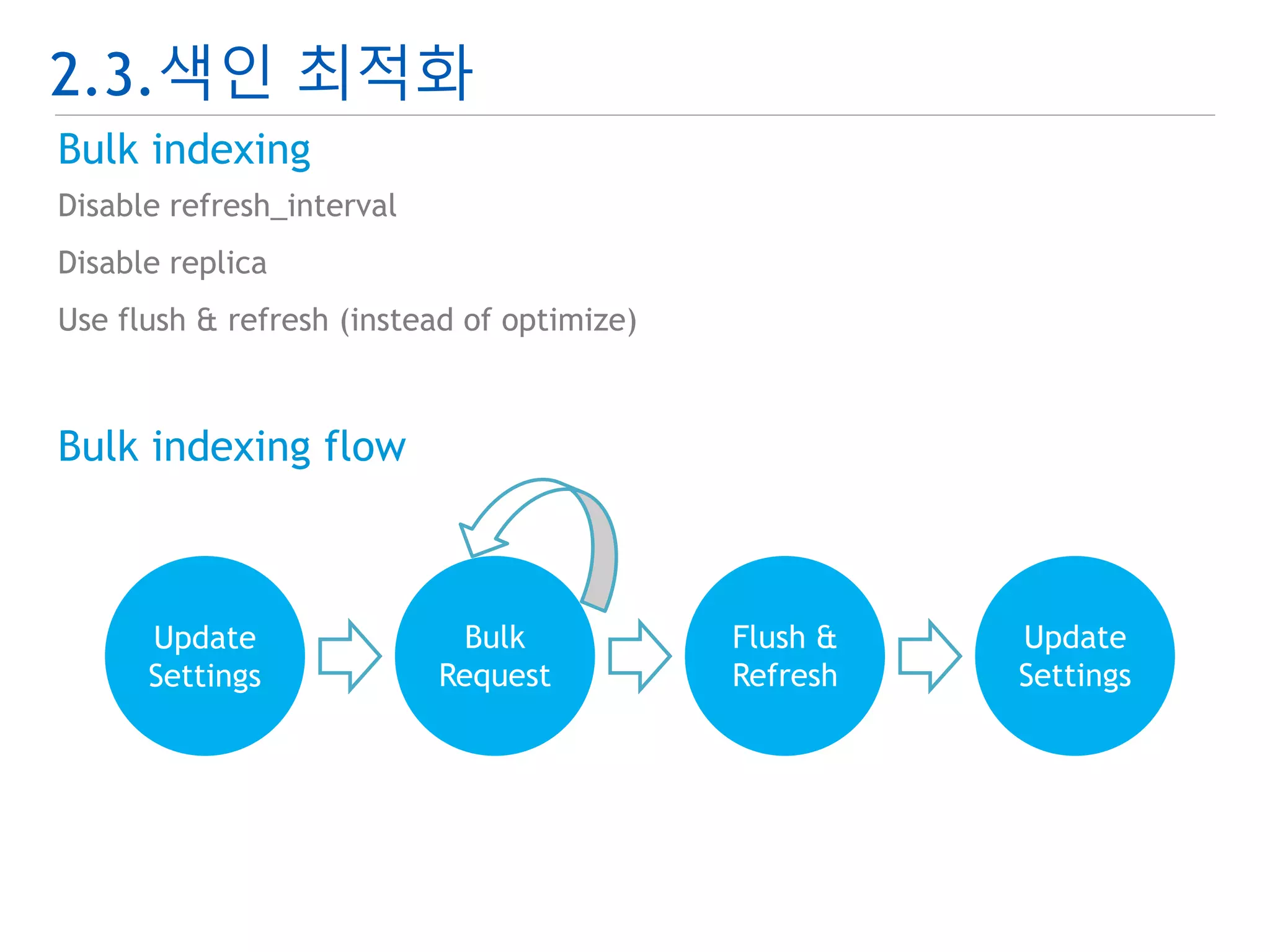
2.3.색인 최적화
Modeling
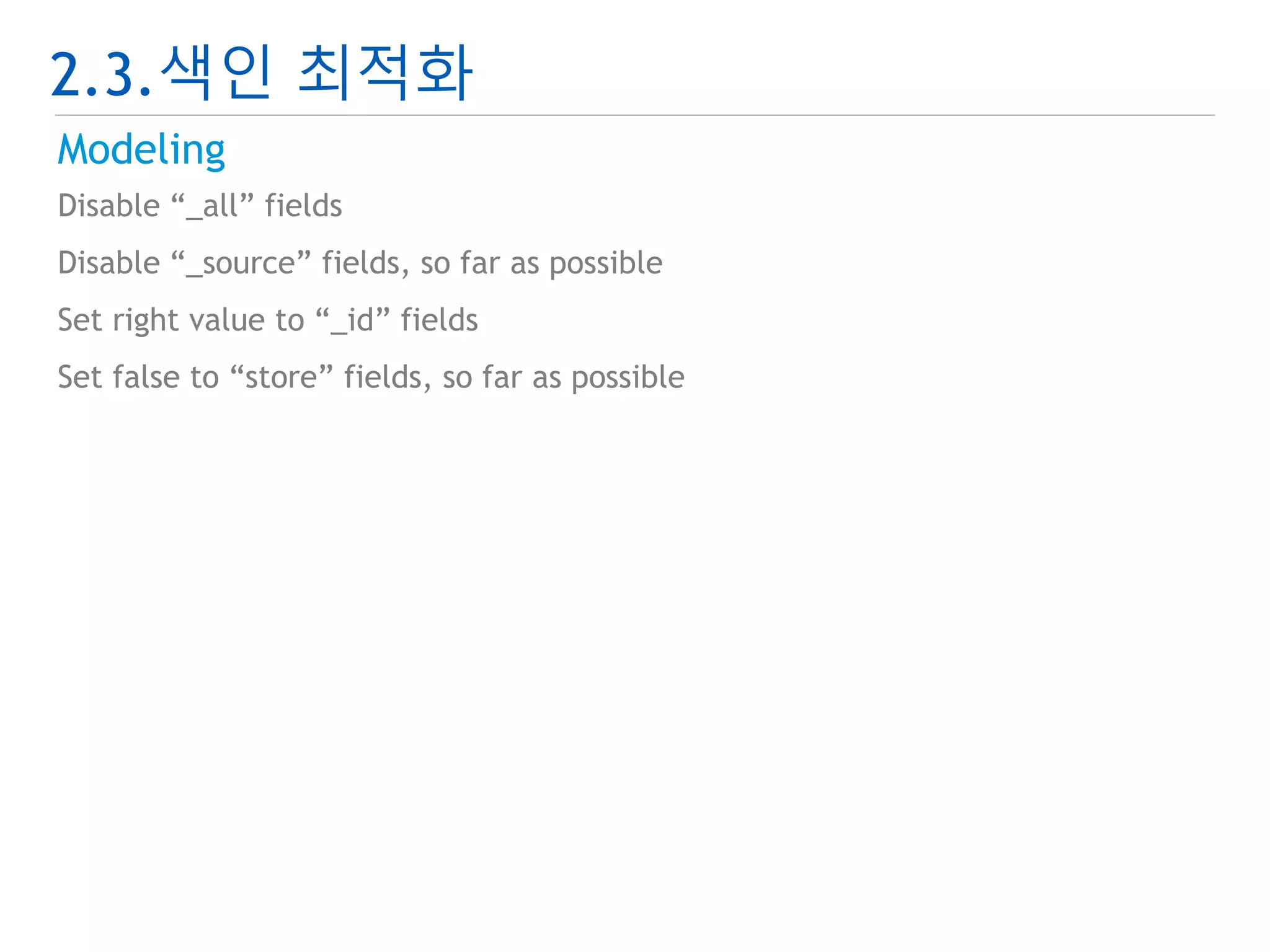
Disable “_all” fields
Disable “_source” fields, so far as possible
Set right value to “_id” fields
Set false to “store” fields, so far as possible
26.
2.3.색인 최적화
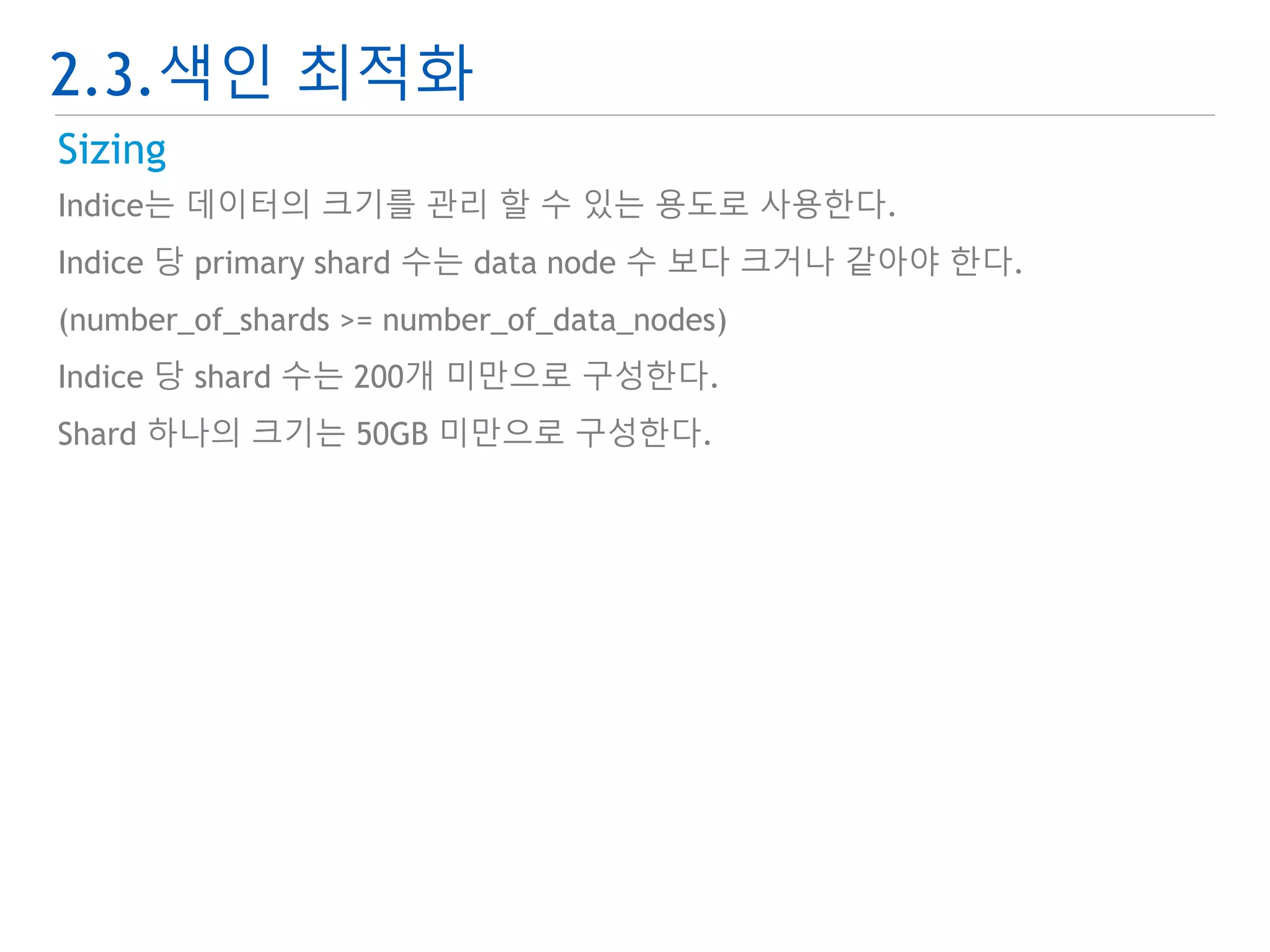
Sizing
Indice는 데이터의 크기를 관리 할 수 있는 용도로 사용한다.
Indice 당 primary shard 수는 data node 수 보다 크거나 같아야 한다.
(number_of_shards >= number_of_data_nodes)
Indice 당 shard 수는 200개 미만으로 구성한다.
Shard 하나의 크기는 50GB 미만으로 구성한다.
27.
2.3.색인 최적화
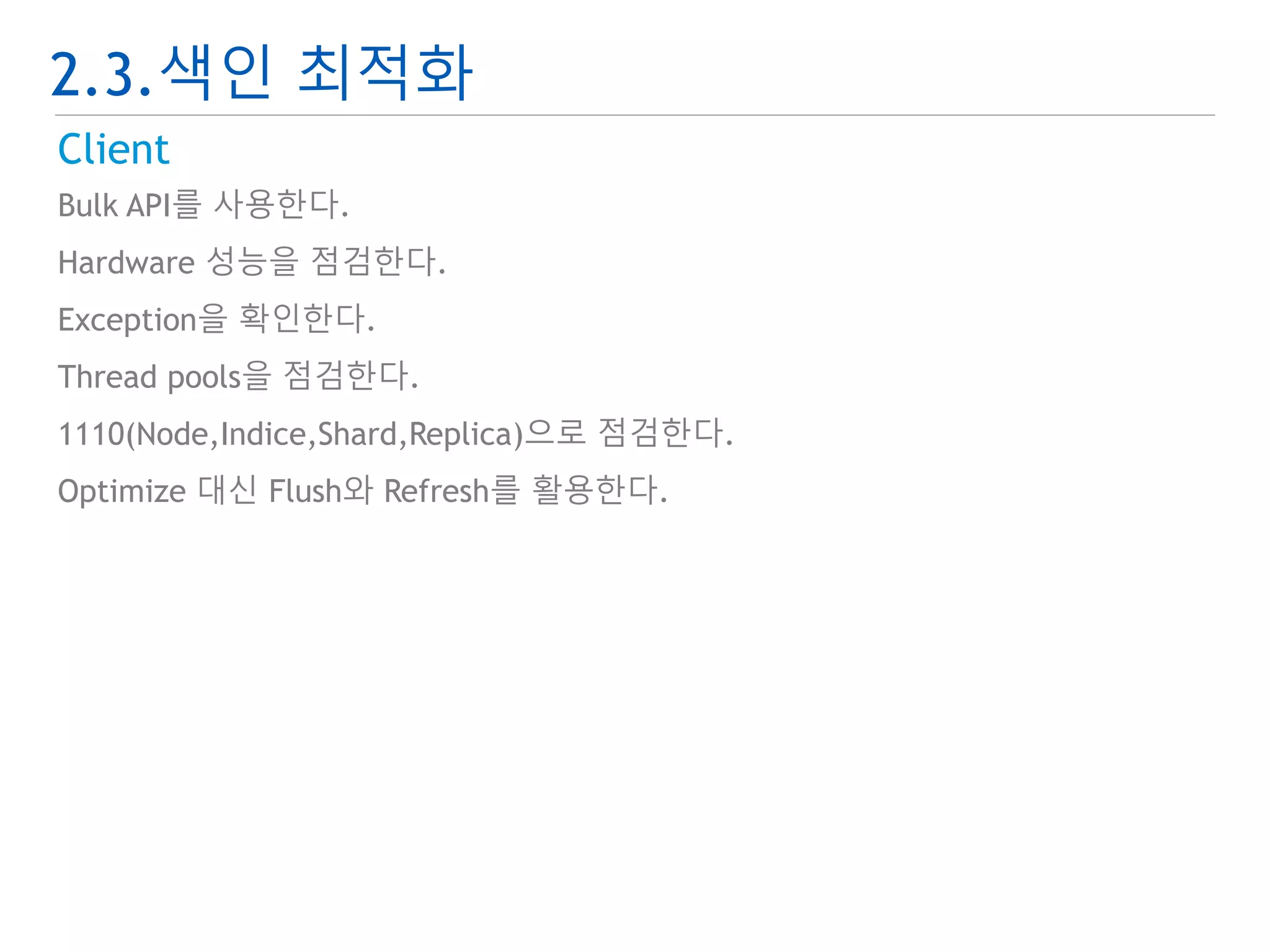
Client
Bulk API를 사용한다.
Hardware 성능을 점검한다.
Exception을 확인한다.
Thread pools을 점검한다.
1110(Node,Indice,Shard,Replica)으로 점검한다.
Optimize 대신 Flush와 Refresh를 활용한다.
28.
2.3.색인 최적화
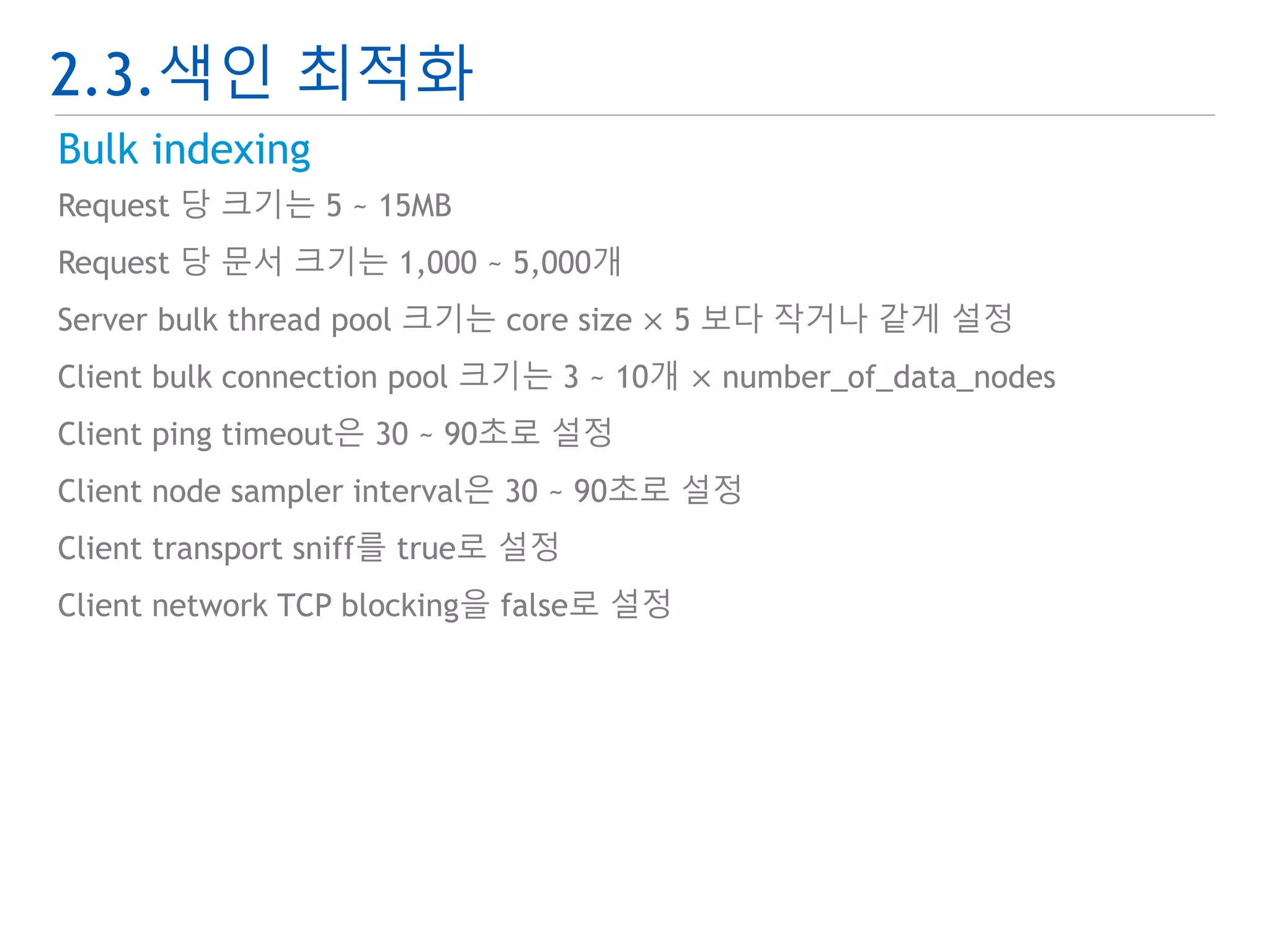
Bulkindexing
Request 당 크기는 5 ~ 15MB
Request 당 문서 크기는 1,000 ~ 5,000개
Server bulk thread pool 크기는 core size × 5 보다 작거나 같게 설정
Client bulk connection pool 크기는 3 ~ 10개 × number_of_data_nodes
Client ping timeout은 30 ~ 90초로 설정
Client node sampler interval은 30 ~ 90초로 설정
Client transport sniff를 true로 설정
Client network TCP blocking을 false로 설정
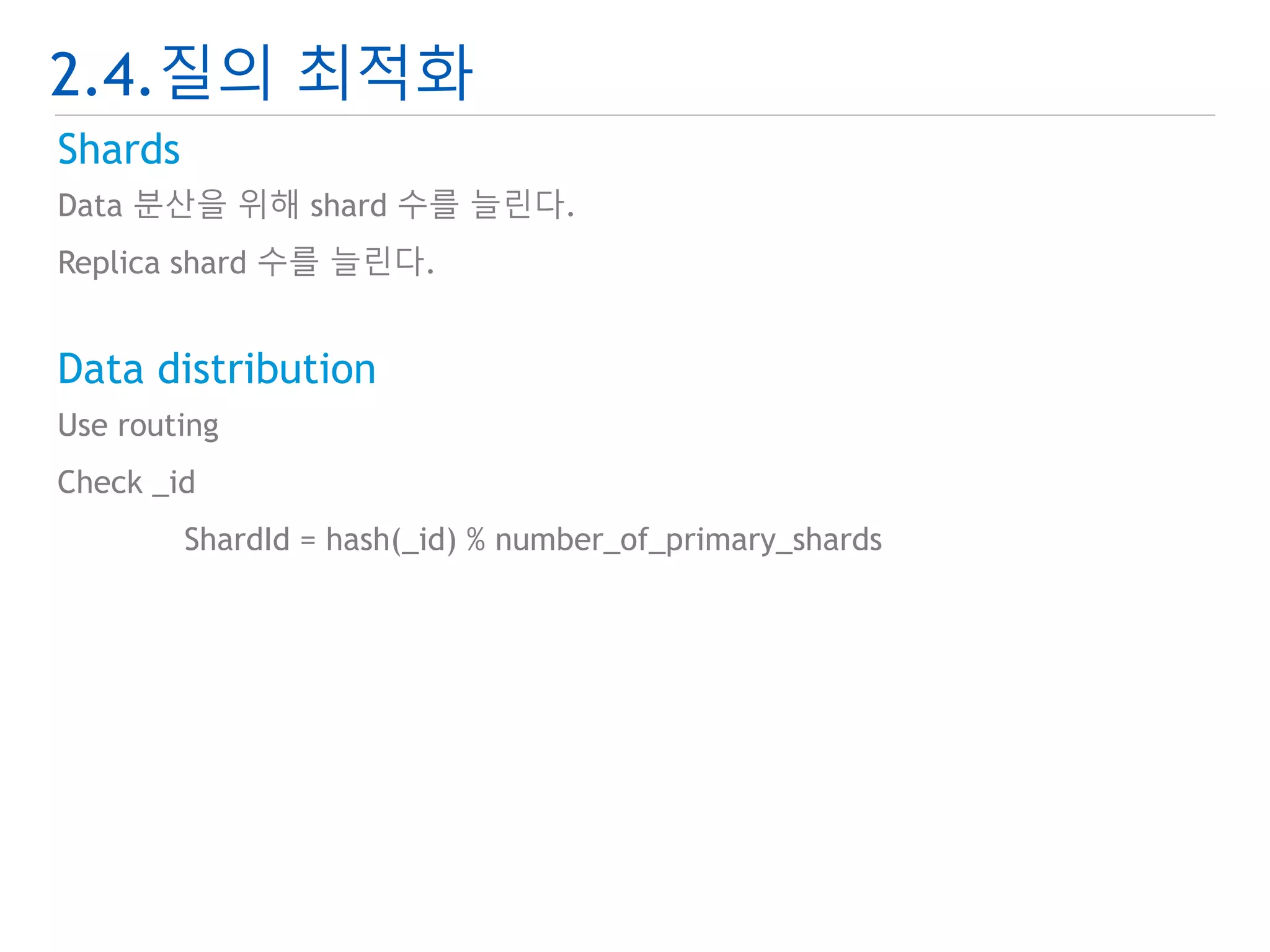
2.4.질의 최적화
Shards
Data 분산을 위해 shard 수를 늘린다.
Replica shard 수를 늘린다.
Data distribution
Use routing
Check _id
ShardId = hash(_id) % number_of_primary_shards
31.
2.4.질의 최적화
Query
항상 같은 node 로 query hitting이 되지 않도록 한다.
Zero hit query를 줄여야 한다.
Query 결과를 cache 한다.
Avoid deep pagination.
Sorting : number_of_shard × (from +size)
Script 사용 시 _source, _field 대신 doc[‘field’]를 사용한다.
Search type
Query and fetch
Query then fetch
Count
Scan
32.
2.4.질의 최적화
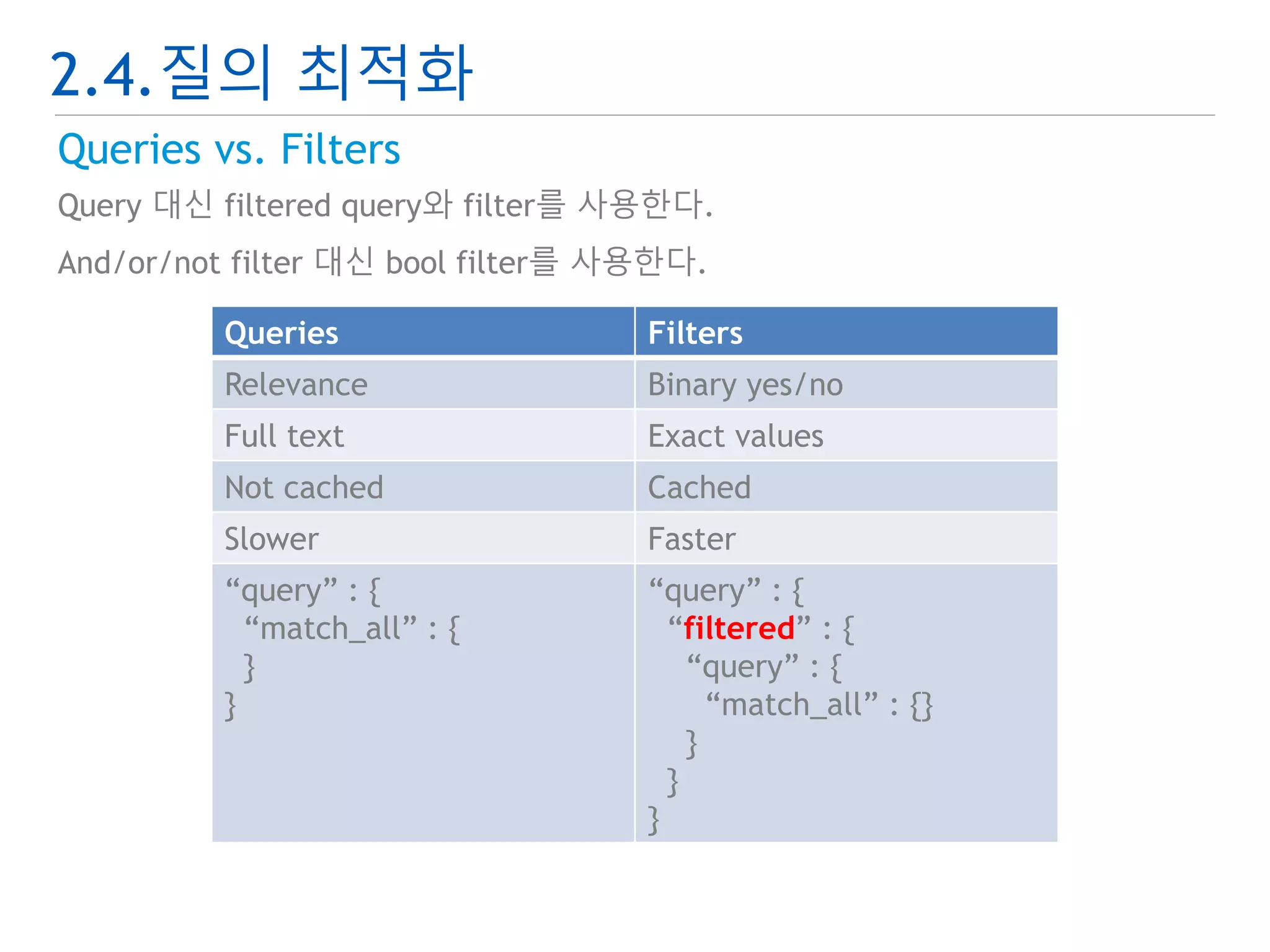
Queriesvs. Filters
Query 대신 filtered query와 filter를 사용한다.
And/or/not filter 대신 bool filter를 사용한다.
Queries Filters
Relevance Binary yes/no
Full text Exact values
Not cached Cached
Slower Faster
“query” : {
“match_all” : {
}
}
“query” : {
“filtered” : {
“query” : {
“match_all” : {}
}
}
}
3.1.Hadoop 통합
ElasticSearchHadoop 활용
Big data 분석을 위한 도구
Snapshot & Restore 저장소
ElasticSearch Hadoop plugin 도구 제공
35.
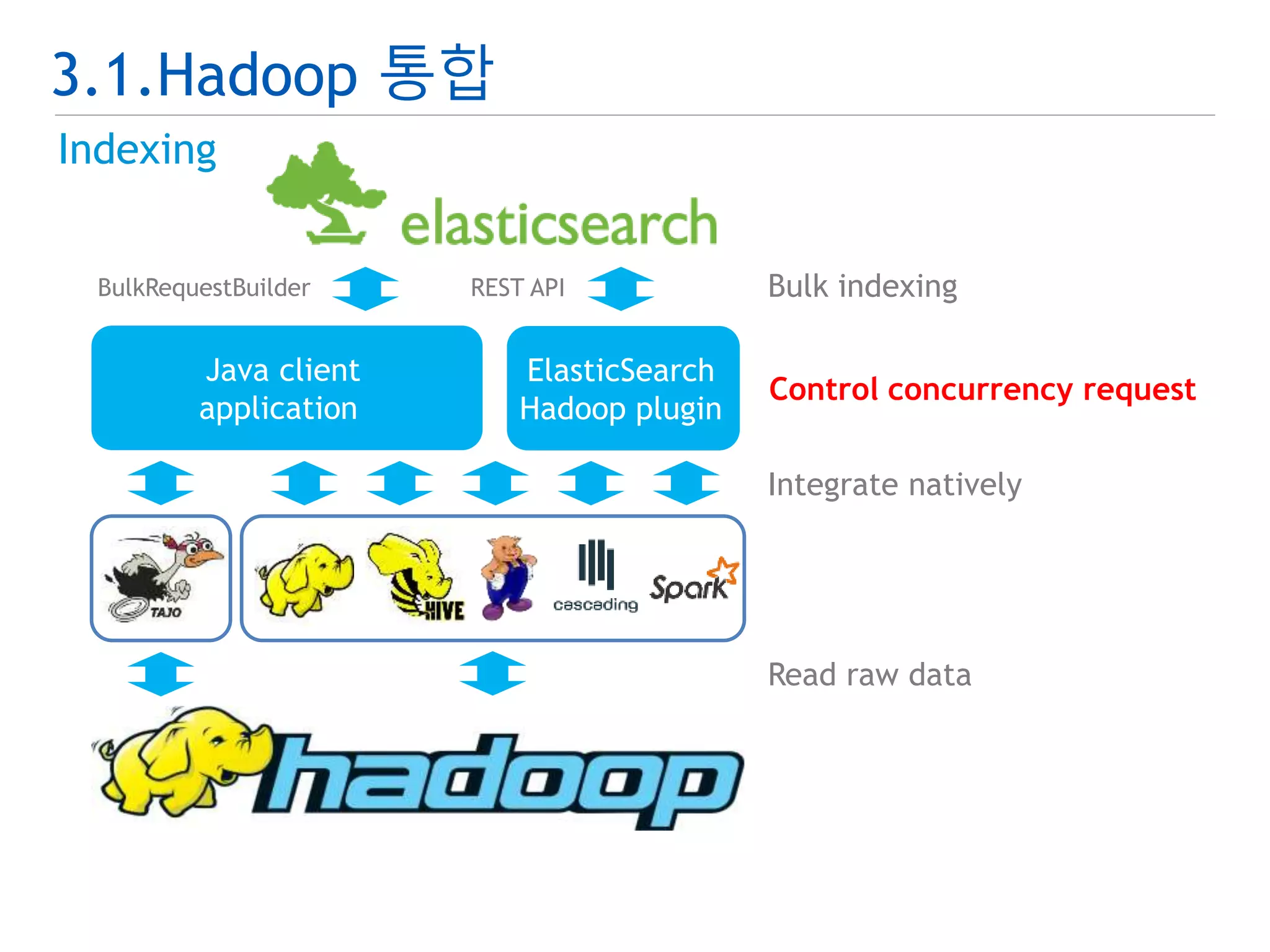
3.1.Hadoop 통합
Indexing
BulkRequestBuilder REST API
ElasticSearch
Hadoop plugin
Bulk indexing
Integrate natively
Read raw data
Java client
application
Control concurrency request
36.
3.1.Hadoop 통합
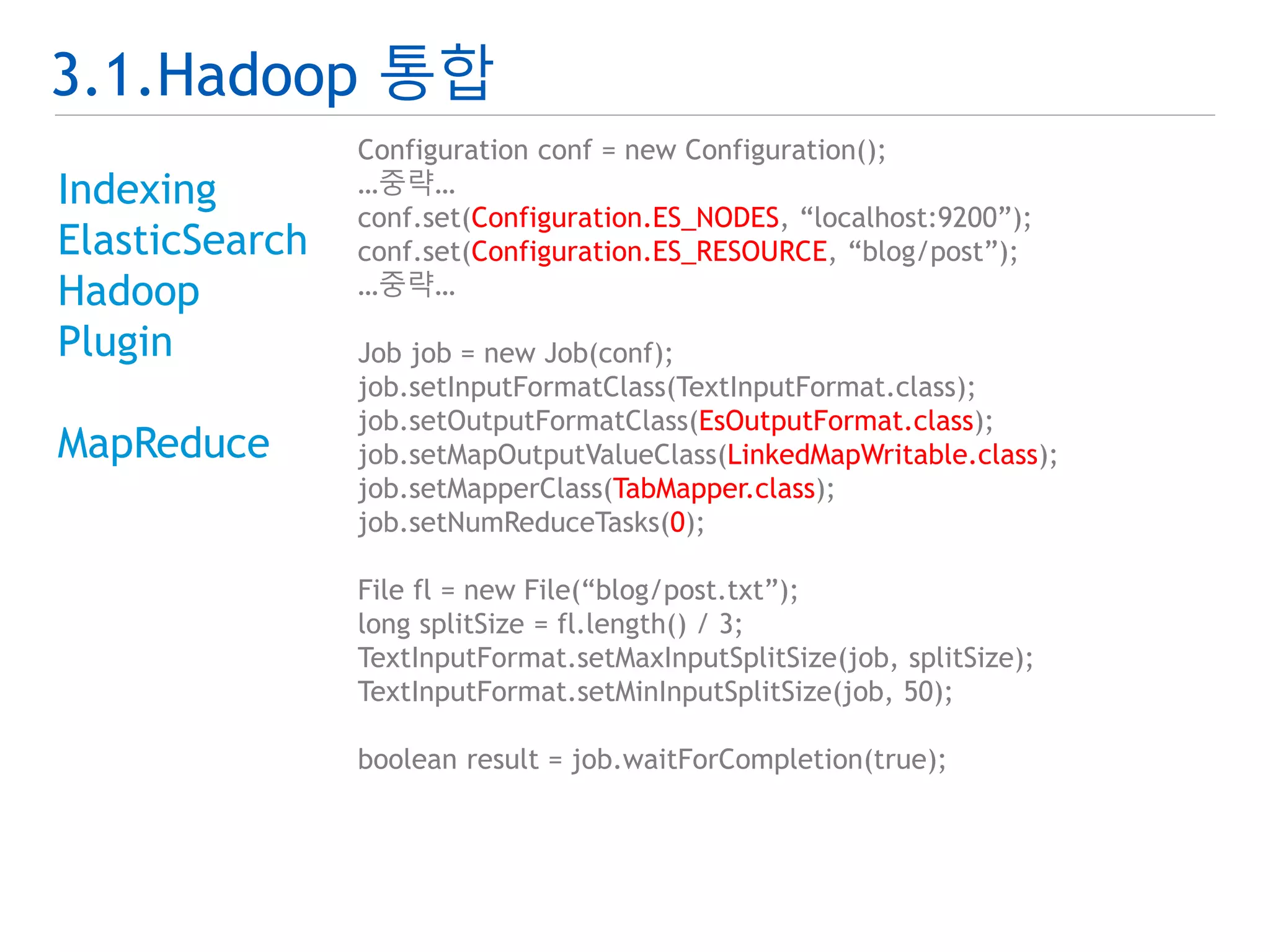
Indexing
ElasticSearch
Hadoop
Plugin
MapReduce
Configuration conf = new Configuration();
…중략…
conf.set(Configuration.ES_NODES, “localhost:9200”);
conf.set(Configuration.ES_RESOURCE, “blog/post”);
…중략…
Job job = new Job(conf);
job.setInputFormatClass(TextInputFormat.class);
job.setOutputFormatClass(EsOutputFormat.class);
job.setMapOutputValueClass(LinkedMapWritable.class);
job.setMapperClass(TabMapper.class);
job.setNumReduceTasks(0);
File fl = new File(“blog/post.txt”);
long splitSize = fl.length() / 3;
TextInputFormat.setMaxInputSplitSize(job, splitSize);
TextInputFormat.setMinInputSplitSize(job, 50);
boolean result = job.waitForCompletion(true);
37.
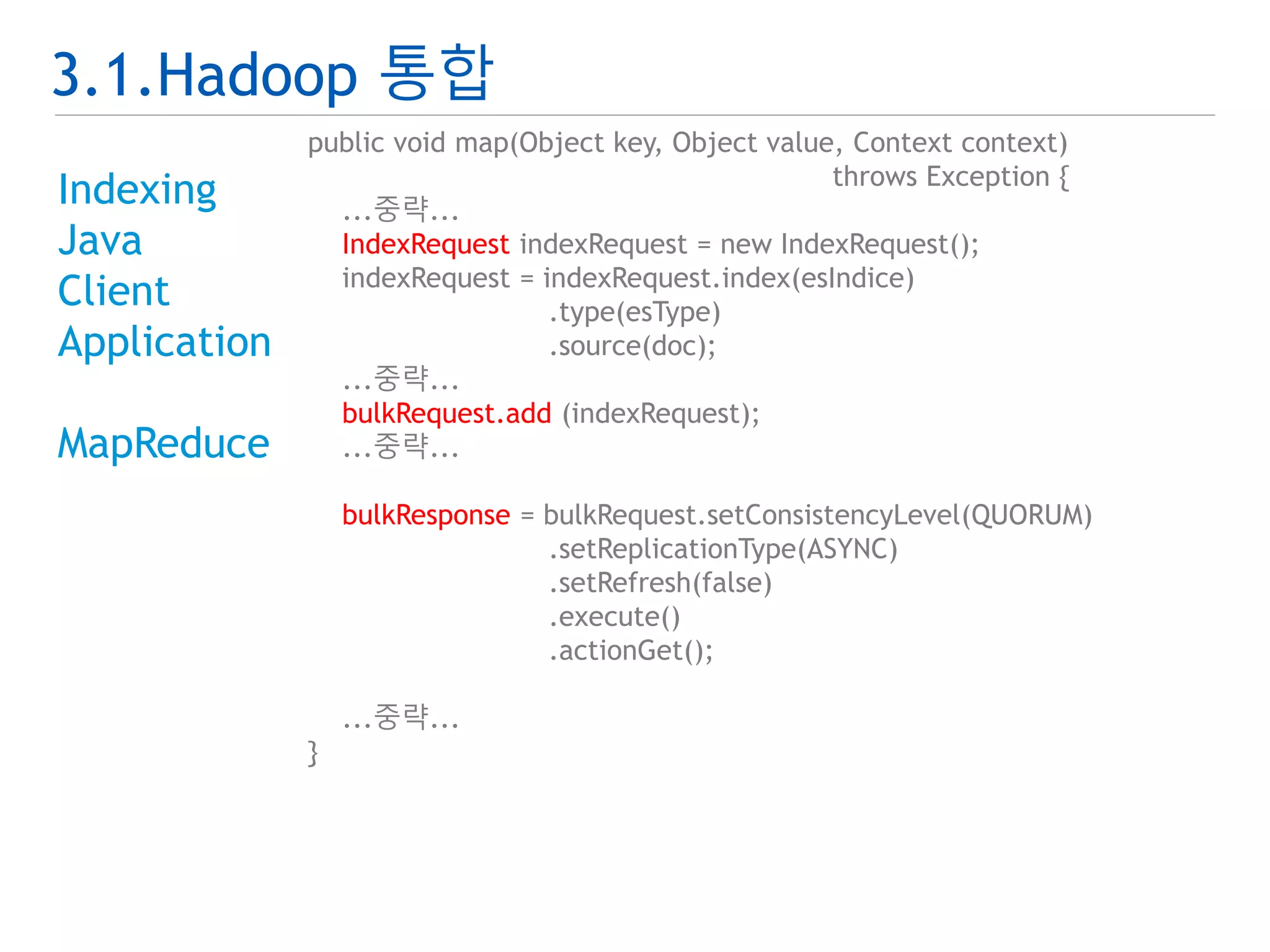
3.1.Hadoop 통합
Indexing
Java
Client
Application
MapReduce
public static void main(String[] args) throws Exception {
...중략...
settings = Connector.buildSettings(esCluster);
client = Connector.buildClient(settings, esNodes.split(","));
runBeforeConfig(esIndice);
Job job = new Job(conf);
...중략...
for ( String distJar : esDistributedCacheJars) {
DistributedCache.addFileToClassPath(
new Path(esDistributedCachePath+"/"+distJar),
job.getConfiguration());
}
...중략...
if ( "true".equalsIgnoreCase(esOptimize) ) {
runOptimize(esIndice);
} else {
runRefreshAndFlush(esIndice);
}
runAfterConfig(esIndice, replica);
}
3.1.Hadoop 통합
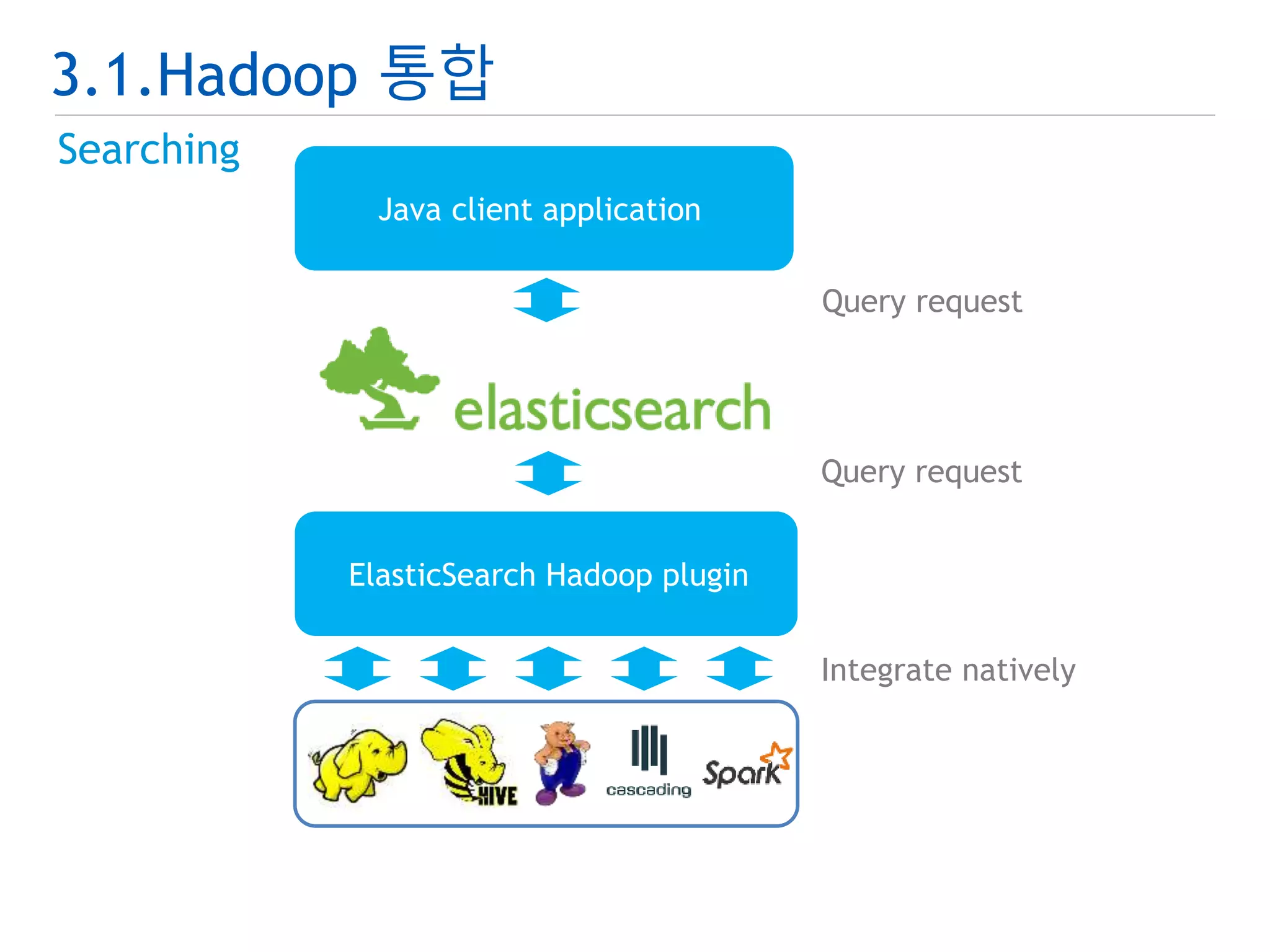
Searching
ElasticSearch
Hadoop
Plugin
MapReduce
public static class SearchMapper extends Mapper {
@Override
public void map(Object key, Object value, Context context)
throws IOException, InterruptedException {
Text docId = (Text) key;
LinkedMapWritable doc = (LinkedMapWritable) value;
System.out.println(docId);
}
}
public static void main(String[] args) throws Exception {
Configuration conf = new Configuration();
...중략...
Job job = new Job(conf);
...중략...
conf.set(ConfigurationOptions.ES_QUERY,
"{ "query" : { "match_all" : {} } }");
job.setNumReduceTasks(0);
boolean result = job.waitForCompletion(true);
}
41.
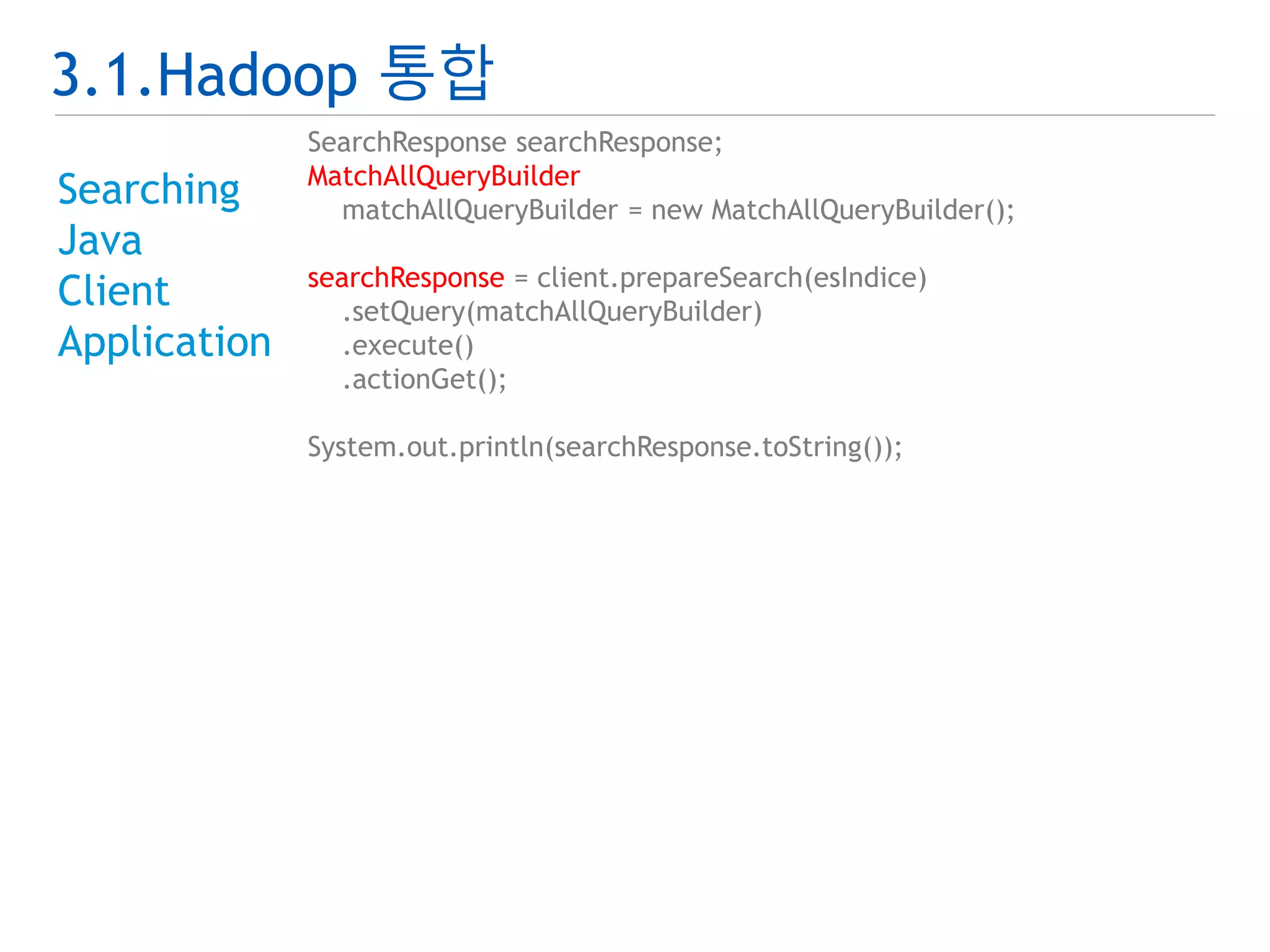
3.1.Hadoop 통합
Searching
Java
Client
Application
SearchResponse searchResponse;
MatchAllQueryBuilder
matchAllQueryBuilder = new MatchAllQueryBuilder();
searchResponse = client.prepareSearch(esIndice)
.setQuery(matchAllQueryBuilder)
.execute()
.actionGet();
System.out.println(searchResponse.toString());
42.
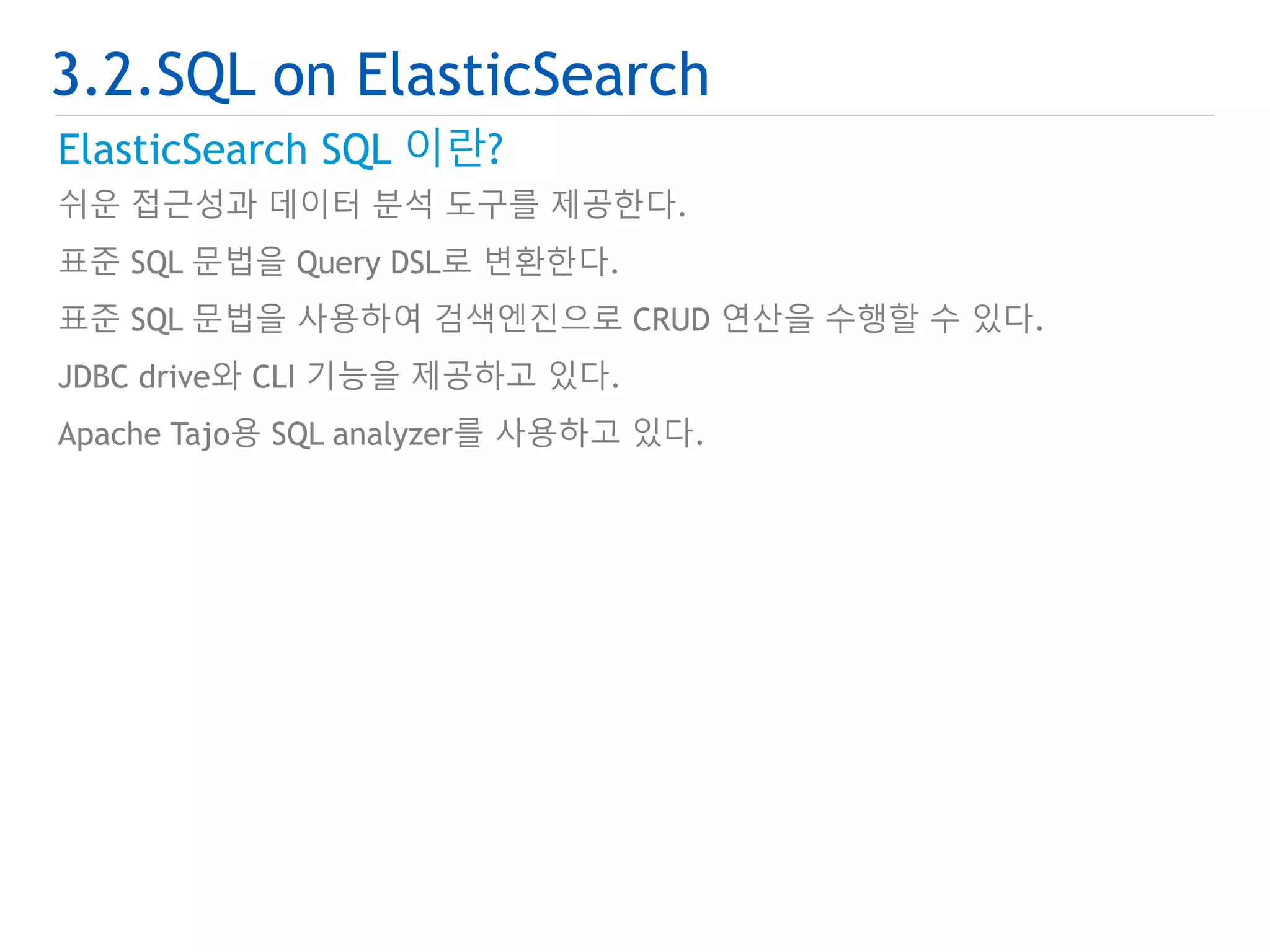
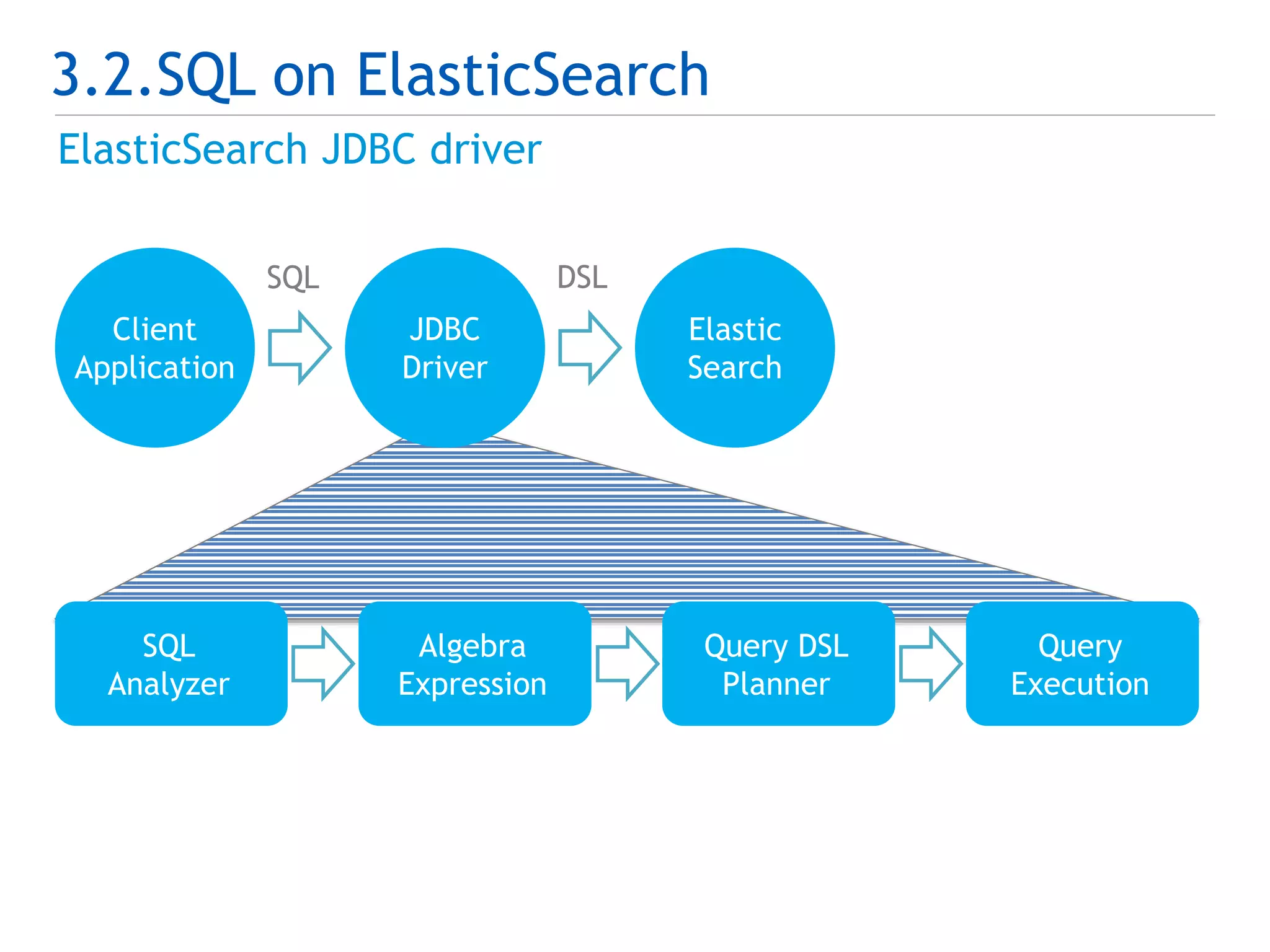
3.2.SQL on ElasticSearch
ElasticSearch SQL 이란?
쉬운 접근성과 데이터 분석 도구를 제공한다.
표준 SQL 문법을 Query DSL로 변환한다.
표준 SQL 문법을 사용하여 검색엔진으로 CRUD 연산을 수행할 수 있다.
JDBC drive와 CLI 기능을 제공하고 있다.
Apache Tajo용 SQL analyzer를 사용하고 있다.
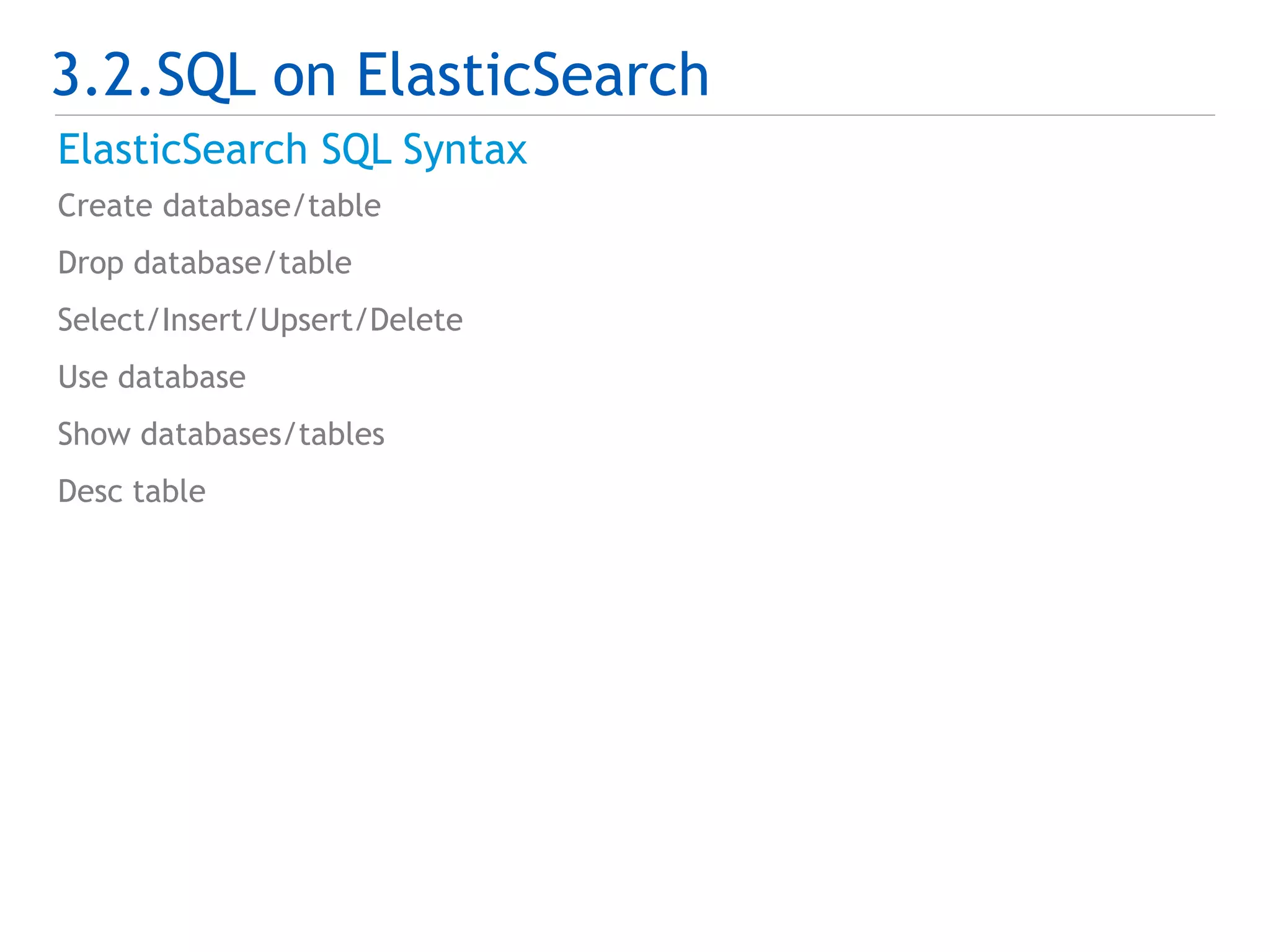
3.2.SQL on ElasticSearch
ElasticSearch SQL Syntax
Create database/table
Drop database/table
Select/Insert/Upsert/Delete
Use database
Show databases/tables
Desc table
45.
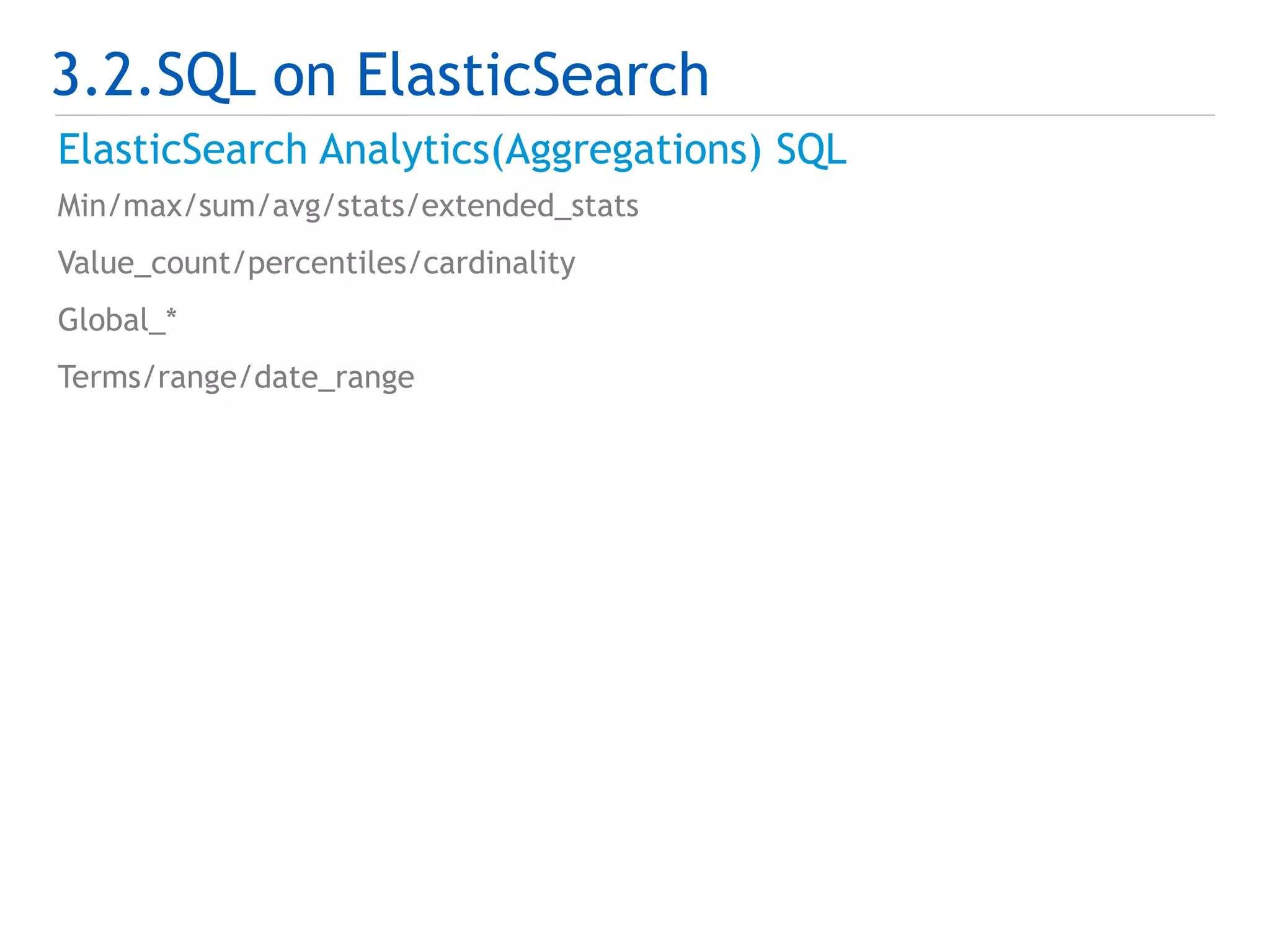
3.2.SQL on ElasticSearch
ElasticSearch Analytics(Aggregations) SQL
Min/max/sum/avg/stats/extended_stats
Value_count/percentiles/cardinality
Global_*
Terms/range/date_range
46.
3.2.SQL on ElasticSearch
ElasticSearch SQL vs. Query DSL
SQL Query DSL
SELECT *
FROM type_name
LIMIT 0/10
"match_all": {}
…
“from” : 0,
“size” : 10
SELECT field1, field2
FROM type_name
WHERE search_field = ‘elasticsearch’
"term": {
"search_field": {
"value": "elasticsearch"
}
}
…
"fields": [
"field1","field2"
]
47.
3.2.SQL on ElasticSearch
ElasticSearch SQL vs. Query DSL
SQL Query DSL
SELECT *
FROM type_name
WHERE search_ field > ‘20140624235959’
ORDER BY search_field DESC
"range": {
"search_field": {
"gt": "20140624235959"
}
}
…
"sort": [
{
"search_field": {
"order": "desc"
}
}
]
마무리 하며…
ElasticSearch이해
Lucene 기반의 분산 검색 엔진
ElasticSearch 성능 최적화 이해
정답은 없지만…
항상 좋은 장비에 최신버전을 사용한다.
확장 가능한 modeling과 sizing을 구성한다.
병목 구간을 항상 모니터링 한다.
Query와 filter를 목적에 맞게 사용한다.
Bulk API를 사용한다.
ElasticSearch 빅데이터 활용
Hadoop과 SQL로 쉽게 분석도구로 활용한다.




![1.1.ElasticSearch와 동작 방식
ElasticSearch 구성
Physical 구성
Logical 구성
Cluster Index
Node Node Node
Indice Indice Indice
Shard
Shard
Shard
Shard
Shard
Shard
Shard
Shard
Shard
Type Type Type
Document Document Document
field:value
field:value
field:value
field:value
field:value
field:value
field:value
field:value
field:value
[Physical 구성] [Logical 구성]](https://image.slidesharecdn.com/elasticsearchdeview2014-141002014108-phpapp02/75/Elastic-Search-Performance-Optimization-Deview-2014-7-2048.jpg)

![1.3.Modeling 하기
Hash partition test
public class EsHashPartitionTest {
@Test
public void testHashPartition() {
……중략……
for ( int i=0; i<1000000; i++ ) {
int shardId = MathUtils.mod(hash(String.valueOf(i)), shardSize);
shards.add(shardId, (long) ++partSize[shardId]);
}
……중략……
}
public int hash(String routing) {
return hashFunction.hash(routing);
}
}](https://image.slidesharecdn.com/elasticsearchdeview2014-141002014108-phpapp02/75/Elastic-Search-Performance-Optimization-Deview-2014-18-2048.jpg)

![2.4.질의 최적화
Query
항상 같은 node 로 query hitting이 되지 않도록 한다.
Zero hit query를 줄여야 한다.
Query 결과를 cache 한다.
Avoid deep pagination.
Sorting : number_of_shard × (from +size)
Script 사용 시 _source, _field 대신 doc[‘field’]를 사용한다.
Search type
Query and fetch
Query then fetch
Count
Scan](https://image.slidesharecdn.com/elasticsearchdeview2014-141002014108-phpapp02/75/Elastic-Search-Performance-Optimization-Deview-2014-31-2048.jpg)

![3.1.Hadoop 통합
Indexing
Java
Client
Application
MapReduce
public static void main(String[] args) throws Exception {
...중략...
settings = Connector.buildSettings(esCluster);
client = Connector.buildClient(settings, esNodes.split(","));
runBeforeConfig(esIndice);
Job job = new Job(conf);
...중략...
for ( String distJar : esDistributedCacheJars) {
DistributedCache.addFileToClassPath(
new Path(esDistributedCachePath+"/"+distJar),
job.getConfiguration());
}
...중략...
if ( "true".equalsIgnoreCase(esOptimize) ) {
runOptimize(esIndice);
} else {
runRefreshAndFlush(esIndice);
}
runAfterConfig(esIndice, replica);
}](https://image.slidesharecdn.com/elasticsearchdeview2014-141002014108-phpapp02/75/Elastic-Search-Performance-Optimization-Deview-2014-37-2048.jpg)
![3.1.Hadoop 통합
Searching
ElasticSearch
Hadoop
Plugin
MapReduce
public static class SearchMapper extends Mapper {
@Override
public void map(Object key, Object value, Context context)
throws IOException, InterruptedException {
Text docId = (Text) key;
LinkedMapWritable doc = (LinkedMapWritable) value;
System.out.println(docId);
}
}
public static void main(String[] args) throws Exception {
Configuration conf = new Configuration();
...중략...
Job job = new Job(conf);
...중략...
conf.set(ConfigurationOptions.ES_QUERY,
"{ "query" : { "match_all" : {} } }");
job.setNumReduceTasks(0);
boolean result = job.waitForCompletion(true);
}](https://image.slidesharecdn.com/elasticsearchdeview2014-141002014108-phpapp02/75/Elastic-Search-Performance-Optimization-Deview-2014-40-2048.jpg)
![3.2.SQL on ElasticSearch
ElasticSearch SQL vs. Query DSL
SQL Query DSL
SELECT *
FROM type_name
LIMIT 0/10
"match_all": {}
…
“from” : 0,
“size” : 10
SELECT field1, field2
FROM type_name
WHERE search_field = ‘elasticsearch’
"term": {
"search_field": {
"value": "elasticsearch"
}
}
…
"fields": [
"field1","field2"
]](https://image.slidesharecdn.com/elasticsearchdeview2014-141002014108-phpapp02/75/Elastic-Search-Performance-Optimization-Deview-2014-46-2048.jpg)
![3.2.SQL on ElasticSearch
ElasticSearch SQL vs. Query DSL
SQL Query DSL
SELECT *
FROM type_name
WHERE search_ field > ‘20140624235959’
ORDER BY search_field DESC
"range": {
"search_field": {
"gt": "20140624235959"
}
}
…
"sort": [
{
"search_field": {
"order": "desc"
}
}
]](https://image.slidesharecdn.com/elasticsearchdeview2014-141002014108-phpapp02/75/Elastic-Search-Performance-Optimization-Deview-2014-47-2048.jpg)






![[Open Technet Summit 2014] 쓰기 쉬운 Hadoop 기반 빅데이터 플랫폼 아키텍처 및 활용 방안](https://cdn.slidesharecdn.com/ss_thumbnails/open-technet-summit-2014-140313001107-phpapp01-thumbnail.jpg?width=640&height=640&fit=bounds)
![[225]yarn 기반의 deep learning application cluster 구축 김제민](https://cdn.slidesharecdn.com/ss_thumbnails/225yarndeeplearningapplicationcluster-161025031031-thumbnail.jpg?width=640&height=640&fit=bounds)

![[Td 2015]microsoft 개발자들을 위한 달콤한 hadoop, hd insight(최종욱)](https://cdn.slidesharecdn.com/ss_thumbnails/td2015microsofthadoophdinsight-151104051358-lva1-app6891-thumbnail.jpg?width=640&height=640&fit=bounds)


![[215]네이버콘텐츠통계서비스소개 김기영](https://cdn.slidesharecdn.com/ss_thumbnails/215-161025030904-thumbnail.jpg?width=640&height=640&fit=bounds)


![제 17회 보아즈(BOAZ) 빅데이터 컨퍼런스 - [중고책나라] : 실시간 데이터를 이용한 Elasticsearch 클러스터 최적화](https://cdn.slidesharecdn.com/ss_thumbnails/random-230220154251-7145ba84-thumbnail.jpg?width=640&height=640&fit=bounds)


