- Gayatri Bihari
Ravenshaw University
Educational Technology-Concept
● Educational technology is a field
involved in applying a complex
integrated process to analyze and solves
problems in human learning.
 National Council for Educational Technology (1967) -
"the development, application, and evaluation of
systems, techniques and aids to improve the process of
human learning.”
Technology of Education + Technology in Education = Educational Technology
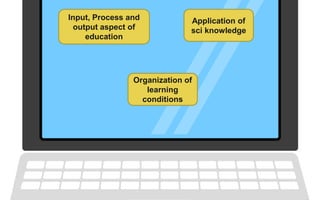
Input, Process and
output aspect of
education
Application of
sci knowledge
Organization of
learning
conditions
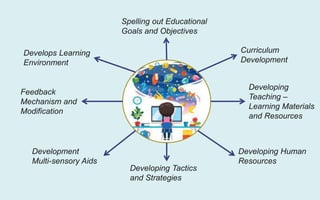
Spelling out Educational
Goals and Objectives
Curriculum
Development
Developing
Teaching –
Learning Materials
and Resources
Developing Human
Resources
Developing Tactics
and Strategies
Development
Multi-sensory Aids
Feedback
Mechanism and
Modification
Develops Learning
Environment
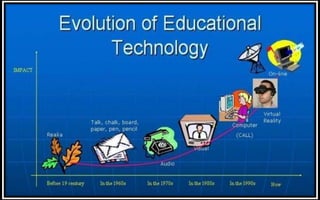
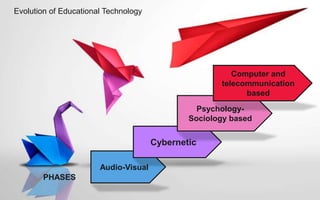
Evolution of Educational Technology
Audio-Visual
Cybernetic
Psychology-
Sociology based
Computer and
telecommunication
based
PHASES
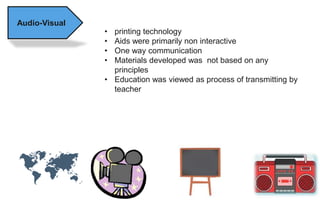
Audio-Visual
• printing technology
• Aids were primarily non interactive
• One way communication
• Materials developed was not based on any
principles
• Education was viewed as process of transmitting by
teacher
Cybernetic • defined as the comparative study of the human
(or biological) control mechanism and electro-
mechanical control systems such as computers.
• classroom teaching-learning process is a
system and the goal is success of the learner
and learning process.
• The activity involved is geared to the learner's
stage of growth -physical and cognitive.
• In Education The learner is given an opportunity
to perceive meaningful relationships among the
elements of the goal towards which he is
working.
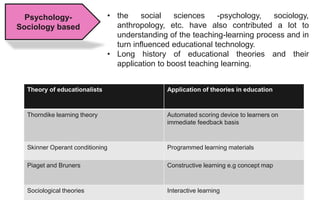
Psychology-
Sociology based
• the social sciences -psychology, sociology,
anthropology, etc. have also contributed a lot to
understanding of the teaching-learning process and in
turn influenced educational technology.
• Long history of educational theories and their
application to boost teaching learning.
Theory of educationalists Application of theories in education
Thorndike learning theory Automated scoring device to learners on
immediate feedback basis
Skinner Operant conditioning Programmed learning materials
Piaget and Bruners Constructive learning e.g concept map
Sociological theories Interactive learning
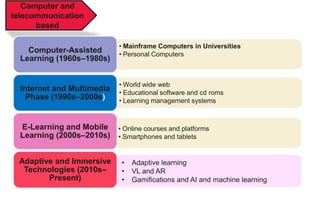
Computer and
telecommunication
based
• Mainframe Computers in Universities
• Personal Computers
Computer-Assisted
Learning (1960s–1980s)
• World wide web
• Educational software and cd roms
• Learning management systems
Internet and Multimedia
Phase (1990s–2000s)
• Online courses and platforms
• Smartphones and tablets
E-Learning and Mobile
Learning (2000s–2010s)
Adaptive and Immersive
Technologies (2010s–
Present)
• Adaptive learning
• VL and AR
• Gamifications and AI and machine learning

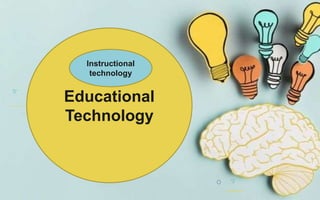
Educational
Technology
Instructional
technology
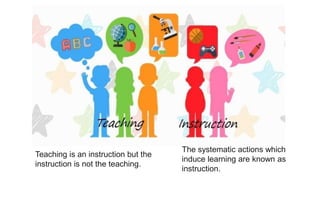
The systematic actions which
induce learning are known as
instruction.
Teaching is an instruction but the
instruction is not the teaching.
 Instructional technology means a
network of techniques or devices
employed to accomplish a set of
learning objectives.
 based on psychological and scientific
principles to instruction.
 the theory and practice of design,
development, utilization, management
and evaluation of process and
resources for learning
Theory and practice - Theory is based on the concepts, principles
and schemes that contribute to the body of knowledge and practice
refers to the application of that knowledge to solve problems.
Design, development, utilization, management and evaluation –
Each of these domains have a specific scope and area of knowledge
that have evolved into a separate area of study.
Processes and resources – A series of operations or activities is a
process that is followed to lead to a defined result and the resources
are the instructional materials that help support learning.
Learning- “Learning is the goal and instruction is a means to
learning”
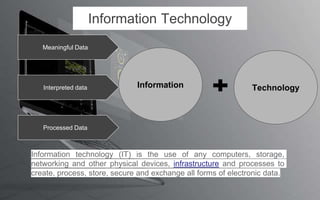
Information Technology
Meaningful Data
Interpreted data
Processed Data
Information technology (IT) is the use of any computers, storage,
networking and other physical devices, infrastructure and processes to
create, process, store, secure and exchange all forms of electronic data.
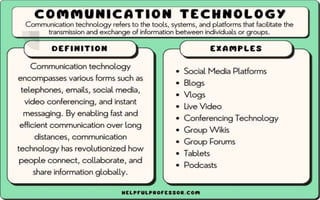
Communication Technology
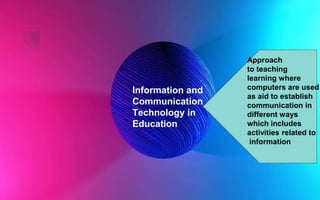
Information and
Communication
Technology in
Education
Approach
to teaching
learning where
computers are used
as aid to establish
communication in
different ways
which includes
activities related to
information
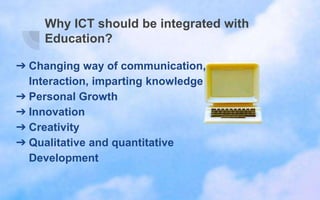
Why ICT should be integrated with
Education?
➔ Changing way of communication,
Interaction, imparting knowledge
➔ Personal Growth
➔ Innovation
➔ Creativity
➔ Qualitative and quantitative
Development
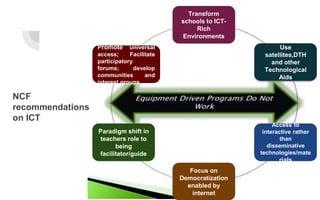
Transform
schools to ICT-
Rich
Environments
Use
satellites,DTH
and other
Technological
Aids
Paradigm shift in
teachers role to
being
facilitator/guide
Focus on
Democratization
enabled by
internet
Access to
interactive rather
than
disseminative
technologies/mate
rials
Promote universal
access; Facilitate
participatory
forums; develop
communities and
interest groups
NCF
recommendations
on ICT
Approach to
Educational Technology
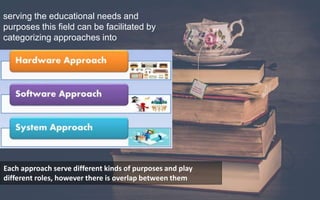
serving the educational needs and
purposes this field can be facilitated by
categorizing approaches into
Hardware
Software
system perspectives.
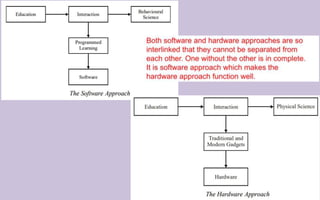
Each approach serve different kinds of purposes and play
different roles, however there is overlap between them
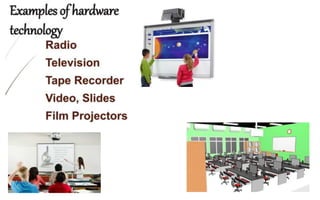
• based on the concept of Technology in
Education
• Use of Mechanical materials and Equipment
in the domain of education
• originated from physical sciences and
engineering.
• Mechanized the teaching learning process.
• Helps in preservation, transmission and
development of knowledge.
• Product based learning
• ‘relative technology’ which refers to
borrowing and to applying technology,
machines and devices in the process of
teaching and learning
• has the potential to hand over the educational
benefits to the mass with greater ease and
economy.
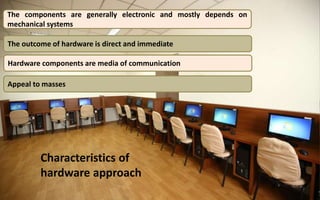
Characteristics of
hardware approach
The components are generally electronic and mostly depends on
mechanical systems
The outcome of hardware is direct and immediate
Appeal to masses
Hardware components are media of communication
Software
Approach
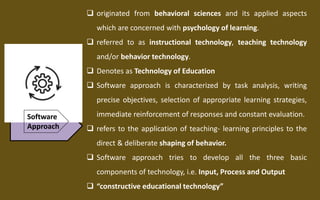
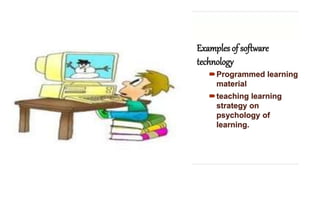
 originated from behavioral sciences and its applied aspects
which are concerned with psychology of learning.
 referred to as instructional technology, teaching technology
and/or behavior technology.
 Denotes as Technology of Education
 Software approach is characterized by task analysis, writing
precise objectives, selection of appropriate learning strategies,
immediate reinforcement of responses and constant evaluation.
 refers to the application of teaching- learning principles to the
direct & deliberate shaping of behavior.
 Software approach tries to develop all the three basic
components of technology, i.e. Input, Process and Output
 “constructive educational technology”
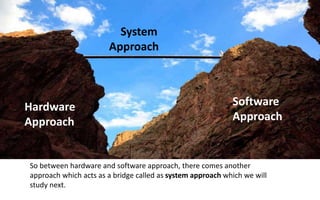
Hardware
Approach
Software
Approach
System
Approach
So between hardware and software approach, there comes another
approach which acts as a bridge called as system approach which we will
study next.
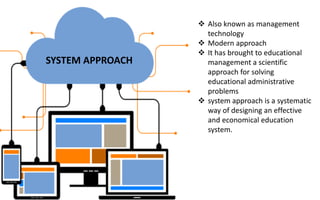
SYSTEM APPROACH
 Also known as management
technology
 Modern approach
 It has brought to educational
management a scientific
approach for solving
educational administrative
problems
 system approach is a systematic
way of designing an effective
and economical education
system.
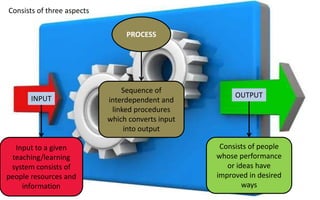
Consists of three aspects
INPUT
PROCESS
OUTPUT
Input to a given
teaching/learning
system consists of
people resources and
information
Sequence of
interdependent and
linked procedures
which converts input
into output
Consists of people
whose performance
or ideas have
improved in desired
ways
System approach focuses on;
 Learner first
 Course content
 Learning experience
 Effective media
 Instructional strategies
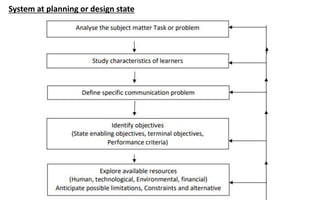
System at planning or design state
Advantages
• It provides a conceptual framework on which to build plans
for implementing change for education.
• It help to identify the suitability or otherwise of the
resource material to achieve the specific goals.
• It helps to assess the resources needs, their sources and
facilities in relation to quantities, time and other factors.
• Technology advance could be used to provide integration of
machines, media and people for attaining the definite goal.
• It permits an orderly introduction of components
demonstrated to be required for systems success in terms of
student learning
• Rigidity in plan of action is avoided as continuous
evaluation affords desired beneficial changes to be made.
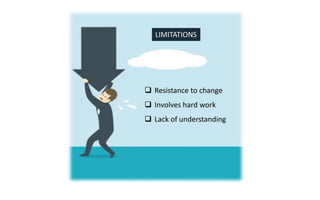
LIMITATIONS
 Resistance to change
 Involves hard work
 Lack of understanding
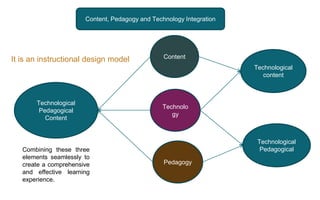
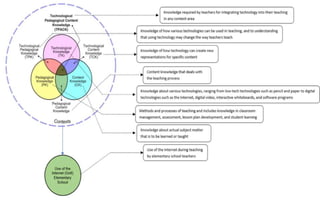
Content, Pedagogy and Technology Integration
Content
Pedagogy
Technolo
gy
Technological
content
Technological
Pedagogical
Technological
Pedagogical
Content
Combining these three
elements seamlessly to
create a comprehensive
and effective learning
experience.
It is an instructional design model
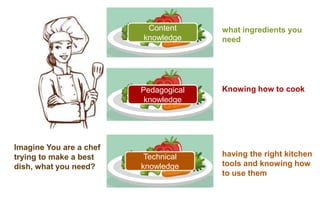
Imagine You are a chef
trying to make a best
dish, what you need?
Technical
knowledge
Pedagogical
knowledge
Content
knowledge
what ingredients you
need
Knowing how to cook
having the right kitchen
tools and knowing how
to use them
Content Knowledge (CK): In education, it's understanding the subject or what you're
teaching (math, science, history, etc.).
Pedagogical Knowledge (PK): It's about understanding how to teach effectively,
including different methods and strategies that engage students and help them learn.
Technological Knowledge (TK): This is like having the right kitchen tools and
knowing how to use them. In education, it's about knowing what technology tools are
available (like smart boards, educational apps, or online resources) and how to
integrate them into your teaching to enhance learning.
 Introducing technology is not enough, need to
integrate
 For effective teaching
 Proper use of resource and knowledge
 TPACK shows us that there’s a relationship
between technology, content, and pedagogy,
and the purposeful blending of them is key.
Developing a TPACK (Technological
Pedagogical Content Knowledge)
instrument involves;
A. Setting objectives by identifying purpose and target audience
B. Reviewing existing literature and instrument
C. Design Your Instrument
D. Pilot test and revising
E. Validating instrument
F. Implement and refine
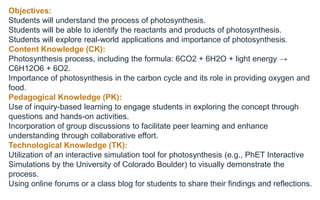
Objectives:
Students will understand the process of photosynthesis.
Students will be able to identify the reactants and products of photosynthesis.
Students will explore real-world applications and importance of photosynthesis.
Content Knowledge (CK):
Photosynthesis process, including the formula: 6CO2 + 6H2O + light energy →
C6H12O6 + 6O2.
Importance of photosynthesis in the carbon cycle and its role in providing oxygen and
food.
Pedagogical Knowledge (PK):
Use of inquiry-based learning to engage students in exploring the concept through
questions and hands-on activities.
Incorporation of group discussions to facilitate peer learning and enhance
understanding through collaborative effort.
Technological Knowledge (TK):
Utilization of an interactive simulation tool for photosynthesis (e.g., PhET Interactive
Simulations by the University of Colorado Boulder) to visually demonstrate the
process.
Using online forums or a class blog for students to share their findings and reflections.
Introduction to Photosynthesis:
Activity: Begin with a question to spark curiosity: "How can plants eat
sunlight?" Briefly discuss to gather initial thoughts.
Technology Integration: Show a short animated video that introduces the
concept of photosynthesis, highlighting its basic components and significance.
Exploration Through Simulation:
Pedagogy: Divide the class into small groups to encourage collaborative
learning.
Technology Integration: Each group uses the interactive simulation tool to
explore how changing variables (like light intensity, CO2 levels) affects the rate
of photosynthesis. This hands-on activity helps students understand the
process dynamically and visually.
Discussion and Concept Mapping:
Pedagogy: After the exploration, lead a guided discussion to consolidate
understanding. Use questioning techniques to connect the simulation
experience with the theoretical concepts.
Activity: Each group creates a concept map of photosynthesis, including
reactants, products, and conditions necessary for the process. They can use
digital tools like mind mapping software to create and present their maps.
Real-world Application:
Activity: Discuss the importance of photosynthesis in everyday life,
including food production and oxygen generation. Ask students to
research and share examples of how photosynthesis impacts human
life and the environment.
Technology Integration: Students use online resources for
research and present their findings on the class blog or forum,
fostering a sense of community and shared learning.
Reflection and Assessment:
Pedagogy: Use formative assessment techniques to gauge
students' understanding through quizzes or short-answer questions.
Technology Integration: Implement an online quiz tool that
provides immediate feedback. Encourage students to reflect on their
learning process and how the technological tools contributed to their
understanding by posting on the class blog.
Use of
technology
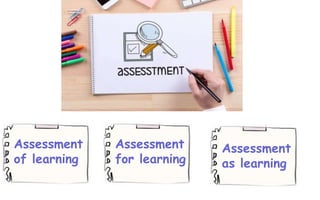
Assessment
of learning
Assessment
for learning
Assessment
as learning
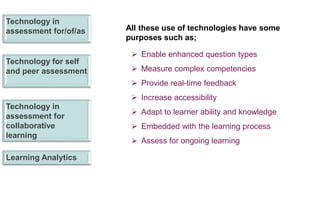
Technology in
assessment for/of/as
Technology for self
and peer assessment
Technology in
assessment for
collaborative
learning
Learning Analytics
All these use of technologies have some
purposes such as;
 Enable enhanced question types
 Measure complex competencies
 Provide real-time feedback
 Increase accessibility
 Adapt to learner ability and knowledge
 Embedded with the learning process
 Assess for ongoing learning
benefits of technology in assessment;
• variety and authenticity in assessment.
• enhances learner engagement.
• anywhere and anytime assessment.
• assess cognitive and non-cognitive skills.
• efficient submission, marking, moderation and data
storage processes.
• accuracy and consistency in results.
• immediate and real-time feedback.
• different question formats.
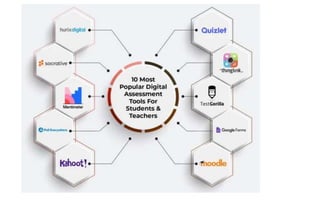
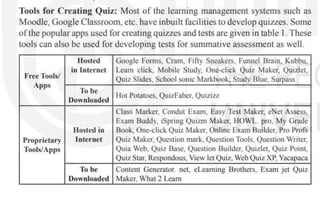
Tools for technology in assessment
• refers to the digital applications, platforms, and
resources that facilitate the evaluation of student
learning, performance, and understanding.
• These tools leverage the capabilities of modern
technology to make assessments more efficient,
accurate, engaging, and insightful.
• They serve a variety of functions, from the
delivery of tests and quizzes to the analysis of
student data for personalized feedback and
learning paths.
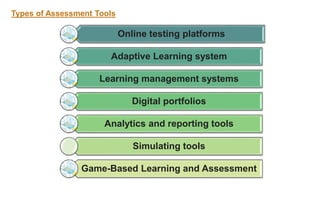
Types of Assessment Tools
Online testing platforms
Adaptive Learning system
Learning management systems
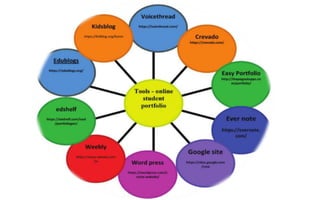
Digital portfolios
Analytics and reporting tools
Simulating tools
Game-Based Learning and Assessment
Online assessment tools
• Computer assisted assessment(CAA)
• Computer adaptive testing (CAT)
• Mobile based Assessment
• LMS based assessments
• Concept map
• Survey
• Wiki
• Blog
• Discussion forum
• Application software
• E-portfolio
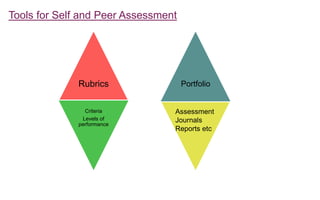
Tools for Self and Peer Assessment
Rubrics
Criteria
Levels of
performance
Portfolio
Assessment
Journals
Reports etc
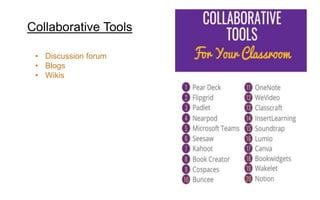
Collaborative Tools
• Discussion forum
• Blogs
• Wikis
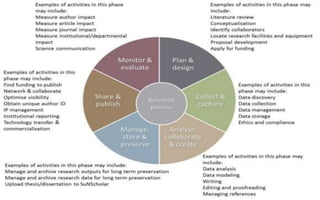
Technology in research means
technology in all the aspects in the
process of research to develop the
standards
Enhanced Data Collection and Analysis
• Big Data Analytics
• Internet of Things
(IoT)
• Artificial
Intelligence and
Machine Learning
• Digital Surveys and
Social Media
Analysis
• Cloud Computing
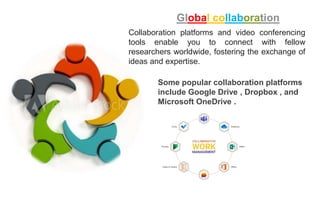
Global collaboration
Collaboration platforms and video conferencing
tools enable you to connect with fellow
researchers worldwide, fostering the exchange of
ideas and expertise.
Some popular collaboration platforms
include Google Drive , Dropbox , and
Microsoft OneDrive .
Access to Information
• Online database
• Academic journals
• Open-access repositories
Some popular open access repositories
include PubMed Central and Directory of
Open Access Journals (DOAJ) .
Advanced Research Methods
Project Management Tools: These tools
can help you to stay organized and on
track with your research project. Some
popular project management tools include
Asana , Trello , and Basecamp .
Video Conferencing Tools: These tools
allow you to communicate with colleagues
and collaborators who are located in
different parts of the world. Some popular
video conferencing tools include Zoom ,
Skype , and Google Meet .
Data Analysis Software: There are
a variety of software programs that
can be used to analyze quantitative
data. Some popular data analysis
software programs include SPSS ,
SAS , and R .
Efficient Communication and
Dissemination
Established Publishers with Websites:
ScienceDirect (Elsevier): https://www.sciencedirect.com/ (covers a
vast range of scientific fields)
Wiley Online Library: https://onlinelibrary.wiley.com/ (covers various
disciplines in science, social science, and humanities)
JSTOR: https://www.jstor.org/ (focuses on humanities and social
sciences, with some scientific journals)
Sage Journals: https://journals.sagepub.com/ (covers a broad range of
social sciences, humanities, and medical fields)
Discipline-Specific Platforms:
ERIC: https://eric.ed.gov/ (education research)
PubMed Central: https://www.ncbi.nlm.nih.gov/home/health/ (life
sciences and medicine)
IEEE
Xplore: https://ieeexplore.ieee.org/Xplore/home.jsp (engineering
and technology)
Literature search and management
• Search engines
• Research gate
• Academia.edu
• Mendely
• Zotero
• Evernote
• Type set
Reference Management Software: These
applications help you to organize your
research materials, create bibliographies,
and format citations.
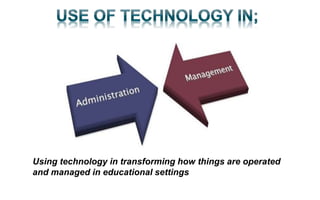
Using technology in transforming how things are operated
and managed in educational settings
Automation reducing workload
• Software now handles routine tasks previously
done manually.
• Examples: Scheduling, report generation,
repetitive data entry.
• Understanding how this frees up staff time allows
you to focus on strategic improvements within
educational organizations.
• Instant Messaging & Video
Conferencing: Connects
administrators, teachers, staff, and parents
regardless of location. Reduces delays and
promotes quick problem-solving.
• Cloud-Based File Sharing: Real-time
collaboration on lesson plans, curriculum
documents, and school improvement plans
ensures everyone is on the same page.
• School / Parent Portals: Parents get secure
access to student grades, schedules, and
attendance. Improves transparency and
involvement.
Streamlining Administrative tasks
Scheduling Software: Automates class scheduling, teacher
assignments, and room bookings. Reduces time spent on
manual processes and minimizes conflicts.
Attendance Tracking: Digital systems replace paper
attendance logs. Provides real-time attendance data for
reports and identifying potential issues early.
Financial Management: Dedicated software streamlines
budgeting, purchase orders, payroll, and eliminates
calculation errors.
Report Generation: Automated reports on everything from
enrolment figures to student performance, allowing data-
driven decision-making.
Data-Driven Decision Making:
Learning Management Systems (LMS): Track student
progress, engagement, and identify areas for improvement. Allows
for personalized intervention plans.
Dashboards and Analytics Tools: Analyze school-wide data on
academic performance, demographics, and trends for strategic
planning and resource allocation.
Student Information Systems (SIS): Centralize student records –
attendance, grades, demographics – providing a holistic view of
each learner.
Improved Resource Management
Facility Management
Software:
Helps optimize use of
classrooms, labs, sporting
facilities. Prevents scheduling
conflicts and ensures efficient
space utilization.
Inventory Management
Tools:
Tracks
supplies, equipment, and
technology assets, aiding in
efficient budgeting and
procurement.
The Future is Even More Tech-Driven
AI is already streamlining some complex
tasks, making data analysis easier.
VR/AR can improve training and global
collaboration (especially valuable in
educational spheres!)
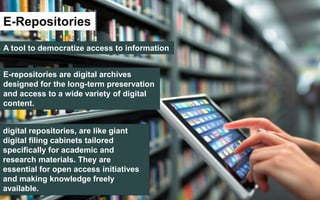
E-Repositories
A tool to democratize access to information
E-repositories are digital archives
designed for the long-term preservation
and access to a wide variety of digital
content.
digital repositories, are like giant
digital filing cabinets tailored
specifically for academic and
research materials. They are
essential for open access initiatives
and making knowledge freely
available.
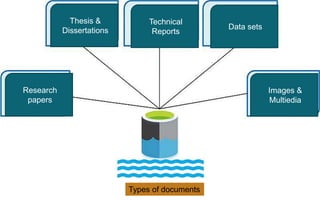
Types of documents
Research
papers
Thesis &
Dissertations
Technical
Reports
Data sets
Images &
Multiedia
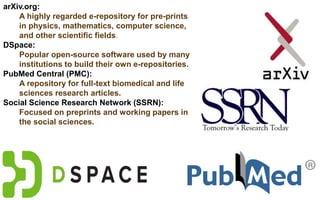
arXiv.org:
A highly regarded e-repository for pre-prints
in physics, mathematics, computer science,
and other scientific fields.
DSpace:
Popular open-source software used by many
institutions to build their own e-repositories.
PubMed Central (PMC):
A repository for full-text biomedical and life
sciences research articles.
Social Science Research Network (SSRN):
Focused on preprints and working papers in
the social sciences.
E-Libraries
E-libraries are digital collections of books,
journals, and other educational resources
accessible online.
E-Books
Digital copies of
Print materials
Online journals
and databases
Streaming media
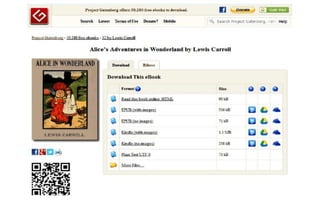
Project Gutenberg:
Offers a vast collection of free e-
books whose copyright has
expired.
Open Library:
Aims to catalog every book ever
published, with over a million
available for digital borrowing.
JSTOR:
A subscription-based service
providing access to full-text
journals in a wide range of fields.
Your university library's online
catalog:
Most universities invest heavily
in e-libraries, offering licensed
journals and databases crucial
for student research.
Advantages
• Global access to knowledge
• Increased research visibility
• Preservation of scholarly output
• Enhanced collaboration amongst
researchers
E-repositories and e-libraries
have revolutionized how we store
and share information. For
researchers, students, and the
lifelong learner, these tools open
up a world of opportunity.
Educational Technology, approaches to ET, the concepts

Educational Technology, approaches to ET, the concepts

  • 1.
  • 2.
    Educational Technology-Concept ● Educationaltechnology is a field involved in applying a complex integrated process to analyze and solves problems in human learning.  National Council for Educational Technology (1967) - "the development, application, and evaluation of systems, techniques and aids to improve the process of human learning.” Technology of Education + Technology in Education = Educational Technology
  • 3.
    Input, Process and outputaspect of education Application of sci knowledge Organization of learning conditions
  • 4.
    Spelling out Educational Goalsand Objectives Curriculum Development Developing Teaching – Learning Materials and Resources Developing Human Resources Developing Tactics and Strategies Development Multi-sensory Aids Feedback Mechanism and Modification Develops Learning Environment
  • 6.
    Evolution of EducationalTechnology Audio-Visual Cybernetic Psychology- Sociology based Computer and telecommunication based PHASES
  • 7.
    Audio-Visual • printing technology •Aids were primarily non interactive • One way communication • Materials developed was not based on any principles • Education was viewed as process of transmitting by teacher
  • 8.
    Cybernetic • definedas the comparative study of the human (or biological) control mechanism and electro- mechanical control systems such as computers. • classroom teaching-learning process is a system and the goal is success of the learner and learning process. • The activity involved is geared to the learner's stage of growth -physical and cognitive. • In Education The learner is given an opportunity to perceive meaningful relationships among the elements of the goal towards which he is working.
  • 9.
    Psychology- Sociology based • thesocial sciences -psychology, sociology, anthropology, etc. have also contributed a lot to understanding of the teaching-learning process and in turn influenced educational technology. • Long history of educational theories and their application to boost teaching learning. Theory of educationalists Application of theories in education Thorndike learning theory Automated scoring device to learners on immediate feedback basis Skinner Operant conditioning Programmed learning materials Piaget and Bruners Constructive learning e.g concept map Sociological theories Interactive learning
  • 10.
    Computer and telecommunication based • MainframeComputers in Universities • Personal Computers Computer-Assisted Learning (1960s–1980s) • World wide web • Educational software and cd roms • Learning management systems Internet and Multimedia Phase (1990s–2000s) • Online courses and platforms • Smartphones and tablets E-Learning and Mobile Learning (2000s–2010s) Adaptive and Immersive Technologies (2010s– Present) • Adaptive learning • VL and AR • Gamifications and AI and machine learning
  • 11.
  • 12.
    The systematic actionswhich induce learning are known as instruction. Teaching is an instruction but the instruction is not the teaching.
  • 13.
     Instructional technologymeans a network of techniques or devices employed to accomplish a set of learning objectives.  based on psychological and scientific principles to instruction.  the theory and practice of design, development, utilization, management and evaluation of process and resources for learning
  • 14.
    Theory and practice- Theory is based on the concepts, principles and schemes that contribute to the body of knowledge and practice refers to the application of that knowledge to solve problems. Design, development, utilization, management and evaluation – Each of these domains have a specific scope and area of knowledge that have evolved into a separate area of study. Processes and resources – A series of operations or activities is a process that is followed to lead to a defined result and the resources are the instructional materials that help support learning. Learning- “Learning is the goal and instruction is a means to learning”
  • 16.
    Information Technology Meaningful Data Interpreteddata Processed Data Information technology (IT) is the use of any computers, storage, networking and other physical devices, infrastructure and processes to create, process, store, secure and exchange all forms of electronic data.
  • 17.
  • 19.
    Information and Communication Technology in Education Approach toteaching learning where computers are used as aid to establish communication in different ways which includes activities related to information
  • 20.
    Why ICT shouldbe integrated with Education? ➔ Changing way of communication, Interaction, imparting knowledge ➔ Personal Growth ➔ Innovation ➔ Creativity ➔ Qualitative and quantitative Development
  • 21.
    Transform schools to ICT- Rich Environments Use satellites,DTH andother Technological Aids Paradigm shift in teachers role to being facilitator/guide Focus on Democratization enabled by internet Access to interactive rather than disseminative technologies/mate rials Promote universal access; Facilitate participatory forums; develop communities and interest groups NCF recommendations on ICT
  • 23.
  • 25.
    serving the educationalneeds and purposes this field can be facilitated by categorizing approaches into Hardware Software system perspectives. Each approach serve different kinds of purposes and play different roles, however there is overlap between them
  • 26.
    • based onthe concept of Technology in Education • Use of Mechanical materials and Equipment in the domain of education • originated from physical sciences and engineering. • Mechanized the teaching learning process. • Helps in preservation, transmission and development of knowledge. • Product based learning • ‘relative technology’ which refers to borrowing and to applying technology, machines and devices in the process of teaching and learning • has the potential to hand over the educational benefits to the mass with greater ease and economy.
  • 27.
    Characteristics of hardware approach Thecomponents are generally electronic and mostly depends on mechanical systems The outcome of hardware is direct and immediate Appeal to masses Hardware components are media of communication
  • 29.
    Software Approach  originated frombehavioral sciences and its applied aspects which are concerned with psychology of learning.  referred to as instructional technology, teaching technology and/or behavior technology.  Denotes as Technology of Education  Software approach is characterized by task analysis, writing precise objectives, selection of appropriate learning strategies, immediate reinforcement of responses and constant evaluation.  refers to the application of teaching- learning principles to the direct & deliberate shaping of behavior.  Software approach tries to develop all the three basic components of technology, i.e. Input, Process and Output  “constructive educational technology”
  • 33.
    Hardware Approach Software Approach System Approach So between hardwareand software approach, there comes another approach which acts as a bridge called as system approach which we will study next.
  • 34.
    SYSTEM APPROACH  Alsoknown as management technology  Modern approach  It has brought to educational management a scientific approach for solving educational administrative problems  system approach is a systematic way of designing an effective and economical education system.
  • 35.
    Consists of threeaspects INPUT PROCESS OUTPUT Input to a given teaching/learning system consists of people resources and information Sequence of interdependent and linked procedures which converts input into output Consists of people whose performance or ideas have improved in desired ways
  • 36.
    System approach focuseson;  Learner first  Course content  Learning experience  Effective media  Instructional strategies
  • 37.
    System at planningor design state
  • 39.
    Advantages • It providesa conceptual framework on which to build plans for implementing change for education. • It help to identify the suitability or otherwise of the resource material to achieve the specific goals. • It helps to assess the resources needs, their sources and facilities in relation to quantities, time and other factors. • Technology advance could be used to provide integration of machines, media and people for attaining the definite goal. • It permits an orderly introduction of components demonstrated to be required for systems success in terms of student learning • Rigidity in plan of action is avoided as continuous evaluation affords desired beneficial changes to be made.
  • 40.
    LIMITATIONS  Resistance tochange  Involves hard work  Lack of understanding
  • 41.
    Content, Pedagogy andTechnology Integration Content Pedagogy Technolo gy Technological content Technological Pedagogical Technological Pedagogical Content Combining these three elements seamlessly to create a comprehensive and effective learning experience. It is an instructional design model
  • 42.
    Imagine You area chef trying to make a best dish, what you need? Technical knowledge Pedagogical knowledge Content knowledge what ingredients you need Knowing how to cook having the right kitchen tools and knowing how to use them
  • 43.
    Content Knowledge (CK):In education, it's understanding the subject or what you're teaching (math, science, history, etc.). Pedagogical Knowledge (PK): It's about understanding how to teach effectively, including different methods and strategies that engage students and help them learn. Technological Knowledge (TK): This is like having the right kitchen tools and knowing how to use them. In education, it's about knowing what technology tools are available (like smart boards, educational apps, or online resources) and how to integrate them into your teaching to enhance learning.
  • 45.
     Introducing technologyis not enough, need to integrate  For effective teaching  Proper use of resource and knowledge  TPACK shows us that there’s a relationship between technology, content, and pedagogy, and the purposeful blending of them is key.
  • 46.
    Developing a TPACK(Technological Pedagogical Content Knowledge) instrument involves; A. Setting objectives by identifying purpose and target audience B. Reviewing existing literature and instrument C. Design Your Instrument D. Pilot test and revising E. Validating instrument F. Implement and refine
  • 47.
    Objectives: Students will understandthe process of photosynthesis. Students will be able to identify the reactants and products of photosynthesis. Students will explore real-world applications and importance of photosynthesis. Content Knowledge (CK): Photosynthesis process, including the formula: 6CO2 + 6H2O + light energy → C6H12O6 + 6O2. Importance of photosynthesis in the carbon cycle and its role in providing oxygen and food. Pedagogical Knowledge (PK): Use of inquiry-based learning to engage students in exploring the concept through questions and hands-on activities. Incorporation of group discussions to facilitate peer learning and enhance understanding through collaborative effort. Technological Knowledge (TK): Utilization of an interactive simulation tool for photosynthesis (e.g., PhET Interactive Simulations by the University of Colorado Boulder) to visually demonstrate the process. Using online forums or a class blog for students to share their findings and reflections.
  • 48.
    Introduction to Photosynthesis: Activity:Begin with a question to spark curiosity: "How can plants eat sunlight?" Briefly discuss to gather initial thoughts. Technology Integration: Show a short animated video that introduces the concept of photosynthesis, highlighting its basic components and significance. Exploration Through Simulation: Pedagogy: Divide the class into small groups to encourage collaborative learning. Technology Integration: Each group uses the interactive simulation tool to explore how changing variables (like light intensity, CO2 levels) affects the rate of photosynthesis. This hands-on activity helps students understand the process dynamically and visually. Discussion and Concept Mapping: Pedagogy: After the exploration, lead a guided discussion to consolidate understanding. Use questioning techniques to connect the simulation experience with the theoretical concepts. Activity: Each group creates a concept map of photosynthesis, including reactants, products, and conditions necessary for the process. They can use digital tools like mind mapping software to create and present their maps.
  • 49.
    Real-world Application: Activity: Discussthe importance of photosynthesis in everyday life, including food production and oxygen generation. Ask students to research and share examples of how photosynthesis impacts human life and the environment. Technology Integration: Students use online resources for research and present their findings on the class blog or forum, fostering a sense of community and shared learning. Reflection and Assessment: Pedagogy: Use formative assessment techniques to gauge students' understanding through quizzes or short-answer questions. Technology Integration: Implement an online quiz tool that provides immediate feedback. Encourage students to reflect on their learning process and how the technological tools contributed to their understanding by posting on the class blog.
  • 50.
  • 51.
  • 52.
    Technology in assessment for/of/as Technologyfor self and peer assessment Technology in assessment for collaborative learning Learning Analytics All these use of technologies have some purposes such as;  Enable enhanced question types  Measure complex competencies  Provide real-time feedback  Increase accessibility  Adapt to learner ability and knowledge  Embedded with the learning process  Assess for ongoing learning
  • 53.
    benefits of technologyin assessment; • variety and authenticity in assessment. • enhances learner engagement. • anywhere and anytime assessment. • assess cognitive and non-cognitive skills. • efficient submission, marking, moderation and data storage processes. • accuracy and consistency in results. • immediate and real-time feedback. • different question formats.
  • 54.
    Tools for technologyin assessment • refers to the digital applications, platforms, and resources that facilitate the evaluation of student learning, performance, and understanding. • These tools leverage the capabilities of modern technology to make assessments more efficient, accurate, engaging, and insightful. • They serve a variety of functions, from the delivery of tests and quizzes to the analysis of student data for personalized feedback and learning paths.
  • 55.
    Types of AssessmentTools Online testing platforms Adaptive Learning system Learning management systems Digital portfolios Analytics and reporting tools Simulating tools Game-Based Learning and Assessment
  • 56.
    Online assessment tools •Computer assisted assessment(CAA) • Computer adaptive testing (CAT) • Mobile based Assessment • LMS based assessments • Concept map • Survey • Wiki • Blog • Discussion forum • Application software • E-portfolio
  • 61.
    Tools for Selfand Peer Assessment Rubrics Criteria Levels of performance Portfolio Assessment Journals Reports etc
  • 62.
    Collaborative Tools • Discussionforum • Blogs • Wikis
  • 65.
    Technology in researchmeans technology in all the aspects in the process of research to develop the standards
  • 66.
    Enhanced Data Collectionand Analysis • Big Data Analytics • Internet of Things (IoT) • Artificial Intelligence and Machine Learning • Digital Surveys and Social Media Analysis • Cloud Computing
  • 67.
    Global collaboration Collaboration platformsand video conferencing tools enable you to connect with fellow researchers worldwide, fostering the exchange of ideas and expertise. Some popular collaboration platforms include Google Drive , Dropbox , and Microsoft OneDrive .
  • 68.
    Access to Information •Online database • Academic journals • Open-access repositories Some popular open access repositories include PubMed Central and Directory of Open Access Journals (DOAJ) .
  • 69.
    Advanced Research Methods ProjectManagement Tools: These tools can help you to stay organized and on track with your research project. Some popular project management tools include Asana , Trello , and Basecamp . Video Conferencing Tools: These tools allow you to communicate with colleagues and collaborators who are located in different parts of the world. Some popular video conferencing tools include Zoom , Skype , and Google Meet . Data Analysis Software: There are a variety of software programs that can be used to analyze quantitative data. Some popular data analysis software programs include SPSS , SAS , and R .
  • 70.
    Efficient Communication and Dissemination EstablishedPublishers with Websites: ScienceDirect (Elsevier): https://www.sciencedirect.com/ (covers a vast range of scientific fields) Wiley Online Library: https://onlinelibrary.wiley.com/ (covers various disciplines in science, social science, and humanities) JSTOR: https://www.jstor.org/ (focuses on humanities and social sciences, with some scientific journals) Sage Journals: https://journals.sagepub.com/ (covers a broad range of social sciences, humanities, and medical fields) Discipline-Specific Platforms: ERIC: https://eric.ed.gov/ (education research) PubMed Central: https://www.ncbi.nlm.nih.gov/home/health/ (life sciences and medicine) IEEE Xplore: https://ieeexplore.ieee.org/Xplore/home.jsp (engineering and technology)
  • 71.
    Literature search andmanagement • Search engines • Research gate • Academia.edu • Mendely • Zotero • Evernote • Type set Reference Management Software: These applications help you to organize your research materials, create bibliographies, and format citations.
  • 72.
    Using technology intransforming how things are operated and managed in educational settings
  • 73.
    Automation reducing workload •Software now handles routine tasks previously done manually. • Examples: Scheduling, report generation, repetitive data entry. • Understanding how this frees up staff time allows you to focus on strategic improvements within educational organizations.
  • 74.
    • Instant Messaging& Video Conferencing: Connects administrators, teachers, staff, and parents regardless of location. Reduces delays and promotes quick problem-solving. • Cloud-Based File Sharing: Real-time collaboration on lesson plans, curriculum documents, and school improvement plans ensures everyone is on the same page. • School / Parent Portals: Parents get secure access to student grades, schedules, and attendance. Improves transparency and involvement.
  • 75.
    Streamlining Administrative tasks SchedulingSoftware: Automates class scheduling, teacher assignments, and room bookings. Reduces time spent on manual processes and minimizes conflicts. Attendance Tracking: Digital systems replace paper attendance logs. Provides real-time attendance data for reports and identifying potential issues early. Financial Management: Dedicated software streamlines budgeting, purchase orders, payroll, and eliminates calculation errors. Report Generation: Automated reports on everything from enrolment figures to student performance, allowing data- driven decision-making.
  • 76.
    Data-Driven Decision Making: LearningManagement Systems (LMS): Track student progress, engagement, and identify areas for improvement. Allows for personalized intervention plans. Dashboards and Analytics Tools: Analyze school-wide data on academic performance, demographics, and trends for strategic planning and resource allocation. Student Information Systems (SIS): Centralize student records – attendance, grades, demographics – providing a holistic view of each learner.
  • 77.
    Improved Resource Management FacilityManagement Software: Helps optimize use of classrooms, labs, sporting facilities. Prevents scheduling conflicts and ensures efficient space utilization. Inventory Management Tools: Tracks supplies, equipment, and technology assets, aiding in efficient budgeting and procurement.
  • 78.
    The Future isEven More Tech-Driven AI is already streamlining some complex tasks, making data analysis easier. VR/AR can improve training and global collaboration (especially valuable in educational spheres!)
  • 79.
    E-Repositories A tool todemocratize access to information E-repositories are digital archives designed for the long-term preservation and access to a wide variety of digital content. digital repositories, are like giant digital filing cabinets tailored specifically for academic and research materials. They are essential for open access initiatives and making knowledge freely available.
  • 80.
    Types of documents Research papers Thesis& Dissertations Technical Reports Data sets Images & Multiedia
  • 81.
    arXiv.org: A highly regardede-repository for pre-prints in physics, mathematics, computer science, and other scientific fields. DSpace: Popular open-source software used by many institutions to build their own e-repositories. PubMed Central (PMC): A repository for full-text biomedical and life sciences research articles. Social Science Research Network (SSRN): Focused on preprints and working papers in the social sciences.
  • 82.
    E-Libraries E-libraries are digitalcollections of books, journals, and other educational resources accessible online.
  • 83.
    E-Books Digital copies of Printmaterials Online journals and databases Streaming media
  • 84.
    Project Gutenberg: Offers avast collection of free e- books whose copyright has expired. Open Library: Aims to catalog every book ever published, with over a million available for digital borrowing. JSTOR: A subscription-based service providing access to full-text journals in a wide range of fields. Your university library's online catalog: Most universities invest heavily in e-libraries, offering licensed journals and databases crucial for student research.
  • 86.
    Advantages • Global accessto knowledge • Increased research visibility • Preservation of scholarly output • Enhanced collaboration amongst researchers E-repositories and e-libraries have revolutionized how we store and share information. For researchers, students, and the lifelong learner, these tools open up a world of opportunity.