Eclipse e4DI, services, CSS and the modeled WorkbenchLars Vogelhttp://www.vogella.dehttp://www.twitter.com/vogella
Mini-Agenda Scope and targets of e4The existing Eclipse 3.x UI modele4 workbench modelStylingServices
Eclipse e4 ScopeTargets developmentfor Eclipse (plugins) or based on Eclipse (Eclipse RCP).
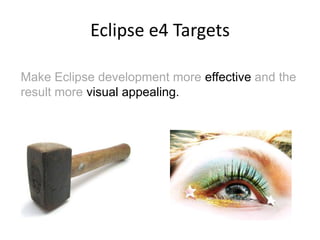
Eclipse e4 TargetsMake Eclipse development more effective and the result more visual appealing.
So, what’s wrong with Eclipse 3.X?
Problems with the Eclipse 3.x programming modelComplexLots of APIPlatform functionality via singletonsNot easy to testNot a consistent way to define the UIUI makes assumptions, e.g. Editors / Views
If only Eclipse development would be easier and the UI would be more flexible. 7
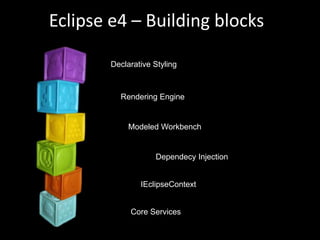
Eclipse e4 – Building blocksDeclarative StylingRendering EngineModeled WorkbenchDependecy InjectionIEclipseContextCore Services
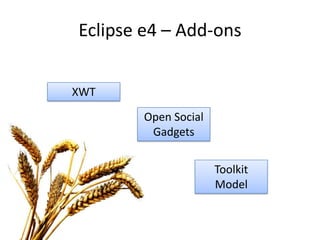
Eclipse e4 – Add-onsXWTOpen Social GadgetsToolkit Model
The Modeled Workbench
The e4 Workbench Modele4 Workbench ModelEMF inside
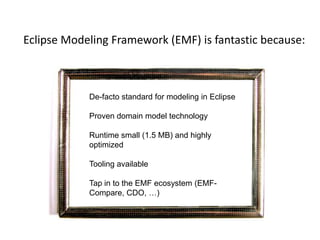
Eclipse Modeling Framework (EMF) is fantastic because:De-facto standard for modeling in EclipseProven domain model technologyRuntime small (1.5 MB) and highly optimizedTooling availableTap in to the EMF ecosystem (EMF-Compare, CDO, …)If I only had a consistent view and behavior of the Eclipse workbenchIf I only had a consistent view and behavior of the Eclipse workbench
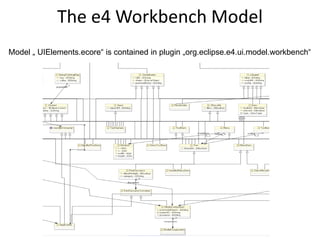
The e4 Workbench ModelModel „ UIElements.ecore“ is contained in plugin „org.eclipse.e4.ui.model.workbench“
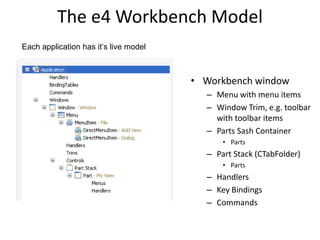
The e4 Workbench ModelEach application has it‘s live modelWorkbench window Menu with menu items Window Trim, e.g. toolbar with toolbar items Parts Sash ContainerPartsPart Stack (CTabFolder)PartsHandlersKey BindingsCommands
Model is FlexibleNo distinction between View and EditorPerspectives are optionalStack / Sash are optionalSeveral windows easily possibleFlexible Toolbars
Attention:In the context of e4 a View and an Editor are both so called “Parts”. Don’t get confused if I speak about “Parts”.If I only had a consistent view and behavior of the Eclipse workbenchIf I only had a consistent view and behavior of the Eclipse workbench
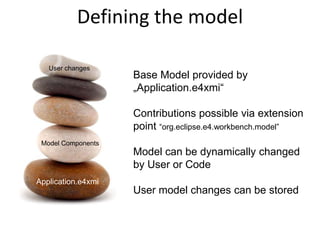
Defining the model Base Model provided by „Application.e4xmi“Contributions possible via extension point“org.eclipse.e4.workbench.model”Model can be dynamically changed by User or CodeUser model changes can be storedUser changesModel ComponentsApplication.e4xmiApplication.e4xmi
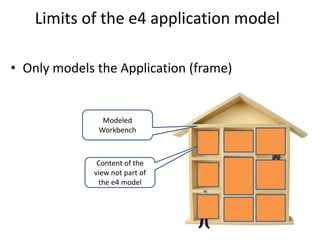
Limits of the e4 application modelOnly models the Application (frame)Modeled WorkbenchContent of the view not part of the e4 model
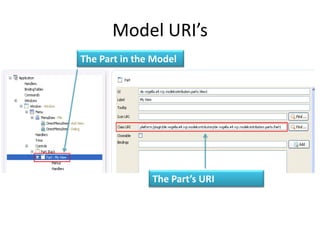
Model URI’sThe Part in the ModelThe Part’s URI
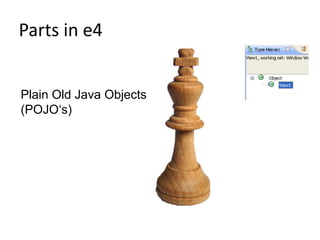
Parts in e4Plain Old Java Objects (POJO‘s)
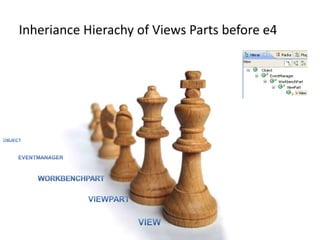
InherianceHierachy of Views Parts before e4ObjectEventManagerWorkbenchPartViewPartView
Commands & HandlersHandlershave and id and a commandhave an URI for the implementing class, e.g.platform:/plugin/...SaveHandlerCommandshave and id and a namecan be inserted in menus and toolbarsMenus / ToolbarUse commands or DirectItems
Model available at runtime
How is this model translated into UI components?© Lars Vogel and others, Licensed under Creative Commons by-nc-nd-3.0 (de)
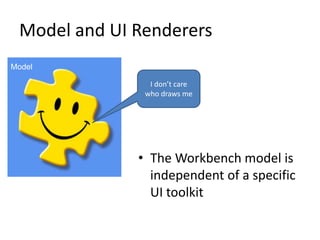
Model and UI RenderersModelI don’t care who draws meThe Workbench model is independent of a specific UI toolkit
RenderersRenderer FactoryEclipse default is the SWT RendererCan be selected at Startup via parameter
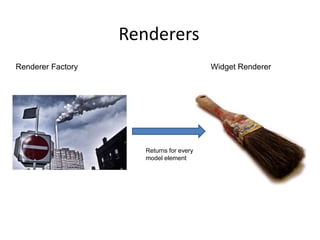
RenderersWidget RendererRenderer FactoryReturns for every model element
Widget RendererEach UI elements gets a renderer Renderer manage Lifecycle of the UI-ElementCreationModel to widget bindingRenderingDisposal
Renderer: flexible but complex
e4 CSS Styling
Eclipse 3.X - Styling the User InterfaceUI styling viaThe Presentation APICustom WidgetsVery limited
In reality all RCP apps look like the an IDE
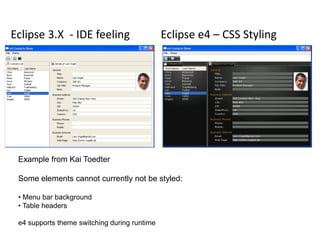
Eclipse3.X  - IDE feelingEclipse e4 – CSS StylingExample from Kai ToedterSome elements cannot currently not be styled: Menu bar background
 Table headers e4 supports theme switching during runtime
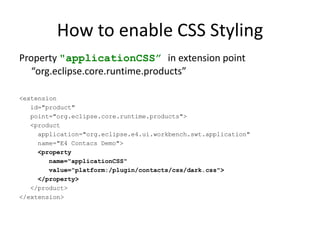
How to enable CSS StylingProperty "applicationCSS” in extension point “org.eclipse.core.runtime.products”<extension   id="product"   point="org.eclipse.core.runtime.products">   <product          application="org.eclipse.e4.ui.workbench.swt.application"     name="E4 Contacs Demo">     <property        name="applicationCSS"        value="platform:/plugin/contacts/css/dark.css">     </property>   </product></extension>
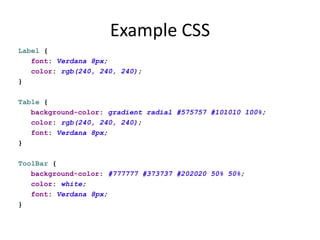
Example CSSLabel {   font: Verdana 8px;   color: rgb(240, 240, 240);}Table {   background-color: gradient radial #575757 #101010 100%;   color: rgb(240, 240, 240);   font: Verdana 8px;}ToolBar {   background-color: #777777 #373737 #202020 50% 50%;   color: white;   font: Verdana 8px;}
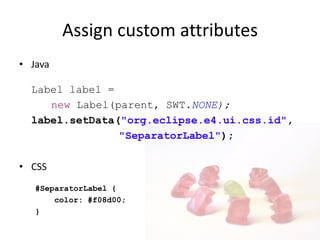
JavaLabel label = new Label(parent, SWT.NONE);label.setData("org.eclipse.e4.ui.css.id", "SeparatorLabel");CSS#SeparatorLabel {    color: #f08d00;}Assign custom attributes
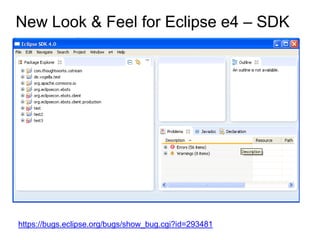
New Look & Feel for Eclipse e4 – SDK https://bugs.eclipse.org/bugs/show_bug.cgi?id=293481
The e4 Programming Model
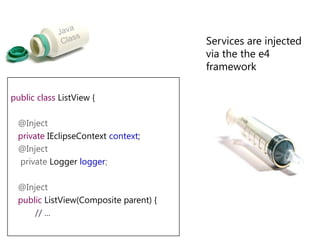
Dependency InjectionInversion of control: The necessary functionality is injected into the classJava Class
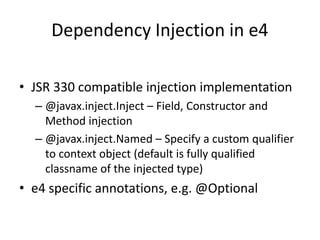
Dependency Injection in e4JSR 330 compatible injection implementation@javax.inject.Inject – Field, Constructor and Method injection@javax.inject.Named – Specify a custom qualifier to context object (default is fully qualified classname of the injected type)e4 specific annotations, e.g. @Optional
Java Class	Services are injected via the the e4 frameworkpublicclassListView {   @Inject   privateIEclipseContextcontext;@Inject    private Loggerlogger;   @Inject   publicListView(Composite parent) {// ...
Lifecycle@PostConstruct: Called after Object created and Fields- and Methods-Injection finished
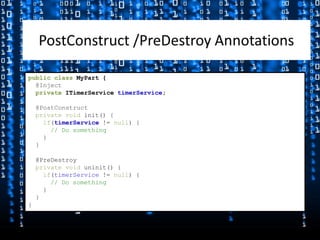
@PreDestroy: Called before the object is destroyed (e.g. the Part shown in the UI is removed)PostConstruct /PreDestroy AnnotationspublicclassMyPart {@InjectprivateITimerServicetimerService;@PostConstructprivate voidinit() {if(timerService!= null) {// Do something    }  }  @PreDestroyprivate voiduninit() {if(timerService != null) {// Do something    }  }}
IEclipseContext
IEclipseContextStores information of possible Injection ValuesHierarchical DatastructureOSGi Services part of the ContextDynamic context information: Possibility to contribute an IContextFunction through DS to construct Objects on the fly
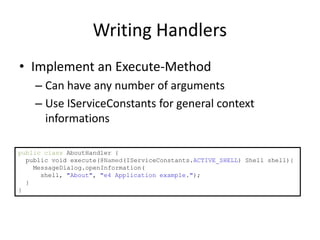
Writing HandlersImplement an Execute-MethodCan have any number of argumentsUse IServiceConstants for general context informationspublicclassAboutHandler {  public void execute(@Named(IServiceConstants.ACTIVE_SHELL) Shell shell){MessageDialog.openInformation(      shell, "About", "e4 Application example.");  }}
Services© Lars Vogel and others, Licensed under Creative Commons by-nc-nd-3.0 (de)
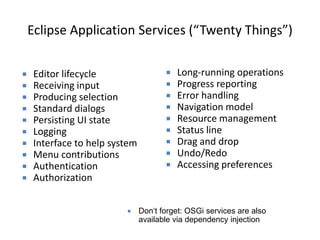
Eclipse Application Services (“Twenty Things”)Long-running operations
Progress reporting
Error handling
Navigation model
Resource management

Eclipse e4 Overview

  • 1.
    Eclipse e4DI, services,CSS and the modeled WorkbenchLars Vogelhttp://www.vogella.dehttp://www.twitter.com/vogella
  • 2.
    Mini-Agenda Scope andtargets of e4The existing Eclipse 3.x UI modele4 workbench modelStylingServices
  • 3.
    Eclipse e4 ScopeTargetsdevelopmentfor Eclipse (plugins) or based on Eclipse (Eclipse RCP).
  • 4.
    Eclipse e4 TargetsMakeEclipse development more effective and the result more visual appealing.
  • 5.
    So, what’s wrongwith Eclipse 3.X?
  • 6.
    Problems with theEclipse 3.x programming modelComplexLots of APIPlatform functionality via singletonsNot easy to testNot a consistent way to define the UIUI makes assumptions, e.g. Editors / Views
  • 7.
    If only Eclipsedevelopment would be easier and the UI would be more flexible. 7
  • 8.
    Eclipse e4 –Building blocksDeclarative StylingRendering EngineModeled WorkbenchDependecy InjectionIEclipseContextCore Services
  • 9.
    Eclipse e4 –Add-onsXWTOpen Social GadgetsToolkit Model
  • 10.
  • 11.
    The e4 WorkbenchModele4 Workbench ModelEMF inside
  • 12.
    Eclipse Modeling Framework(EMF) is fantastic because:De-facto standard for modeling in EclipseProven domain model technologyRuntime small (1.5 MB) and highly optimizedTooling availableTap in to the EMF ecosystem (EMF-Compare, CDO, …)If I only had a consistent view and behavior of the Eclipse workbenchIf I only had a consistent view and behavior of the Eclipse workbench
  • 13.
    The e4 WorkbenchModelModel „ UIElements.ecore“ is contained in plugin „org.eclipse.e4.ui.model.workbench“
  • 14.
    The e4 WorkbenchModelEach application has it‘s live modelWorkbench window Menu with menu items Window Trim, e.g. toolbar with toolbar items Parts Sash ContainerPartsPart Stack (CTabFolder)PartsHandlersKey BindingsCommands
  • 15.
    Model is FlexibleNodistinction between View and EditorPerspectives are optionalStack / Sash are optionalSeveral windows easily possibleFlexible Toolbars
  • 16.
    Attention:In the contextof e4 a View and an Editor are both so called “Parts”. Don’t get confused if I speak about “Parts”.If I only had a consistent view and behavior of the Eclipse workbenchIf I only had a consistent view and behavior of the Eclipse workbench
  • 17.
    Defining the modelBase Model provided by „Application.e4xmi“Contributions possible via extension point“org.eclipse.e4.workbench.model”Model can be dynamically changed by User or CodeUser model changes can be storedUser changesModel ComponentsApplication.e4xmiApplication.e4xmi
  • 18.
    Limits of thee4 application modelOnly models the Application (frame)Modeled WorkbenchContent of the view not part of the e4 model
  • 19.
    Model URI’sThe Partin the ModelThe Part’s URI
  • 20.
    Parts in e4PlainOld Java Objects (POJO‘s)
  • 21.
    InherianceHierachy of ViewsParts before e4ObjectEventManagerWorkbenchPartViewPartView
  • 22.
    Commands & HandlersHandlershaveand id and a commandhave an URI for the implementing class, e.g.platform:/plugin/...SaveHandlerCommandshave and id and a namecan be inserted in menus and toolbarsMenus / ToolbarUse commands or DirectItems
  • 23.
  • 24.
    How is thismodel translated into UI components?© Lars Vogel and others, Licensed under Creative Commons by-nc-nd-3.0 (de)
  • 25.
    Model and UIRenderersModelI don’t care who draws meThe Workbench model is independent of a specific UI toolkit
  • 26.
    RenderersRenderer FactoryEclipse defaultis the SWT RendererCan be selected at Startup via parameter
  • 27.
  • 28.
    Widget RendererEach UIelements gets a renderer Renderer manage Lifecycle of the UI-ElementCreationModel to widget bindingRenderingDisposal
  • 29.
  • 30.
  • 31.
    Eclipse 3.X -Styling the User InterfaceUI styling viaThe Presentation APICustom WidgetsVery limited
  • 32.
    In reality allRCP apps look like the an IDE
  • 33.
    Eclipse3.X -IDE feelingEclipse e4 – CSS StylingExample from Kai ToedterSome elements cannot currently not be styled: Menu bar background
  • 34.
    Table headerse4 supports theme switching during runtime
  • 35.
    How to enableCSS StylingProperty "applicationCSS” in extension point “org.eclipse.core.runtime.products”<extension id="product" point="org.eclipse.core.runtime.products"> <product application="org.eclipse.e4.ui.workbench.swt.application" name="E4 Contacs Demo"> <property name="applicationCSS" value="platform:/plugin/contacts/css/dark.css"> </property> </product></extension>
  • 36.
    Example CSSLabel { font: Verdana 8px; color: rgb(240, 240, 240);}Table { background-color: gradient radial #575757 #101010 100%; color: rgb(240, 240, 240); font: Verdana 8px;}ToolBar { background-color: #777777 #373737 #202020 50% 50%; color: white; font: Verdana 8px;}
  • 37.
    JavaLabel label =new Label(parent, SWT.NONE);label.setData("org.eclipse.e4.ui.css.id", "SeparatorLabel");CSS#SeparatorLabel { color: #f08d00;}Assign custom attributes
  • 38.
    New Look &Feel for Eclipse e4 – SDK https://bugs.eclipse.org/bugs/show_bug.cgi?id=293481
  • 39.
  • 40.
    Dependency InjectionInversion ofcontrol: The necessary functionality is injected into the classJava Class
  • 41.
    Dependency Injection ine4JSR 330 compatible injection implementation@javax.inject.Inject – Field, Constructor and Method injection@javax.inject.Named – Specify a custom qualifier to context object (default is fully qualified classname of the injected type)e4 specific annotations, e.g. @Optional
  • 42.
    Java Class Services areinjected via the the e4 frameworkpublicclassListView { @Inject privateIEclipseContextcontext;@Inject private Loggerlogger; @Inject publicListView(Composite parent) {// ...
  • 43.
    Lifecycle@PostConstruct: Called afterObject created and Fields- and Methods-Injection finished
  • 44.
    @PreDestroy: Called beforethe object is destroyed (e.g. the Part shown in the UI is removed)PostConstruct /PreDestroy AnnotationspublicclassMyPart {@InjectprivateITimerServicetimerService;@PostConstructprivate voidinit() {if(timerService!= null) {// Do something } } @PreDestroyprivate voiduninit() {if(timerService != null) {// Do something } }}
  • 45.
  • 46.
    IEclipseContextStores information ofpossible Injection ValuesHierarchical DatastructureOSGi Services part of the ContextDynamic context information: Possibility to contribute an IContextFunction through DS to construct Objects on the fly
  • 47.
    Writing HandlersImplement anExecute-MethodCan have any number of argumentsUse IServiceConstants for general context informationspublicclassAboutHandler { public void execute(@Named(IServiceConstants.ACTIVE_SHELL) Shell shell){MessageDialog.openInformation( shell, "About", "e4 Application example."); }}
  • 48.
    Services© Lars Vogeland others, Licensed under Creative Commons by-nc-nd-3.0 (de)
  • 49.
    Eclipse Application Services(“Twenty Things”)Long-running operations
  • 50.
  • 51.
  • 52.
  • 53.