The E – Rate  and  District Technology Plan By Portia Alvaro
What is E – Rate? Officially known as The Schools and Libraries Program of the Universal Service Fund  A federal program that provides funds to assist schools and libraries obtain affordable telecommunication devices and internet access
What is the first step in order to  qualify? A school, school district, or library must prepare a technology plan to be considered for E-rate discounts
The Five Essential  Components of a Technology  Plan  Outlined by  Universal Service Administration Company
No. 1 Clear goals and a realistic strategy for using telecommunications and information technology
No. 2 A professional development strategy to ensure that staff knows how to use these new technologies
No. 3  An assessment of the telecommunication services, hardware, software, and other services needed
No. 4  A sufficient budget to acquire and support the non-discounted elements of the plan: the hardware, soft-ware, professional development, and other services that will be needed to implement the strategy
NO. 5 An evaluation process that enables the school or library to monitor progress toward the specified goals
Houston Independent School District Technology Plan http://cms7.houstonisd.org/vgn/images/portal/cit_23015118/23482056Executive%20Summary.pdf
5 Goals of the Plan Goal 1: Strategic Management and Accountability  Goal 2 : Learning Support and  Planning Goal 3 : Unified Student Record  Goal 4 : Administrative Systems  Goal 5 : Technology Systems
The Major Initiatives Timely access to information (district portal)  Comprehensive student data (Chancery and GradeSpeed  Curriculum and accountability information(AEIS, AYP, and disaggregated assessment data) Infrastructure to connect stakeholders
Helpdesk to answer technical questions and troubleshoot problems  Monitor emerging technologies to aid in teaching and learning; data management process  Establish standards for technology use;  Equitable distribution of technology across campuses
Contains all pertinent information about the school district including schools, facilities, important news, events, calendars, and directories. Employees portal to email, training information, forms,  curriculum, student information,  and other services
The next 10 slides is a powerpoint presentation done by a student with disability. It’s an example of how technology is being used in Patterson Elementary ( Houston ISD) to enhance instruction.
As an accommodation for his weakness in writing, the teacher guided him in doing a powerpoint presentation on his favorite creatures - dinosaurs
Welcome to Julius’ Dinosaur Land
There were many different kinds of dinosaurs
Some were meat eaters
Some were plant eaters
Some could fly like the Pterodactyls
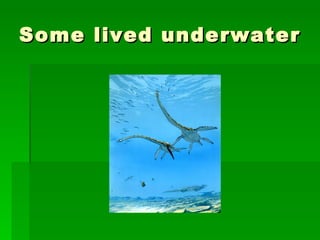
Some lived underwater
Some lived on land
Dinosaurs laid eggs
But….the dinosaurs are gone!
What happened to the dinosaurs?
All we see are bones
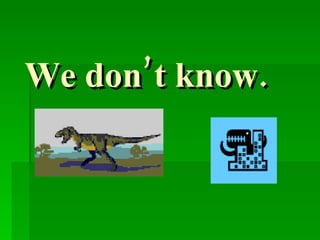
We don’t know.
Another example of use of technology at Patterson Elementary
Smart Boards are used to enhance teaching and learning
Final thoughts on the role of technology in the world today
There’s a whole new world out there with a whole new set of skills our kids need to manage. Will Richardson

E – rate

  • 1.
    The E –Rate and District Technology Plan By Portia Alvaro
  • 2.
    What is E– Rate? Officially known as The Schools and Libraries Program of the Universal Service Fund A federal program that provides funds to assist schools and libraries obtain affordable telecommunication devices and internet access
  • 3.
    What is thefirst step in order to qualify? A school, school district, or library must prepare a technology plan to be considered for E-rate discounts
  • 4.
    The Five Essential Components of a Technology Plan Outlined by Universal Service Administration Company
  • 5.
    No. 1 Cleargoals and a realistic strategy for using telecommunications and information technology
  • 6.
    No. 2 Aprofessional development strategy to ensure that staff knows how to use these new technologies
  • 7.
    No. 3 An assessment of the telecommunication services, hardware, software, and other services needed
  • 8.
    No. 4 A sufficient budget to acquire and support the non-discounted elements of the plan: the hardware, soft-ware, professional development, and other services that will be needed to implement the strategy
  • 9.
    NO. 5 Anevaluation process that enables the school or library to monitor progress toward the specified goals
  • 10.
    Houston Independent SchoolDistrict Technology Plan http://cms7.houstonisd.org/vgn/images/portal/cit_23015118/23482056Executive%20Summary.pdf
  • 11.
    5 Goals ofthe Plan Goal 1: Strategic Management and Accountability Goal 2 : Learning Support and Planning Goal 3 : Unified Student Record Goal 4 : Administrative Systems Goal 5 : Technology Systems
  • 12.
    The Major InitiativesTimely access to information (district portal) Comprehensive student data (Chancery and GradeSpeed Curriculum and accountability information(AEIS, AYP, and disaggregated assessment data) Infrastructure to connect stakeholders
  • 13.
    Helpdesk to answertechnical questions and troubleshoot problems Monitor emerging technologies to aid in teaching and learning; data management process Establish standards for technology use; Equitable distribution of technology across campuses
  • 14.
    Contains all pertinentinformation about the school district including schools, facilities, important news, events, calendars, and directories. Employees portal to email, training information, forms, curriculum, student information, and other services
  • 15.
    The next 10slides is a powerpoint presentation done by a student with disability. It’s an example of how technology is being used in Patterson Elementary ( Houston ISD) to enhance instruction.
  • 16.
    As an accommodationfor his weakness in writing, the teacher guided him in doing a powerpoint presentation on his favorite creatures - dinosaurs
  • 17.
    Welcome to Julius’Dinosaur Land
  • 18.
    There were manydifferent kinds of dinosaurs
  • 19.
  • 20.
  • 21.
    Some could flylike the Pterodactyls
  • 22.
  • 23.
  • 24.
  • 25.
  • 26.
    What happened tothe dinosaurs?
  • 27.
    All we seeare bones
  • 28.
  • 29.
    Another example ofuse of technology at Patterson Elementary
  • 30.
    Smart Boards areused to enhance teaching and learning
  • 31.
    Final thoughts onthe role of technology in the world today
  • 32.
    There’s a wholenew world out there with a whole new set of skills our kids need to manage. Will Richardson