Designed and CreatedBy:
Mustafa Mazumdar
Aim and Objectives
Emails are such an essential form of communication in an Organisation, but
how do we ensure that they do not lead to miscommunication?
The aim of this session is to: -
• Provide you with the rules that should be followed when sending business emails.
This session gives you tips for email etiquette
• Help you create a better impression with your emails
• Show you that sloppily written emails waste time and money
• Demonstrate that poor English spelling and grammar discredits you
Objectives
By the end of this session, you will be able to write an effective business email.
3.
Designed and CreatedBy: Mustafa
Mazumdar
Why do you Need Email Etiquette?
A company needs to implement
etiquette/rules for the following three
reasons:
1. Professionalism: by using proper email
language your company will convey a
professional image
2. Efficiency: emails that get to the point are
much more effective than poorly worded
emails
3. Protection from liability: employee
awareness of email risks will protect your
company from costly law suits
Designed and CreatedBy:
Mustafa Mazumdar
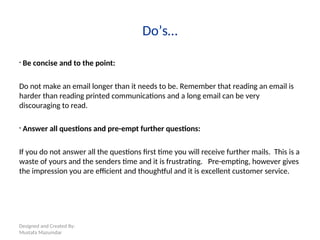
Do’s…
• Be concise and to the point:
Do not make an email longer than it needs to be. Remember that reading an email is
harder than reading printed communications and a long email can be very
discouraging to read.
• Answer all questions and pre-empt further questions:
If you do not answer all the questions first time you will receive further mails. This is a
waste of yours and the senders time and it is frustrating. Pre-empting, however gives
the impression you are efficient and thoughtful and it is excellent customer service.
6.
Designed and CreatedBy:
Mustafa Mazumdar
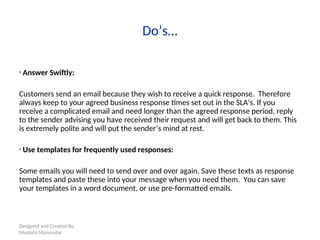
Do’s…
• Answer Swiftly:
Customers send an email because they wish to receive a quick response. Therefore
always keep to your agreed business response times set out in the SLA’s. If you
receive a complicated email and need longer than the agreed response period, reply
to the sender advising you have received their request and will get back to them. This
is extremely polite and will put the sender’s mind at rest.
• Use templates for frequently used responses:
Some emails you will need to send over and over again. Save these texts as response
templates and paste these into your message when you need them. You can save
your templates in a word document, or use pre-formatted emails.
7.
Designed and CreatedBy:
Mustafa Mazumdar
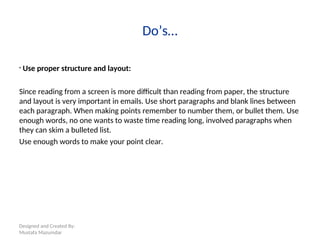
Do’s…
• Use proper structure and layout:
Since reading from a screen is more difficult than reading from paper, the structure
and layout is very important in emails. Use short paragraphs and blank lines between
each paragraph. When making points remember to number them, or bullet them. Use
enough words, no one wants to waste time reading long, involved paragraphs when
they can skim a bulleted list.
Use enough words to make your point clear.
8.
Designed and CreatedBy:
Mustafa Mazumdar
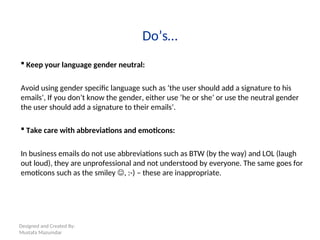
Do’s…
Keep your language gender neutral:
Avoid using gender specific language such as ‘the user should add a signature to his
emails’, If you don’t know the gender, either use ‘he or she’ or use the neutral gender
the user should add a signature to their emails’.
Take care with abbreviations and emoticons:
In business emails do not use abbreviations such as BTW (by the way) and LOL (laugh
out loud), they are unprofessional and not understood by everyone. The same goes for
emoticons such as the smiley , :-) – these are inappropriate.
9.
Designed and CreatedBy:
Mustafa Mazumdar
Do’s…
• Read your email before you send it - Proofreading
Read your email through the eyes of the recipient, this will help you to send a more
effective message and avoid misunderstandings and inappropriate comments. Wait a
moment before pressing 'send‘, proofread it to make sure there are no mistakes.
Remember spell check can only highlight gross mistakes. It doesn’t highlight real words
in the wrong place. E.g. “he has gone” could easily be written as “he was gone” – just
by typing a ‘w’ instead of an ‘h’. They are both legitimate sentences but mean different
things.
There is grammar checking software which can help you to stop using ‘their’ instead of
‘there’. But it is not a mind reader. “Tell him I can come”, will be accepted by all
checking tools but it won’t know you meant to say “tell him I can’t come”!!!
10.
Designed and CreatedBy:
Mustafa Mazumdar
Do’s…
• Use proper spelling, grammar and punctuation:
Poor spelling gives a bad impression of you and your company. Correct spelling and
grammar is important for conveying the message properly. Emails with no commas or
full-stops are difficult to read and can sometimes change the meaning of the text.
USE SPELL CHECK.
• Use proper Signature.
11.
Designed and CreatedBy:
Mustafa Mazumdar
Do’s…
• Use a meaningful subject:
Try to use a subject that is meaningful to you and the recipient. E.g. Payment Advice
not received
• Use active instead of passive:
Try to use the active voice of a verb wherever possible. For instance ‘we will process
your payment on the 25th
’, it sounds better than ‘your payment will be processed on
the 25th
’.
The first sounds personal, the latter sounds unnecessarily formal.
12.
Designed and CreatedBy:
Mustafa Mazumdar
Do’s…
• Avoid using URGENT and IMPORTANT:
Even more so than the high priority option you must try to avoid these types of words
in an email or subject line. Only use it if the situation is extremely urgent or important.
Keep it to a minimum.
• Avoid long sentences – be brief:
Try to keep your sentences to 15-20 words. Email is meant to be a quick medium and
requires a different kind of writing than letters. Also take care not to send emails that
are too long, your recipient will simply not read it!!
13.
Designed and CreatedBy:
Mustafa Mazumdar
Don'ts…
• Do not attach unnecessary files:
Sending large attachments can annoy some people and even bring down their email
system. Wherever possible try to compress attachments and only send them when it
is productive.
• Do not overuse the high priority option:
If you overuse the high priority option it will lose its function when you really need it.
Also the use of high priority can be misunderstood as aggressive.
14.
Designed and CreatedBy:
Mustafa Mazumdar
Don'ts…
• Do not write in CAPITALS:
CAPITALS IS THE WRITTEN FORM OF SHOUTING. This can be highly annoying to read
and may trigger an aggressive response unnecessarily.
• Do not leave out the message thread:
Always ‘reply with history’ to include the original mail. This will keep a record of all
correspondence relating to that subject.
15.
Designed and CreatedBy:
Mustafa Mazumdar
Don'ts…
• Do not demand action, request it:
This is especially important if you are asking for help or requesting money to be paid.
You may think this would be obvious, but emails being sent to people demanding
payment is all too common. A simple, polite description of your problem/request, and
a polite "please advise" will get you much better results and much faster ones too.
• Do not OVERUSE ‘reply to all’:
Only reply to all if you need your message to be seen by everybody who received the
original message.
16.
Designed and CreatedBy:
Mustafa Mazumdar
Don'ts…
• Do not forward chain letters:
Delete them as soon as you receive them.
• Do not ask to recall a message:
This is pointless unless you do it IMMEDIATELY after you sent it otherwise it would
have been read already. Preferably, send a second email advising of the mistakes in
the first one. This is much more honest than recalling it.
17.
Designed and CreatedBy:
Mustafa Mazumdar
Don'ts…
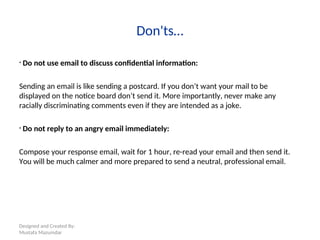
• Do not use email to discuss confidential information:
Sending an email is like sending a postcard. If you don’t want your mail to be
displayed on the notice board don’t send it. More importantly, never make any
racially discriminating comments even if they are intended as a joke.
• Do not reply to an angry email immediately:
Compose your response email, wait for 1 hour, re-read your email and then send it.
You will be much calmer and more prepared to send a neutral, professional email.
18.
Designed and CreatedBy:
Mustafa Mazumdar
Points to Remember
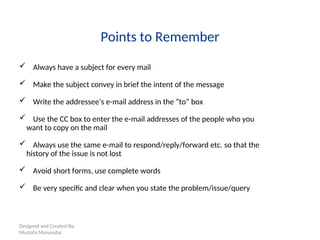
Always have a subject for every mail
Make the subject convey in brief the intent of the message
Write the addressee’s e-mail address in the “to” box
Use the CC box to enter the e-mail addresses of the people who you
want to copy on the mail
Always use the same e-mail to respond/reply/forward etc. so that the
history of the issue is not lost
Avoid short forms, use complete words
Be very specific and clear when you state the problem/issue/query
19.
Designed and CreatedBy:
Mustafa Mazumdar
Points to Remember
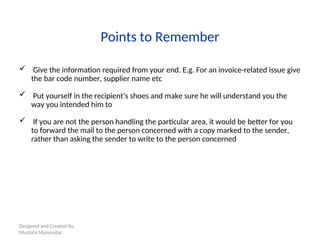
Give the information required from your end. E.g. For an invoice-related issue give
the bar code number, supplier name etc
Put yourself in the recipient’s shoes and make sure he will understand you the
way you intended him to
If you are not the person handling the particular area, it would be better for you
to forward the mail to the person concerned with a copy marked to the sender,
rather than asking the sender to write to the person concerned
20.
Designed and CreatedBy: Mustafa
Mazumdar
Out of Office Message
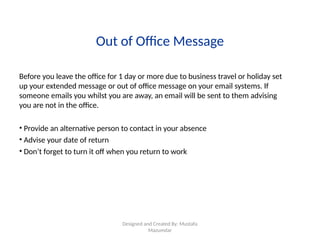
Before you leave the office for 1 day or more due to business travel or holiday set
up your extended message or out of office message on your email systems. If
someone emails you whilst you are away, an email will be sent to them advising
you are not in the office.
• Provide an alternative person to contact in your absence
• Advise your date of return
• Don’t forget to turn it off when you return to work
21.
Designed and CreatedBy:
Mustafa Mazumdar
Thank you
Remember – make
yourself look good on
line because your
email can be
forwarded to anyone
in your company and
outside!
#2 Read out - the aims and objectives on the slide.
#3 Read out - the information on the slide.
Highlight the ‘remember’ section – this is the main reason why we need to write effective emails and be vigilant in checking emails before they are sent.
#4 Advise – the do’s and don’ts of effective mailing outlined in the next few slides are generic tips which can be adopted in any company. These are the basic rules however, that must be adopted by anyone who uses email as a form of communication.
You may have adopted some of the tips already, you may learn new ones and if you have your own please share them with the group.
#5 Read out – the information on the slide and discuss.
#6 Read out – the information on the slide and discuss.
#7 Read out – the information on the slide and discuss.
#8 Read out – the information on the slide and discuss.
#9 Read out – the information on the slide and discuss.
#10 Read out – the information on the slide and discuss.
#11 Read out – the information on the slide and discuss.
#12 Read out – the information on the slide and discuss.
#13 Read out – the information on the slide and discuss.
#14 Read out – the information on the slide and discuss.
#15 Read out – the information on the slide and discuss.
#16 Read out – the information on the slide and discuss.
#17 Read out – the information on the slide and discuss.
#21 Thank you for your participation today and remember what your email technique says about you, Capgemini. Check, double check and check again before you send it out.
Thank you and goodbye.