








Use T4 to apply
Domain Specific Development
Joubin Najmaie (@joubin)
Senior Solution Architect
PageFragments.com
joubin.najmaie@gmail.com
Agenda
• Domain Specific Development – quick concepts
• Quick story behind it all
• Project overview
• Break
• Review and Recap
• T4 overview
All Resources and Links
http://www.joubin.ca
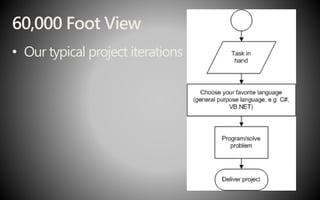
60,000 Foot View
• Our typical project iterations
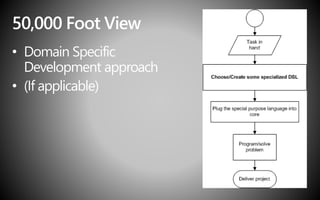
50,000 Foot View
• Domain Specific
Development approach
• (If applicable)
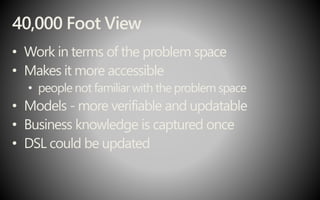
40,000 Foot View
• Work in terms of the problem space
• Makes it more accessible
• people not familiarwith the problem space
• Models - more verifiable and updatable
• Business knowledge is captured once
• DSL could be updated
30,000 Foot View
• Framework
• DSL – variable
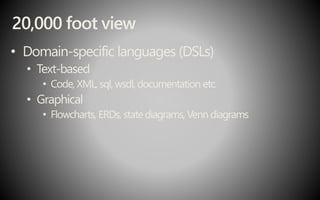
20,000 foot view
• Domain-specific languages (DSLs)
• Text-based
• Code, XML, sql, wsdl, documentation etc.
• Graphical
• Flowcharts, ERDs, state diagrams, Venn diagrams
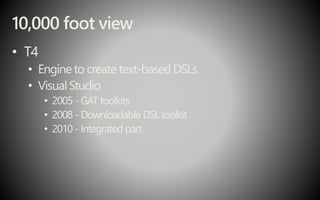
10,000 foot view
• T4
• Engine to create text-based DSLs
• Visual Studio
• 2005 -GAT toolkits
• 2008 - Downloadable DSL toolkit
• 2010 - Integrated part
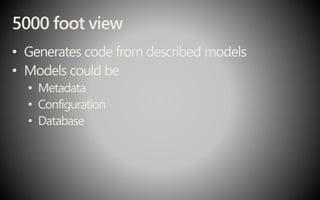
5000 foot view
• Generates code from described models
• Models could be
• Metadata
• Configuration
• Database
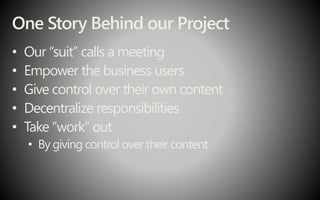
One Story Behind our Project
• Our “suit” calls a meeting
• Empower the business users
• Give control over their own content
• Decentralize responsibilities
• Take “work” out
• By giving control over their content
Run Back to Your Desk
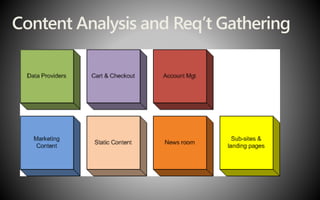
Content Analysis and Req’t Gathering
Code and Code more
Moment of Realization
• You’re doing the same thing every time you want
to be able to content manage a portion of the site
Project Walkthrough
PageFragments
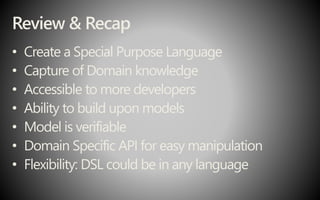
Review & Recap
• Create a Special Purpose Language
• Capture of Domain knowledge
• Accessible to more developers
• Ability to build upon models
• Model is verifiable
• Domain Specific API for easy manipulation
• Flexibility: DSL could be in any language
What is T4?
• Text Template
Transformation Toolkit
• A templated text
generation engine
T4 Usage In Visual Studio
• ASP
.NET MVC
• Visual Studio Item templates
• Visual Studio Project templates
T4 Structure
• An overview of the T4 anatomy
• Processing a Template
Text-template
• Extension: .tt
• Item templates:
• Text Template
• Preprocessed text template
• Default transformation tools in Visual Studio
• TextTemplatingFileGenerator
• TextTemplatingFilePreprocessor
• In order to deploy/publish
• Build Action: Content
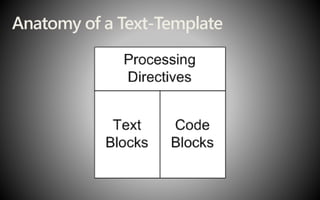
Anatomy of a Text-Template
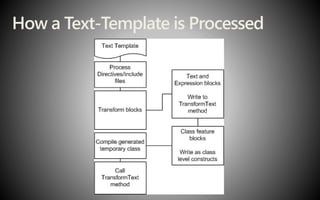
How a Text-Template is Processed
Generate Class Based On an XSD
Let’s Get Into The T4 Syntax
• An overview of the T4 syntax
• Processing directives
• T4 various blocks
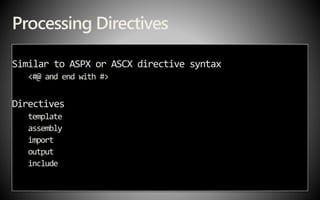
Processing Directives
Similar to ASPX or ASCX directive syntax
<#@ and end with #>
Directives
template
assembly
import
output
include
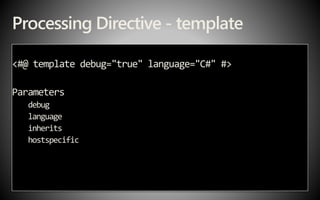
Processing Directive - template
<#@ template debug="true" language="C#" #>
Parameters
debug
language
inherits
hostspecific
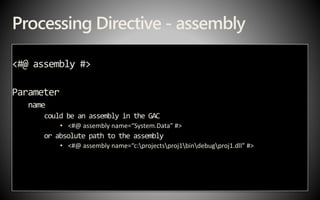
Processing Directive - assembly
<#@ assembly #>
Parameter
name
could be an assembly in the GAC
• <#@ assembly name=“System.Data” #>
or absolute path to the assembly
• <#@ assembly name=“c:projectsproj1bindebugproj1.dll” #>
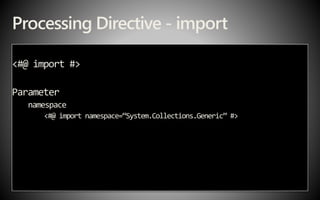
Processing Directive - import
<#@ import #>
Parameter
namespace
<#@ import namespace=“System.Collections.Generic” #>
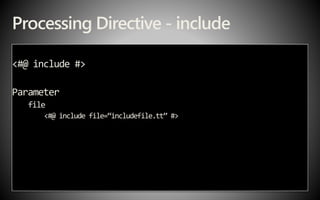
Processing Directive - include
<#@ include #>
Parameter
file
<#@ include file=“includefile.tt” #>
Processing Directives
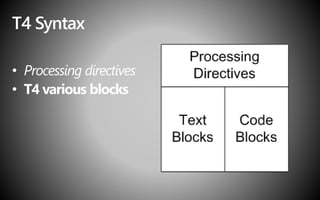
T4 Syntax
• Processing directives
• T4 various blocks
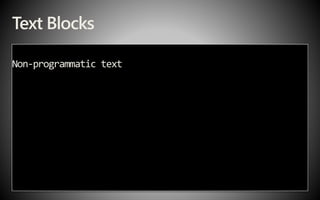
Text Blocks
Non-programmatic text
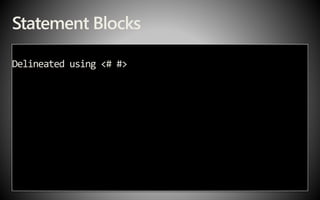
Statement Blocks
Delineated using <# #>
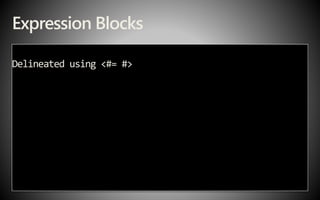
Expression Blocks
Delineated using <#= #>
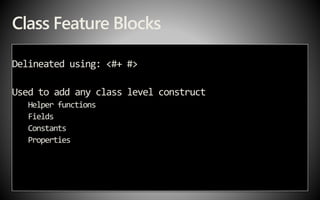
Class Feature Blocks
Delineated using: <#+ #>
Used to add any class level construct
Helper functions
Fields
Constants
Properties
Code Blocks
Debugging a Text Template
Compile and Generate Assembly
Visual Studio – support tools
• Plug-in by Tangible Engineering *
• http://bit.ly/dfFhEi
• T4 Editor by Clarius
• http://bit.ly/cHfGRn
Call to action
• Try out the Text Template item template
• Start thinking of scenarios where you can apply
Domain Specific Development
• Look at other solutions that have used this
development pattern
• Many on Codeplex
Resources
• All resource links: http://www.joubin.ca
• T4 Templates: A Quick-Start Guide for ASP
.NET
MVC Developers
• http://bit.ly/cVKYp5
• Code gen + text template: http://bit.ly/VYsFf
• Glossary of terms: http://bit.ly/9gZosy
• Oleg’s blog: http://bit.ly/cq13qq
Resources
• Language Oriented Programming: The Next
Programming Paradigm:
• http://bit.ly/bVqYoG
• Book: Domain-Specific Development with
Visual Studio DSL Tools
• ISBN: 0321398203
Evaluations and Feedback
• Please fill out your evaluations!
Thank you!
And thanks to our sponsors
Send T4 questions to:
• Joubin Najmaie
• Twitter: @joubin
• Email: joubin.najmaie@gmail.com
• Blog: http://joubin.ca

Domain Specific Development using T4

  • 1.
    Use T4 toapply Domain Specific Development Joubin Najmaie (@joubin) Senior Solution Architect PageFragments.com joubin.najmaie@gmail.com
  • 2.
    Agenda • Domain SpecificDevelopment – quick concepts • Quick story behind it all • Project overview • Break • Review and Recap • T4 overview
  • 3.
    All Resources andLinks http://www.joubin.ca
  • 4.
    60,000 Foot View •Our typical project iterations
  • 5.
    50,000 Foot View •Domain Specific Development approach • (If applicable)
  • 6.
    40,000 Foot View •Work in terms of the problem space • Makes it more accessible • people not familiarwith the problem space • Models - more verifiable and updatable • Business knowledge is captured once • DSL could be updated
  • 7.
    30,000 Foot View •Framework • DSL – variable
  • 8.
    20,000 foot view •Domain-specific languages (DSLs) • Text-based • Code, XML, sql, wsdl, documentation etc. • Graphical • Flowcharts, ERDs, state diagrams, Venn diagrams
  • 9.
    10,000 foot view •T4 • Engine to create text-based DSLs • Visual Studio • 2005 -GAT toolkits • 2008 - Downloadable DSL toolkit • 2010 - Integrated part
  • 10.
    5000 foot view •Generates code from described models • Models could be • Metadata • Configuration • Database
  • 11.
    One Story Behindour Project • Our “suit” calls a meeting • Empower the business users • Give control over their own content • Decentralize responsibilities • Take “work” out • By giving control over their content
  • 12.
    Run Back toYour Desk
  • 13.
    Content Analysis andReq’t Gathering
  • 14.
  • 15.
    Moment of Realization •You’re doing the same thing every time you want to be able to content manage a portion of the site
  • 16.
  • 17.
    Review & Recap •Create a Special Purpose Language • Capture of Domain knowledge • Accessible to more developers • Ability to build upon models • Model is verifiable • Domain Specific API for easy manipulation • Flexibility: DSL could be in any language
  • 18.
    What is T4? •Text Template Transformation Toolkit • A templated text generation engine
  • 19.
    T4 Usage InVisual Studio • ASP .NET MVC • Visual Studio Item templates • Visual Studio Project templates
  • 20.
    T4 Structure • Anoverview of the T4 anatomy • Processing a Template
  • 21.
    Text-template • Extension: .tt •Item templates: • Text Template • Preprocessed text template • Default transformation tools in Visual Studio • TextTemplatingFileGenerator • TextTemplatingFilePreprocessor • In order to deploy/publish • Build Action: Content
  • 22.
    Anatomy of aText-Template
  • 23.
    How a Text-Templateis Processed
  • 24.
  • 25.
    Let’s Get IntoThe T4 Syntax • An overview of the T4 syntax • Processing directives • T4 various blocks
  • 26.
    Processing Directives Similar toASPX or ASCX directive syntax <#@ and end with #> Directives template assembly import output include
  • 27.
    Processing Directive -template <#@ template debug="true" language="C#" #> Parameters debug language inherits hostspecific
  • 28.
    Processing Directive -assembly <#@ assembly #> Parameter name could be an assembly in the GAC • <#@ assembly name=“System.Data” #> or absolute path to the assembly • <#@ assembly name=“c:projectsproj1bindebugproj1.dll” #>
  • 29.
    Processing Directive -import <#@ import #> Parameter namespace <#@ import namespace=“System.Collections.Generic” #>
  • 30.
    Processing Directive -include <#@ include #> Parameter file <#@ include file=“includefile.tt” #>
  • 31.
  • 32.
    T4 Syntax • Processingdirectives • T4 various blocks
  • 33.
  • 34.
  • 35.
  • 36.
    Class Feature Blocks Delineatedusing: <#+ #> Used to add any class level construct Helper functions Fields Constants Properties
  • 37.
  • 38.
  • 39.
  • 40.
    Visual Studio –support tools • Plug-in by Tangible Engineering * • http://bit.ly/dfFhEi • T4 Editor by Clarius • http://bit.ly/cHfGRn
  • 41.
    Call to action •Try out the Text Template item template • Start thinking of scenarios where you can apply Domain Specific Development • Look at other solutions that have used this development pattern • Many on Codeplex
  • 42.
    Resources • All resourcelinks: http://www.joubin.ca • T4 Templates: A Quick-Start Guide for ASP .NET MVC Developers • http://bit.ly/cVKYp5 • Code gen + text template: http://bit.ly/VYsFf • Glossary of terms: http://bit.ly/9gZosy • Oleg’s blog: http://bit.ly/cq13qq
  • 43.
    Resources • Language OrientedProgramming: The Next Programming Paradigm: • http://bit.ly/bVqYoG • Book: Domain-Specific Development with Visual Studio DSL Tools • ISBN: 0321398203
  • 44.
    Evaluations and Feedback •Please fill out your evaluations!
  • 45.
    Thank you! And thanksto our sponsors
  • 46.
    Send T4 questionsto: • Joubin Najmaie • Twitter: @joubin • Email: joubin.najmaie@gmail.com • Blog: http://joubin.ca

Editor's Notes

  • #3 Main concepts of DSD Demo project features
  • #5 1) A task/project/problem in hand 2) Pick favorite general purpose language – C#, VB.NET 3) Deliver project Each occurrence of problem has many aspects that are the same everytime (fixed part) And other aspects that are differs each time – variable part We’re going to automatically generate code for the variable part of the solution. Fixed part – We’ll treat as the framework Variable aspect – fits into the framework itself On a current project: Fixed aspect: Web Asset and configuration management framework Variable aspect: The content models (or aka content types in SharePoint) The content types: defined as metadata in a database, configuration file etc. T4 templates run to generate special classes (and logic) for the specific content types. The generated code could then be embedded in VS.NET projects (code or assembly) or called dynamically on the server to retrieve data. Other examples: ORM software Language-oriented programming Basis – observation Instead of solving problem one-at-a-time Many problems can more easily be resolved by designing a special-purpose language Code generation – through DSL toolkit with VS.NET Use T4 to generate that specialized programming language
  • #6 1) A task/thought/problem in hand 2) Create/Pick a special-purpose language 3) Use a general purpose lang to write framework 4) Deliver project
  • #7 -- Benefits Ability to work in terms of the problem space Working in terms of the model of the problem space makes it more accessible to people not familiar with the problem space You can have the domain-experts verify the correctness of your model independently The model itself should be more testable and used to simulate scenarios Once the business knowledge is captured, the DSL could be updated to use other technologies, for example, by modifying the generator
  • #8 Framework – use general-purpose languages The variable pieces –generate domain-specific languages Plug the generated domain-specific languages into the framework
  • #9 DSL = “custom language that targets a small problem domain, which it describes and validates in terms native to the domain.” Could be seen as a set of tools to build tools Focus: text-based only!
  • #10 T4 - Engine to create text-based DSLs Visual Studio.NET 2005 - GAT toolkits 2008 - Downloadable DSL toolkit 2010 - Integrated part
  • #11 Generates code from described models Models could be Metadata Configuration Database What does it stand for? What are the Inputs? What are the outputs? What does the syntax look like? What are the supported languages?
  • #19 T3 == Text-to-Text Transformation T4 == Text Template Transformation Toolkit A tool in the VS.NET DSL toolkit A text-based code generation engine Templates = syntax similar to ASPX or ASCX Support: C# and VB.NET
  • #20 VS.NET extensibility
  • #22 .tt Pre 2010 – text file – turn it into .tt 2010 – two kinds of item templates Default transformation tools – properties of a tt file Publishing: Build Action to Content
  • #23 ASP.NET-like syntax Processor directives: compilation options Blocks: Mixture of text, control logic, blocks of executable code
  • #24 Base class: Microsoft.VisualStudio.TextTemplating.TextTransformation Directives Assemblies are loaded Include files are imported Text and expression blocks: Copied to the TransformText method Class-feature blocks: Copied at the class level T4 engine – calls the “TransformText” method – entry point %TEMP% folder
  • #25  This demo will be the basis for all Syntax reviewed here.
  • #27 Provide instructions to the T4 engine Just like ASPX pages: <#@ and end with #> Directives template assembly import output include
  • #28 Characteristics of the transformed output Debug --- true/false True – you can take a look files in system %TEMP% folder Language: Values: C#, VB, C#3.5 Inherits Base class: Microsoft.VisualStudio.TextTemplating.TextTransformation Tells which base class to use Hostspecific --- true/false Mostly used to output template file name to the transformed file Host.TemplateFile Host.StandardAssemblyReferenes
  • #29 “Add reference” in VS.NET One parameter name could be an assembly in the GAC <#@ assembly name=“System.Data” #> or absolute path to the assembly <#@ assembly name=“c:\projects\proj1\bin\debug\proj1.dll” #>
  • #30 Equivalent to: C# using VB.NET import One parameter namespace
  • #31 File to be included verbatim in template One parameter File Can contain any of the valid T4 constructs Relative paths -- to the main template
  • #33 Had an overview of the processing directives Let’s talk about T4 block types
  • #34 Just type directly into the .tt file Copied directly to TransformText method %TEMP% Show generated file
  • #35 Control the flow of processing in TransformText method Example usage: To conditionally output Text blocks Iterate over data and output things conditionally
  • #36 Use to add strings to the output file Added, in sequence To the “TransformText” method with calls to the ToString() method Used in cases to change some aspect of the generated output text file to use Calculated values External data e.g. database column values some other calculated value in a Statement block somewhere else in the .TT file.   C# – could be multiple lines VB.NET – single lines only
  • #37 Any class-level construct Helper functions Fields Constants Properties any construct that is valid at the class level T4 allows the usage of text and expression blocks intermingled with class feature blocks The helper method would be called from within a Statement block.
  • #39 Text template - %TEMP% Preprocessed: uses TextTemplatingFilePreprocessor transformation tool Debugging: System.Diagnostics.Debugger.Launch();
  • #45 DO NOT REMOVE THIS SLIDE