Drupal 101 Robin Hastings Missouri River Regional Library
 
Robin Hastings Info Tech Coordinator at Missouri River Regional Library Web worker for 15 years Pretty comfortable with Drupal, HTML/CSS and PHP, can edit other people’s JavaScript Avid knitter, reader and sometimes World of Warcraft player
 
Objectives Understand what Drupal is and what it can do for you Be able to locate further training resources Understand how Drupal displays content Become familiar with Drupal concepts  Learn how one library set up their site
Goals What did you come here to learn?
 
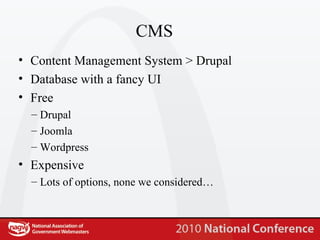
CMS Content Management System > Drupal Database with a fancy UI Free Drupal Joomla Wordpress Expensive Lots of options, none we considered…
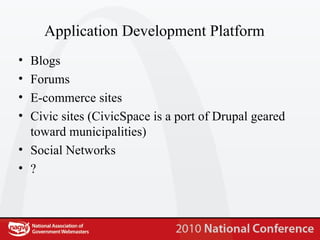
Application Development Platform Blogs Forums E-commerce sites Civic sites (CivicSpace is a port of Drupal geared toward municipalities) Social Networks ?
 
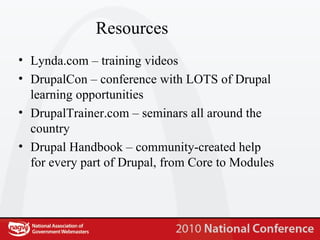
Resources Lynda.com – training videos DrupalCon – conference with LOTS of Drupal learning opportunities DrupalTrainer.com – seminars all around the country Drupal Handbook – community-created help for every part of Drupal, from Core to Modules
Best Practices Plan – not just for what you want now, but what you will want in the future Make backups a habit Test changes if possible (test servers are your friend) Do not “hack” core (makes updates crazy…) Get involved with the community – contribute what you can
 
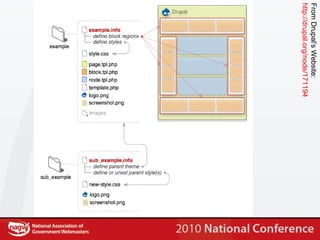
From Drupal’s Website: http://drupal.org/node/171194
Regions Blocks of content on the page Defined in .info Managed in the “blocks” area of the administration site VERY POWERFUL
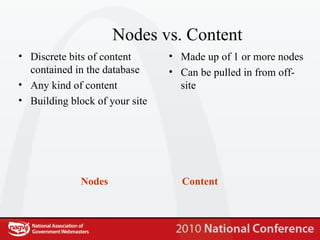
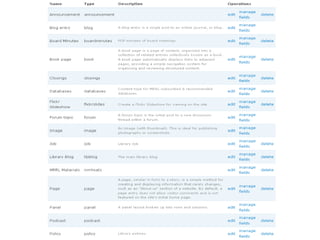
Nodes vs. Content Nodes Content Discrete bits of content contained in the database Any kind of content Building block of your site Made up of 1 or more nodes Can be pulled in from off-site
 
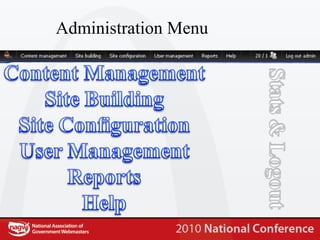
Administration Menu
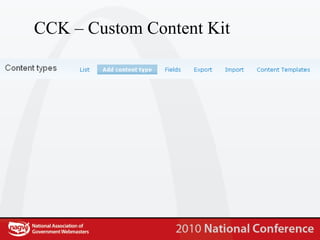
CCK – Custom Content Kit
 
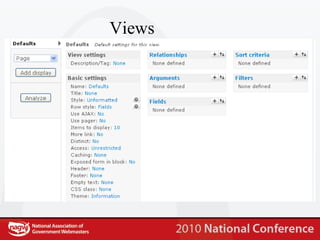
Views
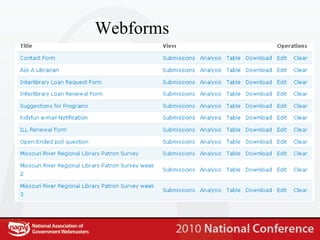
Webforms
Scheduler
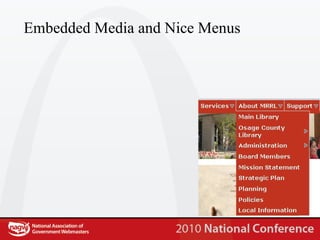
Embedded Media and Nice Menus
 
 
Themes Lots of “drop and use” options www.osskins.com www.themebot.com www.topnotchthemes.com HTML/CSS to Drupal is possible  How we did it Not the easiest Not the cheapest
 
 
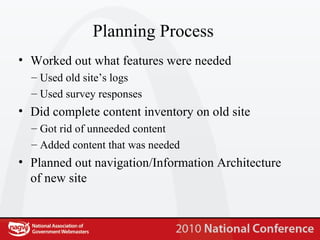
Planning Process Worked out what features were needed Used old site’s logs Used survey responses Did complete content inventory on old site Got rid of unneeded content Added content that was needed Planned out navigation/Information Architecture of new site
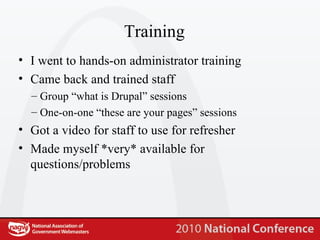
Training I went to hands-on administrator training Came back and trained staff Group “what is Drupal” sessions One-on-one “these are your pages” sessions Got a video for staff to use for refresher Made myself *very* available for questions/problems
Design Hired out the design to a local designer Designs were received and modified by Public Relations staff HTML and CSS were delivered to me
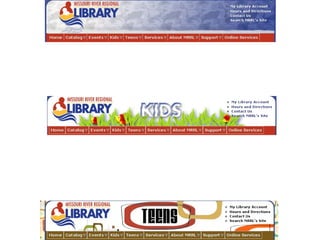
Theming 3 .info files created 3 template files created Kludges and workarounds abound… Best practice – get the theme in “drupal-ready state”
 
Content  Copied and pasted content from old site Created “shells” of pages with staff in one-on-one training sessions Use log files to determine content needs (include search terms in that!!)
Launch Live on Nov 17 th  (board meeting) *Completely* forgot major content page (new materials) Otherwise, very smooth
Maintenance Update Drupal core monthly (roughly) Update Drupal modules as needed (weekly-ish) Update server (LAMP) monthly Keep learning about new ways to do stuff (daily)
 
 
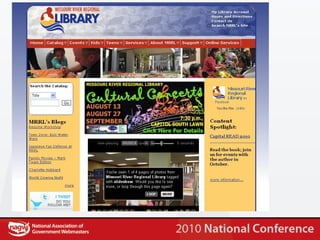
Features Flickr Slideshow Twitter badge Facebook badge Blog headlines Content Spotlight Drop-down menus Announcements and Event Ads 2 Menus; 2 Menu styles
 
Drupal in Government Whitehouse.gov List of Drupal sites in Government (State and Federal) -  http://groups.drupal.org/node/19885

Drupal nagw

  • 1.
    Drupal 101 RobinHastings Missouri River Regional Library
  • 2.
  • 3.
    Robin Hastings InfoTech Coordinator at Missouri River Regional Library Web worker for 15 years Pretty comfortable with Drupal, HTML/CSS and PHP, can edit other people’s JavaScript Avid knitter, reader and sometimes World of Warcraft player
  • 4.
  • 5.
    Objectives Understand whatDrupal is and what it can do for you Be able to locate further training resources Understand how Drupal displays content Become familiar with Drupal concepts Learn how one library set up their site
  • 6.
    Goals What didyou come here to learn?
  • 7.
  • 8.
    CMS Content ManagementSystem > Drupal Database with a fancy UI Free Drupal Joomla Wordpress Expensive Lots of options, none we considered…
  • 9.
    Application Development PlatformBlogs Forums E-commerce sites Civic sites (CivicSpace is a port of Drupal geared toward municipalities) Social Networks ?
  • 10.
  • 11.
    Resources Lynda.com –training videos DrupalCon – conference with LOTS of Drupal learning opportunities DrupalTrainer.com – seminars all around the country Drupal Handbook – community-created help for every part of Drupal, from Core to Modules
  • 12.
    Best Practices Plan– not just for what you want now, but what you will want in the future Make backups a habit Test changes if possible (test servers are your friend) Do not “hack” core (makes updates crazy…) Get involved with the community – contribute what you can
  • 13.
  • 14.
    From Drupal’s Website:http://drupal.org/node/171194
  • 15.
    Regions Blocks ofcontent on the page Defined in .info Managed in the “blocks” area of the administration site VERY POWERFUL
  • 16.
    Nodes vs. ContentNodes Content Discrete bits of content contained in the database Any kind of content Building block of your site Made up of 1 or more nodes Can be pulled in from off-site
  • 17.
  • 18.
  • 19.
    CCK – CustomContent Kit
  • 20.
  • 21.
  • 22.
  • 23.
  • 24.
  • 25.
  • 26.
  • 27.
    Themes Lots of“drop and use” options www.osskins.com www.themebot.com www.topnotchthemes.com HTML/CSS to Drupal is possible How we did it Not the easiest Not the cheapest
  • 28.
  • 29.
  • 30.
    Planning Process Workedout what features were needed Used old site’s logs Used survey responses Did complete content inventory on old site Got rid of unneeded content Added content that was needed Planned out navigation/Information Architecture of new site
  • 31.
    Training I wentto hands-on administrator training Came back and trained staff Group “what is Drupal” sessions One-on-one “these are your pages” sessions Got a video for staff to use for refresher Made myself *very* available for questions/problems
  • 32.
    Design Hired outthe design to a local designer Designs were received and modified by Public Relations staff HTML and CSS were delivered to me
  • 33.
    Theming 3 .infofiles created 3 template files created Kludges and workarounds abound… Best practice – get the theme in “drupal-ready state”
  • 34.
  • 35.
    Content Copiedand pasted content from old site Created “shells” of pages with staff in one-on-one training sessions Use log files to determine content needs (include search terms in that!!)
  • 36.
    Launch Live onNov 17 th (board meeting) *Completely* forgot major content page (new materials) Otherwise, very smooth
  • 37.
    Maintenance Update Drupalcore monthly (roughly) Update Drupal modules as needed (weekly-ish) Update server (LAMP) monthly Keep learning about new ways to do stuff (daily)
  • 38.
  • 39.
  • 40.
    Features Flickr SlideshowTwitter badge Facebook badge Blog headlines Content Spotlight Drop-down menus Announcements and Event Ads 2 Menus; 2 Menu styles
  • 41.
  • 42.
    Drupal in GovernmentWhitehouse.gov List of Drupal sites in Government (State and Federal) - http://groups.drupal.org/node/19885