Field Drainage Technology
LiDAR
John Nowatzki
Extension Ag Machine Systems Specialist
LiDAR Applications to Drainage
LiDAR Technology and Applications
What is Needed to use LiDAR?
Downloading LiDAR Data
Viewing in Free Fugro Viewer
GIS Software to Make Drainage Plan
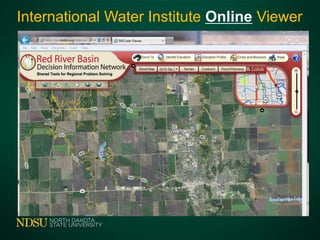
Online Viewing Tool
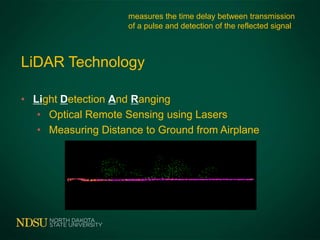
LiDAR Technology
• Light Detection And Ranging
• Optical Remote Sensing using Lasers
• Measuring Distance to Ground from Airplane
measures the time delay between transmission
of a pulse and detection of the reflected signal
Agriculture Applications
• Red River Flood Map
• Tile and Surface Drainage
• Topographic Layer for Precision Agriculture
• Road Construction
• Community Development
What is Needed to use LiDAR?
• Computer
• Storage Space – 150 Megabytes per Square Mile
• Bare Earth Data – LAS File Format - LASer
• GIS Program
• Fugro Viewer – Free – Quick Elevation Model
• Commercial GIS Software Programs – Usable for Tiling
• Online Viewer - gis.rrbdin.org/lidarviewer/index.html
Downloading LiDAR Data
• ND Water Commission – James River
• http://lidar.swc.nd.gov/
• USGS (US Geologic Survey
• http://lidar.cr.usgs.gov/
• International Water Institute – Red River
• http://gis.rrbdin.org/lidardownload/index.html
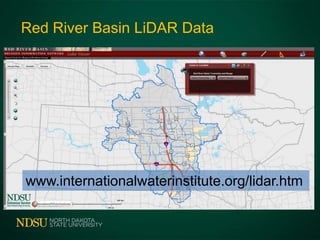
Red River Basin LiDAR Data
www.internationalwaterinstitute.org/lidar.htm
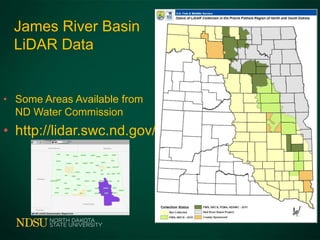
James River Basin
LiDAR Data
• Some Areas Available from
ND Water Commission
• http://lidar.swc.nd.gov/
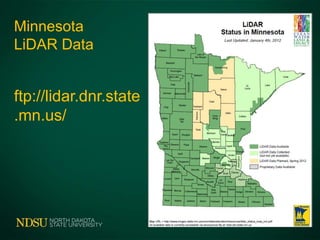
Minnesota
LiDAR Data
ftp://lidar.dnr.state
.mn.us/
Downloading LiDAR Data
www.internationalwaterinstitute.org/lidar.htm
Downloading LiDAR Data
www.internationalwaterinstitute.org/lidar.htm
Downloading LiDAR Data
www.internationalwaterinstitute.org/lidar.htm
Downloading LiDAR Data
www.internationalwaterinstitute.org/lidar.htm
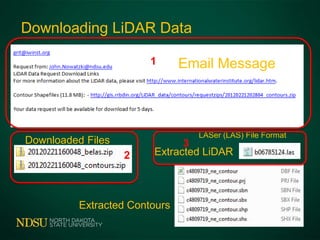
Downloading LiDAR Data
Email Message
Downloaded Files
Extracted Contours
Extracted LiDAR
LASer (LAS) File Format
1
2
3
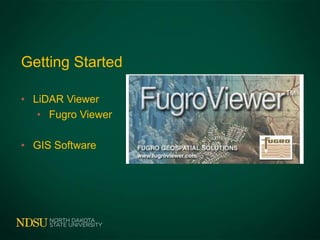
Getting Started
• LiDAR Viewer
• Fugro Viewer
• GIS Software
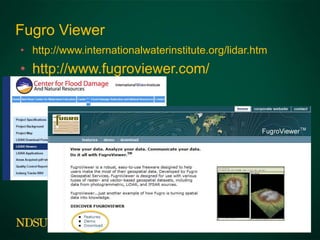
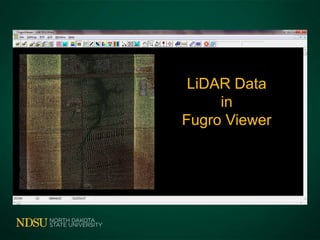
Fugro Viewer
• http://www.internationalwaterinstitute.org/lidar.htm
• http://www.fugroviewer.com/
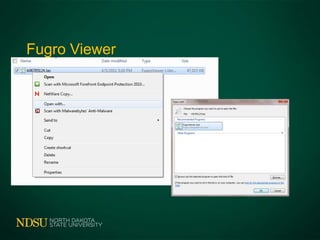
Fugro Viewer
With Reference Layers
LiDAR Data
in
Fugro Viewer
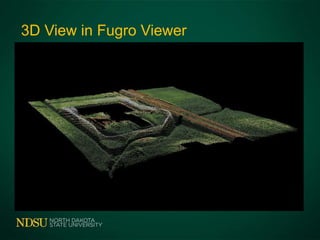
3D View in Fugro Viewer
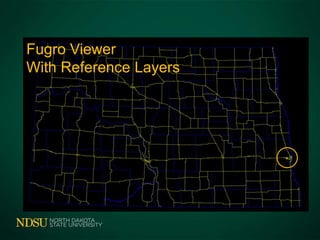
Fugro Viewer
With Reference Layers
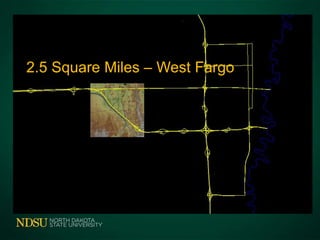
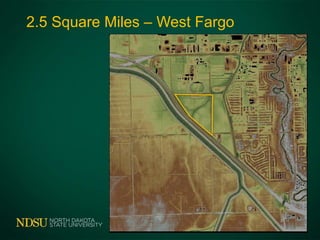
2.5 Square Miles – West Fargo
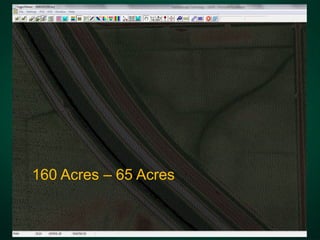
160 Acres – 65 Acres
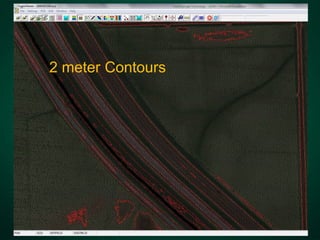
2 meter Contours
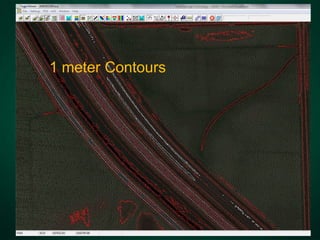
1 meter Contours
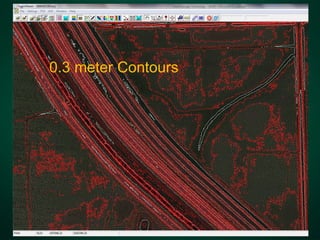
0.3 meter Contours
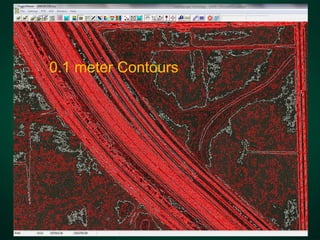
0.1 meter Contours
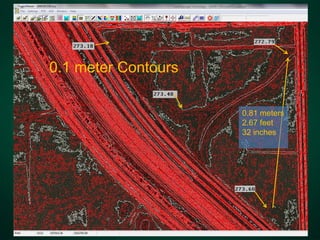
0.1 meter Contours
0.81 meters
2.67 feet
32 inches
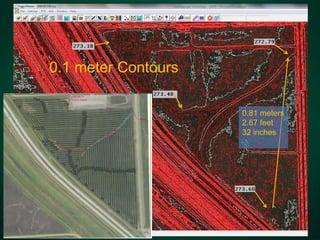
0.1 meter Contours
0.81 meters
2.67 feet
32 inches
You Need
GIS Software to Prepare Drainage Plan
• Available from Area Consultants
• Consultants will Prepare Plans
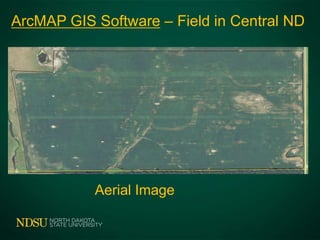
ArcMAP GIS Software – Field in Central ND
Aerial Image
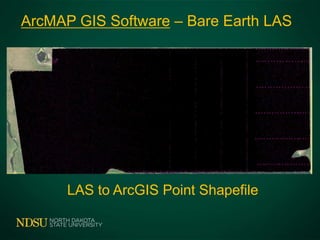
ArcMAP GIS Software – Bare Earth LAS
LAS to ArcGIS Point Shapefile
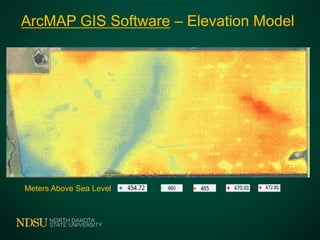
ArcMAP GIS Software – Elevation Model
Meters Above Sea Level
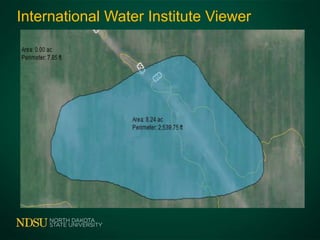
International Water Institute Online Viewer
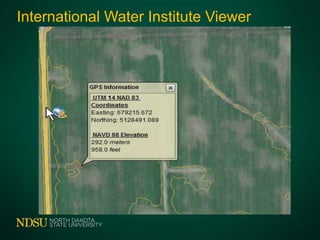
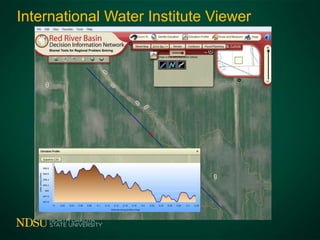
International Water Institute Viewer
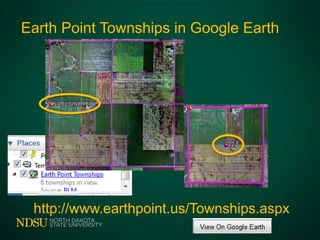
Earth Point Townships in Google Earth
http://www.earthpoint.us/Townships.aspx
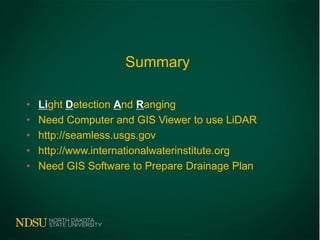
Summary
• Light Detection And Ranging
• Need Computer and GIS Viewer to use LiDAR
• http://seamless.usgs.gov
• http://www.internationalwaterinstitute.org
• Need GIS Software to Prepare Drainage Plan
Questions - Comments
Office 701-231-8213 Cell 701-261-9842
John.Nowatzki@ndsu.edu
http://www.ag.ndsu.edu/agmachinery

Draining and wetland engineering LiDAR - 2-12-2013

Editor's Notes

  • #4 LiDAR – Light Detection and Ranging . Basically, this technology involves directing laser beams from an airplane to the earth surface, and measuring the length of time it takes for the laser beams to reflect back to a detector on the airplane. This data can be used to quantity features on the surface such as trees and buildings as well as the actual elevation map of the earth surface.Computer technology is used to segregate the laser returns to first returns (used for features other than the ground surface, such as trees) and bare earth returns used for an elevation map.
  • #5 Examples of lidar applications:Flood mapZone maps for precision agricultureConstructionCommunity development
  • #6 Since the data is large, computers used for managing lidar require much computer storage space and computing power.The data is available for the Red River Valley drainage area. The data can be downloaded from the Internet without charge to the user.Lidar requires some kind of a geographic information systems (GIS) computer program. Most operate on your computer, but some operate online.Several agricultural consultants companies provide basic viewers without charges. However, programs that actually allow users to export lidar-derived GIS layers generally are not free.
  • #7 Data is available for the US portion of the Red River Basin from the USGS or the International Water Institute’s Websites.The US Army Corps of Engineer – St Paul website has some lidar data for the Manitoba Red River Valley drainage area: http://www.mvp.usace.army.mil/
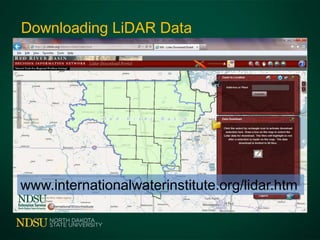
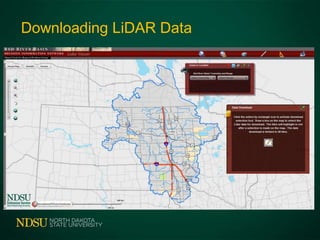
  • #8 This site allows users to find areas by township and range, towns, or by zooming in to a specific area on their map.
  • #9 John, We have been working with several partners on LiDAR data collects during2010 and 11 for the james river basin and surrounding areas of ND and SD.Unfortunately none of the data has been delivered yet. We are expecting data to begin showing up in the next 30-60 days. Please check back then. Chuck Chuck LoeschHabitat and Population Evaluation TeamUSFWS3425 Miriam Ave.Bismarck, ND 58501701-355-8537chuck_loesch@fws.gov
  • #10 This site allows users to find areas by township and range, towns, or by zooming in to a specific area on their map.
  • #11 Use the tool on this page to draw a rectangle around the area to download.
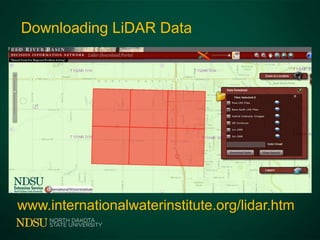
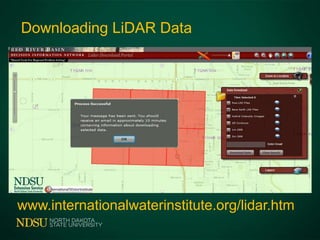
  • #13 Example of a desired area outlined in a selection rectangle. By default, the only base earth returns are included in the download. Users can check other boxes to download other lidar data.
  • #14 Example of a desired area outlined in a selection rectangle. By default, the only base earth returns are included in the download. Users can check other boxes to download other lidar data.
  • #15 Example of a desired area outlined in a selection rectangle. By default, the only base earth returns are included in the download. Users can check other boxes to download other lidar data.
  • #16 Fugro viewer is available to download with our charges from the International Water Institute Website.Several views are available for download on the Internet.
  • #17 Fugro viewer is available to download with our charges from the International Water Institute Website.Several views are available for download on the Internet.
  • #18 Additional reference GIS layers can be displayed in the Fugro viewer. These layers are available without charges for North Dakota from the ND GIS Hub at: http://www.nd.gov/gis/
  • #19 Additional reference GIS layers can be displayed in the Fugro viewer. These layers are available without charges for North Dakota from the ND GIS Hub at: http://www.nd.gov/gis/
  • #20 Additional reference GIS layers can be displayed in the Fugro viewer. These layers are available without charges for North Dakota from the ND GIS Hub at: http://www.nd.gov/gis/
  • #21 Additional reference GIS layers can be displayed in the Fugro viewer. These layers are available without charges for North Dakota from the ND GIS Hub at: http://www.nd.gov/gis/
  • #22 The data is downloaded in 12 kilometer square sections. This is an example of a section in West Fargo, ND.
  • #23 West Fargo, ND. The area outlined in yellow is approximately 65 acres.
  • #24 West Fargo, ND. The area outlined in yellow is approximately 65 acres.
  • #25 West Fargo, ND. The area outlined in yellow is approximately 65 acres.2 meter contours. (The Fugro Viewer only displays data in Metric measurements.
  • #26 West Fargo, ND. The area outlined in yellow is approximately 65 acres.1 meter contours.
  • #27 West Fargo, ND. The area outlined in yellow is approximately 65 acres.0.3 meter contours.
  • #28 West Fargo, ND. The area outlined in yellow is approximately 65 acres.0.1 meter contours.
  • #29 Users can select any point on the map to list the elevation for that area.
  • #30 Users can select any point on the map to list the elevation for that area.
  • #31 The Fugro Viewer only display s the lidar data. It does not allow users to export the data into a fully functioning GIS program.
  • #32 The Fugro Viewer only display s the lidar data. It does not allow users to export the data into a fully functioning GIS program.
  • #33 The Fugro Viewer only display s the lidar data. It does not allow users to export the data into a fully functioning GIS program.
  • #34 The Fugro Viewer only display s the lidar data. It does not allow users to export the data into a fully functioning GIS program.
  • #35 The Fugro Viewer only display s the lidar data. It does not allow users to export the data into a fully functioning GIS program.
  • #36 The Fugro Viewer only display s the lidar data. It does not allow users to export the data into a fully functioning GIS program.
  • #37 The Fugro Viewer only display s the lidar data. It does not allow users to export the data into a fully functioning GIS program.
  • #38 The Fugro Viewer only display s the lidar data. It does not allow users to export the data into a fully functioning GIS program.