INTRODUCTION TO KENTICO
Introduction
 Jon Gregory - Technical Architect @ MMT Digital in Uppingham
 .Net Development background
 Been working with Kentico to deliver websites for a year
 Introduction to Kentico and the Development features available
Kentico – Content Management
 Allows the client to control the website content or products
 WYSIWYG Editor
 Multi-Lingual Content
 Web Parts
 Media Libraries
 Responsive Pages – Mobile Preview
ECommerce
Main feature is the online shop
 Check out process
 Configurable Discounts
 Product Variations
 Shipping Calculations
 Reports
Online Marketing
 Marketing Automation
 Email Marketing
 Integrated Campaign Mangement
 Lead Scoring
 A/B Testing
Kentico Draft
 Cloud based instance of Kentico
 Intended to allow content creation in parallel to development
 Once site is ready content can be moved from draft into new site
 https://kenticocloud.com/
Kentico Draft
Kentico - Development
 ASP.NET Based Moving from Web Forms to MVC
 Designed to be Extendable and Customisable
 .Net based API
 Visual Studio Integration
 Comprehensive Support and Community
 Modules available including payment integrations
MVC Support
 Introduced in Version 9 / 2015
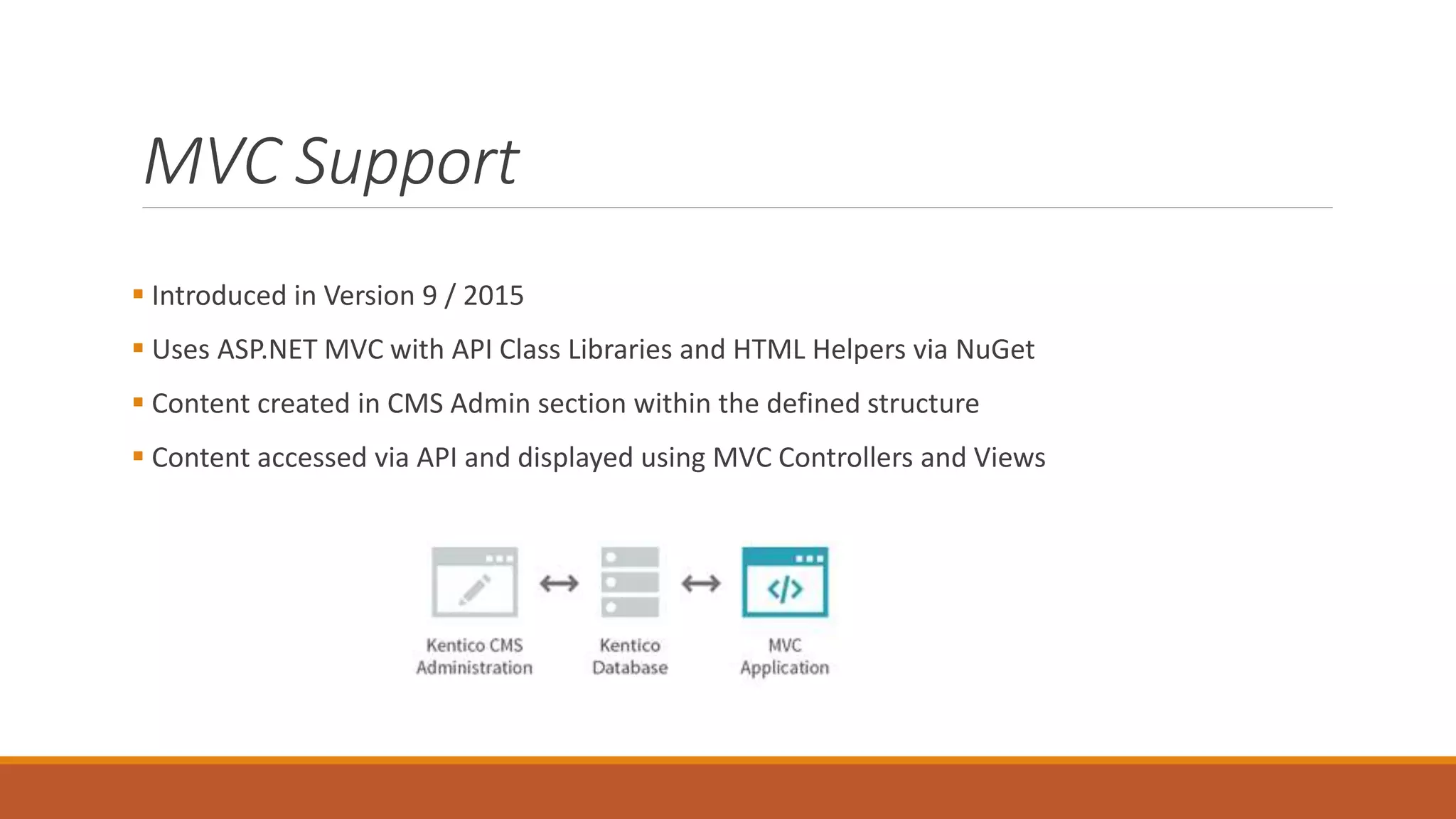
 Uses ASP.NET MVC with API Class Libraries and HTML Helpers via NuGet
 Content created in CMS Admin section within the defined structure
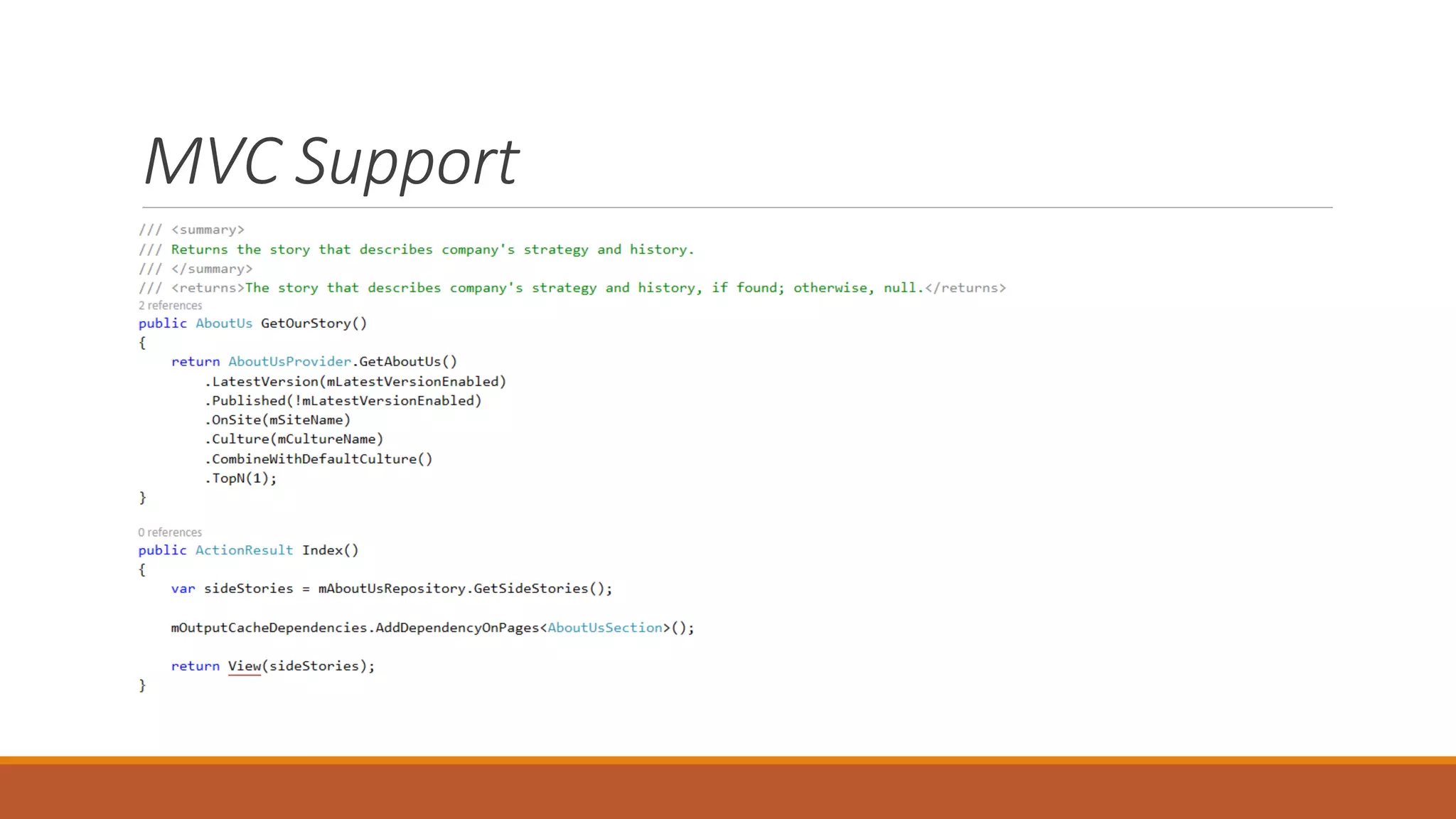
 Content accessed via API and displayed using MVC Controllers and Views
MVC Support
MVC Support
 Utilises all features ASP.NET MVC with Benefits of Content Managment
 Ecommerce Support coming in next version
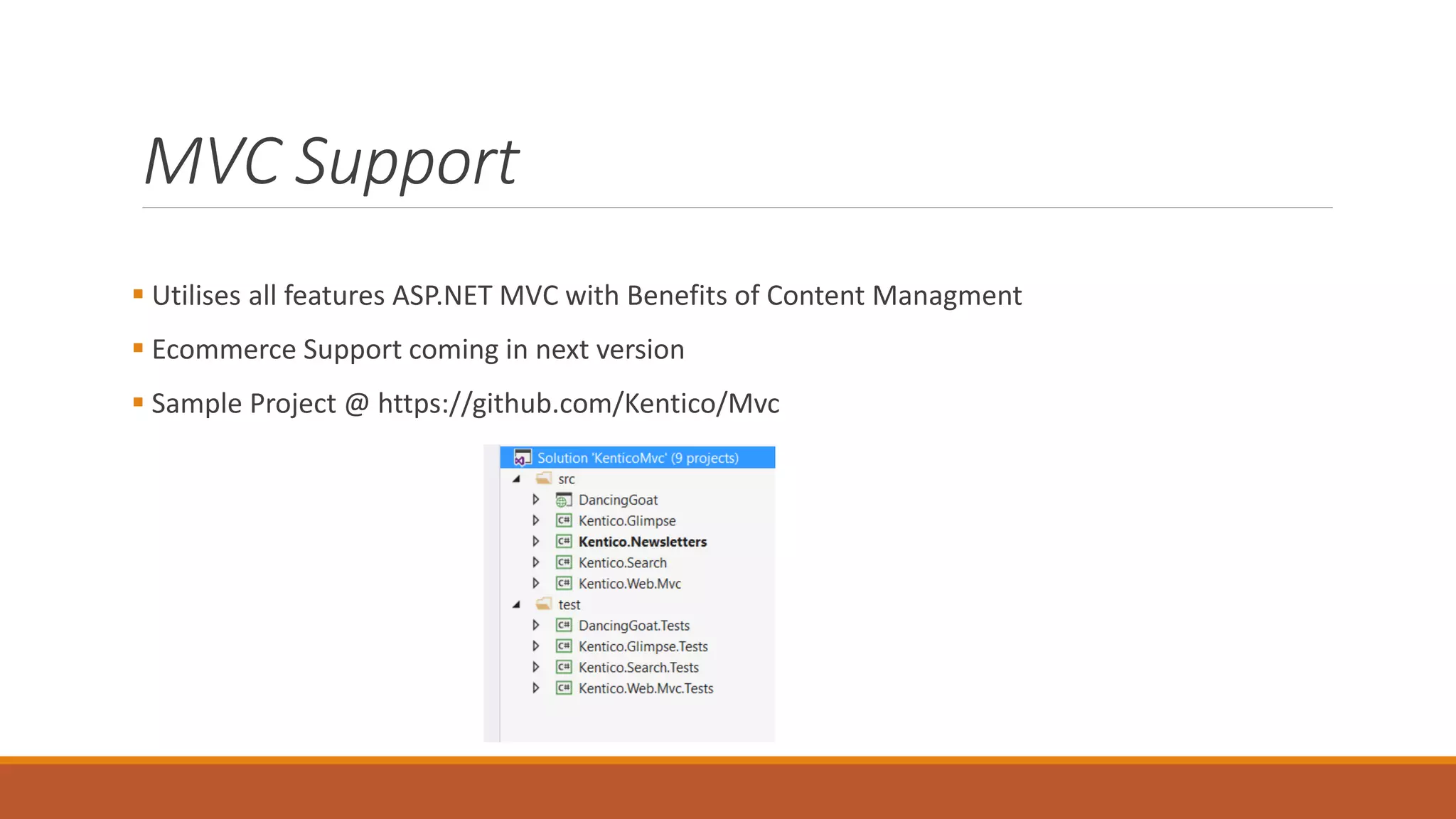
 Sample Project @ https://github.com/Kentico/Mvc
Content Staging
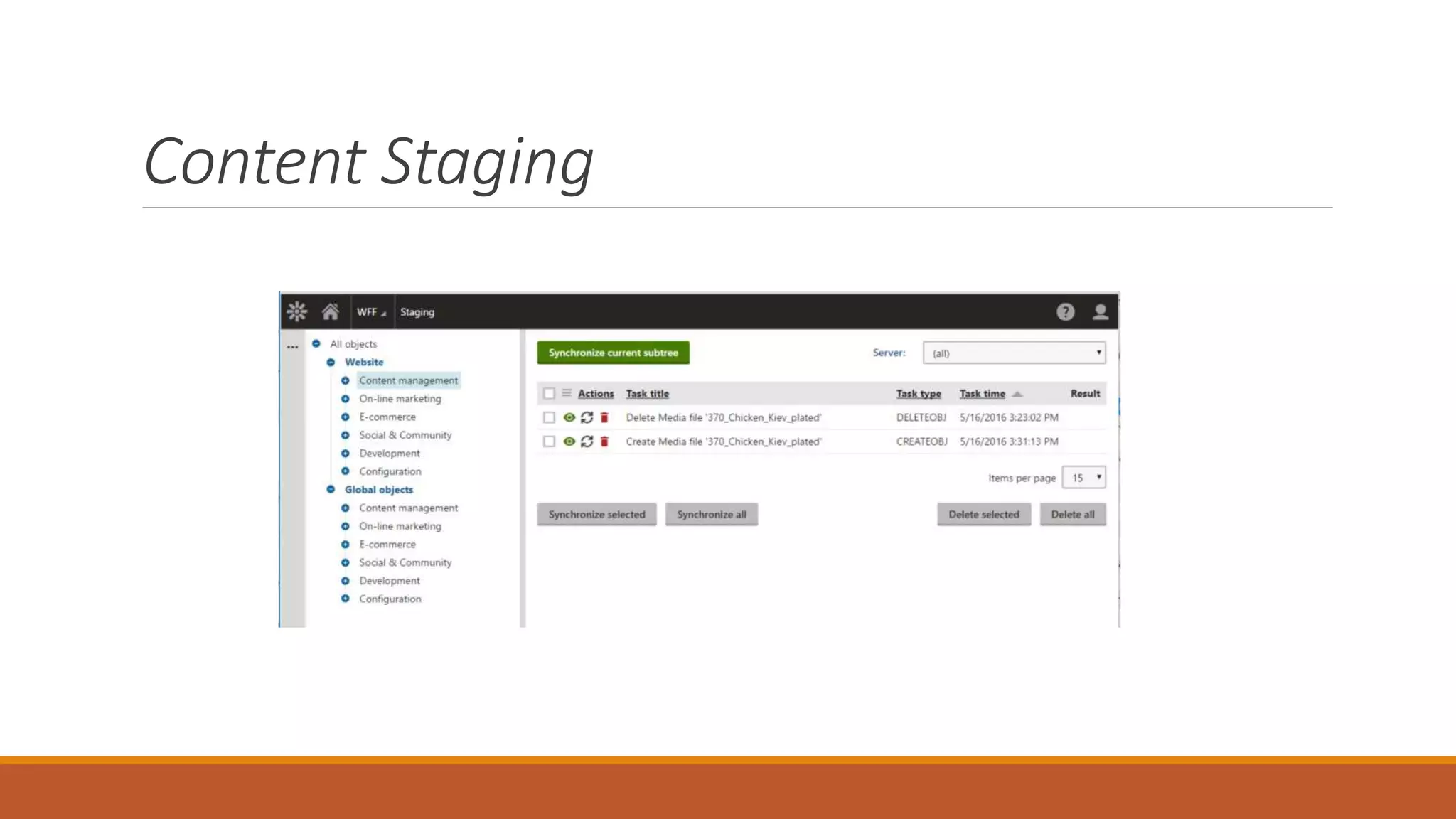
 CMS Content created within the database
 Difficult to move between environments
 Content Staging tracks changes made in one environment to be applied to another
 Content and Objects can be synchronised in both directions between servers
 Uses Web Services to transfer the content
Content Staging
Continuous Integration
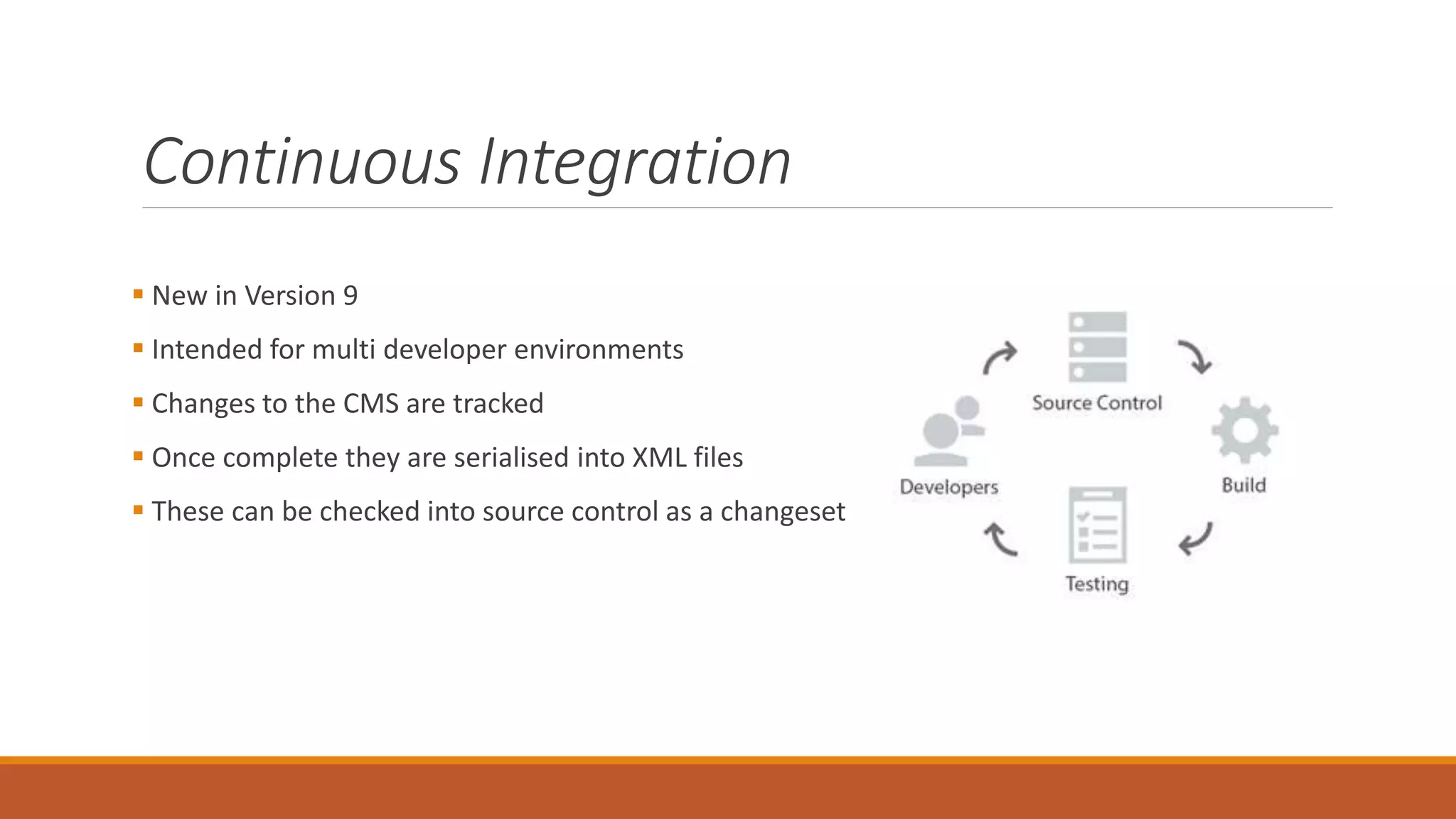
 New in Version 9
 Intended for multi developer environments
 Changes to the CMS are tracked
 Once complete they are serialised into XML files
 These can be checked into source control as a changeset
Continuous Integration
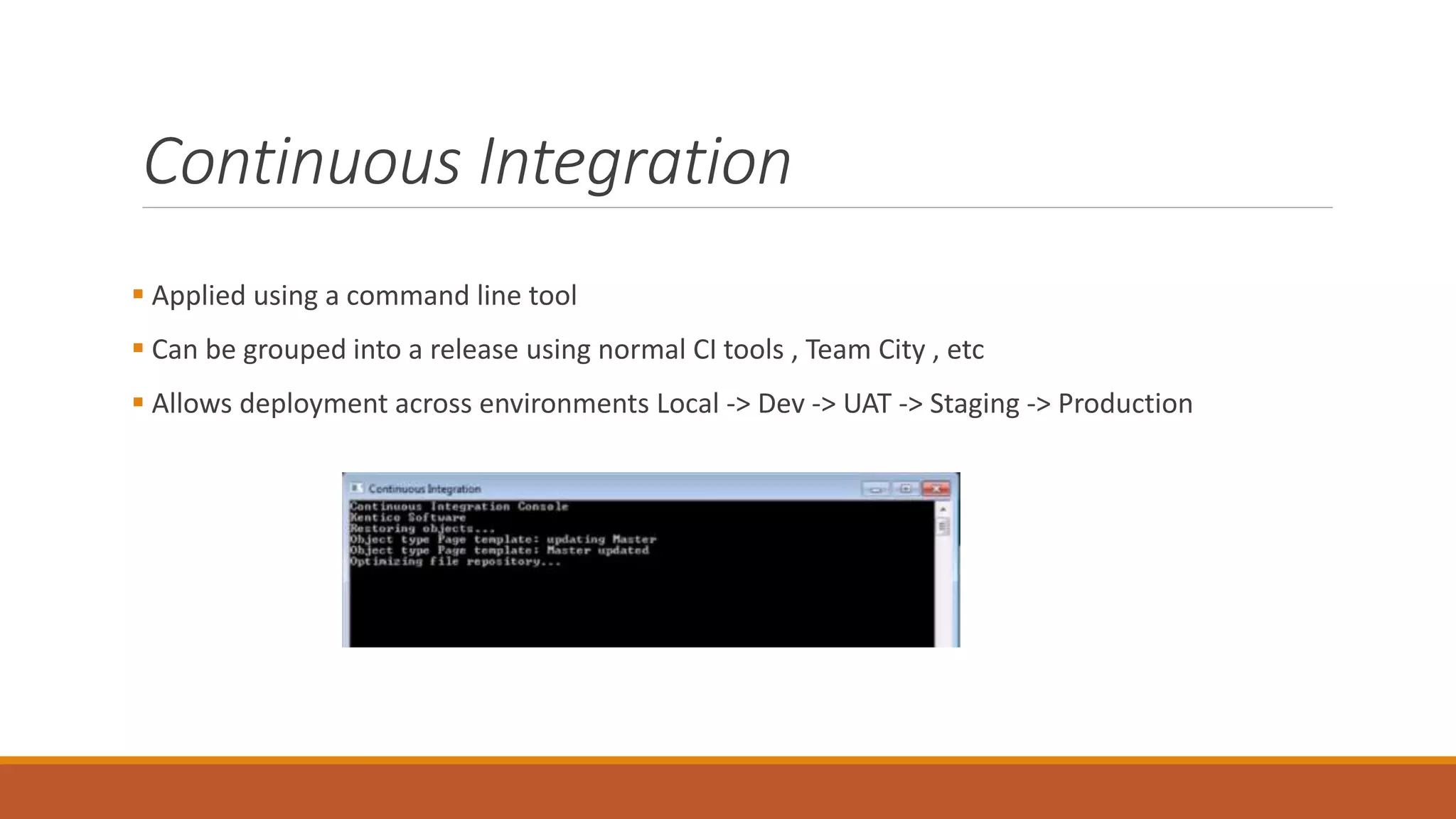
 Applied using a command line tool
 Can be grouped into a release using normal CI tools , Team City , etc
 Allows deployment across environments Local -> Dev -> UAT -> Staging -> Production
Web Farm Support
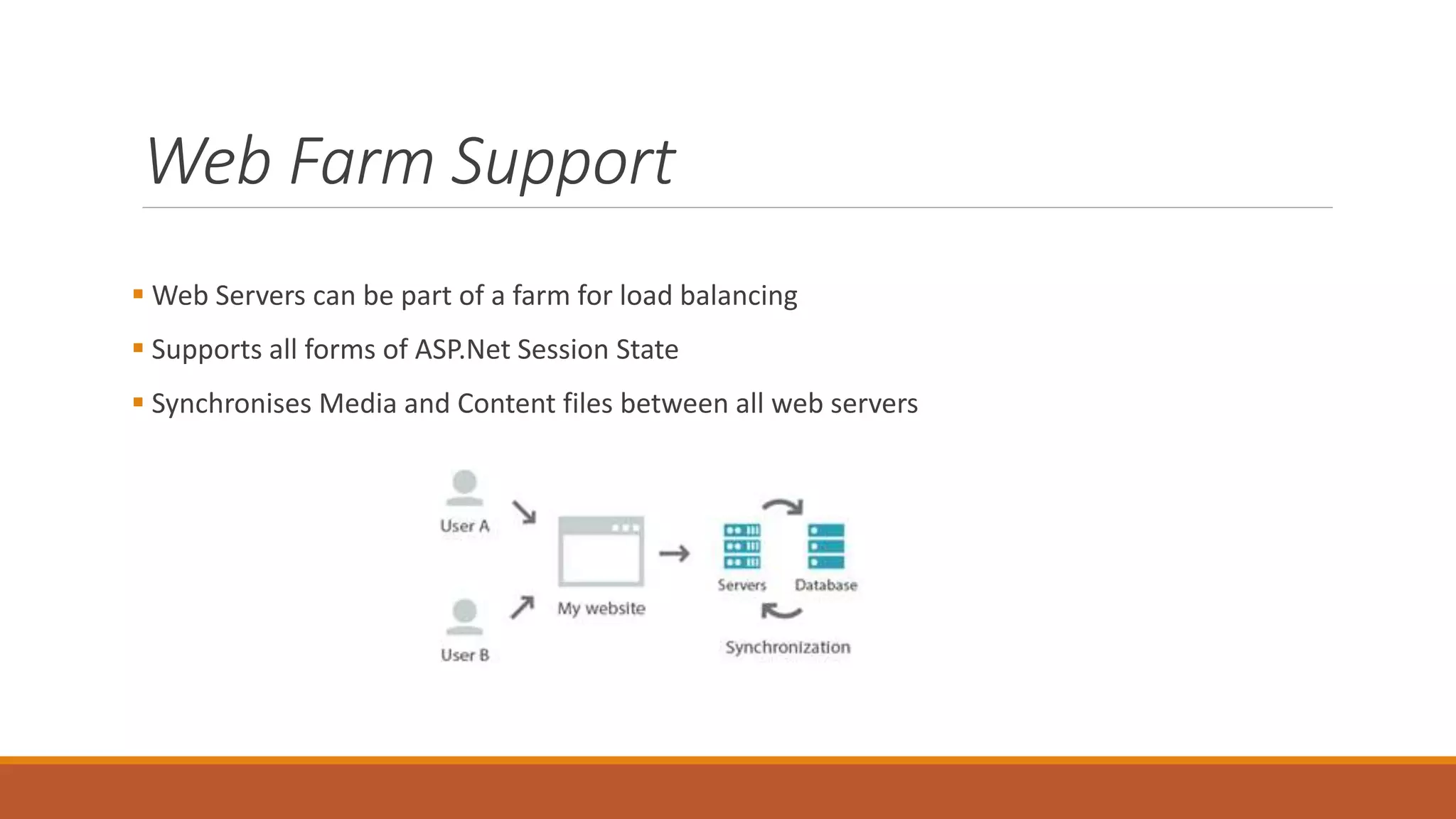
 Web Servers can be part of a farm for load balancing
 Supports all forms of ASP.Net Session State
 Synchronises Media and Content files between all web servers
Azure Support
 First CMS to be certified for Azure
 Windows Azure IaaS, PaaS and Azure website environments.
 SQL Azure, Microsoft Azure Storage, Microsoft Azure Content Delivery Network and Load
Balancing
 Application Insights
 Licencing can be tricky and can only run one SQL Server
As well as ….
 Integration Bus
 API - Open and REST
 Modularisation
 Scheduled Task – In IIS or via external windows service
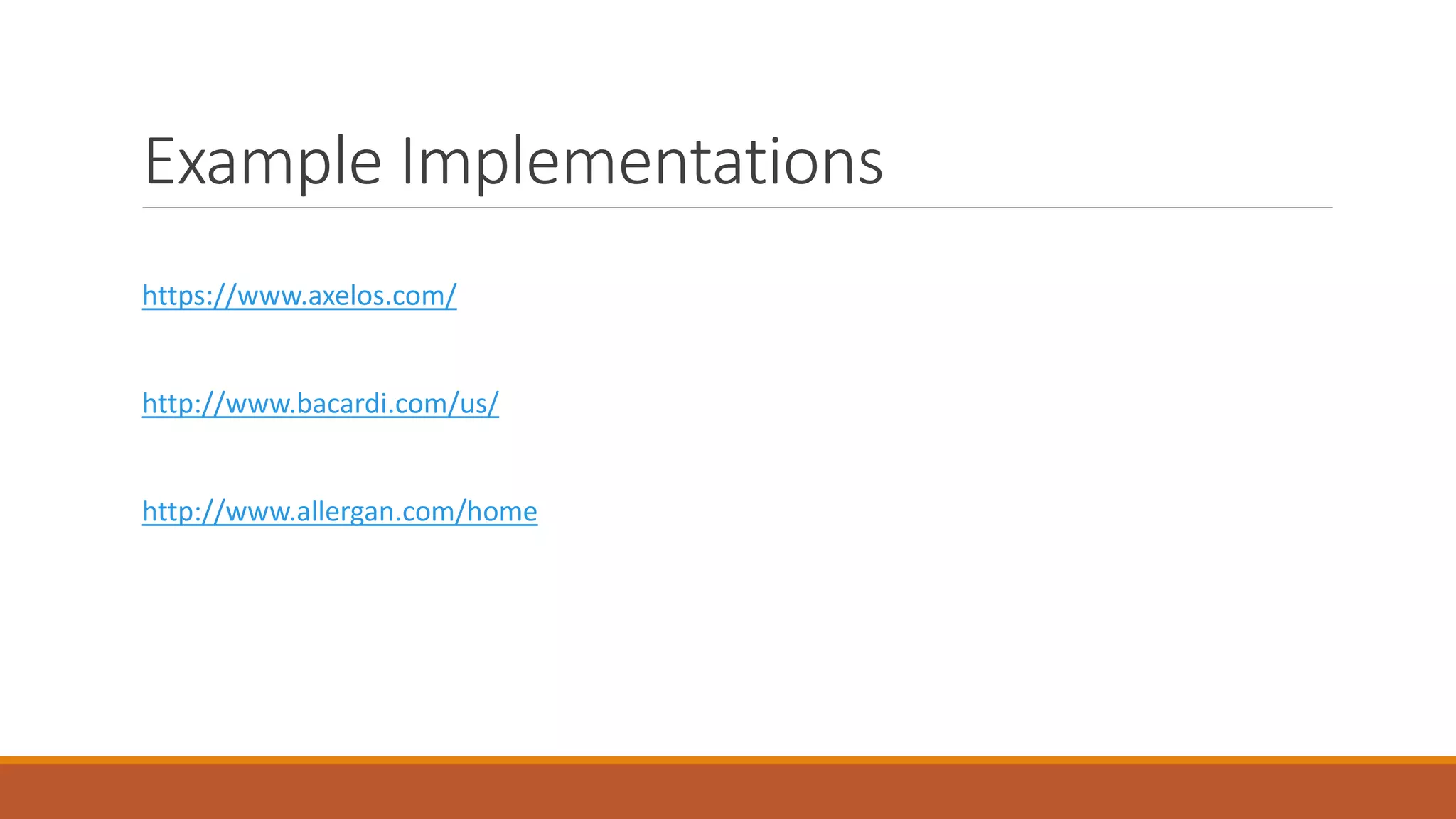
Example Implementations
https://www.axelos.com/
http://www.bacardi.com/us/
http://www.allergan.com/home
Summary
 Feature Rich Content Management, Ecommerce & Online Marketing tool
 Extensive Support Network and Community
 Azure Certified
 Supports multiple developers and multiple environments
 Extensable to build unique websites
Questions
Useful Links # 1
General Development Features for Kentico
http://www.kentico.com/product/for-developers
Kentico Content Staging
https://docs.kentico.com/display/K82/Content+staging
http://www.kentico.com/product/all-features/development/staging-and-synchronization
http://bit.ly/KenticoCSWebinar
Useful Links # 2
Kentico Continuous Integration
http://www.kentico.com/product/all-features/development/continuous-integration
http://bit.ly/KenticoCIWebinar
Unit Testing in Kentico
http://devnet.kentico.com/articles/test-automation-possibilities-in-kentico-8
Kentico Resources
https://docs.kentico.com/
https://devnet.kentico.com/
http://bit.ly/KenticoYouTube

DotNetNotts - Introduction to Kentico

  • 1.
  • 2.
    Introduction  Jon Gregory- Technical Architect @ MMT Digital in Uppingham  .Net Development background  Been working with Kentico to deliver websites for a year  Introduction to Kentico and the Development features available
  • 3.
    Kentico – ContentManagement  Allows the client to control the website content or products  WYSIWYG Editor  Multi-Lingual Content  Web Parts  Media Libraries  Responsive Pages – Mobile Preview
  • 4.
    ECommerce Main feature isthe online shop  Check out process  Configurable Discounts  Product Variations  Shipping Calculations  Reports
  • 5.
    Online Marketing  MarketingAutomation  Email Marketing  Integrated Campaign Mangement  Lead Scoring  A/B Testing
  • 6.
    Kentico Draft  Cloudbased instance of Kentico  Intended to allow content creation in parallel to development  Once site is ready content can be moved from draft into new site  https://kenticocloud.com/
  • 7.
  • 8.
    Kentico - Development ASP.NET Based Moving from Web Forms to MVC  Designed to be Extendable and Customisable  .Net based API  Visual Studio Integration  Comprehensive Support and Community  Modules available including payment integrations
  • 9.
    MVC Support  Introducedin Version 9 / 2015  Uses ASP.NET MVC with API Class Libraries and HTML Helpers via NuGet  Content created in CMS Admin section within the defined structure  Content accessed via API and displayed using MVC Controllers and Views
  • 10.
  • 11.
    MVC Support  Utilisesall features ASP.NET MVC with Benefits of Content Managment  Ecommerce Support coming in next version  Sample Project @ https://github.com/Kentico/Mvc
  • 12.
    Content Staging  CMSContent created within the database  Difficult to move between environments  Content Staging tracks changes made in one environment to be applied to another  Content and Objects can be synchronised in both directions between servers  Uses Web Services to transfer the content
  • 13.
  • 14.
    Continuous Integration  Newin Version 9  Intended for multi developer environments  Changes to the CMS are tracked  Once complete they are serialised into XML files  These can be checked into source control as a changeset
  • 15.
    Continuous Integration  Appliedusing a command line tool  Can be grouped into a release using normal CI tools , Team City , etc  Allows deployment across environments Local -> Dev -> UAT -> Staging -> Production
  • 16.
    Web Farm Support Web Servers can be part of a farm for load balancing  Supports all forms of ASP.Net Session State  Synchronises Media and Content files between all web servers
  • 17.
    Azure Support  FirstCMS to be certified for Azure  Windows Azure IaaS, PaaS and Azure website environments.  SQL Azure, Microsoft Azure Storage, Microsoft Azure Content Delivery Network and Load Balancing  Application Insights  Licencing can be tricky and can only run one SQL Server
  • 18.
    As well as….  Integration Bus  API - Open and REST  Modularisation  Scheduled Task – In IIS or via external windows service
  • 19.
  • 20.
    Summary  Feature RichContent Management, Ecommerce & Online Marketing tool  Extensive Support Network and Community  Azure Certified  Supports multiple developers and multiple environments  Extensable to build unique websites
  • 21.
  • 22.
    Useful Links #1 General Development Features for Kentico http://www.kentico.com/product/for-developers Kentico Content Staging https://docs.kentico.com/display/K82/Content+staging http://www.kentico.com/product/all-features/development/staging-and-synchronization http://bit.ly/KenticoCSWebinar
  • 23.
    Useful Links #2 Kentico Continuous Integration http://www.kentico.com/product/all-features/development/continuous-integration http://bit.ly/KenticoCIWebinar Unit Testing in Kentico http://devnet.kentico.com/articles/test-automation-possibilities-in-kentico-8 Kentico Resources https://docs.kentico.com/ https://devnet.kentico.com/ http://bit.ly/KenticoYouTube

Editor's Notes

  • #3 Introduction to Kentico Not Comparing with other content Build websites with Kentico as a base – Content Editor creates contents – Front end developers - .Net full stack and integration / customisation
  • #4  Many features you would expect of a CMS Empowers site owners to control the content of the site
  • #5  All of the above can be styled and customised
  • #6  Provides functionality for tracking customer activity on sites Turn visits into leads Run marketing campaigns
  • #7 Getting sites up and to market quickly Content editors create the content in a structure defined the developers Suits the Lean Start Up / Agile working method of getting an MVP up as quickly as possible
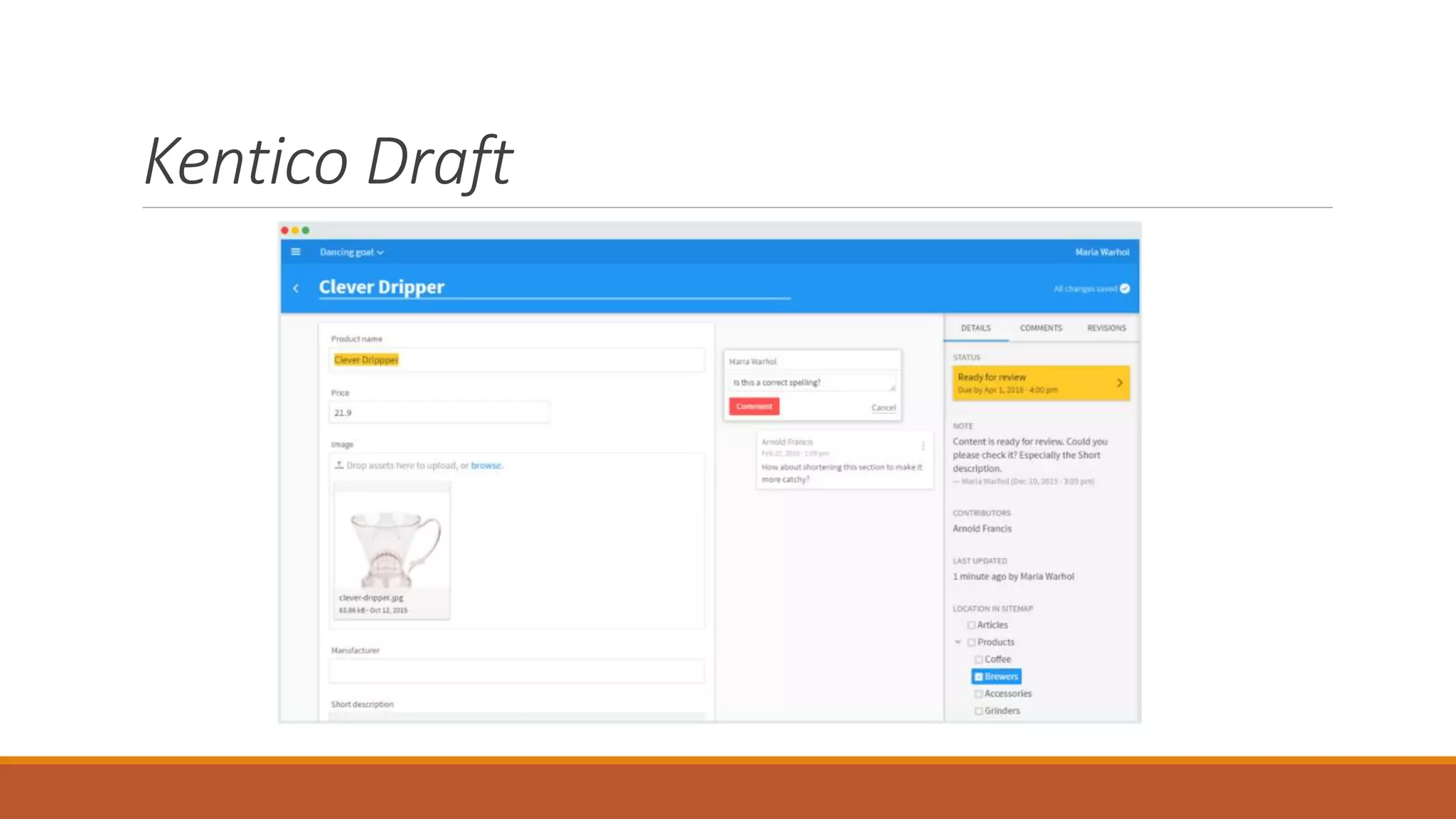
  • #8  Don’t ask me what a clever dripper is Built using ReactJS
  • #9 Intellisense, Tool Box , Templates and Code Snippets Couple of false starts with MVC but now seemed to have cracked it
  • #10 Developer controls the display of the data Content creater controls the content from the admin section
  • #11 Provider uses code generation Better support for Unit Testing and Front end tooling
  • #12 Challenge with MVC for a CMS with the drag and drop functionality for content editors Web forms provided this – Kentico working on the replacement for the next version
  • #13 One of the challenges of CMS in content and structures created in the database Difficult to track changes Use normal CI for the files system With more than one developer , environment becomes hard to migrate the content and objects
  • #14  Content Staging area in the admin section Categorised or can migrate all Tracked by server
  • #15  Similar principle to content staging Development focused for Code and Data changes When activated tracks changes made by developers These are then serialised into files and can be check into source control
  • #16  Recommended to use a naming convention for files and location for applying to later environments
  • #17  Kentico is synchronising the content and media between the servers
  • #18 Two large projects to put Kentico on Azure