CloudHub Deployment
1
Cloud Hub Deployment Steps
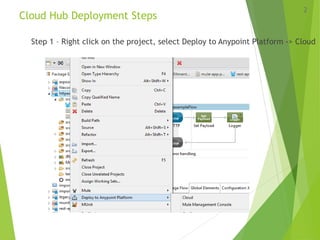
Step 1 – Right click on the project, select Deploy to Anypoint Platform -> Cloud
2
Deployment Steps
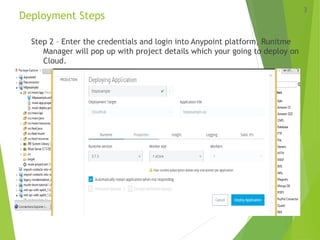
Step 2 – Enter the credentials and login into Anypoint platform, Runitme
Manager will pop up with project details which your going to deploy on
Cloud.
3
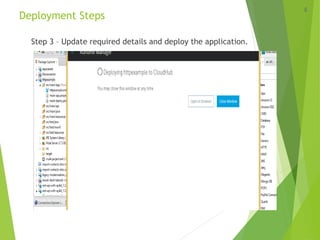
Deployment Steps
Step 3 – Update required details and deploy the application.
4
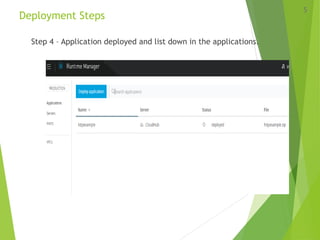
Deployment Steps
Step 4 – Application deployed and list down in the applications.
5
Typical cloud solutions use cases
 Hosting cross-cloud integration applications
 Hosting hybrid applications
 Hosting public APIs/REST services/web services
 Hosting Software as a Service (SaaS) applications
 Hosting public web applications
6
Typical on-premise use cases
 Classical integration
 Facilitating rapid development
 Legacy modernization
 Application/system migration
 Adopting new development methodology or architectural styles
 Facilitating organizational changes
7
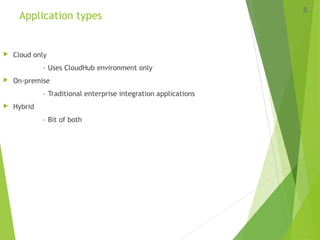
Application types
 Cloud only
– Uses CloudHub environment only
 On-premise
– Traditional enterprise integration applications
 Hybrid
– Bit of both
8
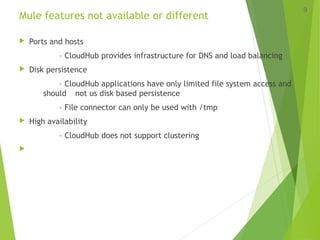
Mule features not available or different
 Ports and hosts
– CloudHub provides infrastructure for DNS and load balancing
 Disk persistence
– CloudHub applications have only limited file system access and
should not us disk based persistence
– File connector can only be used with /tmp
 High availability
– CloudHub does not support clustering

9
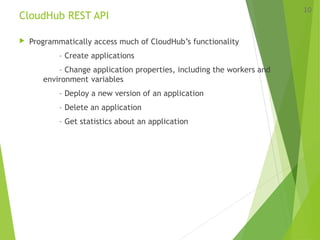
CloudHub REST API
 Programmatically access much of CloudHub’s functionality
– Create applications
– Change application properties, including the workers and
environment variables
– Deploy a new version of an application
– Delete an application
– Get statistics about an application
10
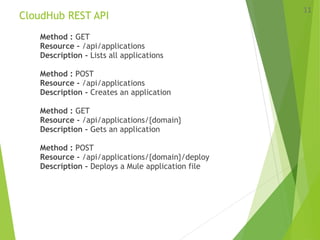
CloudHub REST API
Method : GET
Resource - /api/applications
Description - Lists all applications
Method : POST
Resource - /api/applications
Description - Creates an application
Method : GET
Resource - /api/applications/{domain}
Description - Gets an application
Method : POST
Resource - /api/applications/{domain}/deploy
Description - Deploys a Mule application file
11
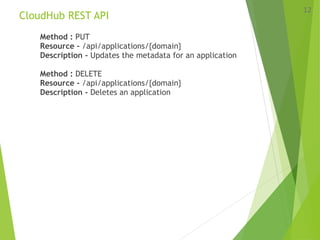
CloudHub REST API
Method : PUT
Resource - /api/applications/{domain}
Description - Updates the metadata for an application
Method : DELETE
Resource - /api/applications/{domain}
Description - Deletes an application
12

Cloudhub deployment

  • 1.
  • 2.
    Cloud Hub DeploymentSteps Step 1 – Right click on the project, select Deploy to Anypoint Platform -> Cloud 2
  • 3.
    Deployment Steps Step 2– Enter the credentials and login into Anypoint platform, Runitme Manager will pop up with project details which your going to deploy on Cloud. 3
  • 4.
    Deployment Steps Step 3– Update required details and deploy the application. 4
  • 5.
    Deployment Steps Step 4– Application deployed and list down in the applications. 5
  • 6.
    Typical cloud solutionsuse cases  Hosting cross-cloud integration applications  Hosting hybrid applications  Hosting public APIs/REST services/web services  Hosting Software as a Service (SaaS) applications  Hosting public web applications 6
  • 7.
    Typical on-premise usecases  Classical integration  Facilitating rapid development  Legacy modernization  Application/system migration  Adopting new development methodology or architectural styles  Facilitating organizational changes 7
  • 8.
    Application types  Cloudonly – Uses CloudHub environment only  On-premise – Traditional enterprise integration applications  Hybrid – Bit of both 8
  • 9.
    Mule features notavailable or different  Ports and hosts – CloudHub provides infrastructure for DNS and load balancing  Disk persistence – CloudHub applications have only limited file system access and should not us disk based persistence – File connector can only be used with /tmp  High availability – CloudHub does not support clustering  9
  • 10.
    CloudHub REST API Programmatically access much of CloudHub’s functionality – Create applications – Change application properties, including the workers and environment variables – Deploy a new version of an application – Delete an application – Get statistics about an application 10
  • 11.
    CloudHub REST API Method: GET Resource - /api/applications Description - Lists all applications Method : POST Resource - /api/applications Description - Creates an application Method : GET Resource - /api/applications/{domain} Description - Gets an application Method : POST Resource - /api/applications/{domain}/deploy Description - Deploys a Mule application file 11
  • 12.
    CloudHub REST API Method: PUT Resource - /api/applications/{domain} Description - Updates the metadata for an application Method : DELETE Resource - /api/applications/{domain} Description - Deletes an application 12