North Hennepin Community College
Document Structure
Document Structure
Next
North Hennepin Community College
Document Structure
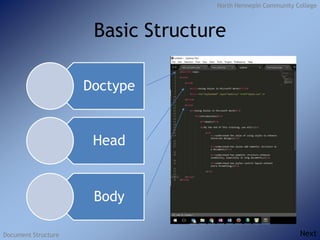
Basic Structure
Doctype
Head
Body
Next
North Hennepin Community College
Document Structure
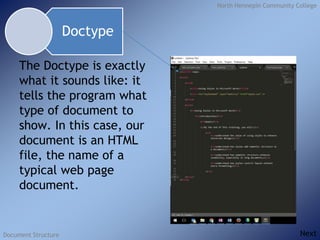
The Doctype is exactly
what it sounds like: it
tells the program what
type of document to
show. In this case, our
document is an HTML
file, the name of a
typical web page
document.
Doctype
Next
North Hennepin Community College
Document Structure
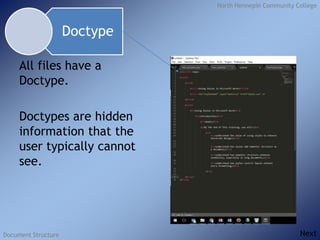
All files have a
Doctype.
Doctypes are hidden
information that the
user typically cannot
see.
Doctype
Next
North Hennepin Community College
Document Structure
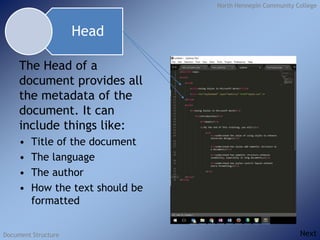
The Head of a
document provides all
the metadata of the
document. It can
include things like:
• Title of the document
• The language
• The author
• How the text should be
formatted
Head
Next
North Hennepin Community College
Document Structure
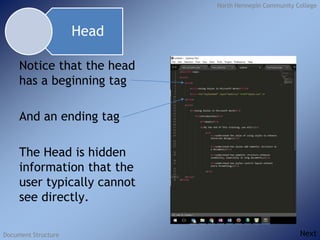
Notice that the head
has a beginning tag
And an ending tag
The Head is hidden
information that the
user typically cannot
see directly.
Head
Next
North Hennepin Community College
Document Structure
Like the head, the Body
has a beginning tag
And an ending tag
The Body is the part of
the document everyone
can see.
Body
Next
North Hennepin Community College
Document Structure
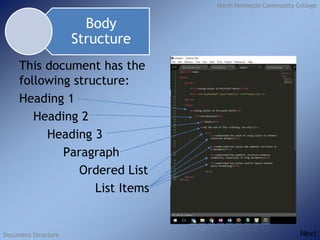
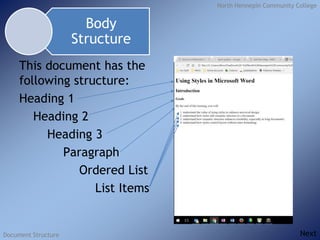
This document has the
following structure:
Heading 1
Heading 2
Heading 3
Paragraph
Ordered List
List Items
Body
Structure
Next
North Hennepin Community College
Document Structure
Document
Structure
Document
Display
Next
North Hennepin Community College
Document Structure
This document has the
following structure:
Heading 1
Heading 2
Heading 3
Paragraph
Ordered List
List Items
Body
Structure
Next
North Hennepin Community College
Document Structure
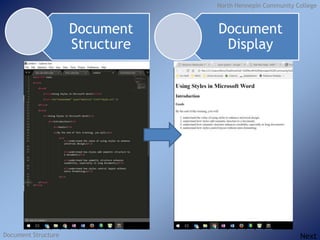
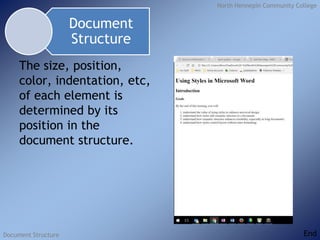
The size, position,
color, indentation, etc,
of each element is
determined by its
position in the
document structure.
Document
Structure
End

Document structure

  • 1.
    North Hennepin CommunityCollege Document Structure Document Structure Next
  • 2.
    North Hennepin CommunityCollege Document Structure Basic Structure Doctype Head Body Next
  • 3.
    North Hennepin CommunityCollege Document Structure The Doctype is exactly what it sounds like: it tells the program what type of document to show. In this case, our document is an HTML file, the name of a typical web page document. Doctype Next
  • 4.
    North Hennepin CommunityCollege Document Structure All files have a Doctype. Doctypes are hidden information that the user typically cannot see. Doctype Next
  • 5.
    North Hennepin CommunityCollege Document Structure The Head of a document provides all the metadata of the document. It can include things like: • Title of the document • The language • The author • How the text should be formatted Head Next
  • 6.
    North Hennepin CommunityCollege Document Structure Notice that the head has a beginning tag And an ending tag The Head is hidden information that the user typically cannot see directly. Head Next
  • 7.
    North Hennepin CommunityCollege Document Structure Like the head, the Body has a beginning tag And an ending tag The Body is the part of the document everyone can see. Body Next
  • 8.
    North Hennepin CommunityCollege Document Structure This document has the following structure: Heading 1 Heading 2 Heading 3 Paragraph Ordered List List Items Body Structure Next
  • 9.
    North Hennepin CommunityCollege Document Structure Document Structure Document Display Next
  • 10.
    North Hennepin CommunityCollege Document Structure This document has the following structure: Heading 1 Heading 2 Heading 3 Paragraph Ordered List List Items Body Structure Next
  • 11.
    North Hennepin CommunityCollege Document Structure The size, position, color, indentation, etc, of each element is determined by its position in the document structure. Document Structure End

Editor's Notes

  • #2 9.4 Final Project