DIGITAL TOOLS FOR
THEIR ENGLISH
LEVELS STUDENTS
WORKSHOP
Mariano Galvez University
Digital Design I
Licda. Silvia Sowa
BY Edna Goff
Carné 5076 04 4580
Guatemala, June 10th, 2017
Why is it important in class to learn Digital Tools?
 I t is necessary to be updated with the new digital world
What is the main problem?
Students do not handle digital tools at the
univCersity and many of them do not have
their own lap top, ipad, tablet or an android
phone.
Purpose
 It has the purpose to enhance students into the English
Language in order to acquire language adquisition by
their skills, and knowledge of the digital tools to be used
for the development of their English Level. They will also
learn to handle problem solving through the process of
Design Thinking- Learning the steps to be followed as:
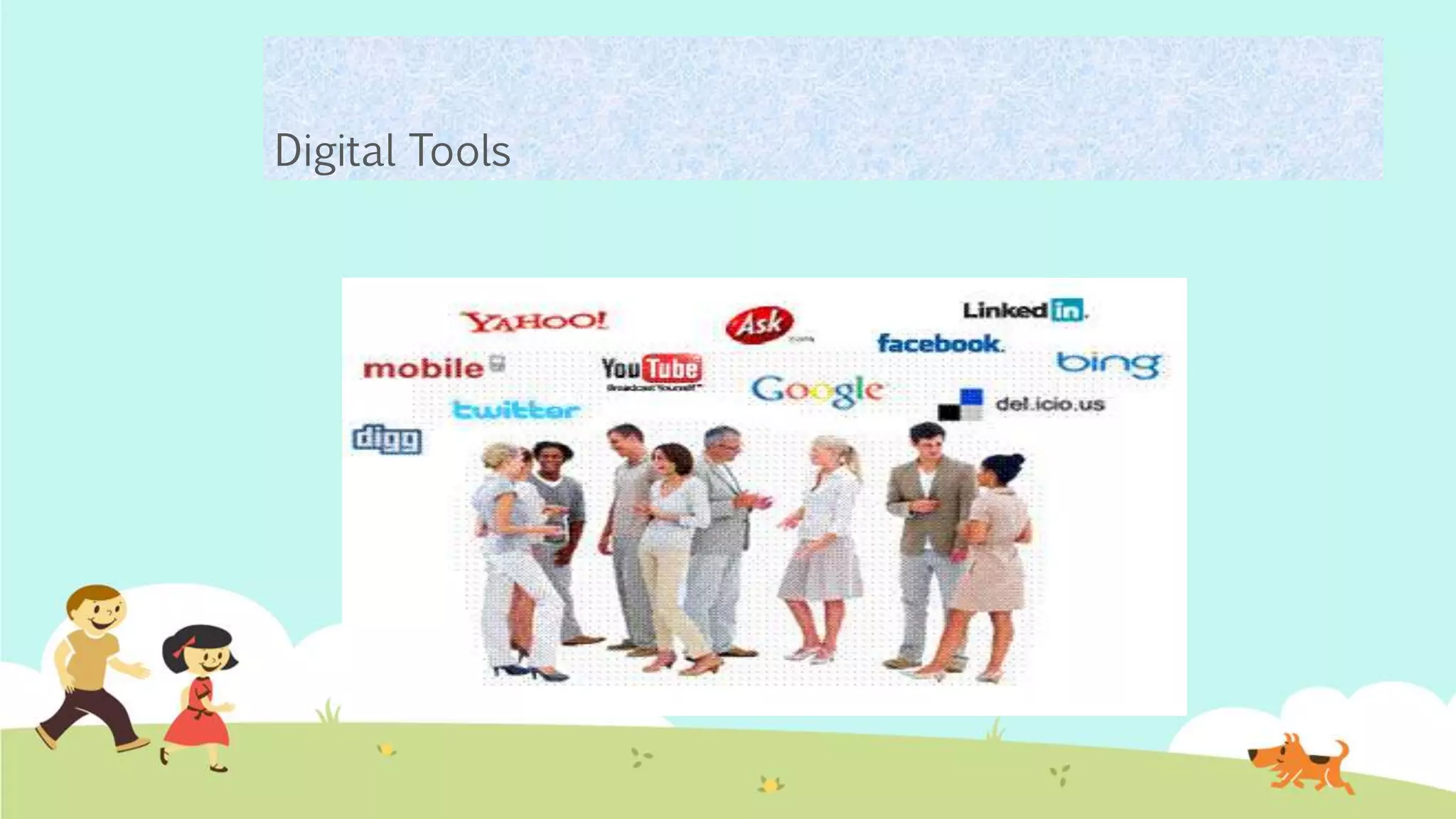
Digital Tools
DIGITAL TOOLS
AND SOCIAL
NETWORK
AVAILABLE
HOW TO DO A MIND MAP USING GOCONQR.COM
https://www.goconqr.com/es/users/sign_in
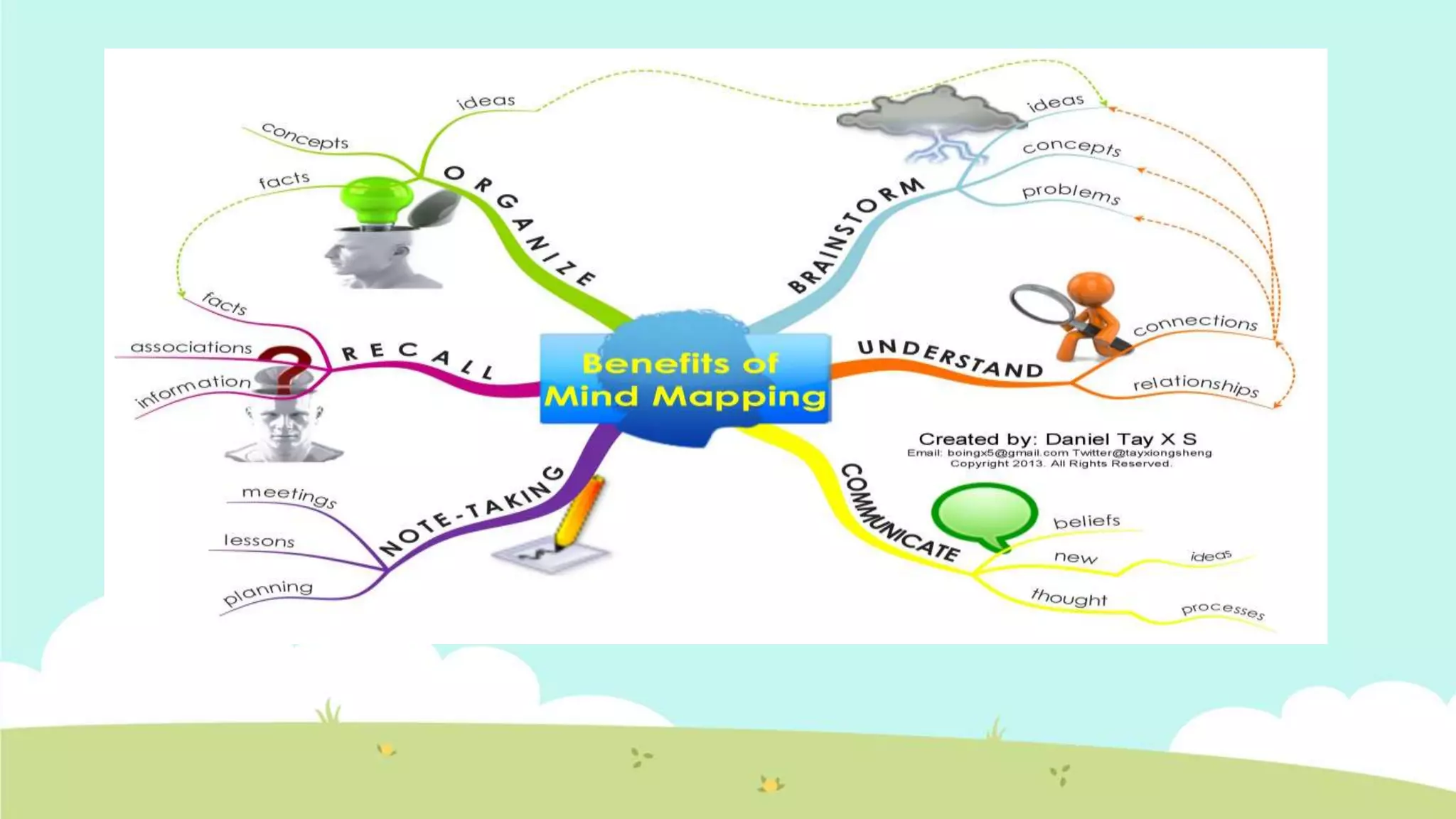
 Mind mapping: It brings ideas and terms.
 All benefits of Mind Mapping. It will engage us into have a clear
picture of what we want and to find solutions in a better way.
 We can brainstorm ideas, concepts, problems.
 In order to understand connections and relationships.
 So we will be able to communicate beliefs, thought, processes.
 We always have to take notes in meetings, lessons, plannings, so
 We will be able to recall information, associations, facts.
How to do a diagram with goconqr
https://www.goconqr.com/es/users/sign_in
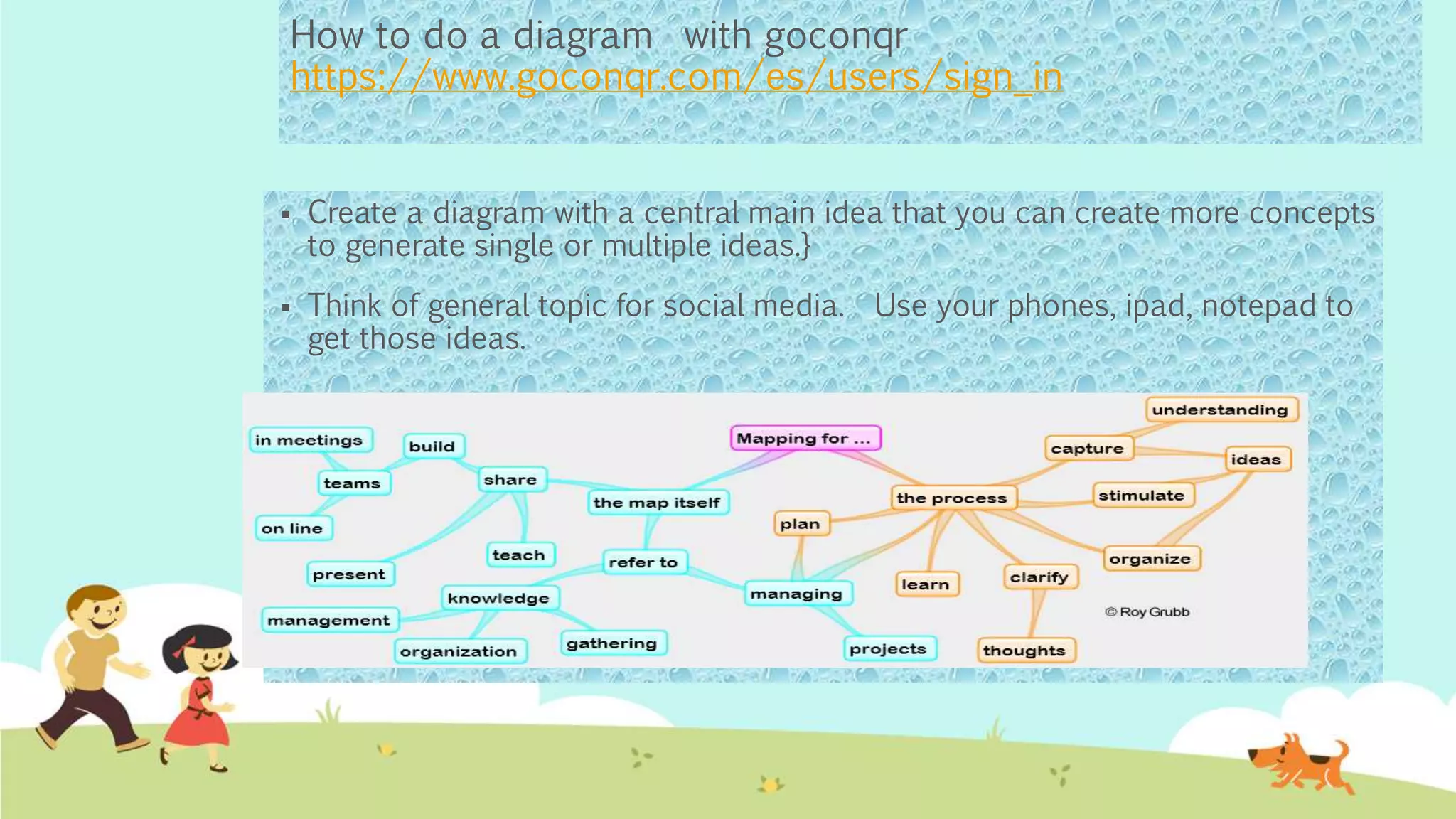
 Create a diagram with a central main idea that you can create more concepts
to generate single or multiple ideas.}
 Think of general topic for social media. Use your phones, ipad, notepad to
get those ideas.
INTERACTIVE GAMES
ESL GAMES PLUS
 Esl Games Plus offers interactive games for learning
and teaching English. Learning through games is an
interesting teaching technique using activities for
Grammar, Vocabulary, Listening and Speaking Skills.
 http://www.eslgamesplus.com/

Emaze.com
https://www.emaze.com
 It allows to create team work and assign presentations
to practice. Design and publish presentations on line.
https://www.emaze.com
 https://www.emaze.com/@AQFLWOZC/62-tips
ANIMOTO.COM
Animoto – Gives students the ability to make a
short, 30-second share video of what they
learned in a given lesson. They can also create
movies with sounds and effectds.- See more at:
https://animoto.com/project/wABx4IjClY4pvYLJ
WByOgw#
https://animoto,com
PADLET
Padlet– Provides an essentially blank canvas for students to
create and design collaborative projects. Great for
brainstorming. - See more at:
https://www.nwea.org/blog/2016/take-three-55-digital-tools-
and-apps-for-formative-assessment-
success/#sthash.P4xBe3d9.dpuf
https://es.padlet.com
KAHOOT
https://getkahoot.
com
 Kahoot – A game-based classroom
response system, where teachers
can create quizzes using Internet
content. You can create
questionnaires, surveys, and
motivated discussions. - See more
at:
https://getkahoot.com
 https://create.kahoot.it/create#/edit/b63a4596-
bebd-41e1-9732-c675b68ea390/done

Survey
https://docs.google.com/a/miumg.edu.gt/forms/d/e/1FAIpQLSc5NMlKNnZkf
R92f_w0AXKrEnJd0aaCs99ncC-pPJfj1pTBBw/viewform?c=0&w=1
 Te he invitado a que rellenes un formulario:
 DIGITAL TOOLS FOR THEIR ENGLISH LEVELS SURVEY BY EDNA GOFF
 This is a survey design for Mariano Galvez University students for English
Beginners II - AmatitlanRELLENAR FORMULARIO
 Crea tu propio formulario de Google

 In conclusion to understand the students
having problem on handling digital tools
in their English Level strives to the fact
some students do not have computers
at home and do not count with a tablet
or a phone to do their task
 To solve the problem is to create first a
platform where they can upload their
homework so they can use a café
internet if they do not count with internet
at home.
Biography/E-graphy
 http://www.eslgamesplus.com/
 https://www.nwea.org/blog/2016/
 https://www.goconqr.com/es/users/sign_in
 https://www.emaze.com
 https://es.padlet.com
 https://getkahoot.com
 https://animoto,com

Digital Tools for Their English Levels 2017

  • 1.
    DIGITAL TOOLS FOR THEIRENGLISH LEVELS STUDENTS WORKSHOP Mariano Galvez University Digital Design I Licda. Silvia Sowa BY Edna Goff Carné 5076 04 4580 Guatemala, June 10th, 2017
  • 2.
    Why is itimportant in class to learn Digital Tools?  I t is necessary to be updated with the new digital world
  • 3.
    What is themain problem? Students do not handle digital tools at the univCersity and many of them do not have their own lap top, ipad, tablet or an android phone.
  • 4.
    Purpose  It hasthe purpose to enhance students into the English Language in order to acquire language adquisition by their skills, and knowledge of the digital tools to be used for the development of their English Level. They will also learn to handle problem solving through the process of Design Thinking- Learning the steps to be followed as:
  • 5.
  • 6.
  • 7.
    HOW TO DOA MIND MAP USING GOCONQR.COM https://www.goconqr.com/es/users/sign_in  Mind mapping: It brings ideas and terms.  All benefits of Mind Mapping. It will engage us into have a clear picture of what we want and to find solutions in a better way.  We can brainstorm ideas, concepts, problems.  In order to understand connections and relationships.  So we will be able to communicate beliefs, thought, processes.  We always have to take notes in meetings, lessons, plannings, so  We will be able to recall information, associations, facts.
  • 9.
    How to doa diagram with goconqr https://www.goconqr.com/es/users/sign_in  Create a diagram with a central main idea that you can create more concepts to generate single or multiple ideas.}  Think of general topic for social media. Use your phones, ipad, notepad to get those ideas.
  • 10.
  • 11.
    ESL GAMES PLUS Esl Games Plus offers interactive games for learning and teaching English. Learning through games is an interesting teaching technique using activities for Grammar, Vocabulary, Listening and Speaking Skills.  http://www.eslgamesplus.com/ 
  • 12.
    Emaze.com https://www.emaze.com  It allowsto create team work and assign presentations to practice. Design and publish presentations on line. https://www.emaze.com  https://www.emaze.com/@AQFLWOZC/62-tips
  • 13.
    ANIMOTO.COM Animoto – Givesstudents the ability to make a short, 30-second share video of what they learned in a given lesson. They can also create movies with sounds and effectds.- See more at: https://animoto.com/project/wABx4IjClY4pvYLJ WByOgw# https://animoto,com
  • 14.
    PADLET Padlet– Provides anessentially blank canvas for students to create and design collaborative projects. Great for brainstorming. - See more at: https://www.nwea.org/blog/2016/take-three-55-digital-tools- and-apps-for-formative-assessment- success/#sthash.P4xBe3d9.dpuf https://es.padlet.com
  • 15.
    KAHOOT https://getkahoot. com  Kahoot –A game-based classroom response system, where teachers can create quizzes using Internet content. You can create questionnaires, surveys, and motivated discussions. - See more at: https://getkahoot.com  https://create.kahoot.it/create#/edit/b63a4596- bebd-41e1-9732-c675b68ea390/done 
  • 16.
    Survey https://docs.google.com/a/miumg.edu.gt/forms/d/e/1FAIpQLSc5NMlKNnZkf R92f_w0AXKrEnJd0aaCs99ncC-pPJfj1pTBBw/viewform?c=0&w=1  Te heinvitado a que rellenes un formulario:  DIGITAL TOOLS FOR THEIR ENGLISH LEVELS SURVEY BY EDNA GOFF  This is a survey design for Mariano Galvez University students for English Beginners II - AmatitlanRELLENAR FORMULARIO  Crea tu propio formulario de Google 
  • 17.
     In conclusionto understand the students having problem on handling digital tools in their English Level strives to the fact some students do not have computers at home and do not count with a tablet or a phone to do their task  To solve the problem is to create first a platform where they can upload their homework so they can use a café internet if they do not count with internet at home.
  • 18.
    Biography/E-graphy  http://www.eslgamesplus.com/  https://www.nwea.org/blog/2016/ https://www.goconqr.com/es/users/sign_in  https://www.emaze.com  https://es.padlet.com  https://getkahoot.com  https://animoto,com