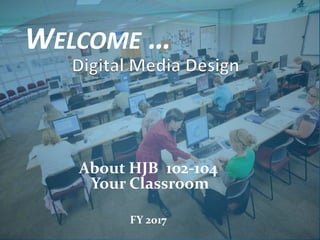
About HJB 102-104
Your Classroom
FY 2017
WELCOME …
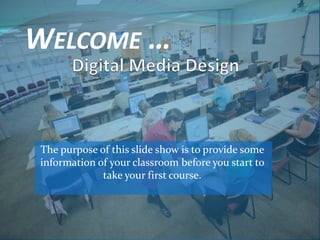
WELCOME …
The purpose of this slide show is to provide some
information of your classroom before you start to
take your first course.
About your instructors
Omar J. Bravo was born and raised in Layton.
After graduating from high school (1998), he
moved to California where he received a degree
in Computer Engineering from Santa Clara
University and worked for IBM as a Software
Engineer Coop.
Upon graduation (2002), Omar was recruited by Texas Instruments to
move to Dallas and join their Sales Engineering Training Program.
After completing the program, TI moved him to St. Petersburg, FL
where he served as the Distribution Business Manager for the entire
state. In 2008, Omar left the corporate life to start his own Web
Design / Digital Marketing Firm and traveled around the world a
couple of times. Then, in 2010, he returned to St. Pete and began
teaching Web Design at a community college. In February of 2014, his
family relocated back to Layton to be closer to his aging parents and
started to teach Digital Media Design at the DATC.
About your instructors
Lily Yang, came from China in 1981, graduated from Brigham Young
University with a M.A. degree in Computational Linguistics in 1985. Lily
has over 10 years working experience as a programmer and IT managing
and training experience with Paragon Technologies, Inc. Lily has been
teaching at DATC since 2002. She holds several industrial IT certifications
such as MCSE, MOUS, CNA, IC3, A+, i-Net+, Network+, Master CIW
Designer, CIW CT, and ACA of Adobe Photoshop CS5. She is also a
Microsoft Certified Trainer (MTC) and an Adobe Certified Trainer (ACT).
.
“The most rewarding thing for me is to see
my students be able to use the skills they gain
from my class and become employable, creative,
and successful. It is my duty and responsibility to
help, support, and guide my students to complete
their training and reach their goals.”
About your instructors
Cathleen Herbert, graduated in 1993 from Brigham Young University with
a Bachelors degree in English and earned her Masters of Arts in Education,
Secondary Education in May 2013. She worked for several years in the
printing industry proofreading and designing the page layouts for medical
and scientific journals. It was here that she first was introduced to HTML
and publishing magazines to the Web.
After several years off to raise a family, Cathleen was
determined to further her education. She attended
the DATC and received her certification in Web
Design in September 2010 and soon after, accepted
the position as an Adjunct Instructor in the Digital
Media Design Program. She is certified in IC3, MOS
Word, and CIW Associate.
“I enjoy creating designs and web pages and loves to
continue learning. I also finds satisfaction in helping
students reach their educational goals and obtain their
professional ambitions.“
About your instructors
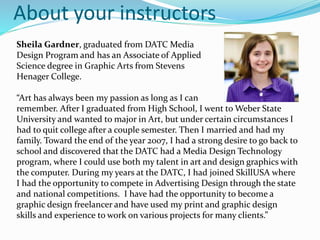
Sheila Gardner, graduated from DATC Media
Design Program and has an Associate of Applied
Science degree in Graphic Arts from Stevens
Henager College.
“Art has always been my passion as long as I can
remember. After I graduated from High School, I went to Weber State
University and wanted to major in Art, but under certain circumstances I
had to quit college after a couple semester. Then I married and had my
family. Toward the end of the year 2007, I had a strong desire to go back to
school and discovered that the DATC had a Media Design Technology
program, where I could use both my talent in art and design graphics with
the computer. During my years at the DATC, I had joined SkillUSA where
I had the opportunity to compete in Advertising Design through the state
and national competitions. I have had the opportunity to become a
graphic design freelancer and have used my print and graphic design
skills and experience to work on various projects for many clients.”
Course-based program
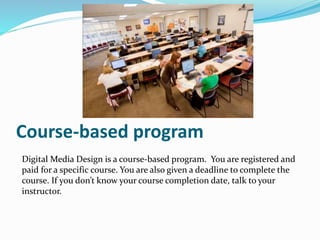
Digital Media Design is a course-based program. You are registered and
paid for a specific course. You are also given a deadline to complete the
course. If you don’t know your course completion date, talk to your
instructor.
Course-based program
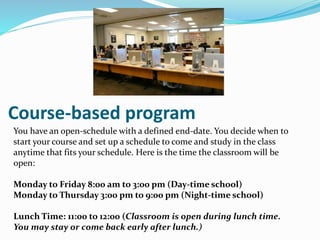
You have an open-schedule with a defined end-date. You decide when to
start your course and set up a schedule to come and study in the class
anytime that fits your schedule. Here is the time the classroom will be
open:
Monday to Friday 8:00 am to 3:00 pm (Day-time school)
Monday to Thursday 3:00 pm to 9:00 pm (Night-time school)
Lunch Time: 11:00 to 12:00 (Classroom is open during lunch time.
You may stay or come back early after lunch.)
Course-based program
Please remember:
 You are required to study in class 51% of your registered time. (For
example: If you are a part-time student, you should study at least 12
hours per week. Out of these 12 hours, 7 hours should be studied in
class. It is required by COE.)
 Make sure you continue STUDYING when you are not in the class
to keep your progress up.
 Meet with your instructor in person to review progress at least
once every two weeks.
 Module Completion Exams and Final Competency Exam/Project
are required to complete in person and in class.
 You will have a fixed schedule.
 Meet with your instructor in person to figure out your end-
date of the course you are taking.
 To avoid an Failing grade you have to complete your course
by the end-date.
 Your attendance is your
Citizenship, so keep it up.
Make sure you sign in and
sign out each day you come
to school.
Course-based program
Note to high-school students:
Course-based program
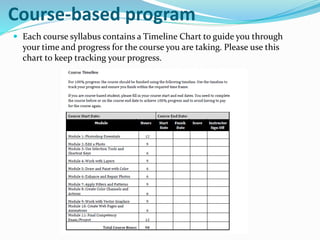
 Each course syllabus contains a Timeline Chart to guide you through
your time and progress for the course you are taking. Please use this
chart to keep tracking your progress.
Course-based program
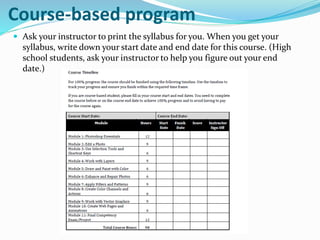
 Ask your instructor to print the syllabus for you. When you get your
syllabus, write down your start date and end date for this course. (High
school students, ask your instructor to help you figure out your end
date.)
Course-based program
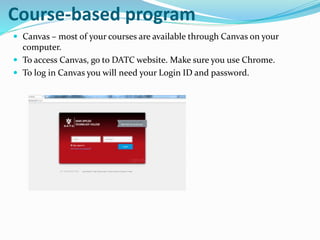
 Canvas – most of your courses are available through Canvas on your
computer.
 To access Canvas, go to DATC website. Make sure you use Chrome.
 To log in Canvas you will need your Login ID and password.
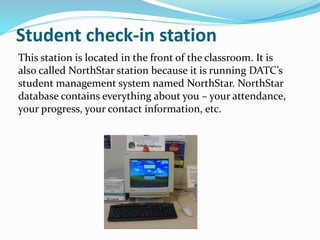
Student check-in station
This station is located in the front of the classroom. It is
also called NorthStar station because it is running DATC’s
student management system named NorthStar. NorthStar
database contains everything about you – your attendance,
your progress, your contact information, etc.
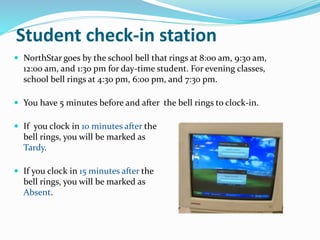
 NorthStar goes by the school bell that rings at 8:00 am, 9:30 am,
12:00 am, and 1:30 pm for day-time student. For evening classes,
school bell rings at 4:30 pm, 6:00 pm, and 7:30 pm.
 You have 5 minutes before and after the bell rings to clock-in.
 If you clock in 10 minutes after the
bell rings, you will be marked as
Tardy.
 If you clock in 15 minutes after the
bell rings, you will be marked as
Absent.
Student check-in station
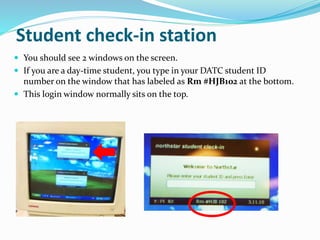
 You should see 2 windows on the screen.
 If you are a day-time student, you type in your DATC student ID
number on the window that has labeled as Rm #HJB102 at the bottom.
 This login window normally sits on the top.
Student check-in station
 If you are a night-time student, you type in your DATC student ID
number on the window that has labeled as Rm #HJB102N at the
bottom.
 This window normally sits at the bottom of the screen.
N stands for Night – Night students only
Student check-in station
Classroom-set textbooks
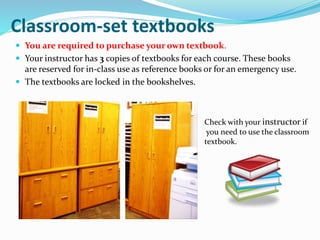
 You are required to purchase your own textbook.
 Your instructor has 3 copies of textbooks for each course. These books
are reserved for in-class use as reference books or for an emergency use.
 The textbooks are locked in the bookshelves.
Check with your instructor if
you need to use the classroom
textbook.
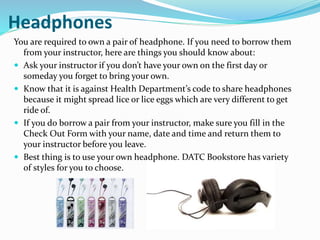
Headphones
You are required to own a pair of headphone. If you need to borrow them
from your instructor, here are things you should know about:
 Ask your instructor if you don’t have your own on the first day or
someday you forget to bring your own.
 Know that it is against Health Department’s code to share headphones
because it might spread lice or lice eggs which are very different to get
ride of.
 If you do borrow a pair from your instructor, make sure you fill in the
Check Out Form with your name, date and time and return them to
your instructor before you leave.
 Best thing is to use your own headphone. DATC Bookstore has variety
of styles for you to choose.
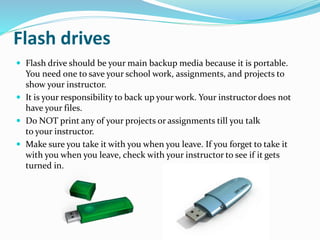
Flash drives
 Flash drive should be your main backup media because it is portable.
You need one to save your school work, assignments, and projects to
show your instructor.
 It is your responsibility to back up your work. Your instructor does not
have your files.
 Do NOT print any of your projects or assignments till you talk
to your instructor.
 Make sure you take it with you when you leave. If you forget to take it
with you when you leave, check with your instructor to see if it gets
turned in.
Classroom setup
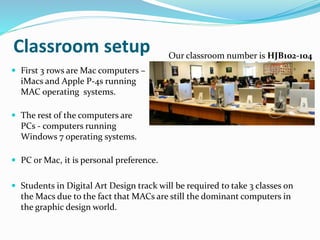
 First 3 rows are Mac computers –
iMacs and Apple P-4s running
MAC operating systems.
 The rest of the computers are
PCs - computers running
Windows 7 operating systems.
 PC or Mac, it is personal preference.
 Students in Digital Art Design track will be required to take 3 classes on
the Macs due to the fact that MACs are still the dominant computers in
the graphic design world.
Our classroom number is HJB102-104
Classroom setup
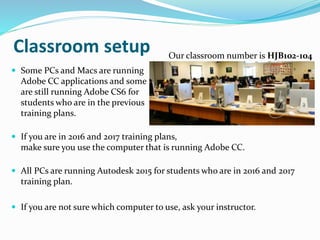
 Some PCs and Macs are running
Adobe CC applications and some
are still running Adobe CS6 for
students who are in the previous
training plans.
 If you are in 2016 and 2017 training plans,
make sure you use the computer that is running Adobe CC.
 All PCs are running Autodesk 2015 for students who are in 2016 and 2017
training plan.
 If you are not sure which computer to use, ask your instructor.
Our classroom number is HJB102-104
Classroom setup
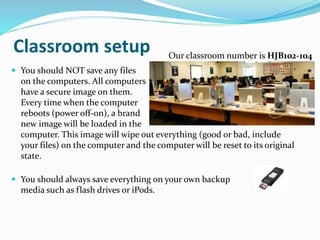
 You should NOT save any files
on the computers. All computers
have a secure image on them.
Every time when the computer
reboots (power off-on), a brand
new image will be loaded in the
computer. This image will wipe out everything (good or bad, include
your files) on the computer and the computer will be reset to its original
state.
 You should always save everything on your own backup
media such as flash drives or iPods.
Our classroom number is HJB102-104
Classroom setup
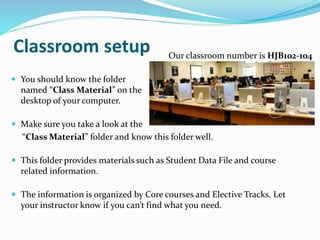
 You should know the folder
named “Class Material” on the
desktop of your computer.
 Make sure you take a look at the
“Class Material” folder and know this folder well.
 This folder provides materials such as Student Data File and course
related information.
 The information is organized by Core courses and Elective Tracks. Let
your instructor know if you can’t find what you need.
Our classroom number is HJB102-104
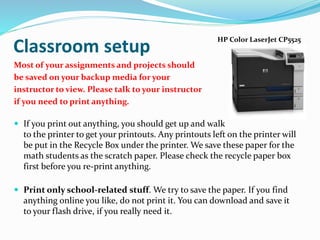
Most of your assignments and projects should
be saved on your backup media for your
instructor to view. Please talk to your instructor
if you need to print anything.
 If you print out anything, you should get up and walk
to the printer to get your printouts. Any printouts left on the printer will
be put in the Recycle Box under the printer. We save these paper for the
math students as the scratch paper. Please check the recycle paper box
first before you re-print anything.
 Print only school-related stuff. We try to save the paper. If you find
anything online you like, do not print it. You can download and save it
to your flash drive, if you really need it.
Classroom setup
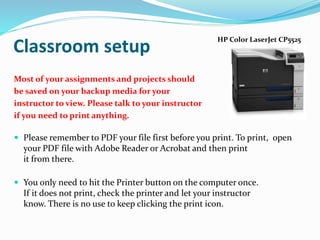
HP Color LaserJet CP5525
Most of your assignments and projects should
be saved on your backup media for your
instructor to view. Please talk to your instructor
if you need to print anything.
 Please remember to PDF your file first before you print. To print, open
your PDF file with Adobe Reader or Acrobat and then print
it from there.
 You only need to hit the Printer button on the computer once.
If it does not print, check the printer and let your instructor
know. There is no use to keep clicking the print icon.
Classroom setup
HP Color LaserJet CP5525
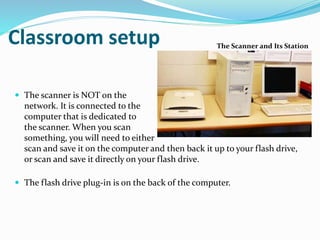
 The scanner is a digitizing tool.
 Every student in Web and Graphic
Design program requires to know
how to use a scanner.
 If you already know how, COOL. If not, don’t worry about it
now. You will have chances to learn how to use the scanner.
The Scanner and Its Station
Classroom setup
 The scanner is NOT on the
network. It is connected to the
computer that is dedicated to
the scanner. When you scan
something, you will need to either
scan and save it on the computer and then back it up to your flash drive,
or scan and save it directly on your flash drive.
 The flash drive plug-in is on the back of the computer.
Classroom setup The Scanner and Its Station
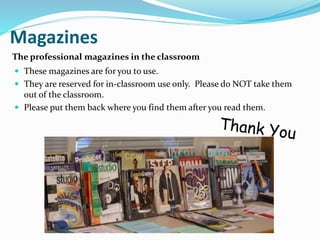
Magazines
 These magazines are for you to use.
 They are reserved for in-classroom use only. Please do NOT take them
out of the classroom.
 Please put them back where you find them after you read them.
The professional magazines in the classroom
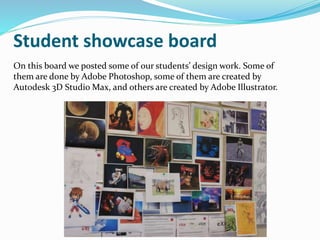
Student showcase board
On this board we posted some of our students’ design work. Some of
them are done by Adobe Photoshop, some of them are created by
Autodesk 3D Studio Max, and others are created by Adobe Illustrator.
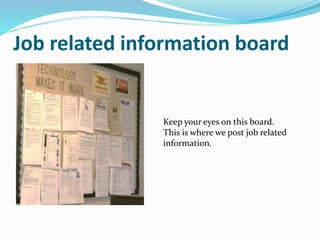
Job related information board
Keep your eyes on this board.
This is where we post job related
information.
Job related information board
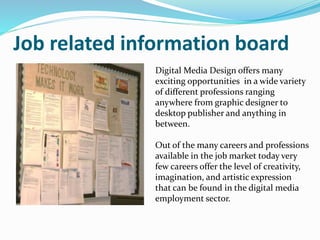
Digital Media Design offers many
exciting opportunities in a wide variety
of different professions ranging
anywhere from graphic designer to
desktop publisher and anything in
between.
Out of the many careers and professions
available in the job market today very
few careers offer the level of creativity,
imagination, and artistic expression
that can be found in the digital media
employment sector.
Job related information board
According to the Bureau of Labor
Statistics Graphic Design “Jobseekers
are expected to face keen competition;
individuals with Web site design and
animation experience will have the best
opportunities.”
In May 2010, the mean annual wage for
Multimedia Artists and Animators in
the field across all degree levels was
$63,440. The top 10% of earners made
$99,830.
Job related information board
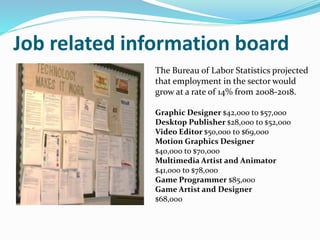
The Bureau of Labor Statistics projected
that employment in the sector would
grow at a rate of 14% from 2008-2018.
Graphic Designer $42,000 to $57,000
Desktop Publisher $28,000 to $52,000
Video Editor $50,000 to $69,000
Motion Graphics Designer
$40,000 to $70,000
Multimedia Artist and Animator
$41,000 to $78,000
Game Programmer $85,000
Game Artist and Designer
$68,000
Congratulations board
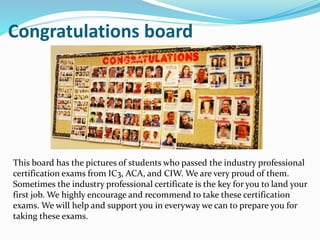
This board has the pictures of students who passed the industry professional
certification exams from IC3, ACA, and CIW. We are very proud of them.
Sometimes the industry professional certificate is the key for you to land your
first job. We highly encourage and recommend to take these certification
exams. We will help and support you in everyway we can to prepare you for
taking these exams.
What’s going on?
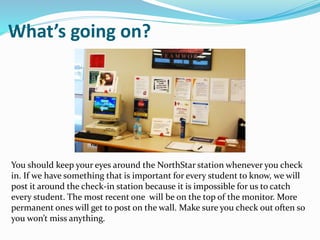
You should keep your eyes around the NorthStar station whenever you check
in. If we have something that is important for every student to know, we will
post it around the check-in station because it is impossible for us to catch
every student. The most recent one will be on the top of the monitor. More
permanent ones will get to post on the wall. Make sure you check out often so
you won’t miss anything.
Safety Issues
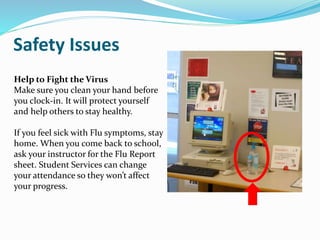
Help to Fight the Virus
Make sure you clean your hand before
you clock-in. It will protect yourself
and help others to stay healthy.
If you feel sick with Flu symptoms, stay
home. When you come back to school,
ask your instructor for the Flu Report
sheet. Student Services can change
your attendance so they won’t affect
your progress.
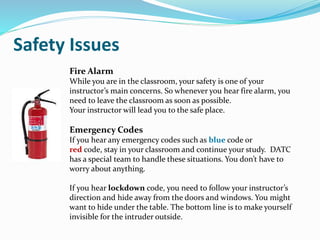
Fire Alarm
While you are in the classroom, your safety is one of your
instructor’s main concerns. So whenever you hear fire alarm, you
need to leave the classroom as soon as possible.
Your instructor will lead you to the safe place.
Emergency Codes
If you hear any emergency codes such as blue code or
red code, stay in your classroom and continue your study. DATC
has a special team to handle these situations. You don’t have to
worry about anything.
If you hear lockdown code, you need to follow your instructor’s
direction and hide away from the doors and windows. You might
want to hide under the table. The bottom line is to make yourself
invisible for the intruder outside.
Safety Issues
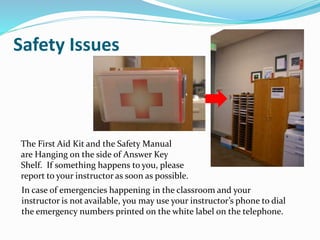
The First Aid Kit and the Safety Manual
are Hanging on the side of Answer Key
Shelf. If something happens to you, please
report to your instructor as soon as possible.
In case of emergencies happening in the classroom and your
instructor is not available, you may use your instructor’s phone to dial
the emergency numbers printed on the white label on the telephone.
Safety Issues
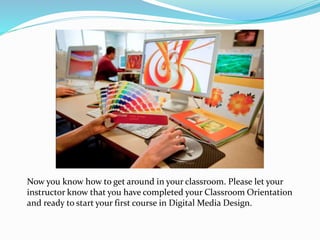
Now you know how to get around in your classroom. Please let your
instructor know that you have completed your Classroom Orientation
and ready to start your first course in Digital Media Design.

Digital media design classroom 2017

  • 1.
    About HJB 102-104 YourClassroom FY 2017 WELCOME …
  • 2.
    WELCOME … The purposeof this slide show is to provide some information of your classroom before you start to take your first course.
  • 3.
    About your instructors OmarJ. Bravo was born and raised in Layton. After graduating from high school (1998), he moved to California where he received a degree in Computer Engineering from Santa Clara University and worked for IBM as a Software Engineer Coop. Upon graduation (2002), Omar was recruited by Texas Instruments to move to Dallas and join their Sales Engineering Training Program. After completing the program, TI moved him to St. Petersburg, FL where he served as the Distribution Business Manager for the entire state. In 2008, Omar left the corporate life to start his own Web Design / Digital Marketing Firm and traveled around the world a couple of times. Then, in 2010, he returned to St. Pete and began teaching Web Design at a community college. In February of 2014, his family relocated back to Layton to be closer to his aging parents and started to teach Digital Media Design at the DATC.
  • 4.
    About your instructors LilyYang, came from China in 1981, graduated from Brigham Young University with a M.A. degree in Computational Linguistics in 1985. Lily has over 10 years working experience as a programmer and IT managing and training experience with Paragon Technologies, Inc. Lily has been teaching at DATC since 2002. She holds several industrial IT certifications such as MCSE, MOUS, CNA, IC3, A+, i-Net+, Network+, Master CIW Designer, CIW CT, and ACA of Adobe Photoshop CS5. She is also a Microsoft Certified Trainer (MTC) and an Adobe Certified Trainer (ACT). . “The most rewarding thing for me is to see my students be able to use the skills they gain from my class and become employable, creative, and successful. It is my duty and responsibility to help, support, and guide my students to complete their training and reach their goals.”
  • 5.
    About your instructors CathleenHerbert, graduated in 1993 from Brigham Young University with a Bachelors degree in English and earned her Masters of Arts in Education, Secondary Education in May 2013. She worked for several years in the printing industry proofreading and designing the page layouts for medical and scientific journals. It was here that she first was introduced to HTML and publishing magazines to the Web. After several years off to raise a family, Cathleen was determined to further her education. She attended the DATC and received her certification in Web Design in September 2010 and soon after, accepted the position as an Adjunct Instructor in the Digital Media Design Program. She is certified in IC3, MOS Word, and CIW Associate. “I enjoy creating designs and web pages and loves to continue learning. I also finds satisfaction in helping students reach their educational goals and obtain their professional ambitions.“
  • 6.
    About your instructors SheilaGardner, graduated from DATC Media Design Program and has an Associate of Applied Science degree in Graphic Arts from Stevens Henager College. “Art has always been my passion as long as I can remember. After I graduated from High School, I went to Weber State University and wanted to major in Art, but under certain circumstances I had to quit college after a couple semester. Then I married and had my family. Toward the end of the year 2007, I had a strong desire to go back to school and discovered that the DATC had a Media Design Technology program, where I could use both my talent in art and design graphics with the computer. During my years at the DATC, I had joined SkillUSA where I had the opportunity to compete in Advertising Design through the state and national competitions. I have had the opportunity to become a graphic design freelancer and have used my print and graphic design skills and experience to work on various projects for many clients.”
  • 7.
    Course-based program Digital MediaDesign is a course-based program. You are registered and paid for a specific course. You are also given a deadline to complete the course. If you don’t know your course completion date, talk to your instructor.
  • 8.
    Course-based program You havean open-schedule with a defined end-date. You decide when to start your course and set up a schedule to come and study in the class anytime that fits your schedule. Here is the time the classroom will be open: Monday to Friday 8:00 am to 3:00 pm (Day-time school) Monday to Thursday 3:00 pm to 9:00 pm (Night-time school) Lunch Time: 11:00 to 12:00 (Classroom is open during lunch time. You may stay or come back early after lunch.)
  • 9.
    Course-based program Please remember: You are required to study in class 51% of your registered time. (For example: If you are a part-time student, you should study at least 12 hours per week. Out of these 12 hours, 7 hours should be studied in class. It is required by COE.)  Make sure you continue STUDYING when you are not in the class to keep your progress up.  Meet with your instructor in person to review progress at least once every two weeks.  Module Completion Exams and Final Competency Exam/Project are required to complete in person and in class.
  • 10.
     You willhave a fixed schedule.  Meet with your instructor in person to figure out your end- date of the course you are taking.  To avoid an Failing grade you have to complete your course by the end-date.  Your attendance is your Citizenship, so keep it up. Make sure you sign in and sign out each day you come to school. Course-based program Note to high-school students:
  • 11.
    Course-based program  Eachcourse syllabus contains a Timeline Chart to guide you through your time and progress for the course you are taking. Please use this chart to keep tracking your progress.
  • 12.
    Course-based program  Askyour instructor to print the syllabus for you. When you get your syllabus, write down your start date and end date for this course. (High school students, ask your instructor to help you figure out your end date.)
  • 13.
    Course-based program  Canvas– most of your courses are available through Canvas on your computer.  To access Canvas, go to DATC website. Make sure you use Chrome.  To log in Canvas you will need your Login ID and password.
  • 14.
    Student check-in station Thisstation is located in the front of the classroom. It is also called NorthStar station because it is running DATC’s student management system named NorthStar. NorthStar database contains everything about you – your attendance, your progress, your contact information, etc.
  • 15.
     NorthStar goesby the school bell that rings at 8:00 am, 9:30 am, 12:00 am, and 1:30 pm for day-time student. For evening classes, school bell rings at 4:30 pm, 6:00 pm, and 7:30 pm.  You have 5 minutes before and after the bell rings to clock-in.  If you clock in 10 minutes after the bell rings, you will be marked as Tardy.  If you clock in 15 minutes after the bell rings, you will be marked as Absent. Student check-in station
  • 16.
     You shouldsee 2 windows on the screen.  If you are a day-time student, you type in your DATC student ID number on the window that has labeled as Rm #HJB102 at the bottom.  This login window normally sits on the top. Student check-in station
  • 17.
     If youare a night-time student, you type in your DATC student ID number on the window that has labeled as Rm #HJB102N at the bottom.  This window normally sits at the bottom of the screen. N stands for Night – Night students only Student check-in station
  • 18.
    Classroom-set textbooks  Youare required to purchase your own textbook.  Your instructor has 3 copies of textbooks for each course. These books are reserved for in-class use as reference books or for an emergency use.  The textbooks are locked in the bookshelves. Check with your instructor if you need to use the classroom textbook.
  • 19.
    Headphones You are requiredto own a pair of headphone. If you need to borrow them from your instructor, here are things you should know about:  Ask your instructor if you don’t have your own on the first day or someday you forget to bring your own.  Know that it is against Health Department’s code to share headphones because it might spread lice or lice eggs which are very different to get ride of.  If you do borrow a pair from your instructor, make sure you fill in the Check Out Form with your name, date and time and return them to your instructor before you leave.  Best thing is to use your own headphone. DATC Bookstore has variety of styles for you to choose.
  • 20.
    Flash drives  Flashdrive should be your main backup media because it is portable. You need one to save your school work, assignments, and projects to show your instructor.  It is your responsibility to back up your work. Your instructor does not have your files.  Do NOT print any of your projects or assignments till you talk to your instructor.  Make sure you take it with you when you leave. If you forget to take it with you when you leave, check with your instructor to see if it gets turned in.
  • 21.
    Classroom setup  First3 rows are Mac computers – iMacs and Apple P-4s running MAC operating systems.  The rest of the computers are PCs - computers running Windows 7 operating systems.  PC or Mac, it is personal preference.  Students in Digital Art Design track will be required to take 3 classes on the Macs due to the fact that MACs are still the dominant computers in the graphic design world. Our classroom number is HJB102-104
  • 22.
    Classroom setup  SomePCs and Macs are running Adobe CC applications and some are still running Adobe CS6 for students who are in the previous training plans.  If you are in 2016 and 2017 training plans, make sure you use the computer that is running Adobe CC.  All PCs are running Autodesk 2015 for students who are in 2016 and 2017 training plan.  If you are not sure which computer to use, ask your instructor. Our classroom number is HJB102-104
  • 23.
    Classroom setup  Youshould NOT save any files on the computers. All computers have a secure image on them. Every time when the computer reboots (power off-on), a brand new image will be loaded in the computer. This image will wipe out everything (good or bad, include your files) on the computer and the computer will be reset to its original state.  You should always save everything on your own backup media such as flash drives or iPods. Our classroom number is HJB102-104
  • 24.
    Classroom setup  Youshould know the folder named “Class Material” on the desktop of your computer.  Make sure you take a look at the “Class Material” folder and know this folder well.  This folder provides materials such as Student Data File and course related information.  The information is organized by Core courses and Elective Tracks. Let your instructor know if you can’t find what you need. Our classroom number is HJB102-104
  • 25.
    Most of yourassignments and projects should be saved on your backup media for your instructor to view. Please talk to your instructor if you need to print anything.  If you print out anything, you should get up and walk to the printer to get your printouts. Any printouts left on the printer will be put in the Recycle Box under the printer. We save these paper for the math students as the scratch paper. Please check the recycle paper box first before you re-print anything.  Print only school-related stuff. We try to save the paper. If you find anything online you like, do not print it. You can download and save it to your flash drive, if you really need it. Classroom setup HP Color LaserJet CP5525
  • 26.
    Most of yourassignments and projects should be saved on your backup media for your instructor to view. Please talk to your instructor if you need to print anything.  Please remember to PDF your file first before you print. To print, open your PDF file with Adobe Reader or Acrobat and then print it from there.  You only need to hit the Printer button on the computer once. If it does not print, check the printer and let your instructor know. There is no use to keep clicking the print icon. Classroom setup HP Color LaserJet CP5525
  • 27.
     The scanneris a digitizing tool.  Every student in Web and Graphic Design program requires to know how to use a scanner.  If you already know how, COOL. If not, don’t worry about it now. You will have chances to learn how to use the scanner. The Scanner and Its Station Classroom setup
  • 28.
     The scanneris NOT on the network. It is connected to the computer that is dedicated to the scanner. When you scan something, you will need to either scan and save it on the computer and then back it up to your flash drive, or scan and save it directly on your flash drive.  The flash drive plug-in is on the back of the computer. Classroom setup The Scanner and Its Station
  • 29.
    Magazines  These magazinesare for you to use.  They are reserved for in-classroom use only. Please do NOT take them out of the classroom.  Please put them back where you find them after you read them. The professional magazines in the classroom
  • 30.
    Student showcase board Onthis board we posted some of our students’ design work. Some of them are done by Adobe Photoshop, some of them are created by Autodesk 3D Studio Max, and others are created by Adobe Illustrator.
  • 31.
    Job related informationboard Keep your eyes on this board. This is where we post job related information.
  • 32.
    Job related informationboard Digital Media Design offers many exciting opportunities in a wide variety of different professions ranging anywhere from graphic designer to desktop publisher and anything in between. Out of the many careers and professions available in the job market today very few careers offer the level of creativity, imagination, and artistic expression that can be found in the digital media employment sector.
  • 33.
    Job related informationboard According to the Bureau of Labor Statistics Graphic Design “Jobseekers are expected to face keen competition; individuals with Web site design and animation experience will have the best opportunities.” In May 2010, the mean annual wage for Multimedia Artists and Animators in the field across all degree levels was $63,440. The top 10% of earners made $99,830.
  • 34.
    Job related informationboard The Bureau of Labor Statistics projected that employment in the sector would grow at a rate of 14% from 2008-2018. Graphic Designer $42,000 to $57,000 Desktop Publisher $28,000 to $52,000 Video Editor $50,000 to $69,000 Motion Graphics Designer $40,000 to $70,000 Multimedia Artist and Animator $41,000 to $78,000 Game Programmer $85,000 Game Artist and Designer $68,000
  • 35.
    Congratulations board This boardhas the pictures of students who passed the industry professional certification exams from IC3, ACA, and CIW. We are very proud of them. Sometimes the industry professional certificate is the key for you to land your first job. We highly encourage and recommend to take these certification exams. We will help and support you in everyway we can to prepare you for taking these exams.
  • 36.
    What’s going on? Youshould keep your eyes around the NorthStar station whenever you check in. If we have something that is important for every student to know, we will post it around the check-in station because it is impossible for us to catch every student. The most recent one will be on the top of the monitor. More permanent ones will get to post on the wall. Make sure you check out often so you won’t miss anything.
  • 37.
    Safety Issues Help toFight the Virus Make sure you clean your hand before you clock-in. It will protect yourself and help others to stay healthy. If you feel sick with Flu symptoms, stay home. When you come back to school, ask your instructor for the Flu Report sheet. Student Services can change your attendance so they won’t affect your progress.
  • 38.
    Fire Alarm While youare in the classroom, your safety is one of your instructor’s main concerns. So whenever you hear fire alarm, you need to leave the classroom as soon as possible. Your instructor will lead you to the safe place. Emergency Codes If you hear any emergency codes such as blue code or red code, stay in your classroom and continue your study. DATC has a special team to handle these situations. You don’t have to worry about anything. If you hear lockdown code, you need to follow your instructor’s direction and hide away from the doors and windows. You might want to hide under the table. The bottom line is to make yourself invisible for the intruder outside. Safety Issues
  • 39.
    The First AidKit and the Safety Manual are Hanging on the side of Answer Key Shelf. If something happens to you, please report to your instructor as soon as possible. In case of emergencies happening in the classroom and your instructor is not available, you may use your instructor’s phone to dial the emergency numbers printed on the white label on the telephone. Safety Issues
  • 40.
    Now you knowhow to get around in your classroom. Please let your instructor know that you have completed your Classroom Orientation and ready to start your first course in Digital Media Design.