z
Programming
Language
PC 3216
z
Programming Language
 High-level languages are designed to be easy to read and
understand. This allows programmers to write source code in a
natural fashion, using logical words and symbols. For example,
reserved words like function, while, if, and else are used in
most major programming languages. Symbols like <, >, ==,
and != are common operators. Many high-level languages are
similar enough that programmers can easily understand source
code written in multiple languages.
z
Programming Language
 Examples of high-level languages include C++, Java, Perl,
and PHP. Languages like C++ and Java are called "compiled
languages" since the source code must first be compiled in
order to run. Languages like Perl and PHP are called
"interpreted languages" since the source code can be run
through an interpreter without being compiled. Generally,
compiled languages are used to create software applications,
while interpreted languages are used for running scripts, such
as those used to generate content for dynamic websites.
z
Programming Language
 Low-level languages include assembly and machine
languages. An assembly language contains a list of basic
instructions and is much more difficult to read than a high-level
language. In rare cases, a programmer may decide to code a
basic program in an assembly language to ensure it operates as
efficiently as possible. An assembler can be used to translate
the assembly code into machine code. The machine code, or
machine language, contains a series of binary codes that are
understood directly by a computer's CPU. Needless to say,
machine language is not designed to be human readable.
z
Syntax
 Every spoken language has a general set of rules for how words
and sentences should be structured. These rules are collectively
known as the language syntax. In computer programming,
syntax serves the same purpose, defining how
declarations, functions, commands, and other statements
should be arranged. Many computer programming languages
share similar syntax rules, while others have a unique syntax
design. For example, C and Java use a similar syntax,
while Perl has many characteristics that are not seen in either
the C or Java languages.
z
Syntax
 A program's source code must have correct syntax in order
to compile correctly and be made into a program. In fact, it must
have perfect syntax, or the program will fail to compile and
produce a "syntax error." A syntax error can be as simple as a
missing parenthesis or a forgotten semicolon at the end of a
statement. Even these small errors will keep the source code from
compiling. Fortunately, most integrated development environments
(IDEs) include a parser, which detects syntax errors within the
source code. Modern parsers can even highlight syntax errors
before a program is compiled, making it easy for the programmer
to locate and fix them.
z
Syntax
 NOTE: Syntax errors are also called compile-time errors, since
they can prevent a program from compiling. Errors that occur in
a program after it has been compiled are called runtime errors,
since they occur when the program is running making it easy for
the programmer to locate and fix them.
z
Program
 Program is a common computer term that can be used as both a
noun and a verb. A program (noun) is executable software that
runs on a computer. It is similar to a script, but is often much larger
in size and does not require a scripting engine to run. Instead, a
program consists of compiled code that can run directly from the
computer's operating system. Examples of programs include Web
browsers, word processors, e-mail clients, video games, and
system utilities. These programs are often called applications,
which can be used synonymously with "software programs." On
Windows, programs typically have an .EXE file extension, while
Macintosh programs have an .APP extension.
z
Program
 When "program" is used as verb, it means to create a software
program. For example, programmers create programs by writing
code that instructs the computer what to do. The functions and
commands written by the programmer are collectively referred
to as source code. When the code is finished, the source code
file or files are compiled into an executable program.
z Source Code
 Source code is text written in a programming language that contains
a program's instructions. Source code files are human-readable plain
text files that include variable declarations, functions, loops, and
other statements that tell a program what to do. Some programs only
need a few lines of source code, while others may consist of millions
of lines.
 Software developers usually follow several common conventions
when writing source code to make complex code easier to read and
modify. For example, developers should name variables in a way that
describes their purpose, and also use a consistent method for
indenting code blocks that clearly separate functions.
z Source Code
 Source code is text written in a programming language that contains
a program's instructions. Source code files are human-readable plain
text files that include variable declarations, functions, loops, and
other statements that tell a program what to do. Some programs only
need a few lines of source code, while others may consist of millions
of lines.
 Software developers usually follow several common conventions
when writing source code to make complex code easier to read and
modify. For example, developers should name variables in a way that
describes their purpose, and also use a consistent method for
indenting code blocks that clearly separate functions.
z
C++
 C++ (pronounced "C plus plus") is general-purpose programming
language, created as an extension of the original C language. It uses
nearly identical syntax to C but adds new features for object-oriented
programming. It also includes more advanced memory management
features, like dynamic memory allocation, and a more comprehensive
standard library of pre-written functions.
 Introduced in 1985, C++ is still one of the most widely used programming
languages for developing software. It retains many of the low-level
capabilities of C that allow developers to quickly and efficiently access the
computer's hardware and memory. This makes C++ a useful language for
developing operating systems, embedded IoT software, and video games.
z
C++
 Since C++ is an extension of the original C language, the two
languages share most of their syntax. Like C, C++ is
a compiled language that requires a program's source code to
be compiled into machine language before it can run. Both are
structured programming languages that divide programs into
small functions or modules, and they share the same control
structures like loops, if-else statements, and switch statements.
z
Java
 Java is a high-level programming language developed by Sun
Microsystems. It was originally designed for developing programs for set-
top boxes and handheld devices but later became a popular choice for
creating web application
 The Java syntax is similar to C++, but is strictly an object-oriented
programming language. For example, most Java programs contain classes,
which are used to define objects, and methods, which are assigned to
individual classes. Java is also known for being more strict than C++,
meaning variables and functions must be explicitly defined. This means
Java source code may produce errors or "exceptions" more easily than
other languages, but it also limits other types of errors that may be caused
by undefined variables or unassigned types..
z
Java
 Unlike Windows executables (.EXE files) or Macintosh applications (.APP files), Java
programs are not run directly by the operating system. Instead, Java programs are
interpreted by the Java Virtual Machine, or JVM, which runs on multiple platforms.
This means all Java programs are multiplatform and can run on different platforms,
including Macintosh, Windows, and Unix computers. However, the JVM must be
installed for Java applications or applets to run at all. The JVM is included as part of
the Java Runtime Environment (JRE).The Java syntax is similar to C++, but is strictly
an object-oriented programming language. For example, most Java programs
contain classes, which are used to define objects, and methods, which are assigned
to individual classes. Java is also known for being more strict than C++, meaning
variables and functions must be explicitly defined. This means Java source code may
produce errors or "exceptions" more easily than other languages, but it also limits
other types of errors that may be caused by undefined variables or unassigned types.
 NOTE: Oracle acquired Sun Microsystems in January 2010. Java is now maintained
and distributed by Oracle.
 File extensions: .JAVA, .JAV, .JAD, .JAR, .JSP, .CLASS
z
Perl
 Open-source software is software whose source code is freely
available to the public. Anyone can download and run an open-source
software project, view its source code to see how it works, or make
changes to improve it. Many open-source software projects are a
community effort maintained by a group of volunteer
software developers instead of a single developer or organization.
 NOTE: Oracle acquired Sun Microsystems in January 2010. Java is
now maintained and distributed by Oracle.
 A project's developers provide a program and its source code to the
public using one of several open-source software licenses, which lay
out how other people may use that source code. There are two general
types of open-source licenses — permissive (or academic) licenses
and copyleft (or reciprocal) licenses.
z
Perl
 Permissive licenses allow you to use, modify, and distribute open-
source code in another project as long as you provide a disclaimer
that it includes open-source code and give credit to the authors of
that code. Examples of this type of license include the BSD, MIT,
and Apache licenses. Copyleft licenses allow you to use, modify,
and distribute open-source code in a new project as long as you
distribute that project using the same license terms. The GNU
Public License (GPL) is the most common type of this license.
 "Copyleft" is a play on the word "copyright" that indicates a reversal
of traditional copyrights. It uses the framework of copyright law to
ensure that the work of the open-source software community
remains open-source by preventing its use in proprietary, closed-
source software.
z
Perl
 Unlike commercial software, whose development funding comes
from software sales, open-source software projects are typically
funded through donations of money (from interested donor
organizations and community crowdfunding) and/or labor (by
volunteer programmers). Documentation and user support also
come from the project's community instead of paid support staff
— if you need help with an open-source program, you can often
find it on a project's forum, discussion group, or wiki page.
 NOTE: Some notable open-source software projects include
the Linux operating system, the Firefox web browser, and the
LibreOffice office software suite.
z
Programming
Language
JAVA SCRIPT
z
What is JavaScript?
A powerful, high-level, interpreted programming language primarily used for:
NOTE: Some notable open-source software projects include the Linux operating
system, the Firefox web browser, and the LibreOffice office software suite.
1. Web development: Adding interactivity to web pages, creating dynamic and
responsive user interfaces (UI), building web applications, and more.
2. Server-side programming: Using Node.js runtime, JavaScript can handle server-
side tasks like file I/O, database interactions, and creating APIs.
3. Game development: Used in game engines like Unity and Phaser to create game
logic and animations.
4. Desktop applications: With frameworks like Electron, JavaScript can be used to
build desktop apps with native UI elements.
z
Benefits of JavaScript
 Versatility: Works across various platforms and environments.
 Large community: Extensive resources, libraries, and
frameworks available.
 Relatively easy to learn: Compared to other programming
languages, it has a more accessible syntax and structure.
 High demand: JavaScript developers are in high demand across
various industries.
z
Examples of JavaScript in Action
 Interactive elements on websites: Forms, popups, animations,
loading indicators, etc.
 Single-page applications (SPAs): Web applications that load once
and update dynamically, providing a smoother user experience.
 Node.js applications: Backend servers, APIs, real-time chat apps,
etc.
 Games: From simple puzzles to complex 3D games, JavaScript
powers various game engines.
 Desktop applications: Cross-platform desktop apps with native UI
elements.
z
Variables are Containers for Storing Data
JavaScript Variables can be declared in 4
ways:
•Automatically
•Using var
•Using let
•Using const
z
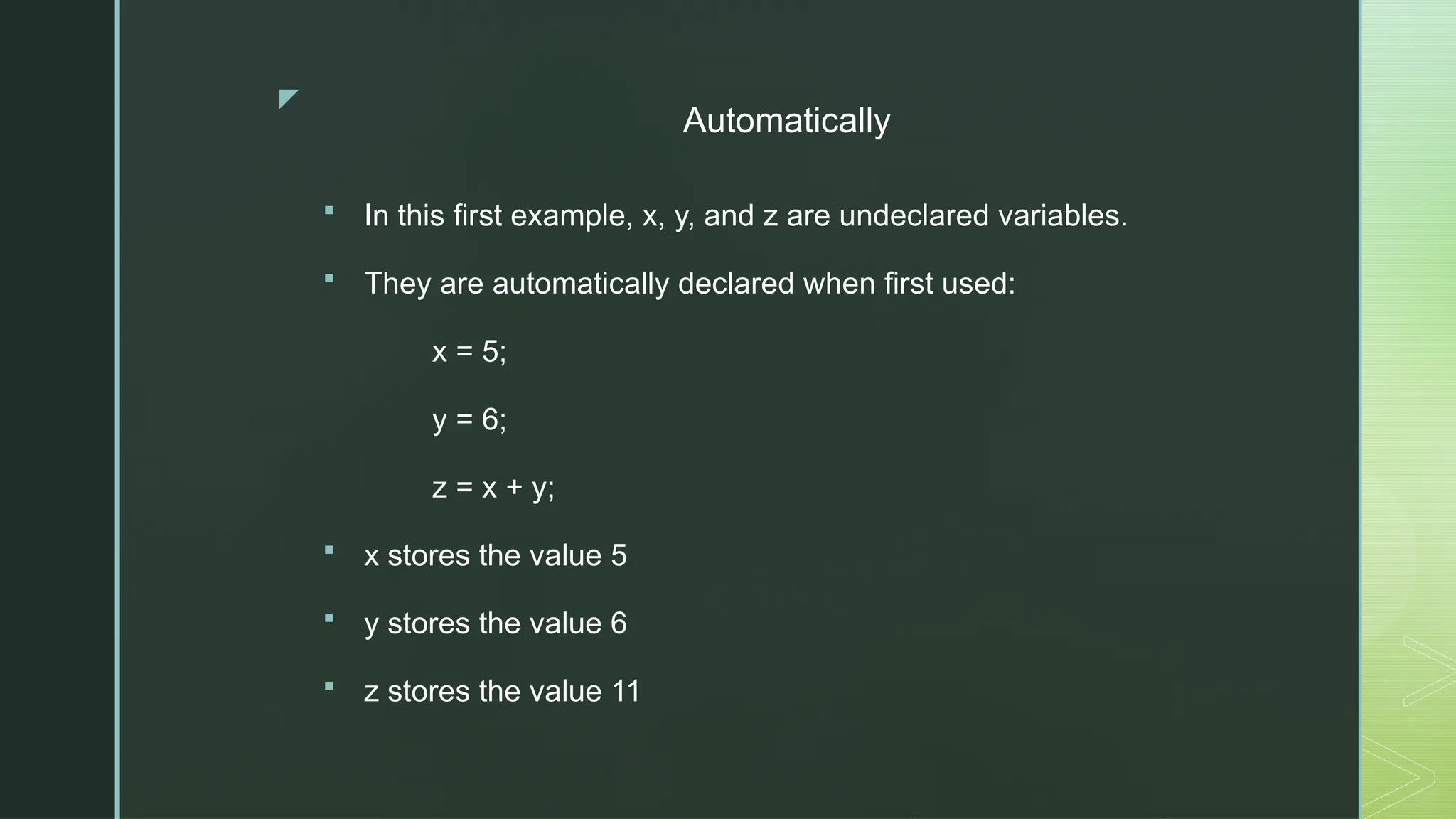
Automatically
 In this first example, x, y, and z are undeclared variables.
 They are automatically declared when first used:
x = 5;
y = 6;
z = x + y;
 x stores the value 5
 y stores the value 6
 z stores the value 11
z
Automatically
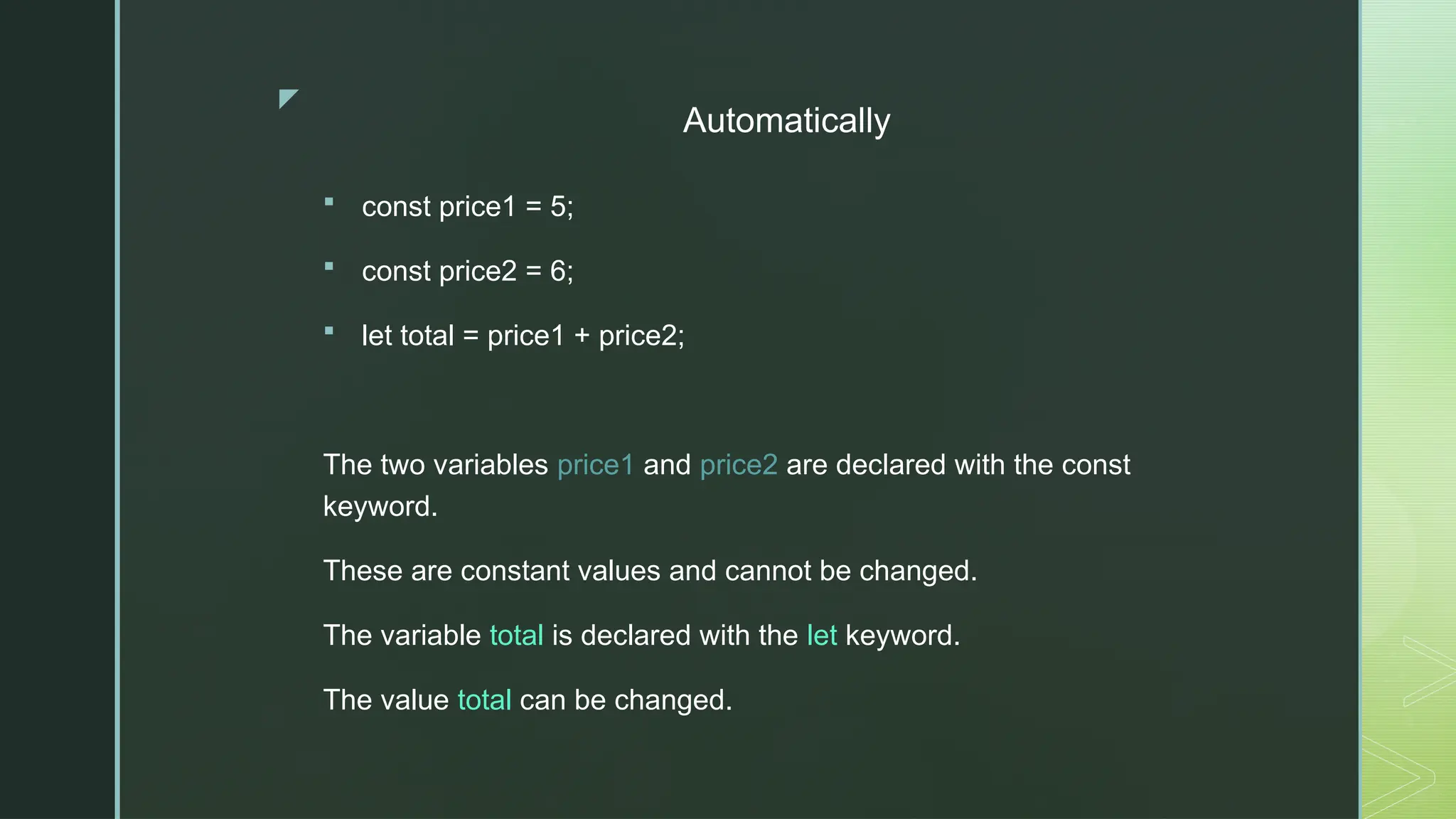
 const price1 = 5;
 const price2 = 6;
 let total = price1 + price2;
The two variables price1 and price2 are declared with the const
keyword.
These are constant values and cannot be changed.
The variable total is declared with the let keyword.
The value total can be changed.
z
Var/let/const
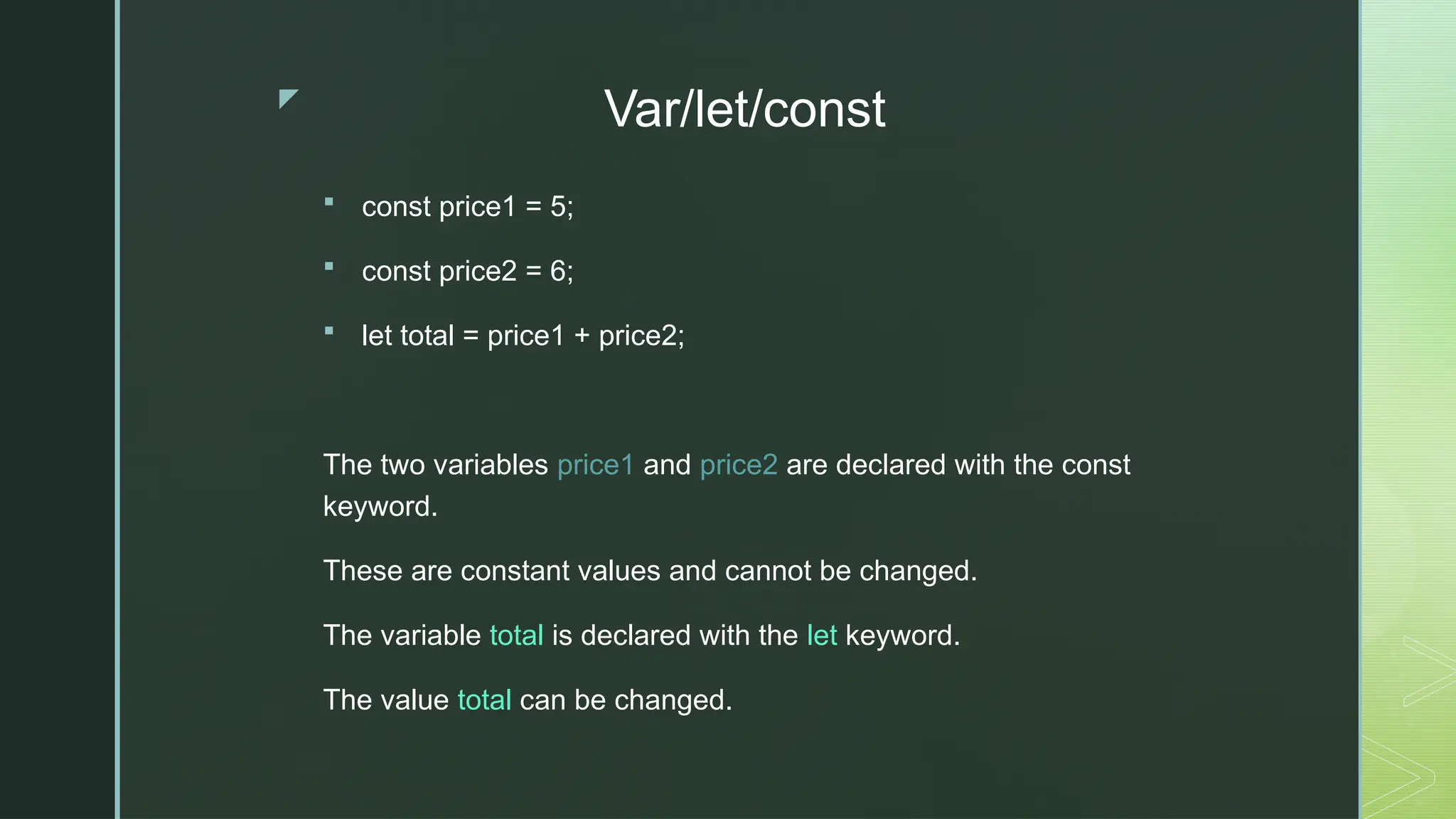
 const price1 = 5;
 const price2 = 6;
 let total = price1 + price2;
The two variables price1 and price2 are declared with the const
keyword.
These are constant values and cannot be changed.
The variable total is declared with the let keyword.
The value total can be changed.
z
JavaScript Introduction Code Examples
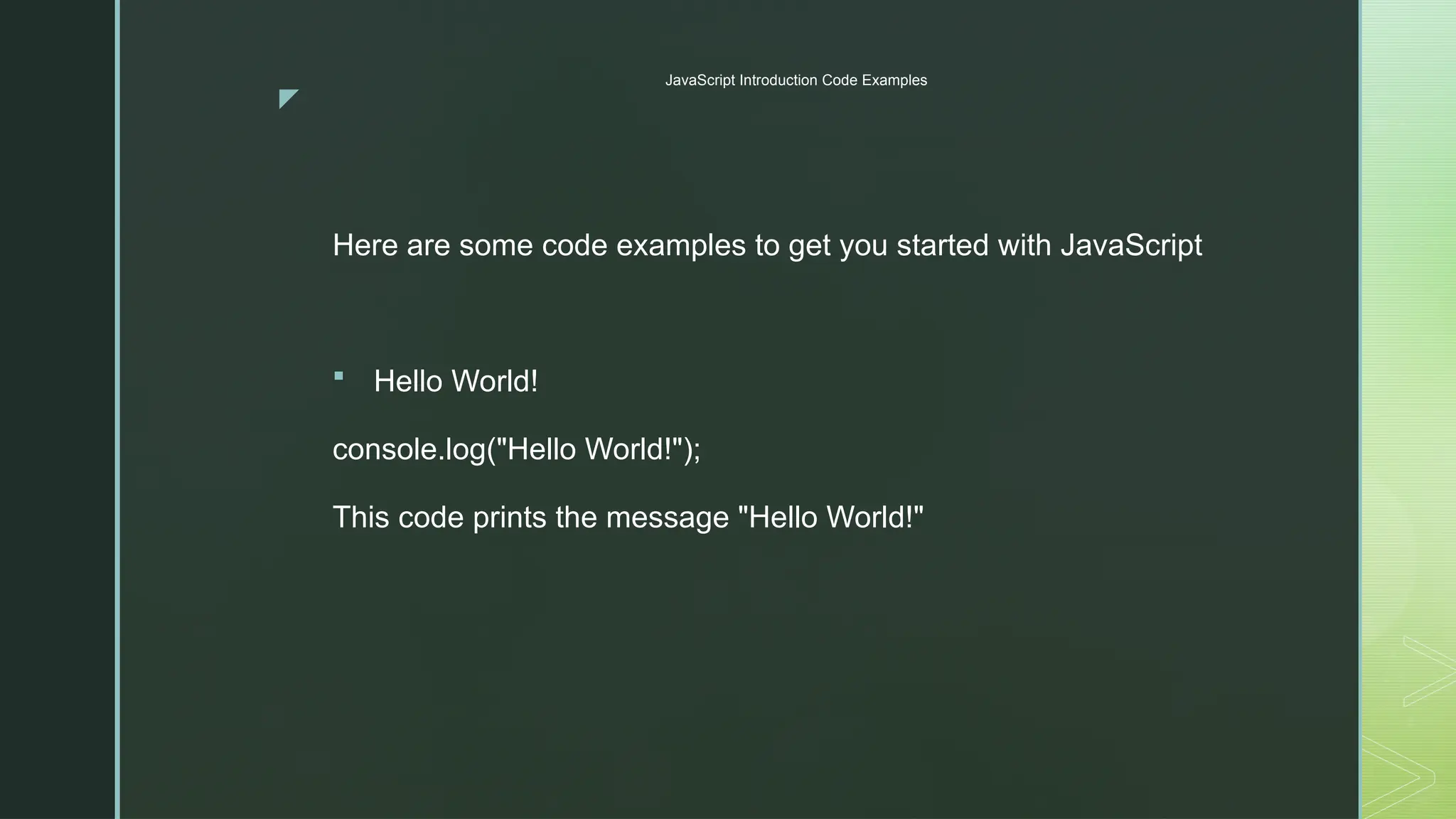
Here are some code examples to get you started with JavaScript
 Hello World!
console.log("Hello World!");
This code prints the message "Hello World!"
z
Variables and Data Types
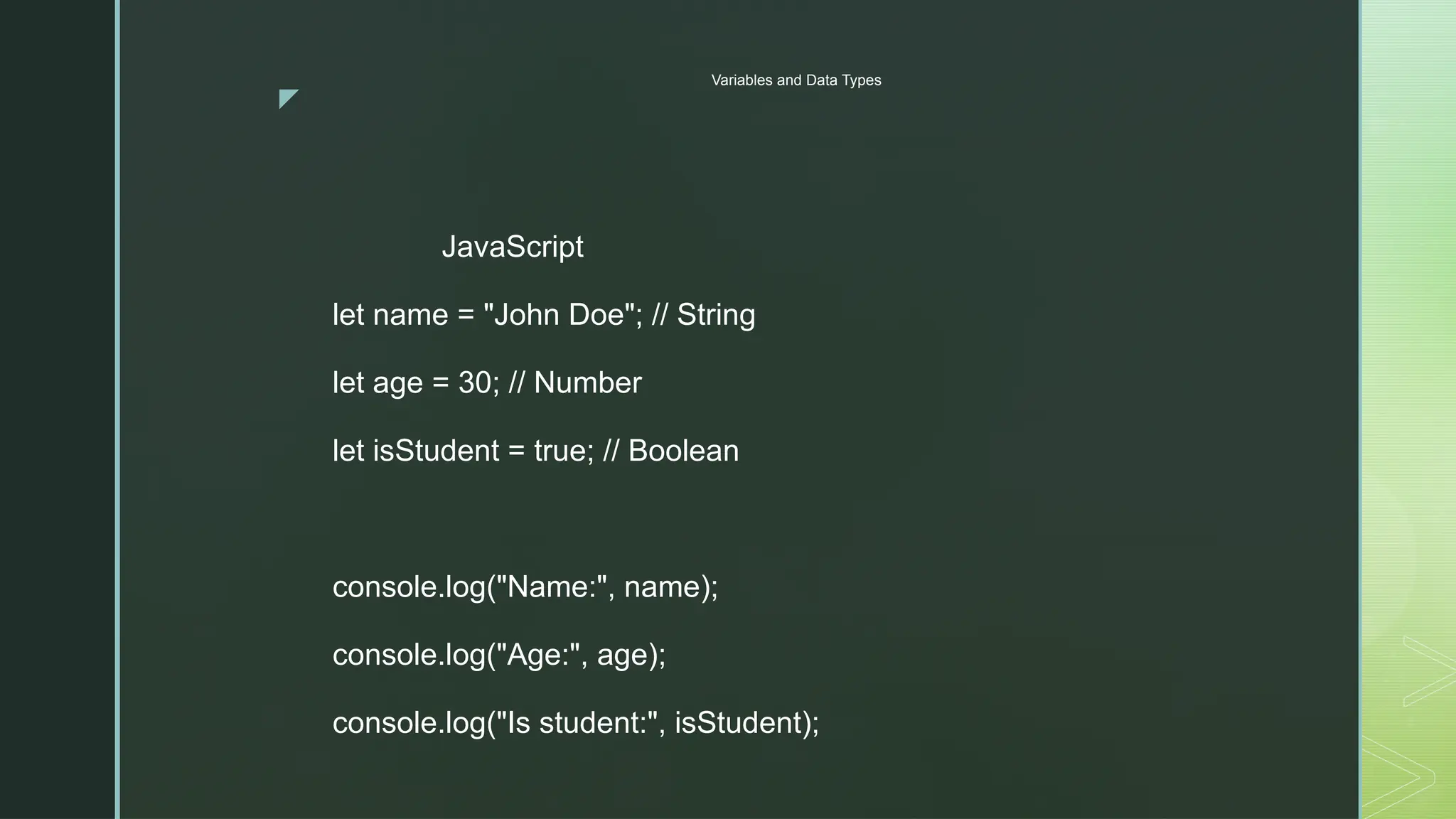
JavaScript
let name = "John Doe"; // String
let age = 30; // Number
let isStudent = true; // Boolean
console.log("Name:", name);
console.log("Age:", age);
console.log("Is student:", isStudent);
z
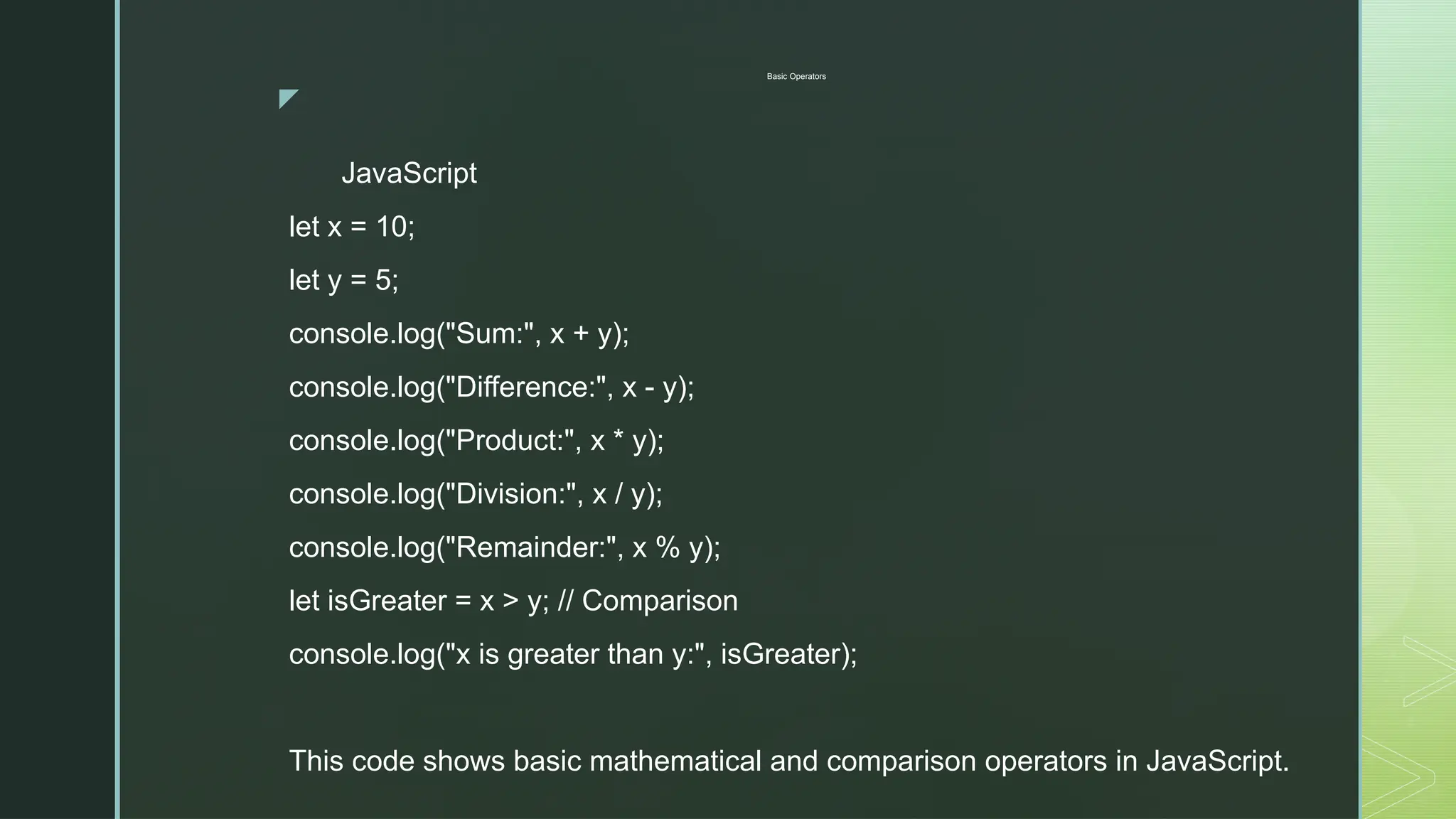
Basic Operators
JavaScript
let x = 10;
let y = 5;
console.log("Sum:", x + y);
console.log("Difference:", x - y);
console.log("Product:", x * y);
console.log("Division:", x / y);
console.log("Remainder:", x % y);
let isGreater = x > y; // Comparison
console.log("x is greater than y:", isGreater);
This code shows basic mathematical and comparison operators in JavaScript.
z
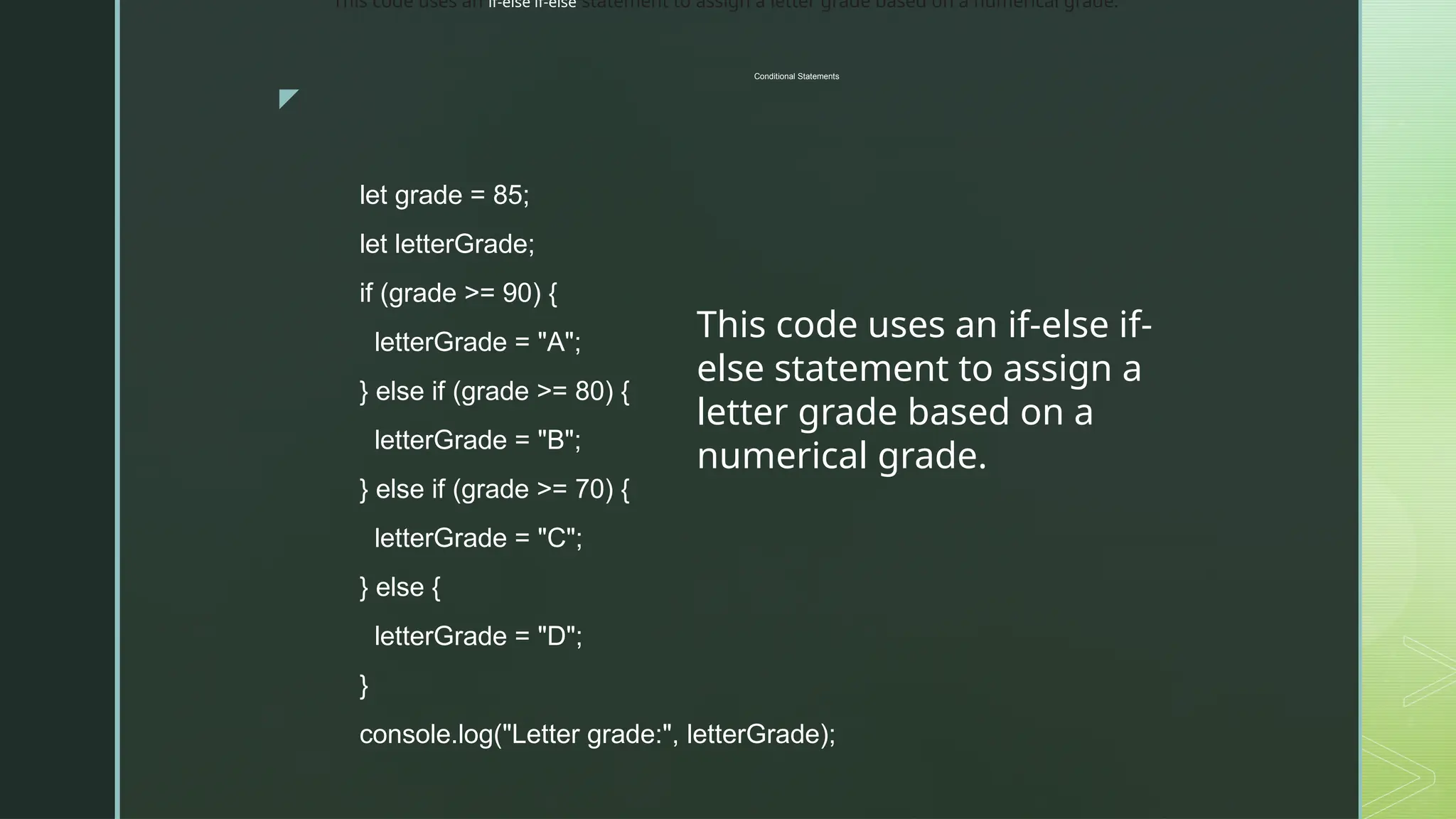
Conditional Statements
let grade = 85;
let letterGrade;
if (grade >= 90) {
letterGrade = "A";
} else if (grade >= 80) {
letterGrade = "B";
} else if (grade >= 70) {
letterGrade = "C";
} else {
letterGrade = "D";
}
console.log("Letter grade:", letterGrade);
This code uses an if-else if-
else statement to assign a
letter grade based on a
numerical grade.
This code uses an if-else if-else statement to assign a letter grade based on a numerical grade.
z
Conditional Statements
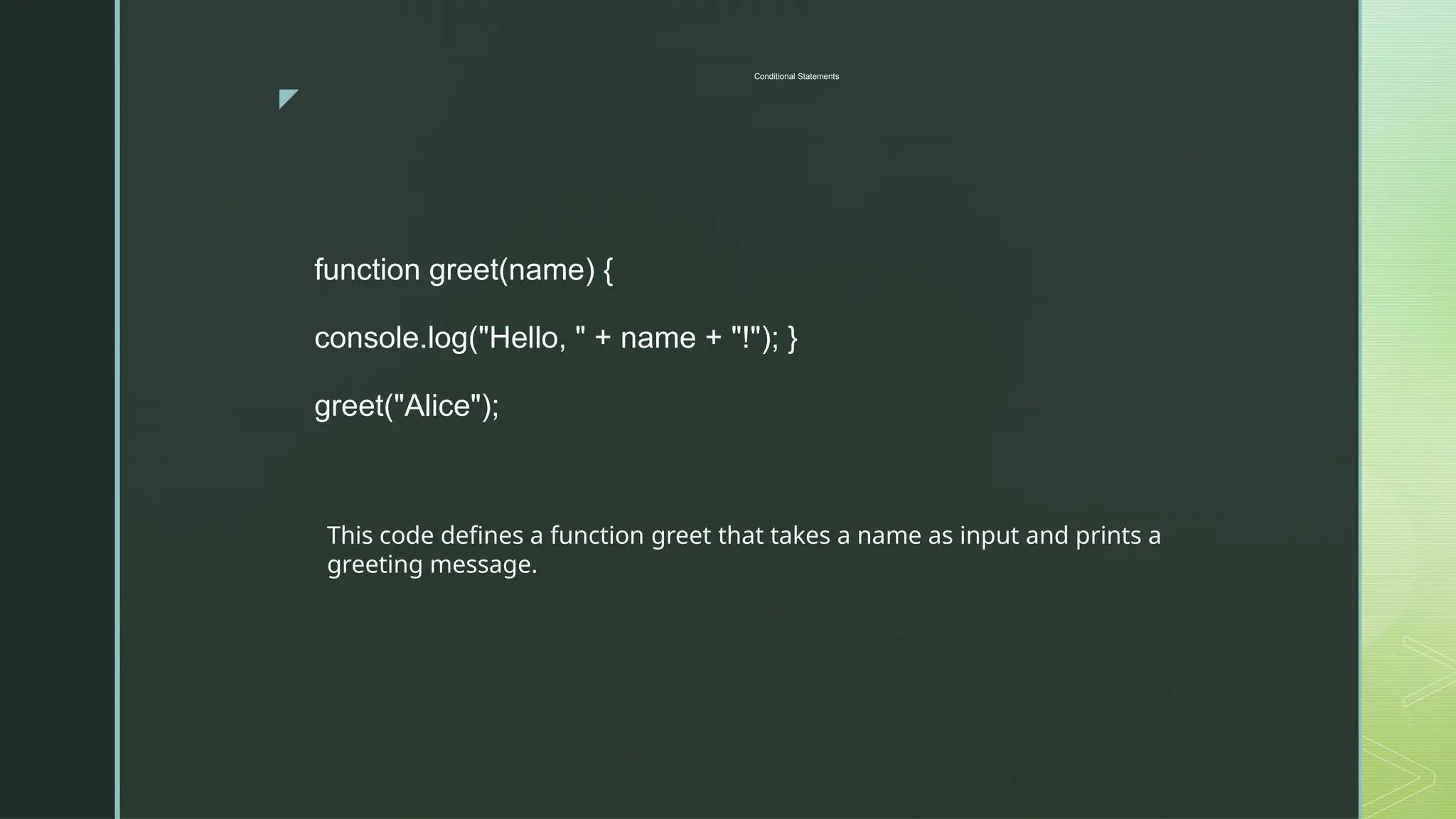
function greet(name) {
console.log("Hello, " + name + "!"); }
greet("Alice");
This code defines a function greet that takes a name as input and prints a
greeting message.
z
Loops
for (let i = 1; i <= 5; i++) {
console.log("Number:", i);
}
let numbers = [1, 2, 3, 4, 5];
for (let number of numbers) {
console.log("Number in array:", number);
}
This code shows two examples of loops: a
for loop for counting and a for...of loop for
iterating over an array.
These are just a few basic examples to get
you started. The world of JavaScript is vast
and offers endless possibilities! Remember
to explore, practice, and have fun while
learning!

differentprogramminglanguages-151004034313-lva1-app6891.ppt

  • 1.
  • 2.
    z Programming Language  High-levellanguages are designed to be easy to read and understand. This allows programmers to write source code in a natural fashion, using logical words and symbols. For example, reserved words like function, while, if, and else are used in most major programming languages. Symbols like <, >, ==, and != are common operators. Many high-level languages are similar enough that programmers can easily understand source code written in multiple languages.
  • 3.
    z Programming Language  Examplesof high-level languages include C++, Java, Perl, and PHP. Languages like C++ and Java are called "compiled languages" since the source code must first be compiled in order to run. Languages like Perl and PHP are called "interpreted languages" since the source code can be run through an interpreter without being compiled. Generally, compiled languages are used to create software applications, while interpreted languages are used for running scripts, such as those used to generate content for dynamic websites.
  • 4.
    z Programming Language  Low-levellanguages include assembly and machine languages. An assembly language contains a list of basic instructions and is much more difficult to read than a high-level language. In rare cases, a programmer may decide to code a basic program in an assembly language to ensure it operates as efficiently as possible. An assembler can be used to translate the assembly code into machine code. The machine code, or machine language, contains a series of binary codes that are understood directly by a computer's CPU. Needless to say, machine language is not designed to be human readable.
  • 5.
    z Syntax  Every spokenlanguage has a general set of rules for how words and sentences should be structured. These rules are collectively known as the language syntax. In computer programming, syntax serves the same purpose, defining how declarations, functions, commands, and other statements should be arranged. Many computer programming languages share similar syntax rules, while others have a unique syntax design. For example, C and Java use a similar syntax, while Perl has many characteristics that are not seen in either the C or Java languages.
  • 6.
    z Syntax  A program'ssource code must have correct syntax in order to compile correctly and be made into a program. In fact, it must have perfect syntax, or the program will fail to compile and produce a "syntax error." A syntax error can be as simple as a missing parenthesis or a forgotten semicolon at the end of a statement. Even these small errors will keep the source code from compiling. Fortunately, most integrated development environments (IDEs) include a parser, which detects syntax errors within the source code. Modern parsers can even highlight syntax errors before a program is compiled, making it easy for the programmer to locate and fix them.
  • 7.
    z Syntax  NOTE: Syntaxerrors are also called compile-time errors, since they can prevent a program from compiling. Errors that occur in a program after it has been compiled are called runtime errors, since they occur when the program is running making it easy for the programmer to locate and fix them.
  • 8.
    z Program  Program isa common computer term that can be used as both a noun and a verb. A program (noun) is executable software that runs on a computer. It is similar to a script, but is often much larger in size and does not require a scripting engine to run. Instead, a program consists of compiled code that can run directly from the computer's operating system. Examples of programs include Web browsers, word processors, e-mail clients, video games, and system utilities. These programs are often called applications, which can be used synonymously with "software programs." On Windows, programs typically have an .EXE file extension, while Macintosh programs have an .APP extension.
  • 9.
    z Program  When "program"is used as verb, it means to create a software program. For example, programmers create programs by writing code that instructs the computer what to do. The functions and commands written by the programmer are collectively referred to as source code. When the code is finished, the source code file or files are compiled into an executable program.
  • 10.
    z Source Code Source code is text written in a programming language that contains a program's instructions. Source code files are human-readable plain text files that include variable declarations, functions, loops, and other statements that tell a program what to do. Some programs only need a few lines of source code, while others may consist of millions of lines.  Software developers usually follow several common conventions when writing source code to make complex code easier to read and modify. For example, developers should name variables in a way that describes their purpose, and also use a consistent method for indenting code blocks that clearly separate functions.
  • 11.
    z Source Code Source code is text written in a programming language that contains a program's instructions. Source code files are human-readable plain text files that include variable declarations, functions, loops, and other statements that tell a program what to do. Some programs only need a few lines of source code, while others may consist of millions of lines.  Software developers usually follow several common conventions when writing source code to make complex code easier to read and modify. For example, developers should name variables in a way that describes their purpose, and also use a consistent method for indenting code blocks that clearly separate functions.
  • 12.
    z C++  C++ (pronounced"C plus plus") is general-purpose programming language, created as an extension of the original C language. It uses nearly identical syntax to C but adds new features for object-oriented programming. It also includes more advanced memory management features, like dynamic memory allocation, and a more comprehensive standard library of pre-written functions.  Introduced in 1985, C++ is still one of the most widely used programming languages for developing software. It retains many of the low-level capabilities of C that allow developers to quickly and efficiently access the computer's hardware and memory. This makes C++ a useful language for developing operating systems, embedded IoT software, and video games.
  • 13.
    z C++  Since C++is an extension of the original C language, the two languages share most of their syntax. Like C, C++ is a compiled language that requires a program's source code to be compiled into machine language before it can run. Both are structured programming languages that divide programs into small functions or modules, and they share the same control structures like loops, if-else statements, and switch statements.
  • 14.
    z Java  Java isa high-level programming language developed by Sun Microsystems. It was originally designed for developing programs for set- top boxes and handheld devices but later became a popular choice for creating web application  The Java syntax is similar to C++, but is strictly an object-oriented programming language. For example, most Java programs contain classes, which are used to define objects, and methods, which are assigned to individual classes. Java is also known for being more strict than C++, meaning variables and functions must be explicitly defined. This means Java source code may produce errors or "exceptions" more easily than other languages, but it also limits other types of errors that may be caused by undefined variables or unassigned types..
  • 15.
    z Java  Unlike Windowsexecutables (.EXE files) or Macintosh applications (.APP files), Java programs are not run directly by the operating system. Instead, Java programs are interpreted by the Java Virtual Machine, or JVM, which runs on multiple platforms. This means all Java programs are multiplatform and can run on different platforms, including Macintosh, Windows, and Unix computers. However, the JVM must be installed for Java applications or applets to run at all. The JVM is included as part of the Java Runtime Environment (JRE).The Java syntax is similar to C++, but is strictly an object-oriented programming language. For example, most Java programs contain classes, which are used to define objects, and methods, which are assigned to individual classes. Java is also known for being more strict than C++, meaning variables and functions must be explicitly defined. This means Java source code may produce errors or "exceptions" more easily than other languages, but it also limits other types of errors that may be caused by undefined variables or unassigned types.  NOTE: Oracle acquired Sun Microsystems in January 2010. Java is now maintained and distributed by Oracle.  File extensions: .JAVA, .JAV, .JAD, .JAR, .JSP, .CLASS
  • 16.
    z Perl  Open-source softwareis software whose source code is freely available to the public. Anyone can download and run an open-source software project, view its source code to see how it works, or make changes to improve it. Many open-source software projects are a community effort maintained by a group of volunteer software developers instead of a single developer or organization.  NOTE: Oracle acquired Sun Microsystems in January 2010. Java is now maintained and distributed by Oracle.  A project's developers provide a program and its source code to the public using one of several open-source software licenses, which lay out how other people may use that source code. There are two general types of open-source licenses — permissive (or academic) licenses and copyleft (or reciprocal) licenses.
  • 17.
    z Perl  Permissive licensesallow you to use, modify, and distribute open- source code in another project as long as you provide a disclaimer that it includes open-source code and give credit to the authors of that code. Examples of this type of license include the BSD, MIT, and Apache licenses. Copyleft licenses allow you to use, modify, and distribute open-source code in a new project as long as you distribute that project using the same license terms. The GNU Public License (GPL) is the most common type of this license.  "Copyleft" is a play on the word "copyright" that indicates a reversal of traditional copyrights. It uses the framework of copyright law to ensure that the work of the open-source software community remains open-source by preventing its use in proprietary, closed- source software.
  • 18.
    z Perl  Unlike commercialsoftware, whose development funding comes from software sales, open-source software projects are typically funded through donations of money (from interested donor organizations and community crowdfunding) and/or labor (by volunteer programmers). Documentation and user support also come from the project's community instead of paid support staff — if you need help with an open-source program, you can often find it on a project's forum, discussion group, or wiki page.  NOTE: Some notable open-source software projects include the Linux operating system, the Firefox web browser, and the LibreOffice office software suite.
  • 19.
  • 20.
    z What is JavaScript? Apowerful, high-level, interpreted programming language primarily used for: NOTE: Some notable open-source software projects include the Linux operating system, the Firefox web browser, and the LibreOffice office software suite. 1. Web development: Adding interactivity to web pages, creating dynamic and responsive user interfaces (UI), building web applications, and more. 2. Server-side programming: Using Node.js runtime, JavaScript can handle server- side tasks like file I/O, database interactions, and creating APIs. 3. Game development: Used in game engines like Unity and Phaser to create game logic and animations. 4. Desktop applications: With frameworks like Electron, JavaScript can be used to build desktop apps with native UI elements.
  • 21.
    z Benefits of JavaScript Versatility: Works across various platforms and environments.  Large community: Extensive resources, libraries, and frameworks available.  Relatively easy to learn: Compared to other programming languages, it has a more accessible syntax and structure.  High demand: JavaScript developers are in high demand across various industries.
  • 22.
    z Examples of JavaScriptin Action  Interactive elements on websites: Forms, popups, animations, loading indicators, etc.  Single-page applications (SPAs): Web applications that load once and update dynamically, providing a smoother user experience.  Node.js applications: Backend servers, APIs, real-time chat apps, etc.  Games: From simple puzzles to complex 3D games, JavaScript powers various game engines.  Desktop applications: Cross-platform desktop apps with native UI elements.
  • 23.
    z Variables are Containersfor Storing Data JavaScript Variables can be declared in 4 ways: •Automatically •Using var •Using let •Using const
  • 24.
    z Automatically  In thisfirst example, x, y, and z are undeclared variables.  They are automatically declared when first used: x = 5; y = 6; z = x + y;  x stores the value 5  y stores the value 6  z stores the value 11
  • 25.
    z Automatically  const price1= 5;  const price2 = 6;  let total = price1 + price2; The two variables price1 and price2 are declared with the const keyword. These are constant values and cannot be changed. The variable total is declared with the let keyword. The value total can be changed.
  • 26.
    z Var/let/const  const price1= 5;  const price2 = 6;  let total = price1 + price2; The two variables price1 and price2 are declared with the const keyword. These are constant values and cannot be changed. The variable total is declared with the let keyword. The value total can be changed.
  • 27.
    z JavaScript Introduction CodeExamples Here are some code examples to get you started with JavaScript  Hello World! console.log("Hello World!"); This code prints the message "Hello World!"
  • 28.
    z Variables and DataTypes JavaScript let name = "John Doe"; // String let age = 30; // Number let isStudent = true; // Boolean console.log("Name:", name); console.log("Age:", age); console.log("Is student:", isStudent);
  • 29.
    z Basic Operators JavaScript let x= 10; let y = 5; console.log("Sum:", x + y); console.log("Difference:", x - y); console.log("Product:", x * y); console.log("Division:", x / y); console.log("Remainder:", x % y); let isGreater = x > y; // Comparison console.log("x is greater than y:", isGreater); This code shows basic mathematical and comparison operators in JavaScript.
  • 30.
    z Conditional Statements let grade= 85; let letterGrade; if (grade >= 90) { letterGrade = "A"; } else if (grade >= 80) { letterGrade = "B"; } else if (grade >= 70) { letterGrade = "C"; } else { letterGrade = "D"; } console.log("Letter grade:", letterGrade); This code uses an if-else if- else statement to assign a letter grade based on a numerical grade. This code uses an if-else if-else statement to assign a letter grade based on a numerical grade.
  • 31.
    z Conditional Statements function greet(name){ console.log("Hello, " + name + "!"); } greet("Alice"); This code defines a function greet that takes a name as input and prints a greeting message.
  • 32.
    z Loops for (let i= 1; i <= 5; i++) { console.log("Number:", i); } let numbers = [1, 2, 3, 4, 5]; for (let number of numbers) { console.log("Number in array:", number); } This code shows two examples of loops: a for loop for counting and a for...of loop for iterating over an array. These are just a few basic examples to get you started. The world of JavaScript is vast and offers endless possibilities! Remember to explore, practice, and have fun while learning!