CLOUD COMPUTING
NASSCOM Kolkata Workshop
PRESENTED BY:
Hriday Biyani
CEO - Diadem Technologies
Cloud Computing Characteristics
As per NIST (National Institute of
Standards & Technology - US Dept
of Commerce), following are the
five important characteristics of
Cloud Computing
Cloud Computing Characteristics
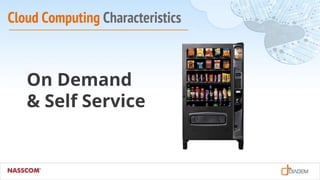
On Demand
& Self Service
Cloud Computing Characteristics
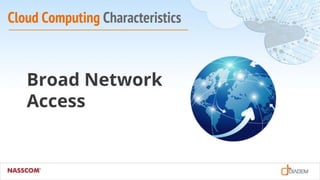
Broad Network
Access
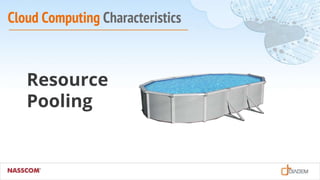
Cloud Computing Characteristics
Resource
Pooling
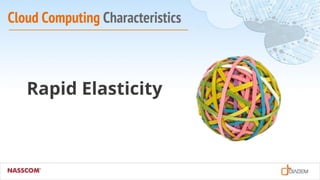
Cloud Computing Characteristics
Rapid Elasticity
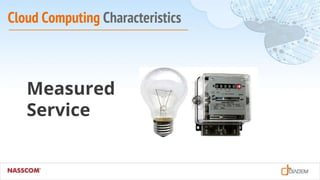
Cloud Computing Characteristics
Measured
Service
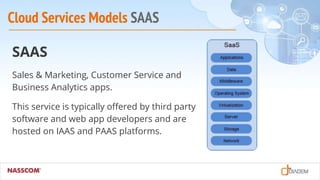
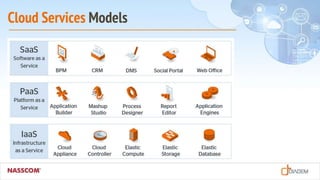
Cloud Services Models SAAS
SAAS
Sales & Marketing, Customer Service and
Business Analytics apps.
This service is typically offered by third party
software and web app developers and are
hosted on IAAS and PAAS platforms.
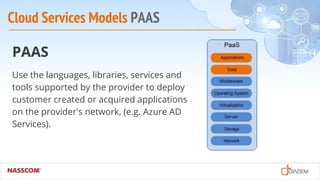
Cloud Services Models PAAS
PAAS
Use the languages, libraries, services and
tools supported by the provider to deploy
customer created or acquired applications
on the provider's network, (e.g. Azure AD
Services).
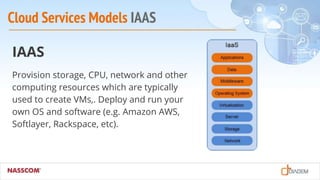
Cloud Services Models IAAS
IAAS
Provision storage, CPU, network and other
computing resources which are typically
used to create VMs,. Deploy and run your
own OS and software (e.g. Amazon AWS,
Softlayer, Rackspace, etc).
Cloud Services Models
Virtualization and Cloud
Virtualization
(Compute, Storage,
Network)
are the key building
blocks of the Cloud
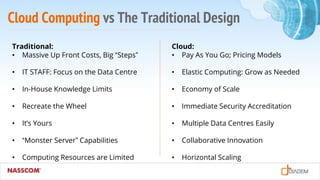
Cloud Computing vs The Traditional Design
Traditional:
• Massive Up Front Costs, Big “Steps”
• IT STAFF: Focus on the Data Centre
• In-House Knowledge Limits
• Recreate the Wheel
• It’s Yours
• “Monster Server” Capabilities
• Computing Resources are Limited
Cloud:
• Pay As You Go; Pricing Models
• Elastic Computing: Grow as Needed
• Economy of Scale
• Immediate Security Accreditation
• Multiple Data Centres Easily
• Collaborative Innovation
• Horizontal Scaling
Cloud Deployment Models
Public Cloud
The cloud infrastructure is provisioned for
open use by the general public. It exists on
the premises of the cloud provider
(e.g. IBM Softlayer)
Cloud Deployment Models
Private Cloud
The cloud infrastructure is provisioned for
exclusive use by a single organization
comprising multiple consumers
(e.g. AWS Gov Cloud)
Cloud Deployment Models
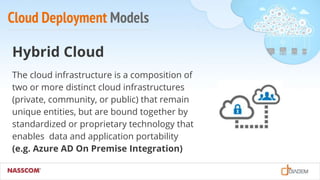
Hybrid Cloud
The cloud infrastructure is a composition of
two or more distinct cloud infrastructures
(private, community, or public) that remain
unique entities, but are bound together by
standardized or proprietary technology that
enables data and application portability
(e.g. Azure AD On Premise Integration)
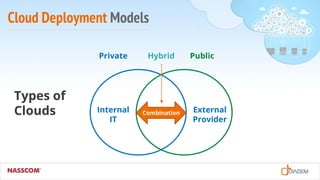
Cloud Deployment Models
Internal
IT
External
Provider
Combination
Private Hybrid Public
Types of
Clouds
Cloud Deployment Models
Combination
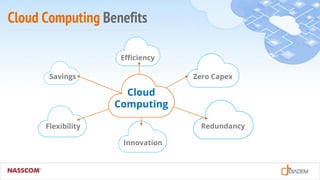
Cloud Computing Benefits
Cloud
Computing
Savings
Flexibility
Innovation
Redundancy
Zero Capex
Efficiency
Is Dedicated Hosting Dead?
Contrary to popular belief, dedicated hosting is still
relevant with SMBs and Enterprise customers:
• Reliable and cost effective for consistent workloads
• Ample Bandwidth is bundled in with dedicated servers
• No ‘noisy neighbour’ type situations
• Some customers claim that BM Servers outperforms similarly spec’d VMs
• Data Privacy & Security Concerns can be handled more effectively.
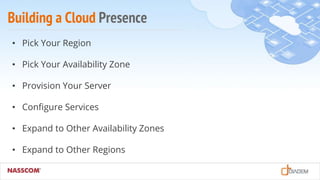
Building a Cloud Presence
• Pick Your Region
• Pick Your Availability Zone
• Provision Your Server
• Configure Services
• Expand to Other Availability Zones
• Expand to Other Regions
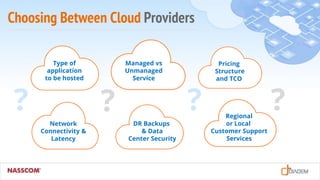
Choosing Between Cloud Providers
Type of
application
to be hosted
Network
Connectivity &
Latency
Managed vs
Unmanaged
Service
DR Backups
& Data
Center Security
Pricing
Structure
and TCO
Regional
or Local
Customer Support
Services
? ? ? ?
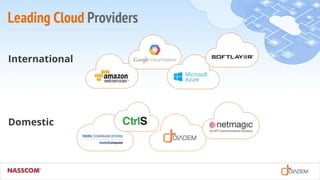
Leading Cloud Providers
International
Domestic
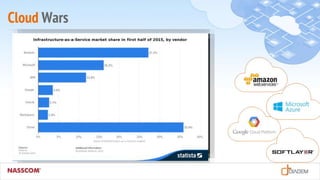
Cloud Wars
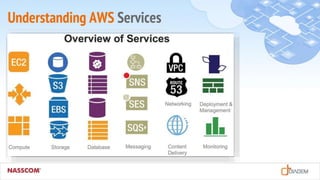
Understanding AWS Services
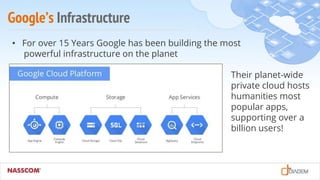
Google’s Infrastructure
• For over 15 Years Google has been building the most
powerful infrastructure on the planet
Their planet-wide
private cloud hosts
humanities most
popular apps,
supporting over a
billion users!
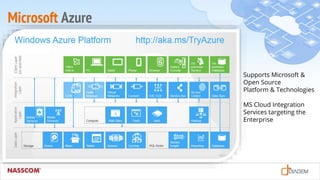
Microsoft Azure
Supports Microsoft &
Open Source
Platform & Technologies
MS Cloud Integration
Services targeting the
Enterprise
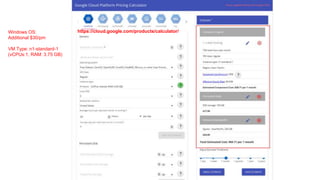
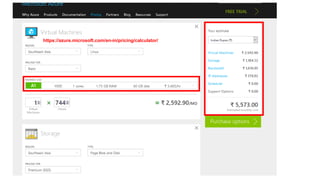
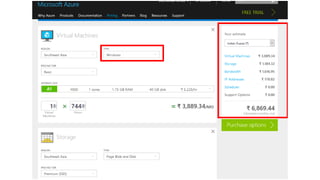
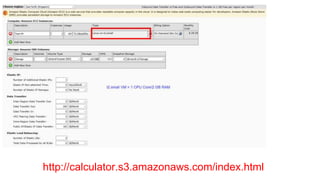
Cloud Pricing Comparisons
AWS
• Still the cheapest but the cost advantage is narrowing down.
Azure
• Offers a suite of Microsoft and open source tools, specially targeting
enterprises deployed with MS platform to upgrade to their cloud
platform.
GCE
• Offers more RAM and hosting Big Data apps on Google Cloud could
be an advantage.
Windows OS:
Additional $30/pm
VM Type: n1-standard-1
(vCPUs:1, RAM: 3.75 GB)
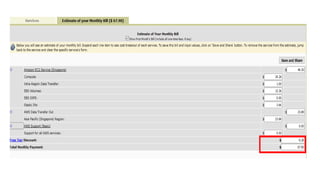
https://cloud.google.com/products/calculator/
https://azure.microsoft.com/en-in/pricing/calculator/
http://calculator.s3.amazonaws.com/index.html
Cloud Success Stories - Amazon
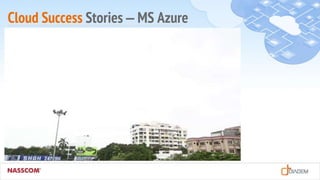
Cloud Success Stories – MS Azure
5 Tips to Save Money on VMs
• Forecast Your Availability Requirements
• Size your VMs suitably (RAM, HDD, CPUs, Public IPs)
• Deallocate your VMs when not needed !
• Set a monthly spending limit on your account
• Research / query pricing other Cloud Providers
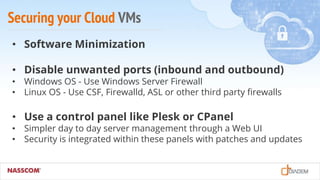
Securing your Cloud VMs
• Software Minimization
• Disable unwanted ports (inbound and outbound)
• Windows OS - Use Windows Server Firewall
• Linux OS - Use CSF, Firewalld, ASL or other third party firewalls
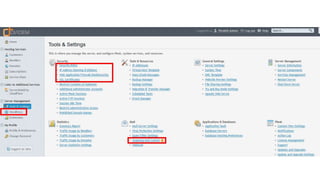
• Use a control panel like Plesk or CPanel
• Simpler day to day server management through a Web UI
• Security is integrated within these panels with patches and updates
Securing your Cloud VMs
• Automate Backups and move them an external
storage device
• Intrusion Detection & Prevention
• OS Updates & Application Patching
Cloud VM Monitoring
Good: Schedule scripts to send you alerts
• RAM and CPU usage
• Storage alerts
• Email queue, web services unavailabity, etc.
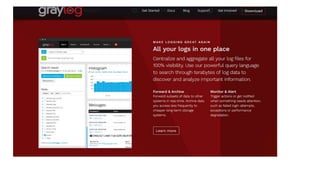
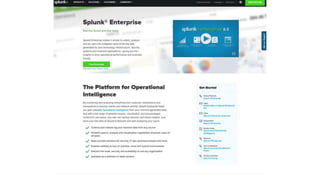
Better: Setup Log monitoring automation
• Graylogd
• Splunk
• Logwatch
VM & Network Monitoring
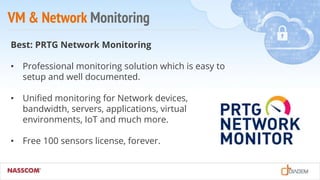
Best: PRTG Network Monitoring
• Professional monitoring solution which is easy to
setup and well documented.
• Unified monitoring for Network devices,
bandwidth, servers, applications, virtual
environments, IoT and much more.
• Free 100 sensors license, forever.
PRTG in 90 seconds
App Performance and Scalability
• Optimise Web Server & RDBMS
(Tomcat, Apache, IIS, SQL Server, MySQL, PGSQL, etc.)
• Upgrade your application with new development tools and libraries
(Hadoop, MongoDB, Nodejs, Grunt, etc.)
• Use tools like NewRelic for software performance analytics and
management solution
New Relic in 90 Seconds
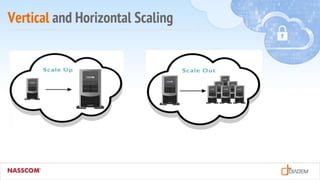
Vertical and Horizontal Scaling
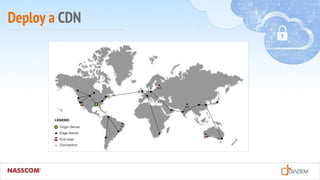
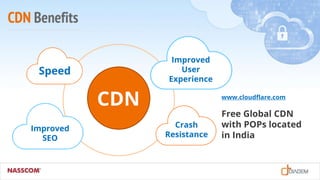
Deploy a CDN
CDN Benefits
Speed
Crash
Resistance
Improved
User
Experience
Improved
SEO
CDN www.cloudflare.com
Free Global CDN
with POPs located
in India
Cloudflare in 90 Seconds
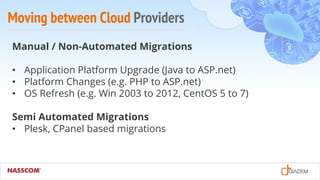
Moving between Cloud Providers
Manual / Non-Automated Migrations
• Application Platform Upgrade (Java to ASP.net)
• Platform Changes (e.g. PHP to ASP.net)
• OS Refresh (e.g. Win 2003 to 2012, CentOS 5 to 7)
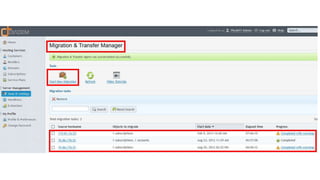
Semi Automated Migrations
• Plesk, CPanel based migrations
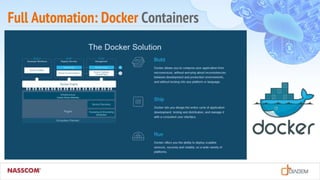
Full Automation: Docker Containers
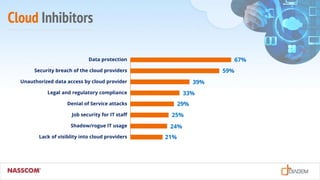
Cloud Inhibitors
21%
24%
25%
29%
33%
39%
59%
67%Data protection
Security breach of the cloud providers
Unauthorized data access by cloud provider
Legal and regulatory compliance
Denial of Service attacks
Job security for IT staff
Shadow/rogue IT usage
Lack of visiblity into cloud providers
Cloud Inhibitors
Security
Both SMB and Mid-Market are
much concerned about the data
and application security.
BDMs express higher levels of
concern than ITDMs.
Cloud Inhibitors
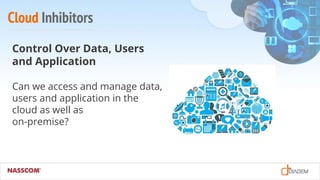
Control Over Data, Users
and Application
Can we access and manage data,
users and application in the
cloud as well as
on-premise?
Cloud Inhibitors
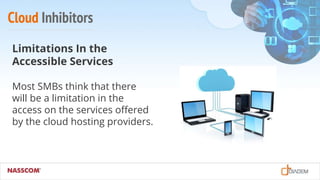
Limitations In the
Accessible Services
Most SMBs think that there
will be a limitation in the
access on the services offered
by the cloud hosting providers.
Cloud Inhibitors
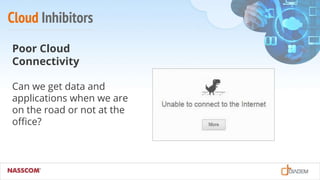
Poor Cloud
Connectivity
Can we get data and
applications when we are
on the road or not at the
office?
Cloud Inhibitors
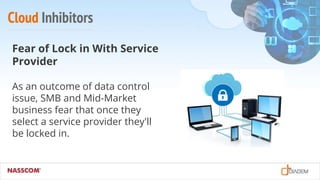
Fear of Lock in With Service
Provider
As an outcome of data control
issue, SMB and Mid-Market
business fear that once they
select a service provider they'll
be locked in.
Cloud Inhibitors
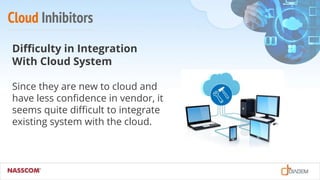
Difficulty in Integration
With Cloud System
Since they are new to cloud and
have less confidence in vendor, it
seems quite difficult to integrate
existing system with the cloud.
Cloud Inhibitors
Difficulty With Cloud
Management
ITDMs are more concerned with
cloud management than their
BDMs about the technical issues,
service access issues and
integration issues.
The Future of Cloud Computing
• Increased Adoption of Hybrid Cloud Platform.
• Application security and performance optimization will be
a growing challenge.
• More disruptive technologies will emerge from the Cloud.
• Regional/local Cloud Providers will play a specialised role
(e.g. Netmagic, Diadem, Linode, etc.)
The Future of Cloud Computing
• Cloud Integration (Single Pane of Glass).
• SAAS becomes defacto for buying new applications
(upto 25% of new business software purchases).
• New Software development will mostly be on Cloud
(PAAS market to reach $14B by 2017).
• BDAAS, DRAAS will become mainstream solutions.
Q & A
SESSION
THANK YOU
PRESENTED BY:
Hriday Biyani
@diademtech
EMAIL:
hriday@diadem.in
WEBSITE:
www.diadem.in
Comparison Slide
• Fusce sollicitudin ligula faucibus lectus
varius, nec euismod neque tincidunt.
• Nullam a diam nec sapien finibus
posuere ut pharetra nibh.
• Nam et erat porttitor, rhoncus ligula a,
auctor eros.
• Aliquam posuere lectus nec purus
volutpat euismod.
• Fusce sollicitudin ligula faucibus lectus
varius, nec euismod neque tincidunt.
• Nullam a diam nec sapien finibus
posuere ut pharetra nibh.
• Nam et erat porttitor, rhoncus ligula a,
auctor eros.
• Aliquam posuere lectus nec purus
volutpat euismod.
Space for image Space for image

Diadem Technologies - Cloud Computing - Nasscom Workshop

  • 1.
    CLOUD COMPUTING NASSCOM KolkataWorkshop PRESENTED BY: Hriday Biyani CEO - Diadem Technologies
  • 2.
    Cloud Computing Characteristics Asper NIST (National Institute of Standards & Technology - US Dept of Commerce), following are the five important characteristics of Cloud Computing
  • 3.
  • 4.
  • 5.
  • 6.
  • 7.
  • 8.
    Cloud Services ModelsSAAS SAAS Sales & Marketing, Customer Service and Business Analytics apps. This service is typically offered by third party software and web app developers and are hosted on IAAS and PAAS platforms.
  • 9.
    Cloud Services ModelsPAAS PAAS Use the languages, libraries, services and tools supported by the provider to deploy customer created or acquired applications on the provider's network, (e.g. Azure AD Services).
  • 10.
    Cloud Services ModelsIAAS IAAS Provision storage, CPU, network and other computing resources which are typically used to create VMs,. Deploy and run your own OS and software (e.g. Amazon AWS, Softlayer, Rackspace, etc).
  • 11.
  • 12.
    Virtualization and Cloud Virtualization (Compute,Storage, Network) are the key building blocks of the Cloud
  • 13.
    Cloud Computing vsThe Traditional Design Traditional: • Massive Up Front Costs, Big “Steps” • IT STAFF: Focus on the Data Centre • In-House Knowledge Limits • Recreate the Wheel • It’s Yours • “Monster Server” Capabilities • Computing Resources are Limited Cloud: • Pay As You Go; Pricing Models • Elastic Computing: Grow as Needed • Economy of Scale • Immediate Security Accreditation • Multiple Data Centres Easily • Collaborative Innovation • Horizontal Scaling
  • 14.
    Cloud Deployment Models PublicCloud The cloud infrastructure is provisioned for open use by the general public. It exists on the premises of the cloud provider (e.g. IBM Softlayer)
  • 15.
    Cloud Deployment Models PrivateCloud The cloud infrastructure is provisioned for exclusive use by a single organization comprising multiple consumers (e.g. AWS Gov Cloud)
  • 16.
    Cloud Deployment Models HybridCloud The cloud infrastructure is a composition of two or more distinct cloud infrastructures (private, community, or public) that remain unique entities, but are bound together by standardized or proprietary technology that enables data and application portability (e.g. Azure AD On Premise Integration)
  • 17.
  • 18.
  • 19.
  • 20.
    Is Dedicated HostingDead? Contrary to popular belief, dedicated hosting is still relevant with SMBs and Enterprise customers: • Reliable and cost effective for consistent workloads • Ample Bandwidth is bundled in with dedicated servers • No ‘noisy neighbour’ type situations • Some customers claim that BM Servers outperforms similarly spec’d VMs • Data Privacy & Security Concerns can be handled more effectively.
  • 21.
    Building a CloudPresence • Pick Your Region • Pick Your Availability Zone • Provision Your Server • Configure Services • Expand to Other Availability Zones • Expand to Other Regions
  • 22.
    Choosing Between CloudProviders Type of application to be hosted Network Connectivity & Latency Managed vs Unmanaged Service DR Backups & Data Center Security Pricing Structure and TCO Regional or Local Customer Support Services ? ? ? ?
  • 23.
  • 24.
  • 25.
  • 26.
    Google’s Infrastructure • Forover 15 Years Google has been building the most powerful infrastructure on the planet Their planet-wide private cloud hosts humanities most popular apps, supporting over a billion users!
  • 27.
    Microsoft Azure Supports Microsoft& Open Source Platform & Technologies MS Cloud Integration Services targeting the Enterprise
  • 28.
    Cloud Pricing Comparisons AWS •Still the cheapest but the cost advantage is narrowing down. Azure • Offers a suite of Microsoft and open source tools, specially targeting enterprises deployed with MS platform to upgrade to their cloud platform. GCE • Offers more RAM and hosting Big Data apps on Google Cloud could be an advantage.
  • 29.
    Windows OS: Additional $30/pm VMType: n1-standard-1 (vCPUs:1, RAM: 3.75 GB) https://cloud.google.com/products/calculator/
  • 30.
  • 32.
  • 34.
  • 35.
  • 36.
    5 Tips toSave Money on VMs • Forecast Your Availability Requirements • Size your VMs suitably (RAM, HDD, CPUs, Public IPs) • Deallocate your VMs when not needed ! • Set a monthly spending limit on your account • Research / query pricing other Cloud Providers
  • 37.
    Securing your CloudVMs • Software Minimization • Disable unwanted ports (inbound and outbound) • Windows OS - Use Windows Server Firewall • Linux OS - Use CSF, Firewalld, ASL or other third party firewalls • Use a control panel like Plesk or CPanel • Simpler day to day server management through a Web UI • Security is integrated within these panels with patches and updates
  • 39.
    Securing your CloudVMs • Automate Backups and move them an external storage device • Intrusion Detection & Prevention • OS Updates & Application Patching
  • 40.
    Cloud VM Monitoring Good:Schedule scripts to send you alerts • RAM and CPU usage • Storage alerts • Email queue, web services unavailabity, etc. Better: Setup Log monitoring automation • Graylogd • Splunk • Logwatch
  • 43.
    VM & NetworkMonitoring Best: PRTG Network Monitoring • Professional monitoring solution which is easy to setup and well documented. • Unified monitoring for Network devices, bandwidth, servers, applications, virtual environments, IoT and much more. • Free 100 sensors license, forever.
  • 44.
    PRTG in 90seconds
  • 45.
    App Performance andScalability • Optimise Web Server & RDBMS (Tomcat, Apache, IIS, SQL Server, MySQL, PGSQL, etc.) • Upgrade your application with new development tools and libraries (Hadoop, MongoDB, Nodejs, Grunt, etc.) • Use tools like NewRelic for software performance analytics and management solution
  • 46.
    New Relic in90 Seconds
  • 47.
  • 48.
  • 49.
  • 50.
  • 51.
    Moving between CloudProviders Manual / Non-Automated Migrations • Application Platform Upgrade (Java to ASP.net) • Platform Changes (e.g. PHP to ASP.net) • OS Refresh (e.g. Win 2003 to 2012, CentOS 5 to 7) Semi Automated Migrations • Plesk, CPanel based migrations
  • 53.
  • 54.
  • 55.
    Cloud Inhibitors 21% 24% 25% 29% 33% 39% 59% 67%Data protection Securitybreach of the cloud providers Unauthorized data access by cloud provider Legal and regulatory compliance Denial of Service attacks Job security for IT staff Shadow/rogue IT usage Lack of visiblity into cloud providers
  • 56.
    Cloud Inhibitors Security Both SMBand Mid-Market are much concerned about the data and application security. BDMs express higher levels of concern than ITDMs.
  • 57.
    Cloud Inhibitors Control OverData, Users and Application Can we access and manage data, users and application in the cloud as well as on-premise?
  • 58.
    Cloud Inhibitors Limitations Inthe Accessible Services Most SMBs think that there will be a limitation in the access on the services offered by the cloud hosting providers.
  • 59.
    Cloud Inhibitors Poor Cloud Connectivity Canwe get data and applications when we are on the road or not at the office?
  • 60.
    Cloud Inhibitors Fear ofLock in With Service Provider As an outcome of data control issue, SMB and Mid-Market business fear that once they select a service provider they'll be locked in.
  • 61.
    Cloud Inhibitors Difficulty inIntegration With Cloud System Since they are new to cloud and have less confidence in vendor, it seems quite difficult to integrate existing system with the cloud.
  • 62.
    Cloud Inhibitors Difficulty WithCloud Management ITDMs are more concerned with cloud management than their BDMs about the technical issues, service access issues and integration issues.
  • 63.
    The Future ofCloud Computing • Increased Adoption of Hybrid Cloud Platform. • Application security and performance optimization will be a growing challenge. • More disruptive technologies will emerge from the Cloud. • Regional/local Cloud Providers will play a specialised role (e.g. Netmagic, Diadem, Linode, etc.)
  • 64.
    The Future ofCloud Computing • Cloud Integration (Single Pane of Glass). • SAAS becomes defacto for buying new applications (upto 25% of new business software purchases). • New Software development will mostly be on Cloud (PAAS market to reach $14B by 2017). • BDAAS, DRAAS will become mainstream solutions.
  • 65.
  • 66.
    THANK YOU PRESENTED BY: HridayBiyani @diademtech EMAIL: hriday@diadem.in WEBSITE: www.diadem.in
  • 67.
    Comparison Slide • Fuscesollicitudin ligula faucibus lectus varius, nec euismod neque tincidunt. • Nullam a diam nec sapien finibus posuere ut pharetra nibh. • Nam et erat porttitor, rhoncus ligula a, auctor eros. • Aliquam posuere lectus nec purus volutpat euismod. • Fusce sollicitudin ligula faucibus lectus varius, nec euismod neque tincidunt. • Nullam a diam nec sapien finibus posuere ut pharetra nibh. • Nam et erat porttitor, rhoncus ligula a, auctor eros. • Aliquam posuere lectus nec purus volutpat euismod. Space for image Space for image