Lean Development
Design through Iterative Experiments
Gretchen DeKnikker, SocialPandas, Co-founder & CMO
@gretchende
Jason Ouellette, SocialPandas, Co-founder & CTO
@jmouel
Gretchen DeKnikker
Co-founder & CMO
@gretchende
Lean UX and the Enterprise Buyer
Today we’ll cover
 What is Lean UX?
 Applying Lean principles in the enterprise
 Overview of tools for higher fidelity UX
 Force.com as a sandbox for Lean UX experiments
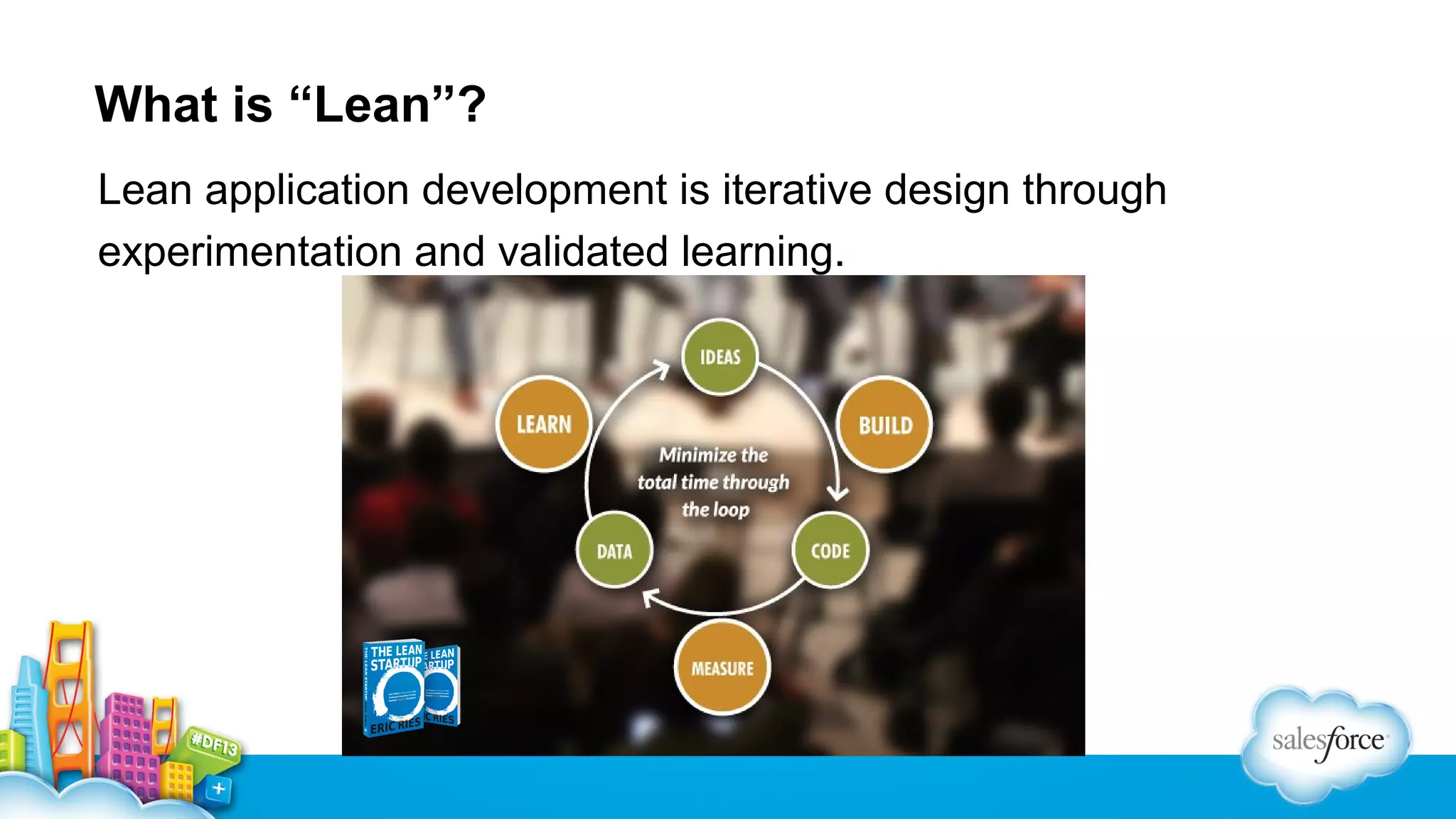
What is “Lean”?
Lean application development is iterative design through
experimentation and validated learning.
Lean UX
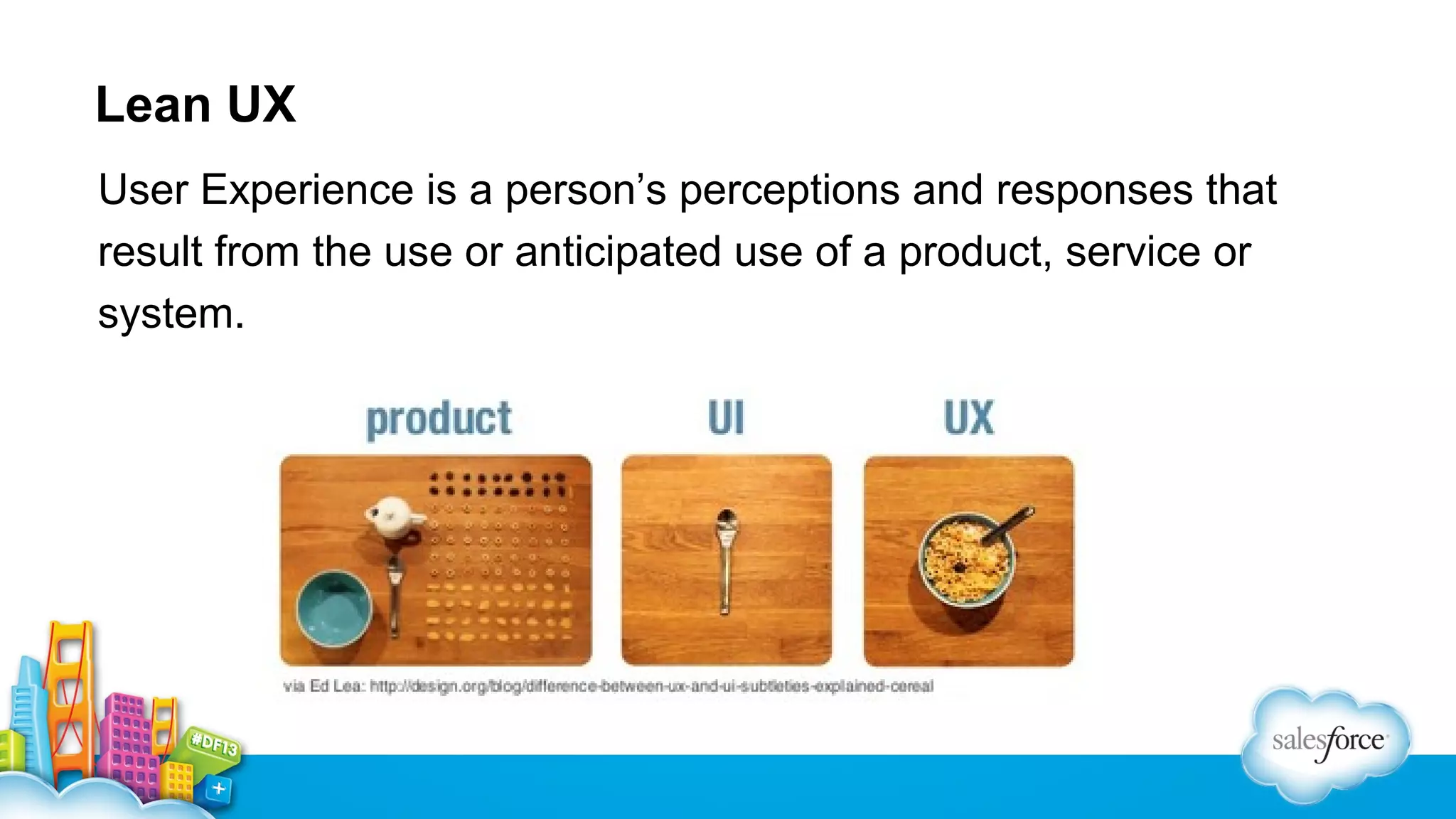
User Experience is a person’s perceptions and responses that
result from the use or anticipated use of a product, service or
system.
Lean UX
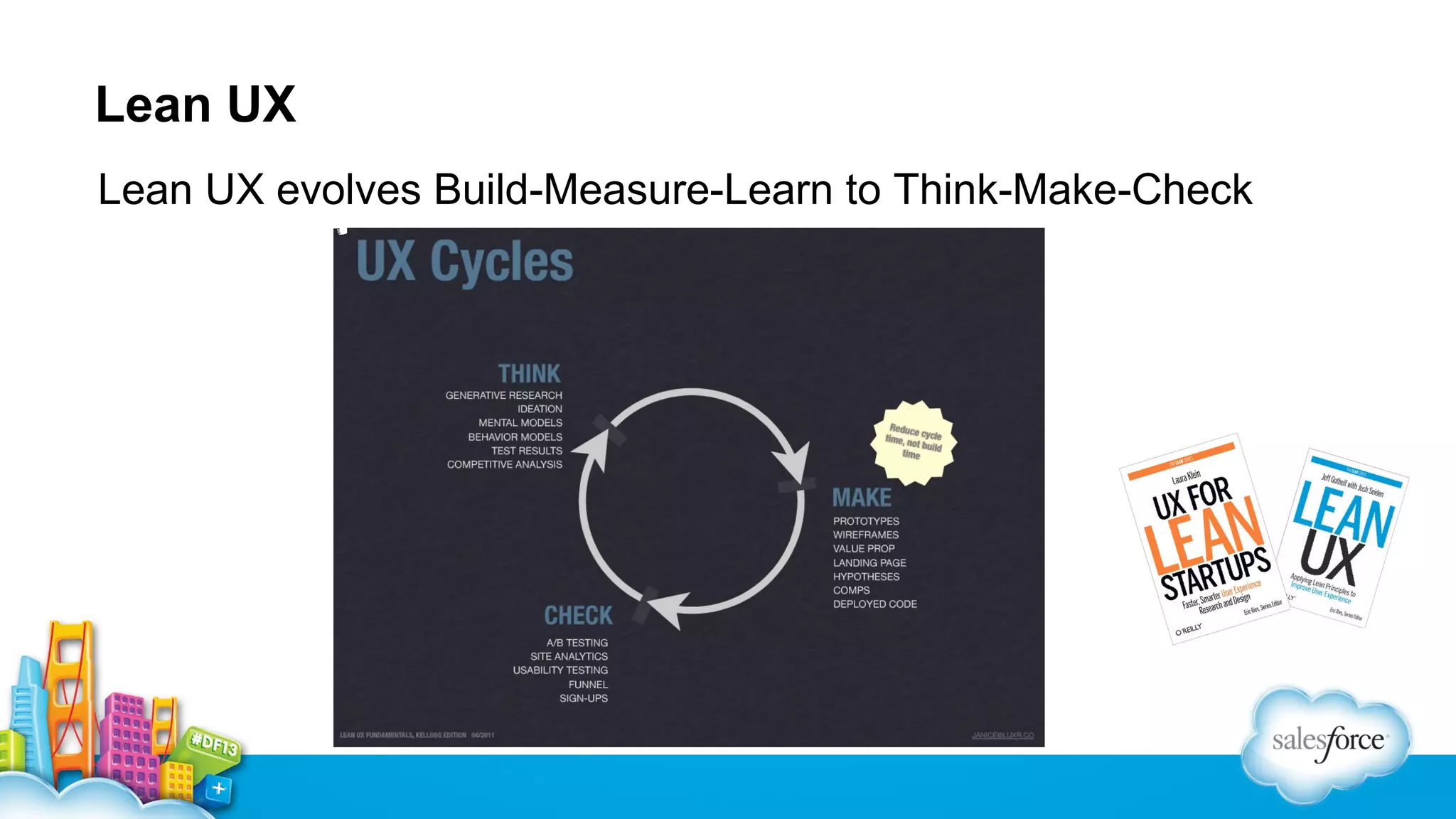
Lean UX evolves Build-Measure-Learn to Think-Make-Check
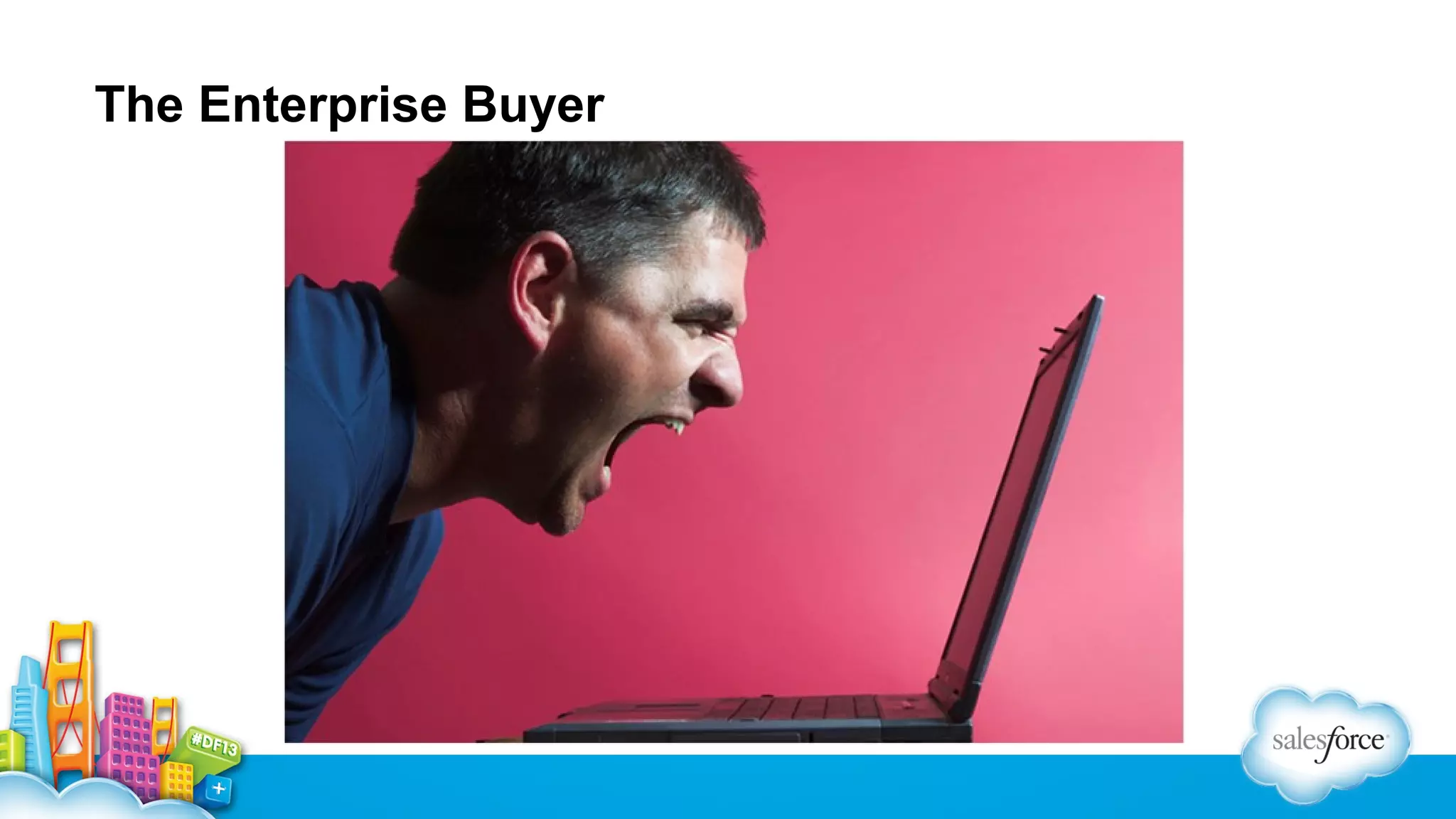
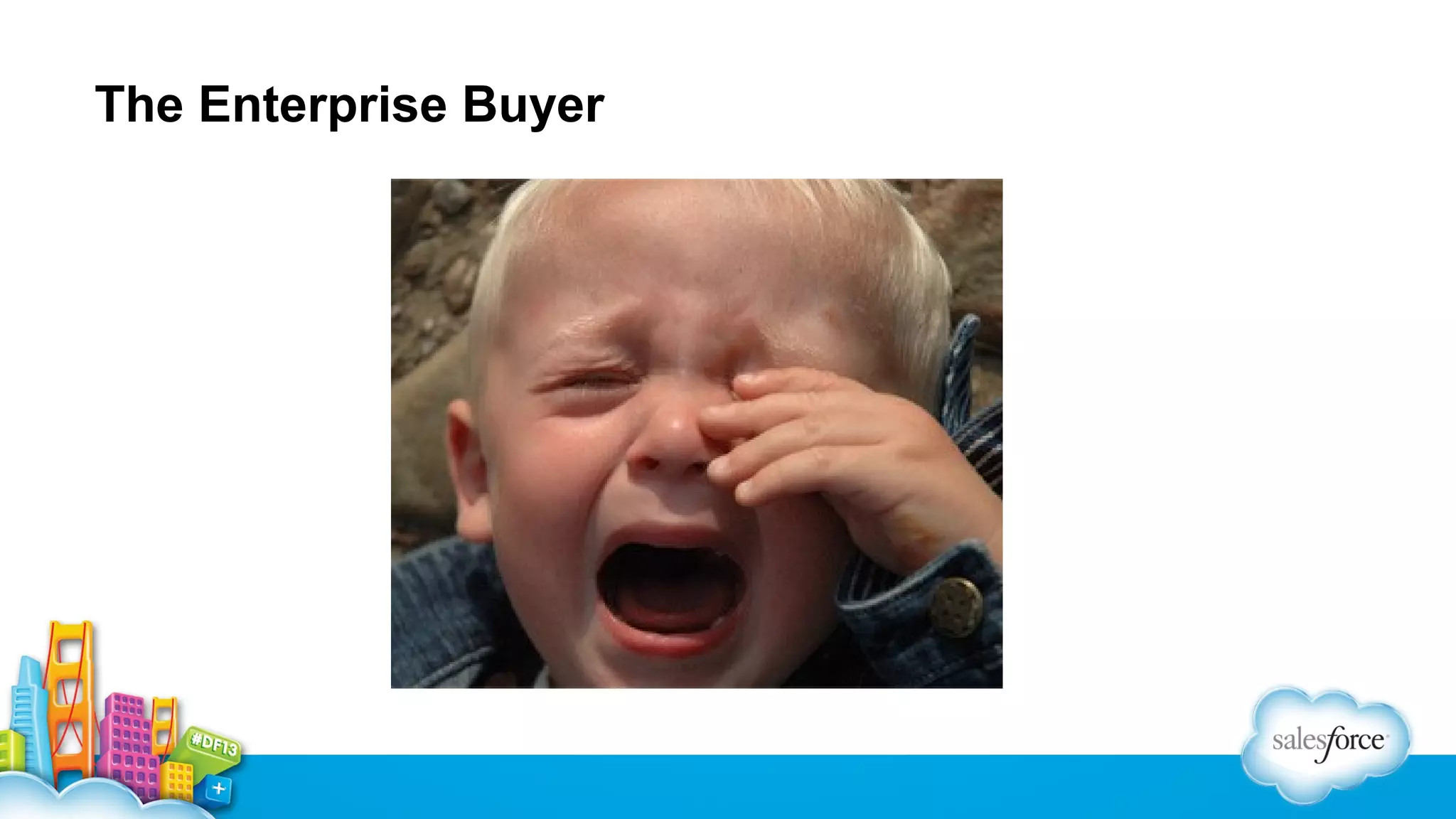
The Enterprise Buyer
MVP vs MSP
A minimum viable product (MVP) is the version of a new product
or service which allows a team to collect the maximum amount of
validated learning with the least effort
A minimum sellable product (MSP) is the version that will get an
enterprise user to change their behavior and the way they work
All about SocialPandas

SocialPandas is a social selling platform that helps B2B
sales teams leverage popular social networks to connect
with prospects, shorten sales cycles, boost deal sizes, and
grow loyal customer relationships.
Case Study: Applying Lean UX to the Enterprise
Buyer
We did all the “right” things…
•Extensive customer development
•High fidelity mockups, low fidelity prototypes
…but it wasn’t working.
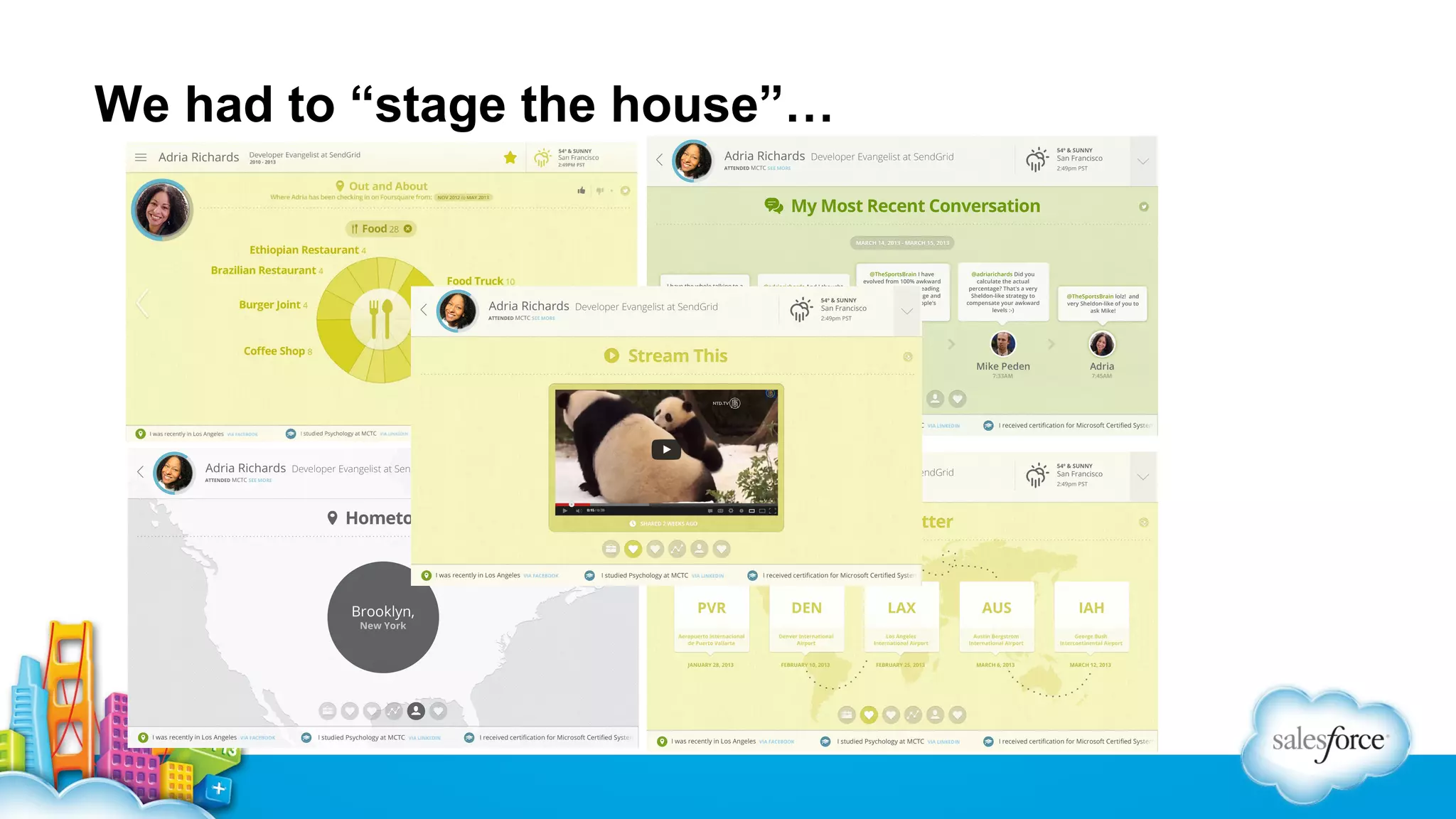
We had to “stage the house”…
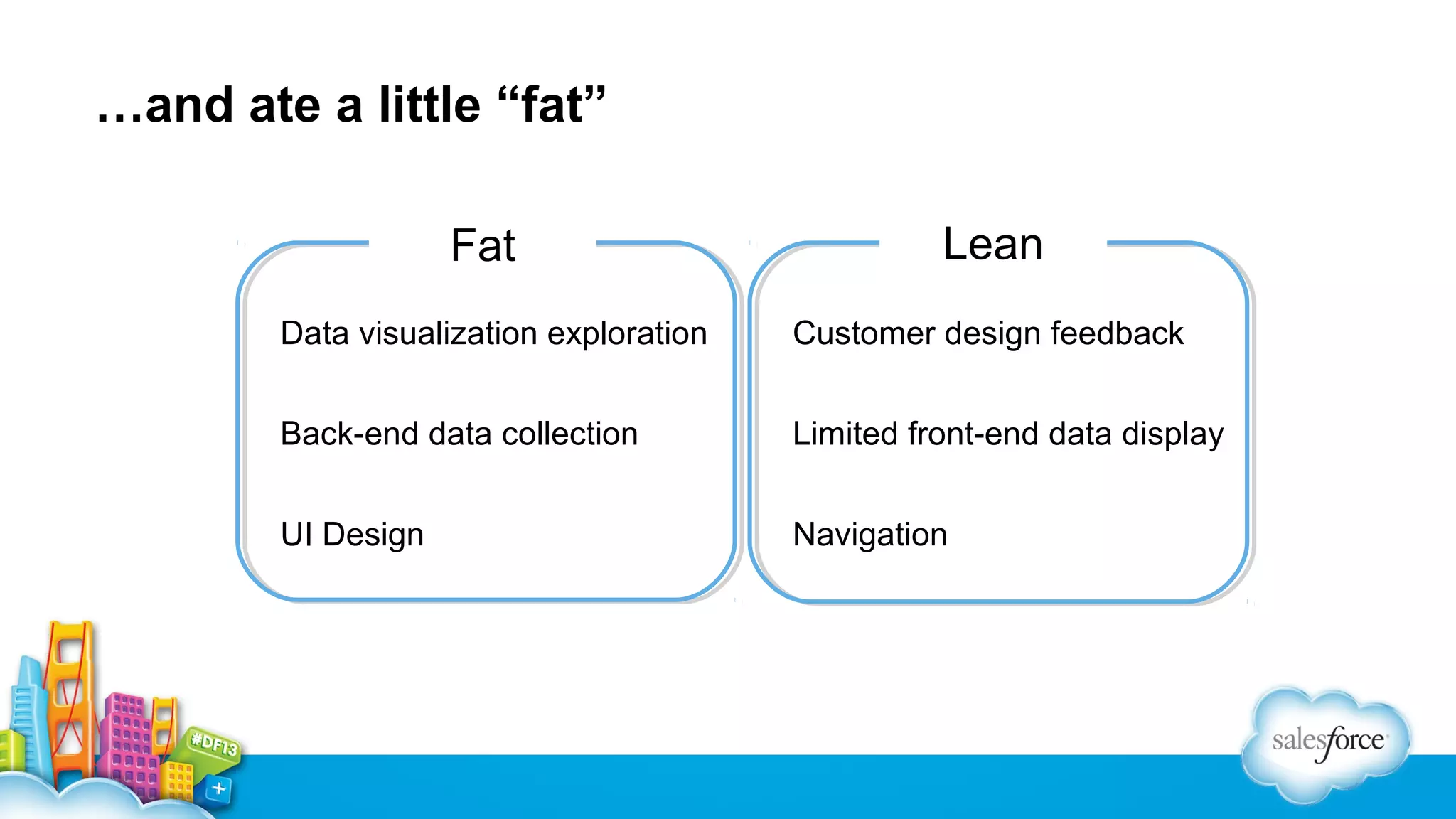
…and ate a little “fat”
Fat

Lean

Data visualization exploration

Customer design feedback

Back-end data collection

Limited front-end data display

UI Design

Navigation
Jason Ouellette
Co-founder & CTO
@jmouel
Sample Application: Sales Meeting Tracker
High-fidelity prototype  live app
 Demo of finished product
 Build the prototype
• Goals and tools
• Easel.io and Bootstrap

 Develop the code
• Easel.io to Visualforce
• Visualforce the “lightweight” way
• AngularJS: Navigation, calling Apex, and data binding
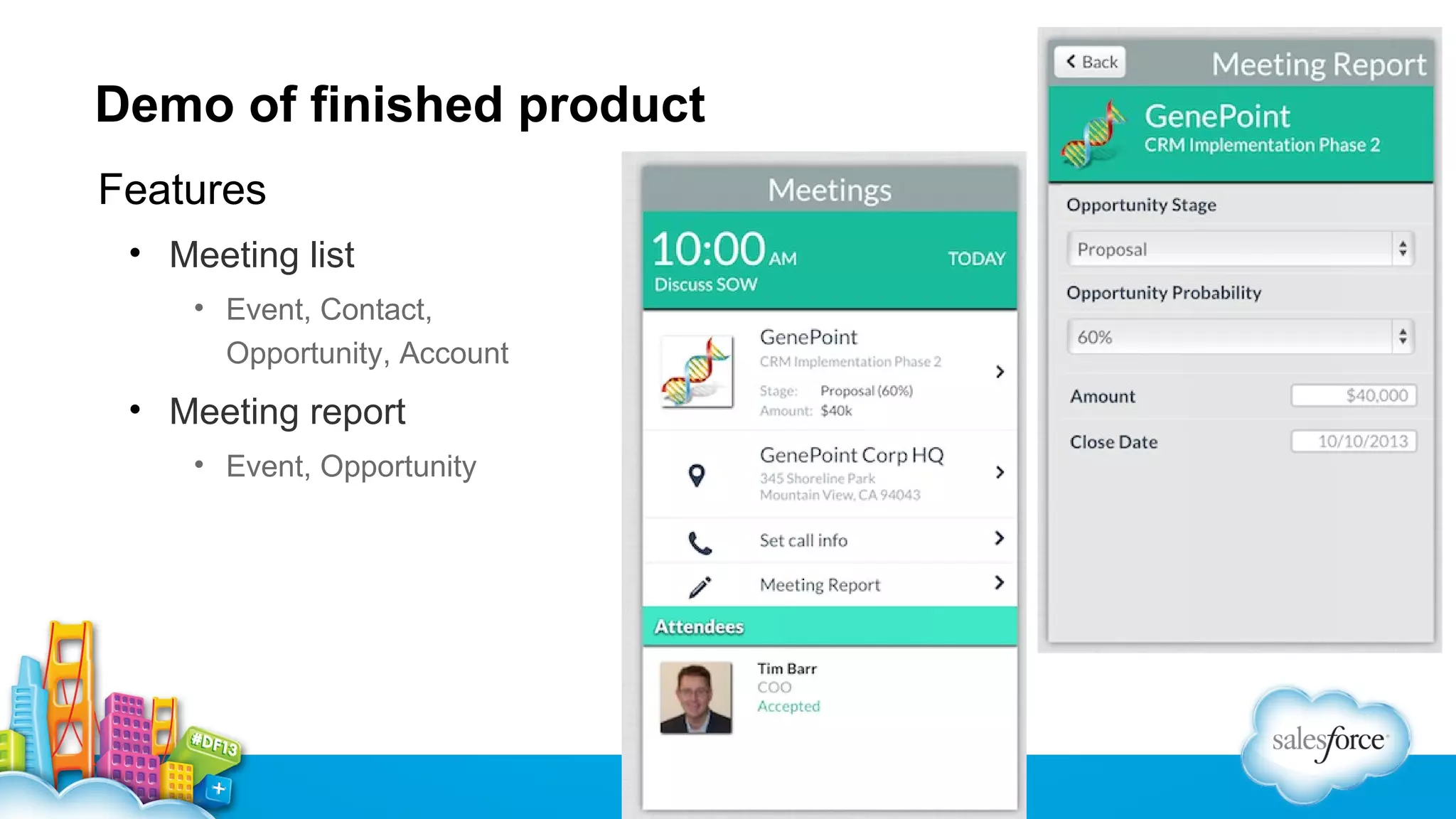
Demo of finished product
Features
• Meeting list
• Event, Contact,
Opportunity, Account

• Meeting report
• Event, Opportunity
Build the prototype: goals and tools
Goals
 HTML5 mobile app to validate ideas, run experiments with users
 Artifacts must be directly usable in code, not disposable

Tools: good/bad/ugly
 Visual fidelity vs. code usefulness
 Developer and designer workflow, the “what-if” gaps
 Round-trip issues
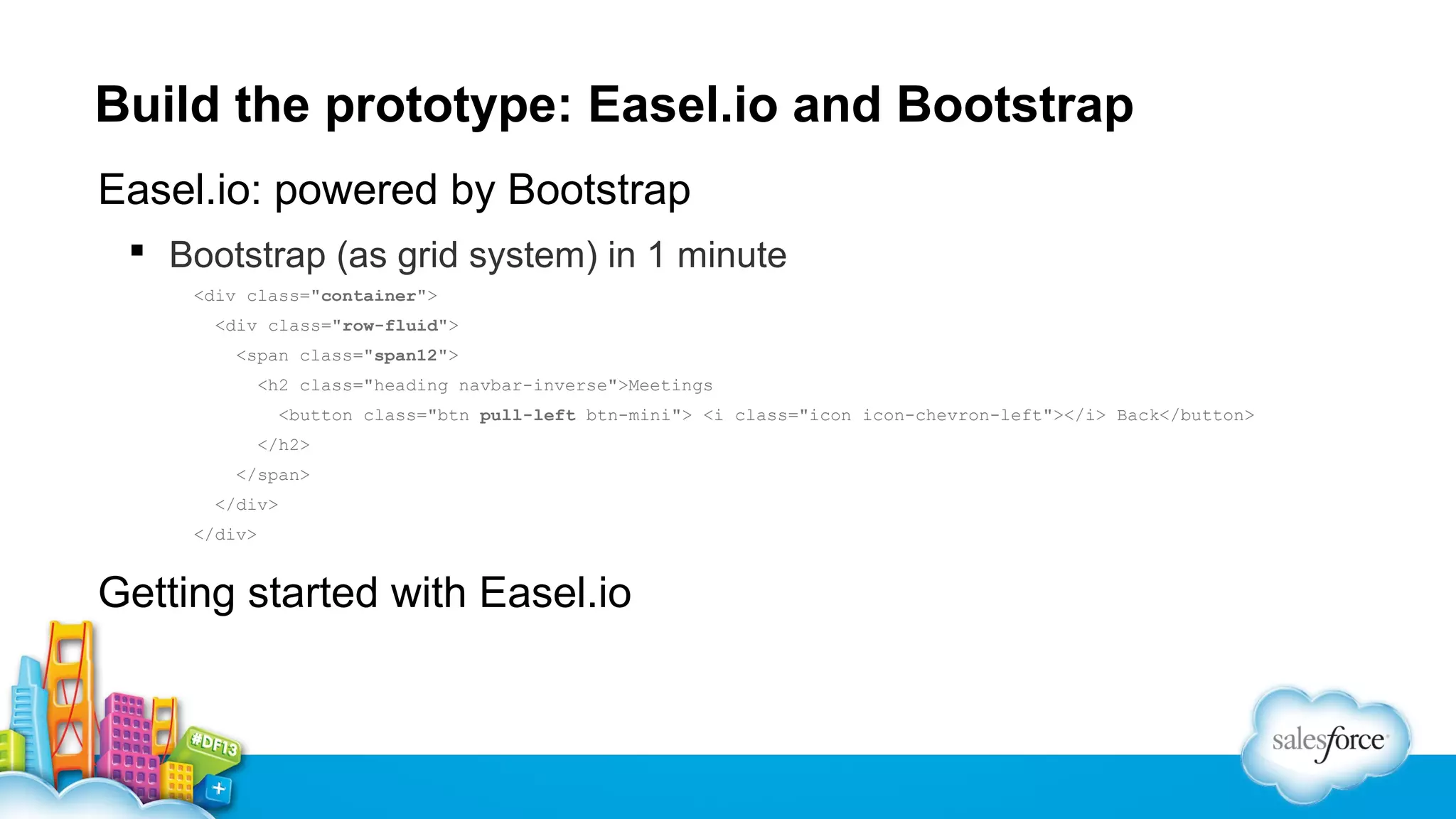
Build the prototype: Easel.io and Bootstrap
Easel.io: powered by Bootstrap
 Bootstrap (as grid system) in 1 minute
<div class="container">
<div class="row-fluid">
<span class="span12">
<h2 class="heading navbar-inverse">Meetings
<button class="btn pull-left btn-mini"> <i class="icon icon-chevron-left"></i> Back</button>
</h2>
</span>
</div>
</div>

Getting started with Easel.io
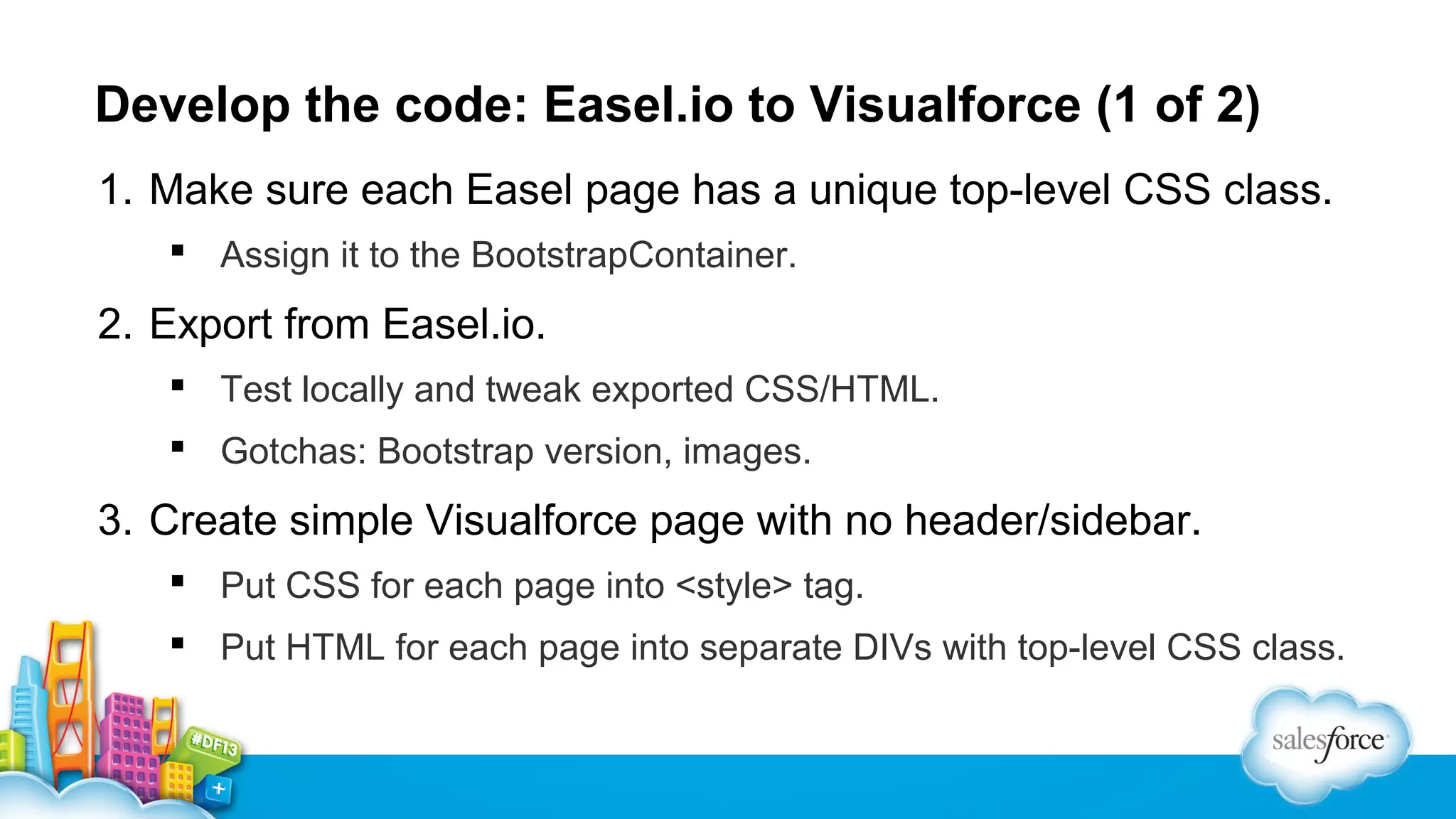
Develop the code: Easel.io to Visualforce (1 of 2)
1. Make sure each Easel page has a unique top-level CSS class.
 Assign it to the BootstrapContainer.

2. Export from Easel.io.
 Test locally and tweak exported CSS/HTML.
 Gotchas: Bootstrap version, images.

3. Create simple Visualforce page with no header/sidebar.
 Put CSS for each page into <style> tag.
 Put HTML for each page into separate DIVs with top-level CSS class.
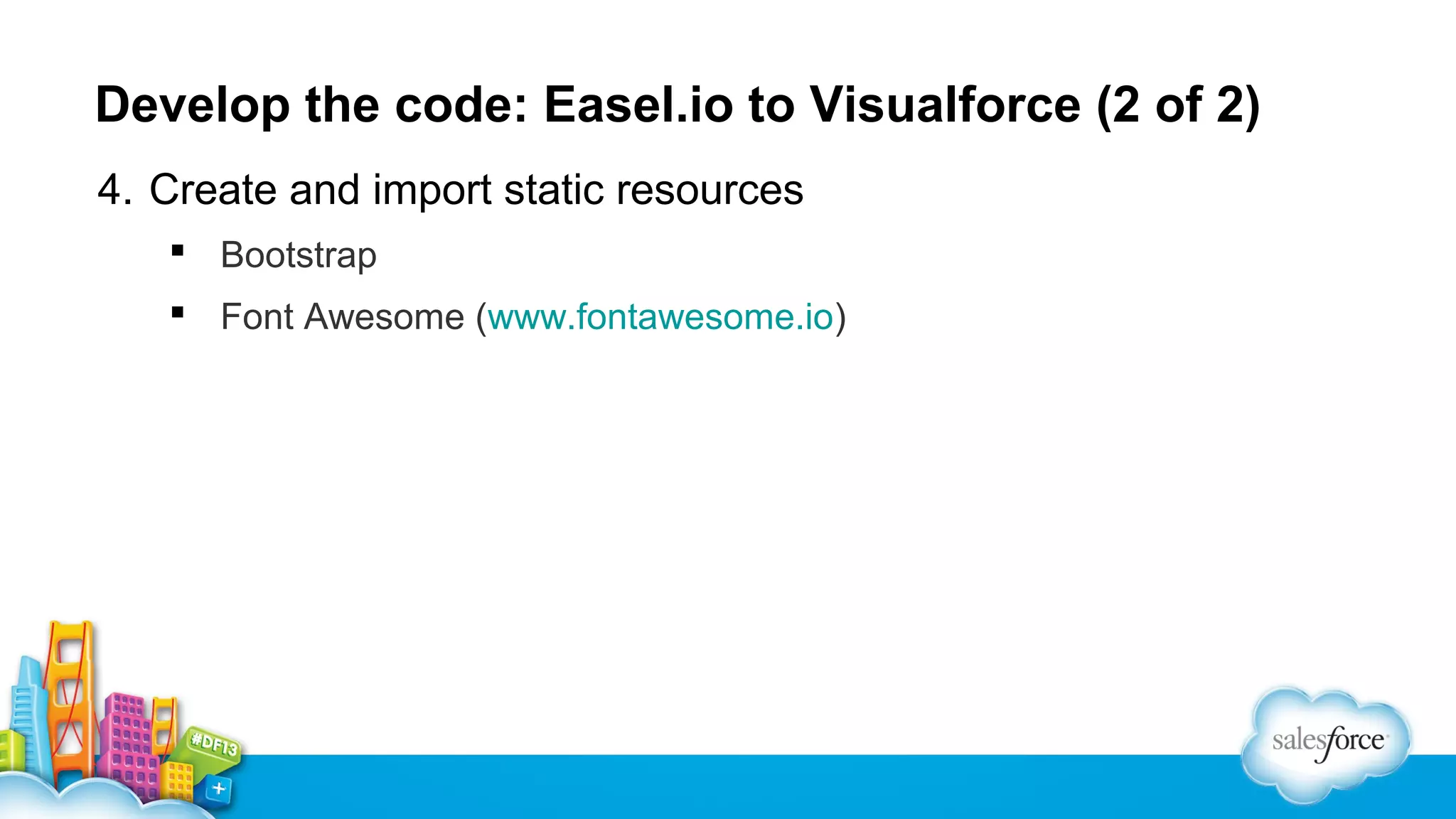
Develop the code: Easel.io to Visualforce (2 of 2)
4. Create and import static resources
 Bootstrap
 Font Awesome (www.fontawesome.io)
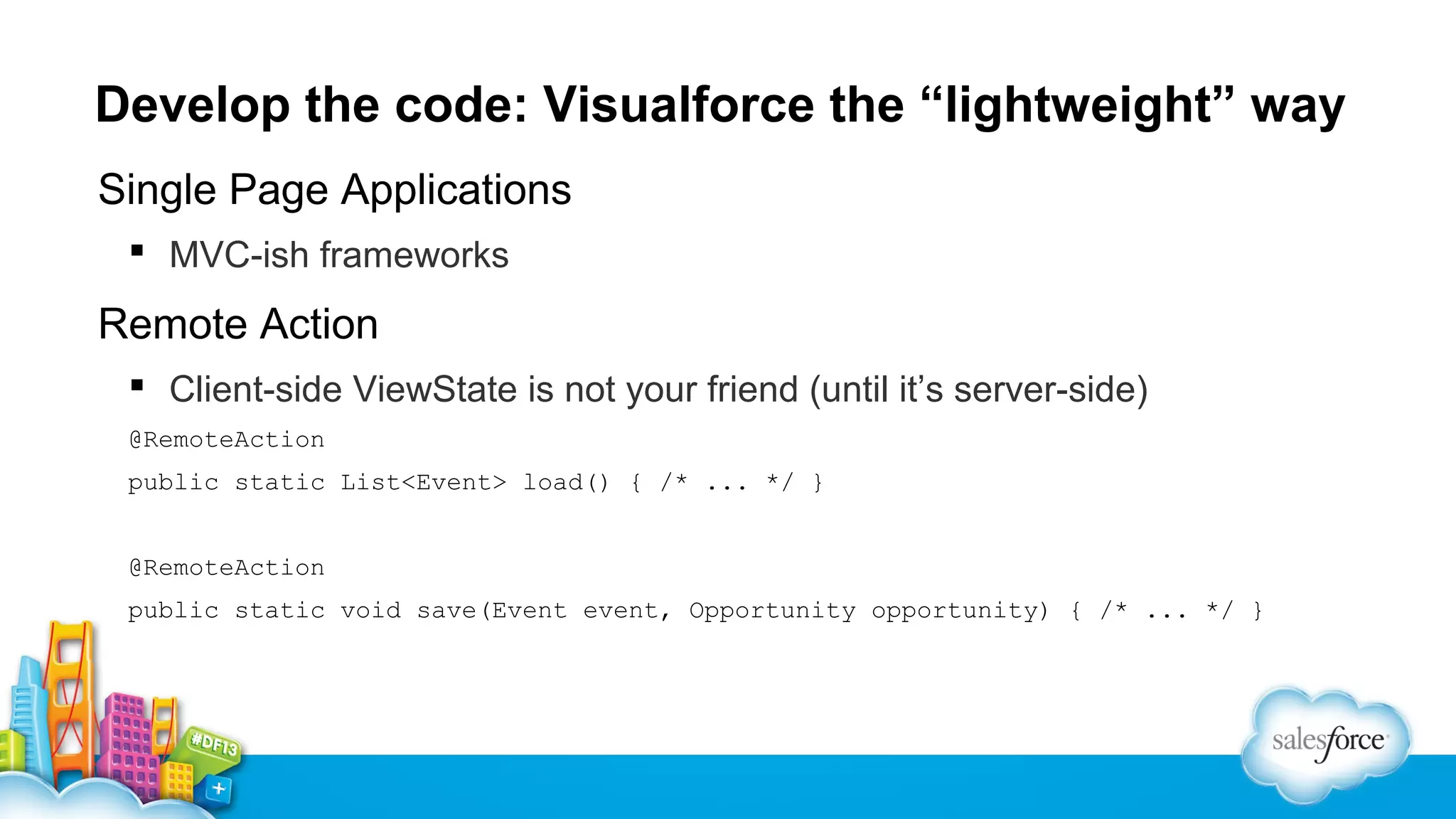
Develop the code: Visualforce the “lightweight” way
Single Page Applications
 MVC-ish frameworks

Remote Action
 Client-side ViewState is not your friend (until it’s server-side)
@RemoteAction
public static List<Event> load() { /* ... */ }
@RemoteAction
public static void save(Event event, Opportunity opportunity) { /* ... */ }
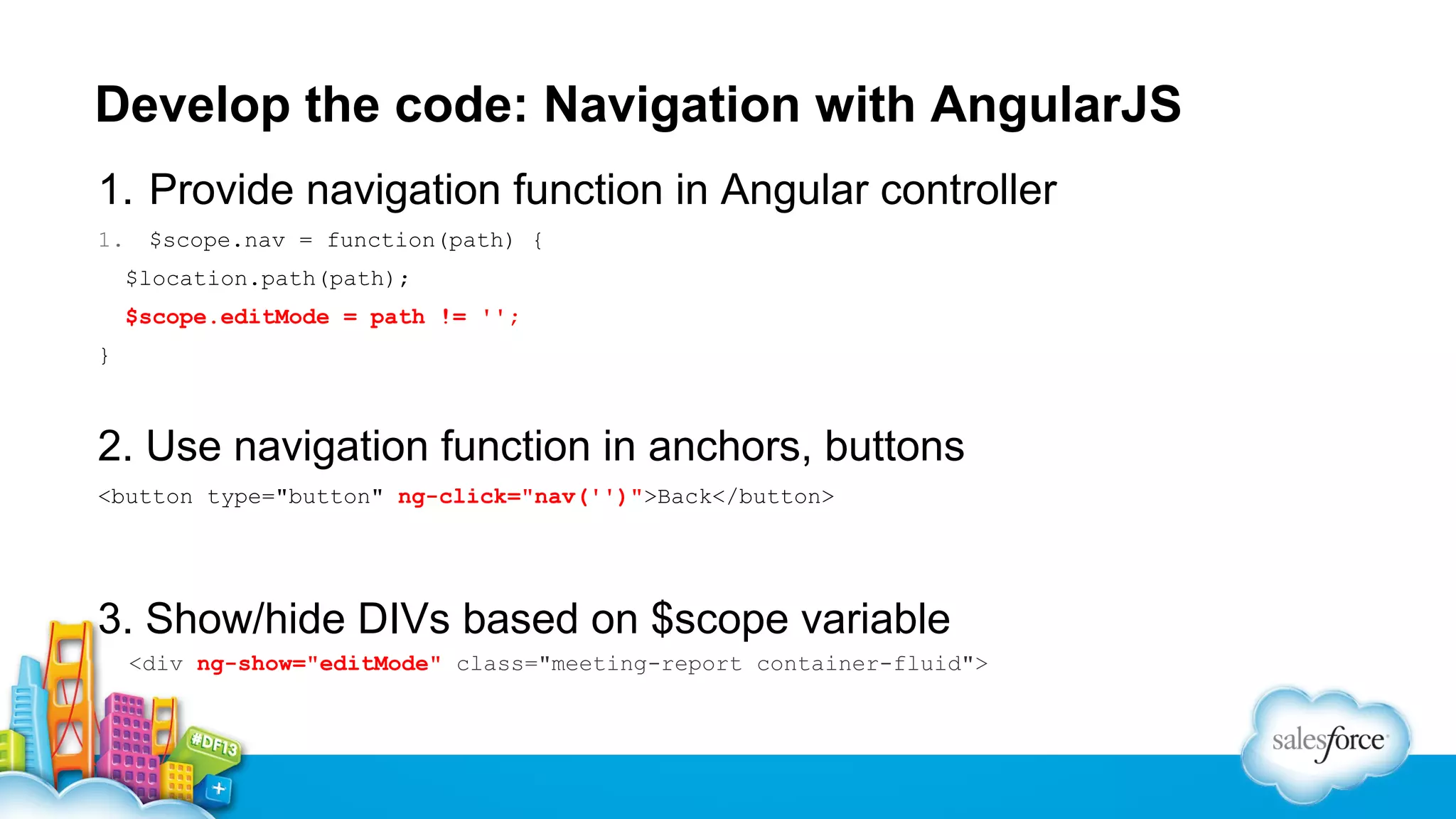
Develop the code: Navigation with AngularJS
1. Provide navigation function in Angular controller
1.

$scope.nav = function(path) {
$location.path(path);
$scope.editMode = path != '';

}

2. Use navigation function in anchors, buttons
<button type="button" ng-click="nav('')">Back</button>

3. Show/hide DIVs based on $scope variable
<div ng-show="editMode" class="meeting-report container-fluid">
Develop the code: Calling Apex via AngularJS
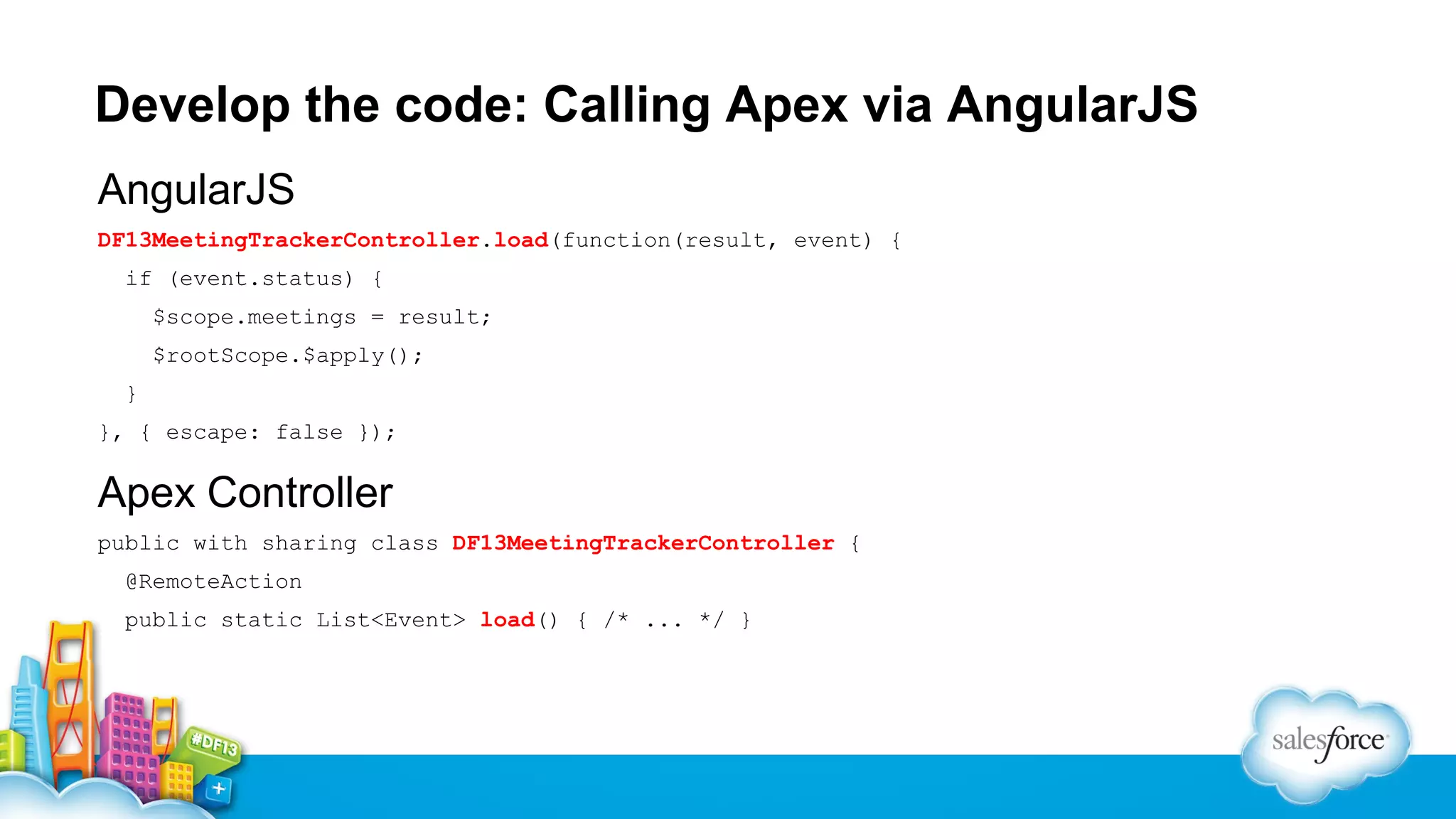
AngularJS
DF13MeetingTrackerController.load(function(result, event) {
if (event.status) {
$scope.meetings = result;
$rootScope.$apply();
}
}, { escape: false });

Apex Controller
public with sharing class DF13MeetingTrackerController {
@RemoteAction
public static List<Event> load() { /* ... */ }
Develop the code: Data binding with AngularJS
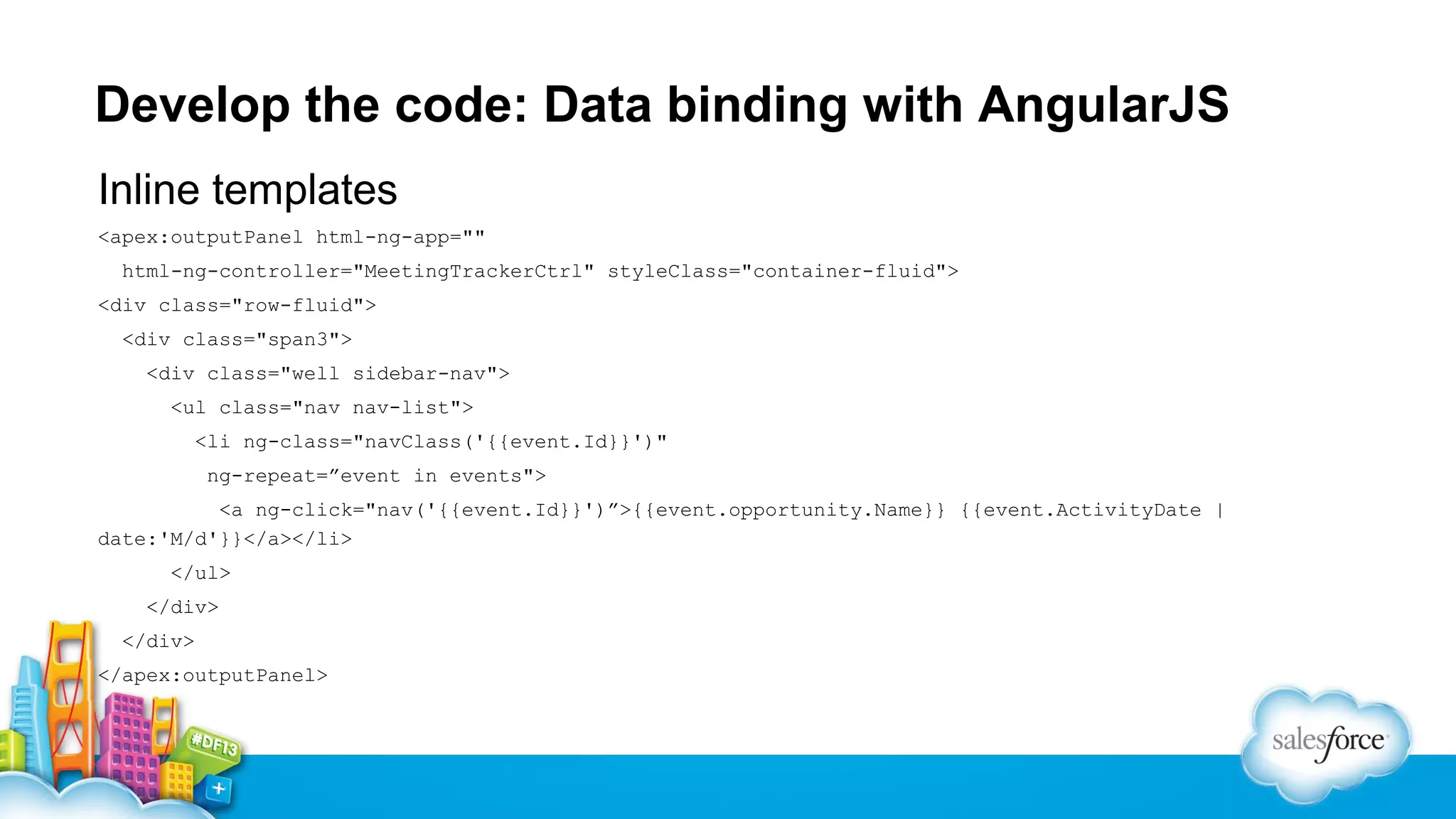
Inline templates
<apex:outputPanel html-ng-app=""
html-ng-controller="MeetingTrackerCtrl" styleClass="container-fluid">
<div class="row-fluid">
<div class="span3">
<div class="well sidebar-nav">
<ul class="nav nav-list">
<li ng-class="navClass('{{event.Id}}')"
ng-repeat=”event in events">
<a ng-click="nav('{{event.Id}}')”>{{event.opportunity.Name}} {{event.ActivityDate |
date:'M/d'}}</a></li>
</ul>
</div>
</div>
</apex:outputPanel>
Gretchen DeKnikker

Jason Ouellette

Co-founder & CMO,
@gretchende

Co-founder & CTO,
@jmouel
Lean Development: Design Through Iterative Experiments

Lean Development: Design Through Iterative Experiments

  • 1.
    Lean Development Design throughIterative Experiments Gretchen DeKnikker, SocialPandas, Co-founder & CMO @gretchende Jason Ouellette, SocialPandas, Co-founder & CTO @jmouel
  • 2.
  • 3.
    Lean UX andthe Enterprise Buyer Today we’ll cover  What is Lean UX?  Applying Lean principles in the enterprise  Overview of tools for higher fidelity UX  Force.com as a sandbox for Lean UX experiments
  • 4.
    What is “Lean”? Leanapplication development is iterative design through experimentation and validated learning.
  • 5.
    Lean UX User Experienceis a person’s perceptions and responses that result from the use or anticipated use of a product, service or system.
  • 6.
    Lean UX Lean UXevolves Build-Measure-Learn to Think-Make-Check
  • 7.
  • 8.
  • 9.
  • 10.
  • 11.
    MVP vs MSP Aminimum viable product (MVP) is the version of a new product or service which allows a team to collect the maximum amount of validated learning with the least effort A minimum sellable product (MSP) is the version that will get an enterprise user to change their behavior and the way they work
  • 12.
    All about SocialPandas SocialPandasis a social selling platform that helps B2B sales teams leverage popular social networks to connect with prospects, shorten sales cycles, boost deal sizes, and grow loyal customer relationships.
  • 13.
    Case Study: ApplyingLean UX to the Enterprise Buyer We did all the “right” things… •Extensive customer development •High fidelity mockups, low fidelity prototypes …but it wasn’t working.
  • 14.
    We had to“stage the house”…
  • 15.
    …and ate alittle “fat” Fat Lean Data visualization exploration Customer design feedback Back-end data collection Limited front-end data display UI Design Navigation
  • 16.
  • 17.
    Sample Application: SalesMeeting Tracker High-fidelity prototype  live app  Demo of finished product  Build the prototype • Goals and tools • Easel.io and Bootstrap  Develop the code • Easel.io to Visualforce • Visualforce the “lightweight” way • AngularJS: Navigation, calling Apex, and data binding
  • 18.
    Demo of finishedproduct Features • Meeting list • Event, Contact, Opportunity, Account • Meeting report • Event, Opportunity
  • 19.
    Build the prototype:goals and tools Goals  HTML5 mobile app to validate ideas, run experiments with users  Artifacts must be directly usable in code, not disposable Tools: good/bad/ugly  Visual fidelity vs. code usefulness  Developer and designer workflow, the “what-if” gaps  Round-trip issues
  • 20.
    Build the prototype:Easel.io and Bootstrap Easel.io: powered by Bootstrap  Bootstrap (as grid system) in 1 minute <div class="container"> <div class="row-fluid"> <span class="span12"> <h2 class="heading navbar-inverse">Meetings <button class="btn pull-left btn-mini"> <i class="icon icon-chevron-left"></i> Back</button> </h2> </span> </div> </div> Getting started with Easel.io
  • 21.
    Develop the code:Easel.io to Visualforce (1 of 2) 1. Make sure each Easel page has a unique top-level CSS class.  Assign it to the BootstrapContainer. 2. Export from Easel.io.  Test locally and tweak exported CSS/HTML.  Gotchas: Bootstrap version, images. 3. Create simple Visualforce page with no header/sidebar.  Put CSS for each page into <style> tag.  Put HTML for each page into separate DIVs with top-level CSS class.
  • 22.
    Develop the code:Easel.io to Visualforce (2 of 2) 4. Create and import static resources  Bootstrap  Font Awesome (www.fontawesome.io)
  • 23.
    Develop the code:Visualforce the “lightweight” way Single Page Applications  MVC-ish frameworks Remote Action  Client-side ViewState is not your friend (until it’s server-side) @RemoteAction public static List<Event> load() { /* ... */ } @RemoteAction public static void save(Event event, Opportunity opportunity) { /* ... */ }
  • 24.
    Develop the code:Navigation with AngularJS 1. Provide navigation function in Angular controller 1. $scope.nav = function(path) { $location.path(path); $scope.editMode = path != ''; } 2. Use navigation function in anchors, buttons <button type="button" ng-click="nav('')">Back</button> 3. Show/hide DIVs based on $scope variable <div ng-show="editMode" class="meeting-report container-fluid">
  • 25.
    Develop the code:Calling Apex via AngularJS AngularJS DF13MeetingTrackerController.load(function(result, event) { if (event.status) { $scope.meetings = result; $rootScope.$apply(); } }, { escape: false }); Apex Controller public with sharing class DF13MeetingTrackerController { @RemoteAction public static List<Event> load() { /* ... */ }
  • 26.
    Develop the code:Data binding with AngularJS Inline templates <apex:outputPanel html-ng-app="" html-ng-controller="MeetingTrackerCtrl" styleClass="container-fluid"> <div class="row-fluid"> <div class="span3"> <div class="well sidebar-nav"> <ul class="nav nav-list"> <li ng-class="navClass('{{event.Id}}')" ng-repeat=”event in events"> <a ng-click="nav('{{event.Id}}')”>{{event.opportunity.Name}} {{event.ActivityDate | date:'M/d'}}</a></li> </ul> </div> </div> </apex:outputPanel>
  • 27.
    Gretchen DeKnikker Jason Ouellette Co-founder& CMO, @gretchende Co-founder & CTO, @jmouel

Editor's Notes

  • #5 Classis Build-Measure-Learn made popularized by Eric Reis in his book The Lean Startup Lean is NOT fast, cheap or a shortcut to product development Lean is hypothesis-driven experimentation and iteration based on validated learning
  • #7 Create small products that test assumptions using customer feedback to evolve the product and reduce waste Translates Build-Measure-Learn to Think-Make-Check Customer interviews Metrics
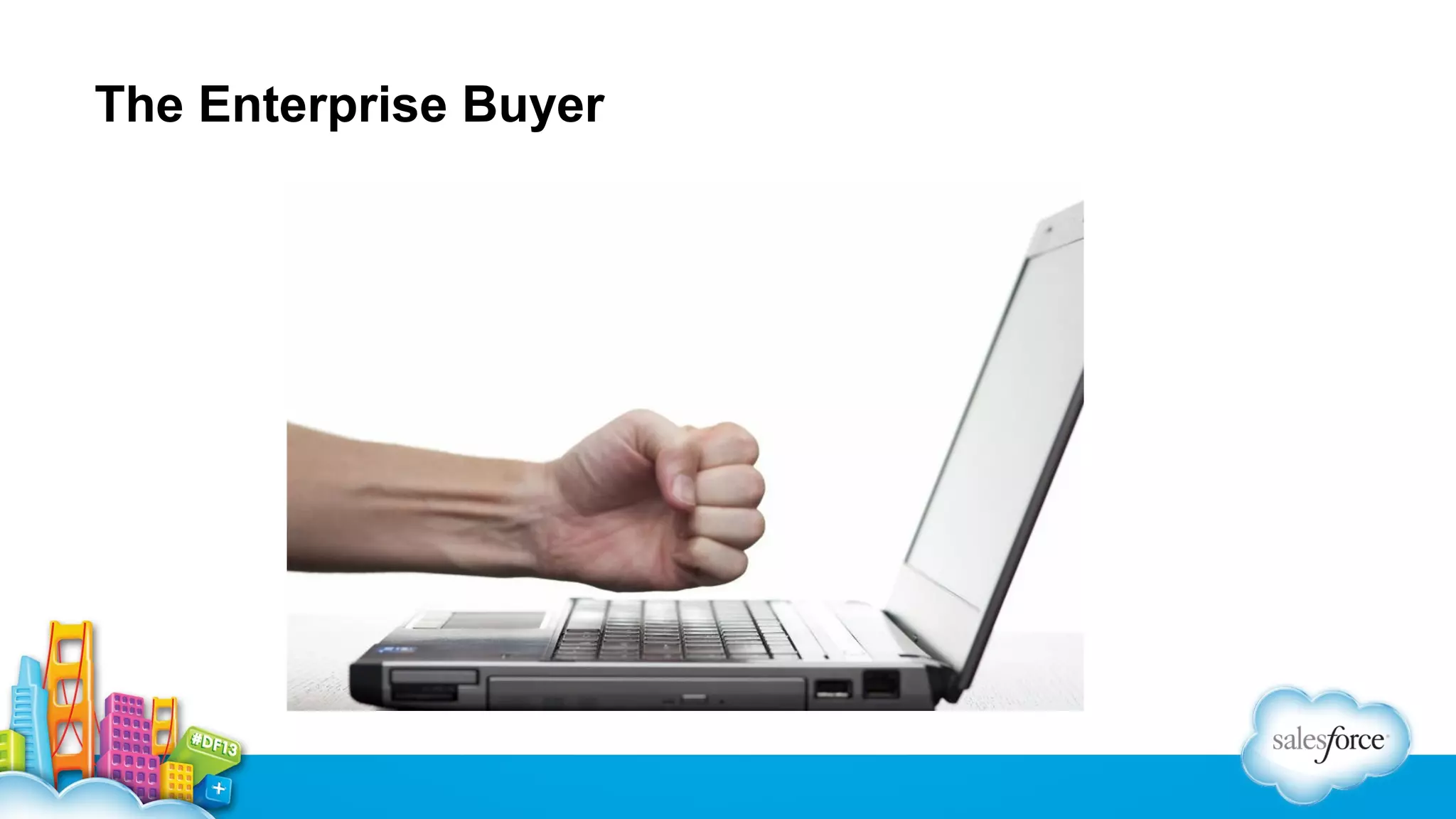
  • #8 http://www.hightechdad.com/wp-content/uploads/2009/07/angry_at_computer.png
  • #9 blog.thelettertwo.com
  • #10 http://stockmedia.cc/computing_technology/slides/DSD_4424.jpg
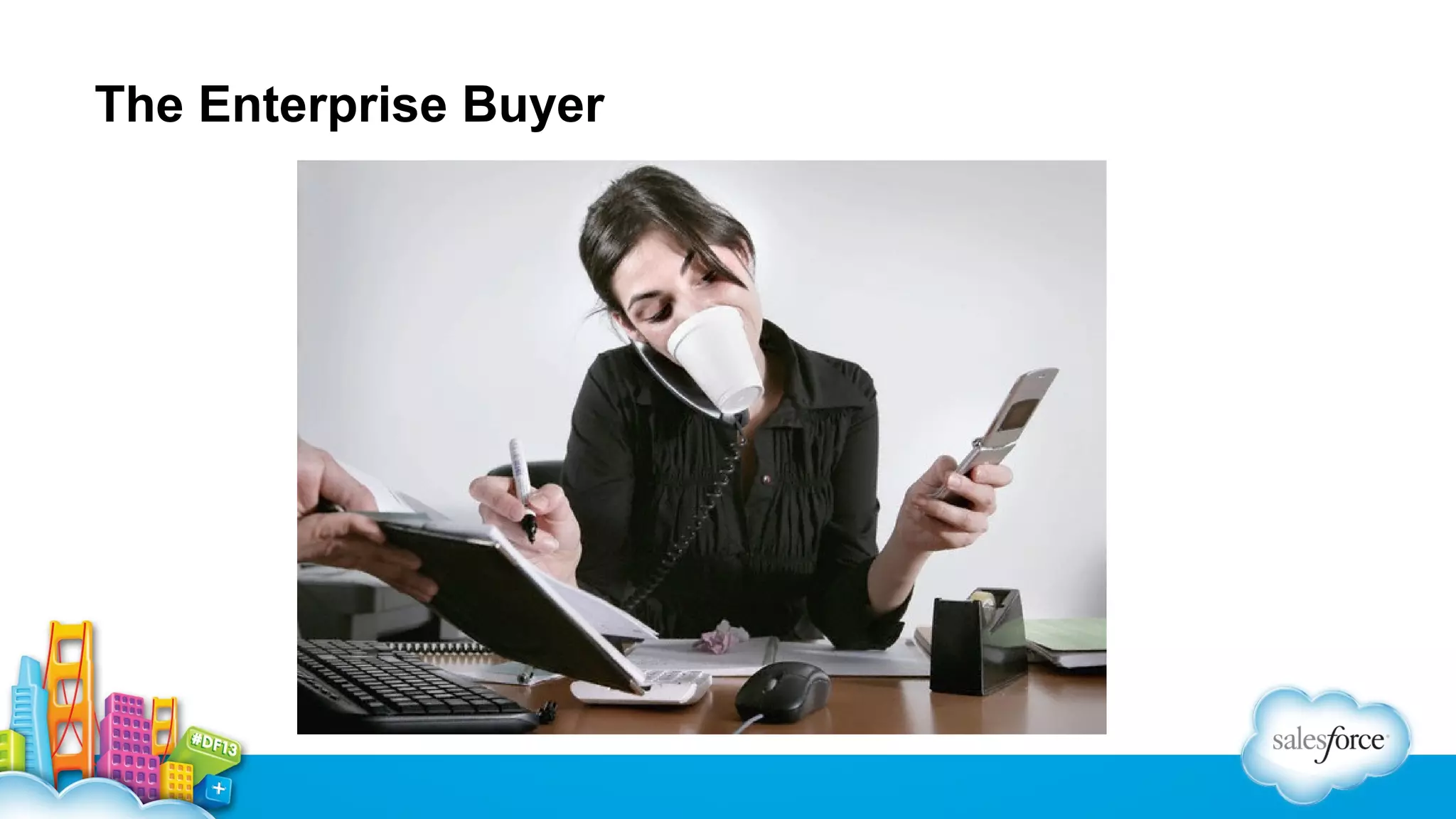
  • #11 http://spinsucks.com/wp-content/uploads/2013/04/The-Problem-with-Multitasking.jpeg When building apps for the enterprise, you&apos;re not only asking for the buyer&apos;s time and money, you&apos;re also asking them to change their behavior and how they work.  That means your product needs to be exponentially better, faster and easier than what they&apos;re doing today.
  • #15 Time, money, change behavior
  • #16 Validated hypothesis Beta Bootstrap and Easel.io Move into experimentation and rapid prototyping Iterative design Faster feedback cycles