7 Habits of Highly Efficient
Visualforce Pages
How to Not Shoot Yourself in the Foot with Visualforce
Eric Wilson, salesforce.com
Director, Product Management - UI Platforms
Safe Harbor
 Safe harbor statement under the Private Securities Litigation Reform Act of 1995:

 This presentation may contain forward-looking statements that involve risks, uncertainties, and assumptions. If any such uncertainties
 materialize or if any of the assumptions proves incorrect, the results of salesforce.com, inc. could differ materially from the results
 expressed or implied by the forward-looking statements we make. All statements other than statements of historical fact could be
 deemed forward-looking, including any projections of product or service availability, subscriber growth, earnings, revenues, or other
 financial items and any statements regarding strategies or plans of management for future operations, statements of belief, any
 statements concerning new, planned, or upgraded services or technology developments and customer contracts or use of our services.

 The risks and uncertainties referred to above include – but are not limited to – risks associated with developing and delivering new
 functionality for our service, new products and services, our new business model, our past operating losses, possible fluctuations in our
 operating results and rate of growth, interruptions or delays in our Web hosting, breach of our security measures, the outcome of
 intellectual property and other litigation, risks associated with possible mergers and acquisitions, the immature market in which we
 operate, our relatively limited operating history, our ability to expand, retain, and motivate our employees and manage our growth, new
 releases of our service and successful customer deployment, our limited history reselling non-salesforce.com products, and utilization
 and selling to larger enterprise customers. Further information on potential factors that could affect the financial results of salesforce.com,
 inc. is included in our annual report on Form 10-Q for the most recent fiscal quarter ended July 31, 2012. This documents and others
 containing important disclosures are available on the SEC Filings section of the Investor Information section of our Web site.

 Any unreleased services or features referenced in this or other presentations, press releases or public statements are not currently
 available and may not be delivered on time or at all. Customers who purchase our services should make the purchase decisions based
 upon features that are currently available. Salesforce.com, inc. assumes no obligation and does not intend to update these forward-
 looking statements.
Eric Wilson
Director, Product Management
UI Platforms
About Me

 Product Manager for All Salesforce UI Development Platforms
 10+ Years @ Salesforce
   Application Instructor
   UI Developer
   Interaction Designer
   Product Manager
Highly Efficient Visualforce Pages...


...Have Rock-Solid
   HTML, CSS, &
     JavaScript
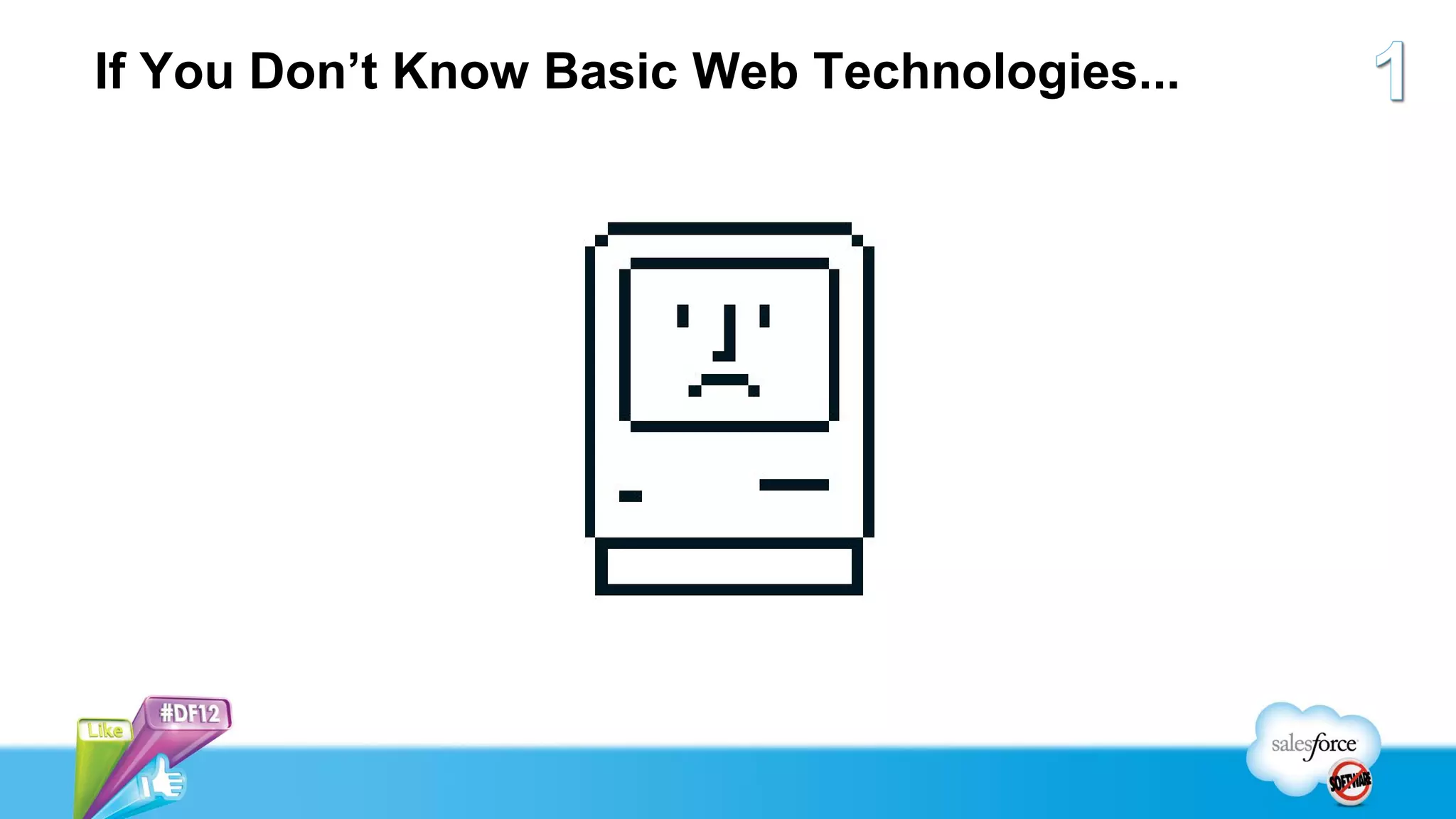
If You Don’t Know Basic Web Technologies...
Pop Quiz!
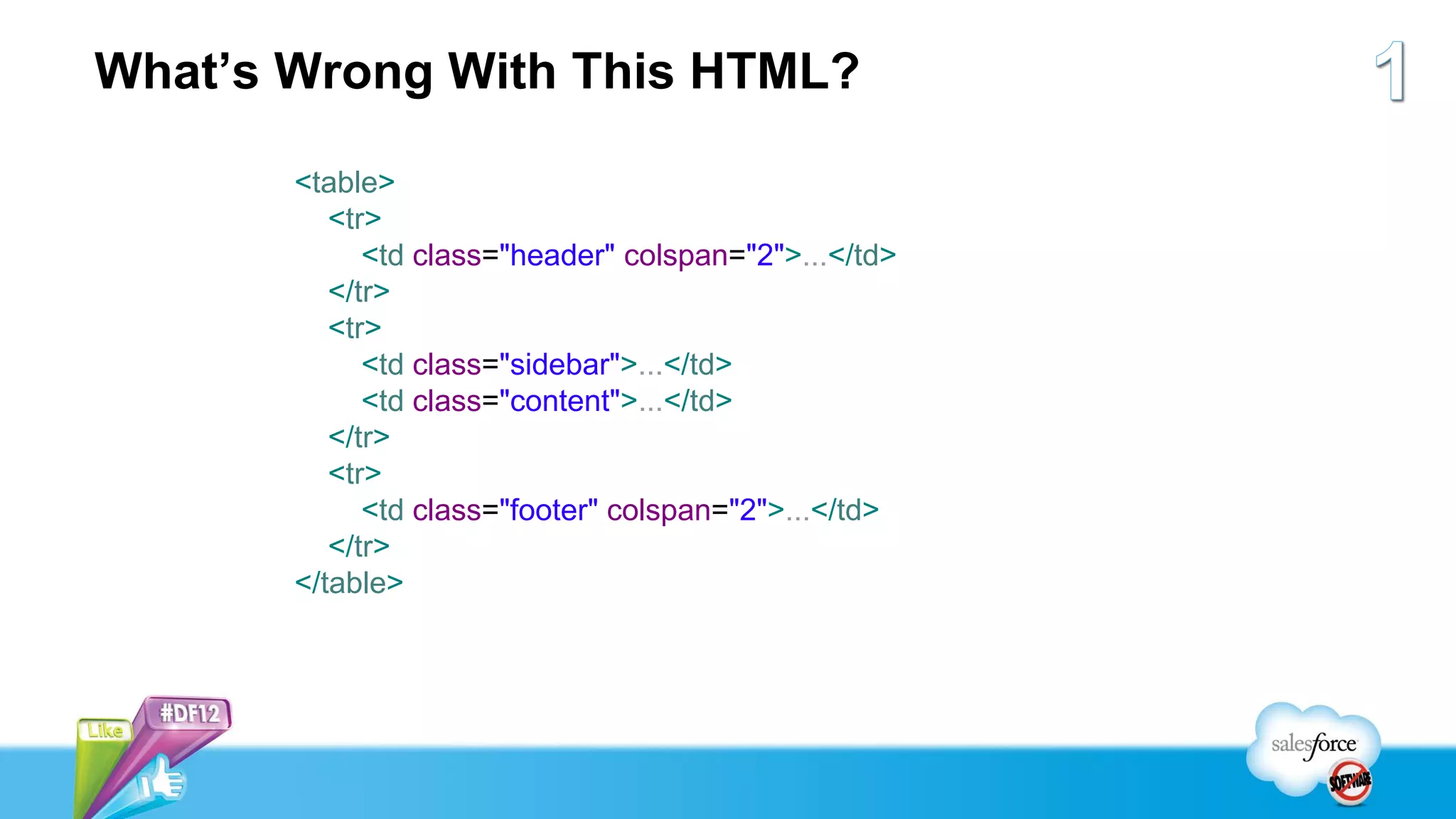
What’s Wrong With This HTML?

       <table>
          <tr>
             <td class="header" colspan="2">...</td>
          </tr>
          <tr>
             <td class="sidebar">...</td>
             <td class="content">...</td>
          </tr>
          <tr>
             <td class="footer" colspan="2">...</td>
          </tr>
       </table>
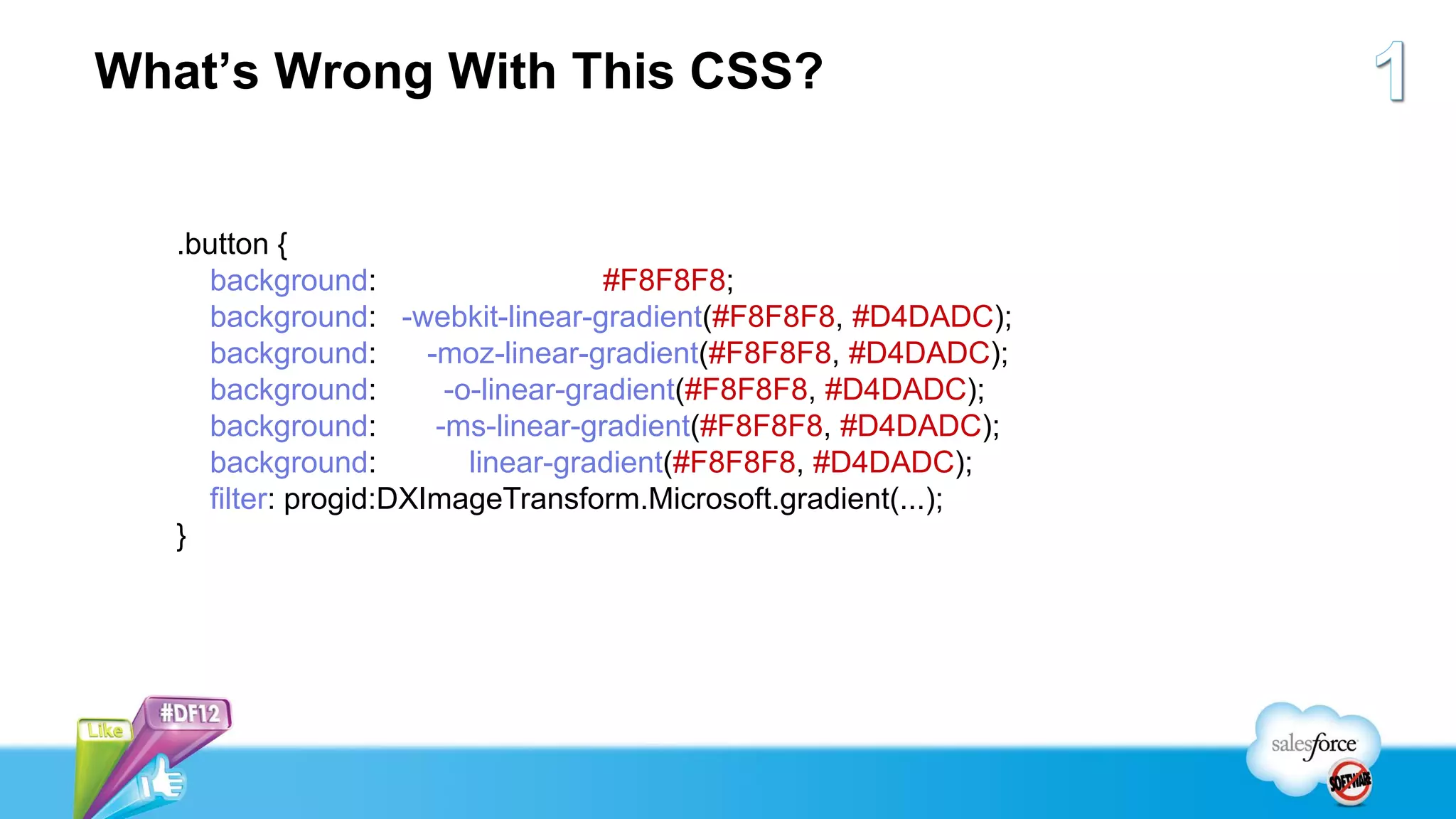
What’s Wrong With This CSS?


   .button {
     background:                      #F8F8F8;
     background: -webkit-linear-gradient(#F8F8F8, #D4DADC);
     background:       -moz-linear-gradient(#F8F8F8, #D4DADC);
     background:         -o-linear-gradient(#F8F8F8, #D4DADC);
     background:        -ms-linear-gradient(#F8F8F8, #D4DADC);
     background:           linear-gradient(#F8F8F8, #D4DADC);
     filter: progid:DXImageTransform.Microsoft.gradient(...);
   }
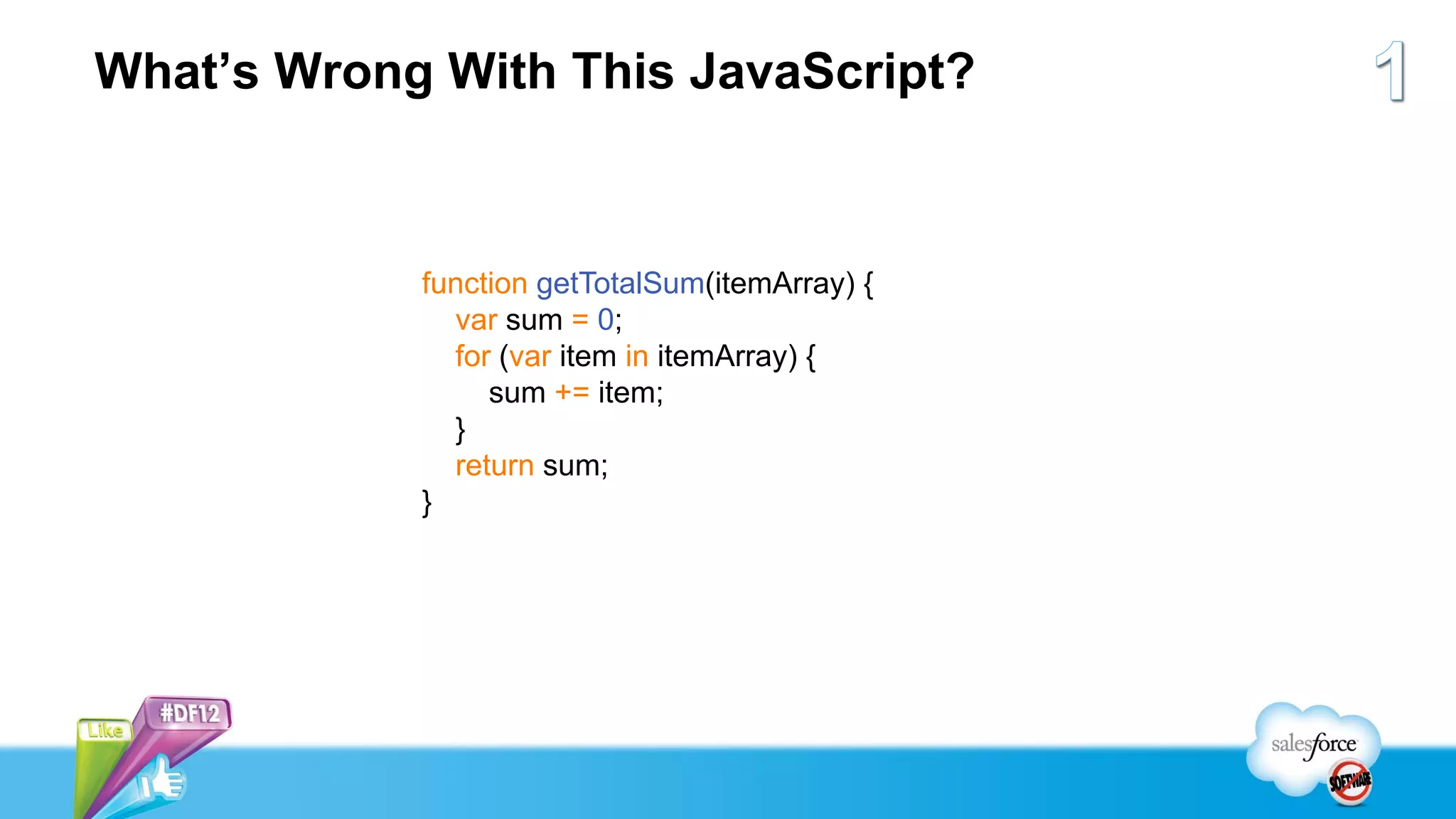
What’s Wrong With This JavaScript?


            function getTotalSum(itemArray) {
              var sum = 0;
              for (var item in itemArray) {
                 sum += item;
              }
              return sum;
            }
Highly Efficient Visualforce Pages...


  ...Do Not Support a
Single, Pixel-Perfect UI
   on Every Browser
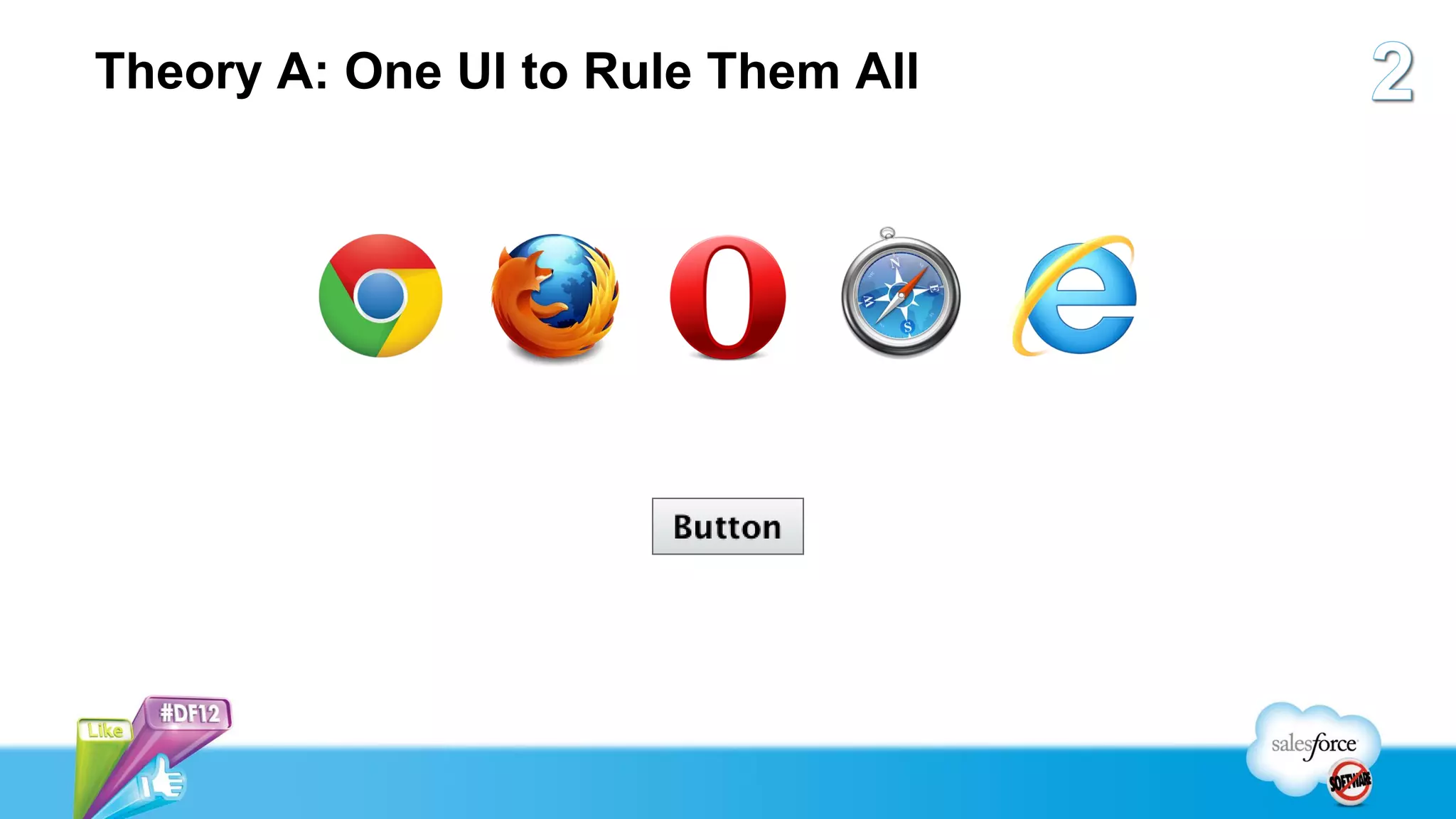
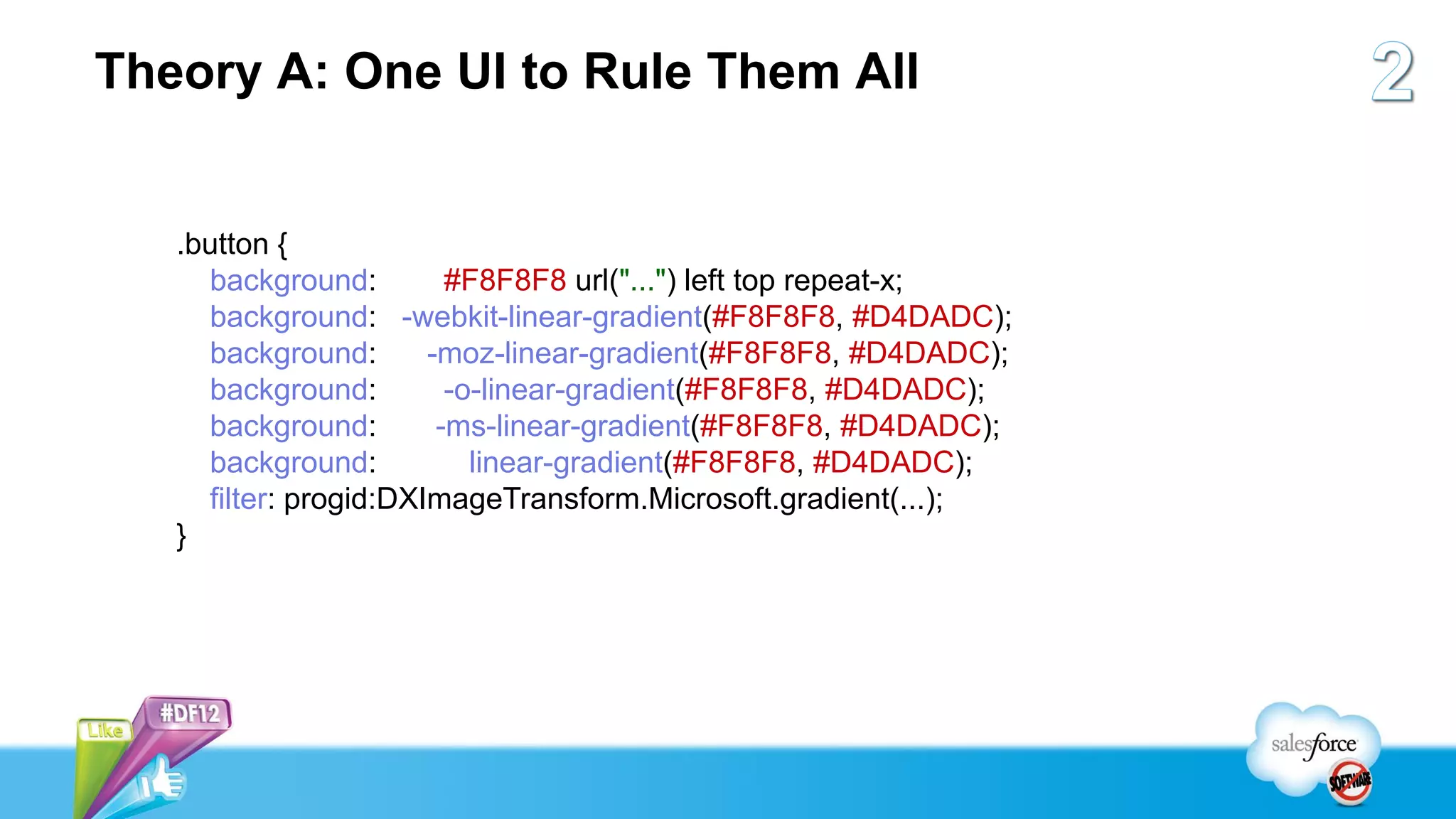
Theory A: One UI to Rule Them All


   .button {
     background:         #F8F8F8 url("...") left top repeat-x;
     background: -webkit-linear-gradient(#F8F8F8, #D4DADC);
     background:       -moz-linear-gradient(#F8F8F8, #D4DADC);
     background:         -o-linear-gradient(#F8F8F8, #D4DADC);
     background:        -ms-linear-gradient(#F8F8F8, #D4DADC);
     background:           linear-gradient(#F8F8F8, #D4DADC);
     filter: progid:DXImageTransform.Microsoft.gradient(...);
   }
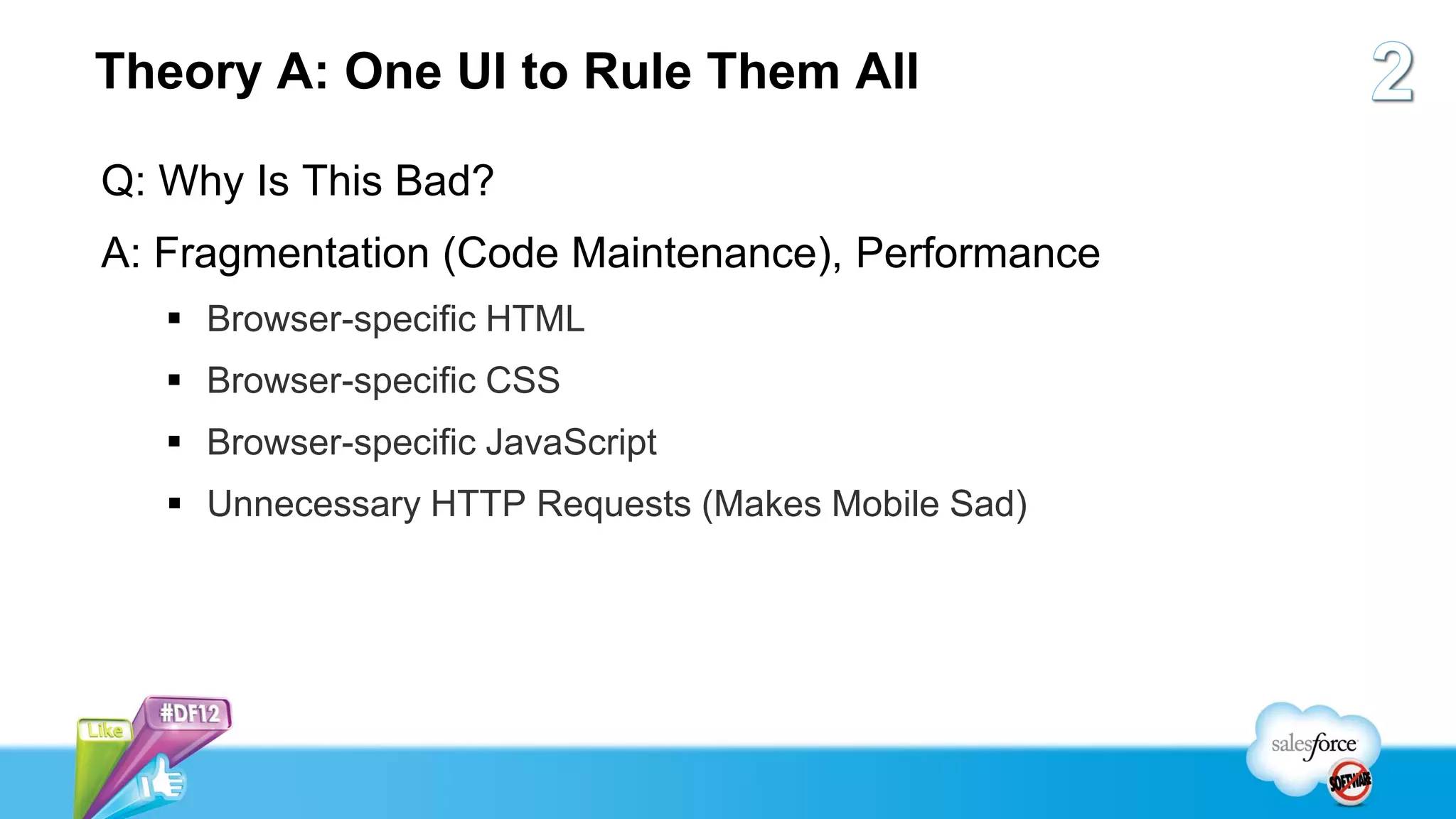
Theory A: One UI to Rule Them All

Q: Why Is This Bad?
A: Fragmentation (Code Maintenance), Performance
    Browser-specific HTML
    Browser-specific CSS
    Browser-specific JavaScript
    Unnecessary HTTP Requests (Makes Mobile Sad)
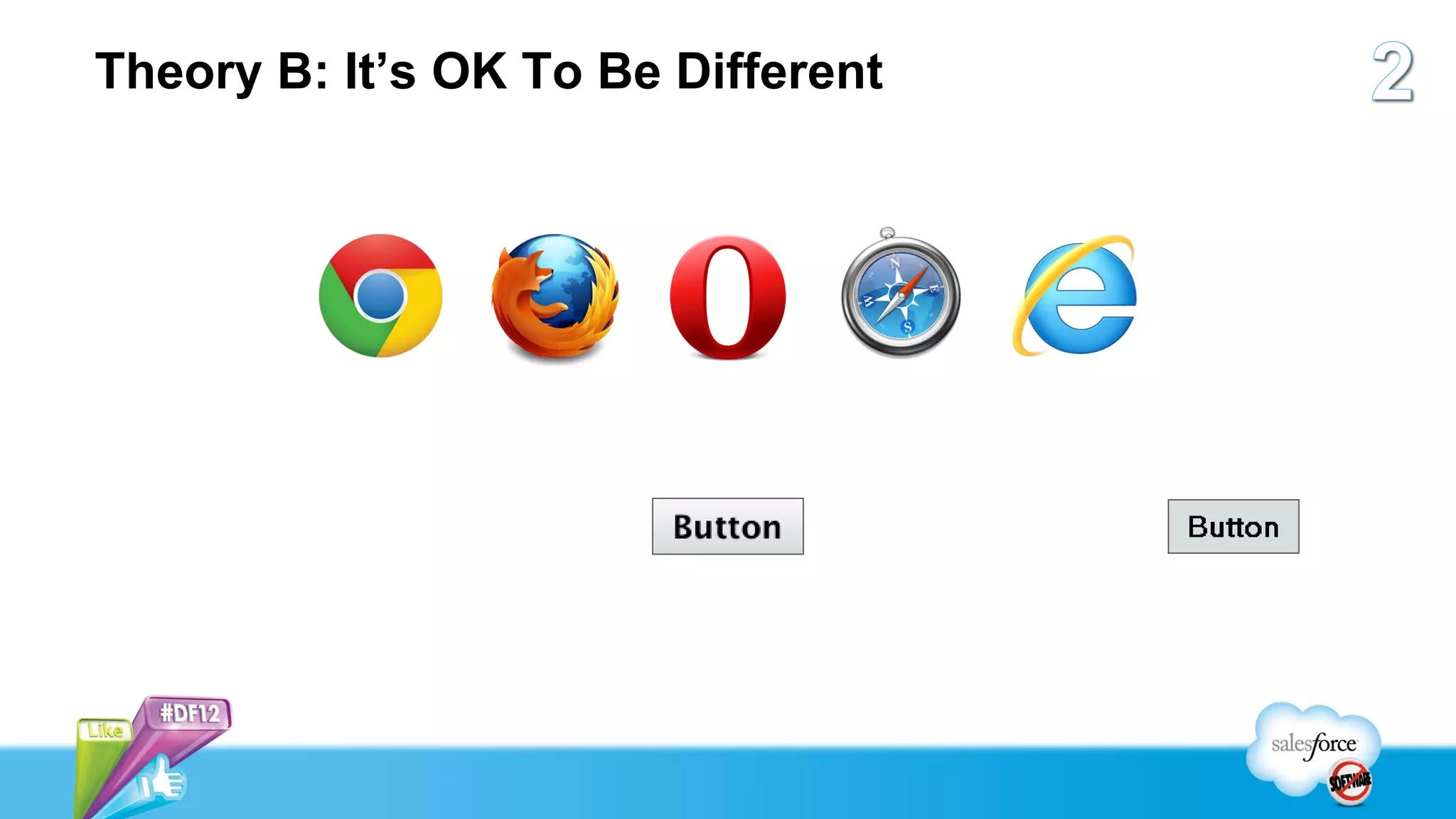
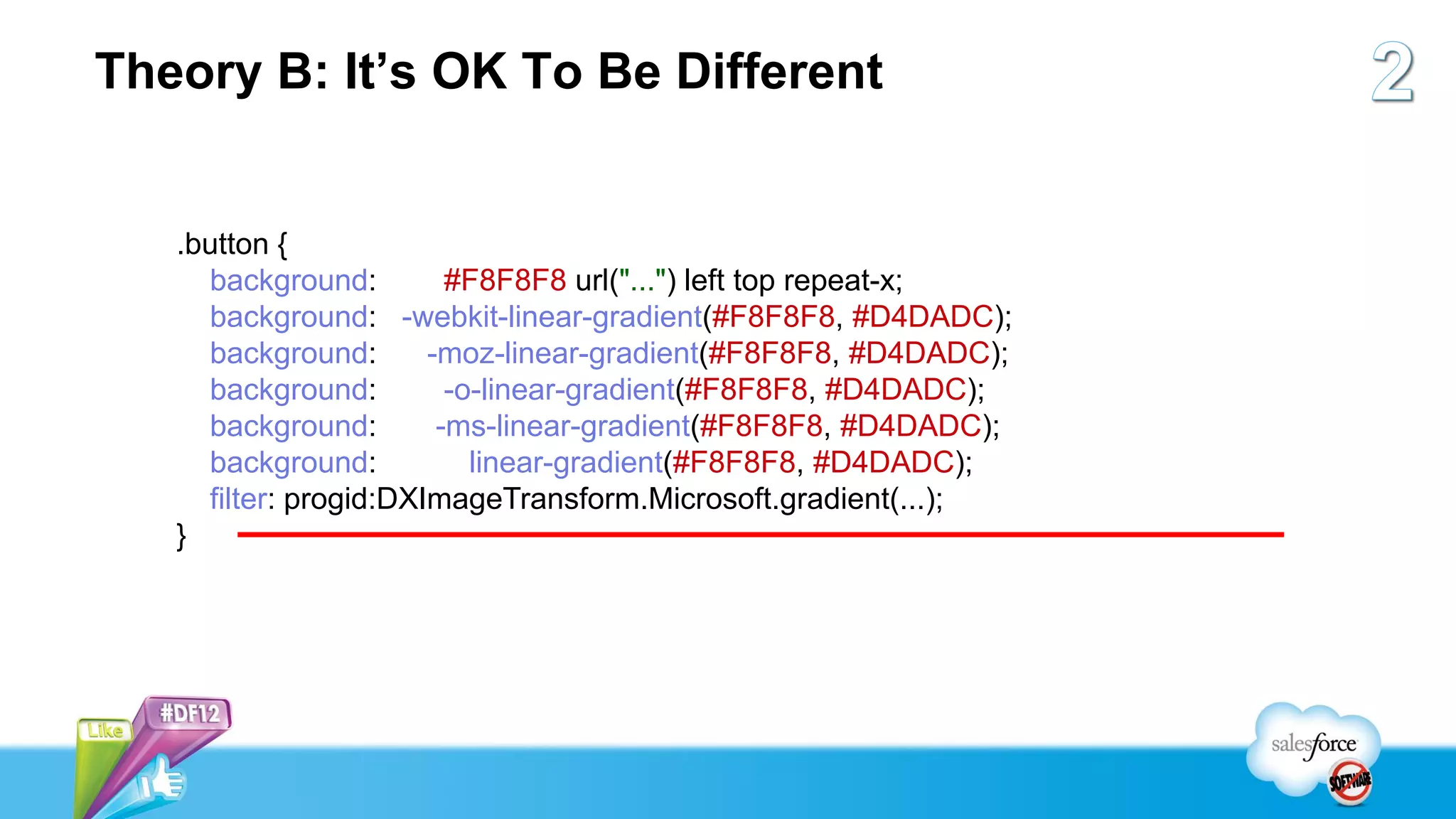
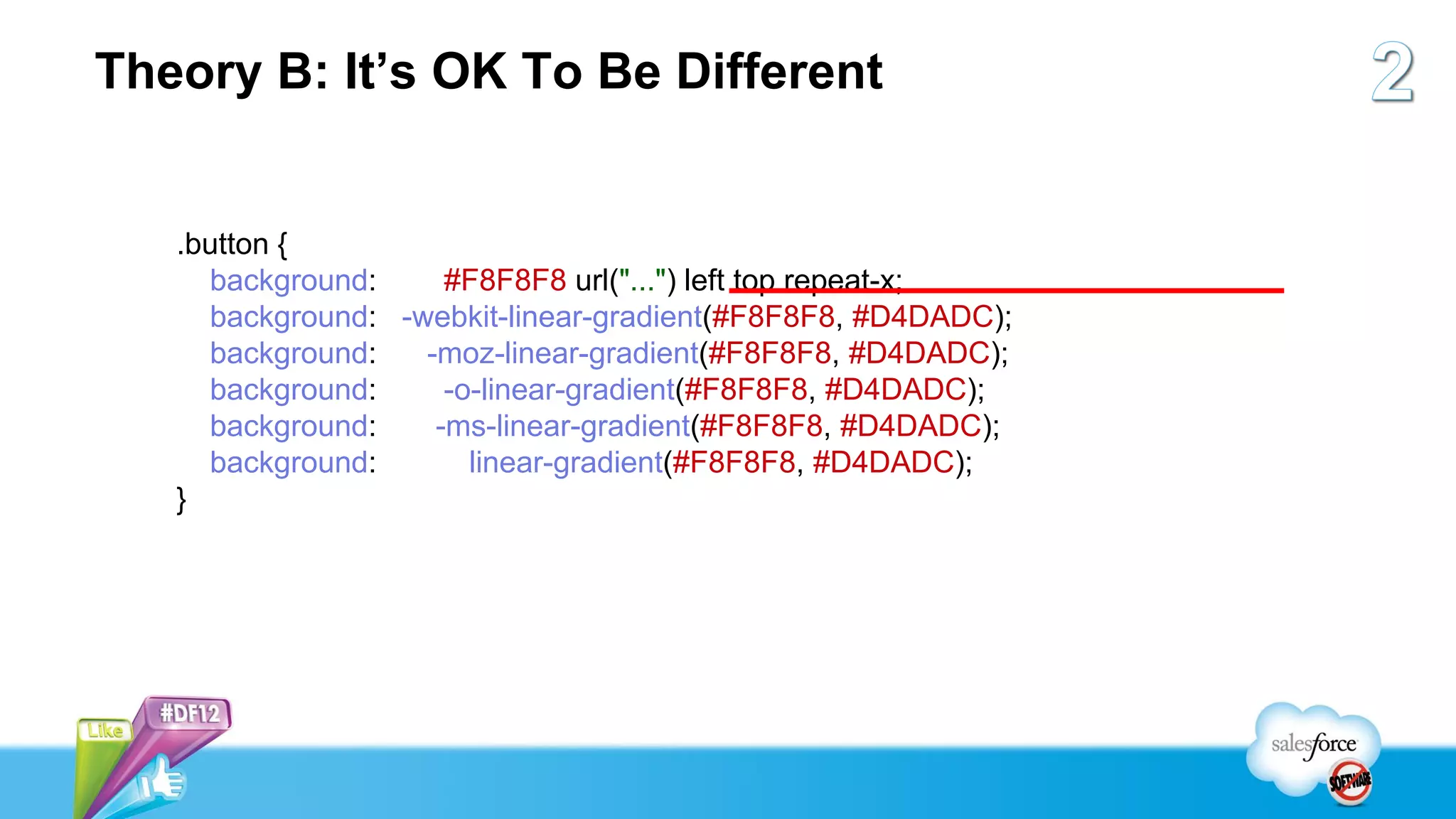
Theory B: It’s OK To Be Different


   .button {
     background:         #F8F8F8 url("...") left top repeat-x;
     background: -webkit-linear-gradient(#F8F8F8, #D4DADC);
     background:       -moz-linear-gradient(#F8F8F8, #D4DADC);
     background:         -o-linear-gradient(#F8F8F8, #D4DADC);
     background:        -ms-linear-gradient(#F8F8F8, #D4DADC);
     background:           linear-gradient(#F8F8F8, #D4DADC);
     filter: progid:DXImageTransform.Microsoft.gradient(...);
   }
Theory B: It’s OK To Be Different


   .button {
     background:     #F8F8F8 url("...") left top repeat-x;
     background: -webkit-linear-gradient(#F8F8F8, #D4DADC);
     background:   -moz-linear-gradient(#F8F8F8, #D4DADC);
     background:     -o-linear-gradient(#F8F8F8, #D4DADC);
     background:    -ms-linear-gradient(#F8F8F8, #D4DADC);
     background:       linear-gradient(#F8F8F8, #D4DADC);

   }
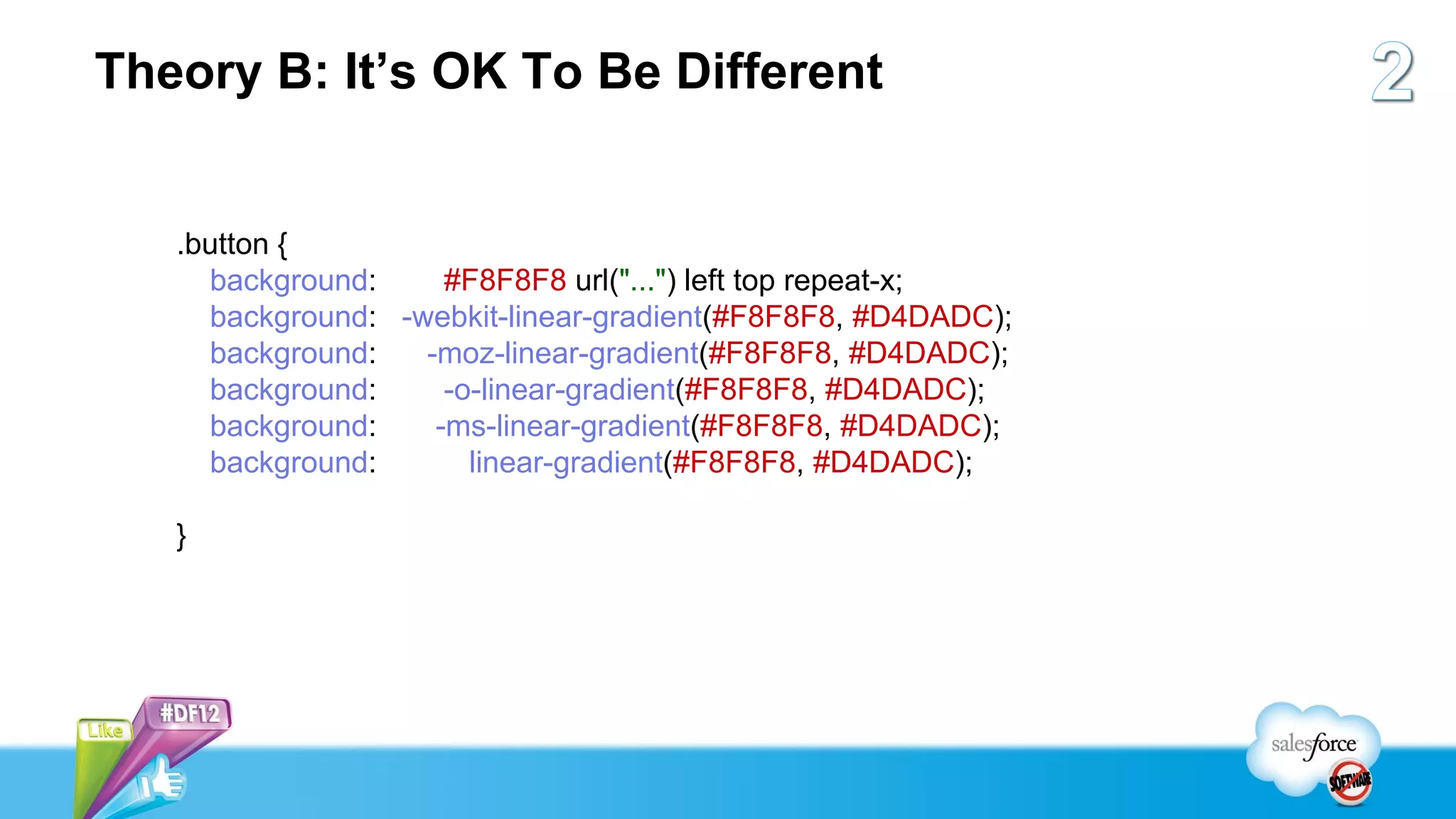
Theory B: It’s OK To Be Different


   .button {
     background:     #F8F8F8 url("...") left top repeat-x;
     background: -webkit-linear-gradient(#F8F8F8, #D4DADC);
     background:   -moz-linear-gradient(#F8F8F8, #D4DADC);
     background:     -o-linear-gradient(#F8F8F8, #D4DADC);
     background:    -ms-linear-gradient(#F8F8F8, #D4DADC);
     background:       linear-gradient(#F8F8F8, #D4DADC);
   }
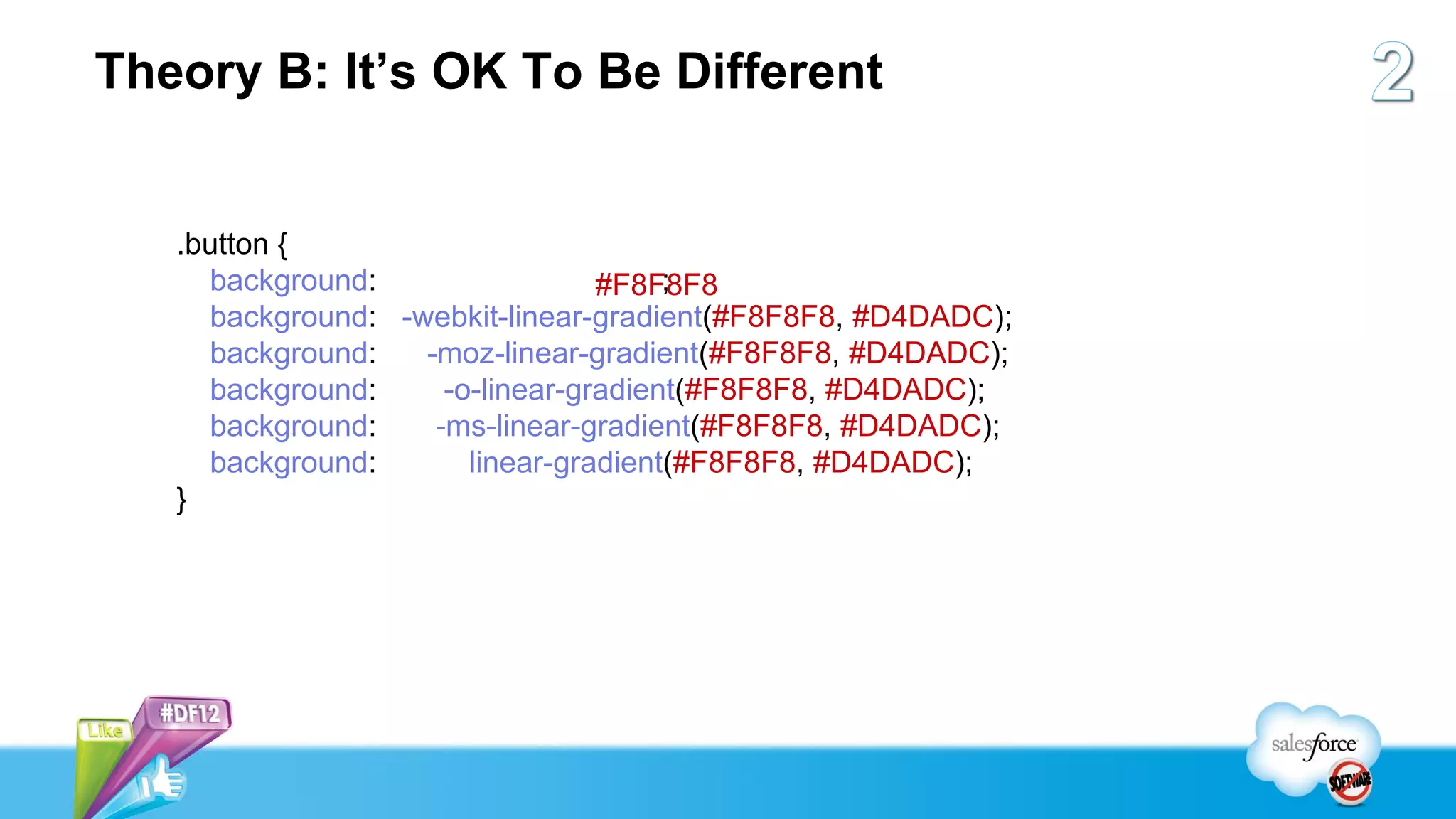
Theory B: It’s OK To Be Different


   .button {
     background:                      ;
                                 #F8F8F8
     background: -webkit-linear-gradient(#F8F8F8, #D4DADC);
     background:   -moz-linear-gradient(#F8F8F8, #D4DADC);
     background:     -o-linear-gradient(#F8F8F8, #D4DADC);
     background:    -ms-linear-gradient(#F8F8F8, #D4DADC);
     background:       linear-gradient(#F8F8F8, #D4DADC);
   }
Highly Efficient Visualforce Pages...


    ...Are Stateless,
Don’t Poll Our Servers,
and Defer Difficult Work
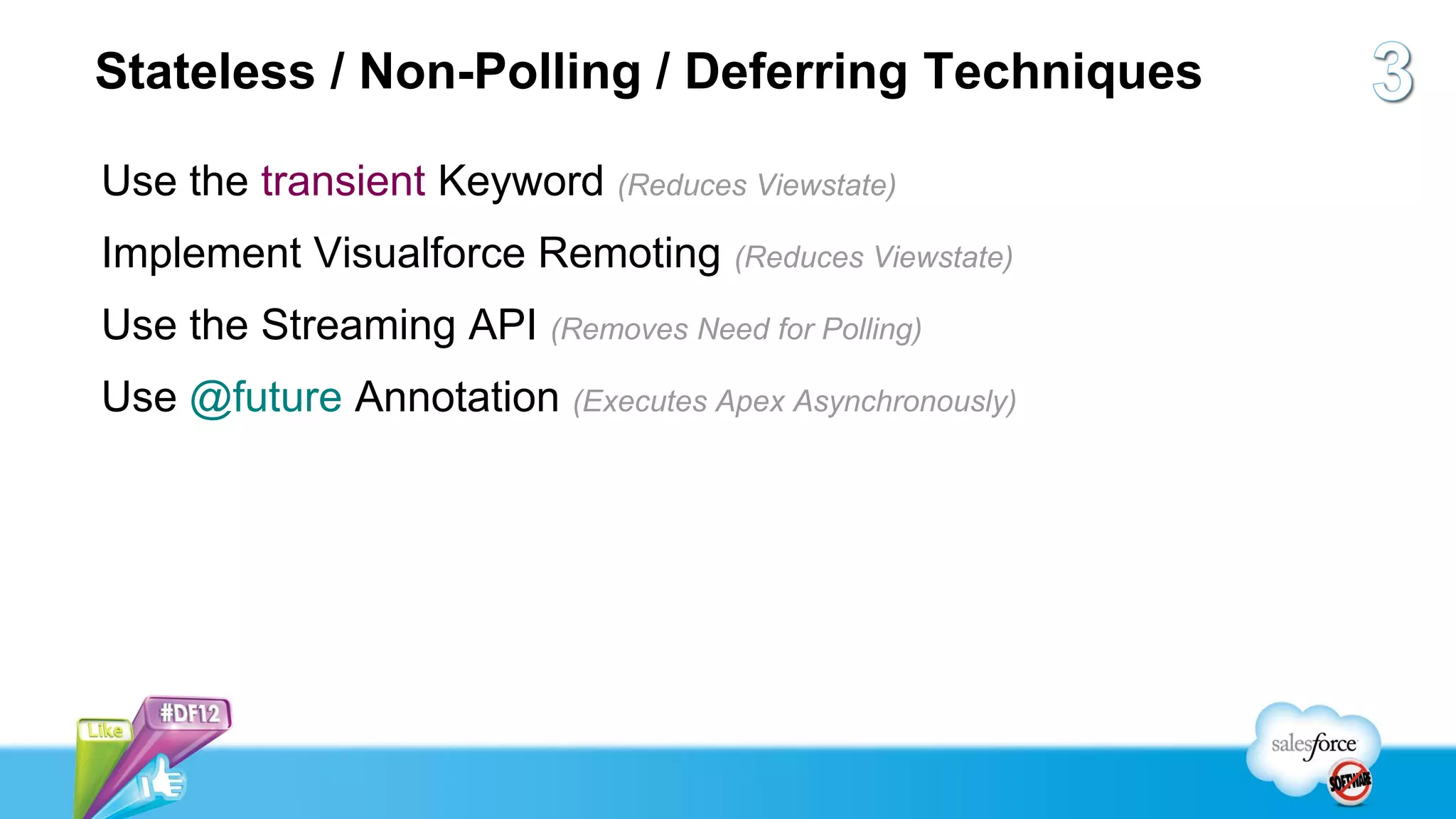
Stateless / Non-Polling / Deferring Techniques

Use the transient Keyword (Reduces Viewstate)
Implement Visualforce Remoting (Reduces Viewstate)
Use the Streaming API (Removes Need for Polling)
Use @future Annotation (Executes Apex Asynchronously)
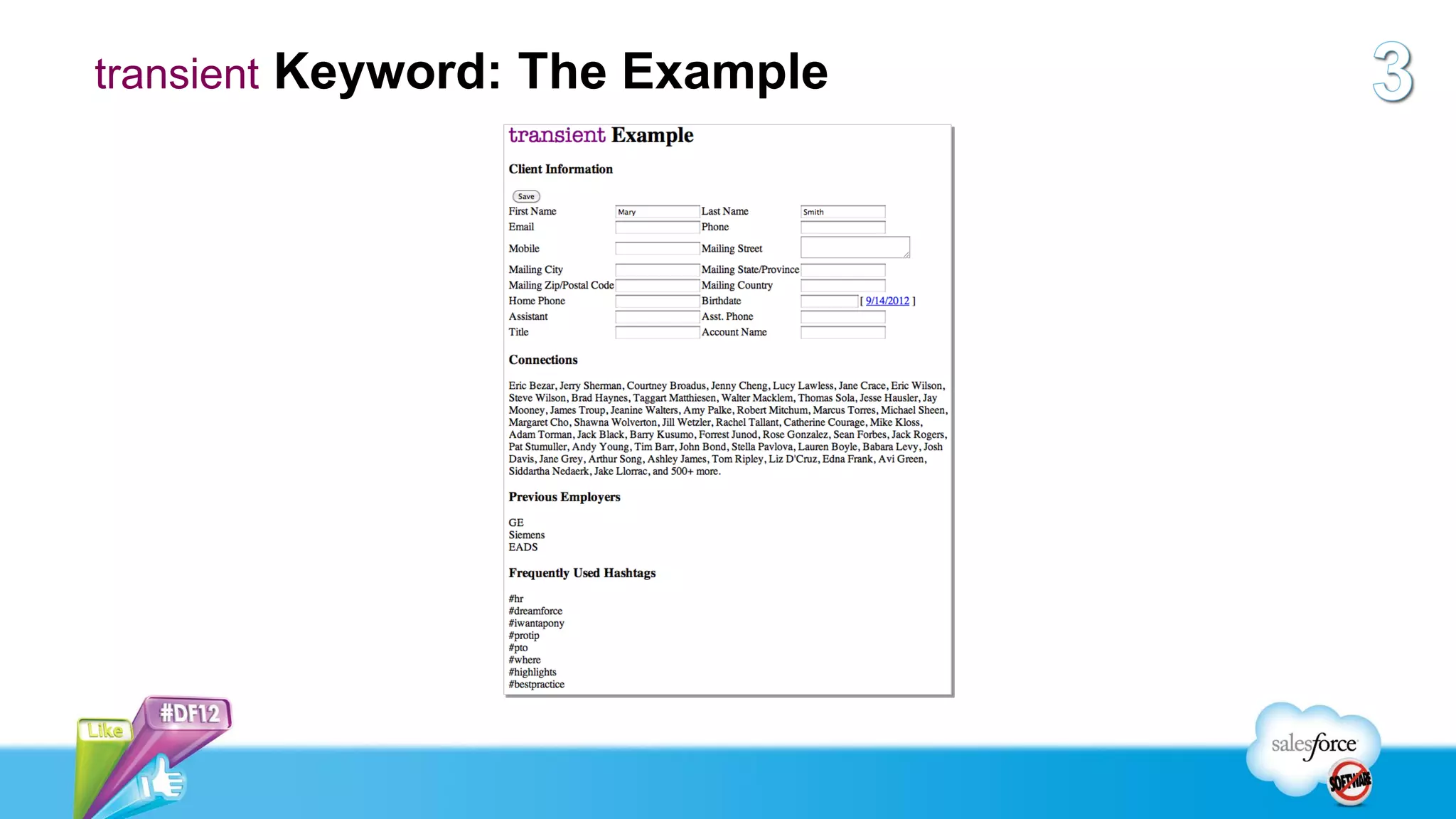
transient Keyword: The Example
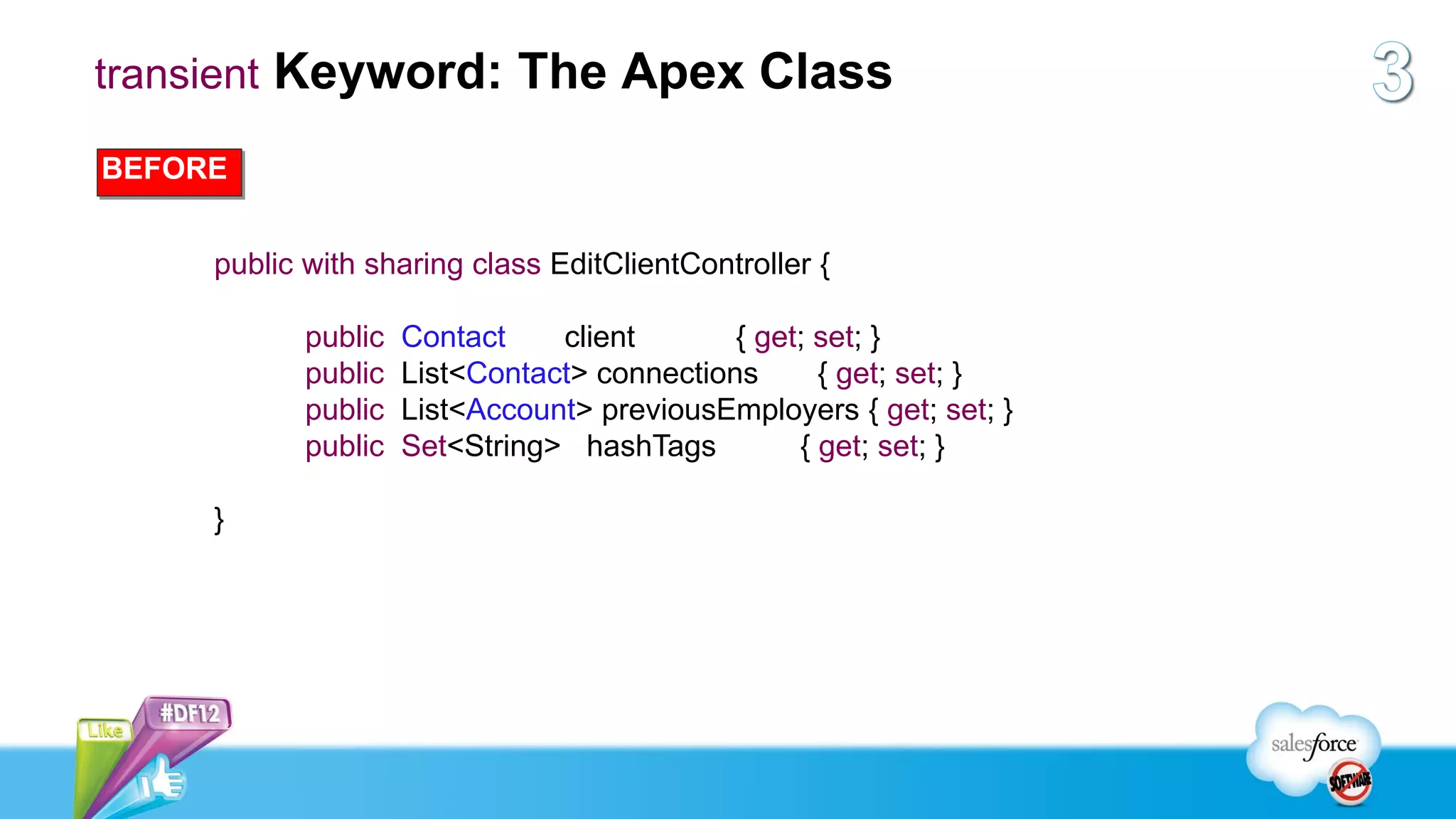
transient Keyword: The Apex Class

BEFORE


     public with sharing class EditClientController {

            public   Contact    client       { get; set; }
            public   List<Contact> connections      { get; set; }
            public   List<Account> previousEmployers { get; set; }
            public   Set<String> hashTags         { get; set; }

     }
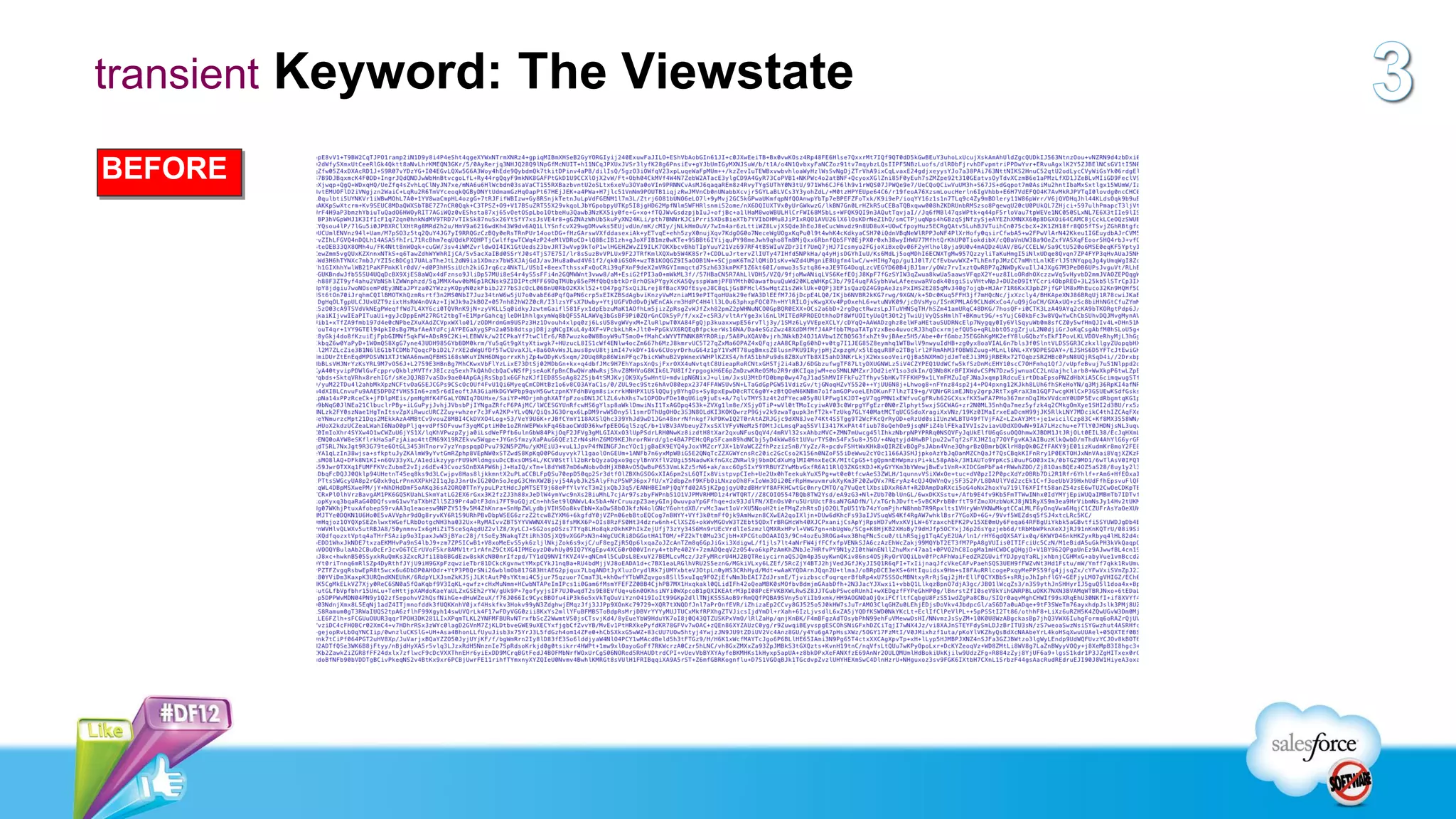
transient Keyword: The Viewstate

BEFORE
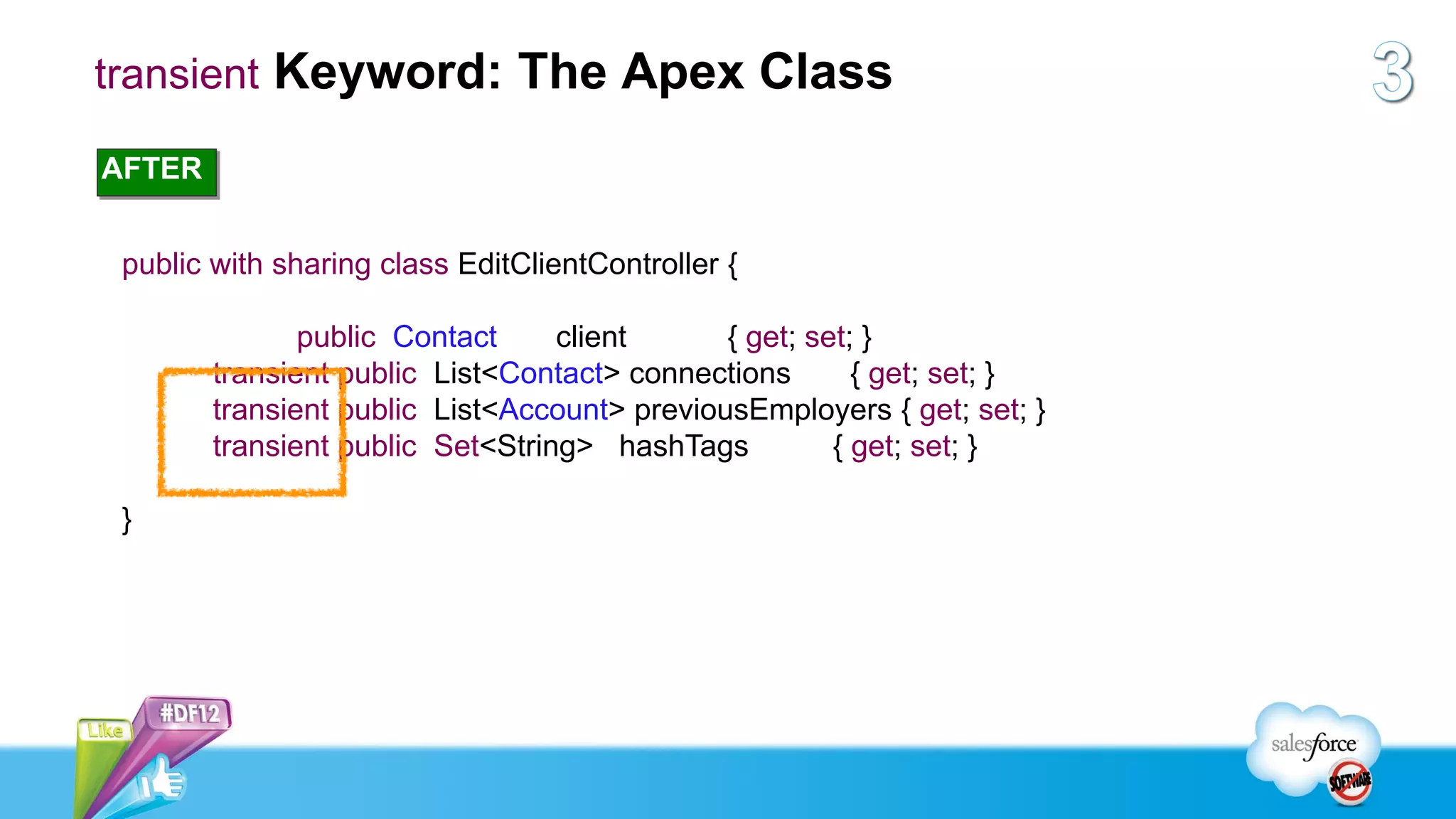
transient Keyword: The Apex Class

AFTER


 public with sharing class EditClientController {

               public Contact     client      { get; set; }
        transient public List<Contact> connections       { get; set; }
        transient public List<Account> previousEmployers { get; set; }
        transient public Set<String> hashTags          { get; set; }

 }
transient Keyword: The Viewstate

AFTER
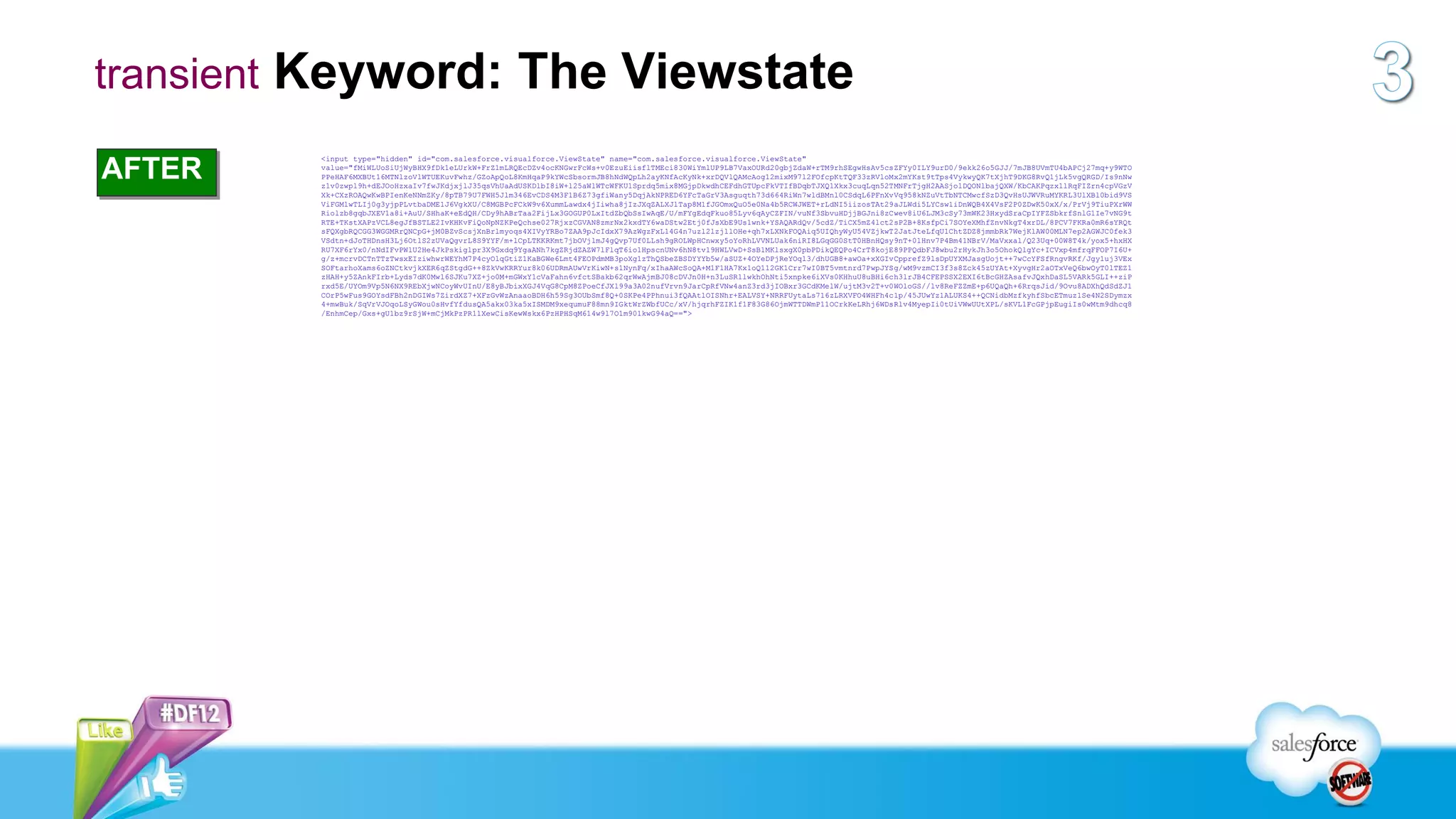
         <input type="hidden" id="com.salesforce.visualforce.ViewState" name="com.salesforce.visualforce.ViewState"
         value="fMiWLUoSiUjWyBHX9fDk1eLUrkW+FrZ1mLRQEcDZv4ocKNGwrFcWs+v0EzuEiisflTMEci830WiYmlUP9LB7VaxOURd20gbjZdaW+rTM9rhSEgwHsAv5csZFYy0ILY9urD0/9ekk26o5GJJ/7mJB8UVmTU4bAPCj27mq+y9WTO
         PPeHAF6MXBUt16MTNlzoVlWTUEKuvFwhz/GZoApQoL8KmHqaP9kYWcSbsormJB8hNdWQpLh2ayKNfAcKyNk+xrDQVlQAMcAog12mixM97l2FOfcpKtTQF33zRVloMx2mYKst9tTps4VykwyQK7tXjhT9DKG8RvQ1jLk5vgQRGD/Is9nNw
         z1v0zwpl9h+dEJOoHzxaIv7fwJKdjxjlJ35qsVhUaAdUSKDlbI8iW+l25aWlWTcWFKU1Sprdq5mix8MGjpDkwdhCEFdhGTUpcFkVTIfBDqbTJXQ1Xkx3cuqLqn52TMNFrTjgH2AASjo1DQONlbajQXW/KbCAKPqzx1lRqFIZrn4cpVGzV
         Xk+CXzROAQwKwBPIenKeNNmZKy/8pTB79U7FWH5Jlm346EvCDS4M3F1B6Z73gfiWany5DqjAkNPRED6YFcTaGrV3Asguqth73d664RiWn7wldBMnl0CSdqL6PFnXvVq958kNZuVtTbNTCMwcfSzD3QvHsUJWVRuMYKRL3UlXBl0bid9VS
         ViFGMlwTLIj0g3yjpPLvtbaDME1J6VgkXU/C8MGBPcFCkW9v6XummLawdx4jIiwha8jIzJXqZALXJlTap8M1fJGOmxQuO5e0Na4b5RCWJWET+rLdNI5iizosTAt29aJLWdi5LYCsw1iDnWQB4X4VsF2P0ZDwK50xX/x/PrVj9TiuPXrWW
         Riolzb8gqbJXEV1a8i+AuU/SHhaK+eEdQH/CDy9hABrTaa2FijLx3GOGUP0LxItdZbQbSsIwAqE/U/mFYgEdqFkuo85Lyv6qAyCZFIN/vuNf3SbvuHDjjBGJni8zCwev8iU6LJM3cSy73mWK23HxydSraCpIYFZSbkrfSnlG1Ie7vNG9t
         RTE+TKstXAPzVCL8egJfBSTLE2IvKHKvFiQoNpNZKPeQchse027RjxzCGVAN8zmrNx2kxdTY6waDStw2Etj0fJsXbE9Us1wnk+YSAQARdQv/5cdZ/TiCX5mZ4lct2sP2B+8KsfpCi7SOYeXMhfZnvNkgT4xrDL/8PCV7FKRa0mR6sYRQt
         sFQXgbRQCGG3WGGMRrQNCpG+jM0BZvScsjXnBrlmyoqs4XIVyYRBo7ZAA9pJcIdxX79AzWgzFxL14G4n7uzl2lzjllOHe+qh7xLXNkFOQAiq5UIQhyWyU54VZjkwT2JatJteLfqU1ChtZDZ8jmmbRk7WejKlAW00MLN7ep2AGWJC0fek3
         VSdtn+dJoTHDnsH3Lj6OtlS2zUVaQgvrL8S9YYF/m+lCpLTKKRKmt7jbOVjlmJ4gQvp7Uf0LLsh9gROLWpHCnwxy5oYoRhLVVNLUak6niRI8LGqGG0StT0HBnHQsy9nT+01Hnv7P4Bm41NBrV/MaVxxal/Q23Uq+00W8T4k/yox5+hxHX
         RU7XF6rYx0/nNdIFvPWlU2He4JkPskiglpr3X9Gxdq9YgaANh7kgZRjdZAZW7lFlqT6io1HpscnUNv6hN8tv19HWLVwD+SsB1MKlsxgX0pbPDikQEQPo4CrT8kojE89PPQdbFJ8wbu2rHykJh3o5OhokQlgYc+ICVxp4mfrqFFOP7I6U+
         g/z+mcrvDCTnTTzTwsxEIziwhwrWEYhM7P4cyOlqGtiZ1KaBGWe6Lmt4FEOPdmMB3poXg1zThQSbeZBSDYYYb5w/aSUZ+4OYeDPjReYOql3/dhUGB8+awOa+xXGIvCpprefZ9lsDpUYXMJasgUojt++7wCcYFSfRngvRKf/Jgy1uj3VEx
         SOFtarhoXams6oZNCtkvjkXER6qZStgdG++8ZkVwKRRYur8k06UDRmAUwVrKiwN+s1NynFq/xIhaAWcSoQA+M1F1HA7Kx1oQ112GK1Crr7wI0BT5vmtnrd7PwpJYSg/wM9vzmCI3f3s8Zck45zUYAt+XyvgHr2aOTxVeQ6bwOyT0lTEZ1
         zHAH+y5ZAnkFIrb+Lyds7dK0Mwl6SJKu7XZ+jo0M+mGWxY1cVaFahn6vfctSBakb62qrWwAjmBJ08cDVJn0H+n3LuSR1lwkhOhNti5xnpke6iXVs0KHhuU8uBHi6ch3lrJB4CFEPSSX2EXI6tBcGHZAsafvJQxhDaSL5VARk5GLI++ziP
         rxd5E/UYOm9Vp5N6NX9REbXjwNCoyWvUInU/E8yBJbixXGJ4VqG8CpM8ZPoeCfJXl99a3A02nufVrvn9JarCpRfVNw4anZ3rd3jIOBxr3GCdKMelW/ujtM3v2T+v0WOloGS//lv8ReFZZmE+p6UQaQh+6RrqsJid/9Ovu8ADXhQdSdZJ1
         COrP5wFus9GOYsdFBh2nDGIWs7ZirdXZ7+XFzGvWzAnaaoBDH6h59Sg3OUbSmf8Q+0SKPe4PPhnui3fQAAtlOISNhr+EALVSY+NRRFUytaLs716zLRXVFO4WHFh4c1p/45JUwYz1ALUKS4++QCNidbMzfkyhfSbcETmuz1Se4N2SDymzx
         4+mwBuk/SqVrVJOqoLSyGWou0sHvfYfdusQA5akx03ka5xISMDM9xequmuF88mn9IGktWrZWbfUCc/xV/hjqrhFZIK1f1F83G86OjmWTTDWmP11OCrkKeLRhj6WDsRlv4MyepIi0tUiVWwUUtXPL/sKVL1FcGPjpEugiIs0wMtm9dhcq8
         /EnhmCep/Gxs+gU1bz9rSjW+mCjMkPzPR11XewCisKewWskx6PzHPHSqM614w9l7O1m901kwG94aQ==">
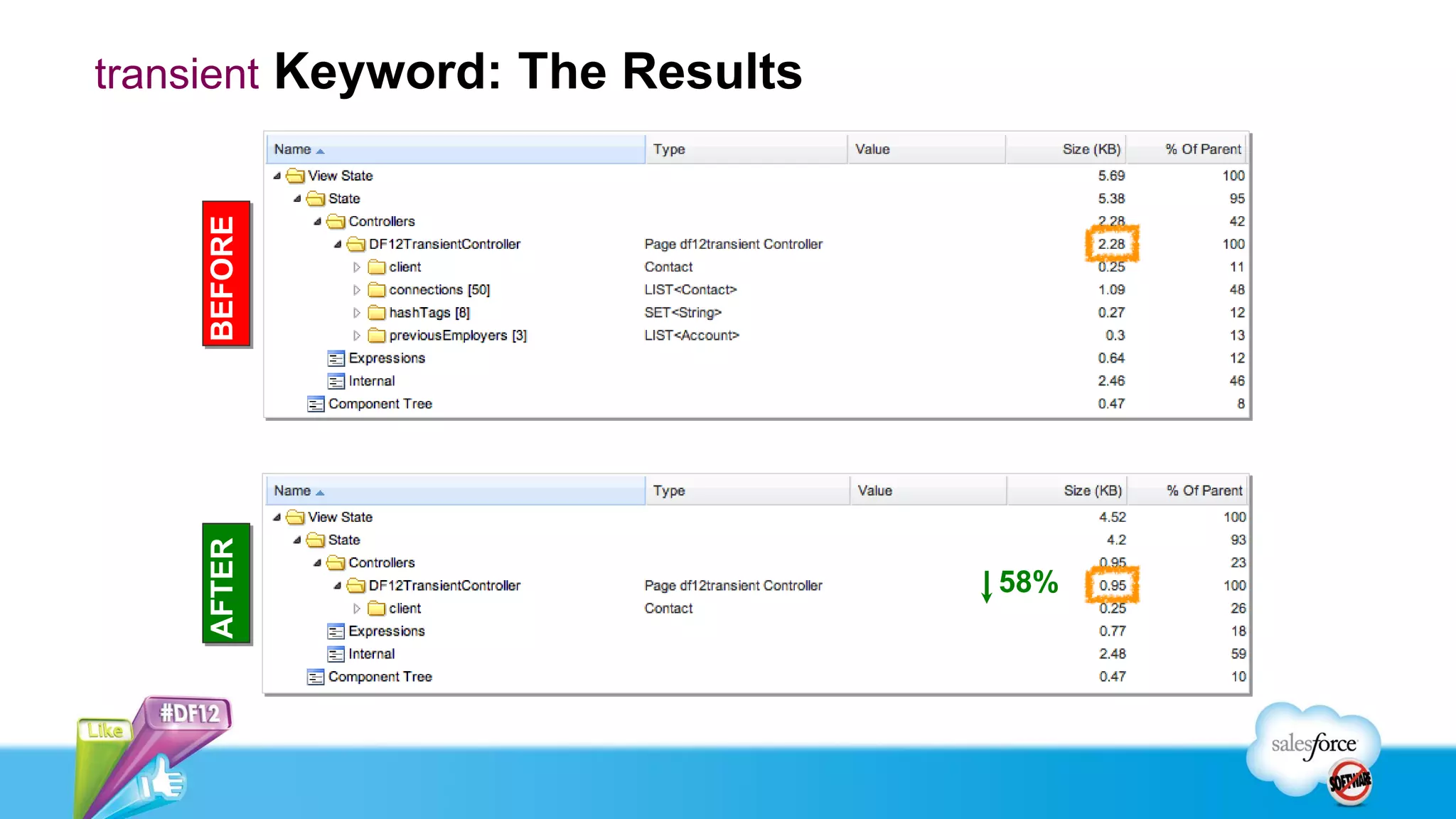
transient Keyword: The Results


    BEFORE
    AFTER


                                 58%
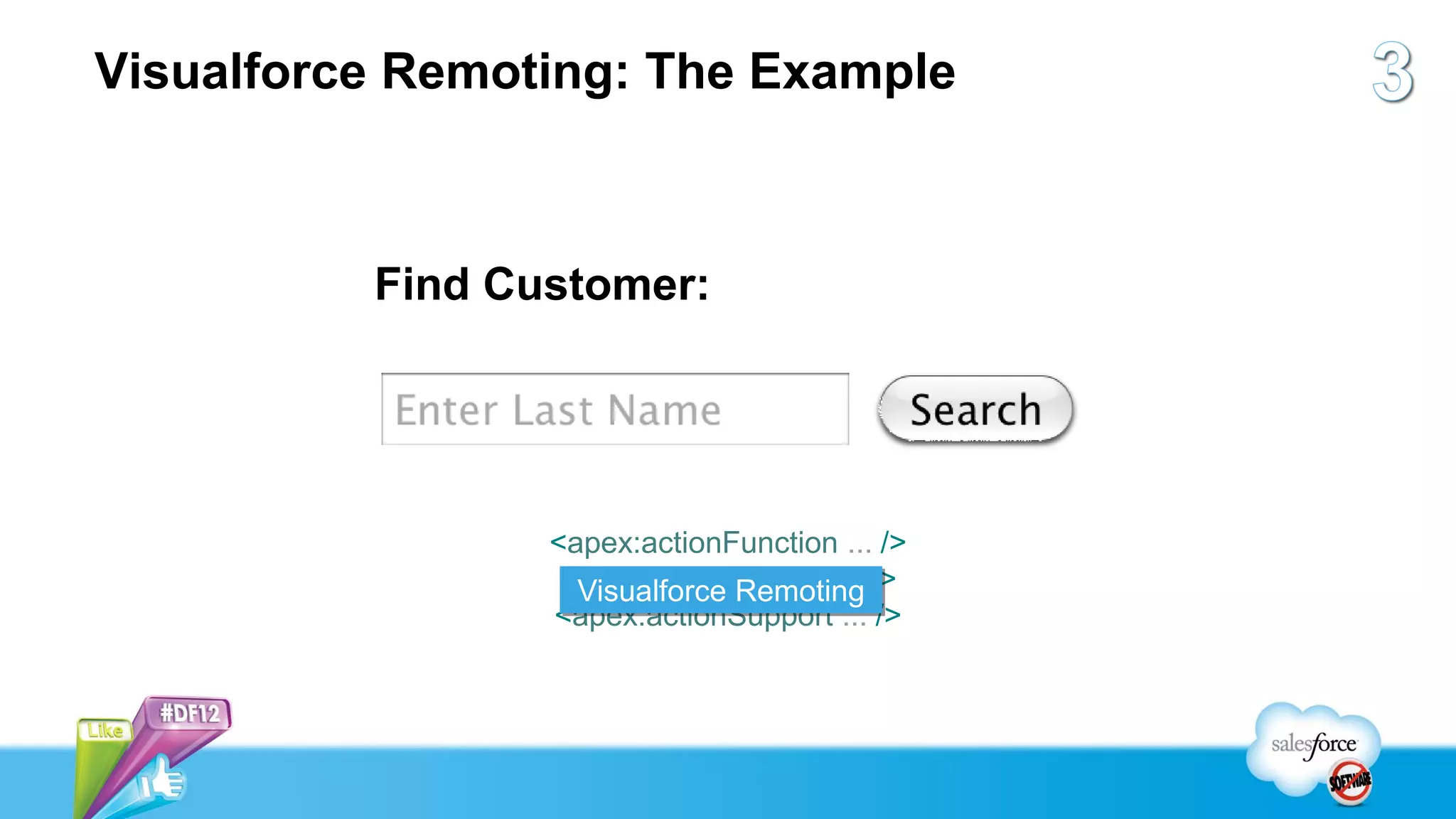
Visualforce Remoting: The Example


          Find Customer:


                 <apex:actionFunction ... />
                  <apex:actionRegion ... />
                   Visualforce Remoting
                 <apex:actionSupport ... />
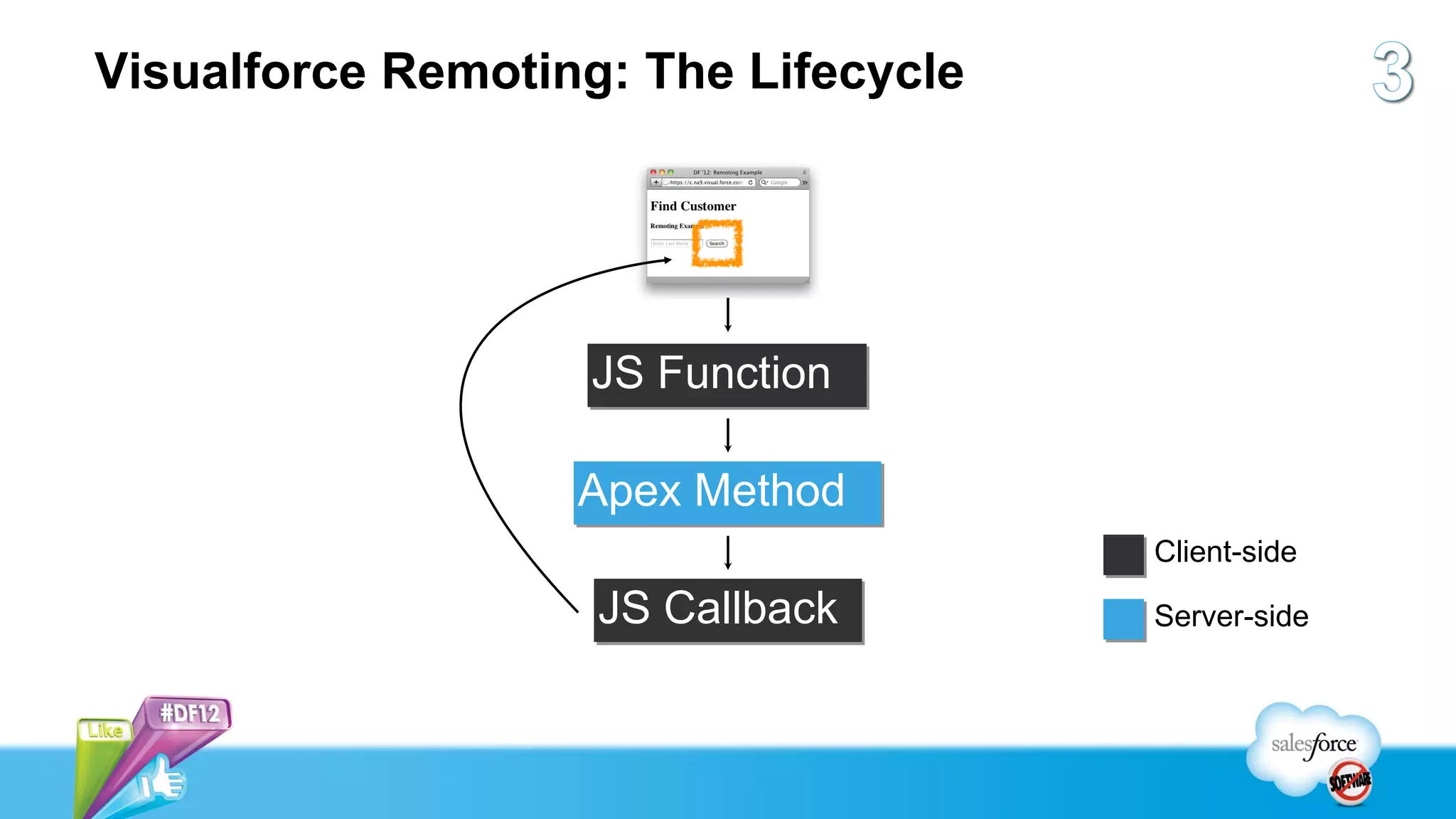
Visualforce Remoting: The Lifecycle


                   JS Function

                   Apex Method
                                      Client-side

                    JS Callback       Server-side
JS Function


Apex Method


JS Callback
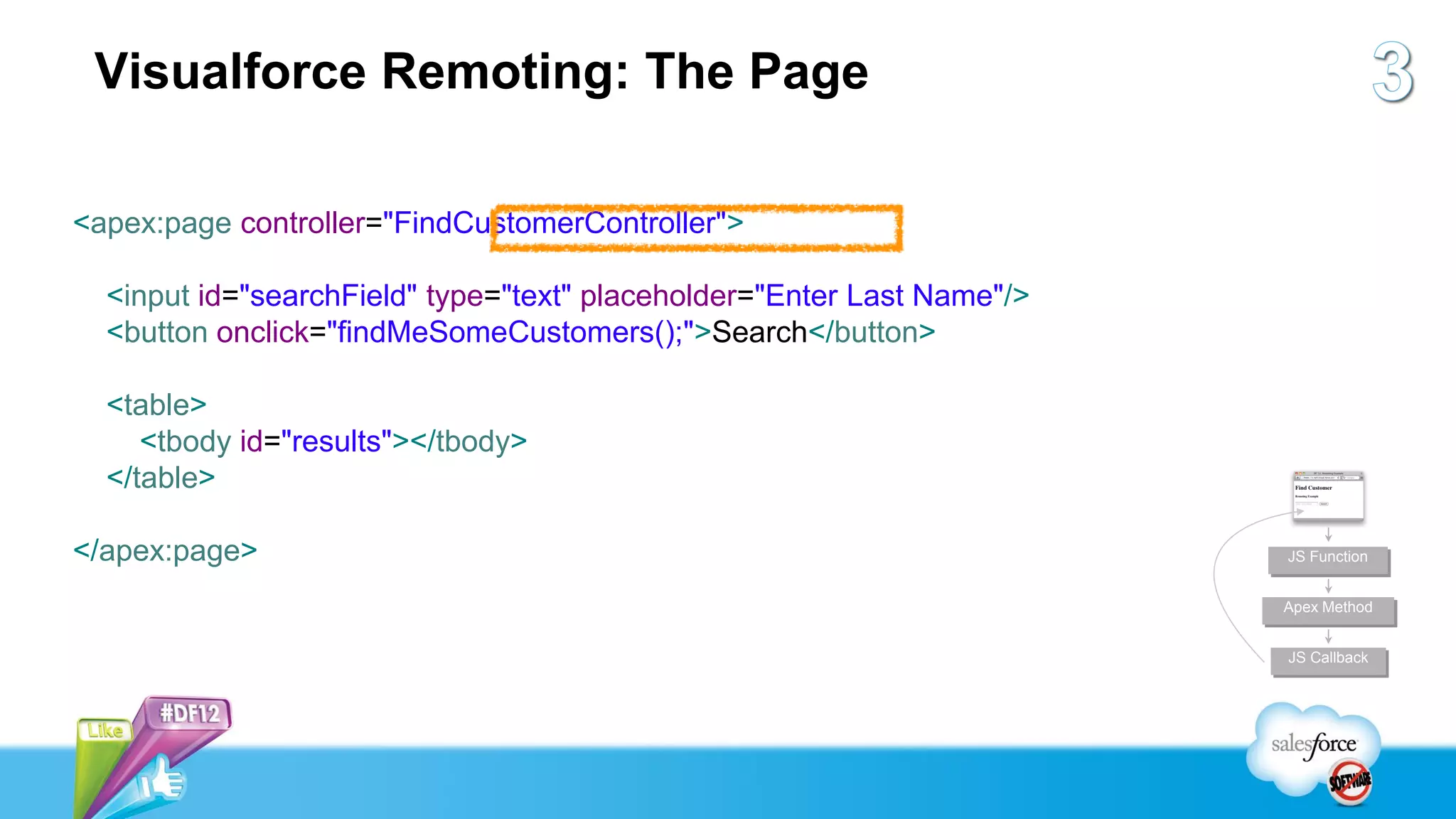
Visualforce Remoting: The Page

<apex:page controller="FindCustomerController">

  <input id="searchField" type="text" placeholder="Enter Last Name"/>
  <button onclick="findMeSomeCustomers();">Search</button>

  <table>
     <tbody id="results"></tbody>
  </table>

</apex:page>                                                            JS Function


                                                                        Apex Method


                                                                        JS Callback
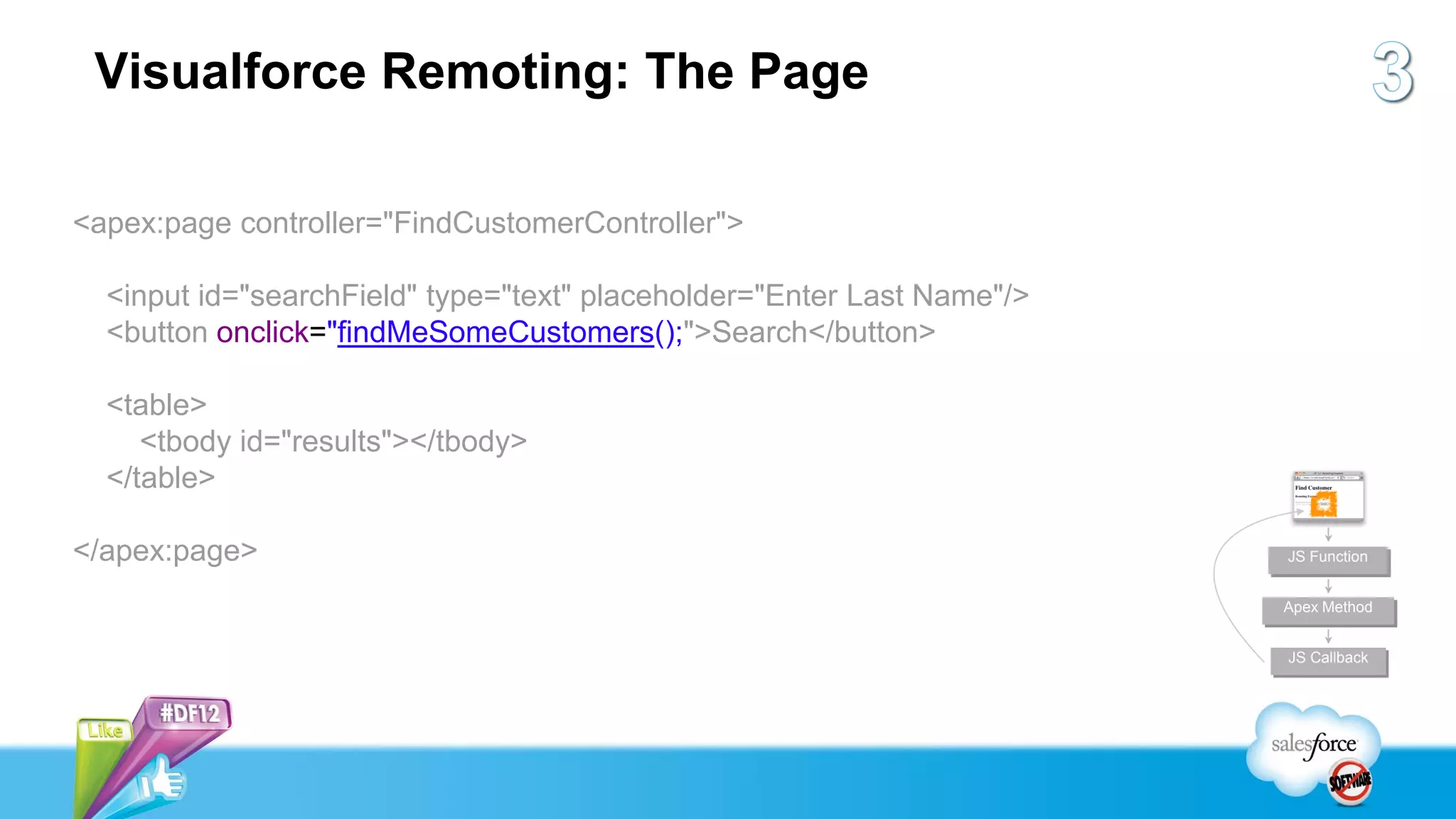
Visualforce Remoting: The Page

<apex:page controller="FindCustomerController">

  <input id="searchField" type="text" placeholder="Enter Last Name"/>
  <button onclick="findMeSomeCustomers();">Search</button>

  <table>
     <tbody id="results"></tbody>
  </table>

</apex:page>                                                            JS Function


                                                                        Apex Method


                                                                        JS Callback
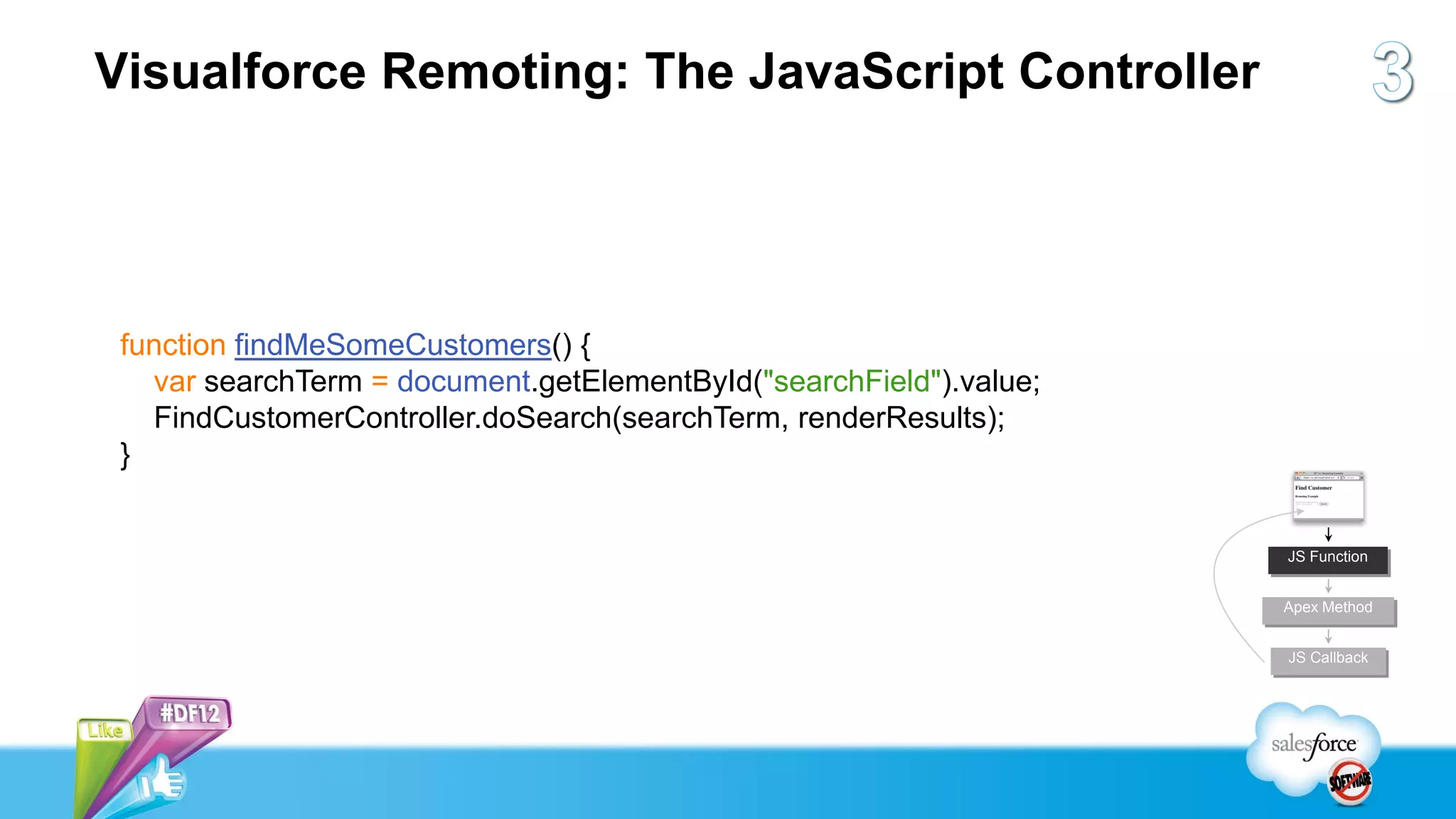
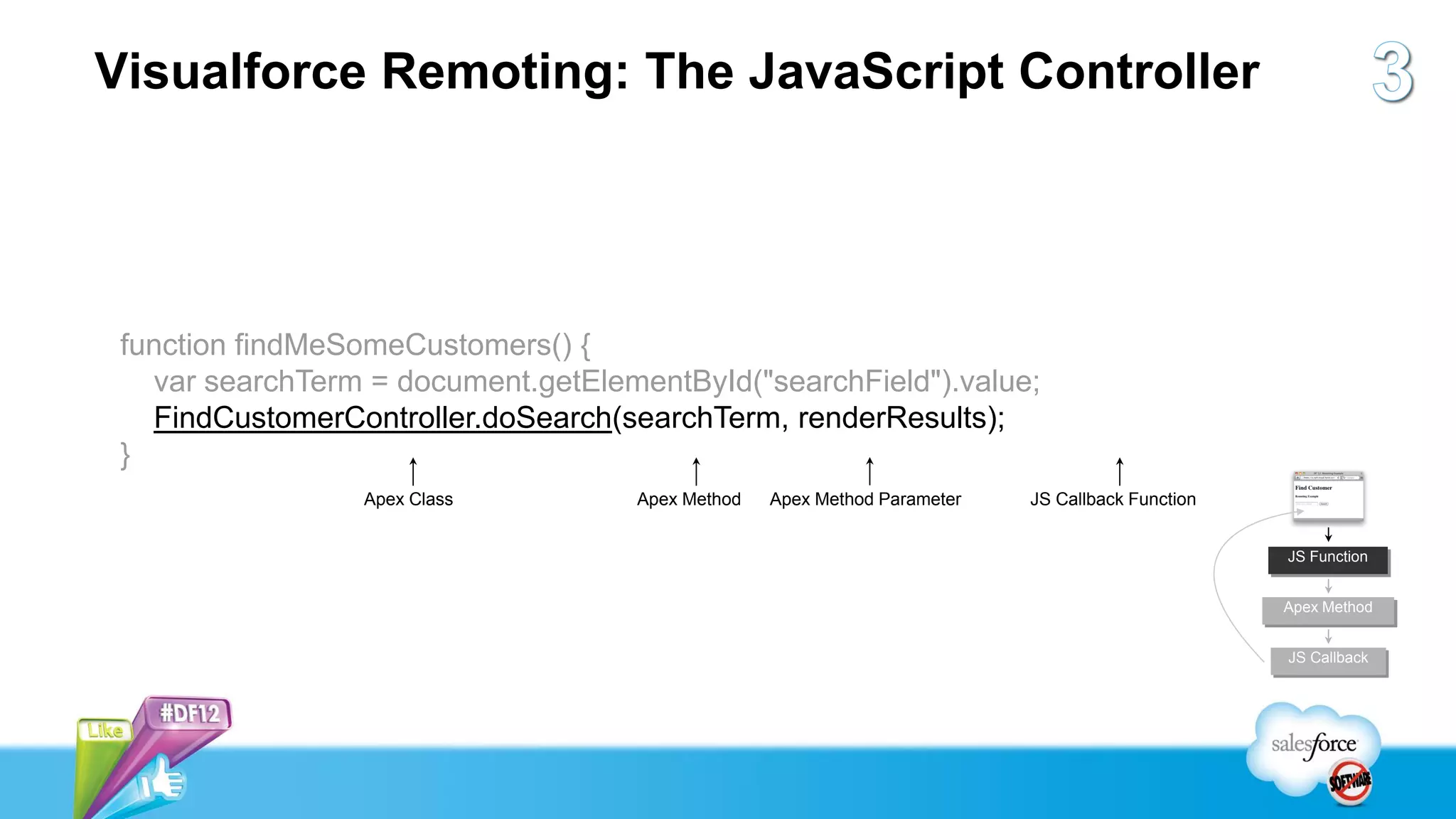
Visualforce Remoting: The JavaScript Controller


 function findMeSomeCustomers() {
   var searchTerm = document.getElementById("searchField").value;
   FindCustomerController.doSearch(searchTerm, renderResults);
 }


                                                                    JS Function


                                                                    Apex Method


                                                                    JS Callback
Visualforce Remoting: The JavaScript Controller


 function findMeSomeCustomers() {
   var searchTerm = document.getElementById("searchField").value;
   FindCustomerController.doSearch(searchTerm, renderResults);
 }
                 Apex Class         Apex Method   Apex Method Parameter   JS Callback Function


                                                                                                 JS Function


                                                                                                 Apex Method


                                                                                                 JS Callback
Visualforce Remoting: The Apex Class
public with sharing class FindCustomerController {

    @RemoteAction
    public static List<Contact> doSearch(String customerLastName) {
      customerLastName = '%' + customerLastName + '%';
      return [
         SELECT id, FirstName, LastName
         FROM Contact
         WHERE LastName LIKE :customerLastName
         LIMIT 200
      ];
    }                                                                 JS Function


                                                                      Apex Method
}
                                                                      JS Callback
Visualforce Remoting: The Apex Class
public with sharing class FindCustomerController {

    @RemoteAction
    public static List<Contact> doSearch(String customerLastName) {
      customerLastName = '%' + customerLastName + '%';
      return [
         SELECT id, FirstName, LastName
         FROM Contact
         WHERE LastName LIKE :customerLastName
         LIMIT 200
      ];
    }                                                                 JS Function


                                                                      Apex Method
}
                                                                      JS Callback
Visualforce Remoting: The JavaScript Callback

function renderResults(results, event) {
  var container = document.getElementById("results"),
        html = [];
  for (var i=0, j=results.length; i<j; i++) {
     html.push("<tr><td>");
     html.push(results[i].LastName + ", " + results[i].FirstName);
     html.push("</td></tr>");
  }
  container.innerHTML = html.join("");
}                                                                    JS Function


                                                                     Apex Method


                                                                     JS Callback
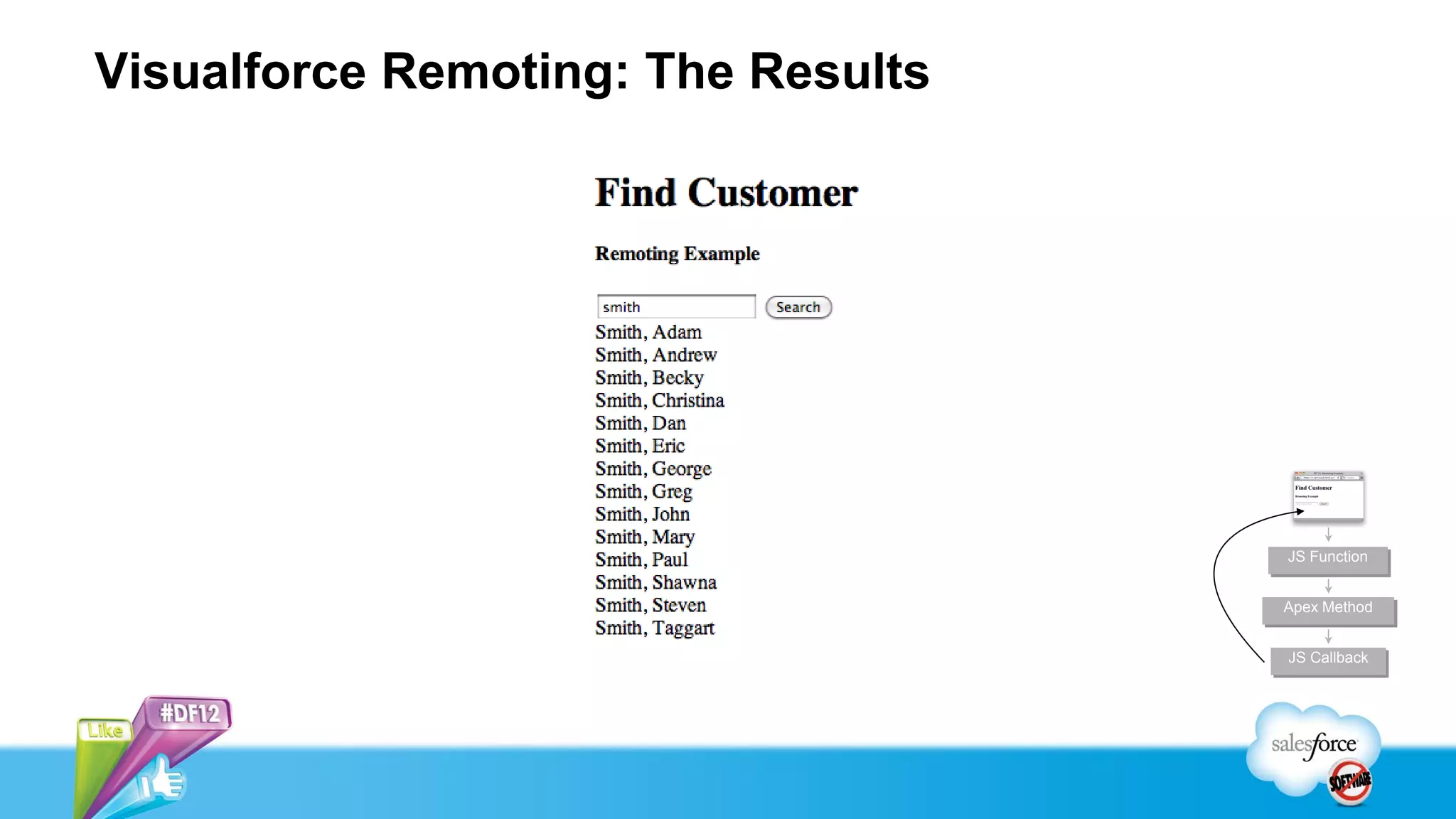
Visualforce Remoting: The Results


                                    JS Function


                                    Apex Method


                                    JS Callback
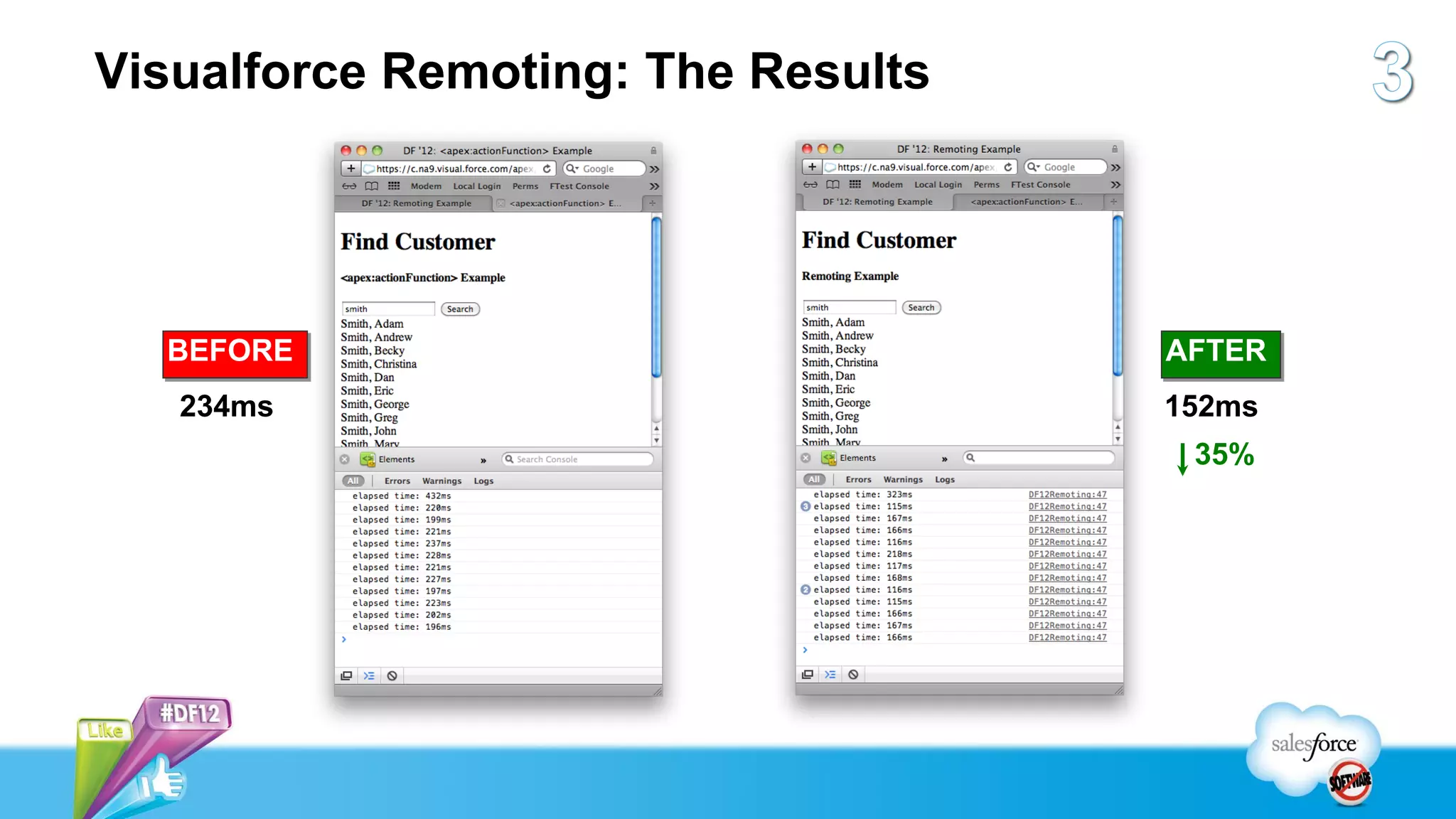
Visualforce Remoting: The Results


  BEFORE                            AFTER
   234ms                            152ms
                                     35%
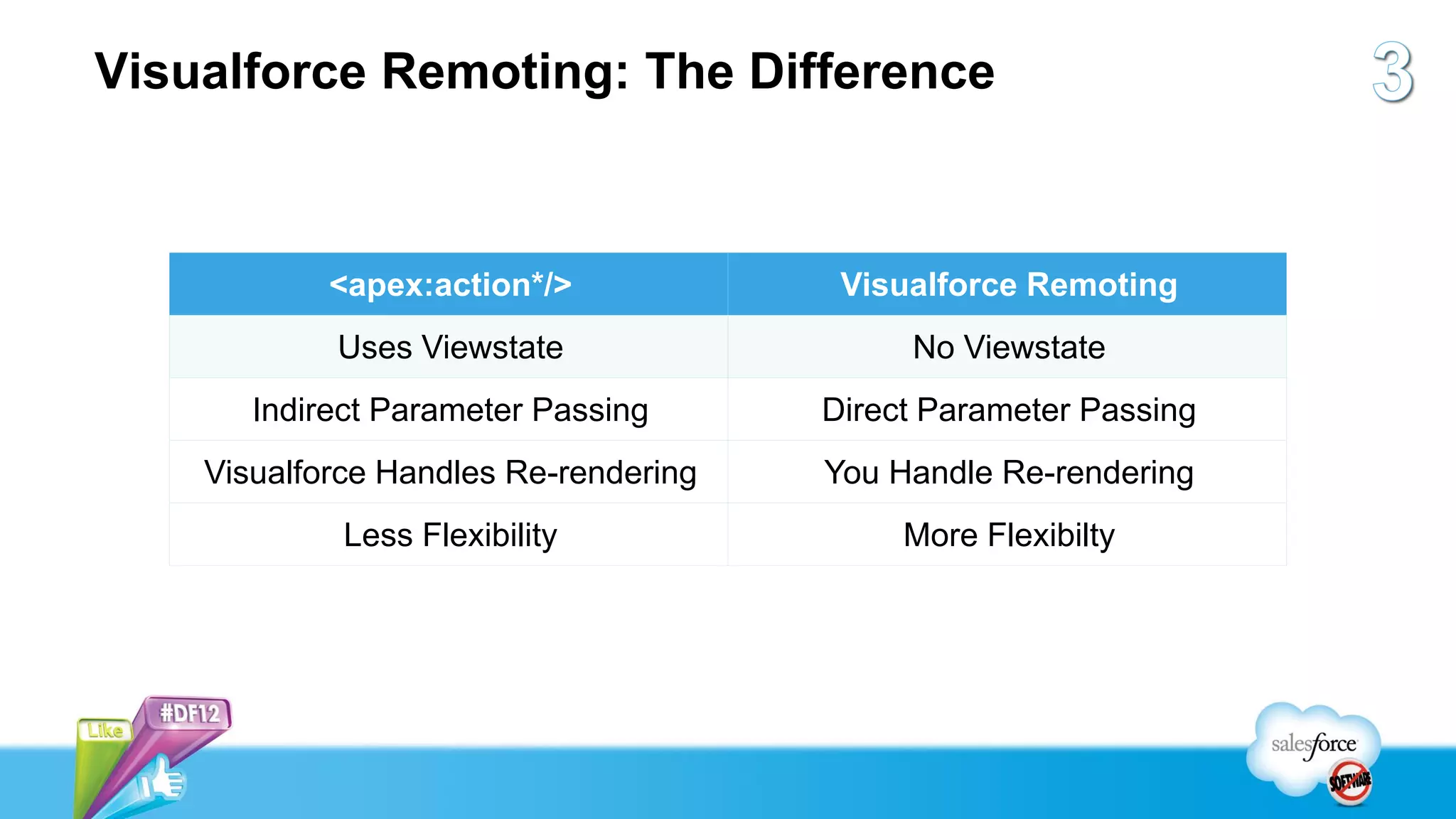
Visualforce Remoting: The Difference


            <apex:action*/>             Visualforce Remoting
            Uses Viewstate                  No Viewstate
       Indirect Parameter Passing      Direct Parameter Passing
    Visualforce Handles Re-rendering   You Handle Re-rendering
             Less Flexibility               More Flexibilty
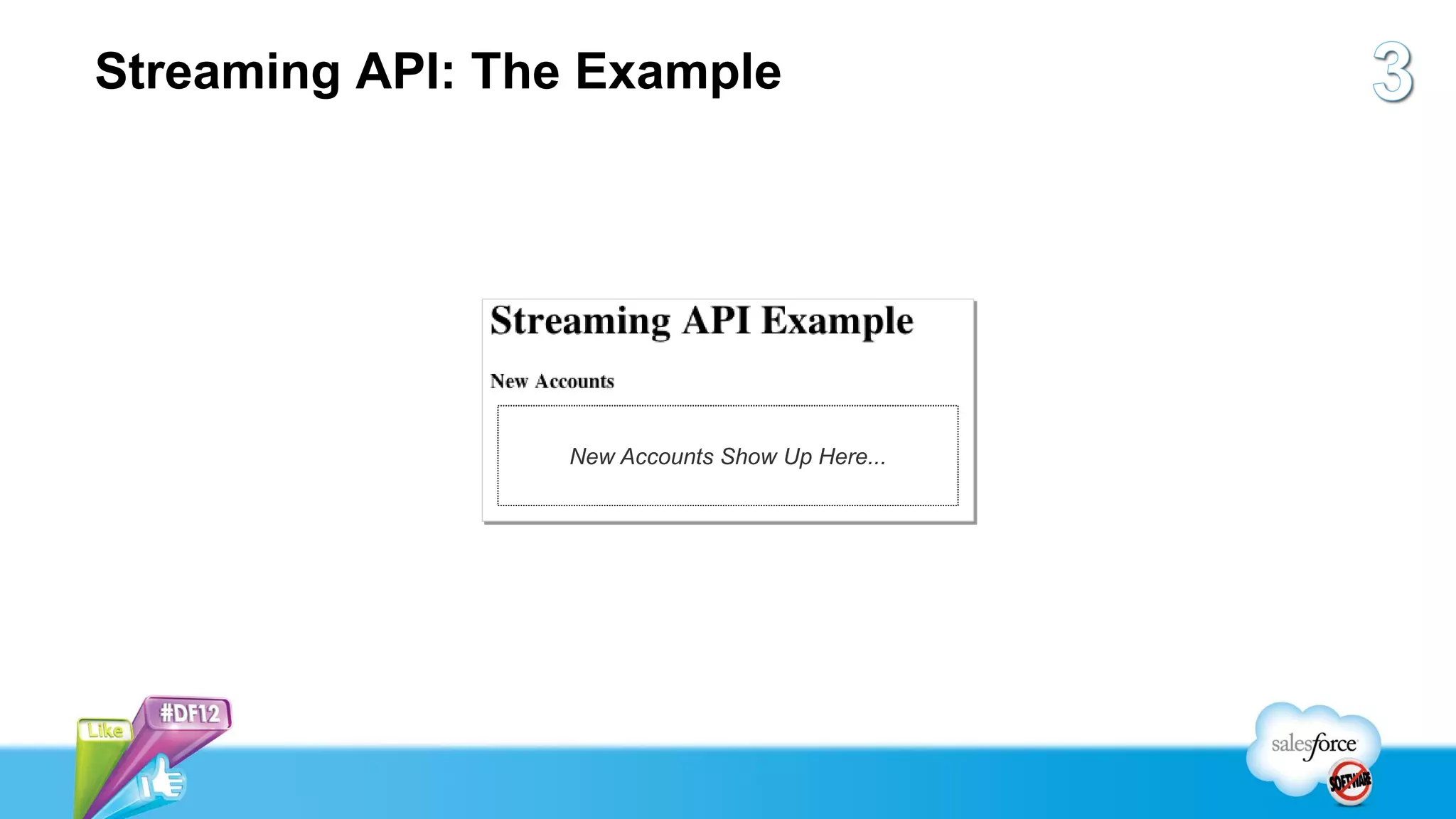
Streaming API: The Example


                 New Accounts Show Up Here...
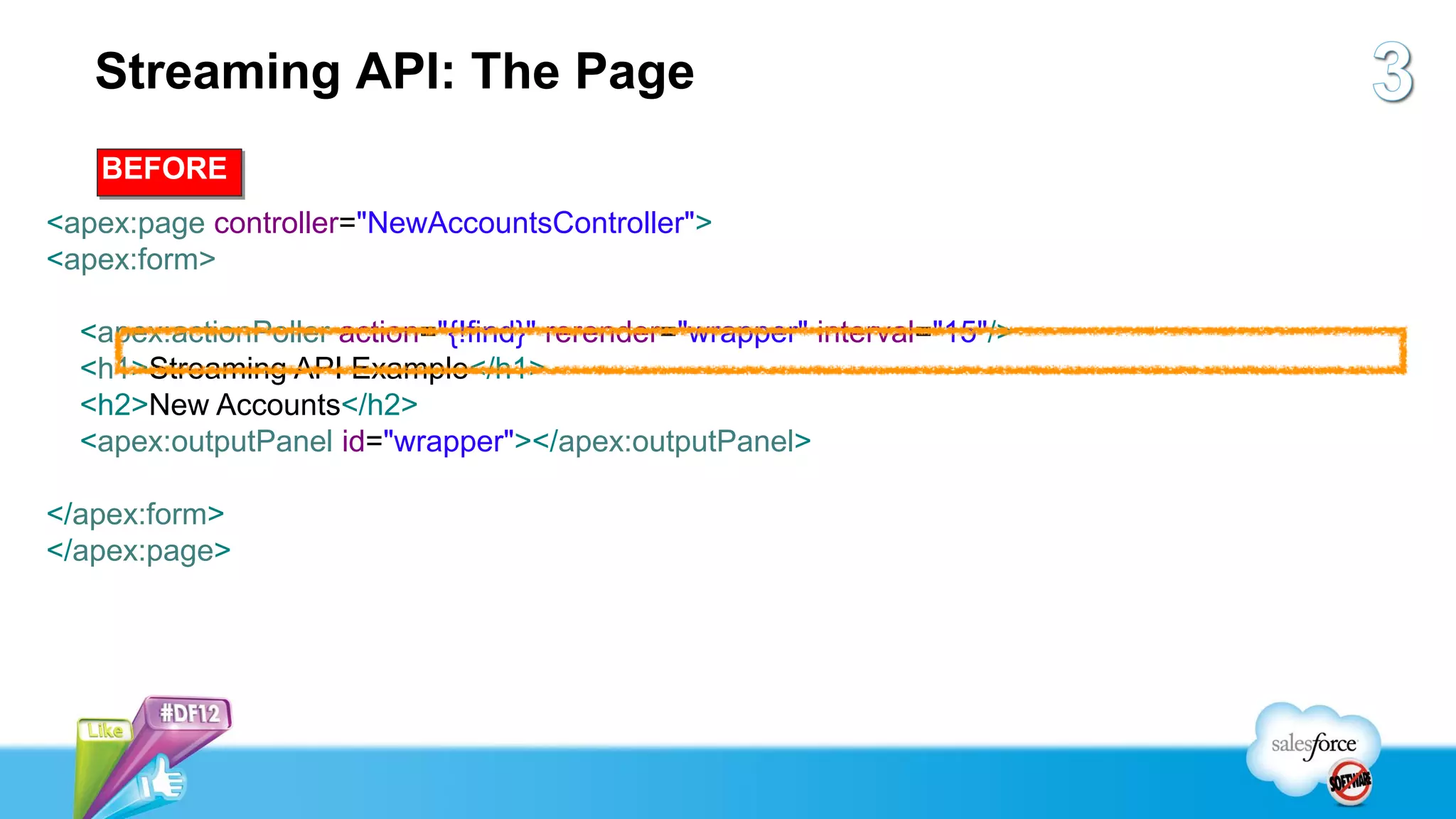
Streaming API: The Page
   BEFORE
<apex:page controller="NewAccountsController">
<apex:form>

  <apex:actionPoller action="{!find}" rerender="wrapper" interval="15"/>
  <h1>Streaming API Example</h1>
  <h2>New Accounts</h2>
  <apex:outputPanel id="wrapper"></apex:outputPanel>

</apex:form>
</apex:page>
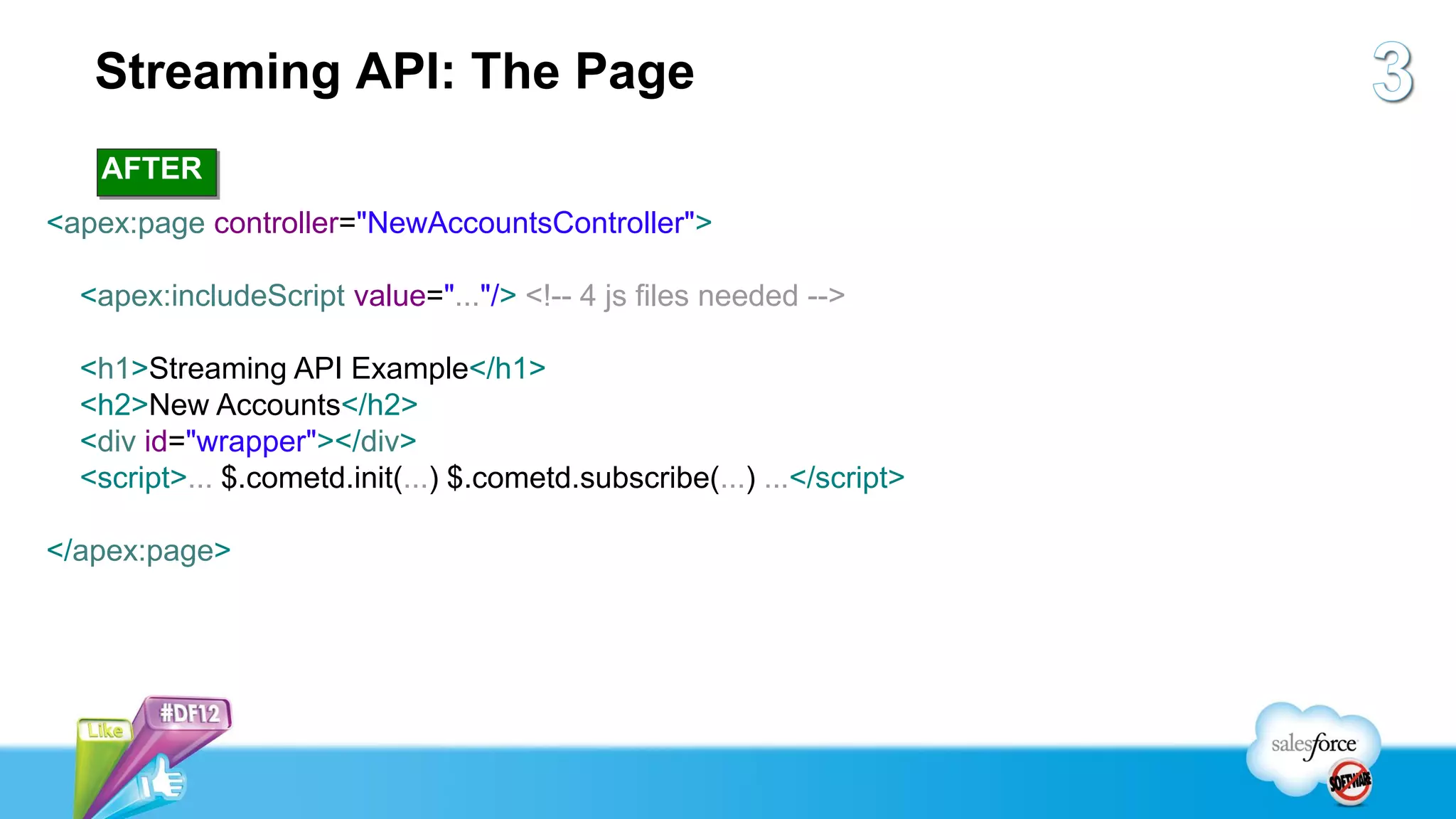
Streaming API: The Page
   AFTER
<apex:page controller="NewAccountsController">

  <apex:includeScript value="..."/> <!-- 4 js files needed -->

  <h1>Streaming API Example</h1>
  <h2>New Accounts</h2>
  <div id="wrapper"></div>
  <script>... $.cometd.init(...) $.cometd.subscribe(...) ...</script>

</apex:page>
Streaming API Demo
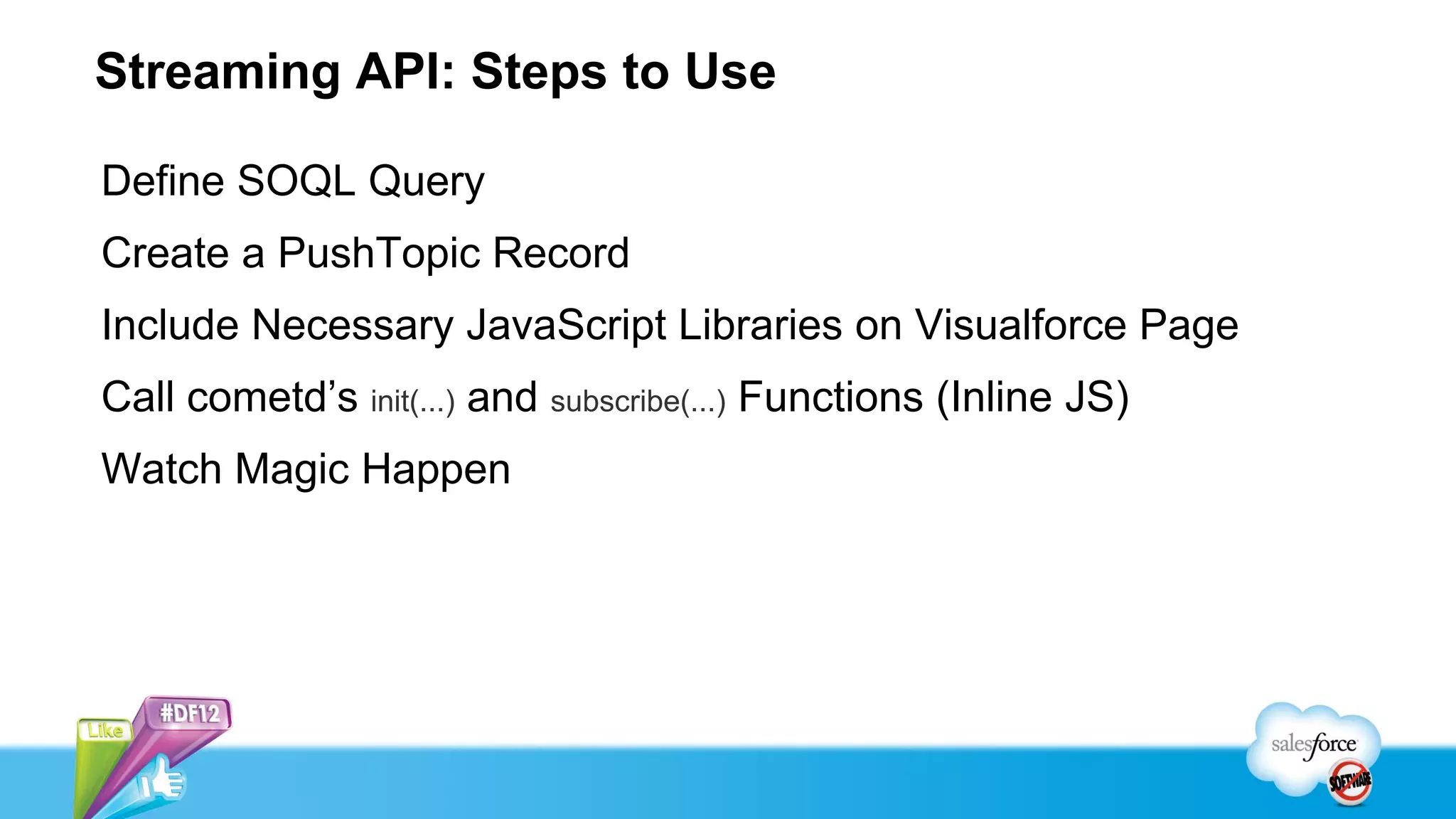
Streaming API: Steps to Use

Define SOQL Query
Create a PushTopic Record
Include Necessary JavaScript Libraries on Visualforce Page
Call cometd’s init(...) and subscribe(...) Functions (Inline JS)
Watch Magic Happen
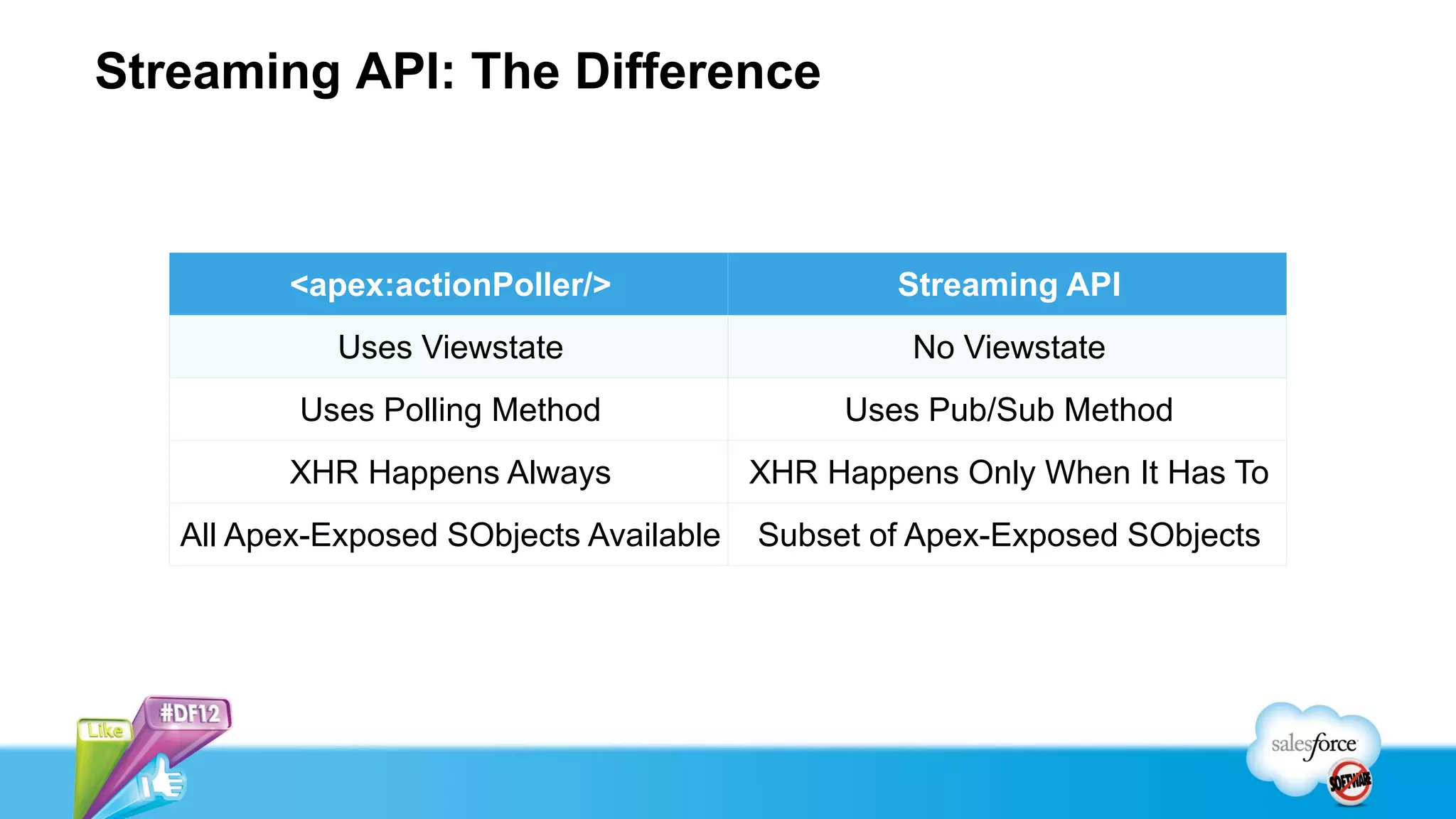
Streaming API: The Difference


          <apex:actionPoller/>                   Streaming API
             Uses Viewstate                       No Viewstate
          Uses Polling Method                 Uses Pub/Sub Method
          XHR Happens Always             XHR Happens Only When It Has To
   All Apex-Exposed SObjects Available   Subset of Apex-Exposed SObjects
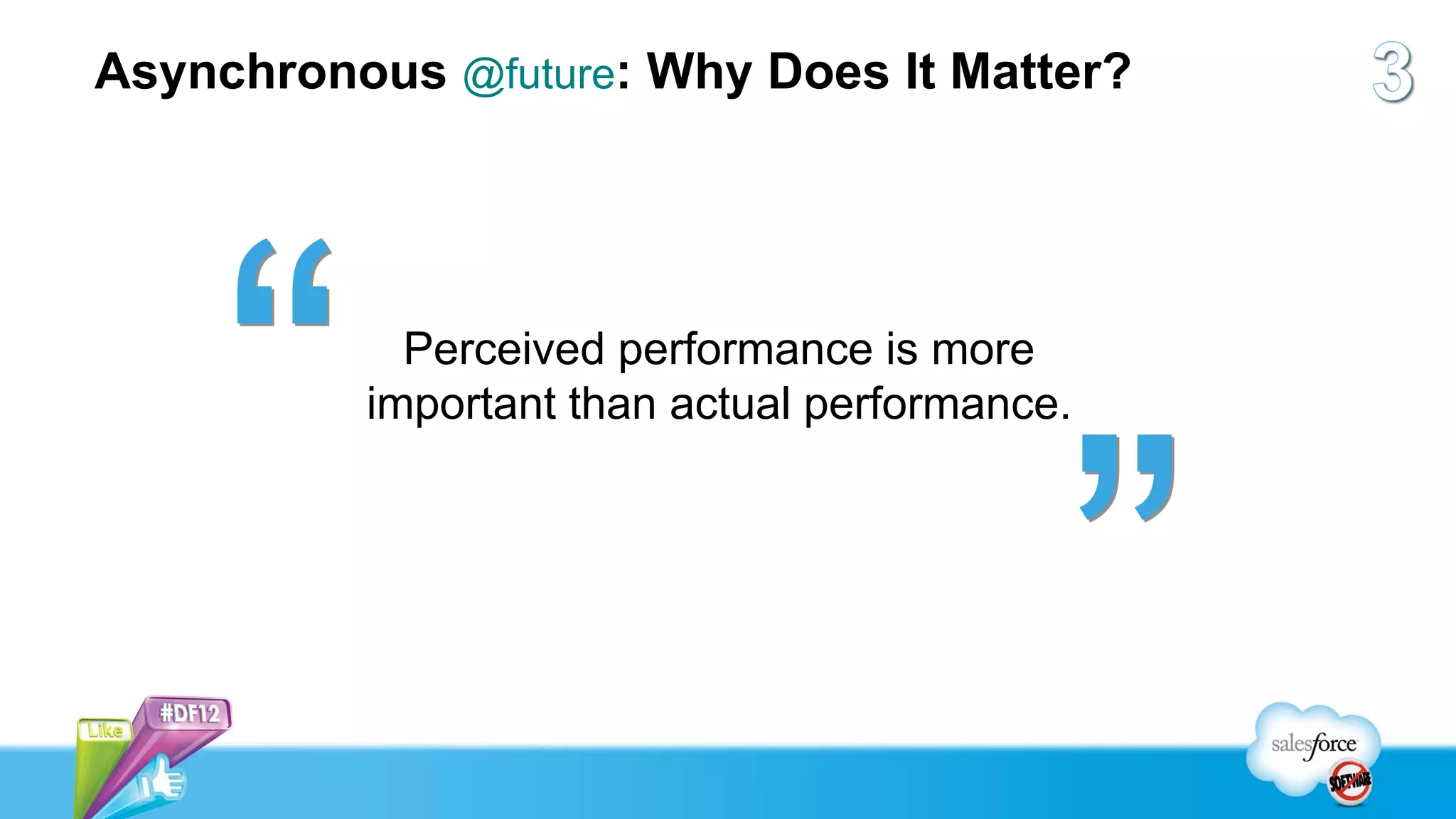
Asynchronous @future: Why Does It Matter?


            Perceived performance is more
          important than actual performance.
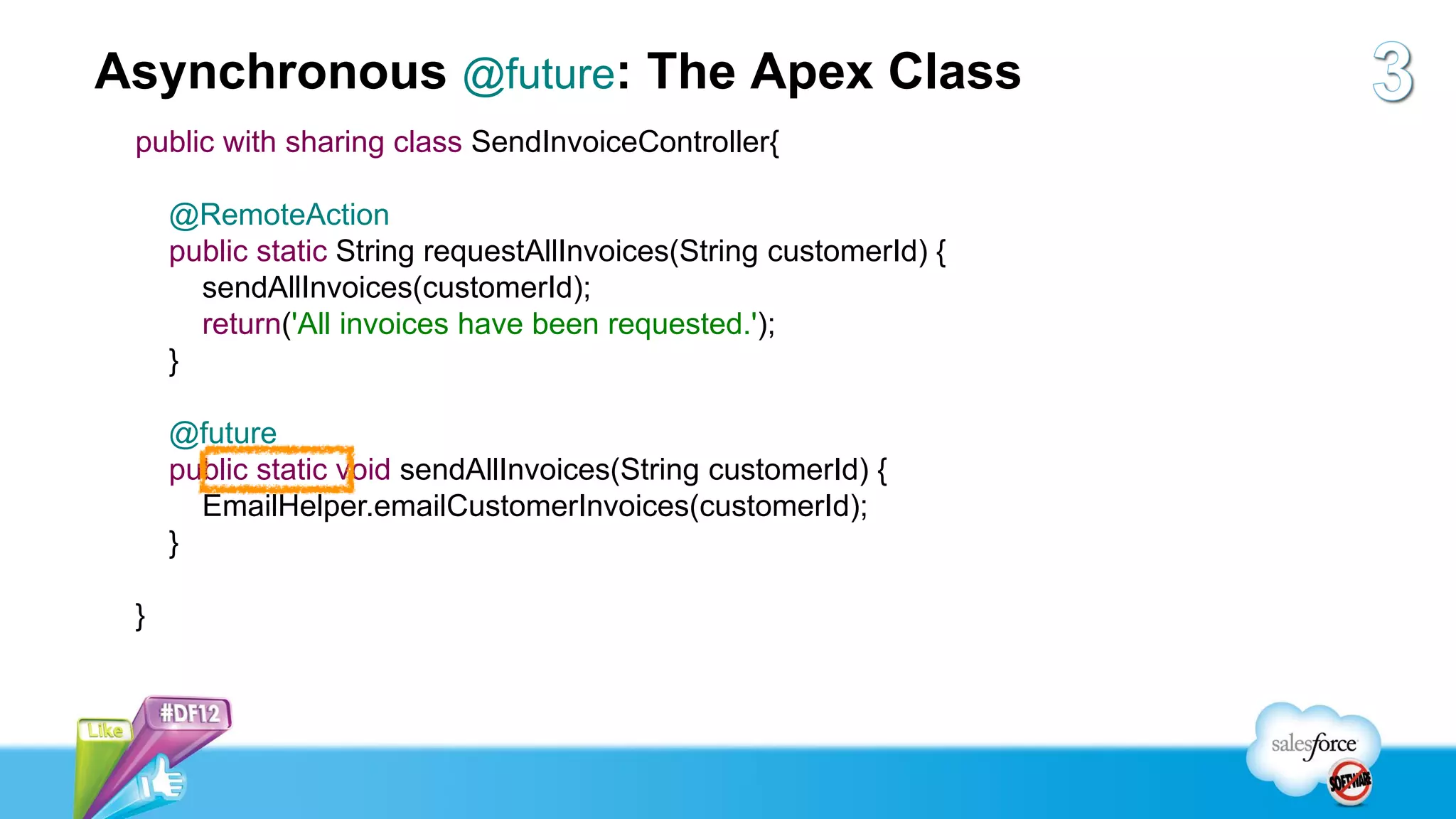
Asynchronous @future: The Apex Class
 public with sharing class SendInvoiceController{

     @RemoteAction
     public static String requestAllInvoices(String customerId) {
       sendAllInvoices(customerId);
       return('All invoices have been requested.');
     }

     @future
     public static void sendAllInvoices(String customerId) {
       EmailHelper.emailCustomerInvoices(customerId);
     }

 }
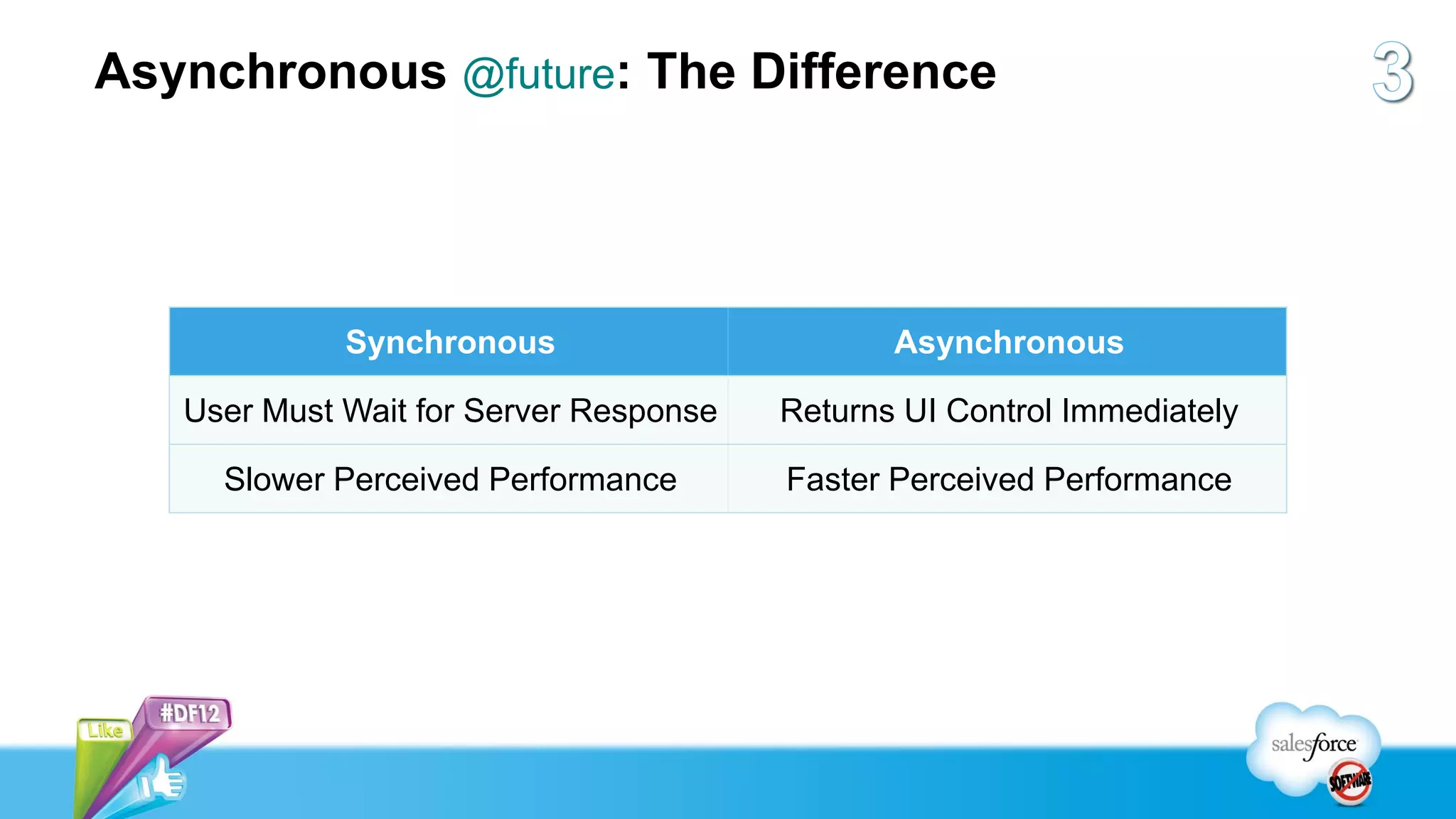
Asynchronous @future: The Difference


             Synchronous                       Asynchronous

   User Must Wait for Server Response   Returns UI Control Immediately

     Slower Perceived Performance       Faster Perceived Performance
Highly Efficient Visualforce Pages...


...Have Optimized
      SOQL
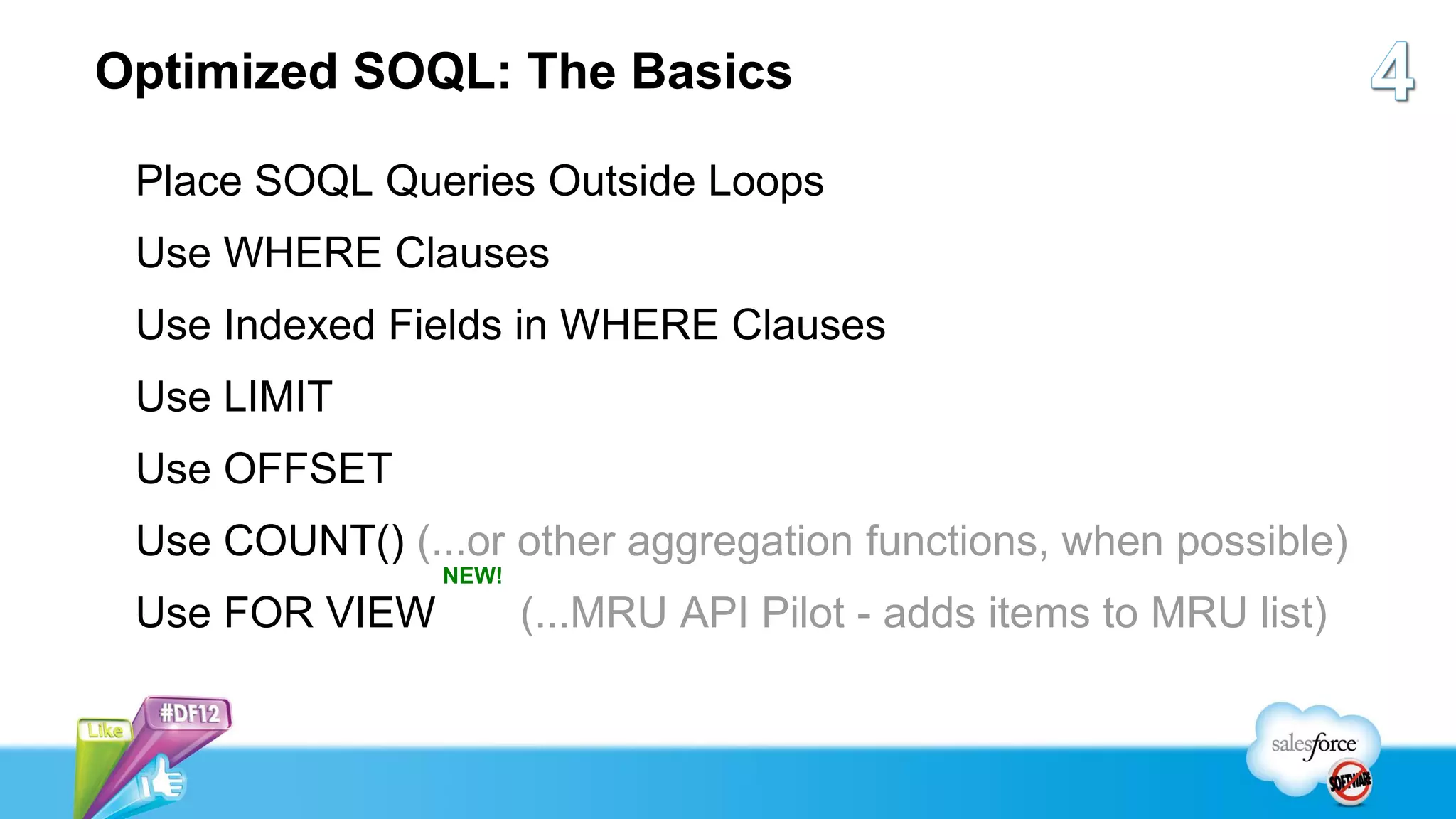
Optimized SOQL: The Basics

 Place SOQL Queries Outside Loops
 Use WHERE Clauses
 Use Indexed Fields in WHERE Clauses
 Use LIMIT
 Use OFFSET
 Use COUNT() (...or other aggregation functions, when possible)
                NEW!
 Use FOR VIEW          (...MRU API Pilot - adds items to MRU list)
Optimized SOQL: Loops

public List<Invoice__c> getFamilyInvoices() {
  List<Invoice__c> invoices = new List<Invoice__c>();
  for (Contact c : this.contacts) {
     invoices.addAll(
        [SELECT id FROM Invoice__c WHERE Client__c = :c.id]
     );
  }
  return invoices;
}
Optimized SOQL: Loops

public List<Invoice__c> getFamilyInvoices() {
  List<Invoice__c> invoices = new List<Invoice__c>();
  List<Id> contactIds = new List<Id>();
  for (Contact c : this.contacts) {
     contactIds.add(c.id);
  }
  invoices.addAll(
     [SELECT id FROM Invoice__c WHERE Client__c IN :contactIds]
  );
  return invoices;
}
Optimized SOQL: WHERE Clauses


        public List<Contact> getContacts() {
          return [
             SELECT id, lastName
             FROM Contact
          ];
        }
Optimized SOQL: WHERE Clauses


        public List<Contact> getContacts() {
          return [
             SELECT id, lastName
             FROM Contact
             WHERE CreatedDate > LAST_N_DAYS:365
          ];
        }
Highly Efficient Visualforce Pages...


 ...Use Standard
 Set Controllers
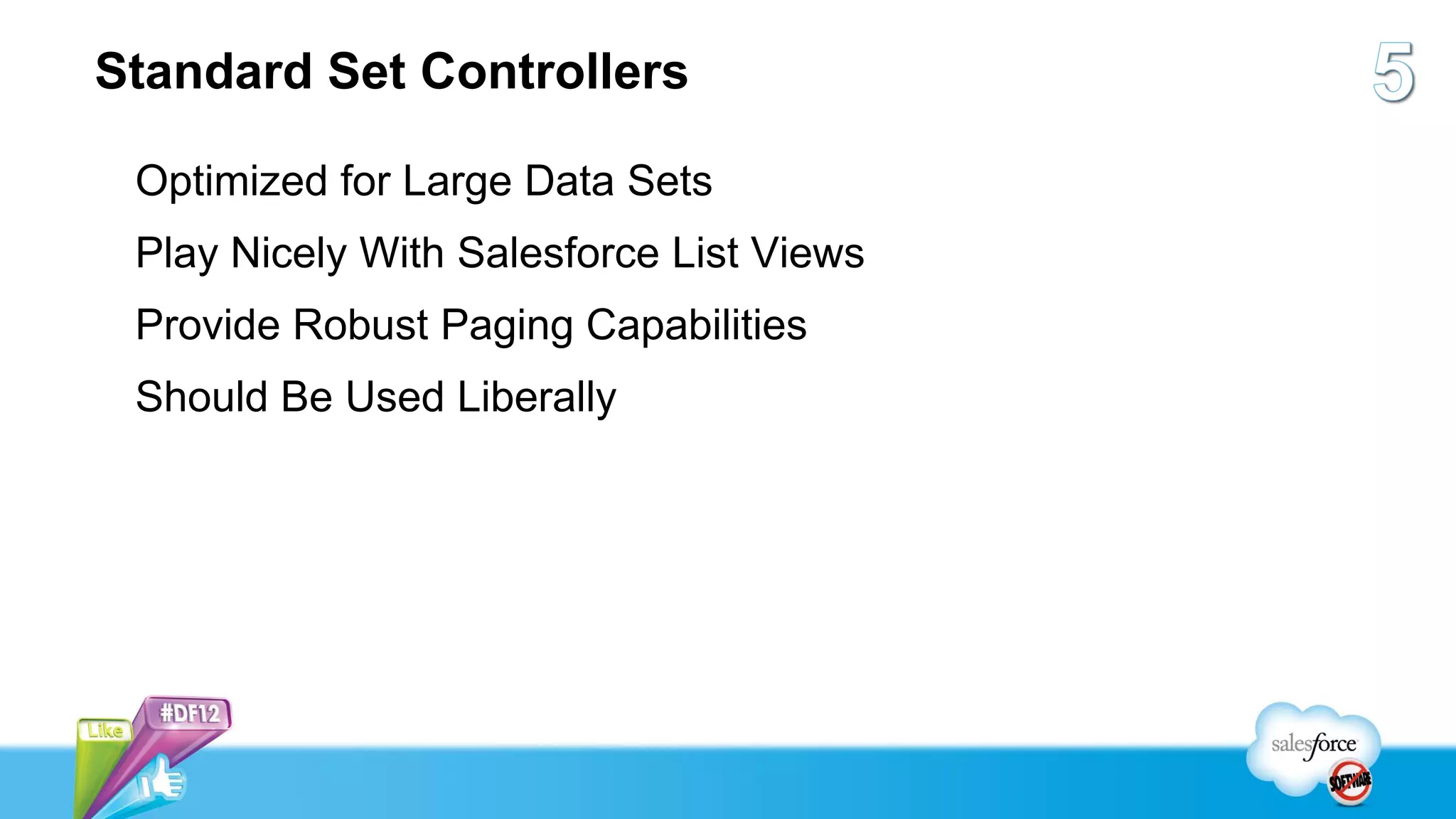
Standard Set Controllers

 Optimized for Large Data Sets
 Play Nicely With Salesforce List Views
 Provide Robust Paging Capabilities
 Should Be Used Liberally
Highly Efficient Visualforce Pages...


...Aren’t Kitchen Sinks
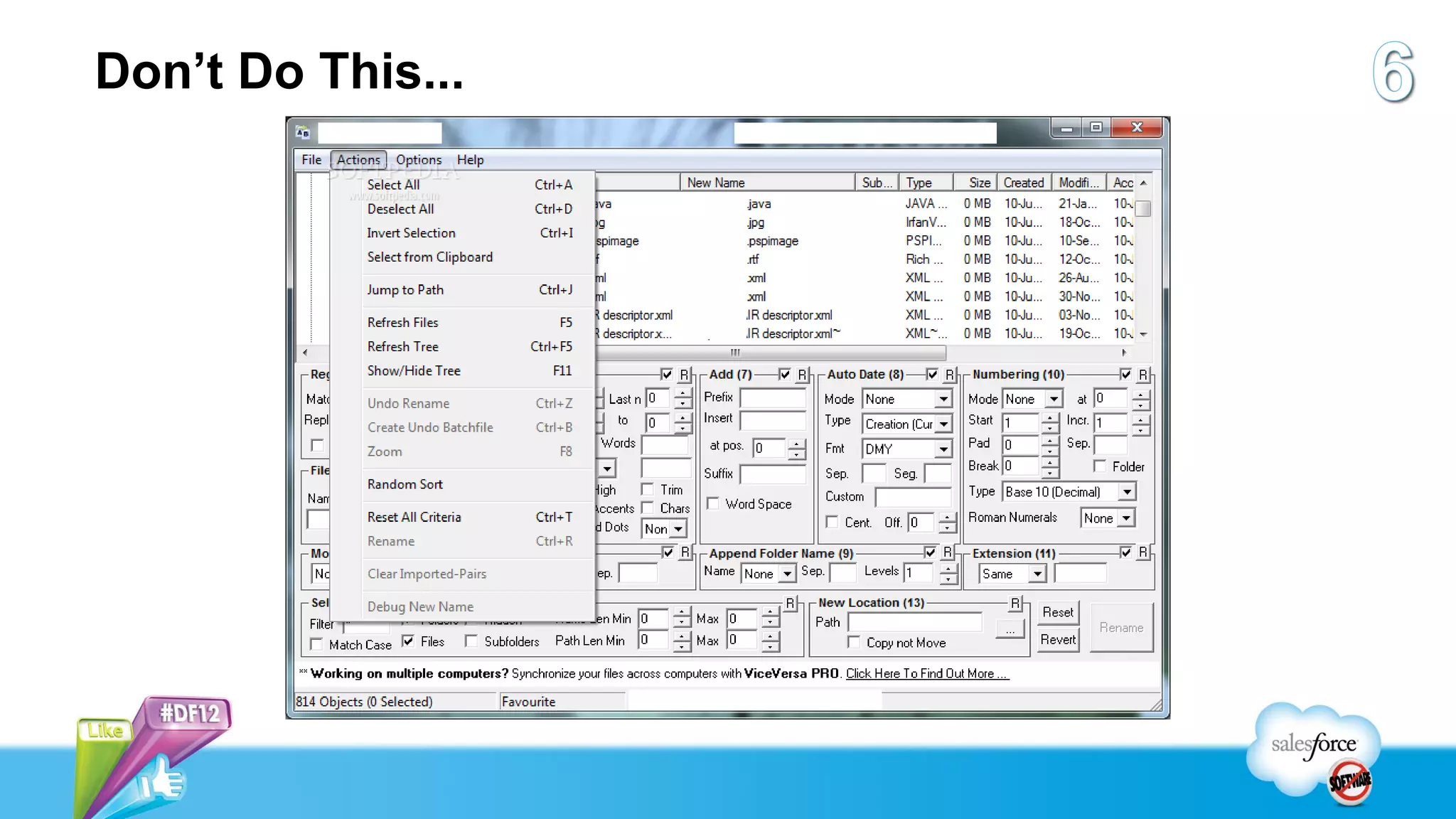
Don’t Do This...
...Because Here Are Your Limits...

 Viewstate: 135K
 Total Page Size: 15MB (!!!)
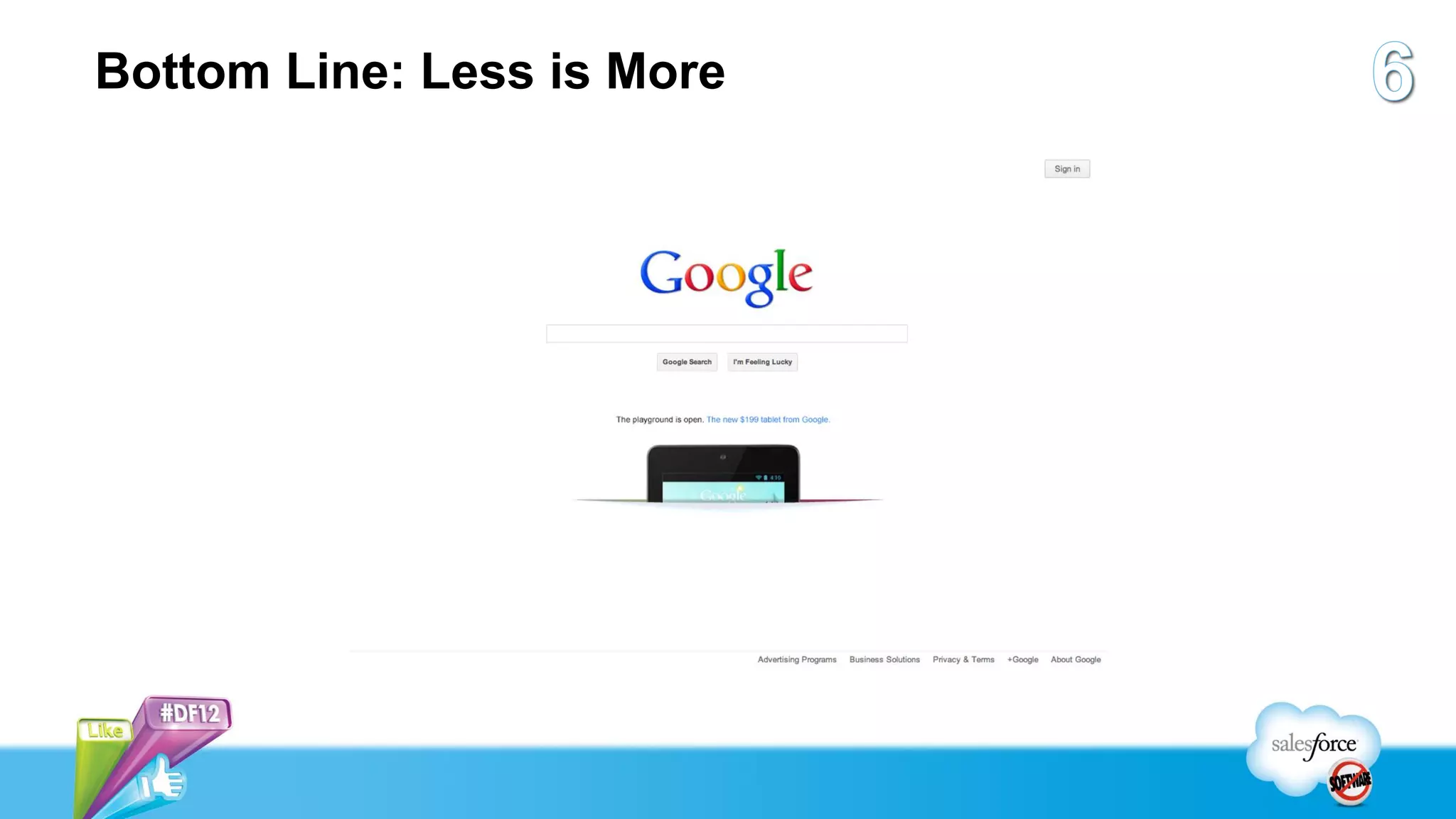
Bottom Line: Less is More
Highly Efficient Visualforce Pages...


  ...Do Not Use
 Any Salesforce
    Resources
Um, OK, But Why?

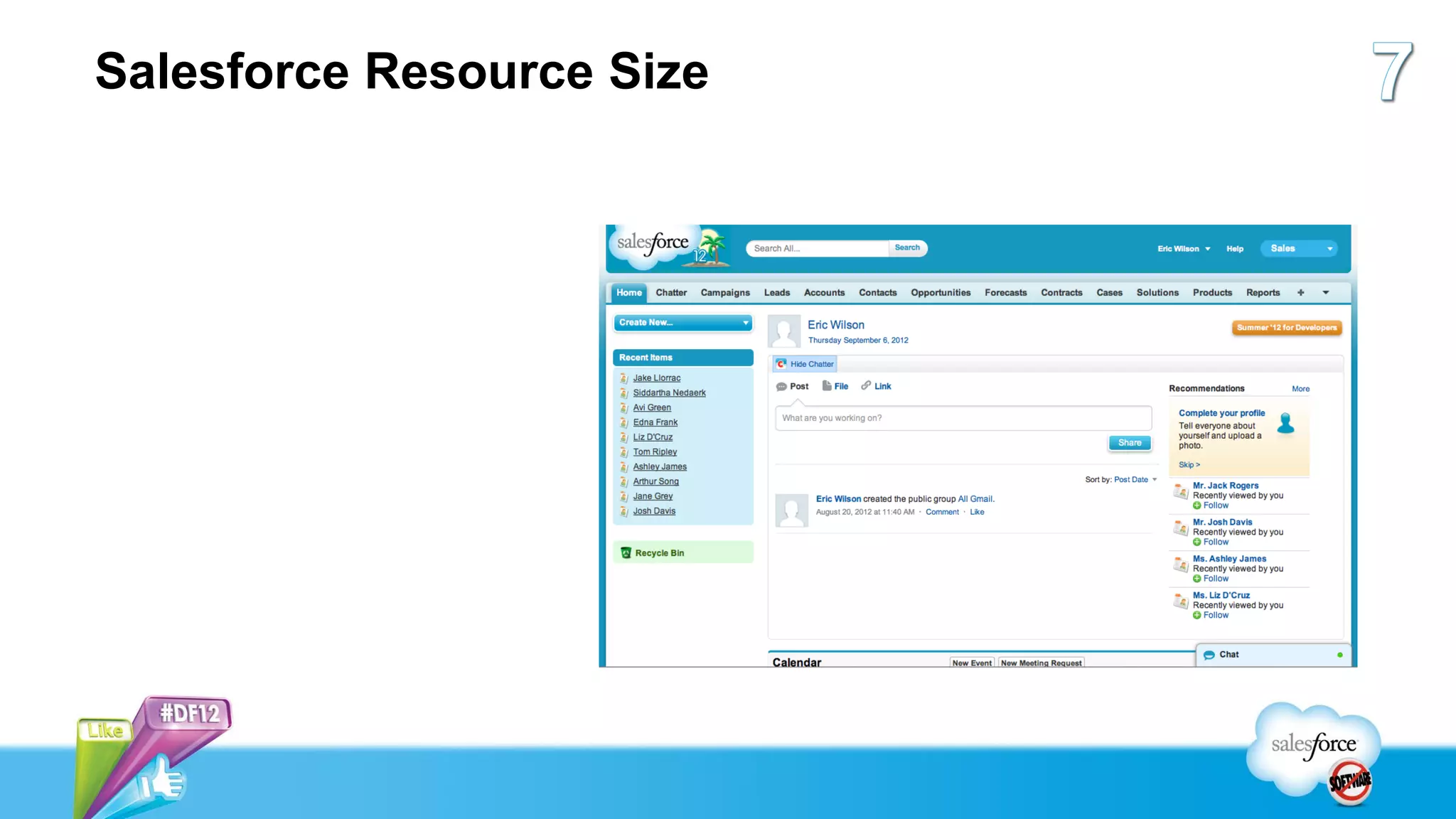
Sheer Size
No Developer Support
Salesforce Resource Size
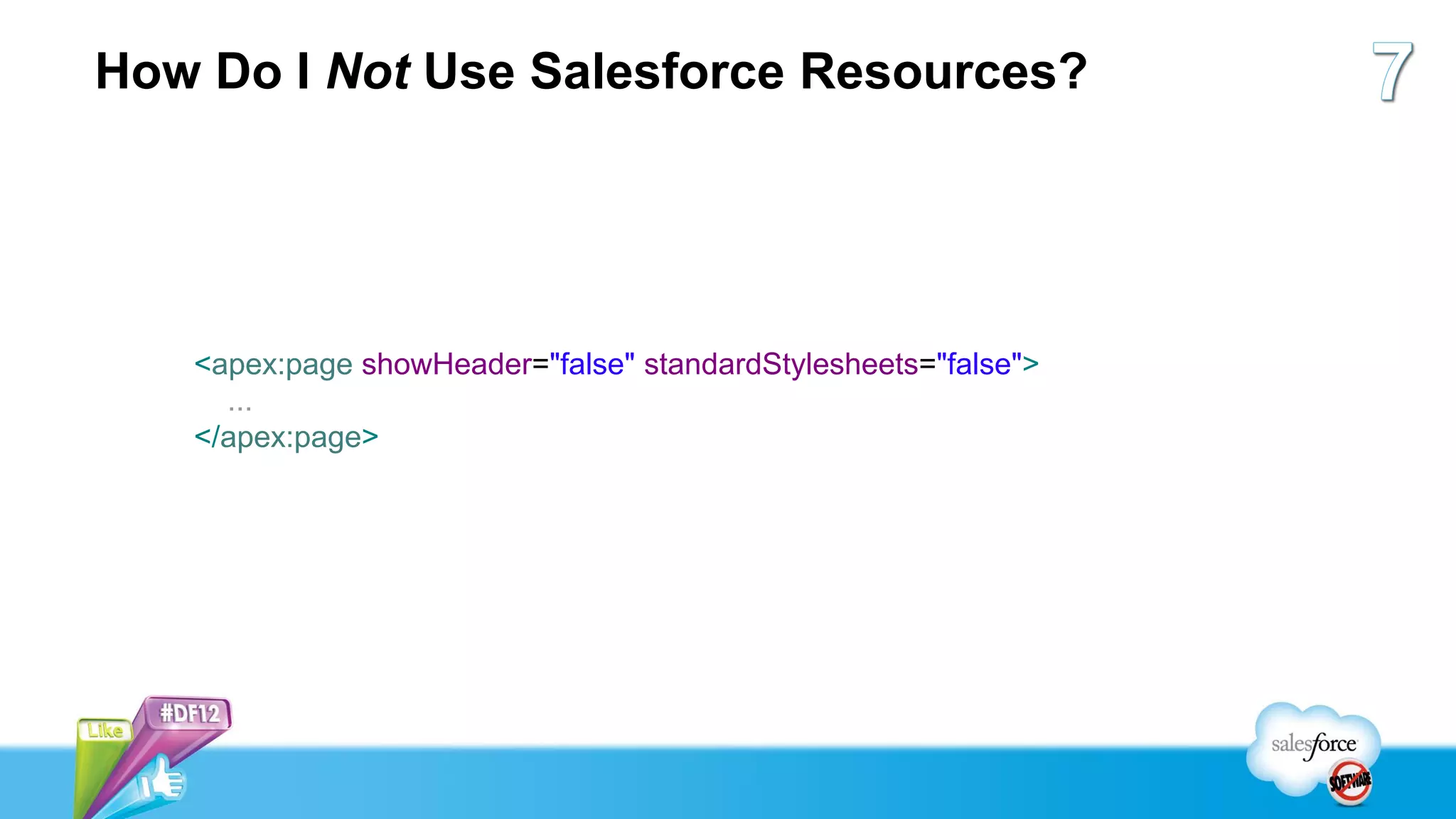
How Do I Not Use Salesforce Resources?


   <apex:page showHeader="false" standardStylesheets="false">
     ...
   </apex:page>
Developer Support


  Salesforce Resources
 Are Not Supported APIs
Eric Wilson
Director, Product Management
          UI Platforms
7 Habits of Highly Efficient Visualforce Pages

7 Habits of Highly Efficient Visualforce Pages

  • 1.
    7 Habits ofHighly Efficient Visualforce Pages How to Not Shoot Yourself in the Foot with Visualforce Eric Wilson, salesforce.com Director, Product Management - UI Platforms
  • 2.
    Safe Harbor Safeharbor statement under the Private Securities Litigation Reform Act of 1995: This presentation may contain forward-looking statements that involve risks, uncertainties, and assumptions. If any such uncertainties materialize or if any of the assumptions proves incorrect, the results of salesforce.com, inc. could differ materially from the results expressed or implied by the forward-looking statements we make. All statements other than statements of historical fact could be deemed forward-looking, including any projections of product or service availability, subscriber growth, earnings, revenues, or other financial items and any statements regarding strategies or plans of management for future operations, statements of belief, any statements concerning new, planned, or upgraded services or technology developments and customer contracts or use of our services. The risks and uncertainties referred to above include – but are not limited to – risks associated with developing and delivering new functionality for our service, new products and services, our new business model, our past operating losses, possible fluctuations in our operating results and rate of growth, interruptions or delays in our Web hosting, breach of our security measures, the outcome of intellectual property and other litigation, risks associated with possible mergers and acquisitions, the immature market in which we operate, our relatively limited operating history, our ability to expand, retain, and motivate our employees and manage our growth, new releases of our service and successful customer deployment, our limited history reselling non-salesforce.com products, and utilization and selling to larger enterprise customers. Further information on potential factors that could affect the financial results of salesforce.com, inc. is included in our annual report on Form 10-Q for the most recent fiscal quarter ended July 31, 2012. This documents and others containing important disclosures are available on the SEC Filings section of the Investor Information section of our Web site. Any unreleased services or features referenced in this or other presentations, press releases or public statements are not currently available and may not be delivered on time or at all. Customers who purchase our services should make the purchase decisions based upon features that are currently available. Salesforce.com, inc. assumes no obligation and does not intend to update these forward- looking statements.
  • 3.
    Eric Wilson Director, ProductManagement UI Platforms
  • 4.
    About Me ProductManager for All Salesforce UI Development Platforms 10+ Years @ Salesforce Application Instructor UI Developer Interaction Designer Product Manager
  • 5.
    Highly Efficient VisualforcePages... ...Have Rock-Solid HTML, CSS, & JavaScript
  • 6.
    If You Don’tKnow Basic Web Technologies...
  • 7.
  • 8.
    What’s Wrong WithThis HTML? <table> <tr> <td class="header" colspan="2">...</td> </tr> <tr> <td class="sidebar">...</td> <td class="content">...</td> </tr> <tr> <td class="footer" colspan="2">...</td> </tr> </table>
  • 9.
    What’s Wrong WithThis CSS? .button { background: #F8F8F8; background: -webkit-linear-gradient(#F8F8F8, #D4DADC); background: -moz-linear-gradient(#F8F8F8, #D4DADC); background: -o-linear-gradient(#F8F8F8, #D4DADC); background: -ms-linear-gradient(#F8F8F8, #D4DADC); background: linear-gradient(#F8F8F8, #D4DADC); filter: progid:DXImageTransform.Microsoft.gradient(...); }
  • 10.
    What’s Wrong WithThis JavaScript? function getTotalSum(itemArray) { var sum = 0; for (var item in itemArray) { sum += item; } return sum; }
  • 11.
    Highly Efficient VisualforcePages... ...Do Not Support a Single, Pixel-Perfect UI on Every Browser
  • 12.
    Theory A: OneUI to Rule Them All
  • 13.
    Theory A: OneUI to Rule Them All .button { background: #F8F8F8 url("...") left top repeat-x; background: -webkit-linear-gradient(#F8F8F8, #D4DADC); background: -moz-linear-gradient(#F8F8F8, #D4DADC); background: -o-linear-gradient(#F8F8F8, #D4DADC); background: -ms-linear-gradient(#F8F8F8, #D4DADC); background: linear-gradient(#F8F8F8, #D4DADC); filter: progid:DXImageTransform.Microsoft.gradient(...); }
  • 14.
    Theory A: OneUI to Rule Them All Q: Why Is This Bad? A: Fragmentation (Code Maintenance), Performance  Browser-specific HTML  Browser-specific CSS  Browser-specific JavaScript  Unnecessary HTTP Requests (Makes Mobile Sad)
  • 15.
    Theory B: It’sOK To Be Different
  • 16.
    Theory B: It’sOK To Be Different .button { background: #F8F8F8 url("...") left top repeat-x; background: -webkit-linear-gradient(#F8F8F8, #D4DADC); background: -moz-linear-gradient(#F8F8F8, #D4DADC); background: -o-linear-gradient(#F8F8F8, #D4DADC); background: -ms-linear-gradient(#F8F8F8, #D4DADC); background: linear-gradient(#F8F8F8, #D4DADC); filter: progid:DXImageTransform.Microsoft.gradient(...); }
  • 17.
    Theory B: It’sOK To Be Different .button { background: #F8F8F8 url("...") left top repeat-x; background: -webkit-linear-gradient(#F8F8F8, #D4DADC); background: -moz-linear-gradient(#F8F8F8, #D4DADC); background: -o-linear-gradient(#F8F8F8, #D4DADC); background: -ms-linear-gradient(#F8F8F8, #D4DADC); background: linear-gradient(#F8F8F8, #D4DADC); }
  • 18.
    Theory B: It’sOK To Be Different .button { background: #F8F8F8 url("...") left top repeat-x; background: -webkit-linear-gradient(#F8F8F8, #D4DADC); background: -moz-linear-gradient(#F8F8F8, #D4DADC); background: -o-linear-gradient(#F8F8F8, #D4DADC); background: -ms-linear-gradient(#F8F8F8, #D4DADC); background: linear-gradient(#F8F8F8, #D4DADC); }
  • 19.
    Theory B: It’sOK To Be Different .button { background: ; #F8F8F8 background: -webkit-linear-gradient(#F8F8F8, #D4DADC); background: -moz-linear-gradient(#F8F8F8, #D4DADC); background: -o-linear-gradient(#F8F8F8, #D4DADC); background: -ms-linear-gradient(#F8F8F8, #D4DADC); background: linear-gradient(#F8F8F8, #D4DADC); }
  • 20.
    Highly Efficient VisualforcePages... ...Are Stateless, Don’t Poll Our Servers, and Defer Difficult Work
  • 21.
    Stateless / Non-Polling/ Deferring Techniques Use the transient Keyword (Reduces Viewstate) Implement Visualforce Remoting (Reduces Viewstate) Use the Streaming API (Removes Need for Polling) Use @future Annotation (Executes Apex Asynchronously)
  • 22.
  • 23.
    transient Keyword: TheApex Class BEFORE public with sharing class EditClientController { public Contact client { get; set; } public List<Contact> connections { get; set; } public List<Account> previousEmployers { get; set; } public Set<String> hashTags { get; set; } }
  • 24.
    transient Keyword: TheViewstate BEFORE
  • 25.
    transient Keyword: TheApex Class AFTER public with sharing class EditClientController { public Contact client { get; set; } transient public List<Contact> connections { get; set; } transient public List<Account> previousEmployers { get; set; } transient public Set<String> hashTags { get; set; } }
  • 26.
    transient Keyword: TheViewstate AFTER <input type="hidden" id="com.salesforce.visualforce.ViewState" name="com.salesforce.visualforce.ViewState" value="fMiWLUoSiUjWyBHX9fDk1eLUrkW+FrZ1mLRQEcDZv4ocKNGwrFcWs+v0EzuEiisflTMEci830WiYmlUP9LB7VaxOURd20gbjZdaW+rTM9rhSEgwHsAv5csZFYy0ILY9urD0/9ekk26o5GJJ/7mJB8UVmTU4bAPCj27mq+y9WTO PPeHAF6MXBUt16MTNlzoVlWTUEKuvFwhz/GZoApQoL8KmHqaP9kYWcSbsormJB8hNdWQpLh2ayKNfAcKyNk+xrDQVlQAMcAog12mixM97l2FOfcpKtTQF33zRVloMx2mYKst9tTps4VykwyQK7tXjhT9DKG8RvQ1jLk5vgQRGD/Is9nNw z1v0zwpl9h+dEJOoHzxaIv7fwJKdjxjlJ35qsVhUaAdUSKDlbI8iW+l25aWlWTcWFKU1Sprdq5mix8MGjpDkwdhCEFdhGTUpcFkVTIfBDqbTJXQ1Xkx3cuqLqn52TMNFrTjgH2AASjo1DQONlbajQXW/KbCAKPqzx1lRqFIZrn4cpVGzV Xk+CXzROAQwKwBPIenKeNNmZKy/8pTB79U7FWH5Jlm346EvCDS4M3F1B6Z73gfiWany5DqjAkNPRED6YFcTaGrV3Asguqth73d664RiWn7wldBMnl0CSdqL6PFnXvVq958kNZuVtTbNTCMwcfSzD3QvHsUJWVRuMYKRL3UlXBl0bid9VS ViFGMlwTLIj0g3yjpPLvtbaDME1J6VgkXU/C8MGBPcFCkW9v6XummLawdx4jIiwha8jIzJXqZALXJlTap8M1fJGOmxQuO5e0Na4b5RCWJWET+rLdNI5iizosTAt29aJLWdi5LYCsw1iDnWQB4X4VsF2P0ZDwK50xX/x/PrVj9TiuPXrWW Riolzb8gqbJXEV1a8i+AuU/SHhaK+eEdQH/CDy9hABrTaa2FijLx3GOGUP0LxItdZbQbSsIwAqE/U/mFYgEdqFkuo85Lyv6qAyCZFIN/vuNf3SbvuHDjjBGJni8zCwev8iU6LJM3cSy73mWK23HxydSraCpIYFZSbkrfSnlG1Ie7vNG9t RTE+TKstXAPzVCL8egJfBSTLE2IvKHKvFiQoNpNZKPeQchse027RjxzCGVAN8zmrNx2kxdTY6waDStw2Etj0fJsXbE9Us1wnk+YSAQARdQv/5cdZ/TiCX5mZ4lct2sP2B+8KsfpCi7SOYeXMhfZnvNkgT4xrDL/8PCV7FKRa0mR6sYRQt sFQXgbRQCGG3WGGMRrQNCpG+jM0BZvScsjXnBrlmyoqs4XIVyYRBo7ZAA9pJcIdxX79AzWgzFxL14G4n7uzl2lzjllOHe+qh7xLXNkFOQAiq5UIQhyWyU54VZjkwT2JatJteLfqU1ChtZDZ8jmmbRk7WejKlAW00MLN7ep2AGWJC0fek3 VSdtn+dJoTHDnsH3Lj6OtlS2zUVaQgvrL8S9YYF/m+lCpLTKKRKmt7jbOVjlmJ4gQvp7Uf0LLsh9gROLWpHCnwxy5oYoRhLVVNLUak6niRI8LGqGG0StT0HBnHQsy9nT+01Hnv7P4Bm41NBrV/MaVxxal/Q23Uq+00W8T4k/yox5+hxHX RU7XF6rYx0/nNdIFvPWlU2He4JkPskiglpr3X9Gxdq9YgaANh7kgZRjdZAZW7lFlqT6io1HpscnUNv6hN8tv19HWLVwD+SsB1MKlsxgX0pbPDikQEQPo4CrT8kojE89PPQdbFJ8wbu2rHykJh3o5OhokQlgYc+ICVxp4mfrqFFOP7I6U+ g/z+mcrvDCTnTTzTwsxEIziwhwrWEYhM7P4cyOlqGtiZ1KaBGWe6Lmt4FEOPdmMB3poXg1zThQSbeZBSDYYYb5w/aSUZ+4OYeDPjReYOql3/dhUGB8+awOa+xXGIvCpprefZ9lsDpUYXMJasgUojt++7wCcYFSfRngvRKf/Jgy1uj3VEx SOFtarhoXams6oZNCtkvjkXER6qZStgdG++8ZkVwKRRYur8k06UDRmAUwVrKiwN+s1NynFq/xIhaAWcSoQA+M1F1HA7Kx1oQ112GK1Crr7wI0BT5vmtnrd7PwpJYSg/wM9vzmCI3f3s8Zck45zUYAt+XyvgHr2aOTxVeQ6bwOyT0lTEZ1 zHAH+y5ZAnkFIrb+Lyds7dK0Mwl6SJKu7XZ+jo0M+mGWxY1cVaFahn6vfctSBakb62qrWwAjmBJ08cDVJn0H+n3LuSR1lwkhOhNti5xnpke6iXVs0KHhuU8uBHi6ch3lrJB4CFEPSSX2EXI6tBcGHZAsafvJQxhDaSL5VARk5GLI++ziP rxd5E/UYOm9Vp5N6NX9REbXjwNCoyWvUInU/E8yBJbixXGJ4VqG8CpM8ZPoeCfJXl99a3A02nufVrvn9JarCpRfVNw4anZ3rd3jIOBxr3GCdKMelW/ujtM3v2T+v0WOloGS//lv8ReFZZmE+p6UQaQh+6RrqsJid/9Ovu8ADXhQdSdZJ1 COrP5wFus9GOYsdFBh2nDGIWs7ZirdXZ7+XFzGvWzAnaaoBDH6h59Sg3OUbSmf8Q+0SKPe4PPhnui3fQAAtlOISNhr+EALVSY+NRRFUytaLs716zLRXVFO4WHFh4c1p/45JUwYz1ALUKS4++QCNidbMzfkyhfSbcETmuz1Se4N2SDymzx 4+mwBuk/SqVrVJOqoLSyGWou0sHvfYfdusQA5akx03ka5xISMDM9xequmuF88mn9IGktWrZWbfUCc/xV/hjqrhFZIK1f1F83G86OjmWTTDWmP11OCrkKeLRhj6WDsRlv4MyepIi0tUiVWwUUtXPL/sKVL1FcGPjpEugiIs0wMtm9dhcq8 /EnhmCep/Gxs+gU1bz9rSjW+mCjMkPzPR11XewCisKewWskx6PzHPHSqM614w9l7O1m901kwG94aQ==">
  • 27.
    transient Keyword: TheResults BEFORE AFTER 58%
  • 28.
    Visualforce Remoting: TheExample Find Customer: <apex:actionFunction ... /> <apex:actionRegion ... /> Visualforce Remoting <apex:actionSupport ... />
  • 29.
    Visualforce Remoting: TheLifecycle JS Function Apex Method Client-side JS Callback Server-side
  • 30.
  • 31.
    Visualforce Remoting: ThePage <apex:page controller="FindCustomerController"> <input id="searchField" type="text" placeholder="Enter Last Name"/> <button onclick="findMeSomeCustomers();">Search</button> <table> <tbody id="results"></tbody> </table> </apex:page> JS Function Apex Method JS Callback
  • 32.
    Visualforce Remoting: ThePage <apex:page controller="FindCustomerController"> <input id="searchField" type="text" placeholder="Enter Last Name"/> <button onclick="findMeSomeCustomers();">Search</button> <table> <tbody id="results"></tbody> </table> </apex:page> JS Function Apex Method JS Callback
  • 33.
    Visualforce Remoting: TheJavaScript Controller function findMeSomeCustomers() { var searchTerm = document.getElementById("searchField").value; FindCustomerController.doSearch(searchTerm, renderResults); } JS Function Apex Method JS Callback
  • 34.
    Visualforce Remoting: TheJavaScript Controller function findMeSomeCustomers() { var searchTerm = document.getElementById("searchField").value; FindCustomerController.doSearch(searchTerm, renderResults); } Apex Class Apex Method Apex Method Parameter JS Callback Function JS Function Apex Method JS Callback
  • 35.
    Visualforce Remoting: TheApex Class public with sharing class FindCustomerController { @RemoteAction public static List<Contact> doSearch(String customerLastName) { customerLastName = '%' + customerLastName + '%'; return [ SELECT id, FirstName, LastName FROM Contact WHERE LastName LIKE :customerLastName LIMIT 200 ]; } JS Function Apex Method } JS Callback
  • 36.
    Visualforce Remoting: TheApex Class public with sharing class FindCustomerController { @RemoteAction public static List<Contact> doSearch(String customerLastName) { customerLastName = '%' + customerLastName + '%'; return [ SELECT id, FirstName, LastName FROM Contact WHERE LastName LIKE :customerLastName LIMIT 200 ]; } JS Function Apex Method } JS Callback
  • 37.
    Visualforce Remoting: TheJavaScript Callback function renderResults(results, event) { var container = document.getElementById("results"), html = []; for (var i=0, j=results.length; i<j; i++) { html.push("<tr><td>"); html.push(results[i].LastName + ", " + results[i].FirstName); html.push("</td></tr>"); } container.innerHTML = html.join(""); } JS Function Apex Method JS Callback
  • 38.
    Visualforce Remoting: TheResults JS Function Apex Method JS Callback
  • 39.
    Visualforce Remoting: TheResults BEFORE AFTER 234ms 152ms 35%
  • 40.
    Visualforce Remoting: TheDifference <apex:action*/> Visualforce Remoting Uses Viewstate No Viewstate Indirect Parameter Passing Direct Parameter Passing Visualforce Handles Re-rendering You Handle Re-rendering Less Flexibility More Flexibilty
  • 41.
    Streaming API: TheExample New Accounts Show Up Here...
  • 42.
    Streaming API: ThePage BEFORE <apex:page controller="NewAccountsController"> <apex:form> <apex:actionPoller action="{!find}" rerender="wrapper" interval="15"/> <h1>Streaming API Example</h1> <h2>New Accounts</h2> <apex:outputPanel id="wrapper"></apex:outputPanel> </apex:form> </apex:page>
  • 43.
    Streaming API: ThePage AFTER <apex:page controller="NewAccountsController"> <apex:includeScript value="..."/> <!-- 4 js files needed --> <h1>Streaming API Example</h1> <h2>New Accounts</h2> <div id="wrapper"></div> <script>... $.cometd.init(...) $.cometd.subscribe(...) ...</script> </apex:page>
  • 44.
  • 45.
    Streaming API: Stepsto Use Define SOQL Query Create a PushTopic Record Include Necessary JavaScript Libraries on Visualforce Page Call cometd’s init(...) and subscribe(...) Functions (Inline JS) Watch Magic Happen
  • 46.
    Streaming API: TheDifference <apex:actionPoller/> Streaming API Uses Viewstate No Viewstate Uses Polling Method Uses Pub/Sub Method XHR Happens Always XHR Happens Only When It Has To All Apex-Exposed SObjects Available Subset of Apex-Exposed SObjects
  • 47.
    Asynchronous @future: WhyDoes It Matter? Perceived performance is more important than actual performance.
  • 48.
    Asynchronous @future: TheApex Class public with sharing class SendInvoiceController{ @RemoteAction public static String requestAllInvoices(String customerId) { sendAllInvoices(customerId); return('All invoices have been requested.'); } @future public static void sendAllInvoices(String customerId) { EmailHelper.emailCustomerInvoices(customerId); } }
  • 49.
    Asynchronous @future: TheDifference Synchronous Asynchronous User Must Wait for Server Response Returns UI Control Immediately Slower Perceived Performance Faster Perceived Performance
  • 50.
    Highly Efficient VisualforcePages... ...Have Optimized SOQL
  • 51.
    Optimized SOQL: TheBasics Place SOQL Queries Outside Loops Use WHERE Clauses Use Indexed Fields in WHERE Clauses Use LIMIT Use OFFSET Use COUNT() (...or other aggregation functions, when possible) NEW! Use FOR VIEW (...MRU API Pilot - adds items to MRU list)
  • 52.
    Optimized SOQL: Loops publicList<Invoice__c> getFamilyInvoices() { List<Invoice__c> invoices = new List<Invoice__c>(); for (Contact c : this.contacts) { invoices.addAll( [SELECT id FROM Invoice__c WHERE Client__c = :c.id] ); } return invoices; }
  • 53.
    Optimized SOQL: Loops publicList<Invoice__c> getFamilyInvoices() { List<Invoice__c> invoices = new List<Invoice__c>(); List<Id> contactIds = new List<Id>(); for (Contact c : this.contacts) { contactIds.add(c.id); } invoices.addAll( [SELECT id FROM Invoice__c WHERE Client__c IN :contactIds] ); return invoices; }
  • 54.
    Optimized SOQL: WHEREClauses public List<Contact> getContacts() { return [ SELECT id, lastName FROM Contact ]; }
  • 55.
    Optimized SOQL: WHEREClauses public List<Contact> getContacts() { return [ SELECT id, lastName FROM Contact WHERE CreatedDate > LAST_N_DAYS:365 ]; }
  • 56.
    Highly Efficient VisualforcePages... ...Use Standard Set Controllers
  • 57.
    Standard Set Controllers Optimized for Large Data Sets Play Nicely With Salesforce List Views Provide Robust Paging Capabilities Should Be Used Liberally
  • 58.
    Highly Efficient VisualforcePages... ...Aren’t Kitchen Sinks
  • 59.
  • 60.
    ...Because Here AreYour Limits... Viewstate: 135K Total Page Size: 15MB (!!!)
  • 61.
  • 62.
    Highly Efficient VisualforcePages... ...Do Not Use Any Salesforce Resources
  • 63.
    Um, OK, ButWhy? Sheer Size No Developer Support
  • 64.
  • 65.
    How Do INot Use Salesforce Resources? <apex:page showHeader="false" standardStylesheets="false"> ... </apex:page>
  • 66.
    Developer Support Salesforce Resources Are Not Supported APIs
  • 67.
    Eric Wilson Director, ProductManagement UI Platforms