
The document outlines the DevOps culture, emphasizing collaboration between developers and IT professionals to enhance software delivery and infrastructure management. It discusses various challenges, objectives, and scenarios for implementing Development as a Service (DaaS), including configuration management, continuous integration, automated testing, deployment automation, and environment provisioning. The DaaS approach aims to improve deployment speed, product quality, and team productivity while ensuring consistent and reliable environments.
DaaS - Introduction
•DevOps is a culture, movement or practice that emphasizes the collaboration and
communication of both software developers and other information-technology (IT)
professionals while automating the process of software delivery and infrastructure
changes.
• It aims at establishing a culture and environment where building, testing, and releasing
software, can happen rapidly, frequently, and more reliably
- Wikipedia
3.
DaaS - PrimeChallenges
• Time taken to deploy and release a change (even a minimal one) in Production
environment
• High Cost and Time in Release Management
• Unpredictable Releases
– Long Release duration
– Release failures
• Inconsistent environments
– Development, QA, Staging & Production environments
– Lot of Manual processes that lack Speed and Repeatability
4.
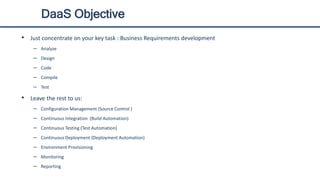
DaaS Objective
• Justconcentrate on your key task : Business Requirements development
– Analyze
– Design
– Code
– Compile
– Test
• Leave the rest to us:
– Configuration Management (Source Control )
– Continuous Integration (Build Automation)
– Continuous Testing (Test Automation)
– Continuous Deployment (Deployment Automation)
– Environment Provisioning
– Monitoring
– Reporting
5.
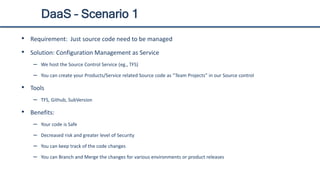
DaaS – Scenario1
• Requirement: Just source code need to be managed
• Solution: Configuration Management as Service
– We host the Source Control Service (eg., TFS)
– You can create your Products/Service related Source code as “Team Projects” in our Source control
• Tools
– TFS, Github, SubVersion
• Benefits:
– Your code is Safe
– Decreased risk and greater level of Security
– You can keep track of the code changes
– You can Branch and Merge the changes for various environments or product releases
6.
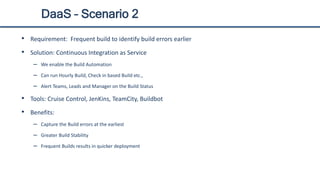
DaaS – Scenario2
• Requirement: Frequent build to identify build errors earlier
• Solution: Continuous Integration as Service
– We enable the Build Automation
– Can run Hourly Build, Check in based Build etc.,
– Alert Teams, Leads and Manager on the Build Status
• Tools: Cruise Control, JenKins, TeamCity, Buildbot
• Benefits:
– Capture the Build errors at the earliest
– Greater Build Stability
– Frequent Builds results in quicker deployment
7.
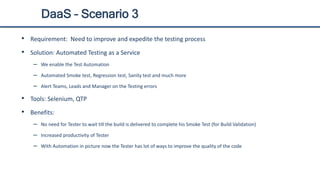
DaaS – Scenario3
• Requirement: Need to improve and expedite the testing process
• Solution: Automated Testing as a Service
– We enable the Test Automation
– Automated Smoke test, Regression test, Sanity test and much more
– Alert Teams, Leads and Manager on the Testing errors
• Tools: Selenium, QTP
• Benefits:
– No need for Tester to wait till the build is delivered to complete his Smoke Test (for Build Validation)
– Increased productivity of Tester
– With Automation in picture now the Tester has lot of ways to improve the quality of the code
8.
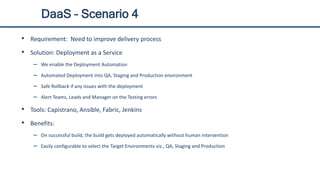
DaaS – Scenario4
• Requirement: Need to improve delivery process
• Solution: Deployment as a Service
– We enable the Deployment Automation
– Automated Deployment into QA, Staging and Production environment
– Safe Rollback if any issues with the deployment
– Alert Teams, Leads and Manager on the Testing errors
• Tools: Capistrano, Ansible, Fabric, Jenkins
• Benefits:
– On successful build, the build gets deployed automatically without human intervention
– Easily configurable to select the Target Environments viz., QA, Staging and Production
9.
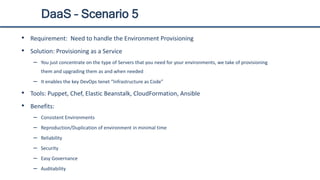
DaaS – Scenario5
• Requirement: Need to handle the Environment Provisioning
• Solution: Provisioning as a Service
– You just concentrate on the type of Servers that you need for your environments, we take of provisioning
them and upgrading them as and when needed
– It enables the key DevOps tenet “Infrastructure as Code”
• Tools: Puppet, Chef, Elastic Beanstalk, CloudFormation, Ansible
• Benefits:
– Consistent Environments
– Reproduction/Duplication of environment in minimal time
– Reliability
– Security
– Easy Governance
– Auditability
10.
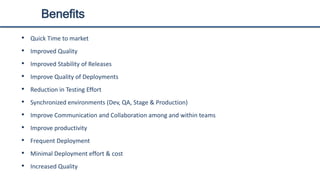
Benefits
• Quick Timeto market
• Improved Quality
• Improved Stability of Releases
• Improve Quality of Deployments
• Reduction in Testing Effort
• Synchronized environments (Dev, QA, Stage & Production)
• Improve Communication and Collaboration among and within teams
• Improve productivity
• Frequent Deployment
• Minimal Deployment effort & cost
• Increased Quality