Developing WordPress
Plugins : For Beginners
M A Hossain Tonu
http://mahtonu.wordpress.com
Who am i ?
• Tech Blogger http://mahtonu.wordpress.com
• Hacker, Community activist, FOSS advocate
• Works atVantage Labs Dhaka
• @mahtonu
• Authored the title “PHP Application
Development with NetBeans: Beginner's
Guide” http://link.packtpub.com/6HaElo
Inside scoop!
• What is Plugin?
• Popular Plugins
• Creating a Plugin from Scratch
• Sanity Practices and a Plugin foundation
• Activation, Deactivation Hooks
• Hooks: Actions and Filters
• Shortcodes
• Resources for Plugin Developer
WordPress Plugins allow easy modification,
customization, and enhancement to a
WordPress website.
Instead of changing the core programming
of WordPress, you can add functionality
with WordPress Plugins.
Book’s Definition
A WordPress Plugin is a program, or a set of
one or more functions, written in the PHP
scripting language, that adds a specific set of
features or services to the WordPress
weblog, which can be seamlessly integrated
with the weblog using access points and
methods provided by the WordPress Plugin
Application Program Interface (API).
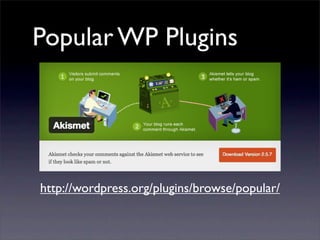
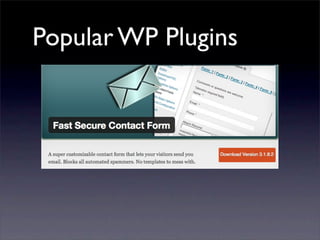
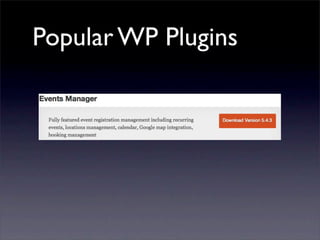
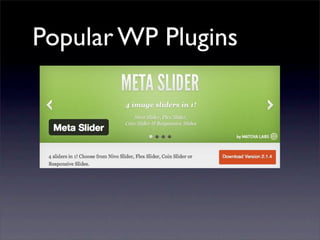
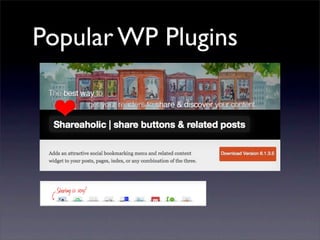
Popular WP Plugins
http://wordpress.org/plugins/browse/popular/
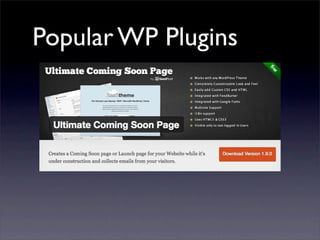
Popular WP Plugins
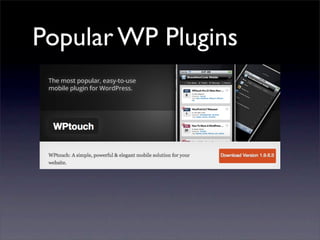
Popular WP Plugins
Popular WP Plugins
Popular WP Plugins
Popular WP Plugins
Popular WP Plugins
Popular WP Plugins
Popular WP Plugins
Popular WP Plugins
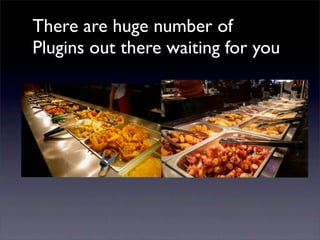
There are huge number of
Plugins out there waiting for you
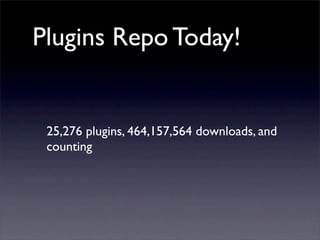
Plugins Repo Today!
25,276 plugins, 464,157,564 downloads, and
counting
Lets Create A Plugin
from Scratch...
How about a Photo
Slider?
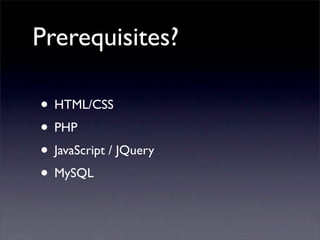
Prerequisites?
• HTML/CSS
• PHP
• JavaScript / JQuery
• MySQL
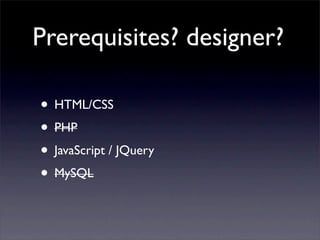
Prerequisites? designer?
• HTML/CSS
• PHP
• JavaScript / JQuery
• MySQL
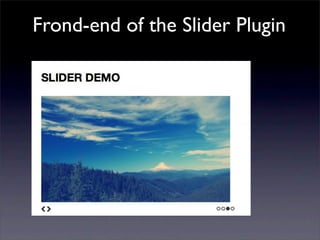
Frond-end of the Slider Plugin
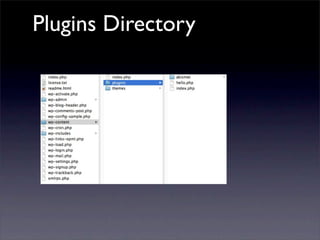
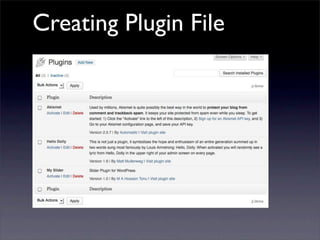
Plugins Directory
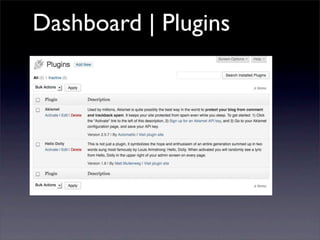
Dashboard | Plugins
Things to remember
• A unique descriptive name
• Naming: my-plugin.php or /my-plugin/ folder
• Readme.txt format for wordpress.org/
extend/plugins
• Plugin home page
• File headers (very important!)
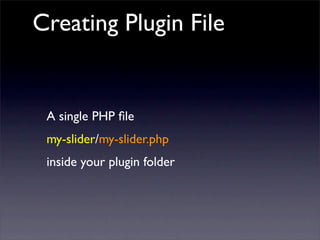
Creating Plugin File
A single PHP file
my-slider/my-slider.php
inside your plugin folder
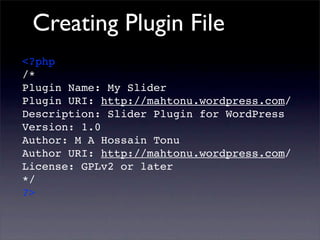
Creating Plugin File
<?php
/*
Plugin Name: My Slider
Plugin URI: http://mahtonu.wordpress.com/
Description: Slider Plugin for WordPress
Version: 1.0
Author: M A Hossain Tonu
Author URI: http://mahtonu.wordpress.com/
License: GPLv2 or later
*/
?>
Creating Plugin File
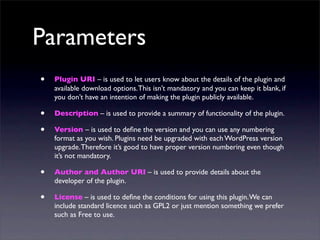
Parameters
• Plugin URI – is used to let users know about the details of the plugin and
available download options.This isn’t mandatory and you can keep it blank, if
you don’t have an intention of making the plugin publicly available.
• Description – is used to provide a summary of functionality of the plugin.
• Version – is used to define the version and you can use any numbering
format as you wish. Plugins need be upgraded with each WordPress version
upgrade.Therefore it’s good to have proper version numbering even though
it’s not mandatory.
• Author and Author URI – is used to provide details about the
developer of the plugin.
• License – is used to define the conditions for using this plugin.We can
include standard licence such as GPL2 or just mention something we prefer
such as Free to use.
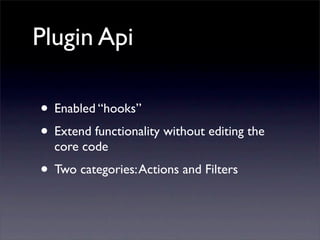
Plugin Api
• Enabled “hooks”
• Extend functionality without editing the
core code
• Two categories:Actions and Filters
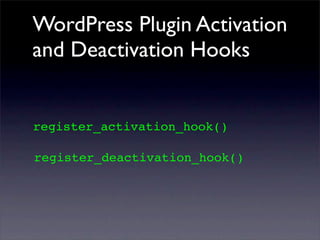
WordPress Plugin Activation
and Deactivation Hooks
register_activation_hook()
register_deactivation_hook()
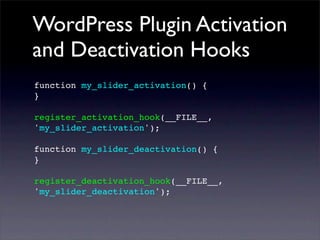
WordPress Plugin Activation
and Deactivation Hooks
function my_slider_activation() {
}
register_activation_hook(__FILE__,
'my_slider_activation');
function my_slider_deactivation() {
}
register_deactivation_hook(__FILE__,
'my_slider_deactivation');
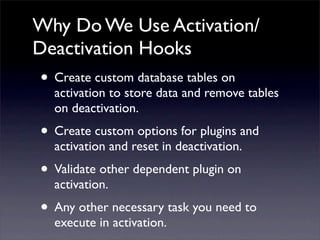
Why Do We Use Activation/
Deactivation Hooks
• Create custom database tables on
activation to store data and remove tables
on deactivation.
• Create custom options for plugins and
activation and reset in deactivation.
• Validate other dependent plugin on
activation.
• Any other necessary task you need to
execute in activation.
Actions
Specific points in the WordPress code that
can be used to trigger plugin-specified events
and functions
add_action( 'hook_name', 'your_function_name',
[priority], [accepted_args] );
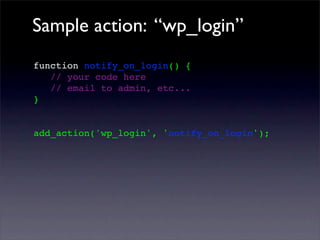
Sample action: “wp_login”
function notify_on_login() {
// your code here
// email to admin, etc...
}
add_action('wp_login', 'notify_on_login');
Filters
Functions that modify text, lists and various
types of information that are used and
produced by WordPress
add_filter('hook_name', 'your_filter_function',
[priority], [accepted_args]);
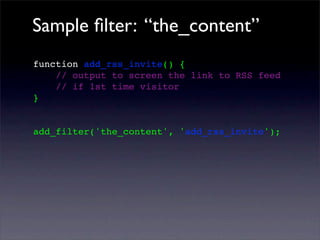
Sample filter: “the_content”
function add_rss_invite() {
// output to screen the link to RSS feed
// if 1st time visitor
}
add_filter('the_content', 'add_rss_invite');
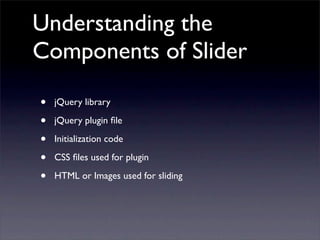
Understanding the
Components of Slider
• jQuery library
• jQuery plugin file
• Initialization code
• CSS files used for plugin
• HTML or Images used for sliding
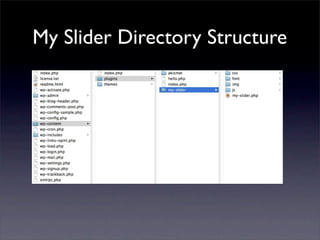
My Slider Directory Structure
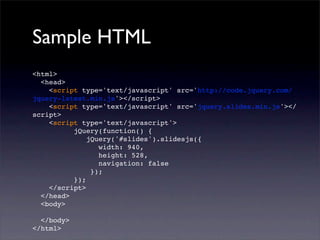
Sample HTML
<html>
<head>
<script type='text/javascript' src='http://code.jquery.com/
jquery-latest.min.js'></script>
<script type='text/javascript' src='jquery.slides.min.js'></
script>
<script type='text/javascript'>
jQuery(function() {
jQuery('#slides').slidesjs({
width: 940,
height: 528,
navigation: false
});
});
</script>
</head>
<body>
</body>
</html>
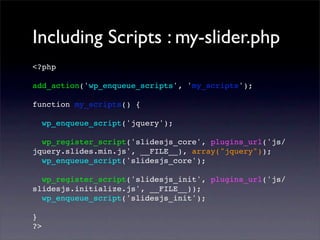
Including Scripts : my-slider.php
<?php
add_action('wp_enqueue_scripts', 'my_scripts');
function my_scripts() {
wp_enqueue_script('jquery');
wp_register_script('slidesjs_core', plugins_url('js/
jquery.slides.min.js', __FILE__), array("jquery"));
wp_enqueue_script('slidesjs_core');
wp_register_script('slidesjs_init', plugins_url('js/
slidesjs.initialize.js', __FILE__));
wp_enqueue_script('slidesjs_init');
}
?>
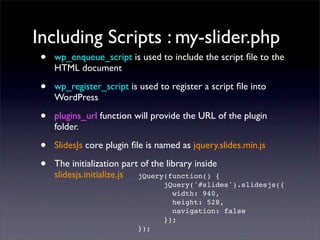
Including Scripts : my-slider.php
• wp_enqueue_script is used to include the script file to the
HTML document
• wp_register_script is used to register a script file into
WordPress
• plugins_url function will provide the URL of the plugin
folder.
• SlidesJs core plugin file is named as jquery.slides.min.js
• The initialization part of the library inside
slidesjs.initialize.js jQuery(function() {
jQuery('#slides').slidesjs({
width: 940,
height: 528,
navigation: false
});
});
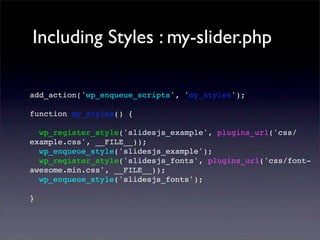
Including Styles : my-slider.php
add_action('wp_enqueue_scripts', 'my_styles');
function my_styles() {
wp_register_style('slidesjs_example', plugins_url('css/
example.css', __FILE__));
wp_enqueue_style('slidesjs_example');
wp_register_style('slidesjs_fonts', plugins_url('css/font-
awesome.min.css', __FILE__));
wp_enqueue_style('slidesjs_fonts');
}
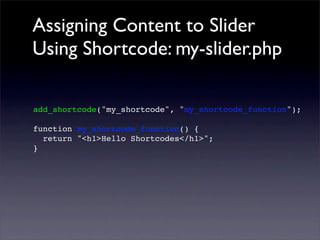
Assigning Content to Slider
Using Shortcode: my-slider.php
add_shortcode("my_shortcode", "my_shortcode_function");
function my_shortcode_function() {
return "<h1>Hello Shortcodes</h1>";
}
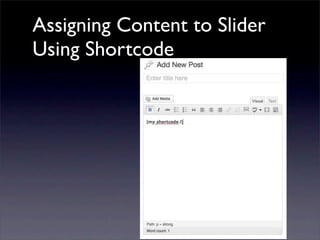
Assigning Content to Slider
Using Shortcode
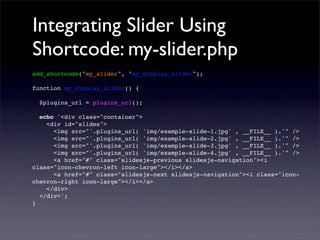
Integrating Slider Using
Shortcode: my-slider.php
add_shortcode("my_slider", "my_display_slider");
function my_display_slider() {
$plugins_url = plugins_url();
echo '<div class="container">
<div id="slides">
<img src="'.plugins_url( 'img/example-slide-1.jpg' , __FILE__ ).'" />
<img src="'.plugins_url( 'img/example-slide-2.jpg' , __FILE__ ).'" />
<img src="'.plugins_url( 'img/example-slide-3.jpg' , __FILE__ ).'" />
<img src="'.plugins_url( 'img/example-slide-4.jpg' , __FILE__ ).'" />
<a href="#" class="slidesjs-previous slidesjs-navigation"><i
class="icon-chevron-left icon-large"></i></a>
<a href="#" class="slidesjs-next slidesjs-navigation"><i class="icon-
chevron-right icon-large"></i></a>
</div>
</div>';
}
Finally!
shortcode = [my_slider]
Take away
• Plugin Creation Basics
• Sample Plugin Created from Scratch
• Best Practices
• Hooks:Activation & Deactivation,
Actions & Filters
• Shortcodes: Usage and Creation
What should be my next
Steps?
• Template Tags
• Data Saving, Add/Update Options
• Internationalization
• Submit Plugin to Repository
• Admin:Add to admin menu, Control
settings from Dashboard
• Earn Money!!!
Questions?
Resources
• Writing a Plugin: http://codex.wordpress.org/Writing_a_Plugin
• Articles and resources for Plugin developers: https://
codex.wordpress.org/Plugin_Resources
• basics about how WordPress Plugins are written: https://
codex.wordpress.org/Plugins#Default_Plugins
• Plugin API http://codex.wordpress.org/Plugin_API
• Plugin API / Action Reference http://codex.wordpress.org/
Plugin_API/Action_Reference
• Plugin API / Filter Reference http://codex.wordpress.org/
More Resources
• http://www.slideshare.net/rebelpixel/developing-wordpress-
plugins-presentation
• http://www.slideshare.net/chzigkol/wordpress-plugin-
development-short-tutorial-presentation
• http://www.slideshare.net/gamerz/developing-plugins-for-
wordpress
• http://www.slideshare.net/williamsba/create-your-first-wordpress-
plugin
Shameless Promotion
http://link.packtpub.com/6HaElo

Developing WordPress Plugins : For Begineers

  • 1.
    Developing WordPress Plugins :For Beginners M A Hossain Tonu http://mahtonu.wordpress.com
  • 2.
    Who am i? • Tech Blogger http://mahtonu.wordpress.com • Hacker, Community activist, FOSS advocate • Works atVantage Labs Dhaka • @mahtonu • Authored the title “PHP Application Development with NetBeans: Beginner's Guide” http://link.packtpub.com/6HaElo
  • 3.
    Inside scoop! • Whatis Plugin? • Popular Plugins • Creating a Plugin from Scratch • Sanity Practices and a Plugin foundation • Activation, Deactivation Hooks • Hooks: Actions and Filters • Shortcodes • Resources for Plugin Developer
  • 4.
    WordPress Plugins alloweasy modification, customization, and enhancement to a WordPress website.
  • 5.
    Instead of changingthe core programming of WordPress, you can add functionality with WordPress Plugins.
  • 6.
    Book’s Definition A WordPressPlugin is a program, or a set of one or more functions, written in the PHP scripting language, that adds a specific set of features or services to the WordPress weblog, which can be seamlessly integrated with the weblog using access points and methods provided by the WordPress Plugin Application Program Interface (API).
  • 7.
  • 8.
  • 9.
  • 10.
  • 11.
  • 12.
  • 13.
  • 14.
  • 15.
  • 16.
  • 17.
    There are hugenumber of Plugins out there waiting for you
  • 18.
    Plugins Repo Today! 25,276plugins, 464,157,564 downloads, and counting
  • 19.
    Lets Create APlugin from Scratch...
  • 20.
    How about aPhoto Slider?
  • 21.
    Prerequisites? • HTML/CSS • PHP •JavaScript / JQuery • MySQL
  • 22.
    Prerequisites? designer? • HTML/CSS •PHP • JavaScript / JQuery • MySQL
  • 23.
    Frond-end of theSlider Plugin
  • 24.
  • 25.
  • 26.
    Things to remember •A unique descriptive name • Naming: my-plugin.php or /my-plugin/ folder • Readme.txt format for wordpress.org/ extend/plugins • Plugin home page • File headers (very important!)
  • 27.
    Creating Plugin File Asingle PHP file my-slider/my-slider.php inside your plugin folder
  • 28.
    Creating Plugin File <?php /* PluginName: My Slider Plugin URI: http://mahtonu.wordpress.com/ Description: Slider Plugin for WordPress Version: 1.0 Author: M A Hossain Tonu Author URI: http://mahtonu.wordpress.com/ License: GPLv2 or later */ ?>
  • 29.
  • 30.
    Parameters • Plugin URI– is used to let users know about the details of the plugin and available download options.This isn’t mandatory and you can keep it blank, if you don’t have an intention of making the plugin publicly available. • Description – is used to provide a summary of functionality of the plugin. • Version – is used to define the version and you can use any numbering format as you wish. Plugins need be upgraded with each WordPress version upgrade.Therefore it’s good to have proper version numbering even though it’s not mandatory. • Author and Author URI – is used to provide details about the developer of the plugin. • License – is used to define the conditions for using this plugin.We can include standard licence such as GPL2 or just mention something we prefer such as Free to use.
  • 31.
    Plugin Api • Enabled“hooks” • Extend functionality without editing the core code • Two categories:Actions and Filters
  • 32.
    WordPress Plugin Activation andDeactivation Hooks register_activation_hook() register_deactivation_hook()
  • 33.
    WordPress Plugin Activation andDeactivation Hooks function my_slider_activation() { } register_activation_hook(__FILE__, 'my_slider_activation'); function my_slider_deactivation() { } register_deactivation_hook(__FILE__, 'my_slider_deactivation');
  • 34.
    Why Do WeUse Activation/ Deactivation Hooks • Create custom database tables on activation to store data and remove tables on deactivation. • Create custom options for plugins and activation and reset in deactivation. • Validate other dependent plugin on activation. • Any other necessary task you need to execute in activation.
  • 35.
    Actions Specific points inthe WordPress code that can be used to trigger plugin-specified events and functions add_action( 'hook_name', 'your_function_name', [priority], [accepted_args] );
  • 36.
    Sample action: “wp_login” functionnotify_on_login() { // your code here // email to admin, etc... } add_action('wp_login', 'notify_on_login');
  • 37.
    Filters Functions that modifytext, lists and various types of information that are used and produced by WordPress add_filter('hook_name', 'your_filter_function', [priority], [accepted_args]);
  • 38.
    Sample filter: “the_content” functionadd_rss_invite() { // output to screen the link to RSS feed // if 1st time visitor } add_filter('the_content', 'add_rss_invite');
  • 39.
    Understanding the Components ofSlider • jQuery library • jQuery plugin file • Initialization code • CSS files used for plugin • HTML or Images used for sliding
  • 40.
  • 41.
    Sample HTML <html> <head> <script type='text/javascript'src='http://code.jquery.com/ jquery-latest.min.js'></script> <script type='text/javascript' src='jquery.slides.min.js'></ script> <script type='text/javascript'> jQuery(function() { jQuery('#slides').slidesjs({ width: 940, height: 528, navigation: false }); }); </script> </head> <body> </body> </html>
  • 42.
    Including Scripts :my-slider.php <?php add_action('wp_enqueue_scripts', 'my_scripts'); function my_scripts() { wp_enqueue_script('jquery'); wp_register_script('slidesjs_core', plugins_url('js/ jquery.slides.min.js', __FILE__), array("jquery")); wp_enqueue_script('slidesjs_core'); wp_register_script('slidesjs_init', plugins_url('js/ slidesjs.initialize.js', __FILE__)); wp_enqueue_script('slidesjs_init'); } ?>
  • 43.
    Including Scripts :my-slider.php • wp_enqueue_script is used to include the script file to the HTML document • wp_register_script is used to register a script file into WordPress • plugins_url function will provide the URL of the plugin folder. • SlidesJs core plugin file is named as jquery.slides.min.js • The initialization part of the library inside slidesjs.initialize.js jQuery(function() { jQuery('#slides').slidesjs({ width: 940, height: 528, navigation: false }); });
  • 44.
    Including Styles :my-slider.php add_action('wp_enqueue_scripts', 'my_styles'); function my_styles() { wp_register_style('slidesjs_example', plugins_url('css/ example.css', __FILE__)); wp_enqueue_style('slidesjs_example'); wp_register_style('slidesjs_fonts', plugins_url('css/font- awesome.min.css', __FILE__)); wp_enqueue_style('slidesjs_fonts'); }
  • 45.
    Assigning Content toSlider Using Shortcode: my-slider.php add_shortcode("my_shortcode", "my_shortcode_function"); function my_shortcode_function() { return "<h1>Hello Shortcodes</h1>"; }
  • 46.
    Assigning Content toSlider Using Shortcode
  • 47.
    Integrating Slider Using Shortcode:my-slider.php add_shortcode("my_slider", "my_display_slider"); function my_display_slider() { $plugins_url = plugins_url(); echo '<div class="container"> <div id="slides"> <img src="'.plugins_url( 'img/example-slide-1.jpg' , __FILE__ ).'" /> <img src="'.plugins_url( 'img/example-slide-2.jpg' , __FILE__ ).'" /> <img src="'.plugins_url( 'img/example-slide-3.jpg' , __FILE__ ).'" /> <img src="'.plugins_url( 'img/example-slide-4.jpg' , __FILE__ ).'" /> <a href="#" class="slidesjs-previous slidesjs-navigation"><i class="icon-chevron-left icon-large"></i></a> <a href="#" class="slidesjs-next slidesjs-navigation"><i class="icon- chevron-right icon-large"></i></a> </div> </div>'; }
  • 48.
  • 49.
    Take away • PluginCreation Basics • Sample Plugin Created from Scratch • Best Practices • Hooks:Activation & Deactivation, Actions & Filters • Shortcodes: Usage and Creation
  • 50.
    What should bemy next Steps? • Template Tags • Data Saving, Add/Update Options • Internationalization • Submit Plugin to Repository • Admin:Add to admin menu, Control settings from Dashboard • Earn Money!!!
  • 51.
  • 52.
    Resources • Writing aPlugin: http://codex.wordpress.org/Writing_a_Plugin • Articles and resources for Plugin developers: https:// codex.wordpress.org/Plugin_Resources • basics about how WordPress Plugins are written: https:// codex.wordpress.org/Plugins#Default_Plugins • Plugin API http://codex.wordpress.org/Plugin_API • Plugin API / Action Reference http://codex.wordpress.org/ Plugin_API/Action_Reference • Plugin API / Filter Reference http://codex.wordpress.org/
  • 53.
    More Resources • http://www.slideshare.net/rebelpixel/developing-wordpress- plugins-presentation •http://www.slideshare.net/chzigkol/wordpress-plugin- development-short-tutorial-presentation • http://www.slideshare.net/gamerz/developing-plugins-for- wordpress • http://www.slideshare.net/williamsba/create-your-first-wordpress- plugin
  • 54.