excella.com
@excellaco
Developing
Dashboards with
User-centered
Design
Tech Lady Hackathon #5
October 21, 2017 | Washington DC
Amanda Makulec
Data Visualization Lead | Excella Consulting
Once you start looking,
you’ll see
data visualization
everywhere.
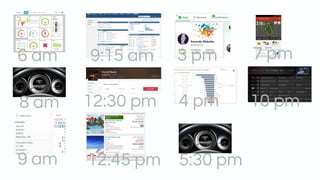
6 am
8 am
9 am
9:15 am
12:30 pm
12:45 pm
3 pm
4 pm
5:30 pm
7 pm
10 pm
“The two optic nerves [in the
eyes] are sending what we now
know are 20 megabits a second
of information back to the brain.”
Edward Tufte
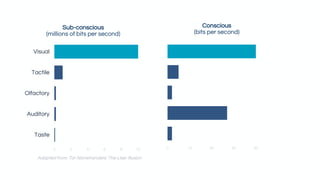
We are visual processors (and companies know that).
0 2 4 6 8 10
Taste
Auditory
Olfactory
Tactile
Visual
Sub-conscious
(millions of bits per second)
0 10 20 30 40
Conscious
(bits per second)
Adapted from: Tor Norretranders' The User Illusion
The best visualizations feel
intuitive and make complex
information accessible.
(Often, because they were
built with you in mind)
Tools are smart.
But a tool can’t
know your user
like you can.
Even ugly dashboards take time to build.
Let’s build better
dashboards that someone
is delighted to use.
DESIGN
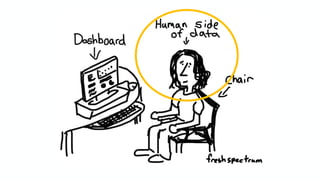
THINKIN G
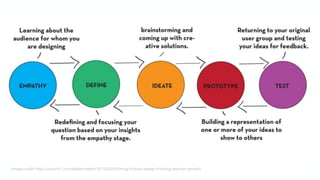
Image credit: http://cohort21.com/lesliemcbeth/2015/03/04/bring-it-back-design-thinking-teacher-growth/
DESIGN
SPRINT
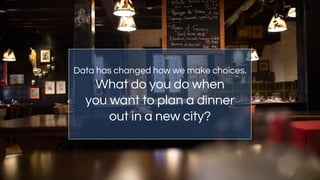
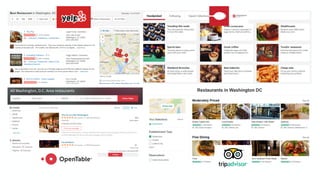
Data has changed how we make choices.
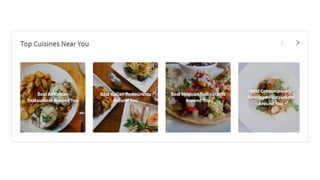
What do you do when
you want to plan a dinner
out in a new city?
Your design mission
Create a prototype of
one of the two core
dashboards for your
new start up.
EMPATHY
W h o i s o u r U S E R ?
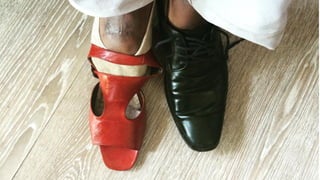
How can we put
ourselves as
designers into
the data user’s
shoes?
What are our
data user’s
wants, needs,
and interests?
What are our
data user’s
challenges and
pain points?
EMPATHY
Image credit Ryan Morrill http://www.improving-visualisation.org/case-studies/id=6
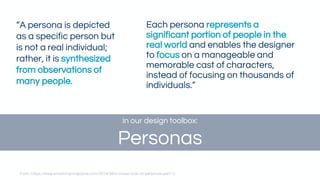
Each persona represents a
significant portion of people in the
real world and enables the designer
to focus on a manageable and
memorable cast of characters,
instead of focusing on thousands of
individuals.”
“A persona is depicted
as a specific person but
is not a real individual;
rather, it is synthesized
from observations of
many people.
From: https://www.smashingmagazine.com/2014/08/a-closer-look-at-personas-part-1/
In our design toolbox:
Personas
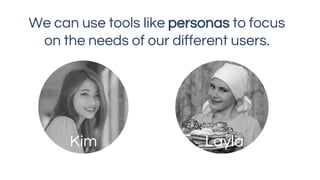
We can use tools like personas to focus
on the needs of our different users.
Kim Layla
DEFINE
W h a t Q U E S T I O N
d o e s t h e u s e r n e e d
t o a n s w e r ?
What are your
user’s high priority
questions to be
answered?
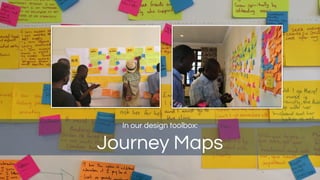
In our design toolbox:
Journey Maps
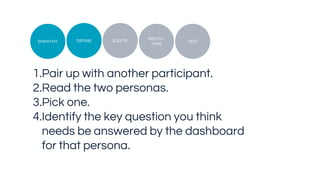
1.Pair up with another participant.
2.Read the two personas.
3.Pick one.
4.Identify the key question you think
needs be answered by the dashboard
for that persona.
TEST
PROTO-
TYPE
IDEATEDEFINEEMPATHY
IDEATE
W h a t D A T A d o w e
h a v e t o a n s w e r
t h e q u e s t i o n ?
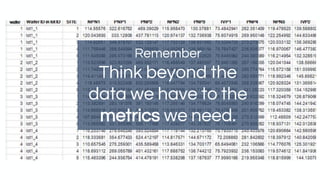
Remember
Think beyond the
data we have to the
metrics we need.
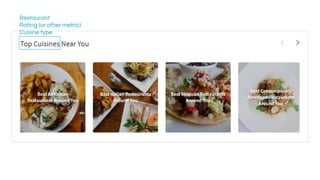
Restaurant
Rating (or other metric)
Cuisine type
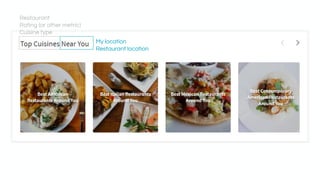
My location
Restaurant location
Restaurant
Rating (or other metric)
Cuisine type
What data is
available to
answer your
user’s questions?
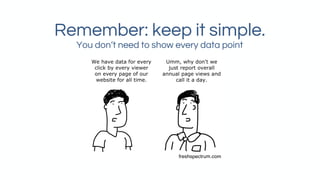
Remember: keep it simple.
You don’t need to show every data point
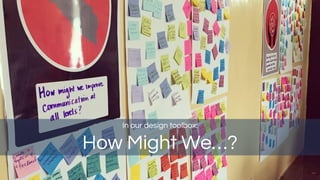
In our design toolbox:
How Might We…?
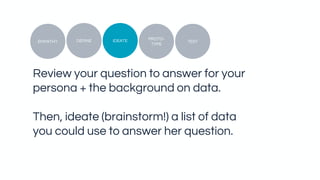
Review your question to answer for your
persona + the background on data.
Then, ideate (brainstorm!) a list of data
you could use to answer her question.
TEST
PROTO-
TYPE
IDEATEDEFINEEMPATHY
PROTOTYPE
W h a t D E S I G N
w i l l w e c r e a t e ?
Selecting the
right best
chart
Great data design…
✓ Tells a clear story
✓ Engages the user
✓ Uses visual cues to guide
the user
✓ Is well designed for the
display size and medium
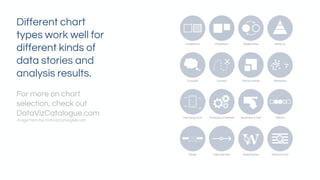
Different chart
types work well for
different kinds of
data stories and
analysis results.
For more on chart
selection, check out
DataVizCatalogue.com
Image from the DataVizCatalogue.com
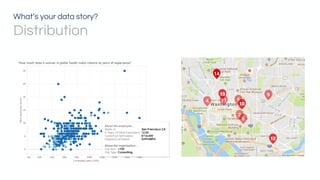
What’s your data story?
Distribution
What’s your data story?
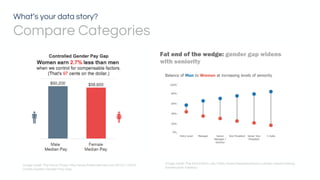
Compare Categories
Image credit: The Information Lab, https://www.thedataschool.co.uk/ben-davis/making-
barbell-plots-tableau/
Image credit: The Fiscal Times, http://www.thefiscaltimes.com/2015/11/05/5-
Charts-Explain-Gender-Pay-Gap
What’s your data story?
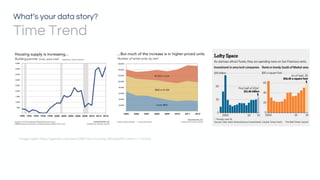
Time Trend
Image credit: https://ggwash.org/view/37967/dcs-housing-affordability-crisis-in-7-charts
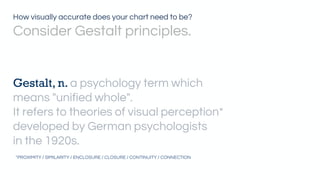
Gestalt, n. a psychology term which
means "unified whole".
It refers to theories of visual perception*
developed by German psychologists
in the 1920s.
*PROXIMITY / SIMILARITY / ENCLOSURE / CLOSURE / CONTINUITY / CONNECTION
How visually accurate does your chart need to be?
Consider Gestalt principles.
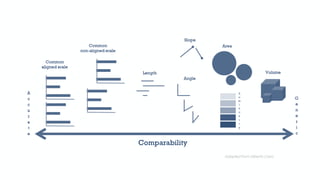
Adapted from Alberto Cairo
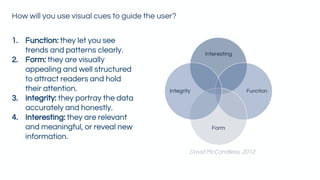
Interesting
Function
Form
Integrity
David McCandless, 2012
1. Function: they let you see
trends and patterns clearly.
2. Form: they are visually
appealing and well structured
to attract readers and hold
their attention.
3. Integrity: they portray the data
accurately and honestly.
4. Interesting: they are relevant
and meaningful, or reveal new
information.
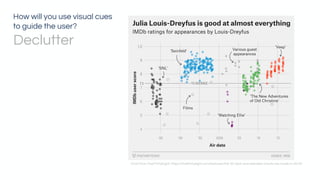
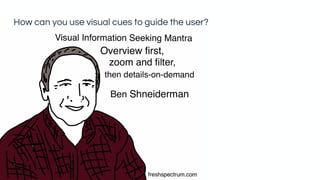
How will you use visual cues to guide the user?
How will you use visual cues
to guide the user?
Declutter
Chart from FiveThirtyEight: https://fivethirtyeight.com/features/the-52-best-and-weirdest-charts-we-made-in-2016/
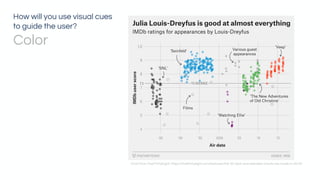
How will you use visual cues
to guide the user?
Color
Chart from FiveThirtyEight: https://fivethirtyeight.com/features/the-52-best-and-weirdest-charts-we-made-in-2016/
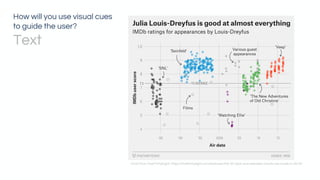
How will you use visual cues
to guide the user?
Text
Chart from FiveThirtyEight: https://fivethirtyeight.com/features/the-52-best-and-weirdest-charts-we-made-in-2016/
Combining
views in a
dashboard
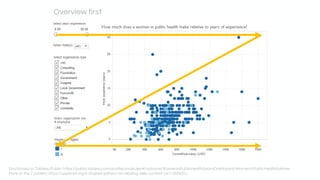
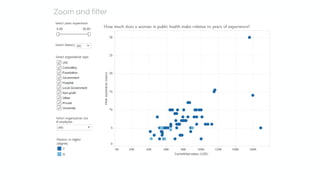
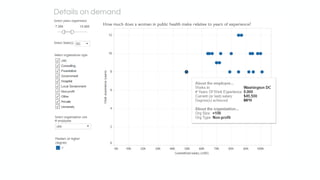
How can you use visual cues to guide the user?
Dashboard on Tableau Public: https://public.tableau.com/profile/amakulec#!/vizhome/WomeninPublicHealthSalaryDashboard/WomeninPublicHealthSalaries
More on the Z pattern: https://uxplanet.org/z-shaped-pattern-for-reading-web-content-ce1135f92f1c
Overview first
Zoom and filter
Details on demand
Develop rough sketches
rooted in design best
practices to test different
ideas for charts and
dashboard layouts
In our design toolbox:
Sketching + Wireframing
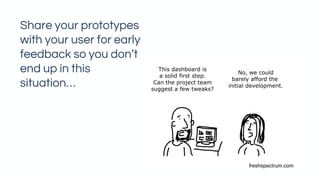
Share your prototypes
with your user for early
feedback so you don’t
end up in this
situation…
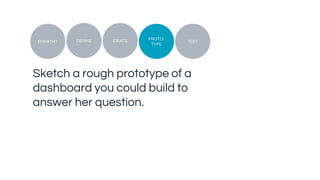
Sketch a rough prototype of a
dashboard you could build to
answer her question.
TEST
PROTO-
TYPE
IDEATEDEFINEEMPATHY
PAIR SHARE
W h a t i s s i m i l a r ?
W h a t i s d i f f e r e n t ?
Favorite Resources for Diving in on Design Thinking
• Stanford d. School Bootcamp Bootleg
dschool.stanford.edu/resources
• IDEO Design Kit
ideo.com/post/design-kit
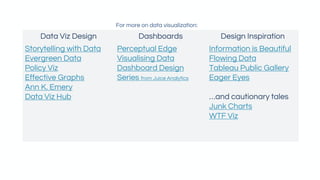
Data Viz Design Dashboards Design Inspiration
Storytelling with Data
Evergreen Data
Policy Viz
Effective Graphs
Ann K. Emery
Data Viz Hub
Perceptual Edge
Visualising Data
Dashboard Design
Series from Juice Analytics
Information is Beautiful
Flowing Data
Tableau Public Gallery
Eager Eyes
…and cautionary tales
Junk Charts
WTF Viz
For more on data visualization:
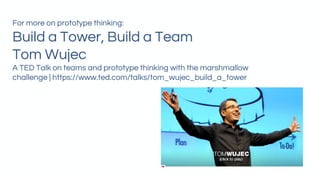
For more on prototype thinking:
Build a Tower, Build a Team
Tom Wujec
A TED Talk on teams and prototype thinking with the marshmallow
challenge | https://www.ted.com/talks/tom_wujec_build_a_tower
Amanda Makulec
Data Visualization Lead
Excella Consulting
amanda.makulec@excella.com
@abmakulec
excella.com
@excellaco

Developing Dashboards with User-Centered Design

  • 1.
    excella.com @excellaco Developing Dashboards with User-centered Design Tech LadyHackathon #5 October 21, 2017 | Washington DC Amanda Makulec Data Visualization Lead | Excella Consulting
  • 2.
    Once you startlooking, you’ll see data visualization everywhere.
  • 3.
    6 am 8 am 9am 9:15 am 12:30 pm 12:45 pm 3 pm 4 pm 5:30 pm 7 pm 10 pm
  • 4.
    “The two opticnerves [in the eyes] are sending what we now know are 20 megabits a second of information back to the brain.” Edward Tufte We are visual processors (and companies know that).
  • 5.
    0 2 46 8 10 Taste Auditory Olfactory Tactile Visual Sub-conscious (millions of bits per second) 0 10 20 30 40 Conscious (bits per second) Adapted from: Tor Norretranders' The User Illusion
  • 6.
    The best visualizationsfeel intuitive and make complex information accessible. (Often, because they were built with you in mind)
  • 7.
    Tools are smart. Buta tool can’t know your user like you can.
  • 8.
    Even ugly dashboardstake time to build. Let’s build better dashboards that someone is delighted to use.
  • 10.
  • 11.
  • 12.
  • 13.
    Data has changedhow we make choices. What do you do when you want to plan a dinner out in a new city?
  • 15.
    Your design mission Createa prototype of one of the two core dashboards for your new start up.
  • 16.
    EMPATHY W h oi s o u r U S E R ?
  • 18.
    How can weput ourselves as designers into the data user’s shoes?
  • 19.
    What are our datauser’s wants, needs, and interests?
  • 20.
    What are our datauser’s challenges and pain points?
  • 21.
  • 22.
    Image credit RyanMorrill http://www.improving-visualisation.org/case-studies/id=6
  • 23.
    Each persona representsa significant portion of people in the real world and enables the designer to focus on a manageable and memorable cast of characters, instead of focusing on thousands of individuals.” “A persona is depicted as a specific person but is not a real individual; rather, it is synthesized from observations of many people. From: https://www.smashingmagazine.com/2014/08/a-closer-look-at-personas-part-1/ In our design toolbox: Personas
  • 24.
    We can usetools like personas to focus on the needs of our different users. Kim Layla
  • 25.
    DEFINE W h at Q U E S T I O N d o e s t h e u s e r n e e d t o a n s w e r ?
  • 26.
    What are your user’shigh priority questions to be answered?
  • 27.
    In our designtoolbox: Journey Maps
  • 28.
    1.Pair up withanother participant. 2.Read the two personas. 3.Pick one. 4.Identify the key question you think needs be answered by the dashboard for that persona. TEST PROTO- TYPE IDEATEDEFINEEMPATHY
  • 29.
    IDEATE W h at D A T A d o w e h a v e t o a n s w e r t h e q u e s t i o n ?
  • 30.
    Remember Think beyond the datawe have to the metrics we need.
  • 32.
    Restaurant Rating (or othermetric) Cuisine type
  • 33.
  • 34.
    What data is availableto answer your user’s questions?
  • 35.
    Remember: keep itsimple. You don’t need to show every data point
  • 36.
    In our designtoolbox: How Might We…?
  • 37.
    Review your questionto answer for your persona + the background on data. Then, ideate (brainstorm!) a list of data you could use to answer her question. TEST PROTO- TYPE IDEATEDEFINEEMPATHY
  • 38.
    PROTOTYPE W h at D E S I G N w i l l w e c r e a t e ?
  • 39.
  • 40.
    Great data design… ✓Tells a clear story ✓ Engages the user ✓ Uses visual cues to guide the user ✓ Is well designed for the display size and medium
  • 41.
    Different chart types workwell for different kinds of data stories and analysis results. For more on chart selection, check out DataVizCatalogue.com Image from the DataVizCatalogue.com
  • 42.
    What’s your datastory? Distribution
  • 43.
    What’s your datastory? Compare Categories Image credit: The Information Lab, https://www.thedataschool.co.uk/ben-davis/making- barbell-plots-tableau/ Image credit: The Fiscal Times, http://www.thefiscaltimes.com/2015/11/05/5- Charts-Explain-Gender-Pay-Gap
  • 44.
    What’s your datastory? Time Trend Image credit: https://ggwash.org/view/37967/dcs-housing-affordability-crisis-in-7-charts
  • 45.
    Gestalt, n. apsychology term which means "unified whole". It refers to theories of visual perception* developed by German psychologists in the 1920s. *PROXIMITY / SIMILARITY / ENCLOSURE / CLOSURE / CONTINUITY / CONNECTION How visually accurate does your chart need to be? Consider Gestalt principles.
  • 46.
  • 47.
    Interesting Function Form Integrity David McCandless, 2012 1.Function: they let you see trends and patterns clearly. 2. Form: they are visually appealing and well structured to attract readers and hold their attention. 3. Integrity: they portray the data accurately and honestly. 4. Interesting: they are relevant and meaningful, or reveal new information. How will you use visual cues to guide the user?
  • 48.
    How will youuse visual cues to guide the user? Declutter Chart from FiveThirtyEight: https://fivethirtyeight.com/features/the-52-best-and-weirdest-charts-we-made-in-2016/
  • 49.
    How will youuse visual cues to guide the user? Color Chart from FiveThirtyEight: https://fivethirtyeight.com/features/the-52-best-and-weirdest-charts-we-made-in-2016/
  • 50.
    How will youuse visual cues to guide the user? Text Chart from FiveThirtyEight: https://fivethirtyeight.com/features/the-52-best-and-weirdest-charts-we-made-in-2016/
  • 51.
  • 52.
    How can youuse visual cues to guide the user?
  • 53.
    Dashboard on TableauPublic: https://public.tableau.com/profile/amakulec#!/vizhome/WomeninPublicHealthSalaryDashboard/WomeninPublicHealthSalaries More on the Z pattern: https://uxplanet.org/z-shaped-pattern-for-reading-web-content-ce1135f92f1c Overview first
  • 54.
  • 55.
  • 56.
    Develop rough sketches rootedin design best practices to test different ideas for charts and dashboard layouts In our design toolbox: Sketching + Wireframing
  • 57.
    Share your prototypes withyour user for early feedback so you don’t end up in this situation…
  • 58.
    Sketch a roughprototype of a dashboard you could build to answer her question. TEST PROTO- TYPE IDEATEDEFINEEMPATHY
  • 59.
    PAIR SHARE W ha t i s s i m i l a r ? W h a t i s d i f f e r e n t ?
  • 60.
    Favorite Resources forDiving in on Design Thinking • Stanford d. School Bootcamp Bootleg dschool.stanford.edu/resources • IDEO Design Kit ideo.com/post/design-kit
  • 61.
    Data Viz DesignDashboards Design Inspiration Storytelling with Data Evergreen Data Policy Viz Effective Graphs Ann K. Emery Data Viz Hub Perceptual Edge Visualising Data Dashboard Design Series from Juice Analytics Information is Beautiful Flowing Data Tableau Public Gallery Eager Eyes …and cautionary tales Junk Charts WTF Viz For more on data visualization:
  • 62.
    For more onprototype thinking: Build a Tower, Build a Team Tom Wujec A TED Talk on teams and prototype thinking with the marshmallow challenge | https://www.ted.com/talks/tom_wujec_build_a_tower
  • 63.
    Amanda Makulec Data VisualizationLead Excella Consulting amanda.makulec@excella.com @abmakulec excella.com @excellaco