Chapter 1: Introduction
⚫ Purpose of Database Systems
⚫ View of Data
⚫ Data Models
⚫ Data Definition Language
⚫ Data Manipulation Language
⚫ Transaction Management
⚫ Storage Management
⚫ Database Administrator
⚫ Database Users
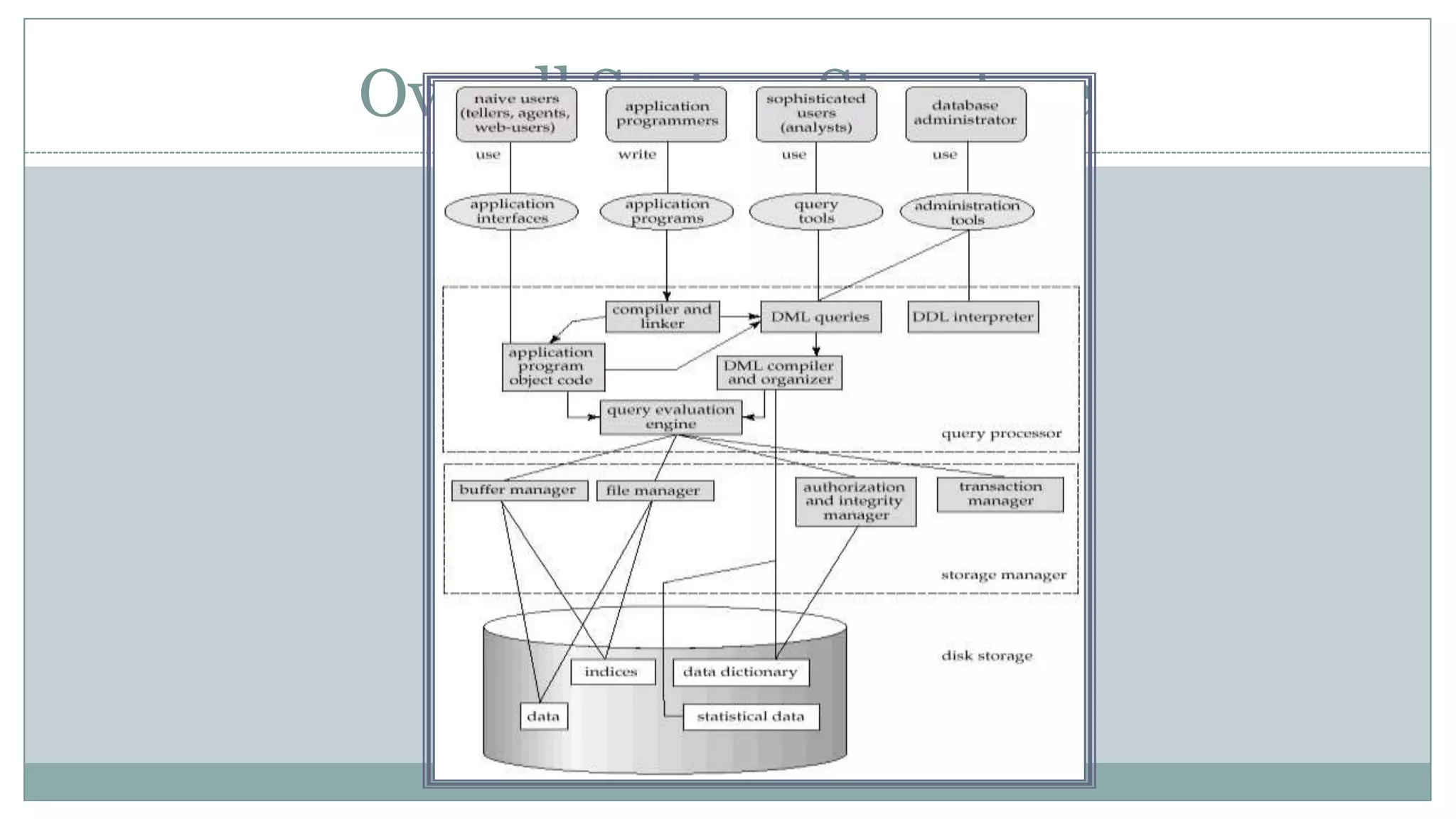
⚫ Overall System Structure
Database Management System (DBMS)
⚫ Collection of interrelated data
⚫ Set of programs to access the data
⚫ DBMS contains information about a particular enterprise
⚫ DBMS provides an environment that is both convenient
and efficient to use.
⚫ Database Applications:
 Banking: all transactions
 Airlines: reservations, schedules
 Universities: registration, grades
 Sales: customers, products, purchases
 Manufacturing: production, inventory, orders, supply chain
 Human resources: employee records, salaries, tax deductions
Purpose of Database System
⚫In the early days, database applications were
built on top of file systems
⚫Drawbacks of using file systems to store data:
 Data redundancy and inconsistency
⯍ Multiple file formats, duplication of information in
different files
 Difficulty in accessing data
⯍ Need to write a new program to carry out each new task
 Data isolation — multiple files and formats
 Integrity problems
⯍Integrity constraints (e.g. account balance > 0) become
Purpose of Database Systems (Cont.)
⚫ Drawbacks of using file systems (cont.)
 Atomicity of updates
⯍ Failures may leave database in an inconsistent state with partial
updates carried out
⯍ E.g. transfer of funds from one account to another should either
complete or not happen at all
 Concurrent access by multiple users
⯍ Concurrent accessed needed for performance
⯍ Uncontrolled concurrent accesses can lead to inconsistencies
 E.g. two people reading a balance and updating it at the same
time
 Security problems
⚫ Database systems offer solutions to all the above
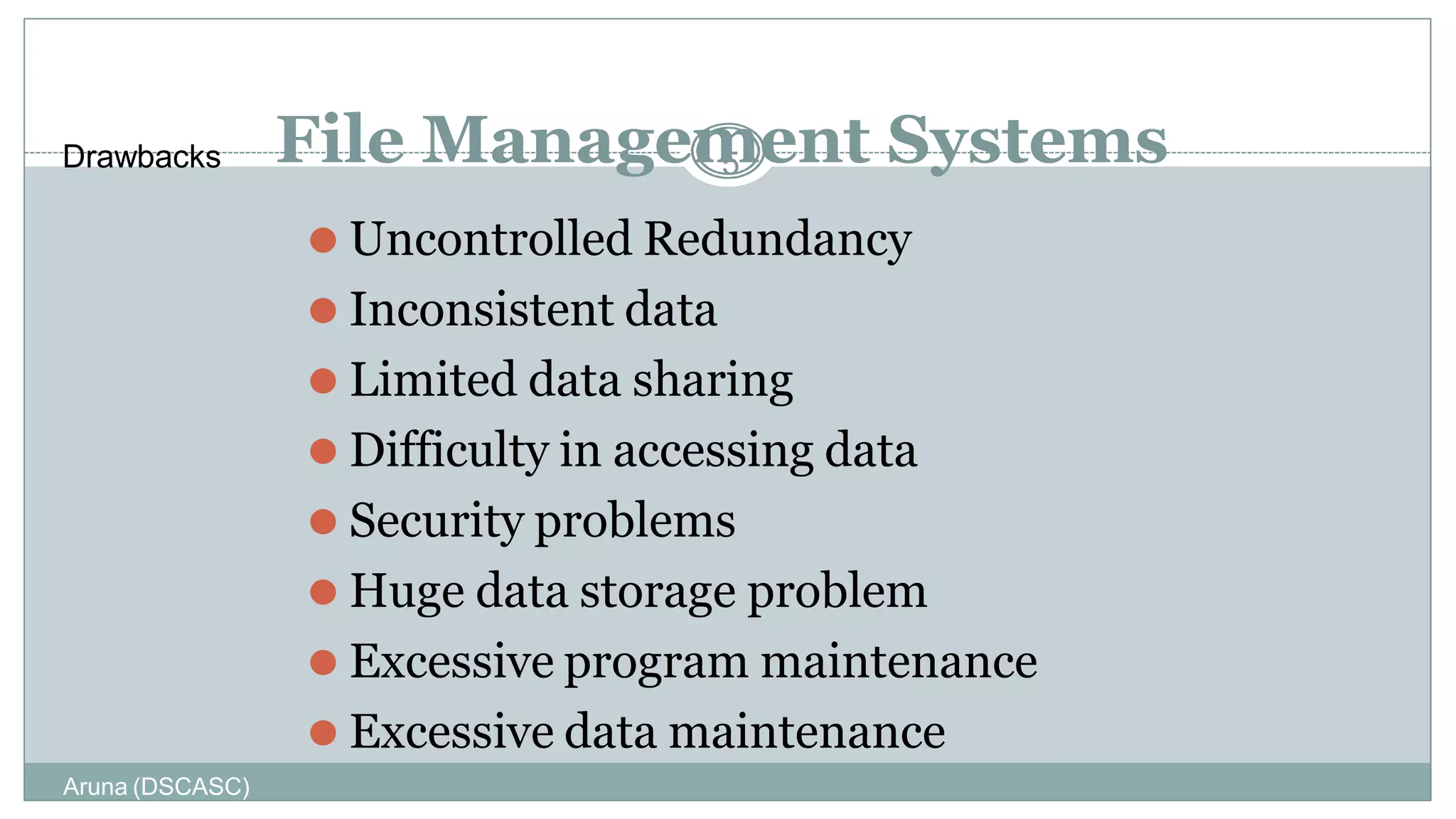
⚫ Uncontrolled Redundancy
⚫ Inconsistent data
⚫ Limited data sharing
⚫ Difficulty in accessing data
⚫ Security problems
⚫ Huge data storage problem
⚫ Excessive program maintenance
⚫ Excessive data maintenance
Aruna (DSCASC)
Drawbacks File Managem
5 ent Systems
Applications of Database System
⚫ Banking
⚫ Airlines
⚫ University
⚫ Railways
⚫ Finance
⚫ Sales
⚫ Telecommunication
⚫ Pay roll system
⚫ Manufacturing
Aruna (DSCASC)
7
Levels of Abstraction
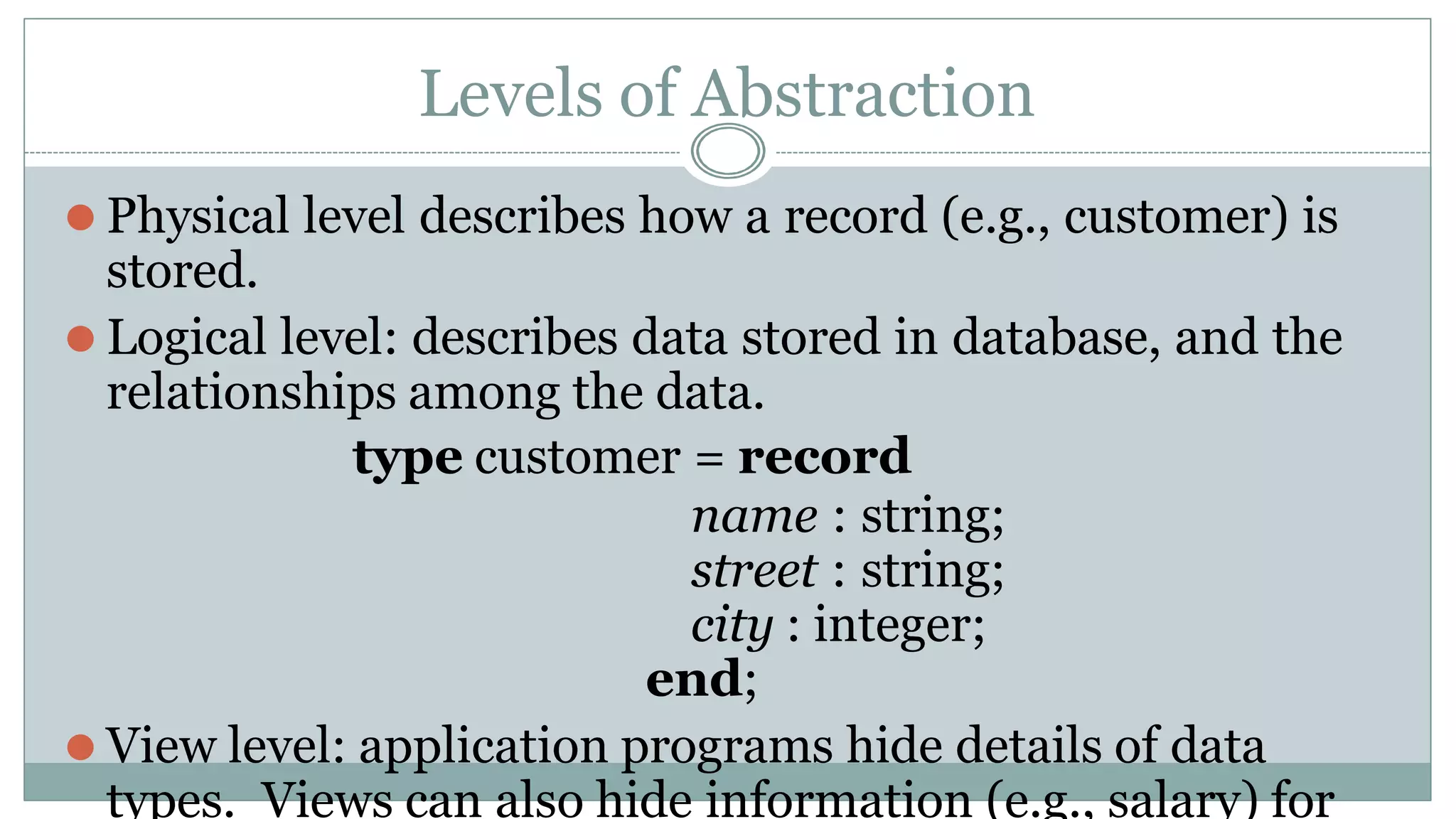
⚫ Physical level describes how a record (e.g., customer) is
stored.
⚫ Logical level: describes data stored in database, and the
relationships among the data.
type customer = record
name : string;
street : string;
city : integer;
end;
⚫ View level: application programs hide details of data
types. Views can also hide information (e.g., salary) for
Three-Schema Architecture
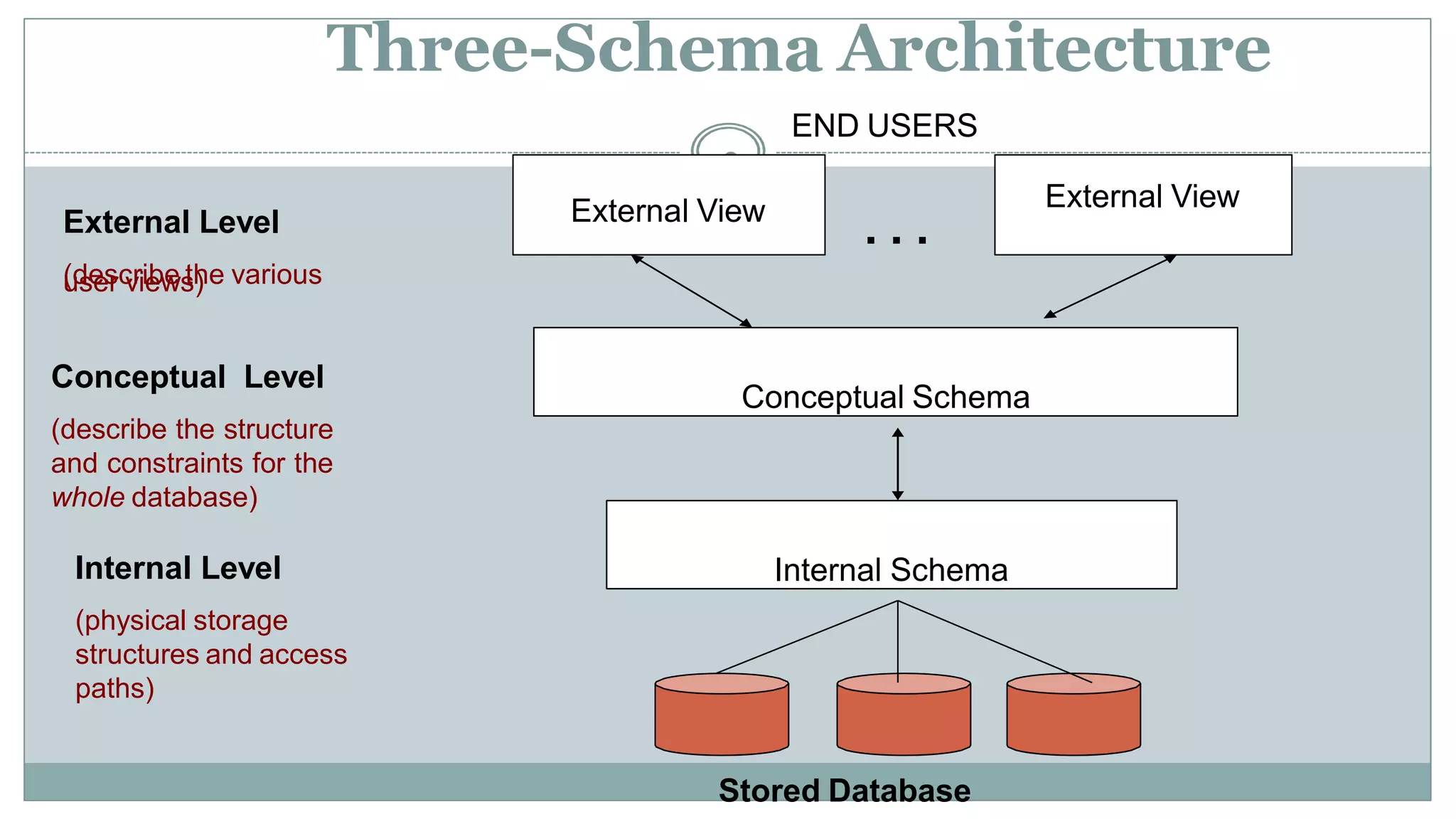
External Level
(describe the various
user views)
Conceptual Level
(describe the structure
and constraints for the
whole database)
Internal Level
(physical storage
structures and access
paths)
END USERS
9
External View External View
Conceptual Schema
Internal Schema
Stored Database
. . .
Aruna (DSCASC)
10
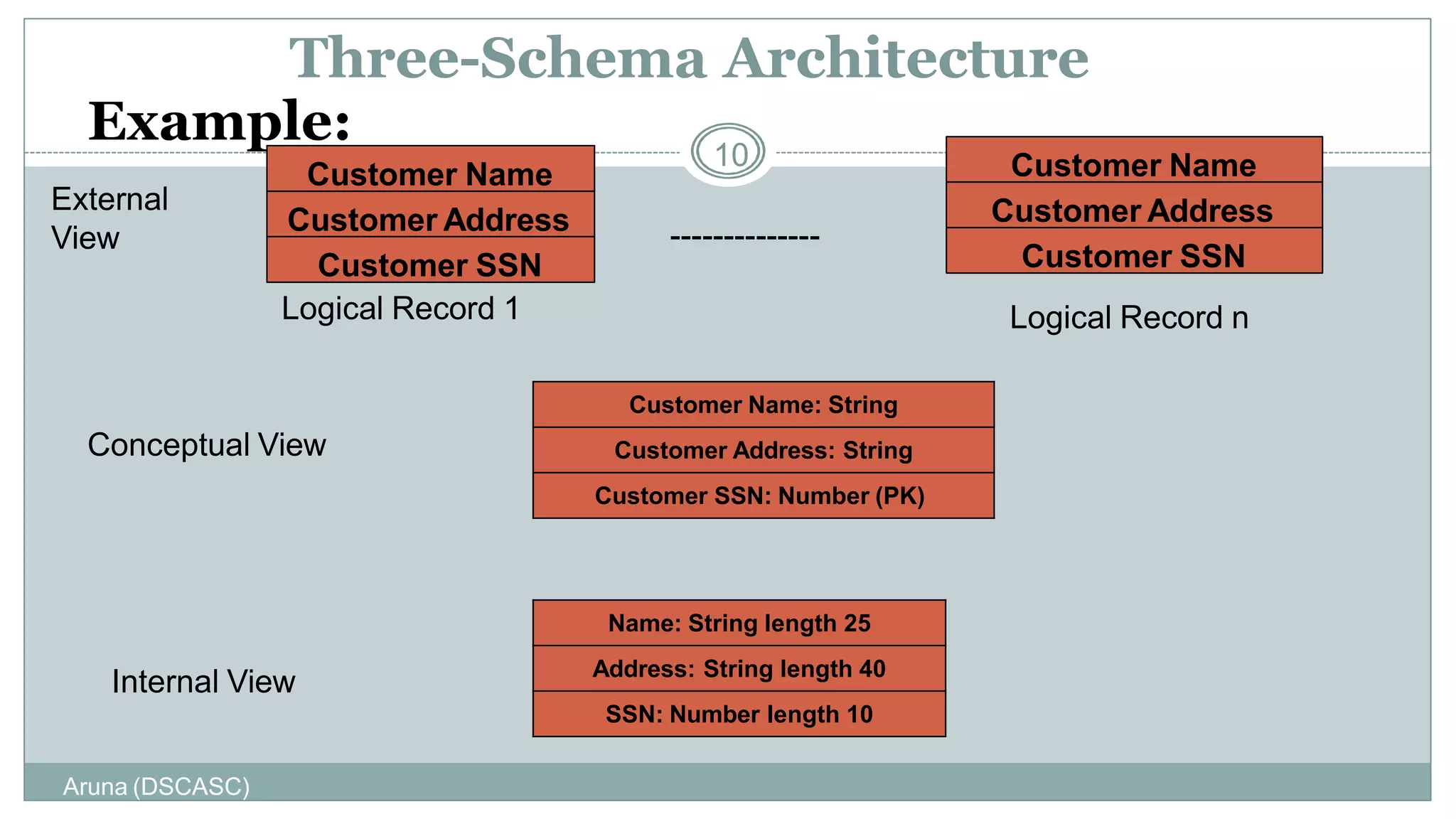
Three-Schema Architecture
Example:
Customer Name
Customer Address
Customer Name
Customer Address
Customer SSN
Customer Name: String
Customer Address: String
Customer SSN: Number (PK)
Name: String length 25
Address: String length 40
SSN: Number length 10
Conceptual View
Internal View
External
View
Logical Record 1 Logical Record n
Customer SSN
--------------
Aruna (DSCASC)
11
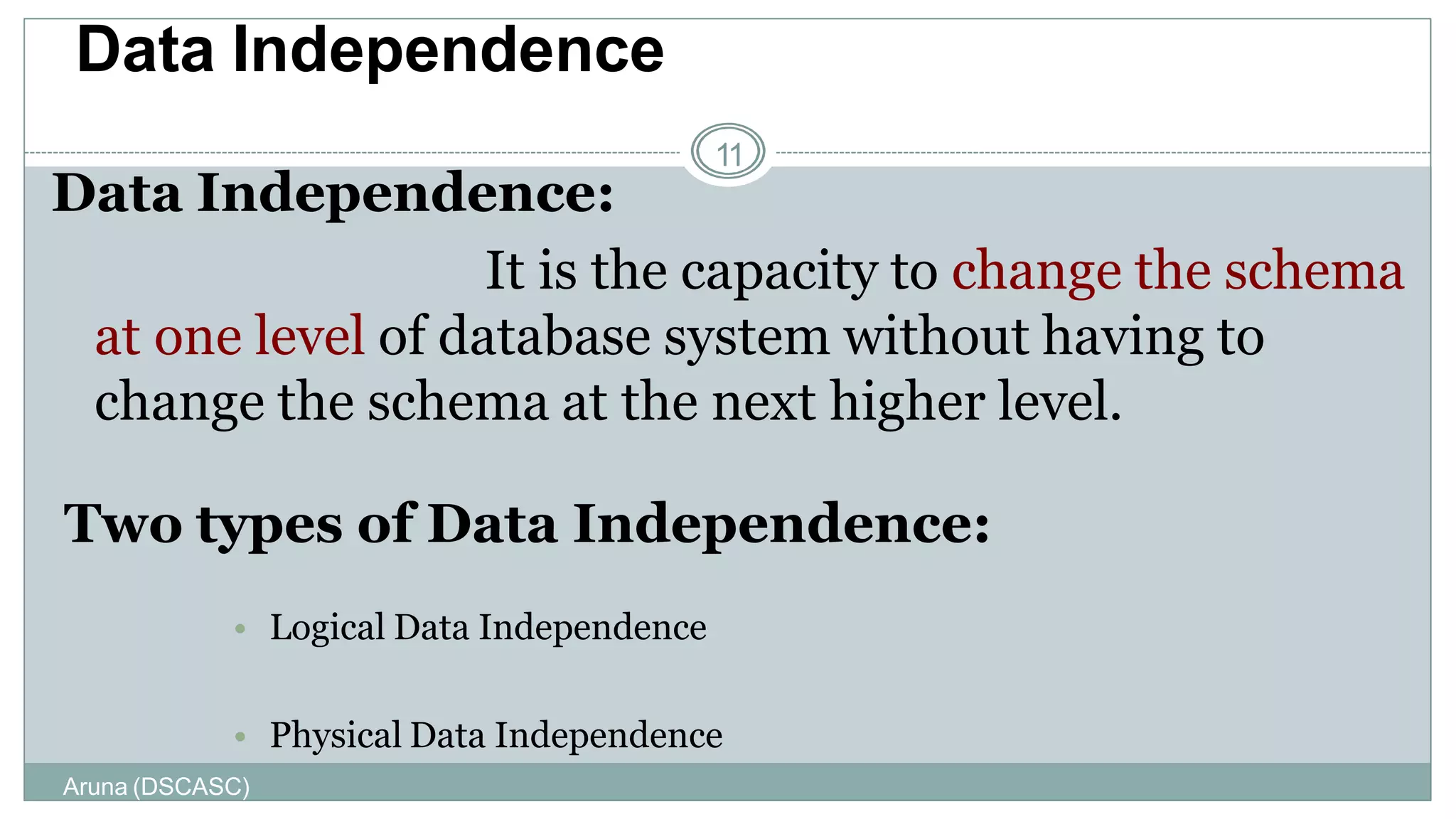
Data Independence:
It is the capacity to change the schema
at one level of database system without having to
change the schema at the next higher level.
Two types of Data Independence:
• Logical Data Independence
• Physical Data Independence
Data Independence
Types of Data Independence
12
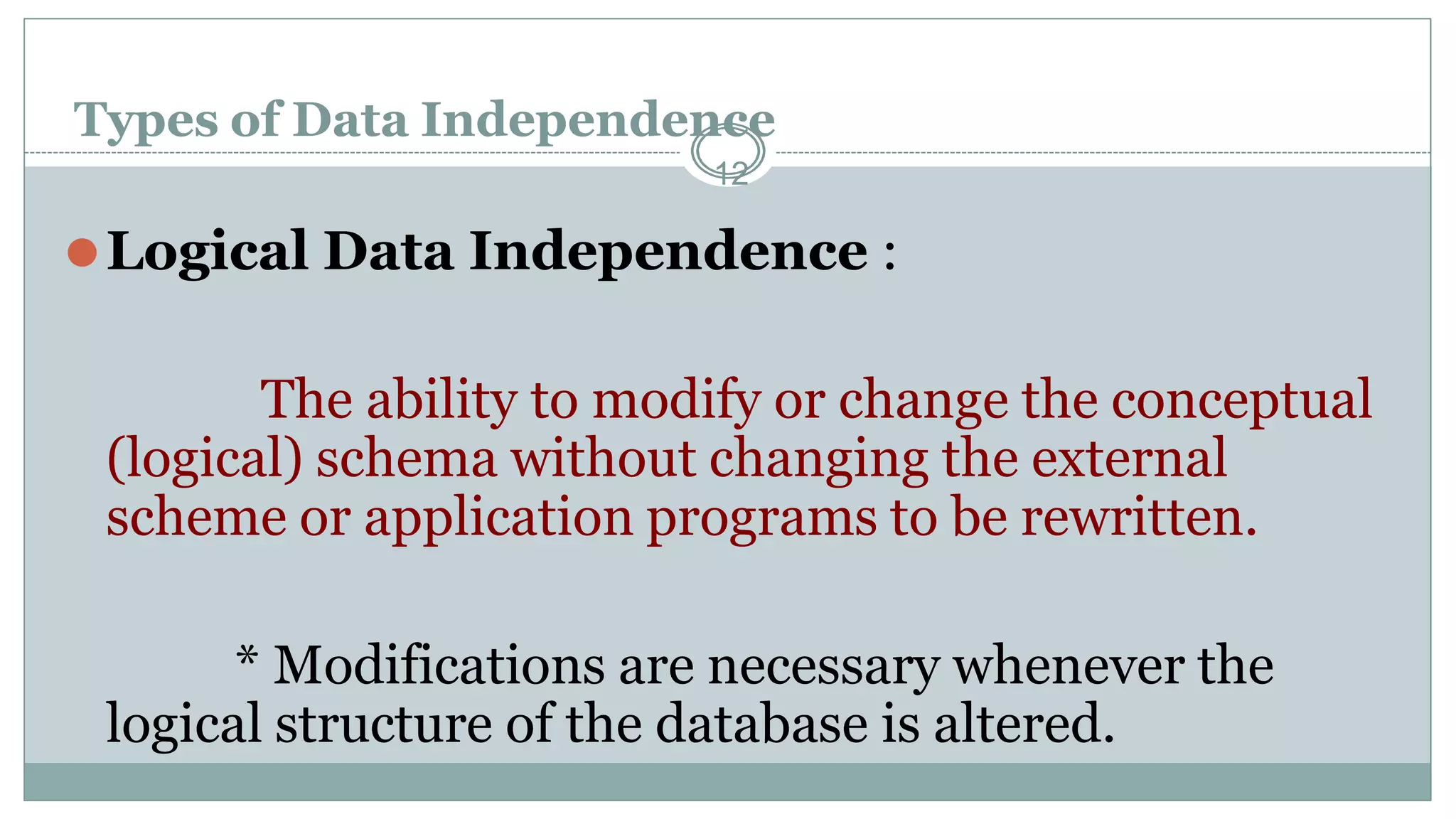
⚫Logical Data Independence :
The ability to modify or change the conceptual
(logical) schema without changing the external
scheme or application programs to be rewritten.
* Modifications are necessary whenever the
logical structure of the database is altered.
Aruna (DSCASC)
13
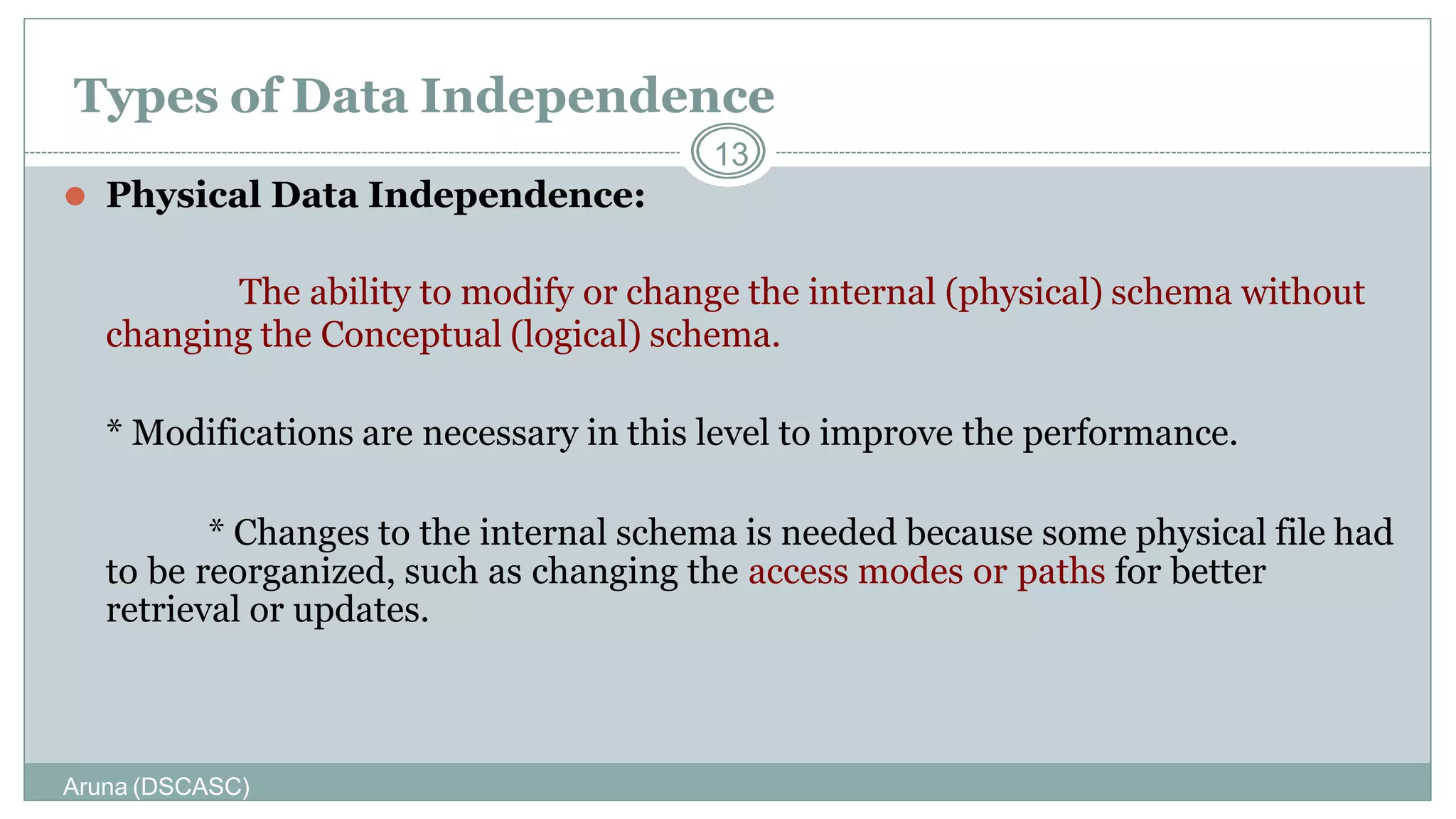
⚫ Physical Data Independence:
The ability to modify or change the internal (physical) schema without
changing the Conceptual (logical) schema.
* Modifications are necessary in this level to improve the performance.
* Changes to the internal schema is needed because some physical file had
to be reorganized, such as changing the access modes or paths for better
retrieval or updates.
Types of Data Independence
Instances and Schemas
⚫ Similar to types and variables in programming languages
⚫ Schema – the logical structure of the database
 e.g., the database consists of information about a set of customers and accounts
and the relationship between them)
 Analogous to type information of a variable in a program
 Physical schema: database design at the physical level
 Logical schema: database design at the logical level
⚫ Instance – the actual content of the database at a particular point in time
 Analogous to the value of a variable
⚫ Physical Data Independence – the ability to modify the physical
schema without changing the logical schema
 Applications depend on the logical schema
 In general, the interfaces between the various levels and components should be
well defined so that changes in some parts do not seriously influence others.
Data Models
⚫A collection of tools for describing
 data
 data relationships
 data semantics
 data constraints
⚫Entity-Relationship model
⚫Relational model
⚫Other models:
 object-oriented model
 semi-structured data models
 Older models: network model and hierarchical
model
16
History of Data Models
⚫Network Model
⚫Hierarchical Model
⚫Entity – Relationship Model
⚫Relational Model
⚫Object-Oriented Model
⚫Object-Relational Model
Aruna (DSCASC)
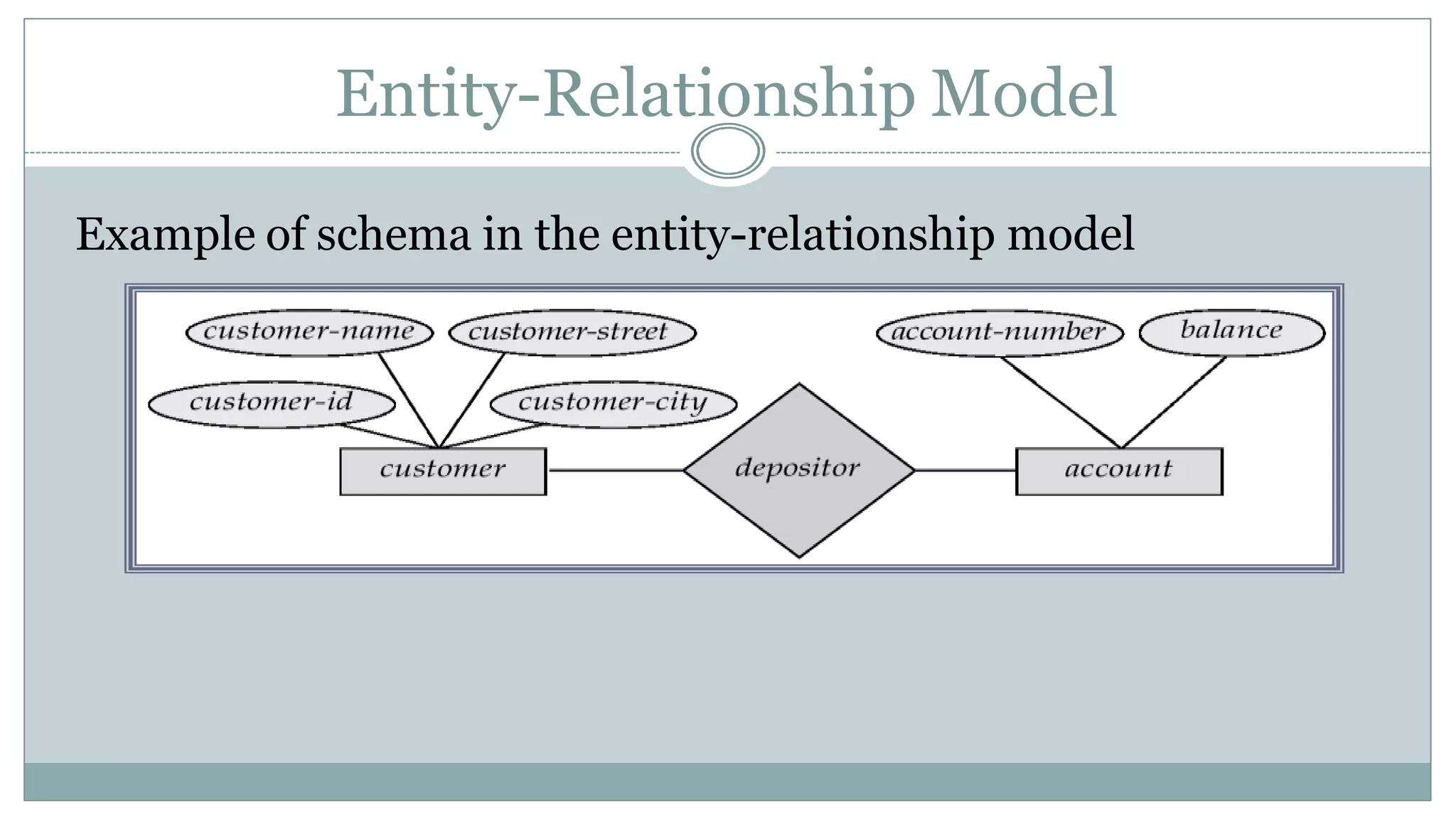
Entity-Relationship Model
Example of schema in the entity-relationship model
Entity Relationship Model (Cont.)
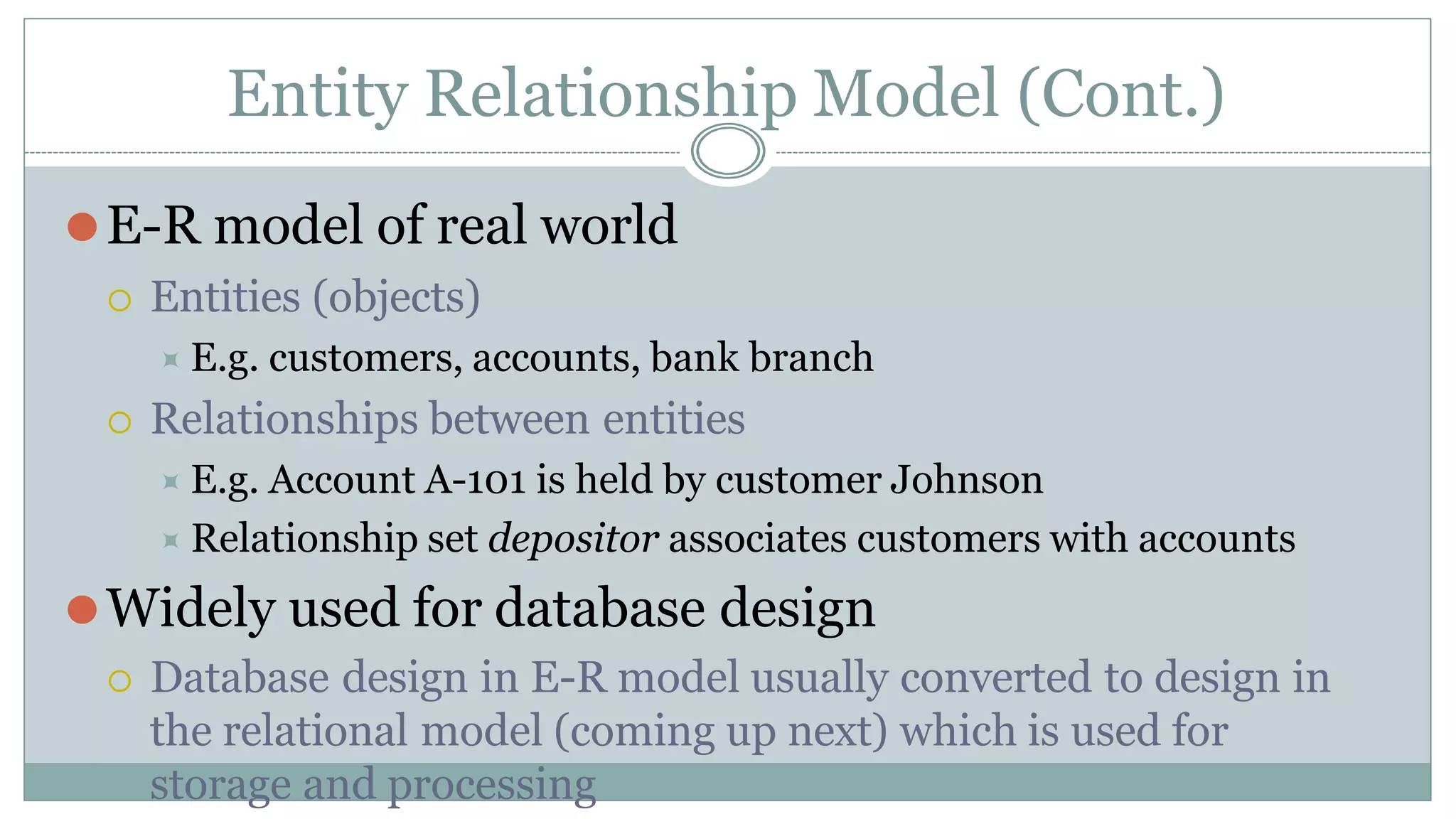
⚫E-R model of real world
 Entities (objects)
⯍ E.g. customers, accounts, bank branch
 Relationships between entities
⯍ E.g. Account A-101 is held by customer Johnson
⯍ Relationship set depositor associates customers with accounts
⚫Widely used for database design
 Database design in E-R model usually converted to design in
the relational model (coming up next) which is used for
storage and processing
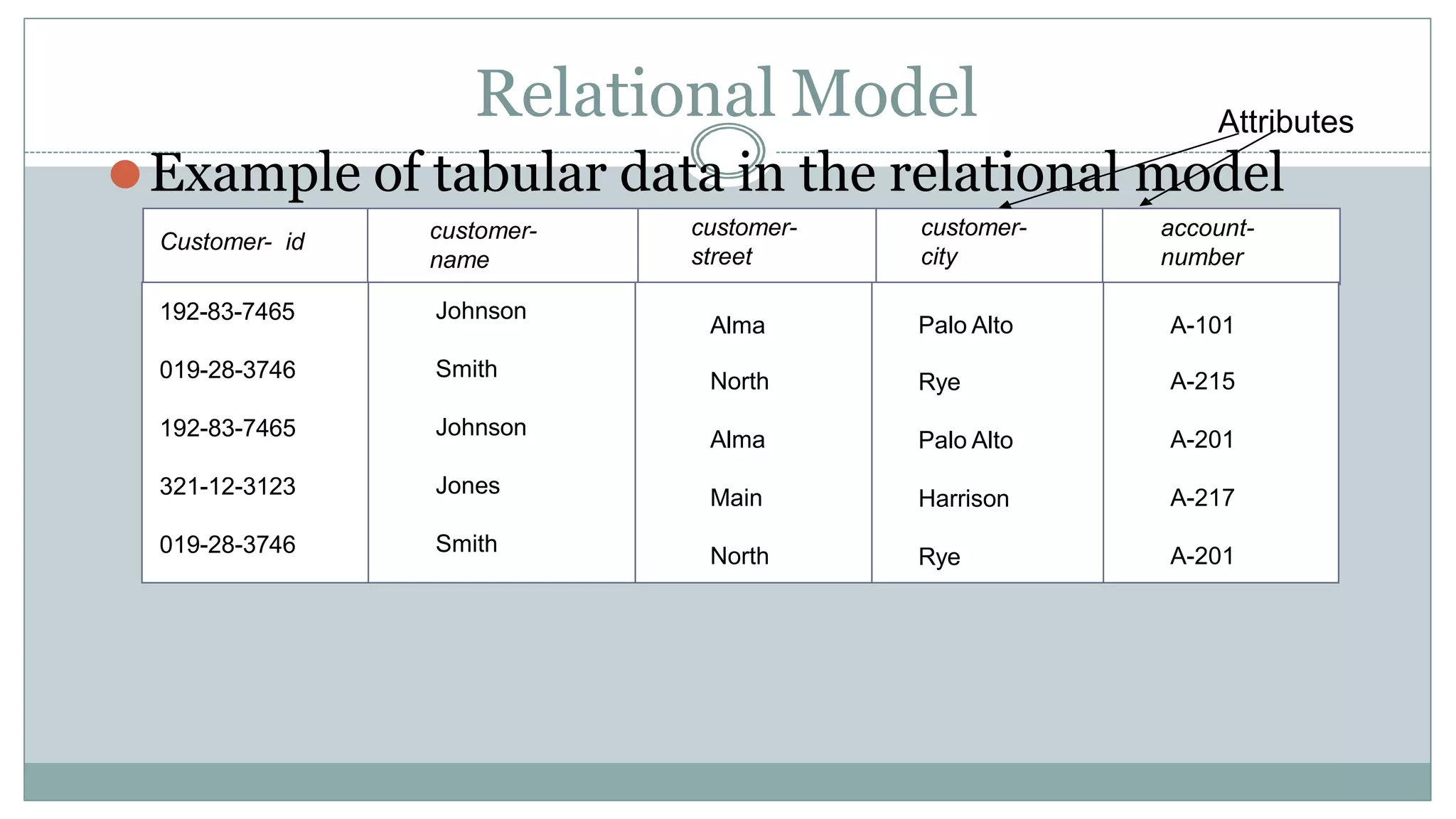
Relational Model
⚫Example of tabular data in the relational model
Customer- id customer-
name
customer-
street
customer-
city
account-
number
192-83-7465 Johnson
Alma Palo Alto A-101
019-28-3746 Smith
North Rye A-215
192-83-7465 Johnson
Alma Palo Alto A-201
321-12-3123 Jones
Main Harrison A-217
019-28-3746 Smith
North Rye A-201
Attributes
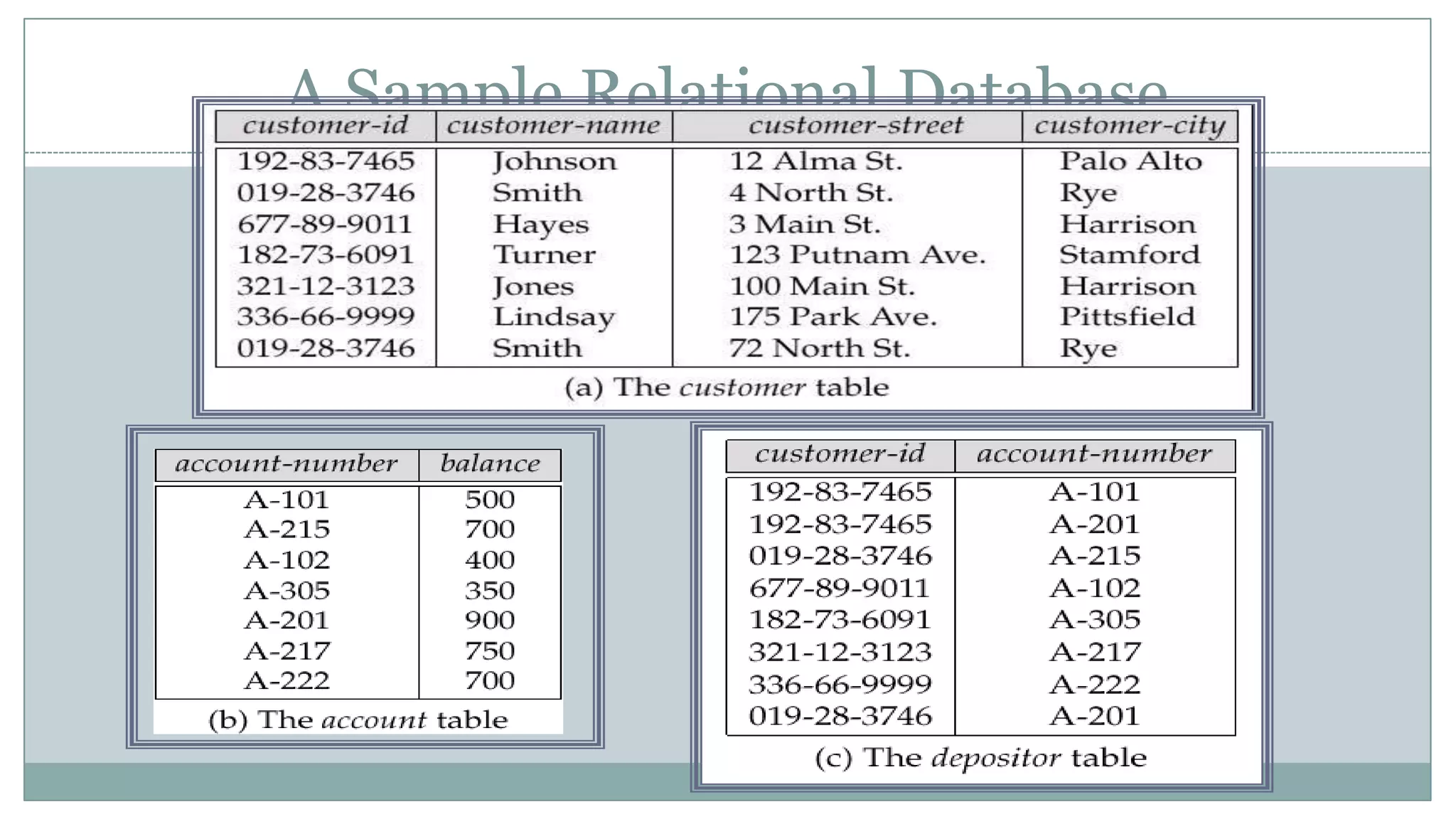
A Sample Relational Database
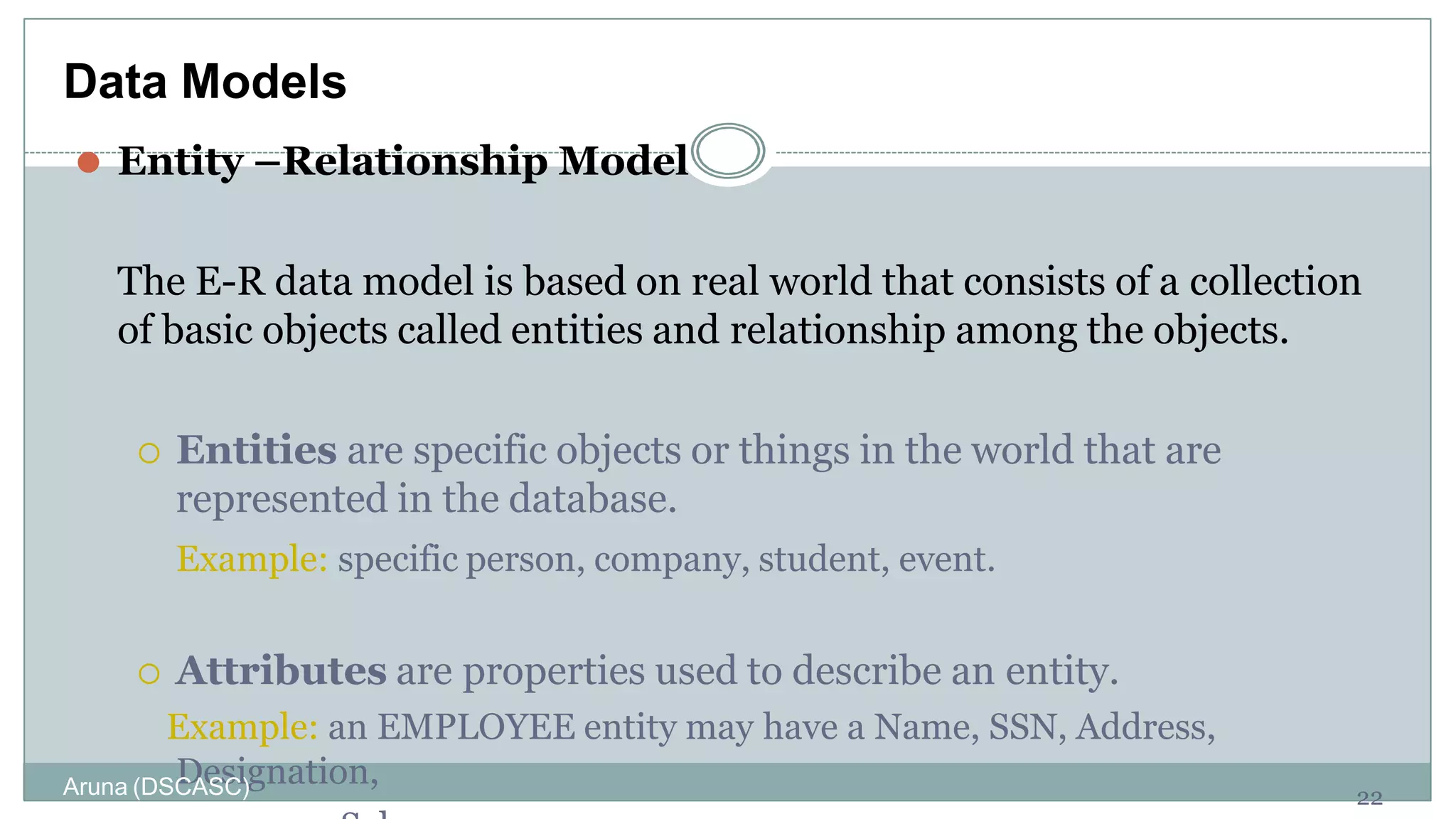
⚫ Entity –Relationship Model
The E-R data model is based on real world that consists of a collection
of basic objects called entities and relationship among the objects.
 Entities are specific objects or things in the world that are
represented in the database.
Example: specific person, company, student, event.
 Attributes are properties used to describe an entity.
Example: an EMPLOYEE entity may have a Name, SSN, Address,
Designation,
22
Data Models
Aruna (DSCASC)
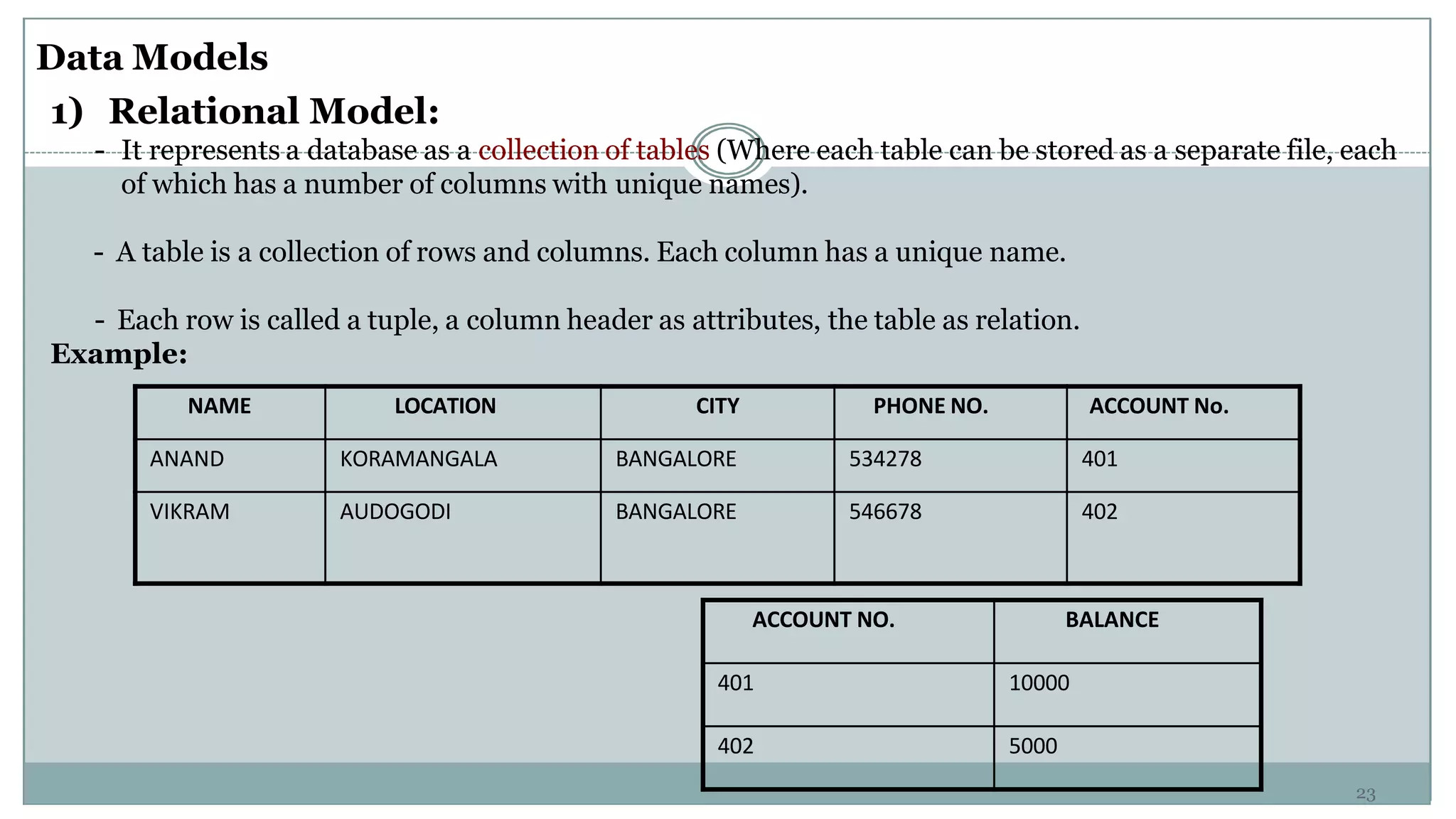
NAME LOCATION CITY PHONE NO. ACCOUNT No.
ANAND KORAMANGALA BANGALORE 534278 401
VIKRAM AUDOGODI BANGALORE 546678 402
Data Models
1) Relational Model:
- It represents a database as a collection of tables (Where each table can be stored as a separate file, each
of which has a number of columns with unique names).
- A table is a collection of rows and columns. Each column has a unique name.
- Each row is called a tuple, a column header as attributes, the table as relation.
Example:
ACCOUNT NO. BALANCE
401 10000
402 5000
23
24
Models
2) Network Model:
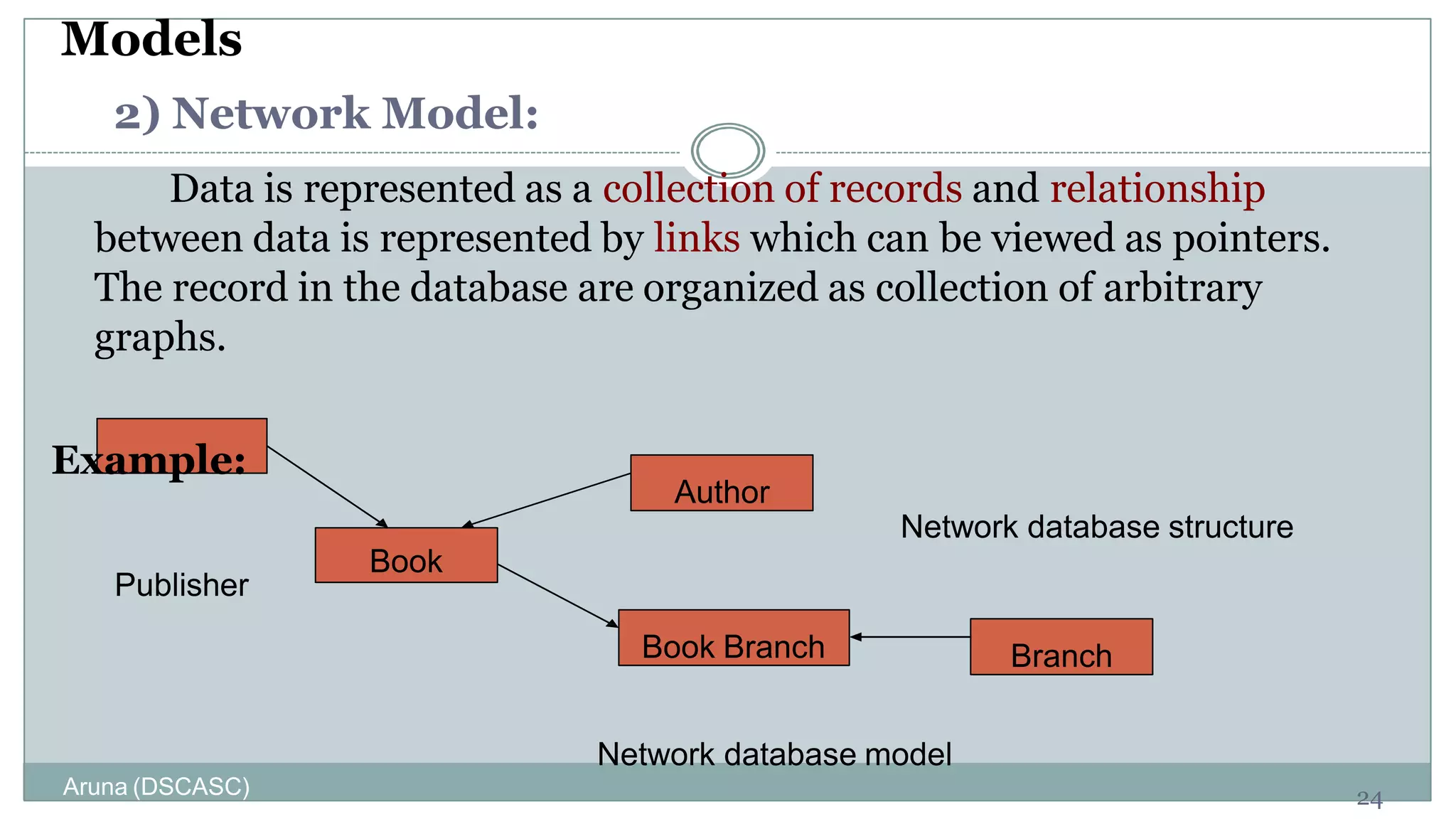
Data is represented as a collection of records and relationship
between data is represented by links which can be viewed as pointers.
The record in the database are organized as collection of arbitrary
graphs.
Example:
Publisher
Book
Author
Book Branch Branch
Network database structure
Network database model
Aruna (DSCASC)
25
Data Models
3) Hierarchical Data Model:
It is different from network model in the way that records are organized
into a tree like structure.
For eg. An organization might store information about an employee, such
as name, dep, sal. The organization might also store information about
employee’s family. The employee and the family data forms hierarchy.
Example:
DEPT
F1 F3 F4
F2
SD1 SD2 SD3 SD4
F – Faculty
S - Student
Aruna (DSCASC)
26
Data Models
4) Object Oriented Data Model:
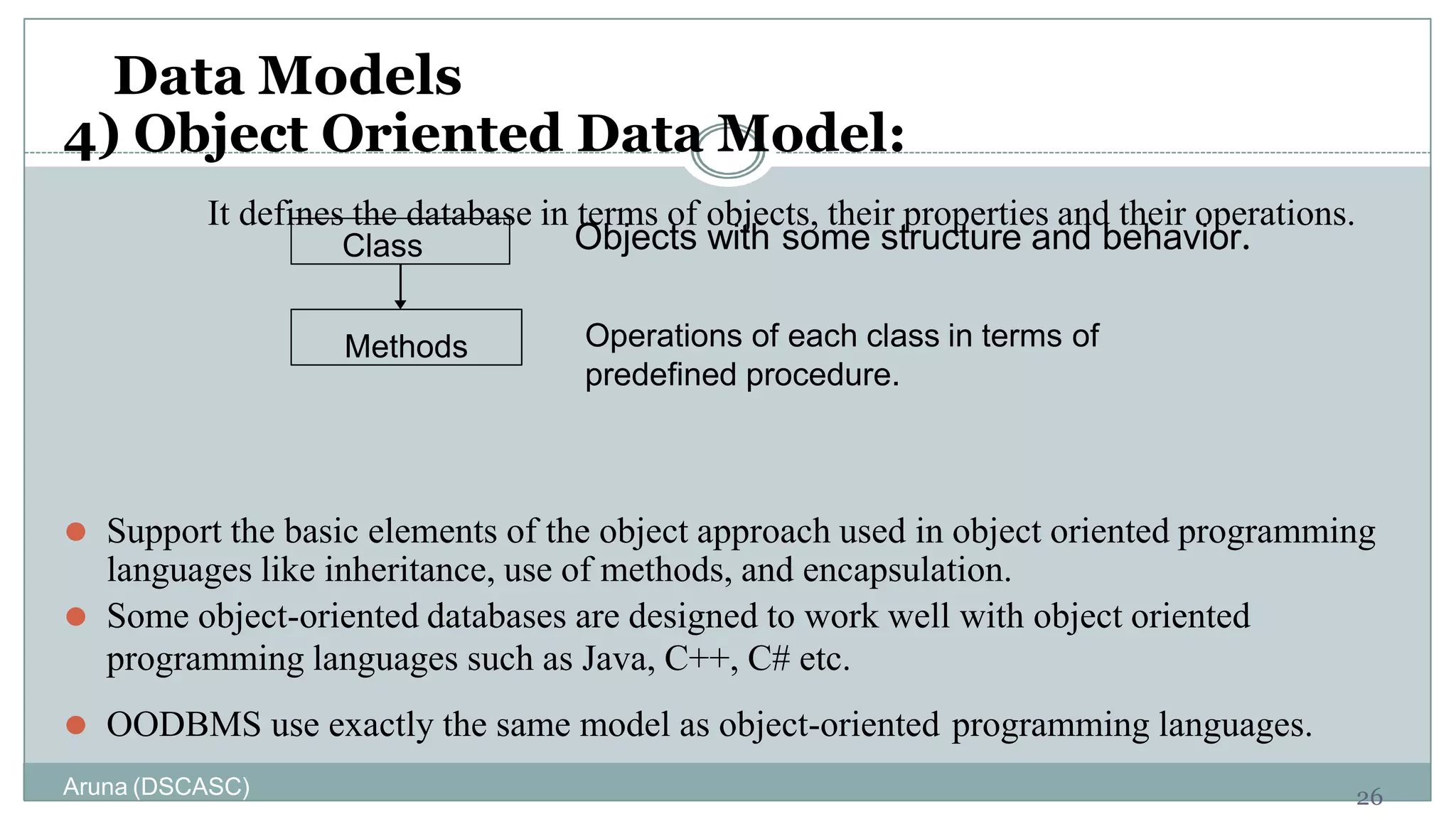
It defines the database in terms of objects, their properties and their operations.
Objects with some structure and behavior.
⚫ Support the basic elements of the object approach used in object oriented programming
languages like inheritance, use of methods, and encapsulation.
⚫ Some object-oriented databases are designed to work well with object oriented
programming languages such as Java, C++, C# etc.
⚫ OODBMS use exactly the same model as object-oriented programming languages.
Methods
Class
Operations of each class in terms of
predefined procedure.
Aruna (DSCASC)
Data Definition Language (DDL)
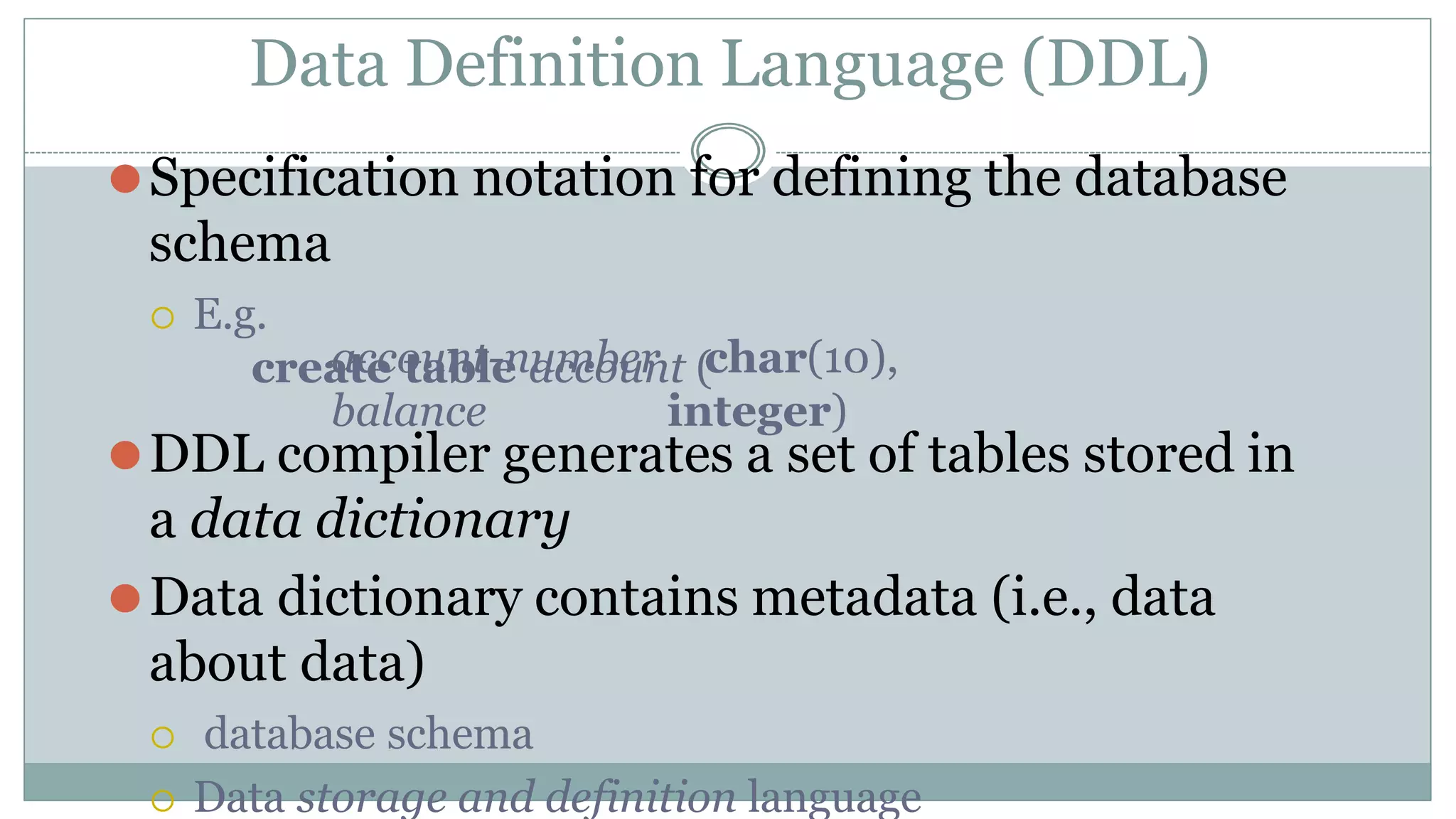
⚫Specification notation for defining the database
schema
 E.g.
create table account (
account-number
balance
char(10),
integer)
⚫DDL compiler generates a set of tables stored in
a data dictionary
⚫Data dictionary contains metadata (i.e., data
about data)
 database schema
 Data storage and definition language
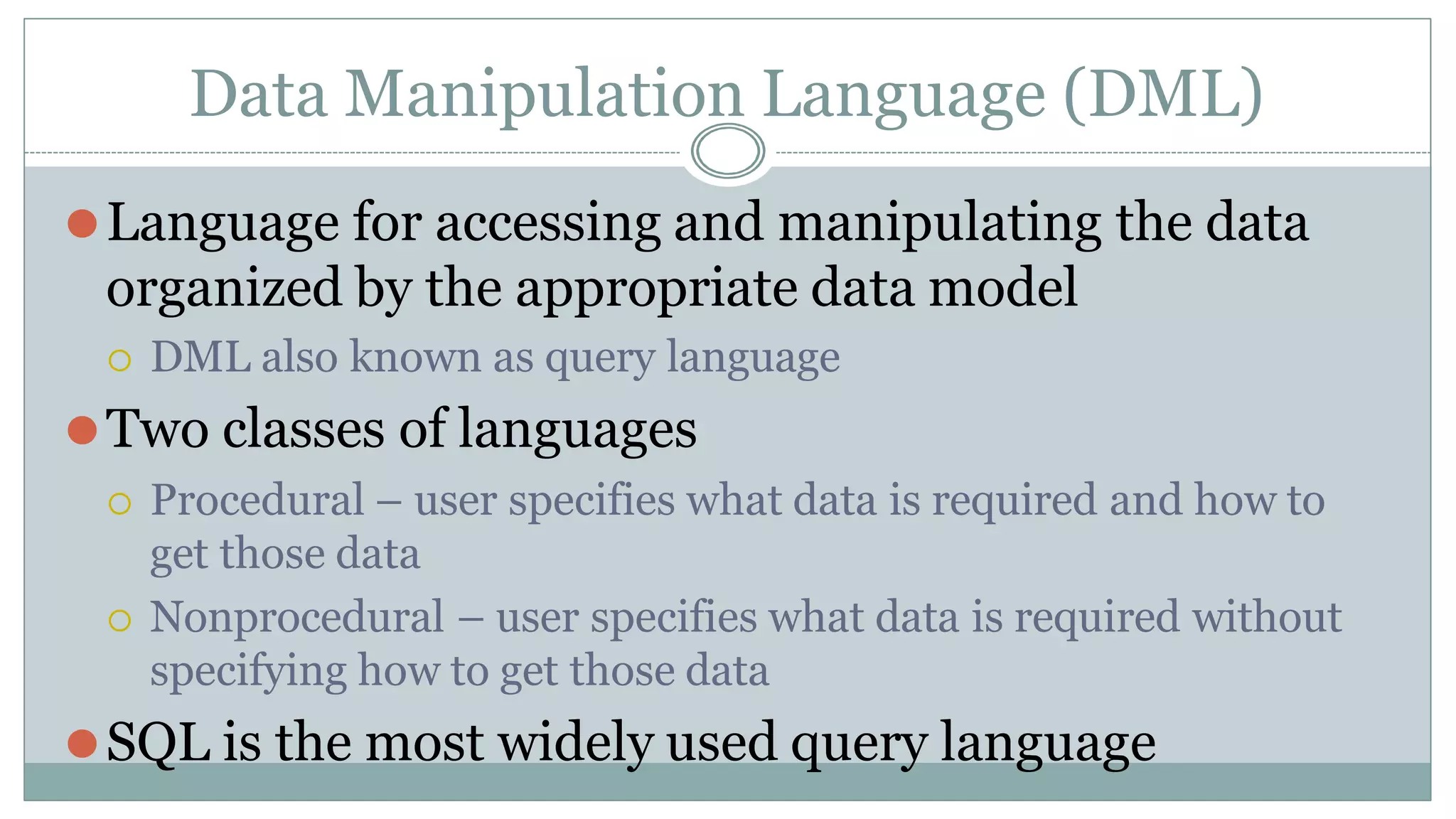
Data Manipulation Language (DML)
⚫Language for accessing and manipulating the data
organized by the appropriate data model
 DML also known as query language
⚫Two classes of languages
 Procedural – user specifies what data is required and how to
get those data
 Nonprocedural – user specifies what data is required without
specifying how to get those data
⚫SQL is the most widely used query language
SQL
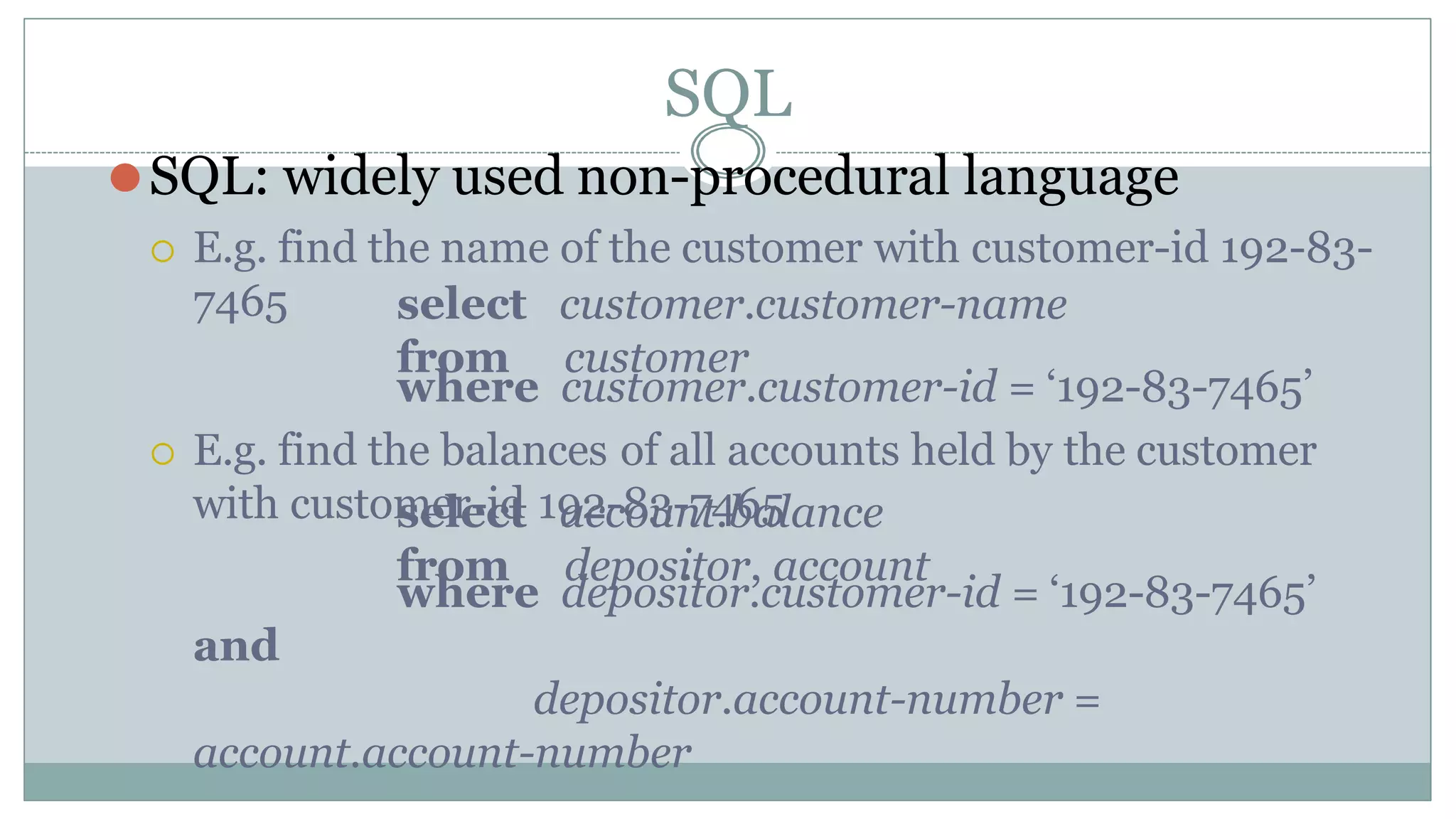
⚫SQL: widely used non-procedural language
 E.g. find the name of the customer with customer-id 192-83-
7465 select
from
customer.customer-name
customer
where customer.customer-id = ‘192-83-7465’
 E.g. find the balances of all accounts held by the customer
with customer-id 192-83-7465
select
from
account.balance
depositor, account
where depositor.customer-id = ‘192-83-7465’
and
depositor.account-number =
account.account-number
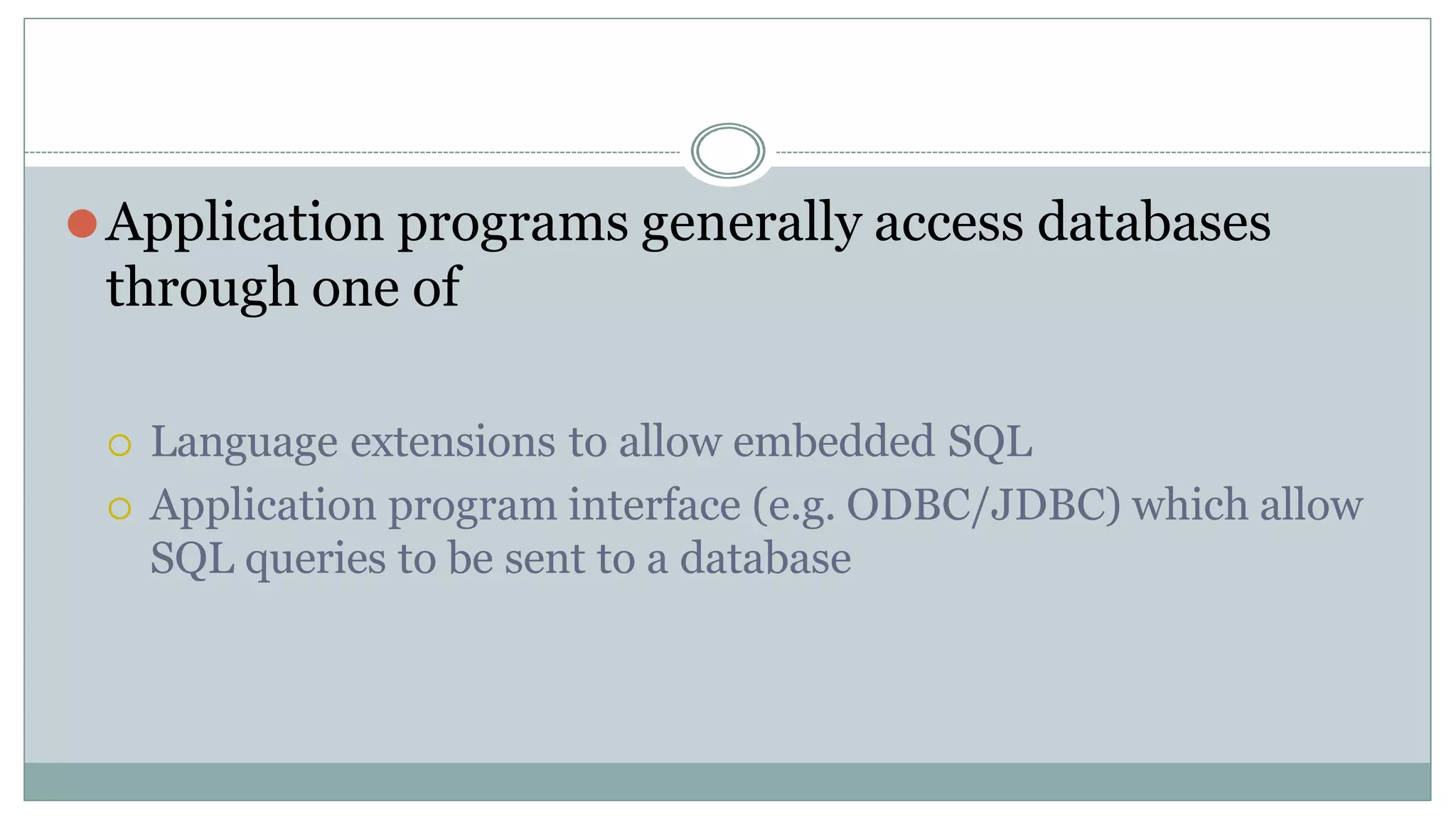
⚫Application programs generally access databases
through one of
 Language extensions to allow embedded SQL
 Application program interface (e.g. ODBC/JDBC) which allow
SQL queries to be sent to a database
Actors on the scene
Aruna (DSCASC)
31
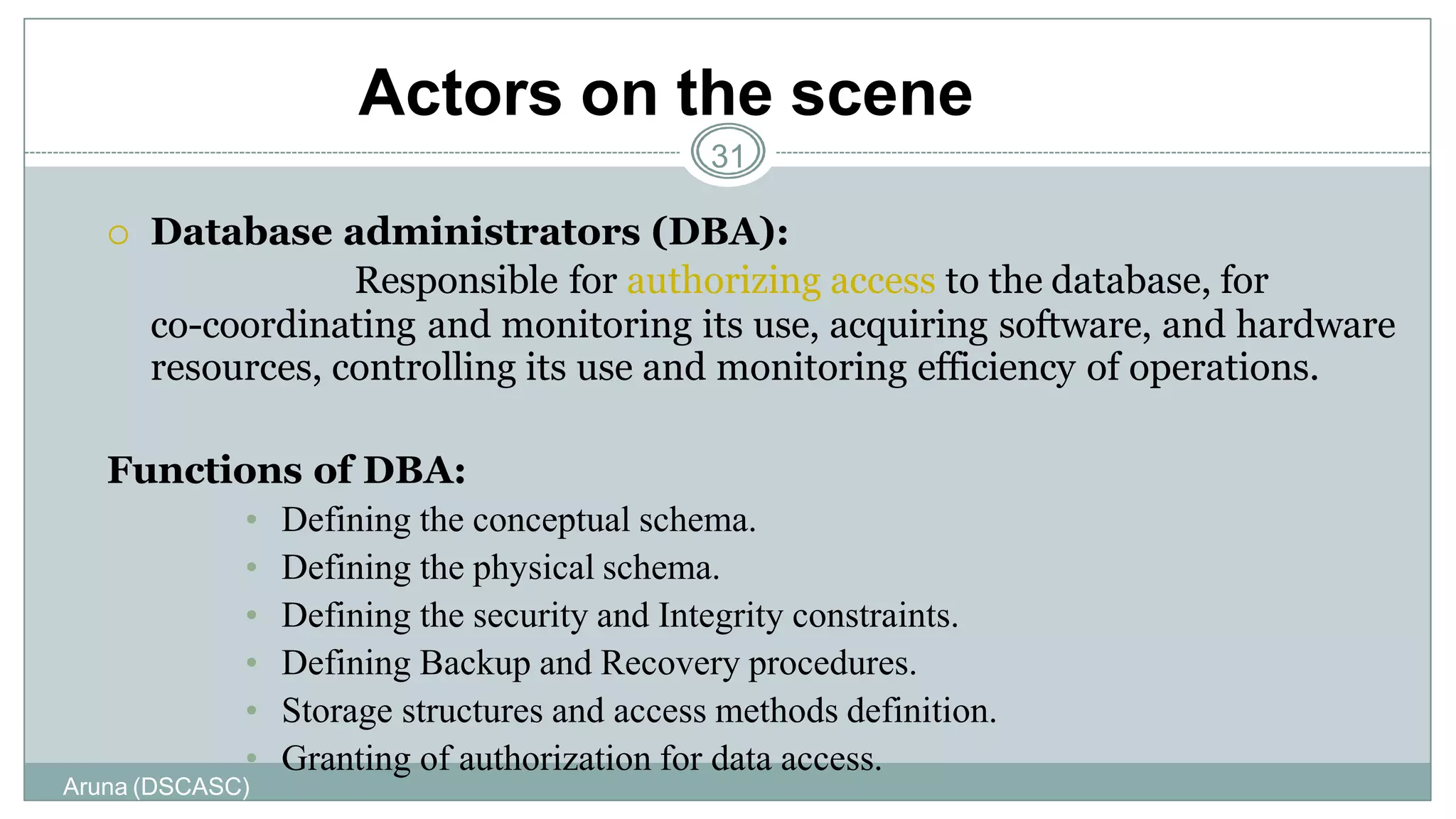
 Database administrators (DBA):
Responsible for authorizing access to the database, for
co-coordinating and monitoring its use, acquiring software, and hardware
resources, controlling its use and monitoring efficiency of operations.
Functions of DBA:
• Defining the conceptual schema.
• Defining the physical schema.
• Defining the security and Integrity constraints.
• Defining Backup and Recovery procedures.
• Storage structures and access methods definition.
• Granting of authorization for data access.
Actors on the scene
Aruna (DSCASC)
32
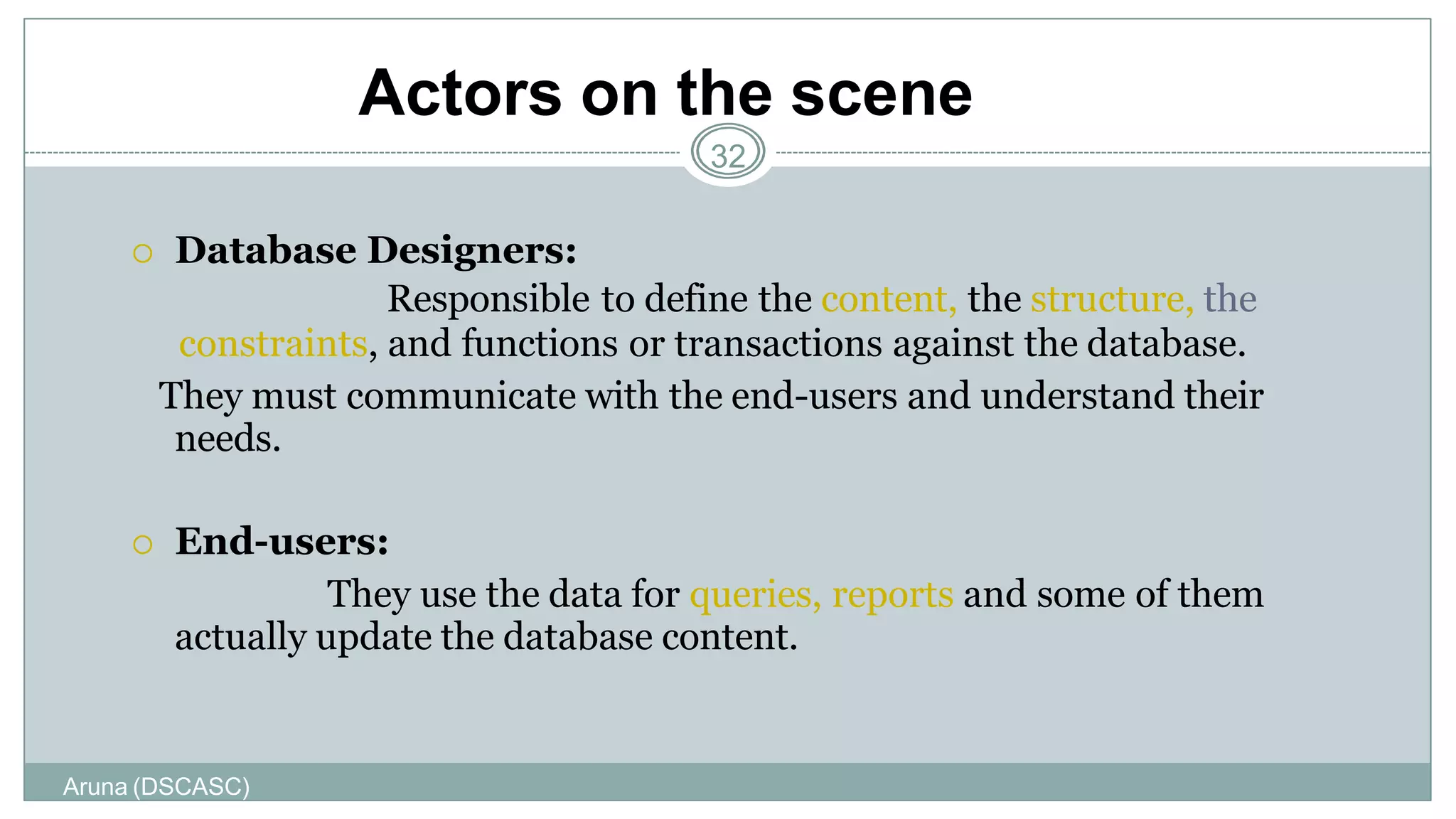
 Database Designers:
Responsible to define the content, the structure, the
constraints, and functions or transactions against the database.
They must communicate with the end-users and understand their
needs.
 End-users:
They use the data for queries, reports and some of them
actually update the database content.
Categories of End-users
Aruna (DSCASC)
33
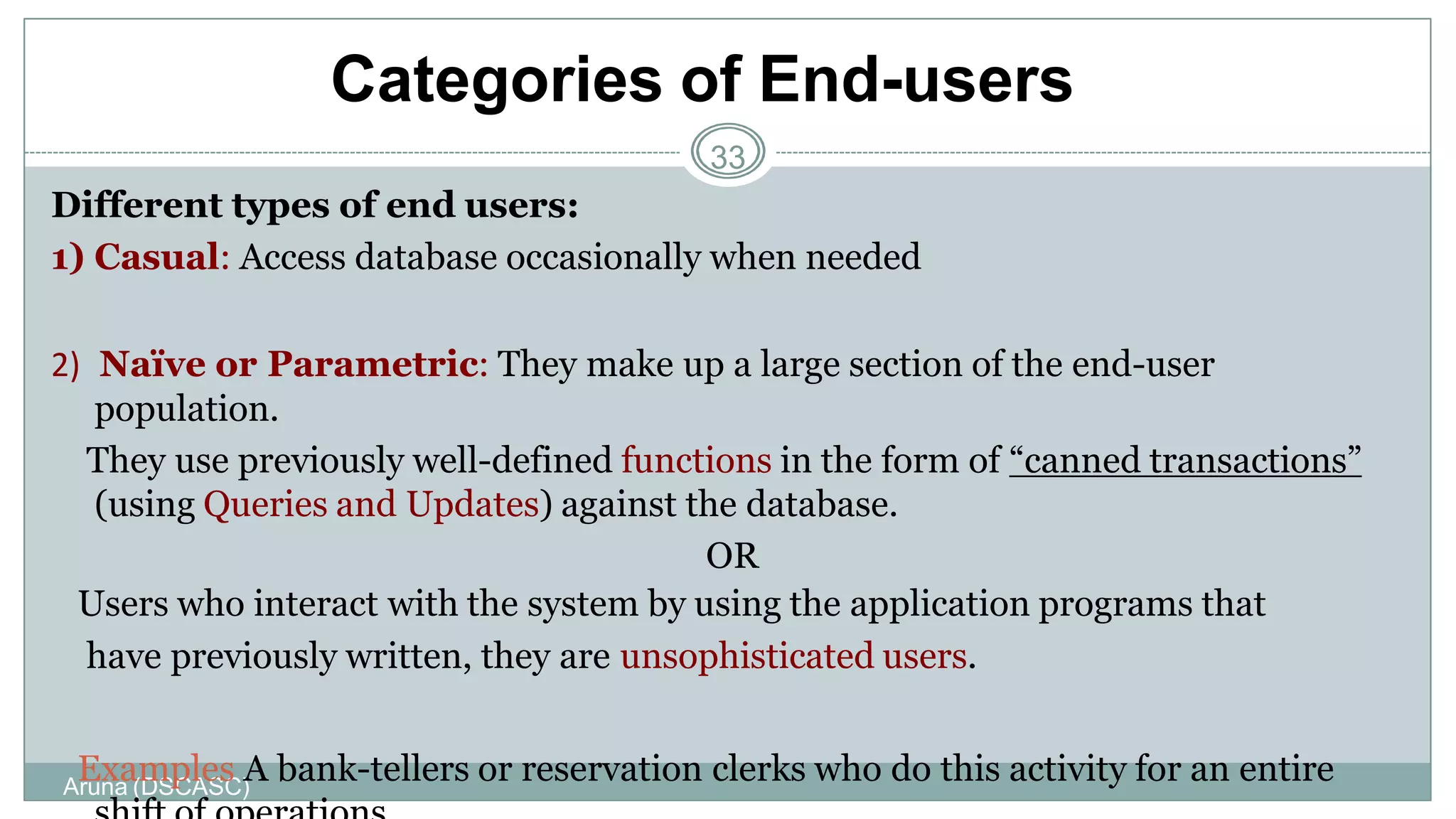
Different types of end users:
1) Casual: Access database occasionally when needed
2) Naïve or Parametric: They make up a large section of the end-user
population.
They use previously well-defined functions in the form of “canned transactions”
(using Queries and Updates) against the database.
OR
Users who interact with the system by using the application programs that
have previously written, they are unsophisticated users.
Examples A bank-tellers or reservation clerks who do this activity for an entire
Categories of End-users
Aruna (DSCASC)
34
Sophisticated:
- These include business analysts, scientists, engineers, others thoroughly
familiar with the system capabilities.
-Many use tools in the form of software packages that work closely with the
stored database.
-This users interact with the system without writing programs. Instead they
form their database query.
Stand-alone:
Mostly maintain personal databases using ready-to-use packaged applications.
An example is a tax program user that creates his or her own internal database
Database Administrator
⚫Coordinates all the activities of the
database system; the database
administrator has a good understanding of
the enterprise’s information resources and
needs.
⚫Database administrator's duties include:
 Schema definition
 Storage structure and access method definition
 Schema and physical organization modification
Transaction Management
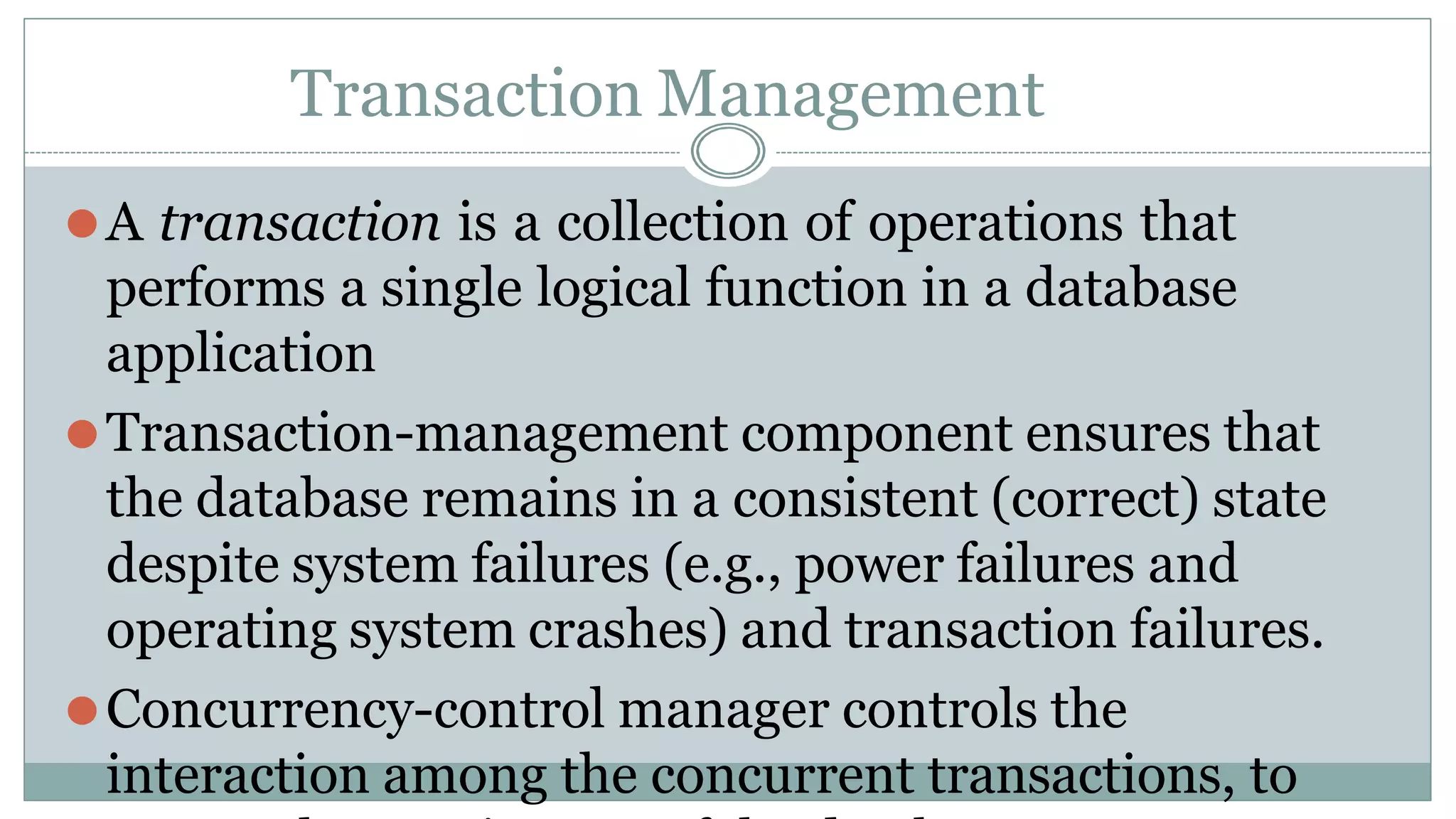
⚫A transaction is a collection of operations that
performs a single logical function in a database
application
⚫Transaction-management component ensures that
the database remains in a consistent (correct) state
despite system failures (e.g., power failures and
operating system crashes) and transaction failures.
⚫Concurrency-control manager controls the
interaction among the concurrent transactions, to
Storage Management
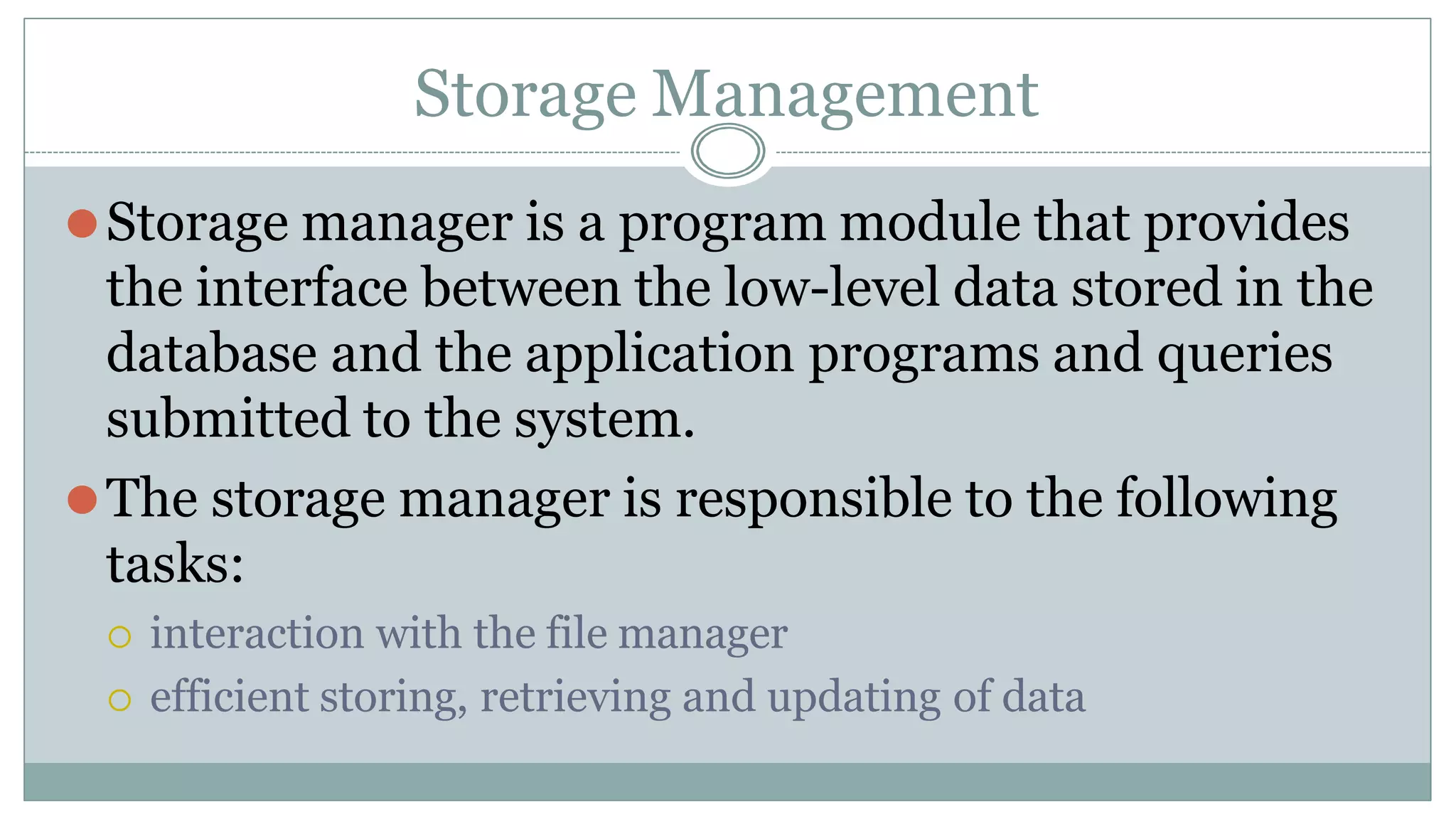
⚫Storage manager is a program module that provides
the interface between the low-level data stored in the
database and the application programs and queries
submitted to the system.
⚫The storage manager is responsible to the following
tasks:
 interaction with the file manager
 efficient storing, retrieving and updating of data
Overall System Structure
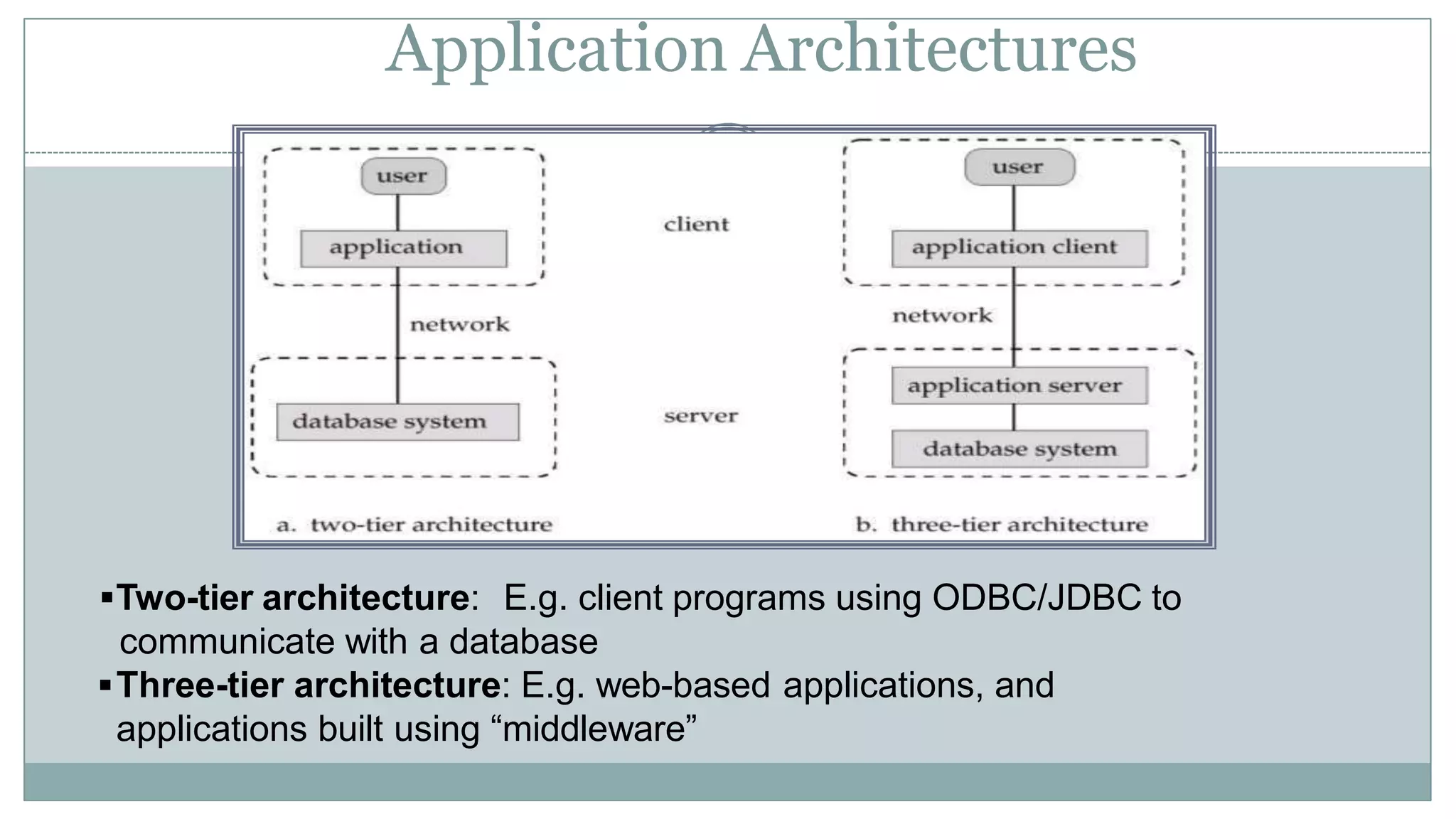
Application Architectures
Two-tier architecture: E.g. client programs using ODBC/JDBC to
communicate with a database
Three-tier architecture: E.g. web-based applications, and
applications built using “middleware”

dbms-1.pptx

  • 1.
    Chapter 1: Introduction ⚫Purpose of Database Systems ⚫ View of Data ⚫ Data Models ⚫ Data Definition Language ⚫ Data Manipulation Language ⚫ Transaction Management ⚫ Storage Management ⚫ Database Administrator ⚫ Database Users ⚫ Overall System Structure
  • 2.
    Database Management System(DBMS) ⚫ Collection of interrelated data ⚫ Set of programs to access the data ⚫ DBMS contains information about a particular enterprise ⚫ DBMS provides an environment that is both convenient and efficient to use. ⚫ Database Applications:  Banking: all transactions  Airlines: reservations, schedules  Universities: registration, grades  Sales: customers, products, purchases  Manufacturing: production, inventory, orders, supply chain  Human resources: employee records, salaries, tax deductions
  • 3.
    Purpose of DatabaseSystem ⚫In the early days, database applications were built on top of file systems ⚫Drawbacks of using file systems to store data:  Data redundancy and inconsistency ⯍ Multiple file formats, duplication of information in different files  Difficulty in accessing data ⯍ Need to write a new program to carry out each new task  Data isolation — multiple files and formats  Integrity problems ⯍Integrity constraints (e.g. account balance > 0) become
  • 4.
    Purpose of DatabaseSystems (Cont.) ⚫ Drawbacks of using file systems (cont.)  Atomicity of updates ⯍ Failures may leave database in an inconsistent state with partial updates carried out ⯍ E.g. transfer of funds from one account to another should either complete or not happen at all  Concurrent access by multiple users ⯍ Concurrent accessed needed for performance ⯍ Uncontrolled concurrent accesses can lead to inconsistencies  E.g. two people reading a balance and updating it at the same time  Security problems ⚫ Database systems offer solutions to all the above
  • 5.
    ⚫ Uncontrolled Redundancy ⚫Inconsistent data ⚫ Limited data sharing ⚫ Difficulty in accessing data ⚫ Security problems ⚫ Huge data storage problem ⚫ Excessive program maintenance ⚫ Excessive data maintenance Aruna (DSCASC) Drawbacks File Managem 5 ent Systems
  • 7.
    Applications of DatabaseSystem ⚫ Banking ⚫ Airlines ⚫ University ⚫ Railways ⚫ Finance ⚫ Sales ⚫ Telecommunication ⚫ Pay roll system ⚫ Manufacturing Aruna (DSCASC) 7
  • 8.
    Levels of Abstraction ⚫Physical level describes how a record (e.g., customer) is stored. ⚫ Logical level: describes data stored in database, and the relationships among the data. type customer = record name : string; street : string; city : integer; end; ⚫ View level: application programs hide details of data types. Views can also hide information (e.g., salary) for
  • 9.
    Three-Schema Architecture External Level (describethe various user views) Conceptual Level (describe the structure and constraints for the whole database) Internal Level (physical storage structures and access paths) END USERS 9 External View External View Conceptual Schema Internal Schema Stored Database . . .
  • 10.
    Aruna (DSCASC) 10 Three-Schema Architecture Example: CustomerName Customer Address Customer Name Customer Address Customer SSN Customer Name: String Customer Address: String Customer SSN: Number (PK) Name: String length 25 Address: String length 40 SSN: Number length 10 Conceptual View Internal View External View Logical Record 1 Logical Record n Customer SSN --------------
  • 11.
    Aruna (DSCASC) 11 Data Independence: Itis the capacity to change the schema at one level of database system without having to change the schema at the next higher level. Two types of Data Independence: • Logical Data Independence • Physical Data Independence Data Independence
  • 12.
    Types of DataIndependence 12 ⚫Logical Data Independence : The ability to modify or change the conceptual (logical) schema without changing the external scheme or application programs to be rewritten. * Modifications are necessary whenever the logical structure of the database is altered.
  • 13.
    Aruna (DSCASC) 13 ⚫ PhysicalData Independence: The ability to modify or change the internal (physical) schema without changing the Conceptual (logical) schema. * Modifications are necessary in this level to improve the performance. * Changes to the internal schema is needed because some physical file had to be reorganized, such as changing the access modes or paths for better retrieval or updates. Types of Data Independence
  • 14.
    Instances and Schemas ⚫Similar to types and variables in programming languages ⚫ Schema – the logical structure of the database  e.g., the database consists of information about a set of customers and accounts and the relationship between them)  Analogous to type information of a variable in a program  Physical schema: database design at the physical level  Logical schema: database design at the logical level ⚫ Instance – the actual content of the database at a particular point in time  Analogous to the value of a variable ⚫ Physical Data Independence – the ability to modify the physical schema without changing the logical schema  Applications depend on the logical schema  In general, the interfaces between the various levels and components should be well defined so that changes in some parts do not seriously influence others.
  • 15.
    Data Models ⚫A collectionof tools for describing  data  data relationships  data semantics  data constraints ⚫Entity-Relationship model ⚫Relational model ⚫Other models:  object-oriented model  semi-structured data models  Older models: network model and hierarchical model
  • 16.
    16 History of DataModels ⚫Network Model ⚫Hierarchical Model ⚫Entity – Relationship Model ⚫Relational Model ⚫Object-Oriented Model ⚫Object-Relational Model Aruna (DSCASC)
  • 18.
    Entity-Relationship Model Example ofschema in the entity-relationship model
  • 19.
    Entity Relationship Model(Cont.) ⚫E-R model of real world  Entities (objects) ⯍ E.g. customers, accounts, bank branch  Relationships between entities ⯍ E.g. Account A-101 is held by customer Johnson ⯍ Relationship set depositor associates customers with accounts ⚫Widely used for database design  Database design in E-R model usually converted to design in the relational model (coming up next) which is used for storage and processing
  • 20.
    Relational Model ⚫Example oftabular data in the relational model Customer- id customer- name customer- street customer- city account- number 192-83-7465 Johnson Alma Palo Alto A-101 019-28-3746 Smith North Rye A-215 192-83-7465 Johnson Alma Palo Alto A-201 321-12-3123 Jones Main Harrison A-217 019-28-3746 Smith North Rye A-201 Attributes
  • 21.
  • 22.
    ⚫ Entity –RelationshipModel The E-R data model is based on real world that consists of a collection of basic objects called entities and relationship among the objects.  Entities are specific objects or things in the world that are represented in the database. Example: specific person, company, student, event.  Attributes are properties used to describe an entity. Example: an EMPLOYEE entity may have a Name, SSN, Address, Designation, 22 Data Models Aruna (DSCASC)
  • 23.
    NAME LOCATION CITYPHONE NO. ACCOUNT No. ANAND KORAMANGALA BANGALORE 534278 401 VIKRAM AUDOGODI BANGALORE 546678 402 Data Models 1) Relational Model: - It represents a database as a collection of tables (Where each table can be stored as a separate file, each of which has a number of columns with unique names). - A table is a collection of rows and columns. Each column has a unique name. - Each row is called a tuple, a column header as attributes, the table as relation. Example: ACCOUNT NO. BALANCE 401 10000 402 5000 23
  • 24.
    24 Models 2) Network Model: Datais represented as a collection of records and relationship between data is represented by links which can be viewed as pointers. The record in the database are organized as collection of arbitrary graphs. Example: Publisher Book Author Book Branch Branch Network database structure Network database model Aruna (DSCASC)
  • 25.
    25 Data Models 3) HierarchicalData Model: It is different from network model in the way that records are organized into a tree like structure. For eg. An organization might store information about an employee, such as name, dep, sal. The organization might also store information about employee’s family. The employee and the family data forms hierarchy. Example: DEPT F1 F3 F4 F2 SD1 SD2 SD3 SD4 F – Faculty S - Student Aruna (DSCASC)
  • 26.
    26 Data Models 4) ObjectOriented Data Model: It defines the database in terms of objects, their properties and their operations. Objects with some structure and behavior. ⚫ Support the basic elements of the object approach used in object oriented programming languages like inheritance, use of methods, and encapsulation. ⚫ Some object-oriented databases are designed to work well with object oriented programming languages such as Java, C++, C# etc. ⚫ OODBMS use exactly the same model as object-oriented programming languages. Methods Class Operations of each class in terms of predefined procedure. Aruna (DSCASC)
  • 27.
    Data Definition Language(DDL) ⚫Specification notation for defining the database schema  E.g. create table account ( account-number balance char(10), integer) ⚫DDL compiler generates a set of tables stored in a data dictionary ⚫Data dictionary contains metadata (i.e., data about data)  database schema  Data storage and definition language
  • 28.
    Data Manipulation Language(DML) ⚫Language for accessing and manipulating the data organized by the appropriate data model  DML also known as query language ⚫Two classes of languages  Procedural – user specifies what data is required and how to get those data  Nonprocedural – user specifies what data is required without specifying how to get those data ⚫SQL is the most widely used query language
  • 29.
    SQL ⚫SQL: widely usednon-procedural language  E.g. find the name of the customer with customer-id 192-83- 7465 select from customer.customer-name customer where customer.customer-id = ‘192-83-7465’  E.g. find the balances of all accounts held by the customer with customer-id 192-83-7465 select from account.balance depositor, account where depositor.customer-id = ‘192-83-7465’ and depositor.account-number = account.account-number
  • 30.
    ⚫Application programs generallyaccess databases through one of  Language extensions to allow embedded SQL  Application program interface (e.g. ODBC/JDBC) which allow SQL queries to be sent to a database
  • 31.
    Actors on thescene Aruna (DSCASC) 31  Database administrators (DBA): Responsible for authorizing access to the database, for co-coordinating and monitoring its use, acquiring software, and hardware resources, controlling its use and monitoring efficiency of operations. Functions of DBA: • Defining the conceptual schema. • Defining the physical schema. • Defining the security and Integrity constraints. • Defining Backup and Recovery procedures. • Storage structures and access methods definition. • Granting of authorization for data access.
  • 32.
    Actors on thescene Aruna (DSCASC) 32  Database Designers: Responsible to define the content, the structure, the constraints, and functions or transactions against the database. They must communicate with the end-users and understand their needs.  End-users: They use the data for queries, reports and some of them actually update the database content.
  • 33.
    Categories of End-users Aruna(DSCASC) 33 Different types of end users: 1) Casual: Access database occasionally when needed 2) Naïve or Parametric: They make up a large section of the end-user population. They use previously well-defined functions in the form of “canned transactions” (using Queries and Updates) against the database. OR Users who interact with the system by using the application programs that have previously written, they are unsophisticated users. Examples A bank-tellers or reservation clerks who do this activity for an entire
  • 34.
    Categories of End-users Aruna(DSCASC) 34 Sophisticated: - These include business analysts, scientists, engineers, others thoroughly familiar with the system capabilities. -Many use tools in the form of software packages that work closely with the stored database. -This users interact with the system without writing programs. Instead they form their database query. Stand-alone: Mostly maintain personal databases using ready-to-use packaged applications. An example is a tax program user that creates his or her own internal database
  • 35.
    Database Administrator ⚫Coordinates allthe activities of the database system; the database administrator has a good understanding of the enterprise’s information resources and needs. ⚫Database administrator's duties include:  Schema definition  Storage structure and access method definition  Schema and physical organization modification
  • 36.
    Transaction Management ⚫A transactionis a collection of operations that performs a single logical function in a database application ⚫Transaction-management component ensures that the database remains in a consistent (correct) state despite system failures (e.g., power failures and operating system crashes) and transaction failures. ⚫Concurrency-control manager controls the interaction among the concurrent transactions, to
  • 37.
    Storage Management ⚫Storage manageris a program module that provides the interface between the low-level data stored in the database and the application programs and queries submitted to the system. ⚫The storage manager is responsible to the following tasks:  interaction with the file manager  efficient storing, retrieving and updating of data
  • 38.
  • 39.
    Application Architectures Two-tier architecture:E.g. client programs using ODBC/JDBC to communicate with a database Three-tier architecture: E.g. web-based applications, and applications built using “middleware”