1.4
Books and Materials
 Reference books:
Abraham Silberschatz, Henry F Korth and S. Sudarshan, Database
System Concepts 6th Edition, 2011:Tata McGraw-Hill
Lecture Materials:
 Lecture Slides
 Additional readings
1.6
 Introduction
 E.R Model
 Relational Database Design
 Formal Relational Query Language
 Transaction management
 Concurrency Control
 Database Recovery
 Indexing and Hashing
Course Syllabus: Tentative
1.8
 Data
 Set of values representing some information.
 Ex: age is 21 years, blue shirt, today’s temp. is 30oC
 Salary of ₹20,000, height of john 6’2”, . . .
 Database (DB)
 Is a collection of interrelated data (pertaining to
one organization or business house) organized in
a meaningful way.
 Database Management System (DBMS)
 Is a collection of interrelated data and a set of
programs to store/retrieve those data.
What is What?
1.9
DBMS Package
 A software package designed to define,
manipulate, retrieve and manage data in a
database in a user friendly environment
1.10
Database Management System (DBMS)
 DBMS contains information about a particular
enterprise
 Collection of interrelated data
 Set of programs to access the data
 An environment that is both convenient and
efficient to use
1.11
Applications
 Database Applications:
 Banking: transactions
 Airlines: reservations, schedules
 Universities: registration, grades
 Sales: customers, products, purchases
 Online retailers: order tracking, customized recommendations
 Manufacturing: production, inventory, orders, supply chain
 Human resources: employee records, salaries, tax deductions
 . . .
 Databases can be very large
 Databases touch all aspects of our lives
1.12
Database Use
 In early days, people used to interact
with the database indirectly
 Printed reports such as credit card
statements, bank teller, reservation agents
 Currently, people interact with the
database directly
 ATM
 E-Shopping
 E-Banking
 E-Application
1.13
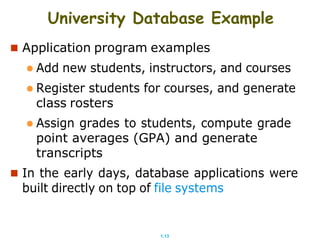
University Database Example
 Application program examples
 Add new students, instructors, and courses
 Register students for courses, and generate
class rosters
 Assign grades to students, compute grade
point averages (GPA) and generate
transcripts
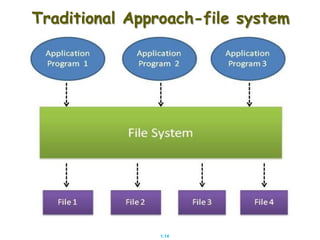
 In the early days, database applications were
built directly on top of file systems
1.14
Traditional Approach-file system
1.15
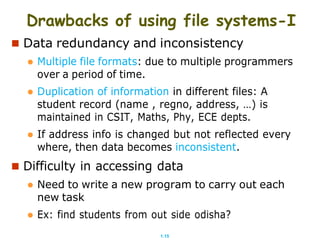
Drawbacks of using file systems-I
 Data redundancy and inconsistency
 Multiple file formats: due to multiple programmers
over a period of time.
 Duplication of information in different files: A
student record (name , regno, address, …) is
maintained in CSIT, Maths, Phy, ECE depts.
 If address info is changed but not reflected every
where, then data becomes inconsistent.
 Difficulty in accessing data
 Need to write a new program to carry out each
new task
 Ex: find students from out side odisha?
1.16
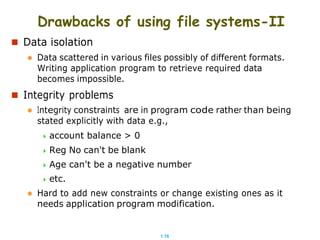
Drawbacks of using file systems-II
 Data isolation
 Data scattered in various files possibly of different formats.
Writing application program to retrieve required data
becomes impossible.
 Integrity problems
 Integrity constraints are in program code rather than being
stated explicitly with data e.g.,
 account balance > 0
 Reg No can't be blank
 Age can't be a negative number
 etc.
 Hard to add new constraints or change existing ones as it
needs application program modification.
1.17
Drawbacks of using file systems-III
 Atomicity problems (of updates)
 Failures may cause an inconsistent state with partial updates carried
out.
 Ex: Transfer of funds from one account to another should either
complete or not happen at all (debited but not credited)
 Concurrent access anomalies ( by multiple users)
 Concurrent access needed for performance
 Uncontrolled concurrent accesses can lead to inconsistencies
 Example: Two people reading a balance (say 100) and updating
it by withdrawing money (say 50 each) at the same time
 Security problems
 Hard to provide user access to some, but not all, data
 i.e. defining user roles
Database systems offer solutions to all the above problems
1.18
Data Abstraction
 A major purpose of database system is to
provide users with an abstract view of the
data.
 That is the system hides certain details how the
data are stored and maintained.
 The abstraction helps avoiding mishandling of
data by normal database users and makes it
simple and
 Makes it convenient to access and understand
the information
1.19
 Map
Example Abstraction
 is an abstraction of a geographical region (easy to
understand the world)
 Riding a bike
 No abstraction: Read and understand the
mechanism of IC engine, gear mechanism, brake
system, electrical section . . .
 Abstraction: Understand only the use of
accelerator, gear and brake leavers. (life is simple)
1.20
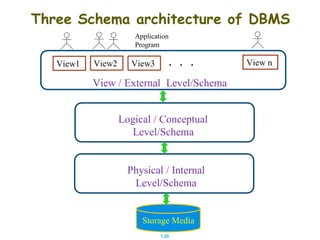
Three Schema architecture of DBMS
Application
Program
View /
. . .
External Level/Schema
Logical / Conceptual
Level/Schema
Physical / Internal
Level/Schema
Storage Media
View1 View3
View2 View n
1.21
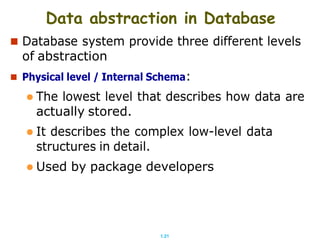
Data abstraction in Database
 Database system provide three different levels
of abstraction
 Physical level / Internal Schema:
 The lowest level that describes how data are
actually stored.
 It describes the complex low-level data
structures in detail.
 Used by package developers
1.22
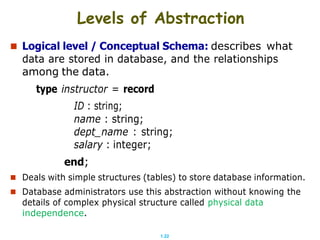
Levels of Abstraction
 Logical level / Conceptual Schema: describes what
data are stored in database, and the relationships
among the data.
type instructor = record
ID : string;
name : string;
dept_name : string;
salary : integer;
end;
 Deals with simple structures (tables) to store database information.
 Database administrators use this abstraction without knowing the
details of complex physical structure called physical data
independence.
1.23
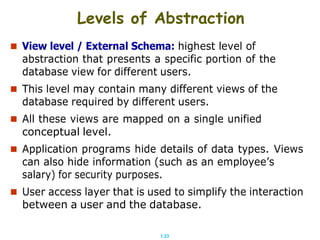
Levels of Abstraction
 View level / External Schema: highest level of
abstraction that presents a specific portion of the
database view for different users.
 This level may contain many different views of the
database required by different users.
 All these views are mapped on a single unified
conceptual level.
 Application programs hide details of data types. Views
can also hide information (such as an employee’s
salary) for security purposes.
 User access layer that is used to simplify the interaction
between a user and the database.
1.24
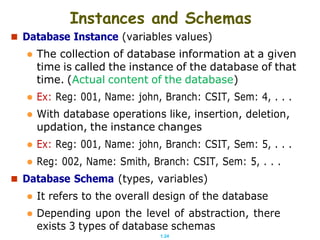
Instances and Schemas
 Database Instance (variables values)
 The collection of database information at a given
time is called the instance of the database of that
time. (Actual content of the database)
 Ex: Reg: 001, Name: john, Branch: CSIT, Sem: 4, . . .
 With database operations like, insertion, deletion,
updation, the instance changes
 Ex: Reg: 001, Name: john, Branch: CSIT, Sem: 5, . . .
 Reg: 002, Name: Smith, Branch: CSIT, Sem: 5, . . .
 Database Schema (types, variables)
 It refers to the overall design of the database
 Depending upon the level of abstraction, there
exists 3 types of database schemas
1.25
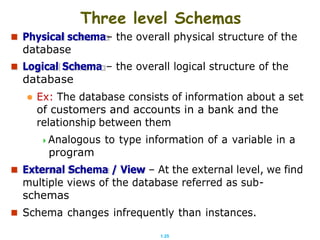
Three level Schemas
 Physical schema– the overall physical structure of the
database
 Logical Schema – the overall logical structure of the
database
 Ex: The database consists of information about a set
of customers and accounts in a bank and the
relationship between them
Analogous to type information of a variable in a
program
 External Schema / View – At the external level, we find
multiple views of the database referred as sub-
schemas
 Schema changes infrequently than instances.
1.26
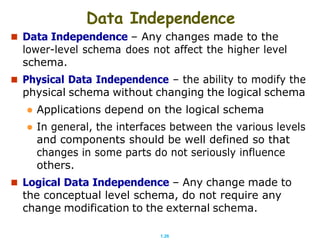
Data Independence
 Data Independence – Any changes made to the
lower-level schema does not affect the higher level
schema.
 Physical Data Independence – the ability to modify the
physical schema without changing the logical schema
 Applications depend on the logical schema
 In general, the interfaces between the various levels
and components should be well defined so that
changes in some parts do not seriously influence
others.
 Logical Data Independence – Any change made to
the conceptual level schema, do not require any
change modification to the external schema.
1.27
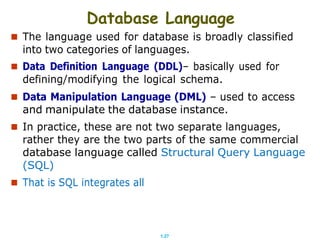
Database Language
 The language used for database is broadly classified
into two categories of languages.
 Data Definition Language (DDL)– basically used for
defining/modifying the logical schema.
 Data Manipulation Language (DML) – used to access
and manipulate the database instance.
 In practice, these are not two separate languages,
rather they are the two parts of the same commercial
database language called Structural Query Language
(SQL)
 That is SQL integrates all
1.28
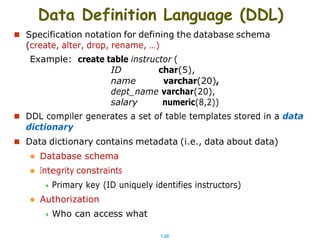
Data Definition Language (DDL)
 Specification notation for defining the database schema
(create, alter, drop, rename, …)
Example: create table instructor (
ID char(5),
name varchar(20),
dept_name varchar(20),
salary numeric(8,2))
 DDL compiler generates a set of table templates stored in a data
dictionary
 Data dictionary contains metadata (i.e., data about data)
 Database schema
 Integrity constraints
 Primary key (ID uniquely identifies instructors)
 Authorization
 Who can access what
1.29
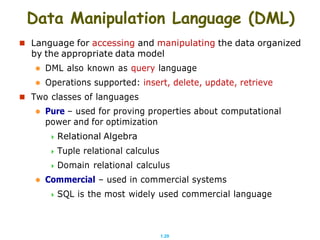
Data Manipulation Language (DML)
 Language for accessing and manipulating the data organized
by the appropriate data model
 DML also known as query language
 Operations supported: insert, delete, update, retrieve
 Two classes of languages
 Pure – used for proving properties about computational
power and for optimization
 Relational Algebra
 Tuple relational calculus
 Domain relational calculus
 Commercial – used in commercial systems
 SQL is the most widely used commercial language
1.30
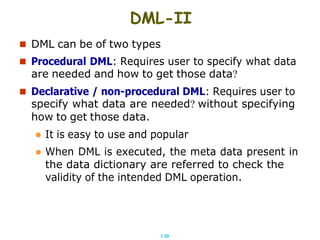
DML-II
 DML can be of two types
 Procedural DML: Requires user to specify what data
are needed and how to get those data?
 Declarative / non-procedural DML: Requires user to
specify what data are needed? without specifying
how to get those data.
 It is easy to use and popular
 When DML is executed, the meta data present in
the data dictionary are referred to check the
validity of the intended DML operation.
1.31
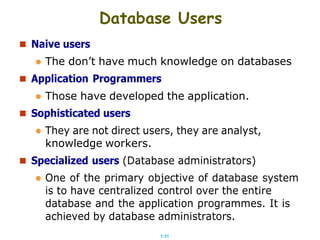
 Naive users
Database Users
 The don’t have much knowledge on databases
 Application Programmers
 Those have developed the application.
 Sophisticated users
 They are not direct users, they are analyst,
knowledge workers.
 Specialized users (Database administrators)
 One of the primary objective of database system
is to have centralized control over the entire
database and the application programmes. It is
achieved by database administrators.
1.32
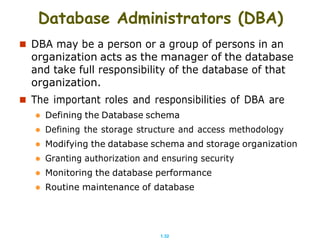
Database Administrators (DBA)
 DBA may be a person or a group of persons in an
organization acts as the manager of the database
and take full responsibility of the database of that
organization.
 The important roles and responsibilities of DBA are
 Defining the Database schema
 Defining the storage structure and access methodology
 Modifying the database schema and storage organization
 Granting authorization and ensuring security
 Monitoring the database performance
 Routine maintenance of database
1.33
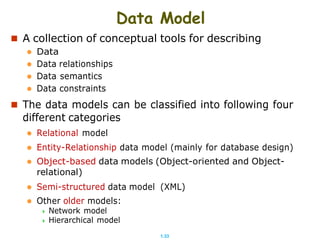
Data Model
 A collection of conceptual tools for describing
 Data
 Data relationships
 Data semantics
 Data constraints
 The data models can be classified into following four
different categories
 Relational model
 Entity-Relationship data model (mainly for database design)
 Object-based data models (Object-oriented and Object-
relational)
 Semi-structured data model (XML)
 Other older models:
 Network model
 Hierarchical model
1.34
End of Chapter
Thank You

LectDBS_1.pdf

  • 1.
    1.4 Books and Materials Reference books: Abraham Silberschatz, Henry F Korth and S. Sudarshan, Database System Concepts 6th Edition, 2011:Tata McGraw-Hill Lecture Materials:  Lecture Slides  Additional readings
  • 2.
    1.6  Introduction  E.RModel  Relational Database Design  Formal Relational Query Language  Transaction management  Concurrency Control  Database Recovery  Indexing and Hashing Course Syllabus: Tentative
  • 3.
    1.8  Data  Setof values representing some information.  Ex: age is 21 years, blue shirt, today’s temp. is 30oC  Salary of ₹20,000, height of john 6’2”, . . .  Database (DB)  Is a collection of interrelated data (pertaining to one organization or business house) organized in a meaningful way.  Database Management System (DBMS)  Is a collection of interrelated data and a set of programs to store/retrieve those data. What is What?
  • 4.
    1.9 DBMS Package  Asoftware package designed to define, manipulate, retrieve and manage data in a database in a user friendly environment
  • 5.
    1.10 Database Management System(DBMS)  DBMS contains information about a particular enterprise  Collection of interrelated data  Set of programs to access the data  An environment that is both convenient and efficient to use
  • 6.
    1.11 Applications  Database Applications: Banking: transactions  Airlines: reservations, schedules  Universities: registration, grades  Sales: customers, products, purchases  Online retailers: order tracking, customized recommendations  Manufacturing: production, inventory, orders, supply chain  Human resources: employee records, salaries, tax deductions  . . .  Databases can be very large  Databases touch all aspects of our lives
  • 7.
    1.12 Database Use  Inearly days, people used to interact with the database indirectly  Printed reports such as credit card statements, bank teller, reservation agents  Currently, people interact with the database directly  ATM  E-Shopping  E-Banking  E-Application
  • 8.
    1.13 University Database Example Application program examples  Add new students, instructors, and courses  Register students for courses, and generate class rosters  Assign grades to students, compute grade point averages (GPA) and generate transcripts  In the early days, database applications were built directly on top of file systems
  • 9.
  • 10.
    1.15 Drawbacks of usingfile systems-I  Data redundancy and inconsistency  Multiple file formats: due to multiple programmers over a period of time.  Duplication of information in different files: A student record (name , regno, address, …) is maintained in CSIT, Maths, Phy, ECE depts.  If address info is changed but not reflected every where, then data becomes inconsistent.  Difficulty in accessing data  Need to write a new program to carry out each new task  Ex: find students from out side odisha?
  • 11.
    1.16 Drawbacks of usingfile systems-II  Data isolation  Data scattered in various files possibly of different formats. Writing application program to retrieve required data becomes impossible.  Integrity problems  Integrity constraints are in program code rather than being stated explicitly with data e.g.,  account balance > 0  Reg No can't be blank  Age can't be a negative number  etc.  Hard to add new constraints or change existing ones as it needs application program modification.
  • 12.
    1.17 Drawbacks of usingfile systems-III  Atomicity problems (of updates)  Failures may cause an inconsistent state with partial updates carried out.  Ex: Transfer of funds from one account to another should either complete or not happen at all (debited but not credited)  Concurrent access anomalies ( by multiple users)  Concurrent access needed for performance  Uncontrolled concurrent accesses can lead to inconsistencies  Example: Two people reading a balance (say 100) and updating it by withdrawing money (say 50 each) at the same time  Security problems  Hard to provide user access to some, but not all, data  i.e. defining user roles Database systems offer solutions to all the above problems
  • 13.
    1.18 Data Abstraction  Amajor purpose of database system is to provide users with an abstract view of the data.  That is the system hides certain details how the data are stored and maintained.  The abstraction helps avoiding mishandling of data by normal database users and makes it simple and  Makes it convenient to access and understand the information
  • 14.
    1.19  Map Example Abstraction is an abstraction of a geographical region (easy to understand the world)  Riding a bike  No abstraction: Read and understand the mechanism of IC engine, gear mechanism, brake system, electrical section . . .  Abstraction: Understand only the use of accelerator, gear and brake leavers. (life is simple)
  • 15.
    1.20 Three Schema architectureof DBMS Application Program View / . . . External Level/Schema Logical / Conceptual Level/Schema Physical / Internal Level/Schema Storage Media View1 View3 View2 View n
  • 16.
    1.21 Data abstraction inDatabase  Database system provide three different levels of abstraction  Physical level / Internal Schema:  The lowest level that describes how data are actually stored.  It describes the complex low-level data structures in detail.  Used by package developers
  • 17.
    1.22 Levels of Abstraction Logical level / Conceptual Schema: describes what data are stored in database, and the relationships among the data. type instructor = record ID : string; name : string; dept_name : string; salary : integer; end;  Deals with simple structures (tables) to store database information.  Database administrators use this abstraction without knowing the details of complex physical structure called physical data independence.
  • 18.
    1.23 Levels of Abstraction View level / External Schema: highest level of abstraction that presents a specific portion of the database view for different users.  This level may contain many different views of the database required by different users.  All these views are mapped on a single unified conceptual level.  Application programs hide details of data types. Views can also hide information (such as an employee’s salary) for security purposes.  User access layer that is used to simplify the interaction between a user and the database.
  • 19.
    1.24 Instances and Schemas Database Instance (variables values)  The collection of database information at a given time is called the instance of the database of that time. (Actual content of the database)  Ex: Reg: 001, Name: john, Branch: CSIT, Sem: 4, . . .  With database operations like, insertion, deletion, updation, the instance changes  Ex: Reg: 001, Name: john, Branch: CSIT, Sem: 5, . . .  Reg: 002, Name: Smith, Branch: CSIT, Sem: 5, . . .  Database Schema (types, variables)  It refers to the overall design of the database  Depending upon the level of abstraction, there exists 3 types of database schemas
  • 20.
    1.25 Three level Schemas Physical schema– the overall physical structure of the database  Logical Schema – the overall logical structure of the database  Ex: The database consists of information about a set of customers and accounts in a bank and the relationship between them Analogous to type information of a variable in a program  External Schema / View – At the external level, we find multiple views of the database referred as sub- schemas  Schema changes infrequently than instances.
  • 21.
    1.26 Data Independence  DataIndependence – Any changes made to the lower-level schema does not affect the higher level schema.  Physical Data Independence – the ability to modify the physical schema without changing the logical schema  Applications depend on the logical schema  In general, the interfaces between the various levels and components should be well defined so that changes in some parts do not seriously influence others.  Logical Data Independence – Any change made to the conceptual level schema, do not require any change modification to the external schema.
  • 22.
    1.27 Database Language  Thelanguage used for database is broadly classified into two categories of languages.  Data Definition Language (DDL)– basically used for defining/modifying the logical schema.  Data Manipulation Language (DML) – used to access and manipulate the database instance.  In practice, these are not two separate languages, rather they are the two parts of the same commercial database language called Structural Query Language (SQL)  That is SQL integrates all
  • 23.
    1.28 Data Definition Language(DDL)  Specification notation for defining the database schema (create, alter, drop, rename, …) Example: create table instructor ( ID char(5), name varchar(20), dept_name varchar(20), salary numeric(8,2))  DDL compiler generates a set of table templates stored in a data dictionary  Data dictionary contains metadata (i.e., data about data)  Database schema  Integrity constraints  Primary key (ID uniquely identifies instructors)  Authorization  Who can access what
  • 24.
    1.29 Data Manipulation Language(DML)  Language for accessing and manipulating the data organized by the appropriate data model  DML also known as query language  Operations supported: insert, delete, update, retrieve  Two classes of languages  Pure – used for proving properties about computational power and for optimization  Relational Algebra  Tuple relational calculus  Domain relational calculus  Commercial – used in commercial systems  SQL is the most widely used commercial language
  • 25.
    1.30 DML-II  DML canbe of two types  Procedural DML: Requires user to specify what data are needed and how to get those data?  Declarative / non-procedural DML: Requires user to specify what data are needed? without specifying how to get those data.  It is easy to use and popular  When DML is executed, the meta data present in the data dictionary are referred to check the validity of the intended DML operation.
  • 26.
    1.31  Naive users DatabaseUsers  The don’t have much knowledge on databases  Application Programmers  Those have developed the application.  Sophisticated users  They are not direct users, they are analyst, knowledge workers.  Specialized users (Database administrators)  One of the primary objective of database system is to have centralized control over the entire database and the application programmes. It is achieved by database administrators.
  • 27.
    1.32 Database Administrators (DBA) DBA may be a person or a group of persons in an organization acts as the manager of the database and take full responsibility of the database of that organization.  The important roles and responsibilities of DBA are  Defining the Database schema  Defining the storage structure and access methodology  Modifying the database schema and storage organization  Granting authorization and ensuring security  Monitoring the database performance  Routine maintenance of database
  • 28.
    1.33 Data Model  Acollection of conceptual tools for describing  Data  Data relationships  Data semantics  Data constraints  The data models can be classified into following four different categories  Relational model  Entity-Relationship data model (mainly for database design)  Object-based data models (Object-oriented and Object- relational)  Semi-structured data model (XML)  Other older models:  Network model  Hierarchical model
  • 29.