Google Apps Script
Database Abstraction
Use different back end databases with the same code
contact me on g+
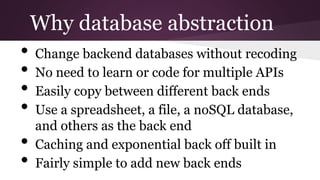
Why database abstraction
• Change backend databases without recoding
• No need to learn or code for multiple APIs
• Easily copy between different back ends
• Use a spreadsheet, a file, a noSQL database,
and others as the back end
• Caching and exponential back off built in
• Fairly simple to add new back ends
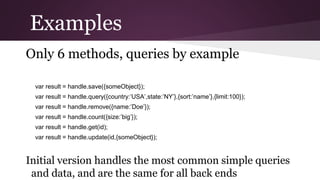
Examples
Only 6 methods, queries by example
var result = handle.save({someObject});
var result = handle.query({country:’USA’,state:’NY’},{sort:’name’},{limit:100});
var result = handle.remove({name:’Doe’});
var result = handle.count({size:’big’});
var result = handle.get(id);
var result = handle.update(id,{someObject});
Initial version handles the most common simple queries
and data, and are the same for all back ends
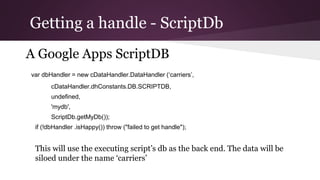
Getting a handle - ScriptDb
A Google Apps ScriptDB
var dbHandler = new cDataHandler.DataHandler (‘carriers’,
cDataHandler.dhConstants.DB.SCRIPTDB,
undefined,
'mydb',
ScriptDb.getMyDb());
if (!dbHandler .isHappy()) throw ("failed to get handle");
This will use the executing script’s db as the back end. The data will be
siloed under the name ‘carriers’
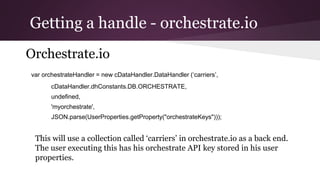
Getting a handle - orchestrate.io
Orchestrate.io
var orchestrateHandler = new cDataHandler.DataHandler (‘carriers’,
cDataHandler.dhConstants.DB.ORCHESTRATE,
undefined,
'myorchestrate',
JSON.parse(UserProperties.getProperty("orchestrateKeys")));
This will use a collection called ‘carriers’ in orchestrate.io as a back end.
The user executing this has his orchestrate API key stored in his user
properties.
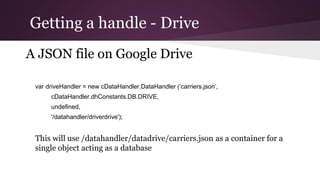
Getting a handle - Drive
A JSON file on Google Drive
var driveHandler = new cDataHandler.DataHandler (‘carriers.json’,
cDataHandler.dhConstants.DB.DRIVE,
undefined,
'/datahandler/driverdrive');
This will use /datahandler/datadrive/carriers.json as a container for a
single object acting as a database
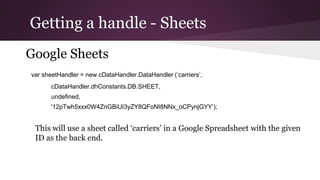
Getting a handle - Sheets
Google Sheets
var sheetHandler = new cDataHandler.DataHandler (‘carriers’,
cDataHandler.dhConstants.DB.SHEET,
undefined,
'12pTwh5xxx0W4ZnGBiUI3yZY8QFoNI8NNx_oCPynjGYY’);
This will use a sheet called ‘carriers’ in a Google Spreadsheet with the given
ID as the back end.
Getting a handle - parse.com
parse.com
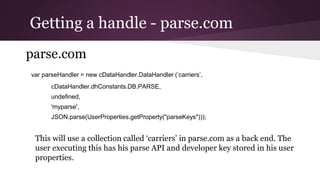
var parseHandler = new cDataHandler.DataHandler (‘carriers’,
cDataHandler.dhConstants.DB.PARSE,
undefined,
'myparse',
JSON.parse(UserProperties.getProperty("parseKeys")));
This will use a collection called ‘carriers’ in parse.com as a back end. The
user executing this has his parse API and developer key stored in his user
properties.
Getting a handle - fusion
Google Fusion
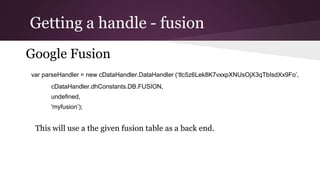
var parseHandler = new cDataHandler.DataHandler
(‘tlc5z6Lek8K7vxxpXNUsOjX3qTbIsdXx9Fo’,
cDataHandler.dhConstants.DB.FUSION,
undefined,
'myfusion’);
This will use a the given fusion table as a back end.
Getting a handle - import.io
import.io
var importioHandler = new cDataHandler.DataHandler
('caff10dc-3bf8-402e-b1b8-c799a77c3e8c', cDataHandler.dhConstants.DB.IMPORTIO,
undefined,'myimportio',JSON.parse(UserProperties.getProperty("importioKeys")));
This will use a data set from import.io with the id caff10dc-3bf8-402e-b1b8-
c799a77c3e8c. The user executing this has his importio API and user key
stored in his user properties. Note that import.io only has the query()
method, since it is a readonly source. (h/t to MartinHawksey for his
importio library.
Getting a handle – Google Property
service
Properties
var propertiesHandler = new cDataHandler.DataHandler ('avengers',
cDataHandler.dhConstants.DB.PROPERTIES,
undefined, 'myproperties', UserProperties);
This will use a the UserProperties as a database stored against the
key ‘avengers’
REST API access
All of this is also available through a Google
Apps Script Webapp
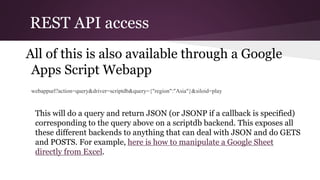
webappurl?action=query&driver=scriptdb&query={"region":"Asia"}&siloid=play
This will do a query and return JSON (or JSONP if a callback is specified)
corresponding to the query above on a scriptdb backend. This exposes all
these different backends to anything that can deal with JSON and do GETS
and POSTS. For example, here is how to manipulate a Google Sheet
directly from Excel.
Copying data between backends
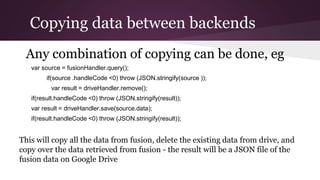
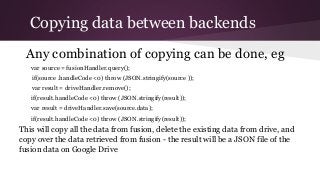
Any combination of copying can be done, eg
var source = fusionHandler.query();
if(source .handleCode <0) throw (JSON.stringify(source ));
var result = driveHandler.remove();
if(result.handleCode <0) throw (JSON.stringify(result));
var result = driveHandler.save(source.data);
if(result.handleCode <0) throw (JSON.stringify(result));
This will copy all the data from fusion, delete the existing data from drive, and
copy over the data retrieved from fusion - the result will be a JSON file of the
fusion data on Google Drive
More info
You can find more about this here along with
details of how to include this library in your
Google apps script project
contact me on g+
see this on Drive
read more

Dbabstraction

  • 1.
    Google Apps Script DatabaseAbstraction Use different back end databases with the same code contact me on g+
  • 2.
    Why database abstraction •Change backend databases without recoding • No need to learn or code for multiple APIs • Easily copy between different back ends • Use a spreadsheet, a file, a noSQL database, and others as the back end • Caching and exponential back off built in • Fairly simple to add new back ends
  • 3.
    Examples Only 6 methods,queries by example var result = handle.save({someObject}); var result = handle.query({country:’USA’,state:’NY’},{sort:’name’},{limit:100}); var result = handle.remove({name:’Doe’}); var result = handle.count({size:’big’}); var result = handle.get(id); var result = handle.update(id,{someObject}); Initial version handles the most common simple queries and data, and are the same for all back ends
  • 4.
    Getting a handle- ScriptDb A Google Apps ScriptDB var dbHandler = new cDataHandler.DataHandler (‘carriers’, cDataHandler.dhConstants.DB.SCRIPTDB, undefined, 'mydb', ScriptDb.getMyDb()); if (!dbHandler .isHappy()) throw ("failed to get handle"); This will use the executing script’s db as the back end. The data will be siloed under the name ‘carriers’
  • 5.
    Getting a handle- orchestrate.io Orchestrate.io var orchestrateHandler = new cDataHandler.DataHandler (‘carriers’, cDataHandler.dhConstants.DB.ORCHESTRATE, undefined, 'myorchestrate', JSON.parse(UserProperties.getProperty("orchestrateKeys"))); This will use a collection called ‘carriers’ in orchestrate.io as a back end. The user executing this has his orchestrate API key stored in his user properties.
  • 6.
    Getting a handle- Drive A JSON file on Google Drive var driveHandler = new cDataHandler.DataHandler (‘carriers.json’, cDataHandler.dhConstants.DB.DRIVE, undefined, '/datahandler/driverdrive'); This will use /datahandler/datadrive/carriers.json as a container for a single object acting as a database
  • 7.
    Getting a handle- Sheets Google Sheets var sheetHandler = new cDataHandler.DataHandler (‘carriers’, cDataHandler.dhConstants.DB.SHEET, undefined, '12pTwh5xxx0W4ZnGBiUI3yZY8QFoNI8NNx_oCPynjGYY’); This will use a sheet called ‘carriers’ in a Google Spreadsheet with the given ID as the back end.
  • 8.
    Getting a handle- parse.com parse.com var parseHandler = new cDataHandler.DataHandler (‘carriers’, cDataHandler.dhConstants.DB.PARSE, undefined, 'myparse', JSON.parse(UserProperties.getProperty("parseKeys"))); This will use a collection called ‘carriers’ in parse.com as a back end. The user executing this has his parse API and developer key stored in his user properties.
  • 9.
    Getting a handle- fusion Google Fusion var parseHandler = new cDataHandler.DataHandler (‘tlc5z6Lek8K7vxxpXNUsOjX3qTbIsdXx9Fo’, cDataHandler.dhConstants.DB.FUSION, undefined, 'myfusion’); This will use a the given fusion table as a back end.
  • 10.
    Getting a handle- import.io import.io var importioHandler = new cDataHandler.DataHandler ('caff10dc-3bf8-402e-b1b8-c799a77c3e8c', cDataHandler.dhConstants.DB.IMPORTIO, undefined,'myimportio',JSON.parse(UserProperties.getProperty("importioKeys"))); This will use a data set from import.io with the id caff10dc-3bf8-402e-b1b8- c799a77c3e8c. The user executing this has his importio API and user key stored in his user properties. Note that import.io only has the query() method, since it is a readonly source. (h/t to MartinHawksey for his importio library.
  • 11.
    Getting a handle– Google Property service Properties var propertiesHandler = new cDataHandler.DataHandler ('avengers', cDataHandler.dhConstants.DB.PROPERTIES, undefined, 'myproperties', UserProperties); This will use a the UserProperties as a database stored against the key ‘avengers’
  • 12.
    REST API access Allof this is also available through a Google Apps Script Webapp webappurl?action=query&driver=scriptdb&query={"region":"Asia"}&siloid=play This will do a query and return JSON (or JSONP if a callback is specified) corresponding to the query above on a scriptdb backend. This exposes all these different backends to anything that can deal with JSON and do GETS and POSTS. For example, here is how to manipulate a Google Sheet directly from Excel.
  • 13.
    Copying data betweenbackends Any combination of copying can be done, eg var source = fusionHandler.query(); if(source .handleCode <0) throw (JSON.stringify(source )); var result = driveHandler.remove(); if(result.handleCode <0) throw (JSON.stringify(result)); var result = driveHandler.save(source.data); if(result.handleCode <0) throw (JSON.stringify(result)); This will copy all the data from fusion, delete the existing data from drive, and copy over the data retrieved from fusion - the result will be a JSON file of the fusion data on Google Drive
  • 14.
    More info You canfind more about this here along with details of how to include this library in your Google apps script project contact me on g+ see this on Drive read more