Data Visualization GUIs and the
Advantage of Teaching Non-Expert
Analysts
Krystal St. Julien
Data Analyst – ModCloth
Data Visualization Summit – 4/10/14
What is ModCloth?
More than a fashion retailer…
Our Mission:
To inspire personal style and help
customers feel like the best
version of themselves.
Our Purpose:
To democratize fashion and
decor around the world.
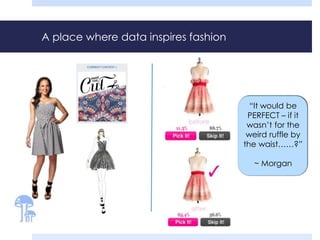
A place where data inspires fashion
“It would be
PERFECT – if it
wasn’t for the
weird ruffle by
the waist……?”
~ Morgan
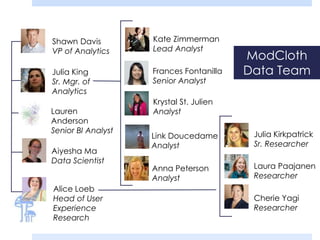
Alice Loeb
Head of User
Experience
Research
Kate Zimmerman
Lead Analyst
Link Doucedame
Analyst
Frances Fontanilla
Senior Analyst
Aiyesha Ma
Data Scientist
Shawn Davis
VP of Analytics
Lauren
Anderson
Senior BI Analyst
Julia King
Sr. Mgr. of
Analytics
Anna Peterson
Analyst
Krystal St. Julien
Analyst
Julia Kirkpatrick
Sr. Researcher
Laura Paajanen
Researcher
Cherie Yagi
Researcher
ModCloth
Data Team
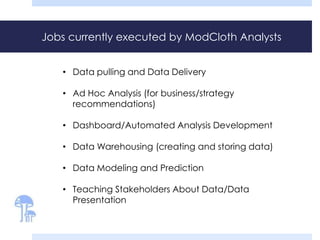
Jobs currently executed by ModCloth Analysts
• Data pulling and Data Delivery
• Ad Hoc Analysis (for business/strategy
recommendations)
• Dashboard/Automated Analysis Development
• Data Warehousing (creating and storing data)
• Data Modeling and Prediction
• Teaching Stakeholders About Data/Data
Presentation
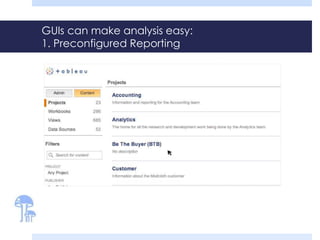
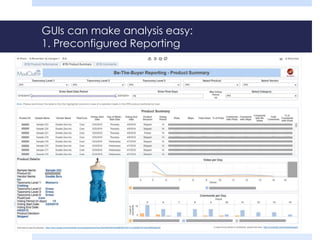
GUIs can make analysis easy:
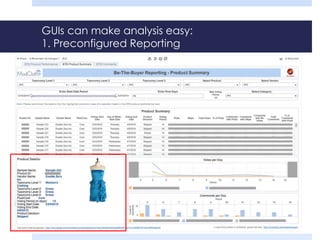
1. Preconfigured Reporting
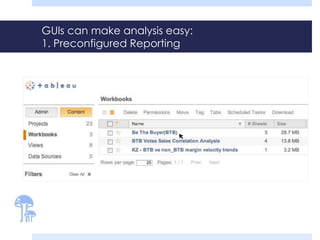
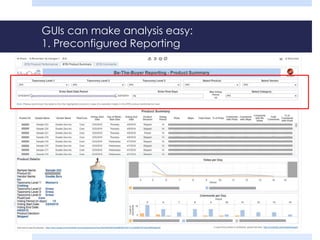
GUIs can make analysis easy:
1. Preconfigured Reporting
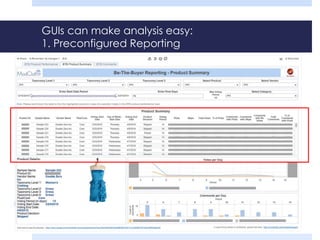
GUIs can make analysis easy:
1. Preconfigured Reporting
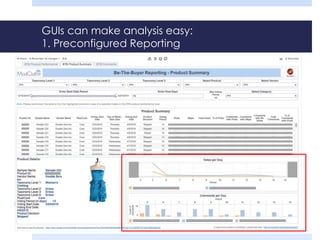
GUIs can make analysis easy:
1. Preconfigured Reporting
GUIs can make analysis easy:
1. Preconfigured Reporting
GUIs can make analysis easy:
1. Preconfigured Reporting
GUIs can make analysis easy:
1. Preconfigured Reporting
GUIs can make analysis easy:
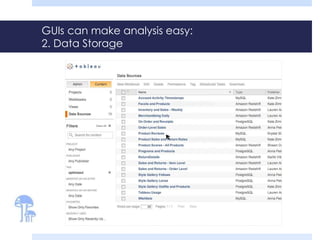
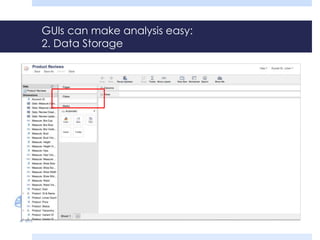
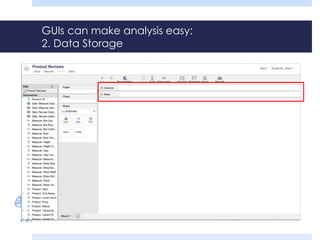
2. Data Storage
GUIs can make analysis easy:
2. Data Storage
GUIs can make analysis easy:
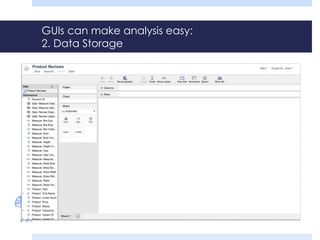
2. Data Storage
GUIs can make analysis easy:
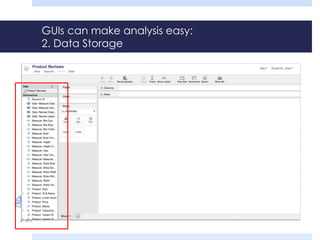
2. Data Storage
GUIs can make analysis easy:
2. Data Storage
GUIs can make analysis easy:
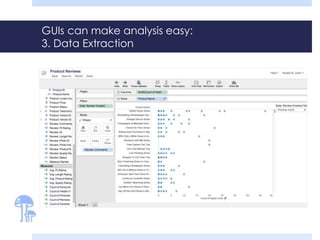
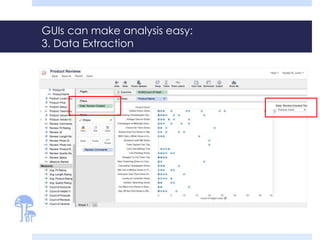
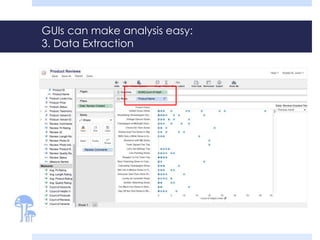
3. Data Extraction
GUIs can make analysis easy:
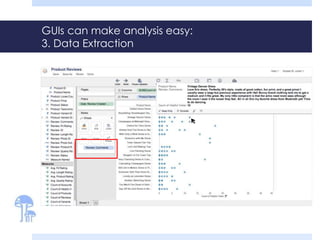
3. Data Extraction
GUIs can make analysis easy:
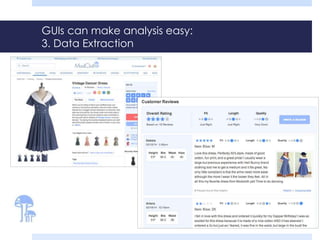
3. Data Extraction
GUIs can make analysis easy:
3. Data Extraction
GUIs can make analysis easy:
3. Data Extraction
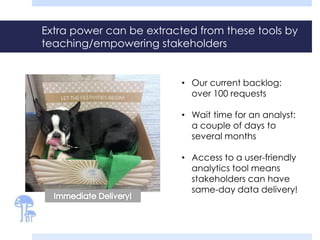
Extra power can be extracted from these tools by
teaching/empowering stakeholders
• Our current backlog:
over 100 requests
• Wait time for an analyst:
a couple of days to
several months
• Access to a user-friendly
analytics tool means
stakeholders can have
same-day data delivery!
Insights gathered while training
stakeholders to use
analytics/visualization tools
Hurdles to overcome when teaching non-
technical stakeholders as ‘first-time analysts’
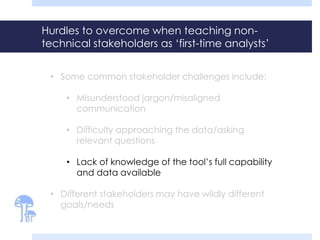
• Some common stakeholder challenges include:
• Misunderstood jargon/misaligned
communication
• Difficulty approaching the data/asking
relevant questions
• Lack of knowledge of the tool’s full capability
and data available
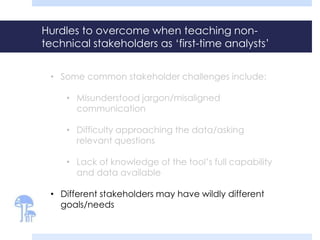
• Different stakeholders may have wildly different
goals/needs
Hurdles to overcome when teaching non-
technical stakeholders as ‘first-time analysts’
• Some common stakeholder challenges include:
• Misunderstood jargon/misaligned
communication
• Difficulty approaching the data/asking
relevant questions
• Lack of knowledge of the tool’s full capability
and data available
• Different stakeholders may have wildly different
goals/needs
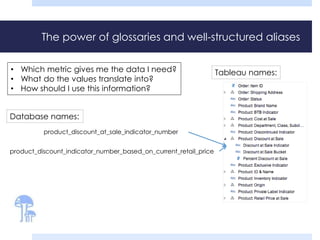
The power of glossaries and well-structured aliases
product_discount_at_sale_indicator_number
product_discount_indicator_number_based_on_current_retail_price
Database names:
Tableau names:• Which metric gives me the data I need?
• What do the values translate into?
• How should I use this information?
Hurdles to overcome when teaching non-
technical stakeholders as ‘first-time analysts’
• Some common stakeholder challenges include:
• Misunderstood jargon/misaligned
communication
• Difficulty approaching the data/asking
relevant questions
• Lack of knowledge of the tool’s full capability
and data available
• Different stakeholders may have wildly different
goals/needs
`
Teaching through interactivity: Working backward
to move forward
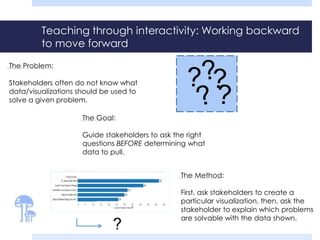
The Method:
First, ask stakeholders to create a
particular visualization, then, ask the
stakeholder to explain which problems
are solvable with the data shown.
The Problem:
Stakeholders often do not know what
data/visualizations should be used to
solve a given problem.
The Goal:
Guide stakeholders to ask the right
questions BEFORE determining what
data to pull.
?
Teaching through interactivity: Working backward
to move forward
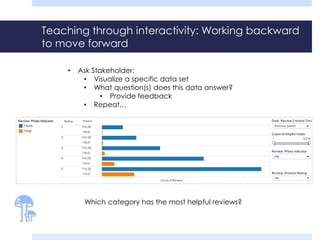
• Ask Stakeholder:
• Visualize a specific data set
• What question(s) does this data answer?
• Provide feedback
• Repeat…
- Look at data from last quarter ONLY
- Find reviews that were deemed helpful by at least 1
shopper
- Identify the number of reviews in each product rating
category
- Highlight the reviews with customer photos attached
Teaching through interactivity: Working backward
to move forward
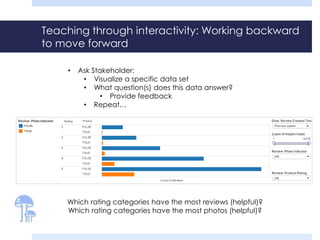
Rating Photo?
Count of Reviews
Which rating categories have the most reviews (helpful)?
Which rating categories have the most photos (helpful)?
• Ask Stakeholder:
• Visualize a specific data set
• What question(s) does this data answer?
• Provide feedback
• Repeat…
Teaching through interactivity: Working backward
to move forward
Rating Photo?
Count of Reviews
Which category has the most helpful reviews?
• Ask Stakeholder:
• Visualize a specific data set
• What question(s) does this data answer?
• Provide feedback
• Repeat…
Hurdles to overcome when teaching non-
technical stakeholders as ‘first-time analysts’
• Some common stakeholder challenges include:
• Misunderstood jargon/misaligned
communication
• Difficulty approaching the data/asking
relevant questions
• Lack of knowledge of the tool’s full capability
and data available
• Different stakeholders may have wildly different
goals/needs
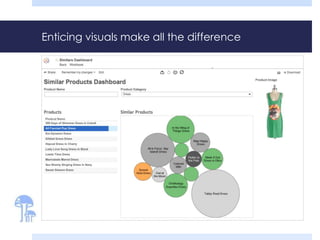
Enticing visuals make all the difference
Hurdles to overcome when teaching non-
technical stakeholders as ‘first-time analysts’
• Some common stakeholder challenges include:
• Misunderstood jargon/misaligned
communication
• Difficulty approaching the data/asking
relevant questions
• Lack of knowledge of the tool’s full capability
and data available
• Different stakeholders may have wildly different
goals/needs
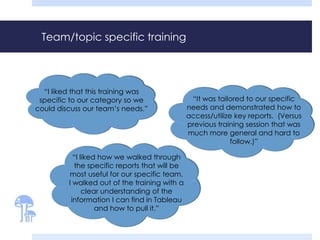
Team/topic specific training
“It was tailored to our specific
needs and demonstrated how to
access/utilize key reports. (Versus
previous training session that was
much more general and hard to
follow.)”
“I liked that this training was
specific to our category so we
could discuss our team’s needs.”
“I liked how we walked through
the specific reports that will be
most useful for our specific team.
I walked out of the training with a
clear understanding of the
information I can find in Tableau
and how to pull it.”
Hurdles to overcome when teaching non-
technical stakeholders as ‘first-time analysts’
• Some common stakeholder challenges include:
• Misunderstood jargon/misaligned
communication
• Difficulty approaching the data/asking
relevant questions
• Lack of knowledge of the tool’s full capability
and data available
• Different stakeholders may have wildly different
goals/needs
Continued support is
critical!
The importance of office hours
• We currently host 8 hours of office hours a week
• 4 hours dedicated to Tableau-Only questions
• 2 hours dedicated to Omniture-Only questions
• 2 hours of multipurpose office hours (open questions)
• ~50% of office hour time is scheduled and used
“[I want to get]
individual help running
[my] own reports.”
“Wish we spent more time
doing live scenarios,
practicing using the tool,
reviewing the metrics
available, how to pull ad
hoc reports, etc.”
Practical trade-offs in training
stakeholders to pull and visualize
their own data
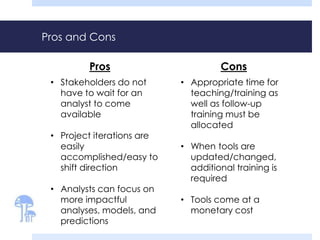
Pros and Cons
• Stakeholders do not
have to wait for an
analyst to come
available
• Project iterations are
easily
accomplished/easy to
shift direction
• Analysts can focus on
more impactful
analyses, models, and
predictions
• Appropriate time for
teaching/training as
well as follow-up
training must be
allocated
• When tools are
updated/changed,
additional training is
required
• Tools come at a
monetary cost
Pros Cons
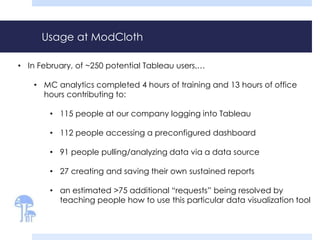
Usage at ModCloth
• In February, of ~250 potential Tableau users,…
• MC analytics completed 4 hours of training and 13 hours of office
hours contributing to:
• 115 people at our company logging into Tableau
• 112 people accessing a preconfigured dashboard
• 91 people pulling/analyzing data via a data source
• 27 creating and saving their own sustained reports
• an estimated >75 additional “requests” being resolved by
teaching people how to use this particular data visualization tool
QUESTIONS?
http://www.linkedin.com/pub/krystal-st-julien/56/320/a62/
@roskiby
ModKrystal

#DataViz14: Stakeholder empowerment in using data vis GUIs @ ModCloth

  • 1.
    Data Visualization GUIsand the Advantage of Teaching Non-Expert Analysts Krystal St. Julien Data Analyst – ModCloth Data Visualization Summit – 4/10/14
  • 2.
  • 3.
    More than afashion retailer… Our Mission: To inspire personal style and help customers feel like the best version of themselves. Our Purpose: To democratize fashion and decor around the world.
  • 4.
    A place wheredata inspires fashion “It would be PERFECT – if it wasn’t for the weird ruffle by the waist……?” ~ Morgan
  • 5.
    Alice Loeb Head ofUser Experience Research Kate Zimmerman Lead Analyst Link Doucedame Analyst Frances Fontanilla Senior Analyst Aiyesha Ma Data Scientist Shawn Davis VP of Analytics Lauren Anderson Senior BI Analyst Julia King Sr. Mgr. of Analytics Anna Peterson Analyst Krystal St. Julien Analyst Julia Kirkpatrick Sr. Researcher Laura Paajanen Researcher Cherie Yagi Researcher ModCloth Data Team
  • 6.
    Jobs currently executedby ModCloth Analysts • Data pulling and Data Delivery • Ad Hoc Analysis (for business/strategy recommendations) • Dashboard/Automated Analysis Development • Data Warehousing (creating and storing data) • Data Modeling and Prediction • Teaching Stakeholders About Data/Data Presentation
  • 10.
    GUIs can makeanalysis easy: 1. Preconfigured Reporting
  • 11.
    GUIs can makeanalysis easy: 1. Preconfigured Reporting
  • 12.
    GUIs can makeanalysis easy: 1. Preconfigured Reporting
  • 13.
    GUIs can makeanalysis easy: 1. Preconfigured Reporting
  • 14.
    GUIs can makeanalysis easy: 1. Preconfigured Reporting
  • 15.
    GUIs can makeanalysis easy: 1. Preconfigured Reporting
  • 16.
    GUIs can makeanalysis easy: 1. Preconfigured Reporting
  • 17.
    GUIs can makeanalysis easy: 2. Data Storage
  • 18.
    GUIs can makeanalysis easy: 2. Data Storage
  • 19.
    GUIs can makeanalysis easy: 2. Data Storage
  • 20.
    GUIs can makeanalysis easy: 2. Data Storage
  • 21.
    GUIs can makeanalysis easy: 2. Data Storage
  • 22.
    GUIs can makeanalysis easy: 3. Data Extraction
  • 23.
    GUIs can makeanalysis easy: 3. Data Extraction
  • 24.
    GUIs can makeanalysis easy: 3. Data Extraction
  • 25.
    GUIs can makeanalysis easy: 3. Data Extraction
  • 26.
    GUIs can makeanalysis easy: 3. Data Extraction
  • 27.
    Extra power canbe extracted from these tools by teaching/empowering stakeholders • Our current backlog: over 100 requests • Wait time for an analyst: a couple of days to several months • Access to a user-friendly analytics tool means stakeholders can have same-day data delivery!
  • 28.
    Insights gathered whiletraining stakeholders to use analytics/visualization tools
  • 29.
    Hurdles to overcomewhen teaching non- technical stakeholders as ‘first-time analysts’ • Some common stakeholder challenges include: • Misunderstood jargon/misaligned communication • Difficulty approaching the data/asking relevant questions • Lack of knowledge of the tool’s full capability and data available • Different stakeholders may have wildly different goals/needs
  • 30.
    Hurdles to overcomewhen teaching non- technical stakeholders as ‘first-time analysts’ • Some common stakeholder challenges include: • Misunderstood jargon/misaligned communication • Difficulty approaching the data/asking relevant questions • Lack of knowledge of the tool’s full capability and data available • Different stakeholders may have wildly different goals/needs
  • 31.
    The power ofglossaries and well-structured aliases product_discount_at_sale_indicator_number product_discount_indicator_number_based_on_current_retail_price Database names: Tableau names:• Which metric gives me the data I need? • What do the values translate into? • How should I use this information?
  • 32.
    Hurdles to overcomewhen teaching non- technical stakeholders as ‘first-time analysts’ • Some common stakeholder challenges include: • Misunderstood jargon/misaligned communication • Difficulty approaching the data/asking relevant questions • Lack of knowledge of the tool’s full capability and data available • Different stakeholders may have wildly different goals/needs
  • 33.
    ` Teaching through interactivity:Working backward to move forward The Method: First, ask stakeholders to create a particular visualization, then, ask the stakeholder to explain which problems are solvable with the data shown. The Problem: Stakeholders often do not know what data/visualizations should be used to solve a given problem. The Goal: Guide stakeholders to ask the right questions BEFORE determining what data to pull. ?
  • 34.
    Teaching through interactivity:Working backward to move forward • Ask Stakeholder: • Visualize a specific data set • What question(s) does this data answer? • Provide feedback • Repeat… - Look at data from last quarter ONLY - Find reviews that were deemed helpful by at least 1 shopper - Identify the number of reviews in each product rating category - Highlight the reviews with customer photos attached
  • 35.
    Teaching through interactivity:Working backward to move forward Rating Photo? Count of Reviews Which rating categories have the most reviews (helpful)? Which rating categories have the most photos (helpful)? • Ask Stakeholder: • Visualize a specific data set • What question(s) does this data answer? • Provide feedback • Repeat…
  • 36.
    Teaching through interactivity:Working backward to move forward Rating Photo? Count of Reviews Which category has the most helpful reviews? • Ask Stakeholder: • Visualize a specific data set • What question(s) does this data answer? • Provide feedback • Repeat…
  • 37.
    Hurdles to overcomewhen teaching non- technical stakeholders as ‘first-time analysts’ • Some common stakeholder challenges include: • Misunderstood jargon/misaligned communication • Difficulty approaching the data/asking relevant questions • Lack of knowledge of the tool’s full capability and data available • Different stakeholders may have wildly different goals/needs
  • 38.
    Enticing visuals makeall the difference
  • 39.
    Hurdles to overcomewhen teaching non- technical stakeholders as ‘first-time analysts’ • Some common stakeholder challenges include: • Misunderstood jargon/misaligned communication • Difficulty approaching the data/asking relevant questions • Lack of knowledge of the tool’s full capability and data available • Different stakeholders may have wildly different goals/needs
  • 40.
    Team/topic specific training “Itwas tailored to our specific needs and demonstrated how to access/utilize key reports. (Versus previous training session that was much more general and hard to follow.)” “I liked that this training was specific to our category so we could discuss our team’s needs.” “I liked how we walked through the specific reports that will be most useful for our specific team. I walked out of the training with a clear understanding of the information I can find in Tableau and how to pull it.”
  • 41.
    Hurdles to overcomewhen teaching non- technical stakeholders as ‘first-time analysts’ • Some common stakeholder challenges include: • Misunderstood jargon/misaligned communication • Difficulty approaching the data/asking relevant questions • Lack of knowledge of the tool’s full capability and data available • Different stakeholders may have wildly different goals/needs Continued support is critical!
  • 42.
    The importance ofoffice hours • We currently host 8 hours of office hours a week • 4 hours dedicated to Tableau-Only questions • 2 hours dedicated to Omniture-Only questions • 2 hours of multipurpose office hours (open questions) • ~50% of office hour time is scheduled and used “[I want to get] individual help running [my] own reports.” “Wish we spent more time doing live scenarios, practicing using the tool, reviewing the metrics available, how to pull ad hoc reports, etc.”
  • 43.
    Practical trade-offs intraining stakeholders to pull and visualize their own data
  • 44.
    Pros and Cons •Stakeholders do not have to wait for an analyst to come available • Project iterations are easily accomplished/easy to shift direction • Analysts can focus on more impactful analyses, models, and predictions • Appropriate time for teaching/training as well as follow-up training must be allocated • When tools are updated/changed, additional training is required • Tools come at a monetary cost Pros Cons
  • 45.
    Usage at ModCloth •In February, of ~250 potential Tableau users,… • MC analytics completed 4 hours of training and 13 hours of office hours contributing to: • 115 people at our company logging into Tableau • 112 people accessing a preconfigured dashboard • 91 people pulling/analyzing data via a data source • 27 creating and saving their own sustained reports • an estimated >75 additional “requests” being resolved by teaching people how to use this particular data visualization tool
  • 46.