webocreation.com@gmail.com
:@rupaknpl : onlinegyannepal
https://webocreation.com
Database table schema
OpenCart Module Development
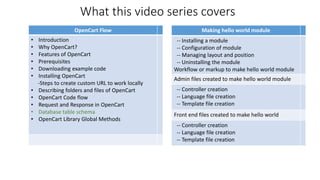
What this video series covers
Making hello world module
-- Installing a module
-- Configuration of module
-- Managing layout and position
-- Uninstalling the module
Workflow or markup to make hello world module
Admin files created to make hello world module
-- Controller creation
-- Language file creation
-- Template file creation
Front end files created to make hello world
-- Controller creation
-- Language file creation
-- Template file creation
OpenCart Flow
• Introduction
• Why OpenCart?
• Features of OpenCart
• Prerequisites
• Downloading example code
• Installing OpenCart
-Steps to create custom URL to work locally
• Describing folders and files of OpenCart
• OpenCart Code flow
• Request and Response in OpenCart
• Database table schema
• OpenCart Library Global Methods
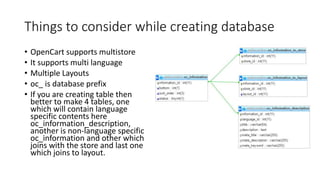
Things to consider while creating database
• OpenCart supports multistore
• It supports multi language
• Multiple Layouts
• oc_ is database prefix
• If you are creating table then
better to make 4 tables, one
which will contain language
specific contents here
oc_information_description,
another is non-language specific
oc_information and other which
joins with the store and last one
which joins to layout.
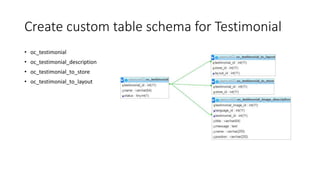
Create custom table schema for Testimonial
• oc_testimonial
• oc_testimonial_description
• oc_testimonial_to_store
• oc_testimonial_to_layout
URL
• https://webocreation.com/blog/things-consider-creating-database/
• https://www.youtube.com/watch?v=w8Uay-QvHFg
Youtube tutorial
webocreation.com@gmail.com
:@rupaknpl : onlinegyannepal
https://webocreation.com
Thanking you

Database table schema explained of Opencart