BCA Sem -III
DBMS - II
Unit I – Introduction to Oracle and SQL Centre for Distance and Online Education
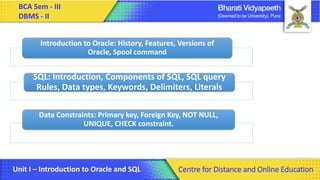
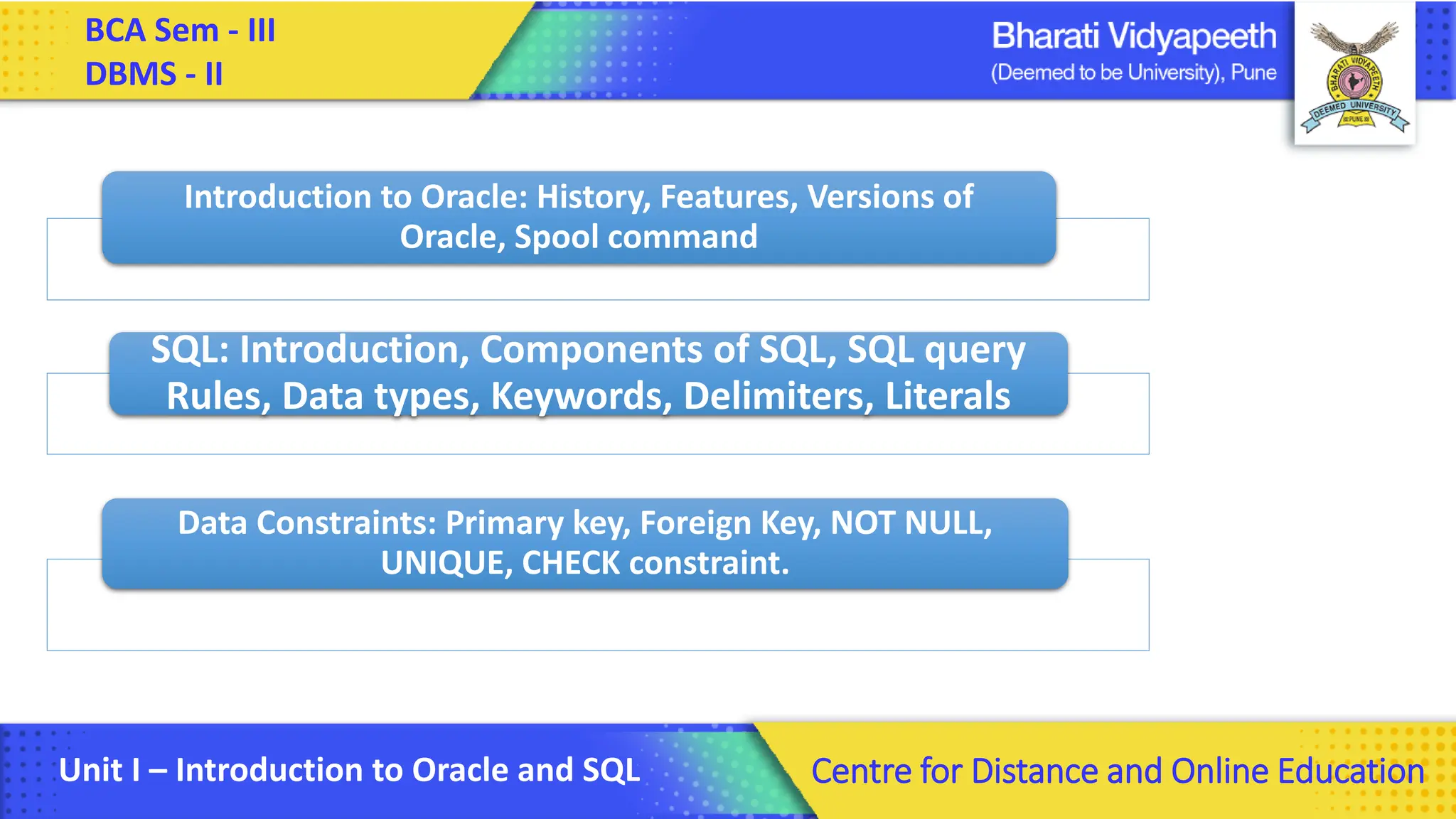
Introduction to Oracle: History, Features, Versions of
Oracle, Spool command
SQL: Introduction, Components of SQL, SQL query
Rules, Data types, Keywords, Delimiters, Literals
Data Constraints: Primary key, Foreign Key, NOT NULL,
UNIQUE, CHECK constraint.
2.
BCA Sem -III
DBMS - II
Unit I – Introduction to Oracle and SQL Centre for Distance and Online Education
Oracle Introduction:-
• Oracle Database is a relational database management
system(RDBMS). It is known as Oracle Database, OracleDB or simply
Oracle. It is manufactured by Oracle Corporation.
• Oracle is one of the most wildly used database in most of the top
company. To keep the data safe and secure.
• Every company want to used best of the database to make sure the
client data and company details are protected.
• They used structure query language which is also known as SQL.
3.
BCA Sem -III
DBMS - II
Unit I – Introduction to Oracle and SQL Centre for Distance and Online Education
History of Oracle :-
• History:-
• Oracle is a powerful relational database software developed by “Lawrence
Ellison ” and his two friends Bob Miner and Ed Oates in the year 1977 at
Software Development Laboratories (SDL)
• Oracle Corporation was the first company to commercialize a
relational database management system and is still the largest
company selling database software worldwide.
• Oracle Database is available to run on most major operating systems
such as Windows, UNIX, Linux and Mac OS.
4.
BCA Sem -III
DBMS - II
Unit I – Introduction to Oracle and SQL Centre for Distance and Online Education
History of Oracle :-
• History:-
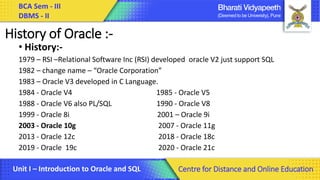
1979 – RSI –Relational Software Inc (RSI) developed oracle V2 just support SQL
1982 – change name – “Oracle Corporation”
1983 – Oracle V3 developed in C Language.
1984 - Oracle V4 1985 - Oracle V5
1988 - Oracle V6 also PL/SQL 1990 - Oracle V8
1999 - Oracle 8i 2001 – Oracle 9i
2003 - Oracle 10g 2007 - Oracle 11g
2013 - Oracle 12c 2018 - Oracle 18c
2019 - Oracle 19c 2020 - Oracle 21c
5.
BCA Sem -III
DBMS - II
Unit I – Introduction to Oracle and SQL Centre for Distance and Online Education
Different editions of Oracle database:-
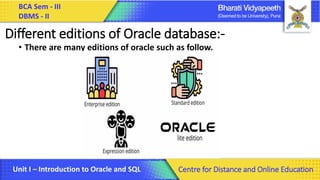
• There are many editions of oracle such as follow.
6.
BCA Sem -III
DBMS - II
Unit I – Introduction to Oracle and SQL Centre for Distance and Online Education
Different editions of Oracle database:-
• There are many editions of oracle such as follow.
1. Enterprise Edition:- As its name suggests, this edition has been made for big
organizations. Every day a large amount of data has to be stored. This is the most
expensive edition.
2. Standard Edition:- This edition is less expensive than the enterprise, as well as
the ability to store data in it is also less than the enterprise which is developed for
the small organization.
3. Expression Edition:- Oracle has made this edition keeping the student in mind.
This is absolutely free. It can be used for personal use. Due to this the capacity to
store data is very less. Students use it to learn oracle database.
4. Oraclelite:- This edition is made for smart phones and tablets. Which is rarely
used at present. Because there is a lot of trouble in this kind of work with a
Smartphone, that's why its operation is negligible.
7.
BCA Sem -III
DBMS - II
Unit I – Introduction to Oracle and SQL Centre for Distance and Online Education
Features of Oracle database:-
• Common Usage of Oracle database:- Oracle database software is used for
the following purposes
• Data retrieval: To collect data in an organized manner.
• Data redundancy: Can use Oracle DB to create, delete, modify data already
stored in the database.
• Supports Oracle Standard Query Language (SQL). SQL is a language to
operate databases.
• Allows many different computers to be connected together to store
massive amounts of data.
• Provides better security options.
• Security and Indexing
8.
BCA Sem -III
DBMS - II
Unit I – Introduction to Oracle and SQL Centre for Distance and Online Education
Oracle File Management, Spool command -
• Oracle Managed Files (OMF) directly manages file creation and deletion at
the operating system level. ... Oracle internally uses standard file system
interfaces to create and delete files as needed for the database structures
such as table spaces, online redo log files, and control files.
• It has several advantages:-
• Automatic cleanup of the file system when database objects are dropped.
• Standardized naming of database files.
• Increased portability since file specifications are not needed.
• Simplified creation of test systems on differing operating systems.
• No unused files wasting disk space.
9.
BCA Sem -III
DBMS - II
Unit I – Introduction to Oracle and SQL Centre for Distance and Online Education
Spool command -
• The SPOOL command is used to write output to a text file. You must
use this if you are going to print a report. The only way to print a
report is to spool it to a file, then print that file.
• SQL> spool D:Spooldata.txt;
• Update text file :- data.txt
• SQL> spool D:Spooldata.txt Append;
10.
BCA Sem -III
DBMS - II
Unit I – Introduction to Oracle and SQL Centre for Distance and Online Education
SQL Introduction , Defining a Database in SQL:-
•SQL stands for Structured Query Language
•SQL lets you access and manipulate databases
•SQL became a standard of the American
National Standards Institute
(ANSI) in 1986, and of the International
Organization for Standardization (ISO) in 1987
11.
BCA Sem -III
DBMS - II
Unit I – Introduction to Oracle and SQL Centre for Distance and Online Education
Defining a Database in SQL:-
A database is an organized collection of structured information, or data,
typically stored electronically in a computer system. A database is usually
controlled by a database management system (DBMS).
What is Data?
Data is a collection of a distinct small unit of information. It can be used in a
variety of forms like text, numbers, media, bytes, etc. it can be stored in
pieces of paper or electronic memory, etc.
What is Database?
• A database is an organized collection of data, so that it can be easily
accessed and managed. Ex. Your Gmail a/c, face book a/c etc.
• You can organize data into tables, rows, columns, and index it to make it
easier to find relevant information.
12.
BCA Sem -III
DBMS - II
Unit I – Introduction to Oracle and SQL Centre for Distance and Online Education
What Can SQL do?-
•SQL can execute queries against a database
•SQL can retrieve data from a database
•SQL can insert records in a database
•SQL can update records in a database
•SQL can delete records from a database
•SQL can create new databases
•SQL can create new tables in a database
•SQL can create stored procedures in a database(PL-SQL)
•SQL can create views in a database
•SQL can set permissions on tables, procedures, and views
13.
BCA Sem -III
DBMS - II
Unit I – Introduction to Oracle and SQL Centre for Distance and Online Education
Components of SQL:-
• DDL - Data Definition Language
• Helps to define table and table level processes like alter table, drop table etc.
• DML - Data Manipulation Language
• Helps to insert and edit data in table
• DCL - Data Control Language
• Helps to manage access to database
• DQL- Data Query Language
• Helps in retrieving Data from table/tables
• TCL- Transactional Control Language.
• Helps in permanently save Data from table/tables
14.
BCA Sem -III
DBMS - II
Unit I – Introduction to Oracle and SQL Centre for Distance and Online Education
Defining a database in SQL:-
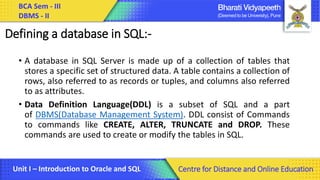
• A database in SQL Server is made up of a collection of tables that
stores a specific set of structured data. A table contains a collection of
rows, also referred to as records or tuples, and columns also referred
to as attributes.
• Data Definition Language(DDL) is a subset of SQL and a part
of DBMS(Database Management System). DDL consist of Commands
to commands like CREATE, ALTER, TRUNCATE and DROP. These
commands are used to create or modify the tables in SQL.
15.
BCA Sem -III
DBMS - II
Unit I – Introduction to Oracle and SQL Centre for Distance and Online Education
DDL Commands:Create, Alter, truncate, drop, desc:-
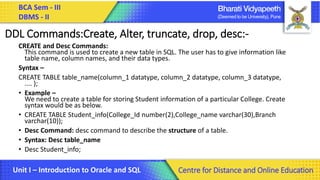
CREATE and Desc Commands:
This command is used to create a new table in SQL. The user has to give information like
table name, column names, and their data types.
Syntax –
CREATE TABLE table_name(column_1 datatype, column_2 datatype, column_3 datatype,
.... );
• Example –
We need to create a table for storing Student information of a particular College. Create
syntax would be as below.
• CREATE TABLE Student_info(College_Id number(2),College_name varchar(30),Branch
varchar(10));
• Desc Command: desc command to describe the structure of a table.
• Syntax: Desc table_name
• Desc Student_info;
16.
BCA Sem -III
DBMS - II
Unit I – Introduction to Oracle and SQL Centre for Distance and Online Education
ALTER Command:-
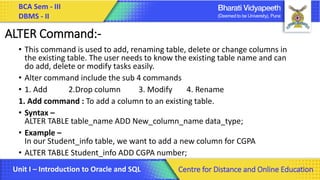
• This command is used to add, renaming table, delete or change columns in
the existing table. The user needs to know the existing table name and can
do add, delete or modify tasks easily.
• Alter command include the sub 4 commands
• 1. Add 2.Drop column 3. Modify 4. Rename
1. Add command : To add a column to an existing table.
• Syntax –
ALTER TABLE table_name ADD New_column_name data_type;
• Example –
In our Student_info table, we want to add a new column for CGPA
• ALTER TABLE Student_info ADD CGPA number;
17.
BCA Sem -III
DBMS - II
Unit I – Introduction to Oracle and SQL Centre for Distance and Online Education
ALTER Command:-
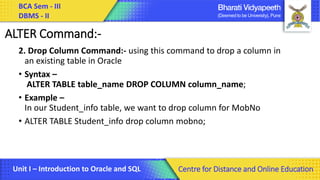
2. Drop Column Command:- using this command to drop a column in
an existing table in Oracle
• Syntax –
ALTER TABLE table_name DROP COLUMN column_name;
• Example –
In our Student_info table, we want to drop column for MobNo
• ALTER TABLE Student_info drop column mobno;
18.
BCA Sem -III
DBMS - II
Unit I – Introduction to Oracle and SQL Centre for Distance and Online Education
ALTER Command:-
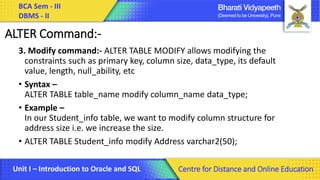
3. Modify command:- ALTER TABLE MODIFY allows modifying the
constraints such as primary key, column size, data_type, its default
value, length, null_ability, etc
• Syntax –
ALTER TABLE table_name modify column_name data_type;
• Example –
In our Student_info table, we want to modify column structure for
address size i.e. we increase the size.
• ALTER TABLE Student_info modify Address varchar2(50);
19.
BCA Sem -III
DBMS - II
Unit I – Introduction to Oracle and SQL Centre for Distance and Online Education
ALTER Command:-
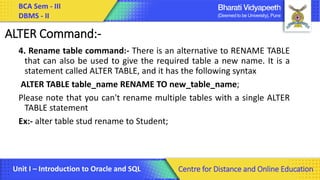
4. Rename table command:- There is an alternative to RENAME TABLE
that can also be used to give the required table a new name. It is a
statement called ALTER TABLE, and it has the following syntax
ALTER TABLE table_name RENAME TO new_table_name;
Please note that you can't rename multiple tables with a single ALTER
TABLE statement
Ex:- alter table stud rename to Student;
20.
BCA Sem -III
DBMS - II
Unit I – Introduction to Oracle and SQL Centre for Distance and Online Education
TRUNCATE Commands :
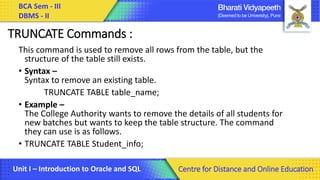
This command is used to remove all rows from the table, but the
structure of the table still exists.
• Syntax –
Syntax to remove an existing table.
TRUNCATE TABLE table_name;
• Example –
The College Authority wants to remove the details of all students for
new batches but wants to keep the table structure. The command
they can use is as follows.
• TRUNCATE TABLE Student_info;
21.
BCA Sem -III
DBMS - II
Unit I – Introduction to Oracle and SQL Centre for Distance and Online Education
Drop Command:
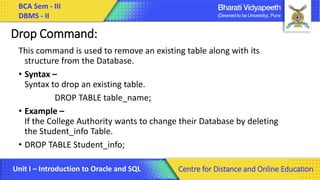
This command is used to remove an existing table along with its
structure from the Database.
• Syntax –
Syntax to drop an existing table.
DROP TABLE table_name;
• Example –
If the College Authority wants to change their Database by deleting
the Student_info Table.
• DROP TABLE Student_info;
22.
BCA Sem -III
DBMS - II
Unit I – Introduction to Oracle and SQL Centre for Distance and Online Education
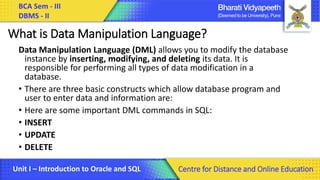
What is Data Manipulation Language?
Data Manipulation Language (DML) allows you to modify the database
instance by inserting, modifying, and deleting its data. It is
responsible for performing all types of data modification in a
database.
• There are three basic constructs which allow database program and
user to enter data and information are:
• Here are some important DML commands in SQL:
• INSERT
• UPDATE
• DELETE
23.
BCA Sem -III
DBMS - II
Unit I – Introduction to Oracle and SQL Centre for Distance and Online Education
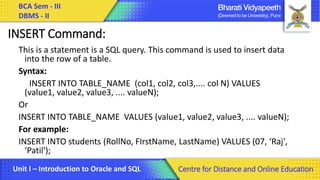
INSERT Command:
This is a statement is a SQL query. This command is used to insert data
into the row of a table.
Syntax:
INSERT INTO TABLE_NAME (col1, col2, col3,.... col N) VALUES
(value1, value2, value3, .... valueN);
Or
INSERT INTO TABLE_NAME VALUES (value1, value2, value3, .... valueN);
For example:
INSERT INTO students (RollNo, FIrstName, LastName) VALUES (07, ‘Raj',
‘Patil');
24.
BCA Sem -III
DBMS - II
Unit I – Introduction to Oracle and SQL Centre for Distance and Online Education
Update Command:
This command is used to update or modify the value of a column in the
table.
Syntax:
UPDATE table_name SET [column_name1= value1,...column_nameN =
valueN] [WHERE CONDITION]
For example:
UPDATE students
SET FirstName = ‘Yashraj', LastName= ‘Jadhav'
WHERE StudID = 7;
25.
BCA Sem -III
DBMS - II
Unit I – Introduction to Oracle and SQL Centre for Distance and Online Education
Delete Comand:
DELETE:
This command is used to remove one or more rows from a table.
Syntax:
DELETE FROM table_name [WHERE condition];
For example:
DELETE FROM students
WHERE FirstName = 'Jhon';
26.
BCA Sem -III
DBMS - II
Unit I – Introduction to Oracle and SQL Centre for Distance and Online Education
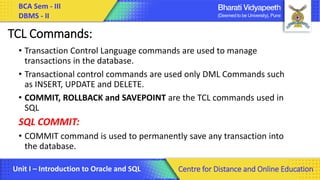
TCL Commands:
• Transaction Control Language commands are used to manage
transactions in the database.
• Transactional control commands are used only DML Commands such
as INSERT, UPDATE and DELETE.
• COMMIT, ROLLBACK and SAVEPOINT are the TCL commands used in
SQL
SQL COMMIT:
• COMMIT command is used to permanently save any transaction into
the database.
27.
BCA Sem -III
DBMS - II
Unit I – Introduction to Oracle and SQL Centre for Distance and Online Education
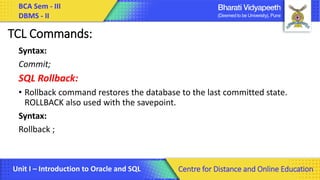
TCL Commands:
Syntax:
Commit;
SQL Rollback:
• Rollback command restores the database to the last committed state.
ROLLBACK also used with the savepoint.
Syntax:
Rollback ;
28.
BCA Sem -III
DBMS - II
Unit I – Introduction to Oracle and SQL Centre for Distance and Online Education
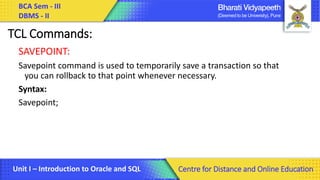
TCL Commands:
SAVEPOINT:
Savepoint command is used to temporarily save a transaction so that
you can rollback to that point whenever necessary.
Syntax:
Savepoint;
29.
BCA Sem -III
DBMS - II
Unit I – Introduction to Oracle and SQL Centre for Distance and Online Education
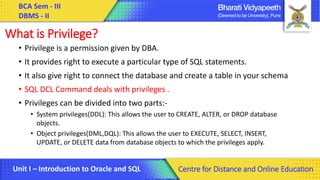
What is Privilege?
• Privilege is a permission given by DBA.
• It provides right to execute a particular type of SQL statements.
• It also give right to connect the database and create a table in your schema
• SQL DCL Command deals with privileges .
• Privileges can be divided into two parts:-
• System privileges(DDL): This allows the user to CREATE, ALTER, or DROP database
objects.
• Object privileges(DML,DQL): This allows the user to EXECUTE, SELECT, INSERT,
UPDATE, or DELETE data from database objects to which the privileges apply.
30.
BCA Sem -III
DBMS - II
Unit I – Introduction to Oracle and SQL Centre for Distance and Online Education
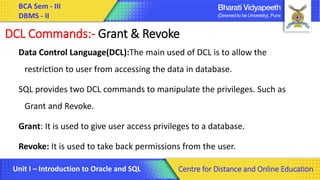
DCL Commands:- Grant & Revoke
Data Control Language(DCL):The main used of DCL is to allow the
restriction to user from accessing the data in database.
SQL provides two DCL commands to manipulate the privileges. Such as
Grant and Revoke.
Grant: It is used to give user access privileges to a database.
Revoke: It is used to take back permissions from the user.
31.
BCA Sem -III
DBMS - II
Unit I – Introduction to Oracle and SQL Centre for Distance and Online Education
DCL Commands:- Grant & Revoke
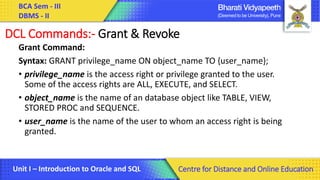
Grant Command:
Syntax: GRANT privilege_name ON object_name TO {user_name};
• privilege_name is the access right or privilege granted to the user.
Some of the access rights are ALL, EXECUTE, and SELECT.
• object_name is the name of an database object like TABLE, VIEW,
STORED PROC and SEQUENCE.
• user_name is the name of the user to whom an access right is being
granted.
32.
BCA Sem -III
DBMS - II
Unit I – Introduction to Oracle and SQL Centre for Distance and Online Education
DCL Commands:- Grant & Revoke
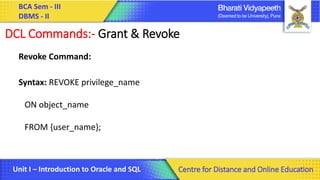
Revoke Command:
Syntax: REVOKE privilege_name
ON object_name
FROM {user_name};
33.
BCA Sem -III
DBMS - II
Unit I – Introduction to Oracle and SQL Centre for Distance and Online Education
DCL Commands:- Grant & Revoke
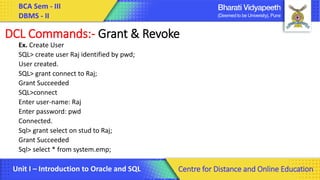
Ex. Create User
SQL> create user Raj identified by pwd;
User created.
SQL> grant connect to Raj;
Grant Succeeded
SQL>connect
Enter user-name: Raj
Enter password: pwd
Connected.
Sql> grant select on stud to Raj;
Grant Succeeded
Sql> select * from system.emp;
34.
BCA Sem -III
DBMS - II
Unit I – Introduction to Oracle and SQL Centre for Distance and Online Education
DCL Commands:- Grant & Revoke
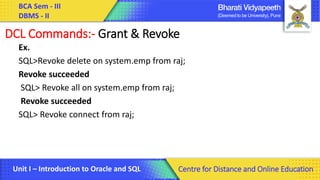
Ex.
SQL>Revoke delete on system.emp from raj;
Revoke succeeded
SQL> Revoke all on system.emp from raj;
Revoke succeeded
SQL> Revoke connect from raj;
35.
BCA Sem -III
DBMS - II
Unit I – Introduction to Oracle and SQL Centre for Distance and Online Education
DQL Commands:- Select
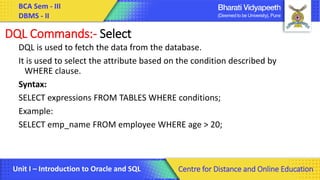
DQL is used to fetch the data from the database.
It is used to select the attribute based on the condition described by
WHERE clause.
Syntax:
SELECT expressions FROM TABLES WHERE conditions;
Example:
SELECT emp_name FROM employee WHERE age > 20;
36.
BCA Sem -III
DBMS - II
Unit I – Introduction to Oracle and SQL Centre for Distance and Online Education
DQL Commands:- Global data extract
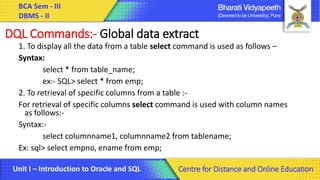
1. To display all the data from a table select command is used as follows –
Syntax:
select * from table_name;
ex:- SQL> select * from emp;
2. To retrieval of specific columns from a table :-
For retrieval of specific columns select command is used with column names
as follows:-
Syntax:-
select columnname1, columnname2 from tablename;
Ex: sql> select empno, ename from emp;
37.
BCA Sem -III
DBMS - II
Unit I – Introduction to Oracle and SQL Centre for Distance and Online Education
DQL Commands:- Global data extract
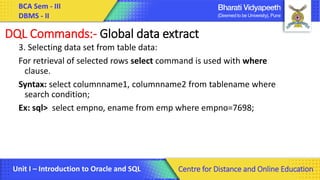
3. Selecting data set from table data:
For retrieval of selected rows select command is used with where
clause.
Syntax: select columnname1, columnname2 from tablename where
search condition;
Ex: sql> select empno, ename from emp where empno=7698;
38.
BCA Sem -III
DBMS - II
Unit I – Introduction to Oracle and SQL Centre for Distance and Online Education
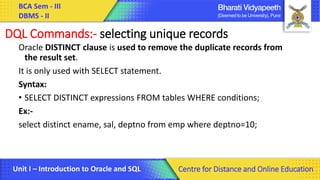
DQL Commands:- selecting unique records
Oracle DISTINCT clause is used to remove the duplicate records from
the result set.
It is only used with SELECT statement.
Syntax:
• SELECT DISTINCT expressions FROM tables WHERE conditions;
Ex:-
select distinct ename, sal, deptno from emp where deptno=10;
39.
BCA Sem -III
DBMS - II
Unit I – Introduction to Oracle and SQL Centre for Distance and Online Education
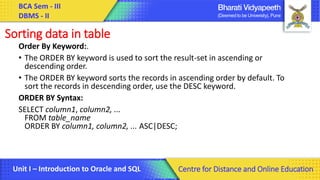
Sorting data in table
Order By Keyword:.
• The ORDER BY keyword is used to sort the result-set in ascending or
descending order.
• The ORDER BY keyword sorts the records in ascending order by default. To
sort the records in descending order, use the DESC keyword.
ORDER BY Syntax:
SELECT column1, column2, ...
FROM table_name
ORDER BY column1, column2, ... ASC|DESC;
40.
BCA Sem -III
DBMS - II
Unit I – Introduction to Oracle and SQL Centre for Distance and Online Education
Sorting data in table
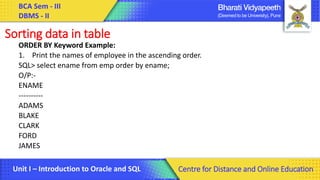
ORDER BY Keyword Example:
1. Print the names of employee in the ascending order.
SQL> select ename from emp order by ename;
O/P:-
ENAME
----------
ADAMS
BLAKE
CLARK
FORD
JAMES
41.
BCA Sem -III
DBMS - II
Unit I – Introduction to Oracle and SQL Centre for Distance and Online Education
Sorting data in table
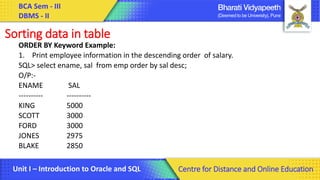
ORDER BY Keyword Example:
1. Print employee information in the descending order of salary.
SQL> select ename, sal from emp order by sal desc;
O/P:-
ENAME SAL
---------- ----------
KING 5000
SCOTT 3000
FORD 3000
JONES 2975
BLAKE 2850
42.
BCA Sem -III
DBMS - II
Unit I – Introduction to Oracle and SQL Centre for Distance and Online Education
Data types, Keywords, Delimiters, Literals:-
•Datatypes – Allows to decide datatype of data stored under each column in
table.
•Oracle Datatypes – number, float, double, varchar, varchar2, blob
•Keywords - Oracle uses them internally in specific ways. Therefore, if you
use these words as names for objects and object parts, then your SQL
statements may be more difficult to read and may lead to unpredictable results
•Delimiters – A delimiter is a simple or compound symbol
•Literals – These are the constant values For example, 'JACK', 'BLUE ISLAND',
and '101' are all character literals; 5001 is a numeric literal. Character literals
are enclose
43.
BCA Sem -III
DBMS - II
Unit I – Introduction to Oracle and SQL Centre for Distance and Online Education
Data Constraints: Primary key, Foreign Key, NOT NULL, UNIQUE, CHECK constraint.
1.Primary Key Constraints:
The SQL PRIMARY KEY identifies a unique type of record in the table.
PRIMARY KEY This is a combination of both UNIQUE and NOT NULL constraints.
Only one PRIMARY KEY can be given for a table in the database. It can also be a
PRIMARY KEY for one or more columns.
PRIMARY KEY This is also given at column-level(single column) and is also given at
table-level(multiple columns).
Syntax for Column-level PRIMARY KEY
column_name data_type PRIMARY_KEY
Source Code:
CREATE TABLE Table3( id INT(2) PRIMARY KEY, name VARCHAR(100) NOT NULL);
44.
BCA Sem -III
DBMS - II
Unit I – Introduction to Oracle and SQL Centre for Distance and Online Education
Data Constraints: Primary key, Foreign Key, NOT NULL, UNIQUE, CHECK constraint.
2.Foreign Key Constraint
There is a field in the Foreign Key Table, which uniquely identifies each row of
another table. This field indicates the primary key of the second table. Foreign
Key usually creates a kind of connection between tables.
3.NOT NULL constraints:-
This constraint is used when no column is to be kept empty. NOT NULL constraints
prevent the value of a column from being null. When this constraint is used in a
column, then null value cannot be provided to that column.
4.UNIQUE constraints:-
Unique constraints indicate the uniqueness of a column's value. Unique constraints
ensure that the column or field contains only unique values, which means that all
the values of the column will be different.
45.
BCA Sem -III
DBMS - II
Unit I – Introduction to Oracle and SQL Centre for Distance and Online Education
Data Constraints: Primary key, Foreign Key, NOT NULL, UNIQUE, CHECK constraint.
5.Check Constraint
We can use Check Constraint to specify a condition for a field which must be satisfied at
the time of entering the values of this field.
For example, the below query creates a student table and specifies the condition for the
field AGE (AGE >= 20). That is, the user will not be allowed to enter any record in the
table with AGE
CREATE TABLE Student
(
ID int(6) NOT NULL,
NAME varchar(10) NOT NULL,
AGE int NOT NULL CHECK (AGE >= 20)
);
46.
BCA Sem -III
DBMS - II
Unit I – Introduction to Oracle and SQL Centre for Distance and Online Education
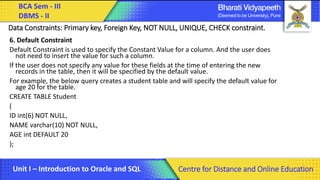
Data Constraints: Primary key, Foreign Key, NOT NULL, UNIQUE, CHECK constraint.
6. Default Constraint
Default Constraint is used to specify the Constant Value for a column. And the user does
not need to insert the value for such a column.
If the user does not specify any value for these fields at the time of entering the new
records in the table, then it will be specified by the default value.
For example, the below query creates a student table and will specify the default value for
age 20 for the table.
CREATE TABLE Student
(
ID int(6) NOT NULL,
NAME varchar(10) NOT NULL,
AGE int DEFAULT 20
);
47.
BCA Sem -III
DBMS - II
Unit I – Introduction to Oracle and SQL Centre for Distance and Online Education
Thank You
![BCA Sem - III
DBMS - II
Unit I – Introduction to Oracle and SQL Centre for Distance and Online Education
Update Command:
This command is used to update or modify the value of a column in the
table.
Syntax:
UPDATE table_name SET [column_name1= value1,...column_nameN =
valueN] [WHERE CONDITION]
For example:
UPDATE students
SET FirstName = ‘Yashraj', LastName= ‘Jadhav'
WHERE StudID = 7;](https://image.slidesharecdn.com/dbms-iichapter1-250227073548-c1ad9bd0/85/Database-Management-system-lecture-note-24-320.jpg)
![BCA Sem - III
DBMS - II
Unit I – Introduction to Oracle and SQL Centre for Distance and Online Education
Delete Comand:
DELETE:
This command is used to remove one or more rows from a table.
Syntax:
DELETE FROM table_name [WHERE condition];
For example:
DELETE FROM students
WHERE FirstName = 'Jhon';](https://image.slidesharecdn.com/dbms-iichapter1-250227073548-c1ad9bd0/85/Database-Management-system-lecture-note-25-320.jpg)