BCA Sem -III
DBMS - II
Unit IV– Database Objects Centre for Distance and Online Education
View: Creation, use, Sequence: Creating Sequence,
Dropping Sequence, Index: Creating Index,
Dropping Index , Objects
Database Objects
2.
BCA Sem -III
DBMS - II
Unit IV– Database Objects Centre for Distance and Online Education
Views:
A views is a virtual or logical table that allows viewing or manipulating
of the contents of one or more tables. A view has no physical space
allocated to its data i.e. views are masks placed upon tables which do
not contain any data.
View is created by a query that uses origin or base tables from which
data is extracted. The definition of a view is stored in the data
dictionary as a text and contains the SQL commands used in creation
of the view.
The DBA treats a view just as it would treat a table.
3.
BCA Sem -III
DBMS - II
Unit IV– Database Objects Centre for Distance and Online Education
Views:
Advantages of Views:
• View provides data security.
• View simplifies the query.
• View avoids data redundancy.
• View prevents updates a record, as the DBA knows you are working
with a subset of a record.
Syntax:
Create [or Replace] view view_name as select column(S) from table(s)
where condition [with read only]
4.
BCA Sem -III
DBMS - II
Unit IV– Database Objects Centre for Distance and Online Education
Views:
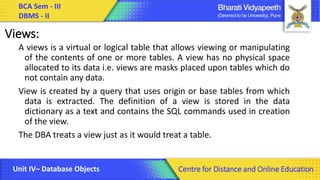
Query:
SQL> CREATE VIEW VW_SAL AS SELECT EMPNO,ENAME, SAL FROM
EMP WHERE SAL<=2000;
View created.
To display the content of VW_SAL view use Select Command as:
Select * from VW_SAL;
5.
BCA Sem -III
DBMS - II
Unit IV– Database Objects Centre for Distance and Online Education
Views:
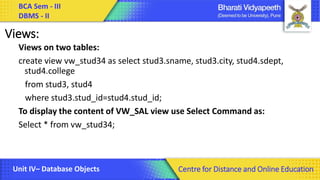
Views on two tables:
create view vw_stud34 as select stud3.sname, stud3.city, stud4.sdept,
stud4.college
from stud3, stud4
where stud3.stud_id=stud4.stud_id;
To display the content of VW_SAL view use Select Command as:
Select * from vw_stud34;
6.
BCA Sem -III
DBMS - II
Unit IV– Database Objects Centre for Distance and Online Education
Views:
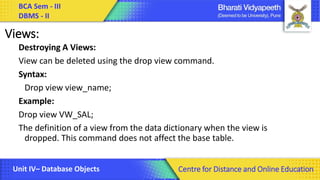
Destroying A Views:
View can be deleted using the drop view command.
Syntax:
Drop view view_name;
Example:
Drop view VW_SAL;
The definition of a view from the data dictionary when the view is
dropped. This command does not affect the base table.
7.
BCA Sem -III
DBMS - II
Unit IV– Database Objects Centre for Distance and Online Education
Sequences:
A sequence in ORACLE is an automatic counter which create unique
identifiers for a record.
The numbers generated by sequences can be used to update a column
such as cust_id, emp_no. These sequence values are normally used to
set values of primary keys in a tables.
Creating a Sequences:
The create sequence commands is used to create a sequence.
Syntax:
Create sequence sqe;
8.
BCA Sem -III
DBMS - II
Unit IV– Database Objects Centre for Distance and Online Education
Sequences:
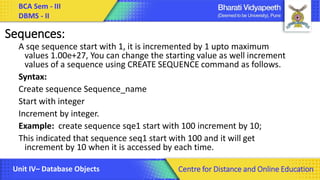
A sqe sequence start with 1, it is incremented by 1 upto maximum
values 1.00e+27, You can change the starting value as well increment
values of a sequence using CREATE SEQUENCE command as follows.
Syntax:
Create sequence Sequence_name
Start with integer
Increment by integer.
Example: create sequence sqe1 start with 100 increment by 10;
This indicated that sequence seq1 start with 100 and it will get
increment by 10 when it is accessed by each time.
9.
BCA Sem -III
DBMS - II
Unit IV– Database Objects Centre for Distance and Online Education
Sequences:
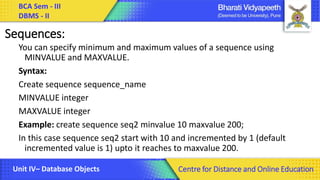
You can specify minimum and maximum values of a sequence using
MINVALUE and MAXVALUE.
Syntax:
Create sequence sequence_name
MINVALUE integer
MAXVALUE integer
Example: create sequence seq2 minvalue 10 maxvalue 200;
In this case sequence seq2 start with 10 and incremented by 1 (default
incremented value is 1) upto it reaches to maxvalue 200.
10.
BCA Sem -III
DBMS - II
Unit IV– Database Objects Centre for Distance and Online Education
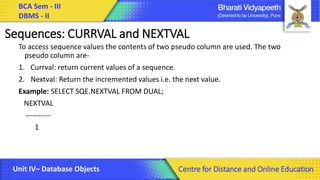
Sequences: CURRVAL and NEXTVAL
To access sequence values the contents of two pseudo column are used. The two
pseudo column are-
1. Currval: return current values of a sequence.
2. Nextval: Return the incremented values i.e. the next value.
Example: SELECT SQE.NEXTVAL FROM DUAL;
NEXTVAL
----------
1
11.
BCA Sem -III
DBMS - II
Unit IV– Database Objects Centre for Distance and Online Education
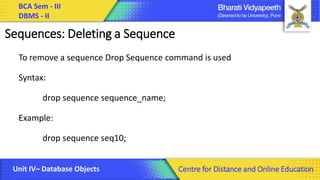
Sequences: Deleting a Sequence
To remove a sequence Drop Sequence command is used
Syntax:
drop sequence sequence_name;
Example:
drop sequence seq10;
12.
BCA Sem -III
DBMS - II
Unit IV– Database Objects Centre for Distance and Online Education
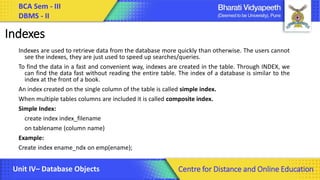
Indexes
Indexes are used to retrieve data from the database more quickly than otherwise. The users cannot
see the indexes, they are just used to speed up searches/queries.
To find the data in a fast and convenient way, indexes are created in the table. Through INDEX, we
can find the data fast without reading the entire table. The index of a database is similar to the
index at the front of a book.
An index created on the single column of the table is called simple index.
When multiple tables columns are included it is called composite index.
Simple Index:
create index index_filename
on tablename (column name)
Example:
Create index ename_ndx on emp(ename);
13.
BCA Sem -III
DBMS - II
Unit IV– Database Objects Centre for Distance and Online Education
Indexes
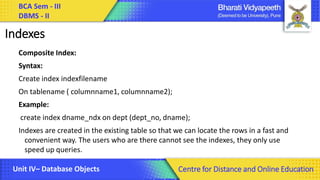
Composite Index:
Syntax:
Create index indexfilename
On tablename ( columnname1, columnname2);
Example:
create index dname_ndx on dept (dept_no, dname);
Indexes are created in the existing table so that we can locate the rows in a fast and
convenient way. The users who are there cannot see the indexes, they only use
speed up queries.
14.
BCA Sem -III
DBMS - II
Unit IV– Database Objects Centre for Distance and Online Education
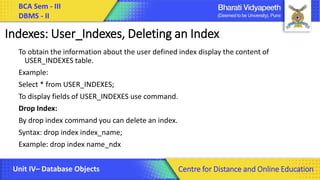
Indexes: User_Indexes, Deleting an Index
To obtain the information about the user defined index display the content of
USER_INDEXES table.
Example:
Select * from USER_INDEXES;
To display fields of USER_INDEXES use command.
Drop Index:
By drop index command you can delete an index.
Syntax: drop index index_name;
Example: drop index name_ndx
15.
BCA Sem -III
DBMS - II
Unit IV– Database Objects Centre for Distance and Online Education
Thank You
![BCA Sem - III
DBMS - II
Unit IV– Database Objects Centre for Distance and Online Education
Views:
Advantages of Views:
• View provides data security.
• View simplifies the query.
• View avoids data redundancy.
• View prevents updates a record, as the DBA knows you are working
with a subset of a record.
Syntax:
Create [or Replace] view view_name as select column(S) from table(s)
where condition [with read only]](https://image.slidesharecdn.com/dbms-iichapter4-250227074612-2545e282/85/Database-Management-System-Lecture-Note-3-320.jpg)



![Les13[1]Other Database Objects](https://cdn.slidesharecdn.com/ss_thumbnails/les131-220214152943-thumbnail.jpg?width=640&height=640&fit=bounds)


