Basic concepts and workflow
Validation features
Outlook
Data validation infrastructure: the validate
package
Mark van der Loo and Edwin de Jonge
Statistics Netherlands
Mark van der Loo and Edwin de Jonge Data validation infrastructure: the validate package
Basic concepts and workflow
Validation features
Outlook
Validate
Goal
To make checking your data against domain knowledge and
technical demands as easy as possible.
Content of this talk
Basic concepts and workflow
Examples of possibilities and syntax
Outlook
Mark van der Loo and Edwin de Jonge Data validation infrastructure: the validate package
Basic concepts and workflow
Validation features
Outlook
Basic concepts and workflow
Mark van der Loo and Edwin de Jonge Data validation infrastructure: the validate package
Basic concepts and workflow
Validation features
Outlook
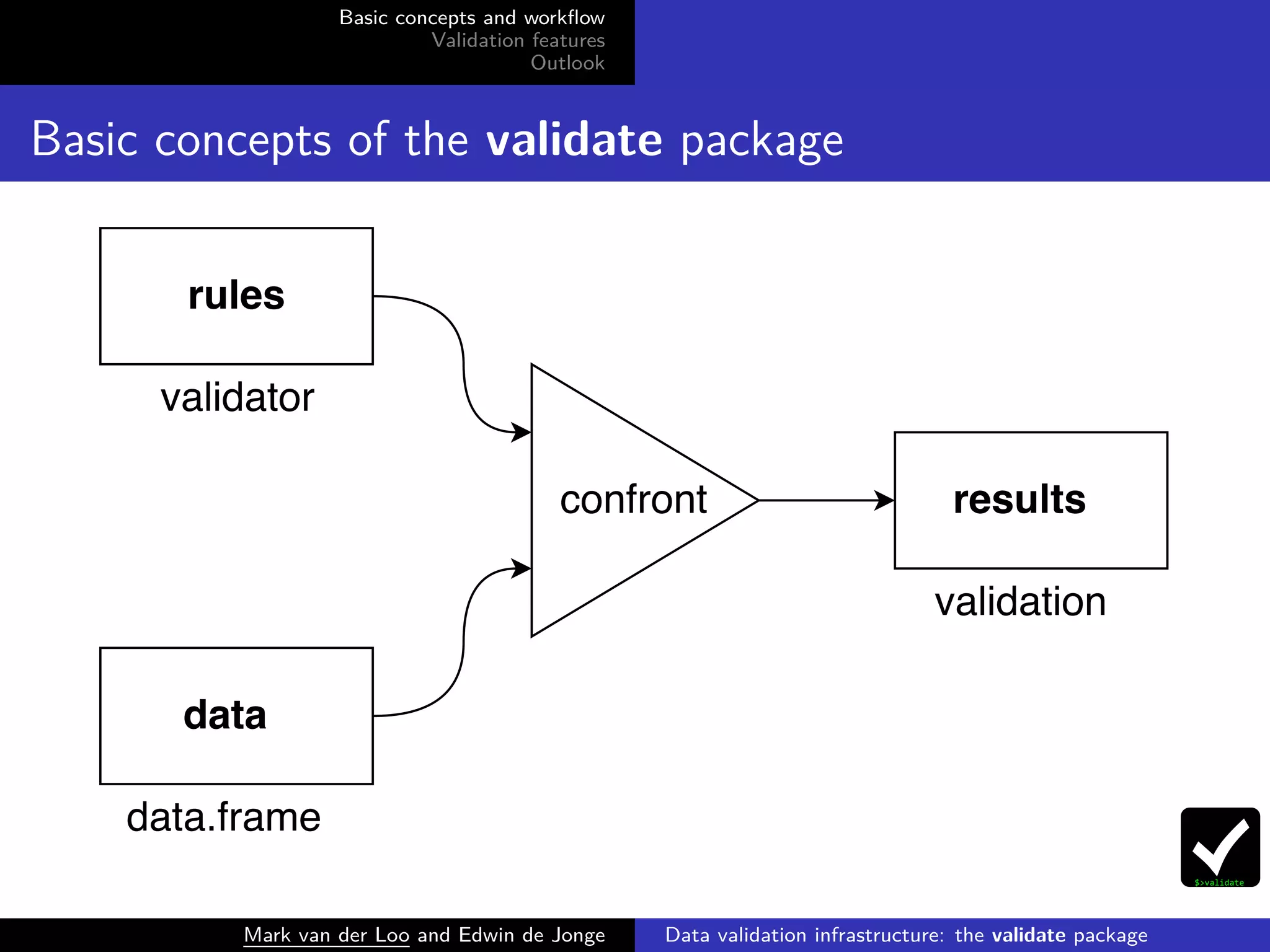
Basic concepts of the validate package
Mark van der Loo and Edwin de Jonge Data validation infrastructure: the validate package
Basic concepts and workflow
Validation features
Outlook
Example: retailers data
library(validate)
data(retailers)
dat <- retailers[4:6]
head(dat)
## turnover other.rev total.rev
## 1 NA NA 1130
## 2 1607 NA 1607
## 3 6886 -33 6919
## 4 3861 13 3874
## 5 NA 37 5602
## 6 25 NA 25
Mark van der Loo and Edwin de Jonge Data validation infrastructure: the validate package
Basic concepts and workflow
Validation features
Outlook
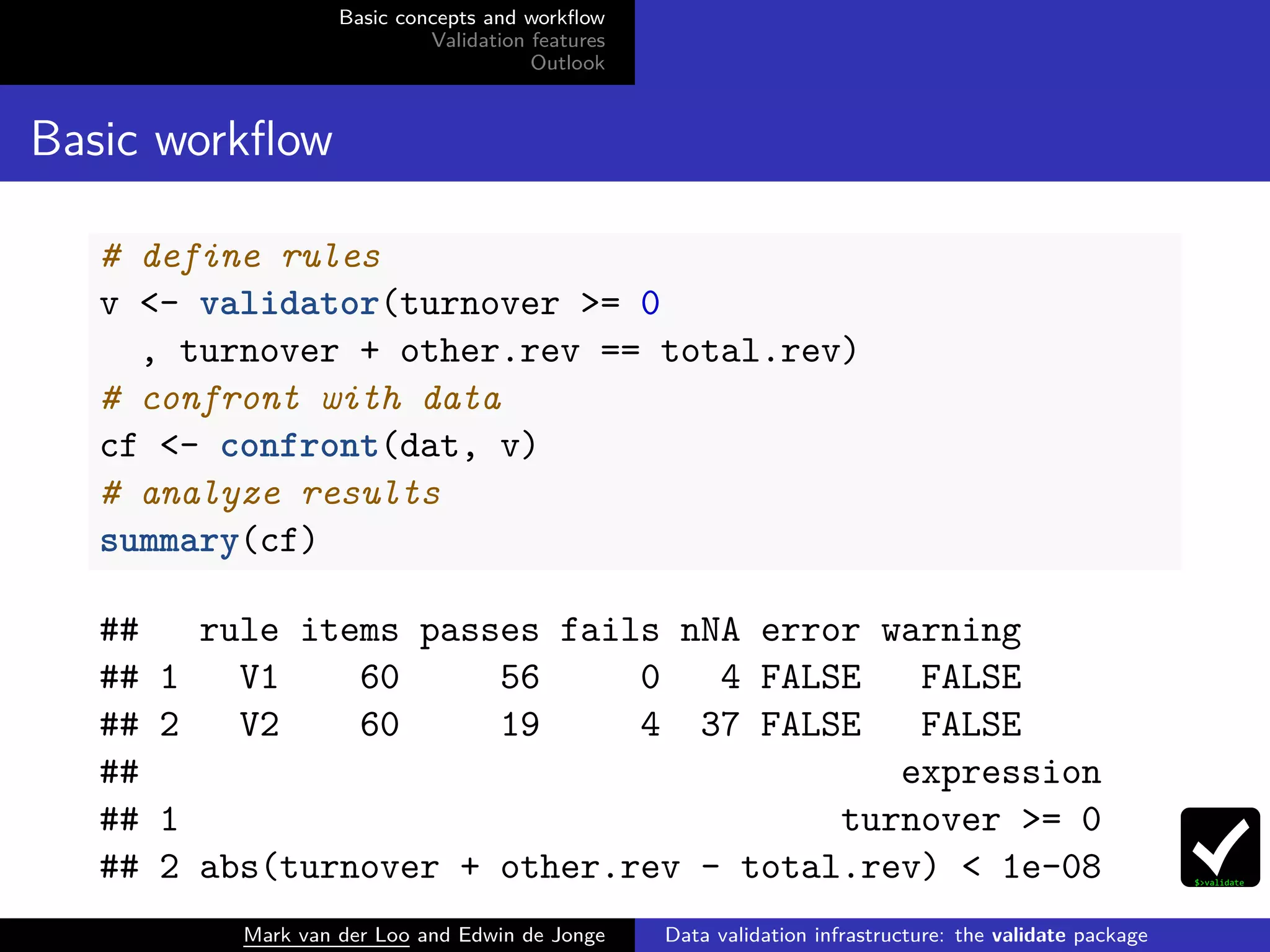
Basic workflow
# define rules
v <- validator(turnover >= 0
, turnover + other.rev == total.rev)
# confront with data
cf <- confront(dat, v)
# analyze results
summary(cf)
## rule items passes fails nNA error warning
## 1 V1 60 56 0 4 FALSE FALSE
## 2 V2 60 19 4 37 FALSE FALSE
## expression
## 1 turnover >= 0
## 2 abs(turnover + other.rev - total.rev) < 1e-08
Mark van der Loo and Edwin de Jonge Data validation infrastructure: the validate package
Basic concepts and workflow
Validation features
Outlook
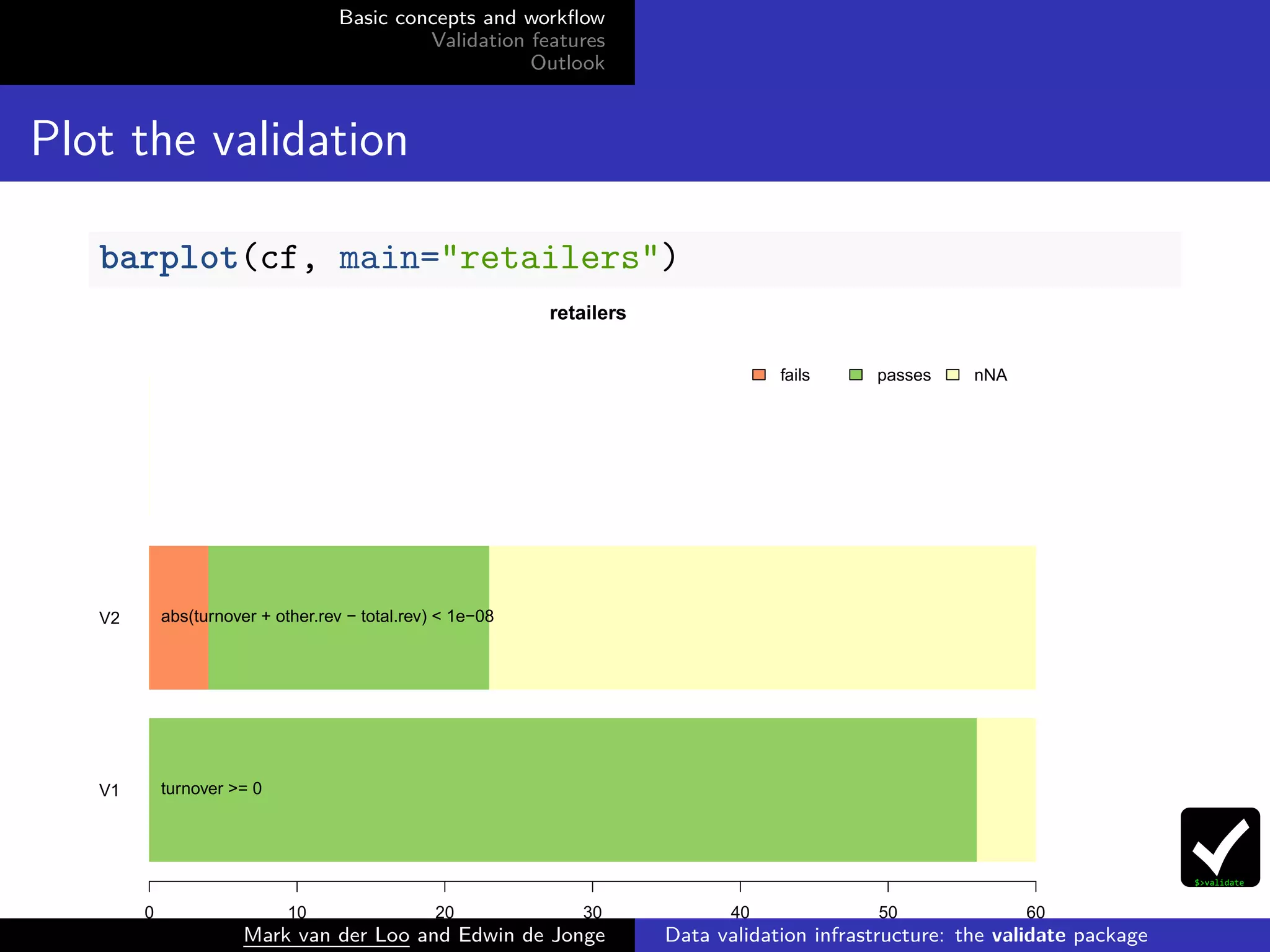
Plot the validation
barplot(cf, main="retailers")
V1
V2
retailers
0 10 20 30 40 50 60
turnover >= 0
abs(turnover + other.rev − total.rev) < 1e−08
fails passes nNA
Mark van der Loo and Edwin de Jonge Data validation infrastructure: the validate package
Basic concepts and workflow
Validation features
Outlook
Get all results
# A value For each item (record) and each rule
head(values(cf))
## V1 V2
## [1,] NA NA
## [2,] TRUE NA
## [3,] TRUE FALSE
## [4,] TRUE TRUE
## [5,] NA NA
## [6,] TRUE NA
Mark van der Loo and Edwin de Jonge Data validation infrastructure: the validate package
Basic concepts and workflow
Validation features
Outlook
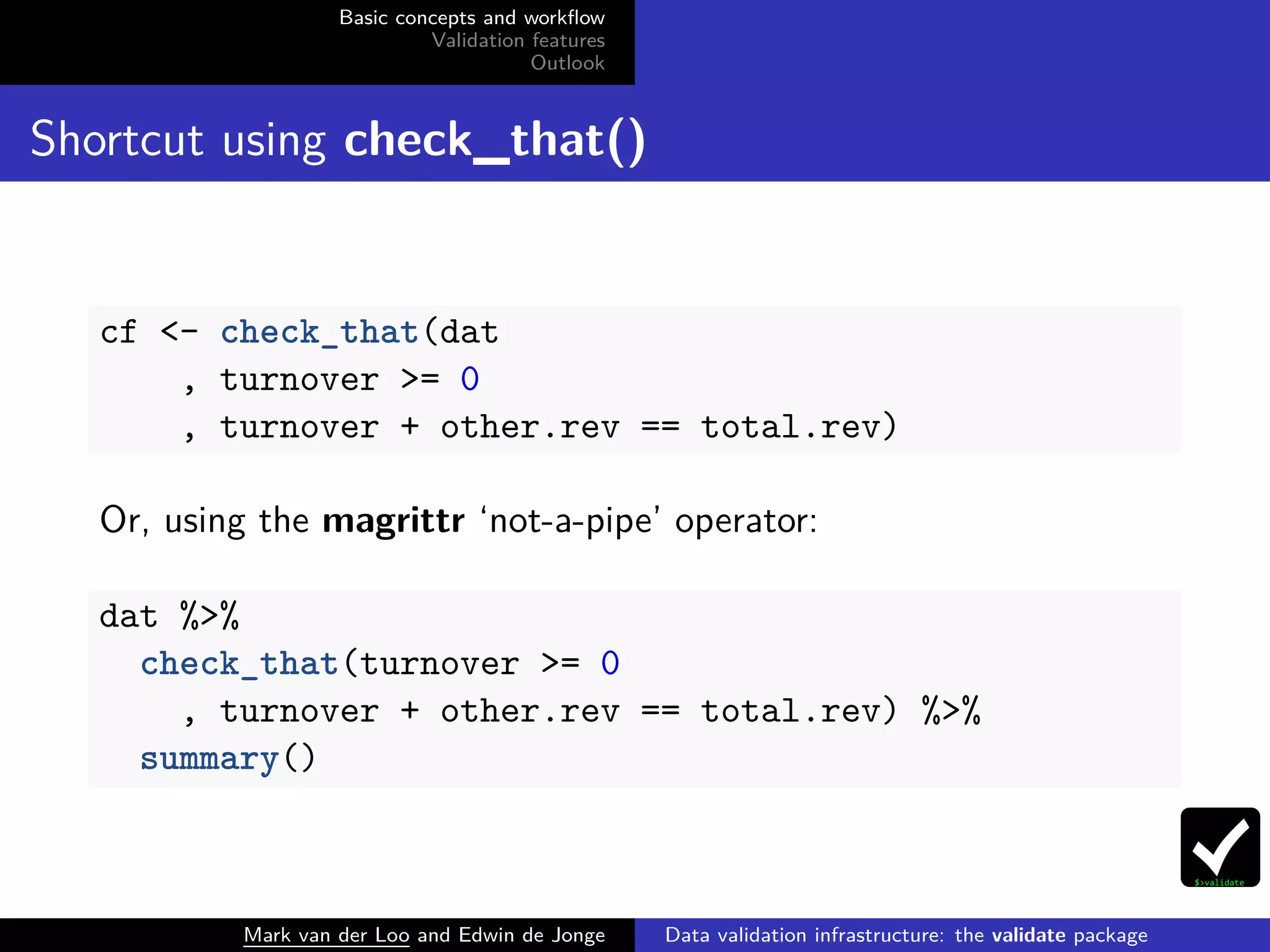
Shortcut using check_that()
cf <- check_that(dat
, turnover >= 0
, turnover + other.rev == total.rev)
Or, using the magrittr ‘not-a-pipe’ operator:
dat %>%
check_that(turnover >= 0
, turnover + other.rev == total.rev) %>%
summary()
Mark van der Loo and Edwin de Jonge Data validation infrastructure: the validate package
Basic concepts and workflow
Validation features
Outlook
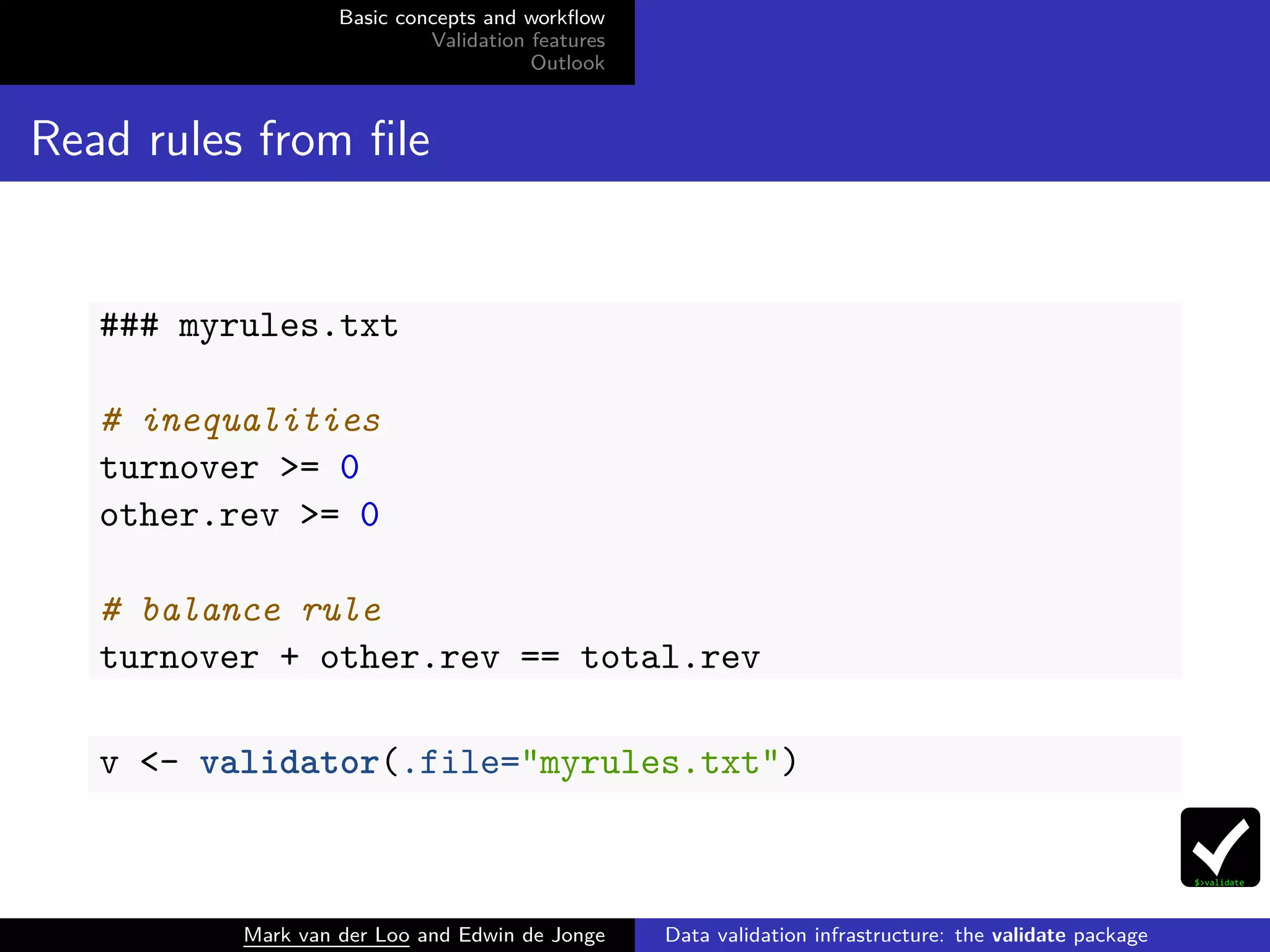
Read rules from file
### myrules.txt
# inequalities
turnover >= 0
other.rev >= 0
# balance rule
turnover + other.rev == total.rev
v <- validator(.file="myrules.txt")
Mark van der Loo and Edwin de Jonge Data validation infrastructure: the validate package
Basic concepts and workflow
Validation features
Outlook
Validation features
Mark van der Loo and Edwin de Jonge Data validation infrastructure: the validate package
Basic concepts and workflow
Validation features
Outlook
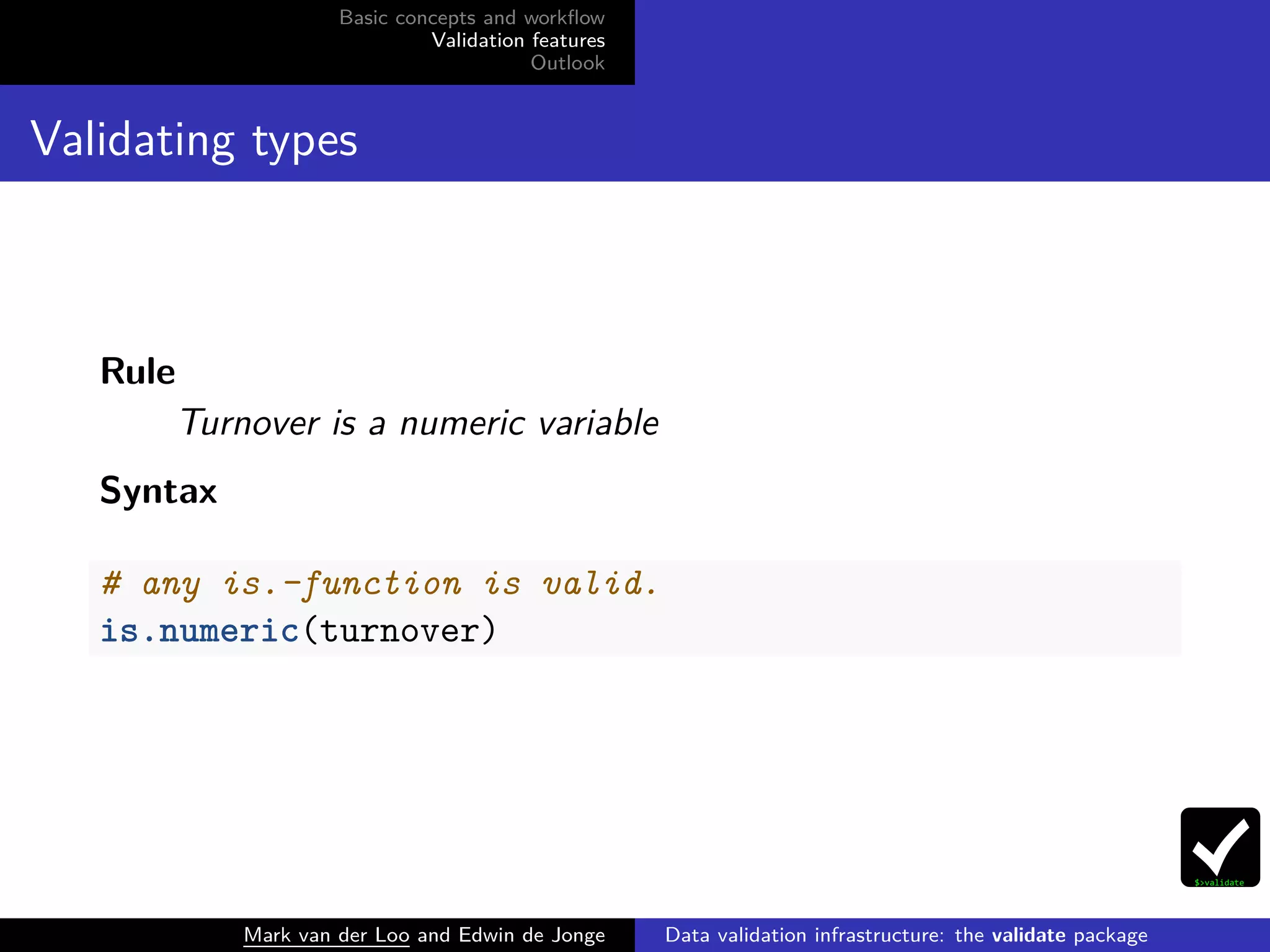
Validating types
Rule
Turnover is a numeric variable
Syntax
# any is.-function is valid.
is.numeric(turnover)
Mark van der Loo and Edwin de Jonge Data validation infrastructure: the validate package
Basic concepts and workflow
Validation features
Outlook
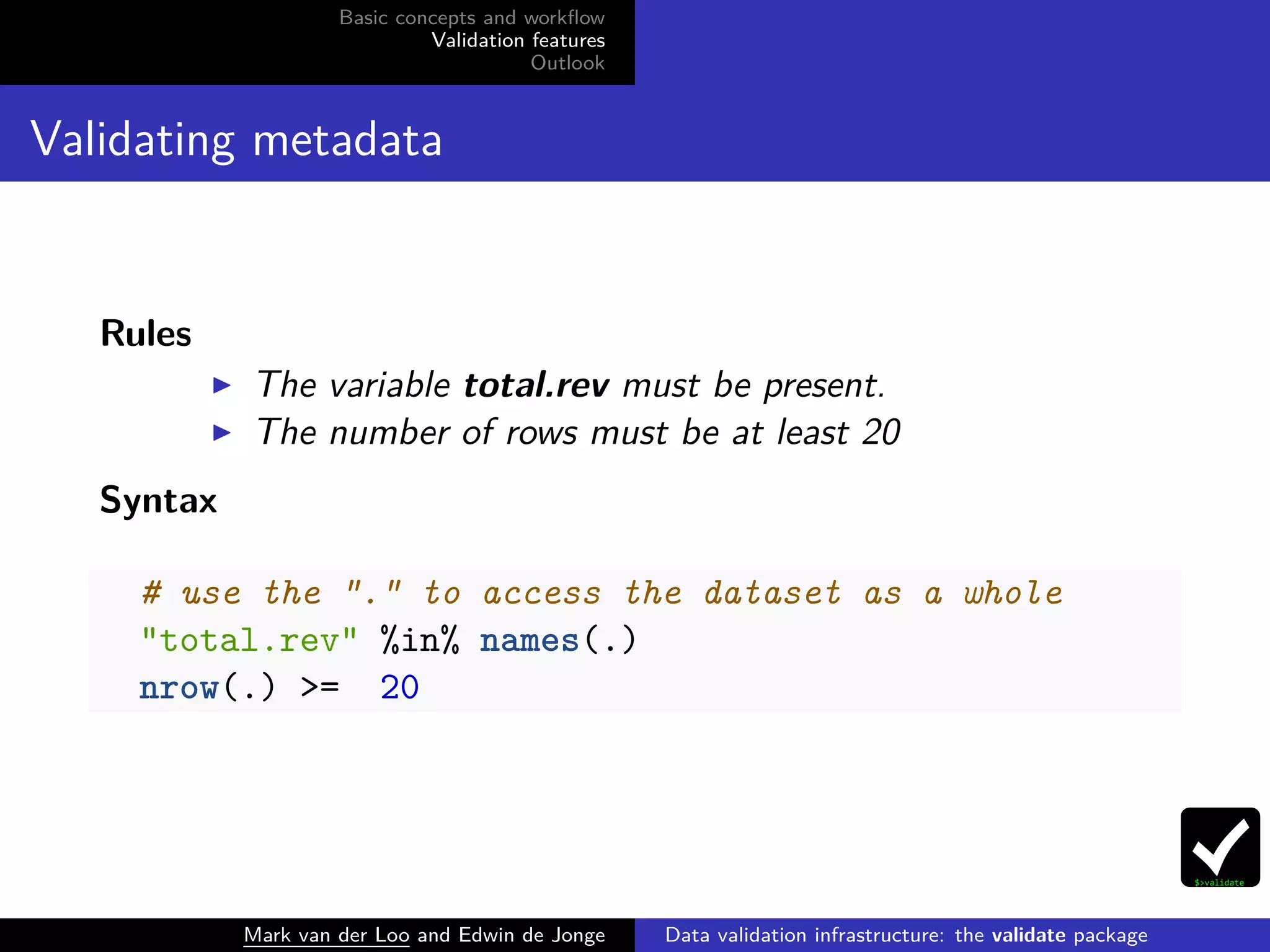
Validating metadata
Rules
The variable total.rev must be present.
The number of rows must be at least 20
Syntax
# use the "." to access the dataset as a whole
"total.rev" %in% names(.)
nrow(.) >= 20
Mark van der Loo and Edwin de Jonge Data validation infrastructure: the validate package
Basic concepts and workflow
Validation features
Outlook
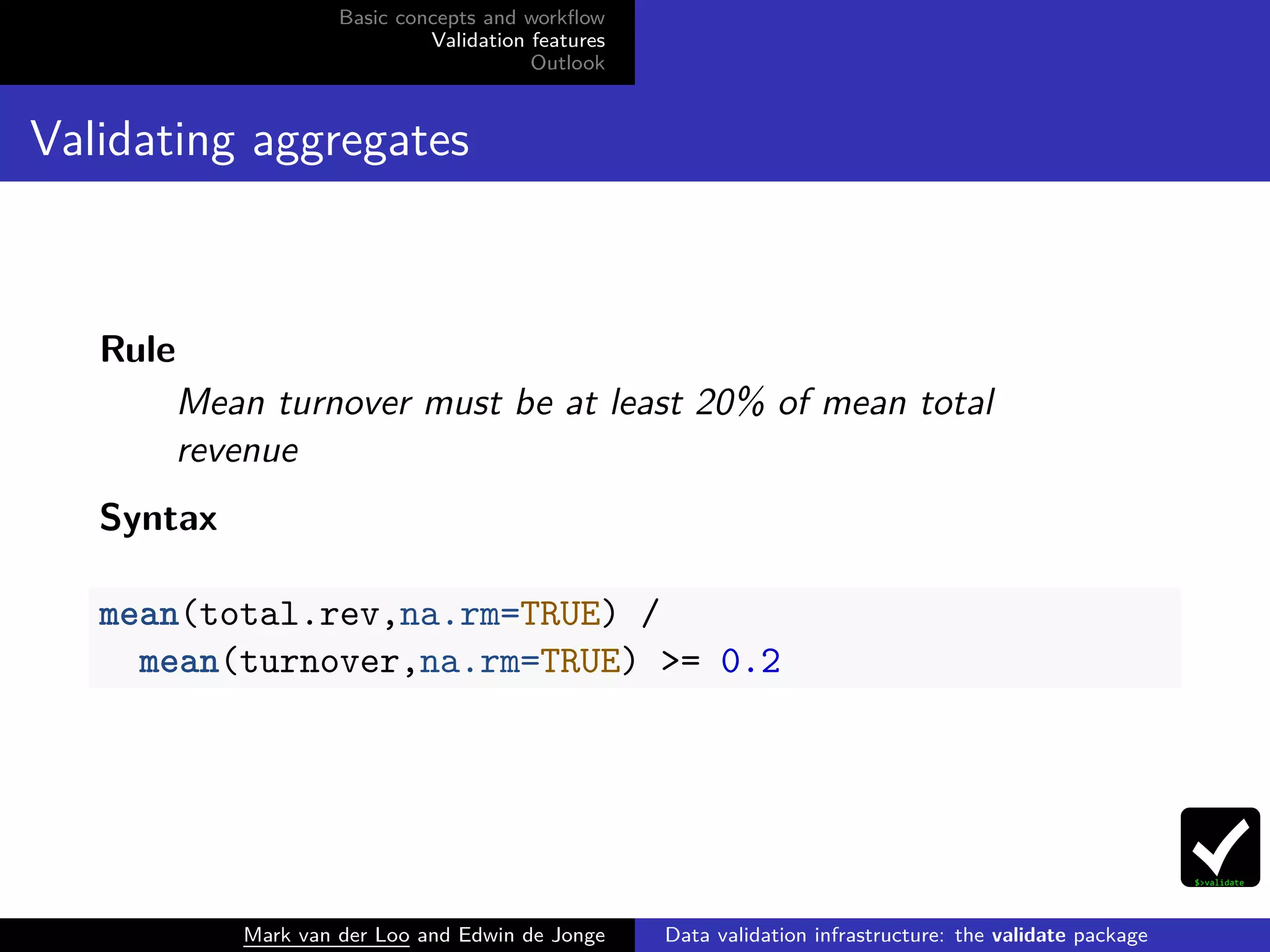
Validating aggregates
Rule
Mean turnover must be at least 20% of mean total
revenue
Syntax
mean(total.rev,na.rm=TRUE) /
mean(turnover,na.rm=TRUE) >= 0.2
Mark van der Loo and Edwin de Jonge Data validation infrastructure: the validate package
Basic concepts and workflow
Validation features
Outlook
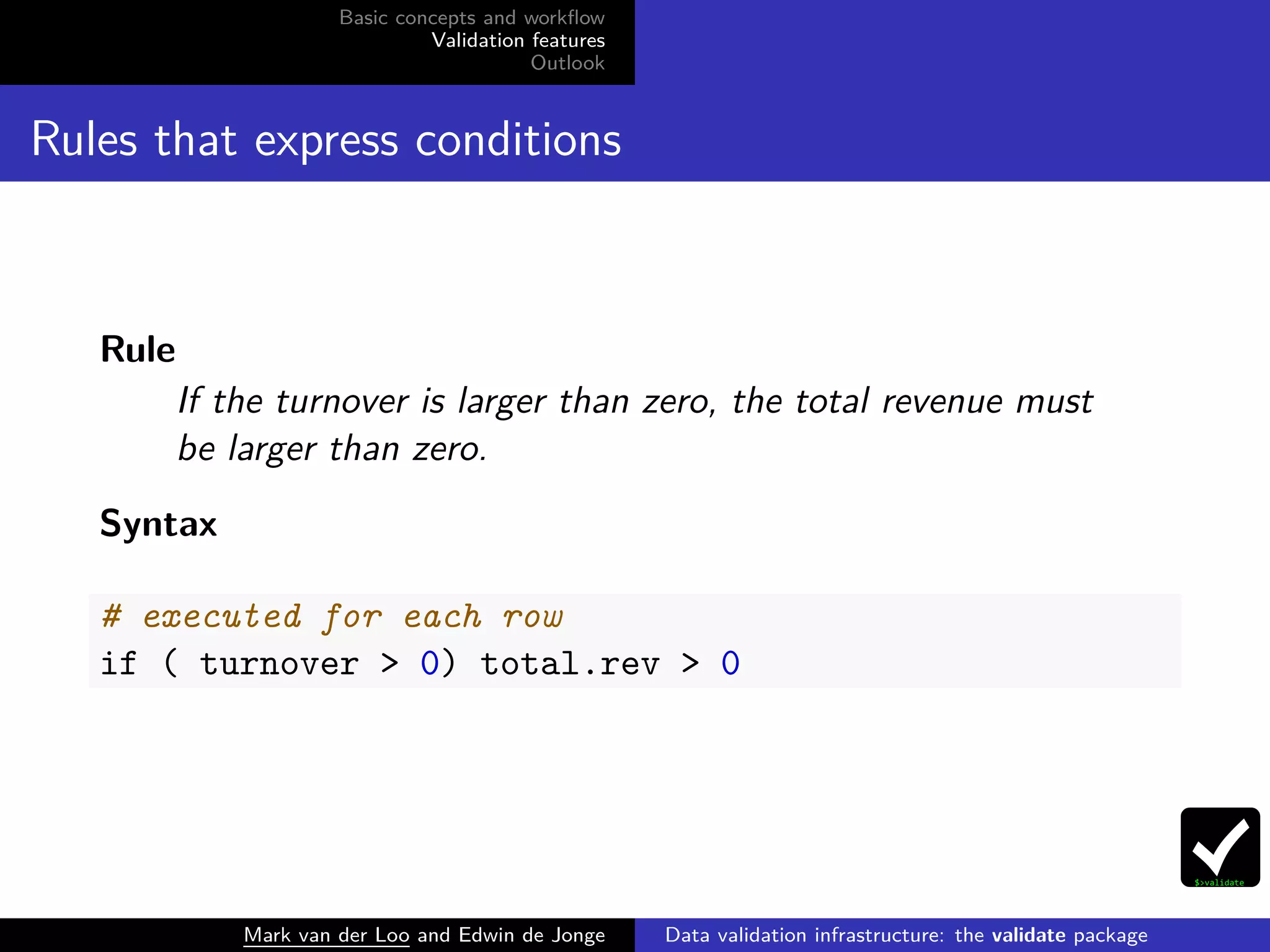
Rules that express conditions
Rule
If the turnover is larger than zero, the total revenue must
be larger than zero.
Syntax
# executed for each row
if ( turnover > 0) total.rev > 0
Mark van der Loo and Edwin de Jonge Data validation infrastructure: the validate package
Basic concepts and workflow
Validation features
Outlook
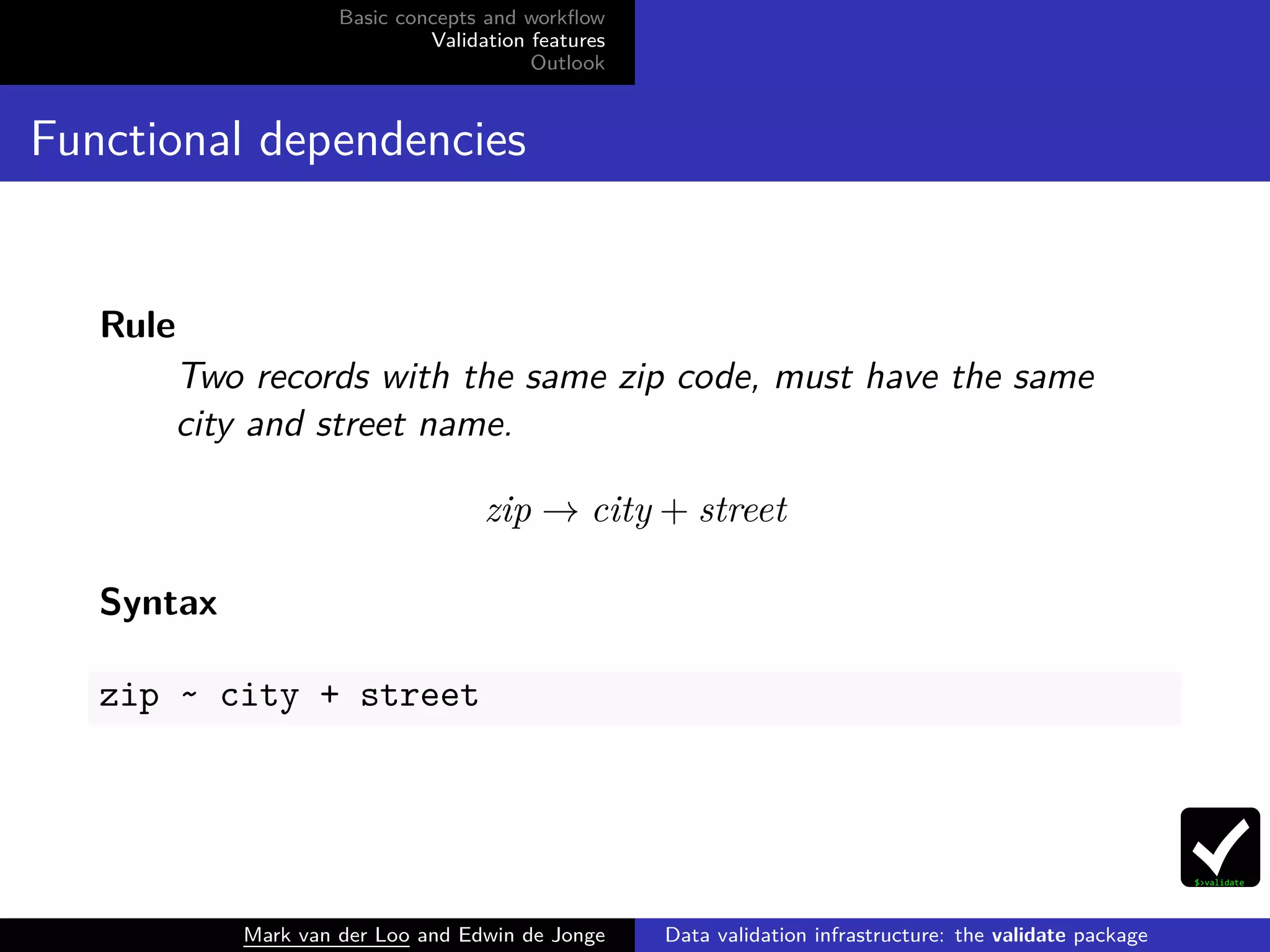
Functional dependencies
Rule
Two records with the same zip code, must have the same
city and street name.
zip → city + street
Syntax
zip ~ city + street
Mark van der Loo and Edwin de Jonge Data validation infrastructure: the validate package
Basic concepts and workflow
Validation features
Outlook
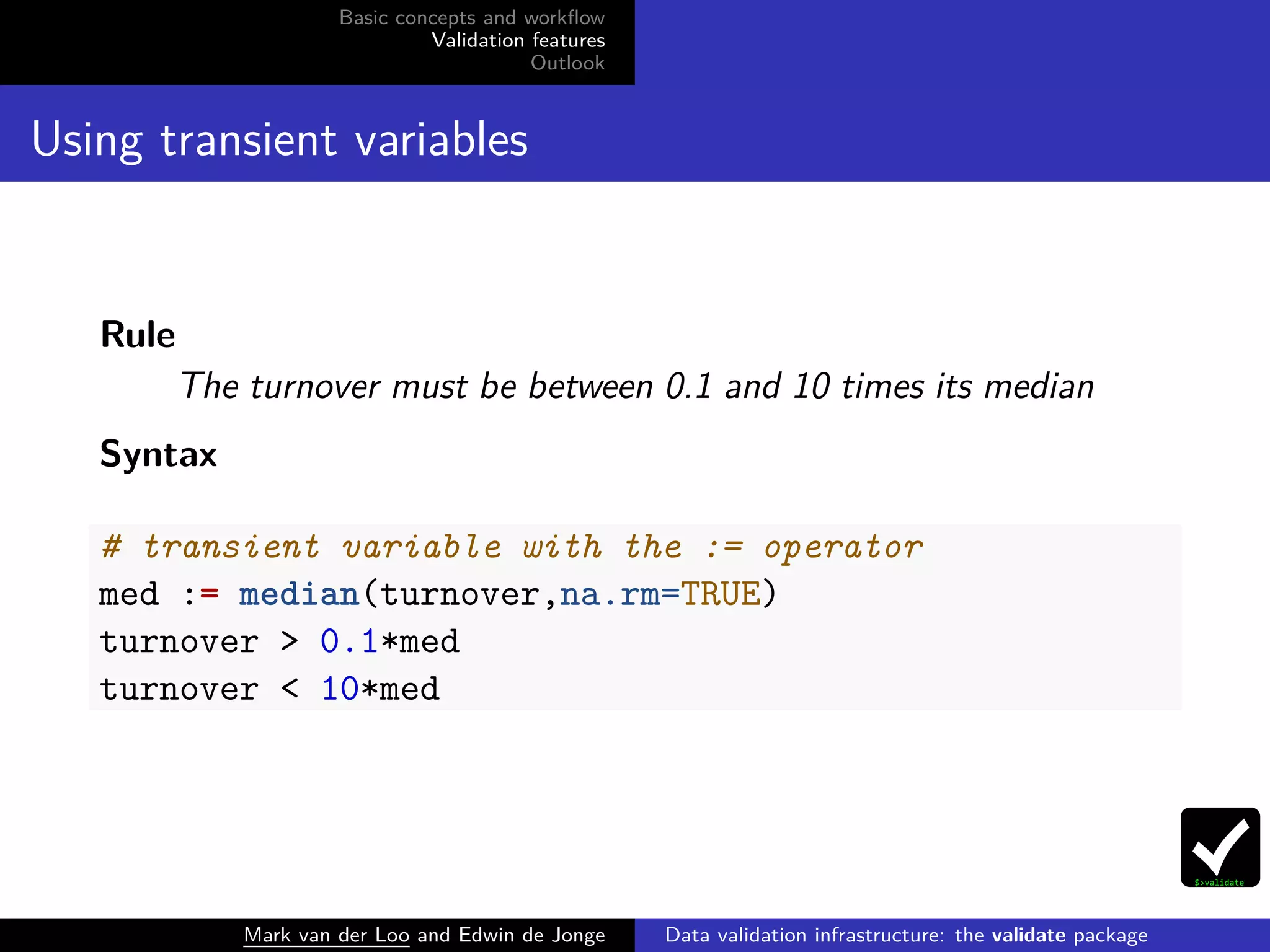
Using transient variables
Rule
The turnover must be between 0.1 and 10 times its median
Syntax
# transient variable with the := operator
med := median(turnover,na.rm=TRUE)
turnover > 0.1*med
turnover < 10*med
Mark van der Loo and Edwin de Jonge Data validation infrastructure: the validate package
Basic concepts and workflow
Validation features
Outlook
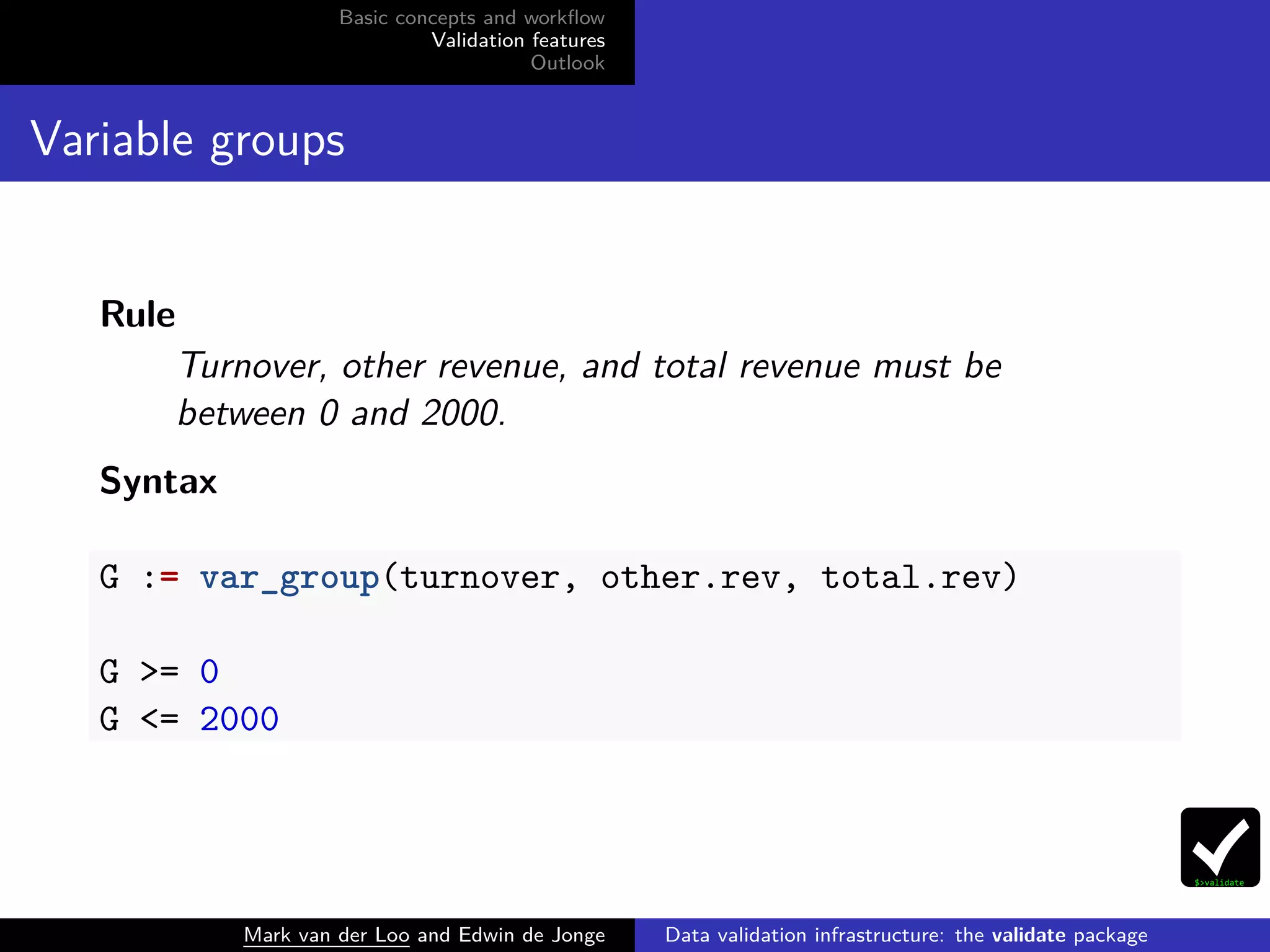
Variable groups
Rule
Turnover, other revenue, and total revenue must be
between 0 and 2000.
Syntax
G := var_group(turnover, other.rev, total.rev)
G >= 0
G <= 2000
Mark van der Loo and Edwin de Jonge Data validation infrastructure: the validate package
Basic concepts and workflow
Validation features
Outlook
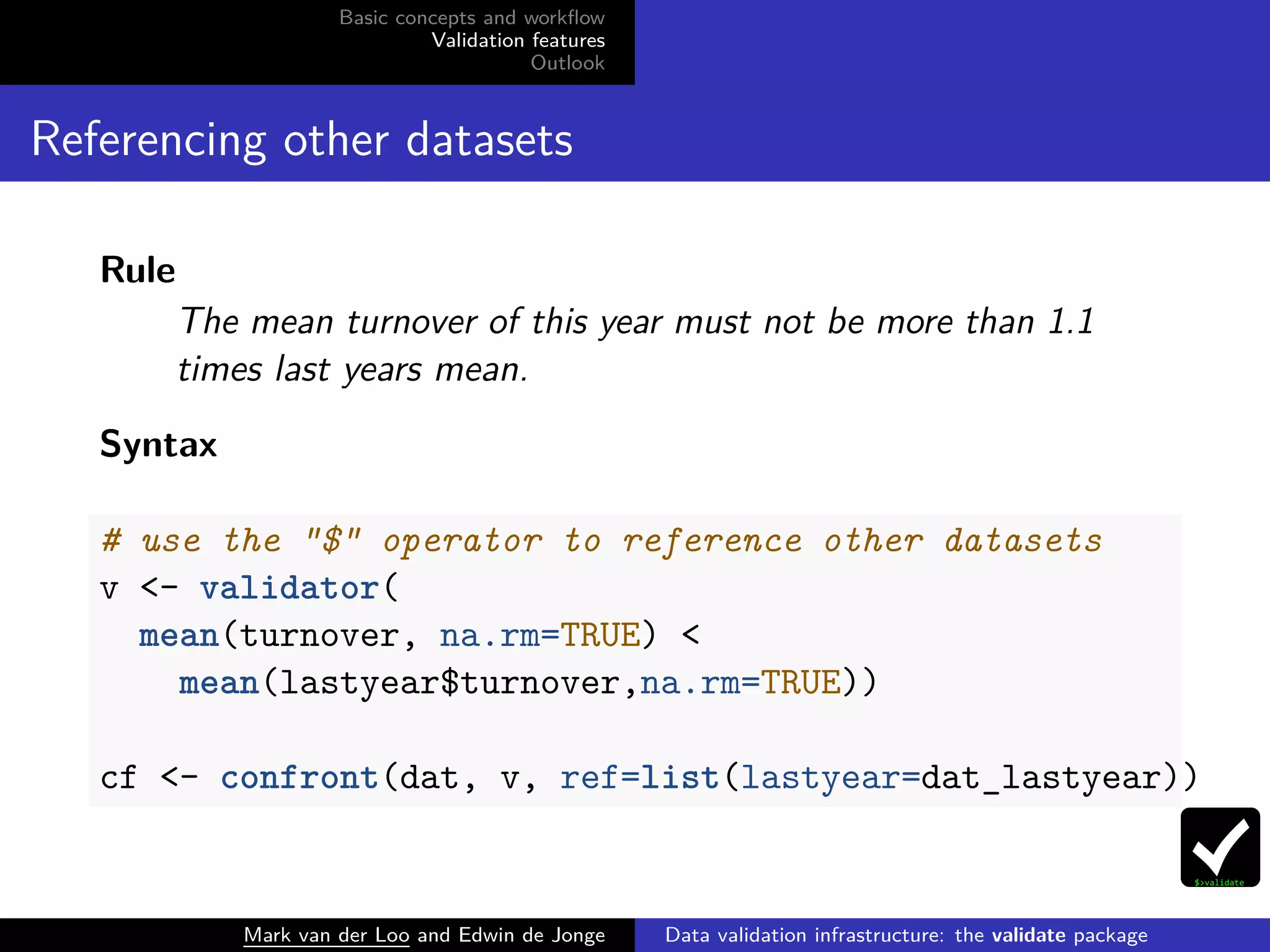
Referencing other datasets
Rule
The mean turnover of this year must not be more than 1.1
times last years mean.
Syntax
# use the "$" operator to reference other datasets
v <- validator(
mean(turnover, na.rm=TRUE) <
mean(lastyear$turnover,na.rm=TRUE))
cf <- confront(dat, v, ref=list(lastyear=dat_lastyear))
Mark van der Loo and Edwin de Jonge Data validation infrastructure: the validate package
Basic concepts and workflow
Validation features
Outlook
Other features
Rules (validator objects)
Select from validator objects using []
Extract or set rule metadata (label, description, timestamp, . . .)
Get affected variable names, rule linkage
Summarize validators
Read/write to yaml format
Confront
Control behaviour on NA
Raise errors, warnings
Set machine rounding limit
vignette("intro","validate")
vignette("rule-files","validate")
Mark van der Loo and Edwin de Jonge Data validation infrastructure: the validate package
Basic concepts and workflow
Validation features
Outlook
Outlook
Mark van der Loo and Edwin de Jonge Data validation infrastructure: the validate package
Basic concepts and workflow
Validation features
Outlook
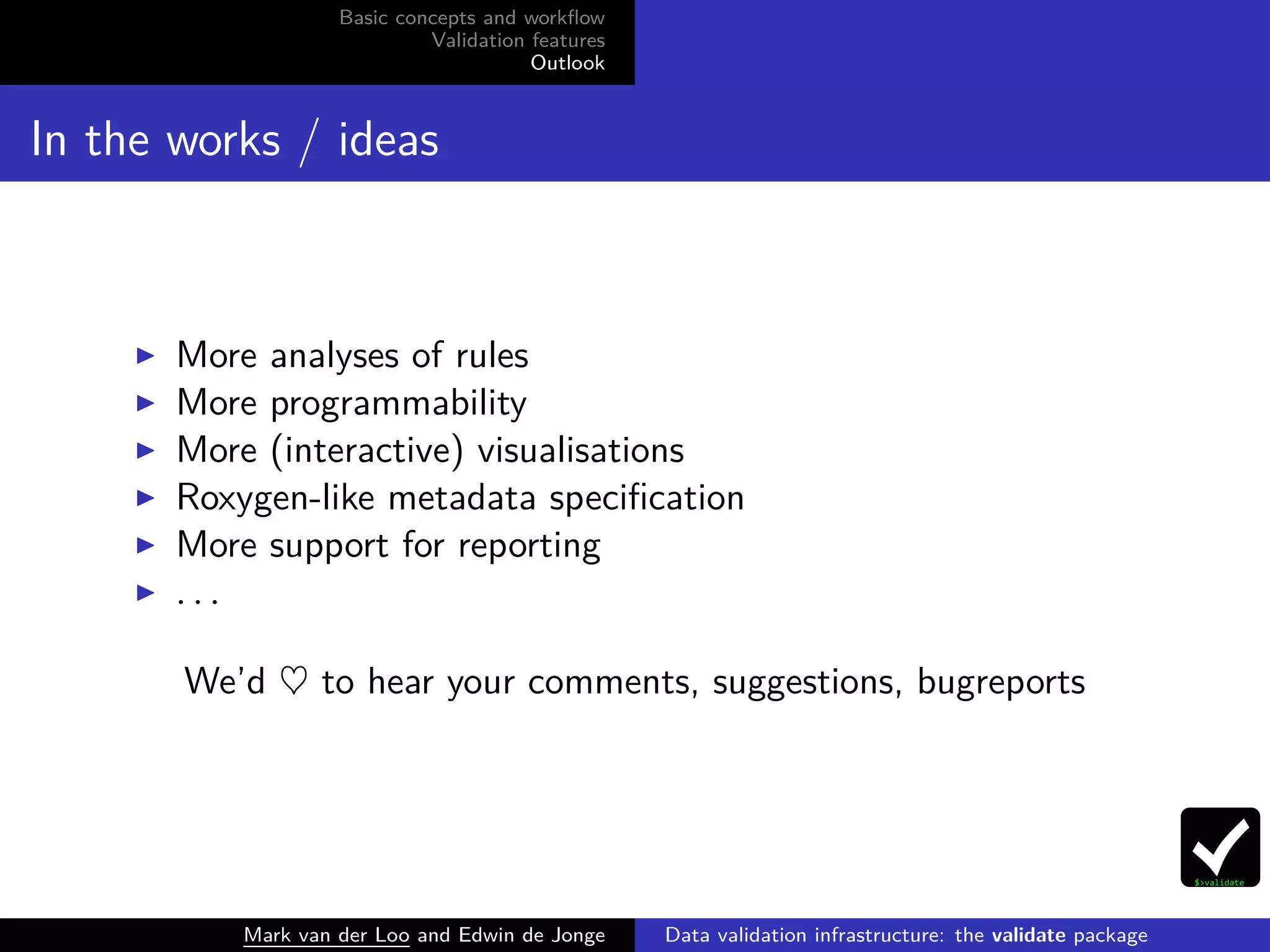
In the works / ideas
More analyses of rules
More programmability
More (interactive) visualisations
Roxygen-like metadata specification
More support for reporting
. . .
We’d ♥ to hear your comments, suggestions, bugreports
Mark van der Loo and Edwin de Jonge Data validation infrastructure: the validate package
Basic concepts and workflow
Validation features
Outlook
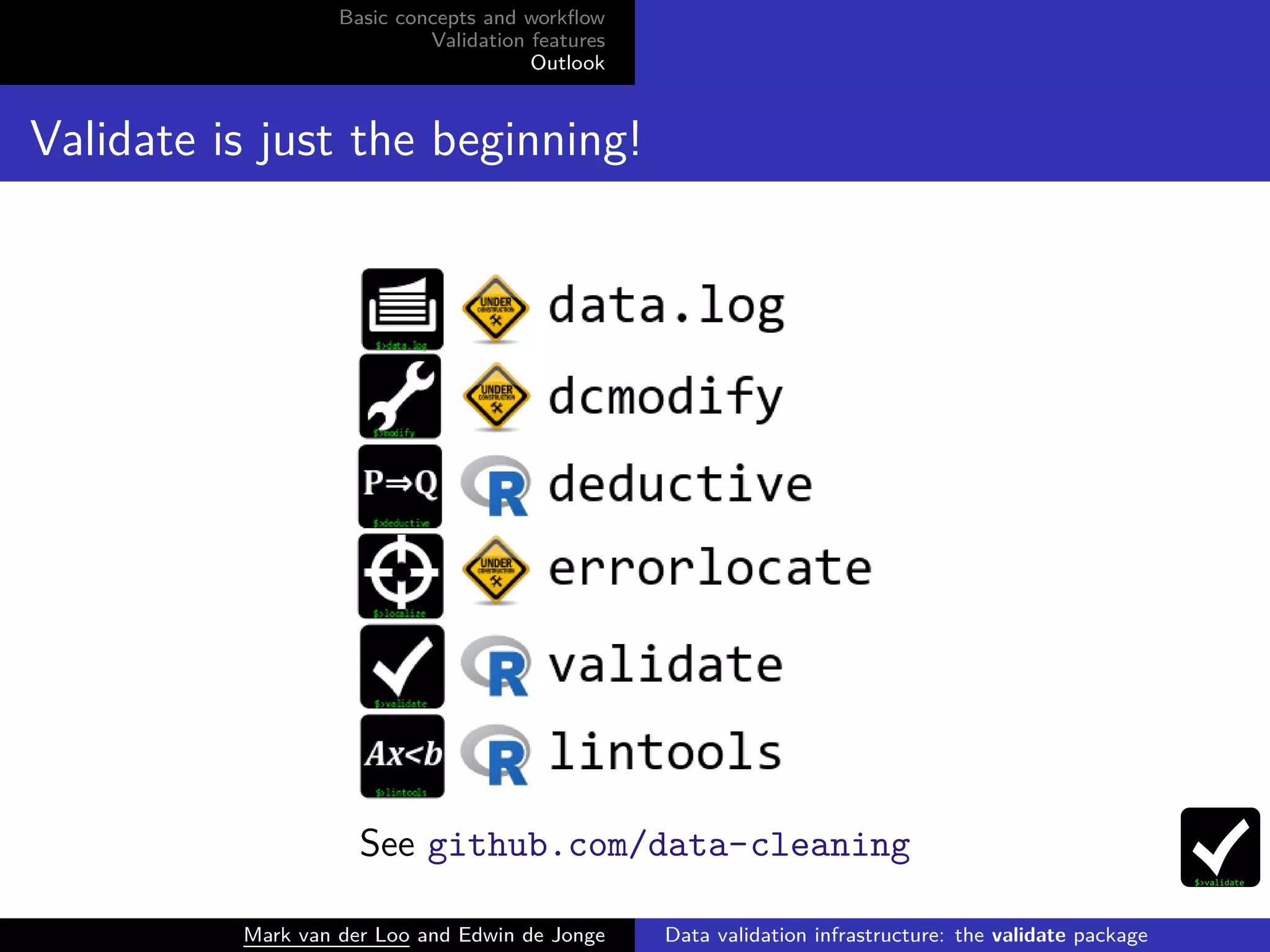
Validate is just the beginning!
See github.com/data-cleaning
Mark van der Loo and Edwin de Jonge Data validation infrastructure: the validate package
Basic concepts and workflow
Validation features
Outlook
Literature
Van der Loo (2015) A formal typology of data validation
functions. in United Nations Economic Comission for Europe
Work Session on Statistical Data Editing , Budapest. [pdf]
Di Zio et al (2015) Methodology for data validation. ESSNet
on validation, deliverable. [pdf]
Van der Loo, M. and E. de Jonge (2016). Statistical Data
Cleaning with Applications in R, Wiley (in preparation).
Mark van der Loo and Edwin de Jonge Data validation infrastructure: the validate package
Basic concepts and workflow
Validation features
Outlook
Contact, links
Code, bugreports
cran.r-project.org/package=validate
github/data-cleaning/validate
This talk
slideshare.com/markvanderloo
Contact
mark.vanderloo@gmail.com @markvdloo
edwindjonge@gmail.com @edwindjonge
Mark van der Loo and Edwin de Jonge Data validation infrastructure: the validate package

Data validation infrastructure: the validate package

  • 1.
    Basic concepts andworkflow Validation features Outlook Data validation infrastructure: the validate package Mark van der Loo and Edwin de Jonge Statistics Netherlands Mark van der Loo and Edwin de Jonge Data validation infrastructure: the validate package
  • 2.
    Basic concepts andworkflow Validation features Outlook Validate Goal To make checking your data against domain knowledge and technical demands as easy as possible. Content of this talk Basic concepts and workflow Examples of possibilities and syntax Outlook Mark van der Loo and Edwin de Jonge Data validation infrastructure: the validate package
  • 3.
    Basic concepts andworkflow Validation features Outlook Basic concepts and workflow Mark van der Loo and Edwin de Jonge Data validation infrastructure: the validate package
  • 4.
    Basic concepts andworkflow Validation features Outlook Basic concepts of the validate package Mark van der Loo and Edwin de Jonge Data validation infrastructure: the validate package
  • 5.
    Basic concepts andworkflow Validation features Outlook Example: retailers data library(validate) data(retailers) dat <- retailers[4:6] head(dat) ## turnover other.rev total.rev ## 1 NA NA 1130 ## 2 1607 NA 1607 ## 3 6886 -33 6919 ## 4 3861 13 3874 ## 5 NA 37 5602 ## 6 25 NA 25 Mark van der Loo and Edwin de Jonge Data validation infrastructure: the validate package
  • 6.
    Basic concepts andworkflow Validation features Outlook Basic workflow # define rules v <- validator(turnover >= 0 , turnover + other.rev == total.rev) # confront with data cf <- confront(dat, v) # analyze results summary(cf) ## rule items passes fails nNA error warning ## 1 V1 60 56 0 4 FALSE FALSE ## 2 V2 60 19 4 37 FALSE FALSE ## expression ## 1 turnover >= 0 ## 2 abs(turnover + other.rev - total.rev) < 1e-08 Mark van der Loo and Edwin de Jonge Data validation infrastructure: the validate package
  • 7.
    Basic concepts andworkflow Validation features Outlook Plot the validation barplot(cf, main="retailers") V1 V2 retailers 0 10 20 30 40 50 60 turnover >= 0 abs(turnover + other.rev − total.rev) < 1e−08 fails passes nNA Mark van der Loo and Edwin de Jonge Data validation infrastructure: the validate package
  • 8.
    Basic concepts andworkflow Validation features Outlook Get all results # A value For each item (record) and each rule head(values(cf)) ## V1 V2 ## [1,] NA NA ## [2,] TRUE NA ## [3,] TRUE FALSE ## [4,] TRUE TRUE ## [5,] NA NA ## [6,] TRUE NA Mark van der Loo and Edwin de Jonge Data validation infrastructure: the validate package
  • 9.
    Basic concepts andworkflow Validation features Outlook Shortcut using check_that() cf <- check_that(dat , turnover >= 0 , turnover + other.rev == total.rev) Or, using the magrittr ‘not-a-pipe’ operator: dat %>% check_that(turnover >= 0 , turnover + other.rev == total.rev) %>% summary() Mark van der Loo and Edwin de Jonge Data validation infrastructure: the validate package
  • 10.
    Basic concepts andworkflow Validation features Outlook Read rules from file ### myrules.txt # inequalities turnover >= 0 other.rev >= 0 # balance rule turnover + other.rev == total.rev v <- validator(.file="myrules.txt") Mark van der Loo and Edwin de Jonge Data validation infrastructure: the validate package
  • 11.
    Basic concepts andworkflow Validation features Outlook Validation features Mark van der Loo and Edwin de Jonge Data validation infrastructure: the validate package
  • 12.
    Basic concepts andworkflow Validation features Outlook Validating types Rule Turnover is a numeric variable Syntax # any is.-function is valid. is.numeric(turnover) Mark van der Loo and Edwin de Jonge Data validation infrastructure: the validate package
  • 13.
    Basic concepts andworkflow Validation features Outlook Validating metadata Rules The variable total.rev must be present. The number of rows must be at least 20 Syntax # use the "." to access the dataset as a whole "total.rev" %in% names(.) nrow(.) >= 20 Mark van der Loo and Edwin de Jonge Data validation infrastructure: the validate package
  • 14.
    Basic concepts andworkflow Validation features Outlook Validating aggregates Rule Mean turnover must be at least 20% of mean total revenue Syntax mean(total.rev,na.rm=TRUE) / mean(turnover,na.rm=TRUE) >= 0.2 Mark van der Loo and Edwin de Jonge Data validation infrastructure: the validate package
  • 15.
    Basic concepts andworkflow Validation features Outlook Rules that express conditions Rule If the turnover is larger than zero, the total revenue must be larger than zero. Syntax # executed for each row if ( turnover > 0) total.rev > 0 Mark van der Loo and Edwin de Jonge Data validation infrastructure: the validate package
  • 16.
    Basic concepts andworkflow Validation features Outlook Functional dependencies Rule Two records with the same zip code, must have the same city and street name. zip → city + street Syntax zip ~ city + street Mark van der Loo and Edwin de Jonge Data validation infrastructure: the validate package
  • 17.
    Basic concepts andworkflow Validation features Outlook Using transient variables Rule The turnover must be between 0.1 and 10 times its median Syntax # transient variable with the := operator med := median(turnover,na.rm=TRUE) turnover > 0.1*med turnover < 10*med Mark van der Loo and Edwin de Jonge Data validation infrastructure: the validate package
  • 18.
    Basic concepts andworkflow Validation features Outlook Variable groups Rule Turnover, other revenue, and total revenue must be between 0 and 2000. Syntax G := var_group(turnover, other.rev, total.rev) G >= 0 G <= 2000 Mark van der Loo and Edwin de Jonge Data validation infrastructure: the validate package
  • 19.
    Basic concepts andworkflow Validation features Outlook Referencing other datasets Rule The mean turnover of this year must not be more than 1.1 times last years mean. Syntax # use the "$" operator to reference other datasets v <- validator( mean(turnover, na.rm=TRUE) < mean(lastyear$turnover,na.rm=TRUE)) cf <- confront(dat, v, ref=list(lastyear=dat_lastyear)) Mark van der Loo and Edwin de Jonge Data validation infrastructure: the validate package
  • 20.
    Basic concepts andworkflow Validation features Outlook Other features Rules (validator objects) Select from validator objects using [] Extract or set rule metadata (label, description, timestamp, . . .) Get affected variable names, rule linkage Summarize validators Read/write to yaml format Confront Control behaviour on NA Raise errors, warnings Set machine rounding limit vignette("intro","validate") vignette("rule-files","validate") Mark van der Loo and Edwin de Jonge Data validation infrastructure: the validate package
  • 21.
    Basic concepts andworkflow Validation features Outlook Outlook Mark van der Loo and Edwin de Jonge Data validation infrastructure: the validate package
  • 22.
    Basic concepts andworkflow Validation features Outlook In the works / ideas More analyses of rules More programmability More (interactive) visualisations Roxygen-like metadata specification More support for reporting . . . We’d ♥ to hear your comments, suggestions, bugreports Mark van der Loo and Edwin de Jonge Data validation infrastructure: the validate package
  • 23.
    Basic concepts andworkflow Validation features Outlook Validate is just the beginning! See github.com/data-cleaning Mark van der Loo and Edwin de Jonge Data validation infrastructure: the validate package
  • 24.
    Basic concepts andworkflow Validation features Outlook Literature Van der Loo (2015) A formal typology of data validation functions. in United Nations Economic Comission for Europe Work Session on Statistical Data Editing , Budapest. [pdf] Di Zio et al (2015) Methodology for data validation. ESSNet on validation, deliverable. [pdf] Van der Loo, M. and E. de Jonge (2016). Statistical Data Cleaning with Applications in R, Wiley (in preparation). Mark van der Loo and Edwin de Jonge Data validation infrastructure: the validate package
  • 25.
    Basic concepts andworkflow Validation features Outlook Contact, links Code, bugreports cran.r-project.org/package=validate github/data-cleaning/validate This talk slideshare.com/markvanderloo Contact mark.vanderloo@gmail.com @markvdloo edwindjonge@gmail.com @edwindjonge Mark van der Loo and Edwin de Jonge Data validation infrastructure: the validate package