Name : Syeda Khadizatul Maria
ID : 161-15-7333
Introduction
A currency converter is a calculator that converts the value or
quantity of one currency into the relative values or quantities of
other currencies. For example, if i had 100 that needed to be
exchanged into the local currency of a country I am visiting, i
would need to know the dollar-taka conversion, if I were traveling
to certain parts of Europe, the taka-pound conversion.
description
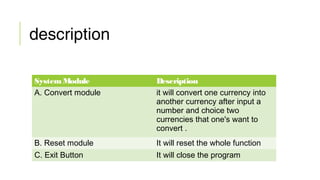
System Module Description
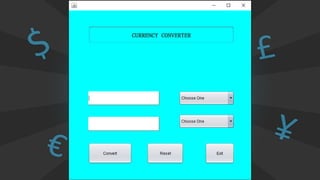
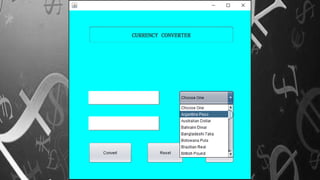
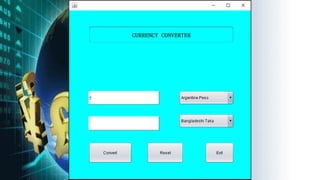
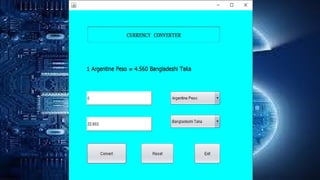
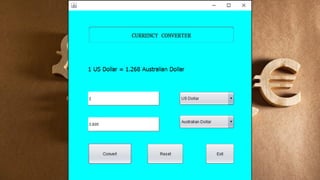
A. Convert module it will convert one currency into
another currency after input a
number and choice two
currencies that one's want to
convert .
B. Reset module It will reset the whole function
C. Exit Button It will close the program
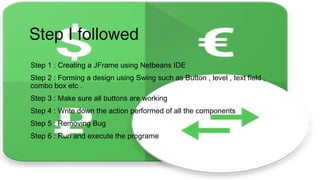
Step I followed
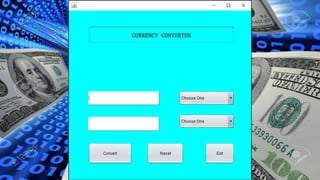
Step 1 : Creating a JFrame using Netbeans IDE
Step 2 : Forming a design using Swing such as Button , level , text field ,
combo box etc .
Step 3 : Make sure all buttons are working
Step 4 : Write down the action performed of all the components
Step 5 : Removing Bug
Step 6 : Run and execute the programe
Conclusion :
currency converter that the people are using, they
will always find ways to get the highest possible
profits out of the exchanges. To those who are going
to travel, it is a wise thing to check the different
foreign exchange options they have beforehand.
Thanks

Currency converter

  • 1.
    Name : SyedaKhadizatul Maria ID : 161-15-7333
  • 3.
    Introduction A currency converteris a calculator that converts the value or quantity of one currency into the relative values or quantities of other currencies. For example, if i had 100 that needed to be exchanged into the local currency of a country I am visiting, i would need to know the dollar-taka conversion, if I were traveling to certain parts of Europe, the taka-pound conversion.
  • 4.
    description System Module Description A.Convert module it will convert one currency into another currency after input a number and choice two currencies that one's want to convert . B. Reset module It will reset the whole function C. Exit Button It will close the program
  • 5.
    Step I followed Step1 : Creating a JFrame using Netbeans IDE Step 2 : Forming a design using Swing such as Button , level , text field , combo box etc . Step 3 : Make sure all buttons are working Step 4 : Write down the action performed of all the components Step 5 : Removing Bug Step 6 : Run and execute the programe
  • 12.
    Conclusion : currency converterthat the people are using, they will always find ways to get the highest possible profits out of the exchanges. To those who are going to travel, it is a wise thing to check the different foreign exchange options they have beforehand.
  • 13.