CUDA Programming
continued
ITCS 4145/5145 Nov 24, 2010 © Barry Wilkinson
CUDA-3
2
Error Reporting
continued
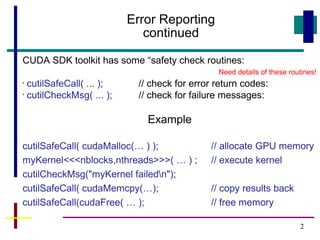
CUDA SDK toolkit has some “safety check routines:
•
cutilSafeCall( ... ); // check for error return codes:
•
cutilCheckMsg( ... ); // check for failure messages:
Example
cutilSafeCall( cudaMalloc(… ) ); // allocate GPU memory
myKernel<<<nblocks,nthreads>>>( … ) ; // execute kernel
cutilCheckMsg("myKernel failedn");
cutilSafeCall( cudaMemcpy(…); // copy results back
cutilSafeCall(cudaFree( … ); // free memory
Need details of these routines!
3
Error Reporting
continued
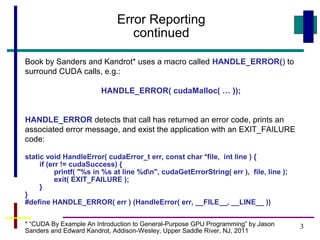
Book by Sanders and Kandrot* uses a macro called HANDLE_ERROR() to
surround CUDA calls, e.g.:
HANDLE_ERROR( cudaMalloc( … ));
HANDLE_ERROR detects that call has returned an error code, prints an
associated error message, and exist the application with an EXIT_FAILURE
code:
static void HandleError( cudaError_t err, const char *file, int line ) {
if (err != cudaSuccess) {
printf( "%s in %s at line %dn", cudaGetErrorString( err ), file, line );
exit( EXIT_FAILURE );
}
}
#define HANDLE_ERROR( err ) (HandleError( err, __FILE__, __LINE__ ))
* “CUDA By Example An Introduction to General-Purpose GPU Programming” by Jason
Sanders and Edward Kandrot, Addison-Wesley, Upper Saddle River, NJ, 2011
4
Timing Execution
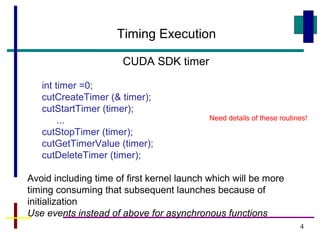
CUDA SDK timer
int timer =0;
cutCreateTimer (& timer);
cutStartTimer (timer);
...
cutStopTimer (timer);
cutGetTimerValue (timer);
cutDeleteTimer (timer);
Avoid including time of first kernel launch which will be more
timing consuming that subsequent launches because of
initialization
Use events instead of above for asynchronous functions
Need details of these routines!
5
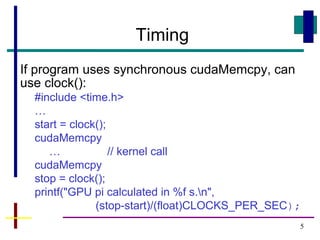
Timing
If program uses synchronous cudaMemcpy, can
use clock():
#include <time.h>
…
start = clock();
cudaMemcpy
… // kernel call
cudaMemcpy
stop = clock();
printf("GPU pi calculated in %f s.n",
(stop-start)/(float)CLOCKS_PER_SEC);
6
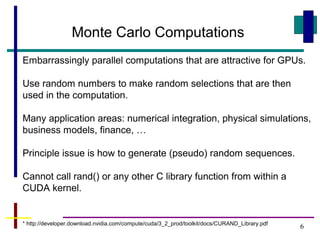
Monte Carlo Computations
Embarrassingly parallel computations that are attractive for GPUs.
Use random numbers to make random selections that are then
used in the computation.
Many application areas: numerical integration, physical simulations,
business models, finance, …
Principle issue is how to generate (pseudo) random sequences.
Cannot call rand() or any other C library function from within a
CUDA kernel.
* http://developer.download.nvidia.com/compute/cuda/3_2_prod/toolkit/docs/CURAND_Library.pdf
7
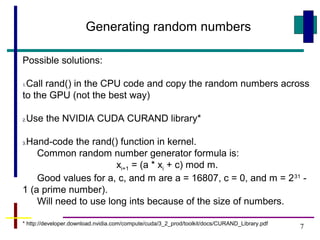
Generating random numbers
Possible solutions:
1.Call rand() in the CPU code and copy the random numbers across
to the GPU (not the best way)
2.Use the NVIDIA CUDA CURAND library*
3.Hand-code the rand() function in kernel.
Common random number generator formula is:
xi+1 = (a * xi + c) mod m.
Good values for a, c, and m are a = 16807, c = 0, and m = 231
-
1 (a prime number).
Will need to use long ints because of the size of numbers.
* http://developer.download.nvidia.com/compute/cuda/3_2_prod/toolkit/docs/CURAND_Library.pdf
Questions

Cuda 3

  • 1.
    CUDA Programming continued ITCS 4145/5145Nov 24, 2010 © Barry Wilkinson CUDA-3
  • 2.
    2 Error Reporting continued CUDA SDKtoolkit has some “safety check routines: • cutilSafeCall( ... ); // check for error return codes: • cutilCheckMsg( ... ); // check for failure messages: Example cutilSafeCall( cudaMalloc(… ) ); // allocate GPU memory myKernel<<<nblocks,nthreads>>>( … ) ; // execute kernel cutilCheckMsg("myKernel failedn"); cutilSafeCall( cudaMemcpy(…); // copy results back cutilSafeCall(cudaFree( … ); // free memory Need details of these routines!
  • 3.
    3 Error Reporting continued Book bySanders and Kandrot* uses a macro called HANDLE_ERROR() to surround CUDA calls, e.g.: HANDLE_ERROR( cudaMalloc( … )); HANDLE_ERROR detects that call has returned an error code, prints an associated error message, and exist the application with an EXIT_FAILURE code: static void HandleError( cudaError_t err, const char *file, int line ) { if (err != cudaSuccess) { printf( "%s in %s at line %dn", cudaGetErrorString( err ), file, line ); exit( EXIT_FAILURE ); } } #define HANDLE_ERROR( err ) (HandleError( err, __FILE__, __LINE__ )) * “CUDA By Example An Introduction to General-Purpose GPU Programming” by Jason Sanders and Edward Kandrot, Addison-Wesley, Upper Saddle River, NJ, 2011
  • 4.
    4 Timing Execution CUDA SDKtimer int timer =0; cutCreateTimer (& timer); cutStartTimer (timer); ... cutStopTimer (timer); cutGetTimerValue (timer); cutDeleteTimer (timer); Avoid including time of first kernel launch which will be more timing consuming that subsequent launches because of initialization Use events instead of above for asynchronous functions Need details of these routines!
  • 5.
    5 Timing If program usessynchronous cudaMemcpy, can use clock(): #include <time.h> … start = clock(); cudaMemcpy … // kernel call cudaMemcpy stop = clock(); printf("GPU pi calculated in %f s.n", (stop-start)/(float)CLOCKS_PER_SEC);
  • 6.
    6 Monte Carlo Computations Embarrassinglyparallel computations that are attractive for GPUs. Use random numbers to make random selections that are then used in the computation. Many application areas: numerical integration, physical simulations, business models, finance, … Principle issue is how to generate (pseudo) random sequences. Cannot call rand() or any other C library function from within a CUDA kernel. * http://developer.download.nvidia.com/compute/cuda/3_2_prod/toolkit/docs/CURAND_Library.pdf
  • 7.
    7 Generating random numbers Possiblesolutions: 1.Call rand() in the CPU code and copy the random numbers across to the GPU (not the best way) 2.Use the NVIDIA CUDA CURAND library* 3.Hand-code the rand() function in kernel. Common random number generator formula is: xi+1 = (a * xi + c) mod m. Good values for a, c, and m are a = 16807, c = 0, and m = 231 - 1 (a prime number). Will need to use long ints because of the size of numbers. * http://developer.download.nvidia.com/compute/cuda/3_2_prod/toolkit/docs/CURAND_Library.pdf
  • 8.