CUBE_IT!
DECEMBER 2013
Version 1.03
IPSY-IMIS ATHENA
TARARAS KONSTANTINOS
ΤΑΡΑΡΑΣ ΚΩΝΣΤΑΝΤΙΝΟΣ
LEONARDO DA VINCI TRAINEE
Contents
Introduction-software scope..................................................................................................... 4
Excel OLAP Cubes................................................................................................................... 4
The Data Cube Vocabulary (http://www.w3.org/TR/vocab-data-cube/)............................. 5
Cube_it!- problem description and software state................................................................ 6
Similar software implementations ........................................................................................ 6
Stats2RDF........................................................................................................................... 7
Anzo Express...................................................................................................................... 7
Tablinker............................................................................................................................ 7
How to use Cube_it!.................................................................................................................. 7
Software Functions – Λειτουργίες λογισμικού...................................................................... 7
Abstract problem solving..................................................................................................... 10
Using Cube_it!-Function logic – ανάλυση............................................................................... 13
Step 1: global variables ....................................................................................................... 13
Step 2: excel parameters, definitions and user-input.......................................................... 13
Dimension types.............................................................................................................. 13
Normal dimension and parameters: ............................................................................... 14
Repetitive dimension and parameters:........................................................................... 14
Dataset(observations) and Parameters........................................................................... 15
Totals-rows and columns................................................................................................. 15
Slices................................................................................................................................ 16
Step 3: Input files-Parsing analysis...................................................................................... 16
Step 4: Dimension Detection, normalization analysis ......................................................... 17
Step 5: Input data for the data cube model ........................................................................ 19
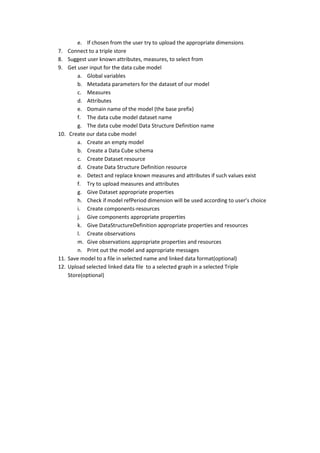
User input to make the data cube model and write it to a file....................................... 19
Metadata for the cube dataset ....................................................................................... 19
Measures......................................................................................................................... 19
Attributes......................................................................................................................... 20
Data cube parameters..................................................................................................... 20
Step 6: making the cube analysis ........................................................................................ 20
Step 7: storing files, upload to Open-link virtuoso store ..................................................... 21
User input to write a specific newly created data cube model to a file.......................... 21
User input to write a specific newly created data cube model file to a virtuoso store .. 21
XML properties .................................................................................................................... 21
Installation (libraries,environment,OS)................................................................................... 22
ELSTAT case studies-with properties.xml use ......................................................................... 23
User input and software parameters-ΑΡΧΕΙΟ tab_01_sex_mar4....................................... 23
User input and software parameters -ΑΡΧΕΙΟ tab_06b_nik_1........................................... 29
User input and software parameters -ΑΡΧΕΙΟ tab_07a_nik15........................................... 36
User types and description...................................................................................................... 47
Constrains - Assumptions........................................................................................................ 47
User input type .................................................................................................................... 47
Fie formatting (Μορφοποίηση αρχείου εισαγωγής)........................................................... 47
Input file size (Μέγεθος αρχείου)........................................................................................ 48
Out files type (Τύπος παραγώμενων αρχείων) ................................................................... 48
Databases and software interaction (Βάσεις δεδομένων και αλληλεπίδραση με το
λογισμικό)................................................................................................................................ 49
LOD database-OpenLink Virtuoso Server ............................................................................ 49
relational database management system (RDBMS) ........................................................... 49
User interfaces ( διεπαφές χρηστών)...................................................................................... 50
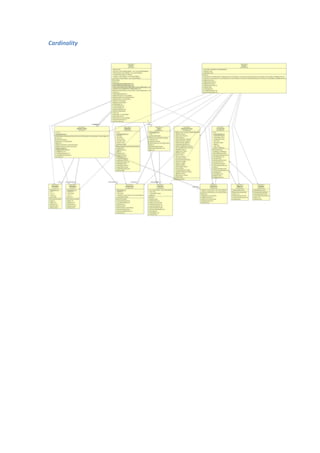
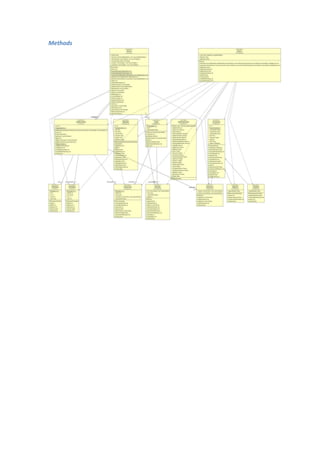
Diagrams.................................................................................................................................. 50
Cardinality ........................................................................................................................... 51
Methods............................................................................................................................... 52
Cube classes......................................................................................................................... 53
Excel classes......................................................................................................................... 54
Main classes ........................................................................................................................ 55
Not implemented-Integration-Scalability................................................................................ 55
Introduction-software scope
Excel OLAP Cubes
OLAP cubes in general are considered conceptual representations of tabular
multidimensional data, often used for analysis. A nice analogy could be made with Rubik's
cube for better understanding of the concept. Certain operations can be applied to OLAP cubes
indicatively: Dice, Drill down/up, roll up, pivot, slicing. Analysis of cube operations is beyond
the scope of this document. Usually OLAP cubes use an RDBMS to store its information.
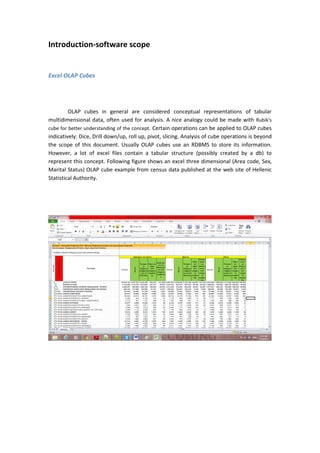
However, a lot of excel files contain a tabular structure (possibly created by a db) to
represent this concept. Following figure shows an excel three dimensional (Area code, Sex,
Marital Status) OLAP cube example from census data published at the web site of Hellenic
Statistical Authority.
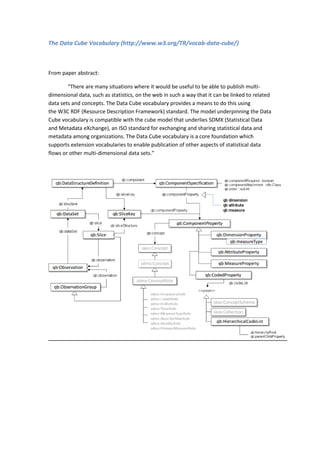
The Data Cube Vocabulary (http://www.w3.org/TR/vocab-data-cube/)
From paper abstract:
“There are many situations where it would be useful to be able to publish multi-
dimensional data, such as statistics, on the web in such a way that it can be linked to related
data sets and concepts. The Data Cube vocabulary provides a means to do this using
the W3C RDF (Resource Description Framework) standard. The model underpinning the Data
Cube vocabulary is compatible with the cube model that underlies SDMX (Statistical Data
and Metadata eXchange), an ISO standard for exchanging and sharing statistical data and
metadata among organizations. The Data Cube vocabulary is a core foundation which
supports extension vocabularies to enable publication of other aspects of statistical data
flows or other multi-dimensional data sets.”
Cube_it!- problem description and software state.
Main purpose of the software was combining these two concepts to create linked
data from existing statistical datasets (specifically census data published in excel files by
Hellenic Statistical Authority-EL.STAT.). This way transformation of datasets in linked data is
faster, automated and uses already known components, terms and ontologies defined
elsewhere in the web. The software has been used to create linked data files that are to be
published at linked-statistics.gr, so it could contribute to further development of an IMIS
ongoing project at research Institute “Athena”. Software has been developed during my
Leonardo Da Vinci traineeship placement at IMIS, research Institute “Athena”, July-
December 2013, Athens, Greece. Software has not come to a finite state and is not
considered completed. Certain new operations could be introduced in the future. In
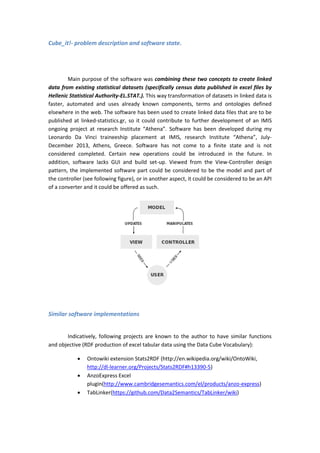
addition, software lacks GUI and build set-up. Viewed from the View-Controller design
pattern, the implemented software part could be considered to be the model and part of
the controller (see following figure), or in another aspect, it could be considered to be an API
of a converter and it could be offered as such.
Similar software implementations
Indicatively, following projects are known to the author to have similar functions
and objective (RDF production of excel tabular data using the Data Cube Vocabulary):
 Ontowiki extension Stats2RDF (http://en.wikipedia.org/wiki/OntoWiki,
http://dl-learner.org/Projects/Stats2RDF#h13390-5)
 AnzoExpress Excel
plugin(http://www.cambridgesemantics.com/el/products/anzo-express)
 TabLinker(https://github.com/Data2Semantics/TabLinker/wiki)
Stats2RDF
 SCOVO vocabulary older than data cube
 Csv files
 Onto-wiki plug-in
 Low parsing logic
Anzo Express
 Excel plugin
 High parsing logic
 No vocabularies used
Tablinker
 High parsing logic
 Python implementation
 Uses data cube vocabulary
 Part of Data2Semantics project
How to use Cube_it!
Software Functions – Λειτουργίες λογισμικού
Cube_it! Supports* the following functions (further development would include
them in a wizard-style software tool):
1. Select, import and use of a MySQL set-up database to be transformed to
linked data using the data cube vocabulary. **
2. Import (and presentation*) of an excel (.xlsx format) file to be transformed to
linked data using the data cube vocabulary.
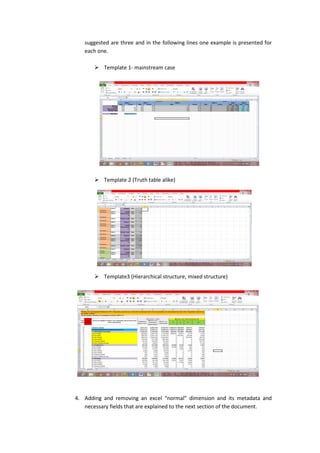
3. Template selection so the software can parse and transform almost any kind
of structure format of an excel (.xlsx) file. The available template structures
suggested are three and in the following lines one example is presented for
each one.
 Template 1- mainstream case
 Template 2 (Truth table alike)
 Template3 (Hierarchical structure, mixed structure)
4. Adding and removing an excel “normal” dimension and its metadata and
necessary fields that are explained to the next section of the document.
5. Adding and removing an excel “repetitive" dimension and its metadata and
necessary fields that are explained to the next section of the document.
6. Optional use of language tag in cube components at the output file.
7. Use of label tag and datatype (also defined as range) in cube components at
the output file.
8. Optional use of time dimension at the output file. This function can be used
in files that do not contain timeseries (for example statistical indexes), mainly
for versioning.
9. Adding and removing an observation set for each transformation.
10. Known dimensions presentation. Here we assume that known dimension are
included to the Virtuoso set-up Store that communicates with Cube_it!.
11. Dimension values detection and reuse.
12. Dimension definition detection and reuse in observations. Definition suggests
the name of a known dimension defined elsewhere (for example
sdmx:refArea).
13. Optional adding, removing and use of slices (subsets) and slicekeys.
14. Optional use of language tag for each slicekey at the output file.
15. Slices values detection and reuse in observations.
16. Optional input of excel rows and columns that the user does not wish to be
used to the file parsing.
17. Parsing function in order to read and process the input excel file values.
18. Normalization function to be used in cases of observations existence that lack
values from a certain dimension. This is not a trivial case but can be easily
produced from “bad” input (for example sum rows or columns are not given
so they can be omitted) or from a “bad” excel file (for example one
dimension has blank values, has not consecutive values)
19. Adding and removing multiple measures.
20. Measure definition detection and reuse. Definition suggests the name of a
known measure defined elsewhere (for example sdmx-measure:occupation).
21. Use of measureType dimension for parsing of files that contain observations
with different measures
22. Adding and removing multiple attributes.
23. Attribute definition detection and reuse. Definition suggests the name of a
known measure defined elsewhere (for example sdmx-
attribute:unitMeasure).
24. Adding and removing the domain name (URI) of the output model
25. Adding and removing a dataset name
26. Adding and removing dataset metadata
27. Optional use of language tag for dataset metadata at the output file
28. Adding and removing DataStructureDefinition name
29. Optional use of language tag for DataStructureDefinition at the output file
30. Optional storage of the produced DSD**
31. Format selection for the output file RDF/XML,RDF/XML-ABBREV,TURTLE,N-
triples)
32. Optional storage of produced linked data files to the Virtuoso set-up Store
that communicates with Cube_it!(endpoint).
33. Cube_it! function to create the data cube model using user defined
parameters and to write it to linked data files at the selected format.
34. Upload function to upload the output data cube model to the Virtuoso set-up
Store that communicates with Cube_it!(endpoint).
35. Printing function that prints messages to a “logfile” for debugging,
presentation and tracing purposes.
36. Restart function to create new model through wizard.**
37. Visualizations (graphs, charts, etc.) of data.**
*:description includes not implemented functions
**:not implemented function
***:Removing method not implemented. However implementation is only trivial and can be
done at a later stage very quickly.
Abstract problem solving
Here, high level logical steps are introduced to present an “implementation free”
solution of the problems the software has to deal with:
1. Get input file
2. Connect to a triple store
3. Suggest user known dimensions, to select from
4. Get user input for excel input file
a. Dimension ranges and parameters
b. Observation range
c. Slices (optional)
d. Rows and columns to avoid (optional)
5. Parse the file
a. Read excel values according to the file structure (template)
b. Create structures for dimensions, observation set
c. Match them
d. Create “dimension less” observation set
6. Detect dimension values
a. Connect to a triple store
b. Query database for known values that match with your dimension values
c. If any values match suggest user to replace them with known values (URIs)
appropriately
d. If any replacement has been done, replace these values in observation set
also.
e. If chosen from the user try to upload the appropriate dimensions
7. Connect to a triple store
8. Suggest user known attributes, measures, to select from
9. Get user input for the data cube model
a. Global variables
b. Metadata parameters for the dataset of our model
c. Measures
d. Attributes
e. Domain name of the model (the base prefix)
f. The data cube model dataset name
g. The data cube model Data Structure Definition name
10. Create our data cube model
a. Create an empty model
b. Create a Data Cube schema
c. Create Dataset resource
d. Create Data Structure Definition resource
e. Detect and replace known measures and attributes if such values exist
f. Try to upload measures and attributes
g. Give Dataset appropriate properties
h. Check if model refPeriod dimension will be used according to user’s choice
i. Create components-resources
j. Give components appropriate properties
k. Give DataStructureDefinition appropriate properties and resources
l. Create observations
m. Give observations appropriate properties and resources
n. Print out the model and appropriate messages
11. Save model to a file in selected name and linked data format(optional)
12. Upload selected linked data file to a selected graph in a selected Triple
Store(optional)
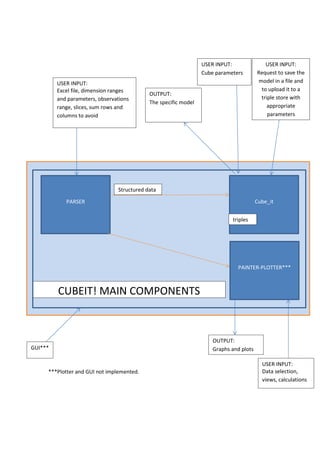
***Plotter and GUI not implemented.
PARSER
PAINTER-PLOTTER***
Cube_it
CUBEIT! MAIN COMPONENTS
Structured data
triples
USER INPUT:
Excel file, dimension ranges
and parameters, observations
range, slices, sum rows and
columns to avoid
USER INPUT:
Cube parameters
USER INPUT:
Data selection,
views, calculations
OUTPUT:
The specific model
OUTPUT:
Graphs and plotsGUI***
USER INPUT:
Request to save the
model in a file and
to upload it to a
triple store with
appropriate
parameters
Using Cube_it!-Function logic – ανάλυση
In this section, software parameters are described along with example input for the
excel file that represents the tabular data that have been used for the data cube vocabulary
description (http://www.w3.org/TR/vocab-data-cube/), having one extra dimension to
show the language tag parameter usage.
Step 1: global variables
1. String: Filename ("cubetestfile.xlsx")
2. Integer: Timeseries(0, 2013, 2001)-0 is the default value. By default no refPeriod
dimension will be used.
3. This variable is responsible for the metadata language tag of the data cube model.
Integer: Languagetag(0,1,2)- 0 is the default value. By default no xml language tag
will be used. Range:[0,2]
 1 will be used for English language option
 2 for Greek language option.
4. String: Filename-filetype for lod output(test.ttl)
 Filename=test
 ttl=filetype
Step 2: excel parameters, definitions and user-input
Dimension types
 Normal dimension
 Repetitive dimension
Normal dimension and parameters:
 String: Dimension name-Label(Location)
 String: Starting Excel Column(“A”)- Range:[A,BZ]
 Integer: Starting Excel Row(4)
 String: Ending Excel Column(“A”)-Range:[A,BZ]
 Integer: Ending Excel Row(7)
 Integer: Languagetag(0,1,2)- 0 is the default value. By default no xml
language tag will be used. Range:[0,2]
 1 will be used for English language option
 2 for Greek language option.
 Dimension datatype(string)- Range:{string, integer, date, datetime, double,
URI}. Last option (“URI”) means that user wants Cube_it! to try to store this
dimension to the Triple Store (upload it) in a Skos:ConceptScheme form.
 Integer: Dimensiontype (1,2,3). This parameter defines the dimension
structure in excel. 1 is for normal dimensions (discrete or repetitive), 2 for
mixed structure (template 3) and 3 for mixed structure with hierarchical
dimensions (template 3).
 Method:boolean setMeasureType(). Default value is FALSE.
 This method is set to true when a dimension is chosen to be of type
qb:MeasureType
Repetitive dimension and parameters:
 Dimension name-Label(Sex)
 Starting Excel Column(“B”) -Range:[A,BZ]
 Starting Excel Row(3)
 Ending Excel Column(“M”) -Range:[A,BZ]
 Ending Excel Row(3)
 Dimension datatype (string)- Range:{string, integer, date, datetime, double,
URI}. Last option (“URI”) means that user wants Cube_it! to try to store this
dimension to the Triple Store (upload it) in a Skos:ConceptScheme form.
 Integer: Languagetag(0,1,2)- 0 is the default value. By default no xml language
tag will be used. Range:[0,2]
o 1 will be used for English language option
o 2 for Greek language option.
 Cells with discrete dimension values. Each cell is defined by the following
parameters (2 cells are defined here):
o String: Excel Column(“B”) -Range:[A,BZ]
o Integer: Excel Row(3)
and
o String: Excel Column(“E”) -Range:[A,BZ]
o String: Excel Row(3)
 Integer: Dimensiontype (1,2,3). This parameter defines the dimension structure
in excel. 1 is for normal dimensions (discrete or repetitive), 2 for mixed structure
(template 3) and 3 for mixed structure with hierarchical dimensions (template
3).
 Method:boolean setMeasureType(). Default value is FALSE
This method is set to true when a dimension is chosen to be of type
qb:MeasureType
Dataset(observations) and Parameters
 Starting Excel Column(“B”) -Range:[A,BZ]
 Starting Excel Row(4)
 Ending Excel Column(“M”) -Range:[A,BZ]
 Ending Excel Row(7)
Totals-rows and columns
Since cubes can construct totals and sums we need to filter the dataset from totals and
sums giving in some input. Parameters for this are whole rows and columns. At this example,
totals and sums do not exist. If needed we would provide for example:
 Excel Totals Column(“N”) -Range:[A,BZ]
 Excel Totals Row(8)
Slices
At this point the software has everything it needs to parse the excel file. However, a user
may want to manipulate only a subset of the dataset so there is an option to slice data and
use slices to create lod data. For this, following parameters would be needed:
 String slicekey name(“bysex”)
 Integer: Languagetag(0,1,2)- 0 is the default value. By default no xml language
tag will be used. Range:[0,2]
o 1 will be used for English language option
o 2 for Greek language option.
 String: Keyelement(“Male”)
 Several key elements can be added as long as they exist in dimensions
Warning! : Slicing function has to be done before parsing or else parsing function should be
applied again.
Step 3: Input files-Parsing analysis
Next step after defining parameters for parsing is to use the parse function. At this
section the logic of parsing is given. What we have gathered so far is some ranges (also
mentioned as dimension definitions) along with some parameters (languagetag etc.) bound
to them, a range for the observation set, rows and columns to avoid and possibly slices that
are defined by slicekeys. A “parser” class (see API documentation) is responsible to read all
the data using the java Apache POI API(http://poi.apache.org/) and output the appropriate
structures that will be used by the data cube model creation class named “Cube_it” to
create the specific data cube model. “Parser” class reads the defined dimensions and stores
them appropriately, then reads the observation set and stores it and then has to make a
matching between them. Until now observations only have a value. However, we want them
to contain and dimension values, to make them dimensionless so we can build our model.
Matching is done by storing excel coordinates (row and column) for dimension values and
observations. When we find a row or column common to a dimension value and a specific
observation we add to this observation, this dimension value. This is of course the trivial
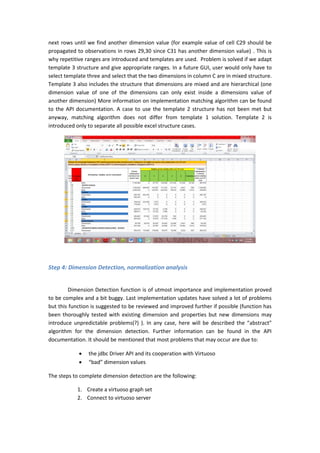
case (template 1). In some cases, dimension values only exist in a cell but are meant to exist
in series of cells. Following figure clearly shows this case. Cells C28, C31, C34, C37, C40 (in
blue) are dimension values of a dimension and each one of them should be propagated to
next rows until we find another dimension value (for example value of cell C29 should be
propagated to observations in rows 29,30 since C31 has another dimension value) . This is
why repetitive ranges are introduced and templates are used. Problem is solved if we adapt
template 3 structure and give appropriate ranges. In a future GUI, user would only have to
select template three and select that the two dimensions in column C are in mixed structure.
Template 3 also includes the structure that dimensions are mixed and are hierarchical (one
dimension value of one of the dimensions can only exist inside a dimensions value of
another dimension) More information on implementation matching algorithm can be found
to the API documentation. A case to use the template 2 structure has not been met but
anyway, matching algorithm does not differ from template 1 solution. Template 2 is
introduced only to separate all possible excel structure cases.
Step 4: Dimension Detection, normalization analysis
Dimension Detection function is of utmost importance and implementation proved
to be complex and a bit buggy. Last implementation updates have solved a lot of problems
but this function is suggested to be reviewed and improved further if possible (function has
been thoroughly tested with existing dimension and properties but new dimensions may
introduce unpredictable problems(?) ). In any case, here will be described the “abstract”
algorithm for the dimension detection. Further information can be found in the API
documentation. It should be mentioned that most problems that may occur are due to:
 the jdbc Driver API and its cooperation with Virtuoso
 “bad” dimension values
The steps to complete dimension detection are the following:
1. Create a virtuoso graph set
2. Connect to virtuoso server
3. Get the first value of the dimension to bring every property that has as
object the dimension value
4. Check if value is numeric or string to make the appropriate query
5. If there is no response consider this dimension not known
6. If there is response, present these properties to the user to select
appropriate property
7. Get requested property and subject
8. Check with the subject to see if the dimension value found belongs to any
ConceptScheme
9. If it does not belong, query for every dimension value with selected property
and value as the object and if there is a result replace the dimension value
with the subject.
10. If dimension value belongs to a ConceptScheme, find the URI of the concept
11. Query for every dimension value with selected property and value as the
object and filter responses that contain as subject the URI concept scheme.
12. For every dimension value replaced, replace also the observations that
contain it with the appropriate URI.
Comment: Concept Scheme is involved because in this case a property (for example
prefLabel) and a value (for example “3”) can be common for more than one dimensions (for
example for age dimension and family members dimension). Otherwise, this cannot happen
because an existing ontology already describes the dimension, so property is unique (for
example IMIS defined property http://linked-statistics.gr/ontology/admin-division/2011#hasCode
is unique).
Normalization function is an implemented but not used function crucial for the
produced linked data file to pass data cube integrity constraints. There are cases in which
some of the Cube_it! produced observations lack dimension values of a specific dimension
that is used in our model and these dimensions are included in the Data Structure Definition,
although this outcome makes our file invalid from the W3C validator for the data cube
vocabulary. The reasons this may happen are mentioned in the software function section.
However, this function is not used for now, because there is not such a strict rule in the
proposal that suggests what has to be done with these observations. Should software reject
them? It would be an easy ok if we would not have taken into account that some excel file
have “bad” dimension data and the only way to make them linked data is to accept them in
that way. Should software automatically insert a conventional dimension value (“blank” for
example)? What if there are more than one dimension that are not used? Answer is open.
Function has to be reviewed in further development life-cycles. Following figure clearly
shows a case in which normalization would be needed. Dimension values in orange would
normally represent 3 dimensions one in each row or a hierarchical one. In the first case, 1
dimension would be {foreign country,not}, 2nd Continents dimension {E.U. members,Africa,
non E.U. members in Europe, Caribbean, South or Central America, North America, Asia,
Oceania } 3rd Countries dimension {countries…}. However, in merged cells AG4, AG5, only
one dimension value is given, the Continents dimension value. This kind of “bad” dimension
data are frequently found in EL.STAT. excel files so a solution should be found and applied,
hopefully with the use of normalize function.
Step 5: Input data for the data cube model
User input to make the data cube model and write it to a file
Metadata for the cube dataset
 String: Title(“life expectancy”)
 String: label(“life expectancy”)
 String: comment(“life expectancy within Welsh Unitary Authorities-extracted
from Stats Wales”)
 String: description(“life expectancy within Welsh Unitary Authorities-extracted
from Stats Wales”)
 String: publisher(“the publisher”)
 String: dateofIssue(“2013/11/08”)
 Integer: Languagetag(0,1,2)- 0 is the default value. By default no xml language
tag will be used. Range:[0,2]
o 1 will be used for English language option
o 2 for Greek language option.
Measures
 String: Label(“lifeExpectancy”)
 String: datatype(integer)- Range:{string, integer, date, datetime, double, URI}.
Last option (“URI”) means that user wants Cube_it! to try to store this measure
to the Triple Store (upload it).
 Integer: Languagetag(0,1,2)- 0 is the default value. By default no xml language
tag will be used. Range:[0,2]
o 1 will be used for English language option
o 2 for Greek language option.
Attributes
 String: Label(“unitMeasure”)
 String: AttributeProperty(“Years”)
 String: datatype(integer)- Range:{string, integer, date, datetime, double, URI}.
Last option (“URI”) means that user wants Cube_it! to try to store this attribute
to the Triple Store (upload it).
 Integer: Languagetag(0,1,2)- 0 is the default value. By default no xml language
tag will be used. Range:[0,2]
o 1 will be used for English language option
o 2 for Greek language option.
Data cube parameters
 String: BasePrefix(“http//:www.linked-statistics.gr”)
 String:Datasetname(“dataset1”)
 String:DataStructureDefinitionName(“d13”)
Step 6: making the cube analysis
The cube_it class is responsible to create our data cube model from scratch. First
creates an empty model that will be filled with our structured data and a data cube schema
to uses its properties and resources. Dataset and Data Structure Definition resources are
created. Then detects known measures and attributes and if a user has selected appropriate
option (URI option) and no URI has been found by detection, uploads the selected measures
and attributes. Dataset is given its properties and their values. Next step is a check to use
refPeriod dimension or not, defined by Timeseries variable. Components (dimensions,
measures and attributes) are initialized (given their appropriate properties) and added to
the DSD. Components can be separated to 4 different categories (cases).
 Components with known URI but component values with no URI.
 Components with known URI and component values with URI.
 Components with no known URI but component values with URI.
 Components with no known URI and component values with no URI.
Observation resources are created and dimensions resources are used to be assigned to
observations along with measure resource. Attribute has been chosen to be assigned to the
dataset. URIs patterns have been used according to the IMIS URI scheme. Language tags
have been used for label objects. Further information can be found in the API
documentation.
Step 7: storing files, upload to Open-link virtuoso store
User input to write a specific newly created data cube model to a file
 String: filename (“the data_cube example”).
 String filetype (“TURTLE”), [RDF/XML,RDF/XML-ABBREV,TURTLE, N-TRIPLE, N3].
User input to write a specific newly created data cube model file to a virtuoso store
 String: filename (“the data_cube example.rdf”).
 String: graphname(“the_data_cube_example”)
 String:virtuosoaddress(“localhost”)
 String:username(“dba”)
 String:password(“dba”)
XML properties
Last software update has made possible the use of an xml to define parameters
mentioned above only in one file called properties.xml. Next step is to run
XML_input_Main_App class to use the tool. Parameters names have several changes so this
style of running will be explained to the next section(ELSTAT case studies) through 3 real
examples with el.stat. files.
Installation (libraries,environment,OS)
Cube_it! has been developed in Java OOP language, Eclipse environment, windows.
It uses the following well known APIs:
 Java Apache POI 3.9 API
 Java Jena API 2.11.0 API
 Virtuoso Jena jdbc driver API
 org.w3c.dom API for xml parsing
All necessary jar files can be found to a lib file in the project files. Project can be used in
various platforms through java portability. XML_input_Main_App is the running class of the
project. Cube_it! is delivered in a compressed .rar file.
ELSTAT case studies-with properties.xml use
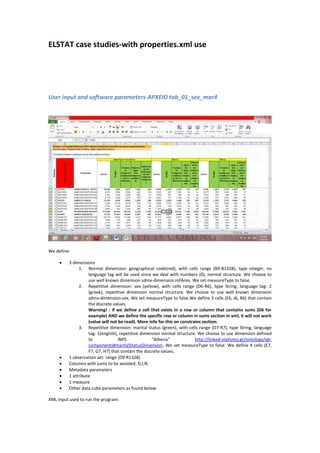
User input and software parameters-ΑΡΧΕΙΟ tab_01_sex_mar4
We define:
 3 dimensions
1. Normal dimension: geographical code(red), with cells range (B9-B1328), type integer, no
language tag will be used since we deal with numbers (0), normal structure. We choose to
use well known dimension sdmx-dimension:refArea. We set measureType to false.
2. Repetitive dimension: sex (yellow), with cells range (D6-R6), type String, language tag: 2
(greek), repetitive dimension normal structure. We choose to use well known dimension
sdmx-dimension:sex. We set measureType to false.We define 3 cells (E6, J6, R6) that contain
the discrete values.
Warning! : if we define a cell that exists in a row or column that contains sums (D6 for
example) AND we define the specific row or column in sums section in xml, it will not work
(value will not be read). More info for this on constrains section.
3. Repetitive dimension: marital status (green), with cells range (D7-R7), type String, language
tag: 1(english), repetitive dimension normal structure. We choose to use dimension defined
to IMIS “Athena” http://linked-statistics.gr/ontology/qb-
components#maritalStatusDimension. We set measureType to false. We define 4 cells (E7,
F7, G7, H7) that contain the discrete values.
 1 observation set: range (D9-R1328)
 Columns with sums to be avoided: D,I,N.
 Metadata parameters
 1 attribute
 1 measure
 Other data cube parameters as found below
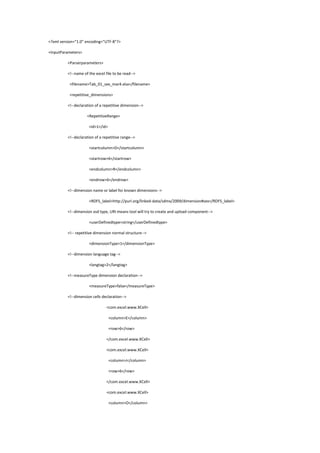
XML input used to run the program:
<?xml version="1.0" encoding="UTF-8"?>
<InputParameters>
<Parserparameters>
<!--name of the excel file to be read-->
<filename>Tab_01_sex_mar4.xlsx</filename>
<repetitive_dimensions>
<!--declaration of a repetitive dimension-->
<RepetitiveRange>
<id>1</id>
<!--declaration of a repetitive range-->
<startcolumn>D</startcolumn>
<startrow>6</startrow>
<endcolumn>R</endcolumn>
<endrow>6</endrow>
<!--dimension name or label for known dimensions-->
<RDFS_label>http://purl.org/linked-data/sdmx/2009/dimension#sex</RDFS_label>
<!--dimension xsd type, URI means tool will try to create and upload component-->
<userDefinedtype>string</userDefinedtype>
<!-- repetitive dimension normal structure-->
<dimensionType>1</dimensionType>
<!--dimension language tag-->
<langtag>2</langtag>
<!--measureType dimension declaration-->
<measureType>false</measureType>
<!--dimension cells declaration-->
<com.excel.www.XCell>
<column>E</column>
<row>6</row>
</com.excel.www.XCell>
<com.excel.www.XCell>
<column>J</column>
<row>6</row>
</com.excel.www.XCell>
<com.excel.www.XCell>
<column>O</column>
<row>6</row>
</com.excel.www.XCell>
</RepetitiveRange>
<!--declaration of a repetitive dimension-->
<RepetitiveRange>
<id>2</id>
<!--declaration of a repetitive range-->
<startcolumn>D</startcolumn>
<startrow>7</startrow>
<endcolumn>R</endcolumn>
<endrow>7</endrow>
<!--dimension name or label for known dimensions-->
<RDFS_label>http://linked-statistics.gr/ontology/qb-
components#maritalStatusDimension</RDFS_label>
<!--dimension xsd type, URI means tool will try to create and upload component-->
<userDefinedtype>string</userDefinedtype>
<!-- repetitive dimension normal structure-->
<dimensionType>1</dimensionType>
<!--dimension language tag-->
<langtag>1</langtag>
<!--measureType dimension declaration-->
<measureType>false</measureType>
<!--dimension cells declaration-->
<com.excel.www.XCell>
<column>E</column>
<row>7</row>
</com.excel.www.XCell>
<com.excel.www.XCell>
<column>F</column>
<row>7</row>
</com.excel.www.XCell>
<com.excel.www.XCell>
<column>G</column>
<row>7</row>
</com.excel.www.XCell>
<com.excel.www.XCell>
<column>H</column>
<row>7</row>
</com.excel.www.XCell>
</RepetitiveRange>
</repetitive_dimensions>
<normal_dimensions>
<!--declaration of a normal dimension-->
<Range>
<id>3</id>
<!--declaration of a normal range-->
<startcolumn>B</startcolumn>
<startrow>9</startrow>
<endcolumn>B</endcolumn>
<endrow>1328</endrow>
<!--dimension name or label for known dimensions-->
<RDFS_label>http://purl.org/linked-data/sdmx/2009/dimension#refArea</RDFS_label>
<!--dimension xsd type, URI means tool will try to create and upload component-->
<userDefinedtype>integer</userDefinedtype>
<!-- normal dimension normal structure-->
<dimensionType>0</dimensionType>
<!--dimension language tag-->
<langtag>0</langtag-->
<!--measureType dimension declaration-->
<measureType>false</measureType>
</Range>
</normal_dimensions>
<!--declaration of the observation set as a normal range-->
<observationrange>
<id>4</id>
<!--declaration of a normal range-->
<startcolumn>D</startcolumn>
<startrow>9</startrow>
<endcolumn>R</endcolumn>
<endrow>1328</endrow>
<langtag>1</langtag>
</observationrange>
<!--declaration of rows with sums-->
<!--!sumsrow>
<rowwithsums>null</rowwithsums>
</sumsrow-->
<!--declaration of columns with sums-->
<sumscolumn>
<columnwithsums>D</columnwithsums>
<columnwithsums>I</columnwithsums>
<columnwithsums>N</columnwithsums>
</sumscolumn>
<!--Slices example declaration>
<slice>
<slicename>singles living within refArea with code 1110201</slicename>
<slicekey>Άγαμοι</slicekey>
<slicekey>1110201</slicekey>
<langtag>1</langtag>
</slice>
</Slices-->
</Parserparameters>
<CubeParameters>
<!--timeseries declaration, no Refperiod dimension in absence of this parameter-->
<timeseries>2011</timeseries>
<!--attributes declaration-->
<Attributelist>
<com.datacube.www.Attribute>
<id>0</id>
<!--name or label for known component-->
<RDFS_label>http://purl.org/linked-data/sdmx/2009/attribute#unitMeasure</RDFS_label>
<!--attribute property declaration-->
<attributeProperty>number of people</attributeProperty>
<!--component xsd type, URI means tool will try to create and upload component-->
<userDefinedtype>string</userDefinedtype>
</com.datacube.www.Attribute>
</Attributelist>
<!--measures declaration-->
<MeasureList>
<!--name or label for known component-->
<com.datacube.www.Measure>
<id>1</id>
<!--name or label for known component-->
<RDFS_label>http://linked-statistics.gr/ontology/qb-
components#populationMeasure</RDFS_label>
<!--measure Property not used for now, shown for demonstration purposes only-->
<measureProperty>null</measureProperty>
<!--component xsd type, URI means tool will try to create and upload component-->
<userDefinedtype>integer</userDefinedtype>
</com.datacube.www.Measure>
</MeasureList>
<!--dataset metadata declaration-->
<com.datacube.www.MetaData>
<id>1</id>
<dcterms_title>Μόνιμος Πληθυσμός κατά φύλο και οικογενειακή κατάσταση</dcterms_title>
<RDFS_label>Απογραφή Πληθυσμού</RDFS_label>
<RDFS_comment>Απογραφή Πληθυσμού</RDFS_comment>
<dcterms_description>Σύνολο χώρας, Περιφερειακές Ενότητες, Δήμοι, Δημοτικές
Ενότητες</dcterms_description>
<dcterms_publisher>Ινστιτούτο Πληροφοριακών Συστημάτων (ΙΠΣΥ), Ε.Κ.
&apos;ΑΘΗΝΑ&apos;</dcterms_publisher>
<dcterms_created>2013-12-13</dcterms_created>
<!--dataset fields language tag-->
<langtag>1</langtag>
</com.datacube.www.MetaData>
<!--data cube model parameters-->
<BasePrefix>http://linked-statistics.gr/</BasePrefix>
<Datasetname>Tab_01_sex_mar4</Datasetname>
<DSDname>Tab_01_sex_mar4</DSDname>
<!--request to create a file in specific format and name-->
<SaveOutputfile>
<filename>Tab_01_sex_mar4</filename>
<filetype>TURTLE</filetype>
</SaveOutputfile>
<!--request to create a file in specific format and name-->
<SaveOutputfile>
<filename>Tab_01_sex_mar4</filename>
<filetype>RDF/XML-ABBREV</filetype>
</SaveOutputfile>
<!--request to upload a file to a virtuoso db in a specific graph,acceptable file formats .rdf for now-->
<saveToStoreParameters>
<filename>Tab_01_sex_mar4.rdf</filename>
<graphname>Census</graphname>
<virtuosoaddress>localhost</virtuosoaddress>
<username>dba</username>
<password>dba</password>
</saveToStoreParameters>
</CubeParameters>
</InputParameters>
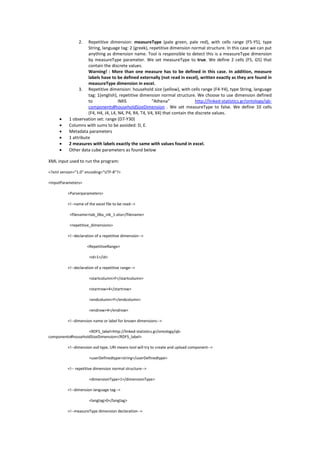
User input and software parameters -ΑΡΧΕΙΟ tab_06b_nik_1
We define:
 3 dimensions
1. Normal dimension: geographical code (red), with cells range (B7-B30), type integer, no
language tag will be used since we deal with numbers (0), normal structure. We choose to
use well known dimension sdmx-dimension:refArea. We set measureType to false.
2. Repetitive dimension: measureType (pale green, pale red), with cells range (F5-Y5), type
String, language tag: 2 (greek), repetitive dimension normal structure. In this case we can put
anything as dimension name. Tool is responsible to detect this is a measureType dimension
by measureType parameter. We set measureType to true. We define 2 cells (F5, G5) that
contain the discrete values.
Warning! : More than one measure has to be defined in this case. In addition, measure
labels have to be defined externally (not read in excel), written exactly as they are found in
measureType dimension in excel.
3. Repetitive dimension: household size (yellow), with cells range (F4-Y4), type String, language
tag: 1(english), repetitive dimension normal structure. We choose to use dimension defined
to IMIS “Athena” http://linked-statistics.gr/ontology/qb-
components#householdSizeDimension . We set measureType to false. We define 10 cells
(F4, H4, J4, L4, N4, P4, R4, T4, V4, X4) that contain the discrete values.
 1 observation set: range (D7-Y30)
 Columns with sums to be avoided: D, E.
 Metadata parameters
 1 attribute
 2 measures with labels exactly the same with values found in excel.
 Other data cube parameters as found below
XML input used to run the program:
<?xml version="1.0" encoding="UTF-8"?>
<InputParameters>
<Parserparameters>
<!--name of the excel file to be read-->
<filename>tab_06a_nik_1.xlsx</filename>
<repetitive_dimensions>
<!--declaration of a repetitive dimension-->
<RepetitiveRange>
<id>1</id>
<!--declaration of a repetitive range-->
<startcolumn>F</startcolumn>
<startrow>4</startrow>
<endcolumn>Y</endcolumn>
<endrow>4</endrow>
<!--dimension name or label for known dimensions-->
<RDFS_label>http://linked-statistics.gr/ontology/qb-
components#householdSizeDimension</RDFS_label>
<!--dimension xsd type, URI means tool will try to create and upload component-->
<userDefinedtype>string</userDefinedtype>
<!-- repetitive dimension normal structure-->
<dimensionType>1</dimensionType>
<!--dimension language tag-->
<langtag>0</langtag>
<!--measureType dimension declaration-->
<measureType>false</measureType>
<!--dimension cells declaration-->
<com.excel.www.XCell>
<column>F</column>
<row>4</row>
</com.excel.www.XCell>
<com.excel.www.XCell>
<column>H</column>
<row>4</row>
</com.excel.www.XCell>
<com.excel.www.XCell>
<column>J</column>
<row>4</row>
</com.excel.www.XCell>
<com.excel.www.XCell>
<column>L</column>
<row>4</row>
</com.excel.www.XCell>
<com.excel.www.XCell>
<column>N</column>
<row>4</row>
</com.excel.www.XCell>
<com.excel.www.XCell>
<column>P</column>
<row>4</row>
</com.excel.www.XCell>
<com.excel.www.XCell>
<column>R</column>
<row>4</row>
</com.excel.www.XCell>
<com.excel.www.XCell>
<column>T</column>
<row>4</row>
</com.excel.www.XCell>
<com.excel.www.XCell>
<column>V</column>
<row>4</row>
</com.excel.www.XCell>
<com.excel.www.XCell>
<column>X</column>
<row>4</row>
</com.excel.www.XCell>
</RepetitiveRange>
<!--declaration of a repetitive dimension-->
<RepetitiveRange>
<id>2</id>
<!--declaration of a repetitive range-->
<startcolumn>D</startcolumn>
<startrow>5</startrow>
<endcolumn>Y</endcolumn>
<endrow>5</endrow>
<!--dimension name or label for known dimensions-->
<RDFS_label>NO MATTER WHAT BECAUSE THIS IS MEASURE TYPE DIMENSION</RDFS_label>
<!--dimension xsd type, URI means tool will try to create and upload component-->
<userDefinedtype>string</userDefinedtype>
<!-- repetitive dimension normal structure-->
<dimensionType>1</dimensionType>
<!--dimension language tag-->
<langtag>1</langtag>
<!--measureType dimension declaration-->
<measureType>true</measureType>
<!--dimension cells declaration-->
<com.excel.www.XCell>
<column>F</column>
<row>5</row>
</com.excel.www.XCell>
<com.excel.www.XCell>
<column>G</column>
<row>5</row>
</com.excel.www.XCell>
</RepetitiveRange>
</repetitive_dimensions>
<normal_dimensions>
<!--declaration of a normal dimension-->
<Range>
<id>3</id>
<!--declaration of a normal range-->
<startcolumn>B</startcolumn>
<startrow>7</startrow>
<endcolumn>B</endcolumn>
<endrow>30</endrow>
<!--dimension name or label for known dimensions-->
<RDFS_label>http://purl.org/linked-data/sdmx/2009/dimension#refArea</RDFS_label>
<!--dimension xsd type, URI means tool will try to create and upload component-->
<userDefinedtype>integer</userDefinedtype>
<!-- normal dimension normal structure-->
<dimensionType>0</dimensionType>
<!--dimension language tag-->
<langtag>1</langtag>
<!--measureType dimension declaration-->
<measureType>false</measureType>
</Range>
</normal_dimensions>
<!--declaration of the observation set as a normal range-->
<observationrange>
<id>4</id>
<!--declaration of a normal range-->
<startcolumn>D</startcolumn>
<startrow>7</startrow>
<endcolumn>Y</endcolumn>
<endrow>30</endrow>
</observationrange>
<!--declaration of rows with sums-->
<sumsrow>
<rowwithsums>6</rowwithsums>
</sumsrow>
<!--declaration of columns with sums-->
<sumscolumn>
<columnwithsums>D</columnwithsums>
<columnwithsums>E</columnwithsums>
</sumscolumn>
</Parserparameters>
<CubeParameters>
<!--timeseries declaration, no Refperiod dimension in absence of this parameter-->
<timeseries>2011</timeseries>
<!--attributes declaration-->
<Attributelist>
<com.datacube.www.Attribute>
<id>0</id>
<!--name or label for known component-->
<RDFS_label>http://purl.org/linked-data/sdmx/2009/attribute#unitMeasure</RDFS_label>
<!--attribute property declaration-->
<attributeProperty>number of people</attributeProperty>
<!--component xsd type, URI means tool will try to create and upload component-->
<userDefinedtype>string</userDefinedtype>
<!--component language tag-->
<langtag>1</langtag>
</com.datacube.www.Attribute>
</Attributelist>
<!--measures declaration-->
<MeasureList>
<com.datacube.www.Measure>
<id>1</id>
<!--name or label for known component-->
<RDFS_label>Νοικοκυριά</RDFS_label>
<!--measure Property not used for now, shown for demonstration purposes only-->
<measureProperty>null</measureProperty>
<!--component xsd type, URI means tool will try to create and upload component-->
<userDefinedtype>string</userDefinedtype>
<!--component language tag-->
<langtag>0</langtag>
</com.datacube.www.Measure>
<com.datacube.www.Measure>
<id>1</id>
<!--name or label for known component-->
<RDFS_label>Μέλη</RDFS_label>
<!--measure Property not used for now, shown for demonstration purposes only-->
<measureProperty>null</measureProperty>
<!--component xsd type, URI means tool will try to create and upload component-->
<userDefinedtype>string</userDefinedtype>
<!--component language tag-->
<langtag>0</langtag>
</com.datacube.www.Measure>
</MeasureList>
<!--dataset metadata declaration-->
<com.datacube.www.MetaData>
<id>1</id>
<dcterms_title>Πίνακας 6α. Απογραφή Πληθυσμού 2011. Αριθμός νοικοκυριών και μέλη
αυτών.</dcterms_title>
<RDFS_label>Απογραφή Πληθυσμού</RDFS_label>
<RDFS_comment>Απογραφή Πληθυσμού</RDFS_comment>
<dcterms_description>Σύνολο χώρας, Μεγάλες Γεωγραφικές Ενότητες (NUTS 1), Αποκεντρωμένες
Διοικήσεις, Περιφέρειες (NUTS 2)</dcterms_description>
<dcterms_publisher>Ινστιτούτο Πληροφοριακών Συστημάτων (ΙΠΣΥ), Ε.Κ.
&apos;ΑΘΗΝΑ&apos;</dcterms_publisher>
<dcterms_created>2013-12-13</dcterms_created>
<!--dataset fields language tag-->
<langtag>2</langtag>
</com.datacube.www.MetaData>
<!--data cube model parameters-->
<BasePrefix>http://linked-statistics.gr/</BasePrefix>
<Datasetname>tab_06a_nik_1</Datasetname>
<DSDname>tab_06a_nik_1</DSDname>
<!--request to create a file in specific format and name-->
<SaveOutputfile>
<filename>tab_06a_nik_1</filename>
<filetype>TURTLE</filetype>
</SaveOutputfile>
<!--request to create a file in specific format and name-->
<SaveOutputfile>
<filename>tab_06a_nik_1</filename>
<filetype>RDF/XML</filetype>
</SaveOutputfile>
<!--request to upload a file to a virtuoso db in a specific graph,acceptable file formats .rdf for now-->
<!--saveToStoreParameters>
<filename>tab_06a_nik_1.rdf</filename>
<graphname>Census</graphname>
<virtuosoaddress>localhost</virtuosoaddress>
<username>dba</username>
<password>dba</password>
</saveToStoreParameters-->
</CubeParameters>
</InputParameters>
User input and software parameters -ΑΡΧΕΙΟ tab_07a_nik15
We define:
 4 dimensions
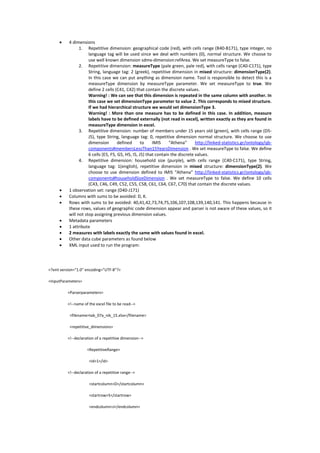
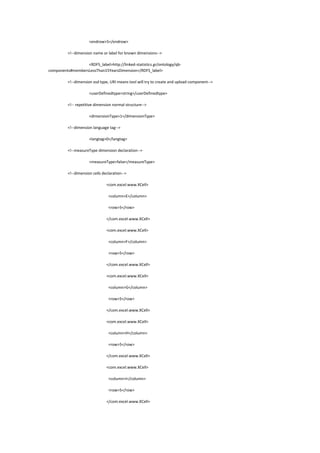
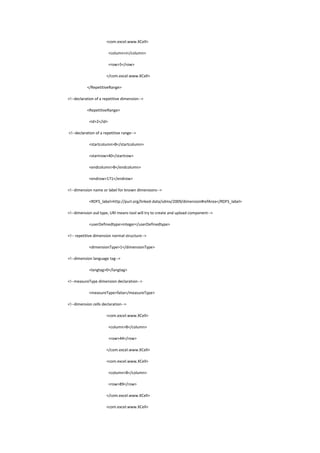
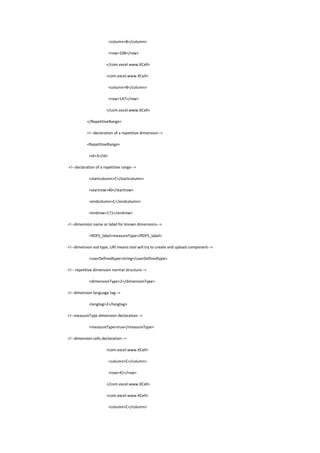
1. Repetitive dimension: geographical code (red), with cells range (B40-B171), type integer, no
language tag will be used since we deal with numbers (0), normal structure. We choose to
use well known dimension sdmx-dimension:refArea. We set measureType to false.
2. Repetitive dimension: measureType (pale green, pale red), with cells range (C40-C171), type
String, language tag: 2 (greek), repetitive dimension in mixed structure: dimensionType(2).
In this case we can put anything as dimension name. Tool is responsible to detect this is a
measureType dimension by measureType parameter. We set measureType to true. We
define 2 cells (C41, C42) that contain the discrete values.
Warning! : We can see that this dimension is repeated in the same column with another. In
this case we set dimensionType parameter to value 2. This corresponds to mixed structure.
If we had hierarchical structure we would set dimensionType 3.
Warning! : More than one measure has to be defined in this case. In addition, measure
labels have to be defined externally (not read in excel), written exactly as they are found in
measureType dimension in excel.
3. Repetitive dimension: number of members under 15 years old (green), with cells range (D5-
J5), type String, language tag: 0, repetitive dimension normal structure. We choose to use
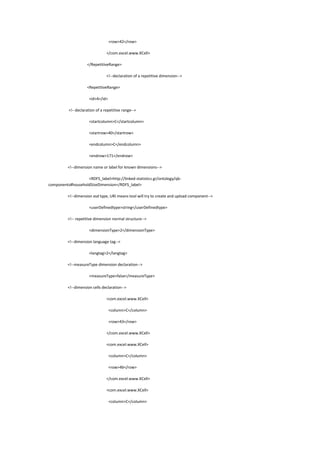
dimension defined to IMIS “Athena” http://linked-statistics.gr/ontology/qb-
components#membersLessThan15YearsDimension . We set measureType to false. We define
6 cells (E5, F5, G5, H5, I5, J5) that contain the discrete values.
4. Repetitive dimension: household size (purple), with cells range (C40-C171), type String,
language tag: 1(english), repetitive dimension in mixed structure: dimensionType(2). We
choose to use dimension defined to IMIS “Athena” http://linked-statistics.gr/ontology/qb-
components#householdSizeDimension . We set measureType to false. We define 10 cells
(C43, C46, C49, C52, C55, C58, C61, C64, C67, C70) that contain the discrete values.
 1 observation set: range (D40-J171)
 Columns with sums to be avoided: D, K.
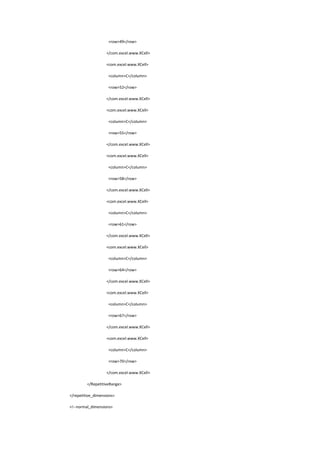
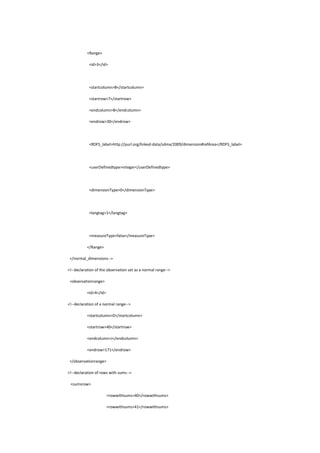
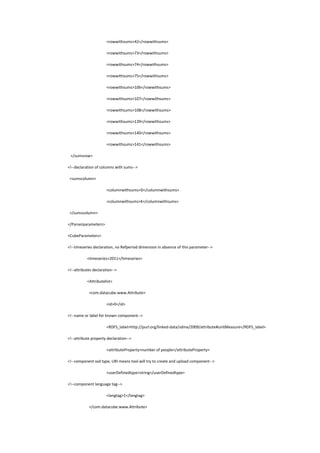
 Rows with sums to be avoided: 40,41,42,73,74,75,106,107,108,139,140,141. This happens because in
these rows, values of geographic code dimension appear and parser is not aware of these values, so it
will not stop assigning previous dimension values.
 Metadata parameters
 1 attribute
 2 measures with labels exactly the same with values found in excel.
 Other data cube parameters as found below
 XML input used to run the program:
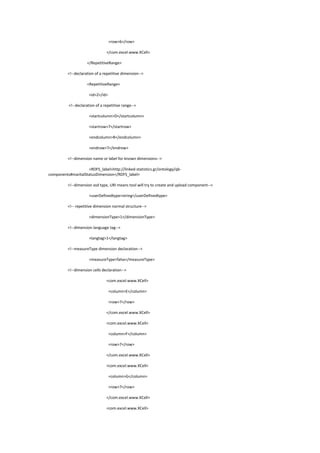
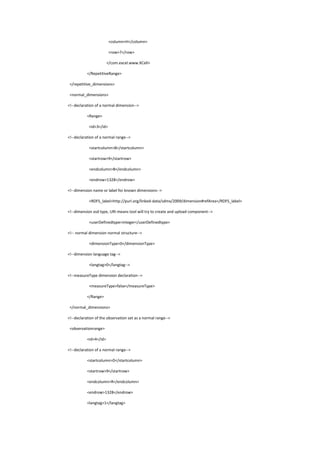
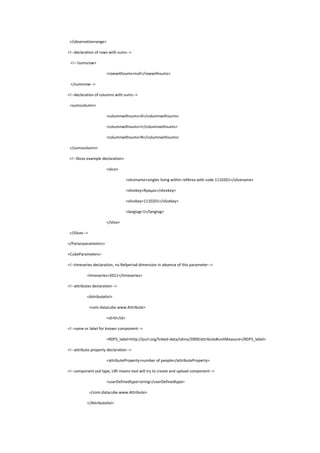
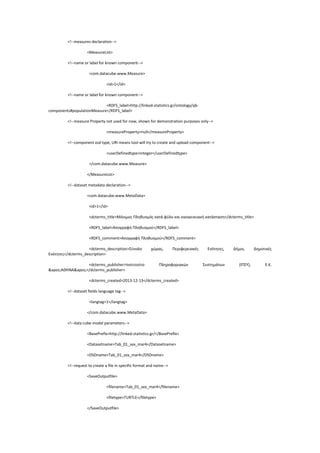
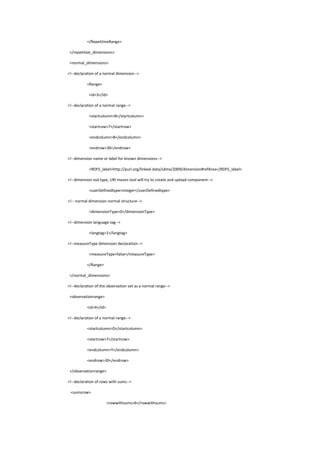
<?xml version="1.0" encoding="UTF-8"?>
<InputParameters>
<Parserparameters>
<!--name of the excel file to be read-->
<filename>tab_07a_nik_15.xlsx</filename>
<repetitive_dimensions>
<!--declaration of a repetitive dimension-->
<RepetitiveRange>
<id>1</id>
<!--declaration of a repetitive range-->
<startcolumn>D</startcolumn>
<startrow>5</startrow>
<endcolumn>J</endcolumn>
<endrow>5</endrow>
<!--dimension name or label for known dimensions-->
<RDFS_label>http://linked-statistics.gr/ontology/qb-
components#membersLessThan15YearsDimension</RDFS_label>
<!--dimension xsd type, URI means tool will try to create and upload component-->
<userDefinedtype>string</userDefinedtype>
<!-- repetitive dimension normal structure-->
<dimensionType>1</dimensionType>
<!--dimension language tag-->
<langtag>0</langtag>
<!--measureType dimension declaration-->
<measureType>false</measureType>
<!--dimension cells declaration-->
<com.excel.www.XCell>
<column>E</column>
<row>5</row>
</com.excel.www.XCell>
<com.excel.www.XCell>
<column>F</column>
<row>5</row>
</com.excel.www.XCell>
<com.excel.www.XCell>
<column>G</column>
<row>5</row>
</com.excel.www.XCell>
<com.excel.www.XCell>
<column>H</column>
<row>5</row>
</com.excel.www.XCell>
<com.excel.www.XCell>
<column>I</column>
<row>5</row>
</com.excel.www.XCell>
<com.excel.www.XCell>
<column>J</column>
<row>5</row>
</com.excel.www.XCell>
</RepetitiveRange>
<!--declaration of a repetitive dimension-->
<RepetitiveRange>
<id>2</id>
<!--declaration of a repetitive range-->
<startcolumn>B</startcolumn>
<startrow>40</startrow>
<endcolumn>B</endcolumn>
<endrow>171</endrow>
<!--dimension name or label for known dimensions-->
<RDFS_label>http://purl.org/linked-data/sdmx/2009/dimension#refArea</RDFS_label>
<!--dimension xsd type, URI means tool will try to create and upload component-->
<userDefinedtype>integer</userDefinedtype>
<!-- repetitive dimension normal structure-->
<dimensionType>1</dimensionType>
<!--dimension language tag-->
<langtag>0</langtag>
<!--measureType dimension declaration-->
<measureType>false</measureType>
<!--dimension cells declaration-->
<com.excel.www.XCell>
<column>B</column>
<row>44</row>
</com.excel.www.XCell>
<com.excel.www.XCell>
<column>B</column>
<row>89</row>
</com.excel.www.XCell>
<com.excel.www.XCell>
<column>B</column>
<row>108</row>
</com.excel.www.XCell>
<com.excel.www.XCell>
<column>B</column>
<row>147</row>
</com.excel.www.XCell>
</RepetitiveRange>
<!--declaration of a repetitive dimension-->
<RepetitiveRange>
<id>3</id>
<!--declaration of a repetitive range-->
<startcolumn>C</startcolumn>
<startrow>40</startrow>
<endcolumn>C</endcolumn>
<endrow>171</endrow>
<!--dimension name or label for known dimensions-->
<RDFS_label>measureType</RDFS_label>
<!--dimension xsd type, URI means tool will try to create and upload component-->
<userDefinedtype>string</userDefinedtype>
<!-- repetitive dimension normal structure-->
<dimensionType>2</dimensionType>
<!--dimension language tag-->
<langtag>2</langtag>
<!--measureType dimension declaration-->
<measureType>true</measureType>
<!--dimension cells declaration-->
<com.excel.www.XCell>
<column>C</column>
<row>41</row>
</com.excel.www.XCell>
<com.excel.www.XCell>
<column>C</column>
<row>42</row>
</com.excel.www.XCell>
</RepetitiveRange>
<!--declaration of a repetitive dimension-->
<RepetitiveRange>
<id>4</id>
<!--declaration of a repetitive range-->
<startcolumn>C</startcolumn>
<startrow>40</startrow>
<endcolumn>C</endcolumn>
<endrow>171</endrow>
<!--dimension name or label for known dimensions-->
<RDFS_label>http://linked-statistics.gr/ontology/qb-
components#householdSizeDimension</RDFS_label>
<!--dimension xsd type, URI means tool will try to create and upload component-->
<userDefinedtype>string</userDefinedtype>
<!-- repetitive dimension normal structure-->
<dimensionType>2</dimensionType>
<!--dimension language tag-->
<langtag>2</langtag>
<!--measureType dimension declaration-->
<measureType>false</measureType>
<!--dimension cells declaration-->
<com.excel.www.XCell>
<column>C</column>
<row>43</row>
</com.excel.www.XCell>
<com.excel.www.XCell>
<column>C</column>
<row>46</row>
</com.excel.www.XCell>
<com.excel.www.XCell>
<column>C</column>
<row>49</row>
</com.excel.www.XCell>
<com.excel.www.XCell>
<column>C</column>
<row>52</row>
</com.excel.www.XCell>
<com.excel.www.XCell>
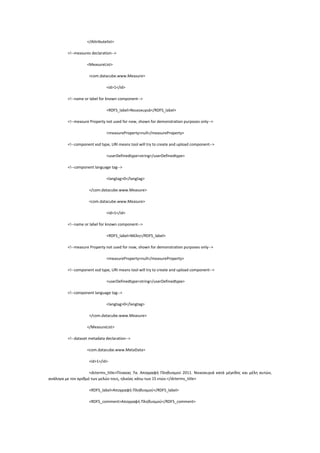
<column>C</column>
<row>55</row>
</com.excel.www.XCell>
<com.excel.www.XCell>
<column>C</column>
<row>58</row>
</com.excel.www.XCell>
<com.excel.www.XCell>
<column>C</column>
<row>61</row>
</com.excel.www.XCell>
<com.excel.www.XCell>
<column>C</column>
<row>64</row>
</com.excel.www.XCell>
<com.excel.www.XCell>
<column>C</column>
<row>67</row>
</com.excel.www.XCell>
<com.excel.www.XCell>
<column>C</column>
<row>70</row>
</com.excel.www.XCell>
</RepetitiveRange>
</repetitive_dimensions>
<!--normal_dimensions>
<Range>
<id>3</id>
<startcolumn>B</startcolumn>
<startrow>7</startrow>
<endcolumn>B</endcolumn>
<endrow>30</endrow>
<RDFS_label>http://purl.org/linked-data/sdmx/2009/dimension#refArea</RDFS_label>
<userDefinedtype>integer</userDefinedtype>
<dimensionType>0</dimensionType>
<langtag>1</langtag>
<measureType>false</measureType>
</Range>
</normal_dimensions-->
<!--declaration of the observation set as a normal range-->
<observationrange>
<id>4</id>
<!--declaration of a normal range-->
<startcolumn>D</startcolumn>
<startrow>40</startrow>
<endcolumn>J</endcolumn>
<endrow>171</endrow>
</observationrange>
<!--declaration of rows with sums-->
<sumsrow>
<rowwithsums>40</rowwithsums>
<rowwithsums>41</rowwithsums>
<rowwithsums>42</rowwithsums>
<rowwithsums>73</rowwithsums>
<rowwithsums>74</rowwithsums>
<rowwithsums>75</rowwithsums>
<rowwithsums>106</rowwithsums>
<rowwithsums>107</rowwithsums>
<rowwithsums>108</rowwithsums>
<rowwithsums>139</rowwithsums>
<rowwithsums>140</rowwithsums>
<rowwithsums>141</rowwithsums>
</sumsrow>
<!--declaration of columns with sums-->
<sumscolumn>
<columnwithsums>D</columnwithsums>
<columnwithsums>K</columnwithsums>
</sumscolumn>
</Parserparameters>
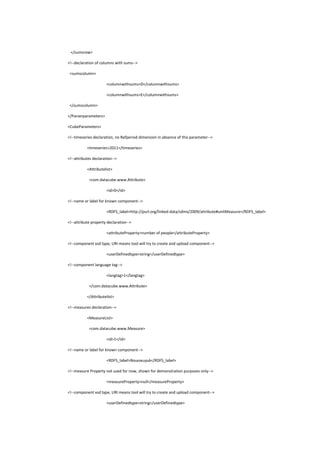
<CubeParameters>
<!--timeseries declaration, no Refperiod dimension in absence of this parameter-->
<timeseries>2011</timeseries>
<!--attributes declaration-->
<Attributelist>
<com.datacube.www.Attribute>
<id>0</id>
<!--name or label for known component-->
<RDFS_label>http://purl.org/linked-data/sdmx/2009/attribute#unitMeasure</RDFS_label>
<!--attribute property declaration-->
<attributeProperty>number of people</attributeProperty>
<!--component xsd type, URI means tool will try to create and upload component-->
<userDefinedtype>string</userDefinedtype>
<!--component language tag-->
<langtag>1</langtag>
</com.datacube.www.Attribute>
</Attributelist>
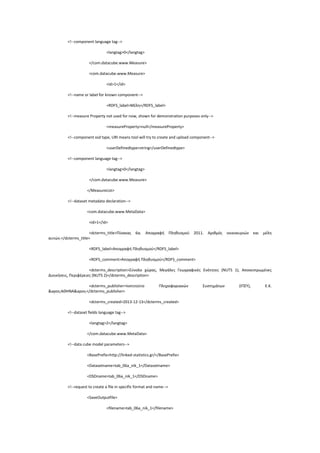
<!--measures declaration-->
<MeasureList>
<com.datacube.www.Measure>
<id>1</id>
<!--name or label for known component-->
<RDFS_label>Νοικοκυριά</RDFS_label>
<!--measure Property not used for now, shown for demonstration purposes only-->
<measureProperty>null</measureProperty>
<!--component xsd type, URI means tool will try to create and upload component-->
<userDefinedtype>string</userDefinedtype>
<!--component language tag-->
<langtag>0</langtag>
</com.datacube.www.Measure>
<com.datacube.www.Measure>
<id>1</id>
<!--name or label for known component-->
<RDFS_label>Μέλη</RDFS_label>
<!--measure Property not used for now, shown for demonstration purposes only-->
<measureProperty>null</measureProperty>
<!--component xsd type, URI means tool will try to create and upload component-->
<userDefinedtype>string</userDefinedtype>
<!--component language tag-->
<langtag>0</langtag>
</com.datacube.www.Measure>
</MeasureList>
<!--dataset metadata declaration-->
<com.datacube.www.MetaData>
<id>1</id>
<dcterms_title>Πίνακας 7α. Απογραφή Πληθυσμού 2011. Nοικοκυριά κατά μέγεθος και μέλη αυτών,
ανάλογα με τον αριθμό των μελών τους, ηλικίας κάτω των 15 ετών.</dcterms_title>
<RDFS_label>Απογραφή Πληθυσμού</RDFS_label>
<RDFS_comment>Απογραφή Πληθυσμού</RDFS_comment>
<dcterms_description>Σύνολο χώρας, Μεγάλες Γεωγραφικές Ενότητες (NUTS 1)</dcterms_description>
<dcterms_publisher>Ινστιτούτο Πληροφοριακών Συστημάτων (ΙΠΣΥ), Ε.Κ.
&apos;ΑΘΗΝΑ&apos;</dcterms_publisher>
<dcterms_created>2013-12-13</dcterms_created>
<!--dataset fields language tag-->
<langtag>2</langtag>
</com.datacube.www.MetaData>
<!--data cube model parameters-->
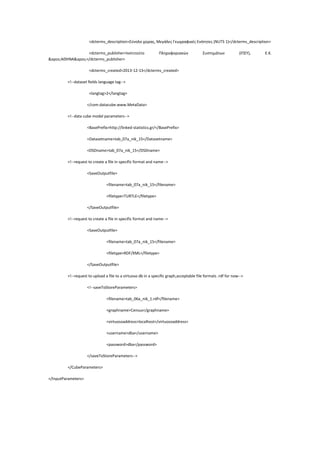
<BasePrefix>http://linked-statistics.gr/</BasePrefix>
<Datasetname>tab_07a_nik_15</Datasetname>
<DSDname>tab_07a_nik_15</DSDname>
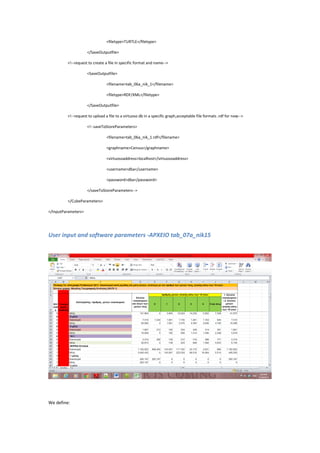
<!--request to create a file in specific format and name-->
<SaveOutputfile>
<filename>tab_07a_nik_15</filename>
<filetype>TURTLE</filetype>
</SaveOutputfile>
<!--request to create a file in specific format and name-->
<SaveOutputfile>
<filename>tab_07a_nik_15</filename>
<filetype>RDF/XML</filetype>
</SaveOutputfile>
<!--request to upload a file to a virtuoso db in a specific graph,acceptable file formats .rdf for now-->
<!--saveToStoreParameters>
<filename>tab_06a_nik_1.rdf</filename>
<graphname>Census</graphname>
<virtuosoaddress>localhost</virtuosoaddress>
<username>dba</username>
<password>dba</password>
</saveToStoreParameters-->
</CubeParameters>
</InputParameters>
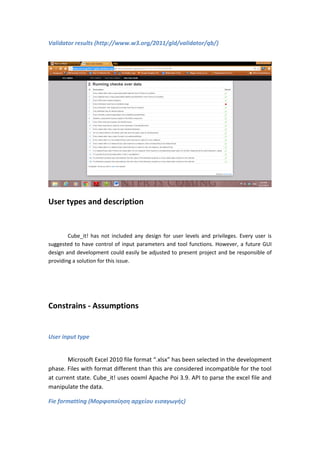
Validator results (http://www.w3.org/2011/gld/validator/qb/)
User types and description
Cube_it! has not included any design for user levels and privileges. Every user is
suggested to have control of input parameters and tool functions. However, a future GUI
design and development could easily be adjusted to present project and be responsible of
providing a solution for this issue.
Constrains - Assumptions
User input type
Microsoft Excel 2010 file format “.xlsx” has been selected in the development
phase. Files with format different than this are considered incompatible for the tool
at current state. Cube_it! uses ooxml Apache Poi 3.9. API to parse the excel file and
manipulate the data.
Fie formatting (Μορφοποίηση αρχείου εισαγωγής)
Cube_it! can only read the first sheet of an excel workbook. Possible
acceptable data structures have been discussed before (templates). It is considered
that Cube_it! offers flexibility in parsing process and can parse the majority of
existing EL.STAT. files with the appropriate user input. However, more testing could
ensure the correctness of this statement. In any case, here some “rules” are
proposed that are assumed by this software:
 Dimensions exist in rows or columns in adjacent cells.
 Dimension values exist in a continuous range, only interrupted by totals
“Σύνολο”.
 Dimension values can be mixed in vertical dimensions
Input file size (Μέγεθος αρχείου)
A known constraint to the excel file size does not exist. Cube_it! has been
tested with large excel files. However, for now, acceptable column limit for a range is
column “BZ”. This constraint can be overcome easily in possible next versions.
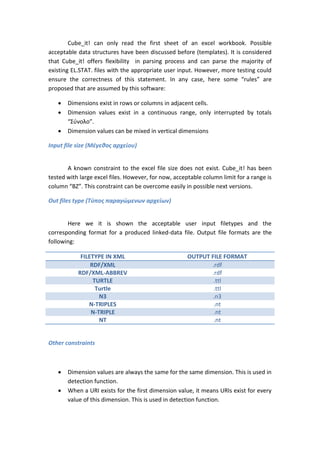
Out files type (Τύπος παραγώμενων αρχείων)
Here we it is shown the acceptable user input filetypes and the
corresponding format for a produced linked-data file. Output file formats are the
following:
FILETYPE IN XML OUTPUT FILE FORMAT
RDF/XML .rdf
RDF/XML-ABBREV .rdf
TURTLE .ttl
Turtle .ttl
N3 .n3
N-TRIPLES .nt
N-TRIPLE .nt
NT .nt
Other constraints
 Dimension values are always the same for the same dimension. This is used in
detection function.
 When a URI exists for the first dimension value, it means URIs exist for every
value of this dimension. This is used in detection function.
 A dimension has unique properties when it is not a conceptScheme. If it is a
conceptScheme, detection function searches for the concept URI and then it
uses it as feedback to bring a not unique property (prefLabel for example)
that belongs to this Scheme.
 User should not add cells for a repetitive dimension that contain a row or
column reference that may want to be ignored. This issue occurs due to
ooxml structure.
 To upload a file to a virtuoso database, user should input only .rdf files.
 Dataset metadata can only have one language tag for each field. This is
subject to change to future versions if it is necessary.
 Cube_it! can read an observation set with observations that contain one
measure or another (multiple measures, 1 measure - 1 observation) but
cannot read observations that contain multiple measures and multiple
values.
 Implementation uses measureType dimension for multiple measures.
Databases and software interaction (Βάσεις δεδομένων και
αλληλεπίδραση με το λογισμικό)
LOD database-OpenLink Virtuoso Server
Cube_it! interacts with a Virtuoso OpenLink Server in various ways. A user can
upload a produced linked data file to a virtuoso server in a selected graph. In addition,
Cube_it! searches and brings stored dimensions, measures and attributes. Future GUI could
easily provide them to the user so user can choose which of them wants to use. However,
the most valuable function is the detection function. This function queries a virtuoso store to
find literal dimension values and replace them to the dimension and to the observations.
This has introduced several problems but generally, current state can be considered
satisfying. More info on detection function can be found to Cube_it! API documentation.
relational database management system (RDBMS)
Cube_it! at current state does not offer any interaction with an RDBMS. However,
several tests have been made and such integration could work. There is an experimental
class in Cube_it! that can store and read Parsed Excel classes (dimensions and observations)
to a MySQL database in tables. In this case, parsed classes could be retrieved by the
database if selected by the user, this could act like an RDBMS import function. Furthermore,
if such case applied, user could only provide the data cube model parameters to produce
linked data:
 Metadata info
 Measures
 Attributes
 refPeriod use
 filename for output files
 filetype for output files
User interfaces ( διεπαφές χρηστών)
At the current state of the software there are no user interfaces. However
inside projects setup in eclipse there are some ScriptClasses under
com.ScriptClasses.www package, used for transformation of real EL.STAT. data.
These classes are named after the filename of the Excel file that has been
transformed each time and can serve as tutorials for the API. It is expected that an
xml build file will be delivered along with this report.
Diagrams
A pdf diagram, describing the IMIS URI scheme is included to the project, handed
over by Irene Petrou. Class diagrams are given as external JPEG files. Diagrams have been
created inside Eclipse environment with objectaid class diagram
plugin(http://www.objectaid.com/). Class diagrams show the main classes of the API (can
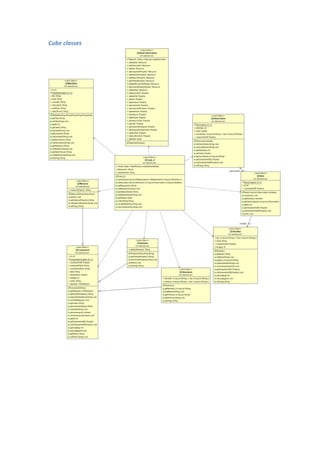
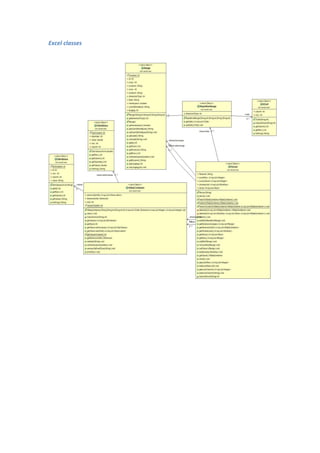
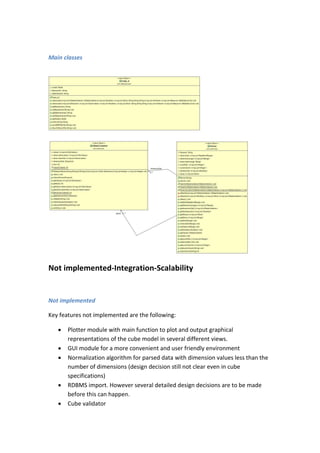
be seen also as interface classes), Cube_it, Parser and HDataContainer, classes created for
Excel manipulation and classes created for the data cube model. Finally diagrams with all
classes are given showing cardinality.
Cardinality
Methods
Cube classes
Excel classes
Main classes
Not implemented-Integration-Scalability
Not implemented
Key features not implemented are the following:
 Plotter module with main function to plot and output graphical
representations of the cube model in several different views.
 GUI module for a more convenient and user friendly environment
 Normalization algorithm for parsed data with dimension values less than the
number of dimensions (design decision still not clear even in cube
specifications)
 RDBMS import. However several detailed design decisions are to be made
before this can happen.
 Cube validator
 User input error checks exist but this section needs improvement. This could
be included in GUI design.
On parsing:
 Horizontal mixed structure and hierarchical mixed structure
 Possible excel plugin
 Multiple cells observations
On detection
 Correction on some values that URIs are missing
 Use of “dirty names” (dimension value:10 + equals ten plus that has URI etc.)
Inside the data cube model:
 Multiple labels option on the cube label fields
 Some fields in qb schema not used (optional, etc.)
Integration-Scalability
Cube_it! with minor improvements and new design for extra modules (GUI,
plotter) could be integrated to software that transforms excel OLAP cubes to linked
data in a convenient automated way. Existing data structures have not introduced
severe problems so scaling normally would work fine. Performance issues did not
exist except the upload to virtuoso function(seems to be time consuming) which is
suggested to be changed using another way of uploading the data and the detection
function that is subject to change for further improvement.

Cube_it!_software_report_for_IMIS

  • 1.
    CUBE_IT! DECEMBER 2013 Version 1.03 IPSY-IMISATHENA TARARAS KONSTANTINOS ΤΑΡΑΡΑΣ ΚΩΝΣΤΑΝΤΙΝΟΣ LEONARDO DA VINCI TRAINEE
  • 2.
    Contents Introduction-software scope..................................................................................................... 4 ExcelOLAP Cubes................................................................................................................... 4 The Data Cube Vocabulary (http://www.w3.org/TR/vocab-data-cube/)............................. 5 Cube_it!- problem description and software state................................................................ 6 Similar software implementations ........................................................................................ 6 Stats2RDF........................................................................................................................... 7 Anzo Express...................................................................................................................... 7 Tablinker............................................................................................................................ 7 How to use Cube_it!.................................................................................................................. 7 Software Functions – Λειτουργίες λογισμικού...................................................................... 7 Abstract problem solving..................................................................................................... 10 Using Cube_it!-Function logic – ανάλυση............................................................................... 13 Step 1: global variables ....................................................................................................... 13 Step 2: excel parameters, definitions and user-input.......................................................... 13 Dimension types.............................................................................................................. 13 Normal dimension and parameters: ............................................................................... 14 Repetitive dimension and parameters:........................................................................... 14 Dataset(observations) and Parameters........................................................................... 15 Totals-rows and columns................................................................................................. 15 Slices................................................................................................................................ 16 Step 3: Input files-Parsing analysis...................................................................................... 16 Step 4: Dimension Detection, normalization analysis ......................................................... 17 Step 5: Input data for the data cube model ........................................................................ 19 User input to make the data cube model and write it to a file....................................... 19 Metadata for the cube dataset ....................................................................................... 19 Measures......................................................................................................................... 19 Attributes......................................................................................................................... 20 Data cube parameters..................................................................................................... 20 Step 6: making the cube analysis ........................................................................................ 20 Step 7: storing files, upload to Open-link virtuoso store ..................................................... 21 User input to write a specific newly created data cube model to a file.......................... 21 User input to write a specific newly created data cube model file to a virtuoso store .. 21 XML properties .................................................................................................................... 21
  • 3.
    Installation (libraries,environment,OS)................................................................................... 22 ELSTATcase studies-with properties.xml use ......................................................................... 23 User input and software parameters-ΑΡΧΕΙΟ tab_01_sex_mar4....................................... 23 User input and software parameters -ΑΡΧΕΙΟ tab_06b_nik_1........................................... 29 User input and software parameters -ΑΡΧΕΙΟ tab_07a_nik15........................................... 36 User types and description...................................................................................................... 47 Constrains - Assumptions........................................................................................................ 47 User input type .................................................................................................................... 47 Fie formatting (Μορφοποίηση αρχείου εισαγωγής)........................................................... 47 Input file size (Μέγεθος αρχείου)........................................................................................ 48 Out files type (Τύπος παραγώμενων αρχείων) ................................................................... 48 Databases and software interaction (Βάσεις δεδομένων και αλληλεπίδραση με το λογισμικό)................................................................................................................................ 49 LOD database-OpenLink Virtuoso Server ............................................................................ 49 relational database management system (RDBMS) ........................................................... 49 User interfaces ( διεπαφές χρηστών)...................................................................................... 50 Diagrams.................................................................................................................................. 50 Cardinality ........................................................................................................................... 51 Methods............................................................................................................................... 52 Cube classes......................................................................................................................... 53 Excel classes......................................................................................................................... 54 Main classes ........................................................................................................................ 55 Not implemented-Integration-Scalability................................................................................ 55
  • 4.
    Introduction-software scope Excel OLAPCubes OLAP cubes in general are considered conceptual representations of tabular multidimensional data, often used for analysis. A nice analogy could be made with Rubik's cube for better understanding of the concept. Certain operations can be applied to OLAP cubes indicatively: Dice, Drill down/up, roll up, pivot, slicing. Analysis of cube operations is beyond the scope of this document. Usually OLAP cubes use an RDBMS to store its information. However, a lot of excel files contain a tabular structure (possibly created by a db) to represent this concept. Following figure shows an excel three dimensional (Area code, Sex, Marital Status) OLAP cube example from census data published at the web site of Hellenic Statistical Authority.
  • 5.
    The Data CubeVocabulary (http://www.w3.org/TR/vocab-data-cube/) From paper abstract: “There are many situations where it would be useful to be able to publish multi- dimensional data, such as statistics, on the web in such a way that it can be linked to related data sets and concepts. The Data Cube vocabulary provides a means to do this using the W3C RDF (Resource Description Framework) standard. The model underpinning the Data Cube vocabulary is compatible with the cube model that underlies SDMX (Statistical Data and Metadata eXchange), an ISO standard for exchanging and sharing statistical data and metadata among organizations. The Data Cube vocabulary is a core foundation which supports extension vocabularies to enable publication of other aspects of statistical data flows or other multi-dimensional data sets.”
  • 6.
    Cube_it!- problem descriptionand software state. Main purpose of the software was combining these two concepts to create linked data from existing statistical datasets (specifically census data published in excel files by Hellenic Statistical Authority-EL.STAT.). This way transformation of datasets in linked data is faster, automated and uses already known components, terms and ontologies defined elsewhere in the web. The software has been used to create linked data files that are to be published at linked-statistics.gr, so it could contribute to further development of an IMIS ongoing project at research Institute “Athena”. Software has been developed during my Leonardo Da Vinci traineeship placement at IMIS, research Institute “Athena”, July- December 2013, Athens, Greece. Software has not come to a finite state and is not considered completed. Certain new operations could be introduced in the future. In addition, software lacks GUI and build set-up. Viewed from the View-Controller design pattern, the implemented software part could be considered to be the model and part of the controller (see following figure), or in another aspect, it could be considered to be an API of a converter and it could be offered as such. Similar software implementations Indicatively, following projects are known to the author to have similar functions and objective (RDF production of excel tabular data using the Data Cube Vocabulary):  Ontowiki extension Stats2RDF (http://en.wikipedia.org/wiki/OntoWiki, http://dl-learner.org/Projects/Stats2RDF#h13390-5)  AnzoExpress Excel plugin(http://www.cambridgesemantics.com/el/products/anzo-express)  TabLinker(https://github.com/Data2Semantics/TabLinker/wiki)
  • 7.
    Stats2RDF  SCOVO vocabularyolder than data cube  Csv files  Onto-wiki plug-in  Low parsing logic Anzo Express  Excel plugin  High parsing logic  No vocabularies used Tablinker  High parsing logic  Python implementation  Uses data cube vocabulary  Part of Data2Semantics project How to use Cube_it! Software Functions – Λειτουργίες λογισμικού Cube_it! Supports* the following functions (further development would include them in a wizard-style software tool): 1. Select, import and use of a MySQL set-up database to be transformed to linked data using the data cube vocabulary. ** 2. Import (and presentation*) of an excel (.xlsx format) file to be transformed to linked data using the data cube vocabulary. 3. Template selection so the software can parse and transform almost any kind of structure format of an excel (.xlsx) file. The available template structures
  • 8.
    suggested are threeand in the following lines one example is presented for each one.  Template 1- mainstream case  Template 2 (Truth table alike)  Template3 (Hierarchical structure, mixed structure) 4. Adding and removing an excel “normal” dimension and its metadata and necessary fields that are explained to the next section of the document.
  • 9.
    5. Adding andremoving an excel “repetitive" dimension and its metadata and necessary fields that are explained to the next section of the document. 6. Optional use of language tag in cube components at the output file. 7. Use of label tag and datatype (also defined as range) in cube components at the output file. 8. Optional use of time dimension at the output file. This function can be used in files that do not contain timeseries (for example statistical indexes), mainly for versioning. 9. Adding and removing an observation set for each transformation. 10. Known dimensions presentation. Here we assume that known dimension are included to the Virtuoso set-up Store that communicates with Cube_it!. 11. Dimension values detection and reuse. 12. Dimension definition detection and reuse in observations. Definition suggests the name of a known dimension defined elsewhere (for example sdmx:refArea). 13. Optional adding, removing and use of slices (subsets) and slicekeys. 14. Optional use of language tag for each slicekey at the output file. 15. Slices values detection and reuse in observations. 16. Optional input of excel rows and columns that the user does not wish to be used to the file parsing. 17. Parsing function in order to read and process the input excel file values. 18. Normalization function to be used in cases of observations existence that lack values from a certain dimension. This is not a trivial case but can be easily produced from “bad” input (for example sum rows or columns are not given so they can be omitted) or from a “bad” excel file (for example one dimension has blank values, has not consecutive values) 19. Adding and removing multiple measures. 20. Measure definition detection and reuse. Definition suggests the name of a known measure defined elsewhere (for example sdmx-measure:occupation). 21. Use of measureType dimension for parsing of files that contain observations with different measures 22. Adding and removing multiple attributes. 23. Attribute definition detection and reuse. Definition suggests the name of a known measure defined elsewhere (for example sdmx- attribute:unitMeasure). 24. Adding and removing the domain name (URI) of the output model 25. Adding and removing a dataset name 26. Adding and removing dataset metadata 27. Optional use of language tag for dataset metadata at the output file 28. Adding and removing DataStructureDefinition name 29. Optional use of language tag for DataStructureDefinition at the output file 30. Optional storage of the produced DSD** 31. Format selection for the output file RDF/XML,RDF/XML-ABBREV,TURTLE,N- triples)
  • 10.
    32. Optional storageof produced linked data files to the Virtuoso set-up Store that communicates with Cube_it!(endpoint). 33. Cube_it! function to create the data cube model using user defined parameters and to write it to linked data files at the selected format. 34. Upload function to upload the output data cube model to the Virtuoso set-up Store that communicates with Cube_it!(endpoint). 35. Printing function that prints messages to a “logfile” for debugging, presentation and tracing purposes. 36. Restart function to create new model through wizard.** 37. Visualizations (graphs, charts, etc.) of data.** *:description includes not implemented functions **:not implemented function ***:Removing method not implemented. However implementation is only trivial and can be done at a later stage very quickly. Abstract problem solving Here, high level logical steps are introduced to present an “implementation free” solution of the problems the software has to deal with: 1. Get input file 2. Connect to a triple store 3. Suggest user known dimensions, to select from 4. Get user input for excel input file a. Dimension ranges and parameters b. Observation range c. Slices (optional) d. Rows and columns to avoid (optional) 5. Parse the file a. Read excel values according to the file structure (template) b. Create structures for dimensions, observation set c. Match them d. Create “dimension less” observation set 6. Detect dimension values a. Connect to a triple store b. Query database for known values that match with your dimension values c. If any values match suggest user to replace them with known values (URIs) appropriately d. If any replacement has been done, replace these values in observation set also.
  • 11.
    e. If chosenfrom the user try to upload the appropriate dimensions 7. Connect to a triple store 8. Suggest user known attributes, measures, to select from 9. Get user input for the data cube model a. Global variables b. Metadata parameters for the dataset of our model c. Measures d. Attributes e. Domain name of the model (the base prefix) f. The data cube model dataset name g. The data cube model Data Structure Definition name 10. Create our data cube model a. Create an empty model b. Create a Data Cube schema c. Create Dataset resource d. Create Data Structure Definition resource e. Detect and replace known measures and attributes if such values exist f. Try to upload measures and attributes g. Give Dataset appropriate properties h. Check if model refPeriod dimension will be used according to user’s choice i. Create components-resources j. Give components appropriate properties k. Give DataStructureDefinition appropriate properties and resources l. Create observations m. Give observations appropriate properties and resources n. Print out the model and appropriate messages 11. Save model to a file in selected name and linked data format(optional) 12. Upload selected linked data file to a selected graph in a selected Triple Store(optional)
  • 12.
    ***Plotter and GUInot implemented. PARSER PAINTER-PLOTTER*** Cube_it CUBEIT! MAIN COMPONENTS Structured data triples USER INPUT: Excel file, dimension ranges and parameters, observations range, slices, sum rows and columns to avoid USER INPUT: Cube parameters USER INPUT: Data selection, views, calculations OUTPUT: The specific model OUTPUT: Graphs and plotsGUI*** USER INPUT: Request to save the model in a file and to upload it to a triple store with appropriate parameters
  • 13.
    Using Cube_it!-Function logic– ανάλυση In this section, software parameters are described along with example input for the excel file that represents the tabular data that have been used for the data cube vocabulary description (http://www.w3.org/TR/vocab-data-cube/), having one extra dimension to show the language tag parameter usage. Step 1: global variables 1. String: Filename ("cubetestfile.xlsx") 2. Integer: Timeseries(0, 2013, 2001)-0 is the default value. By default no refPeriod dimension will be used. 3. This variable is responsible for the metadata language tag of the data cube model. Integer: Languagetag(0,1,2)- 0 is the default value. By default no xml language tag will be used. Range:[0,2]  1 will be used for English language option  2 for Greek language option. 4. String: Filename-filetype for lod output(test.ttl)  Filename=test  ttl=filetype Step 2: excel parameters, definitions and user-input Dimension types  Normal dimension  Repetitive dimension
  • 14.
    Normal dimension andparameters:  String: Dimension name-Label(Location)  String: Starting Excel Column(“A”)- Range:[A,BZ]  Integer: Starting Excel Row(4)  String: Ending Excel Column(“A”)-Range:[A,BZ]  Integer: Ending Excel Row(7)  Integer: Languagetag(0,1,2)- 0 is the default value. By default no xml language tag will be used. Range:[0,2]  1 will be used for English language option  2 for Greek language option.  Dimension datatype(string)- Range:{string, integer, date, datetime, double, URI}. Last option (“URI”) means that user wants Cube_it! to try to store this dimension to the Triple Store (upload it) in a Skos:ConceptScheme form.  Integer: Dimensiontype (1,2,3). This parameter defines the dimension structure in excel. 1 is for normal dimensions (discrete or repetitive), 2 for mixed structure (template 3) and 3 for mixed structure with hierarchical dimensions (template 3).  Method:boolean setMeasureType(). Default value is FALSE.  This method is set to true when a dimension is chosen to be of type qb:MeasureType Repetitive dimension and parameters:  Dimension name-Label(Sex)
  • 15.
     Starting ExcelColumn(“B”) -Range:[A,BZ]  Starting Excel Row(3)  Ending Excel Column(“M”) -Range:[A,BZ]  Ending Excel Row(3)  Dimension datatype (string)- Range:{string, integer, date, datetime, double, URI}. Last option (“URI”) means that user wants Cube_it! to try to store this dimension to the Triple Store (upload it) in a Skos:ConceptScheme form.  Integer: Languagetag(0,1,2)- 0 is the default value. By default no xml language tag will be used. Range:[0,2] o 1 will be used for English language option o 2 for Greek language option.  Cells with discrete dimension values. Each cell is defined by the following parameters (2 cells are defined here): o String: Excel Column(“B”) -Range:[A,BZ] o Integer: Excel Row(3) and o String: Excel Column(“E”) -Range:[A,BZ] o String: Excel Row(3)  Integer: Dimensiontype (1,2,3). This parameter defines the dimension structure in excel. 1 is for normal dimensions (discrete or repetitive), 2 for mixed structure (template 3) and 3 for mixed structure with hierarchical dimensions (template 3).  Method:boolean setMeasureType(). Default value is FALSE This method is set to true when a dimension is chosen to be of type qb:MeasureType Dataset(observations) and Parameters  Starting Excel Column(“B”) -Range:[A,BZ]  Starting Excel Row(4)  Ending Excel Column(“M”) -Range:[A,BZ]  Ending Excel Row(7) Totals-rows and columns Since cubes can construct totals and sums we need to filter the dataset from totals and sums giving in some input. Parameters for this are whole rows and columns. At this example, totals and sums do not exist. If needed we would provide for example:  Excel Totals Column(“N”) -Range:[A,BZ]  Excel Totals Row(8)
  • 16.
    Slices At this pointthe software has everything it needs to parse the excel file. However, a user may want to manipulate only a subset of the dataset so there is an option to slice data and use slices to create lod data. For this, following parameters would be needed:  String slicekey name(“bysex”)  Integer: Languagetag(0,1,2)- 0 is the default value. By default no xml language tag will be used. Range:[0,2] o 1 will be used for English language option o 2 for Greek language option.  String: Keyelement(“Male”)  Several key elements can be added as long as they exist in dimensions Warning! : Slicing function has to be done before parsing or else parsing function should be applied again. Step 3: Input files-Parsing analysis Next step after defining parameters for parsing is to use the parse function. At this section the logic of parsing is given. What we have gathered so far is some ranges (also mentioned as dimension definitions) along with some parameters (languagetag etc.) bound to them, a range for the observation set, rows and columns to avoid and possibly slices that are defined by slicekeys. A “parser” class (see API documentation) is responsible to read all the data using the java Apache POI API(http://poi.apache.org/) and output the appropriate structures that will be used by the data cube model creation class named “Cube_it” to create the specific data cube model. “Parser” class reads the defined dimensions and stores them appropriately, then reads the observation set and stores it and then has to make a matching between them. Until now observations only have a value. However, we want them to contain and dimension values, to make them dimensionless so we can build our model. Matching is done by storing excel coordinates (row and column) for dimension values and observations. When we find a row or column common to a dimension value and a specific observation we add to this observation, this dimension value. This is of course the trivial case (template 1). In some cases, dimension values only exist in a cell but are meant to exist in series of cells. Following figure clearly shows this case. Cells C28, C31, C34, C37, C40 (in blue) are dimension values of a dimension and each one of them should be propagated to
  • 17.
    next rows untilwe find another dimension value (for example value of cell C29 should be propagated to observations in rows 29,30 since C31 has another dimension value) . This is why repetitive ranges are introduced and templates are used. Problem is solved if we adapt template 3 structure and give appropriate ranges. In a future GUI, user would only have to select template three and select that the two dimensions in column C are in mixed structure. Template 3 also includes the structure that dimensions are mixed and are hierarchical (one dimension value of one of the dimensions can only exist inside a dimensions value of another dimension) More information on implementation matching algorithm can be found to the API documentation. A case to use the template 2 structure has not been met but anyway, matching algorithm does not differ from template 1 solution. Template 2 is introduced only to separate all possible excel structure cases. Step 4: Dimension Detection, normalization analysis Dimension Detection function is of utmost importance and implementation proved to be complex and a bit buggy. Last implementation updates have solved a lot of problems but this function is suggested to be reviewed and improved further if possible (function has been thoroughly tested with existing dimension and properties but new dimensions may introduce unpredictable problems(?) ). In any case, here will be described the “abstract” algorithm for the dimension detection. Further information can be found in the API documentation. It should be mentioned that most problems that may occur are due to:  the jdbc Driver API and its cooperation with Virtuoso  “bad” dimension values The steps to complete dimension detection are the following: 1. Create a virtuoso graph set 2. Connect to virtuoso server
  • 18.
    3. Get thefirst value of the dimension to bring every property that has as object the dimension value 4. Check if value is numeric or string to make the appropriate query 5. If there is no response consider this dimension not known 6. If there is response, present these properties to the user to select appropriate property 7. Get requested property and subject 8. Check with the subject to see if the dimension value found belongs to any ConceptScheme 9. If it does not belong, query for every dimension value with selected property and value as the object and if there is a result replace the dimension value with the subject. 10. If dimension value belongs to a ConceptScheme, find the URI of the concept 11. Query for every dimension value with selected property and value as the object and filter responses that contain as subject the URI concept scheme. 12. For every dimension value replaced, replace also the observations that contain it with the appropriate URI. Comment: Concept Scheme is involved because in this case a property (for example prefLabel) and a value (for example “3”) can be common for more than one dimensions (for example for age dimension and family members dimension). Otherwise, this cannot happen because an existing ontology already describes the dimension, so property is unique (for example IMIS defined property http://linked-statistics.gr/ontology/admin-division/2011#hasCode is unique). Normalization function is an implemented but not used function crucial for the produced linked data file to pass data cube integrity constraints. There are cases in which some of the Cube_it! produced observations lack dimension values of a specific dimension that is used in our model and these dimensions are included in the Data Structure Definition, although this outcome makes our file invalid from the W3C validator for the data cube vocabulary. The reasons this may happen are mentioned in the software function section. However, this function is not used for now, because there is not such a strict rule in the proposal that suggests what has to be done with these observations. Should software reject them? It would be an easy ok if we would not have taken into account that some excel file have “bad” dimension data and the only way to make them linked data is to accept them in that way. Should software automatically insert a conventional dimension value (“blank” for example)? What if there are more than one dimension that are not used? Answer is open. Function has to be reviewed in further development life-cycles. Following figure clearly shows a case in which normalization would be needed. Dimension values in orange would normally represent 3 dimensions one in each row or a hierarchical one. In the first case, 1 dimension would be {foreign country,not}, 2nd Continents dimension {E.U. members,Africa, non E.U. members in Europe, Caribbean, South or Central America, North America, Asia, Oceania } 3rd Countries dimension {countries…}. However, in merged cells AG4, AG5, only one dimension value is given, the Continents dimension value. This kind of “bad” dimension
  • 19.
    data are frequentlyfound in EL.STAT. excel files so a solution should be found and applied, hopefully with the use of normalize function. Step 5: Input data for the data cube model User input to make the data cube model and write it to a file Metadata for the cube dataset  String: Title(“life expectancy”)  String: label(“life expectancy”)  String: comment(“life expectancy within Welsh Unitary Authorities-extracted from Stats Wales”)  String: description(“life expectancy within Welsh Unitary Authorities-extracted from Stats Wales”)  String: publisher(“the publisher”)  String: dateofIssue(“2013/11/08”)  Integer: Languagetag(0,1,2)- 0 is the default value. By default no xml language tag will be used. Range:[0,2] o 1 will be used for English language option o 2 for Greek language option. Measures  String: Label(“lifeExpectancy”)
  • 20.
     String: datatype(integer)-Range:{string, integer, date, datetime, double, URI}. Last option (“URI”) means that user wants Cube_it! to try to store this measure to the Triple Store (upload it).  Integer: Languagetag(0,1,2)- 0 is the default value. By default no xml language tag will be used. Range:[0,2] o 1 will be used for English language option o 2 for Greek language option. Attributes  String: Label(“unitMeasure”)  String: AttributeProperty(“Years”)  String: datatype(integer)- Range:{string, integer, date, datetime, double, URI}. Last option (“URI”) means that user wants Cube_it! to try to store this attribute to the Triple Store (upload it).  Integer: Languagetag(0,1,2)- 0 is the default value. By default no xml language tag will be used. Range:[0,2] o 1 will be used for English language option o 2 for Greek language option. Data cube parameters  String: BasePrefix(“http//:www.linked-statistics.gr”)  String:Datasetname(“dataset1”)  String:DataStructureDefinitionName(“d13”) Step 6: making the cube analysis The cube_it class is responsible to create our data cube model from scratch. First creates an empty model that will be filled with our structured data and a data cube schema to uses its properties and resources. Dataset and Data Structure Definition resources are created. Then detects known measures and attributes and if a user has selected appropriate option (URI option) and no URI has been found by detection, uploads the selected measures and attributes. Dataset is given its properties and their values. Next step is a check to use refPeriod dimension or not, defined by Timeseries variable. Components (dimensions, measures and attributes) are initialized (given their appropriate properties) and added to the DSD. Components can be separated to 4 different categories (cases).  Components with known URI but component values with no URI.
  • 21.
     Components withknown URI and component values with URI.  Components with no known URI but component values with URI.  Components with no known URI and component values with no URI. Observation resources are created and dimensions resources are used to be assigned to observations along with measure resource. Attribute has been chosen to be assigned to the dataset. URIs patterns have been used according to the IMIS URI scheme. Language tags have been used for label objects. Further information can be found in the API documentation. Step 7: storing files, upload to Open-link virtuoso store User input to write a specific newly created data cube model to a file  String: filename (“the data_cube example”).  String filetype (“TURTLE”), [RDF/XML,RDF/XML-ABBREV,TURTLE, N-TRIPLE, N3]. User input to write a specific newly created data cube model file to a virtuoso store  String: filename (“the data_cube example.rdf”).  String: graphname(“the_data_cube_example”)  String:virtuosoaddress(“localhost”)  String:username(“dba”)  String:password(“dba”) XML properties Last software update has made possible the use of an xml to define parameters mentioned above only in one file called properties.xml. Next step is to run XML_input_Main_App class to use the tool. Parameters names have several changes so this style of running will be explained to the next section(ELSTAT case studies) through 3 real examples with el.stat. files.
  • 22.
    Installation (libraries,environment,OS) Cube_it! hasbeen developed in Java OOP language, Eclipse environment, windows. It uses the following well known APIs:  Java Apache POI 3.9 API  Java Jena API 2.11.0 API  Virtuoso Jena jdbc driver API  org.w3c.dom API for xml parsing All necessary jar files can be found to a lib file in the project files. Project can be used in various platforms through java portability. XML_input_Main_App is the running class of the project. Cube_it! is delivered in a compressed .rar file.
  • 23.
    ELSTAT case studies-withproperties.xml use User input and software parameters-ΑΡΧΕΙΟ tab_01_sex_mar4 We define:  3 dimensions 1. Normal dimension: geographical code(red), with cells range (B9-B1328), type integer, no language tag will be used since we deal with numbers (0), normal structure. We choose to use well known dimension sdmx-dimension:refArea. We set measureType to false. 2. Repetitive dimension: sex (yellow), with cells range (D6-R6), type String, language tag: 2 (greek), repetitive dimension normal structure. We choose to use well known dimension sdmx-dimension:sex. We set measureType to false.We define 3 cells (E6, J6, R6) that contain the discrete values. Warning! : if we define a cell that exists in a row or column that contains sums (D6 for example) AND we define the specific row or column in sums section in xml, it will not work (value will not be read). More info for this on constrains section. 3. Repetitive dimension: marital status (green), with cells range (D7-R7), type String, language tag: 1(english), repetitive dimension normal structure. We choose to use dimension defined to IMIS “Athena” http://linked-statistics.gr/ontology/qb- components#maritalStatusDimension. We set measureType to false. We define 4 cells (E7, F7, G7, H7) that contain the discrete values.  1 observation set: range (D9-R1328)  Columns with sums to be avoided: D,I,N.  Metadata parameters  1 attribute  1 measure  Other data cube parameters as found below XML input used to run the program:
  • 24.
    <?xml version="1.0" encoding="UTF-8"?> <InputParameters> <Parserparameters> <!--nameof the excel file to be read--> <filename>Tab_01_sex_mar4.xlsx</filename> <repetitive_dimensions> <!--declaration of a repetitive dimension--> <RepetitiveRange> <id>1</id> <!--declaration of a repetitive range--> <startcolumn>D</startcolumn> <startrow>6</startrow> <endcolumn>R</endcolumn> <endrow>6</endrow> <!--dimension name or label for known dimensions--> <RDFS_label>http://purl.org/linked-data/sdmx/2009/dimension#sex</RDFS_label> <!--dimension xsd type, URI means tool will try to create and upload component--> <userDefinedtype>string</userDefinedtype> <!-- repetitive dimension normal structure--> <dimensionType>1</dimensionType> <!--dimension language tag--> <langtag>2</langtag> <!--measureType dimension declaration--> <measureType>false</measureType> <!--dimension cells declaration--> <com.excel.www.XCell> <column>E</column> <row>6</row> </com.excel.www.XCell> <com.excel.www.XCell> <column>J</column> <row>6</row> </com.excel.www.XCell> <com.excel.www.XCell> <column>O</column>
  • 25.
    <row>6</row> </com.excel.www.XCell> </RepetitiveRange> <!--declaration of arepetitive dimension--> <RepetitiveRange> <id>2</id> <!--declaration of a repetitive range--> <startcolumn>D</startcolumn> <startrow>7</startrow> <endcolumn>R</endcolumn> <endrow>7</endrow> <!--dimension name or label for known dimensions--> <RDFS_label>http://linked-statistics.gr/ontology/qb- components#maritalStatusDimension</RDFS_label> <!--dimension xsd type, URI means tool will try to create and upload component--> <userDefinedtype>string</userDefinedtype> <!-- repetitive dimension normal structure--> <dimensionType>1</dimensionType> <!--dimension language tag--> <langtag>1</langtag> <!--measureType dimension declaration--> <measureType>false</measureType> <!--dimension cells declaration--> <com.excel.www.XCell> <column>E</column> <row>7</row> </com.excel.www.XCell> <com.excel.www.XCell> <column>F</column> <row>7</row> </com.excel.www.XCell> <com.excel.www.XCell> <column>G</column> <row>7</row> </com.excel.www.XCell> <com.excel.www.XCell>
  • 26.
    <column>H</column> <row>7</row> </com.excel.www.XCell> </RepetitiveRange> </repetitive_dimensions> <normal_dimensions> <!--declaration of anormal dimension--> <Range> <id>3</id> <!--declaration of a normal range--> <startcolumn>B</startcolumn> <startrow>9</startrow> <endcolumn>B</endcolumn> <endrow>1328</endrow> <!--dimension name or label for known dimensions--> <RDFS_label>http://purl.org/linked-data/sdmx/2009/dimension#refArea</RDFS_label> <!--dimension xsd type, URI means tool will try to create and upload component--> <userDefinedtype>integer</userDefinedtype> <!-- normal dimension normal structure--> <dimensionType>0</dimensionType> <!--dimension language tag--> <langtag>0</langtag--> <!--measureType dimension declaration--> <measureType>false</measureType> </Range> </normal_dimensions> <!--declaration of the observation set as a normal range--> <observationrange> <id>4</id> <!--declaration of a normal range--> <startcolumn>D</startcolumn> <startrow>9</startrow> <endcolumn>R</endcolumn> <endrow>1328</endrow> <langtag>1</langtag>
  • 27.
    </observationrange> <!--declaration of rowswith sums--> <!--!sumsrow> <rowwithsums>null</rowwithsums> </sumsrow--> <!--declaration of columns with sums--> <sumscolumn> <columnwithsums>D</columnwithsums> <columnwithsums>I</columnwithsums> <columnwithsums>N</columnwithsums> </sumscolumn> <!--Slices example declaration> <slice> <slicename>singles living within refArea with code 1110201</slicename> <slicekey>Άγαμοι</slicekey> <slicekey>1110201</slicekey> <langtag>1</langtag> </slice> </Slices--> </Parserparameters> <CubeParameters> <!--timeseries declaration, no Refperiod dimension in absence of this parameter--> <timeseries>2011</timeseries> <!--attributes declaration--> <Attributelist> <com.datacube.www.Attribute> <id>0</id> <!--name or label for known component--> <RDFS_label>http://purl.org/linked-data/sdmx/2009/attribute#unitMeasure</RDFS_label> <!--attribute property declaration--> <attributeProperty>number of people</attributeProperty> <!--component xsd type, URI means tool will try to create and upload component--> <userDefinedtype>string</userDefinedtype> </com.datacube.www.Attribute> </Attributelist>
  • 28.
    <!--measures declaration--> <MeasureList> <!--name orlabel for known component--> <com.datacube.www.Measure> <id>1</id> <!--name or label for known component--> <RDFS_label>http://linked-statistics.gr/ontology/qb- components#populationMeasure</RDFS_label> <!--measure Property not used for now, shown for demonstration purposes only--> <measureProperty>null</measureProperty> <!--component xsd type, URI means tool will try to create and upload component--> <userDefinedtype>integer</userDefinedtype> </com.datacube.www.Measure> </MeasureList> <!--dataset metadata declaration--> <com.datacube.www.MetaData> <id>1</id> <dcterms_title>Μόνιμος Πληθυσμός κατά φύλο και οικογενειακή κατάσταση</dcterms_title> <RDFS_label>Απογραφή Πληθυσμού</RDFS_label> <RDFS_comment>Απογραφή Πληθυσμού</RDFS_comment> <dcterms_description>Σύνολο χώρας, Περιφερειακές Ενότητες, Δήμοι, Δημοτικές Ενότητες</dcterms_description> <dcterms_publisher>Ινστιτούτο Πληροφοριακών Συστημάτων (ΙΠΣΥ), Ε.Κ. &apos;ΑΘΗΝΑ&apos;</dcterms_publisher> <dcterms_created>2013-12-13</dcterms_created> <!--dataset fields language tag--> <langtag>1</langtag> </com.datacube.www.MetaData> <!--data cube model parameters--> <BasePrefix>http://linked-statistics.gr/</BasePrefix> <Datasetname>Tab_01_sex_mar4</Datasetname> <DSDname>Tab_01_sex_mar4</DSDname> <!--request to create a file in specific format and name--> <SaveOutputfile> <filename>Tab_01_sex_mar4</filename> <filetype>TURTLE</filetype> </SaveOutputfile>
  • 29.
    <!--request to createa file in specific format and name--> <SaveOutputfile> <filename>Tab_01_sex_mar4</filename> <filetype>RDF/XML-ABBREV</filetype> </SaveOutputfile> <!--request to upload a file to a virtuoso db in a specific graph,acceptable file formats .rdf for now--> <saveToStoreParameters> <filename>Tab_01_sex_mar4.rdf</filename> <graphname>Census</graphname> <virtuosoaddress>localhost</virtuosoaddress> <username>dba</username> <password>dba</password> </saveToStoreParameters> </CubeParameters> </InputParameters> User input and software parameters -ΑΡΧΕΙΟ tab_06b_nik_1 We define:  3 dimensions 1. Normal dimension: geographical code (red), with cells range (B7-B30), type integer, no language tag will be used since we deal with numbers (0), normal structure. We choose to use well known dimension sdmx-dimension:refArea. We set measureType to false.
  • 30.
    2. Repetitive dimension:measureType (pale green, pale red), with cells range (F5-Y5), type String, language tag: 2 (greek), repetitive dimension normal structure. In this case we can put anything as dimension name. Tool is responsible to detect this is a measureType dimension by measureType parameter. We set measureType to true. We define 2 cells (F5, G5) that contain the discrete values. Warning! : More than one measure has to be defined in this case. In addition, measure labels have to be defined externally (not read in excel), written exactly as they are found in measureType dimension in excel. 3. Repetitive dimension: household size (yellow), with cells range (F4-Y4), type String, language tag: 1(english), repetitive dimension normal structure. We choose to use dimension defined to IMIS “Athena” http://linked-statistics.gr/ontology/qb- components#householdSizeDimension . We set measureType to false. We define 10 cells (F4, H4, J4, L4, N4, P4, R4, T4, V4, X4) that contain the discrete values.  1 observation set: range (D7-Y30)  Columns with sums to be avoided: D, E.  Metadata parameters  1 attribute  2 measures with labels exactly the same with values found in excel.  Other data cube parameters as found below XML input used to run the program: <?xml version="1.0" encoding="UTF-8"?> <InputParameters> <Parserparameters> <!--name of the excel file to be read--> <filename>tab_06a_nik_1.xlsx</filename> <repetitive_dimensions> <!--declaration of a repetitive dimension--> <RepetitiveRange> <id>1</id> <!--declaration of a repetitive range--> <startcolumn>F</startcolumn> <startrow>4</startrow> <endcolumn>Y</endcolumn> <endrow>4</endrow> <!--dimension name or label for known dimensions--> <RDFS_label>http://linked-statistics.gr/ontology/qb- components#householdSizeDimension</RDFS_label> <!--dimension xsd type, URI means tool will try to create and upload component--> <userDefinedtype>string</userDefinedtype> <!-- repetitive dimension normal structure--> <dimensionType>1</dimensionType> <!--dimension language tag--> <langtag>0</langtag> <!--measureType dimension declaration-->
  • 31.
  • 32.
    <column>V</column> <row>4</row> </com.excel.www.XCell> <com.excel.www.XCell> <column>X</column> <row>4</row> </com.excel.www.XCell> </RepetitiveRange> <!--declaration of arepetitive dimension--> <RepetitiveRange> <id>2</id> <!--declaration of a repetitive range--> <startcolumn>D</startcolumn> <startrow>5</startrow> <endcolumn>Y</endcolumn> <endrow>5</endrow> <!--dimension name or label for known dimensions--> <RDFS_label>NO MATTER WHAT BECAUSE THIS IS MEASURE TYPE DIMENSION</RDFS_label> <!--dimension xsd type, URI means tool will try to create and upload component--> <userDefinedtype>string</userDefinedtype> <!-- repetitive dimension normal structure--> <dimensionType>1</dimensionType> <!--dimension language tag--> <langtag>1</langtag> <!--measureType dimension declaration--> <measureType>true</measureType> <!--dimension cells declaration--> <com.excel.www.XCell> <column>F</column> <row>5</row> </com.excel.www.XCell> <com.excel.www.XCell> <column>G</column> <row>5</row> </com.excel.www.XCell>
  • 33.
    </RepetitiveRange> </repetitive_dimensions> <normal_dimensions> <!--declaration of anormal dimension--> <Range> <id>3</id> <!--declaration of a normal range--> <startcolumn>B</startcolumn> <startrow>7</startrow> <endcolumn>B</endcolumn> <endrow>30</endrow> <!--dimension name or label for known dimensions--> <RDFS_label>http://purl.org/linked-data/sdmx/2009/dimension#refArea</RDFS_label> <!--dimension xsd type, URI means tool will try to create and upload component--> <userDefinedtype>integer</userDefinedtype> <!-- normal dimension normal structure--> <dimensionType>0</dimensionType> <!--dimension language tag--> <langtag>1</langtag> <!--measureType dimension declaration--> <measureType>false</measureType> </Range> </normal_dimensions> <!--declaration of the observation set as a normal range--> <observationrange> <id>4</id> <!--declaration of a normal range--> <startcolumn>D</startcolumn> <startrow>7</startrow> <endcolumn>Y</endcolumn> <endrow>30</endrow> </observationrange> <!--declaration of rows with sums--> <sumsrow> <rowwithsums>6</rowwithsums>
  • 34.
    </sumsrow> <!--declaration of columnswith sums--> <sumscolumn> <columnwithsums>D</columnwithsums> <columnwithsums>E</columnwithsums> </sumscolumn> </Parserparameters> <CubeParameters> <!--timeseries declaration, no Refperiod dimension in absence of this parameter--> <timeseries>2011</timeseries> <!--attributes declaration--> <Attributelist> <com.datacube.www.Attribute> <id>0</id> <!--name or label for known component--> <RDFS_label>http://purl.org/linked-data/sdmx/2009/attribute#unitMeasure</RDFS_label> <!--attribute property declaration--> <attributeProperty>number of people</attributeProperty> <!--component xsd type, URI means tool will try to create and upload component--> <userDefinedtype>string</userDefinedtype> <!--component language tag--> <langtag>1</langtag> </com.datacube.www.Attribute> </Attributelist> <!--measures declaration--> <MeasureList> <com.datacube.www.Measure> <id>1</id> <!--name or label for known component--> <RDFS_label>Νοικοκυριά</RDFS_label> <!--measure Property not used for now, shown for demonstration purposes only--> <measureProperty>null</measureProperty> <!--component xsd type, URI means tool will try to create and upload component--> <userDefinedtype>string</userDefinedtype>
  • 35.
    <!--component language tag--> <langtag>0</langtag> </com.datacube.www.Measure> <com.datacube.www.Measure> <id>1</id> <!--nameor label for known component--> <RDFS_label>Μέλη</RDFS_label> <!--measure Property not used for now, shown for demonstration purposes only--> <measureProperty>null</measureProperty> <!--component xsd type, URI means tool will try to create and upload component--> <userDefinedtype>string</userDefinedtype> <!--component language tag--> <langtag>0</langtag> </com.datacube.www.Measure> </MeasureList> <!--dataset metadata declaration--> <com.datacube.www.MetaData> <id>1</id> <dcterms_title>Πίνακας 6α. Απογραφή Πληθυσμού 2011. Αριθμός νοικοκυριών και μέλη αυτών.</dcterms_title> <RDFS_label>Απογραφή Πληθυσμού</RDFS_label> <RDFS_comment>Απογραφή Πληθυσμού</RDFS_comment> <dcterms_description>Σύνολο χώρας, Μεγάλες Γεωγραφικές Ενότητες (NUTS 1), Αποκεντρωμένες Διοικήσεις, Περιφέρειες (NUTS 2)</dcterms_description> <dcterms_publisher>Ινστιτούτο Πληροφοριακών Συστημάτων (ΙΠΣΥ), Ε.Κ. &apos;ΑΘΗΝΑ&apos;</dcterms_publisher> <dcterms_created>2013-12-13</dcterms_created> <!--dataset fields language tag--> <langtag>2</langtag> </com.datacube.www.MetaData> <!--data cube model parameters--> <BasePrefix>http://linked-statistics.gr/</BasePrefix> <Datasetname>tab_06a_nik_1</Datasetname> <DSDname>tab_06a_nik_1</DSDname> <!--request to create a file in specific format and name--> <SaveOutputfile> <filename>tab_06a_nik_1</filename>
  • 36.
    <filetype>TURTLE</filetype> </SaveOutputfile> <!--request to createa file in specific format and name--> <SaveOutputfile> <filename>tab_06a_nik_1</filename> <filetype>RDF/XML</filetype> </SaveOutputfile> <!--request to upload a file to a virtuoso db in a specific graph,acceptable file formats .rdf for now--> <!--saveToStoreParameters> <filename>tab_06a_nik_1.rdf</filename> <graphname>Census</graphname> <virtuosoaddress>localhost</virtuosoaddress> <username>dba</username> <password>dba</password> </saveToStoreParameters--> </CubeParameters> </InputParameters> User input and software parameters -ΑΡΧΕΙΟ tab_07a_nik15 We define:
  • 37.
     4 dimensions 1.Repetitive dimension: geographical code (red), with cells range (B40-B171), type integer, no language tag will be used since we deal with numbers (0), normal structure. We choose to use well known dimension sdmx-dimension:refArea. We set measureType to false. 2. Repetitive dimension: measureType (pale green, pale red), with cells range (C40-C171), type String, language tag: 2 (greek), repetitive dimension in mixed structure: dimensionType(2). In this case we can put anything as dimension name. Tool is responsible to detect this is a measureType dimension by measureType parameter. We set measureType to true. We define 2 cells (C41, C42) that contain the discrete values. Warning! : We can see that this dimension is repeated in the same column with another. In this case we set dimensionType parameter to value 2. This corresponds to mixed structure. If we had hierarchical structure we would set dimensionType 3. Warning! : More than one measure has to be defined in this case. In addition, measure labels have to be defined externally (not read in excel), written exactly as they are found in measureType dimension in excel. 3. Repetitive dimension: number of members under 15 years old (green), with cells range (D5- J5), type String, language tag: 0, repetitive dimension normal structure. We choose to use dimension defined to IMIS “Athena” http://linked-statistics.gr/ontology/qb- components#membersLessThan15YearsDimension . We set measureType to false. We define 6 cells (E5, F5, G5, H5, I5, J5) that contain the discrete values. 4. Repetitive dimension: household size (purple), with cells range (C40-C171), type String, language tag: 1(english), repetitive dimension in mixed structure: dimensionType(2). We choose to use dimension defined to IMIS “Athena” http://linked-statistics.gr/ontology/qb- components#householdSizeDimension . We set measureType to false. We define 10 cells (C43, C46, C49, C52, C55, C58, C61, C64, C67, C70) that contain the discrete values.  1 observation set: range (D40-J171)  Columns with sums to be avoided: D, K.  Rows with sums to be avoided: 40,41,42,73,74,75,106,107,108,139,140,141. This happens because in these rows, values of geographic code dimension appear and parser is not aware of these values, so it will not stop assigning previous dimension values.  Metadata parameters  1 attribute  2 measures with labels exactly the same with values found in excel.  Other data cube parameters as found below  XML input used to run the program: <?xml version="1.0" encoding="UTF-8"?> <InputParameters> <Parserparameters> <!--name of the excel file to be read--> <filename>tab_07a_nik_15.xlsx</filename> <repetitive_dimensions> <!--declaration of a repetitive dimension--> <RepetitiveRange> <id>1</id> <!--declaration of a repetitive range--> <startcolumn>D</startcolumn> <startrow>5</startrow> <endcolumn>J</endcolumn>
  • 38.
    <endrow>5</endrow> <!--dimension name orlabel for known dimensions--> <RDFS_label>http://linked-statistics.gr/ontology/qb- components#membersLessThan15YearsDimension</RDFS_label> <!--dimension xsd type, URI means tool will try to create and upload component--> <userDefinedtype>string</userDefinedtype> <!-- repetitive dimension normal structure--> <dimensionType>1</dimensionType> <!--dimension language tag--> <langtag>0</langtag> <!--measureType dimension declaration--> <measureType>false</measureType> <!--dimension cells declaration--> <com.excel.www.XCell> <column>E</column> <row>5</row> </com.excel.www.XCell> <com.excel.www.XCell> <column>F</column> <row>5</row> </com.excel.www.XCell> <com.excel.www.XCell> <column>G</column> <row>5</row> </com.excel.www.XCell> <com.excel.www.XCell> <column>H</column> <row>5</row> </com.excel.www.XCell> <com.excel.www.XCell> <column>I</column> <row>5</row> </com.excel.www.XCell>
  • 39.
    <com.excel.www.XCell> <column>J</column> <row>5</row> </com.excel.www.XCell> </RepetitiveRange> <!--declaration of arepetitive dimension--> <RepetitiveRange> <id>2</id> <!--declaration of a repetitive range--> <startcolumn>B</startcolumn> <startrow>40</startrow> <endcolumn>B</endcolumn> <endrow>171</endrow> <!--dimension name or label for known dimensions--> <RDFS_label>http://purl.org/linked-data/sdmx/2009/dimension#refArea</RDFS_label> <!--dimension xsd type, URI means tool will try to create and upload component--> <userDefinedtype>integer</userDefinedtype> <!-- repetitive dimension normal structure--> <dimensionType>1</dimensionType> <!--dimension language tag--> <langtag>0</langtag> <!--measureType dimension declaration--> <measureType>false</measureType> <!--dimension cells declaration--> <com.excel.www.XCell> <column>B</column> <row>44</row> </com.excel.www.XCell> <com.excel.www.XCell> <column>B</column> <row>89</row> </com.excel.www.XCell> <com.excel.www.XCell>
  • 40.
    <column>B</column> <row>108</row> </com.excel.www.XCell> <com.excel.www.XCell> <column>B</column> <row>147</row> </com.excel.www.XCell> </RepetitiveRange> <!--declaration of arepetitive dimension--> <RepetitiveRange> <id>3</id> <!--declaration of a repetitive range--> <startcolumn>C</startcolumn> <startrow>40</startrow> <endcolumn>C</endcolumn> <endrow>171</endrow> <!--dimension name or label for known dimensions--> <RDFS_label>measureType</RDFS_label> <!--dimension xsd type, URI means tool will try to create and upload component--> <userDefinedtype>string</userDefinedtype> <!-- repetitive dimension normal structure--> <dimensionType>2</dimensionType> <!--dimension language tag--> <langtag>2</langtag> <!--measureType dimension declaration--> <measureType>true</measureType> <!--dimension cells declaration--> <com.excel.www.XCell> <column>C</column> <row>41</row> </com.excel.www.XCell> <com.excel.www.XCell> <column>C</column>
  • 41.
    <row>42</row> </com.excel.www.XCell> </RepetitiveRange> <!--declaration of arepetitive dimension--> <RepetitiveRange> <id>4</id> <!--declaration of a repetitive range--> <startcolumn>C</startcolumn> <startrow>40</startrow> <endcolumn>C</endcolumn> <endrow>171</endrow> <!--dimension name or label for known dimensions--> <RDFS_label>http://linked-statistics.gr/ontology/qb- components#householdSizeDimension</RDFS_label> <!--dimension xsd type, URI means tool will try to create and upload component--> <userDefinedtype>string</userDefinedtype> <!-- repetitive dimension normal structure--> <dimensionType>2</dimensionType> <!--dimension language tag--> <langtag>2</langtag> <!--measureType dimension declaration--> <measureType>false</measureType> <!--dimension cells declaration--> <com.excel.www.XCell> <column>C</column> <row>43</row> </com.excel.www.XCell> <com.excel.www.XCell> <column>C</column> <row>46</row> </com.excel.www.XCell> <com.excel.www.XCell> <column>C</column>
  • 42.
  • 43.
    <Range> <id>3</id> <startcolumn>B</startcolumn> <startrow>7</startrow> <endcolumn>B</endcolumn> <endrow>30</endrow> <RDFS_label>http://purl.org/linked-data/sdmx/2009/dimension#refArea</RDFS_label> <userDefinedtype>integer</userDefinedtype> <dimensionType>0</dimensionType> <langtag>1</langtag> <measureType>false</measureType> </Range> </normal_dimensions--> <!--declaration of theobservation set as a normal range--> <observationrange> <id>4</id> <!--declaration of a normal range--> <startcolumn>D</startcolumn> <startrow>40</startrow> <endcolumn>J</endcolumn> <endrow>171</endrow> </observationrange> <!--declaration of rows with sums--> <sumsrow> <rowwithsums>40</rowwithsums> <rowwithsums>41</rowwithsums>
  • 44.
    <rowwithsums>42</rowwithsums> <rowwithsums>73</rowwithsums> <rowwithsums>74</rowwithsums> <rowwithsums>75</rowwithsums> <rowwithsums>106</rowwithsums> <rowwithsums>107</rowwithsums> <rowwithsums>108</rowwithsums> <rowwithsums>139</rowwithsums> <rowwithsums>140</rowwithsums> <rowwithsums>141</rowwithsums> </sumsrow> <!--declaration of columnswith sums--> <sumscolumn> <columnwithsums>D</columnwithsums> <columnwithsums>K</columnwithsums> </sumscolumn> </Parserparameters> <CubeParameters> <!--timeseries declaration, no Refperiod dimension in absence of this parameter--> <timeseries>2011</timeseries> <!--attributes declaration--> <Attributelist> <com.datacube.www.Attribute> <id>0</id> <!--name or label for known component--> <RDFS_label>http://purl.org/linked-data/sdmx/2009/attribute#unitMeasure</RDFS_label> <!--attribute property declaration--> <attributeProperty>number of people</attributeProperty> <!--component xsd type, URI means tool will try to create and upload component--> <userDefinedtype>string</userDefinedtype> <!--component language tag--> <langtag>1</langtag> </com.datacube.www.Attribute>
  • 45.
    </Attributelist> <!--measures declaration--> <MeasureList> <com.datacube.www.Measure> <id>1</id> <!--name orlabel for known component--> <RDFS_label>Νοικοκυριά</RDFS_label> <!--measure Property not used for now, shown for demonstration purposes only--> <measureProperty>null</measureProperty> <!--component xsd type, URI means tool will try to create and upload component--> <userDefinedtype>string</userDefinedtype> <!--component language tag--> <langtag>0</langtag> </com.datacube.www.Measure> <com.datacube.www.Measure> <id>1</id> <!--name or label for known component--> <RDFS_label>Μέλη</RDFS_label> <!--measure Property not used for now, shown for demonstration purposes only--> <measureProperty>null</measureProperty> <!--component xsd type, URI means tool will try to create and upload component--> <userDefinedtype>string</userDefinedtype> <!--component language tag--> <langtag>0</langtag> </com.datacube.www.Measure> </MeasureList> <!--dataset metadata declaration--> <com.datacube.www.MetaData> <id>1</id> <dcterms_title>Πίνακας 7α. Απογραφή Πληθυσμού 2011. Nοικοκυριά κατά μέγεθος και μέλη αυτών, ανάλογα με τον αριθμό των μελών τους, ηλικίας κάτω των 15 ετών.</dcterms_title> <RDFS_label>Απογραφή Πληθυσμού</RDFS_label> <RDFS_comment>Απογραφή Πληθυσμού</RDFS_comment>
  • 46.
    <dcterms_description>Σύνολο χώρας, ΜεγάλεςΓεωγραφικές Ενότητες (NUTS 1)</dcterms_description> <dcterms_publisher>Ινστιτούτο Πληροφοριακών Συστημάτων (ΙΠΣΥ), Ε.Κ. &apos;ΑΘΗΝΑ&apos;</dcterms_publisher> <dcterms_created>2013-12-13</dcterms_created> <!--dataset fields language tag--> <langtag>2</langtag> </com.datacube.www.MetaData> <!--data cube model parameters--> <BasePrefix>http://linked-statistics.gr/</BasePrefix> <Datasetname>tab_07a_nik_15</Datasetname> <DSDname>tab_07a_nik_15</DSDname> <!--request to create a file in specific format and name--> <SaveOutputfile> <filename>tab_07a_nik_15</filename> <filetype>TURTLE</filetype> </SaveOutputfile> <!--request to create a file in specific format and name--> <SaveOutputfile> <filename>tab_07a_nik_15</filename> <filetype>RDF/XML</filetype> </SaveOutputfile> <!--request to upload a file to a virtuoso db in a specific graph,acceptable file formats .rdf for now--> <!--saveToStoreParameters> <filename>tab_06a_nik_1.rdf</filename> <graphname>Census</graphname> <virtuosoaddress>localhost</virtuosoaddress> <username>dba</username> <password>dba</password> </saveToStoreParameters--> </CubeParameters> </InputParameters>
  • 47.
    Validator results (http://www.w3.org/2011/gld/validator/qb/) Usertypes and description Cube_it! has not included any design for user levels and privileges. Every user is suggested to have control of input parameters and tool functions. However, a future GUI design and development could easily be adjusted to present project and be responsible of providing a solution for this issue. Constrains - Assumptions User input type Microsoft Excel 2010 file format “.xlsx” has been selected in the development phase. Files with format different than this are considered incompatible for the tool at current state. Cube_it! uses ooxml Apache Poi 3.9. API to parse the excel file and manipulate the data. Fie formatting (Μορφοποίηση αρχείου εισαγωγής)
  • 48.
    Cube_it! can onlyread the first sheet of an excel workbook. Possible acceptable data structures have been discussed before (templates). It is considered that Cube_it! offers flexibility in parsing process and can parse the majority of existing EL.STAT. files with the appropriate user input. However, more testing could ensure the correctness of this statement. In any case, here some “rules” are proposed that are assumed by this software:  Dimensions exist in rows or columns in adjacent cells.  Dimension values exist in a continuous range, only interrupted by totals “Σύνολο”.  Dimension values can be mixed in vertical dimensions Input file size (Μέγεθος αρχείου) A known constraint to the excel file size does not exist. Cube_it! has been tested with large excel files. However, for now, acceptable column limit for a range is column “BZ”. This constraint can be overcome easily in possible next versions. Out files type (Τύπος παραγώμενων αρχείων) Here we it is shown the acceptable user input filetypes and the corresponding format for a produced linked-data file. Output file formats are the following: FILETYPE IN XML OUTPUT FILE FORMAT RDF/XML .rdf RDF/XML-ABBREV .rdf TURTLE .ttl Turtle .ttl N3 .n3 N-TRIPLES .nt N-TRIPLE .nt NT .nt Other constraints  Dimension values are always the same for the same dimension. This is used in detection function.  When a URI exists for the first dimension value, it means URIs exist for every value of this dimension. This is used in detection function.
  • 49.
     A dimensionhas unique properties when it is not a conceptScheme. If it is a conceptScheme, detection function searches for the concept URI and then it uses it as feedback to bring a not unique property (prefLabel for example) that belongs to this Scheme.  User should not add cells for a repetitive dimension that contain a row or column reference that may want to be ignored. This issue occurs due to ooxml structure.  To upload a file to a virtuoso database, user should input only .rdf files.  Dataset metadata can only have one language tag for each field. This is subject to change to future versions if it is necessary.  Cube_it! can read an observation set with observations that contain one measure or another (multiple measures, 1 measure - 1 observation) but cannot read observations that contain multiple measures and multiple values.  Implementation uses measureType dimension for multiple measures. Databases and software interaction (Βάσεις δεδομένων και αλληλεπίδραση με το λογισμικό) LOD database-OpenLink Virtuoso Server Cube_it! interacts with a Virtuoso OpenLink Server in various ways. A user can upload a produced linked data file to a virtuoso server in a selected graph. In addition, Cube_it! searches and brings stored dimensions, measures and attributes. Future GUI could easily provide them to the user so user can choose which of them wants to use. However, the most valuable function is the detection function. This function queries a virtuoso store to find literal dimension values and replace them to the dimension and to the observations. This has introduced several problems but generally, current state can be considered satisfying. More info on detection function can be found to Cube_it! API documentation. relational database management system (RDBMS) Cube_it! at current state does not offer any interaction with an RDBMS. However, several tests have been made and such integration could work. There is an experimental class in Cube_it! that can store and read Parsed Excel classes (dimensions and observations) to a MySQL database in tables. In this case, parsed classes could be retrieved by the database if selected by the user, this could act like an RDBMS import function. Furthermore,
  • 50.
    if such caseapplied, user could only provide the data cube model parameters to produce linked data:  Metadata info  Measures  Attributes  refPeriod use  filename for output files  filetype for output files User interfaces ( διεπαφές χρηστών) At the current state of the software there are no user interfaces. However inside projects setup in eclipse there are some ScriptClasses under com.ScriptClasses.www package, used for transformation of real EL.STAT. data. These classes are named after the filename of the Excel file that has been transformed each time and can serve as tutorials for the API. It is expected that an xml build file will be delivered along with this report. Diagrams A pdf diagram, describing the IMIS URI scheme is included to the project, handed over by Irene Petrou. Class diagrams are given as external JPEG files. Diagrams have been created inside Eclipse environment with objectaid class diagram plugin(http://www.objectaid.com/). Class diagrams show the main classes of the API (can be seen also as interface classes), Cube_it, Parser and HDataContainer, classes created for Excel manipulation and classes created for the data cube model. Finally diagrams with all classes are given showing cardinality.
  • 51.
  • 52.
  • 53.
  • 54.
  • 55.
    Main classes Not implemented-Integration-Scalability Notimplemented Key features not implemented are the following:  Plotter module with main function to plot and output graphical representations of the cube model in several different views.  GUI module for a more convenient and user friendly environment  Normalization algorithm for parsed data with dimension values less than the number of dimensions (design decision still not clear even in cube specifications)  RDBMS import. However several detailed design decisions are to be made before this can happen.  Cube validator
  • 56.
     User inputerror checks exist but this section needs improvement. This could be included in GUI design. On parsing:  Horizontal mixed structure and hierarchical mixed structure  Possible excel plugin  Multiple cells observations On detection  Correction on some values that URIs are missing  Use of “dirty names” (dimension value:10 + equals ten plus that has URI etc.) Inside the data cube model:  Multiple labels option on the cube label fields  Some fields in qb schema not used (optional, etc.) Integration-Scalability Cube_it! with minor improvements and new design for extra modules (GUI, plotter) could be integrated to software that transforms excel OLAP cubes to linked data in a convenient automated way. Existing data structures have not introduced severe problems so scaling normally would work fine. Performance issues did not exist except the upload to virtuoso function(seems to be time consuming) which is suggested to be changed using another way of uploading the data and the detection function that is subject to change for further improvement.