Module 0:
Introducing MITRE ATT&CK
®
for Cyber
Threat Intelligence Training
Adam Pennington
APPROVED FOR PUBLIC RELEASE; DISTRIBUTION UNLIMITED. PUBLIC RELEASE CASE NUMBER 23-4342
Lesson 0.1: Introducing ATT&CK® for
Cyber Threat Intelligence
© 2024 THE MITRE CORPORATION. ALL RIGHTS RESERVED.
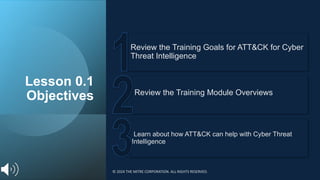
Lesson 0.1
Objectives
Learn about how ATT&CK can help with Cyber Threat
Intelligence
Review the Training Module Overviews
Review the Training Goals for ATT&CK for Cyber
Threat Intelligence
© 2024 THE MITRE CORPORATION. ALL RIGHTS RESERVED.
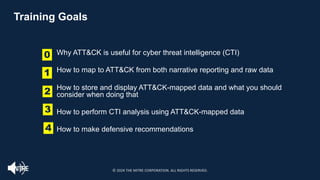
Training Goals
0
2
4
1
3
Why ATT&CK is useful for cyber threat intelligence (CTI)
How to map to ATT&CK from both narrative reporting and raw data
How to store and display ATT&CK-mapped data and what you should
consider when doing that
How to perform CTI analysis using ATT&CK-mapped data
How to make defensive recommendations
© 2024 THE MITRE CORPORATION. ALL RIGHTS RESERVED.
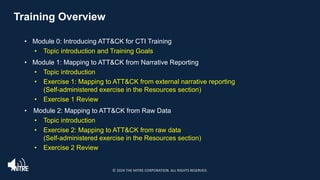
Training Overview
• Module 0: Introducing ATT&CK for CTI Training
• Topic introduction and Training Goals
• Module 1: Mapping to ATT&CK from Narrative Reporting
• Topic introduction
• Exercise 1: Mapping to ATT&CK from external narrative reporting
(Self-administered exercise in the Resources section)
• Exercise 1 Review
• Module 2: Mapping to ATT&CK from Raw Data
• Topic introduction
• Exercise 2: Mapping to ATT&CK from raw data
(Self-administered exercise in the Resources section)
• Exercise 2 Review
© 2024 THE MITRE CORPORATION. ALL RIGHTS RESERVED.
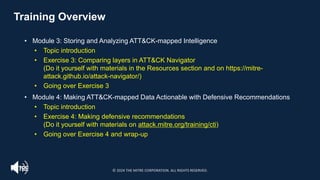
Training Overview
• Module 3: Storing and Analyzing ATT&CK-mapped Intelligence
• Topic introduction
• Exercise 3: Comparing layers in ATT&CK Navigator
(Do it yourself with materials in the Resources section and on https://mitre-
attack.github.io/attack-navigator/)
• Going over Exercise 3
• Module 4: Making ATT&CK-mapped Data Actionable with Defensive Recommendations
• Topic introduction
• Exercise 4: Making defensive recommendations
(Do it yourself with materials on attack.mitre.org/training/cti)
• Going over Exercise 4 and wrap-up
© 2024 THE MITRE CORPORATION. ALL RIGHTS RESERVED.
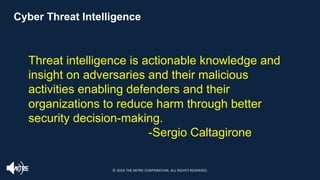
Cyber Threat Intelligence
Threat intelligence is actionable knowledge and
insight on adversaries and their malicious
activities enabling defenders and their
organizations to reduce harm through better
security decision-making.
-Sergio Caltagirone
© 2024 THE MITRE CORPORATION. ALL RIGHTS RESERVED.
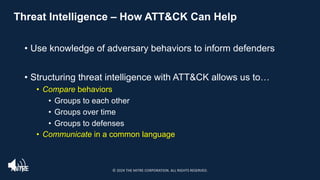
Threat Intelligence – How ATT&CK Can Help
• Use knowledge of adversary behaviors to inform defenders
• Structuring threat intelligence with ATT&CK allows us to…
• Compare behaviors
• Groups to each other
• Groups over time
• Groups to defenses
• Communicate in a common language
© 2024 THE MITRE CORPORATION. ALL RIGHTS RESERVED.
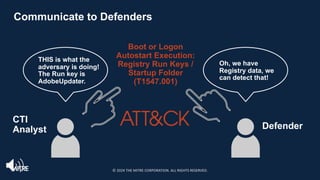
Communicate to Defenders
CTI
Analyst Defender
Boot or Logon
Autostart Execution:
Registry Run Keys /
Startup Folder
(T1547.001)
THIS is what the
adversary is doing!
The Run key is
AdobeUpdater.
Oh, we have
Registry data, we
can detect that!
© 2024 THE MITRE CORPORATION. ALL RIGHTS RESERVED.
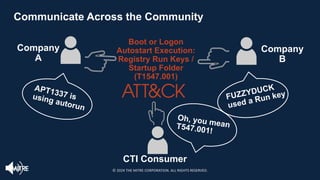
Communicate Across the Community
CTI Consumer
Oh, you mean
T547.001!
APT1337 is
using autorun
FUZZYDUCK
used a Run key
Company
A
Company
B
Boot or Logon
Autostart Execution:
Registry Run Keys /
Startup Folder
(T1547.001)
© 2024 THE MITRE CORPORATION. ALL RIGHTS RESERVED.
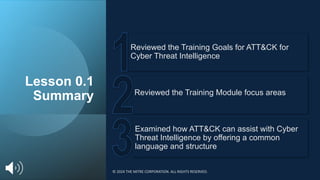
Lesson 0.1
Summary
Examined how ATT&CK can assist with Cyber
Threat Intelligence by offering a common
language and structure
Reviewed the Training Module focus areas
Reviewed the Training Goals for ATT&CK for
Cyber Threat Intelligence
© 2024 THE MITRE CORPORATION. ALL RIGHTS RESERVED.
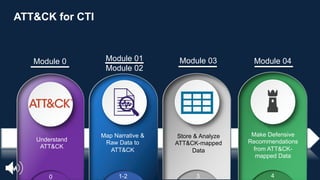
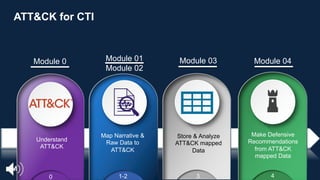
Understand
ATT&CK
Store & Analyze
ATT&CK-mapped
Data
Make Defensive
Recommendations
from ATT&CK-
mapped Data
0 1-2 3 4
Module 0 Module 01
Module 02
Module 03 Module 04
Map Narrative &
Raw Data to
ATT&CK
ATT&CK for CTI
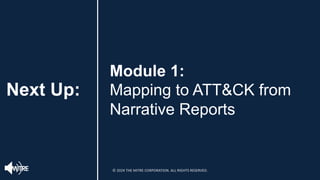
Next Up:
Module 1:
Mapping to ATT&CK from
Narrative Reports
© 2024 THE MITRE CORPORATION. ALL RIGHTS RESERVED.
End of Module 0
© 2024 THE MITRE CORPORATION. ALL RIGHTS RESERVED.
Module 1:
Mapping to ATT&CK® from Narrative
Reports
Adam Pennington
November 2020
Approved for Public Release; Distribution Unlimited. Public Release Case Number 23-4342
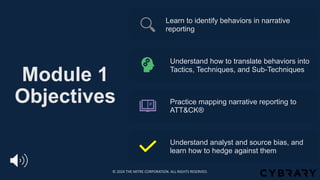
Module 1
Objectives
Learn to identify behaviors in narrative
reporting
Understand how to translate behaviors into
Tactics, Techniques, and Sub-Techniques
Practice mapping narrative reporting to
ATT&CK®
Understand analyst and source bias, and
learn how to hedge against them
© 2024 THE MITRE CORPORATION. ALL RIGHTS RESERVED.
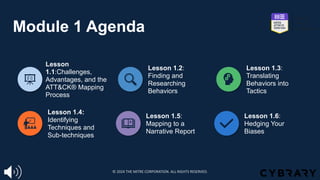
Module 1 Agenda
Lesson
1.1:Challenges,
Advantages, and the
ATT&CK® Mapping
Process
Lesson 1.2:
Finding and
Researching
Behaviors
Lesson 1.3:
Translating
Behaviors into
Tactics
Lesson 1.4:
Identifying
Techniques and
Sub-techniques
Lesson 1.5:
Mapping to a
Narrative Report
Lesson 1.6:
Hedging Your
Biases
© 2024 THE MITRE CORPORATION. ALL RIGHTS RESERVED.
Lesson 1.1: Challenges, Advantages, and the
Process of Mapping to ATT&CK
© 2024 THE MITRE CORPORATION. ALL RIGHTS RESERVED.
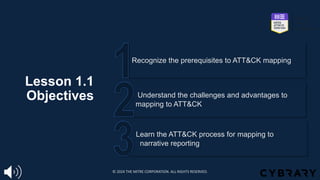
Lesson 1.1
Objectives
Learn the ATT&CK process for mapping to
narrative reporting
Understand the challenges and advantages to
mapping to ATT&CK
Recognize the prerequisites to ATT&CK mapping
© 2024 THE MITRE CORPORATION. ALL RIGHTS RESERVED.
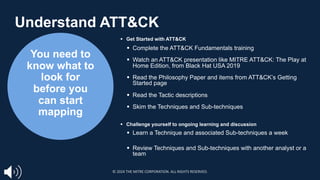
You need to
know what to
look for
before you
can start
mapping
§ Get Started with ATT&CK
§ Complete the ATT&CK Fundamentals training
§ Watch an ATT&CK presentation like MITRE ATT&CK: The Play at
Home Edition, from Black Hat USA 2019
§ Read the Philosophy Paper and items from ATT&CK’s Getting
Started page
§ Read the Tactic descriptions
§ Skim the Techniques and Sub-techniques
§ Challenge yourself to ongoing learning and discussion
§ Learn a Technique and associated Sub-techniques a week
§ Review Techniques and Sub-techniques with another analyst or a
team
Understand ATT&CK
© 2024 THE MITRE CORPORATION. ALL RIGHTS RESERVED.
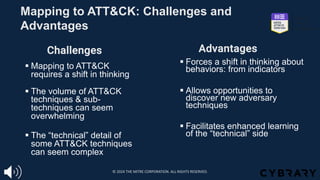
Mapping to ATT&CK: Challenges and
Advantages
§ Forces a shift in thinking about
behaviors: from indicators
§ Allows opportunities to
discover new adversary
techniques
§ Facilitates enhanced learning
of the “technical” side
§ Mapping to ATT&CK
requires a shift in thinking
§ The volume of ATT&CK
techniques & sub-
techniques can seem
overwhelming
§ The “technical” detail of
some ATT&CK techniques
can seem complex
Challenges Advantages
© 2024 THE MITRE CORPORATION. ALL RIGHTS RESERVED.
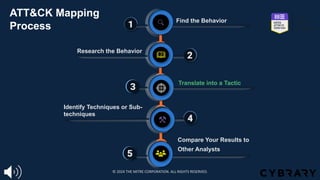
1
1
1
1 Find the Behavior
1
1
1
2
4
1
3
1
5
Research the Behavior
Translate into a Tactic
Identify Techniques or Sub-
techniques
Compare Your Results to
Other Analysts
1
2
3
4
5
ATT&CK Mapping
Process
© 2024 THE MITRE CORPORATION. ALL RIGHTS RESERVED.
Lesson 1.1
Summary
Examined the ATT&CK mapping process for
narrative reporting
Assessed some of the challenges and
corresponding advantages of mapping to ATT&CK
Reviewed the prerequisites to ATT&CK mapping and
the associated resources to get started with ATT&CK
© 2024 THE MITRE CORPORATION. ALL RIGHTS RESERVED.
Lesson 1.2: ATT&CK® Mapping
Process: Finding and Researching the
Behavior
© 2024 THE MITRE CORPORATION. ALL RIGHTS RESERVED.
Lesson 1.2
Objectives
Review narrative reporting for example behaviors
Learn how to research behaviors (Step 2)
Discover how to find behaviors (Step 1)
© 2024 THE MITRE CORPORATION. ALL RIGHTS RESERVED.
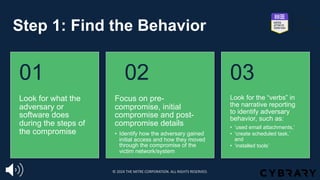
Step 1: Find the Behavior
Look for what the
adversary or
software does
during the steps of
the compromise
01
Focus on pre-
compromise, initial
compromise and post-
compromise details
• Identify how the adversary gained
initial access and how they moved
through the compromise of the
victim network/system
02
Look for the “verbs” in
the narrative reporting
to identify adversary
behavior, such as:
• ‘used email attachments,’
• ‘create scheduled task,’
and
• ‘installed tools’
03
© 2024 THE MITRE CORPORATION. ALL RIGHTS RESERVED.
Step 1: Find the Behavior
Information that may not be useful for ATT&CK
mapping are those that don’t provide details about
adversary behavior, such as:
§ Static malware analysis
§ Infrastructure registration information
§ Stand-alone industry/victim targeting information
© 2024 THE MITRE CORPORATION. ALL RIGHTS RESERVED.
Step 1: Find the Behavior
https://www.fireeye.com/blog/threat-research/2014/11/operation_doubletap.html
[Tactic] | 1. [Technique/Sub-technique]
[Tactic] | 2. [Technique/Sub-
technique]
© 2024 THE MITRE CORPORATION. ALL RIGHTS RESERVED.
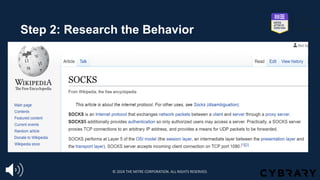
Step 2: Research the Behavior
§ Perform additional research on unfamiliar adversary/software behaviors
☐ Examine details about network protocols that were used including their OSI
layer/capabilities, assigned port number, associated service, and any potential
vulnerabilities that can be leveraged by adversaries, such as SMB
☐ Collaborate within your own organization (defenders/red teamers)
☐ Leverage external resources
§ Understanding core behaviors helps with next steps and enhances
analytic skills
© 2024 THE MITRE CORPORATION. ALL RIGHTS RESERVED.
Step 2: Research the Behavior
© 2024 THE MITRE CORPORATION. ALL RIGHTS RESERVED.
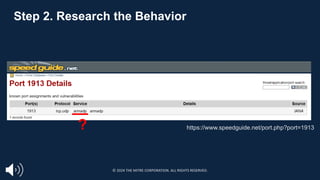
Step 2. Research the Behavior
https://www.speedguide.net/port.php?port=1913
?
© 2024 THE MITRE CORPORATION. ALL RIGHTS RESERVED.
Lesson 1.2
Summary
Examined research resources and
reviewed narrative reporting
Reviewed the importance of understanding
core behaviors and performing additional
research on unfamiliar behaviors
Learned the guidelines and reviewed tips
for finding behaviors
© 2024 THE MITRE CORPORATION. ALL RIGHTS RESERVED.
Lesson 1.3: ATT&CK®
Mapping Process:
Translating the Behavior
into a Tactic
© 2024 THE MITRE CORPORATION. ALL RIGHTS RESERVED.
Lesson 1.3
Objectives
Learn how to translate behaviors into Tactics
Practice identifying a behavior in narrative reporting
Understand the 14 Tactics and why they matter
© 2024 THE MITRE CORPORATION. ALL RIGHTS RESERVED.
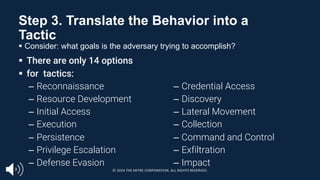
Step 3. Translate the Behavior into a
Tactic
§ Consider: what goals is the adversary trying to accomplish?
§ There are only 14 options
§ for tactics:
– Reconnaissance
– Resource Development
– Initial Access
– Execution
– Persistence
– Privilege Escalation
– Defense Evasion
– Credential Access
– Discovery
– Lateral Movement
– Collection
– Command and Control
– Exfiltration
– Impact
© 2024 THE MITRE CORPORATION. ALL RIGHTS RESERVED.
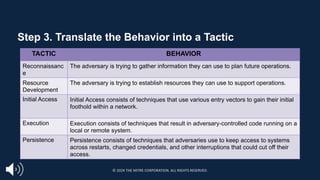
Step 3. Translate the Behavior into a Tactic
TACTIC BEHAVIOR
Reconnaissanc
e
The adversary is trying to gather information they can use to plan future operations.
Resource
Development
The adversary is trying to establish resources they can use to support operations.
Initial Access Initial Access consists of techniques that use various entry vectors to gain their initial
foothold within a network.
Execution Execution consists of techniques that result in adversary-controlled code running on a
local or remote system.
Persistence Persistence consists of techniques that adversaries use to keep access to systems
across restarts, changed credentials, and other interruptions that could cut off their
access.
© 2024 THE MITRE CORPORATION. ALL RIGHTS RESERVED.
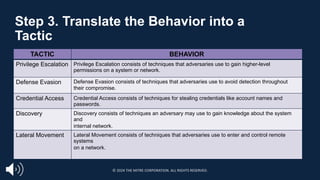
Step 3. Translate the Behavior into a
Tactic
TACTIC BEHAVIOR
Privilege Escalation Privilege Escalation consists of techniques that adversaries use to gain higher-level
permissions on a system or network.
Defense Evasion Defense Evasion consists of techniques that adversaries use to avoid detection throughout
their compromise.
Credential Access Credential Access consists of techniques for stealing credentials like account names and
passwords.
Discovery Discovery consists of techniques an adversary may use to gain knowledge about the system
and
internal network.
Lateral Movement Lateral Movement consists of techniques that adversaries use to enter and control remote
systems
on a network.
© 2024 THE MITRE CORPORATION. ALL RIGHTS RESERVED.
Step 3. Translate the Behavior into a
Tactic
TACTIC BEHAVIOR
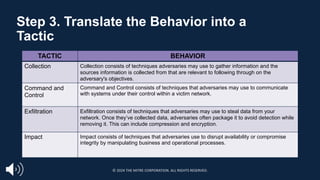
Collection Collection consists of techniques adversaries may use to gather information and the
sources information is collected from that are relevant to following through on the
adversary's objectives.
Command and
Control
Command and Control consists of techniques that adversaries may use to communicate
with systems under their control within a victim network.
Exfiltration Exfiltration consists of techniques that adversaries may use to steal data from your
network. Once they’ve collected data, adversaries often package it to avoid detection while
removing it. This can include compression and encryption.
Impact Impact consists of techniques that adversaries use to disrupt availability or compromise
integrity by manipulating business and operational processes.
© 2024 THE MITRE CORPORATION. ALL RIGHTS RESERVED.
Step 3. Translate the Behavior into a
Tactic
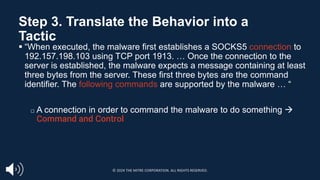
§ “When executed, the malware first establishes a SOCKS5 connection to
192.157.198.103 using TCP port 1913. … Once the connection to the
server is established, the malware expects a message containing at least
three bytes from the server. These first three bytes are the command
identifier. The following commands are supported by the malware … “
□ A connection in order to command the malware to do something à
Command and Control
© 2024 THE MITRE CORPORATION. ALL RIGHTS RESERVED.
Lesson 1.3
Summary
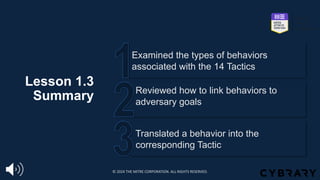
Translated a behavior into the
corresponding Tactic
Reviewed how to link behaviors to
adversary goals
Examined the types of behaviors
associated with the 14 Tactics
© 2024 THE MITRE CORPORATION. ALL RIGHTS RESERVED.
Lesson 1.4: ATT&CK®
Mapping Process:
Identifying Techniques
or Sub-techniques
© 2024 THE MITRE CORPORATION. ALL RIGHTS RESERVED.
Lesson 1.4
Objectives
Identify Techniques and Sub-techniques
in narrative reporting (Step 4)
Review strategy examples and external
resources to use for research
Learn the key strategies for identifying
Techniques and Sub-techniques
© 2024 THE MITRE CORPORATION. ALL RIGHTS RESERVED.
Step 4. Identify What Technique &
Sub Applies
§ Identifying the technique or sub-technique is often the most challenging step
□ Techniques and subs are not always easy to identify
□ Some techniques help facilitate more than one tactic, and this is reflected throughout
ATT&CK
§ For example, Hijack Execution Flow: DLL Side-Loading [T1574.002]
falls under Persistence, Privilege Escalation, Defense Evasion
© 2024 THE MITRE CORPORATION. ALL RIGHTS RESERVED.
§ Not every behavior is necessarily a technique or sub-technique
□ Not all adversary behaviors can or should be used as a basis for alerting
or providing data to an analyst - not every behavior that can be mapped is
malicious
§ Context is key: assessing the circumstances around the behavior can
help identify if its malicious in nature (e.g., tools used by attackers that
are not explicitly malicious, but their hostile usage is)
□ Not all possible techniques are documented, nor will they ever be
Step 4. Identify What Technique &
Sub Applies
© 2024 THE MITRE CORPORATION. ALL RIGHTS RESERVED.
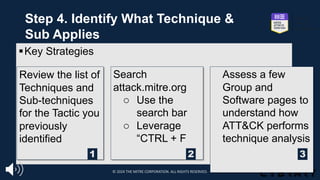
§Key Strategies
Review the list of
Techniques and
Sub-techniques
for the Tactic you
previously
identified
Search
attack.mitre.org
o Use the
search bar
o Leverage
“CTRL + F
Assess a few
Group and
Software pages to
understand how
ATT&CK performs
technique analysis
1 2 3
Step 4. Identify What Technique &
Sub Applies
© 2024 THE MITRE CORPORATION. ALL RIGHTS RESERVED.
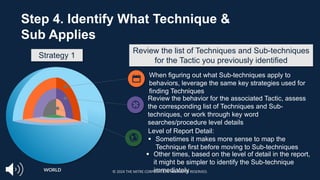
When figuring out what Sub-techniques apply to
behaviors, leverage the same key strategies used for
finding Techniques
WORLD
Step 4. Identify What Technique &
Sub Applies
Review the behavior for the associated Tactic, assess
the corresponding list of Techniques and Sub-
techniques, or work through key word
searches/procedure level details
Level of Report Detail:
§ Sometimes it makes more sense to map the
Technique first before moving to Sub-techniques
§ Other times, based on the level of detail in the report,
it might be simpler to identify the Sub-technique
immediately
Review the list of Techniques and Sub-techniques
for the Tactic you previously identified
Strategy 1
© 2024 THE MITRE CORPORATION. ALL RIGHTS RESERVED.
Key Words
CRTL + F
Details and
Commands
Strings
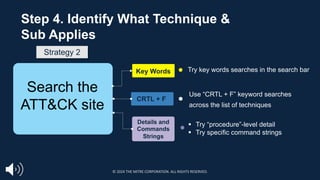
Try key words searches in the search bar
Use “CRTL + F” keyword searches
across the list of techniques
Step 4. Identify What Technique &
Sub Applies
Search the
ATT&CK site
§ Try “procedure”-level detail
§ Try specific command strings
Strategy 2
© 2024 THE MITRE CORPORATION. ALL RIGHTS RESERVED.
Step 4. Identify What Technique &
Sub Applies
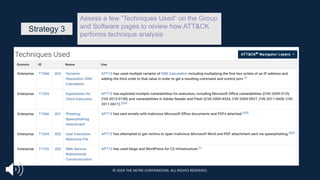
Assess a few “Techniques Used” on the Group
and Software pages to review how ATT&CK
performs technique analysis
Strategy 3
© 2024 THE MITRE CORPORATION. ALL RIGHTS RESERVED.
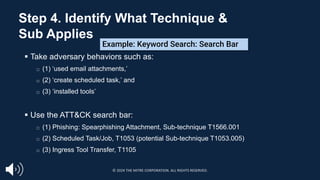
§ Take adversary behaviors such as:
□ (1) ‘used email attachments,’
□ (2) ‘create scheduled task,’ and
□ (3) ‘installed tools’
§ Use the ATT&CK search bar:
□ (1) Phishing: Spearphishing Attachment, Sub-technique T1566.001
□ (2) Scheduled Task/Job, T1053 (potential Sub-technique T1053.005)
□ (3) Ingress Tool Transfer, T1105
Example: Keyword Search: Search Bar
Step 4. Identify What Technique &
Sub Applies
© 2024 THE MITRE CORPORATION. ALL RIGHTS RESERVED.
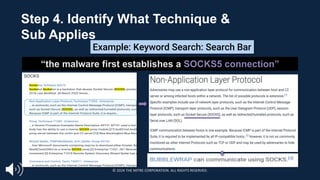
“the malware first establishes a SOCKS5 connection”
Example: Keyword Search: Search Bar
Step 4. Identify What Technique &
Sub Applies
© 2024 THE MITRE CORPORATION. ALL RIGHTS RESERVED.
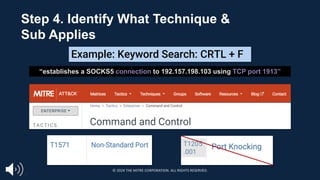
“establishes a SOCKS5 connection to 192.157.198.103 using TCP port 1913”
T1205.001
Example: Keyword Search: CRTL + F
T1205
.001
Step 4. Identify What Technique &
Sub Applies
© 2024 THE MITRE CORPORATION. ALL RIGHTS RESERVED.
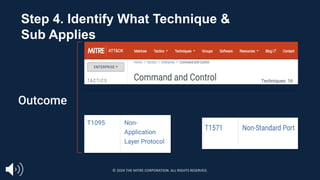
Techniques: 16
Outcome
Step 4. Identify What Technique &
Sub Applies
© 2024 THE MITRE CORPORATION. ALL RIGHTS RESERVED.
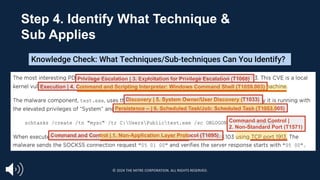
Privilege Escalation | 3. Exploitation for Privilege Escalation (T1068)
Execution | 4. Command and Scripting Interpreter: Windows Command Shell (T1059.003)
Discovery | 5. System Owner/User Discovery (T1033)
Persistence – | 6. Scheduled Task/Job: Scheduled Task (T1053.005)
Command and Control | 1. Non-Application Layer Protocol (T1095)
Command and Control |
2. Non-Standard Port (T1571)
Knowledge Check: What Techniques/Sub-techniques Can You Identify?
Step 4. Identify What Technique &
Sub Applies
© 2024 THE MITRE CORPORATION. ALL RIGHTS RESERVED.
Lesson 1.4
Summary
Practiced Identifying Techniques and
Sub-techniques in narrative reporting
Reviewed applying the strategies on the
ATT&CK site and leveraging external
resources to use for research
Learned the key strategies for identifying
Techniques and Sub-techniques
© 2024 THE MITRE CORPORATION. ALL RIGHTS RESERVED.
Lesson 1.5: Mapping to
a Narrative Report
© 2024 THE MITRE CORPORATION. ALL RIGHTS RESERVED.
Lesson 1.5
Objectives
Review the exercise results
Compare your results to another analyst’s
outcomes
Practice identifying the Tactics,
Techniques and Sub-techniques in a
Narrative Report
© 2024 THE MITRE CORPORATION. ALL RIGHTS RESERVED.
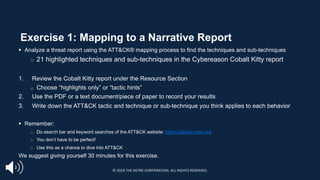
Exercise 1: Mapping to a Narrative Report
§ Analyze a threat report using the ATT&CK® mapping process to find the techniques and sub-techniques
□ 21 highlighted techniques and sub-techniques in the Cybereason Cobalt Kitty report
1. Review the Cobalt Kitty report under the Resource Section
o Choose “highlights only” or “tactic hints”
2. Use the PDF or a text document/piece of paper to record your results
3. Write down the ATT&CK tactic and technique or sub-technique you think applies to each behavior
§ Remember:
□ Do search bar and keyword searches of the ATT&CK website: https://attack.mitre.org
□ You don’t have to be perfect!
□ Use this as a chance to dive into ATT&CK
We suggest giving yourself 30 minutes for this exercise.
© 2024 THE MITRE CORPORATION. ALL RIGHTS RESERVED.
§ Step 5 of the ATT&CK mapping process: Compare your results to other analysts
§ Collaboration helps hedge against analyst biases
§ Compare what you each had for each technique answer
□ Discuss where there are differences – how did you arrive at your conclusions?
□ It’s okay to disagree!
§ Please pause. We suggest giving yourself 10 minutes for this part of the
exercise. If you do not have other analysts to discuss your answers with, you
may advance to the next portion.
Exercise 1 Optional Bonus Step:
Comparing Your Results
© 2024 THE MITRE CORPORATION. ALL RIGHTS RESERVED.
How did you
identify each
technique or sub?
What
challenges did
you have? How
did you address
them?
Reviewing the Exercise:
Cybereason Report
What were
the easiest
& hardest
techniques
or sub-
techniques
to identify?
Consider:
© 2024 THE MITRE CORPORATION. ALL RIGHTS RESERVED.
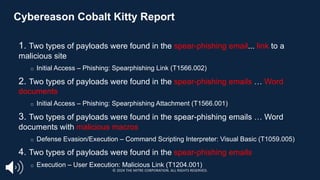
Cybereason Cobalt Kitty Report
1. Two types of payloads were found in the spear-phishing email... link to a
malicious site
□ Initial Access – Phishing: Spearphishing Link (T1566.002)
2. Two types of payloads were found in the spear-phishing emails … Word
documents
□ Initial Access – Phishing: Spearphishing Attachment (T1566.001)
3. Two types of payloads were found in the spear-phishing emails … Word
documents with malicious macros
□ Defense Evasion/Execution – Command Scripting Interpreter: Visual Basic (T1059.005)
4. Two types of payloads were found in the spear-phishing emails
□ Execution – User Execution: Malicious Link (T1204.001)
© 2024 THE MITRE CORPORATION. ALL RIGHTS RESERVED.
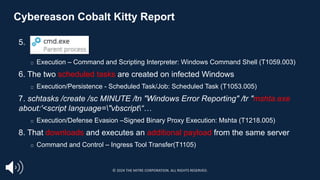
Cybereason Cobalt Kitty Report
5.
□ Execution – Command and Scripting Interpreter: Windows Command Shell (T1059.003)
6. The two scheduled tasks are created on infected Windows
□ Execution/Persistence - Scheduled Task/Job: Scheduled Task (T1053.005)
7. schtasks /create /sc MINUTE /tn "Windows Error Reporting" /tr "mshta.exe
about:'<script language="vbscript“…
□ Execution/Defense Evasion –Signed Binary Proxy Execution: Mshta (T1218.005)
8. That downloads and executes an additional payload from the same server
□ Command and Control – Ingress Tool Transfer(T1105)
https://cybr.ly/cobaltkitty
© 2024 THE MITRE CORPORATION. ALL RIGHTS RESERVED.
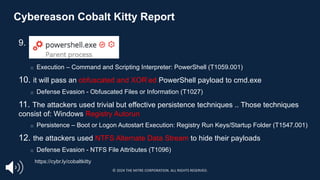
Cybereason Cobalt Kitty Report
9.
□ Execution – Command and Scripting Interpreter: PowerShell (T1059.001)
10. it will pass an obfuscated and XOR’ed PowerShell payload to cmd.exe
□ Defense Evasion - Obfuscated Files or Information (T1027)
11. The attackers used trivial but effective persistence techniques .. Those techniques
consist of: Windows Registry Autorun
□ Persistence – Boot or Logon Autostart Execution: Registry Run Keys/Startup Folder (T1547.001)
12. the attackers used NTFS Alternate Data Stream to hide their payloads
□ Defense Evasion - NTFS File Attributes (T1096)
https://cybr.ly/cobaltkitty
© 2024 THE MITRE CORPORATION. ALL RIGHTS RESERVED.
Cybereason Cobalt Kitty Report
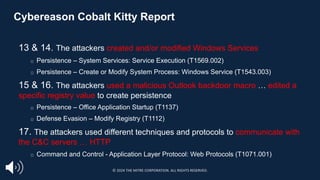
13 & 14. The attackers created and/or modified Windows Services
□ Persistence – System Services: Service Execution (T1569.002)
□ Persistence – Create or Modify System Process: Windows Service (T1543.003)
15 & 16. The attackers used a malicious Outlook backdoor macro … edited a
specific registry value to create persistence
□ Persistence – Office Application Startup (T1137)
□ Defense Evasion – Modify Registry (T1112)
17. The attackers used different techniques and protocols to communicate with
the C&C servers … HTTP
□ Command and Control - Application Layer Protocol: Web Protocols (T1071.001)
https://cybr.ly/cobaltkitty
© 2024 THE MITRE CORPORATION. ALL RIGHTS RESERVED.
Cybereason Cobalt Kitty Report
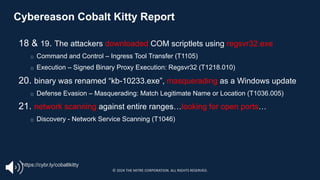
18 & 19. The attackers downloaded COM scriptlets using regsvr32.exe
□ Command and Control – Ingress Tool Transfer (T1105)
□ Execution – Signed Binary Proxy Execution: Regsvr32 (T1218.010)
20. binary was renamed “kb-10233.exe”, masquerading as a Windows update
□ Defense Evasion – Masquerading: Match Legitimate Name or Location (T1036.005)
21. network scanning against entire ranges…looking for open ports…
□ Discovery - Network Service Scanning (T1046)
https://cybr.ly/cobaltkitty
© 2024 THE MITRE CORPORATION. ALL RIGHTS RESERVED.
Optional Exercise 2: Bonus Report
§ If you’d like more practice mapping narrative reporting to ATT&CK, work through
the FireEye APT39 report using the same process.
□ The PDF is available in the Resource section under Exercise 2.
§ Answers are provided in a separate PDF.
© 2024 THE MITRE CORPORATION. ALL RIGHTS RESERVED.
Lesson 1.5
Summary
Evaluated the exercise results
Reviewed the importance of comparing
your results to another analyst’s
outcomes
Practiced identifying the Tactics,
Techniques and Sub-techniques in a
Narrative Report
© 2024 THE MITRE CORPORATION. ALL RIGHTS RESERVED.
Lesson 1.6: Hedging
Your Biases
© 2024 THE MITRE CORPORATION. ALL RIGHTS RESERVED.
Lesson 1.6
Objectives
Learn about analyst and source biases
and ways to hedge against them
Review the importance of collaboratively
assessing ATT&CK® mappings
© 2024 THE MITRE CORPORATION. ALL RIGHTS RESERVED.
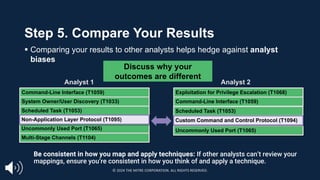
Step 5. Compare Your Results
§ Comparing your results to other analysts helps hedge against analyst
biases
Analyst 1 Analyst 2
Command-Line Interface (T1059)
System Owner/User Discovery (T1033)
Scheduled Task (T1053)
Uncommonly Used Port (T1065)
Multi-Stage Channels (T1104)
Exploitation for Privilege Escalation (T1068)
Command-Line Interface (T1059)
Scheduled Task (T1053)
Uncommonly Used Port (T1065)
Custom Command and Control Protocol (T1094)
Non-Application Layer Protocol (T1095)
Discuss why your
outcomes are different
Be consistent in how you map and apply techniques: If other analysts can’t review your
mappings, ensure you’re consistent in how you think of and apply a technique.
© 2024 THE MITRE CORPORATION. ALL RIGHTS RESERVED.
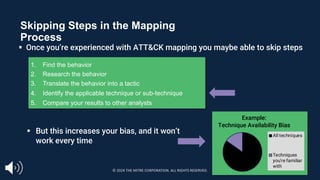
Skipping Steps in the Mapping
Process
1. Find the behavior
2. Research the behavior
3. Translate the behavior into a tactic
4. Identify the applicable technique or sub-technique
5. Compare your results to other analysts
Sometimes we jump
directly here
§ But this increases your bias, and it won’t
work every time
§ Once you’re experienced with ATT&CK mapping you maybe able to skip steps
Example:
Technique Availability Bias
All techniques
Techniques
you're familiar
with
© 2024 THE MITRE CORPORATION. ALL RIGHTS RESERVED.
Biases in ATT&CK Mapped Data
§ It is critical to recognize our biases in CTI
§ Two key types of bias in technique examples in ATT&CK
□ Bias introduced by us as consumers
□ Bias inherent in the sources we use
§ Understanding these biases is the crucial first step in effectively leveraging
this data
© 2024 THE MITRE CORPORATION. ALL RIGHTS RESERVED.
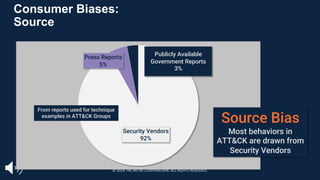
Consumer Biases:
Source
Security Vendors
92%
Press Reports
5%
Publicly Available
Government Reports
3%
Source Bias
Most behaviors in
ATT&CK are drawn from
Security Vendors
From reports used for technique
examples in ATT&CK Groups
© 2024 THE MITRE CORPORATION. ALL RIGHTS RESERVED.
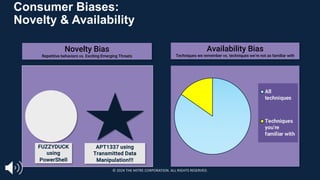
Consumer Biases:
Novelty & Availability
All
techniques
Techniques
you're
familiar with
Availability Bias
Techniques we remember vs. techniques we’re not as familiar with
FUZZYDUCK
using
PowerShell
APT1337 using
Transmitted Data
Manipulation!!!
Novelty Bias
Repetitive behaviors vs. Exciting Emerging Threats
© 2024 THE MITRE CORPORATION. ALL RIGHTS RESERVED.
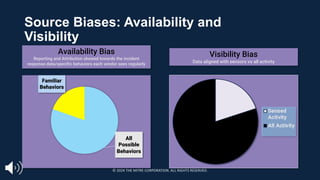
Source Biases: Availability and
Visibility
All
Possible
Behaviors
Familiar
Behaviors
Availability Bias
Reporting and Attribution skewed towards the incident
response data/specific behaviors each vendor sees regularly
Visibility Bias
Data aligned with sensors vs all activity
Sensed
Activity
All Activity
© 2024 THE MITRE CORPORATION. ALL RIGHTS RESERVED.
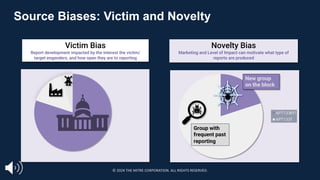
Source Biases: Victim and Novelty
Victim Bias
Report development impacted by the interest the victim/
target engenders, and how open they are to reporting
Novelty Bias
Marketing and Level of Impact can motivate what type of
reports are produced
80% Public Interest
APT1338!!!
APT1337
New group
on the block
Group with
frequent past
reporting
© 2024 THE MITRE CORPORATION. ALL RIGHTS RESERVED.
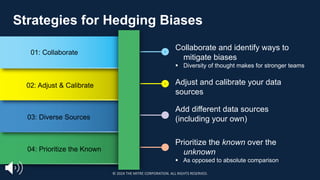
01: Collaborate
02: Adjust & Calibrate
03: Diverse Sources
04: Prioritize the Known
Strategies for Hedging Biases
Collaborate and identify ways to
mitigate biases
§ Diversity of thought makes for stronger teams
Adjust and calibrate your data
sources
Add different data sources
(including your own)
Prioritize the known over the
unknown
§ As opposed to absolute comparison
© 2024 THE MITRE CORPORATION. ALL RIGHTS RESERVED.
Lesson 1.6
Summary
Reviewed key user and source biases and ways to
hedge against them in order to effectively leverage
ATT&CK
Reviewed the importance of working with other
analysts to collaboratively assess ATT&CK
mappings to increase accuracy and minimize bias
© 2024 THE MITRE CORPORATION. ALL RIGHTS RESERVED.
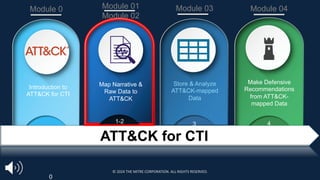
Introduction to
ATT&CK for CTI
Store & Analyze
ATT&CK-mapped
Data
Make Defensive
Recommendations
from ATT&CK-
mapped Data
0
1-2 3 4
Module 0 Module 01
Module 02
Module 03 Module 04
ATT&CK for CTI
Map Narrative &
Raw Data to
ATT&CK
© 2024 THE MITRE CORPORATION. ALL RIGHTS RESERVED.
Next Up:
§Module 2: Mapping to
ATT&CK from Raw
Data
© 2024 THE MITRE CORPORATION. ALL RIGHTS RESERVED.
Module 2:
Mapping to ATT&CK® from Raw Data
Amy Robertson
APPROVED FOR PUBLIC RELEASE; DISTRIBUTION UNLIMITED. PUBLIC RELEASE CASE NUMBER 23-4342
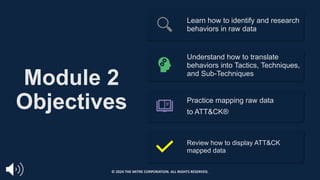
Module 2
Objectives
Learn how to identify and research
behaviors in raw data
Understand how to translate
behaviors into Tactics, Techniques,
and Sub-Techniques
Practice mapping raw data
to ATT&CK®
Review how to display ATT&CK
mapped data
© 2024 THE MITRE CORPORATION. ALL RIGHTS RESERVED.
Lesson 2.1
Process of Mapping to Raw Data
© 2024 THE MITRE CORPORATION. ALL RIGHTS RESERVED.
Lesson 2.1
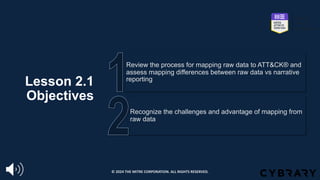
Objectives
Recognize the challenges and advantage of mapping from
raw data
Review the process for mapping raw data to ATT&CK® and
assess mapping differences between raw data vs narrative
reporting
© 2024 THE MITRE CORPORATION. ALL RIGHTS RESERVED.
Mapping to ATT&CK from Raw Data
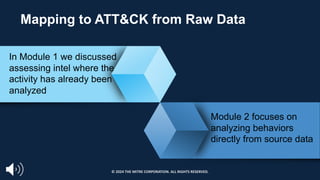
In Module 1 we discussed
assessing intel where the
activity has already been
analyzed
Module 2 focuses on
analyzing behaviors
directly from source data
© 2024 THE MITRE CORPORATION. ALL RIGHTS RESERVED.
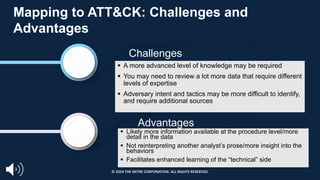
Challenges
Advantages
Mapping to ATT&CK: Challenges and
Advantages
§ A more advanced level of knowledge may be required
§ You may need to review a lot more data that require different
levels of expertise
§ Adversary intent and tactics may be more difficult to identify,
and require additional sources
§ Likely more information available at the procedure level/more
detail in the data
§ Not reinterpreting another analyst’s prose/more insight into the
behaviors
§ Facilitates enhanced learning of the “technical” side
© 2024 THE MITRE CORPORATION. ALL RIGHTS RESERVED.
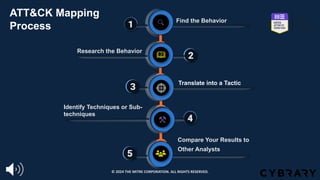
1
1
1
1 Find the Behavior
1
1
1
2
4
1
3
1
5
Research the Behavior
Translate into a Tactic
Identify Techniques or Sub-
techniques
Compare Your Results to
Other Analysts
1
2
3
4
5
ATT&CK Mapping
Process
© 2024 THE MITRE CORPORATION. ALL RIGHTS RESERVED.
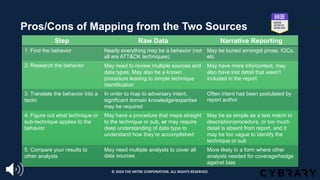
Pros/Cons of Mapping from the Two Sources
Step Raw Data Narrative Reporting
1. Find the behavior Nearly everything may be a behavior (not
all are ATT&CK techniques)
May be buried amongst prose, IOCs,
etc
2. Research the behavior May need to review multiple sources and
data types. May also be a known
procedure leading to simple technique
identification
May have more info/context, may
also have lost detail that wasn’t
included in the report
3. Translate the behavior into a
tactic
In order to map to adversary intent,
significant domain knowledge/expertise
may be required
Often intent has been postulated by
report author
4. Figure out what technique or
sub-technique applies to the
behavior
May have a procedure that maps straight
to the technique or sub, or may require
deep understanding of data type to
understand how they’re accomplished
May be as simple as a text match to
description/procedure, or too much
detail is absent from report, and it
may be too vague to identify the
technique or sub
5. Compare your results to
other analysts
May need multiple analysts to cover all
data sources
More likely in a form where other
analysts needed for coverage/hedge
against bias
© 2024 THE MITRE CORPORATION. ALL RIGHTS RESERVED.
Assessed the challenges and advantages of mapping
from raw data compared to narrative reporting
Reviewed the process for mapping raw data to ATT&CK
and highlighted some differences from mapping from
narrative reporting
Lesson 2.1
Summary
© 2024 THE MITRE CORPORATION. ALL RIGHTS RESERVED.
Lesson 2.2
Identify and Research Behaviors
© 2024 THE MITRE CORPORATION. ALL RIGHTS RESERVED.
Lesson 2.2
Objectives
Learn how to research behaviors leveraging multiple data
sources
Develop the capability to recognize behaviors in raw data
© 2024 THE MITRE CORPORATION. ALL RIGHTS RESERVED.
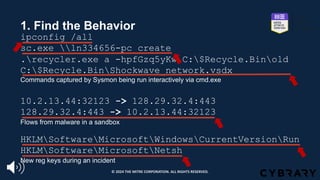
1. Find the Behavior
ipconfig /all
sc.exe ln334656-pc create
.recycler.exe a -hpfGzq5yKw C:$Recycle.Binold
C:$Recycle.BinShockwave_network.vsdx
Commands captured by Sysmon being run interactively via cmd.exe
10.2.13.44:32123 -> 128.29.32.4:443
128.29.32.4:443 -> 10.2.13.44:32123
Flows from malware in a sandbox
HKLMSoftwareMicrosoftWindowsCurrentVersionRun
HKLMSoftwareMicrosoftNetsh
New reg keys during an incident
© 2024 THE MITRE CORPORATION. ALL RIGHTS RESERVED.
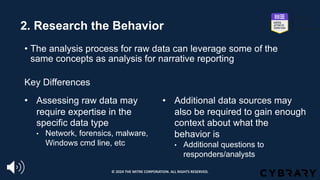
2. Research the Behavior
• The analysis process for raw data can leverage some of the
same concepts as analysis for narrative reporting
Key Differences
• Additional data sources may
also be required to gain enough
context about what the
behavior is
• Additional questions to
responders/analysts
• Assessing raw data may
require expertise in the
specific data type
• Network, forensics, malware,
Windows cmd line, etc
© 2024 THE MITRE CORPORATION. ALL RIGHTS RESERVED.
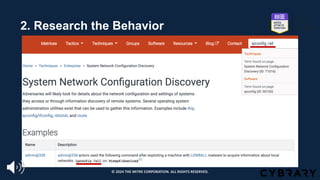
2. Research the Behavior
© 2024 THE MITRE CORPORATION. ALL RIGHTS RESERVED.
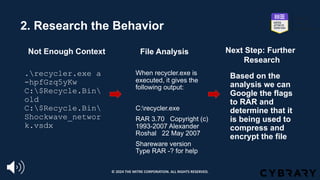
2. Research the Behavior
.recycler.exe a
-hpfGzq5yKw
C:$Recycle.Bin
old
C:$Recycle.Bin
Shockwave_networ
k.vsdx
When recycler.exe is
executed, it gives the
following output:
C:recycler.exe
RAR 3.70 Copyright (c)
1993-2007 Alexander
Roshal 22 May 2007
Shareware version
Type RAR -? for help
Based on the
analysis we can
Google the flags
to RAR and
determine that it
is being used to
compress and
encrypt the file
Not Enough Context File Analysis Next Step: Further
Research
© 2024 THE MITRE CORPORATION. ALL RIGHTS RESERVED.
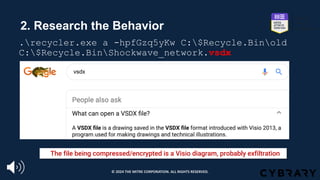
2. Research the Behavior
.recycler.exe a -hpfGzq5yKw C:$Recycle.Binold
C:$Recycle.BinShockwave_network.vsdx
The file being compressed/encrypted is a Visio diagram, probably exfiltration
© 2024 THE MITRE CORPORATION. ALL RIGHTS RESERVED.
Lesson 2.2
Summary
Reviewed how to research behaviors and
discussed that multiple data sources may
be needed for accurate assessments
Walked through examples of identifying
behaviors in raw data
© 2024 THE MITRE CORPORATION. ALL RIGHTS RESERVED.
Lesson 2.3
Translate Behaviors to Tactics, Techniques, and Sub-techniques
© 2024 THE MITRE CORPORATION. ALL RIGHTS RESERVED.
Lesson 2.3
Objectives
Discuss the importance of peer review and collaboration
Review concurrent techniques
Develop the capability to translate behaviors from raw data
into tactics, techniques, and sub-techniques
© 2024 THE MITRE CORPORATION. ALL RIGHTS RESERVED.
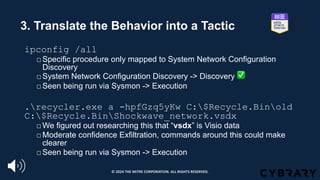
3. Translate the Behavior into a Tactic
ipconfig /all
□Specific procedure only mapped to System Network Configuration
Discovery
□System Network Configuration Discovery -> Discovery ✅
□Seen being run via Sysmon -> Execution
.recycler.exe a -hpfGzq5yKw C:$Recycle.Binold
C:$Recycle.BinShockwave_network.vsdx
□We figured out researching this that “vsdx” is Visio data
□Moderate confidence Exfiltration, commands around this could make
clearer
□Seen being run via Sysmon -> Execution
© 2024 THE MITRE CORPORATION. ALL RIGHTS RESERVED.
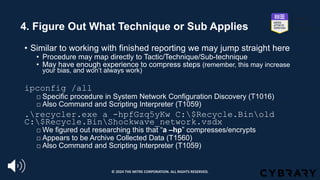
4. Figure Out What Technique or Sub Applies
• Similar to working with finished reporting we may jump straight here
• Procedure may map directly to Tactic/Technique/Sub-technique
• May have enough experience to compress steps (remember, this may increase
your bias, and won’t always work)
ipconfig /all
□ Specific procedure in System Network Configuration Discovery (T1016)
□ Also Command and Scripting Interpreter (T1059)
.recycler.exe a -hpfGzq5yKw C:$Recycle.Binold
C:$Recycle.BinShockwave_network.vsdx
□ We figured out researching this that “a –hp” compresses/encrypts
□ Appears to be Archive Collected Data (T1560)
□ Also Command and Scripting Interpreter (T1059)
© 2024 THE MITRE CORPORATION. ALL RIGHTS RESERVED.
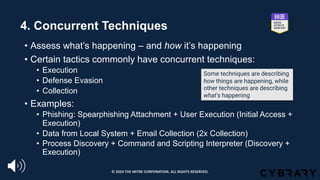
4. Concurrent Techniques
• Assess what’s happening – and how it’s happening
• Certain tactics commonly have concurrent techniques:
• Execution
• Defense Evasion
• Collection
• Examples:
• Phishing: Spearphishing Attachment + User Execution (Initial Access +
Execution)
• Data from Local System + Email Collection (2x Collection)
• Process Discovery + Command and Scripting Interpreter (Discovery +
Execution)
Some techniques are describing
how things are happening, while
other techniques are describing
what’s happening
© 2024 THE MITRE CORPORATION. ALL RIGHTS RESERVED.
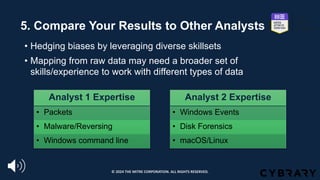
5. Compare Your Results to Other Analysts
• Hedging biases by leveraging diverse skillsets
• Mapping from raw data may need a broader set of
skills/experience to work with different types of data
Analyst 1 Expertise
• Packets
• Malware/Reversing
• Windows command line
Analyst 2 Expertise
• Windows Events
• Disk Forensics
• macOS/Linux
© 2024 THE MITRE CORPORATION. ALL RIGHTS RESERVED.
Lesson 2.3
Summary
Reinforced the importance of peer review
and collaboration for mapping from raw data
Evaluated the different types of techniques
Reviewed the process for translating
behaviors in raw data into tactics, techniques,
and sub-techniques
© 2024 THE MITRE CORPORATION. ALL RIGHTS RESERVED.
Lesson 2.4
Raw Data to Narrative Reporting
© 2024 THE MITRE CORPORATION. ALL RIGHTS RESERVED.
Lesson 2.4
Objectives
Understand how to feature mapped ATT&CK data in
finished reporting
Practice mapping raw data to ATT&CK®
© 2024 THE MITRE CORPORATION. ALL RIGHTS RESERVED.
Exercise 2: Working with raw data
§ You’re going to be examining two tickets from a simulated incident
§ Ticket 473822
§ Series of commands interactively executed via cmd.exe on an end system
§ Ticket 473845
§ Pieces of a malware analysis of the primary RAT used in the incident
§ You can access the two two tickets from a simulated intrusion incident
under the Resources section
§ Use whatever to record your results or download and edit
§ Identify as many behaviors as possible
§ Annotate the behaviors that are ATT&CK® techniques
© 2024 THE MITRE CORPORATION. ALL RIGHTS RESERVED.
Exercise Considerations
• What questions would you have asked of your incident
responders?
• What was easier/harder than working with narrative reporting?
• What other types of data do you commonly encounter with
behaviors?
• Did you notice any behaviors that you couldn’t find a technique
for?
© 2024 THE MITRE CORPORATION. ALL RIGHTS RESERVED.
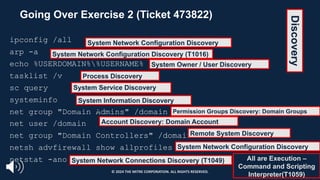
Going Over Exercise 2 (Ticket 473822)
ipconfig /all
arp -a
echo %USERDOMAIN%%USERNAME%
tasklist /v
sc query
systeminfo
net group "Domain Admins" /domain
net user /domain
net group "Domain Controllers" /domain
netsh advfirewall show allprofiles
netstat -ano
System Network Configuration Discovery
(T1016)
System Network Configuration Discovery (T1016)
System Owner / User Discovery
(T1033)
Process Discovery
(T1057)
System Service Discovery
(T1007)
All are Execution –
Command and Scripting
Interpreter(T1059)
System Information Discovery
(T1082) Permission Groups Discovery: Domain Groups
(T1069.002)
Account Discovery: Domain Account
(T1087.002)
Remote System Discovery
(T1018)
System Network Configuration Discovery
(T1016)
System Network Connections Discovery (T1049)
Discovery
© 2024 THE MITRE CORPORATION. ALL RIGHTS RESERVED.
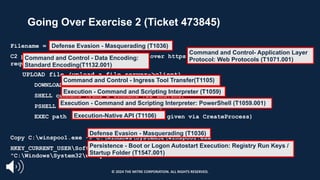
Going Over Exercise 2 (Ticket 473845)
Filename = winspoo1.exe
C2 protocol is base64 encoded commands over https. The RAT beacons every 30 seconds
requesting a command.
UPLOAD file (upload a file server->client)
DOWNLOAD file (download a file client->server)
SHELL command (runs a command via cmd.exe)
PSHELL command (runs a command via powershell.exe)
EXEC path (executes a PE at the path given via CreateProcess)
Copy C:winspoo1.exe -> C:WindowsSystem32winspool.exe
HKEY_CURRENT_USERSoftwareMicrosoftWindowsCurrentVersionRunwinspool REG_SZ
"C:WindowsSystem32winspool.exe"
Execution - Command and Scripting Interpreter: PowerShell (T1059.001)
Execution - Command and Scripting Interpreter (T1059)
Execution-Native API (T1106)
Defense Evasion - Masquerading (T1036)
Command and Control - Data Encoding:
Standard Encoding(T1132.001)
Command and Control- Application Layer
Protocol: Web Protocols (T1071.001)
Persistence - Boot or Logon Autostart Execution: Registry Run Keys /
Startup Folder (T1547.001)
Command and Control - Ingress Tool Transfer(T1105)
Defense Evasion - Masquerading (T1036)
© 2024 THE MITRE CORPORATION. ALL RIGHTS RESERVED.
Raw Data to Narrative Reporting
• If you are creating reporting with ATT&CK® techniques, we
recommend keeping the techniques with the related procedures
for context
• Allows other analysts to examine the mapping for themselves
• Ensures team is on the same page with mapping
• Allows much easier capture of how a technique was done
• Contributes to simpler process for crafting defenses against specific
adversaries
© 2024 THE MITRE CORPORATION. ALL RIGHTS RESERVED.
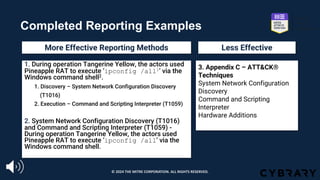
Completed Reporting Examples
1. During operation Tangerine Yellow, the actors used
Pineapple RAT to execute ‘ipconfig /all1’ via the
Windows command shell2.
1. Discovery – System Network Configuration Discovery
(T1016)
2. Execution – Command and Scripting Interpreter (T1059)
2. System Network Configuration Discovery (T1016)
and Command and Scripting Interpreter (T1059) -
During operation Tangerine Yellow, the actors used
Pineapple RAT to execute ‘ipconfig /all’ via the
Windows command shell.
3. Appendix C – ATT&CK®
Techniques
System Network Configuration
Discovery
Command and Scripting
Interpreter
Hardware Additions
More Effective Reporting Methods Less Effective
© 2024 THE MITRE CORPORATION. ALL RIGHTS RESERVED.
Lesson 2.4
Summary
Reviewed effective ways to express
mapped ATT&CK data in narrative reporting
Reinforced the importance of peer review
and collaboration for mapping both
narrative reporting and raw data
Practiced mapping raw data to ATT&CK and
reviewed the results
© 2024 THE MITRE CORPORATION. ALL RIGHTS RESERVED.
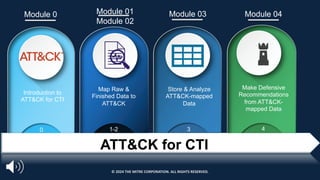
Introduction to
ATT&CK for CTI
Map Raw &
Finished Data to
ATT&CK
Store & Analyze
ATT&CK-mapped
Data
Make Defensive
Recommendations
from ATT&CK-
mapped Data
0 1-2 3 4
Module 0 Module 01
Module 02
Module 03 Module 04
ATT&CK for CTI
© 2024 THE MITRE CORPORATION. ALL RIGHTS RESERVED.
End of Module 2
© 2024 THE MITRE CORPORATION. ALL RIGHTS RESERVED.
Jackie Lasky
Module 3:
Storing and Analyzing ATT&CK® Mapped
Data
Approved for Public Release; Distribution Unlimited. Public Release Case Number 23-4342
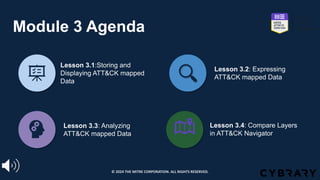
Module 3 Agenda
Lesson 3.1:Storing and
Displaying ATT&CK mapped
Data
Lesson 3.2: Expressing
ATT&CK mapped Data
Lesson 3.3: Analyzing
ATT&CK mapped Data
Lesson 3.4: Compare Layers
in ATT&CK Navigator
© 2024 THE MITRE CORPORATION. ALL RIGHTS RESERVED.
Lesson 3.1
Storing and
Displaying
ATT&CK® Mapped
Data
© 2024 THE MITRE CORPORATION. ALL RIGHTS RESERVED.
Lesson 3.1
Objectives
Identify the most effective storage platform for your
environment and requirements
Consider who (or what) will be consuming the mapped CTI
© 2024 THE MITRE CORPORATION. ALL RIGHTS RESERVED.
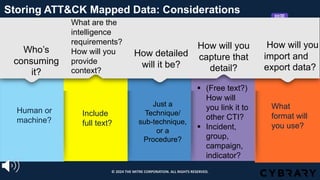
Who’s
consuming
it?
Human or
machine?
Storing ATT&CK Mapped Data: Considerations
What are the
intelligence
requirements?
How will you
provide
context?
Include
full text?
How detailed
will it be?
Just a
Technique/
sub-technique,
or a
Procedure?
How will you
capture that
detail?
§ (Free text?)
How will
you link it to
other CTI?
§ Incident,
group,
campaign,
indicator?
How will you
import and
export data?
What
format will
you use?
© 2024 THE MITRE CORPORATION. ALL RIGHTS RESERVED.
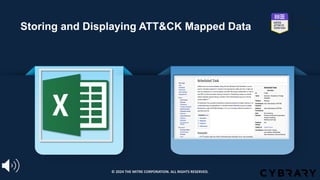
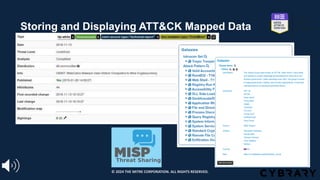
Storing and Displaying ATT&CK Mapped Data
© 2024 THE MITRE CORPORATION. ALL RIGHTS RESERVED.
Storing and Displaying ATT&CK Mapped Data
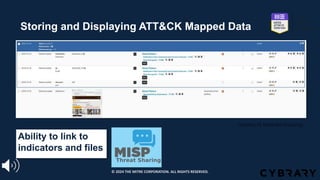
© 2024 THE MITRE CORPORATION. ALL RIGHTS RESERVED.
Courtesy of Alexandre Dulaunoy
Ability to link to
indicators and files
Storing and Displaying ATT&CK Mapped Data
© 2024 THE MITRE CORPORATION. ALL RIGHTS RESERVED.
Lesson 3.1
Summary
Reviewed internal and external storage platform
options for your environment and requirements
Considered how the ATT&CK mapped data would
be consumed, linked, contextualized, and
imported/exported
© 2024 THE MITRE CORPORATION. ALL RIGHTS RESERVED.
Lesson 3.2
Expressing and
Storing ATT&CK®
Mapped Data
© 2024 THE MITRE CORPORATION. ALL RIGHTS RESERVED.
Lesson 3.2
Objectives
Identify the most effective approach for your
environment and requirements
Review methods for expressing and storing
mapped-data
© 2024 THE MITRE CORPORATION. ALL RIGHTS RESERVED.
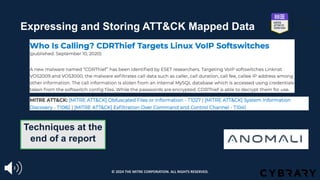
Expressing and Storing ATT&CK Mapped Data
Techniques at the
end of a report
© 2024 THE MITRE CORPORATION. ALL RIGHTS RESERVED.
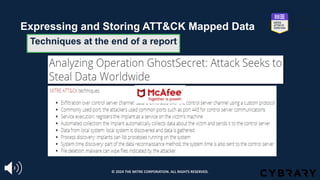
Techniques at the end of a report
Expressing and Storing ATT&CK Mapped Data
© 2024 THE MITRE CORPORATION. ALL RIGHTS RESERVED.
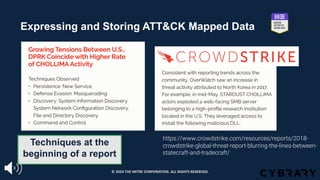
https://www.crowdstrike.com/resources/reports/2018-
crowdstrike-global-threat-report-blurring-the-lines-between-
statecraft-and-tradecraft/
Techniques at the
beginning of a report
Expressing and Storing ATT&CK Mapped Data
© 2024 THE MITRE CORPORATION. ALL RIGHTS RESERVED.
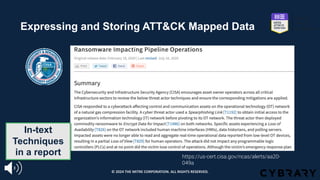
In-text
Techniques
in a report https://us-cert.cisa.gov/ncas/alerts/aa20-
049a
Expressing and Storing ATT&CK Mapped Data
© 2024 THE MITRE CORPORATION. ALL RIGHTS RESERVED.
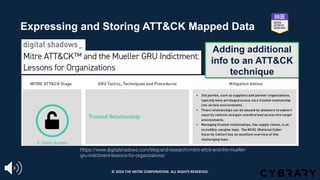
https://www.digitalshadows.com/blog-and-research/mitre-attck-and-the-mueller-
gru-indictment-lessons-for-organizations/
Adding additional
info to an ATT&CK
technique
Expressing and Storing ATT&CK Mapped Data
© 2024 THE MITRE CORPORATION. ALL RIGHTS RESERVED.
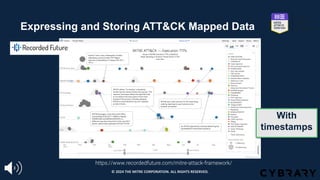
https://www.recordedfuture.com/mitre-attack-framework/
With
timestamps
Expressing and Storing ATT&CK Mapped Data
© 2024 THE MITRE CORPORATION. ALL RIGHTS RESERVED.
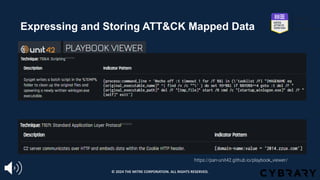
https://pan-unit42.github.io/playbook_viewer/
Machine readable
Linking techniques to indicators
Expressing and Storing ATT&CK Mapped Data
© 2024 THE MITRE CORPORATION. ALL RIGHTS RESERVED.
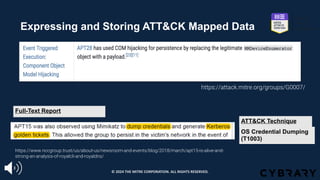
Expressing and Storing ATT&CK Mapped Data
https://attack.mitre.org/groups/G0007/
https://www.nccgroup.trust/us/about-us/newsroom-and-events/blog/2018/march/apt15-is-alive-and-
strong-an-analysis-of-royalcli-and-royaldns/
OS Credential Dumping
(T1003)
Full-Text Report
ATT&CK Technique
© 2024 THE MITRE CORPORATION. ALL RIGHTS RESERVED.
Lesson 3.2
Summary Examined how to identify the most effective
approach for your environment and
requirements
Reviewed various methods and levels of detail for
expressing and storing mapped-data
© 2024 THE MITRE CORPORATION. ALL RIGHTS RESERVED.
Lesson 3.3
Analyzing ATT&CK®
Mapped Data
© 2024 THE MITRE CORPORATION. ALL RIGHTS RESERVED.
Lesson 3.3
Objectives
Learn how to prioritize techniques and sub-
techniques to inform actionable intelligence
Review the ATT&CK Navigator process for
storing, analyzing, visualizing and exporting data
in ATT&CK Navigator
© 2024 THE MITRE CORPORATION. ALL RIGHTS RESERVED.
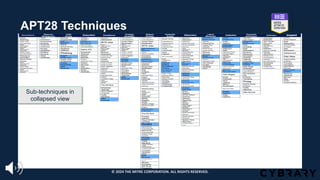
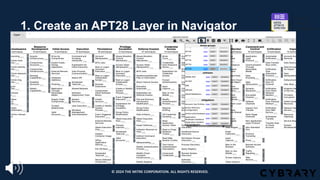
APT28 Techniques
© 2024 THE MITRE CORPORATION. ALL RIGHTS RESERVED.
Sub-techniques in
collapsed view
© 2024 THE MITRE CORPORATION. ALL RIGHTS RESERVED.
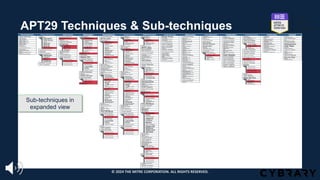
APT29 Techniques & Sub-techniques
© 2024 THE MITRE CORPORATION. ALL RIGHTS RESERVED.
Sub-techniques in
expanded view
© 2024 THE MITRE CORPORATION. ALL RIGHTS RESERVED.
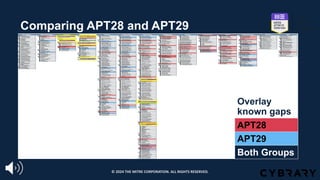
Comparing APT28 and APT29
Overlay
known gaps
APT28
APT29
Both Groups
© 2024 THE MITRE CORPORATION. ALL RIGHTS RESERVED.
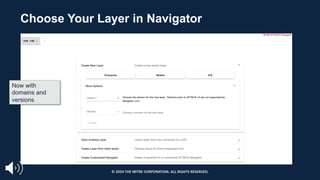
Choose Your Layer in Navigator
Now with
domains and
versions
© 2024 THE MITRE CORPORATION. ALL RIGHTS RESERVED.
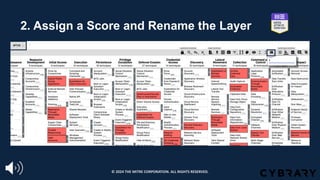
1. Create an APT28 Layer in Navigator
© 2024 THE MITRE CORPORATION. ALL RIGHTS RESERVED.
2. Assign a Score and Rename the Layer
© 2024 THE MITRE CORPORATION. ALL RIGHTS RESERVED.
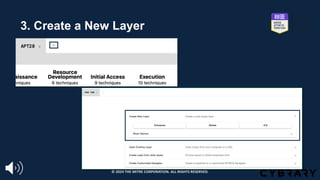
3. Create a New Layer
© 2024 THE MITRE CORPORATION. ALL RIGHTS RESERVED.
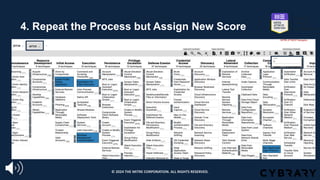
4. Repeat the Process but Assign New Score
© 2024 THE MITRE CORPORATION. ALL RIGHTS RESERVED.
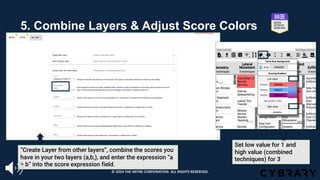
5. Combine Layers & Adjust Score Colors
Set low value for 1 and
high value (combined
techniques) for 3
“Create Layer from other layers”, combine the scores you
have in your two layers (a,b,), and enter the expression “a
+ b” into the score expression field.
© 2024 THE MITRE CORPORATION. ALL RIGHTS RESERVED.
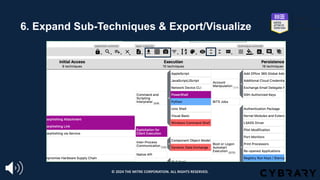
6. Expand Sub-Techniques & Export/Visualize
Expand Sub-Techniques
Export/Visualize Layer
© 2024 THE MITRE CORPORATION. ALL RIGHTS RESERVED.
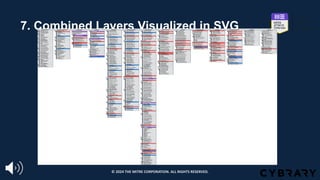
7. Combined Layers Visualized in SVG
© 2024 THE MITRE CORPORATION. ALL RIGHTS RESERVED.
Lesson 3.3
Summary
Examined how to prioritize techniques and sub-
techniques for actionable intelligence
Learned how to map multiple threat groups in
ATT&CK Navigator to enable analysis and
identification of overlapping techniques/sub-
techniques.
© 2024 THE MITRE CORPORATION. ALL RIGHTS RESERVED.
Lesson 3.4
Exercise 3:
Comparing Layers in
ATT&CK® Navigator
© 2024 THE MITRE CORPORATION. ALL RIGHTS RESERVED.
Lesson 3.4
Objectives
Review the overlapping techniques and sub-
techniques
Practice defining and comparing layers in
Navigator
© 2024 THE MITRE CORPORATION. ALL RIGHTS RESERVED.
Exercise 3: Comparing Layers in Navigator
§ Refer to the Resources section for Exercise 3
• The techniques and sub-techniques are listed in the “APT39 and Cobalt Kitty Techniques” PDF
1. Open ATT&CK Navigator: http://bit.ly/attacknav
2. Enter the techniques and sub-techniques from APT39 and Cobalt Kitty/OceanLotus
into separate Navigator layers with a unique score for each layer.
3. Combine the layers in Navigator to create a third layer
4. Color score your third layer
5. Make a list of the techniques and sub-techniques that overlap between the two
groups
§ Please pause. We suggest giving yourself 15 minutes for this exercise.
© 2024 THE MITRE CORPORATION. ALL RIGHTS RESERVED.
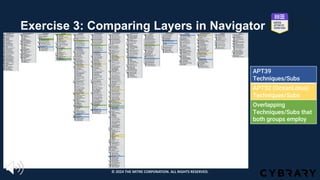
Exercise 3: Comparing Layers in Navigator
APT39
Techniques/Subs
APT32 (OceanLotus)
Techniques/Subs
Overlapping
Techniques/Subs that
both groups employ
© 2024 THE MITRE CORPORATION. ALL RIGHTS RESERVED.
Exercise 3: Comparing Layers in Navigator
§What are some of the
overlapping techniques and
sub-techniques you identified?
© 2024 THE MITRE CORPORATION. ALL RIGHTS RESERVED.
Exercise 3: Comparing Layers in ATT&CK
Navigator
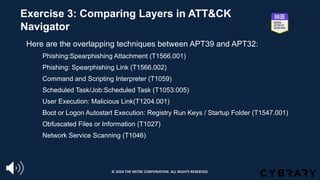
§ Here are the overlapping techniques between APT39 and APT32:
1. Phishing:Spearphishing Attachment (T1566.001)
2. Phishing: Spearphishing Link (T1566.002)
3. Command and Scripting Interpreter (T1059)
4. Scheduled Task/Job:Scheduled Task (T1053.005)
5. User Execution: Malicious Link(T1204.001)
6. Boot or Logon Autostart Execution: Registry Run Keys / Startup Folder (T1547.001)
7. Obfuscated Files or Information (T1027)
8. Network Service Scanning (T1046)
© 2024 THE MITRE CORPORATION. ALL RIGHTS RESERVED.
Lesson 3.4
Summary
Reviewed the APT32 and APT39 intersecting
outcomes
Worked through defining and comparing layers in
Navigator process and identified the overlapping
techniques and sub-techniques
© 2024 THE MITRE CORPORATION. ALL RIGHTS RESERVED.
Next Up:
Module 4:
Making Defensive
Recommendations from
ATT&CK® Mapped Data
© 2024 THE MITRE CORPORATION. ALL RIGHTS RESERVED.
End of Module 3
© 2024 THE MITRE CORPORATION. ALL RIGHTS RESERVED.
Module 4:
Making Defensive Recommendations
from ATT&CK® Mapped Data
Adam Pennington
APPROVED FOR PUBLIC RELEASE; DISTRIBUTION UNLIMITED. PUBLIC RELEASE CASE NUMBER 23-4342
Learn the process for making defensive
recommendations based on ATT&CK mapped
data
Identify the priority techniques and sub-techniques
for your enterprise.
Understand your enterprise capabilities and
constraints
Practice making customized defensive
recommendations
Module 4
Objectives
© 2024 THE MITRE CORPORATION. ALL RIGHTS RESERVED.
Agenda
Lesson 4.1:
The Defensive
Recommendation
Process
Lesson 4.2:
Research how
techniques and sub-
techniques are being
used and the
defensive options
Lesson 4.3:
Research
Organizational
Capabilities and
Constraints &
Determine Trade-
offs
Lesson 4.4:
Make Defensive
Recommendations
© 2024 THE MITRE CORPORATION. ALL RIGHTS RESERVED.
Lesson 4.1:
The Defensive
Recommendations Process
© 2024 THE MITRE CORPORATION. ALL RIGHTS RESERVED.
Lesson 4.1
Objectives
Learn how to determine priority techniques
Review the process for making defensive
recommendations
© 2024 THE MITRE CORPORATION. ALL RIGHTS RESERVED.
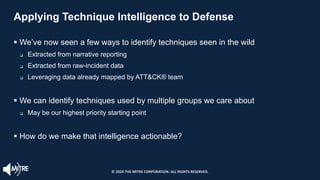
Applying Technique Intelligence to Defense
§ We’ve now seen a few ways to identify techniques seen in the wild
q Extracted from narrative reporting
q Extracted from raw-incident data
q Leveraging data already mapped by ATT&CK® team
§ We can identify techniques used by multiple groups we care about
q May be our highest priority starting point
§ How do we make that intelligence actionable?
© 2024 THE MITRE CORPORATION. ALL RIGHTS RESERVED.
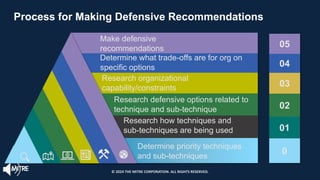
05
04
03
02
01
0
Determine what trade-offs are for org on
specific options
Make defensive
recommendations
Research organizational
capability/constraints
Research defensive options related to
technique and sub-technique
Research how techniques and
sub-techniques are being used
Determine priority techniques
and sub-techniques
Process for Making Defensive Recommendations
© 2024 THE MITRE CORPORATION. ALL RIGHTS RESERVED.
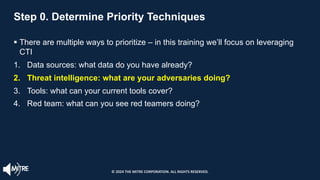
Step 0. Determine Priority Techniques
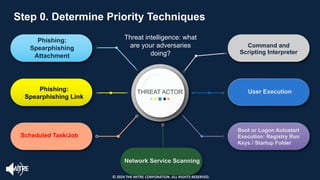
§ There are multiple ways to prioritize – in this training we’ll focus on leveraging
CTI
1. Data sources: what data do you have already?
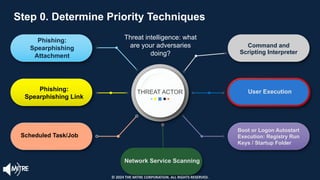
2. Threat intelligence: what are your adversaries doing?
3. Tools: what can your current tools cover?
4. Red team: what can you see red teamers doing?
© 2024 THE MITRE CORPORATION. ALL RIGHTS RESERVED.
THREAT ACTOR
Phishing:
Spearphishing
Attachment
Phishing:
Spearphishing Link
Scheduled Task/Job
Command and
Scripting Interpreter
User Execution
Boot or Logon Autostart
Execution: Registry Run
Keys / Startup Folder
Network Service Scanning
Step 0. Determine Priority Techniques
Threat intelligence: what
are your adversaries
doing?
Step 0. Determine Priority Techniques
© 2024 THE MITRE CORPORATION. ALL RIGHTS RESERVED.
Lesson 4.1
Summary Learned how to determine priority techniques
and sub-techniques from a CTI perspective and
reviewed potential data sources
Reviewed the process for making defensive
recommendations
© 2024 THE MITRE CORPORATION. ALL RIGHTS RESERVED.
Lesson 4.2
Research how Techniques & Sub-
Techniques are being used and Defensive
Options
© 2024 THE MITRE CORPORATION. ALL RIGHTS RESERVED.
Lesson 4.2
Objectives
Understand how to research the associated
defensive options
Learn the approach for identifying how
techniques and sub-techniques are being used
© 2024 THE MITRE CORPORATION. ALL RIGHTS RESERVED.
Step 1. Research How Techniques and Sub-
techniques are Used
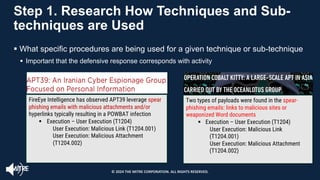
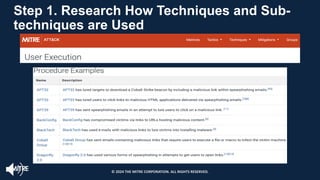
§ What specific procedures are being used for a given technique or sub-technique
§ Important that the defensive response corresponds with activity
FireEye Intelligence has observed APT39 leverage spear
phishing emails with malicious attachments and/or
hyperlinks typically resulting in a POWBAT infection
§ Execution – User Execution (T1204)
User Execution: Malicious Link (T1204.001)
User Execution: Malicious Attachment
(T1204.002)
Two types of payloads were found in the spear-
phishing emails: links to malicious sites or
weaponized Word documents
§ Execution – User Execution (T1204)
User Execution: Malicious Link
(T1204.001)
User Execution: Malicious Attachment
(T1204.002) (T1
204.002)
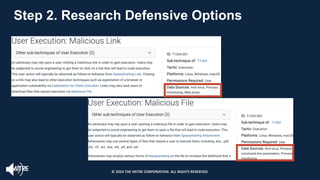
© 2024 THE MITRE CORPORATION. ALL RIGHTS RESERVED.
Step 1. Research How Techniques and Sub-
techniques are Used
© 2024 THE MITRE CORPORATION. ALL RIGHTS RESERVED.
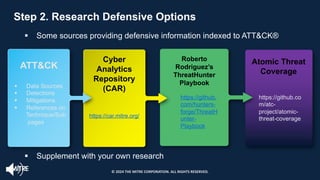
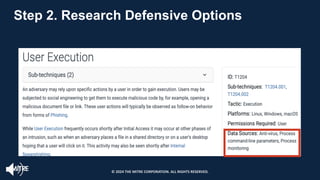
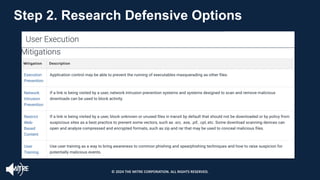
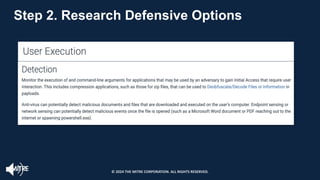
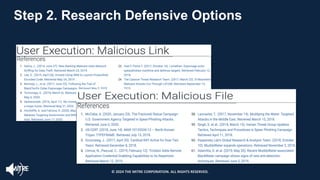
Step 2. Research Defensive Options
§ Some sources providing defensive information indexed to ATT&CK®
ATT&CK
§ Data Sources
§ Detections
§ Mitigations
§ References on
Technique/Sub
pages
Cyber
Analytics
Repository
(CAR)
https://car.mitre.org/
Roberto
Rodriguez’s
ThreatHunter
Playbook
https://github.
com/hunters-
forge/ThreatH
unter-
Playbook
Atomic Threat
Coverage
§ Supplement with your own research
Step 2. Research Defensive Options
https://github.co
m/atc-
project/atomic-
threat-coverage
© 2024 THE MITRE CORPORATION. ALL RIGHTS RESERVED.
Step 2. Research Defensive Options
© 2024 THE MITRE CORPORATION. ALL RIGHTS RESERVED.
Step 2. Research Defensive Options
© 2024 THE MITRE CORPORATION. ALL RIGHTS RESERVED.
Step 2. Research Defensive Options
© 2024 THE MITRE CORPORATION. ALL RIGHTS RESERVED.
Step 2. Research Defensive Options
© 2024 THE MITRE CORPORATION. ALL RIGHTS RESERVED.
Step 2. Research Defensive Options
© 2024 THE MITRE CORPORATION. ALL RIGHTS RESERVED.
Step 2. Research Defensive Options
© 2024 THE MITRE CORPORATION. ALL RIGHTS RESERVED.
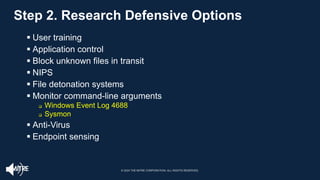
§ User training
§ Application control
§ Block unknown files in transit
§ NIPS
§ File detonation systems
§ Monitor command-line arguments
q Windows Event Log 4688
q Sysmon
§ Anti-Virus
§ Endpoint sensing
Lesson 4.2
Summary Learned how to research the associated
defensive options using ATT&CK data sources,
detection, mitigations, and references
Reviewed the approach for identifying how
techniques and sub-techniques are being used
and reviewed defensive information sources
© 2024 THE MITRE CORPORATION. ALL RIGHTS RESERVED.
Lesson 4.3
Researching Organizational
Capabilities and Constraints &
Determine Trade-offs
© 2024 THE MITRE CORPORATION. ALL RIGHTS RESERVED.
Lesson 4.3
Objectives
Understand how to make customized defensive
_recommendations
Identify how to tailor trade-offs for your
enterprise
Learn how to identify your organizational
capabilities and constraints
© 2024 THE MITRE CORPORATION. ALL RIGHTS RESERVED.
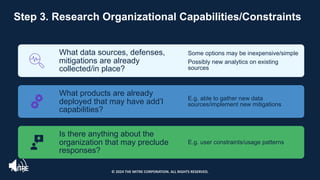
Step 3. Research Organizational Capabilities/Constraints
What data sources, defenses,
mitigations are already
collected/in place?
Some options may be inexpensive/simple
Possibly new analytics on existing
sources
What products are already
deployed that may have add’l
capabilities?
E.g. able to gather new data
sources/implement new mitigations
Is there anything about the
organization that may preclude
responses?
E.g. user constraints/usage patterns
© 2024 THE MITRE CORPORATION. ALL RIGHTS RESERVED.
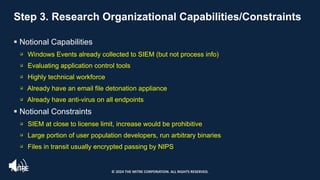
Step 3. Research Organizational Capabilities/Constraints
§ Notional Capabilities
q Windows Events already collected to SIEM (but not process info)
q Evaluating application control tools
q Highly technical workforce
q Already have an email file detonation appliance
q Already have anti-virus on all endpoints
§ Notional Constraints
q SIEM at close to license limit, increase would be prohibitive
q Large portion of user population developers, run arbitrary binaries
q Files in transit usually encrypted passing by NIPS
© 2024 THE MITRE CORPORATION. ALL RIGHTS RESERVED.
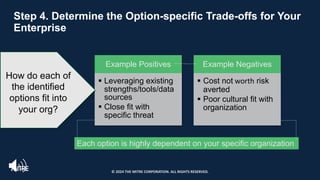
Step 4. Determine the Option-specific Trade-offs for Your
Enterprise
Example Positives
§ Leveraging existing
strengths/tools/data
sources
§ Close fit with
specific threat
Example Negatives
§ Cost not worth risk
averted
§ Poor cultural fit with
organization
Each option is highly dependent on your specific organization
How do each of
the identified
options fit into
your org?
© 2024 THE MITRE CORPORATION. ALL RIGHTS RESERVED.
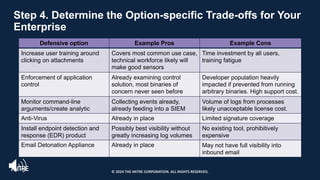
Step 4. Determine the Option-specific Trade-offs for Your
Enterprise
Defensive option Example Pros Example Cons
Increase user training around
clicking on attachments
Covers most common use case,
technical workforce likely will
make good sensors
Time investment by all users,
training fatigue
Enforcement of application
control
Already examining control
solution, most binaries of
concern never seen before
Developer population heavily
impacted if prevented from running
arbitrary binaries. High support cost.
Monitor command-line
arguments/create analytic
Collecting events already,
already feeding into a SIEM
Volume of logs from processes
likely unacceptable license cost.
Anti-Virus Already in place Limited signature coverage
Install endpoint detection and
response (EDR) product
Possibly best visibility without
greatly increasing log volumes
No existing tool, prohibitively
expensive
Email Detonation Appliance Already in place May not have full visibility into
inbound email
© 2024 THE MITRE CORPORATION. ALL RIGHTS RESERVED.
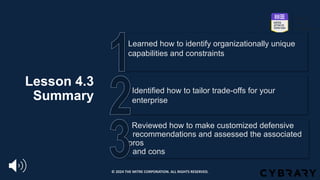
Lesson 4.3
Summary
Reviewed how to make customized defensive
_recommendations and assessed the associated
pros
and cons
Identified how to tailor trade-offs for your
enterprise
Learned how to identify organizationally unique
capabilities and constraints
© 2024 THE MITRE CORPORATION. ALL RIGHTS RESERVED.
Lesson 4.4
Make Defensive Recommendations
© 2024 THE MITRE CORPORATION. ALL RIGHTS RESERVED.
Lesson 4.4
Objectives
Practice making defensive recommendations
Review how to prioritize recommendations
Learn about the different types of defensive
recommendations
© 2024 THE MITRE CORPORATION. ALL RIGHTS RESERVED.
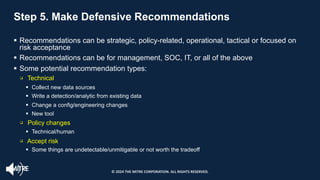
Step 5. Make Defensive Recommendations
§ Recommendations can be strategic, policy-related, operational, tactical or focused on
risk acceptance
§ Recommendations can be for management, SOC, IT, or all of the above
§ Some potential recommendation types:
q Technical
§ Collect new data sources
§ Write a detection/analytic from existing data
§ Change a config/engineering changes
§ New tool
q Policy changes
§ Technical/human
q Accept risk
§ Some things are undetectable/unmitigable or not worth the tradeoff
© 2024 THE MITRE CORPORATION. ALL RIGHTS RESERVED.
Step 5. Make Defensive Recommendations
© 2024 THE MITRE CORPORATION. ALL RIGHTS RESERVED.
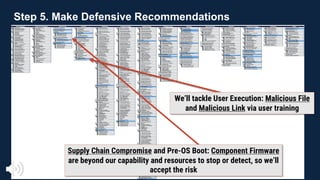
We’ll tackle User Execution: Malicious File
and Malicious Link via user training
Supply Chain Compromise and Pre-OS Boot: Component Firmware
are beyond our capability and resources to stop or detect, so we’ll
accept the risk
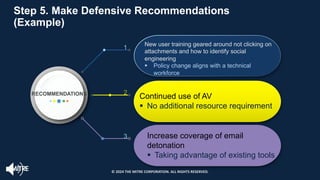
RECOMMENDATIONS
1
2
3
New user training geared around not clicking on
attachments and how to identify social
engineering
§ Policy change aligns with a technical
workforce
Continued use of AV
§ No additional resource requirement
Increase coverage of email
detonation
§ Taking advantage of existing tools
Step 5. Make Defensive Recommendations
(Example)
Step 5. Make Defensive Recommendations
(Example)
© 2024 THE MITRE CORPORATION. ALL RIGHTS RESERVED.
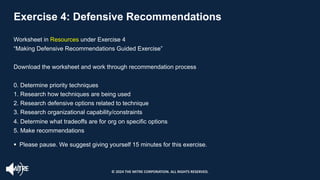
Exercise 4: Defensive Recommendations
Worksheet in Resources under Exercise 4
“Making Defensive Recommendations Guided Exercise”
Download the worksheet and work through recommendation process
0. Determine priority techniques
1. Research how techniques are being used
2. Research defensive options related to technique
3. Research organizational capability/constraints
4. Determine what tradeoffs are for org on specific options
5. Make recommendations
§ Please pause. We suggest giving yourself 15 minutes for this exercise.
© 2024 THE MITRE CORPORATION. ALL RIGHTS RESERVED.
Exercise Review
§ What resources were helpful to you finding defensive options?
§ What kind of recommendations did you end up making?
§ Did you consider doing nothing or accepting risk?
§ Were there any options that were completely inappropriate for you?
© 2024 THE MITRE CORPORATION. ALL RIGHTS RESERVED.
THREAT ACTOR
Phishing:
Spearphishing
Attachment
Phishing:
Spearphishing Link
Scheduled Task/Job
Command and
Scripting Interpreter
User Execution
Boot or Logon Autostart
Execution: Registry Run
Keys / Startup Folder
Network Service Scanning
Step 0. Determine Priority Techniques
Threat intelligence: what
are your adversaries
doing?
Step 0. Determine Priority Techniques
© 2024 THE MITRE CORPORATION. ALL RIGHTS RESERVED.
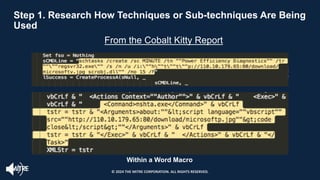
Step 1. Research How Techniques or Sub-techniques Are Being
Used
From the Cobalt Kitty Report
Within a Word Macro
© 2024 THE MITRE CORPORATION. ALL RIGHTS RESERVED.
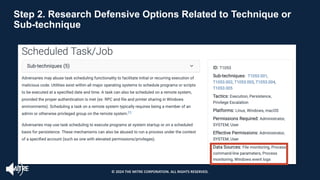
Step 2. Research Defensive Options Related to Technique or
Sub-technique
© 2024 THE MITRE CORPORATION. ALL RIGHTS RESERVED.
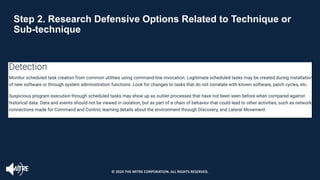
Step 2. Research Defensive Options Related to Technique or
Sub-technique
© 2024 THE MITRE CORPORATION. ALL RIGHTS RESERVED.
Step 3. Research Organizational Capabilities/Constraints
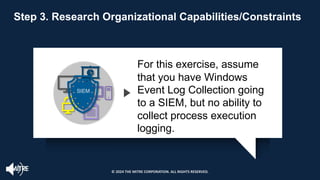
For this exercise, assume
that you have Windows
Event Log Collection going
to a SIEM, but no ability to
collect process execution
logging.
SIEM
© 2024 THE MITRE CORPORATION. ALL RIGHTS RESERVED.
Step 4. Determine the Option-specific Trade-offs
for Your Enterprise
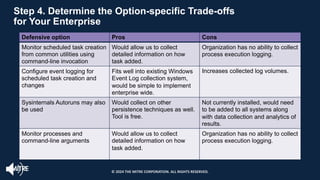
Defensive option Pros Cons
Monitor scheduled task creation
from common utilities using
command-line invocation
Would allow us to collect
detailed information on how
task added.
Organization has no ability to collect
process execution logging.
Configure event logging for
scheduled task creation and
changes
Fits well into existing Windows
Event Log collection system,
would be simple to implement
enterprise wide.
Increases collected log volumes.
Sysinternals Autoruns may also
be used
Would collect on other
persistence techniques as well.
Tool is free.
Not currently installed, would need
to be added to all systems along
with data collection and analytics of
results.
Monitor processes and
command-line arguments
Would allow us to collect
detailed information on how
task added.
Organization has no ability to collect
process execution logging.
© 2024 THE MITRE CORPORATION. ALL RIGHTS RESERVED.
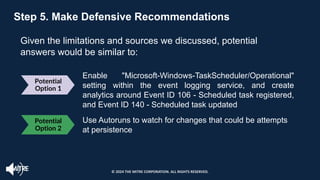
Potential
Option 1
Enable "Microsoft-Windows-TaskScheduler/Operational"
setting within the event logging service, and create
analytics around Event ID 106 - Scheduled task registered,
and Event ID 140 - Scheduled task updated
Use Autoruns to watch for changes that could be attempts
at persistence
Step 5. Make Defensive Recommendations
Given the limitations and sources we discussed, potential
answers would be similar to:
Potential
Option 2
© 2024 THE MITRE CORPORATION. ALL RIGHTS RESERVED.
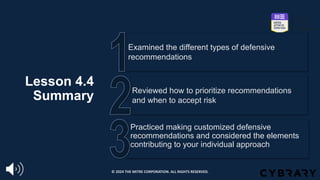
Lesson 4.4
Summary
Practiced making customized defensive
recommendations and considered the elements
contributing to your individual approach
Reviewed how to prioritize recommendations
and when to accept risk
Examined the different types of defensive
recommendations
© 2024 THE MITRE CORPORATION. ALL RIGHTS RESERVED.
Understand
ATT&CK
Store & Analyze
ATT&CK mapped
Data
Make Defensive
Recommendations
from ATT&CK
mapped Data
0 1-2 3 4
Module 0 Module 01
Module 02
Module 03 Module 04
Map Narrative &
Raw Data to
ATT&CK
ATT&CK for CTI
End of Module 4
© 2024 THE MITRE CORPORATION. ALL RIGHTS RESERVED.

CTI Workshop Full Slides Workshop Full Slides.pdf

  • 1.
    Module 0: Introducing MITREATT&CK ® for Cyber Threat Intelligence Training Adam Pennington APPROVED FOR PUBLIC RELEASE; DISTRIBUTION UNLIMITED. PUBLIC RELEASE CASE NUMBER 23-4342
  • 2.
    Lesson 0.1: IntroducingATT&CK® for Cyber Threat Intelligence © 2024 THE MITRE CORPORATION. ALL RIGHTS RESERVED.
  • 3.
    Lesson 0.1 Objectives Learn abouthow ATT&CK can help with Cyber Threat Intelligence Review the Training Module Overviews Review the Training Goals for ATT&CK for Cyber Threat Intelligence © 2024 THE MITRE CORPORATION. ALL RIGHTS RESERVED.
  • 4.
    Training Goals 0 2 4 1 3 Why ATT&CKis useful for cyber threat intelligence (CTI) How to map to ATT&CK from both narrative reporting and raw data How to store and display ATT&CK-mapped data and what you should consider when doing that How to perform CTI analysis using ATT&CK-mapped data How to make defensive recommendations © 2024 THE MITRE CORPORATION. ALL RIGHTS RESERVED.
  • 5.
    Training Overview • Module0: Introducing ATT&CK for CTI Training • Topic introduction and Training Goals • Module 1: Mapping to ATT&CK from Narrative Reporting • Topic introduction • Exercise 1: Mapping to ATT&CK from external narrative reporting (Self-administered exercise in the Resources section) • Exercise 1 Review • Module 2: Mapping to ATT&CK from Raw Data • Topic introduction • Exercise 2: Mapping to ATT&CK from raw data (Self-administered exercise in the Resources section) • Exercise 2 Review © 2024 THE MITRE CORPORATION. ALL RIGHTS RESERVED.
  • 6.
    Training Overview • Module3: Storing and Analyzing ATT&CK-mapped Intelligence • Topic introduction • Exercise 3: Comparing layers in ATT&CK Navigator (Do it yourself with materials in the Resources section and on https://mitre- attack.github.io/attack-navigator/) • Going over Exercise 3 • Module 4: Making ATT&CK-mapped Data Actionable with Defensive Recommendations • Topic introduction • Exercise 4: Making defensive recommendations (Do it yourself with materials on attack.mitre.org/training/cti) • Going over Exercise 4 and wrap-up © 2024 THE MITRE CORPORATION. ALL RIGHTS RESERVED.
  • 7.
    Cyber Threat Intelligence Threatintelligence is actionable knowledge and insight on adversaries and their malicious activities enabling defenders and their organizations to reduce harm through better security decision-making. -Sergio Caltagirone © 2024 THE MITRE CORPORATION. ALL RIGHTS RESERVED.
  • 8.
    Threat Intelligence –How ATT&CK Can Help • Use knowledge of adversary behaviors to inform defenders • Structuring threat intelligence with ATT&CK allows us to… • Compare behaviors • Groups to each other • Groups over time • Groups to defenses • Communicate in a common language © 2024 THE MITRE CORPORATION. ALL RIGHTS RESERVED.
  • 9.
    Communicate to Defenders CTI AnalystDefender Boot or Logon Autostart Execution: Registry Run Keys / Startup Folder (T1547.001) THIS is what the adversary is doing! The Run key is AdobeUpdater. Oh, we have Registry data, we can detect that! © 2024 THE MITRE CORPORATION. ALL RIGHTS RESERVED.
  • 10.
    Communicate Across theCommunity CTI Consumer Oh, you mean T547.001! APT1337 is using autorun FUZZYDUCK used a Run key Company A Company B Boot or Logon Autostart Execution: Registry Run Keys / Startup Folder (T1547.001) © 2024 THE MITRE CORPORATION. ALL RIGHTS RESERVED.
  • 11.
    Lesson 0.1 Summary Examined howATT&CK can assist with Cyber Threat Intelligence by offering a common language and structure Reviewed the Training Module focus areas Reviewed the Training Goals for ATT&CK for Cyber Threat Intelligence © 2024 THE MITRE CORPORATION. ALL RIGHTS RESERVED.
  • 12.
    Understand ATT&CK Store & Analyze ATT&CK-mapped Data MakeDefensive Recommendations from ATT&CK- mapped Data 0 1-2 3 4 Module 0 Module 01 Module 02 Module 03 Module 04 Map Narrative & Raw Data to ATT&CK ATT&CK for CTI
  • 13.
    Next Up: Module 1: Mappingto ATT&CK from Narrative Reports © 2024 THE MITRE CORPORATION. ALL RIGHTS RESERVED.
  • 14.
    End of Module0 © 2024 THE MITRE CORPORATION. ALL RIGHTS RESERVED.
  • 15.
    Module 1: Mapping toATT&CK® from Narrative Reports Adam Pennington November 2020 Approved for Public Release; Distribution Unlimited. Public Release Case Number 23-4342
  • 16.
    Module 1 Objectives Learn toidentify behaviors in narrative reporting Understand how to translate behaviors into Tactics, Techniques, and Sub-Techniques Practice mapping narrative reporting to ATT&CK® Understand analyst and source bias, and learn how to hedge against them © 2024 THE MITRE CORPORATION. ALL RIGHTS RESERVED.
  • 17.
    Module 1 Agenda Lesson 1.1:Challenges, Advantages,and the ATT&CK® Mapping Process Lesson 1.2: Finding and Researching Behaviors Lesson 1.3: Translating Behaviors into Tactics Lesson 1.4: Identifying Techniques and Sub-techniques Lesson 1.5: Mapping to a Narrative Report Lesson 1.6: Hedging Your Biases © 2024 THE MITRE CORPORATION. ALL RIGHTS RESERVED.
  • 18.
    Lesson 1.1: Challenges,Advantages, and the Process of Mapping to ATT&CK © 2024 THE MITRE CORPORATION. ALL RIGHTS RESERVED.
  • 19.
    Lesson 1.1 Objectives Learn theATT&CK process for mapping to narrative reporting Understand the challenges and advantages to mapping to ATT&CK Recognize the prerequisites to ATT&CK mapping © 2024 THE MITRE CORPORATION. ALL RIGHTS RESERVED.
  • 20.
    You need to knowwhat to look for before you can start mapping § Get Started with ATT&CK § Complete the ATT&CK Fundamentals training § Watch an ATT&CK presentation like MITRE ATT&CK: The Play at Home Edition, from Black Hat USA 2019 § Read the Philosophy Paper and items from ATT&CK’s Getting Started page § Read the Tactic descriptions § Skim the Techniques and Sub-techniques § Challenge yourself to ongoing learning and discussion § Learn a Technique and associated Sub-techniques a week § Review Techniques and Sub-techniques with another analyst or a team Understand ATT&CK © 2024 THE MITRE CORPORATION. ALL RIGHTS RESERVED.
  • 21.
    Mapping to ATT&CK:Challenges and Advantages § Forces a shift in thinking about behaviors: from indicators § Allows opportunities to discover new adversary techniques § Facilitates enhanced learning of the “technical” side § Mapping to ATT&CK requires a shift in thinking § The volume of ATT&CK techniques & sub- techniques can seem overwhelming § The “technical” detail of some ATT&CK techniques can seem complex Challenges Advantages © 2024 THE MITRE CORPORATION. ALL RIGHTS RESERVED.
  • 22.
    1 1 1 1 Find theBehavior 1 1 1 2 4 1 3 1 5 Research the Behavior Translate into a Tactic Identify Techniques or Sub- techniques Compare Your Results to Other Analysts 1 2 3 4 5 ATT&CK Mapping Process © 2024 THE MITRE CORPORATION. ALL RIGHTS RESERVED.
  • 23.
    Lesson 1.1 Summary Examined theATT&CK mapping process for narrative reporting Assessed some of the challenges and corresponding advantages of mapping to ATT&CK Reviewed the prerequisites to ATT&CK mapping and the associated resources to get started with ATT&CK © 2024 THE MITRE CORPORATION. ALL RIGHTS RESERVED.
  • 24.
    Lesson 1.2: ATT&CK®Mapping Process: Finding and Researching the Behavior © 2024 THE MITRE CORPORATION. ALL RIGHTS RESERVED.
  • 25.
    Lesson 1.2 Objectives Review narrativereporting for example behaviors Learn how to research behaviors (Step 2) Discover how to find behaviors (Step 1) © 2024 THE MITRE CORPORATION. ALL RIGHTS RESERVED.
  • 26.
    Step 1: Findthe Behavior Look for what the adversary or software does during the steps of the compromise 01 Focus on pre- compromise, initial compromise and post- compromise details • Identify how the adversary gained initial access and how they moved through the compromise of the victim network/system 02 Look for the “verbs” in the narrative reporting to identify adversary behavior, such as: • ‘used email attachments,’ • ‘create scheduled task,’ and • ‘installed tools’ 03 © 2024 THE MITRE CORPORATION. ALL RIGHTS RESERVED.
  • 27.
    Step 1: Findthe Behavior Information that may not be useful for ATT&CK mapping are those that don’t provide details about adversary behavior, such as: § Static malware analysis § Infrastructure registration information § Stand-alone industry/victim targeting information © 2024 THE MITRE CORPORATION. ALL RIGHTS RESERVED.
  • 28.
    Step 1: Findthe Behavior https://www.fireeye.com/blog/threat-research/2014/11/operation_doubletap.html [Tactic] | 1. [Technique/Sub-technique] [Tactic] | 2. [Technique/Sub- technique] © 2024 THE MITRE CORPORATION. ALL RIGHTS RESERVED.
  • 29.
    Step 2: Researchthe Behavior § Perform additional research on unfamiliar adversary/software behaviors ☐ Examine details about network protocols that were used including their OSI layer/capabilities, assigned port number, associated service, and any potential vulnerabilities that can be leveraged by adversaries, such as SMB ☐ Collaborate within your own organization (defenders/red teamers) ☐ Leverage external resources § Understanding core behaviors helps with next steps and enhances analytic skills © 2024 THE MITRE CORPORATION. ALL RIGHTS RESERVED.
  • 30.
    Step 2: Researchthe Behavior © 2024 THE MITRE CORPORATION. ALL RIGHTS RESERVED.
  • 31.
    Step 2. Researchthe Behavior https://www.speedguide.net/port.php?port=1913 ? © 2024 THE MITRE CORPORATION. ALL RIGHTS RESERVED.
  • 32.
    Lesson 1.2 Summary Examined researchresources and reviewed narrative reporting Reviewed the importance of understanding core behaviors and performing additional research on unfamiliar behaviors Learned the guidelines and reviewed tips for finding behaviors © 2024 THE MITRE CORPORATION. ALL RIGHTS RESERVED.
  • 33.
    Lesson 1.3: ATT&CK® MappingProcess: Translating the Behavior into a Tactic © 2024 THE MITRE CORPORATION. ALL RIGHTS RESERVED.
  • 34.
    Lesson 1.3 Objectives Learn howto translate behaviors into Tactics Practice identifying a behavior in narrative reporting Understand the 14 Tactics and why they matter © 2024 THE MITRE CORPORATION. ALL RIGHTS RESERVED.
  • 35.
    Step 3. Translatethe Behavior into a Tactic § Consider: what goals is the adversary trying to accomplish? § There are only 14 options § for tactics: – Reconnaissance – Resource Development – Initial Access – Execution – Persistence – Privilege Escalation – Defense Evasion – Credential Access – Discovery – Lateral Movement – Collection – Command and Control – Exfiltration – Impact © 2024 THE MITRE CORPORATION. ALL RIGHTS RESERVED.
  • 36.
    Step 3. Translatethe Behavior into a Tactic TACTIC BEHAVIOR Reconnaissanc e The adversary is trying to gather information they can use to plan future operations. Resource Development The adversary is trying to establish resources they can use to support operations. Initial Access Initial Access consists of techniques that use various entry vectors to gain their initial foothold within a network. Execution Execution consists of techniques that result in adversary-controlled code running on a local or remote system. Persistence Persistence consists of techniques that adversaries use to keep access to systems across restarts, changed credentials, and other interruptions that could cut off their access. © 2024 THE MITRE CORPORATION. ALL RIGHTS RESERVED.
  • 37.
    Step 3. Translatethe Behavior into a Tactic TACTIC BEHAVIOR Privilege Escalation Privilege Escalation consists of techniques that adversaries use to gain higher-level permissions on a system or network. Defense Evasion Defense Evasion consists of techniques that adversaries use to avoid detection throughout their compromise. Credential Access Credential Access consists of techniques for stealing credentials like account names and passwords. Discovery Discovery consists of techniques an adversary may use to gain knowledge about the system and internal network. Lateral Movement Lateral Movement consists of techniques that adversaries use to enter and control remote systems on a network. © 2024 THE MITRE CORPORATION. ALL RIGHTS RESERVED.
  • 38.
    Step 3. Translatethe Behavior into a Tactic TACTIC BEHAVIOR Collection Collection consists of techniques adversaries may use to gather information and the sources information is collected from that are relevant to following through on the adversary's objectives. Command and Control Command and Control consists of techniques that adversaries may use to communicate with systems under their control within a victim network. Exfiltration Exfiltration consists of techniques that adversaries may use to steal data from your network. Once they’ve collected data, adversaries often package it to avoid detection while removing it. This can include compression and encryption. Impact Impact consists of techniques that adversaries use to disrupt availability or compromise integrity by manipulating business and operational processes. © 2024 THE MITRE CORPORATION. ALL RIGHTS RESERVED.
  • 39.
    Step 3. Translatethe Behavior into a Tactic § “When executed, the malware first establishes a SOCKS5 connection to 192.157.198.103 using TCP port 1913. … Once the connection to the server is established, the malware expects a message containing at least three bytes from the server. These first three bytes are the command identifier. The following commands are supported by the malware … “ □ A connection in order to command the malware to do something à Command and Control © 2024 THE MITRE CORPORATION. ALL RIGHTS RESERVED.
  • 40.
    Lesson 1.3 Summary Translated abehavior into the corresponding Tactic Reviewed how to link behaviors to adversary goals Examined the types of behaviors associated with the 14 Tactics © 2024 THE MITRE CORPORATION. ALL RIGHTS RESERVED.
  • 41.
    Lesson 1.4: ATT&CK® MappingProcess: Identifying Techniques or Sub-techniques © 2024 THE MITRE CORPORATION. ALL RIGHTS RESERVED.
  • 42.
    Lesson 1.4 Objectives Identify Techniquesand Sub-techniques in narrative reporting (Step 4) Review strategy examples and external resources to use for research Learn the key strategies for identifying Techniques and Sub-techniques © 2024 THE MITRE CORPORATION. ALL RIGHTS RESERVED.
  • 43.
    Step 4. IdentifyWhat Technique & Sub Applies § Identifying the technique or sub-technique is often the most challenging step □ Techniques and subs are not always easy to identify □ Some techniques help facilitate more than one tactic, and this is reflected throughout ATT&CK § For example, Hijack Execution Flow: DLL Side-Loading [T1574.002] falls under Persistence, Privilege Escalation, Defense Evasion © 2024 THE MITRE CORPORATION. ALL RIGHTS RESERVED.
  • 44.
    § Not everybehavior is necessarily a technique or sub-technique □ Not all adversary behaviors can or should be used as a basis for alerting or providing data to an analyst - not every behavior that can be mapped is malicious § Context is key: assessing the circumstances around the behavior can help identify if its malicious in nature (e.g., tools used by attackers that are not explicitly malicious, but their hostile usage is) □ Not all possible techniques are documented, nor will they ever be Step 4. Identify What Technique & Sub Applies © 2024 THE MITRE CORPORATION. ALL RIGHTS RESERVED.
  • 45.
    §Key Strategies Review thelist of Techniques and Sub-techniques for the Tactic you previously identified Search attack.mitre.org o Use the search bar o Leverage “CTRL + F Assess a few Group and Software pages to understand how ATT&CK performs technique analysis 1 2 3 Step 4. Identify What Technique & Sub Applies © 2024 THE MITRE CORPORATION. ALL RIGHTS RESERVED.
  • 46.
    When figuring outwhat Sub-techniques apply to behaviors, leverage the same key strategies used for finding Techniques WORLD Step 4. Identify What Technique & Sub Applies Review the behavior for the associated Tactic, assess the corresponding list of Techniques and Sub- techniques, or work through key word searches/procedure level details Level of Report Detail: § Sometimes it makes more sense to map the Technique first before moving to Sub-techniques § Other times, based on the level of detail in the report, it might be simpler to identify the Sub-technique immediately Review the list of Techniques and Sub-techniques for the Tactic you previously identified Strategy 1 © 2024 THE MITRE CORPORATION. ALL RIGHTS RESERVED.
  • 47.
    Key Words CRTL +F Details and Commands Strings Try key words searches in the search bar Use “CRTL + F” keyword searches across the list of techniques Step 4. Identify What Technique & Sub Applies Search the ATT&CK site § Try “procedure”-level detail § Try specific command strings Strategy 2 © 2024 THE MITRE CORPORATION. ALL RIGHTS RESERVED.
  • 48.
    Step 4. IdentifyWhat Technique & Sub Applies Assess a few “Techniques Used” on the Group and Software pages to review how ATT&CK performs technique analysis Strategy 3 © 2024 THE MITRE CORPORATION. ALL RIGHTS RESERVED.
  • 49.
    § Take adversarybehaviors such as: □ (1) ‘used email attachments,’ □ (2) ‘create scheduled task,’ and □ (3) ‘installed tools’ § Use the ATT&CK search bar: □ (1) Phishing: Spearphishing Attachment, Sub-technique T1566.001 □ (2) Scheduled Task/Job, T1053 (potential Sub-technique T1053.005) □ (3) Ingress Tool Transfer, T1105 Example: Keyword Search: Search Bar Step 4. Identify What Technique & Sub Applies © 2024 THE MITRE CORPORATION. ALL RIGHTS RESERVED.
  • 50.
    “the malware firstestablishes a SOCKS5 connection” Example: Keyword Search: Search Bar Step 4. Identify What Technique & Sub Applies © 2024 THE MITRE CORPORATION. ALL RIGHTS RESERVED.
  • 51.
    “establishes a SOCKS5connection to 192.157.198.103 using TCP port 1913” T1205.001 Example: Keyword Search: CRTL + F T1205 .001 Step 4. Identify What Technique & Sub Applies © 2024 THE MITRE CORPORATION. ALL RIGHTS RESERVED.
  • 52.
    Techniques: 16 Outcome Step 4.Identify What Technique & Sub Applies © 2024 THE MITRE CORPORATION. ALL RIGHTS RESERVED.
  • 53.
    Privilege Escalation |3. Exploitation for Privilege Escalation (T1068) Execution | 4. Command and Scripting Interpreter: Windows Command Shell (T1059.003) Discovery | 5. System Owner/User Discovery (T1033) Persistence – | 6. Scheduled Task/Job: Scheduled Task (T1053.005) Command and Control | 1. Non-Application Layer Protocol (T1095) Command and Control | 2. Non-Standard Port (T1571) Knowledge Check: What Techniques/Sub-techniques Can You Identify? Step 4. Identify What Technique & Sub Applies © 2024 THE MITRE CORPORATION. ALL RIGHTS RESERVED.
  • 54.
    Lesson 1.4 Summary Practiced IdentifyingTechniques and Sub-techniques in narrative reporting Reviewed applying the strategies on the ATT&CK site and leveraging external resources to use for research Learned the key strategies for identifying Techniques and Sub-techniques © 2024 THE MITRE CORPORATION. ALL RIGHTS RESERVED.
  • 55.
    Lesson 1.5: Mappingto a Narrative Report © 2024 THE MITRE CORPORATION. ALL RIGHTS RESERVED.
  • 56.
    Lesson 1.5 Objectives Review theexercise results Compare your results to another analyst’s outcomes Practice identifying the Tactics, Techniques and Sub-techniques in a Narrative Report © 2024 THE MITRE CORPORATION. ALL RIGHTS RESERVED.
  • 57.
    Exercise 1: Mappingto a Narrative Report § Analyze a threat report using the ATT&CK® mapping process to find the techniques and sub-techniques □ 21 highlighted techniques and sub-techniques in the Cybereason Cobalt Kitty report 1. Review the Cobalt Kitty report under the Resource Section o Choose “highlights only” or “tactic hints” 2. Use the PDF or a text document/piece of paper to record your results 3. Write down the ATT&CK tactic and technique or sub-technique you think applies to each behavior § Remember: □ Do search bar and keyword searches of the ATT&CK website: https://attack.mitre.org □ You don’t have to be perfect! □ Use this as a chance to dive into ATT&CK We suggest giving yourself 30 minutes for this exercise. © 2024 THE MITRE CORPORATION. ALL RIGHTS RESERVED.
  • 58.
    § Step 5of the ATT&CK mapping process: Compare your results to other analysts § Collaboration helps hedge against analyst biases § Compare what you each had for each technique answer □ Discuss where there are differences – how did you arrive at your conclusions? □ It’s okay to disagree! § Please pause. We suggest giving yourself 10 minutes for this part of the exercise. If you do not have other analysts to discuss your answers with, you may advance to the next portion. Exercise 1 Optional Bonus Step: Comparing Your Results © 2024 THE MITRE CORPORATION. ALL RIGHTS RESERVED.
  • 59.
    How did you identifyeach technique or sub? What challenges did you have? How did you address them? Reviewing the Exercise: Cybereason Report What were the easiest & hardest techniques or sub- techniques to identify? Consider: © 2024 THE MITRE CORPORATION. ALL RIGHTS RESERVED.
  • 60.
    Cybereason Cobalt KittyReport 1. Two types of payloads were found in the spear-phishing email... link to a malicious site □ Initial Access – Phishing: Spearphishing Link (T1566.002) 2. Two types of payloads were found in the spear-phishing emails … Word documents □ Initial Access – Phishing: Spearphishing Attachment (T1566.001) 3. Two types of payloads were found in the spear-phishing emails … Word documents with malicious macros □ Defense Evasion/Execution – Command Scripting Interpreter: Visual Basic (T1059.005) 4. Two types of payloads were found in the spear-phishing emails □ Execution – User Execution: Malicious Link (T1204.001) © 2024 THE MITRE CORPORATION. ALL RIGHTS RESERVED.
  • 61.
    Cybereason Cobalt KittyReport 5. □ Execution – Command and Scripting Interpreter: Windows Command Shell (T1059.003) 6. The two scheduled tasks are created on infected Windows □ Execution/Persistence - Scheduled Task/Job: Scheduled Task (T1053.005) 7. schtasks /create /sc MINUTE /tn "Windows Error Reporting" /tr "mshta.exe about:'<script language="vbscript“… □ Execution/Defense Evasion –Signed Binary Proxy Execution: Mshta (T1218.005) 8. That downloads and executes an additional payload from the same server □ Command and Control – Ingress Tool Transfer(T1105) https://cybr.ly/cobaltkitty © 2024 THE MITRE CORPORATION. ALL RIGHTS RESERVED.
  • 62.
    Cybereason Cobalt KittyReport 9. □ Execution – Command and Scripting Interpreter: PowerShell (T1059.001) 10. it will pass an obfuscated and XOR’ed PowerShell payload to cmd.exe □ Defense Evasion - Obfuscated Files or Information (T1027) 11. The attackers used trivial but effective persistence techniques .. Those techniques consist of: Windows Registry Autorun □ Persistence – Boot or Logon Autostart Execution: Registry Run Keys/Startup Folder (T1547.001) 12. the attackers used NTFS Alternate Data Stream to hide their payloads □ Defense Evasion - NTFS File Attributes (T1096) https://cybr.ly/cobaltkitty © 2024 THE MITRE CORPORATION. ALL RIGHTS RESERVED.
  • 63.
    Cybereason Cobalt KittyReport 13 & 14. The attackers created and/or modified Windows Services □ Persistence – System Services: Service Execution (T1569.002) □ Persistence – Create or Modify System Process: Windows Service (T1543.003) 15 & 16. The attackers used a malicious Outlook backdoor macro … edited a specific registry value to create persistence □ Persistence – Office Application Startup (T1137) □ Defense Evasion – Modify Registry (T1112) 17. The attackers used different techniques and protocols to communicate with the C&C servers … HTTP □ Command and Control - Application Layer Protocol: Web Protocols (T1071.001) https://cybr.ly/cobaltkitty © 2024 THE MITRE CORPORATION. ALL RIGHTS RESERVED.
  • 64.
    Cybereason Cobalt KittyReport 18 & 19. The attackers downloaded COM scriptlets using regsvr32.exe □ Command and Control – Ingress Tool Transfer (T1105) □ Execution – Signed Binary Proxy Execution: Regsvr32 (T1218.010) 20. binary was renamed “kb-10233.exe”, masquerading as a Windows update □ Defense Evasion – Masquerading: Match Legitimate Name or Location (T1036.005) 21. network scanning against entire ranges…looking for open ports… □ Discovery - Network Service Scanning (T1046) https://cybr.ly/cobaltkitty © 2024 THE MITRE CORPORATION. ALL RIGHTS RESERVED.
  • 65.
    Optional Exercise 2:Bonus Report § If you’d like more practice mapping narrative reporting to ATT&CK, work through the FireEye APT39 report using the same process. □ The PDF is available in the Resource section under Exercise 2. § Answers are provided in a separate PDF. © 2024 THE MITRE CORPORATION. ALL RIGHTS RESERVED.
  • 66.
    Lesson 1.5 Summary Evaluated theexercise results Reviewed the importance of comparing your results to another analyst’s outcomes Practiced identifying the Tactics, Techniques and Sub-techniques in a Narrative Report © 2024 THE MITRE CORPORATION. ALL RIGHTS RESERVED.
  • 67.
    Lesson 1.6: Hedging YourBiases © 2024 THE MITRE CORPORATION. ALL RIGHTS RESERVED.
  • 68.
    Lesson 1.6 Objectives Learn aboutanalyst and source biases and ways to hedge against them Review the importance of collaboratively assessing ATT&CK® mappings © 2024 THE MITRE CORPORATION. ALL RIGHTS RESERVED.
  • 69.
    Step 5. CompareYour Results § Comparing your results to other analysts helps hedge against analyst biases Analyst 1 Analyst 2 Command-Line Interface (T1059) System Owner/User Discovery (T1033) Scheduled Task (T1053) Uncommonly Used Port (T1065) Multi-Stage Channels (T1104) Exploitation for Privilege Escalation (T1068) Command-Line Interface (T1059) Scheduled Task (T1053) Uncommonly Used Port (T1065) Custom Command and Control Protocol (T1094) Non-Application Layer Protocol (T1095) Discuss why your outcomes are different Be consistent in how you map and apply techniques: If other analysts can’t review your mappings, ensure you’re consistent in how you think of and apply a technique. © 2024 THE MITRE CORPORATION. ALL RIGHTS RESERVED.
  • 70.
    Skipping Steps inthe Mapping Process 1. Find the behavior 2. Research the behavior 3. Translate the behavior into a tactic 4. Identify the applicable technique or sub-technique 5. Compare your results to other analysts Sometimes we jump directly here § But this increases your bias, and it won’t work every time § Once you’re experienced with ATT&CK mapping you maybe able to skip steps Example: Technique Availability Bias All techniques Techniques you're familiar with © 2024 THE MITRE CORPORATION. ALL RIGHTS RESERVED.
  • 71.
    Biases in ATT&CKMapped Data § It is critical to recognize our biases in CTI § Two key types of bias in technique examples in ATT&CK □ Bias introduced by us as consumers □ Bias inherent in the sources we use § Understanding these biases is the crucial first step in effectively leveraging this data © 2024 THE MITRE CORPORATION. ALL RIGHTS RESERVED.
  • 72.
    Consumer Biases: Source Security Vendors 92% PressReports 5% Publicly Available Government Reports 3% Source Bias Most behaviors in ATT&CK are drawn from Security Vendors From reports used for technique examples in ATT&CK Groups © 2024 THE MITRE CORPORATION. ALL RIGHTS RESERVED.
  • 73.
    Consumer Biases: Novelty &Availability All techniques Techniques you're familiar with Availability Bias Techniques we remember vs. techniques we’re not as familiar with FUZZYDUCK using PowerShell APT1337 using Transmitted Data Manipulation!!! Novelty Bias Repetitive behaviors vs. Exciting Emerging Threats © 2024 THE MITRE CORPORATION. ALL RIGHTS RESERVED.
  • 74.
    Source Biases: Availabilityand Visibility All Possible Behaviors Familiar Behaviors Availability Bias Reporting and Attribution skewed towards the incident response data/specific behaviors each vendor sees regularly Visibility Bias Data aligned with sensors vs all activity Sensed Activity All Activity © 2024 THE MITRE CORPORATION. ALL RIGHTS RESERVED.
  • 75.
    Source Biases: Victimand Novelty Victim Bias Report development impacted by the interest the victim/ target engenders, and how open they are to reporting Novelty Bias Marketing and Level of Impact can motivate what type of reports are produced 80% Public Interest APT1338!!! APT1337 New group on the block Group with frequent past reporting © 2024 THE MITRE CORPORATION. ALL RIGHTS RESERVED.
  • 76.
    01: Collaborate 02: Adjust& Calibrate 03: Diverse Sources 04: Prioritize the Known Strategies for Hedging Biases Collaborate and identify ways to mitigate biases § Diversity of thought makes for stronger teams Adjust and calibrate your data sources Add different data sources (including your own) Prioritize the known over the unknown § As opposed to absolute comparison © 2024 THE MITRE CORPORATION. ALL RIGHTS RESERVED.
  • 77.
    Lesson 1.6 Summary Reviewed keyuser and source biases and ways to hedge against them in order to effectively leverage ATT&CK Reviewed the importance of working with other analysts to collaboratively assess ATT&CK mappings to increase accuracy and minimize bias © 2024 THE MITRE CORPORATION. ALL RIGHTS RESERVED.
  • 78.
    Introduction to ATT&CK forCTI Store & Analyze ATT&CK-mapped Data Make Defensive Recommendations from ATT&CK- mapped Data 0 1-2 3 4 Module 0 Module 01 Module 02 Module 03 Module 04 ATT&CK for CTI Map Narrative & Raw Data to ATT&CK © 2024 THE MITRE CORPORATION. ALL RIGHTS RESERVED.
  • 79.
    Next Up: §Module 2:Mapping to ATT&CK from Raw Data © 2024 THE MITRE CORPORATION. ALL RIGHTS RESERVED.
  • 80.
    Module 2: Mapping toATT&CK® from Raw Data Amy Robertson APPROVED FOR PUBLIC RELEASE; DISTRIBUTION UNLIMITED. PUBLIC RELEASE CASE NUMBER 23-4342
  • 81.
    Module 2 Objectives Learn howto identify and research behaviors in raw data Understand how to translate behaviors into Tactics, Techniques, and Sub-Techniques Practice mapping raw data to ATT&CK® Review how to display ATT&CK mapped data © 2024 THE MITRE CORPORATION. ALL RIGHTS RESERVED.
  • 82.
    Lesson 2.1 Process ofMapping to Raw Data © 2024 THE MITRE CORPORATION. ALL RIGHTS RESERVED.
  • 83.
    Lesson 2.1 Objectives Recognize thechallenges and advantage of mapping from raw data Review the process for mapping raw data to ATT&CK® and assess mapping differences between raw data vs narrative reporting © 2024 THE MITRE CORPORATION. ALL RIGHTS RESERVED.
  • 84.
    Mapping to ATT&CKfrom Raw Data In Module 1 we discussed assessing intel where the activity has already been analyzed Module 2 focuses on analyzing behaviors directly from source data © 2024 THE MITRE CORPORATION. ALL RIGHTS RESERVED.
  • 85.
    Challenges Advantages Mapping to ATT&CK:Challenges and Advantages § A more advanced level of knowledge may be required § You may need to review a lot more data that require different levels of expertise § Adversary intent and tactics may be more difficult to identify, and require additional sources § Likely more information available at the procedure level/more detail in the data § Not reinterpreting another analyst’s prose/more insight into the behaviors § Facilitates enhanced learning of the “technical” side © 2024 THE MITRE CORPORATION. ALL RIGHTS RESERVED.
  • 86.
    1 1 1 1 Find theBehavior 1 1 1 2 4 1 3 1 5 Research the Behavior Translate into a Tactic Identify Techniques or Sub- techniques Compare Your Results to Other Analysts 1 2 3 4 5 ATT&CK Mapping Process © 2024 THE MITRE CORPORATION. ALL RIGHTS RESERVED.
  • 87.
    Pros/Cons of Mappingfrom the Two Sources Step Raw Data Narrative Reporting 1. Find the behavior Nearly everything may be a behavior (not all are ATT&CK techniques) May be buried amongst prose, IOCs, etc 2. Research the behavior May need to review multiple sources and data types. May also be a known procedure leading to simple technique identification May have more info/context, may also have lost detail that wasn’t included in the report 3. Translate the behavior into a tactic In order to map to adversary intent, significant domain knowledge/expertise may be required Often intent has been postulated by report author 4. Figure out what technique or sub-technique applies to the behavior May have a procedure that maps straight to the technique or sub, or may require deep understanding of data type to understand how they’re accomplished May be as simple as a text match to description/procedure, or too much detail is absent from report, and it may be too vague to identify the technique or sub 5. Compare your results to other analysts May need multiple analysts to cover all data sources More likely in a form where other analysts needed for coverage/hedge against bias © 2024 THE MITRE CORPORATION. ALL RIGHTS RESERVED.
  • 88.
    Assessed the challengesand advantages of mapping from raw data compared to narrative reporting Reviewed the process for mapping raw data to ATT&CK and highlighted some differences from mapping from narrative reporting Lesson 2.1 Summary © 2024 THE MITRE CORPORATION. ALL RIGHTS RESERVED.
  • 89.
    Lesson 2.2 Identify andResearch Behaviors © 2024 THE MITRE CORPORATION. ALL RIGHTS RESERVED.
  • 90.
    Lesson 2.2 Objectives Learn howto research behaviors leveraging multiple data sources Develop the capability to recognize behaviors in raw data © 2024 THE MITRE CORPORATION. ALL RIGHTS RESERVED.
  • 91.
    1. Find theBehavior ipconfig /all sc.exe ln334656-pc create .recycler.exe a -hpfGzq5yKw C:$Recycle.Binold C:$Recycle.BinShockwave_network.vsdx Commands captured by Sysmon being run interactively via cmd.exe 10.2.13.44:32123 -> 128.29.32.4:443 128.29.32.4:443 -> 10.2.13.44:32123 Flows from malware in a sandbox HKLMSoftwareMicrosoftWindowsCurrentVersionRun HKLMSoftwareMicrosoftNetsh New reg keys during an incident © 2024 THE MITRE CORPORATION. ALL RIGHTS RESERVED.
  • 92.
    2. Research theBehavior • The analysis process for raw data can leverage some of the same concepts as analysis for narrative reporting Key Differences • Additional data sources may also be required to gain enough context about what the behavior is • Additional questions to responders/analysts • Assessing raw data may require expertise in the specific data type • Network, forensics, malware, Windows cmd line, etc © 2024 THE MITRE CORPORATION. ALL RIGHTS RESERVED.
  • 93.
    2. Research theBehavior © 2024 THE MITRE CORPORATION. ALL RIGHTS RESERVED.
  • 94.
    2. Research theBehavior .recycler.exe a -hpfGzq5yKw C:$Recycle.Bin old C:$Recycle.Bin Shockwave_networ k.vsdx When recycler.exe is executed, it gives the following output: C:recycler.exe RAR 3.70 Copyright (c) 1993-2007 Alexander Roshal 22 May 2007 Shareware version Type RAR -? for help Based on the analysis we can Google the flags to RAR and determine that it is being used to compress and encrypt the file Not Enough Context File Analysis Next Step: Further Research © 2024 THE MITRE CORPORATION. ALL RIGHTS RESERVED.
  • 95.
    2. Research theBehavior .recycler.exe a -hpfGzq5yKw C:$Recycle.Binold C:$Recycle.BinShockwave_network.vsdx The file being compressed/encrypted is a Visio diagram, probably exfiltration © 2024 THE MITRE CORPORATION. ALL RIGHTS RESERVED.
  • 96.
    Lesson 2.2 Summary Reviewed howto research behaviors and discussed that multiple data sources may be needed for accurate assessments Walked through examples of identifying behaviors in raw data © 2024 THE MITRE CORPORATION. ALL RIGHTS RESERVED.
  • 97.
    Lesson 2.3 Translate Behaviorsto Tactics, Techniques, and Sub-techniques © 2024 THE MITRE CORPORATION. ALL RIGHTS RESERVED.
  • 98.
    Lesson 2.3 Objectives Discuss theimportance of peer review and collaboration Review concurrent techniques Develop the capability to translate behaviors from raw data into tactics, techniques, and sub-techniques © 2024 THE MITRE CORPORATION. ALL RIGHTS RESERVED.
  • 99.
    3. Translate theBehavior into a Tactic ipconfig /all □Specific procedure only mapped to System Network Configuration Discovery □System Network Configuration Discovery -> Discovery ✅ □Seen being run via Sysmon -> Execution .recycler.exe a -hpfGzq5yKw C:$Recycle.Binold C:$Recycle.BinShockwave_network.vsdx □We figured out researching this that “vsdx” is Visio data □Moderate confidence Exfiltration, commands around this could make clearer □Seen being run via Sysmon -> Execution © 2024 THE MITRE CORPORATION. ALL RIGHTS RESERVED.
  • 100.
    4. Figure OutWhat Technique or Sub Applies • Similar to working with finished reporting we may jump straight here • Procedure may map directly to Tactic/Technique/Sub-technique • May have enough experience to compress steps (remember, this may increase your bias, and won’t always work) ipconfig /all □ Specific procedure in System Network Configuration Discovery (T1016) □ Also Command and Scripting Interpreter (T1059) .recycler.exe a -hpfGzq5yKw C:$Recycle.Binold C:$Recycle.BinShockwave_network.vsdx □ We figured out researching this that “a –hp” compresses/encrypts □ Appears to be Archive Collected Data (T1560) □ Also Command and Scripting Interpreter (T1059) © 2024 THE MITRE CORPORATION. ALL RIGHTS RESERVED.
  • 101.
    4. Concurrent Techniques •Assess what’s happening – and how it’s happening • Certain tactics commonly have concurrent techniques: • Execution • Defense Evasion • Collection • Examples: • Phishing: Spearphishing Attachment + User Execution (Initial Access + Execution) • Data from Local System + Email Collection (2x Collection) • Process Discovery + Command and Scripting Interpreter (Discovery + Execution) Some techniques are describing how things are happening, while other techniques are describing what’s happening © 2024 THE MITRE CORPORATION. ALL RIGHTS RESERVED.
  • 102.
    5. Compare YourResults to Other Analysts • Hedging biases by leveraging diverse skillsets • Mapping from raw data may need a broader set of skills/experience to work with different types of data Analyst 1 Expertise • Packets • Malware/Reversing • Windows command line Analyst 2 Expertise • Windows Events • Disk Forensics • macOS/Linux © 2024 THE MITRE CORPORATION. ALL RIGHTS RESERVED.
  • 103.
    Lesson 2.3 Summary Reinforced theimportance of peer review and collaboration for mapping from raw data Evaluated the different types of techniques Reviewed the process for translating behaviors in raw data into tactics, techniques, and sub-techniques © 2024 THE MITRE CORPORATION. ALL RIGHTS RESERVED.
  • 104.
    Lesson 2.4 Raw Datato Narrative Reporting © 2024 THE MITRE CORPORATION. ALL RIGHTS RESERVED.
  • 105.
    Lesson 2.4 Objectives Understand howto feature mapped ATT&CK data in finished reporting Practice mapping raw data to ATT&CK® © 2024 THE MITRE CORPORATION. ALL RIGHTS RESERVED.
  • 106.
    Exercise 2: Workingwith raw data § You’re going to be examining two tickets from a simulated incident § Ticket 473822 § Series of commands interactively executed via cmd.exe on an end system § Ticket 473845 § Pieces of a malware analysis of the primary RAT used in the incident § You can access the two two tickets from a simulated intrusion incident under the Resources section § Use whatever to record your results or download and edit § Identify as many behaviors as possible § Annotate the behaviors that are ATT&CK® techniques © 2024 THE MITRE CORPORATION. ALL RIGHTS RESERVED.
  • 107.
    Exercise Considerations • Whatquestions would you have asked of your incident responders? • What was easier/harder than working with narrative reporting? • What other types of data do you commonly encounter with behaviors? • Did you notice any behaviors that you couldn’t find a technique for? © 2024 THE MITRE CORPORATION. ALL RIGHTS RESERVED.
  • 108.
    Going Over Exercise2 (Ticket 473822) ipconfig /all arp -a echo %USERDOMAIN%%USERNAME% tasklist /v sc query systeminfo net group "Domain Admins" /domain net user /domain net group "Domain Controllers" /domain netsh advfirewall show allprofiles netstat -ano System Network Configuration Discovery (T1016) System Network Configuration Discovery (T1016) System Owner / User Discovery (T1033) Process Discovery (T1057) System Service Discovery (T1007) All are Execution – Command and Scripting Interpreter(T1059) System Information Discovery (T1082) Permission Groups Discovery: Domain Groups (T1069.002) Account Discovery: Domain Account (T1087.002) Remote System Discovery (T1018) System Network Configuration Discovery (T1016) System Network Connections Discovery (T1049) Discovery © 2024 THE MITRE CORPORATION. ALL RIGHTS RESERVED.
  • 109.
    Going Over Exercise2 (Ticket 473845) Filename = winspoo1.exe C2 protocol is base64 encoded commands over https. The RAT beacons every 30 seconds requesting a command. UPLOAD file (upload a file server->client) DOWNLOAD file (download a file client->server) SHELL command (runs a command via cmd.exe) PSHELL command (runs a command via powershell.exe) EXEC path (executes a PE at the path given via CreateProcess) Copy C:winspoo1.exe -> C:WindowsSystem32winspool.exe HKEY_CURRENT_USERSoftwareMicrosoftWindowsCurrentVersionRunwinspool REG_SZ "C:WindowsSystem32winspool.exe" Execution - Command and Scripting Interpreter: PowerShell (T1059.001) Execution - Command and Scripting Interpreter (T1059) Execution-Native API (T1106) Defense Evasion - Masquerading (T1036) Command and Control - Data Encoding: Standard Encoding(T1132.001) Command and Control- Application Layer Protocol: Web Protocols (T1071.001) Persistence - Boot or Logon Autostart Execution: Registry Run Keys / Startup Folder (T1547.001) Command and Control - Ingress Tool Transfer(T1105) Defense Evasion - Masquerading (T1036) © 2024 THE MITRE CORPORATION. ALL RIGHTS RESERVED.
  • 110.
    Raw Data toNarrative Reporting • If you are creating reporting with ATT&CK® techniques, we recommend keeping the techniques with the related procedures for context • Allows other analysts to examine the mapping for themselves • Ensures team is on the same page with mapping • Allows much easier capture of how a technique was done • Contributes to simpler process for crafting defenses against specific adversaries © 2024 THE MITRE CORPORATION. ALL RIGHTS RESERVED.
  • 111.
    Completed Reporting Examples 1.During operation Tangerine Yellow, the actors used Pineapple RAT to execute ‘ipconfig /all1’ via the Windows command shell2. 1. Discovery – System Network Configuration Discovery (T1016) 2. Execution – Command and Scripting Interpreter (T1059) 2. System Network Configuration Discovery (T1016) and Command and Scripting Interpreter (T1059) - During operation Tangerine Yellow, the actors used Pineapple RAT to execute ‘ipconfig /all’ via the Windows command shell. 3. Appendix C – ATT&CK® Techniques System Network Configuration Discovery Command and Scripting Interpreter Hardware Additions More Effective Reporting Methods Less Effective © 2024 THE MITRE CORPORATION. ALL RIGHTS RESERVED.
  • 112.
    Lesson 2.4 Summary Reviewed effectiveways to express mapped ATT&CK data in narrative reporting Reinforced the importance of peer review and collaboration for mapping both narrative reporting and raw data Practiced mapping raw data to ATT&CK and reviewed the results © 2024 THE MITRE CORPORATION. ALL RIGHTS RESERVED.
  • 113.
    Introduction to ATT&CK forCTI Map Raw & Finished Data to ATT&CK Store & Analyze ATT&CK-mapped Data Make Defensive Recommendations from ATT&CK- mapped Data 0 1-2 3 4 Module 0 Module 01 Module 02 Module 03 Module 04 ATT&CK for CTI © 2024 THE MITRE CORPORATION. ALL RIGHTS RESERVED.
  • 114.
    End of Module2 © 2024 THE MITRE CORPORATION. ALL RIGHTS RESERVED.
  • 115.
    Jackie Lasky Module 3: Storingand Analyzing ATT&CK® Mapped Data Approved for Public Release; Distribution Unlimited. Public Release Case Number 23-4342
  • 116.
    Module 3 Agenda Lesson3.1:Storing and Displaying ATT&CK mapped Data Lesson 3.2: Expressing ATT&CK mapped Data Lesson 3.3: Analyzing ATT&CK mapped Data Lesson 3.4: Compare Layers in ATT&CK Navigator © 2024 THE MITRE CORPORATION. ALL RIGHTS RESERVED.
  • 117.
    Lesson 3.1 Storing and Displaying ATT&CK®Mapped Data © 2024 THE MITRE CORPORATION. ALL RIGHTS RESERVED.
  • 118.
    Lesson 3.1 Objectives Identify themost effective storage platform for your environment and requirements Consider who (or what) will be consuming the mapped CTI © 2024 THE MITRE CORPORATION. ALL RIGHTS RESERVED.
  • 119.
    Who’s consuming it? Human or machine? Storing ATT&CKMapped Data: Considerations What are the intelligence requirements? How will you provide context? Include full text? How detailed will it be? Just a Technique/ sub-technique, or a Procedure? How will you capture that detail? § (Free text?) How will you link it to other CTI? § Incident, group, campaign, indicator? How will you import and export data? What format will you use? © 2024 THE MITRE CORPORATION. ALL RIGHTS RESERVED.
  • 120.
    Storing and DisplayingATT&CK Mapped Data © 2024 THE MITRE CORPORATION. ALL RIGHTS RESERVED.
  • 121.
    Storing and DisplayingATT&CK Mapped Data © 2024 THE MITRE CORPORATION. ALL RIGHTS RESERVED.
  • 122.
    Courtesy of AlexandreDulaunoy Ability to link to indicators and files Storing and Displaying ATT&CK Mapped Data © 2024 THE MITRE CORPORATION. ALL RIGHTS RESERVED.
  • 123.
    Lesson 3.1 Summary Reviewed internaland external storage platform options for your environment and requirements Considered how the ATT&CK mapped data would be consumed, linked, contextualized, and imported/exported © 2024 THE MITRE CORPORATION. ALL RIGHTS RESERVED.
  • 124.
    Lesson 3.2 Expressing and StoringATT&CK® Mapped Data © 2024 THE MITRE CORPORATION. ALL RIGHTS RESERVED.
  • 125.
    Lesson 3.2 Objectives Identify themost effective approach for your environment and requirements Review methods for expressing and storing mapped-data © 2024 THE MITRE CORPORATION. ALL RIGHTS RESERVED.
  • 126.
    Expressing and StoringATT&CK Mapped Data Techniques at the end of a report © 2024 THE MITRE CORPORATION. ALL RIGHTS RESERVED.
  • 127.
    Techniques at theend of a report Expressing and Storing ATT&CK Mapped Data © 2024 THE MITRE CORPORATION. ALL RIGHTS RESERVED.
  • 128.
  • 129.
    In-text Techniques in a reporthttps://us-cert.cisa.gov/ncas/alerts/aa20- 049a Expressing and Storing ATT&CK Mapped Data © 2024 THE MITRE CORPORATION. ALL RIGHTS RESERVED.
  • 130.
    https://www.digitalshadows.com/blog-and-research/mitre-attck-and-the-mueller- gru-indictment-lessons-for-organizations/ Adding additional info toan ATT&CK technique Expressing and Storing ATT&CK Mapped Data © 2024 THE MITRE CORPORATION. ALL RIGHTS RESERVED.
  • 131.
    https://www.recordedfuture.com/mitre-attack-framework/ With timestamps Expressing and StoringATT&CK Mapped Data © 2024 THE MITRE CORPORATION. ALL RIGHTS RESERVED.
  • 132.
    https://pan-unit42.github.io/playbook_viewer/ Machine readable Linking techniquesto indicators Expressing and Storing ATT&CK Mapped Data © 2024 THE MITRE CORPORATION. ALL RIGHTS RESERVED.
  • 133.
    Expressing and StoringATT&CK Mapped Data https://attack.mitre.org/groups/G0007/ https://www.nccgroup.trust/us/about-us/newsroom-and-events/blog/2018/march/apt15-is-alive-and- strong-an-analysis-of-royalcli-and-royaldns/ OS Credential Dumping (T1003) Full-Text Report ATT&CK Technique © 2024 THE MITRE CORPORATION. ALL RIGHTS RESERVED.
  • 134.
    Lesson 3.2 Summary Examinedhow to identify the most effective approach for your environment and requirements Reviewed various methods and levels of detail for expressing and storing mapped-data © 2024 THE MITRE CORPORATION. ALL RIGHTS RESERVED.
  • 135.
    Lesson 3.3 Analyzing ATT&CK® MappedData © 2024 THE MITRE CORPORATION. ALL RIGHTS RESERVED.
  • 136.
    Lesson 3.3 Objectives Learn howto prioritize techniques and sub- techniques to inform actionable intelligence Review the ATT&CK Navigator process for storing, analyzing, visualizing and exporting data in ATT&CK Navigator © 2024 THE MITRE CORPORATION. ALL RIGHTS RESERVED.
  • 137.
    APT28 Techniques © 2024THE MITRE CORPORATION. ALL RIGHTS RESERVED. Sub-techniques in collapsed view © 2024 THE MITRE CORPORATION. ALL RIGHTS RESERVED.
  • 138.
    APT29 Techniques &Sub-techniques © 2024 THE MITRE CORPORATION. ALL RIGHTS RESERVED. Sub-techniques in expanded view © 2024 THE MITRE CORPORATION. ALL RIGHTS RESERVED.
  • 139.
    Comparing APT28 andAPT29 Overlay known gaps APT28 APT29 Both Groups © 2024 THE MITRE CORPORATION. ALL RIGHTS RESERVED.
  • 140.
    Choose Your Layerin Navigator Now with domains and versions © 2024 THE MITRE CORPORATION. ALL RIGHTS RESERVED.
  • 141.
    1. Create anAPT28 Layer in Navigator © 2024 THE MITRE CORPORATION. ALL RIGHTS RESERVED.
  • 142.
    2. Assign aScore and Rename the Layer © 2024 THE MITRE CORPORATION. ALL RIGHTS RESERVED.
  • 143.
    3. Create aNew Layer © 2024 THE MITRE CORPORATION. ALL RIGHTS RESERVED.
  • 144.
    4. Repeat theProcess but Assign New Score © 2024 THE MITRE CORPORATION. ALL RIGHTS RESERVED.
  • 145.
    5. Combine Layers& Adjust Score Colors Set low value for 1 and high value (combined techniques) for 3 “Create Layer from other layers”, combine the scores you have in your two layers (a,b,), and enter the expression “a + b” into the score expression field. © 2024 THE MITRE CORPORATION. ALL RIGHTS RESERVED.
  • 146.
    6. Expand Sub-Techniques& Export/Visualize Expand Sub-Techniques Export/Visualize Layer © 2024 THE MITRE CORPORATION. ALL RIGHTS RESERVED.
  • 147.
    7. Combined LayersVisualized in SVG © 2024 THE MITRE CORPORATION. ALL RIGHTS RESERVED.
  • 148.
    Lesson 3.3 Summary Examined howto prioritize techniques and sub- techniques for actionable intelligence Learned how to map multiple threat groups in ATT&CK Navigator to enable analysis and identification of overlapping techniques/sub- techniques. © 2024 THE MITRE CORPORATION. ALL RIGHTS RESERVED.
  • 149.
    Lesson 3.4 Exercise 3: ComparingLayers in ATT&CK® Navigator © 2024 THE MITRE CORPORATION. ALL RIGHTS RESERVED.
  • 150.
    Lesson 3.4 Objectives Review theoverlapping techniques and sub- techniques Practice defining and comparing layers in Navigator © 2024 THE MITRE CORPORATION. ALL RIGHTS RESERVED.
  • 151.
    Exercise 3: ComparingLayers in Navigator § Refer to the Resources section for Exercise 3 • The techniques and sub-techniques are listed in the “APT39 and Cobalt Kitty Techniques” PDF 1. Open ATT&CK Navigator: http://bit.ly/attacknav 2. Enter the techniques and sub-techniques from APT39 and Cobalt Kitty/OceanLotus into separate Navigator layers with a unique score for each layer. 3. Combine the layers in Navigator to create a third layer 4. Color score your third layer 5. Make a list of the techniques and sub-techniques that overlap between the two groups § Please pause. We suggest giving yourself 15 minutes for this exercise. © 2024 THE MITRE CORPORATION. ALL RIGHTS RESERVED.
  • 152.
    Exercise 3: ComparingLayers in Navigator APT39 Techniques/Subs APT32 (OceanLotus) Techniques/Subs Overlapping Techniques/Subs that both groups employ © 2024 THE MITRE CORPORATION. ALL RIGHTS RESERVED.
  • 153.
    Exercise 3: ComparingLayers in Navigator §What are some of the overlapping techniques and sub-techniques you identified? © 2024 THE MITRE CORPORATION. ALL RIGHTS RESERVED.
  • 154.
    Exercise 3: ComparingLayers in ATT&CK Navigator § Here are the overlapping techniques between APT39 and APT32: 1. Phishing:Spearphishing Attachment (T1566.001) 2. Phishing: Spearphishing Link (T1566.002) 3. Command and Scripting Interpreter (T1059) 4. Scheduled Task/Job:Scheduled Task (T1053.005) 5. User Execution: Malicious Link(T1204.001) 6. Boot or Logon Autostart Execution: Registry Run Keys / Startup Folder (T1547.001) 7. Obfuscated Files or Information (T1027) 8. Network Service Scanning (T1046) © 2024 THE MITRE CORPORATION. ALL RIGHTS RESERVED.
  • 155.
    Lesson 3.4 Summary Reviewed theAPT32 and APT39 intersecting outcomes Worked through defining and comparing layers in Navigator process and identified the overlapping techniques and sub-techniques © 2024 THE MITRE CORPORATION. ALL RIGHTS RESERVED.
  • 156.
    Next Up: Module 4: MakingDefensive Recommendations from ATT&CK® Mapped Data © 2024 THE MITRE CORPORATION. ALL RIGHTS RESERVED.
  • 157.
    End of Module3 © 2024 THE MITRE CORPORATION. ALL RIGHTS RESERVED.
  • 158.
    Module 4: Making DefensiveRecommendations from ATT&CK® Mapped Data Adam Pennington APPROVED FOR PUBLIC RELEASE; DISTRIBUTION UNLIMITED. PUBLIC RELEASE CASE NUMBER 23-4342
  • 159.
    Learn the processfor making defensive recommendations based on ATT&CK mapped data Identify the priority techniques and sub-techniques for your enterprise. Understand your enterprise capabilities and constraints Practice making customized defensive recommendations Module 4 Objectives © 2024 THE MITRE CORPORATION. ALL RIGHTS RESERVED.
  • 160.
    Agenda Lesson 4.1: The Defensive Recommendation Process Lesson4.2: Research how techniques and sub- techniques are being used and the defensive options Lesson 4.3: Research Organizational Capabilities and Constraints & Determine Trade- offs Lesson 4.4: Make Defensive Recommendations © 2024 THE MITRE CORPORATION. ALL RIGHTS RESERVED.
  • 161.
    Lesson 4.1: The Defensive RecommendationsProcess © 2024 THE MITRE CORPORATION. ALL RIGHTS RESERVED.
  • 162.
    Lesson 4.1 Objectives Learn howto determine priority techniques Review the process for making defensive recommendations © 2024 THE MITRE CORPORATION. ALL RIGHTS RESERVED.
  • 163.
    Applying Technique Intelligenceto Defense § We’ve now seen a few ways to identify techniques seen in the wild q Extracted from narrative reporting q Extracted from raw-incident data q Leveraging data already mapped by ATT&CK® team § We can identify techniques used by multiple groups we care about q May be our highest priority starting point § How do we make that intelligence actionable? © 2024 THE MITRE CORPORATION. ALL RIGHTS RESERVED.
  • 164.
    05 04 03 02 01 0 Determine what trade-offsare for org on specific options Make defensive recommendations Research organizational capability/constraints Research defensive options related to technique and sub-technique Research how techniques and sub-techniques are being used Determine priority techniques and sub-techniques Process for Making Defensive Recommendations © 2024 THE MITRE CORPORATION. ALL RIGHTS RESERVED.
  • 165.
    Step 0. DeterminePriority Techniques § There are multiple ways to prioritize – in this training we’ll focus on leveraging CTI 1. Data sources: what data do you have already? 2. Threat intelligence: what are your adversaries doing? 3. Tools: what can your current tools cover? 4. Red team: what can you see red teamers doing? © 2024 THE MITRE CORPORATION. ALL RIGHTS RESERVED.
  • 166.
    THREAT ACTOR Phishing: Spearphishing Attachment Phishing: Spearphishing Link ScheduledTask/Job Command and Scripting Interpreter User Execution Boot or Logon Autostart Execution: Registry Run Keys / Startup Folder Network Service Scanning Step 0. Determine Priority Techniques Threat intelligence: what are your adversaries doing? Step 0. Determine Priority Techniques © 2024 THE MITRE CORPORATION. ALL RIGHTS RESERVED.
  • 167.
    Lesson 4.1 Summary Learnedhow to determine priority techniques and sub-techniques from a CTI perspective and reviewed potential data sources Reviewed the process for making defensive recommendations © 2024 THE MITRE CORPORATION. ALL RIGHTS RESERVED.
  • 168.
    Lesson 4.2 Research howTechniques & Sub- Techniques are being used and Defensive Options © 2024 THE MITRE CORPORATION. ALL RIGHTS RESERVED.
  • 169.
    Lesson 4.2 Objectives Understand howto research the associated defensive options Learn the approach for identifying how techniques and sub-techniques are being used © 2024 THE MITRE CORPORATION. ALL RIGHTS RESERVED.
  • 170.
    Step 1. ResearchHow Techniques and Sub- techniques are Used § What specific procedures are being used for a given technique or sub-technique § Important that the defensive response corresponds with activity FireEye Intelligence has observed APT39 leverage spear phishing emails with malicious attachments and/or hyperlinks typically resulting in a POWBAT infection § Execution – User Execution (T1204) User Execution: Malicious Link (T1204.001) User Execution: Malicious Attachment (T1204.002) Two types of payloads were found in the spear- phishing emails: links to malicious sites or weaponized Word documents § Execution – User Execution (T1204) User Execution: Malicious Link (T1204.001) User Execution: Malicious Attachment (T1204.002) (T1 204.002) © 2024 THE MITRE CORPORATION. ALL RIGHTS RESERVED.
  • 171.
    Step 1. ResearchHow Techniques and Sub- techniques are Used © 2024 THE MITRE CORPORATION. ALL RIGHTS RESERVED.
  • 172.
    Step 2. ResearchDefensive Options § Some sources providing defensive information indexed to ATT&CK® ATT&CK § Data Sources § Detections § Mitigations § References on Technique/Sub pages Cyber Analytics Repository (CAR) https://car.mitre.org/ Roberto Rodriguez’s ThreatHunter Playbook https://github. com/hunters- forge/ThreatH unter- Playbook Atomic Threat Coverage § Supplement with your own research Step 2. Research Defensive Options https://github.co m/atc- project/atomic- threat-coverage © 2024 THE MITRE CORPORATION. ALL RIGHTS RESERVED.
  • 173.
    Step 2. ResearchDefensive Options © 2024 THE MITRE CORPORATION. ALL RIGHTS RESERVED.
  • 174.
    Step 2. ResearchDefensive Options © 2024 THE MITRE CORPORATION. ALL RIGHTS RESERVED.
  • 175.
    Step 2. ResearchDefensive Options © 2024 THE MITRE CORPORATION. ALL RIGHTS RESERVED.
  • 176.
    Step 2. ResearchDefensive Options © 2024 THE MITRE CORPORATION. ALL RIGHTS RESERVED.
  • 177.
    Step 2. ResearchDefensive Options © 2024 THE MITRE CORPORATION. ALL RIGHTS RESERVED.
  • 178.
    Step 2. ResearchDefensive Options © 2024 THE MITRE CORPORATION. ALL RIGHTS RESERVED. § User training § Application control § Block unknown files in transit § NIPS § File detonation systems § Monitor command-line arguments q Windows Event Log 4688 q Sysmon § Anti-Virus § Endpoint sensing
  • 179.
    Lesson 4.2 Summary Learnedhow to research the associated defensive options using ATT&CK data sources, detection, mitigations, and references Reviewed the approach for identifying how techniques and sub-techniques are being used and reviewed defensive information sources © 2024 THE MITRE CORPORATION. ALL RIGHTS RESERVED.
  • 180.
    Lesson 4.3 Researching Organizational Capabilitiesand Constraints & Determine Trade-offs © 2024 THE MITRE CORPORATION. ALL RIGHTS RESERVED.
  • 181.
    Lesson 4.3 Objectives Understand howto make customized defensive _recommendations Identify how to tailor trade-offs for your enterprise Learn how to identify your organizational capabilities and constraints © 2024 THE MITRE CORPORATION. ALL RIGHTS RESERVED.
  • 182.
    Step 3. ResearchOrganizational Capabilities/Constraints What data sources, defenses, mitigations are already collected/in place? Some options may be inexpensive/simple Possibly new analytics on existing sources What products are already deployed that may have add’l capabilities? E.g. able to gather new data sources/implement new mitigations Is there anything about the organization that may preclude responses? E.g. user constraints/usage patterns © 2024 THE MITRE CORPORATION. ALL RIGHTS RESERVED.
  • 183.
    Step 3. ResearchOrganizational Capabilities/Constraints § Notional Capabilities q Windows Events already collected to SIEM (but not process info) q Evaluating application control tools q Highly technical workforce q Already have an email file detonation appliance q Already have anti-virus on all endpoints § Notional Constraints q SIEM at close to license limit, increase would be prohibitive q Large portion of user population developers, run arbitrary binaries q Files in transit usually encrypted passing by NIPS © 2024 THE MITRE CORPORATION. ALL RIGHTS RESERVED.
  • 184.
    Step 4. Determinethe Option-specific Trade-offs for Your Enterprise Example Positives § Leveraging existing strengths/tools/data sources § Close fit with specific threat Example Negatives § Cost not worth risk averted § Poor cultural fit with organization Each option is highly dependent on your specific organization How do each of the identified options fit into your org? © 2024 THE MITRE CORPORATION. ALL RIGHTS RESERVED.
  • 185.
    Step 4. Determinethe Option-specific Trade-offs for Your Enterprise Defensive option Example Pros Example Cons Increase user training around clicking on attachments Covers most common use case, technical workforce likely will make good sensors Time investment by all users, training fatigue Enforcement of application control Already examining control solution, most binaries of concern never seen before Developer population heavily impacted if prevented from running arbitrary binaries. High support cost. Monitor command-line arguments/create analytic Collecting events already, already feeding into a SIEM Volume of logs from processes likely unacceptable license cost. Anti-Virus Already in place Limited signature coverage Install endpoint detection and response (EDR) product Possibly best visibility without greatly increasing log volumes No existing tool, prohibitively expensive Email Detonation Appliance Already in place May not have full visibility into inbound email © 2024 THE MITRE CORPORATION. ALL RIGHTS RESERVED.
  • 186.
    Lesson 4.3 Summary Reviewed howto make customized defensive _recommendations and assessed the associated pros and cons Identified how to tailor trade-offs for your enterprise Learned how to identify organizationally unique capabilities and constraints © 2024 THE MITRE CORPORATION. ALL RIGHTS RESERVED.
  • 187.
    Lesson 4.4 Make DefensiveRecommendations © 2024 THE MITRE CORPORATION. ALL RIGHTS RESERVED.
  • 188.
    Lesson 4.4 Objectives Practice makingdefensive recommendations Review how to prioritize recommendations Learn about the different types of defensive recommendations © 2024 THE MITRE CORPORATION. ALL RIGHTS RESERVED.
  • 189.
    Step 5. MakeDefensive Recommendations § Recommendations can be strategic, policy-related, operational, tactical or focused on risk acceptance § Recommendations can be for management, SOC, IT, or all of the above § Some potential recommendation types: q Technical § Collect new data sources § Write a detection/analytic from existing data § Change a config/engineering changes § New tool q Policy changes § Technical/human q Accept risk § Some things are undetectable/unmitigable or not worth the tradeoff © 2024 THE MITRE CORPORATION. ALL RIGHTS RESERVED.
  • 190.
    Step 5. MakeDefensive Recommendations © 2024 THE MITRE CORPORATION. ALL RIGHTS RESERVED. We’ll tackle User Execution: Malicious File and Malicious Link via user training Supply Chain Compromise and Pre-OS Boot: Component Firmware are beyond our capability and resources to stop or detect, so we’ll accept the risk
  • 191.
    RECOMMENDATIONS 1 2 3 New user traininggeared around not clicking on attachments and how to identify social engineering § Policy change aligns with a technical workforce Continued use of AV § No additional resource requirement Increase coverage of email detonation § Taking advantage of existing tools Step 5. Make Defensive Recommendations (Example) Step 5. Make Defensive Recommendations (Example) © 2024 THE MITRE CORPORATION. ALL RIGHTS RESERVED.
  • 192.
    Exercise 4: DefensiveRecommendations Worksheet in Resources under Exercise 4 “Making Defensive Recommendations Guided Exercise” Download the worksheet and work through recommendation process 0. Determine priority techniques 1. Research how techniques are being used 2. Research defensive options related to technique 3. Research organizational capability/constraints 4. Determine what tradeoffs are for org on specific options 5. Make recommendations § Please pause. We suggest giving yourself 15 minutes for this exercise. © 2024 THE MITRE CORPORATION. ALL RIGHTS RESERVED.
  • 193.
    Exercise Review § Whatresources were helpful to you finding defensive options? § What kind of recommendations did you end up making? § Did you consider doing nothing or accepting risk? § Were there any options that were completely inappropriate for you? © 2024 THE MITRE CORPORATION. ALL RIGHTS RESERVED.
  • 194.
    THREAT ACTOR Phishing: Spearphishing Attachment Phishing: Spearphishing Link ScheduledTask/Job Command and Scripting Interpreter User Execution Boot or Logon Autostart Execution: Registry Run Keys / Startup Folder Network Service Scanning Step 0. Determine Priority Techniques Threat intelligence: what are your adversaries doing? Step 0. Determine Priority Techniques © 2024 THE MITRE CORPORATION. ALL RIGHTS RESERVED.
  • 195.
    Step 1. ResearchHow Techniques or Sub-techniques Are Being Used From the Cobalt Kitty Report Within a Word Macro © 2024 THE MITRE CORPORATION. ALL RIGHTS RESERVED.
  • 196.
    Step 2. ResearchDefensive Options Related to Technique or Sub-technique © 2024 THE MITRE CORPORATION. ALL RIGHTS RESERVED.
  • 197.
    Step 2. ResearchDefensive Options Related to Technique or Sub-technique © 2024 THE MITRE CORPORATION. ALL RIGHTS RESERVED.
  • 198.
    Step 3. ResearchOrganizational Capabilities/Constraints For this exercise, assume that you have Windows Event Log Collection going to a SIEM, but no ability to collect process execution logging. SIEM © 2024 THE MITRE CORPORATION. ALL RIGHTS RESERVED.
  • 199.
    Step 4. Determinethe Option-specific Trade-offs for Your Enterprise Defensive option Pros Cons Monitor scheduled task creation from common utilities using command-line invocation Would allow us to collect detailed information on how task added. Organization has no ability to collect process execution logging. Configure event logging for scheduled task creation and changes Fits well into existing Windows Event Log collection system, would be simple to implement enterprise wide. Increases collected log volumes. Sysinternals Autoruns may also be used Would collect on other persistence techniques as well. Tool is free. Not currently installed, would need to be added to all systems along with data collection and analytics of results. Monitor processes and command-line arguments Would allow us to collect detailed information on how task added. Organization has no ability to collect process execution logging. © 2024 THE MITRE CORPORATION. ALL RIGHTS RESERVED.
  • 200.
    Potential Option 1 Enable "Microsoft-Windows-TaskScheduler/Operational" settingwithin the event logging service, and create analytics around Event ID 106 - Scheduled task registered, and Event ID 140 - Scheduled task updated Use Autoruns to watch for changes that could be attempts at persistence Step 5. Make Defensive Recommendations Given the limitations and sources we discussed, potential answers would be similar to: Potential Option 2 © 2024 THE MITRE CORPORATION. ALL RIGHTS RESERVED.
  • 201.
    Lesson 4.4 Summary Practiced makingcustomized defensive recommendations and considered the elements contributing to your individual approach Reviewed how to prioritize recommendations and when to accept risk Examined the different types of defensive recommendations © 2024 THE MITRE CORPORATION. ALL RIGHTS RESERVED.
  • 202.
    Understand ATT&CK Store & Analyze ATT&CKmapped Data Make Defensive Recommendations from ATT&CK mapped Data 0 1-2 3 4 Module 0 Module 01 Module 02 Module 03 Module 04 Map Narrative & Raw Data to ATT&CK ATT&CK for CTI
  • 203.
    End of Module4 © 2024 THE MITRE CORPORATION. ALL RIGHTS RESERVED.