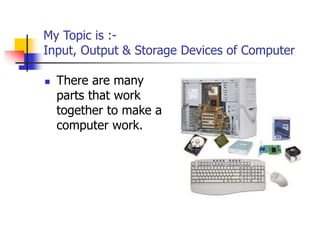
My Topic is :-
Input, Output & Storage Devices of Computer
 There are many
parts that work
together to make a
computer work.
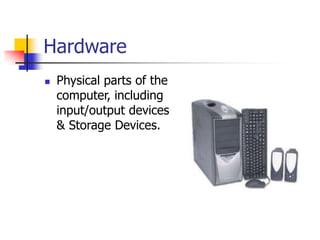
Hardware
 Physical parts of the
computer, including
input/output devices
& Storage Devices.
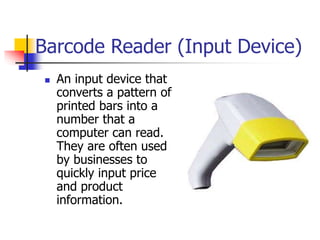
Barcode Reader (Input Device)
 An input device that
converts a pattern of
printed bars into a
number that a
computer can read.
They are often used
by businesses to
quickly input price
and product
information.
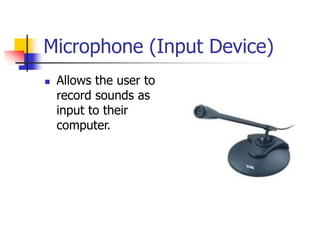
Microphone (Input Device)
 Allows the user to
record sounds as
input to their
computer.
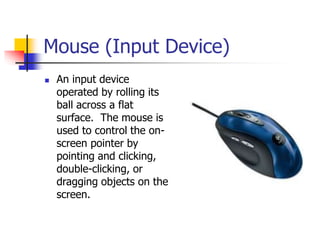
Mouse (Input Device)
 An input device
operated by rolling its
ball across a flat
surface. The mouse is
used to control the on-
screen pointer by
pointing and clicking,
double-clicking, or
dragging objects on the
screen.
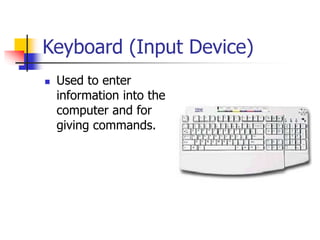
Keyboard (Input Device)
 Used to enter
information into the
computer and for
giving commands.
Monitor (Output Device)
 A display screen to
provide “output” to
the user. It is where
you view the
information your are
working on.
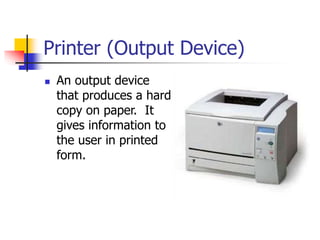
Printer (Output Device)
 An output device
that produces a hard
copy on paper. It
gives information to
the user in printed
form.
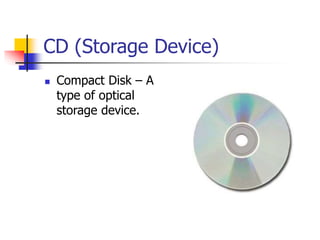
CD (Storage Device)
 Compact Disk – A
type of optical
storage device.
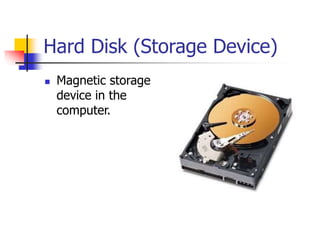
Hard Disk (Storage Device)
 Magnetic storage
device in the
computer.
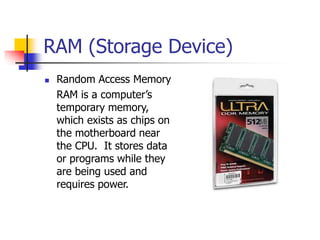
RAM (Storage Device)
 Random Access Memory
RAM is a computer’s
temporary memory,
which exists as chips on
the motherboard near
the CPU. It stores data
or programs while they
are being used and
requires power.
THANK YOU VERY MUCH

CTE_I_Computer_Parts.ppt

  • 1.
    My Topic is:- Input, Output & Storage Devices of Computer  There are many parts that work together to make a computer work.
  • 2.
    Hardware  Physical partsof the computer, including input/output devices & Storage Devices.
  • 3.
    Barcode Reader (InputDevice)  An input device that converts a pattern of printed bars into a number that a computer can read. They are often used by businesses to quickly input price and product information.
  • 4.
    Microphone (Input Device) Allows the user to record sounds as input to their computer.
  • 5.
    Mouse (Input Device) An input device operated by rolling its ball across a flat surface. The mouse is used to control the on- screen pointer by pointing and clicking, double-clicking, or dragging objects on the screen.
  • 6.
    Keyboard (Input Device) Used to enter information into the computer and for giving commands.
  • 7.
    Monitor (Output Device) A display screen to provide “output” to the user. It is where you view the information your are working on.
  • 8.
    Printer (Output Device) An output device that produces a hard copy on paper. It gives information to the user in printed form.
  • 9.
    CD (Storage Device) Compact Disk – A type of optical storage device.
  • 10.
    Hard Disk (StorageDevice)  Magnetic storage device in the computer.
  • 11.
    RAM (Storage Device) Random Access Memory RAM is a computer’s temporary memory, which exists as chips on the motherboard near the CPU. It stores data or programs while they are being used and requires power.
  • 12.