Welcome Find a seat Six people per table Have paper and a pen or pencil ready
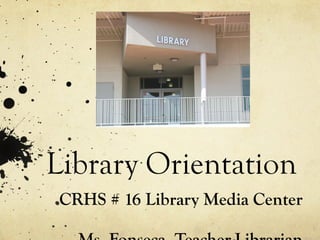
Library Orientation CRHS # 16 Library Media Center Ms. Fonseca, Teacher-Librarian
Agenda Library Orientation Q&A Group Activity Book checkout
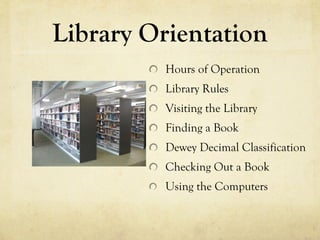
Library Orientation Hours of Operation Library Rules Visiting the Library Finding a Book Dewey Decimal Classification Checking Out a Book Using the Computers
Hours of Operation Mondays and Fridays, 7:40 A.M. to 3:14 P.M. Tuesdays, 7:40 A.M. to 1:38 P.M. Wednesdays and Thursdays, 7:40 A.M. to 4:15 P.M. The library is open during nutrition and lunch every day.
Library Rules All school rules apply in the library. Be polite. Treat everything and everyone in the library with respect. The library is a place for you to read, study and research.  No food, drinks, candy, or gum allowed.
Visiting the Library Before and after school and during nutrition and lunch. You must have a pass during class time . Show your pass to the person at the circulation desk. Sign in on the clipboard at the front desk. DO NOT bring food, drinks, candy, or gum into the library. If you cannot find the information you need,  ASK THE LIBRARIAN.
Finding a Book Use one of the OPAC stations. You may search a book by keyword, title, author, subject, or series. You can narrow your search (less but more specific titles) by location, material type, awards , reading level, or interest level. Write down the  call number  and go to the stacks to look for the book.
Collections Non-fiction (000-900s) Fiction (author’s last name) Reference (REF 000-900s) Periodicals
Dewey Decimal Classification It was developed by Melvil Dewey in 1876. It organizes all knowledge into ten main classes, each of which are divided into ten secondary classes or subcategories, each of which contain ten subdivisions.
Dewey Decimal Classification
Checking Out a Book You must have a picture ID (school ID, California ID, club affiliation ID) to borrow a book. Up  to three books  for  two weeks  with one renewal. Late fee: $0.10 per day Damaged or lost book: $25.00
Using the Computers Six OPAC-dedicated PCs for catalog search Twelve MAC computers for research Student I.D. card and a copy of  AUP signed by a parent or guardian on file First come, first serve Computer for school-related assignments only Printer use: $0.10 per page
IMPORTANT ! DO NOT RESHELVE BOOKS!  Place them on the carts next to the shelves. Have I mentioned NO FOOD, DRINKS, CANDY, and GUM? I am here to HELP YOU.
Questions?
Activity You will be working with your table partners. You will have 20 minutes to finish the activity. Please move around the library carefully. Keep the conversation to a reasonable volume.
Activity Answer all the questions from the  Library Orientation  activity. Review your answers. Once you are done, send one representative to deliver your work. If you finish early, please remain seated and wait until time is up.

Crhs16 library orientation

  • 1.
    Welcome Find aseat Six people per table Have paper and a pen or pencil ready
  • 2.
    Library Orientation CRHS# 16 Library Media Center Ms. Fonseca, Teacher-Librarian
  • 3.
    Agenda Library OrientationQ&A Group Activity Book checkout
  • 4.
    Library Orientation Hoursof Operation Library Rules Visiting the Library Finding a Book Dewey Decimal Classification Checking Out a Book Using the Computers
  • 5.
    Hours of OperationMondays and Fridays, 7:40 A.M. to 3:14 P.M. Tuesdays, 7:40 A.M. to 1:38 P.M. Wednesdays and Thursdays, 7:40 A.M. to 4:15 P.M. The library is open during nutrition and lunch every day.
  • 6.
    Library Rules Allschool rules apply in the library. Be polite. Treat everything and everyone in the library with respect. The library is a place for you to read, study and research. No food, drinks, candy, or gum allowed.
  • 7.
    Visiting the LibraryBefore and after school and during nutrition and lunch. You must have a pass during class time . Show your pass to the person at the circulation desk. Sign in on the clipboard at the front desk. DO NOT bring food, drinks, candy, or gum into the library. If you cannot find the information you need,  ASK THE LIBRARIAN.
  • 8.
    Finding a BookUse one of the OPAC stations. You may search a book by keyword, title, author, subject, or series. You can narrow your search (less but more specific titles) by location, material type, awards , reading level, or interest level. Write down the call number and go to the stacks to look for the book.
  • 9.
    Collections Non-fiction (000-900s)Fiction (author’s last name) Reference (REF 000-900s) Periodicals
  • 10.
    Dewey Decimal ClassificationIt was developed by Melvil Dewey in 1876. It organizes all knowledge into ten main classes, each of which are divided into ten secondary classes or subcategories, each of which contain ten subdivisions.
  • 11.
  • 12.
    Checking Out aBook You must have a picture ID (school ID, California ID, club affiliation ID) to borrow a book. Up to three books for two weeks with one renewal. Late fee: $0.10 per day Damaged or lost book: $25.00
  • 13.
    Using the ComputersSix OPAC-dedicated PCs for catalog search Twelve MAC computers for research Student I.D. card and a copy of  AUP signed by a parent or guardian on file First come, first serve Computer for school-related assignments only Printer use: $0.10 per page
  • 14.
    IMPORTANT ! DONOT RESHELVE BOOKS! Place them on the carts next to the shelves. Have I mentioned NO FOOD, DRINKS, CANDY, and GUM? I am here to HELP YOU.
  • 15.
  • 16.
    Activity You willbe working with your table partners. You will have 20 minutes to finish the activity. Please move around the library carefully. Keep the conversation to a reasonable volume.
  • 17.
    Activity Answer allthe questions from the Library Orientation activity. Review your answers. Once you are done, send one representative to deliver your work. If you finish early, please remain seated and wait until time is up.