Facilitated by Chisa D. Pennix-Brown, MBA
CREATING YOUR
ONLINE STORE
Welcome & Agenda
• Please turn phones to silent or vibrate
• Ask questions
• Facilitator & Introductions
• Follow the Facebook page
www.FB.com/LadyBiznessInc
• Join the Email List at
http://eepurl.com/tq3Xj
Why YOU should
NOT
open an online
store?
Top 5 reasons
Not to OPEN
1. You want to make money quickly
2. You do not want to invest time
3. You need a guaranteed income
4. You are not web savvy
5. You get discouraged easily
Why you Should
open
an online store?
Top 5 reasons
TO Open
1. You have a great product/service
2. 24 hour access
3. Additional product offerings
4. Expand your customer base
5. Increase income & brand recognition
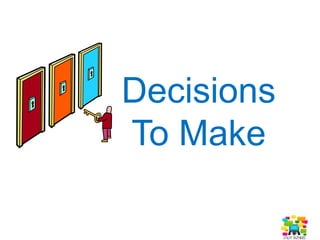
Decisions
To Make
Things to consider
Hosted vs. Non-Hosted
• Cost per month
• How many products you can list
• Integration into social media
• Integration into existing site
• Type of site you want to have
Types of Sites
• Stand Alone
– Works Independently
– Website Address (____.site.com)
– Monthly Fee
• Embedded
– Can be integrated into your site
– Can be integrated into social media
• Plugins/Applications
– Works in blogs as an add in
Setup Steps
• Choose a Store Name
• Choose a theme
• Upload logos/avatars
• Create a catalog
• Decide on shipping
• Input Store policy
Site choices
Shopify.com
StorEnvy.com
BigCartel.com
Volusion.com
InSelly.com
Square.com
Etsy.com
Artfire.com
RubyLane.com
Ebay.com
Amazon.com
Zazzle.com
CafePress.com
SpreadShirt.com
Digital products
Files, Whitepapers, E-Books
• Sellfy.com
• Payloadz.com
• E-Junkie.com
• PulleyApp.com
• home.bluesnap.com/ecommerce
Your story
Use your about page to
give people detail about
the business, your
personal journey as an
entrepreneur.
• 20-200 words
• Links to outside media
• Photos
Think Like a Customer
• Create a Strong Brand
• Logo
• Maintain Colors
• Header, Shop Icons, Sales
– Fiverr.com
– Etsy.com
– Canva
Customer profile
• Demographics
• Psychographics
• Behaviors
• Locations
Search Optimization
• Use Keywords
• Actually search for your business
• Actually search for products
• Check out the competition
• Use hashtags where appropriate
Product Descriptions
Decide on the
way you
want to craft
your message!
Get Found
1. What is it?
2. What is it specifically? What type?
3. Who is it for?
4. What is the main material?
5. What is the main color?
6. What method or technique did you use to make it?
7. Where will the item be used?
8. What size is it?
9. What style is it?
10. What imagery or motifs are on the item?
11. Are there synonyms?
12. What is the scent or flavor?
13. What era is it from?
14. What occasion is it for?
15. What is your Shop Name?
Store Policy
1. All Sales NOT Final
2. Prevent The Return
3. Use Plain English
4. Make It Easy To Find
5. No Hidden Return Costs
6. Time Frame Limitations
7. Exchange, Credit, Cash?
8. Knowledgeable Staff
Product Photos
• Visual Impact
• Use Natural Light
• Create a Lightbox
• Use versatile people
• Use varied angles
• Use all the available placement
Top product shots
1. Professional Look
2. Macro (shows detail)
3. Scale (size)
4. Lifestyle
SHOW UP &
SHOW OUT
MOMENT!
Chisa D. Pennix-Brown, MBA
Follow me @LadyBizness
Recommendations at
LinkedIn.com/in/LadyBiz
Find this Presentation at
www.Slideshare.net/LadyBizness

Creating Your Online Store

  • 1.
    Facilitated by ChisaD. Pennix-Brown, MBA CREATING YOUR ONLINE STORE
  • 2.
    Welcome & Agenda •Please turn phones to silent or vibrate • Ask questions • Facilitator & Introductions • Follow the Facebook page www.FB.com/LadyBiznessInc • Join the Email List at http://eepurl.com/tq3Xj
  • 3.
    Why YOU should NOT openan online store?
  • 4.
    Top 5 reasons Notto OPEN 1. You want to make money quickly 2. You do not want to invest time 3. You need a guaranteed income 4. You are not web savvy 5. You get discouraged easily
  • 5.
  • 6.
    Top 5 reasons TOOpen 1. You have a great product/service 2. 24 hour access 3. Additional product offerings 4. Expand your customer base 5. Increase income & brand recognition
  • 7.
  • 8.
    Things to consider Hostedvs. Non-Hosted • Cost per month • How many products you can list • Integration into social media • Integration into existing site • Type of site you want to have
  • 9.
    Types of Sites •Stand Alone – Works Independently – Website Address (____.site.com) – Monthly Fee • Embedded – Can be integrated into your site – Can be integrated into social media • Plugins/Applications – Works in blogs as an add in
  • 10.
    Setup Steps • Choosea Store Name • Choose a theme • Upload logos/avatars • Create a catalog • Decide on shipping • Input Store policy
  • 11.
  • 12.
    Digital products Files, Whitepapers,E-Books • Sellfy.com • Payloadz.com • E-Junkie.com • PulleyApp.com • home.bluesnap.com/ecommerce
  • 13.
    Your story Use yourabout page to give people detail about the business, your personal journey as an entrepreneur. • 20-200 words • Links to outside media • Photos
  • 14.
    Think Like aCustomer • Create a Strong Brand • Logo • Maintain Colors • Header, Shop Icons, Sales – Fiverr.com – Etsy.com – Canva
  • 15.
    Customer profile • Demographics •Psychographics • Behaviors • Locations
  • 16.
    Search Optimization • UseKeywords • Actually search for your business • Actually search for products • Check out the competition • Use hashtags where appropriate
  • 17.
    Product Descriptions Decide onthe way you want to craft your message!
  • 18.
    Get Found 1. Whatis it? 2. What is it specifically? What type? 3. Who is it for? 4. What is the main material? 5. What is the main color? 6. What method or technique did you use to make it? 7. Where will the item be used? 8. What size is it? 9. What style is it? 10. What imagery or motifs are on the item? 11. Are there synonyms? 12. What is the scent or flavor? 13. What era is it from? 14. What occasion is it for? 15. What is your Shop Name?
  • 19.
    Store Policy 1. AllSales NOT Final 2. Prevent The Return 3. Use Plain English 4. Make It Easy To Find 5. No Hidden Return Costs 6. Time Frame Limitations 7. Exchange, Credit, Cash? 8. Knowledgeable Staff
  • 20.
    Product Photos • VisualImpact • Use Natural Light • Create a Lightbox • Use versatile people • Use varied angles • Use all the available placement
  • 21.
    Top product shots 1.Professional Look 2. Macro (shows detail) 3. Scale (size) 4. Lifestyle
  • 22.
    SHOW UP & SHOWOUT MOMENT! Chisa D. Pennix-Brown, MBA Follow me @LadyBizness Recommendations at LinkedIn.com/in/LadyBiz Find this Presentation at www.Slideshare.net/LadyBizness