
Creating Streams with DataSift
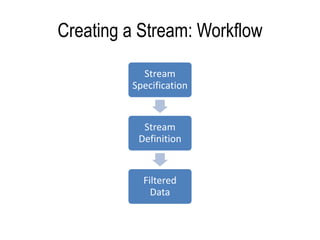
Creating a Stream: Workflow
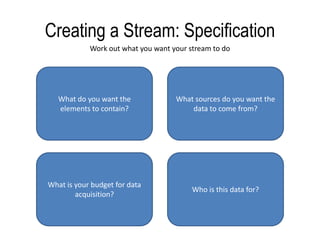
Creating a Stream: SpecificationWork out what you want your stream to doWhat do you want the elements to contain?What sources do you want the data to come from?What is your budget for data acquisition?Who is this data for?
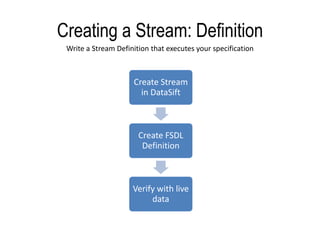
Creating a Stream: DefinitionWrite a Stream Definition that executes your specification
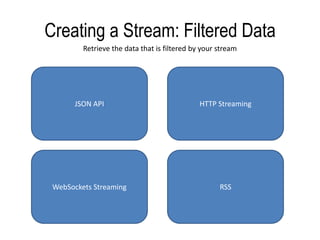
Creating a Stream: Filtered DataRetrieve the data that is filtered by your streamJSON APIHTTP StreamingWebSockets StreamingRSS
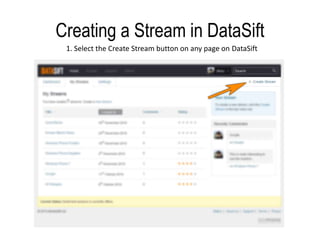
Creating a Stream in DataSift  1. Select the Create Stream button on any page on DataSift
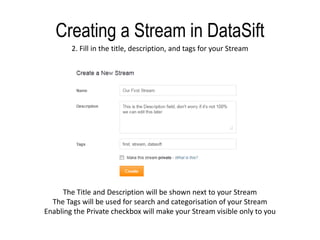
Creating a Stream in DataSift2. Fill in the title, description, and tags for your StreamThe Title and Description will be shown next to your StreamThe Tags will be used for search and categorisation of your StreamEnabling the Private checkbox will make your Stream visible only to you
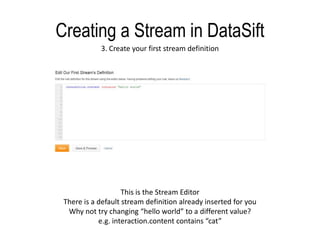
Creating a Stream in DataSift3. Create your first stream definitionThis is the Stream EditorThere is a default stream definition already inserted for youWhy not try changing “hello world” to a different value?e.g. interaction.content contains “cat”
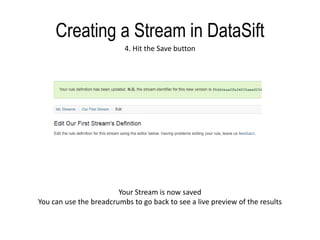
Creating a Stream in DataSift4. Hit the Save buttonYour Stream is now savedYou can use the breadcrumbs to go back to see a live preview of the results
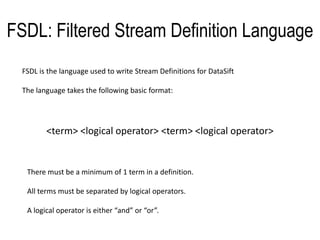
FSDL: Filtered Stream Definition LanguageFSDL is the language used to write Stream Definitions for DataSiftThe language takes the following basic format:<term> <logical operator> <term> <logical operator>There must be a minimum of 1 term in a definition.All terms must be separated by logical operators.A logical operator is either “and” or “or”.
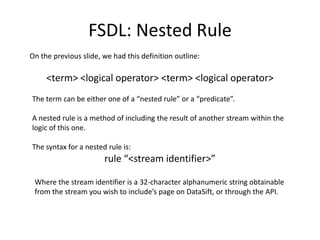
FSDL: Nested RuleOn the previous slide, we had this definition outline:<term> <logical operator> <term> <logical operator>The term can be either one of a “nested rule” or a “predicate”.A nested rule is a method of including the result of another stream within the logic of this one.The syntax for a nested rule is:rule “<stream identifier>”Where the stream identifier is a 32-character alphanumeric string obtainable from the stream you wish to include’s page on DataSift, or through the API.
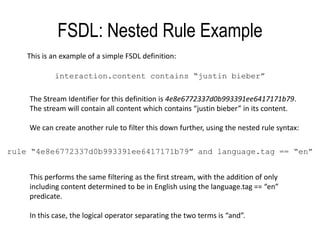
FSDL: Nested Rule ExampleThis is an example of a simple FSDL definition:interaction.content contains “justinbieber”The Stream Identifier for this definition is 4e8e6772337d0b993391ee6417171b79. The stream will contain all content which contains “justinbieber” in its content.We can create another rule to filter this down further, using the nested rule syntax:rule “4e8e6772337d0b993391ee6417171b79” and language.tag == “en”This performs the same filtering as the first stream, with the addition of only including content determined to be in English using the language.tag == “en” predicate.In this case, the logical operator separating the two terms is “and”.
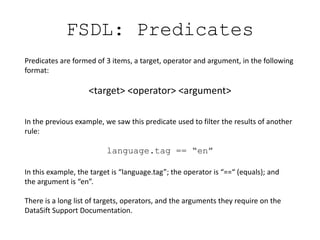
FSDL: PredicatesPredicates are formed of 3 items, a target, operator and argument, in the following format:<target> <operator> <argument>In the previous example, we saw this predicate used to filter the results of another rule:language.tag == “en”In this example, the target is “language.tag”; the operator is “==“ (equals); and the argument is “en”.There is a long list of targets, operators, and the arguments they require on the DataSift Support Documentation.
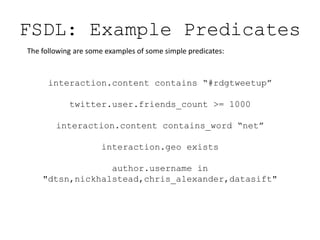
FSDL: Example PredicatesThe following are some examples of some simple predicates:interaction.content contains “#rdgtweetup”twitter.user.friends_count >= 1000interaction.content contains_word “net”interaction.geo existsauthor.username in "dtsn,nickhalstead,chris_alexander,datasift"
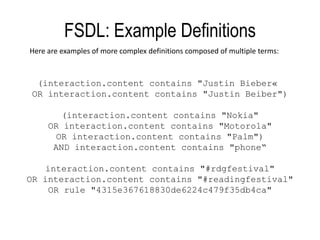
FSDL: Example DefinitionsHere are examples of more complex definitions composed of multiple terms:(interaction.contentcontains "Justin Bieber« OR interaction.contentcontains "Justin Beiber")(interaction.content contains "Nokia"OR interaction.content contains "Motorola"OR interaction.content contains "Palm")AND interaction.content contains "phone“interaction.content contains "#rdgfestival"OR interaction.content contains "#readingfestival" OR rule "4315e367618830de6224c479f35db4ca"
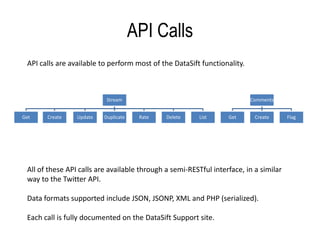
API CallsAPI calls are available to perform most of the DataSift functionality.All of these API calls are available through a semi-RESTful interface, in a similar way to the Twitter API.Data formats supported include JSON, JSONP, XML and PHP (serialized).Each call is fully documented on the DataSift Support site.
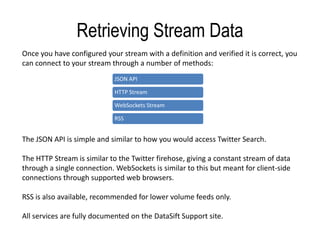
Retrieving Stream DataOnce you have configured your stream with a definition and verified it is correct, you can connect to your stream through a number of methods:The JSON API is simple and similar to how you would access Twitter Search.The HTTP Stream is similar to the Twitter firehose, giving a constant stream of data through a single connection. WebSockets is similar to this but meant for client-side connections through supported web browsers.RSS is also available, recommended for lower volume feeds only.All services are fully documented on the DataSift Support site.
QuestionsYou can get more help, support, examples and user content on the DataSift Support website:http://support.datasift.netYou can also ask us on Twitter:@datasift

Creating streams with DataSift

  • 1.
  • 2.
  • 3.
    Creating a Stream:SpecificationWork out what you want your stream to doWhat do you want the elements to contain?What sources do you want the data to come from?What is your budget for data acquisition?Who is this data for?
  • 4.
    Creating a Stream:DefinitionWrite a Stream Definition that executes your specification
  • 5.
    Creating a Stream:Filtered DataRetrieve the data that is filtered by your streamJSON APIHTTP StreamingWebSockets StreamingRSS
  • 6.
    Creating a Streamin DataSift 1. Select the Create Stream button on any page on DataSift
  • 7.
    Creating a Streamin DataSift2. Fill in the title, description, and tags for your StreamThe Title and Description will be shown next to your StreamThe Tags will be used for search and categorisation of your StreamEnabling the Private checkbox will make your Stream visible only to you
  • 8.
    Creating a Streamin DataSift3. Create your first stream definitionThis is the Stream EditorThere is a default stream definition already inserted for youWhy not try changing “hello world” to a different value?e.g. interaction.content contains “cat”
  • 9.
    Creating a Streamin DataSift4. Hit the Save buttonYour Stream is now savedYou can use the breadcrumbs to go back to see a live preview of the results
  • 10.
    FSDL: Filtered StreamDefinition LanguageFSDL is the language used to write Stream Definitions for DataSiftThe language takes the following basic format:<term> <logical operator> <term> <logical operator>There must be a minimum of 1 term in a definition.All terms must be separated by logical operators.A logical operator is either “and” or “or”.
  • 11.
    FSDL: Nested RuleOnthe previous slide, we had this definition outline:<term> <logical operator> <term> <logical operator>The term can be either one of a “nested rule” or a “predicate”.A nested rule is a method of including the result of another stream within the logic of this one.The syntax for a nested rule is:rule “<stream identifier>”Where the stream identifier is a 32-character alphanumeric string obtainable from the stream you wish to include’s page on DataSift, or through the API.
  • 12.
    FSDL: Nested RuleExampleThis is an example of a simple FSDL definition:interaction.content contains “justinbieber”The Stream Identifier for this definition is 4e8e6772337d0b993391ee6417171b79. The stream will contain all content which contains “justinbieber” in its content.We can create another rule to filter this down further, using the nested rule syntax:rule “4e8e6772337d0b993391ee6417171b79” and language.tag == “en”This performs the same filtering as the first stream, with the addition of only including content determined to be in English using the language.tag == “en” predicate.In this case, the logical operator separating the two terms is “and”.
  • 13.
    FSDL: PredicatesPredicates areformed of 3 items, a target, operator and argument, in the following format:<target> <operator> <argument>In the previous example, we saw this predicate used to filter the results of another rule:language.tag == “en”In this example, the target is “language.tag”; the operator is “==“ (equals); and the argument is “en”.There is a long list of targets, operators, and the arguments they require on the DataSift Support Documentation.
  • 14.
    FSDL: Example PredicatesThefollowing are some examples of some simple predicates:interaction.content contains “#rdgtweetup”twitter.user.friends_count >= 1000interaction.content contains_word “net”interaction.geo existsauthor.username in "dtsn,nickhalstead,chris_alexander,datasift"
  • 15.
    FSDL: Example DefinitionsHereare examples of more complex definitions composed of multiple terms:(interaction.contentcontains "Justin Bieber« OR interaction.contentcontains "Justin Beiber")(interaction.content contains "Nokia"OR interaction.content contains "Motorola"OR interaction.content contains "Palm")AND interaction.content contains "phone“interaction.content contains "#rdgfestival"OR interaction.content contains "#readingfestival" OR rule "4315e367618830de6224c479f35db4ca"
  • 16.
    API CallsAPI callsare available to perform most of the DataSift functionality.All of these API calls are available through a semi-RESTful interface, in a similar way to the Twitter API.Data formats supported include JSON, JSONP, XML and PHP (serialized).Each call is fully documented on the DataSift Support site.
  • 17.
    Retrieving Stream DataOnceyou have configured your stream with a definition and verified it is correct, you can connect to your stream through a number of methods:The JSON API is simple and similar to how you would access Twitter Search.The HTTP Stream is similar to the Twitter firehose, giving a constant stream of data through a single connection. WebSockets is similar to this but meant for client-side connections through supported web browsers.RSS is also available, recommended for lower volume feeds only.All services are fully documented on the DataSift Support site.
  • 18.
    QuestionsYou can getmore help, support, examples and user content on the DataSift Support website:http://support.datasift.netYou can also ask us on Twitter:@datasift