Basti
• Sebastian Springer
• from München
• work @MaibornWolff
• https://github.com/sspringer82
• @basti_springer
• sebastian.springer@maibornwolff.de
• JavaScript Developer
That’s what most people
think of JavaScript
Dieter Schütz / pixelio.de
Your way
Start your project
Tools
Best Practices
Development Process
Jetti Kuhlemann / pixelio.de
10
How to start a
project?
Albrecht E. Arnold / pixelio.de
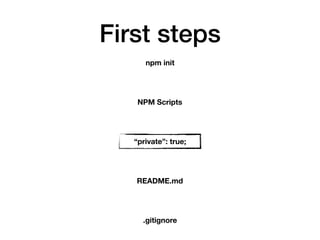
First steps
npm init
NPM Scripts
“private”: true;
README.md
.gitignore
package.json
npm init helps you create an initial version of a package.json file
First steps
npm init
NPM Scripts
“private”: true;
README.md
.gitignore
NPM Scripts
Short helper scripts for your application.
start: how to start your application
test: run your tests
…
Your own scripts
build: …
npm run build
NPM Scripts
First steps
npm init
NPM Scripts
“private”: true;
README.md
.gitignore
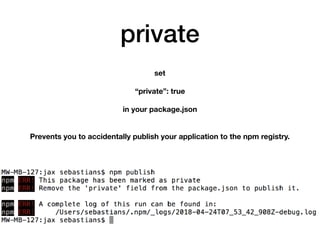
private
set 

“private”: true

in your package.json


Prevents you to accidentally publish your application to the npm registry.
First steps
npm init
NPM Scripts
“private”: true;
README.md
.gitignore
README.md
Document the following:
- how to set up the application

- how to contribute

- Known Issues
First steps
npm init
NPM Scripts
“private”: true;
README.md
.gitignore
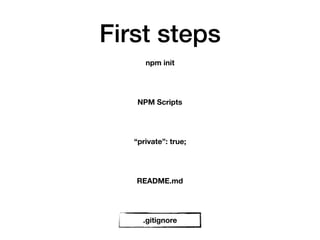
.gitignore
Usually you ignore node_modules and do not commit them into your repo.
Use a proxy registry
Tools
Rainer Sturm / pixelio.de
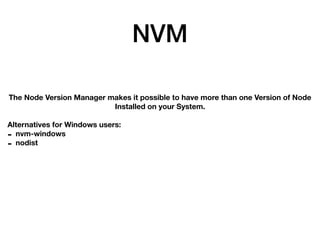
NVM
The Node Version Manager makes it possible to have more than one Version of Node
Installed on your System.
Alternatives for Windows users:
- nvm-windows
- nodist
Nodemon
How Node works with your code:
1. Read source code

2. Process source code

3. Run and optimize
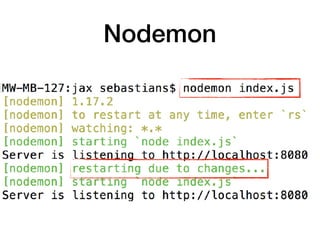
For every change in source code you need to restart your process
Nodemon
Nodemon watches your filesystem and restarts your process.
DO NEVER EVER USE IT IN PRODUCTION
Why not?
It clears the memory of your Application
Nodemon
Debugger
console.log is not a proper debugger
Debugger
How to debug in the frontend
Debug
chrome://inspect
IDE Debugging
Libraries
Andreas Hermsdorf / pixelio.de
Package Managers
Why yarn?
Facebook learned from the mistakes of NPM
- Ultra fast

- Mega secure

- Super Reliable
NPM learned from yarn
NPM
Quality of a library?
There is no quality gate in NPM
So take a look at the numbers
NPM GitHub
TypeScript
TypeScript
Developed by Microsoft
Supported by Google
npm install -g typescript
tsc index.ts
TypeScript
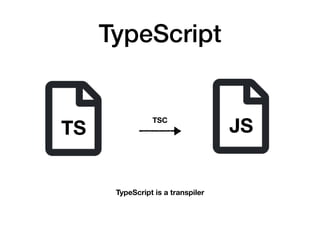
TS JSTSC
TypeScript is a transpiler
TypeScript
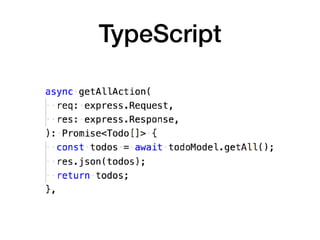
3rd party libraries in TS
Code Styles
twinlili / pixelio.de
No more discussions
christiaaane / pixelio.de
Code Style
Your source code should follow a certain ruleset.
No matter who wrote it, why or when it was written.
Code Style
https://github.com/airbnb/javascript
https://google.github.io/styleguide/jsguide.html
https://github.com/standard/standard
Codestyle
Topic
Do/Don’t
Rule
Explanation
Examples
Linters
jslint
jshint
eslint tslint
https://www.jslint.com/
http://jshint.com/
https://palantir.github.io/tslint/
https://eslint.org/
It will hurt your feelings!
https://github.com/douglascrockford
Linters
Prettier
an opinionated code formatter
Prettier
- supports different code styles

- editor integration
- configurable
Async
Kurt Michel / pixelio.de
Async
In order to support nonblocking I/O you need to go async.
Async - Callbacks
Disadvantages: nested async oprations get messy
fs.readFile('input.csv', 'utf-8', (err, data) => {
if (err) {
console.error(err);
} else {
console.log(data);
}
});
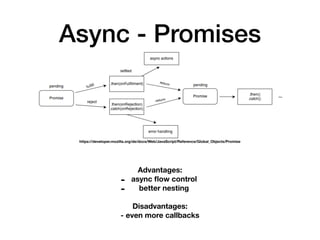
Async - Promises
https://developer.mozilla.org/de/docs/Web/JavaScript/Reference/Global_Objects/Promise
Advantages:
- async flow control
- better nesting
Disadvantages:
- even more callbacks
Async - Promises
function promisedRead(file) {
return new Promise((resolve, reject) => {
fs.readFile(file, 'utf-8', (err, data) => {
if (err) {
reject(err);
} else {
resolve(data);
}
});
});
}
promisedRead('input.csv').then((data) => {
console.log(data);
}).catch((e) => {
console.error(e);
});
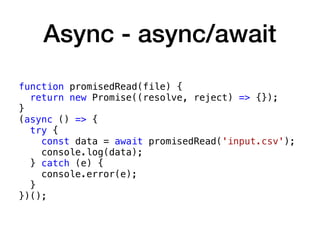
Async - async/await
Makes use of Promises but provides a cleaned up interface
Async - async/await
function promisedRead(file) {
return new Promise((resolve, reject) => {});
}
(async () => {
try {
const data = await promisedRead('input.csv');
console.log(data);
} catch (e) {
console.error(e);
}
})();
Async - Streams
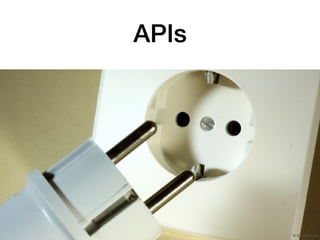
APIs
R. B. / pixelio.de
REST
GraphQL Interface
GraphQL
By Facebook [BSD (http://opensource.org/licenses/bsd-license.php)], via Wikimedia Commons
Your Application
Client
Request/Response
GraphQL
npm install graphql
1. Build a schema

2. Write resolvers

3. Write queries
Tests
Dieter Schütz / pixelio.de
We don’t have time for tests.
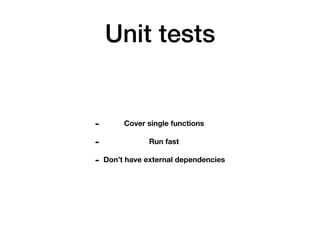
Unit tests
- Cover single functions

- Run fast

- Don’t have external dependencies
Unit tests
describe('read', () => {
beforeEach(() => {
csvDb = new CsvDb(file.read, columns);
});
it('should read the contents of the file', async () => {
const data = await csvDb.getFileContent();
expect(data).to.equal(‘1;admin;***;n2;user;***;’);
});
});
Unit tests
Mockery
Test frameworks
Helper libraries
Integration tests
Supertest
describe('GET /user', function() {
it('respond with json', function(done) {
request(app)
.get('/user')
.set('Accept', 'application/json')
.expect('Content-Type', /json/)
.expect(200, done);
});
});
Documentation
Lisa Spreckelmeyer / pixelio.de
I don’t need any documentation, my code is self documenting
Documentation
http://usejsdoc.org/
At least document your public API
Documentation
Continuous
Integration
Jenkins integration
Most of the Tools generate output that can be used in jenkins.
e.g. Mocha -> xunit Report
Travis CI
Scaling & Docker
Scaling
Node is singlethreaded and runs in a single process.
The good news: only your own code blocks
npm install -g pm2
- Cluster Mode

- Log management

- Monitoring
- …
Local scaling - pm2
Docker
Your Node application runs in a self contained container with defined interfaces to the
outside world.
Node provides images for all Versions.
All images include NPM and yarn.
Dockerfile
FROM node:10
# Create app directory
RUN mkdir -p /usr/src/app
WORKDIR /usr/src/app
# Install app dependencies
COPY package.json /usr/src/app/
RUN npm install
# Bundle app source
COPY . /usr/src/app
EXPOSE 8080
CMD [ “npm", "start" ]
Docker
docker build -t basti/docker .
docker run -p 8080:8080 -d basti/docker
Performance
A.Dreher / pixelio.de
Performance
Performance Timing API for exact measurements


Process object:

- Memory usage

- CPU usage
Performance
Chrome Dev Tools for profiling and memory analysis
Security
Katharina Wieland Müller / pixelio.de
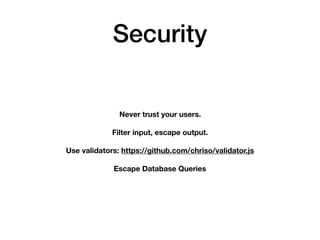
Security
Never trust your users.
Filter input, escape output.
Use validators: https://github.com/chriso/validator.js
Escape Database Queries
Security
https://nodesecurity.io/advisories
CONTACT
Sebastian Springer
sebastian.springer@maibornwolff.de
MaibornWolff GmbH
Theresienhöhe 13
80339 München
@basti_springer
https://github.com/sspringer82

Creating Enterprise Web Applications with Node.js