Creating a Resume
Exploring Business & Marketing
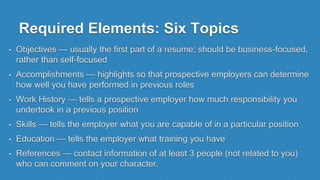
Required Elements: Six Topics
• Objectives — usually the first part of a resume; should be business-focused,
rather than self-focused
• Accomplishments — highlights so that prospective employers can determine
how well you have performed in previous roles
• Work History — tells a prospective employer how much responsibility you
undertook in a previous position
• Skills — tells the employer what you are capable of in a particular position
• Education — tells the employer what training you have
• References — contact information of at least 3 people (not related to you)
who can comment on your character.
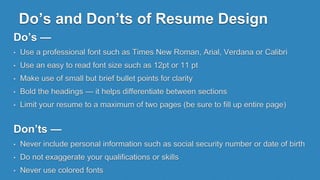
Do’s and Don’ts of Resume Design
Do’s —
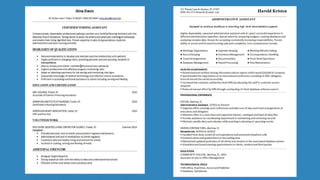
• Use a professional font such as Times New Roman, Arial, Verdana or Calibri
• Use an easy to read font size such as 12pt or 11 pt
• Make use of small but brief bullet points for clarity
• Bold the headings — it helps differentiate between sections
• Limit your resume to a maximum of two pages (be sure to fill up entire page)
Don’ts —
• Never include personal information such as social security number or date of birth
• Do not exaggerate your qualifications or skills
• Never use colored fonts
Other Considerations
• Tailor your resume to each position that you are applying for
• Focus on your most recent positions and qualifications
• Incorporate important duties you have had
• All jobs are jobs, even if you didn’t get paid
Peer Review Requirements
• Quadrant Test - is the resume balanced?
• 20 Second Test - can you get an idea of the person in 20
sec?
• Spelling - is the spelling on the resume correct?
• Grammar - does the grammar make sense?
• Phrases - is the resume free of sentences (minus obj.)?
• Objective - is the objective business focused or self focused?
• Past Tense - is the resume written in past tense?

Creating a Resume

  • 1.
    Creating a Resume ExploringBusiness & Marketing
  • 2.
    Required Elements: SixTopics • Objectives — usually the first part of a resume; should be business-focused, rather than self-focused • Accomplishments — highlights so that prospective employers can determine how well you have performed in previous roles • Work History — tells a prospective employer how much responsibility you undertook in a previous position • Skills — tells the employer what you are capable of in a particular position • Education — tells the employer what training you have • References — contact information of at least 3 people (not related to you) who can comment on your character.
  • 3.
    Do’s and Don’tsof Resume Design Do’s — • Use a professional font such as Times New Roman, Arial, Verdana or Calibri • Use an easy to read font size such as 12pt or 11 pt • Make use of small but brief bullet points for clarity • Bold the headings — it helps differentiate between sections • Limit your resume to a maximum of two pages (be sure to fill up entire page) Don’ts — • Never include personal information such as social security number or date of birth • Do not exaggerate your qualifications or skills • Never use colored fonts
  • 4.
    Other Considerations • Tailoryour resume to each position that you are applying for • Focus on your most recent positions and qualifications • Incorporate important duties you have had • All jobs are jobs, even if you didn’t get paid
  • 6.
    Peer Review Requirements •Quadrant Test - is the resume balanced? • 20 Second Test - can you get an idea of the person in 20 sec? • Spelling - is the spelling on the resume correct? • Grammar - does the grammar make sense? • Phrases - is the resume free of sentences (minus obj.)? • Objective - is the objective business focused or self focused? • Past Tense - is the resume written in past tense?