
Creating a CI/CD pipeline for a Java EE application in the cloud
Bogdan Marian
19 November 2016
About Me
• iQuest Java developer since 2015
• LinkedIn: https://www.linkedin.com/in/bmarian
• GitHub: https://github.com/satrapu
Bogdan Marian
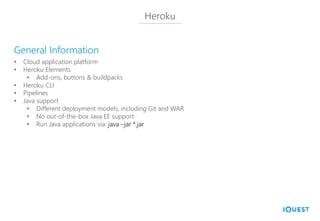
Heroku
• Cloud application platform
• Heroku Elements
• Add-ons, buttons & buildpacks
• Heroku CLI
• Pipelines
• Java support
• Different deployment models, including Git and WAR
• No out-of-the-box Java EE support
• Run Java applications via: java –jar *.jar
General Information
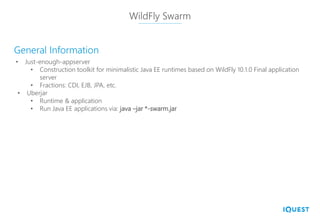
WildFly Swarm
• Just-enough-appserver
• Construction toolkit for minimalistic Java EE runtimes based on WildFly 10.1.0 Final application
server
• Fractions: CDI, EJB, JPA, etc.
• Uberjar
• Runtime & application
• Run Java EE applications via: java –jar *-swarm.jar
General Information
Flyway
• Database migrations made easy
• Datasource
• db/migration
• V1__Add_table.sql
• V2__Populate_table_with_records.sql
• Integrated with WildFly Swarm since November 2016
General Information
References
• https://github.com/satrapu/codecamp-cluj-2016/blob/master/README.md#references
Hosted on GitHub
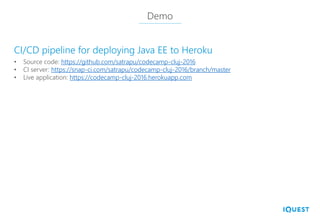
Demo
• Source code: https://github.com/satrapu/codecamp-cluj-2016
• CI server: https://snap-ci.com/satrapu/codecamp-cluj-2016/branch/master
• Live application: https://codecamp-cluj-2016.herokuapp.com
CI/CD pipeline for deploying Java EE to Heroku
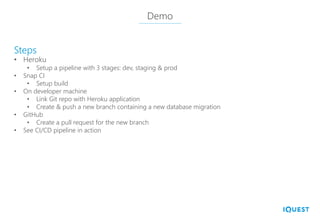
Demo
• Heroku
• Setup a pipeline with 3 stages: dev, staging & prod
• Snap CI
• Setup build
• On developer machine
• Link Git repo with Heroku application
• Create & push a new branch containing a new database migration
• GitHub
• Create a pull request for the new branch
• See CI/CD pipeline in action
Steps
Q&A
Scan here to give feedback
http://cluj.codecamp.ro/feedback/2
Room 2

Creating a CI/CD Pipeline for a Java EE Application in the Cloud

  • 2.
    Creating a CI/CDpipeline for a Java EE application in the cloud Bogdan Marian 19 November 2016
  • 3.
    About Me • iQuestJava developer since 2015 • LinkedIn: https://www.linkedin.com/in/bmarian • GitHub: https://github.com/satrapu Bogdan Marian
  • 4.
    Heroku • Cloud applicationplatform • Heroku Elements • Add-ons, buttons & buildpacks • Heroku CLI • Pipelines • Java support • Different deployment models, including Git and WAR • No out-of-the-box Java EE support • Run Java applications via: java –jar *.jar General Information
  • 5.
    WildFly Swarm • Just-enough-appserver •Construction toolkit for minimalistic Java EE runtimes based on WildFly 10.1.0 Final application server • Fractions: CDI, EJB, JPA, etc. • Uberjar • Runtime & application • Run Java EE applications via: java –jar *-swarm.jar General Information
  • 6.
    Flyway • Database migrationsmade easy • Datasource • db/migration • V1__Add_table.sql • V2__Populate_table_with_records.sql • Integrated with WildFly Swarm since November 2016 General Information
  • 7.
  • 8.
    Demo • Source code:https://github.com/satrapu/codecamp-cluj-2016 • CI server: https://snap-ci.com/satrapu/codecamp-cluj-2016/branch/master • Live application: https://codecamp-cluj-2016.herokuapp.com CI/CD pipeline for deploying Java EE to Heroku
  • 9.
    Demo • Heroku • Setupa pipeline with 3 stages: dev, staging & prod • Snap CI • Setup build • On developer machine • Link Git repo with Heroku application • Create & push a new branch containing a new database migration • GitHub • Create a pull request for the new branch • See CI/CD pipeline in action Steps
  • 10.
  • 11.
    Scan here togive feedback http://cluj.codecamp.ro/feedback/2 Room 2