INDEX
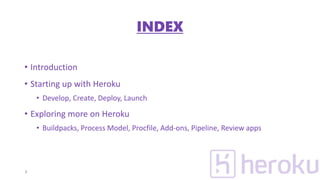
• Introduction
• Starting up with Heroku
• Develop, Create, Deploy, Launch
• Exploring more on Heroku
• Buildpacks, Process Model, Procfile, Add-ons, Pipeline, Review apps
2
INTRODUCTION
ABOUT
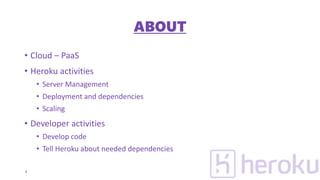
• Cloud – PaaS
• Heroku activities
• Server Management
• Deployment and dependencies
• Scaling
• Developer activities
• Develop code
• Tell Heroku about needed dependencies
4
TERMS
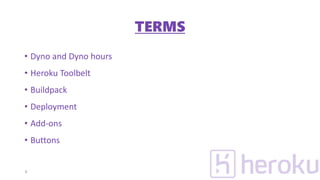
• Dyno and Dyno hours
• Heroku Toolbelt
• Buildpack
• Deployment
• Add-ons
• Buttons
5
STARTING UP
DEVELOPING THE APPLICATION
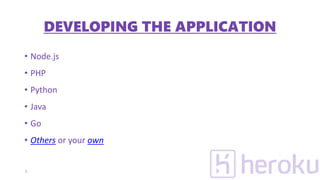
• Node.js
• PHP
• Python
• Java
• Go
• Others or your own
7
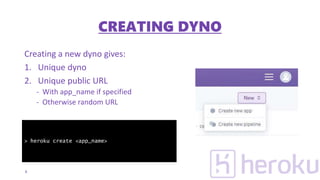
Creating a new dyno gives:
1. Unique dyno
2. Unique public URL
- With app_name if specified
- Otherwise random URL
8
> heroku create <app_name>
CREATING DYNO
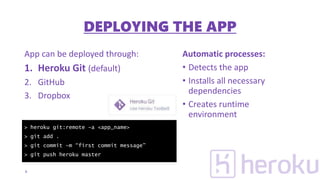
App can be deployed through:
1. Heroku Git (default)
2. GitHub
3. Dropbox
Automatic processes:
• Detects the app
• Installs all necessary
dependencies
• Creates runtime
environment
9
> heroku git:remote –a <app_name>
> git add .
> git commit –m “first commit message”
> git push heroku master
DEPLOYING THE APP
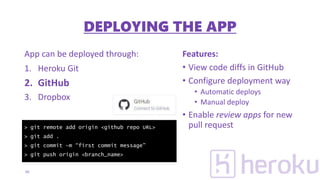
App can be deployed through:
1. Heroku Git
2. GitHub
3. Dropbox
Features:
• View code diffs in GitHub
• Configure deployment way
• Automatic deploys
• Manual deploy
• Enable review apps for new
pull request
10
> git remote add origin <github repo URL>
> git add .
> git commit –m “first commit message”
> git push origin <branch_name>
DEPLOYING THE APP
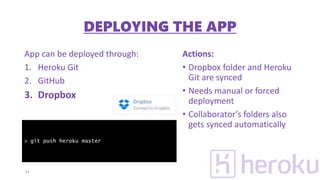
App can be deployed through:
1. Heroku Git
2. GitHub
3. Dropbox
Actions:
• Dropbox folder and Heroku
Git are synced
• Needs manual or forced
deployment
• Collaborator’s folders also
gets synced automatically
11
> git push heroku master
DEPLOYING THE APP
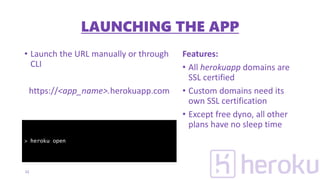
• Launch the URL manually or through
CLI
https://<app_name>.herokuapp.com
Features:
• All herokuapp domains are
SSL certified
• Custom domains need its
own SSL certification
• Except free dyno, all other
plans have no sleep time
12
> heroku open
LAUNCHING THE APP
EXPLORING MORE
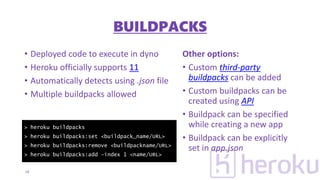
• Deployed code to execute in dyno
• Heroku officially supports 11
• Automatically detects using .json file
• Multiple buildpacks allowed
Other options:
• Custom third-party
buildpacks can be added
• Custom buildpacks can be
created using API
• Buildpack can be specified
while creating a new app
• Buildpack can be explicitly
set in app.json
14
> heroku buildpacks
> heroku buildpacks:set <buildpack_name/URL>
> heroku buildpacks:remove <buildpackname/URL>
> heroku buildpacks:add –index 1 <name/URL>
BUILDPACKS
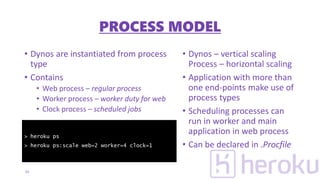
• Dynos are instantiated from process
type
• Contains
• Web process – regular process
• Worker process – worker duty for web
• Clock process – scheduled jobs
• Dynos – vertical scaling
Process – horizontal scaling
• Application with more than
one end-points make use of
process types
• Scheduling processes can
run in worker and main
application in web process
• Can be declared in .Procfile
15
> heroku ps
> heroku ps:scale web=2 worker=4 clock=1
PROCESS MODEL
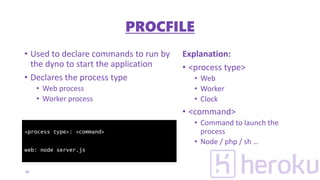
• Used to declare commands to run by
the dyno to start the application
• Declares the process type
• Web process
• Worker process
Explanation:
• <process type>
• Web
• Worker
• Clock
• <command>
• Command to launch the
process
• Node / php / sh …
16
<process type>: <command>
web: node server.js
PROCFILE
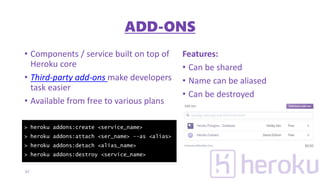
• Components / service built on top of
Heroku core
• Third-party add-ons make developers
task easier
• Available from free to various plans
Features:
• Can be shared
• Name can be aliased
• Can be destroyed
17
> heroku addons:create <service_name>
> heroku addons:attach <ser_name> --as <alias>
> heroku addons:detach <alias_name>
> heroku addons:destroy <service_name>
ADD-ONS
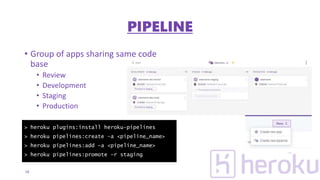
• Group of apps sharing same code
base
• Review
• Development
• Staging
• Production
18
> heroku plugins:install heroku-pipelines
> heroku pipelines:create –a <pipeline_name>
> heroku pipelines:add –a <pipeline_name>
> heroku pipelines:promote –r staging
PIPELINE
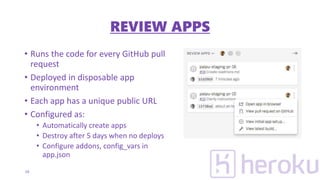
• Runs the code for every GitHub pull
request
• Deployed in disposable app
environment
• Each app has a unique public URL
• Configured as:
• Automatically create apps
• Destroy after 5 days when no deploys
• Configure addons, config_vars in
app.json
19
REVIEW APPS
QUESTIONS & CLARIFICATIONS
THANK YOU

Introducing Heroku for Beginners

  • 2.
    INDEX • Introduction • Startingup with Heroku • Develop, Create, Deploy, Launch • Exploring more on Heroku • Buildpacks, Process Model, Procfile, Add-ons, Pipeline, Review apps 2
  • 3.
  • 4.
    ABOUT • Cloud –PaaS • Heroku activities • Server Management • Deployment and dependencies • Scaling • Developer activities • Develop code • Tell Heroku about needed dependencies 4
  • 5.
    TERMS • Dyno andDyno hours • Heroku Toolbelt • Buildpack • Deployment • Add-ons • Buttons 5
  • 6.
  • 7.
    DEVELOPING THE APPLICATION •Node.js • PHP • Python • Java • Go • Others or your own 7
  • 8.
    Creating a newdyno gives: 1. Unique dyno 2. Unique public URL - With app_name if specified - Otherwise random URL 8 > heroku create <app_name> CREATING DYNO
  • 9.
    App can bedeployed through: 1. Heroku Git (default) 2. GitHub 3. Dropbox Automatic processes: • Detects the app • Installs all necessary dependencies • Creates runtime environment 9 > heroku git:remote –a <app_name> > git add . > git commit –m “first commit message” > git push heroku master DEPLOYING THE APP
  • 10.
    App can bedeployed through: 1. Heroku Git 2. GitHub 3. Dropbox Features: • View code diffs in GitHub • Configure deployment way • Automatic deploys • Manual deploy • Enable review apps for new pull request 10 > git remote add origin <github repo URL> > git add . > git commit –m “first commit message” > git push origin <branch_name> DEPLOYING THE APP
  • 11.
    App can bedeployed through: 1. Heroku Git 2. GitHub 3. Dropbox Actions: • Dropbox folder and Heroku Git are synced • Needs manual or forced deployment • Collaborator’s folders also gets synced automatically 11 > git push heroku master DEPLOYING THE APP
  • 12.
    • Launch theURL manually or through CLI https://<app_name>.herokuapp.com Features: • All herokuapp domains are SSL certified • Custom domains need its own SSL certification • Except free dyno, all other plans have no sleep time 12 > heroku open LAUNCHING THE APP
  • 13.
  • 14.
    • Deployed codeto execute in dyno • Heroku officially supports 11 • Automatically detects using .json file • Multiple buildpacks allowed Other options: • Custom third-party buildpacks can be added • Custom buildpacks can be created using API • Buildpack can be specified while creating a new app • Buildpack can be explicitly set in app.json 14 > heroku buildpacks > heroku buildpacks:set <buildpack_name/URL> > heroku buildpacks:remove <buildpackname/URL> > heroku buildpacks:add –index 1 <name/URL> BUILDPACKS
  • 15.
    • Dynos areinstantiated from process type • Contains • Web process – regular process • Worker process – worker duty for web • Clock process – scheduled jobs • Dynos – vertical scaling Process – horizontal scaling • Application with more than one end-points make use of process types • Scheduling processes can run in worker and main application in web process • Can be declared in .Procfile 15 > heroku ps > heroku ps:scale web=2 worker=4 clock=1 PROCESS MODEL
  • 16.
    • Used todeclare commands to run by the dyno to start the application • Declares the process type • Web process • Worker process Explanation: • <process type> • Web • Worker • Clock • <command> • Command to launch the process • Node / php / sh … 16 <process type>: <command> web: node server.js PROCFILE
  • 17.
    • Components /service built on top of Heroku core • Third-party add-ons make developers task easier • Available from free to various plans Features: • Can be shared • Name can be aliased • Can be destroyed 17 > heroku addons:create <service_name> > heroku addons:attach <ser_name> --as <alias> > heroku addons:detach <alias_name> > heroku addons:destroy <service_name> ADD-ONS
  • 18.
    • Group ofapps sharing same code base • Review • Development • Staging • Production 18 > heroku plugins:install heroku-pipelines > heroku pipelines:create –a <pipeline_name> > heroku pipelines:add –a <pipeline_name> > heroku pipelines:promote –r staging PIPELINE
  • 19.
    • Runs thecode for every GitHub pull request • Deployed in disposable app environment • Each app has a unique public URL • Configured as: • Automatically create apps • Destroy after 5 days when no deploys • Configure addons, config_vars in app.json 19 REVIEW APPS
  • 20.
  • 21.