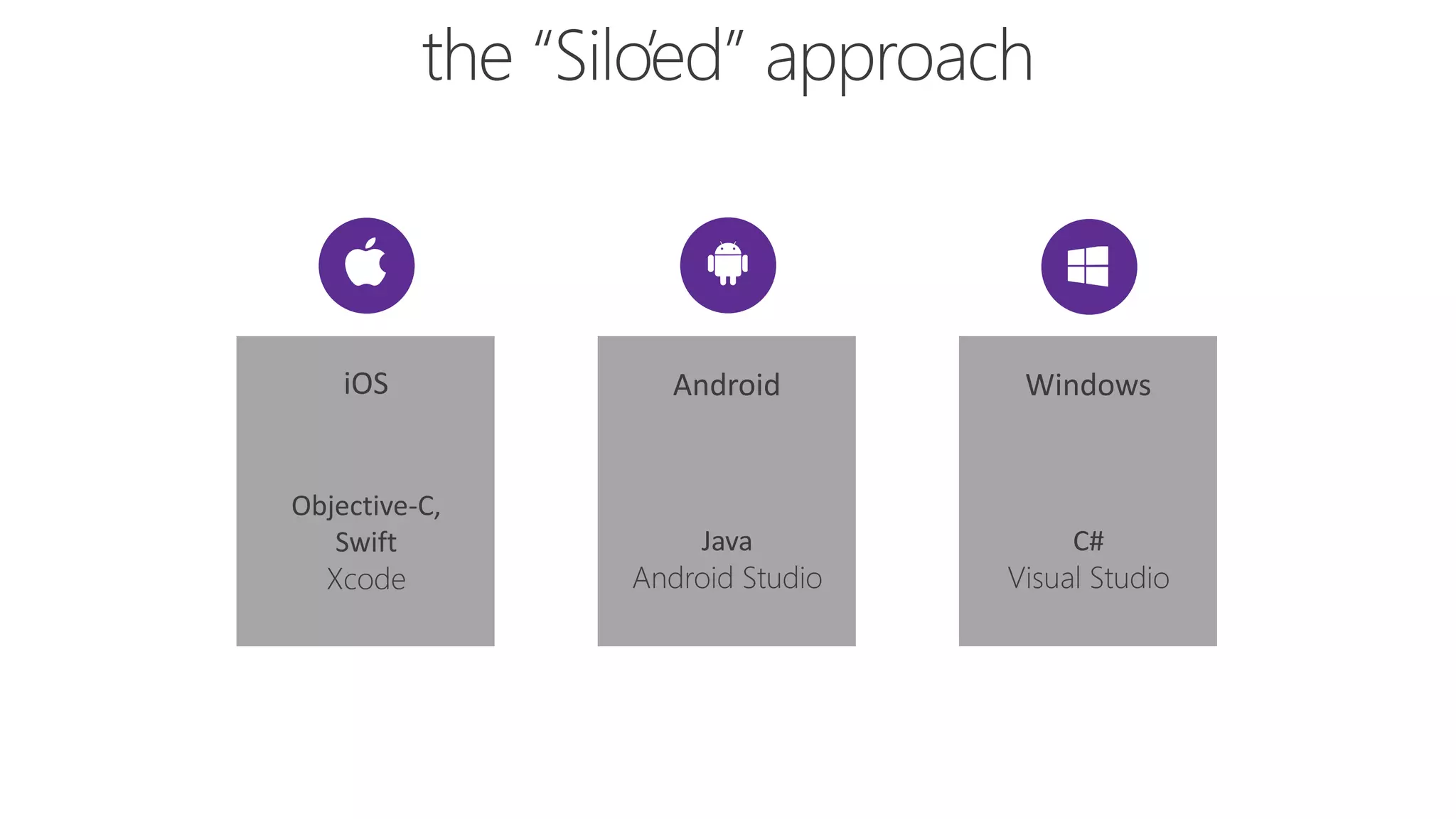
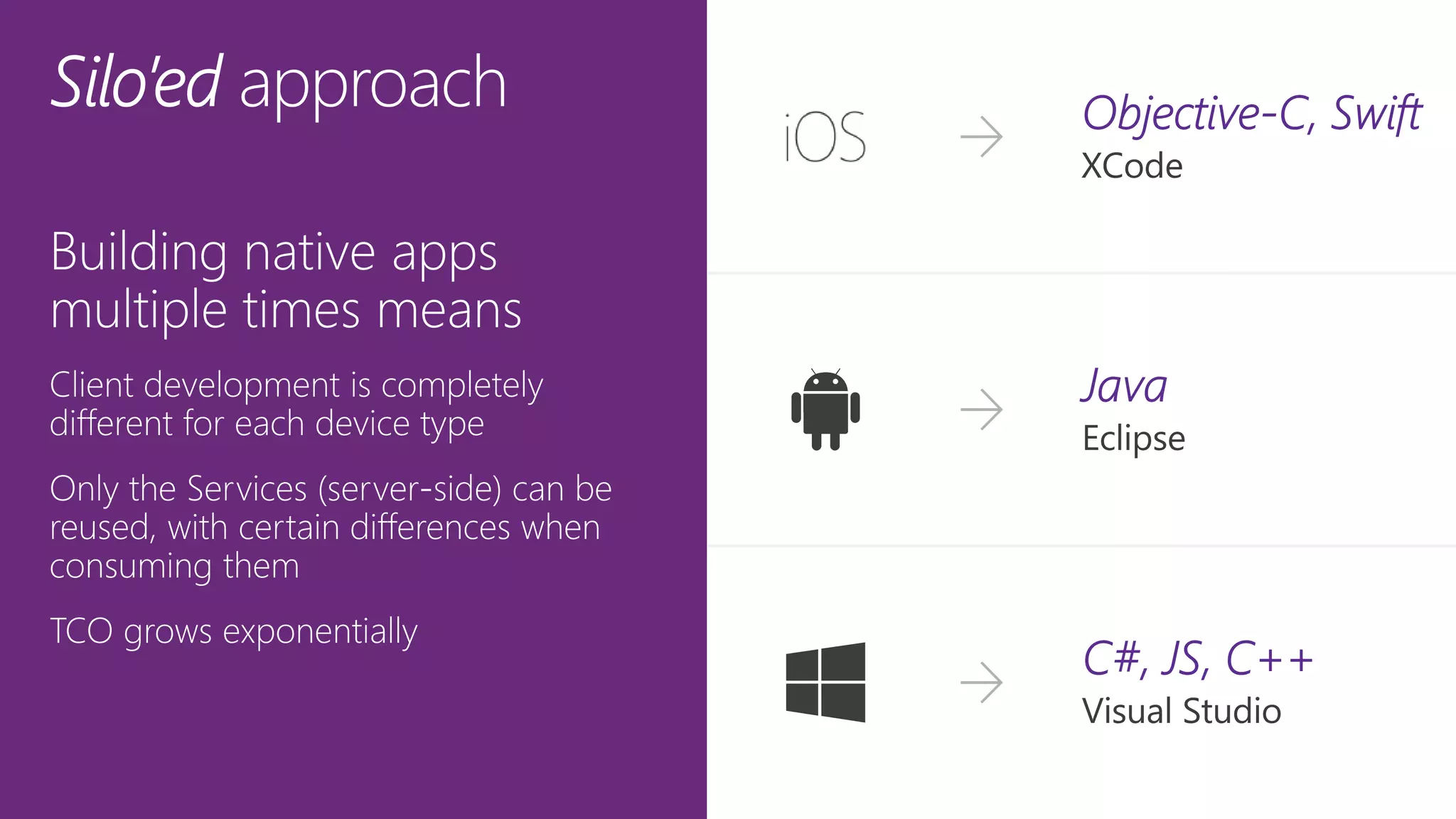
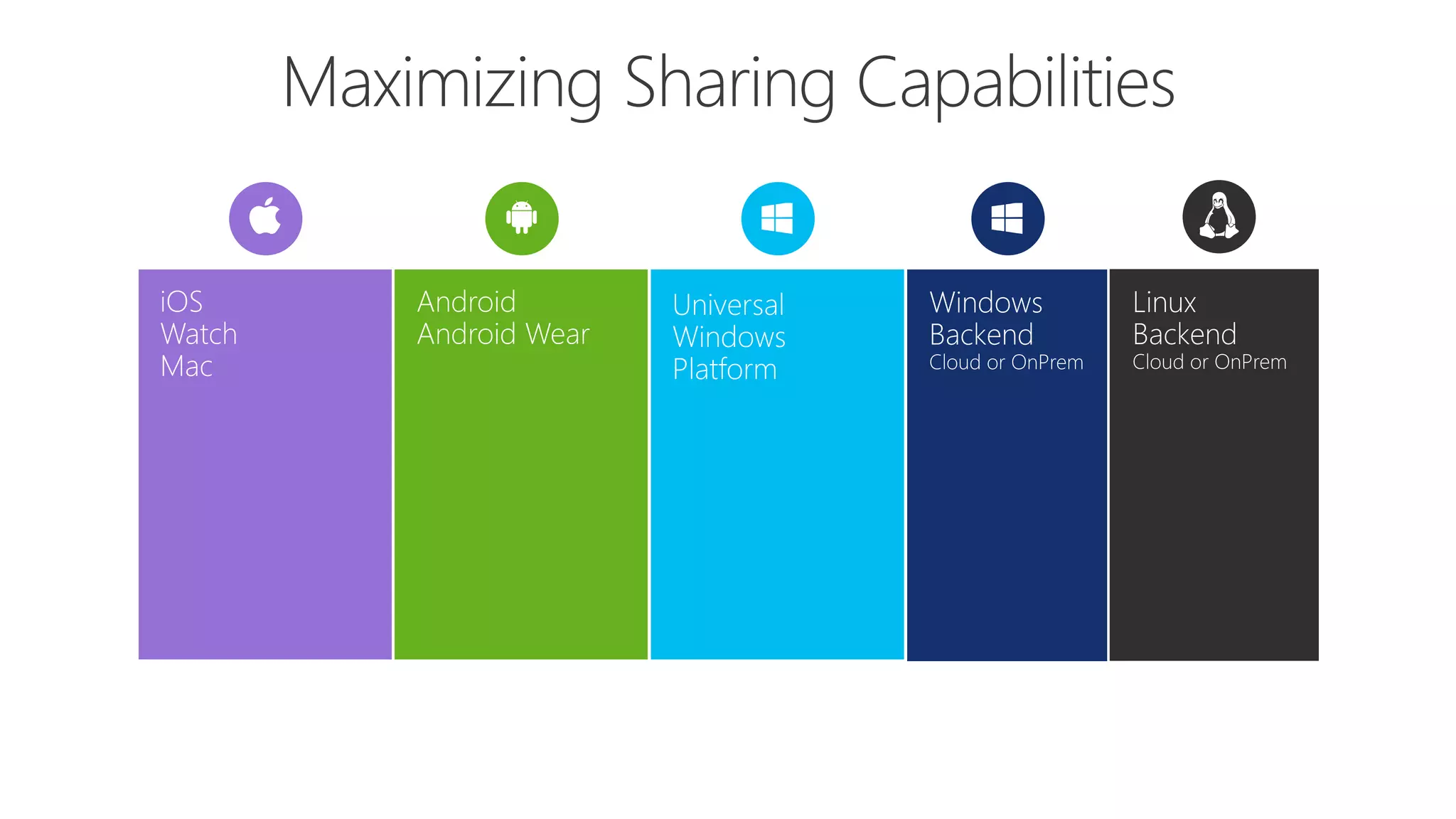
iOS
Objective-C,
Swift
Xcode
Windows
C#
Visual Studio
Android
Java
Android Studio
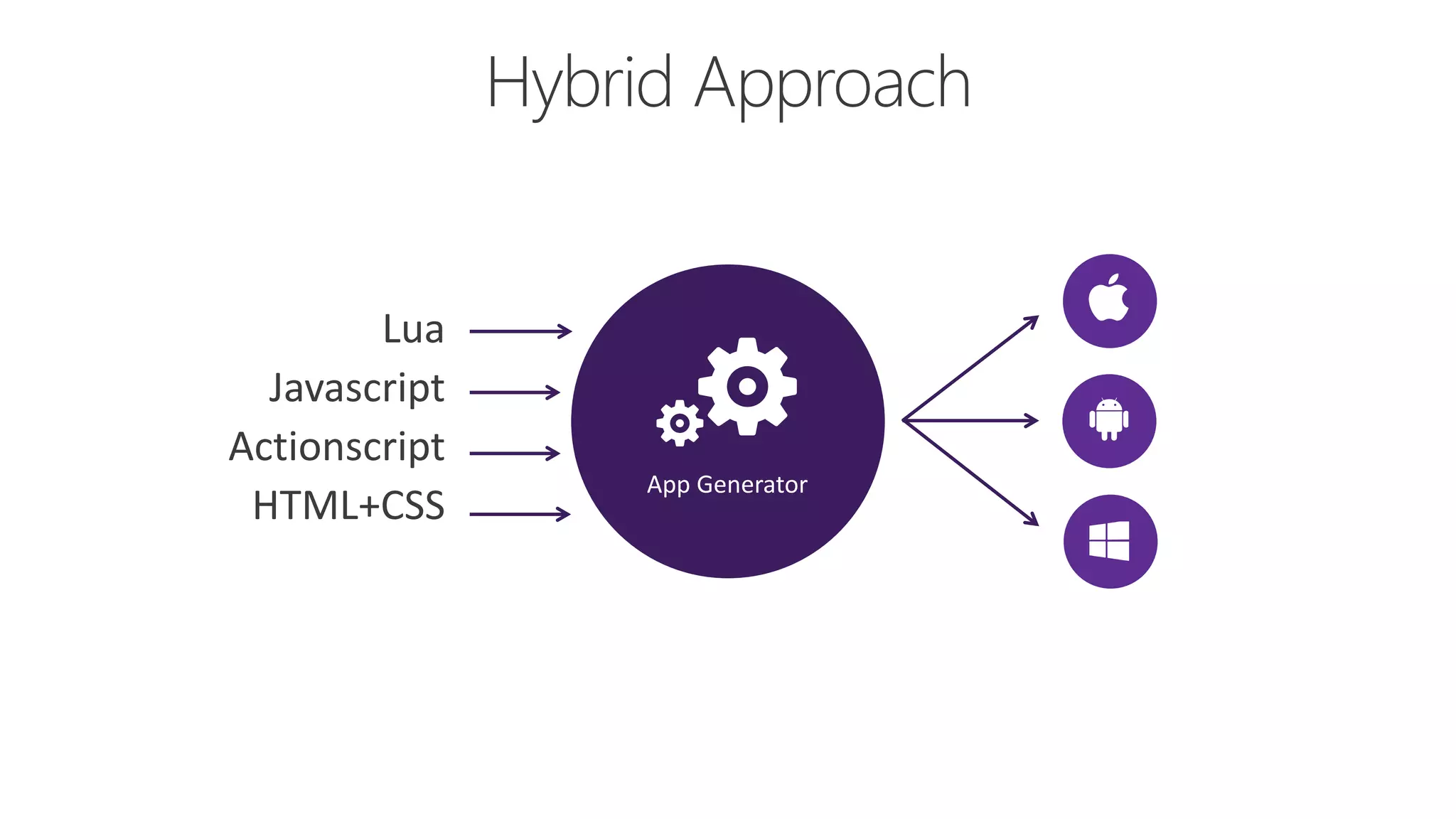
App Generator
Lua
Javascript
Actionscript
HTML+CSS
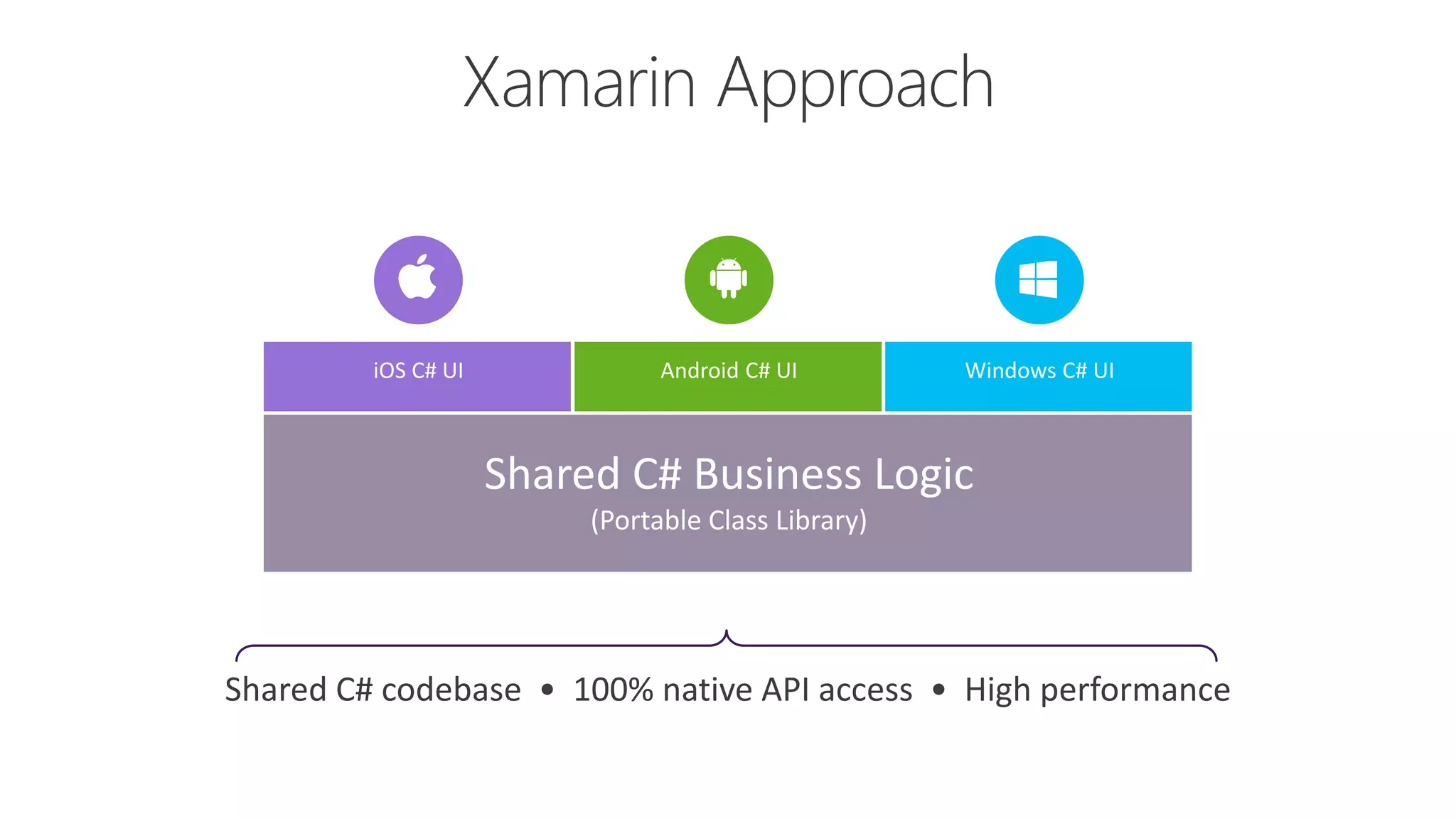
iOS C# UI Windows C# UIAndroid C# UI
Shared C# Business Logic
(Portable Class Library)
Shared C# codebase • 100% native API access • High performance
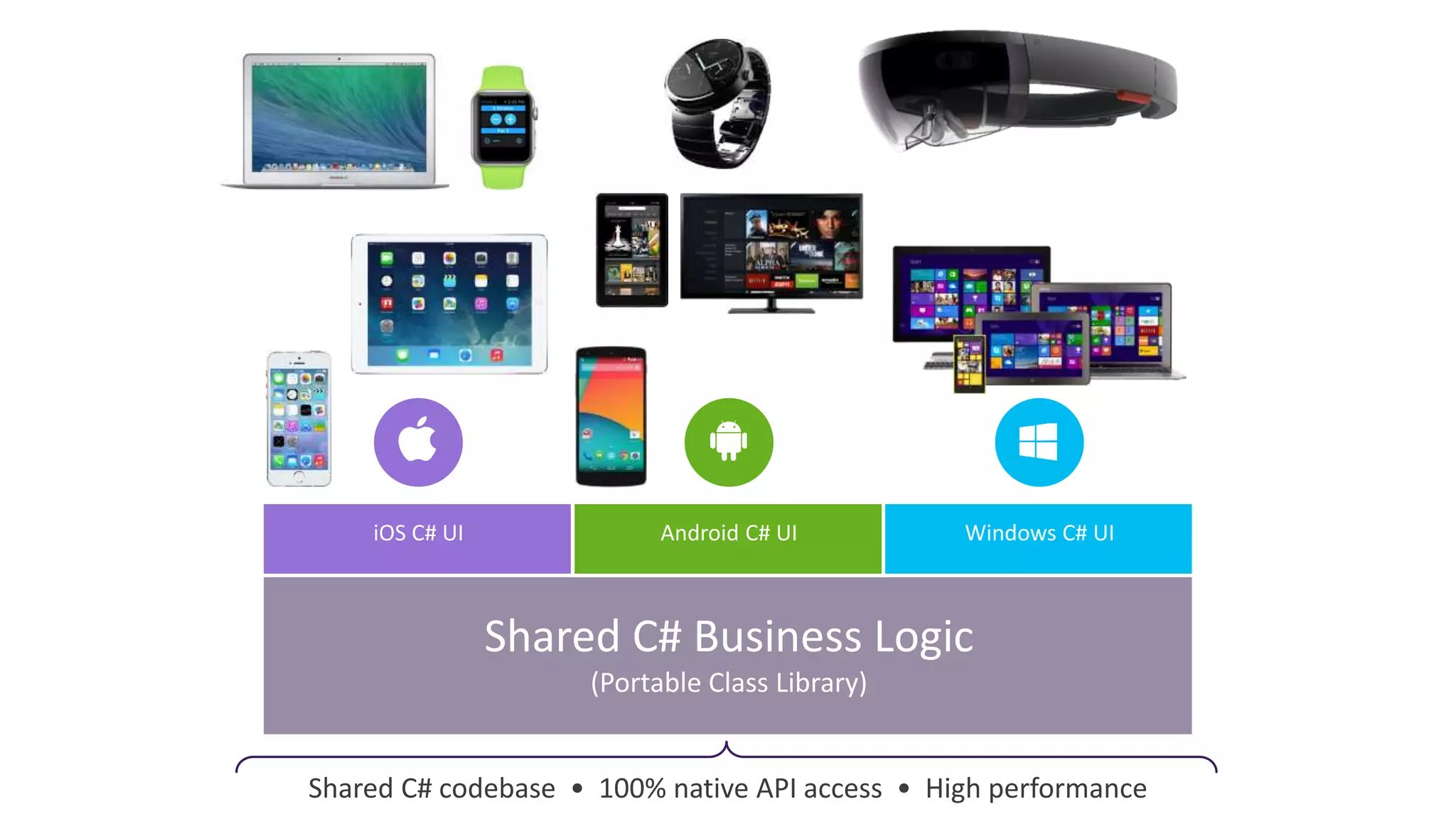
iOS C# UI Windows C# UIAndroid C# UI
Shared C# Business Logic
(Portable Class Library)
Shared C# codebase • 100% native API access • High performance
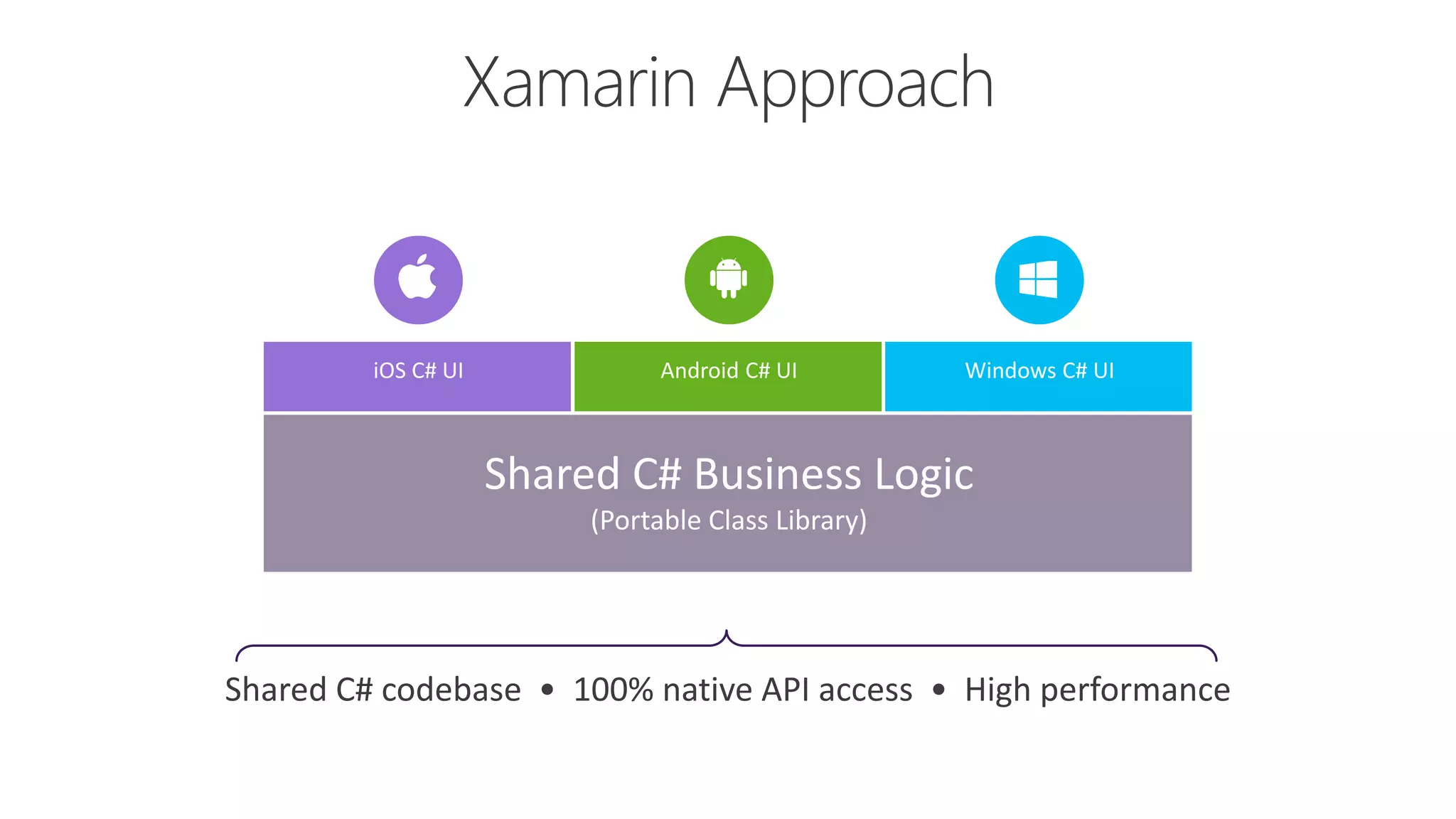
iOS C# UI Windows C# UIAndroid C# UI
Shared C# Business Logic
(Portable Class Library)
Shared C# codebase • 100% native API access • High performance
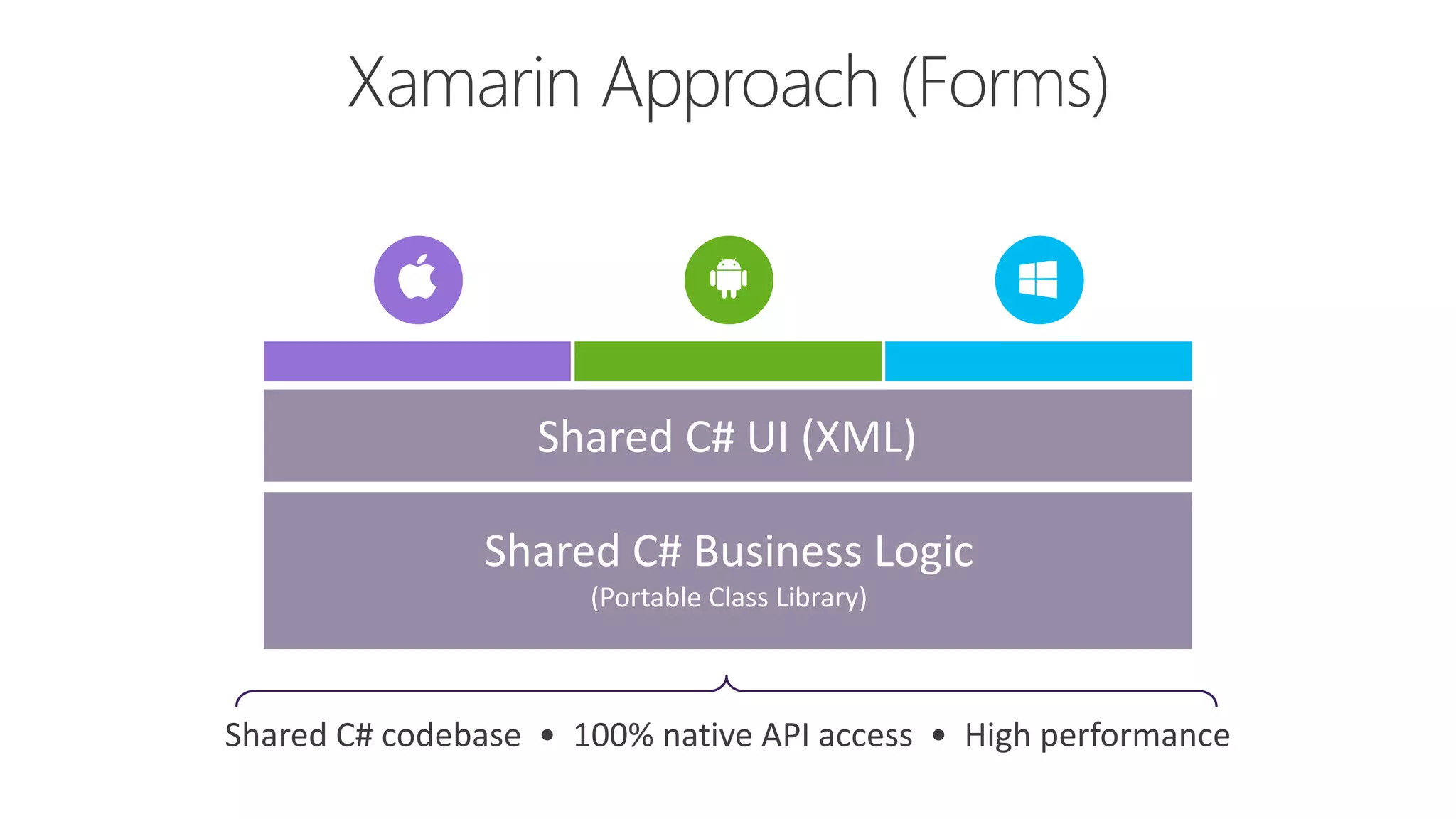
Shared C# Business Logic
(Portable Class Library)
Shared C# UI (XML)
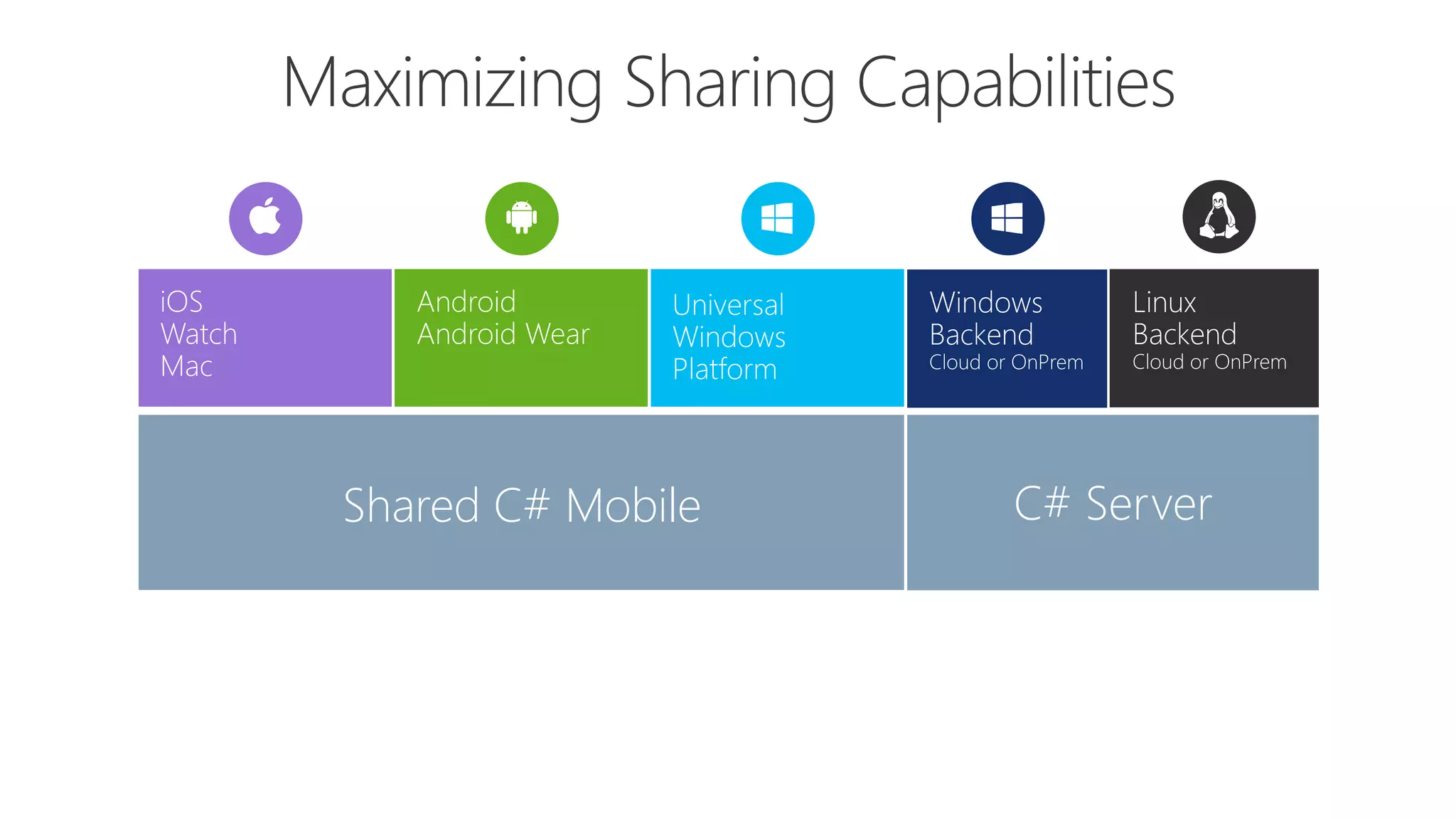
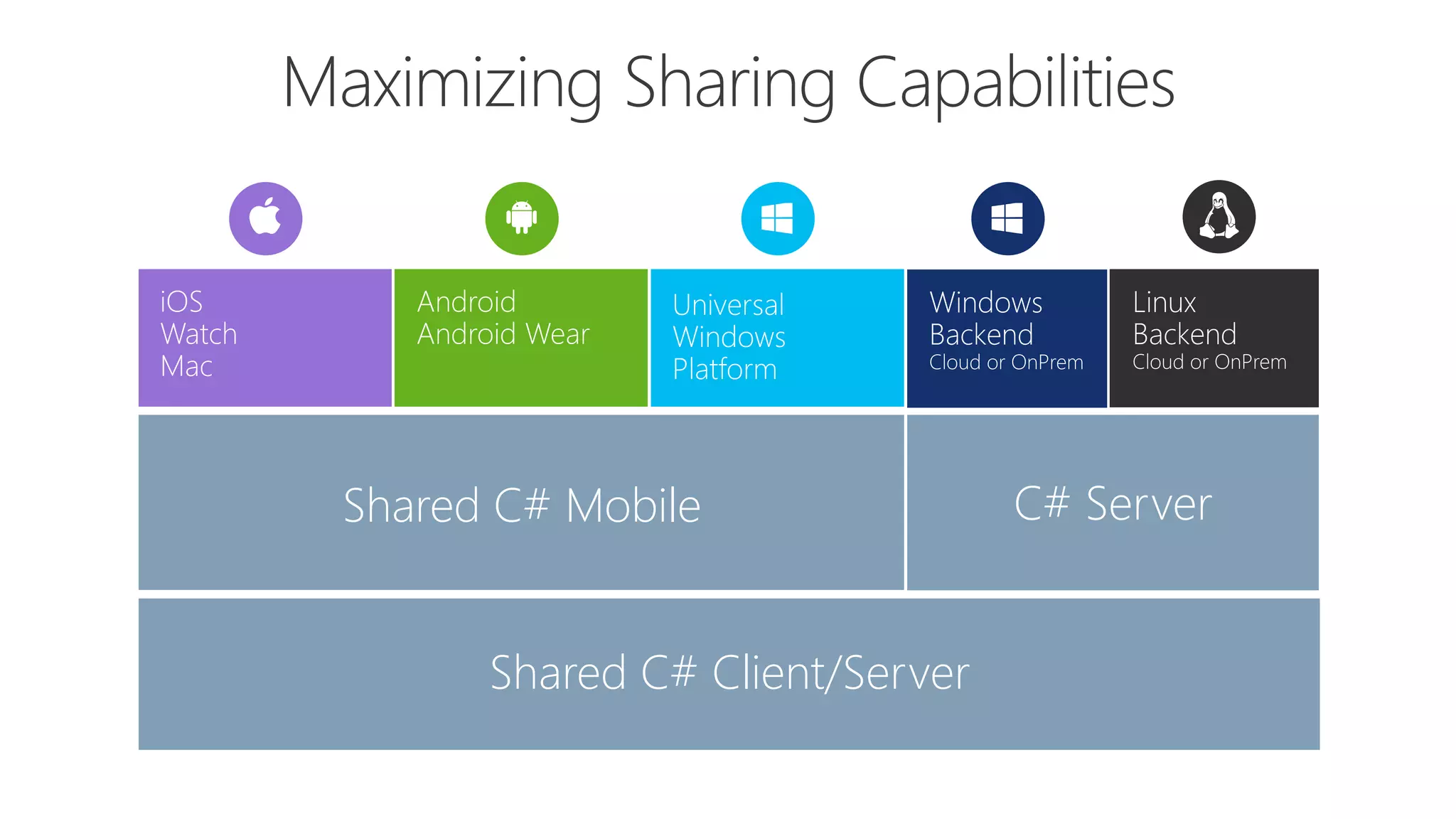
Shared C# Mobile C# Server
Shared C# Mobile
Shared C# Client/Server
C# Server
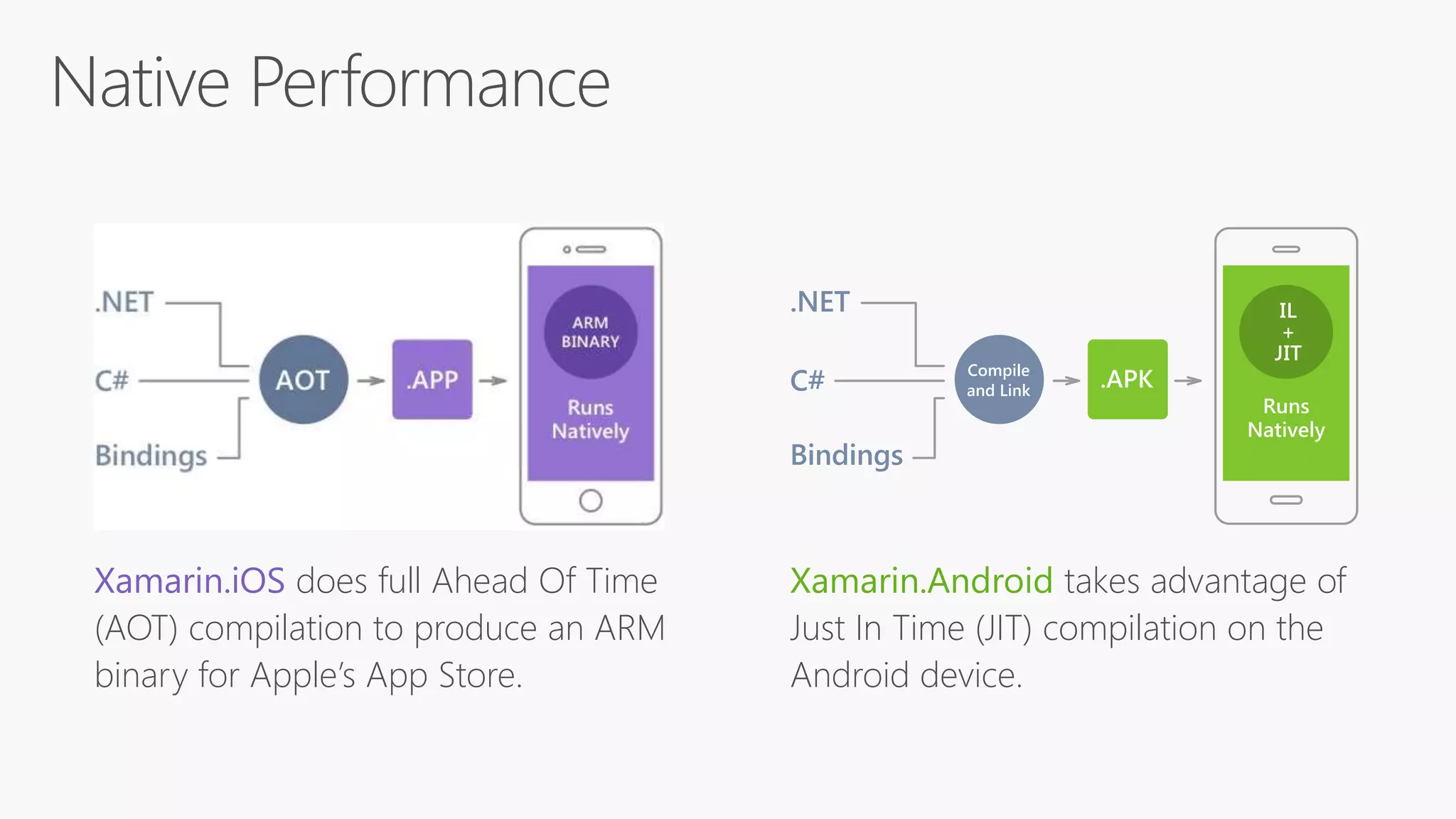
Xamarin.iOS does full Ahead Of Time
(AOT) compilation to produce an ARM
binary for Apple’s App Store.
Xamarin.Android takes advantage of
Just In Time (JIT) compilation on the
Android device.
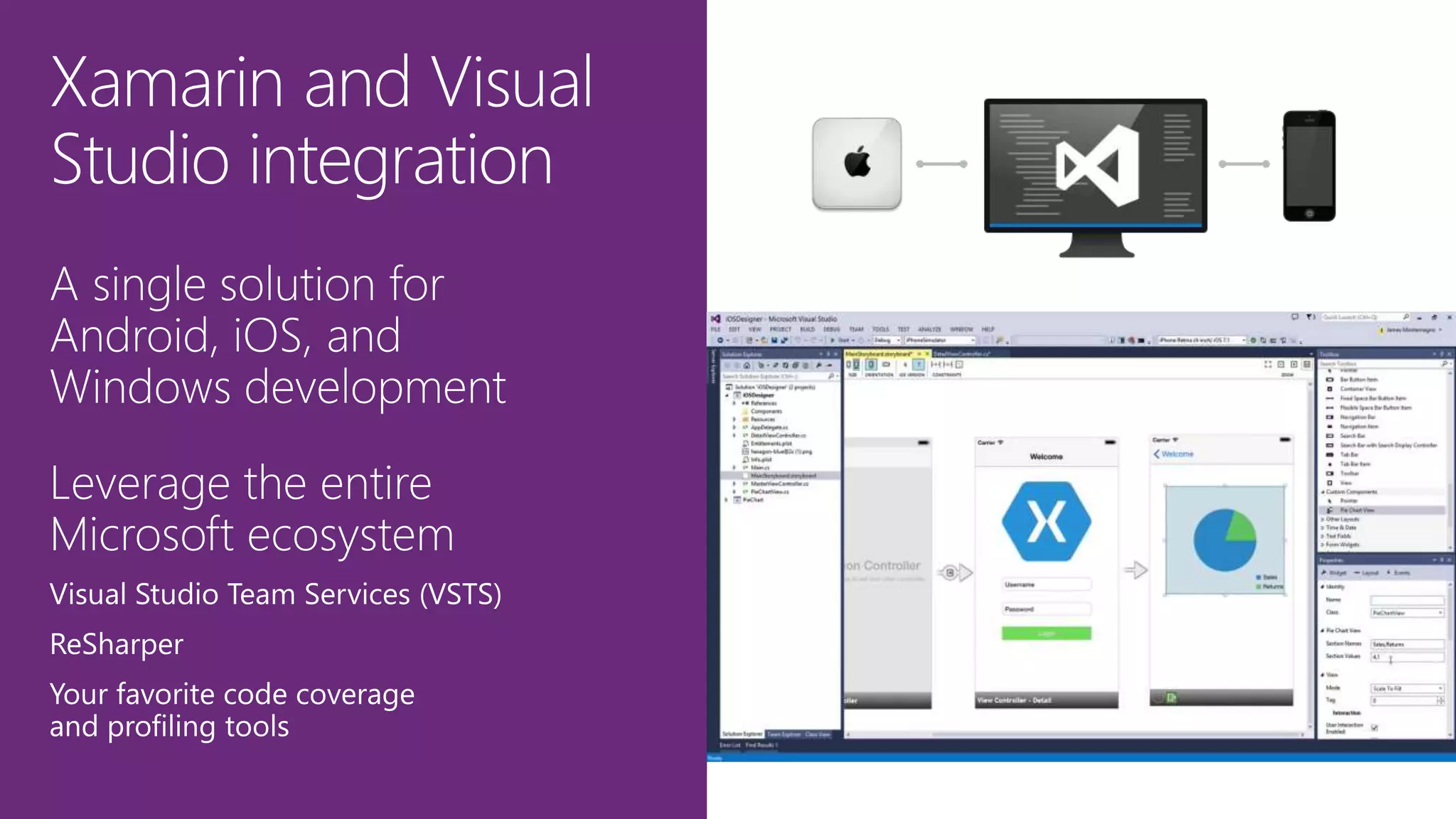
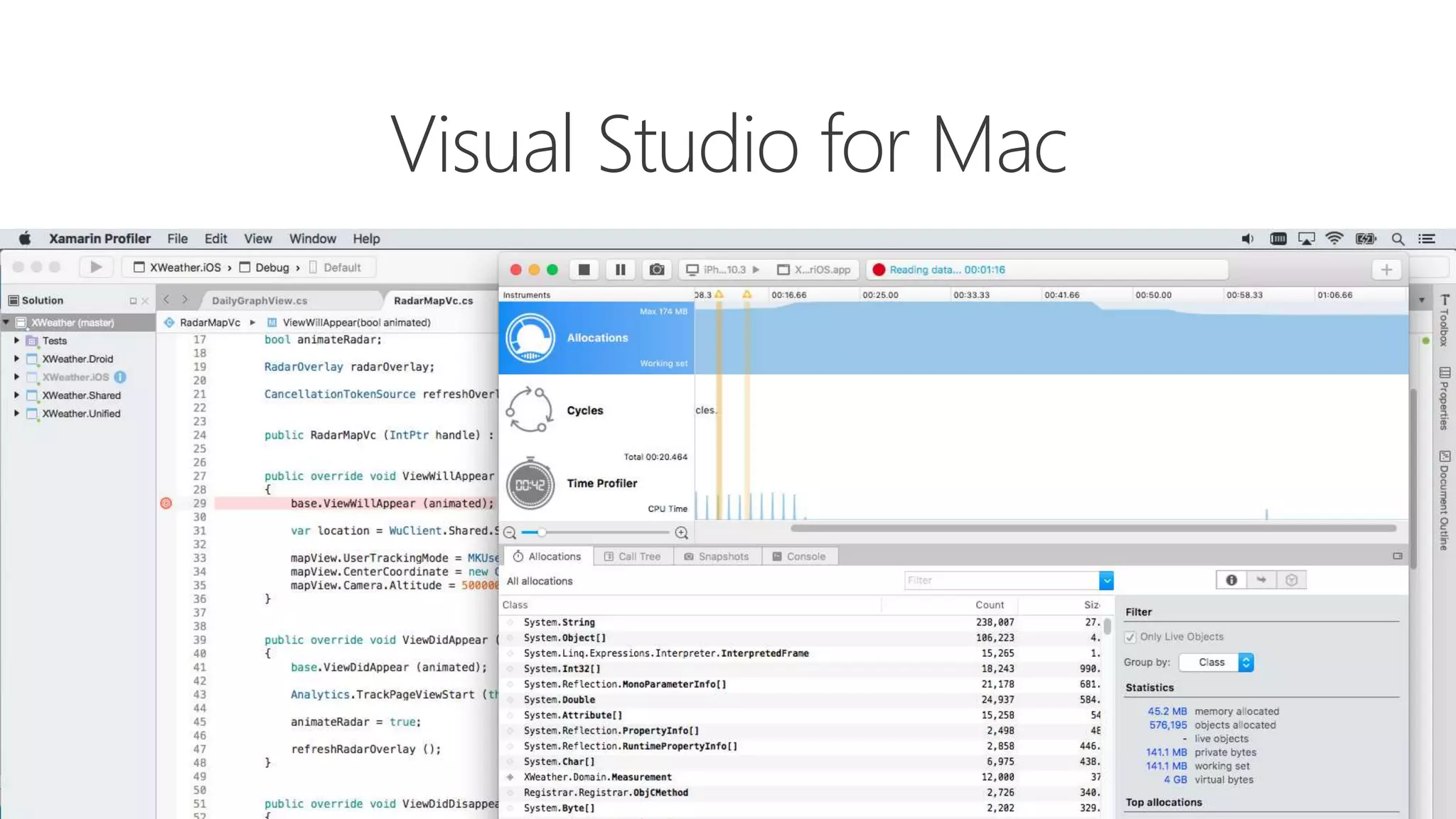
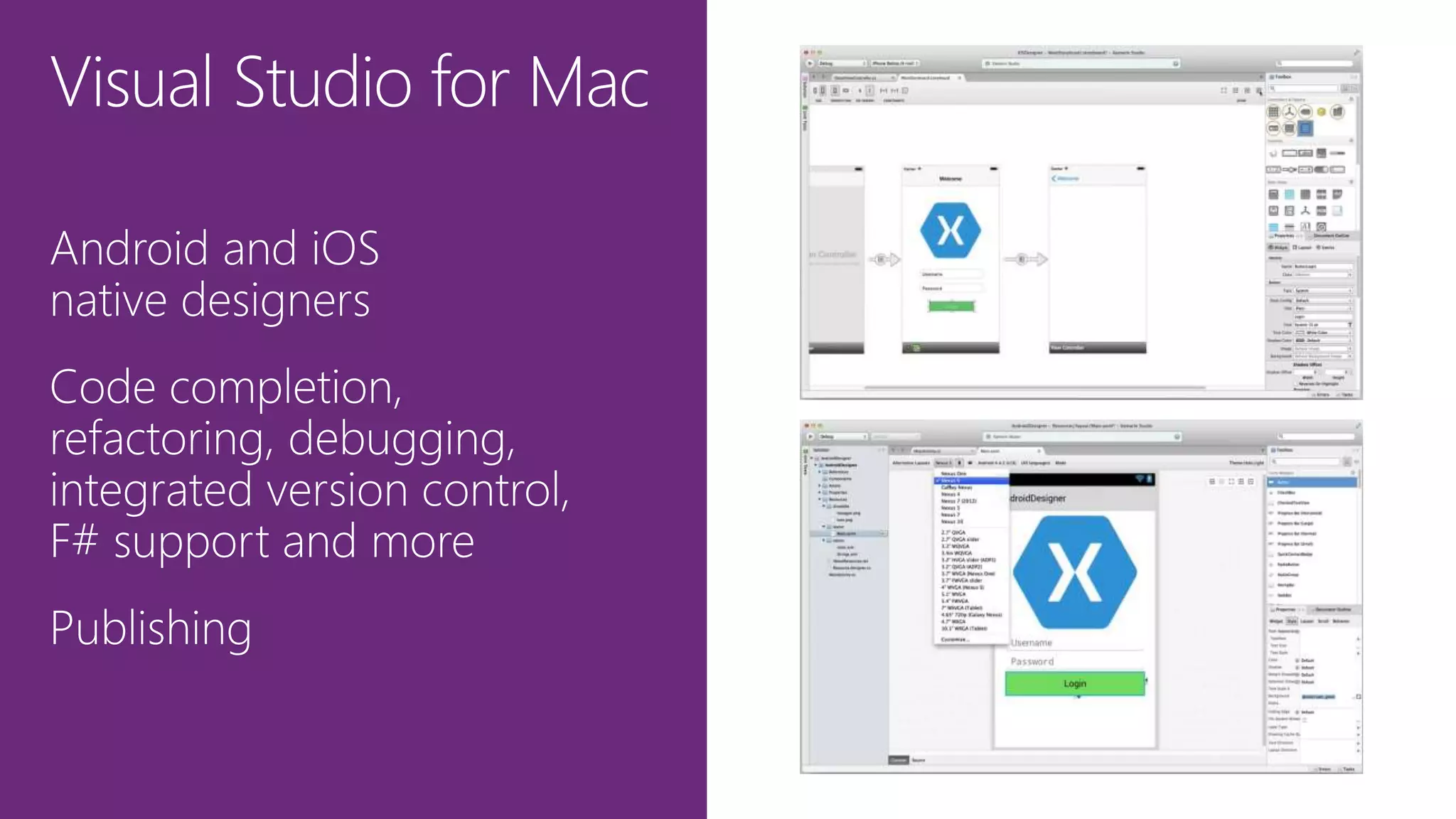
Visual Studio for Mac
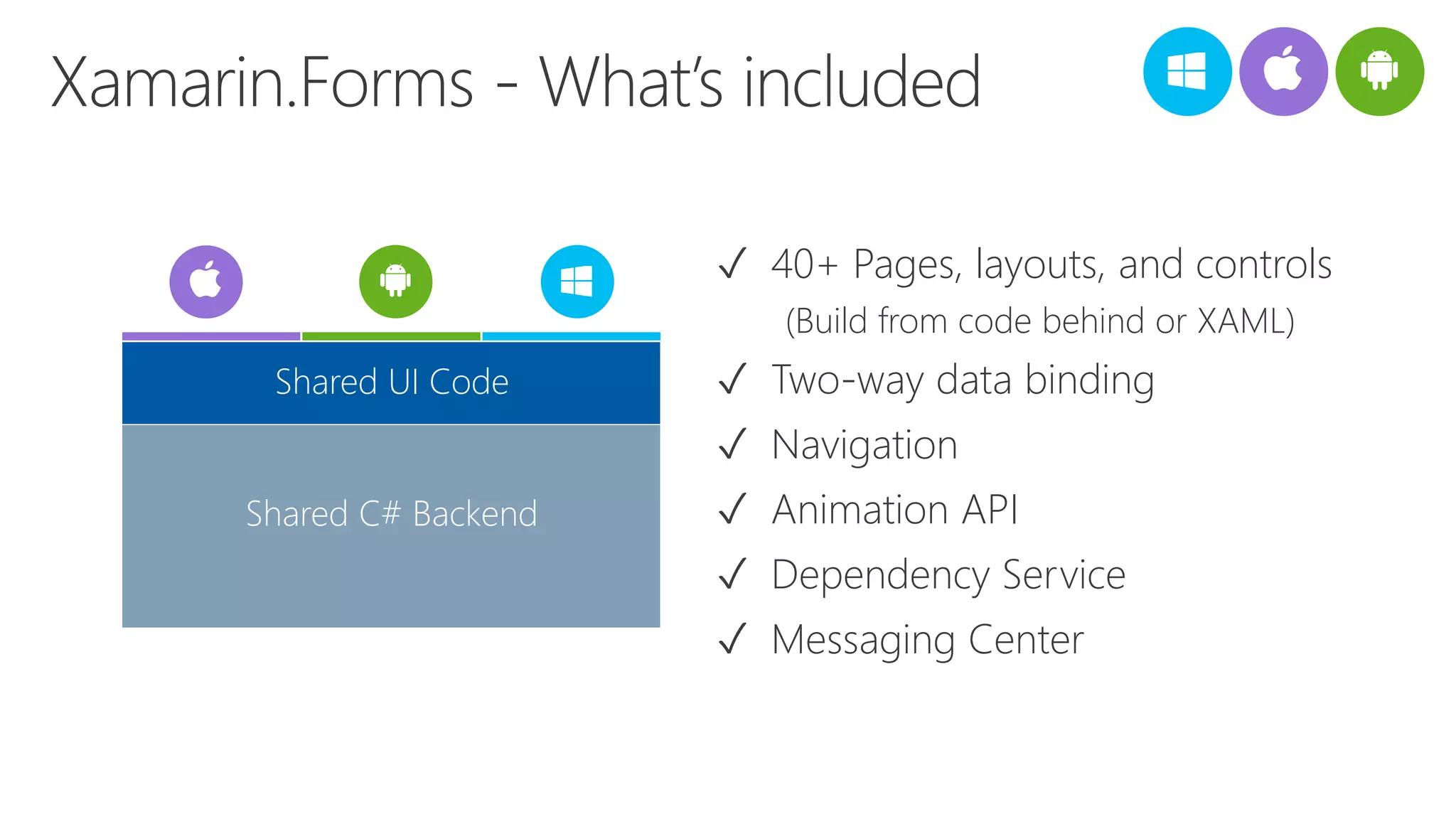
âś“ 40+ Pages, layouts, and controls
(Build from code behind or XAML)
âś“ Two-way data binding
âś“ Navigation
âś“ Animation API
âś“ Dependency Service
âś“ Messaging Center
Shared C# Backend
Shared UI Code
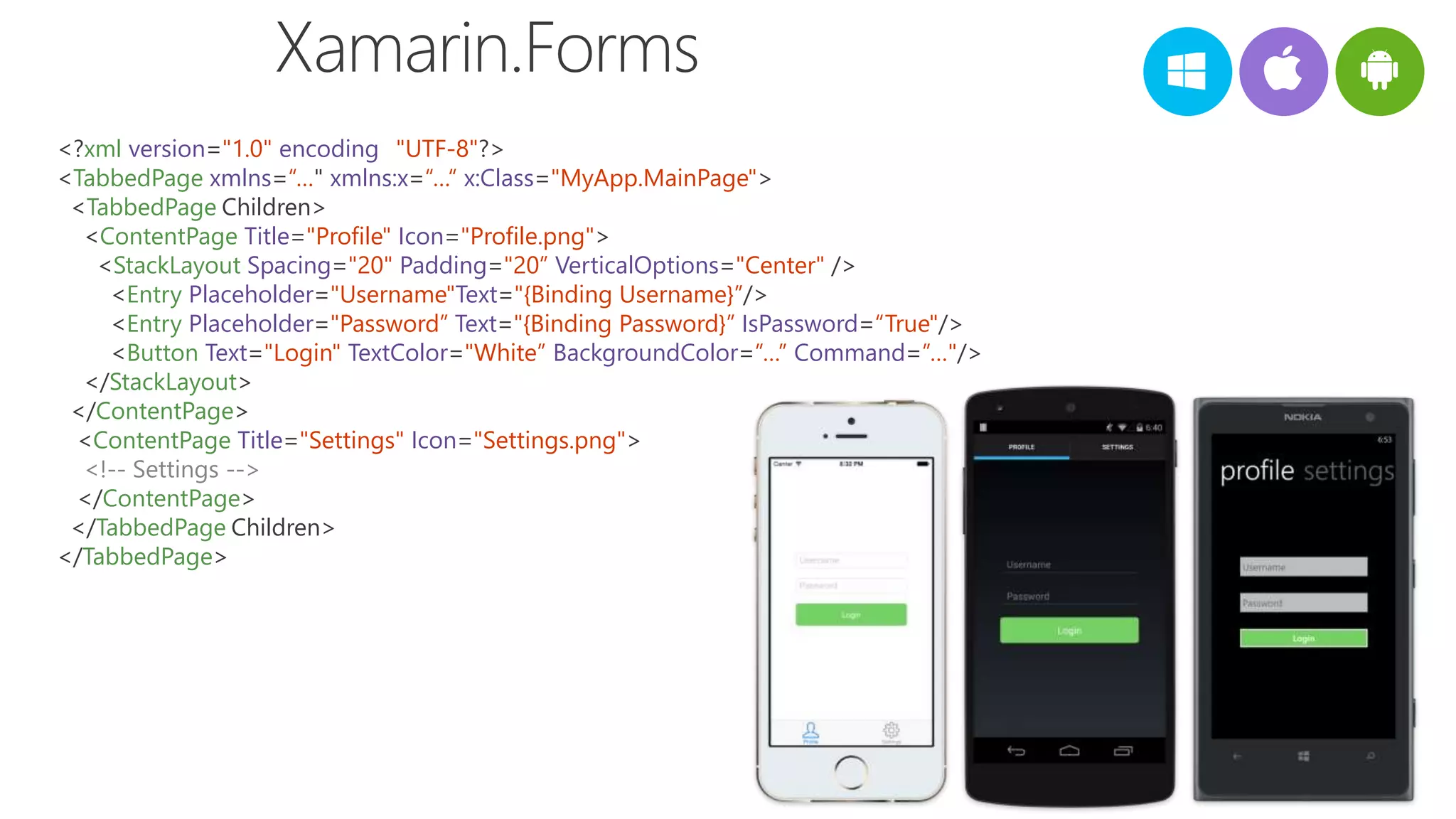
<?xml version="1.0" encoding="UTF-8"?>
<TabbedPage xmlns=“…" xmlns:x=“…“ x:Class="MyApp.MainPage">
<TabbedPage.Children>
<ContentPage Title="Profile" Icon="Profile.png">
<StackLayout Spacing="20" Padding="20” VerticalOptions="Center" />
<Entry Placeholder="Username"Text="{Binding Username}”/> >
<Entry Placeholder="Password” Text="{Binding Password}” IsPassword=“True"/>
<Button Text="Login" TextColor="White” BackgroundColor=”…” Command=”…"/>
</StackLayout>
</ContentPage>
<ContentPage Title="Settings" Icon="Settings.png">
<!-- Settings -->
</ContentPage>
</TabbedPage.Children>
</TabbedPage>
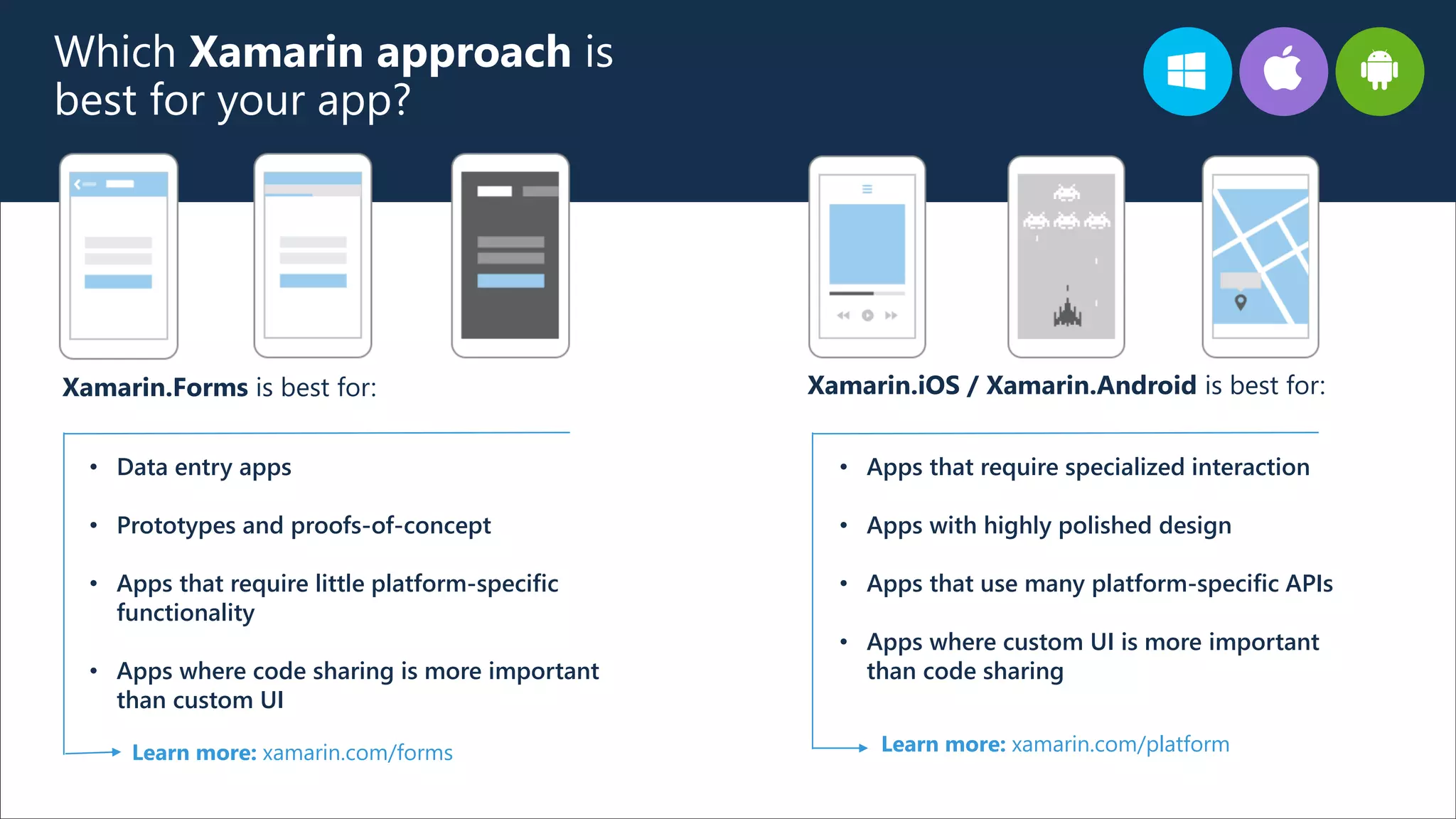
Which Xamarin approach is
best for your app?
Xamarin.Forms is best for: Xamarin.iOS / Xamarin.Android is best for:
• Data entry apps
• Prototypes and proofs-of-concept
• Apps that require little platform-specific
functionality
• Apps where code sharing is more important
than custom UI
Learn more: xamarin.com/forms Learn more: xamarin.com/platform
• Apps that require specialized interaction
• Apps with highly polished design
• Apps that use many platform-specific APIs
• Apps where custom UI is more important
than code sharing
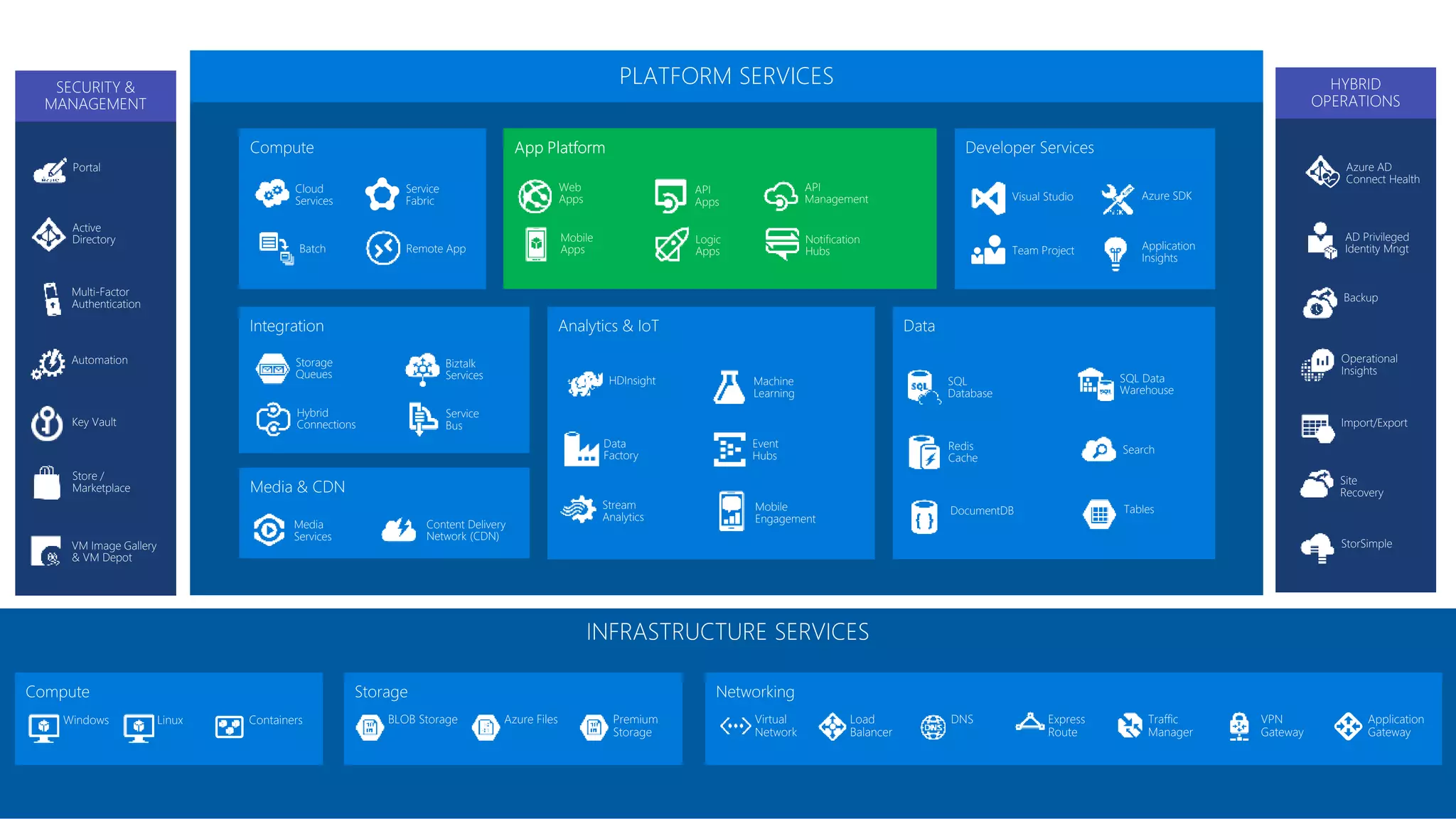
Active
Directory
Multi-Factor
Authentication
Automation
Portal
Key Vault
Store /
Marketplace
VM Image Gallery
& VM Depot
SECURITY &
MANAGEMENT
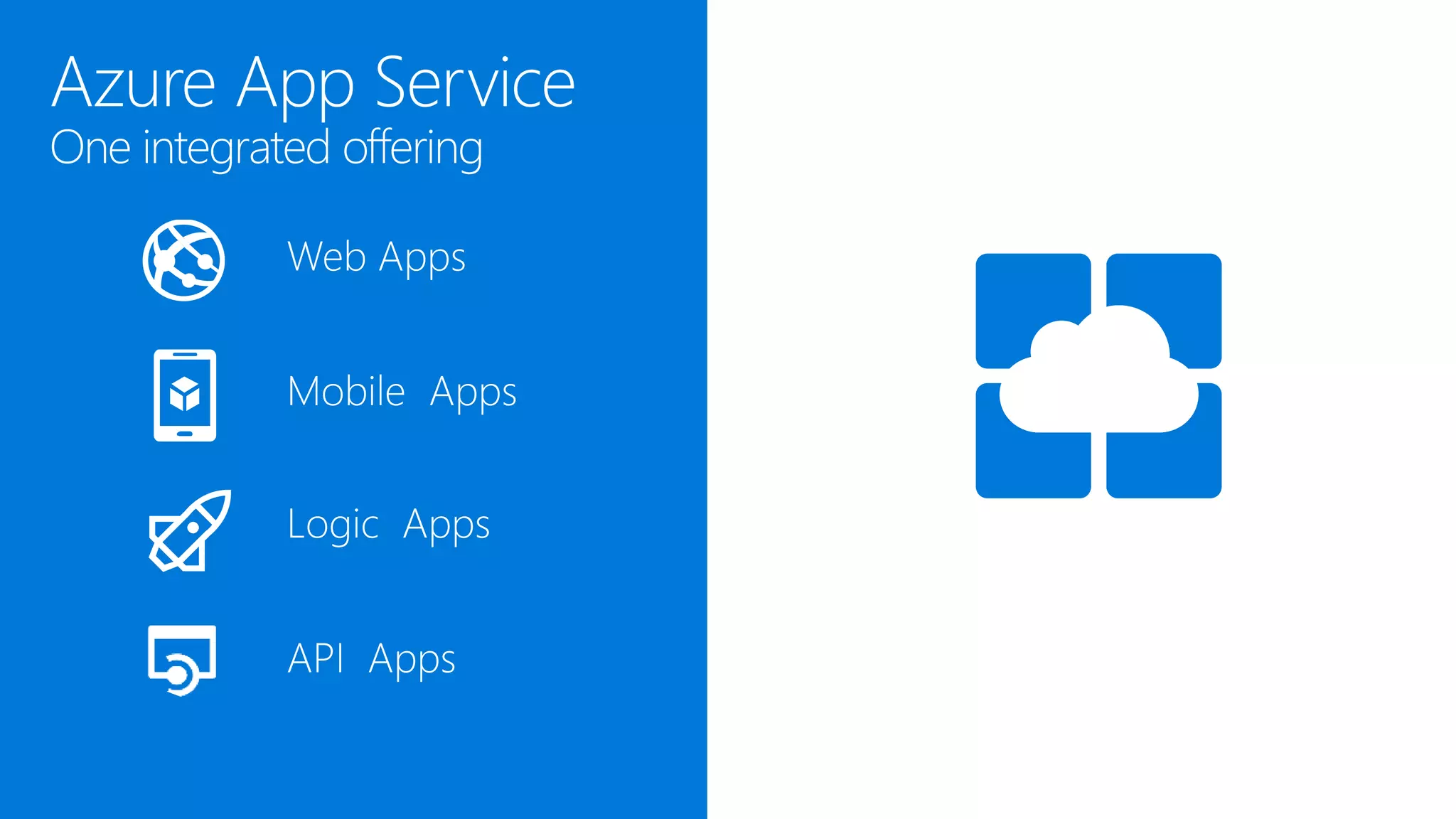
Web
Apps
Mobile
Apps
API
Management
API
Apps
Logic
Apps
Notification
Hubs
Content Delivery
Network (CDN)
Media
Services
HDInsight Machine
Learning
Stream
Analytics
Data
Factory
Event
Hubs
Mobile
Engagement
Biztalk
Services
Hybrid
Connections
Service
Bus
Storage
Queues
SQL
Database
DocumentDB
Redis
Cache
Search
Tables
SQL Data
Warehouse
Cloud
Services
Batch Remote App
Service
Fabric Visual Studio
Application
Insights
Azure SDK
Team Project
PLATFORM SERVICES
Backup
StorSimple
Site
Recovery
Import/Export
Azure AD
Connect Health
AD Privileged
Identity Mngt
Operational
Insights
HYBRID
OPERATIONS
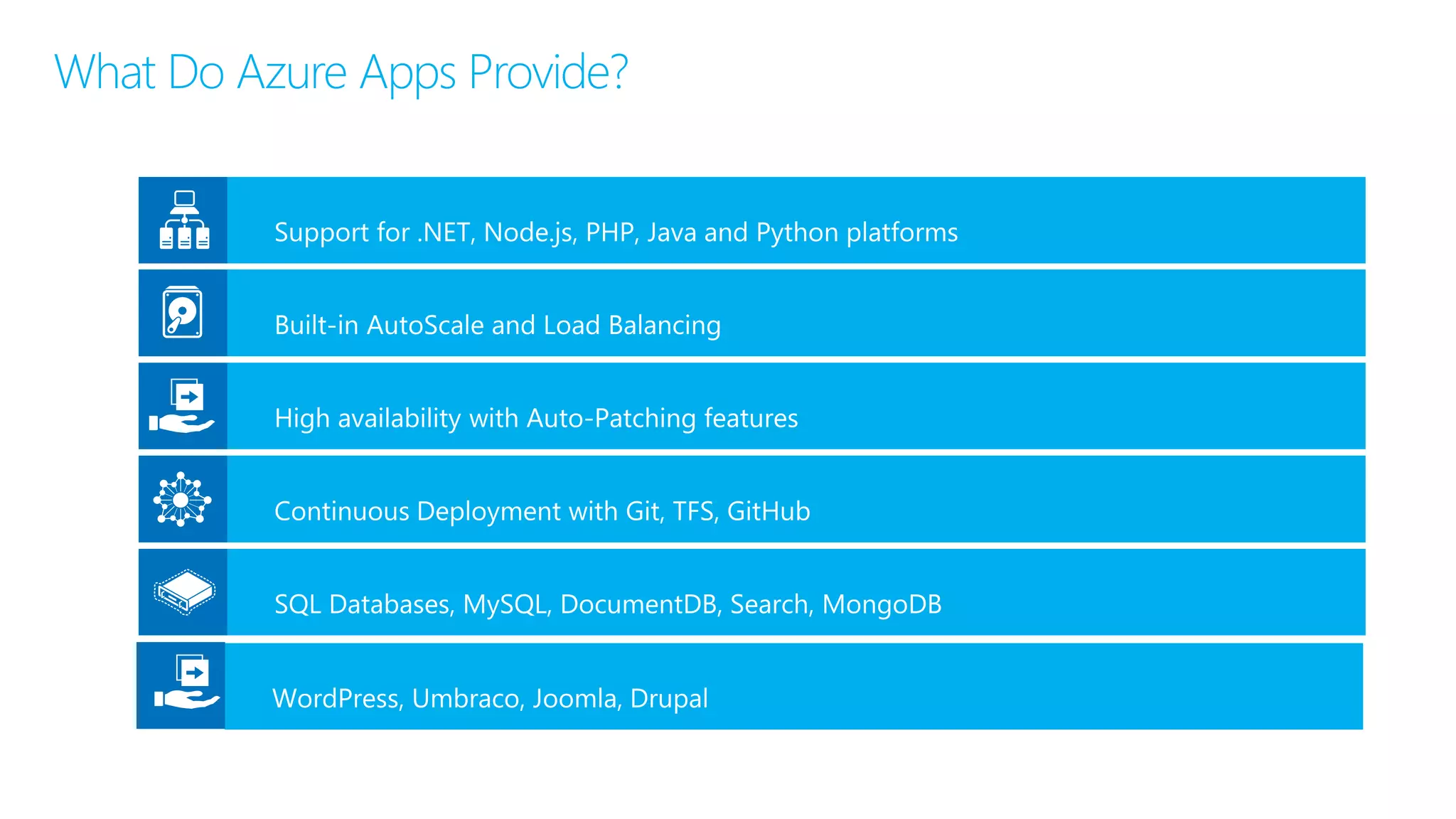
What Do Azure Apps Provide?
41
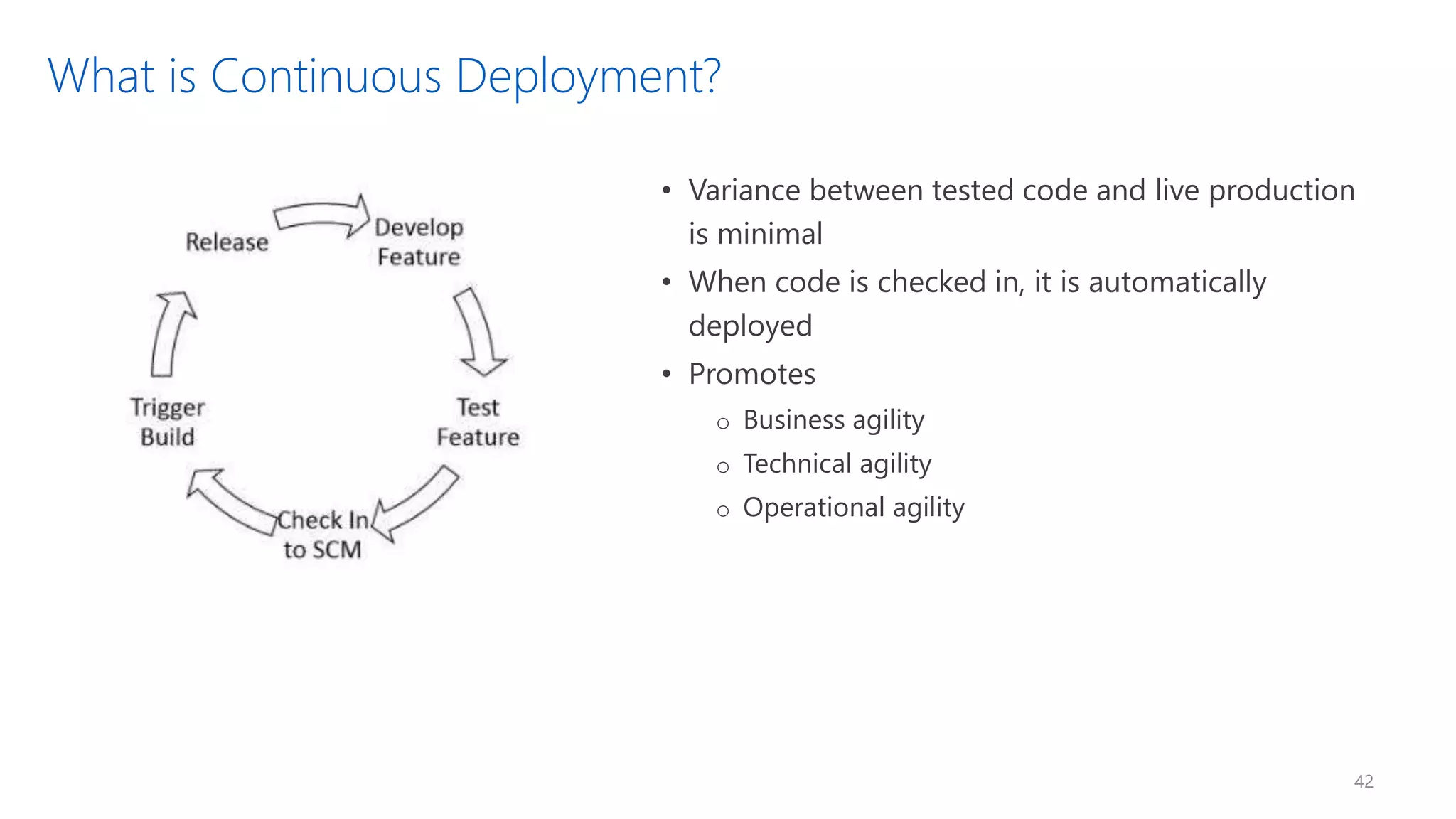
What is Continuous Deployment?
• Variance between tested code and live production
is minimal
• When code is checked in, it is automatically
deployed
• Promotes
o Business agility
o Technical agility
o Operational agility
42
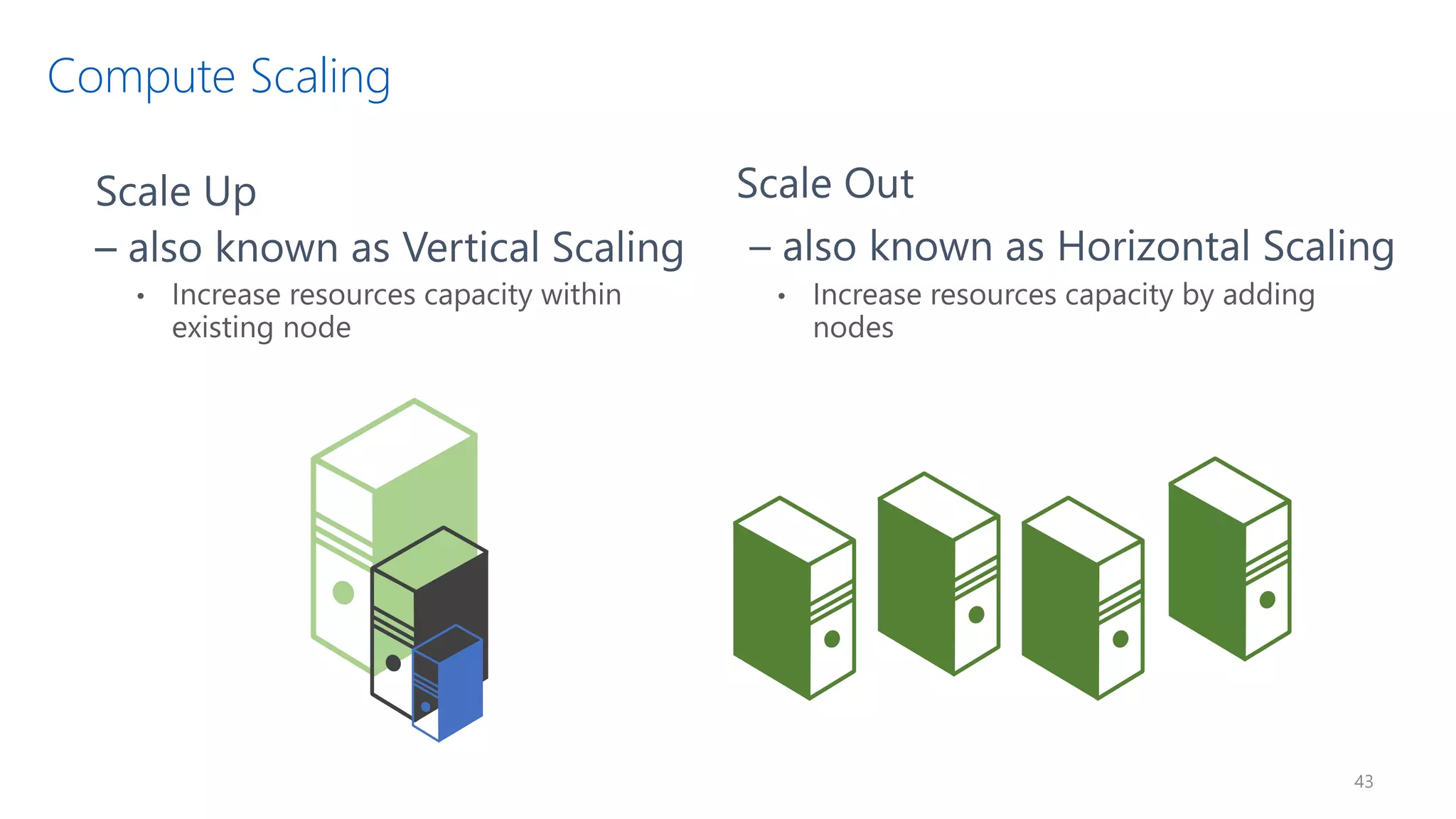
Compute Scaling
43
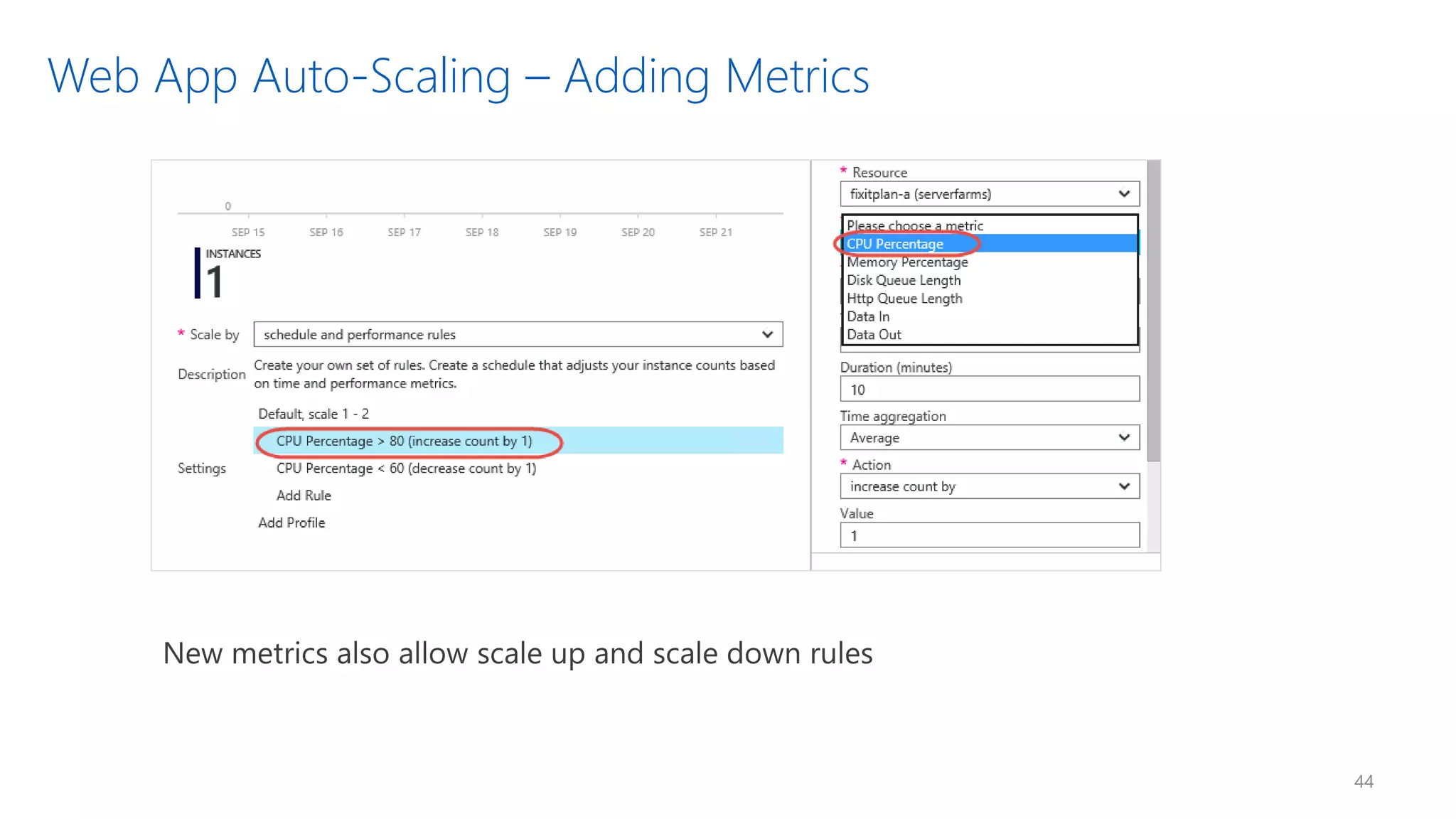
Web App Auto-Scaling – Adding Metrics
44
iOS
Test Recorder Video Test Cloud
https://github.com/qmatteoq/XamarinSamples
https://github.com/qmatteoq/AppServices
https://doc.co/tFE6nh/nqqAqB
© 2016 Microsoft Corporation. All rights reserved.

Create great mobile apps with Xamarin, Visual Studio and Azure

  • 6.
  • 10.
  • 15.
    iOS C# UIWindows C# UIAndroid C# UI Shared C# Business Logic (Portable Class Library) Shared C# codebase • 100% native API access • High performance
  • 16.
    iOS C# UIWindows C# UIAndroid C# UI Shared C# Business Logic (Portable Class Library) Shared C# codebase • 100% native API access • High performance
  • 17.
    iOS C# UIWindows C# UIAndroid C# UI Shared C# Business Logic (Portable Class Library) Shared C# codebase • 100% native API access • High performance
  • 18.
    Shared C# codebase• 100% native API access • High performance Shared C# Business Logic (Portable Class Library) Shared C# UI (XML)
  • 22.
  • 23.
    Shared C# Mobile SharedC# Client/Server C# Server
  • 28.
    Xamarin.iOS does fullAhead Of Time (AOT) compilation to produce an ARM binary for Apple’s App Store. Xamarin.Android takes advantage of Just In Time (JIT) compilation on the Android device.
  • 32.
  • 35.
    âś“ 40+ Pages,layouts, and controls (Build from code behind or XAML) âś“ Two-way data binding âś“ Navigation âś“ Animation API âś“ Dependency Service âś“ Messaging Center Shared C# Backend Shared UI Code
  • 36.
    <?xml version="1.0" encoding="UTF-8"?> <TabbedPagexmlns=“…" xmlns:x=“…“ x:Class="MyApp.MainPage"> <TabbedPage.Children> <ContentPage Title="Profile" Icon="Profile.png"> <StackLayout Spacing="20" Padding="20” VerticalOptions="Center" /> <Entry Placeholder="Username"Text="{Binding Username}”/> > <Entry Placeholder="Password” Text="{Binding Password}” IsPassword=“True"/> <Button Text="Login" TextColor="White” BackgroundColor=”…” Command=”…"/> </StackLayout> </ContentPage> <ContentPage Title="Settings" Icon="Settings.png"> <!-- Settings --> </ContentPage> </TabbedPage.Children> </TabbedPage>
  • 38.
    Which Xamarin approachis best for your app? Xamarin.Forms is best for: Xamarin.iOS / Xamarin.Android is best for: • Data entry apps • Prototypes and proofs-of-concept • Apps that require little platform-specific functionality • Apps where code sharing is more important than custom UI Learn more: xamarin.com/forms Learn more: xamarin.com/platform • Apps that require specialized interaction • Apps with highly polished design • Apps that use many platform-specific APIs • Apps where custom UI is more important than code sharing
  • 39.
    Active Directory Multi-Factor Authentication Automation Portal Key Vault Store / Marketplace VMImage Gallery & VM Depot SECURITY & MANAGEMENT Web Apps Mobile Apps API Management API Apps Logic Apps Notification Hubs Content Delivery Network (CDN) Media Services HDInsight Machine Learning Stream Analytics Data Factory Event Hubs Mobile Engagement Biztalk Services Hybrid Connections Service Bus Storage Queues SQL Database DocumentDB Redis Cache Search Tables SQL Data Warehouse Cloud Services Batch Remote App Service Fabric Visual Studio Application Insights Azure SDK Team Project PLATFORM SERVICES Backup StorSimple Site Recovery Import/Export Azure AD Connect Health AD Privileged Identity Mngt Operational Insights HYBRID OPERATIONS
  • 41.
    What Do AzureApps Provide? 41
  • 42.
    What is ContinuousDeployment? • Variance between tested code and live production is minimal • When code is checked in, it is automatically deployed • Promotes o Business agility o Technical agility o Operational agility 42
  • 43.
  • 44.
    Web App Auto-Scaling– Adding Metrics 44
  • 48.
  • 51.
  • 57.
  • 58.
    © 2016 MicrosoftCorporation. All rights reserved.