Cmdlet Reference for App Controller
in System Center 2012 SP1
Microsoft
Summary: The Windows PowerShell module for App Controller includes cmdlets that
are designed specifically for App Controller. This Cmdlet Reference contains the help
files for these cmdlets. The topics in this guide include information about the cmdlets
and their associated parameters, and provide examples about how to use the cmdlets.
Category: Reference
Applies to: System Center 2012 Service Pack 1 (SP1) - App Controller
Source: TechNet Library (http://technet.microsoft.com/en-us/library/hh781180.aspx)
E-book publication date: April 2013
Copyright © 2013 by Microsoft Corporation
All rights reserved. No part of the contents of this book may be reproduced or transmitted in any form or by any means
without the written permission of the publisher.
Microsoft and the trademarks listed at
http://www.microsoft.com/about/legal/en/us/IntellectualProperty/Trademarks/EN-US.aspx are
trademarks of the Microsoft group of companies. All other marks are property of their respective owners.
The example companies, organizations, products, domain names, email addresses, logos, people, places, and events
depicted herein are fictitious. No association with any real company, organization, product, domain name, email address,
logo, person, place, or event is intended or should be inferred.
This book expresses the author’s views and opinions. The information contained in this book is provided without any
express, statutory, or implied warranties. Neither the authors, Microsoft Corporation, nor its resellers, or distributors
will be held liable for any damages caused or alleged to be caused either directly or indirectly by this book.
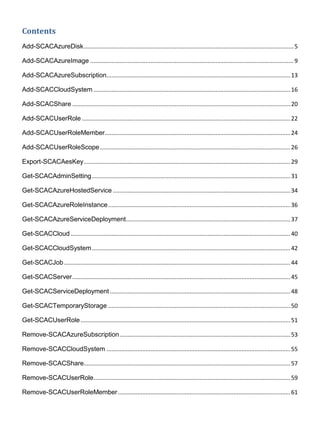
Contents
Add-SCACAzureDisk.................................................................................................................................5
Add-SCACAzureImage .............................................................................................................................9
Add-SCACAzureSubscription.................................................................................................................13
Add-SCACCloudSystem .........................................................................................................................16
Add-SCACShare ......................................................................................................................................20
Add-SCACUserRole ................................................................................................................................22
Add-SCACUserRoleMember..................................................................................................................24
Add-SCACUserRoleScope.....................................................................................................................26
Export-SCACAesKey...............................................................................................................................29
Get-SCACAdminSetting..........................................................................................................................31
Get-SCACAzureHostedService .............................................................................................................34
Get-SCACAzureRoleInstance................................................................................................................36
Get-SCACAzureServiceDeployment.....................................................................................................37
Get-SCACCloud .......................................................................................................................................40
Get-SCACCloudSystem..........................................................................................................................42
Get-SCACJob ...........................................................................................................................................44
Get-SCACServer......................................................................................................................................45
Get-SCACServiceDeployment...............................................................................................................48
Get-SCACTemporaryStorage ................................................................................................................50
Get-SCACUserRole.................................................................................................................................51
Remove-SCACAzureSubscription.........................................................................................................53
Remove-SCACCloudSystem .................................................................................................................55
Remove-SCACShare...............................................................................................................................57
Remove-SCACUserRole.........................................................................................................................59
Remove-SCACUserRoleMember..........................................................................................................61
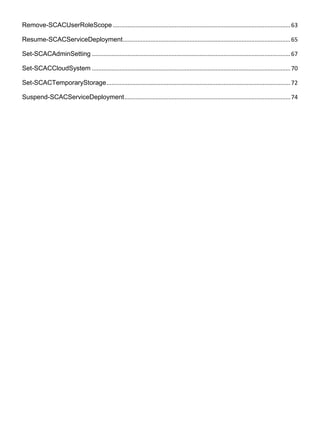
Remove-SCACUserRoleScope .............................................................................................................63
Resume-SCACServiceDeployment.......................................................................................................65
Set-SCACAdminSetting ..........................................................................................................................67
Set-SCACCloudSystem ..........................................................................................................................70
Set-SCACTemporaryStorage.................................................................................................................72
Suspend-SCACServiceDeployment......................................................................................................74
Add-SCACAzureDisk
Add-SCACAzureDisk
Adds a virtual hard disk to Windows Azure.
Syntax
Parameter Set: SourcePath
Add-SCACAzureDisk -Cloud <ACAzureSubscriptionCloud> -DisplayName <String> -Name <String> -
OperatingSystem {None | Windows | Linux} -SourcePath <String> -StorageBlob <Uri> [-Force] [
<CommonParameters>]
Parameter Set: SourceVHD
Add-SCACAzureDisk -Cloud <ACAzureSubscriptionCloud> -DisplayName <String> -Name <String> -
OperatingSystem {None | Windows | Linux} -SourceVHD <StandaloneVirtualHardDisk> -StorageBlob
<Uri> [-Force] [ <CommonParameters>]
Detailed Description
The Add-SCACAzureDisk cmdlet adds a virtual hard disk to Windows Azure.
You must import the Virtual Machine Manager (VMM) module into your session to run this cmdlet.
Parameters
-Cloud<ACAzureSubscriptionCloud>
Specifies a Windows Azure subscription cloud object. To retrieve a cloud object, use the Get-
SCACCloud cmdlet.
Aliases none
Required? true
Position? named
Default Value none
Accept Pipeline Input? false
Accept Wildcard Characters? false
-DisplayName<String>
Specifies a display name for the image or virtual hard disk in Windows Azure.
Aliases none
Required? true
Position? named
Default Value none
Accept Pipeline Input? false
Accept Wildcard Characters? false
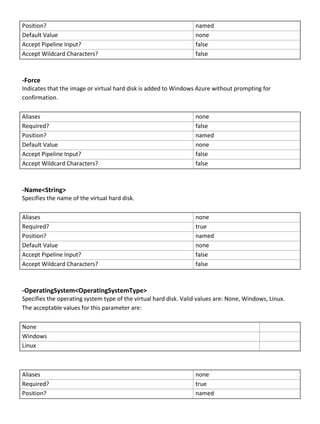
-Force
Indicates that the image or virtual hard disk is added to Windows Azure without prompting for
confirmation.
Aliases none
Required? false
Position? named
Default Value none
Accept Pipeline Input? false
Accept Wildcard Characters? false
-Name<String>
Specifies the name of the virtual hard disk.
Aliases none
Required? true
Position? named
Default Value none
Accept Pipeline Input? false
Accept Wildcard Characters? false
-OperatingSystem<OperatingSystemType>
Specifies the operating system type of the virtual hard disk. Valid values are: None, Windows, Linux.
The acceptable values for this parameter are:
None
Windows
Linux
Aliases none
Required? true
Position? named
Default Value none
Accept Pipeline Input? false
Accept Wildcard Characters? false
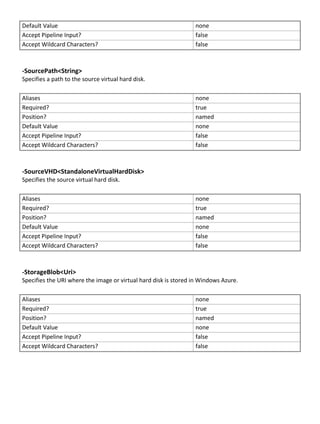
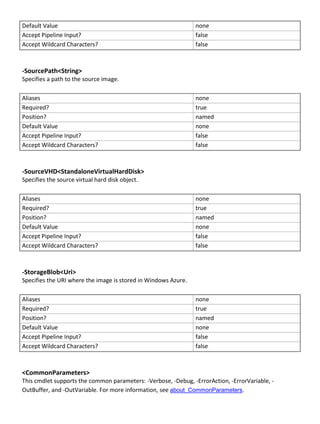
-SourcePath<String>
Specifies a path to the source virtual hard disk.
Aliases none
Required? true
Position? named
Default Value none
Accept Pipeline Input? false
Accept Wildcard Characters? false
-SourceVHD<StandaloneVirtualHardDisk>
Specifies the source virtual hard disk.
Aliases none
Required? true
Position? named
Default Value none
Accept Pipeline Input? false
Accept Wildcard Characters? false
-StorageBlob<Uri>
Specifies the URI where the image or virtual hard disk is stored in Windows Azure.
Aliases none
Required? true
Position? named
Default Value none
Accept Pipeline Input? false
Accept Wildcard Characters? false
<CommonParameters>
This cmdlet supports the common parameters: -Verbose, -Debug, -ErrorAction, -ErrorVariable, -
OutBuffer, and -OutVariable. For more information, see about_CommonParameters
(http://technet.microsoft.com/en-us/library/dd315352.aspx)
Examples
-------------------------- EXAMPLE 1 --------------------------
Description
-----------
The first command gets all cloud objects and stores the objects in the $Clouds variable.
The second command adds the virtual hard disk named VHD01.vhd to the specified container in the first
cloud stored in $Clouds.
PS C:> $Clouds = Get-SCACCloud
PS C:> Add-SCACAzureDisk -Name "VHD01" -DisplayName "VHD01.vhd" -Cloud $Clouds[0] -
StorageBlob "https://container01.blob.core.windows.net/vhds/VHD01.vhd" -SourcePath
“FileShareVMsVhd01.vhd" -OperatingSystem "Windows" -Force
Related topics
Add-SCACAzureImage
Add-SCACAzureImage
Add-SCACAzureImage
Adds a virtual hard drive to the Windows Azure image store.
Syntax
Parameter Set: SourcePath
Add-SCACAzureImage -Cloud <ACAzureSubscriptionCloud> -DisplayName <String> -Name <String> -
OperatingSystem {None | Windows | Linux} -SourcePath <String> -StorageBlob <Uri> [-Force] [
<CommonParameters>]
Parameter Set: SourceVHD
Add-SCACAzureImage -Cloud <ACAzureSubscriptionCloud> -DisplayName <String> -Name <String> -
OperatingSystem {None | Windows | Linux} -SourceVHD <StandaloneVirtualHardDisk> -StorageBlob
<Uri> [-Force] [ <CommonParameters>]
Detailed Description
The Add-SCACAzureImage cmdlet adds a virtual hard drive to the Windows Azure image store.
You must import the Virtual Machine Manager (VMM) module into your session to run this cmdlet.
Parameters
-Cloud<ACAzureSubscriptionCloud>
Specifies a Windows Azure subscription cloud object. To retrieve a cloud object, use the Get-
SCACCloud cmdlet.
Aliases none
Required? true
Position? named
Default Value none
Accept Pipeline Input? false
Accept Wildcard Characters? false
-DisplayName<String>
Specifies a display name for the image in Windows Azure.
Aliases none
Required? true
Position? named
Default Value none
Accept Pipeline Input? false
Accept Wildcard Characters? false
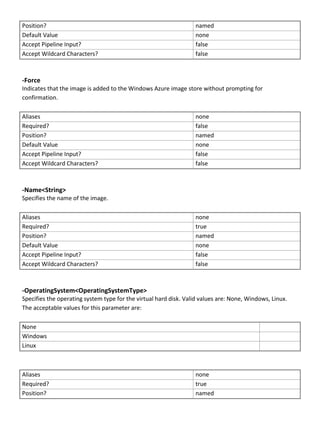
-Force
Indicates that the image is added to the Windows Azure image store without prompting for
confirmation.
Aliases none
Required? false
Position? named
Default Value none
Accept Pipeline Input? false
Accept Wildcard Characters? false
-Name<String>
Specifies the name of the image.
Aliases none
Required? true
Position? named
Default Value none
Accept Pipeline Input? false
Accept Wildcard Characters? false
-OperatingSystem<OperatingSystemType>
Specifies the operating system type for the virtual hard disk. Valid values are: None, Windows, Linux.
The acceptable values for this parameter are:
None
Windows
Linux
Aliases none
Required? true
Position? named
Default Value none
Accept Pipeline Input? false
Accept Wildcard Characters? false
-SourcePath<String>
Specifies a path to the source image.
Aliases none
Required? true
Position? named
Default Value none
Accept Pipeline Input? false
Accept Wildcard Characters? false
-SourceVHD<StandaloneVirtualHardDisk>
Specifies the source virtual hard disk object.
Aliases none
Required? true
Position? named
Default Value none
Accept Pipeline Input? false
Accept Wildcard Characters? false
-StorageBlob<Uri>
Specifies the URI where the image is stored in Windows Azure.
Aliases none
Required? true
Position? named
Default Value none
Accept Pipeline Input? false
Accept Wildcard Characters? false
<CommonParameters>
This cmdlet supports the common parameters: -Verbose, -Debug, -ErrorAction, -ErrorVariable, -
OutBuffer, and -OutVariable. For more information, see about_CommonParameters.
Examples
-------------------------- EXAMPLE 1 --------------------------
Description
-----------
The first command gets all cloud objects and adds the objects to the $Clouds parameter.
The second command gets the virtual hard disk object named VHD01.vhd and stores the object in the
$VHD variable.
The last command adds the VHD image and names it Image01.
PS C:> $Clouds = Get-SCACCloud
PS C:> $VHD = Get-SCVirtualHardDisk -Name "VHD01.vhd"
PS C:> Add-SCACAzureImage –Name "Image01" -DisplayName "Image01" -Cloud $Clouds[0] -
StorageBlob "http://container01.blob.core.windows.net/vhds/VHD01.vhd" -SourceVHD $VHD -
OperatingSystem "Windows"
Related topics
Add-SCACAzureDisk
Add-SCACAzureSubscription
Adds a Windows Azure subscription to App Controller.
Syntax
Parameter Set: Default
Add-SCACAzureSubscription [-Name] <String> [-Id] <Guid> [-ManagementCertificatePath] <String>
[-ManagementCertificatePassword] <SecureString> [-Description <String> ] [ <CommonParameters>]
Detailed Description
The Add-SCACAzureSubscription cmdlet adds a Windows Azure subscription to App Controller.
Parameters
-Description<String>
Specifies a description for the Windows Azure subscription.
Aliases none
Required? false
Position? named
Default Value none
Accept Pipeline Input? false
Accept Wildcard Characters? false
-Id<Guid>
Specifies a GUID that represents the ID for a Windows Azure subscription.
Aliases none
Required? true
Position? 2
Default Value none
Accept Pipeline Input? false
Accept Wildcard Characters? false
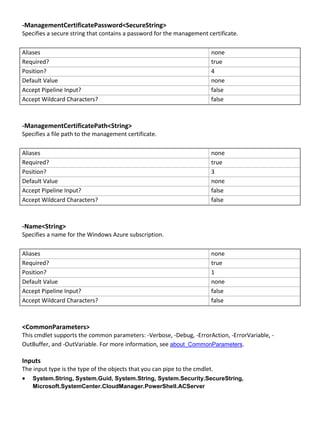
-ManagementCertificatePassword<SecureString>
Specifies a secure string that contains a password for the management certificate.
Aliases none
Required? true
Position? 4
Default Value none
Accept Pipeline Input? false
Accept Wildcard Characters? false
-ManagementCertificatePath<String>
Specifies a file path to the management certificate.
Aliases none
Required? true
Position? 3
Default Value none
Accept Pipeline Input? false
Accept Wildcard Characters? false
-Name<String>
Specifies a name for the Windows Azure subscription.
Aliases none
Required? true
Position? 1
Default Value none
Accept Pipeline Input? false
Accept Wildcard Characters? false
<CommonParameters>
This cmdlet supports the common parameters: -Verbose, -Debug, -ErrorAction, -ErrorVariable, -
OutBuffer, and -OutVariable. For more information, see about_CommonParameters.
Inputs
The input type is the type of the objects that you can pipe to the cmdlet.
 System.String, System.Guid, System.String, System.Security.SecureString,
Microsoft.SystemCenter.CloudManager.PowerShell.ACServer
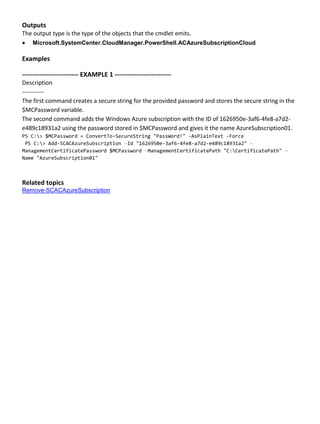
Outputs
The output type is the type of the objects that the cmdlet emits.
 Microsoft.SystemCenter.CloudManager.PowerShell.ACAzureSubscriptionCloud
Examples
-------------------------- EXAMPLE 1 --------------------------
Description
-----------
The first command creates a secure string for the provided password and stores the secure string in the
$MCPassword variable.
The second command adds the Windows Azure subscription with the ID of 1626950e-3af6-4fe8-a7d2-
e489c18931a2 using the password stored in $MCPassword and gives it the name AzureSubscription01.
PS C:> $MCPassword = ConvertTo-SecureString "PassWord!" -AsPlainText -Force
PS C:> Add-SCACAzureSubscription –Id "1626950e-3af6-4fe8-a7d2-e489c18931a2" –
ManagementCertificatePassword $MCPassword –ManagementCertificatePath "C:CertificatePath" –
Name "AzureSubscription01"
Related topics
Remove-SCACAzureSubscription
Add-SCACCloudSystem
Add-SCACCloudSystem
Adds a new connection to a VMM management server or service provider.
Syntax
Parameter Set: SPF
Add-SCACCloudSystem [-Name] <String> [-ServiceLocation] <Uri> [-CertificateFilePath] <String>
[-CertificatePassword] <SecureString> -SPF [-Description <String> ] [ <CommonParameters>]
Parameter Set: VMM
Add-SCACCloudSystem [-Name] <String> [-ServerName] <String> [-Port] <Int32> -VMM [-Description
<String> ] [ <CommonParameters>]
Detailed Description
The Add-SCACCloudSystem function adds a new connection to a VMM management server or service
provider.
Parameters
-CertificateFilePath<String>
Specifies a file path to the certificate.
Aliases none
Required? true
Position? 3
Default Value none
Accept Pipeline Input? false
Accept Wildcard Characters? false
-CertificatePassword<SecureString>
Specifies a secure string that contains a password for the certificate.
Aliases none
Required? true
Position? 4
Default Value none
Accept Pipeline Input? false
Accept Wildcard Characters? false
-Description<String>
Specifies a description for the connection.
Aliases none
Required? false
Position? named
Default Value none
Accept Pipeline Input? false
Accept Wildcard Characters? false
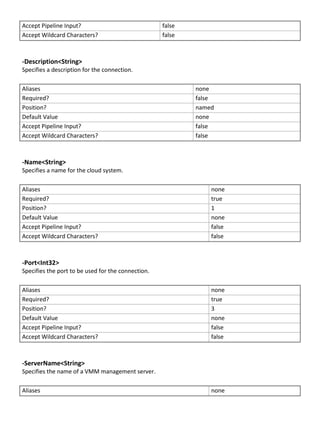
-Name<String>
Specifies a name for the cloud system.
Aliases none
Required? true
Position? 1
Default Value none
Accept Pipeline Input? false
Accept Wildcard Characters? false
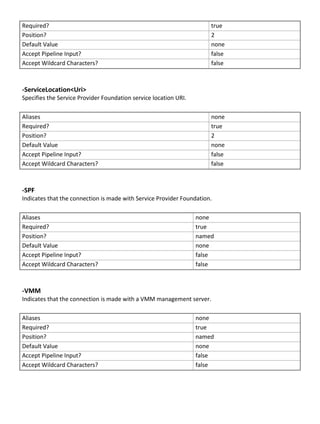
-Port<Int32>
Specifies the port to be used for the connection.
Aliases none
Required? true
Position? 3
Default Value none
Accept Pipeline Input? false
Accept Wildcard Characters? false
-ServerName<String>
Specifies the name of a VMM management server.
Aliases none
Required? true
Position? 2
Default Value none
Accept Pipeline Input? false
Accept Wildcard Characters? false
-ServiceLocation<Uri>
Specifies the Service Provider Foundation service location URI.
Aliases none
Required? true
Position? 2
Default Value none
Accept Pipeline Input? false
Accept Wildcard Characters? false
-SPF
Indicates that the connection is made with Service Provider Foundation.
Aliases none
Required? true
Position? named
Default Value none
Accept Pipeline Input? false
Accept Wildcard Characters? false
-VMM
Indicates that the connection is made with a VMM management server.
Aliases none
Required? true
Position? named
Default Value none
Accept Pipeline Input? false
Accept Wildcard Characters? false
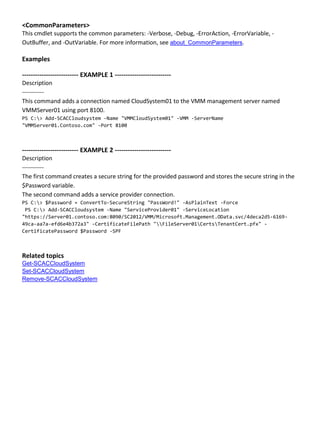
<CommonParameters>
This cmdlet supports the common parameters: -Verbose, -Debug, -ErrorAction, -ErrorVariable, -
OutBuffer, and -OutVariable. For more information, see about_CommonParameters.
Examples
-------------------------- EXAMPLE 1 --------------------------
Description
-----------
This command adds a connection named CloudSystem01 to the VMM management server named
VMMServer01 using port 8100.
PS C:> Add-SCACCloudsystem -Name "VMMCloudSystem01" -VMM -ServerName
"VMMServer01.Contoso.com" -Port 8100
-------------------------- EXAMPLE 2 --------------------------
Description
-----------
The first command creates a secure string for the provided password and stores the secure string in the
$Password variable.
The second command adds a service provider connection.
PS C:> $Password = ConvertTo-SecureString "PassWord!" -AsPlainText -Force
PS C:> Add-SCACCloudsystem -Name "ServiceProvider01" -ServiceLocation
"https://Server01.contoso.com:8090/SC2012/VMM/Microsoft.Management.OData.svc/4deca2d5-6169-
49ca-aa7a-efd6e4b372a3" -CertificateFilePath "FileServer01CertsTenantCert.pfx" -
CertificatePassword $Password -SPF
Related topics
Get-SCACCloudSystem
Set-SCACCloudSystem
Remove-SCACCloudSystem
Add-SCACShare
Add-SCACShare
Adds a library share.
Syntax
Parameter Set: Default
Add-SCACShare [-Path] <String> [ <CommonParameters>]
Detailed Description
The Add-SCACShare function adds a library share.
Parameters
-Path<String>
Specifies the path of the share to add.
Aliases none
Required? true
Position? 1
Default Value none
Accept Pipeline Input? false
Accept Wildcard Characters? false
<CommonParameters>
This cmdlet supports the common parameters: -Verbose, -Debug, -ErrorAction, -ErrorVariable, -
OutBuffer, and -OutVariable. For more information, see about_CommonParameters.
Examples
-------------------------- EXAMPLE 1 --------------------------
Description
-----------
This command adds the share named LibraryServerLibraryPath.
PS C:> Add-SCACShare -Path "LibraryServerLibraryPath"
Related topics
Remove-SCACShare
Add-SCACUserRole
Add-SCACUserRole
Creates an App Controller user role.
Syntax
Parameter Set: Default
Add-SCACUserRole [-Name] <String> [-Description <String> ] [-IsReadOnly] [ <CommonParameters>]
Detailed Description
The Add-SCACUserRole function creates an App Controller user role.
Parameters
-Description<String>
Specifies a description for the user role.
Aliases none
Required? false
Position? named
Default Value none
Accept Pipeline Input? false
Accept Wildcard Characters? false
-IsReadOnly
Indicates that the user role is read-only.
Aliases none
Required? false
Position? named
Default Value none
Accept Pipeline Input? false
Accept Wildcard Characters? false
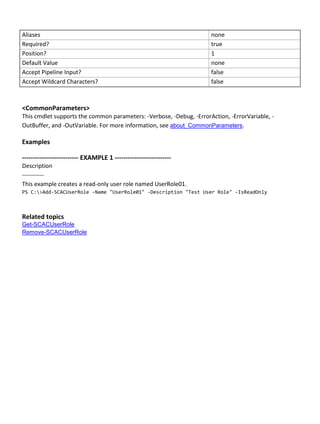
-Name<String>
Specifies a name for the user role.
Aliases none
Required? true
Position? 1
Default Value none
Accept Pipeline Input? false
Accept Wildcard Characters? false
<CommonParameters>
This cmdlet supports the common parameters: -Verbose, -Debug, -ErrorAction, -ErrorVariable, -
OutBuffer, and -OutVariable. For more information, see about_CommonParameters.
Examples
-------------------------- EXAMPLE 1 --------------------------
Description
-----------
This example creates a read-only user role named UserRole01.
PS C:>Add-SCACUserRole -Name "UserRole01" -Description "Test User Role" -IsReadOnly
Related topics
Get-SCACUserRole
Remove-SCACUserRole
Add-SCACUserRoleMember
Adds a member to a user role.
Syntax
Parameter Set: Default
Add-SCACUserRoleMember [-UserRole] <ACUserRole> [-Member] <String> [ <CommonParameters>]
Detailed Description
The Add-SCACUserRoleMember function adds a member to a specified user role.
Parameters
-Member<String>
Specifies the name of a member to add to a user role.
Aliases none
Required? true
Position? 2
Default Value none
Accept Pipeline Input? false
Accept Wildcard Characters? false
-UserRole<ACUserRole>
Specifies the user role object to which to add members. To retrieve a user role object, use the Get-
SCACUserRole cmdlet.
Aliases none
Required? true
Position? 1
Default Value none
Accept Pipeline Input? false
Accept Wildcard Characters? false
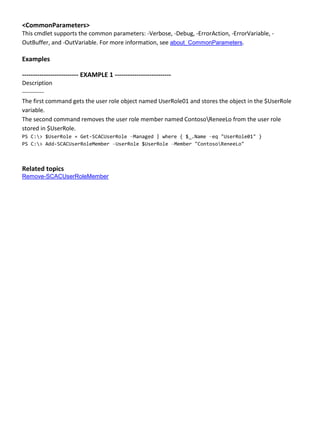
<CommonParameters>
This cmdlet supports the common parameters: -Verbose, -Debug, -ErrorAction, -ErrorVariable, -
OutBuffer, and -OutVariable. For more information, see about_CommonParameters.
Examples
-------------------------- EXAMPLE 1 --------------------------
Description
-----------
The first command gets the user role object named UserRole01 and stores the object in the $UserRole
variable.
The second command removes the user role member named ContosoReneeLo from the user role
stored in $UserRole.
PS C:> $UserRole = Get-SCACUserRole –Managed | where { $_.Name –eq "UserRole01" }
PS C:> Add-SCACUserRoleMember –UserRole $UserRole –Member "ContosoReneeLo"
Related topics
Remove-SCACUserRoleMember
Add-SCACUserRoleScope
Adds Service Provider Foundation connection cloud objects to the scope of objects that a user role can
manage.
Syntax
Parameter Set: AzureScope
Add-SCACUserRoleScope [-UserRole] <ACUserRole> [-AzureSubscriptionScope]
<ACAzureSubscriptionCloud> [ <CommonParameters>]
Parameter Set: SPFScope
Add-SCACUserRoleScope [-UserRole] <ACUserRole> [-ServiceProviderConnectionScope]
<ACCloudSystem> [-VmmUserRoleName] <String> [ <CommonParameters>]
Detailed Description
The Add-SCACUserRoleScope function adds Service Provider Foundation connection cloud objects to
the scope of objects that a user role can manage. This cmdlet only works with Virtual Machine Manager
(VMM) clouds.
Parameters
-AzureSubscriptionScope<ACAzureSubscriptionCloud>
Specifies a Windows Azure subscription cloud object. To retrieve a cloud object, use the Get-
SCACCloud cmdlet.
Aliases none
Required? true
Position? 2
Default Value none
Accept Pipeline Input? false
Accept Wildcard Characters? false
-ServiceProviderConnectionScope<ACCloudSystem>
Specifies a Service Provider Foundation cloud system object. To retrieve a cloud system object, use the
Get-SCACCloudSystem cmdlet.
Aliases none
Required? true
Position? 2
Default Value none
Accept Pipeline Input? false
Accept Wildcard Characters? false
-UserRole<ACUserRole>
Specifies a user role object. To retrieve a user role, use the Get-SCACUserRole cmdlet.
Aliases none
Required? true
Position? 1
Default Value none
Accept Pipeline Input? false
Accept Wildcard Characters? false
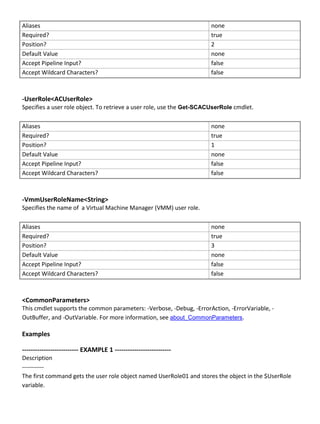
-VmmUserRoleName<String>
Specifies the name of a Virtual Machine Manager (VMM) user role.
Aliases none
Required? true
Position? 3
Default Value none
Accept Pipeline Input? false
Accept Wildcard Characters? false
<CommonParameters>
This cmdlet supports the common parameters: -Verbose, -Debug, -ErrorAction, -ErrorVariable, -
OutBuffer, and -OutVariable. For more information, see about_CommonParameters.
Examples
-------------------------- EXAMPLE 1 --------------------------
Description
-----------
The first command gets the user role object named UserRole01 and stores the object in the $UserRole
variable.
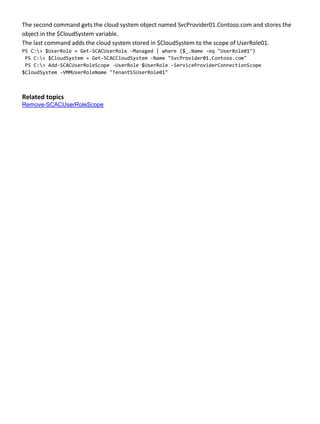
The second command gets the cloud system object named SvcProvider01.Contoso.com and stores the
object in the $CloudSystem variable.
The last command adds the cloud system stored in $CloudSystem to the scope of UserRole01.
PS C:> $UserRole = Get-SCACUserRole -Managed | where {$_.Name -eq "UserRole01"}
PS C:> $CloudSystem = Get-SCACCloudSystem -Name "SvcProvider01.Contoso.com"
PS C:> Add-SCACUserRoleScope -UserRole $UserRole -ServiceProviderConnectionScope
$CloudSystem -VMMUserRoleName "TenantSSUserRole01"
Related topics
Remove-SCACUserRoleScope
Export-SCACAesKey
Export-SCACAesKey
Exports the App Controller AES key from the registry to the specified file.
Syntax
Parameter Set: Default
Export-SCACAesKey [-Path] <String> [-Password] <SecureString> [ <CommonParameters>]
Detailed Description
The Export-SCACAESKey cmdlet exports the App Controller Advanced Encryption Standard (AES) key
from the registry to the specified file. Use the Path parameter to specify the destination file.
You must run the App Controller command shell as Administrator when using this cmdlet.
Parameters
-Password<SecureString>
Specifies a secure string that contains a password.
Aliases none
Required? true
Position? 2
Default Value none
Accept Pipeline Input? false
Accept Wildcard Characters? false
-Path<String>
Specifies a file location path.
Aliases none
Required? true
Position? 1
Default Value none
Accept Pipeline Input? false
Accept Wildcard Characters? false
<CommonParameters>
This cmdlet supports the common parameters: -Verbose, -Debug, -ErrorAction, -ErrorVariable, -
OutBuffer, and -OutVariable. For more information, see about_CommonParameters.
Inputs
The input type is the type of the objects that you can pipe to the cmdlet.
 System.String, System.Security.SecureString
Examples
-------------------------- EXAMPLE 1 --------------------------
Description
-----------
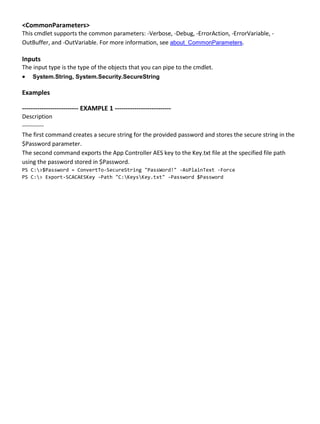
The first command creates a secure string for the provided password and stores the secure string in the
$Password parameter.
The second command exports the App Controller AES key to the Key.txt file at the specified file path
using the password stored in $Password.
PS C:>$Password = ConvertTo-SecureString "PassWord!" -AsPlainText -Force
PS C:> Export-SCACAESKey -Path "C:KeysKey.txt" -Password $Password
Get-SCACAdminSetting
Gets one or more administrator settings from the App Controller server.
Syntax
Parameter Set: CEIP
Get-SCACAdminSetting [[-CEIPEnabled]] [ <CommonParameters>]
Parameter Set: JobHistoryPeriod
Get-SCACAdminSetting [[-JobHistoryPeriodInDays]] [ <CommonParameters>]
Parameter Set: RefreshInterval
Get-SCACAdminSetting [[-RefreshIntervalInSeconds]] [ <CommonParameters>]
Detailed Description
The Get-SCACAdminSetting cmdlet gets one or more administrator settings from the App Controller
server. If a setting name is specified by using the Name parameter, that setting is retrieved. If no setting
is specified, all settings on the server are returned.
Parameters
-CEIPEnabled
Indicates that the value for the CEIPEnabled setting is displayed.
Aliases none
Required? false
Position? 1
Default Value none
Accept Pipeline Input? false
Accept Wildcard Characters? false
-JobHistoryPeriodInDays
Indicates that the value for the job history period setting is displayed.
Aliases none
Required? false
Position? 1
Default Value none
Accept Pipeline Input? false
Accept Wildcard Characters? false
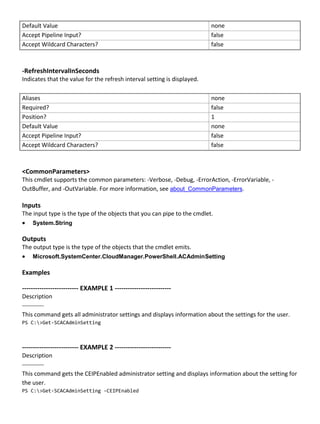
-RefreshIntervalInSeconds
Indicates that the value for the refresh interval setting is displayed.
Aliases none
Required? false
Position? 1
Default Value none
Accept Pipeline Input? false
Accept Wildcard Characters? false
<CommonParameters>
This cmdlet supports the common parameters: -Verbose, -Debug, -ErrorAction, -ErrorVariable, -
OutBuffer, and -OutVariable. For more information, see about_CommonParameters.
Inputs
The input type is the type of the objects that you can pipe to the cmdlet.
 System.String
Outputs
The output type is the type of the objects that the cmdlet emits.
 Microsoft.SystemCenter.CloudManager.PowerShell.ACAdminSetting
Examples
-------------------------- EXAMPLE 1 --------------------------
Description
-----------
This command gets all administrator settings and displays information about the settings for the user.
PS C:>Get-SCACAdminSetting
-------------------------- EXAMPLE 2 --------------------------
Description
-----------
This command gets the CEIPEnabled administrator setting and displays information about the setting for
the user.
PS C:>Get-SCACAdminSetting -CEIPEnabled
Related topics
Set-SCACAdminSetting
Get-SCACAzureHostedService
Gets the hosted services on a specified Windows Azure cloud.
Syntax
Parameter Set: Default
Get-SCACAzureHostedService [-Cloud] <ACAzureSubscriptionCloud> [ <CommonParameters>]
Detailed Description
The Get-SCACAzureHostedService cmdlet gets the hosted services on a specified Windows Azure
cloud.
Parameters
-Cloud<ACAzureSubscriptionCloud>
Specifies a Windows Azure subscription cloud object.
Aliases none
Required? true
Position? 1
Default Value none
Accept Pipeline Input? True (ByValue)
Accept Wildcard Characters? false
<CommonParameters>
This cmdlet supports the common parameters: -Verbose, -Debug, -ErrorAction, -ErrorVariable, -
OutBuffer, and -OutVariable. For more information, see about_CommonParameters.
Inputs
The input type is the type of the objects that you can pipe to the cmdlet.
 Microsoft.SystemCenter.CloudManager.PowerShell.ACAzureSubscriptionCloud
Outputs
The output type is the type of the objects that the cmdlet emits.
 Microsoft.SystemCenter.CloudManager.PowerShell.ACAzureHostedService
Examples
-------------------------- EXAMPLE 1 --------------------------
Description
-----------
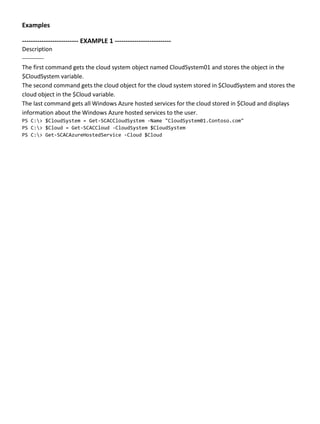
The first command gets the cloud system object named CloudSystem01 and stores the object in the
$CloudSystem variable.
The second command gets the cloud object for the cloud system stored in $CloudSystem and stores the
cloud object in the $Cloud variable.
The last command gets all Windows Azure hosted services for the cloud stored in $Cloud and displays
information about the Windows Azure hosted services to the user.
PS C:> $CloudSystem = Get-SCACCloudSystem -Name "CloudSystem01.Contoso.com"
PS C:> $Cloud = Get-SCACCloud -CloudSystem $CloudSystem
PS C:> Get-SCACAzureHostedService -Cloud $Cloud
Get-SCACAzureRoleInstance
Gets all role instances running in Windows Azure.
Syntax
Get-SCACAzureRoleInstance [ <CommonParameters>]
Detailed Description
The Get-SCACAzureRoleInstance cmdlet gets all role instances running in Windows Azure. This cmdlet
is for internal use only and is not meant to be used directly by Administrators.
Parameters
<CommonParameters>
This cmdlet supports the common parameters: -Verbose, -Debug, -ErrorAction, -ErrorVariable, -
OutBuffer, and -OutVariable. For more information, see about_CommonParameters.
Examples
PS C:> # The Get-SCACAzureRoleInstance cmdlet is for internal use only.
Get-SCACAzureServiceDeployment
Gets a specified Windows Azure service deployment.
Syntax
Parameter Set: Cloud
Get-SCACAzureServiceDeployment [-Cloud] <ACCloud> [ <CommonParameters>]
Parameter Set: HostedService
Get-SCACAzureServiceDeployment [-HostedService] <ACAzureHostedService> [[-DeploymentSlot]
<String> ] [ <CommonParameters>]
Detailed Description
The Get-SCACAzureServiceDeployment cmdlet gets a Windows Azure service deployment.
Parameters
-Cloud<ACCloud>
Specifies a cloud object. To retrieve a cloud object, use the Get-SCACCloud cmdlet.
Aliases none
Required? true
Position? 1
Default Value none
Accept Pipeline Input? True (ByValue)
Accept Wildcard Characters? false
-DeploymentSlot<String>
Specifies the name of a deployment slot.
Aliases none
Required? false
Position? 2
Default Value none
Accept Pipeline Input? false
Accept Wildcard Characters? false
-HostedService<ACAzureHostedService>
Specifies a Windows Azure hosted service object. To retrieve a Windows Azure hosted service object,
use the Get-SCACAzureHostedService cmdlet.
Aliases none
Required? true
Position? 1
Default Value none
Accept Pipeline Input? True (ByValue)
Accept Wildcard Characters? false
<CommonParameters>
This cmdlet supports the common parameters: -Verbose, -Debug, -ErrorAction, -ErrorVariable, -
OutBuffer, and -OutVariable. For more information, see about_CommonParameters.
Inputs
The input type is the type of the objects that you can pipe to the cmdlet.
 Microsoft.SystemCenter.CloudManager.PowerShell.ACAzureHostedService, System.String
Outputs
The output type is the type of the objects that the cmdlet emits.
 Microsoft.SystemCenter.CloudManager.PowerShell.ACAzureServiceDeployment
Examples
-------------------------- EXAMPLE 1 --------------------------
Description
-----------
The first command gets the cloud system object named CloudSystem01 and stores the object in the
$CloudSystem variable.
The second command gets the cloud object for the cloud system stored in $CloudSystem and stores the
object in the $Cloud variable.
The third command gets all Windows Azure hosted services for the cloud stored in $Cloud and stores
the hosted service objects in the $HostedService array.
The last command gets the Windows Azure service deployment for the first hosted service stored in the
$HostedService array and displays information about the service deployment to the user.
PS C:> $CloudSystem = Get-SCACCloudSystem -Name "CloudSystem01.Contoso.com"
PS C:> $Cloud = Get-SCACCloud -CloudSystem $CloudSystem
PS C:> $HostedService = @(Get-SCACAzureHostedService -Cloud $Cloud)
PS C:> Get-SCACAzureServiceDeployment -HostedService $HostedService[0]
Related topics
Get-SCACCloudSystem
Get-SCACCloud
Get-SCACAzureHostedService
Get-SCACCloud
Get-SCACCloud
Gets one or more App Controller cloud objects.
Syntax
Parameter Set: Default
Get-SCACCloud [[-CloudSystem] <ACCloudSystem> ] [[-Id] <Guid> ] [ <CommonParameters>]
Detailed Description
The Get-SCACCloud cmdlet gets one or more App Controller cloud objects.
Parameters
-CloudSystem<ACCloudSystem>
Specifies a cloud system object. To retrieve a cloud system object, use the Get-SCACCloudSystem
cmdlet.
Aliases none
Required? false
Position? 1
Default Value none
Accept Pipeline Input? false
Accept Wildcard Characters? false
-Id<Guid>
Specifies a GUID that represents the subscription ID for a cloud.
Aliases none
Required? false
Position? 2
Default Value none
Accept Pipeline Input? false
Accept Wildcard Characters? false
<CommonParameters>
This cmdlet supports the common parameters: -Verbose, -Debug, -ErrorAction, -ErrorVariable, -
OutBuffer, and -OutVariable. For more information, see about_CommonParameters.
Inputs
The input type is the type of the objects that you can pipe to the cmdlet.
 Microsoft.SystemCenter.CloudManager.PowerShell.ACCloudSystem, System.Guid
Outputs
The output type is the type of the objects that the cmdlet emits.
 Microsoft.SystemCenter.CloudManager.PowerShell.ACCloud
Examples
-------------------------- EXAMPLE 1 --------------------------
Description
-----------
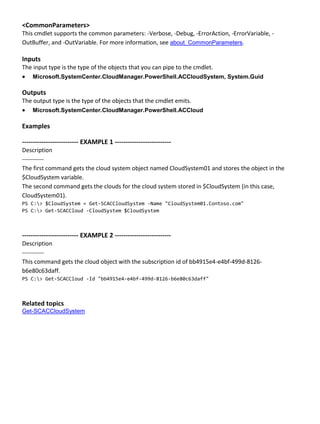
The first command gets the cloud system object named CloudSystem01 and stores the object in the
$CloudSystem variable.
The second command gets the clouds for the cloud system stored in $CloudSystem (in this case,
CloudSystem01).
PS C:> $CloudSystem = Get-SCACCloudSystem -Name "CloudSystem01.Contoso.com"
PS C:> Get-SCACCloud -CloudSystem $CloudSystem
-------------------------- EXAMPLE 2 --------------------------
Description
-----------
This command gets the cloud object with the subscription id of bb4915e4-e4bf-499d-8126-
b6e80c63daff.
PS C:> Get-SCACCloud -Id "bb4915e4-e4bf-499d-8126-b6e80c63daff"
Related topics
Get-SCACCloudSystem
Get-SCACCloudSystem
Get-SCACCloudSystem
Gets one or more cloud systems on an App Controller server.
Syntax
Parameter Set: Default
Get-SCACCloudSystem [[-Name] <String> ] [ <CommonParameters>]
Detailed Description
The Get-SCACCloudSystem cmdlet gets one or more cloud systems on an App Controller server. If a
cloud system is specified by using the Name parameter, Get-SCACCloudSystem retrieves the specified
cloud system. If no cloud system is specified, Get-SCACCloudSystem retrieves all cloud systems on the
App Controller server.
Parameters
-Name<String>
Specifies the name of a cloud system.
Aliases none
Required? false
Position? 1
Default Value none
Accept Pipeline Input? false
Accept Wildcard Characters? false
<CommonParameters>
This cmdlet supports the common parameters: -Verbose, -Debug, -ErrorAction, -ErrorVariable, -
OutBuffer, and -OutVariable. For more information, see about_CommonParameters.
Inputs
The input type is the type of the objects that you can pipe to the cmdlet.
 System.String
Outputs
The output type is the type of the objects that the cmdlet emits.
 Microsoft.SystemCenter.CloudManager.PowerShell.ACCloudSystem
Examples
-------------------------- EXAMPLE 1 --------------------------
Description
-----------
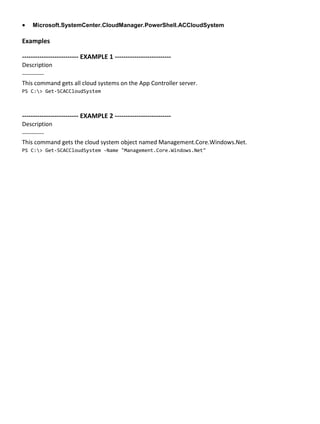
This command gets all cloud systems on the App Controller server.
PS C:> Get-SCACCloudSystem
-------------------------- EXAMPLE 2 --------------------------
Description
-----------
This command gets the cloud system object named Management.Core.Windows.Net.
PS C:> Get-SCACCloudSystem -Name "Management.Core.Windows.Net"
Get-SCACJob
Get-SCACJob
Gets App Controller jobs.
Syntax
Parameter Set: AllJobs
Get-SCACJob [[-All]] [ <CommonParameters>]
Parameter Set: SingleJob
Get-SCACJob [[-Id] <Guid> ] [ <CommonParameters>]
Detailed Description
The Get-SCACJob cmlet gets App Controller jobs. You can get all jobs, or a single job by its ID. If neither
the All nor the ID parameter is specified, then all jobs started in the previous 48 hours are returned.
Parameters
-All
Indicates that all job objects are returned.
Aliases none
Required? false
Position? 1
Default Value none
Accept Pipeline Input? false
Accept Wildcard Characters? false
-Id<Guid>
Specifies a GUID that identifies a job.
Aliases none
Required? false
Position? 1
Default Value none
Accept Pipeline Input? false
Accept Wildcard Characters? false
<CommonParameters>
This cmdlet supports the common parameters: -Verbose, -Debug, -ErrorAction, -ErrorVariable, -
OutBuffer, and -OutVariable. For more information, see about_CommonParameters.
Inputs
The input type is the type of the objects that you can pipe to the cmdlet.
 System.Management.Automation.SwitchParameter, System.Guid
Outputs
The output type is the type of the objects that the cmdlet emits.
 Microsoft.SystemCenter.CloudManager.PowerShell.ACJob
Examples
-------------------------- EXAMPLE 1 --------------------------
Description
-----------
This command gets all App Controller jobs.
PS C:> Get-SCACJob -All
-------------------------- EXAMPLE 2 --------------------------
Description
-----------
This command gets the App Controller job with the ID of bb4915e4-e4bf-499d-8126-b6e80c63daff.
PS C:> Get-SCACJob -ID "bb4915e4-e4bf-499d-8126-b6e80c63daff"
Get-SCACServer
Get-SCACServer
Gets and establishes a connection with an App Controller server.
Syntax
Parameter Set: Default
Get-SCACServer [-ServerName] <String> [[-Credential] <PSCredential> ] [[-UserRole] <String> ]
[ <CommonParameters>]
Detailed Description
The Get-SCACServer cmdlet gets and establishes a connection with the specified App Controller server.
You must run this cmdlet prior to running any other App Controller cmdlets.
Parameters
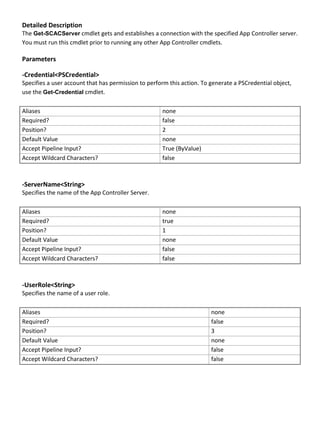
-Credential<PSCredential>
Specifies a user account that has permission to perform this action. To generate a PSCredential object,
use the Get-Credential cmdlet.
Aliases none
Required? false
Position? 2
Default Value none
Accept Pipeline Input? True (ByValue)
Accept Wildcard Characters? false
-ServerName<String>
Specifies the name of the App Controller Server.
Aliases none
Required? true
Position? 1
Default Value none
Accept Pipeline Input? false
Accept Wildcard Characters? false
-UserRole<String>
Specifies the name of a user role.
Aliases none
Required? false
Position? 3
Default Value none
Accept Pipeline Input? false
Accept Wildcard Characters? false
<CommonParameters>
This cmdlet supports the common parameters: -Verbose, -Debug, -ErrorAction, -ErrorVariable, -
OutBuffer, and -OutVariable. For more information, see about_CommonParameters.
Inputs
The input type is the type of the objects that you can pipe to the cmdlet.
 System.String, System.Management.Automation.PSCredential, System.String
Outputs
The output type is the type of the objects that the cmdlet emits.
 Microsoft.SystemCenter.CloudManager.PowerShell.ACServer
Examples
-------------------------- EXAMPLE 1 --------------------------
Description
-----------
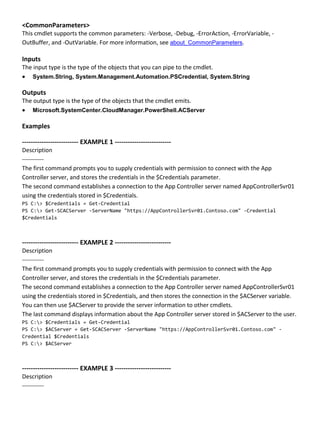
The first command prompts you to supply credentials with permission to connect with the App
Controller server, and stores the credentials in the $Credentials parameter.
The second command establishes a connection to the App Controller server named AppControllerSvr01
using the credentials stored in $Credentials.
PS C:> $Credentials = Get-Credential
PS C:> Get-SCACServer -ServerName "https://AppControllerSvr01.Contoso.com" -Credential
$Credentials
-------------------------- EXAMPLE 2 --------------------------
Description
-----------
The first command prompts you to supply credentials with permission to connect with the App
Controller server, and stores the credentials in the $Credentials parameter.
The second command establishes a connection to the App Controller server named AppControllerSvr01
using the credentials stored in $Credentials, and then stores the connection in the $ACServer variable.
You can then use $ACServer to provide the server information to other cmdlets.
The last command displays information about the App Controller server stored in $ACServer to the user.
PS C:> $Credentials = Get-Credential
PS C:> $ACServer = Get-SCACServer -ServerName "https://AppControllerSvr01.Contoso.com" -
Credential $Credentials
PS C:> $ACServer
-------------------------- EXAMPLE 3 --------------------------
Description
-----------
The first command prompts you to supply credentials with permission to connect with the App
Controller server, and stores the credentials in the $Credentials parameter.
The second command establishes a connection to the App Controller server named AppControllerSvr01
with the user role UserRole01 using the credentials stored in $Credentials.
PS C:> $Credentials = Get-Credential
PS C:> Get-SCACServer -ServerName "https://AppControllerSvr01.Contoso.com" -Credential
$Credentials -UserRole "UserRole01"
Get-SCACServiceDeployment
Gets the service deployment for a cloud.
Syntax
Parameter Set: Cloud
Get-SCACServiceDeployment [-Cloud] <ACCloud> [ <CommonParameters>]
Detailed Description
The Get-SCACServiceDeployment cmdlet gets the service deployment for a cloud.
Parameters
-Cloud<ACCloud>
Specifies an App Controller cloud object. To retrieve an App Controller cloud object, use the Get-
SCACCloud cmdlet.
Aliases none
Required? true
Position? 1
Default Value none
Accept Pipeline Input? True (ByValue)
Accept Wildcard Characters? false
<CommonParameters>
This cmdlet supports the common parameters: -Verbose, -Debug, -ErrorAction, -ErrorVariable, -
OutBuffer, and -OutVariable. For more information, see about_CommonParameters.
Inputs
The input type is the type of the objects that you can pipe to the cmdlet.
 Microsoft.SystemCenter.CloudManager.PowerShell.ACCloud
Outputs
The output type is the type of the objects that the cmdlet emits.
 Microsoft.SystemCenter.CloudManager.PowerShell.ACServiceDeployment
Examples
-------------------------- EXAMPLE 1 --------------------------
Description
-----------
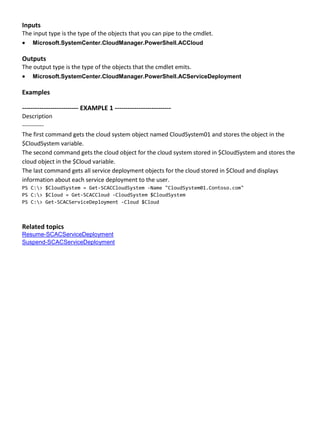
The first command gets the cloud system object named CloudSystem01 and stores the object in the
$CloudSystem variable.
The second command gets the cloud object for the cloud system stored in $CloudSystem and stores the
cloud object in the $Cloud variable.
The last command gets all service deployment objects for the cloud stored in $Cloud and displays
information about each service deployment to the user.
PS C:> $CloudSystem = Get-SCACCloudSystem -Name "CloudSystem01.Contoso.com"
PS C:> $Cloud = Get-SCACCloud -CloudSystem $CloudSystem
PS C:> Get-SCACServiceDeployment -Cloud $Cloud
Related topics
Resume-SCACServiceDeployment
Suspend-SCACServiceDeployment
Get-SCACTemporaryStorage
Gets the temporary storage used by the App Controller server.
Syntax
Get-SCACTemporaryStorage [ <CommonParameters>]
Detailed Description
The Get-SCACTemporaryStorage cmdlet gets the temporary storage used by the App Controller
server. To set temporary storage, use the Set-SCACTemporaryStorage cmdlet.
Parameters
<CommonParameters>
This cmdlet supports the common parameters: -Verbose, -Debug, -ErrorAction, -ErrorVariable, -
OutBuffer, and -OutVariable. For more information, see about_CommonParameters.
Outputs
The output type is the type of the objects that the cmdlet emits.
 Microsoft.SystemCenter.CloudManager.PowerShell.ACLibraryFileShare
Examples
-------------------------- EXAMPLE 1 --------------------------
Description
-----------
This command returns the temporary storage for the App Controller server.
PS C:> Get-SCACTemporaryStorage
Related topics
Set-SCACTemporaryStorage
Get-SCACUserRole
Get-SCACUserRole
Gets user roles on the App Controller server.
Syntax
Parameter Set: Managed
Get-SCACUserRole -Managed [ <CommonParameters>]
Parameter Set: MyRoles
Get-SCACUserRole -MyRoles [ <CommonParameters>]
Detailed Description
The Get-SCACUserRole cmdlet gets user roles on the App Controller server.
Parameters
-Managed
Indicates that only managed user roles are returned.
Aliases none
Required? true
Position? named
Default Value none
Accept Pipeline Input? false
Accept Wildcard Characters? false
-MyRoles
Indicates that the user roles of which the logged-in user is a member are returned.
Aliases none
Required? true
Position? named
Default Value none
Accept Pipeline Input? false
Accept Wildcard Characters? false
<CommonParameters>
This cmdlet supports the common parameters: -Verbose, -Debug, -ErrorAction, -ErrorVariable, -
OutBuffer, and -OutVariable. For more information, see about_CommonParameters.
Inputs
The input type is the type of the objects that you can pipe to the cmdlet.
 System.Management.Automation.SwitchParameter,
System.Management.Automation.SwitchParameter
Outputs
The output type is the type of the objects that the cmdlet emits.
 Microsoft.SystemCenter.CloudManager.PowerShell.ACUserRole
Examples
-------------------------- EXAMPLE 1 --------------------------
Description
-----------
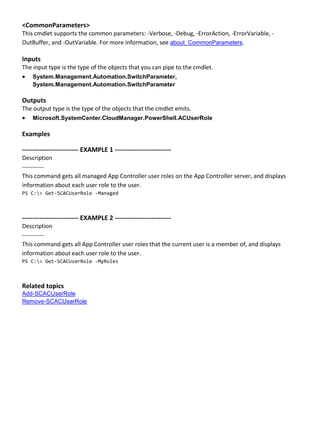
This command gets all managed App Controller user roles on the App Controller server, and displays
information about each user role to the user.
PS C:> Get-SCACUserRole -Managed
-------------------------- EXAMPLE 2 --------------------------
Description
-----------
This command gets all App Controller user roles that the current user is a member of, and displays
information about each user role to the user.
PS C:> Get-SCACUserRole -MyRoles
Related topics
Add-SCACUserRole
Remove-SCACUserRole
Remove-SCACAzureSubscription
Removes a Windows Azure subscription from App Controller.
Syntax
Parameter Set: Default
Remove-SCACAzureSubscription [-Subscription] <ACAzureSubscriptionCloud> [ <CommonParameters>]
Detailed Description
The Remove-SCACAzureSubscription function removes a Windows Azure subscription from App
Controller.
Parameters
-Subscription<ACAzureSubscriptionCloud>
Specifies a Windows Azure subscription cloud object. To retrieve a cloud object, use the Get-
SCACCloud cmdlet.
Aliases none
Required? true
Position? 1
Default Value none
Accept Pipeline Input? false
Accept Wildcard Characters? false
<CommonParameters>
This cmdlet supports the common parameters: -Verbose, -Debug, -ErrorAction, -ErrorVariable, -
OutBuffer, and -OutVariable. For more information, see about_CommonParameters.
Examples
-------------------------- EXAMPLE 1 --------------------------
Description
-----------
The first command gets the cloud object named AzureSubscription01 and stores the object in the $Cloud
variable.
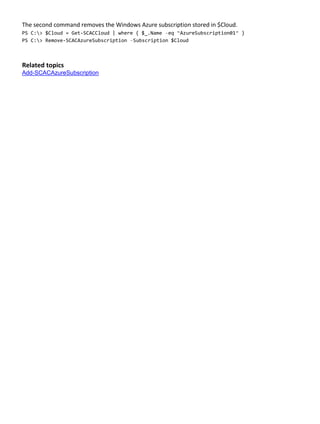
The second command removes the Windows Azure subscription stored in $Cloud.
PS C:> $Cloud = Get-SCACCloud | where { $_.Name –eq “AzureSubscription01” }
PS C:> Remove-SCACAzureSubscription –Subscription $Cloud
Related topics
Add-SCACAzureSubscription
Remove-SCACCloudSystem
Removes a connection to a cloud system.
Syntax
Parameter Set: Default
Remove-SCACCloudSystem [-CloudSystem] <ACCloudSystem> [ <CommonParameters>]
Detailed Description
The Remove-SCACCloudSystem function removes a connection to a cloud system.
Parameters
-CloudSystem<ACCloudSystem>
Specifies a cloud system object. To retrieve a cloud system object, use the Get-SCACCloudSystem
cmdlet.
Aliases none
Required? true
Position? 1
Default Value none
Accept Pipeline Input? false
Accept Wildcard Characters? false
<CommonParameters>
This cmdlet supports the common parameters: -Verbose, -Debug, -ErrorAction, -ErrorVariable, -
OutBuffer, and -OutVariable. For more information, see about_CommonParameters.
Examples
-------------------------- EXAMPLE 1 --------------------------
Description
-----------
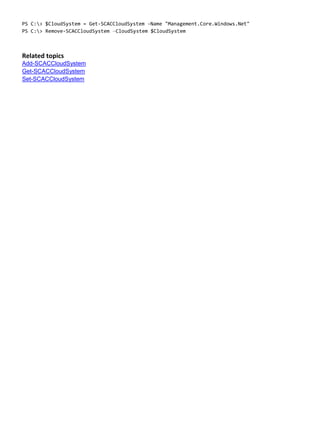
The first command gets the cloud system object named Management.Core.Windows.Net and stores the
object in the $CloudSystem variable.
The second command removes the cloud system object stored in $CloudSystem.
PS C:> $CloudSystem = Get-SCACCloudSystem -Name "Management.Core.Windows.Net"
PS C:> Remove-SCACCloudSystem –CloudSystem $CloudSystem
Related topics
Add-SCACCloudSystem
Get-SCACCloudSystem
Set-SCACCloudSystem
Remove-SCACShare
Remove-SCACShare
Removes a library share.
Syntax
Parameter Set: Default
Remove-SCACShare [-Path] <String> [ <CommonParameters>]
Detailed Description
The Remove-SCACShare function removes a specified library share.
Parameters
-Path<String>
Specifies the path to the share to be removed.
Aliases none
Required? true
Position? 1
Default Value none
Accept Pipeline Input? false
Accept Wildcard Characters? false
<CommonParameters>
This cmdlet supports the common parameters: -Verbose, -Debug, -ErrorAction, -ErrorVariable, -
OutBuffer, and -OutVariable. For more information, see about_CommonParameters.
Examples
-------------------------- EXAMPLE 1 --------------------------
Description
-----------
This command removes the path named LibraryServerLibraryShare.
PS C:> Remove-SCACShare -Path “LibraryServerLibraryShare”
Related topics
Add-SCACShare
Remove-SCACUserRole
Remove-SCACUserRole
Removes the specified user role.
Syntax
Parameter Set: Default
Remove-SCACUserRole [-UserRole] <ACUserRole> [ <CommonParameters>]
Detailed Description
The Remove-SCACUserRole function removes the specified user role.
Parameters
-UserRole<ACUserRole>
Specifies the user role object to remove. To retrieve a user role, use the Get-SCACUserRole cmdlet.
Aliases none
Required? true
Position? 2
Default Value none
Accept Pipeline Input? false
Accept Wildcard Characters? false
<CommonParameters>
This cmdlet supports the common parameters: -Verbose, -Debug, -ErrorAction, -ErrorVariable, -
OutBuffer, and -OutVariable. For more information, see about_CommonParameters.
Examples
-------------------------- EXAMPLE 1 --------------------------
Description
-----------
The first command gets the user role object named UserRole01 and stores the object in the $UserRole
variable.
The second command removes the user role stored in $UserRole.
PS C:> $UserRole = Get-SCACUserRole –Managed | where { $_.Name –eq “UserRole01” }
PS C:> Remove-SCACUserRole –UserRole $UserRole
Related topics
Add-SCACUserRole
Get-SCACUserRole
Remove-SCACUserRoleMember
Removes a member from a user role.
Syntax
Parameter Set: Default
Remove-SCACUserRoleMember [-UserRole] <ACUserRole> [-Member] <String> [ <CommonParameters>]
Detailed Description
The Remove-SCACUserRoleMember function removes the specified member from a user role.
Parameters
-Member<String>
Specifies the name of the member to remove from a user role.
Aliases none
Required? true
Position? 2
Default Value none
Accept Pipeline Input? false
Accept Wildcard Characters? false
-UserRole<ACUserRole>
Specifies a user role object. To retrieve a user role object, use the Get-SCUserRole cmdlet.
Aliases none
Required? true
Position? 1
Default Value none
Accept Pipeline Input? false
Accept Wildcard Characters? false
<CommonParameters>
This cmdlet supports the common parameters: -Verbose, -Debug, -ErrorAction, -ErrorVariable, -
OutBuffer, and -OutVariable. For more information, see about_CommonParameters.
Examples
-------------------------- EXAMPLE 1 --------------------------
Description
-----------
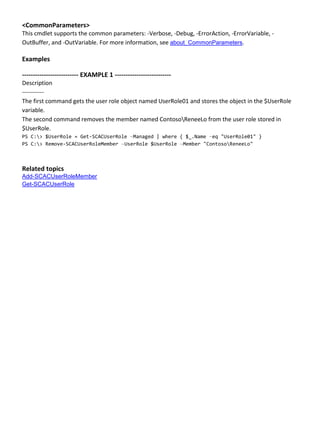
The first command gets the user role object named UserRole01 and stores the object in the $UserRole
variable.
The second command removes the member named ContosoReneeLo from the user role stored in
$UserRole.
PS C:> $UserRole = Get-SCACUserRole –Managed | where { $_.Name –eq "UserRole01" }
PS C:> Remove-SCACUserRoleMember –UserRole $UserRole –Member "ContosoReneeLo"
Related topics
Add-SCACUserRoleMember
Get-SCACUserRole
Remove-SCACUserRoleScope
Removes a Windows Azure subscription cloud object from the scope of objects that a user role can
manage.
Syntax
Parameter Set: Default
Remove-SCACUserRoleScope [-UserRole] <ACUserRole> [-Scope] <ACAzureSubscriptionCloud> [
<CommonParameters>]
Detailed Description
The Renove-SCACUserRoleScope function removes Windows Azure subscription cloud objects from
the scope of objects that a user role can manage.
Parameters
-Scope<ACAzureSubscriptionCloud>
Specifies a Windows Azure subscription cloud object. To retrieve a cloud object, use the Get-
SCACCloud cmdlet.
Aliases none
Required? true
Position? 2
Default Value none
Accept Pipeline Input? false
Accept Wildcard Characters? false
-UserRole<ACUserRole>
Specifies a user role object. To retrieve a user role, use the Get-SCACUserRole cmdlet.
Aliases none
Required? true
Position? 1
Default Value none
Accept Pipeline Input? false
Accept Wildcard Characters? false
<CommonParameters>
This cmdlet supports the common parameters: -Verbose, -Debug, -ErrorAction, -ErrorVariable, -
OutBuffer, and -OutVariable. For more information, see about_CommonParameters.
Examples
-------------------------- EXAMPLE 1 --------------------------
Description
-----------
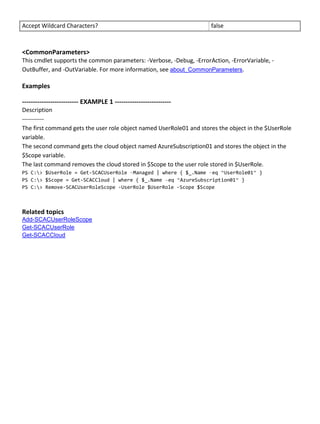
The first command gets the user role object named UserRole01 and stores the object in the $UserRole
variable.
The second command gets the cloud object named AzureSubscription01 and stores the object in the
$Scope variable.
The last command removes the cloud stored in $Scope to the user role stored in $UserRole.
PS C:> $UserRole = Get-SCACUserRole –Managed | where { $_.Name –eq “UserRole01” }
PS C:> $Scope = Get-SCACCloud | where { $_.Name –eq “AzureSubscription01” }
PS C:> Remove-SCACUserRoleScope -UserRole $UserRole -Scope $Scope
Related topics
Add-SCACUserRoleScope
Get-SCACUserRole
Get-SCACCloud
Resume-SCACServiceDeployment
Resumes the specified suspended service deployment.
Syntax
Parameter Set: Default
Resume-SCACServiceDeployment [-ServiceDeployment] <ACServiceDeployment> [[-RunAsynchronously]]
[ <CommonParameters>]
Detailed Description
The Resume-SCACServiceDeployment cmdlet resumes the specified suspended service deployment.
To suspend a service deployment, use the Suspend-SCACServiceDeployment cmdlet.
Parameters
-RunAsynchronously
Indicates that the job runs asynchronously so that control returns to the command shell immediately.
Aliases none
Required? false
Position? 2
Default Value none
Accept Pipeline Input? false
Accept Wildcard Characters? false
-ServiceDeployment<ACServiceDeployment>
Specifies a service deployment object. To get a service deployment object, use the Get-
SCACServiceDeployment cmdlet.
Aliases none
Required? true
Position? 1
Default Value none
Accept Pipeline Input? True (ByValue)
Accept Wildcard Characters? false
<CommonParameters>
This cmdlet supports the common parameters: -Verbose, -Debug, -ErrorAction, -ErrorVariable, -
OutBuffer, and -OutVariable. For more information, see about_CommonParameters.
Inputs
The input type is the type of the objects that you can pipe to the cmdlet.
 Microsoft.SystemCenter.CloudManager.PowerShell.ACServiceDeployment,
System.Management.Automation.SwitchParameter
Outputs
The output type is the type of the objects that the cmdlet emits.
 Microsoft.SystemCenter.CloudManager.PowerShell.ACServiceDeployment
Examples
-------------------------- EXAMPLE 1 --------------------------
Description
-----------
The first command gets the cloud system object named CloudSystem01 and stores the object in the
$CloudSystem variable.
The second command gets the cloud object for the cloud system stored in $CloudSystem and stores the
cloud object in the $Cloud variable.
The third command gets all service deployment objects for the cloud stored in $Cloud that have a status
of Suspended and stores the objects in the $SvcDeployment array.
The last command resumes the first suspended service deployment stored in $SvcDeployment, and runs
the command asynchronously so that control returns to the command shell immediately, before the
command stops running.
PS C:> $CloudSystem = Get-SCACCloudSystem -Name "CloudSystem01.Contoso.com"
PS C:> $Cloud = Get-SCACCloud -CloudSystem $CloudSystem
PS C:> $SvcDeployment = @(Get-SCACServiceDeployment -Cloud $Cloud | where { $_.Status -eq
"Suspended" })
PS C:> Resume-SCACServiceDeployment -ServiceDeployment $SvcDeployment[0] -RunAsynchronously
Related topics
Get-SCACServiceDeployment
Suspend-SCACServiceDeployment
Set-SCACAdminSetting
Sets an administrator setting to a specified value.
Syntax
Parameter Set: AdminSettingBySettingObject
Set-SCACAdminSetting [-AdminSetting] <ACAdminSetting> [-Value] <Int32> [ <CommonParameters>]
Parameter Set: CEIP
Set-SCACAdminSetting [-CEIPEnabled] <Boolean> [ <CommonParameters>]
Parameter Set: JobHistoryPeriod
Set-SCACAdminSetting [-JobHistoryPeriodInDays] <Int32> [ <CommonParameters>]
Parameter Set: RefreshInterval
Set-SCACAdminSetting [-RefreshIntervalInSeconds] <Int32> [ <CommonParameters>]
Detailed Description
The Set-SCACAdminSetting cmdlet sets an administrator setting to a specified value.
Parameters
-AdminSetting<ACAdminSetting>
Specifies an admin setting object. To get an admin setting object, use the Get-SCAdminSetting cmdlet.
Aliases none
Required? true
Position? 1
Default Value none
Accept Pipeline Input? True (ByValue)
Accept Wildcard Characters? false
-CEIPEnabled<Boolean>
Specifies, when set to $True, that participation in the Microsoft Customer Experience Improvement
Program (CEIP) is enabled.
Aliases none
Required? true
Position? 1
Default Value none
Accept Pipeline Input? false
Accept Wildcard Characters? false
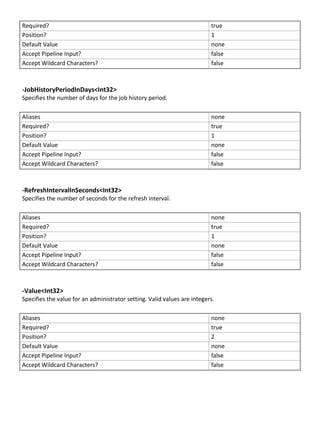
-JobHistoryPeriodInDays<Int32>
Specifies the number of days for the job history period.
Aliases none
Required? true
Position? 1
Default Value none
Accept Pipeline Input? false
Accept Wildcard Characters? false
-RefreshIntervalInSeconds<Int32>
Specifies the number of seconds for the refresh interval.
Aliases none
Required? true
Position? 1
Default Value none
Accept Pipeline Input? false
Accept Wildcard Characters? false
-Value<Int32>
Specifies the value for an administrator setting. Valid values are integers.
Aliases none
Required? true
Position? 2
Default Value none
Accept Pipeline Input? false
Accept Wildcard Characters? false
<CommonParameters>
This cmdlet supports the common parameters: -Verbose, -Debug, -ErrorAction, -ErrorVariable, -
OutBuffer, and -OutVariable. For more information, see about_CommonParameters.
Inputs
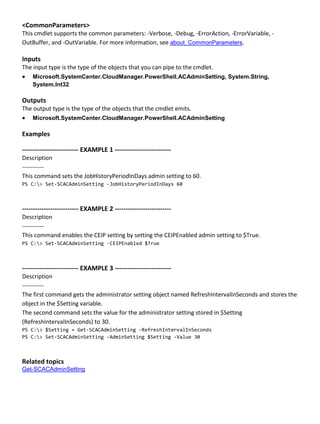
The input type is the type of the objects that you can pipe to the cmdlet.
 Microsoft.SystemCenter.CloudManager.PowerShell.ACAdminSetting, System.String,
System.Int32
Outputs
The output type is the type of the objects that the cmdlet emits.
 Microsoft.SystemCenter.CloudManager.PowerShell.ACAdminSetting
Examples
-------------------------- EXAMPLE 1 --------------------------
Description
-----------
This command sets the JobHistoryPeriodInDays admin setting to 60.
PS C:> Set-SCACAdminSetting -JobHistoryPeriodInDays 60
-------------------------- EXAMPLE 2 --------------------------
Description
-----------
This command enables the CEIP setting by setting the CEIPEnabled admin setting to $True.
PS C:> Set-SCACAdminSetting –CEIPEnabled $True
-------------------------- EXAMPLE 3 --------------------------
Description
-----------
The first command gets the administrator setting object named RefreshIntervalInSeconds and stores the
object in the $Setting variable.
The second command sets the value for the administrator setting stored in $Setting
(RefreshIntervalInSeconds) to 30.
PS C:> $Setting = Get-SCACAdminSetting -RefreshIntervalInSeconds
PS C:> Set-SCACAdminSetting -AdminSetting $Setting -Value 30
Related topics
Get-SCACAdminSetting
Set-SCACCloudSystem
Set-SCACCloudSystem
Updates the properties of a cloud system.
Syntax
Parameter Set: Default
Set-SCACCloudSystem [-CloudSystem] <ACCloudSystem> [-CertificateFilePath <String> ] [-
Description <String> ] [-Name <String> ] [ <CommonParameters>]
Detailed Description
The Set-SCACCloudSystem cmdlet updates the properties of a cloud system.
Parameters
-CertificateFilePath<String>
Specifies a file path to the certificate.
Aliases none
Required? false
Position? named
Default Value none
Accept Pipeline Input? false
Accept Wildcard Characters? false
-CloudSystem<ACCloudSystem>
Specifies a cloud system object. To retrieve a cloud system object, use the Get-SCACCloudSystem
cmdlet.
Aliases none
Required? true
Position? 1
Default Value none
Accept Pipeline Input? false
Accept Wildcard Characters? false
-Description<String>
Specifies a description for the cloud system.
Aliases none
Required? false
Position? named
Default Value none
Accept Pipeline Input? false
Accept Wildcard Characters? false
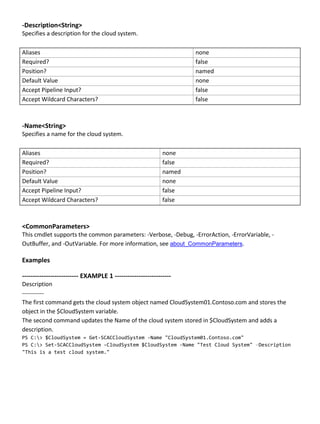
-Name<String>
Specifies a name for the cloud system.
Aliases none
Required? false
Position? named
Default Value none
Accept Pipeline Input? false
Accept Wildcard Characters? false
<CommonParameters>
This cmdlet supports the common parameters: -Verbose, -Debug, -ErrorAction, -ErrorVariable, -
OutBuffer, and -OutVariable. For more information, see about_CommonParameters.
Examples
-------------------------- EXAMPLE 1 --------------------------
Description
-----------
The first command gets the cloud system object named CloudSystem01.Contoso.com and stores the
object in the $CloudSystem variable.
The second command updates the Name of the cloud system stored in $CloudSystem and adds a
description.
PS C:> $CloudSystem = Get-SCACCloudSystem -Name "CloudSystem01.Contoso.com"
PS C:> Set-SCACCloudSystem -CloudSystem $CloudSystem -Name "Test Cloud System" –Description
"This is a test cloud system."
Set-SCACTemporaryStorage
Sets the temporary storage used by the App Controller server.
Syntax
Parameter Set: SpecifyPath
Set-SCACTemporaryStorage [-Path] <String> [ <CommonParameters>]
Detailed Description
The Set-SCACTemporaryStorage cmdlet sets the temporary storage used by the App Controller server.
Parameters
-Path<String>
Specifies the path to the share to use as temporary storage.
Aliases none
Required? true
Position? 1
Default Value none
Accept Pipeline Input? false
Accept Wildcard Characters? false
<CommonParameters>
This cmdlet supports the common parameters: -Verbose, -Debug, -ErrorAction, -ErrorVariable, -
OutBuffer, and -OutVariable. For more information, see about_CommonParameters.
Inputs
The input type is the type of the objects that you can pipe to the cmdlet.
 System.String, Microsoft.SystemCenter.CloudManager.PowerShell.ACLibraryFileShare
Outputs
The output type is the type of the objects that the cmdlet emits.
 Microsoft.SystemCenter.CloudManager.PowerShell.ACLibraryFileShare
Examples
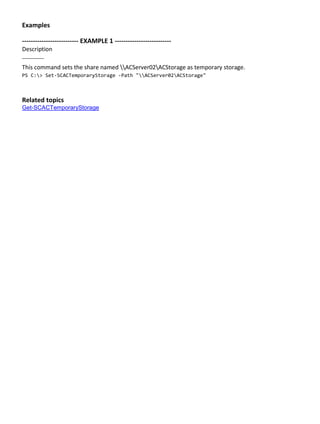
-------------------------- EXAMPLE 1 --------------------------
Description
-----------
This command sets the share named ACServer02ACStorage as temporary storage.
PS C:> Set-SCACTemporaryStorage -Path "ACServer02ACStorage"
Related topics
Get-SCACTemporaryStorage
Suspend-SCACServiceDeployment
Suspends the specified service deployment.
Syntax
Parameter Set: Default
Suspend-SCACServiceDeployment [-ServiceDeployment] <ACServiceDeployment> [[-
RunAsynchronously]] [ <CommonParameters>]
Detailed Description
The Suspend-SCACServiceDeployment cmdlet suspends the specified service deployment. To resume
a service deployment, use the Resume-SCACServiceDeployment cmdlet.
Parameters
-RunAsynchronously
Indicates that the job runs asynchronously so that control returns to the command shell immediately.
Aliases none
Required? false
Position? 2
Default Value none
Accept Pipeline Input? false
Accept Wildcard Characters? false
-ServiceDeployment<ACServiceDeployment>
Specifies a service deployment object. To get a service deployment object, use the Get-
SCACServiceDeployment cmdlet.
Aliases none
Required? true
Position? 1
Default Value none
Accept Pipeline Input? True (ByValue)
Accept Wildcard Characters? false
<CommonParameters>
This cmdlet supports the common parameters: -Verbose, -Debug, -ErrorAction, -ErrorVariable, -
OutBuffer, and -OutVariable. For more information, see about_CommonParameters.
Inputs
The input type is the type of the objects that you can pipe to the cmdlet.
 Microsoft.SystemCenter.CloudManager.PowerShell.ACServiceDeployment,
System.Management.Automation.SwitchParameter
Outputs
The output type is the type of the objects that the cmdlet emits.
 Microsoft.SystemCenter.CloudManager.PowerShell.ACServiceDeployment
Examples
-------------------------- EXAMPLE 1 --------------------------
Description
-----------
The first command gets the cloud system object named CloudSystem01 and stores the object in the
$CloudSystem variable.
The second command gets the cloud object for the cloud system stored in $CloudSystem and stores the
cloud object in the $Cloud variable.
The third command gets all service deployment objects for the cloud stored in $Cloud and stores the
objects in the $SvcDeployment array.
The last command suspends the first service deployment stored in $SvcDeployment, and runs the
command asynchronously so that control returns to the command shell immediately, before the
command stops running.
PS C:> $CloudSystem = Get-SCACCloudSystem -Name "CloudSystem01.Contoso.com"
PS C:> $Cloud = Get-SCACCloud -CloudSystem $CloudSystem
PS C:> $SvcDeployment = @(Get-SCACServiceDeployment -Cloud $Cloud)
PS C:> Suspend-SCACServiceDeployment -ServiceDeployment $SvcDeployment[0] -RunAsynchronously
Related topics
Resume-SCACServiceDeployment

Cr app controller_in_system_center_2012_sp1

  • 2.
    Cmdlet Reference forApp Controller in System Center 2012 SP1 Microsoft Summary: The Windows PowerShell module for App Controller includes cmdlets that are designed specifically for App Controller. This Cmdlet Reference contains the help files for these cmdlets. The topics in this guide include information about the cmdlets and their associated parameters, and provide examples about how to use the cmdlets. Category: Reference Applies to: System Center 2012 Service Pack 1 (SP1) - App Controller Source: TechNet Library (http://technet.microsoft.com/en-us/library/hh781180.aspx) E-book publication date: April 2013
  • 3.
    Copyright © 2013by Microsoft Corporation All rights reserved. No part of the contents of this book may be reproduced or transmitted in any form or by any means without the written permission of the publisher. Microsoft and the trademarks listed at http://www.microsoft.com/about/legal/en/us/IntellectualProperty/Trademarks/EN-US.aspx are trademarks of the Microsoft group of companies. All other marks are property of their respective owners. The example companies, organizations, products, domain names, email addresses, logos, people, places, and events depicted herein are fictitious. No association with any real company, organization, product, domain name, email address, logo, person, place, or event is intended or should be inferred. This book expresses the author’s views and opinions. The information contained in this book is provided without any express, statutory, or implied warranties. Neither the authors, Microsoft Corporation, nor its resellers, or distributors will be held liable for any damages caused or alleged to be caused either directly or indirectly by this book.
  • 4.
    Contents Add-SCACAzureDisk.................................................................................................................................5 Add-SCACAzureImage .............................................................................................................................9 Add-SCACAzureSubscription.................................................................................................................13 Add-SCACCloudSystem .........................................................................................................................16 Add-SCACShare......................................................................................................................................20 Add-SCACUserRole ................................................................................................................................22 Add-SCACUserRoleMember..................................................................................................................24 Add-SCACUserRoleScope.....................................................................................................................26 Export-SCACAesKey...............................................................................................................................29 Get-SCACAdminSetting..........................................................................................................................31 Get-SCACAzureHostedService .............................................................................................................34 Get-SCACAzureRoleInstance................................................................................................................36 Get-SCACAzureServiceDeployment.....................................................................................................37 Get-SCACCloud .......................................................................................................................................40 Get-SCACCloudSystem..........................................................................................................................42 Get-SCACJob ...........................................................................................................................................44 Get-SCACServer......................................................................................................................................45 Get-SCACServiceDeployment...............................................................................................................48 Get-SCACTemporaryStorage ................................................................................................................50 Get-SCACUserRole.................................................................................................................................51 Remove-SCACAzureSubscription.........................................................................................................53 Remove-SCACCloudSystem .................................................................................................................55 Remove-SCACShare...............................................................................................................................57 Remove-SCACUserRole.........................................................................................................................59 Remove-SCACUserRoleMember..........................................................................................................61
  • 5.
    Remove-SCACUserRoleScope .............................................................................................................63 Resume-SCACServiceDeployment.......................................................................................................65 Set-SCACAdminSetting ..........................................................................................................................67 Set-SCACCloudSystem..........................................................................................................................70 Set-SCACTemporaryStorage.................................................................................................................72 Suspend-SCACServiceDeployment......................................................................................................74
  • 6.
    Add-SCACAzureDisk Add-SCACAzureDisk Adds a virtualhard disk to Windows Azure. Syntax Parameter Set: SourcePath Add-SCACAzureDisk -Cloud <ACAzureSubscriptionCloud> -DisplayName <String> -Name <String> - OperatingSystem {None | Windows | Linux} -SourcePath <String> -StorageBlob <Uri> [-Force] [ <CommonParameters>] Parameter Set: SourceVHD Add-SCACAzureDisk -Cloud <ACAzureSubscriptionCloud> -DisplayName <String> -Name <String> - OperatingSystem {None | Windows | Linux} -SourceVHD <StandaloneVirtualHardDisk> -StorageBlob <Uri> [-Force] [ <CommonParameters>] Detailed Description The Add-SCACAzureDisk cmdlet adds a virtual hard disk to Windows Azure. You must import the Virtual Machine Manager (VMM) module into your session to run this cmdlet. Parameters -Cloud<ACAzureSubscriptionCloud> Specifies a Windows Azure subscription cloud object. To retrieve a cloud object, use the Get- SCACCloud cmdlet. Aliases none Required? true Position? named Default Value none Accept Pipeline Input? false Accept Wildcard Characters? false -DisplayName<String> Specifies a display name for the image or virtual hard disk in Windows Azure. Aliases none Required? true
  • 7.
    Position? named Default Valuenone Accept Pipeline Input? false Accept Wildcard Characters? false -Force Indicates that the image or virtual hard disk is added to Windows Azure without prompting for confirmation. Aliases none Required? false Position? named Default Value none Accept Pipeline Input? false Accept Wildcard Characters? false -Name<String> Specifies the name of the virtual hard disk. Aliases none Required? true Position? named Default Value none Accept Pipeline Input? false Accept Wildcard Characters? false -OperatingSystem<OperatingSystemType> Specifies the operating system type of the virtual hard disk. Valid values are: None, Windows, Linux. The acceptable values for this parameter are: None Windows Linux Aliases none Required? true Position? named
  • 8.
    Default Value none AcceptPipeline Input? false Accept Wildcard Characters? false -SourcePath<String> Specifies a path to the source virtual hard disk. Aliases none Required? true Position? named Default Value none Accept Pipeline Input? false Accept Wildcard Characters? false -SourceVHD<StandaloneVirtualHardDisk> Specifies the source virtual hard disk. Aliases none Required? true Position? named Default Value none Accept Pipeline Input? false Accept Wildcard Characters? false -StorageBlob<Uri> Specifies the URI where the image or virtual hard disk is stored in Windows Azure. Aliases none Required? true Position? named Default Value none Accept Pipeline Input? false Accept Wildcard Characters? false
  • 9.
    <CommonParameters> This cmdlet supportsthe common parameters: -Verbose, -Debug, -ErrorAction, -ErrorVariable, - OutBuffer, and -OutVariable. For more information, see about_CommonParameters (http://technet.microsoft.com/en-us/library/dd315352.aspx) Examples -------------------------- EXAMPLE 1 -------------------------- Description ----------- The first command gets all cloud objects and stores the objects in the $Clouds variable. The second command adds the virtual hard disk named VHD01.vhd to the specified container in the first cloud stored in $Clouds. PS C:> $Clouds = Get-SCACCloud PS C:> Add-SCACAzureDisk -Name "VHD01" -DisplayName "VHD01.vhd" -Cloud $Clouds[0] - StorageBlob "https://container01.blob.core.windows.net/vhds/VHD01.vhd" -SourcePath “FileShareVMsVhd01.vhd" -OperatingSystem "Windows" -Force Related topics Add-SCACAzureImage
  • 10.
    Add-SCACAzureImage Add-SCACAzureImage Adds a virtualhard drive to the Windows Azure image store. Syntax Parameter Set: SourcePath Add-SCACAzureImage -Cloud <ACAzureSubscriptionCloud> -DisplayName <String> -Name <String> - OperatingSystem {None | Windows | Linux} -SourcePath <String> -StorageBlob <Uri> [-Force] [ <CommonParameters>] Parameter Set: SourceVHD Add-SCACAzureImage -Cloud <ACAzureSubscriptionCloud> -DisplayName <String> -Name <String> - OperatingSystem {None | Windows | Linux} -SourceVHD <StandaloneVirtualHardDisk> -StorageBlob <Uri> [-Force] [ <CommonParameters>] Detailed Description The Add-SCACAzureImage cmdlet adds a virtual hard drive to the Windows Azure image store. You must import the Virtual Machine Manager (VMM) module into your session to run this cmdlet. Parameters -Cloud<ACAzureSubscriptionCloud> Specifies a Windows Azure subscription cloud object. To retrieve a cloud object, use the Get- SCACCloud cmdlet. Aliases none Required? true Position? named Default Value none Accept Pipeline Input? false Accept Wildcard Characters? false -DisplayName<String> Specifies a display name for the image in Windows Azure. Aliases none Required? true
  • 11.
    Position? named Default Valuenone Accept Pipeline Input? false Accept Wildcard Characters? false -Force Indicates that the image is added to the Windows Azure image store without prompting for confirmation. Aliases none Required? false Position? named Default Value none Accept Pipeline Input? false Accept Wildcard Characters? false -Name<String> Specifies the name of the image. Aliases none Required? true Position? named Default Value none Accept Pipeline Input? false Accept Wildcard Characters? false -OperatingSystem<OperatingSystemType> Specifies the operating system type for the virtual hard disk. Valid values are: None, Windows, Linux. The acceptable values for this parameter are: None Windows Linux Aliases none Required? true Position? named
  • 12.
    Default Value none AcceptPipeline Input? false Accept Wildcard Characters? false -SourcePath<String> Specifies a path to the source image. Aliases none Required? true Position? named Default Value none Accept Pipeline Input? false Accept Wildcard Characters? false -SourceVHD<StandaloneVirtualHardDisk> Specifies the source virtual hard disk object. Aliases none Required? true Position? named Default Value none Accept Pipeline Input? false Accept Wildcard Characters? false -StorageBlob<Uri> Specifies the URI where the image is stored in Windows Azure. Aliases none Required? true Position? named Default Value none Accept Pipeline Input? false Accept Wildcard Characters? false <CommonParameters> This cmdlet supports the common parameters: -Verbose, -Debug, -ErrorAction, -ErrorVariable, - OutBuffer, and -OutVariable. For more information, see about_CommonParameters.
  • 13.
    Examples -------------------------- EXAMPLE 1-------------------------- Description ----------- The first command gets all cloud objects and adds the objects to the $Clouds parameter. The second command gets the virtual hard disk object named VHD01.vhd and stores the object in the $VHD variable. The last command adds the VHD image and names it Image01. PS C:> $Clouds = Get-SCACCloud PS C:> $VHD = Get-SCVirtualHardDisk -Name "VHD01.vhd" PS C:> Add-SCACAzureImage –Name "Image01" -DisplayName "Image01" -Cloud $Clouds[0] - StorageBlob "http://container01.blob.core.windows.net/vhds/VHD01.vhd" -SourceVHD $VHD - OperatingSystem "Windows" Related topics Add-SCACAzureDisk
  • 14.
    Add-SCACAzureSubscription Add-SCACAzureSubscription Adds a WindowsAzure subscription to App Controller. Syntax Parameter Set: Default Add-SCACAzureSubscription [-Name] <String> [-Id] <Guid> [-ManagementCertificatePath] <String> [-ManagementCertificatePassword] <SecureString> [-Description <String> ] [ <CommonParameters>] Detailed Description The Add-SCACAzureSubscription cmdlet adds a Windows Azure subscription to App Controller. Parameters -Description<String> Specifies a description for the Windows Azure subscription. Aliases none Required? false Position? named Default Value none Accept Pipeline Input? false Accept Wildcard Characters? false -Id<Guid> Specifies a GUID that represents the ID for a Windows Azure subscription. Aliases none Required? true Position? 2 Default Value none Accept Pipeline Input? false Accept Wildcard Characters? false
  • 15.
    -ManagementCertificatePassword<SecureString> Specifies a securestring that contains a password for the management certificate. Aliases none Required? true Position? 4 Default Value none Accept Pipeline Input? false Accept Wildcard Characters? false -ManagementCertificatePath<String> Specifies a file path to the management certificate. Aliases none Required? true Position? 3 Default Value none Accept Pipeline Input? false Accept Wildcard Characters? false -Name<String> Specifies a name for the Windows Azure subscription. Aliases none Required? true Position? 1 Default Value none Accept Pipeline Input? false Accept Wildcard Characters? false <CommonParameters> This cmdlet supports the common parameters: -Verbose, -Debug, -ErrorAction, -ErrorVariable, - OutBuffer, and -OutVariable. For more information, see about_CommonParameters. Inputs The input type is the type of the objects that you can pipe to the cmdlet.  System.String, System.Guid, System.String, System.Security.SecureString, Microsoft.SystemCenter.CloudManager.PowerShell.ACServer
  • 16.
    Outputs The output typeis the type of the objects that the cmdlet emits.  Microsoft.SystemCenter.CloudManager.PowerShell.ACAzureSubscriptionCloud Examples -------------------------- EXAMPLE 1 -------------------------- Description ----------- The first command creates a secure string for the provided password and stores the secure string in the $MCPassword variable. The second command adds the Windows Azure subscription with the ID of 1626950e-3af6-4fe8-a7d2- e489c18931a2 using the password stored in $MCPassword and gives it the name AzureSubscription01. PS C:> $MCPassword = ConvertTo-SecureString "PassWord!" -AsPlainText -Force PS C:> Add-SCACAzureSubscription –Id "1626950e-3af6-4fe8-a7d2-e489c18931a2" – ManagementCertificatePassword $MCPassword –ManagementCertificatePath "C:CertificatePath" – Name "AzureSubscription01" Related topics Remove-SCACAzureSubscription
  • 17.
    Add-SCACCloudSystem Add-SCACCloudSystem Adds a newconnection to a VMM management server or service provider. Syntax Parameter Set: SPF Add-SCACCloudSystem [-Name] <String> [-ServiceLocation] <Uri> [-CertificateFilePath] <String> [-CertificatePassword] <SecureString> -SPF [-Description <String> ] [ <CommonParameters>] Parameter Set: VMM Add-SCACCloudSystem [-Name] <String> [-ServerName] <String> [-Port] <Int32> -VMM [-Description <String> ] [ <CommonParameters>] Detailed Description The Add-SCACCloudSystem function adds a new connection to a VMM management server or service provider. Parameters -CertificateFilePath<String> Specifies a file path to the certificate. Aliases none Required? true Position? 3 Default Value none Accept Pipeline Input? false Accept Wildcard Characters? false -CertificatePassword<SecureString> Specifies a secure string that contains a password for the certificate. Aliases none Required? true Position? 4 Default Value none
  • 18.
    Accept Pipeline Input?false Accept Wildcard Characters? false -Description<String> Specifies a description for the connection. Aliases none Required? false Position? named Default Value none Accept Pipeline Input? false Accept Wildcard Characters? false -Name<String> Specifies a name for the cloud system. Aliases none Required? true Position? 1 Default Value none Accept Pipeline Input? false Accept Wildcard Characters? false -Port<Int32> Specifies the port to be used for the connection. Aliases none Required? true Position? 3 Default Value none Accept Pipeline Input? false Accept Wildcard Characters? false -ServerName<String> Specifies the name of a VMM management server. Aliases none
  • 19.
    Required? true Position? 2 DefaultValue none Accept Pipeline Input? false Accept Wildcard Characters? false -ServiceLocation<Uri> Specifies the Service Provider Foundation service location URI. Aliases none Required? true Position? 2 Default Value none Accept Pipeline Input? false Accept Wildcard Characters? false -SPF Indicates that the connection is made with Service Provider Foundation. Aliases none Required? true Position? named Default Value none Accept Pipeline Input? false Accept Wildcard Characters? false -VMM Indicates that the connection is made with a VMM management server. Aliases none Required? true Position? named Default Value none Accept Pipeline Input? false Accept Wildcard Characters? false
  • 20.
    <CommonParameters> This cmdlet supportsthe common parameters: -Verbose, -Debug, -ErrorAction, -ErrorVariable, - OutBuffer, and -OutVariable. For more information, see about_CommonParameters. Examples -------------------------- EXAMPLE 1 -------------------------- Description ----------- This command adds a connection named CloudSystem01 to the VMM management server named VMMServer01 using port 8100. PS C:> Add-SCACCloudsystem -Name "VMMCloudSystem01" -VMM -ServerName "VMMServer01.Contoso.com" -Port 8100 -------------------------- EXAMPLE 2 -------------------------- Description ----------- The first command creates a secure string for the provided password and stores the secure string in the $Password variable. The second command adds a service provider connection. PS C:> $Password = ConvertTo-SecureString "PassWord!" -AsPlainText -Force PS C:> Add-SCACCloudsystem -Name "ServiceProvider01" -ServiceLocation "https://Server01.contoso.com:8090/SC2012/VMM/Microsoft.Management.OData.svc/4deca2d5-6169- 49ca-aa7a-efd6e4b372a3" -CertificateFilePath "FileServer01CertsTenantCert.pfx" - CertificatePassword $Password -SPF Related topics Get-SCACCloudSystem Set-SCACCloudSystem Remove-SCACCloudSystem
  • 21.
    Add-SCACShare Add-SCACShare Adds a libraryshare. Syntax Parameter Set: Default Add-SCACShare [-Path] <String> [ <CommonParameters>] Detailed Description The Add-SCACShare function adds a library share. Parameters -Path<String> Specifies the path of the share to add. Aliases none Required? true Position? 1 Default Value none Accept Pipeline Input? false Accept Wildcard Characters? false <CommonParameters> This cmdlet supports the common parameters: -Verbose, -Debug, -ErrorAction, -ErrorVariable, - OutBuffer, and -OutVariable. For more information, see about_CommonParameters. Examples -------------------------- EXAMPLE 1 -------------------------- Description ----------- This command adds the share named LibraryServerLibraryPath. PS C:> Add-SCACShare -Path "LibraryServerLibraryPath"
  • 22.
  • 23.
    Add-SCACUserRole Add-SCACUserRole Creates an AppController user role. Syntax Parameter Set: Default Add-SCACUserRole [-Name] <String> [-Description <String> ] [-IsReadOnly] [ <CommonParameters>] Detailed Description The Add-SCACUserRole function creates an App Controller user role. Parameters -Description<String> Specifies a description for the user role. Aliases none Required? false Position? named Default Value none Accept Pipeline Input? false Accept Wildcard Characters? false -IsReadOnly Indicates that the user role is read-only. Aliases none Required? false Position? named Default Value none Accept Pipeline Input? false Accept Wildcard Characters? false -Name<String> Specifies a name for the user role.
  • 24.
    Aliases none Required? true Position?1 Default Value none Accept Pipeline Input? false Accept Wildcard Characters? false <CommonParameters> This cmdlet supports the common parameters: -Verbose, -Debug, -ErrorAction, -ErrorVariable, - OutBuffer, and -OutVariable. For more information, see about_CommonParameters. Examples -------------------------- EXAMPLE 1 -------------------------- Description ----------- This example creates a read-only user role named UserRole01. PS C:>Add-SCACUserRole -Name "UserRole01" -Description "Test User Role" -IsReadOnly Related topics Get-SCACUserRole Remove-SCACUserRole
  • 25.
    Add-SCACUserRoleMember Add-SCACUserRoleMember Adds a memberto a user role. Syntax Parameter Set: Default Add-SCACUserRoleMember [-UserRole] <ACUserRole> [-Member] <String> [ <CommonParameters>] Detailed Description The Add-SCACUserRoleMember function adds a member to a specified user role. Parameters -Member<String> Specifies the name of a member to add to a user role. Aliases none Required? true Position? 2 Default Value none Accept Pipeline Input? false Accept Wildcard Characters? false -UserRole<ACUserRole> Specifies the user role object to which to add members. To retrieve a user role object, use the Get- SCACUserRole cmdlet. Aliases none Required? true Position? 1 Default Value none Accept Pipeline Input? false Accept Wildcard Characters? false
  • 26.
    <CommonParameters> This cmdlet supportsthe common parameters: -Verbose, -Debug, -ErrorAction, -ErrorVariable, - OutBuffer, and -OutVariable. For more information, see about_CommonParameters. Examples -------------------------- EXAMPLE 1 -------------------------- Description ----------- The first command gets the user role object named UserRole01 and stores the object in the $UserRole variable. The second command removes the user role member named ContosoReneeLo from the user role stored in $UserRole. PS C:> $UserRole = Get-SCACUserRole –Managed | where { $_.Name –eq "UserRole01" } PS C:> Add-SCACUserRoleMember –UserRole $UserRole –Member "ContosoReneeLo" Related topics Remove-SCACUserRoleMember
  • 27.
    Add-SCACUserRoleScope Add-SCACUserRoleScope Adds Service ProviderFoundation connection cloud objects to the scope of objects that a user role can manage. Syntax Parameter Set: AzureScope Add-SCACUserRoleScope [-UserRole] <ACUserRole> [-AzureSubscriptionScope] <ACAzureSubscriptionCloud> [ <CommonParameters>] Parameter Set: SPFScope Add-SCACUserRoleScope [-UserRole] <ACUserRole> [-ServiceProviderConnectionScope] <ACCloudSystem> [-VmmUserRoleName] <String> [ <CommonParameters>] Detailed Description The Add-SCACUserRoleScope function adds Service Provider Foundation connection cloud objects to the scope of objects that a user role can manage. This cmdlet only works with Virtual Machine Manager (VMM) clouds. Parameters -AzureSubscriptionScope<ACAzureSubscriptionCloud> Specifies a Windows Azure subscription cloud object. To retrieve a cloud object, use the Get- SCACCloud cmdlet. Aliases none Required? true Position? 2 Default Value none Accept Pipeline Input? false Accept Wildcard Characters? false -ServiceProviderConnectionScope<ACCloudSystem> Specifies a Service Provider Foundation cloud system object. To retrieve a cloud system object, use the Get-SCACCloudSystem cmdlet.
  • 28.
    Aliases none Required? true Position?2 Default Value none Accept Pipeline Input? false Accept Wildcard Characters? false -UserRole<ACUserRole> Specifies a user role object. To retrieve a user role, use the Get-SCACUserRole cmdlet. Aliases none Required? true Position? 1 Default Value none Accept Pipeline Input? false Accept Wildcard Characters? false -VmmUserRoleName<String> Specifies the name of a Virtual Machine Manager (VMM) user role. Aliases none Required? true Position? 3 Default Value none Accept Pipeline Input? false Accept Wildcard Characters? false <CommonParameters> This cmdlet supports the common parameters: -Verbose, -Debug, -ErrorAction, -ErrorVariable, - OutBuffer, and -OutVariable. For more information, see about_CommonParameters. Examples -------------------------- EXAMPLE 1 -------------------------- Description ----------- The first command gets the user role object named UserRole01 and stores the object in the $UserRole variable.
  • 29.
    The second commandgets the cloud system object named SvcProvider01.Contoso.com and stores the object in the $CloudSystem variable. The last command adds the cloud system stored in $CloudSystem to the scope of UserRole01. PS C:> $UserRole = Get-SCACUserRole -Managed | where {$_.Name -eq "UserRole01"} PS C:> $CloudSystem = Get-SCACCloudSystem -Name "SvcProvider01.Contoso.com" PS C:> Add-SCACUserRoleScope -UserRole $UserRole -ServiceProviderConnectionScope $CloudSystem -VMMUserRoleName "TenantSSUserRole01" Related topics Remove-SCACUserRoleScope
  • 30.
    Export-SCACAesKey Export-SCACAesKey Exports the AppController AES key from the registry to the specified file. Syntax Parameter Set: Default Export-SCACAesKey [-Path] <String> [-Password] <SecureString> [ <CommonParameters>] Detailed Description The Export-SCACAESKey cmdlet exports the App Controller Advanced Encryption Standard (AES) key from the registry to the specified file. Use the Path parameter to specify the destination file. You must run the App Controller command shell as Administrator when using this cmdlet. Parameters -Password<SecureString> Specifies a secure string that contains a password. Aliases none Required? true Position? 2 Default Value none Accept Pipeline Input? false Accept Wildcard Characters? false -Path<String> Specifies a file location path. Aliases none Required? true Position? 1 Default Value none Accept Pipeline Input? false Accept Wildcard Characters? false
  • 31.
    <CommonParameters> This cmdlet supportsthe common parameters: -Verbose, -Debug, -ErrorAction, -ErrorVariable, - OutBuffer, and -OutVariable. For more information, see about_CommonParameters. Inputs The input type is the type of the objects that you can pipe to the cmdlet.  System.String, System.Security.SecureString Examples -------------------------- EXAMPLE 1 -------------------------- Description ----------- The first command creates a secure string for the provided password and stores the secure string in the $Password parameter. The second command exports the App Controller AES key to the Key.txt file at the specified file path using the password stored in $Password. PS C:>$Password = ConvertTo-SecureString "PassWord!" -AsPlainText -Force PS C:> Export-SCACAESKey -Path "C:KeysKey.txt" -Password $Password
  • 32.
    Get-SCACAdminSetting Get-SCACAdminSetting Gets one ormore administrator settings from the App Controller server. Syntax Parameter Set: CEIP Get-SCACAdminSetting [[-CEIPEnabled]] [ <CommonParameters>] Parameter Set: JobHistoryPeriod Get-SCACAdminSetting [[-JobHistoryPeriodInDays]] [ <CommonParameters>] Parameter Set: RefreshInterval Get-SCACAdminSetting [[-RefreshIntervalInSeconds]] [ <CommonParameters>] Detailed Description The Get-SCACAdminSetting cmdlet gets one or more administrator settings from the App Controller server. If a setting name is specified by using the Name parameter, that setting is retrieved. If no setting is specified, all settings on the server are returned. Parameters -CEIPEnabled Indicates that the value for the CEIPEnabled setting is displayed. Aliases none Required? false Position? 1 Default Value none Accept Pipeline Input? false Accept Wildcard Characters? false -JobHistoryPeriodInDays Indicates that the value for the job history period setting is displayed. Aliases none Required? false Position? 1
  • 33.
    Default Value none AcceptPipeline Input? false Accept Wildcard Characters? false -RefreshIntervalInSeconds Indicates that the value for the refresh interval setting is displayed. Aliases none Required? false Position? 1 Default Value none Accept Pipeline Input? false Accept Wildcard Characters? false <CommonParameters> This cmdlet supports the common parameters: -Verbose, -Debug, -ErrorAction, -ErrorVariable, - OutBuffer, and -OutVariable. For more information, see about_CommonParameters. Inputs The input type is the type of the objects that you can pipe to the cmdlet.  System.String Outputs The output type is the type of the objects that the cmdlet emits.  Microsoft.SystemCenter.CloudManager.PowerShell.ACAdminSetting Examples -------------------------- EXAMPLE 1 -------------------------- Description ----------- This command gets all administrator settings and displays information about the settings for the user. PS C:>Get-SCACAdminSetting -------------------------- EXAMPLE 2 -------------------------- Description ----------- This command gets the CEIPEnabled administrator setting and displays information about the setting for the user. PS C:>Get-SCACAdminSetting -CEIPEnabled
  • 34.
  • 35.
    Get-SCACAzureHostedService Get-SCACAzureHostedService Gets the hostedservices on a specified Windows Azure cloud. Syntax Parameter Set: Default Get-SCACAzureHostedService [-Cloud] <ACAzureSubscriptionCloud> [ <CommonParameters>] Detailed Description The Get-SCACAzureHostedService cmdlet gets the hosted services on a specified Windows Azure cloud. Parameters -Cloud<ACAzureSubscriptionCloud> Specifies a Windows Azure subscription cloud object. Aliases none Required? true Position? 1 Default Value none Accept Pipeline Input? True (ByValue) Accept Wildcard Characters? false <CommonParameters> This cmdlet supports the common parameters: -Verbose, -Debug, -ErrorAction, -ErrorVariable, - OutBuffer, and -OutVariable. For more information, see about_CommonParameters. Inputs The input type is the type of the objects that you can pipe to the cmdlet.  Microsoft.SystemCenter.CloudManager.PowerShell.ACAzureSubscriptionCloud Outputs The output type is the type of the objects that the cmdlet emits.  Microsoft.SystemCenter.CloudManager.PowerShell.ACAzureHostedService
  • 36.
    Examples -------------------------- EXAMPLE 1-------------------------- Description ----------- The first command gets the cloud system object named CloudSystem01 and stores the object in the $CloudSystem variable. The second command gets the cloud object for the cloud system stored in $CloudSystem and stores the cloud object in the $Cloud variable. The last command gets all Windows Azure hosted services for the cloud stored in $Cloud and displays information about the Windows Azure hosted services to the user. PS C:> $CloudSystem = Get-SCACCloudSystem -Name "CloudSystem01.Contoso.com" PS C:> $Cloud = Get-SCACCloud -CloudSystem $CloudSystem PS C:> Get-SCACAzureHostedService -Cloud $Cloud
  • 37.
    Get-SCACAzureRoleInstance Get-SCACAzureRoleInstance Gets all roleinstances running in Windows Azure. Syntax Get-SCACAzureRoleInstance [ <CommonParameters>] Detailed Description The Get-SCACAzureRoleInstance cmdlet gets all role instances running in Windows Azure. This cmdlet is for internal use only and is not meant to be used directly by Administrators. Parameters <CommonParameters> This cmdlet supports the common parameters: -Verbose, -Debug, -ErrorAction, -ErrorVariable, - OutBuffer, and -OutVariable. For more information, see about_CommonParameters. Examples PS C:> # The Get-SCACAzureRoleInstance cmdlet is for internal use only.
  • 38.
    Get-SCACAzureServiceDeployment Get-SCACAzureServiceDeployment Gets a specifiedWindows Azure service deployment. Syntax Parameter Set: Cloud Get-SCACAzureServiceDeployment [-Cloud] <ACCloud> [ <CommonParameters>] Parameter Set: HostedService Get-SCACAzureServiceDeployment [-HostedService] <ACAzureHostedService> [[-DeploymentSlot] <String> ] [ <CommonParameters>] Detailed Description The Get-SCACAzureServiceDeployment cmdlet gets a Windows Azure service deployment. Parameters -Cloud<ACCloud> Specifies a cloud object. To retrieve a cloud object, use the Get-SCACCloud cmdlet. Aliases none Required? true Position? 1 Default Value none Accept Pipeline Input? True (ByValue) Accept Wildcard Characters? false -DeploymentSlot<String> Specifies the name of a deployment slot. Aliases none Required? false Position? 2 Default Value none Accept Pipeline Input? false Accept Wildcard Characters? false
  • 39.
    -HostedService<ACAzureHostedService> Specifies a WindowsAzure hosted service object. To retrieve a Windows Azure hosted service object, use the Get-SCACAzureHostedService cmdlet. Aliases none Required? true Position? 1 Default Value none Accept Pipeline Input? True (ByValue) Accept Wildcard Characters? false <CommonParameters> This cmdlet supports the common parameters: -Verbose, -Debug, -ErrorAction, -ErrorVariable, - OutBuffer, and -OutVariable. For more information, see about_CommonParameters. Inputs The input type is the type of the objects that you can pipe to the cmdlet.  Microsoft.SystemCenter.CloudManager.PowerShell.ACAzureHostedService, System.String Outputs The output type is the type of the objects that the cmdlet emits.  Microsoft.SystemCenter.CloudManager.PowerShell.ACAzureServiceDeployment Examples -------------------------- EXAMPLE 1 -------------------------- Description ----------- The first command gets the cloud system object named CloudSystem01 and stores the object in the $CloudSystem variable. The second command gets the cloud object for the cloud system stored in $CloudSystem and stores the object in the $Cloud variable. The third command gets all Windows Azure hosted services for the cloud stored in $Cloud and stores the hosted service objects in the $HostedService array. The last command gets the Windows Azure service deployment for the first hosted service stored in the $HostedService array and displays information about the service deployment to the user. PS C:> $CloudSystem = Get-SCACCloudSystem -Name "CloudSystem01.Contoso.com" PS C:> $Cloud = Get-SCACCloud -CloudSystem $CloudSystem PS C:> $HostedService = @(Get-SCACAzureHostedService -Cloud $Cloud) PS C:> Get-SCACAzureServiceDeployment -HostedService $HostedService[0]
  • 40.
  • 41.
    Get-SCACCloud Get-SCACCloud Gets one ormore App Controller cloud objects. Syntax Parameter Set: Default Get-SCACCloud [[-CloudSystem] <ACCloudSystem> ] [[-Id] <Guid> ] [ <CommonParameters>] Detailed Description The Get-SCACCloud cmdlet gets one or more App Controller cloud objects. Parameters -CloudSystem<ACCloudSystem> Specifies a cloud system object. To retrieve a cloud system object, use the Get-SCACCloudSystem cmdlet. Aliases none Required? false Position? 1 Default Value none Accept Pipeline Input? false Accept Wildcard Characters? false -Id<Guid> Specifies a GUID that represents the subscription ID for a cloud. Aliases none Required? false Position? 2 Default Value none Accept Pipeline Input? false Accept Wildcard Characters? false
  • 42.
    <CommonParameters> This cmdlet supportsthe common parameters: -Verbose, -Debug, -ErrorAction, -ErrorVariable, - OutBuffer, and -OutVariable. For more information, see about_CommonParameters. Inputs The input type is the type of the objects that you can pipe to the cmdlet.  Microsoft.SystemCenter.CloudManager.PowerShell.ACCloudSystem, System.Guid Outputs The output type is the type of the objects that the cmdlet emits.  Microsoft.SystemCenter.CloudManager.PowerShell.ACCloud Examples -------------------------- EXAMPLE 1 -------------------------- Description ----------- The first command gets the cloud system object named CloudSystem01 and stores the object in the $CloudSystem variable. The second command gets the clouds for the cloud system stored in $CloudSystem (in this case, CloudSystem01). PS C:> $CloudSystem = Get-SCACCloudSystem -Name "CloudSystem01.Contoso.com" PS C:> Get-SCACCloud -CloudSystem $CloudSystem -------------------------- EXAMPLE 2 -------------------------- Description ----------- This command gets the cloud object with the subscription id of bb4915e4-e4bf-499d-8126- b6e80c63daff. PS C:> Get-SCACCloud -Id "bb4915e4-e4bf-499d-8126-b6e80c63daff" Related topics Get-SCACCloudSystem
  • 43.
    Get-SCACCloudSystem Get-SCACCloudSystem Gets one ormore cloud systems on an App Controller server. Syntax Parameter Set: Default Get-SCACCloudSystem [[-Name] <String> ] [ <CommonParameters>] Detailed Description The Get-SCACCloudSystem cmdlet gets one or more cloud systems on an App Controller server. If a cloud system is specified by using the Name parameter, Get-SCACCloudSystem retrieves the specified cloud system. If no cloud system is specified, Get-SCACCloudSystem retrieves all cloud systems on the App Controller server. Parameters -Name<String> Specifies the name of a cloud system. Aliases none Required? false Position? 1 Default Value none Accept Pipeline Input? false Accept Wildcard Characters? false <CommonParameters> This cmdlet supports the common parameters: -Verbose, -Debug, -ErrorAction, -ErrorVariable, - OutBuffer, and -OutVariable. For more information, see about_CommonParameters. Inputs The input type is the type of the objects that you can pipe to the cmdlet.  System.String Outputs The output type is the type of the objects that the cmdlet emits.
  • 44.
     Microsoft.SystemCenter.CloudManager.PowerShell.ACCloudSystem Examples -------------------------- EXAMPLE1 -------------------------- Description ----------- This command gets all cloud systems on the App Controller server. PS C:> Get-SCACCloudSystem -------------------------- EXAMPLE 2 -------------------------- Description ----------- This command gets the cloud system object named Management.Core.Windows.Net. PS C:> Get-SCACCloudSystem -Name "Management.Core.Windows.Net"
  • 45.
    Get-SCACJob Get-SCACJob Gets App Controllerjobs. Syntax Parameter Set: AllJobs Get-SCACJob [[-All]] [ <CommonParameters>] Parameter Set: SingleJob Get-SCACJob [[-Id] <Guid> ] [ <CommonParameters>] Detailed Description The Get-SCACJob cmlet gets App Controller jobs. You can get all jobs, or a single job by its ID. If neither the All nor the ID parameter is specified, then all jobs started in the previous 48 hours are returned. Parameters -All Indicates that all job objects are returned. Aliases none Required? false Position? 1 Default Value none Accept Pipeline Input? false Accept Wildcard Characters? false -Id<Guid> Specifies a GUID that identifies a job. Aliases none Required? false Position? 1 Default Value none Accept Pipeline Input? false Accept Wildcard Characters? false
  • 46.
    <CommonParameters> This cmdlet supportsthe common parameters: -Verbose, -Debug, -ErrorAction, -ErrorVariable, - OutBuffer, and -OutVariable. For more information, see about_CommonParameters. Inputs The input type is the type of the objects that you can pipe to the cmdlet.  System.Management.Automation.SwitchParameter, System.Guid Outputs The output type is the type of the objects that the cmdlet emits.  Microsoft.SystemCenter.CloudManager.PowerShell.ACJob Examples -------------------------- EXAMPLE 1 -------------------------- Description ----------- This command gets all App Controller jobs. PS C:> Get-SCACJob -All -------------------------- EXAMPLE 2 -------------------------- Description ----------- This command gets the App Controller job with the ID of bb4915e4-e4bf-499d-8126-b6e80c63daff. PS C:> Get-SCACJob -ID "bb4915e4-e4bf-499d-8126-b6e80c63daff" Get-SCACServer Get-SCACServer Gets and establishes a connection with an App Controller server. Syntax Parameter Set: Default Get-SCACServer [-ServerName] <String> [[-Credential] <PSCredential> ] [[-UserRole] <String> ] [ <CommonParameters>]
  • 47.
    Detailed Description The Get-SCACServercmdlet gets and establishes a connection with the specified App Controller server. You must run this cmdlet prior to running any other App Controller cmdlets. Parameters -Credential<PSCredential> Specifies a user account that has permission to perform this action. To generate a PSCredential object, use the Get-Credential cmdlet. Aliases none Required? false Position? 2 Default Value none Accept Pipeline Input? True (ByValue) Accept Wildcard Characters? false -ServerName<String> Specifies the name of the App Controller Server. Aliases none Required? true Position? 1 Default Value none Accept Pipeline Input? false Accept Wildcard Characters? false -UserRole<String> Specifies the name of a user role. Aliases none Required? false Position? 3 Default Value none Accept Pipeline Input? false Accept Wildcard Characters? false
  • 48.
    <CommonParameters> This cmdlet supportsthe common parameters: -Verbose, -Debug, -ErrorAction, -ErrorVariable, - OutBuffer, and -OutVariable. For more information, see about_CommonParameters. Inputs The input type is the type of the objects that you can pipe to the cmdlet.  System.String, System.Management.Automation.PSCredential, System.String Outputs The output type is the type of the objects that the cmdlet emits.  Microsoft.SystemCenter.CloudManager.PowerShell.ACServer Examples -------------------------- EXAMPLE 1 -------------------------- Description ----------- The first command prompts you to supply credentials with permission to connect with the App Controller server, and stores the credentials in the $Credentials parameter. The second command establishes a connection to the App Controller server named AppControllerSvr01 using the credentials stored in $Credentials. PS C:> $Credentials = Get-Credential PS C:> Get-SCACServer -ServerName "https://AppControllerSvr01.Contoso.com" -Credential $Credentials -------------------------- EXAMPLE 2 -------------------------- Description ----------- The first command prompts you to supply credentials with permission to connect with the App Controller server, and stores the credentials in the $Credentials parameter. The second command establishes a connection to the App Controller server named AppControllerSvr01 using the credentials stored in $Credentials, and then stores the connection in the $ACServer variable. You can then use $ACServer to provide the server information to other cmdlets. The last command displays information about the App Controller server stored in $ACServer to the user. PS C:> $Credentials = Get-Credential PS C:> $ACServer = Get-SCACServer -ServerName "https://AppControllerSvr01.Contoso.com" - Credential $Credentials PS C:> $ACServer -------------------------- EXAMPLE 3 -------------------------- Description -----------
  • 49.
    The first commandprompts you to supply credentials with permission to connect with the App Controller server, and stores the credentials in the $Credentials parameter. The second command establishes a connection to the App Controller server named AppControllerSvr01 with the user role UserRole01 using the credentials stored in $Credentials. PS C:> $Credentials = Get-Credential PS C:> Get-SCACServer -ServerName "https://AppControllerSvr01.Contoso.com" -Credential $Credentials -UserRole "UserRole01" Get-SCACServiceDeployment Get-SCACServiceDeployment Gets the service deployment for a cloud. Syntax Parameter Set: Cloud Get-SCACServiceDeployment [-Cloud] <ACCloud> [ <CommonParameters>] Detailed Description The Get-SCACServiceDeployment cmdlet gets the service deployment for a cloud. Parameters -Cloud<ACCloud> Specifies an App Controller cloud object. To retrieve an App Controller cloud object, use the Get- SCACCloud cmdlet. Aliases none Required? true Position? 1 Default Value none Accept Pipeline Input? True (ByValue) Accept Wildcard Characters? false <CommonParameters> This cmdlet supports the common parameters: -Verbose, -Debug, -ErrorAction, -ErrorVariable, - OutBuffer, and -OutVariable. For more information, see about_CommonParameters.
  • 50.
    Inputs The input typeis the type of the objects that you can pipe to the cmdlet.  Microsoft.SystemCenter.CloudManager.PowerShell.ACCloud Outputs The output type is the type of the objects that the cmdlet emits.  Microsoft.SystemCenter.CloudManager.PowerShell.ACServiceDeployment Examples -------------------------- EXAMPLE 1 -------------------------- Description ----------- The first command gets the cloud system object named CloudSystem01 and stores the object in the $CloudSystem variable. The second command gets the cloud object for the cloud system stored in $CloudSystem and stores the cloud object in the $Cloud variable. The last command gets all service deployment objects for the cloud stored in $Cloud and displays information about each service deployment to the user. PS C:> $CloudSystem = Get-SCACCloudSystem -Name "CloudSystem01.Contoso.com" PS C:> $Cloud = Get-SCACCloud -CloudSystem $CloudSystem PS C:> Get-SCACServiceDeployment -Cloud $Cloud Related topics Resume-SCACServiceDeployment Suspend-SCACServiceDeployment
  • 51.
    Get-SCACTemporaryStorage Get-SCACTemporaryStorage Gets the temporarystorage used by the App Controller server. Syntax Get-SCACTemporaryStorage [ <CommonParameters>] Detailed Description The Get-SCACTemporaryStorage cmdlet gets the temporary storage used by the App Controller server. To set temporary storage, use the Set-SCACTemporaryStorage cmdlet. Parameters <CommonParameters> This cmdlet supports the common parameters: -Verbose, -Debug, -ErrorAction, -ErrorVariable, - OutBuffer, and -OutVariable. For more information, see about_CommonParameters. Outputs The output type is the type of the objects that the cmdlet emits.  Microsoft.SystemCenter.CloudManager.PowerShell.ACLibraryFileShare Examples -------------------------- EXAMPLE 1 -------------------------- Description ----------- This command returns the temporary storage for the App Controller server. PS C:> Get-SCACTemporaryStorage Related topics Set-SCACTemporaryStorage
  • 52.
    Get-SCACUserRole Get-SCACUserRole Gets user roleson the App Controller server. Syntax Parameter Set: Managed Get-SCACUserRole -Managed [ <CommonParameters>] Parameter Set: MyRoles Get-SCACUserRole -MyRoles [ <CommonParameters>] Detailed Description The Get-SCACUserRole cmdlet gets user roles on the App Controller server. Parameters -Managed Indicates that only managed user roles are returned. Aliases none Required? true Position? named Default Value none Accept Pipeline Input? false Accept Wildcard Characters? false -MyRoles Indicates that the user roles of which the logged-in user is a member are returned. Aliases none Required? true Position? named Default Value none Accept Pipeline Input? false Accept Wildcard Characters? false
  • 53.
    <CommonParameters> This cmdlet supportsthe common parameters: -Verbose, -Debug, -ErrorAction, -ErrorVariable, - OutBuffer, and -OutVariable. For more information, see about_CommonParameters. Inputs The input type is the type of the objects that you can pipe to the cmdlet.  System.Management.Automation.SwitchParameter, System.Management.Automation.SwitchParameter Outputs The output type is the type of the objects that the cmdlet emits.  Microsoft.SystemCenter.CloudManager.PowerShell.ACUserRole Examples -------------------------- EXAMPLE 1 -------------------------- Description ----------- This command gets all managed App Controller user roles on the App Controller server, and displays information about each user role to the user. PS C:> Get-SCACUserRole -Managed -------------------------- EXAMPLE 2 -------------------------- Description ----------- This command gets all App Controller user roles that the current user is a member of, and displays information about each user role to the user. PS C:> Get-SCACUserRole -MyRoles Related topics Add-SCACUserRole Remove-SCACUserRole
  • 54.
    Remove-SCACAzureSubscription Remove-SCACAzureSubscription Removes a WindowsAzure subscription from App Controller. Syntax Parameter Set: Default Remove-SCACAzureSubscription [-Subscription] <ACAzureSubscriptionCloud> [ <CommonParameters>] Detailed Description The Remove-SCACAzureSubscription function removes a Windows Azure subscription from App Controller. Parameters -Subscription<ACAzureSubscriptionCloud> Specifies a Windows Azure subscription cloud object. To retrieve a cloud object, use the Get- SCACCloud cmdlet. Aliases none Required? true Position? 1 Default Value none Accept Pipeline Input? false Accept Wildcard Characters? false <CommonParameters> This cmdlet supports the common parameters: -Verbose, -Debug, -ErrorAction, -ErrorVariable, - OutBuffer, and -OutVariable. For more information, see about_CommonParameters. Examples -------------------------- EXAMPLE 1 -------------------------- Description ----------- The first command gets the cloud object named AzureSubscription01 and stores the object in the $Cloud variable.
  • 55.
    The second commandremoves the Windows Azure subscription stored in $Cloud. PS C:> $Cloud = Get-SCACCloud | where { $_.Name –eq “AzureSubscription01” } PS C:> Remove-SCACAzureSubscription –Subscription $Cloud Related topics Add-SCACAzureSubscription
  • 56.
    Remove-SCACCloudSystem Remove-SCACCloudSystem Removes a connectionto a cloud system. Syntax Parameter Set: Default Remove-SCACCloudSystem [-CloudSystem] <ACCloudSystem> [ <CommonParameters>] Detailed Description The Remove-SCACCloudSystem function removes a connection to a cloud system. Parameters -CloudSystem<ACCloudSystem> Specifies a cloud system object. To retrieve a cloud system object, use the Get-SCACCloudSystem cmdlet. Aliases none Required? true Position? 1 Default Value none Accept Pipeline Input? false Accept Wildcard Characters? false <CommonParameters> This cmdlet supports the common parameters: -Verbose, -Debug, -ErrorAction, -ErrorVariable, - OutBuffer, and -OutVariable. For more information, see about_CommonParameters. Examples -------------------------- EXAMPLE 1 -------------------------- Description ----------- The first command gets the cloud system object named Management.Core.Windows.Net and stores the object in the $CloudSystem variable. The second command removes the cloud system object stored in $CloudSystem.
  • 57.
    PS C:> $CloudSystem= Get-SCACCloudSystem -Name "Management.Core.Windows.Net" PS C:> Remove-SCACCloudSystem –CloudSystem $CloudSystem Related topics Add-SCACCloudSystem Get-SCACCloudSystem Set-SCACCloudSystem
  • 58.
    Remove-SCACShare Remove-SCACShare Removes a libraryshare. Syntax Parameter Set: Default Remove-SCACShare [-Path] <String> [ <CommonParameters>] Detailed Description The Remove-SCACShare function removes a specified library share. Parameters -Path<String> Specifies the path to the share to be removed. Aliases none Required? true Position? 1 Default Value none Accept Pipeline Input? false Accept Wildcard Characters? false <CommonParameters> This cmdlet supports the common parameters: -Verbose, -Debug, -ErrorAction, -ErrorVariable, - OutBuffer, and -OutVariable. For more information, see about_CommonParameters. Examples -------------------------- EXAMPLE 1 -------------------------- Description ----------- This command removes the path named LibraryServerLibraryShare. PS C:> Remove-SCACShare -Path “LibraryServerLibraryShare”
  • 59.
  • 60.
    Remove-SCACUserRole Remove-SCACUserRole Removes the specifieduser role. Syntax Parameter Set: Default Remove-SCACUserRole [-UserRole] <ACUserRole> [ <CommonParameters>] Detailed Description The Remove-SCACUserRole function removes the specified user role. Parameters -UserRole<ACUserRole> Specifies the user role object to remove. To retrieve a user role, use the Get-SCACUserRole cmdlet. Aliases none Required? true Position? 2 Default Value none Accept Pipeline Input? false Accept Wildcard Characters? false <CommonParameters> This cmdlet supports the common parameters: -Verbose, -Debug, -ErrorAction, -ErrorVariable, - OutBuffer, and -OutVariable. For more information, see about_CommonParameters. Examples -------------------------- EXAMPLE 1 -------------------------- Description ----------- The first command gets the user role object named UserRole01 and stores the object in the $UserRole variable. The second command removes the user role stored in $UserRole. PS C:> $UserRole = Get-SCACUserRole –Managed | where { $_.Name –eq “UserRole01” } PS C:> Remove-SCACUserRole –UserRole $UserRole
  • 61.
  • 62.
    Remove-SCACUserRoleMember Remove-SCACUserRoleMember Removes a memberfrom a user role. Syntax Parameter Set: Default Remove-SCACUserRoleMember [-UserRole] <ACUserRole> [-Member] <String> [ <CommonParameters>] Detailed Description The Remove-SCACUserRoleMember function removes the specified member from a user role. Parameters -Member<String> Specifies the name of the member to remove from a user role. Aliases none Required? true Position? 2 Default Value none Accept Pipeline Input? false Accept Wildcard Characters? false -UserRole<ACUserRole> Specifies a user role object. To retrieve a user role object, use the Get-SCUserRole cmdlet. Aliases none Required? true Position? 1 Default Value none Accept Pipeline Input? false Accept Wildcard Characters? false
  • 63.
    <CommonParameters> This cmdlet supportsthe common parameters: -Verbose, -Debug, -ErrorAction, -ErrorVariable, - OutBuffer, and -OutVariable. For more information, see about_CommonParameters. Examples -------------------------- EXAMPLE 1 -------------------------- Description ----------- The first command gets the user role object named UserRole01 and stores the object in the $UserRole variable. The second command removes the member named ContosoReneeLo from the user role stored in $UserRole. PS C:> $UserRole = Get-SCACUserRole –Managed | where { $_.Name –eq "UserRole01" } PS C:> Remove-SCACUserRoleMember –UserRole $UserRole –Member "ContosoReneeLo" Related topics Add-SCACUserRoleMember Get-SCACUserRole
  • 64.
    Remove-SCACUserRoleScope Remove-SCACUserRoleScope Removes a WindowsAzure subscription cloud object from the scope of objects that a user role can manage. Syntax Parameter Set: Default Remove-SCACUserRoleScope [-UserRole] <ACUserRole> [-Scope] <ACAzureSubscriptionCloud> [ <CommonParameters>] Detailed Description The Renove-SCACUserRoleScope function removes Windows Azure subscription cloud objects from the scope of objects that a user role can manage. Parameters -Scope<ACAzureSubscriptionCloud> Specifies a Windows Azure subscription cloud object. To retrieve a cloud object, use the Get- SCACCloud cmdlet. Aliases none Required? true Position? 2 Default Value none Accept Pipeline Input? false Accept Wildcard Characters? false -UserRole<ACUserRole> Specifies a user role object. To retrieve a user role, use the Get-SCACUserRole cmdlet. Aliases none Required? true Position? 1 Default Value none Accept Pipeline Input? false
  • 65.
    Accept Wildcard Characters?false <CommonParameters> This cmdlet supports the common parameters: -Verbose, -Debug, -ErrorAction, -ErrorVariable, - OutBuffer, and -OutVariable. For more information, see about_CommonParameters. Examples -------------------------- EXAMPLE 1 -------------------------- Description ----------- The first command gets the user role object named UserRole01 and stores the object in the $UserRole variable. The second command gets the cloud object named AzureSubscription01 and stores the object in the $Scope variable. The last command removes the cloud stored in $Scope to the user role stored in $UserRole. PS C:> $UserRole = Get-SCACUserRole –Managed | where { $_.Name –eq “UserRole01” } PS C:> $Scope = Get-SCACCloud | where { $_.Name –eq “AzureSubscription01” } PS C:> Remove-SCACUserRoleScope -UserRole $UserRole -Scope $Scope Related topics Add-SCACUserRoleScope Get-SCACUserRole Get-SCACCloud
  • 66.
    Resume-SCACServiceDeployment Resume-SCACServiceDeployment Resumes the specifiedsuspended service deployment. Syntax Parameter Set: Default Resume-SCACServiceDeployment [-ServiceDeployment] <ACServiceDeployment> [[-RunAsynchronously]] [ <CommonParameters>] Detailed Description The Resume-SCACServiceDeployment cmdlet resumes the specified suspended service deployment. To suspend a service deployment, use the Suspend-SCACServiceDeployment cmdlet. Parameters -RunAsynchronously Indicates that the job runs asynchronously so that control returns to the command shell immediately. Aliases none Required? false Position? 2 Default Value none Accept Pipeline Input? false Accept Wildcard Characters? false -ServiceDeployment<ACServiceDeployment> Specifies a service deployment object. To get a service deployment object, use the Get- SCACServiceDeployment cmdlet. Aliases none Required? true Position? 1 Default Value none Accept Pipeline Input? True (ByValue) Accept Wildcard Characters? false
  • 67.
    <CommonParameters> This cmdlet supportsthe common parameters: -Verbose, -Debug, -ErrorAction, -ErrorVariable, - OutBuffer, and -OutVariable. For more information, see about_CommonParameters. Inputs The input type is the type of the objects that you can pipe to the cmdlet.  Microsoft.SystemCenter.CloudManager.PowerShell.ACServiceDeployment, System.Management.Automation.SwitchParameter Outputs The output type is the type of the objects that the cmdlet emits.  Microsoft.SystemCenter.CloudManager.PowerShell.ACServiceDeployment Examples -------------------------- EXAMPLE 1 -------------------------- Description ----------- The first command gets the cloud system object named CloudSystem01 and stores the object in the $CloudSystem variable. The second command gets the cloud object for the cloud system stored in $CloudSystem and stores the cloud object in the $Cloud variable. The third command gets all service deployment objects for the cloud stored in $Cloud that have a status of Suspended and stores the objects in the $SvcDeployment array. The last command resumes the first suspended service deployment stored in $SvcDeployment, and runs the command asynchronously so that control returns to the command shell immediately, before the command stops running. PS C:> $CloudSystem = Get-SCACCloudSystem -Name "CloudSystem01.Contoso.com" PS C:> $Cloud = Get-SCACCloud -CloudSystem $CloudSystem PS C:> $SvcDeployment = @(Get-SCACServiceDeployment -Cloud $Cloud | where { $_.Status -eq "Suspended" }) PS C:> Resume-SCACServiceDeployment -ServiceDeployment $SvcDeployment[0] -RunAsynchronously Related topics Get-SCACServiceDeployment Suspend-SCACServiceDeployment
  • 68.
    Set-SCACAdminSetting Set-SCACAdminSetting Sets an administratorsetting to a specified value. Syntax Parameter Set: AdminSettingBySettingObject Set-SCACAdminSetting [-AdminSetting] <ACAdminSetting> [-Value] <Int32> [ <CommonParameters>] Parameter Set: CEIP Set-SCACAdminSetting [-CEIPEnabled] <Boolean> [ <CommonParameters>] Parameter Set: JobHistoryPeriod Set-SCACAdminSetting [-JobHistoryPeriodInDays] <Int32> [ <CommonParameters>] Parameter Set: RefreshInterval Set-SCACAdminSetting [-RefreshIntervalInSeconds] <Int32> [ <CommonParameters>] Detailed Description The Set-SCACAdminSetting cmdlet sets an administrator setting to a specified value. Parameters -AdminSetting<ACAdminSetting> Specifies an admin setting object. To get an admin setting object, use the Get-SCAdminSetting cmdlet. Aliases none Required? true Position? 1 Default Value none Accept Pipeline Input? True (ByValue) Accept Wildcard Characters? false -CEIPEnabled<Boolean> Specifies, when set to $True, that participation in the Microsoft Customer Experience Improvement Program (CEIP) is enabled. Aliases none
  • 69.
    Required? true Position? 1 DefaultValue none Accept Pipeline Input? false Accept Wildcard Characters? false -JobHistoryPeriodInDays<Int32> Specifies the number of days for the job history period. Aliases none Required? true Position? 1 Default Value none Accept Pipeline Input? false Accept Wildcard Characters? false -RefreshIntervalInSeconds<Int32> Specifies the number of seconds for the refresh interval. Aliases none Required? true Position? 1 Default Value none Accept Pipeline Input? false Accept Wildcard Characters? false -Value<Int32> Specifies the value for an administrator setting. Valid values are integers. Aliases none Required? true Position? 2 Default Value none Accept Pipeline Input? false Accept Wildcard Characters? false
  • 70.
    <CommonParameters> This cmdlet supportsthe common parameters: -Verbose, -Debug, -ErrorAction, -ErrorVariable, - OutBuffer, and -OutVariable. For more information, see about_CommonParameters. Inputs The input type is the type of the objects that you can pipe to the cmdlet.  Microsoft.SystemCenter.CloudManager.PowerShell.ACAdminSetting, System.String, System.Int32 Outputs The output type is the type of the objects that the cmdlet emits.  Microsoft.SystemCenter.CloudManager.PowerShell.ACAdminSetting Examples -------------------------- EXAMPLE 1 -------------------------- Description ----------- This command sets the JobHistoryPeriodInDays admin setting to 60. PS C:> Set-SCACAdminSetting -JobHistoryPeriodInDays 60 -------------------------- EXAMPLE 2 -------------------------- Description ----------- This command enables the CEIP setting by setting the CEIPEnabled admin setting to $True. PS C:> Set-SCACAdminSetting –CEIPEnabled $True -------------------------- EXAMPLE 3 -------------------------- Description ----------- The first command gets the administrator setting object named RefreshIntervalInSeconds and stores the object in the $Setting variable. The second command sets the value for the administrator setting stored in $Setting (RefreshIntervalInSeconds) to 30. PS C:> $Setting = Get-SCACAdminSetting -RefreshIntervalInSeconds PS C:> Set-SCACAdminSetting -AdminSetting $Setting -Value 30 Related topics Get-SCACAdminSetting
  • 71.
    Set-SCACCloudSystem Set-SCACCloudSystem Updates the propertiesof a cloud system. Syntax Parameter Set: Default Set-SCACCloudSystem [-CloudSystem] <ACCloudSystem> [-CertificateFilePath <String> ] [- Description <String> ] [-Name <String> ] [ <CommonParameters>] Detailed Description The Set-SCACCloudSystem cmdlet updates the properties of a cloud system. Parameters -CertificateFilePath<String> Specifies a file path to the certificate. Aliases none Required? false Position? named Default Value none Accept Pipeline Input? false Accept Wildcard Characters? false -CloudSystem<ACCloudSystem> Specifies a cloud system object. To retrieve a cloud system object, use the Get-SCACCloudSystem cmdlet. Aliases none Required? true Position? 1 Default Value none Accept Pipeline Input? false Accept Wildcard Characters? false
  • 72.
    -Description<String> Specifies a descriptionfor the cloud system. Aliases none Required? false Position? named Default Value none Accept Pipeline Input? false Accept Wildcard Characters? false -Name<String> Specifies a name for the cloud system. Aliases none Required? false Position? named Default Value none Accept Pipeline Input? false Accept Wildcard Characters? false <CommonParameters> This cmdlet supports the common parameters: -Verbose, -Debug, -ErrorAction, -ErrorVariable, - OutBuffer, and -OutVariable. For more information, see about_CommonParameters. Examples -------------------------- EXAMPLE 1 -------------------------- Description ----------- The first command gets the cloud system object named CloudSystem01.Contoso.com and stores the object in the $CloudSystem variable. The second command updates the Name of the cloud system stored in $CloudSystem and adds a description. PS C:> $CloudSystem = Get-SCACCloudSystem -Name "CloudSystem01.Contoso.com" PS C:> Set-SCACCloudSystem -CloudSystem $CloudSystem -Name "Test Cloud System" –Description "This is a test cloud system."
  • 73.
    Set-SCACTemporaryStorage Set-SCACTemporaryStorage Sets the temporarystorage used by the App Controller server. Syntax Parameter Set: SpecifyPath Set-SCACTemporaryStorage [-Path] <String> [ <CommonParameters>] Detailed Description The Set-SCACTemporaryStorage cmdlet sets the temporary storage used by the App Controller server. Parameters -Path<String> Specifies the path to the share to use as temporary storage. Aliases none Required? true Position? 1 Default Value none Accept Pipeline Input? false Accept Wildcard Characters? false <CommonParameters> This cmdlet supports the common parameters: -Verbose, -Debug, -ErrorAction, -ErrorVariable, - OutBuffer, and -OutVariable. For more information, see about_CommonParameters. Inputs The input type is the type of the objects that you can pipe to the cmdlet.  System.String, Microsoft.SystemCenter.CloudManager.PowerShell.ACLibraryFileShare Outputs The output type is the type of the objects that the cmdlet emits.  Microsoft.SystemCenter.CloudManager.PowerShell.ACLibraryFileShare
  • 74.
    Examples -------------------------- EXAMPLE 1-------------------------- Description ----------- This command sets the share named ACServer02ACStorage as temporary storage. PS C:> Set-SCACTemporaryStorage -Path "ACServer02ACStorage" Related topics Get-SCACTemporaryStorage
  • 75.
    Suspend-SCACServiceDeployment Suspend-SCACServiceDeployment Suspends the specifiedservice deployment. Syntax Parameter Set: Default Suspend-SCACServiceDeployment [-ServiceDeployment] <ACServiceDeployment> [[- RunAsynchronously]] [ <CommonParameters>] Detailed Description The Suspend-SCACServiceDeployment cmdlet suspends the specified service deployment. To resume a service deployment, use the Resume-SCACServiceDeployment cmdlet. Parameters -RunAsynchronously Indicates that the job runs asynchronously so that control returns to the command shell immediately. Aliases none Required? false Position? 2 Default Value none Accept Pipeline Input? false Accept Wildcard Characters? false -ServiceDeployment<ACServiceDeployment> Specifies a service deployment object. To get a service deployment object, use the Get- SCACServiceDeployment cmdlet. Aliases none Required? true Position? 1 Default Value none Accept Pipeline Input? True (ByValue) Accept Wildcard Characters? false
  • 76.
    <CommonParameters> This cmdlet supportsthe common parameters: -Verbose, -Debug, -ErrorAction, -ErrorVariable, - OutBuffer, and -OutVariable. For more information, see about_CommonParameters. Inputs The input type is the type of the objects that you can pipe to the cmdlet.  Microsoft.SystemCenter.CloudManager.PowerShell.ACServiceDeployment, System.Management.Automation.SwitchParameter Outputs The output type is the type of the objects that the cmdlet emits.  Microsoft.SystemCenter.CloudManager.PowerShell.ACServiceDeployment Examples -------------------------- EXAMPLE 1 -------------------------- Description ----------- The first command gets the cloud system object named CloudSystem01 and stores the object in the $CloudSystem variable. The second command gets the cloud object for the cloud system stored in $CloudSystem and stores the cloud object in the $Cloud variable. The third command gets all service deployment objects for the cloud stored in $Cloud and stores the objects in the $SvcDeployment array. The last command suspends the first service deployment stored in $SvcDeployment, and runs the command asynchronously so that control returns to the command shell immediately, before the command stops running. PS C:> $CloudSystem = Get-SCACCloudSystem -Name "CloudSystem01.Contoso.com" PS C:> $Cloud = Get-SCACCloud -CloudSystem $CloudSystem PS C:> $SvcDeployment = @(Get-SCACServiceDeployment -Cloud $Cloud) PS C:> Suspend-SCACServiceDeployment -ServiceDeployment $SvcDeployment[0] -RunAsynchronously Related topics Resume-SCACServiceDeployment