VM Resource Pool
Rebalancing
DAN BARR, PENN STATE ARL
CENTRAL PA VMUG, JULY 16, 2015
Penn State Applied Research Lab
University Center of Excellence in Defense science, systems, and technologies
U.S. Navy UARC (University-Affiliated Research Center)
Approximately 1100 researchers and support staff
ARL IT Services division manages VMs for lab-wide infrastructure, business
applications, and hosting for numerous research departments
Production clusters (x2): 10 hosts, 250 VMs
Project-specific clusters (x3): 16 hosts, 60 VMs, several “monster” VMs
Resource Pool Balancing
Use Resource Pools to prioritize critical VMs and ensure fair balancing during contention
Rule 1: Resource Pools are NOT folders!
◦ They have a real impact on resource distribution during contention
Rule 2: Share values are arbitrary but relative
◦ Pick base per-VM values and be consistent with share weighting
◦ No default (Low/Normal/High) values on pools
Rule 3: Don’t mix Resource Pools and VMs at the same inventory level
Rule 4: vApps are Resource Pools, too
How do we balance the shares, and more importantly keep them balanced over time?
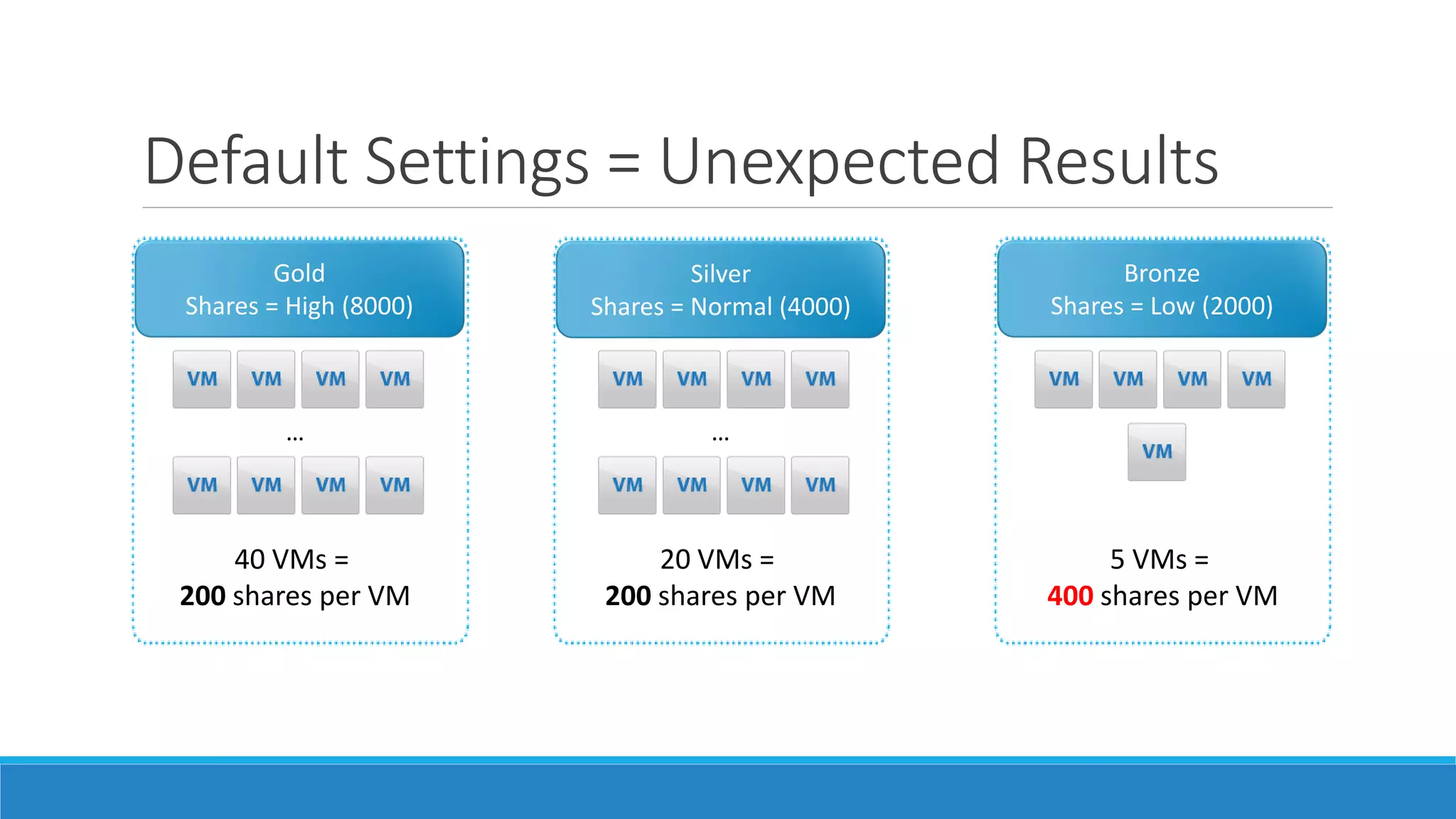
Default Settings = Unexpected Results
Gold
Shares = High (8000)
…
40 VMs =
200 shares per VM
Silver
Shares = Normal (4000)
…
20 VMs =
200 shares per VM
Bronze
Shares = Low (2000)
5 VMs =
400 shares per VM
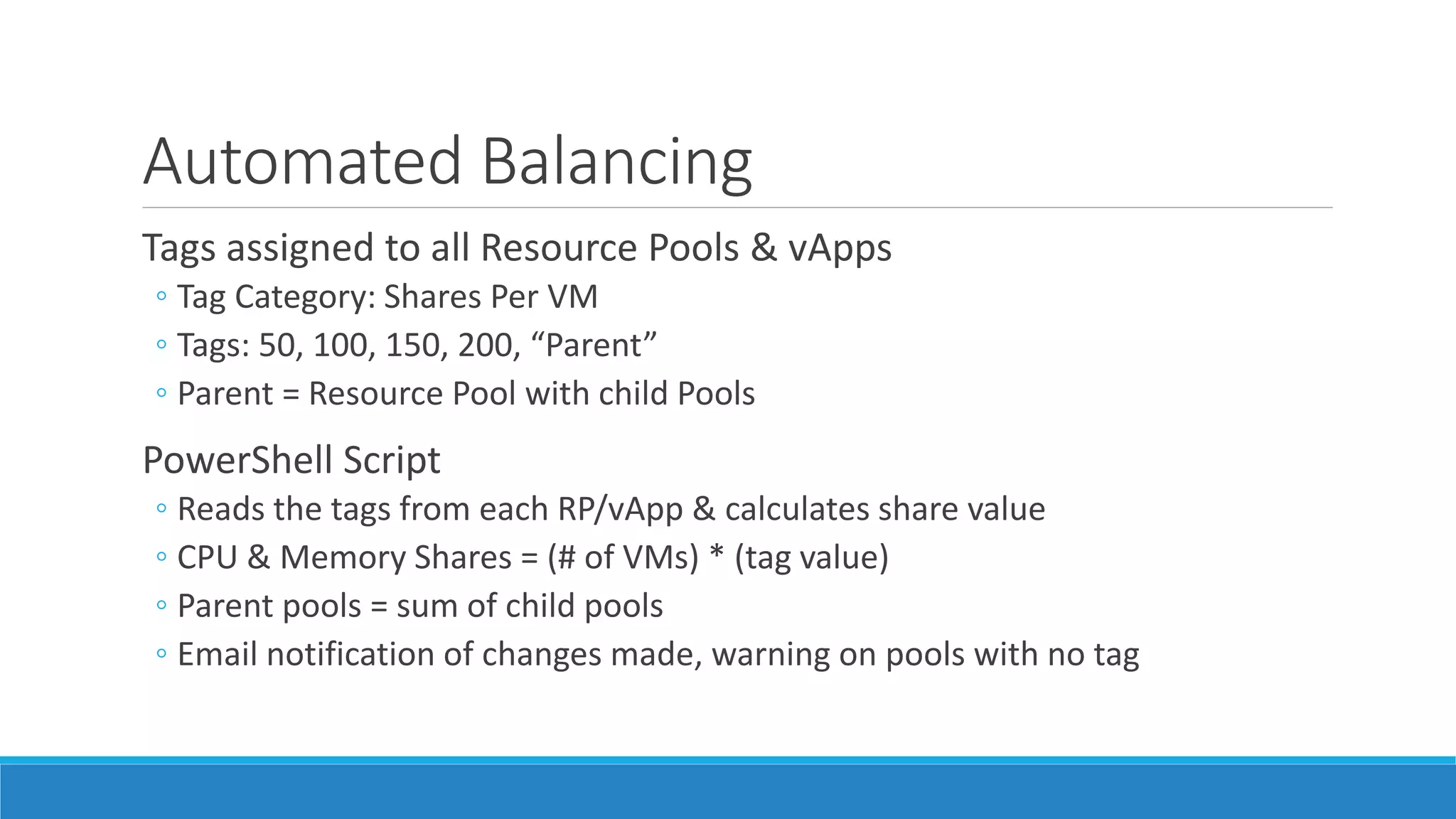
Automated Balancing
Tags assigned to all Resource Pools & vApps
◦ Tag Category: Shares Per VM
◦ Tags: 50, 100, 150, 200, “Parent”
◦ Parent = Resource Pool with child Pools
PowerShell Script
◦ Reads the tags from each RP/vApp & calculates share value
◦ CPU & Memory Shares = (# of VMs) * (tag value)
◦ Parent pools = sum of child pools
◦ Email notification of changes made, warning on pools with no tag
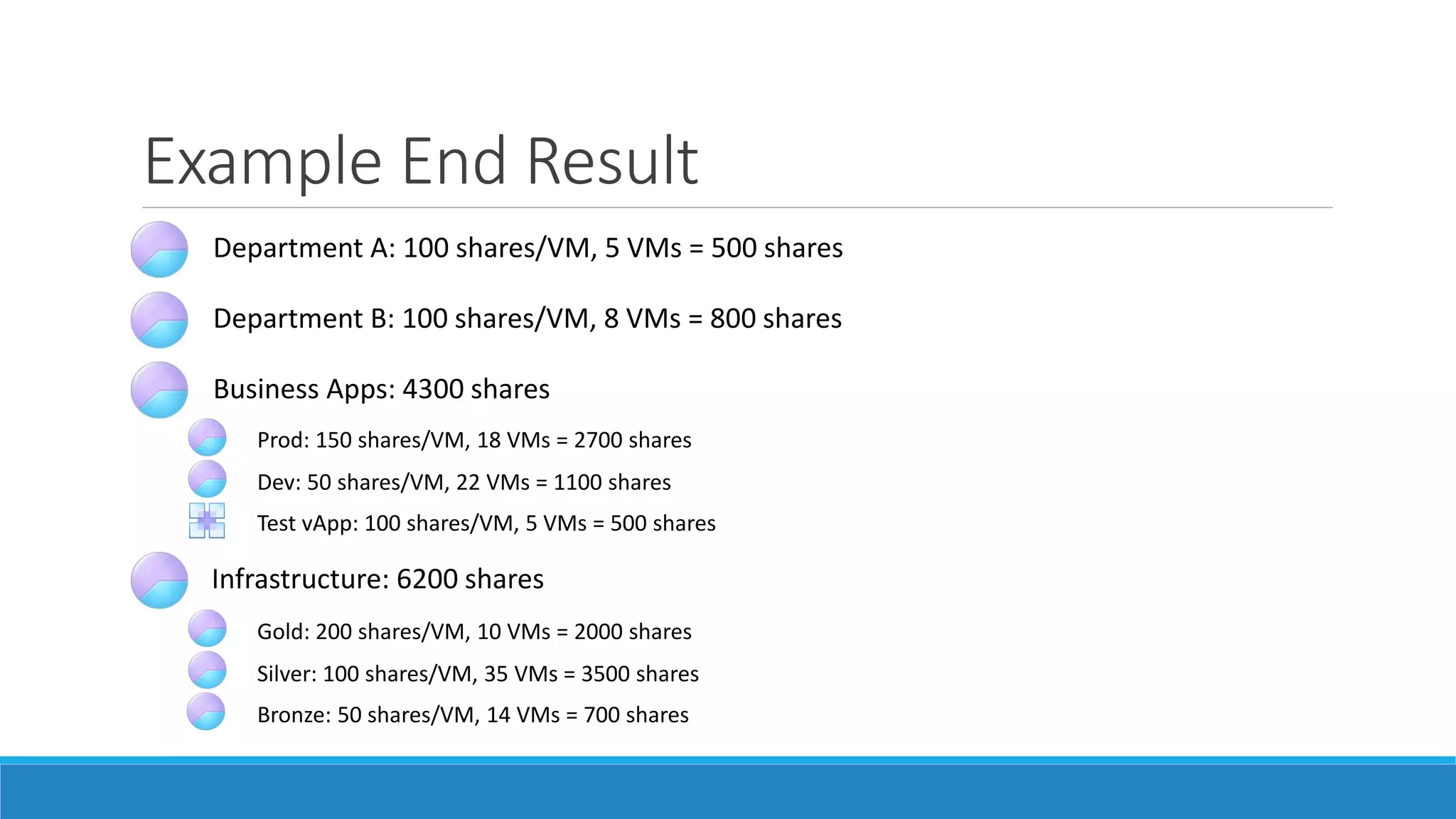
Example End Result
Department A: 100 shares/VM, 5 VMs = 500 shares
Department B: 100 shares/VM, 8 VMs = 800 shares
Infrastructure: 6200 shares
Gold: 200 shares/VM, 10 VMs = 2000 shares
Business Apps: 4300 shares
Silver: 100 shares/VM, 35 VMs = 3500 shares
Bronze: 50 shares/VM, 14 VMs = 700 shares
Prod: 150 shares/VM, 18 VMs = 2700 shares
Dev: 50 shares/VM, 22 VMs = 1100 shares
Test vApp: 100 shares/VM, 5 VMs = 500 shares
THANK YOU!
QUESTIONS?
This document was created using the official VMware icon and diagram library. Copyright © 2012 VMware, Inc. All rights reserved. This
product is protected by U.S. and international copyright and intellectual property laws. VMware products are covered by one or more
patents listed at http://www.vmware.com/go/patents.
VMware does not endorse or make any representations about third party information included in this document, nor does the inclusion
of any VMware icon or diagram in this document imply such an endorsement.

CPAVMUG Presentation 2015-07-16 - Resource Pool Balancing

  • 1.
    VM Resource Pool Rebalancing DANBARR, PENN STATE ARL CENTRAL PA VMUG, JULY 16, 2015
  • 2.
    Penn State AppliedResearch Lab University Center of Excellence in Defense science, systems, and technologies U.S. Navy UARC (University-Affiliated Research Center) Approximately 1100 researchers and support staff ARL IT Services division manages VMs for lab-wide infrastructure, business applications, and hosting for numerous research departments Production clusters (x2): 10 hosts, 250 VMs Project-specific clusters (x3): 16 hosts, 60 VMs, several “monster” VMs
  • 3.
    Resource Pool Balancing UseResource Pools to prioritize critical VMs and ensure fair balancing during contention Rule 1: Resource Pools are NOT folders! ◦ They have a real impact on resource distribution during contention Rule 2: Share values are arbitrary but relative ◦ Pick base per-VM values and be consistent with share weighting ◦ No default (Low/Normal/High) values on pools Rule 3: Don’t mix Resource Pools and VMs at the same inventory level Rule 4: vApps are Resource Pools, too How do we balance the shares, and more importantly keep them balanced over time?
  • 4.
    Default Settings =Unexpected Results Gold Shares = High (8000) … 40 VMs = 200 shares per VM Silver Shares = Normal (4000) … 20 VMs = 200 shares per VM Bronze Shares = Low (2000) 5 VMs = 400 shares per VM
  • 5.
    Automated Balancing Tags assignedto all Resource Pools & vApps ◦ Tag Category: Shares Per VM ◦ Tags: 50, 100, 150, 200, “Parent” ◦ Parent = Resource Pool with child Pools PowerShell Script ◦ Reads the tags from each RP/vApp & calculates share value ◦ CPU & Memory Shares = (# of VMs) * (tag value) ◦ Parent pools = sum of child pools ◦ Email notification of changes made, warning on pools with no tag
  • 6.
    Example End Result DepartmentA: 100 shares/VM, 5 VMs = 500 shares Department B: 100 shares/VM, 8 VMs = 800 shares Infrastructure: 6200 shares Gold: 200 shares/VM, 10 VMs = 2000 shares Business Apps: 4300 shares Silver: 100 shares/VM, 35 VMs = 3500 shares Bronze: 50 shares/VM, 14 VMs = 700 shares Prod: 150 shares/VM, 18 VMs = 2700 shares Dev: 50 shares/VM, 22 VMs = 1100 shares Test vApp: 100 shares/VM, 5 VMs = 500 shares
  • 7.
    THANK YOU! QUESTIONS? This documentwas created using the official VMware icon and diagram library. Copyright © 2012 VMware, Inc. All rights reserved. This product is protected by U.S. and international copyright and intellectual property laws. VMware products are covered by one or more patents listed at http://www.vmware.com/go/patents. VMware does not endorse or make any representations about third party information included in this document, nor does the inclusion of any VMware icon or diagram in this document imply such an endorsement.