CENTRAL UNIVERSITY OF SOUTH BIHAR
Microsoft uses Cosmos DB
SUBMITTED BY:
ABHINEET KUMAR (CUSB2302312001)
MOHIT KUMAR (CUSB2302312010)
SUBMITTED TO:
DR. PRABHAT RANJAN
ASSOCIATE PROFESSOR, CUSB
CONTENTS
1. Introduction
2. Microsoft
3. Azure Cosmos DB
4. Features of Azure Cosmos DB
5. Architecture of Cosmo dB
6. Storage mechanism
7. Some Examples
8. Comparing Cosmos DB and MongoDB
9. Advantages & Disadvantages
10. Conclusion
Microsoft Corporation
Founded: April 4, 1975
Founders: Bill Gates and Paul Allen
Headquarters: Redmond, Washington, USA
CEO: Satya Nadella
Industry: Technology
Revenue: $211.9 billion (FY 2023)
Employees: ~221,000 (2023)
Microsoft is a global leader in technology, known for its
software products like the Windows operating system and
Microsoft Office suite. It also provides a range of cloud
services through Azure, develops hardware like Surface
devices and Xbox gaming consoles, and is a key player in
AI development, with investments in OpenAI and
generative AI products such as Copilot in Office
applications. Microsoft’s cloud segment, Azure, is a major
revenue driver, positioning the company as a leader in
cloud computing.
AZURE COSMOS DB
Azure Cosmos DB is a globally distributed,
fully managed NoSQL database service by
Microsoft, designed for mission-critical
applications with high scalability and low-
latency performance.
Use Cases: Ideal for applications requiring
real-time data access, such as IoT,
gaming, retail, and social media
platforms.
Azure cosmos dB's history
•2010 – Origin as "Project Florence"
Developed internally to store large-scale unstructured data for Microsoft services.
•2014 – Launch as Document DB
Initially released as Document DB, focusing on document storage with limited functionality.
•2017 – Rebranded and Public Release as Azure Cosmos DB
Evolved into a globally distributed, multi-model database with horizontal partitioning for scalability.
•2018 – Multi-Master Feature Announcement
Introduced multi-master capabilities, allowing multiple write regions, boosting scalability and
reliability.
Why we need ?
 Rapid Scaling & Low-Latency
 Multi-Model Support
 High Performance & Availability
 Flexible Consistency Models
 Elastic Scaling
 Automatic Partitioning
 Change Data Capture (CDC)
 Cost-Effective for Serverless Apps
 SLAs for Mission-Critical Workloads
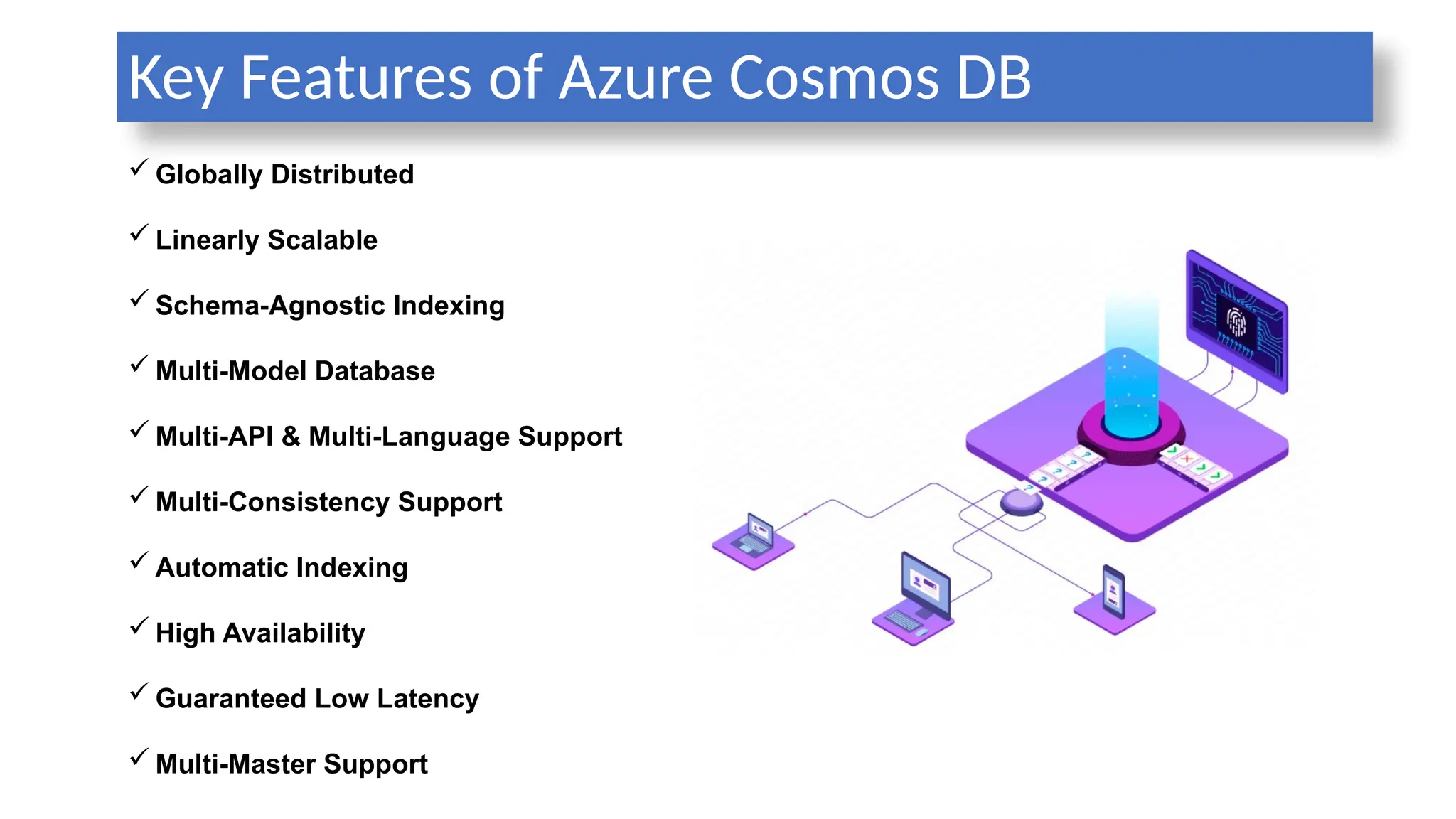
Key Features of Azure Cosmos DB
 Globally Distributed
 Linearly Scalable
 Schema-Agnostic Indexing
 Multi-Model Database
 Multi-API & Multi-Language Support
 Multi-Consistency Support
 Automatic Indexing
 High Availability
 Guaranteed Low Latency
 Multi-Master Support
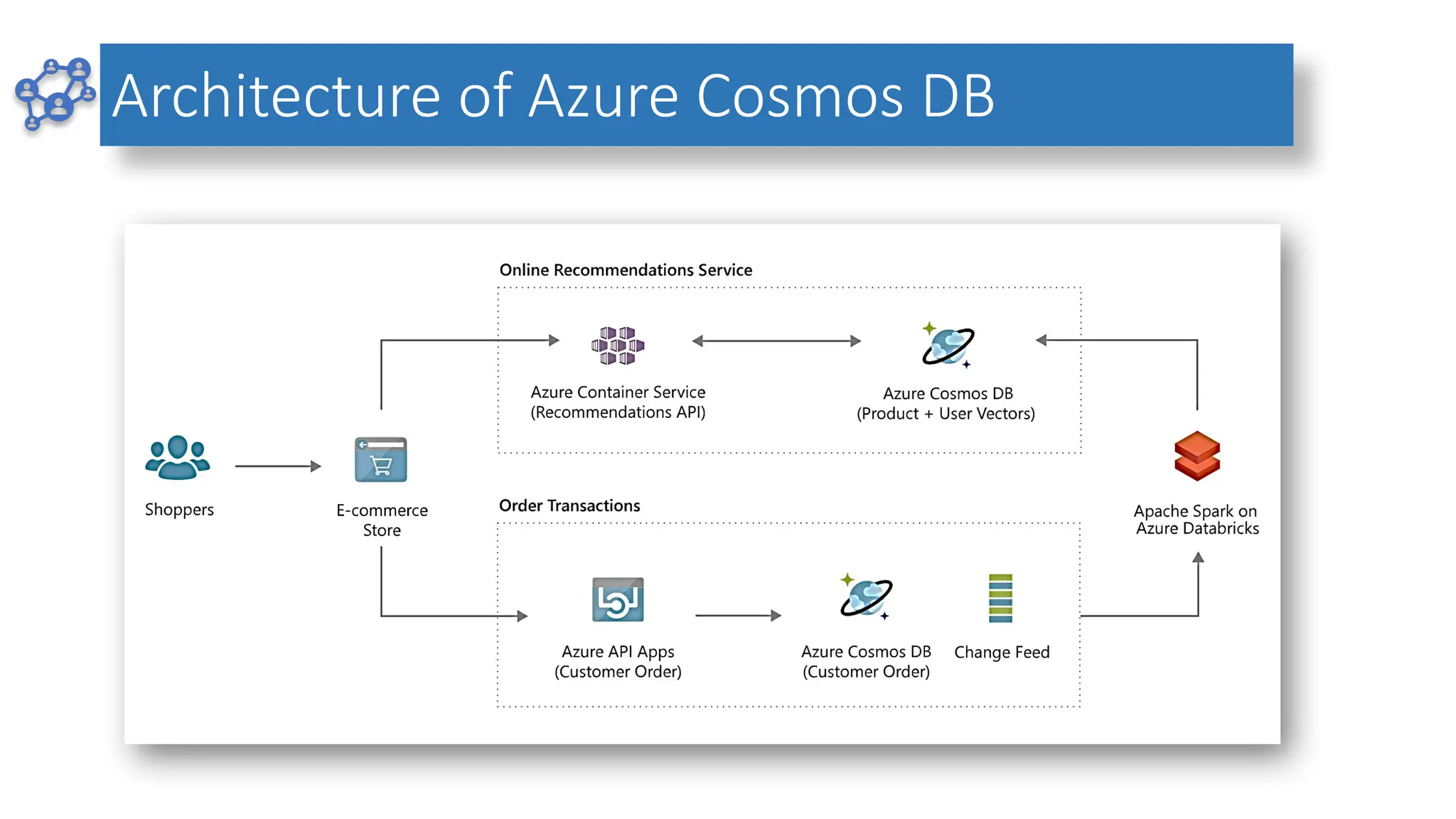
Architecture of Azure Cosmos DB
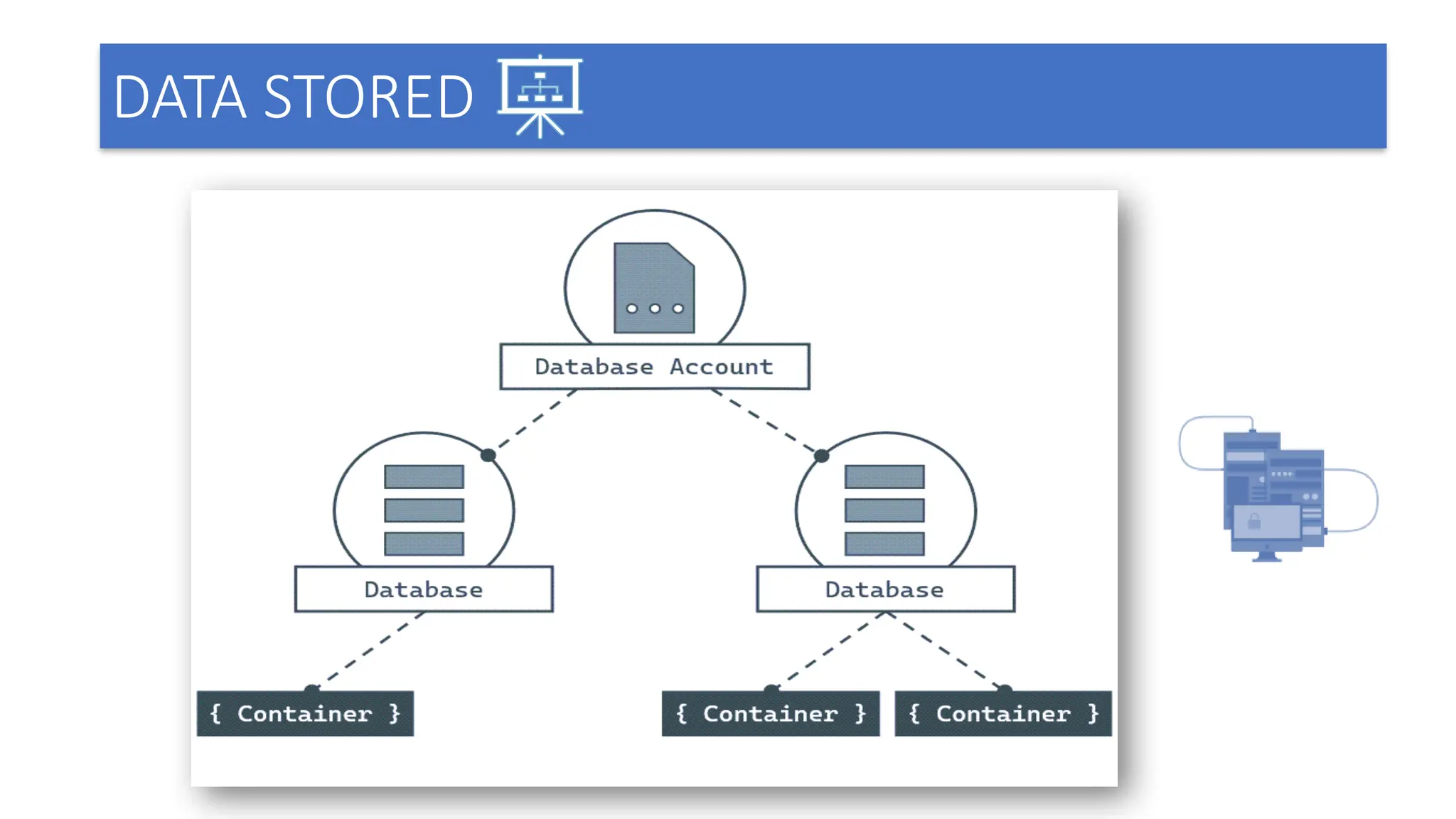
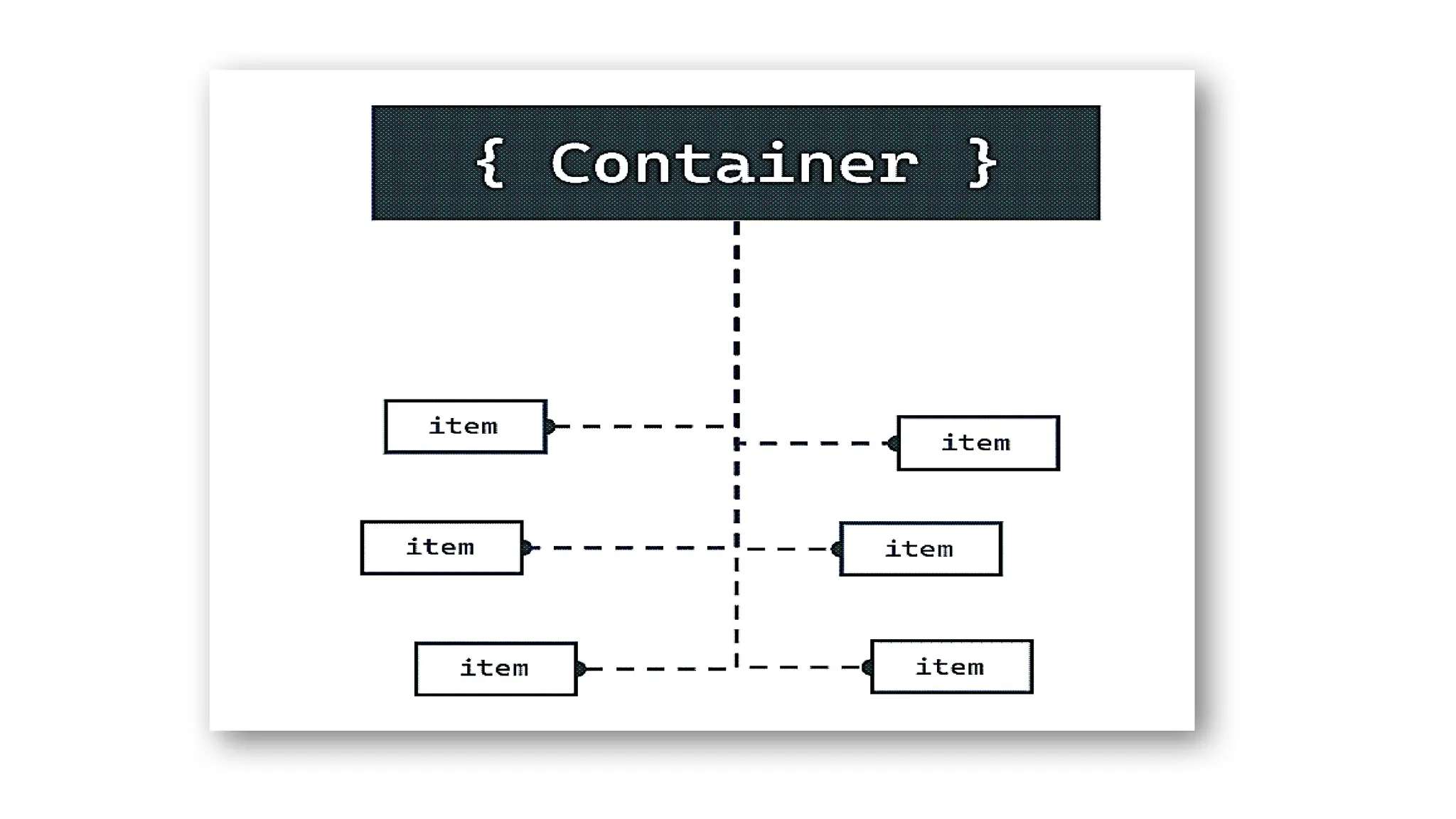
DATA STORED
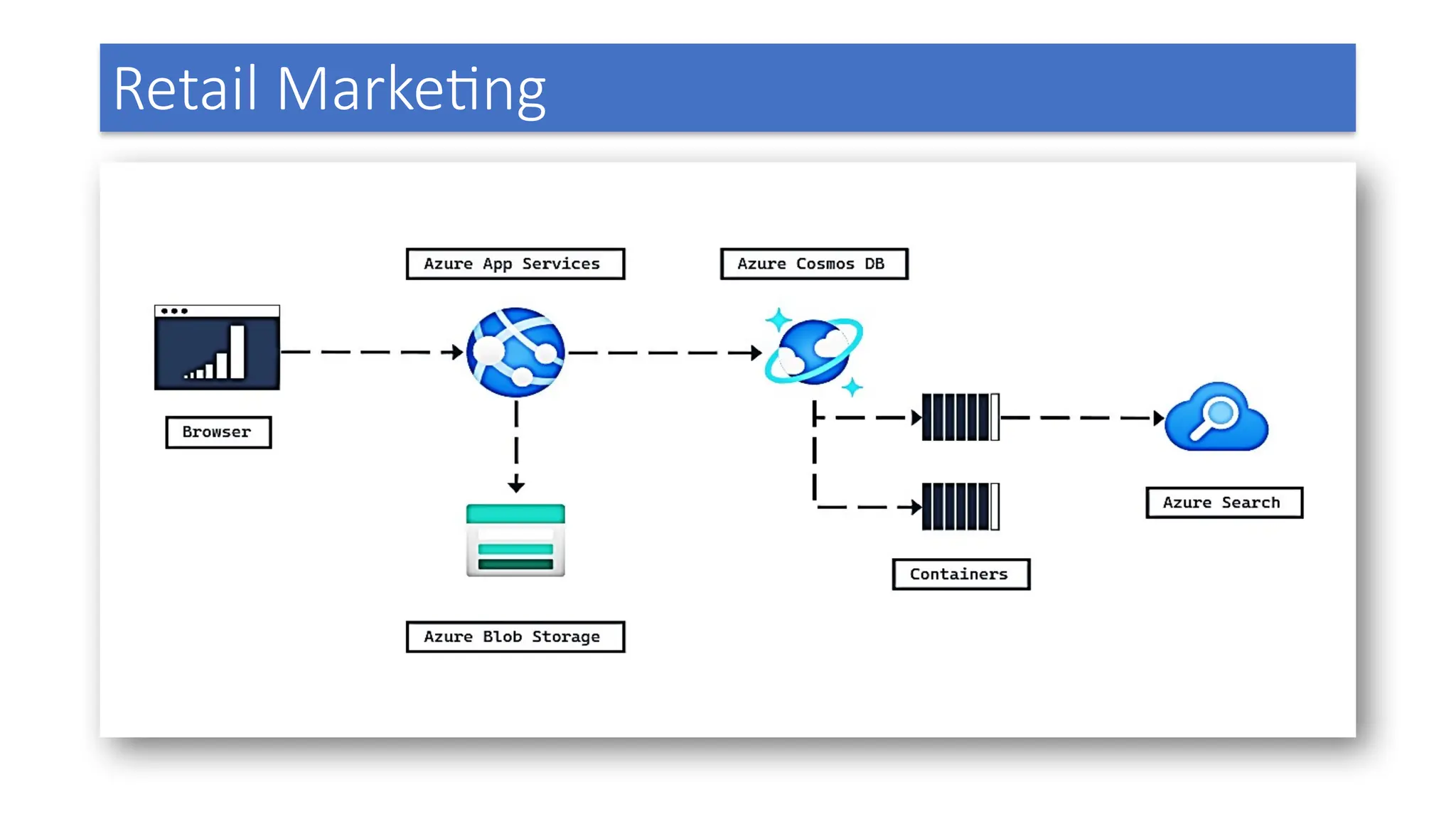
Retail Marketing
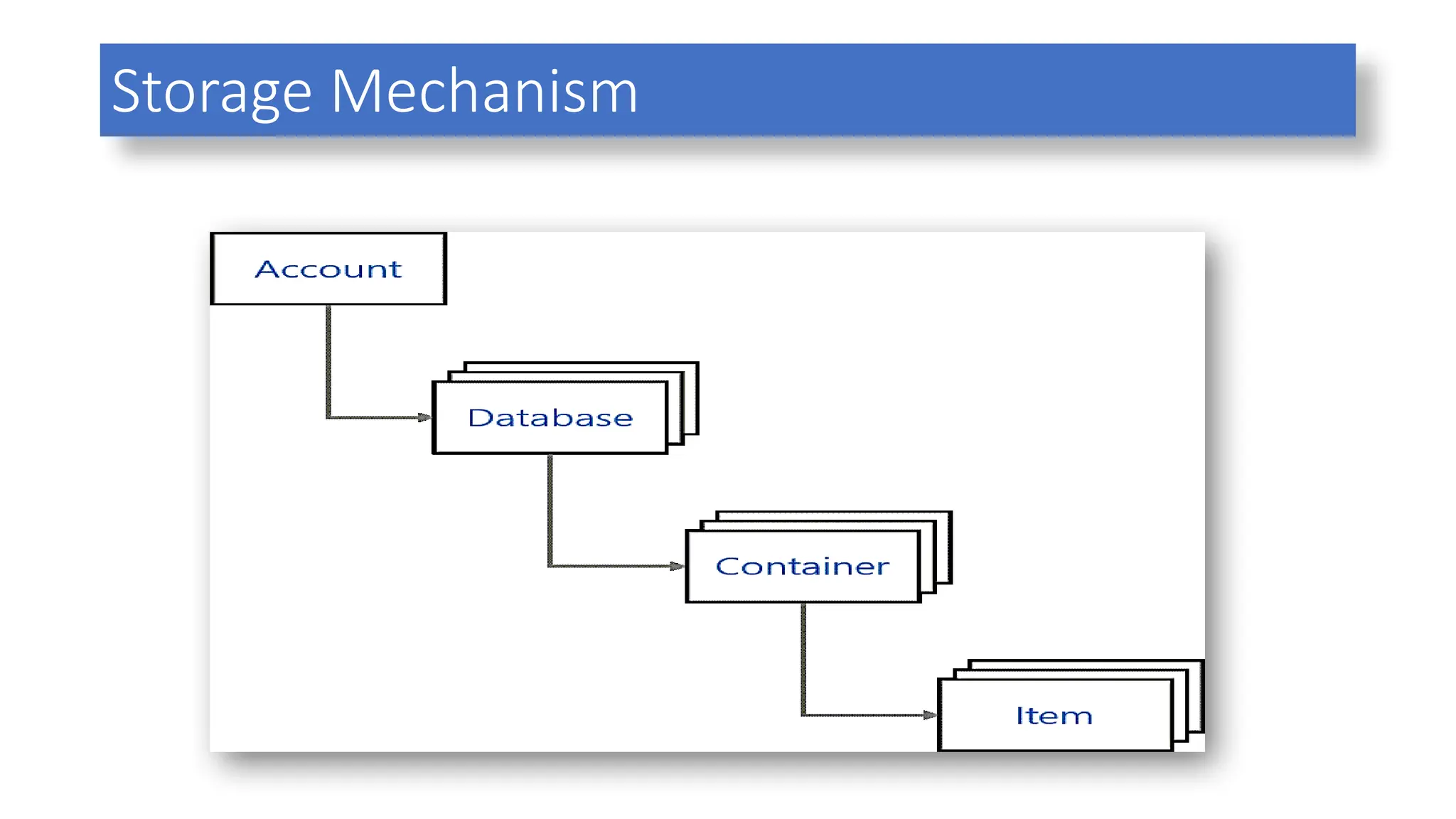
Storage Mechanism
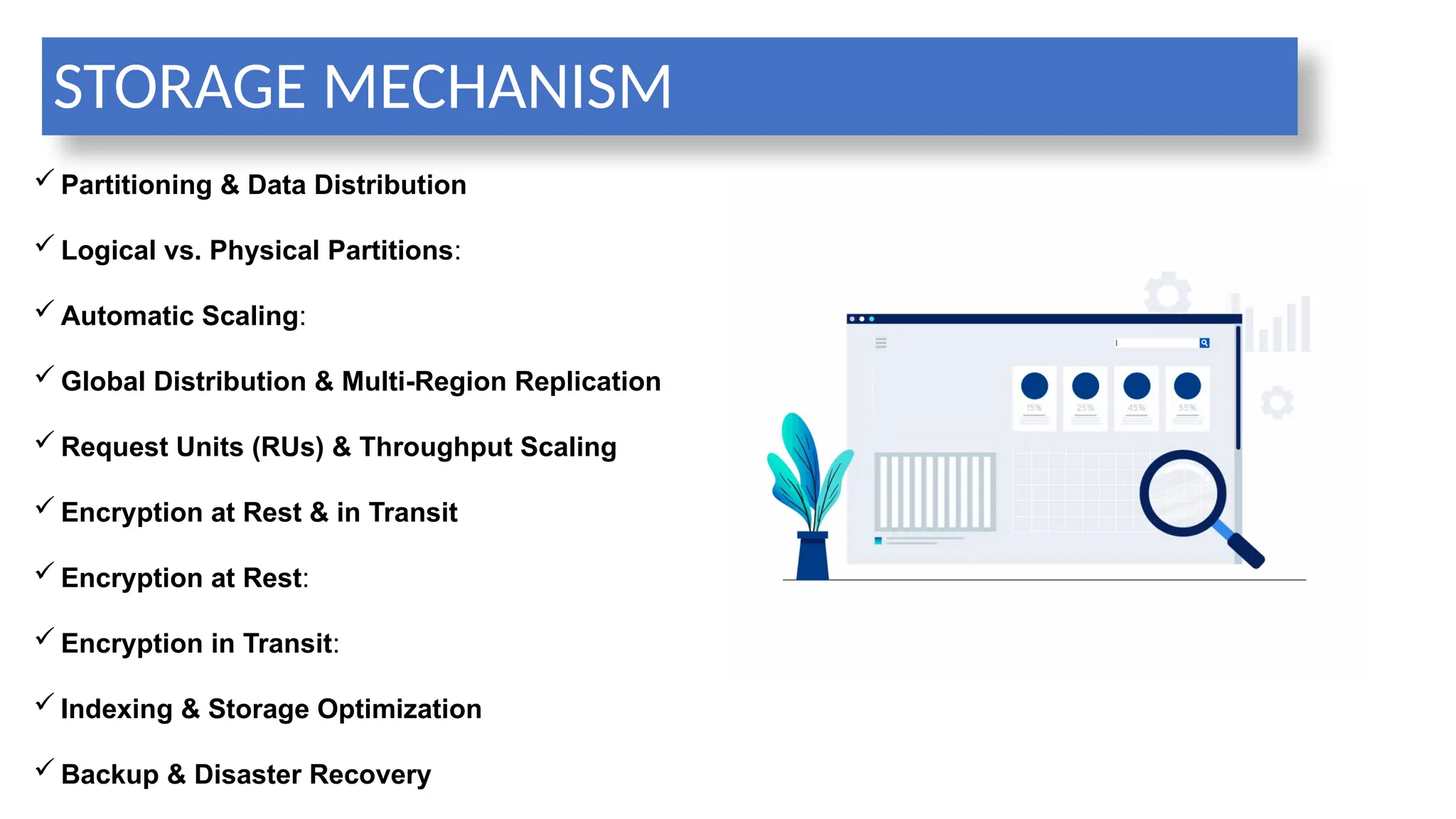
STORAGE MECHANISM
 Partitioning & Data Distribution
 Logical vs. Physical Partitions:
 Automatic Scaling:
 Global Distribution & Multi-Region Replication
 Request Units (RUs) & Throughput Scaling
 Encryption at Rest & in Transit
 Encryption at Rest:
 Encryption in Transit:
 Indexing & Storage Optimization
 Backup & Disaster Recovery
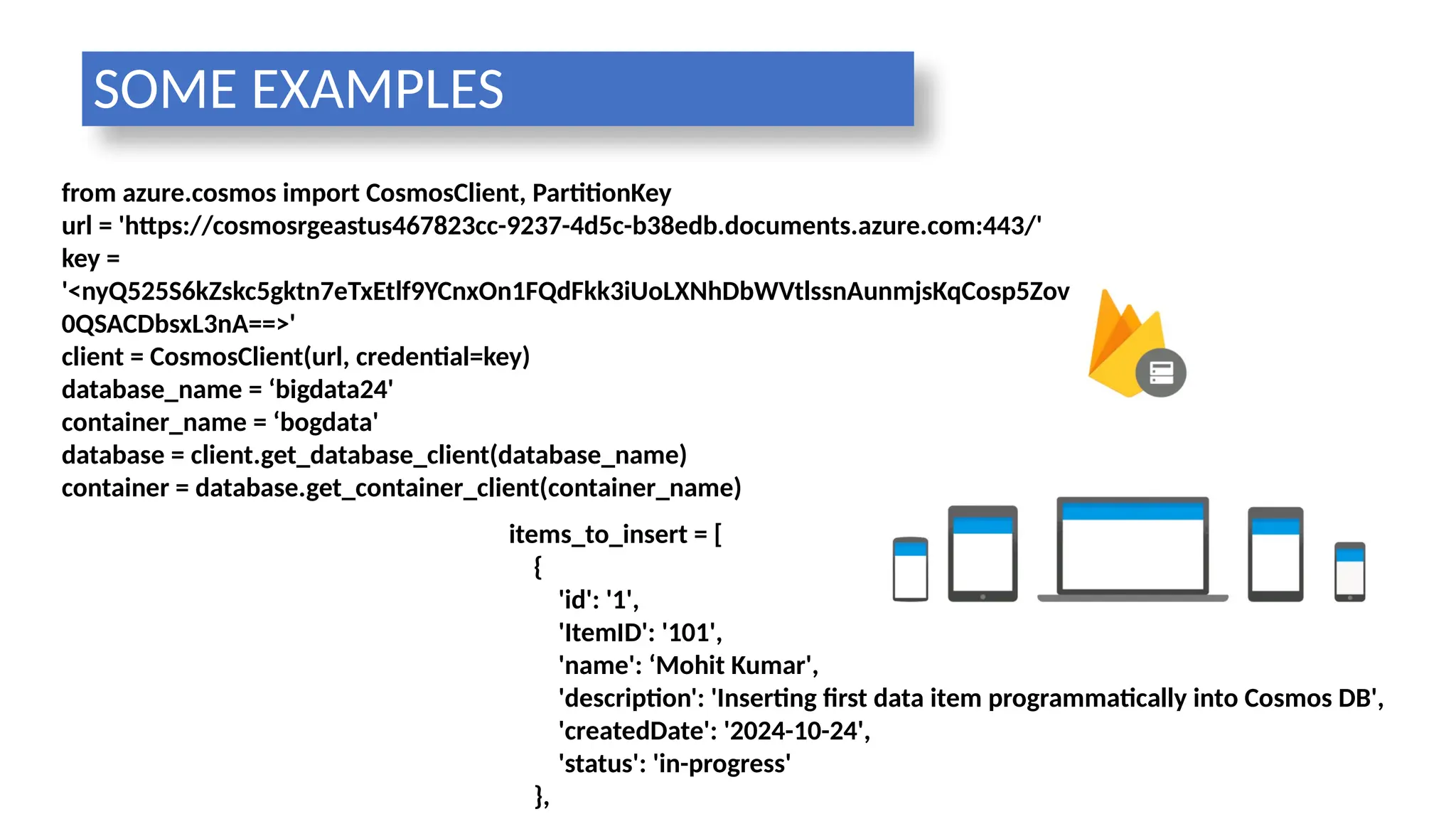
from azure.cosmos import CosmosClient, PartitionKey
url = 'https://cosmosrgeastus467823cc-9237-4d5c-b38edb.documents.azure.com:443/'
key =
'<nyQ525S6kZskc5gktn7eTxEtlf9YCnxOn1FQdFkk3iUoLXNhDbWVtlssnAunmjsKqCosp5Zov
0QSACDbsxL3nA==>'
client = CosmosClient(url, credential=key)
database_name = ‘bigdata24'
container_name = ‘bogdata'
database = client.get_database_client(database_name)
container = database.get_container_client(container_name)
items_to_insert = [
{
'id': '1',
'ItemID': '101',
'name': ‘Mohit Kumar',
'description': 'Inserting first data item programmatically into Cosmos DB',
'createdDate': '2024-10-24',
'status': 'in-progress'
},
SOME EXAMPLES
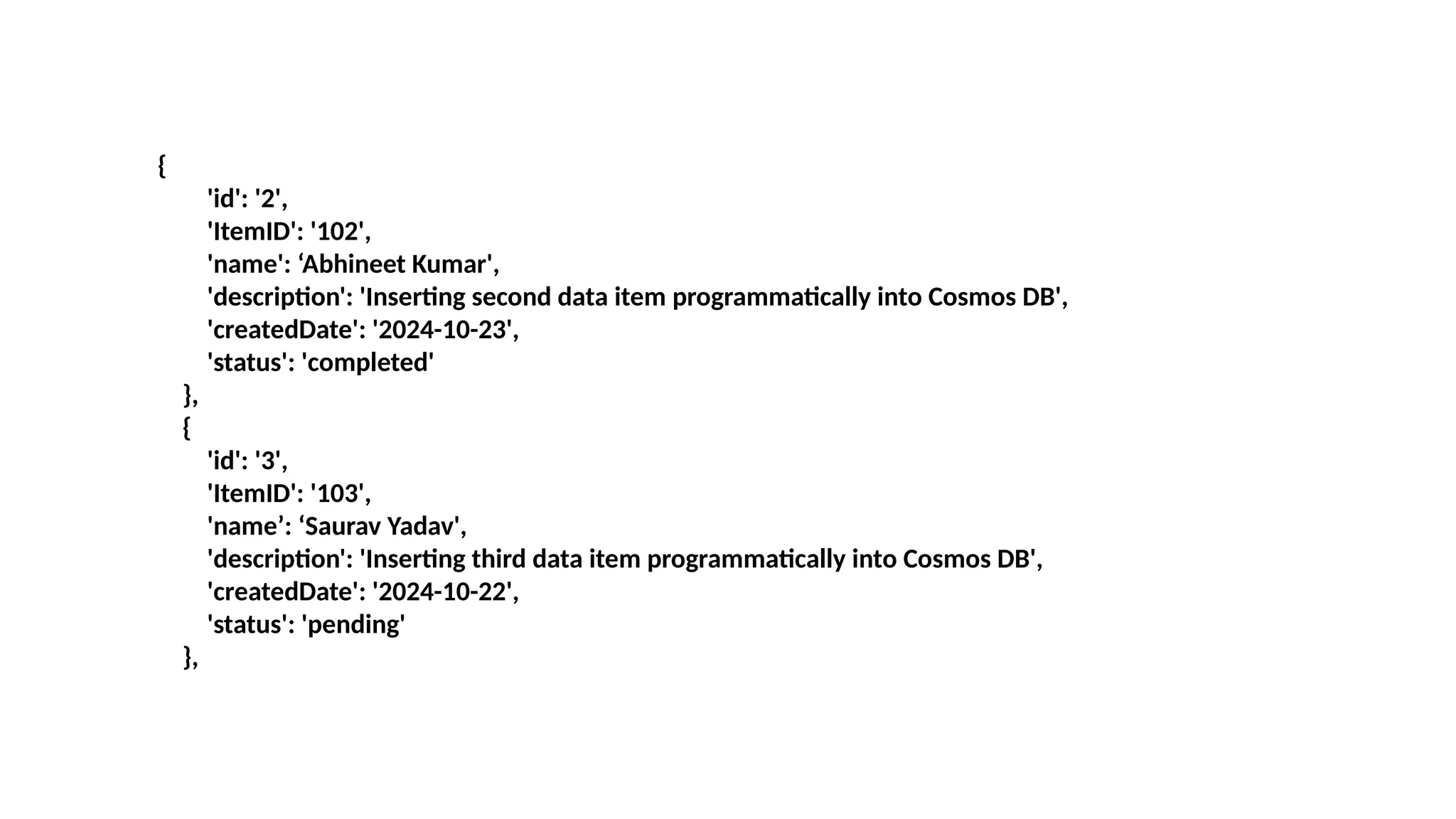
{
'id': '2',
'ItemID': '102',
'name': ‘Abhineet Kumar',
'description': 'Inserting second data item programmatically into Cosmos DB',
'createdDate': '2024-10-23',
'status': 'completed'
},
{
'id': '3',
'ItemID': '103',
'name’: ‘Saurav Yadav',
'description': 'Inserting third data item programmatically into Cosmos DB',
'createdDate': '2024-10-22',
'status': 'pending'
},
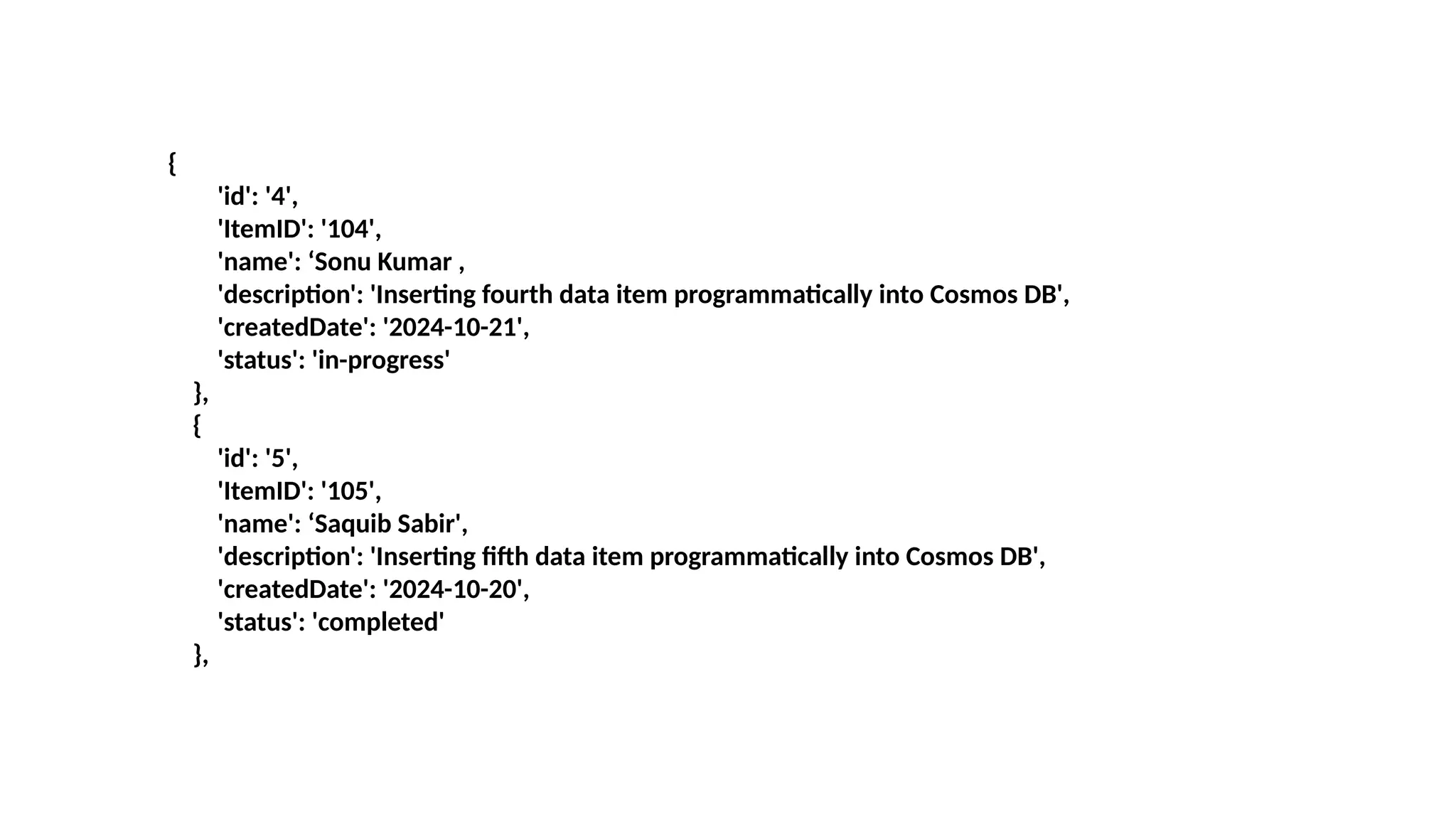
{
'id': '4',
'ItemID': '104',
'name': ‘Sonu Kumar ,
'description': 'Inserting fourth data item programmatically into Cosmos DB',
'createdDate': '2024-10-21',
'status': 'in-progress'
},
{
'id': '5',
'ItemID': '105',
'name': ‘Saquib Sabir',
'description': 'Inserting fifth data item programmatically into Cosmos DB',
'createdDate': '2024-10-20',
'status': 'completed'
},
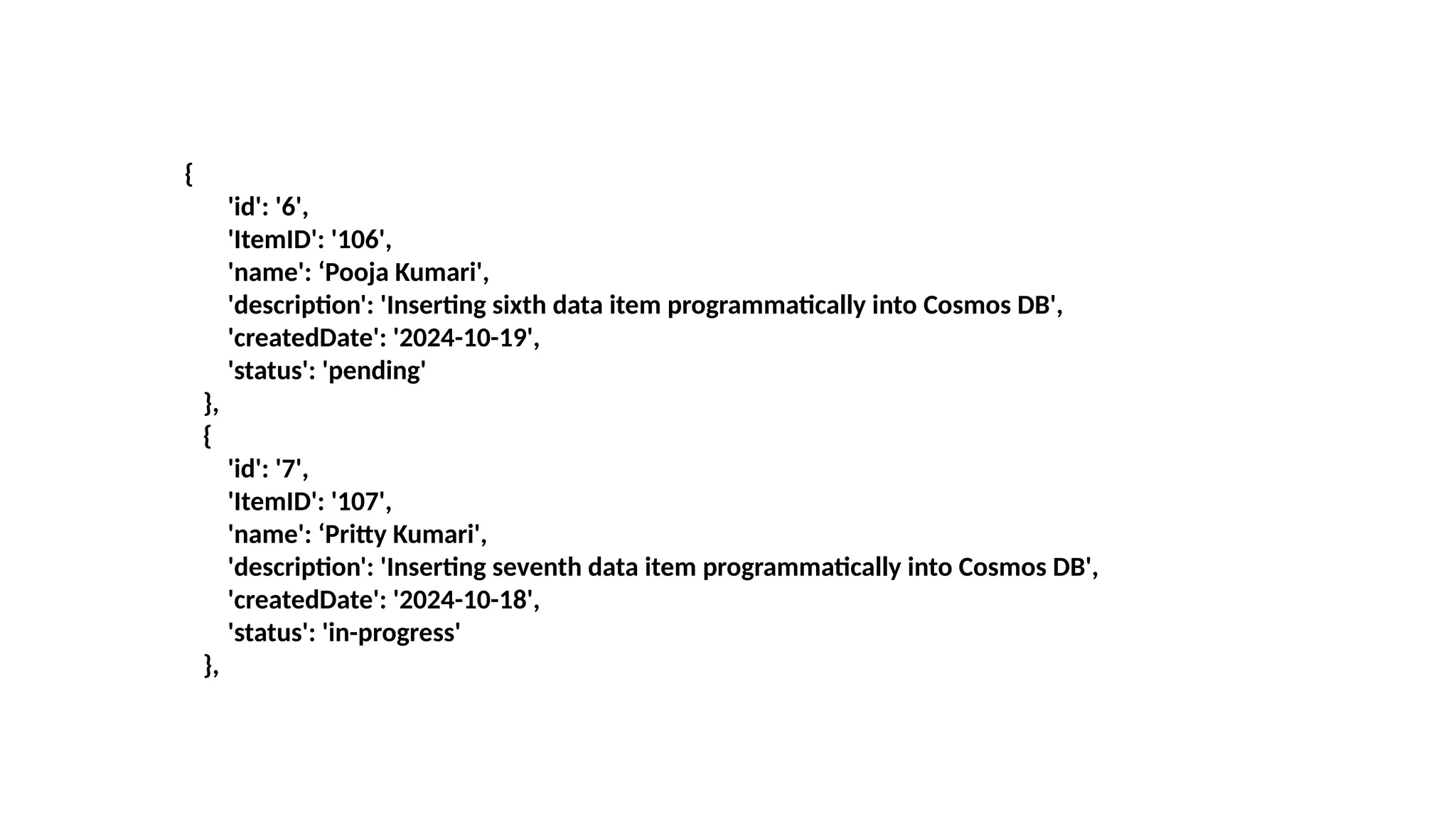
{
'id': '6',
'ItemID': '106',
'name': ‘Pooja Kumari',
'description': 'Inserting sixth data item programmatically into Cosmos DB',
'createdDate': '2024-10-19',
'status': 'pending'
},
{
'id': '7',
'ItemID': '107',
'name': ‘Pritty Kumari',
'description': 'Inserting seventh data item programmatically into Cosmos DB',
'createdDate': '2024-10-18',
'status': 'in-progress'
},
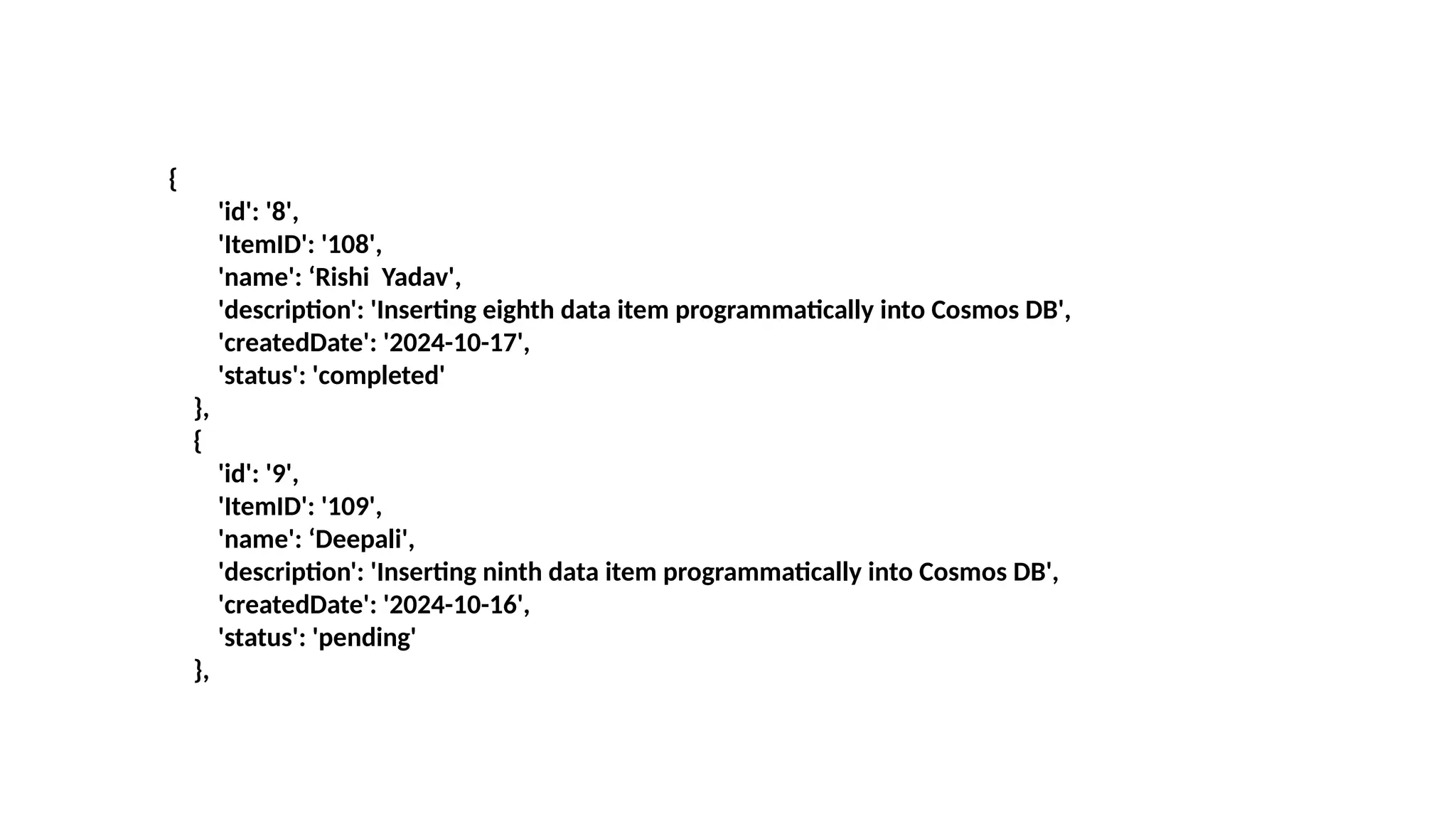
{
'id': '8',
'ItemID': '108',
'name': ‘Rishi Yadav',
'description': 'Inserting eighth data item programmatically into Cosmos DB',
'createdDate': '2024-10-17',
'status': 'completed'
},
{
'id': '9',
'ItemID': '109',
'name': ‘Deepali',
'description': 'Inserting ninth data item programmatically into Cosmos DB',
'createdDate': '2024-10-16',
'status': 'pending'
},
{
'id': '10',
'ItemID': '110',
'name’: ‘Sunny Kumari',
'description': 'Inserting tenth data item programmatically into Cosmos DB',
'createdDate': '2024-10-16',
'status': 'in-progress'
}
]
# Insert each document into the container
for bigdata in items_to_insert:
container.create_item(body=bigdata)
print("10 unique items inserted successfully.")
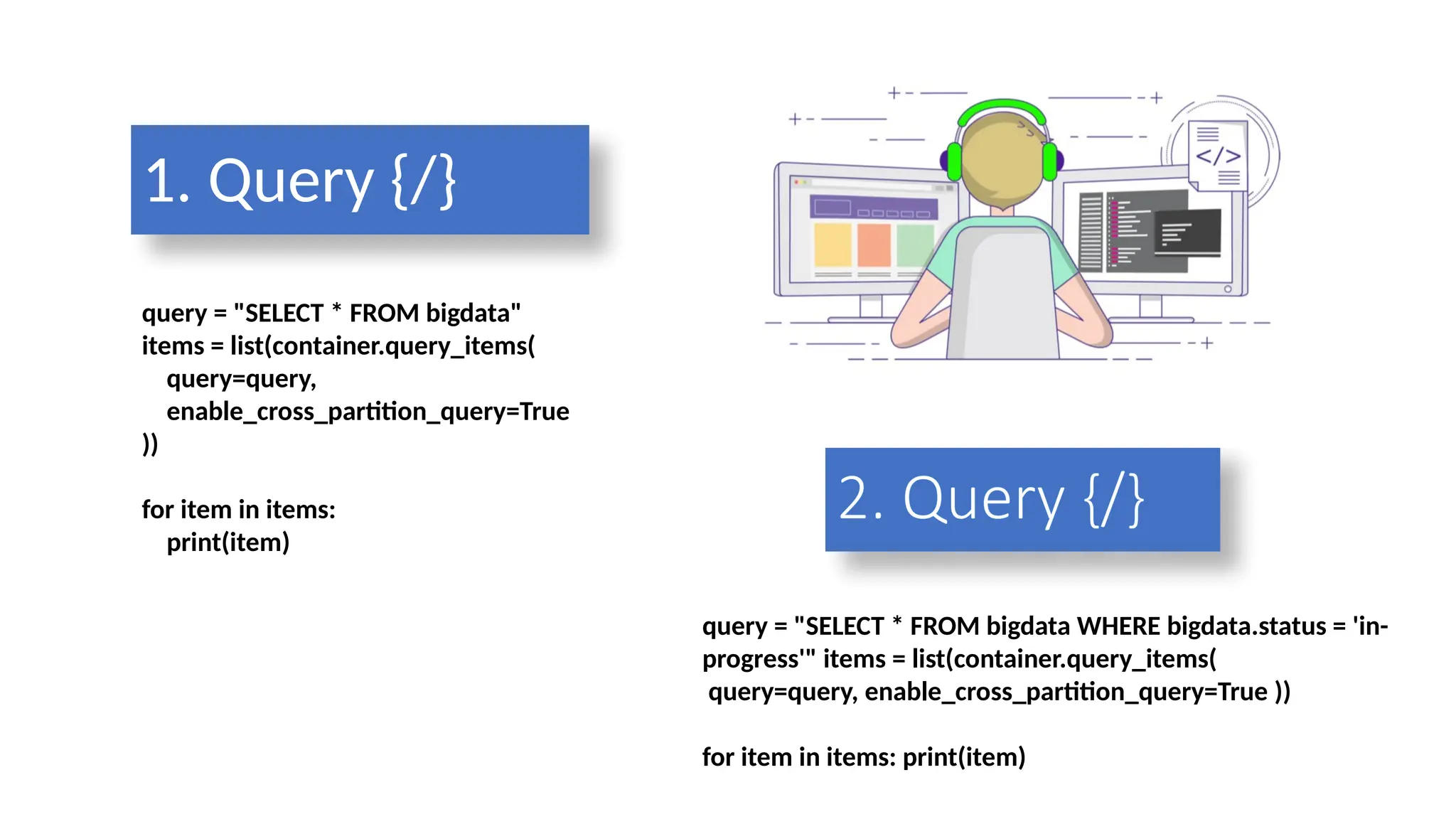
query = "SELECT * FROM bigdata"
items = list(container.query_items(
query=query,
enable_cross_partition_query=True
))
for item in items:
print(item)
1. Query {/}
query = "SELECT * FROM bigdata WHERE bigdata.status = 'in-
progress'" items = list(container.query_items(
query=query, enable_cross_partition_query=True ))
for item in items: print(item)
2. Query {/}
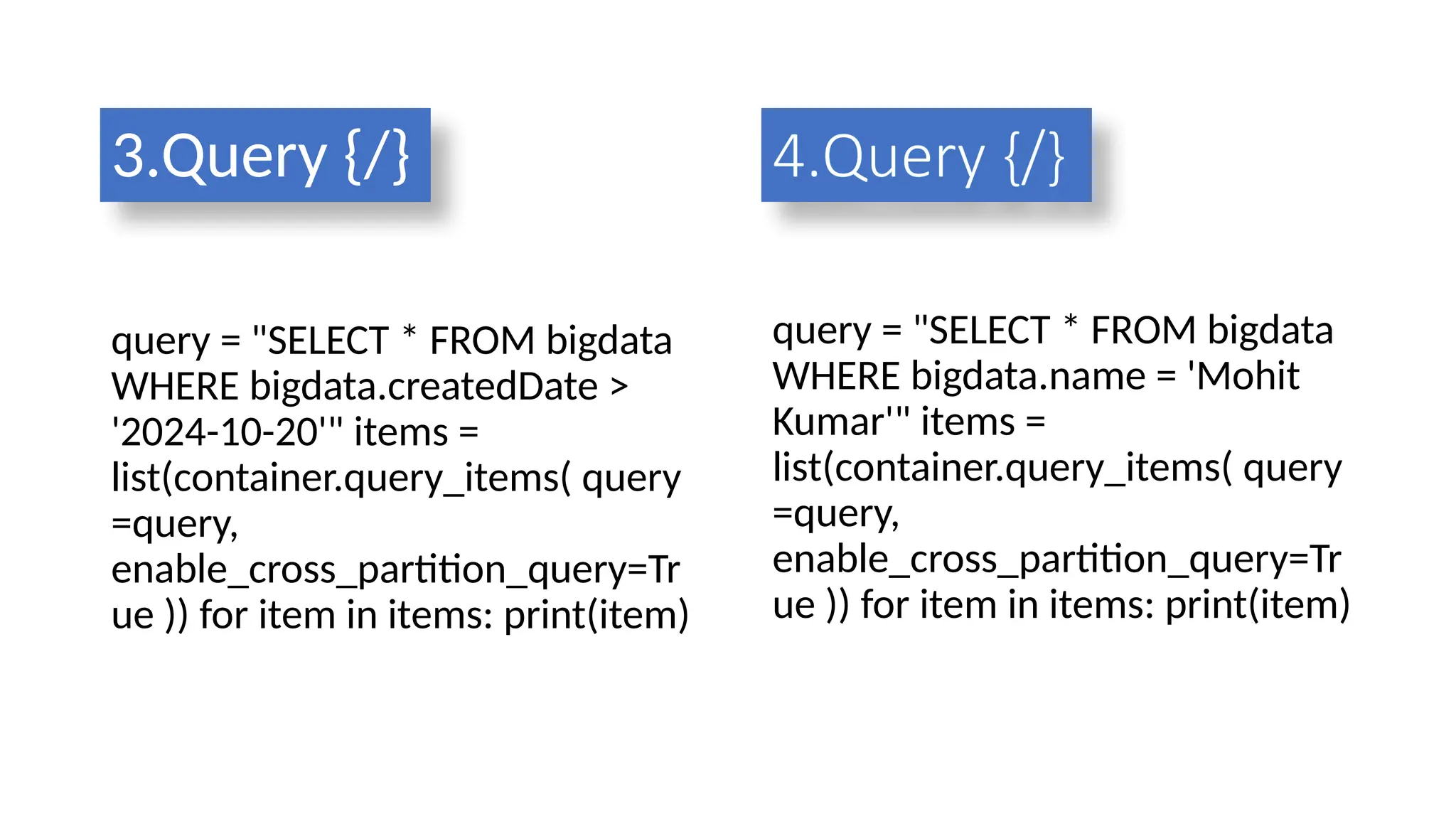
3.Query {/}
query = "SELECT * FROM bigdata
WHERE bigdata.createdDate >
'2024-10-20'" items =
list(container.query_items( query
=query,
enable_cross_partition_query=Tr
ue )) for item in items: print(item)
query = "SELECT * FROM bigdata
WHERE bigdata.name = 'Mohit
Kumar'" items =
list(container.query_items( query
=query,
enable_cross_partition_query=Tr
ue )) for item in items: print(item)
4.Query {/}
5.Query {/}
query = "SELECT VALUE COUNT(1) FROM bigdata"
count = list(container.query_items(
query=query,
enable_cross_partition_query=True
))
print(f"Total number of items: {count[0]}")
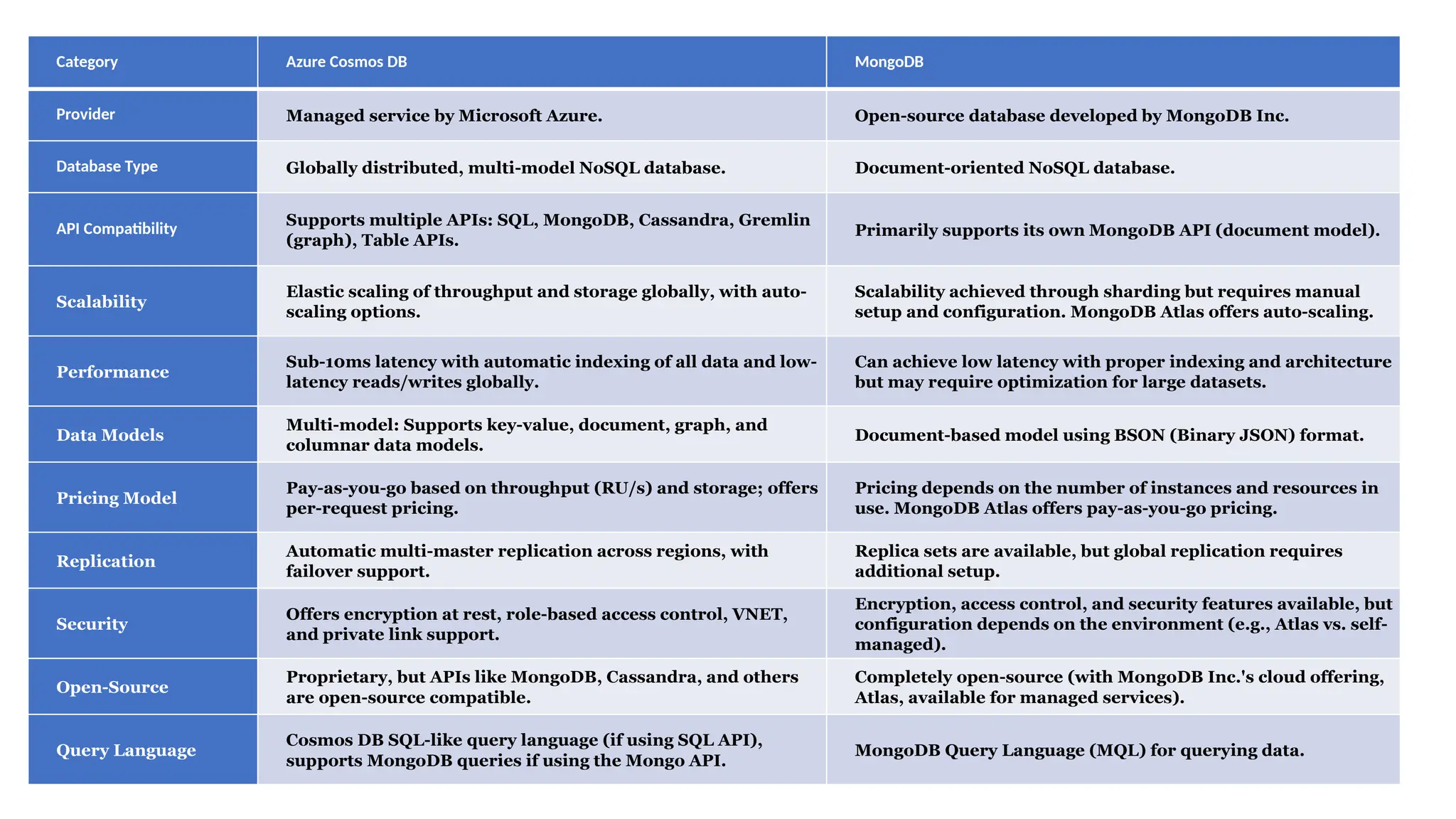
Category Azure Cosmos DB MongoDB
Provider Managed service by Microsoft Azure. Open-source database developed by MongoDB Inc.
Database Type Globally distributed, multi-model NoSQL database. Document-oriented NoSQL database.
API Compatibility
Supports multiple APIs: SQL, MongoDB, Cassandra, Gremlin
(graph), Table APIs.
Primarily supports its own MongoDB API (document model).
Scalability
Elastic scaling of throughput and storage globally, with auto-
scaling options.
Scalability achieved through sharding but requires manual
setup and configuration. MongoDB Atlas offers auto-scaling.
Performance
Sub-10ms latency with automatic indexing of all data and low-
latency reads/writes globally.
Can achieve low latency with proper indexing and architecture
but may require optimization for large datasets.
Data Models
Multi-model: Supports key-value, document, graph, and
columnar data models.
Document-based model using BSON (Binary JSON) format.
Pricing Model
Pay-as-you-go based on throughput (RU/s) and storage; offers
per-request pricing.
Pricing depends on the number of instances and resources in
use. MongoDB Atlas offers pay-as-you-go pricing.
Replication
Automatic multi-master replication across regions, with
failover support.
Replica sets are available, but global replication requires
additional setup.
Security
Offers encryption at rest, role-based access control, VNET,
and private link support.
Encryption, access control, and security features available, but
configuration depends on the environment (e.g., Atlas vs. self-
managed).
Open-Source
Proprietary, but APIs like MongoDB, Cassandra, and others
are open-source compatible.
Completely open-source (with MongoDB Inc.'s cloud offering,
Atlas, available for managed services).
Query Language
Cosmos DB SQL-like query language (if using SQL API),
supports MongoDB queries if using the Mongo API.
MongoDB Query Language (MQL) for querying data.
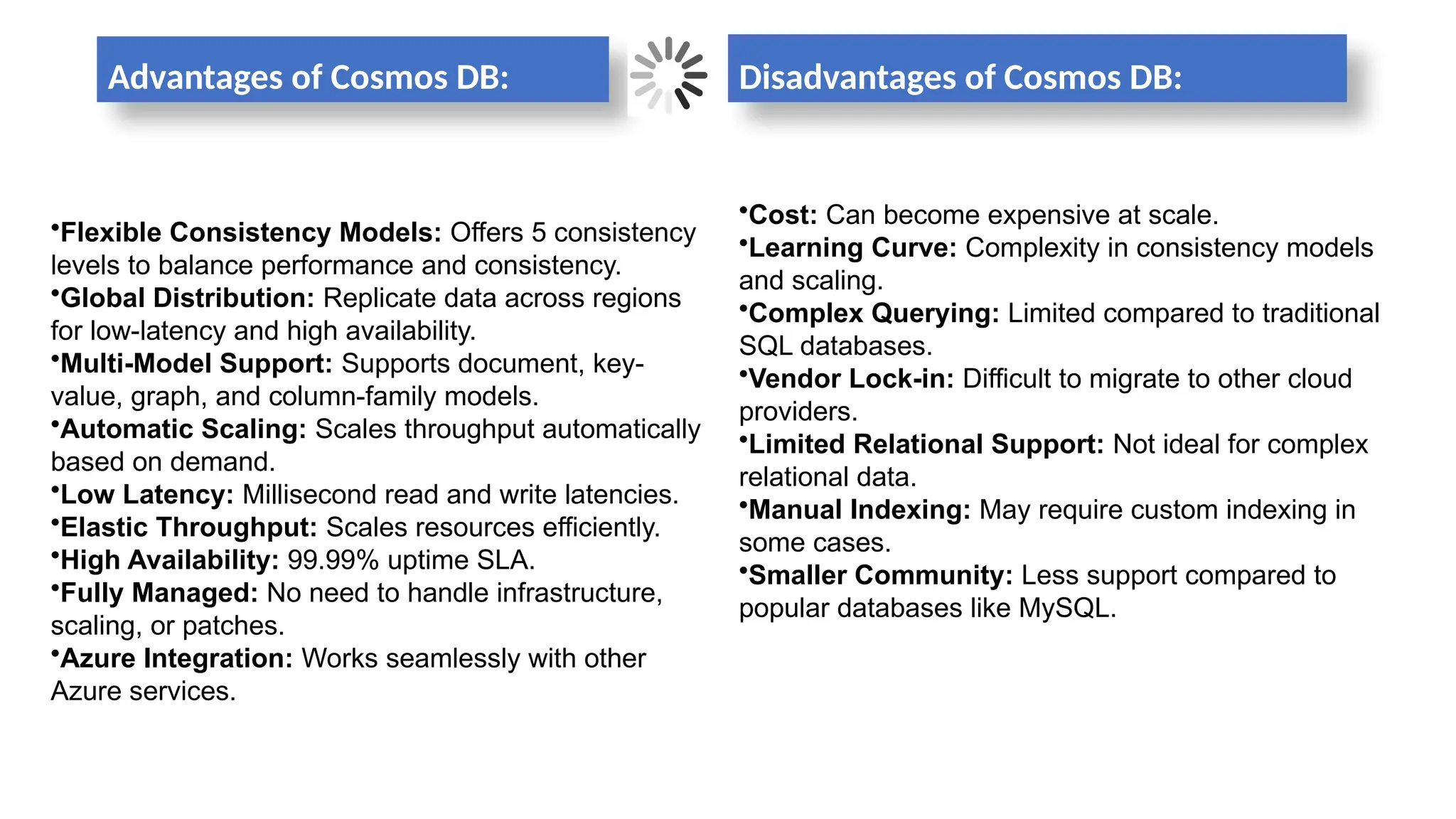
Advantages of Cosmos DB: Disadvantages of Cosmos DB:
•Cost: Can become expensive at scale.
•Learning Curve: Complexity in consistency models
and scaling.
•Complex Querying: Limited compared to traditional
SQL databases.
•Vendor Lock-in: Difficult to migrate to other cloud
providers.
•Limited Relational Support: Not ideal for complex
relational data.
•Manual Indexing: May require custom indexing in
some cases.
•Smaller Community: Less support compared to
popular databases like MySQL.
•Flexible Consistency Models: Offers 5 consistency
levels to balance performance and consistency.
•Global Distribution: Replicate data across regions
for low-latency and high availability.
•Multi-Model Support: Supports document, key-
value, graph, and column-family models.
•Automatic Scaling: Scales throughput automatically
based on demand.
•Low Latency: Millisecond read and write latencies.
•Elastic Throughput: Scales resources efficiently.
•High Availability: 99.99% uptime SLA.
•Fully Managed: No need to handle infrastructure,
scaling, or patches.
•Azure Integration: Works seamlessly with other
Azure services.
Conclusion
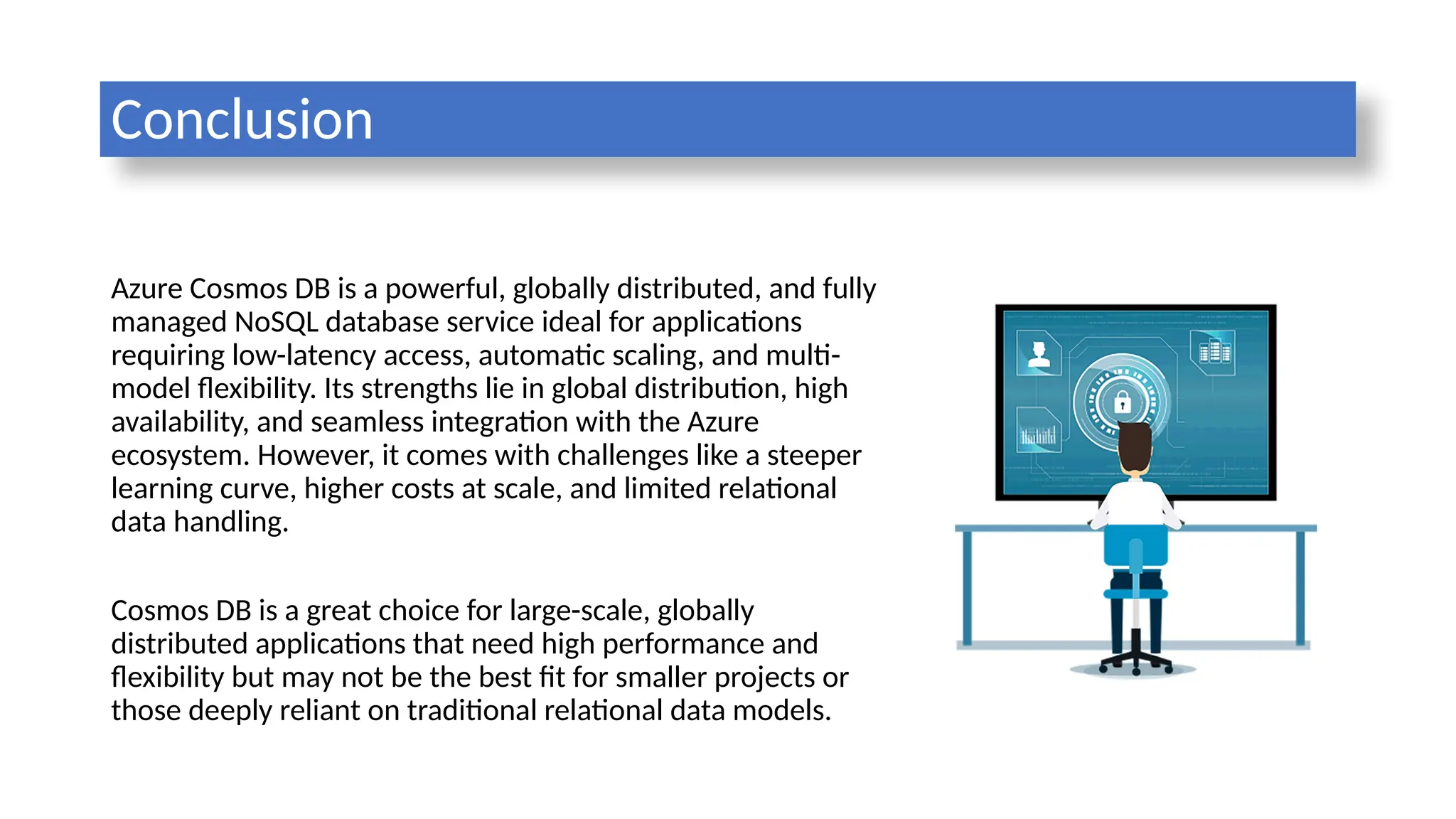
Azure Cosmos DB is a powerful, globally distributed, and fully
managed NoSQL database service ideal for applications
requiring low-latency access, automatic scaling, and multi-
model flexibility. Its strengths lie in global distribution, high
availability, and seamless integration with the Azure
ecosystem. However, it comes with challenges like a steeper
learning curve, higher costs at scale, and limited relational
data handling.
Cosmos DB is a great choice for large-scale, globally
distributed applications that need high performance and
flexibility but may not be the best fit for smaller projects or
those deeply reliant on traditional relational data models.
cosmodb ppt project.pptxakfjhaasjfsdajjkfasd

  • 1.
    CENTRAL UNIVERSITY OFSOUTH BIHAR Microsoft uses Cosmos DB SUBMITTED BY: ABHINEET KUMAR (CUSB2302312001) MOHIT KUMAR (CUSB2302312010) SUBMITTED TO: DR. PRABHAT RANJAN ASSOCIATE PROFESSOR, CUSB
  • 2.
    CONTENTS 1. Introduction 2. Microsoft 3.Azure Cosmos DB 4. Features of Azure Cosmos DB 5. Architecture of Cosmo dB 6. Storage mechanism 7. Some Examples 8. Comparing Cosmos DB and MongoDB 9. Advantages & Disadvantages 10. Conclusion
  • 3.
    Microsoft Corporation Founded: April4, 1975 Founders: Bill Gates and Paul Allen Headquarters: Redmond, Washington, USA CEO: Satya Nadella Industry: Technology Revenue: $211.9 billion (FY 2023) Employees: ~221,000 (2023) Microsoft is a global leader in technology, known for its software products like the Windows operating system and Microsoft Office suite. It also provides a range of cloud services through Azure, develops hardware like Surface devices and Xbox gaming consoles, and is a key player in AI development, with investments in OpenAI and generative AI products such as Copilot in Office applications. Microsoft’s cloud segment, Azure, is a major revenue driver, positioning the company as a leader in cloud computing.
  • 4.
    AZURE COSMOS DB AzureCosmos DB is a globally distributed, fully managed NoSQL database service by Microsoft, designed for mission-critical applications with high scalability and low- latency performance. Use Cases: Ideal for applications requiring real-time data access, such as IoT, gaming, retail, and social media platforms.
  • 5.
    Azure cosmos dB'shistory •2010 – Origin as "Project Florence" Developed internally to store large-scale unstructured data for Microsoft services. •2014 – Launch as Document DB Initially released as Document DB, focusing on document storage with limited functionality. •2017 – Rebranded and Public Release as Azure Cosmos DB Evolved into a globally distributed, multi-model database with horizontal partitioning for scalability. •2018 – Multi-Master Feature Announcement Introduced multi-master capabilities, allowing multiple write regions, boosting scalability and reliability.
  • 6.
    Why we need?  Rapid Scaling & Low-Latency  Multi-Model Support  High Performance & Availability  Flexible Consistency Models  Elastic Scaling  Automatic Partitioning  Change Data Capture (CDC)  Cost-Effective for Serverless Apps  SLAs for Mission-Critical Workloads
  • 7.
    Key Features ofAzure Cosmos DB  Globally Distributed  Linearly Scalable  Schema-Agnostic Indexing  Multi-Model Database  Multi-API & Multi-Language Support  Multi-Consistency Support  Automatic Indexing  High Availability  Guaranteed Low Latency  Multi-Master Support
  • 8.
  • 9.
  • 11.
  • 12.
  • 13.
    STORAGE MECHANISM  Partitioning& Data Distribution  Logical vs. Physical Partitions:  Automatic Scaling:  Global Distribution & Multi-Region Replication  Request Units (RUs) & Throughput Scaling  Encryption at Rest & in Transit  Encryption at Rest:  Encryption in Transit:  Indexing & Storage Optimization  Backup & Disaster Recovery
  • 16.
    from azure.cosmos importCosmosClient, PartitionKey url = 'https://cosmosrgeastus467823cc-9237-4d5c-b38edb.documents.azure.com:443/' key = '<nyQ525S6kZskc5gktn7eTxEtlf9YCnxOn1FQdFkk3iUoLXNhDbWVtlssnAunmjsKqCosp5Zov 0QSACDbsxL3nA==>' client = CosmosClient(url, credential=key) database_name = ‘bigdata24' container_name = ‘bogdata' database = client.get_database_client(database_name) container = database.get_container_client(container_name) items_to_insert = [ { 'id': '1', 'ItemID': '101', 'name': ‘Mohit Kumar', 'description': 'Inserting first data item programmatically into Cosmos DB', 'createdDate': '2024-10-24', 'status': 'in-progress' }, SOME EXAMPLES
  • 17.
    { 'id': '2', 'ItemID': '102', 'name':‘Abhineet Kumar', 'description': 'Inserting second data item programmatically into Cosmos DB', 'createdDate': '2024-10-23', 'status': 'completed' }, { 'id': '3', 'ItemID': '103', 'name’: ‘Saurav Yadav', 'description': 'Inserting third data item programmatically into Cosmos DB', 'createdDate': '2024-10-22', 'status': 'pending' },
  • 18.
    { 'id': '4', 'ItemID': '104', 'name':‘Sonu Kumar , 'description': 'Inserting fourth data item programmatically into Cosmos DB', 'createdDate': '2024-10-21', 'status': 'in-progress' }, { 'id': '5', 'ItemID': '105', 'name': ‘Saquib Sabir', 'description': 'Inserting fifth data item programmatically into Cosmos DB', 'createdDate': '2024-10-20', 'status': 'completed' },
  • 19.
    { 'id': '6', 'ItemID': '106', 'name':‘Pooja Kumari', 'description': 'Inserting sixth data item programmatically into Cosmos DB', 'createdDate': '2024-10-19', 'status': 'pending' }, { 'id': '7', 'ItemID': '107', 'name': ‘Pritty Kumari', 'description': 'Inserting seventh data item programmatically into Cosmos DB', 'createdDate': '2024-10-18', 'status': 'in-progress' },
  • 20.
    { 'id': '8', 'ItemID': '108', 'name':‘Rishi Yadav', 'description': 'Inserting eighth data item programmatically into Cosmos DB', 'createdDate': '2024-10-17', 'status': 'completed' }, { 'id': '9', 'ItemID': '109', 'name': ‘Deepali', 'description': 'Inserting ninth data item programmatically into Cosmos DB', 'createdDate': '2024-10-16', 'status': 'pending' },
  • 21.
    { 'id': '10', 'ItemID': '110', 'name’:‘Sunny Kumari', 'description': 'Inserting tenth data item programmatically into Cosmos DB', 'createdDate': '2024-10-16', 'status': 'in-progress' } ] # Insert each document into the container for bigdata in items_to_insert: container.create_item(body=bigdata) print("10 unique items inserted successfully.")
  • 22.
    query = "SELECT* FROM bigdata" items = list(container.query_items( query=query, enable_cross_partition_query=True )) for item in items: print(item) 1. Query {/} query = "SELECT * FROM bigdata WHERE bigdata.status = 'in- progress'" items = list(container.query_items( query=query, enable_cross_partition_query=True )) for item in items: print(item) 2. Query {/}
  • 23.
    3.Query {/} query ="SELECT * FROM bigdata WHERE bigdata.createdDate > '2024-10-20'" items = list(container.query_items( query =query, enable_cross_partition_query=Tr ue )) for item in items: print(item) query = "SELECT * FROM bigdata WHERE bigdata.name = 'Mohit Kumar'" items = list(container.query_items( query =query, enable_cross_partition_query=Tr ue )) for item in items: print(item) 4.Query {/}
  • 24.
    5.Query {/} query ="SELECT VALUE COUNT(1) FROM bigdata" count = list(container.query_items( query=query, enable_cross_partition_query=True )) print(f"Total number of items: {count[0]}")
  • 25.
    Category Azure CosmosDB MongoDB Provider Managed service by Microsoft Azure. Open-source database developed by MongoDB Inc. Database Type Globally distributed, multi-model NoSQL database. Document-oriented NoSQL database. API Compatibility Supports multiple APIs: SQL, MongoDB, Cassandra, Gremlin (graph), Table APIs. Primarily supports its own MongoDB API (document model). Scalability Elastic scaling of throughput and storage globally, with auto- scaling options. Scalability achieved through sharding but requires manual setup and configuration. MongoDB Atlas offers auto-scaling. Performance Sub-10ms latency with automatic indexing of all data and low- latency reads/writes globally. Can achieve low latency with proper indexing and architecture but may require optimization for large datasets. Data Models Multi-model: Supports key-value, document, graph, and columnar data models. Document-based model using BSON (Binary JSON) format. Pricing Model Pay-as-you-go based on throughput (RU/s) and storage; offers per-request pricing. Pricing depends on the number of instances and resources in use. MongoDB Atlas offers pay-as-you-go pricing. Replication Automatic multi-master replication across regions, with failover support. Replica sets are available, but global replication requires additional setup. Security Offers encryption at rest, role-based access control, VNET, and private link support. Encryption, access control, and security features available, but configuration depends on the environment (e.g., Atlas vs. self- managed). Open-Source Proprietary, but APIs like MongoDB, Cassandra, and others are open-source compatible. Completely open-source (with MongoDB Inc.'s cloud offering, Atlas, available for managed services). Query Language Cosmos DB SQL-like query language (if using SQL API), supports MongoDB queries if using the Mongo API. MongoDB Query Language (MQL) for querying data.
  • 26.
    Advantages of CosmosDB: Disadvantages of Cosmos DB: •Cost: Can become expensive at scale. •Learning Curve: Complexity in consistency models and scaling. •Complex Querying: Limited compared to traditional SQL databases. •Vendor Lock-in: Difficult to migrate to other cloud providers. •Limited Relational Support: Not ideal for complex relational data. •Manual Indexing: May require custom indexing in some cases. •Smaller Community: Less support compared to popular databases like MySQL. •Flexible Consistency Models: Offers 5 consistency levels to balance performance and consistency. •Global Distribution: Replicate data across regions for low-latency and high availability. •Multi-Model Support: Supports document, key- value, graph, and column-family models. •Automatic Scaling: Scales throughput automatically based on demand. •Low Latency: Millisecond read and write latencies. •Elastic Throughput: Scales resources efficiently. •High Availability: 99.99% uptime SLA. •Fully Managed: No need to handle infrastructure, scaling, or patches. •Azure Integration: Works seamlessly with other Azure services.
  • 27.
    Conclusion Azure Cosmos DBis a powerful, globally distributed, and fully managed NoSQL database service ideal for applications requiring low-latency access, automatic scaling, and multi- model flexibility. Its strengths lie in global distribution, high availability, and seamless integration with the Azure ecosystem. However, it comes with challenges like a steeper learning curve, higher costs at scale, and limited relational data handling. Cosmos DB is a great choice for large-scale, globally distributed applications that need high performance and flexibility but may not be the best fit for smaller projects or those deeply reliant on traditional relational data models.